
MECABLITZ 58 AF-1 DIGITAL SONY - External Flash METZ - Free user manual and instructions
Find the device manual for free MECABLITZ 58 AF-1 DIGITAL SONY METZ in PDF.


| Product type | External flash for Sony cameras (digital SLRs and Konica-Minolta Dynax / Dimage film cameras) |
| Brand | METZ |
| Model | MECABLITZ 58 AF-1 DIGITAL SONY |
| Dimensions (H × W × D) | 71 × 148 × 99 mm |
| Weight (with batteries) | Approx. 355 g |
| Power supply | 4 AA batteries (LR6 / HR6 / KR6) or optional Power Pack P76 |
| Max guide number (ISO 100, 105 mm zoom) | 58 (meters) / 192 (feet) |
| Flash modes | Standard TTL, pre-flash TTL, ADI, automatic A, manual M, stroboscopic, HSS, remote slave |
| Motorized zoom (main reflector) | 24 - 28 - 35 - 50 - 70 - 85 - 105 mm (24×36); wide-angle diffuser for 18 mm |
| Head orientation | Vertical: -7° to 90° (stops at 45°, 60°, 75°, 90°); Horizontal: 180° (left and right in steps) |
| Recycling time (full power) | Approx. 5 s with NiMH batteries; approx. 2.5 s with Power Pack P76 |
| Battery life (full power) | Approx. 180 flashes with 1600 mAh NiMH batteries; approx. 430 flashes with Power Pack P76 |
| Synchronization | 1st and 2nd curtain, high-speed sync (HSS), slow sync (SLOW) |
| Flash exposure compensation | From -3 to +3 EV in 1/3 steps (in A mode) |
| Manual partial power | From 1/1 to 1/256 (in M and stroboscopic mode) |
| Special functions | Audible beep, bracketing (FB), adjustable standby, modeling light, key lock, extended zoom, secondary reflector, m/ft switching |
| AF illuminator | Multi-zone, range approx. 0.7 - 9 m (depending on lens and sensor) |
| Firmware update | Via USB port (see Metz website) |
| Care and cleaning | Soft, dry or silicone cloth; no detergent |
| Safety | Do not use near gas/flames; avoid flash in eyes; do not disassemble (high voltage) |
| Spare parts / repairability | No user-serviceable parts; contact dealer or service center |
| Optional accessories | Mecabounce 58-90, reflecting screen 58-23, Power Pack P76 + cable V58-50 |
Frequently Asked Questions - MECABLITZ 58 AF-1 DIGITAL SONY METZ
User questions about MECABLITZ 58 AF-1 DIGITAL SONY METZ
0 question about this device. Answer the ones you know or ask your own.
Ask a new question about this device
Download the instructions for your External Flash in PDF format for free! Find your manual MECABLITZ 58 AF-1 DIGITAL SONY - METZ and take your electronic device back in hand. On this page are published all the documents necessary for the use of your device. MECABLITZ 58 AF-1 DIGITAL SONY by METZ.
USER MANUAL MECABLITZ 58 AF-1 DIGITAL SONY METZ
natural_image
Black Meiz 58 AF-1 digital flash unit with visible lens and control buttons (no text or symbols on body)MECABLITZ 58 AF-1 digital
für/for Sony-D-SLR Kameras
mit/with ADI / HSS / Preflash-TTL
Bedienungsanleitung
Gebruiksaanwijzing
Manuale istruzioni
Mode d'emploi
Operating instruction
Abmaße ca. in mm (B x H x T):
71 × 148 × 99
Gewicht:
1 Safety instructions ....83
2 Dedicated flash functions .....84
3 Preparing the flash unit for use .....84
3.1 Mounting the flash unit .....84
3.2 Power supply 84
3.3 Switching the flash unit on and off .85
3.4 Power Pack P76 (optional accessory) .....85
3.5 Auto OFF for the flash unit .85
4 Display illumination ....85
5 Operating modes (mode menu) .....86
5.1 Adjusting procedure for flash operating modes .....86
5.2 TTL-flash modes .....86
5.3 Automatic fill-in flash mode .....87
5.4 Automatic flash mode .....87
5.5 Automatic flash mode .....88
5.6 Manual flash mode .....88
5.7 Strobe flash mode .....88
6 Flash parameters (Parameter menu) .....89
6.1 Setting procedure for the flash parameters .....89
6.2 Main reflector position (Zoom) 90
6.3 Flash exposure correction (EV) 90
6.4 Manual partial light output (P) 90
7 Special functions (Select menu) .....91
7.1 Setting procedure for the special functions .....91
7.2 Beep function (Beep) 91
7.3 Flash Bracketing Series (FB) 92
7.4 Extended Zoom Mode (Zoom Ext) 92
7.5 Remote Slave Mode (Remote) 93
7.6 Meter-Feet changeover (m/ft) 95
7.7 Secondary reflector 95
7.8 Modelling Light (ML) 95
7.9 Auto OFF Function (Standby) 96
7.10 KeyLock 96
8 Motor Zoom Reflector .....97
9 Reflector adapter 97
10 Flash techniques .....98
10.1 Bounce flash 98
10.2 Bounce flash with a reflector card .....98
10.3 Bounce flash with secondary reflector .....98
10.4 Close-ups / macro shots 98
10.5 Manual flash exposure corrections .....98
11 Flash readiness indication .....99
12 Automatic flash sync speed control .....99
13 Correct exposure indication .....99
14 Flash range indication ....100
15 Flash synchronisation ....100
15.1 Normal synchronisation 100
15.2 Second curtain synchronisation (2nd curtain, SLOW2) .....100
15.3 Slow synchronisation / SLOW 100
15.4 High speed synchronisation HSS .....101
15.5 Preflash function for red-eye reduction .....101
16 Multi-zone AF measuring beam .....101
17 Triggering control (auto-flash) .....101
18 Care and maintenance ....102
18.1 Firmware updates .....102
18.2 Reset 102
18.3 Flash capacitor forming 102
19 Troubleshooting .....102
20 Technical data ....104
21 Optional accessories ....105
Table 3: Guide numbers at maximum light output (P 1) .....159
Table 4: Flash durations at the individual partial light output levels .....160
Table 5: Camera shutter speeds in stroboscopic mode .....161
Table 6: Recycling times and number of flashes with different battery types .162
Table 7: Maximum guide numbers at HSS-Mode .....162

Introduction
Thank you for purchasing a Metz product. We are happy to welcome you as a customer.
Of course, you are excited to start using the flash unit right away. However, it is worthwhile reading the operating instructions first to learn how to use the flash correctly.
This flash unit is suited for:
- Digital Sony reflex cameras with TTL, TTL preflash and ADI metering. Analog and digital Konica-Minolta Dynax / Dimage cameras.
This flash unit is not suited for other brands of cameras. Also take a look at the image page at the end of the manual.
1 Safety instructions
- The flash unit is intended and approved exclusively for photographic use!
- Never fire a flash in the vicinity of flammable gases or liquids (petrol, solvents, etc.)! DANGER OF EXPLOSION!
- Never take flash shots of car, bus or train drivers, or of motorcycle and bicycle riders while they are in motion. They could be blinded by the flash and cause an accident!
- Never fire a flash in the immediate vicinity of the eyes! A flash fired into the eyes of a person or animal at close range may damage the retina and lead to severe visual disorders, including blindness!
- Only use the approved power sources listed in the Operating Instructions!
- Do not expose batteries to excessive heat sources such as sunshine or fire!
- Never throw flat/dead batteries onto a fire!
- Dead batteries should be removed from the flash unit immediately, as lye leaking from dead batteries can damage the flash unit.
-
Never recharge dry cell batteries!
-
Do not expose the flash unit or battery charger to dripping or splashing water such as rain!
- Protect the flash unit from excessive heat and humidity! Do not store the flash unit in the glove compartment of a car.
- When a flash is fired, no opaque material may be in front of or directly on the reflector screen of the flash unit, nor may there be dirt on the reflector screen. The high heat generated by the flash can cause such material to burn or cause damage to the reflector screen.
- Do not touch the reflector screen after a series of flash shots, as you may burn yourself.
- Never disassemble the flash unit! DANGER: HIGH VOLTAGE! There are no components inside the flashgun that can be repaired by a layman.
- When taking a series of flash shots at full light output and with the rapid recycling times possible with NiCad/NiMH battery operation, make sure to wait for at least 10 minutes after 15 flashes. Otherwise, the flash unit will be overloaded.
- When taking a series of flash shots at full light output and with rapid recycling times, and with zoom positions of 35 mm and less, the diffuser heats up, due to the high level of thermal energy. To protect itself from overheating, the flash unit will automatically increase the recycling time.
- This flash unit may be used in combination with a camera-integrated flash only if the flash can be folded out completely.
- Rapid changes in temperature may lead to condensation. If this occurs, allow time for the unit to become acclimatized.
- Never use defective batteries of any type with this flash unit.
2 Dedicated flash functions
Dedicated flash functions are flash functions that have been specially adapted to a given camera system. Depending on the type of camera, different flash functions are supported.
- Flash-ready indication in camera viewfinder
• Automatic flash sync speed control - Standard TTL without measuring preflash)
- Preflash TTL and ADI metering
• Automatic fill-in flash control - Manual flash exposure correction
- 1st or 2nd curtain synchronisation (REAR)
• Automatic high speed synchronisation (HSS) with TTL and M
• Automatic motor zoom control - Extended zoom mode
• Automatic AF measuring beam control
• Automatic flash range indication - Triggering control (AUTO FLASH)
- Wireless-remote flash mode
- Wake-up function for the flash unit
- Firmware updates
It is impossible to describe all camera types and their individual dedicated flash functions within the scope of these instructions. Therefore, please refer to the flash mode description in your camera's operating instructions to find out which functions are supported and which ones have to be set manually on the camera.
3 Preparing the flash unit for use
3.1 Mounting the flash unit
Mounting the flash unit on the camera
Turn off the camera and flash before mounting or removing.
- Turn the knurled nut ⑫ towards the flash unit housing as far as it will go.
- Slide the flash unit foot completely into the camera accessory shoe.
- Turn the knurled nut ⑫ towards the camera housing as far as it will go, clamping the flash unit in place.
Removing the flash unit from the camera
Turn off the camera and flash before mounting or dismounting.
- Turn the knurled nut ⑥ towards the flash unit housing as far as it will go.
- Remove the flash unit from the camera's accessory shoe.
3.2 Power supply
Suitable batteries/rechargeable batteries
The flash unit can be operated with any of the following batteries:
- 4 NiCad batteries 1.2V, type IEC KR (size AA). They permit very fast recycling times and are economical in use because they are rechargeable.
- 4 nickel-metal-hydride batteries 1.2V, type IEC HR6 (size AA). They have a significantly higher capacity than NiCad batteries and are less harmful to the environment, since they have no cadmium.
- 4 alkaline-manganese dry cell batteries 1.5V, type IEC LR6 (size AA). Maintenance-free power source for moderate power requirements.
- 4 lithium batteries 1.5V, type IEC FR6 (size AA). Maintenance-free high-capacity power source with a low self-discharge rate.
- Power Pack P76 with connecting cable V58-50 (optional accessory)
If your flash unit is not going to be used for an extended period of time, remove the batteries.
Replacing batteries
The batteries are flat or dead if the recycling time (elapsing from the triggering of a full-power flash, e.g. in the M mode, to the moment the flash ready indicator ⑯ lights up again) exceeds 60 seconds.
- Turn off the flash unit at the main switch ⑮.
- Slide the battery compartment cover ⑧ downwards and fold open.
- Insert the batteries lengthwise as indicated by the battery symbols on the flash unit, and close the battery compartment cover ⑧.
When inserting batteries, ensure that the polarity is correct and matches the symbols in the battery compartment. Inserting the batteries in the wrong direction can destroy the flash unit! Always replace all batteries simultaneously, and make sure that batteries are the same brand and have the same capacity. Flat or dead batteries should not be disposed of with ordinary household waste. Help protect the environment, and dispose of flat/dead batteries at the appropriate collection points.
3.3 Switching the flash unit on and off
The flash unit can be turned on by flipping the main switch ⑮ to the „ON“ position. To turn off the flash unit, flip the main switch ⑮ to the left position.
If your flash unit is not going to be used for an extended period of time, we recommend turning it off with the main switch and removing the power source (i.e., batteries).
3.4 Power Pack P76 (optional accessory)
If a battery-operated flash does not meet your needs in terms of number of flashes and recycling times, a Power Pack P76 (optional) can be connected to the flash unit to provide extra power. A V58-50 connecting cable (optional) is necessary for connecting the Power Pack P76 to the flash unit.
In this case, no batteries have to be inserted into the flash unit.
When attaching the Power Pack P76 or the V58-50 connecting cable (accessory) to the flash unit, the main switch of the flash must be in the left „OFF" position. The flash unit is then turned on or off using the switch on the Power Pack P76 (see Operating Instructions for the Power Pack).
To protect the flash unit from thermal overload when connected to the Power Pack, a monitoring control increases the recycling times during heavy usage. Both flash unit and Power Pack should be switched off before the connecting cable is attached or removed from either unit.
3.5 Auto OFF for the flash unit
To save battery power and prevent inadvertent battery drain, the flash unit is factory-set to automatically switch to standby mode (Auto OFF) 10 minutes after
- being switched on,
- a flash is fired
- the shutter release is actuated
- the camera's exposure metering system is switched off.
...The flash readiness indicator and the LC display are also switched off.
If the flash is manually switched on again, the last settings prior to the automatic switch off are retained and immediately available. The flash unit can be reactivated by pressing any button or by lightly depressing the shutter release (wake up function). Activated automatic cut-off is marked by the symbol ⏻ on the display.
The flash unit should always be turned off using the main switch ⑮ if it is not going to be used for an extended period.
If necessary, the Auto OFF function can be set to occur after 1 minute of inactivity, or can be deactivated (see 7.9).
4 Display illumination
Every time a button on the flash unit is pressed, the flash display illumination is activated for 10 seconds. When a flash is fired via the camera or a hand release, the display lightning ^4 ^16 on the flash unit is switched off.
5 Operating modes (mode menu)
Depending on camera type, various TTL modes are available (Standard TTL without preflash, TTL preflash, ADI flash control), Automatic A, Manual M, and Stroboscope . Therefore, data transfer between flash unit and camera is necessary before setting the flash mode, e.g. by actuating the shutter release.
Depending on the type of camera, other flash modes may be supported. These flash operating modes can be selected and activated in the mode menu following a data transfer with the camera. Depending on the system, some camera models (depending on the camera's operating mode) only support the TTL flash mode. Other flash modes (automatic A, manual M etc.) cannot be selected or activated!
5.1 Adjusting procedure for flash operating modes
- Press the „Mode“ button until the word „Mode“ appears on the display. You can choose from the following operating modes:
TTL flash modes: Standard TTL without preflash, TTL preflash and ADI.
TTL HSS TTL -flash mode with high speed synchronisation HSS
A Automatic flash mode
M Manual flash mode
M HSS Manual flash mode with high speed synchronisation HSS
Stroboscope flash mode
- Set the flash mode of your choice (TL, automatic A, manual M, etc.) using the UP ▲ and DOWN ▼ keys. The flash mode you choose is then highlighted. The settings take effect immediately.
- Press the „Return“ button →, and the display changes back to the normal view. If the „Return“ button → is not pressed, the display will change back to the normal view after about 5 seconds.
The flash parameters for ISO, aperture and lens focal length or mirror position are set automatically, if the camera transfers the necessary data to the flash unit. The range indicator on the display of the control unit matches the flash parameters transferred from the camera.
If the camera does not transfer one or more flash parameters to the flash unit, you will have to adjust these settings by hand (see 6).
5.2 TTL-flash modes
The TTL flash modes offer a very simple method of achieving very good flash shots. In these modes, exposure readings are taken by a sensor built into the camera, which measures the amount of light through the camera lens (TTL = „Through The Lens“). Here the camera automatically determines the flash performance required for a correct exposure of the shot. The advantage of the TTL flash modes is that all factors influencing exposure (filters, change of aperture and focal length with zoom objectives, extensions for close-ups, etc.) are automatically taken into account in adjusting the flash light.
If the shot was correctly lit, the correct exposure indication ④ will flash „OK“ for about 3 seconds (see 4.2).
The flash unit automatically supports the camera's TTL flash mode. There is no special indication of the flash mode.
Please note whether there are limitations for your camera in terms of film sensitivity for TTL flash mode (for example, ISO 64 to ISO 1000; see camera's operating instructions)! In analogue cameras there must be a film in the camera to test the TTL function!
Preflash TTL and ADI metering
Preflash TTL and ADI metering are digital TTL flash operating modes and refined versions of the TTL flash operation found in analogue cameras. When taking a shot, an almost imperceptible measurement preflash is triggered by the camera prior to the actual exposure process. The reflected light of the measurement preflash is evaluated by the camera. Depending on the result of the evaluation, the subsequent flash exposure is adapted by the camera to suit the given shot situa-
tion (see camera operating instructions for further details). In the case of ADI metering, additional distance data from the lens is incorporated into the flash exposure process. The selection and/or setting of the preflash TTL and ADI metering operating modes are carried out on the camera (see camera operating instructions).
The flash unit must be set to the TTL flash operating mode.
Setting procedure:
- Press the „Mode“ button until „Mode“ flashes on the LC display.
- Set the TTL flash mode using the UP ▲ and DOWN ▼ keys. The flash mode you choose is then highlighted. The setting takes effect immediately.
- Press the „Return“ button → to change the display back to the normal view. If the „Return“ button → is not pressed, the display will change back to the normal view after about 5 seconds.
If the shot was properly lit, the correct exposure indication ⑭ will flash „OK“ for about 3 seconds (see 13).
TTL flash mode
This analogue flash mode is supported by older analogue cameras. It is the normal TTL flash mode (TTL flash mode without preflash).
Setting procedure:
- Press the „Mode“ button until „Mode“ flashes on the LC display.
- Set the TTL flash mode using the UP ▲ and DOWN ▼ keys. The flash mode you choose is then highlighted. The setting takes effect immediately.
- Press the „Return“ button → to change the display back to the normal view. If the „Return“ button → is not pressed, the display will change back to the normal view after about 5 seconds.
5.3 Automatic TTL fill-in flash mode
With most camera models, the auto programme mode P and subject programme activate the automatic fill-in flash mode in daylight (see the camera's operating manual).
With the fill-in flash you can remove annoying shadows and achieve a balanced exposure between motive and background in shots with backlight. A computer-controlled metering system takes care of the appropriate combination of shutter speed, working aperture and flash output.
Ensure that the frontlighting source does not shine directly into the lens, as this will interfere with the camera's TTL metering system.
Ensure that the contre-jour light source does not shine directly into the lens, as this will interfere with the camera's TTL metering system.
An adjustment or display for the automatic TTL fill-in flash mode on the flash unit doesn't occur in this case.
5.4 Automatic flash mode
In the automatic flash mode A, the flash unit sensor 10 measures the light that reflects back from the subject. The sensor 10 has a coverage of about 25^ , and only measures the light for the time a flash is fired by the mecablitz. The flash is cut off as soon as sufficient light has been emitted for correct exposure. The sensor 10 of the mecablitz has to be directed at the subject.
The maximum range is shown on the LC display. The shortest shot distance is approximately 10% of the maximum distance range. The subject should be located within the middle third of the distance range shown on the LC display to allow the electronic system sufficient leeway for compensation.
Setting procedure:
- Press the „Mode“ button until „Mode“ flashes on the LC display.
- Set the flash mode A using the UP ▲ and DOWN ▼ keys. The flash mode selected is then highlighted. The setting takes effect immediately.
- Press the „Return“ button → to change the LC display back to the normal view. If the „Return“ button → is not pressed, the display will change back to the normal view after about 5 seconds.
If the shot was properly lit, the correct exposure indication ⑭ will flash „OK“ for about 3 seconds (see 13).
5.5 Automatic flash mode
When shooting in automatic fill-in flash mode in daylight, the automatic flash mode A will automatically set a correction of between -1 and -2 f-stops to compensate for flash exposures (see 6.3 and 10.5).
This has a graduated lightening effect on shadowy areas, which has a natural appearance on the photograph.
5.6 Manual flash mode
In the manual flash mode M, the flash unit emits the full uncontrolled amount of light if no partial light output has been selected. The specific photographic situation can be taken into account by making adjustments to the aperture setting or by selecting a suitable partial light setting.
Setting procedure:
- Press the „Mode“ button until „Mode“ flashes on the LC display.
- Choose the flash mode M using the UP ▲ and DOWN ▼ arrows. The flash mode M is then highlighted. The setting takes effect immediately.
- Press the „Return“ button → to change the LC display back to the normal view. If the „Return“ button → is not pressed, the display will change back to the normal view after about 5 seconds.
Set partial light output:
- Press the „Para“ button (Parameters) until „P“ flashes on the LC display for partial light output.
- Set the desired light output (1/1-1/256) with the +/− buttons. The setting takes effect immediately.
- Press the „Return“ button → to change the LC display back to the normal view. If the „Return“ button → is not pressed, the display will change back to the normal view after about 5 seconds.
The mecablitz LC display will indicate the flash-to-subject distance required for a correct flash exposure.
Some cameras only support the M manual flash mode when the camera is set to the manual operating mode M.
5.7 Strobe flash mode
The strobe flash mode is a manual flash mode. It allows several flash exposures to be made on a single photo, which can be especially interesting for movement studies or special effect images. In strobe flash mode, several flashes at a certain flash frequency are emitted. For this reason, this function is only possible with a partial light output of 1/4 or less.
The flash frequency (flashes per second) for a stroboscope image can be set between 1 ... 50 Hz in 1 Hz intervals, and the number of flashes can be set between 2 ... 50 in intervals of one.
Setting procedure:
- Press the „Mode“ button until „Mode“ flashes on the LC display.
- Choose the flash mode using the UP ▲ and DOWN ▼ arrows. The flash mode is then highlighted. The setting takes effect immediately.
- Press the „Return“ button → to change the LC display back to the normal view. If the „Return“ button → is not pressed, the display will change back to the normal view after about 5 seconds.
Strobe number of flashes (N)
In strobe mode, the number of flashes per shot (N) can be selected.
The number of flashes can be set from 2 to 50 in intervals of one. The maximum manual partial light output is automatically adjusted to this number.
Strobe flash frequency (f)
Strobe mode allows you to select the flash frequency (f), which indicates the number of flashes per second. The number of flashes can be set from 1 to 50 in intervals of one. The maximum manual partial light output is automatically adjusted to this number.
Setting procedure:
- Press the „Para“ button (Parameters) until the desired flash parameter (N or f) flashes on the LC display.
- Set the desired value using the + / - buttons. The setting takes effect immediately.
- Press the „Return“ button → to change the LC display back to the normal view. If the „Return“ button → is not pressed, the display will change back to the normal view after about 5 seconds.
The maximum possible partial light output depends on the ISO and aperture settings, and is automatically set in strobe mode. If you desire short flashes, you can manually reduce the partial light output to the lowest value of 1/256.
The mecablitz LC display will indicate the flash-to-subject distance required for a correct flash exposure, given the parameters selected. By changing the aperture setting or the partial light output, this value can be adjusted to fit the actual distance to the subject.
Setting procedure:
- Press the „Para“ button (Parameters) until the desired flash parameter (P=partial light output) appears on the LC display.
- Set the desired value using the +/- buttons. The setting takes effect immediately.
- Press the „Return“ button → to change the LC display back to the normal view. If the „Return“ button → is not pressed, the display will change back to the normal view after about 5 seconds.
The secondary reflector is not supported in the Stroboscopic flash mode. If the secondary reflector was activated in the select menu, it will not also flash in the Stroboscopic flash mode! In the display, the symbol for the secondary reflector 🎩 will not be shown!
6 Flash parameters (Parameter menu)
For the flash unit to operate correctly, various flash parameters such as the zoom position of the main reflector, aperture, ISO light sensitivity, etc. have to be adjusted to match the camera.
For this automatic data transfer to occur, the flash unit has to be mounted on the camera, and both devices have to be switched on. In addition, a data exchange between the camera and flash unit has to be initiated, for which you simply briefly press the shutter release. The maximum range as per the current flash parameters is shown on the display.
6.1 Setting procedure for the flash parameters
When a button is pressed for the first time, the LC display is illuminated.
Depending on the flash mode set, various flash parameters are shown in the menu: For cameras with digital data transfer, the flash parameters for aperture (F), lens focal length (Zoom), and light sensitivity (ISO) are automatically set on the flash unit. The flash parameters for aperture (F) and light sensitivity (ISO) cannot be changed.
- Press the „Para“ button (Parameters) until the desired flash parameter (see below) appears on the LC display.
The following parameters are available:
| TTL/TTL-HSS | A | M/M HSS | Table 1 | |
| — | — | — | N | Number of strobe flash |
| — | — | — | f | Strobe flash frequency |
| — | — | P | P | Manual partial light output |
| Zoom | Zoom | Zoom | Zoom | Mainreflektor position |
| — | EV | — | — | Manual flash exposure correction |
- Set the desired value using the +/- buttons. The setting takes effect immediately.
- Press the „Return“ button → to change the LC display back to the normal view. If the „Return“ button is not pressed, the display will change back to the normal view after about 5 seconds.
The system does not display f-stops and ISO on the flash unit when in use on the camera.
6.2 Main reflector position (Zoom)
If there is no digital data transfer between the camera and flash unit, the reflector positions
24 mm - 28 mm - 35 mm - 50 mm - 70 mm - 85 mm - 105 mm (35mm format 24 x 36) can be set manually.
The display shows MZoom (manual zoom) and the reflector position.
Setting procedure:
- Press the „Para“ button (Parameters) until „Zoom“ appears on the LC display.
- Set the desired value using the +/- buttons. The setting takes effect immediately.
- Press the „Return“ button → to change the LC display back to the normal view. If the „Return“ button → is not pressed, the display will change back to the normal view after about 5 seconds.
During digital data transfer between the camera and flash unit, the main reflector positions are adjusted automatically.
The display shows AZoom (auto zoom) and the reflector position.
If the main reflector is swivelled to the side or upwards, no reflector position is displayed in AZoom Mode (also see 10.5.).
6.3 Flash exposure correction (EV)
Manual flash exposure correction (EV) can help offset extreme differences in contrast between the subject and background. In Automatic Flash Mode A, the correction values -3 f-stops (EV) to +3 f-stops (EV) can be set in steps of 3 on the flash unit. (see also 10.3)
Setting procedure:
- Switch the flash unit to Automatic Flash Mode A (see also 5.4).
- Press the „Para“ button (Parameters) until „EV“ flashes on the LC display.
- Set the desired EV value using the +/- buttons. The setting takes effect immediately.
- Press the „Return“ button → to change the LC display back to the normal view. If the „Return“ button → is not pressed, the display will change back to the normal view after about 5 seconds.
In the TTL flash modes, the camera must support flash exposure correction. This setting is made on the camera (see camera operating instructions).
6.4 Manual partial light output (P)
In the manual mode M and the strobe mode , the light output can also be adjusted to fit the shooting situation with the manual partial light output parameter (P). Settings in manual flash mode M range from P 1/1 (full light output) to P 1/256, in intervals of 1/3.
Setting procedure:
- Press the „Para“ button (Parameters) until „P“ appears on the LC display.
- Set the desired light output (1/1 - 1/256) with the +/− buttons. The setting takes effect immediately.
- Press the „Return“ button → to change the LC display back to the normal view. If the „Return“ button → is not pressed, the display will change back to the normal view after about 5 seconds.
In strobe mode , the maximum partial light output is automatically adjusted to fit the flash parameters chosen.
In strobe mode ↓↓↓, reduction of the manual partial light output is only possible in full intervals.
When the number of flashes (N) and the flash frequency (f) are reset, the partial light output is not reset.
7 Special functions (Select menu)
Special functions are selected using the „Sel“ (Select) button. Depending on the camera model and flash mode set, various special functions are available. If certain special functions are not supported by your camera, these functions may not be displayed in the menu. Also see table 2 for more information.
7.1 Setting procedure for the special functions
- Press the „Sel“ key repeatedly until „Select“ appears on the display.
- Use the UP ▲ and DOWN ▼ arrows to select the item of your choice or special function from the menu. The selected menu item will be highlighted against a dark background.
The following special functions are available, depending on the mode and camera model:
| TTL/TTL-HS | A | M/M HSS | |
| - | |||
| Beep | Beep | Beep | Beep |
| Remote | — | Remote | — |
| — | FB | — | — |
| Standby | Standby | Standby | Standby |
| ML | ML | ML | ML |
| KEYLOCK | KEYLOCK | KEYLOCK | KEYLOCK |
| ZoomExt | ZoomExt | ZoomExt | ZoomExt |
| m / ft | m / ft | m / ft | m / ft |
Table 2
- Press the „Set“ key to confirm the special function selection.
- Choose the setting desired using the UP ▲ and DOWN ▼ arrows. The setting takes effect immediately.
- Press „Return“ repeatedly to return the display to its normal reading. If the „Return“ button is not pressed, the display will change back to the normal view after about 5 seconds.
7.2 Beep function (Beep)
The beep function allows the user to receive an acoustic signal for certain functions of the flash unit. This allows the photographer to concentrate fully on the subject and taking the picture, and not have to worry about any optical status indicators.
The beep function signals when the flash is ready, when the correct flash exposure has been reached, or when an error occurs.
Acoustic signals after the flash unit has been turned on:
- A short (about two seconds) uninterrupted beep signal after turning the flash on indicates that the flash unit is ready.
Beep signals after taking a photograph:
- A short (about two seconds) uninterrupted beep signal directly after a picture is taken indicates that the shot was exposed correctly and the flash is ready again. If no beep signal sounds, then the shot was underexposed.
- A broken (— — —) beep signal directly after a shot indicates that the shot was correctly exposed. The flash is only ready however after a second (about two seconds) continuous beep.
Beep signals when adjusting automatic mode settings:
- A short beep signal as an alarm in automatic mode indicates that the aperture and ISO settings exceed the permissible light control range. The auto aperture of the mecablitz is then automatically adjusted to the next permissible value.
When the beep function is turned on, the symbol 🔔 is also displayed on the LC display.
Setting procedure:
- Press the „Sel“ button repeatedly until „Select“ appears on the display.
- Use the UP ▲ and DOWN ▼ buttons to select „BEEP“ from the menu. The selected menu item will be highlighted against a dark background.
- Press the „Set“ key to confirm the special function selection.
- Choose the setting desired using the UP ▲ and DOWN ▼ arrows. The setting takes effect immediately.
- Press „Return“ → repeatedly to return the display to its normal reading. If the „Return“ key → not pressed, the display will switch back to normal automatically after approximately 5 seconds.
7.3 Flash Bracketing Series (FB)
A series of flash exposures (flash bracketing, FB) can be made in Automatic A Flash Mode. A flash bracketing series consists of three successive flash shots with different flash exposure correction values.
When a flash bracketing series is set, FB and the correction value appear on the display. The possible correction values range from 1/3 to 3 apertures in one-third aperture increments.
The camera does not enable flash bracketing to be set on the flash unit in the TTL flash modes.
Setting procedure:
- Switch the flash unit to Automatic Flash Mode A (see also 5.4)
- Press the „SEL“ button repeatedly until „Select“ appears on the display.
- Select the menu option „FB“ by pressing the UP ▲ and DOWN ▼ buttons. The selected menu option will be highlighted.
- Confirm the selection of the special function by pressing the „Set“ button.
- Select the desired setting with the UP ▲ and DOWN ▼ buttons. The setting takes effect immediately.
- Press the „Return“ button ➕ repeatedly until the screen is reset to its normal
view. If the „Return“ button ➕ is not pressed, the display is automatically reset to its normal view after about 5 seconds.
When „FB 0“ is displayed, the flash bracketing series is deactivated.
- The first shot is taken without a correction value. „FB 1“ will also appear on the display.
- The second shot is taken with minus correction. „FB 2“ and the minus correction value (EV) will also appear on the display.
- The third shot is taken with plus correction. „FB 3“ and the plus correction value (EV) will also appear on the display.
- After the third shot, the flash bracketing series is automatically deleted. „FB“ will disappear from the display.
When the flash bracketing series is set, the correction value is always shown as a positive value!
7.4 Extended Zoom Mode (Zoom Ext)
In the extended zoom mode, the focal length of the main reflector is reduced to one level below the focal length of the camera lens. The resulting broader light coverage provides additional dispersed light (reflections) inside rooms so that a softer flash illumination is possible.
Example:
The focal length of the camera lens is 50 mm. The extended zoom mode sets a 35 mm reflector position on the flash unit. However, 50 mm continues to be shown on the display.
- When „Ext ON“ is displayed, the extended zoom mode is activated.
- When „Ext OFF“ is displayed, the extended zoom mode is deactivated.
Setting procedure:
- Press the „SEL“ button repeatedly until „Select“ appears on the display.
-
Select the menu option „ZoomExt“ by pressing the UP ▲ and DOWN ▼ keys. The selected menu option will be highlighted.
-
Confirm the selection of the special function by pressing the „Set“ button.
- Select the desired setting with the UP ▲ and DOWN ▼ keys. The setting takes effect immediately.
- Press the „Return“ button → repeatedly until the screen is reset to its normal view. If the „Return“ button → is not pressed, the display is automatically reset to its normal view after about 5 seconds.
Once the extended zoom mode is activated, „EZoom“ will appear on the display next to the focal length.
Depending on the system, the extended zoom mode is supported for lens focal lengths of 28 mm or more (35mm format).
7.5 Remote Slave Mode (Remote)
The flash unit supports the wireless Sony Remote System in Slave Mode to remotely and wirelessly control one or more slave flash units via the camera's integrated flash unit functioning as a controller flash unit. In this process, the flash of the controller flash unit only has a control function for the slave flash unit and is not, or is only insignificantly, itself involved in lighting the shot.
The slave flash units must be able to receive the light from the controller flash unit with the integrated sensor for Remote Mode ③.
Remote slave flash operation is supported by digital reflex cameras only. No range indicator appears in remote slave operation. The flash unit's main reflector ⑦ is automatically moved into the 24 mm position in Remote Slave Mode to illuminate as broad an area as possible. The zoom position of the main reflector can be changed manually as required (see 6.2).
Activating and deactivating Remote Slave Mode
There are two ways to activate/deactivate the Remote Slave Mode.
Method 1: When the flash unit is mounted on the camera
- Fully fold back the camera's integrated flash unit (controller flash unit) and fit the flash unit (mecablitz 58AF-1 digital) to the camera (see 3.1).
- Activate the camera and slave flash unit. To activate Remote Slave Mode, set the camera to Wireless Remote Flash Mode ("Wireless Flash", "Wireless" or "WL"; see camera operating instructions).
- Touch the shutter release to transfer data between the flash unit and the camera. The flash unit will automatically switch to Remote Slave Mode. At the same time, the camera and flash unit will be set to the same remote channel (see below). SLAVE then appears on the flash unit's display.
Deactivating Remote Slave Mode:
- With the flash unit fitted to the camera, deactivate Wireless Remote Mode ("Wireless Flash", "Wireless" or "WL") or set Normal Flash Mode.
- Touch the shutter release to transfer data between the flash unit and the camera. The flash unit will automatically switch to Normal Mode. SLAVE then disappears from the flash unit's display.
Method 2: When the flash unit is not mounted on the camera
- Press the "SEL" key repeatedly until "Select" appears on the display.
- Use the UP ▲ and DOWN ▼ keys to select "Remote" from the menu. The selected menu option is indicated by a dark bar.
- Press the "Set" key to confirm the selection of "Remote".
- Use the UP ▲ and DOWN ▼ keys to select "Remote Slave" for Slave Mode or "Remote OFF" to deactivate Remote Mode. The setting takes effect immediately.
- Press "Return" repeatedly until SLAVE appears on the display. If the "Return" key is not pressed, the display will automatically switch back to SLAVE after approx. 5 seconds.
- Set the camera to Wireless Remote Mode ("Wireless Flash", "Wireless" or "WL"; see camera operating instructions).
Setting Remote Mode
The Sony Remote System supports the TTL and Manual M Modes. The "Mode" button is used to select Remote Mode. Press the "Mode" button repeatedly until the symbol for the required remote operating mode TTL or M is displayed. The setting takes effect immediately and is automatically saved.
In Remote Mode "SLAVE", high-speed synchronisation (TTL HSS or M HSS) cannot be set via the slave flash unit. High-speed synchronisation is automatically activated via the slave flash unit for the duration of the shot if a shutter time below the camera's high-speed sync time is set on the camera (see camera operating instructions).
Shorter shutter times than the flash sync time can be set on the camera in remote operation only if the slave flash unit is not mounted on the camera and the camera is set to Remote Mode "WL" (wireless).
Setting the remote channel
To ensure that several remote systems used in the same room do not interfere with one another, four independent remote channels (CHANNEL 1, 2, 3 or 4) are available. Controller and slave flash units belonging to the same remote system must all be set to the same remote channel.
Setting the slave flash unit (mecablitz)
- Press the "Para" key repeatedly in activated Remote Mode until only "CHANNEL" (= Remote channel) and the Remote channel appear on the display. Use the (+) and (-) buttons to make the required setting. Channel 1, 2, 3 or 4 can be set. The setting takes effect immediately.
- Press "Return" repeatedly until SLAVE appears on the display. If the "Return" key is not pressed, the display will automatically switch back to SLAVE after approx. 5 seconds.
Setting the controller flash unit (camera)
The remote channel is automatically set on the controller (camera's integrated flash unit) when data is transferred if the slave flash unit is mounted on the camera and the camera's shutter release is actuated.
The remote channel can only be selected and set on the slave flash unit, not on the camera.
Manual flash exposure correction in TTL Remote Mode
In TTL Remote Mode, manual flash correction can be set to adjust light output:
- Press the "Para" key repeatedly until only "TTL" is displayed (if a correction value has already been set it will also be displayed).
- Use the (+) and (-) buttons to make the required setting. Possible manual correction values are from -3 EV to +3 EV in 1/3 step increments. The setting takes effect immediately.
- After approx. 5 seconds the setting is automatically saved. Once the partial light output has been set, "TTL" and the manually set flash correction value are displayed.
In Remote Mode Manual M, a partial light output can be manually set to adjust the light output:
- Press the "Para" key repeatedly until only "M" and the manually set partial light output appear.
- Use the (+) and (-) buttons to make the required setting. The setting can range from P 1/1 (full light output) to P 1/256.
The setting takes effect immediately. After approx. 5 seconds the setting is automatically saved. Once partial light output has been set, "M" and the light output set are displayed.
Checking remote flash operation
- Remove the slave flash unit from the camera and fold open the camera's integrated flash unit.
- Place the slave flash unit in the position required for the subsequent shot. Use the flash unit mounting foot W-F127 (special accessories; see 17) to support the slave flash unit.
- Wait until the slave flash unit and the camera's integrated flash unit are ready
for operation. If the slave flash unit is not flash-ready, its AF meter flash ⑫ starts flashing.
- Trigger a test flash on the camera, e.g. via the AEL button (dependent on camera type; see camera operating instructions).
- The slave flash unit gives a delayed response in the form of a test flash. If the slave flash unit does not trigger a test flash, correct the position of the slave flash unit to enable it to receive the light sent by the controller flash unit or reduce the distance between the controller and slave flash units.
- Once successful test flash operation has been checked, you can now start taking the shots..
7.6 Meter-Feet changeover (m/ft)
The maximum flash range indicated by the flash unit's display can either be shown in meters or feet. The setting can be adjusted under the menu option m/ft.
Setting procedure:
- Press the „SEL“ button repeatedly until „Select“ appears on the display.
- Select the „m/ft“ menu option by pressing the UP ▲ and DOWN ▼ keys. The selected menu option will be highlighted.
- Confirm the selection of the special function by pressing the „Set“ button.
- Select the desired setting with the UP ▲ and DOWN ▼ keys. The setting takes effect immediately.
- When „m“ is displayed, distances will be shown in meters.
- When „ft“ is displayed, distances will be shown in feet.
- Press the „Return“ button repeatedly until the display is reset to its normal state. If the „Return“ button is not pressed, the display is automatically reset to its normal view after about 5 seconds.
7.7 Secondary reflector
The secondary reflector i is used for frontal brightening in the case of indirect lighting when the main reflector is pivoted to the side or upwards (see 10.3). If the secondary reflector ⑨ produces too much light, it can be reduced to 1/2 or 1/4.
- „Off“ setting: Secondary reflector is turned off.
- „P1 / 1" setting: secondary reflector is operating at full light output.
- „P1 / 2" setting: secondary reflector is operating at 1/2 light output.
- „P1 / 4" setting: secondary reflector is operating at 1/4 light output.
When the secondary reflector is activated and the setting is saved, a symbol ⚙ will appear in the display.
Setting procedure:
- Press the „SEL“ button repeatedly until „Select“ appears on the display.
- Select the menu option 🧑 by pressing the UP ▲ and DOWN ▼ buttons. The selected menu option will be highlighted.
- Confirm the selection of the special function by pressing the „Set“ button.
- Select the desired setting with the UP ▲ and DOWN ▼ buttons. The setting takes effect immediately.
- Press the „Return“ button repeatedly until the display is reset to its normal state. If the „Return“ button is not pressed, the display is automatically reset to its normal view after about 5 seconds.
Please also refer to the information in Section 10.3!
7.8 Modelling Light (ML)
The modelling light is a high-frequency stroboscopic flash. It creates the impression of a semi-permanent light for a duration of about 3 seconds. The modelling light enables the user to assess light distribution and the formation of shadows before taking pictures.
- The modelling light is activated when „ML ON“ is displayed.
- The modelling light is deactivated when „ML OFF“ is displayed.
Setting procedure:
- Press the „SEL“ button repeatedly until „Select“ appears on the display.
- Select the menu option „ML“ by pressing the UP ▲ and DOWN ▼ keys. The selected menu option will be highlighted.
- Confirm the selection of the special function by pressing the „Set“ button.
- Select the desired setting with the UP ▲ and DOWN ▼ keys. The setting takes effect immediately.
- Press the „Return“ button repeatedly until the screen is reset to its normal state. If the „Return“ button is not pressed, the display is automatically reset to its normal view after about 5 seconds.
Once the modelling light function is activated, the symbol ### is displayed on the flash-ready indicator ⑯ or the manual firing button. The modelling light is activated when the manual firing button ⑯ is pressed.
7.9 Auto OFF Function (Standby)
To save battery power and prevent inadvertent battery discharge, the flash unit is factory-set to automatically switch over to standby mode, while flash readiness and the LC display are switched off about 10 minutes after -
- Switch on
- Firing a flash,
- Activating the shutter release
- Switching off the camera's exposure metering system.
If the flash is manually switched on again, the last settings prior to the automatic switch off are retained and immediately available. The flash unit is reactivated merely by depressing any of the buttons or by touching the shutter release (wake-up function).
The flash unit should always be turned off by the main switch ⑮ if it is not going to be used for an extended period!
A corresponding symbol Ⓞ appears on the display when the Auto-OFF function is activated. The flash unit switches to the energy-saving Standby mode when it is not in use for more than 1 or 10 minutes, depending on the setting. It is reactivated by depressing any button or by touching the shutter release (wake-up function).
Note that the flash unit is not automatically switched off in Remote Slave Mode.
Setting procedure:
- Press the „SEL“ button repeatedly until „Select“ appears on the display.
- Select the „Standby“ menu option by pressing the UP ▲ and DOWN ▼ keys. The selected menu option will be highlighted.
- Confirm the selection of the special function by pressing the „Set“ button.
- Select the desired setting with the UP ▲ and DOWN ▼ buttons. The setting takes effect immediately.
- Press the „Return“ button ↩ repeatedly until the screen is reset to its normal state. If the „Return“ button ↩ is not pressed, the display is automatically reset to its normal state after about 5 seconds.
- When „Standby 10min“ is displayed, the Auto OFF function will be activated after 10 minutes.
- When „Standby 1 min“ is displayed, the Auto OFF function will be activated after 1 minute.
- When „Standby OFF“ is displayed, the Auto OFF function is deactivated.
7.10 KEYLOCK
The KEYLOCK function enables the user to lock the buttons on the flash unit to prevent them from inadvertently being pressed. When the KEYLOCK function is activated, a symbol O-m appears on the display above three buttons.
Activating the KEYLOCK function:
- Press the „SEL“ button repeatedly until „Select“ appears on the display.
- Select the menu option „KEYLOCK“ by pressing the UP ▲ and DOWN ▼ but-
tons. The selected menu option will be highlighted.
- Confirm the selection of the special function by pressing the „Set“ button.
- Select the desired setting with the UP ▲ and DOWN ▼ buttons.
- When „KEYLOCK YES?“ is displayed, the Key-Lock function is activated.
- When „KEYLOCK NO?“ is displayed, the Key-Lock function is deactivated.
- Press the "Set" key and confirm the setting.
Deactivating the KEYLOCK function
When a button is pressed, "UNLOCK Press these keys" is displayed. A corresponding symbol O is displayed to indicate that the buttons are locked. To deactivate the Key-Lock function, press both middle buttons for about 3 seconds. The display is reset to its normal state when the KEYLOCK function is deactivated.
8 Motor Zoom Reflector
The zoom position of the main reflector can be adjusted for focal lengths of at least 24 mm (35 mm format). For lenses with focal lengths of 18 mm or more, the integrated wide-angle diffuser ② can be positioned over the main reflector ⑦.
The following zoom positions are available:
24 - 28 - 35 - 50 - 70 - 85 - 105 (focal lengths in mm) (corresponding to 35 mm format)
When using the wide-angle diffuser ② the main reflector ⑦ is automatically moved to the 24 mm position! Because of the wide-angle diffuser, 18 mm appears on the display (see 9).
Automatic zoom adjustment
This causes the zoom position of the main mirror ⑦ to automatically adjust to the lens focal length. "AZoom" and the mirror position will then appear on the flash unit's display panel.
Manual adjustment of the zoom position with AZoom
The zoom position of the main reflector ⑦ can also be changed when the flash unit is used with a camera capable of data transmission, in order to achieve special lighting effects (such as hot-spot, etc.). See also 6.2.
Once saved, „MZoom“ will be indicated on the display.
Resetting to AZoom mode
- Touch the shutter release to begin a data transfer between the flash unit and the camera.
- Continue changing the zoom position until AZoom appears on the display.
9 Reflector adapter
Wide-angle diffuser
With the wide angle diffuser ②, focal lengths of 18 mm or more can be illuminated (35 mm format).
Pull the wide-angle diffuser ② out from the main reflector ⑦ as far as it will go, and then release it. The wide-angle diffuser automatically folds downwards. The main reflector automatically moves to the required position. The distance readings and the zoom value are corrected to 18 mm on the display panel. The main reflector's position cannot be changed by hand.
To insert the wide-angle diffuser ②, turn it upwards 90^ and push it all the way in.
Mecabounce 58-90
If the mecabounce 58-90 (optional accessories, see 21) is used, the main reflector ⑦ is automatically guided to the required position. The distance readings and the zoom value are corrected to 16 (mm) on the display. The main reflector's position cannot be changed by hand.
10 Flash techniques
10.1 Bounce flash
Bounce flash illuminates the subject more softly and reduces dense shadows. It also reduces the drop in light from foreground to background that occurs for physical reasons.
The main reflector ⑦ of the flash unit can be swivelled horizontally and tilted vertically for bounce flash. To avoid colour cast in your shots, the reflective surface should be colour-neutral or white. For frontal fill-in lighting, the secondary reflector ⑨ can also be activated in the Select Menu (see 7.8).
When tilting the main reflector vertically, make sure that it is turned through an angle that is wide enough to prevent direct light from falling on the subject. The reflector should be tilted at least as far as the 60^ lock-in position.
For indirect flash operation in Auto Zoom Mode (AZoom; 6.2), the main reflector is guided to the optimal position. The range and reflector position are not displayed.
10.2 Bounce flash with a reflector card
The use of bounce flash with the integrated reflector card ① can bring out highlights in the eyes of human subjects.
- Tilt the reflector head upwards by 90^ .
- Pull the reflector card ① together with the wide-angle diffuser ② above out from the reflector head
- Hold the reflector card ① and insert the wide-angle diffuser ② into the reflector head.
10.3 Bounce flash with secondary reflector
When the main reflector ⑦ is swivelled or tilted, the secondary reflector ⑨ can also be activated in the Select Menu for frontal fill-in lighting of the subject (see 7.7).
Using the secondary reflector ⑨ is generally practical and feasible only for bounce flash with a swivelled or tilted main reflector ⑦. If the main reflector is not swivelled or tilted, the secondary reflector will not be activated for the shot. If too much light is emitted by the second reflector, it can be reduced by 1/2 or 1/4 in the Select menu (see 7.7).
The secondary reflector is not supported by the stroboscopic, modelling light (ML) and remote flash modes. The secondary reflector does not flash when the main reflector is in its normal position or is tilted downwards.
10.4 Close-ups / macro shots
In close-ups and macro shots, parallax error between the flash unit and lens may result in shadows on the lower edge of the image. To compensate for this, the main reflector can be tilted downwards by an angle of -7^ . To do this, depress the reflector release button ⑬ and tilt the reflector downward.
If the main reflector is tilted downwards, "TILT" is shown on the display to indicate this. The second reflector is not supported and does not flash.
Certain minimum lighting distances must be maintained for close-up shots to avoid overexposure.
The minimum lighting distance is approximately 10% of the maximum flash range indicated on the LC display. For close-up shots, make sure that the flash light is not shaded by the lens.
10.5 Manual flash exposure corrections
The auto flash exposure mode of the flash unit, as of most cameras, is adjusted to a reflection factor of 25% (the average reflection factor of flash subjects). A dark background that absorbs much of the light or a highly reflective bright background (backlit shots, for example) may result in, respectively, underexposure or overexposure of the subject.
To offset these effects, the flash exposure can be adjusted manually for the shot with a correction value. The extent of the correction depends on the contrast between subject and background.
In Automatic Mode A, manual flash exposure correction factors of from -3 EV (f-stops) to +3 EV (f-stops) can be adjusted on the flash unit in 1/3 step increments.
Many cameras have a setting element for exposure corrections that can also be used in TTL flash mode. Please refer to the information in the camera's operating instructions.
Dark subject in front of a bright background:
Positive correction value (approximately +1 to +2 f-stops EV).
Bright subject in front of a dark background:
Negative correction value (approximately -1 to -2 f-stops EV).
When a correction value is set, the flash range indicated on the flash unit display may change as it adjusts to the correction value (depending on the type of camera). For adjustments, see 6.4.
In TTL Modes, the camera must support flash exposure correction. This setting is made on the camera (see camera operating instructions).
11 Flash readiness indication
When the flash capacitor is charged, the flash readiness symbol ↘ ⑯ lights up on the flash unit, indicating that the flash is ready to fire. This means that flash light can be used for the next shot. Flash readiness is also transmitted to the camera and indicated accordingly in the camera's viewfinder.
If a shot is taken before the flash readiness indicator appears in the camera's viewfinder, then the flash unit will not be triggered and, if the camera has already switched to flash sync speed (see 12), the shot may have the wrong exposure.
The multi-zone AF measuring flash ⑪ integrated into the flash unit can be activated by AF cameras only when flash readiness is indicated (see 17).
12 Automatic flash sync speed control
Depending on the camera model and camera mode, the shutter speed is switched to flash sync speed when flash readiness is reached (see the camera's operating instructions).
Shutter speeds cannot be set faster than the flash sync speed, or they are switched automatically to the flash sync speed. Various cameras have a sync speed range, for example from 1/30 sec. to 1/125 sec (see the camera's operating instructions). The sync speed set by the camera depends on the camera mode, the ambient light, and the focal length of the lens used.
Shutter speeds slower than the flash sync speed can be set according to the camera mode and the selected flash synchronisation (see also the camera's operating instructions and 15).
If a camera with a between-the-lens shutter (see the camera's operating instructions) or HSS synchronisation (see 15.4) is used, flash sync speed is not controlled automatically. As a result, the flash can be used at all shutter speeds. If you need the full light output of the flash unit, you should not select a shutter speed that is any faster than 1/125 sec.
13 Correct exposure indication
The correct exposure indication „OK“ ⑭ only lights up if the shot was correctly exposed in TTL flash mode or automatic flash mode.
If no „OK“ exposure indication ^14 appears after the shot, then the shot was underexposed. You will need to repeat the shot with the next smaller f-number (for example, f/8 instead of f/11), or the distance to the subject or reflecting surface (for example with bounce flash) will have to be reduced. Note the maximum flash range indicated on the display of the flash unit (see 14).
14 Flash range indication
The maximum flash range is indicated on the display panel of the flash unit. The value indicated relates to subjects with a reflection factor of 25%, which applies to most photographic situations. Strong deviations from this reflection factor, as in the case of highly reflective or poorly reflective subjects, may affect the flash range.
In TTL- and automatic flash mode, the subject should be in the middle third of the indicated range. This will give the automatic exposure control sufficient scope for compensation.
To avoid overexposure, the minimum distance from the subject should be no less than 10% of the indicated value. An adjustment can be made to a particular photographic situation by changing the aperture setting, for example.
In manual flash mode M, the distance that must be maintained from the subject for correct flash exposure is indicated. An adjustment to the photographic situation at hand can be achieved by, for example, changing the aperture setting on the lens and by selecting either full light output or „P“ for a partial light output level.
The flash range can be expressed in either meters (m) or feet (ft) according to the chosen setting (see 7.7). There is no flash range indication in remote mode or when the main reflector is swivelled or tilted.
Automatic adjustment of the flash range indication
The cameras transfer the flash parameters (e.g. lighting sensitivity ISO, lens focal length, aperture and exposure correction) to the flash unit. The flash unit automatically adjusts its settings accordingly. The maximum flash range is calculated from the flash parameters and the guide number and indicated on the display. This requires an exchange of data between camera and flash unit, effected for example by tapping the shutter release.
15 Flash synchronisation
15.1 Normal synchronisation
In normal synchronisation the flash unit is triggered at the beginning of the shutter time (first curtain synchronisation). Normal synchronisation is the standard mode on all cameras. It is suitable for most flash shots. The camera, depending on the mode being used, is switched to the flash sync speed. Speeds between 1/30 sec. and 1/125 sec. are customary (see the camera's operating instructions). No settings are necessary on the flash unit, nor is there any display for this mode.
15.2 Second curtain synchronisation (2nd curtain, SLOW2)
Some cameras offer the option of second-curtain synchronisation (2nd curtain mode), in which the flash unit is not triggered until the end of the exposure time. This is particularly advantageous when used with slow shutter speeds (slower than 1/30 sec.) and moving subjects that have their own source of light. With second-curtain synchronisation, a moving light source will trail a light streak instead of building one up ahead of itself, as it does when the flash is synchronised with the first shutter curtain. Second-curtain synchronisation thus produces a more „natural“ image of the photographic situation when there are moving light sources. Depending on its operating mode, the camera sets shutter speeds slower than its sync speed.
The synchronisation of the 2nd shutter curtain is set on the camera (see the camera's operating manual)!
Use a tripod to avoid camera shake with slow shutter speeds!
15.3 Slow synchronisation / SLOW
Various cameras feature slow flash synchronisation in certain modes. This setting will give added prominence to the background at lower ambient light levels. This is achieved by matching the shutter speed to the ambient light. Accordingly, shutter speeds that are slower than the flash sync speed are automatically adjusted by the camera. Some cameras automatically activate SLOW synchronisation in
connection with certain camera programs (e.g. „Av“ aperture priority, night shots program, etc.). No settings are made on the flash unit nor is there any display for this mode.
Use a tripod to avoid camera shake with slow shutter speeds!
15.4 High speed synchronisation HSS
Various cameras support the automatic high speed synchronisation HSS (see your camera's operating instructions). This flash mode makes it possible to use a flash unit even with shutter speeds that are faster than the flash sync speed. Interesting results may be achieved in this mode when, for example, a wide open aperture (e.g., F 2.0) is used to limit the depth of field. The flash unit supports high speed synchronisation in TTL (TTL HSS) and M modes (M HSS).
For physical reasons, however, HSS high speed synchronisation significantly reduces the guide number and the maximum range of the flash unit. Therefore, be sure to note the maximum flash range on the LC display of the flash unit. HSS high speed synchronisation is activated automatically if a shutter speed faster than the flash sync speed is set on the camera, whether manually or automatically by the exposure program.
Note that in the case of HSS high-speed synchronisation the guide number of the flash unit also depends on the shutter speed. The faster the shutter speed, the lower the guide number. The settings are made in the Mode menu.
15.5 Preflash function for red-eye reduction
Various cameras offer the possibility to activate a preflash for red-eye reduction. This function only supports the flash unit integrated in the camera. It does not support external flash units
16 Multi-zone AF measuring beam
The multi-zone AF measuring beam ⑪ is activated in the flash unit by the camera when the ambient lighting conditions become inadequate for automatic focusing. It projects onto the subject a striped pattern that the camera can use to focus. Depending on the camera's activated AF sensor, the AF beam has a range of approximately 6 m to 9 m (with a standard 1.7/50 mm lens). The maximum flash range is reached with the camera's central AF sensor. Parallax error between lens and AF measuring beam limits the close-up range with the AF measuring beam to approximately 0.7 m to 1 m.
If the multi-zone AF measuring beam ⑪ is to be activated by the camera, the „single AF (S)” autofocus mode must be set on the camera and the flash unit must indicate flash readiness. Some camera models support only the camera's internal AF measuring beam. In this case, the multi-zone AF measuring beam ⑪ of the flash unit is not activated (as in the case of compact cameras; see the camera's operating instructions).
Low-speed zoom lenses can significantly curtail the range of the AF measuring beam.
Some cameras support the AF measuring beam in the flash unit only with the camera's central AF sensor. If a peripheral AF sensor is selected, then the AF measuring beam will not be activated in the flash unit.
17 Triggering control (auto-flash)
The camera prevents the triggering of a flash if the ambient light level is sufficient for an exposure in the normal mode. The exposure is then completed with the shutter speed given in the display or viewfinder of the camera. The triggering control is activated when the flash-ready signal in the camera's viewfinder is extinguished. In this event no flash is fired when the camera's shutter is tripped.
On various cameras the triggering control only works in the Program "P" Mode and in the Shutter Priority Mode "S" (see operating instructions for the camera). The triggering control can be deactivated on some camera models: To do so,
press and hold down the flash button ↓ on the camera during shooting (see camera manual). The flash-ready signal will again be displayed in the camera's viewfinder when the shutter release is lightly touched. The camera selects a suitable shutter speed/aperture combination and a flash is fired when a picture is shot.
18 Care and maintenance
Remove dust and grime with a soft dry cloth or silicon-treated cloth. Do not use cleaning agents as these may damage the plastic parts.
18.1 Firmware updates
The flash unit's firmware version is displayed for a short time in the lower right when the unit is switched on by the main switch ⑮, e.g. "V1.0" for firmware version 1.0.
The flash unit's firmware can be updated through the USB port ⑤ and adjusted to the technical requirements of future cameras (Firmware Update).
For more information, visit the Metz homepage at www.metz.de.
18.2 Reset
The flash unit can be reset to the factory settings. To do this, press the „Mode“ key and hold it down for approx. 3 seconds. „Reset“ will then appear on the display panel. After about 3 seconds the display reading will return to the factory setting.
This will not affect the firmware updates for the flash unit.
18.3 Flash capacitor forming
The flash capacitor built into the flash unit undergoes physical change if the unit is not switched on for a prolonged period. For this reason it is necessary to switch the unit on for approximately 10 minutes at least once every three months. The power supplied by the power source must be sufficient to cause the flash readiness indicator to light up no more than one minute after the flash unit is switched on.
19 Troubleshooting
Should the flash unit fail to function properly or meaningless content appear on the flash unit display panel, switch the flash unit off with the main switch ⑮ for approximately 10 seconds. Check the camera settings and make sure the foot of the flash unit is mounted correctly in the camera's accessory shoe.
Replace the batteries with new or freshly charged batteries.
The flash unit should function normally again once it is switched back on. If this is not the case, contact your local dealer.
Below is a list of some of the problems that may occur when the flash unit is used. For each item, possible causes and remedies for the problem are listed.
a) No maximum flash range indication appears on the display panel.
- The main reflector is not in normal position.
- The flash unit has been set to remote operation.
b) The reflector position does not appear on the display
- The main reflector ⑦ is turned either laterally or upwardly from its normal position (see also 10.1)
c) TILT" appears on the display
- The main reflector is tilted downwards for close-up or macro shots.
d) The flash unit's display shows the symbol Ⓛ.
• Automatic device cut-off has been activated on the flash unit (see 7.9)
e) The AF measuring beam of the flash unit is not activated.
- The flash unit is not ready for firing.
- The camera is not in Single AF mode (S-AF).
- The camera supports only its own internal AF measuring beam.
- Some cameras support the AF measuring beam in the flash unit only with the camera's central AF sensor. If a peripheral AF sensor is selected, then the AF
measuring beam will not be activated in the flash unit. Activate the central AF sensor.
f) The reflector position is not automatically adjusted to the current zoom position of the lens.
- The camera does not transfer data to the flash unit
- There is no exchange of data between the flash unit and the camera. Tap the camera's shutter release.
- The camera is equipped with a lens without CPU.
- the flash unit operates in manual zoom mode „MZoom“. Switch to Auto-Zoom (see 8).
g) "POWERPACK" appears on the display
- An unauthorised power pack has been connected to the mecablitz. Use only a Metz Power Pack P76.
- A Metz Power Pack P76 is connected and there are still batteries in the battery compartment of the mecablitz. Remove the batteries from the mecablitz.
h) A battery warning appears on the display
- When the battery warning appears on the display there is still enough power left for a few more flashes. See also chapter 3.2 "Replacing batteries". There are, however, battery batches with which the battery warning appears relatively early, even though there may still be up to 50% of the flashes still available. In wireless remote mode it is not possible to provide a battery warning for system-related reasons.
i) A battery symbol appears on the display
- There is a Metz Power Pack P76 connected to the mecablitz and there are batteries in the battery compartment of the mecablitz. Remove batteries from the mecablitz.
i) The reflector position is not automatically adjusted to the current zoom position of the lens.
- The camera is not transmitting any digital data to the flash unit.
- There is no exchange of data between the flash unit and the camera. Tap the camera's shutter release.
k) The sign for the zoom position of the reflector blinks in the display
- Warning advice of shading on the edge of the picture: The focus of the lens (converted to 35 mm - small picture format 24x36) set on the camera is smaller than the zoom position set on the reflector.
I) The secondary reflector cannot be activated, or no flash is triggered.
- The secondary reflector does not support the stroboscopic, remote and modelling light (ML) flash modes. In these modes the secondary reflector cannot be activated, or the secondary reflector does not trigger a flash.
- The main reflector is in its normal position or tilted downwards.
m) The setting for manual TTL flash exposure correction has no effect.
- The camera does not support manual TTL flash exposure correction on the flash unit.
n) Automatic switching to the flash sync speed fails to occur.
- The camera has a between-the-lens shutter (as do most compact cameras), Switching to sync speed is therefore unnecessary.
- The camera operates with FP high-speed synchronisation (camera setting). In this case no switching to sync speed occurs.
- The camera operates with shutter speeds that are slower than the flash sync speed. Depending on the camera mode, there is no switch to flash sync speed (see the camera's operating instructions).
o) The shots have shadows in the bottom of the image.
- Because of parallax error between lens and flash unit, close-up shots may not, depending on the focal length at the bottom of the image, be fully illuminated. Tilt the main reflector downwards or turn the wide-angle diffuser in front of the reflector.
p) The shots are too dark.
- The subject is beyond the range of the flash unit. Note: Using bounce flash reduces the range of the flash unit.
- The subject contains very bright or highly reflective areas. The metering system of the camera or flash unit is deceived as a result. Set a positive manual flash exposure correction, e.g., +1 EV.
q) The shots are too bright.
- In close-up shots, overexposure (shots that are too bright) may result if the shutter speed is faster than the flash sync speed. The minimum distance from the subject should be at least 10% of the maximum flash range indicated on the display.
r) The flash parameters for ISO film speed and the aperture (f-stop) cannot be adjusted on the flash unit.
- There is an exchange of digital data between flash unit and camera through which the ISO and aperture (f) values are automatically adjusted on the flash unit. In this case the manual setting of ISO and aperture isn't possible!
s) The camera's f-stop and ISO values are not displayed and cannot be manually set on the flash unit.
- Digital data is automatically exchanged between the flash unit and camera. As a result, it is not possible to manually set or change the f-stop and ISO values. The system does not display the f-stop and ISO values (see Error! Reference source not found.).
- F-stop and ISO values are displayed in Automatic A and Manual M Modes if the flash unit is not operated on the camera, i.e. there is no exchange of data. The values can now be manually changed, e.g. for use with a slave trigger unit.
20 Technical data
Max. guide numbers at ISO 100/21°, zoom 105 mm:
In the metric system: 58 In the imperial system: 192
Flash modes:
TTL (without preflash), preflash TTL, ADI metering, automatic A, manual M, strobe flash mode, high-speed synchronisation HSS, remote slave.
Automatic aperture adjustment at ISO 100/21°:
f1.0 to f45, including intermediate values
Manual partial light output levels:
1/1 ... 1/256 light output, in one-third increments.
Flash durations see table 4, page 160:
Sensor measuring angle: approx. 25°
Colour temperature:
approx. 5600 K
Film speed: ISO 6 to ISO 6400
Synchronisation:
low-voltage ignition
Number of flashes (at full light output):
* Approx. 180 with NiMH batteries 1600 mAh
* Approx. 180 with high-capacity alkaline manganese batteries
* Approx. 430 with Metz Power Pack P76 (special accessory)
(at full light output)
Recycling time (at full light output):
* Approx. 5 sec with NiMH batteries
* Approx. 5 sec with high-capacity alkaline manganese batteries
* Approx. 2,5 sec with Power Pack P76
(at full light output)
Light coverage:
Main reflector from 24 mm (35 mm format)
Main reflector with wide-angle diffuser from 18 mm (35 mm format)
Secondary reflector from 35 mm (35 mm format)
Swivelling ranges and locking positions of the reflector
upwards -7° 45° 60° 75° 90°
counter-clockwise 30^ 60^ 90^ 120^ 150^ 180^
clockwise 30^ 60^ 90^ 120^
Dimensions, approx., in mm (W x H x D):
71 × 148 × 99
Weight: 355 gr
Included:
Flash unit with integrated wide-angle diffuser, operating instructions, T58 bag, mounting foot
Errors excepted. Subject to changes!
21 Optional accessories
We accept no liability for malfunctions of or damage to the flash unit caused by the use of accessories of other manufacturers.
- Mecabounce 58-90
(Order No. 000058902)
With this diffuser, soft lighting can be achieved in a very simple manner. It gives your pictures a marvellous soft appearance. Skin tones are captured more faithfully. The maximum working range is reduced by about half in conformity with the loss of light.
- Bounce diffuser 58-23 or 54-23
(Order No. 000058235) or (Order No. 000054236)
Softens heavy shadows with reflected light.
- Power Pack P76
(Order No. 000129768)
For a higher number of flashes.
Requires connecting cable V58-50 (Order No. 000058504).
Disposal of batteries
Do not dispose of spent batteries with domestic rubbish.
Please return spent batteries to collecting points should they exist in your country!
Please return only fully discharged batteries.
Normally, batteries are fully discharged if:
- the device they powered switches itself off and indicates "Spent Batteries".
- they no longer function properly after prolonged use.
To ensure short-circuit safety please cover the battery poles with adhesive tape.
Dimensioni approssimative in (L x H x P):
71 × 148 × 99
Peso: 355 gr
Dotazione standard:
Table 4: Flash durations at the individual partial light output levels
Table 6: Recycling times and number of flashes with different battery types
Table 7: Maximum guide numbers at HSS-Mode
Your Metz product was developed and manufactured with high-quality materials and components which can be recycled and/or re-used.

This symbol indicates that electrical and electronic equipment must be disposed of separately from normal garbage at the end of its operational lifetime.
Please dispose of this product by bringing it to your local collection point or recycling centre for such equipment.
This will help to protect the environment in which we all live.

Within the framework of the CE approval symbol, correct exposure was evaluated in the course of the electromagnetic compatibility test.

Do not touch the SCA contacts !
In exceptional cases the unit can be damaged if these contacts are touched.

Atención:
E
Errors excepted. Subject to changes!
natural_image
Aerial view of an industrial complex with multiple factory buildings and surrounding farmland (no visible text or signage)natural_image
Exterior view of a modern office building (no signage)Consumer electronics
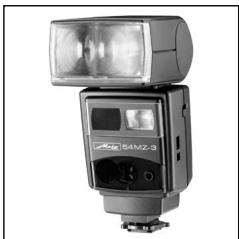
natural_image
Exterior view of a modern office building (no signage)Photoelectronics
natural_image
Close-up of a robotic arm connecting wires to a mechanical component (no visible text or symbols)Plastics technology
natural_image
Close-up of a precision laser cutting through a circuit board (no visible text or symbols)Industrial electronics
Metz - always first class.

C€
707 47 0030.A1
D F NL GB I E