USER MANUAL PHKS 1450 LASER PARKSIDE
Operation and Safety Notes
SE
HANDCIRKELSÄG
Before reading, unfold the page containing the illustrations and familiarise yourself with all functions of the device.
FI
Features and equipment.. Page 6
Included items.. Page 7
Technical information Page 7
General safety advice
- Your working area.. Page 7
- Electrical safety.. Page 8
- Personal safety.. Page 8
- Careful handling and use of electrical tools.. Page 9
Safety advice relating specifically to this device. Page 9
Preparing for use
Switching on and off Page 13
Setting the cutting angle. 13
Setting the cutting depth.. Page 13
Setting the guide fence . Page 13
Switching the laser on and off.. Page 13
Working with the circular saw.. Page 13
Setting the speed.. Page 13
Connecting the vacuum sawdust extraction device.. Page 14
Changing a saw blade. Page 14
Installing and setting the riving knife . Page 14
Tips and tricks.. Page 15
Maintenance and cleaning Page 15
Disposal
Service.. Page 15
Warranty.. Page 15
Declaration of Conformity/Manufacturer.. Page 16
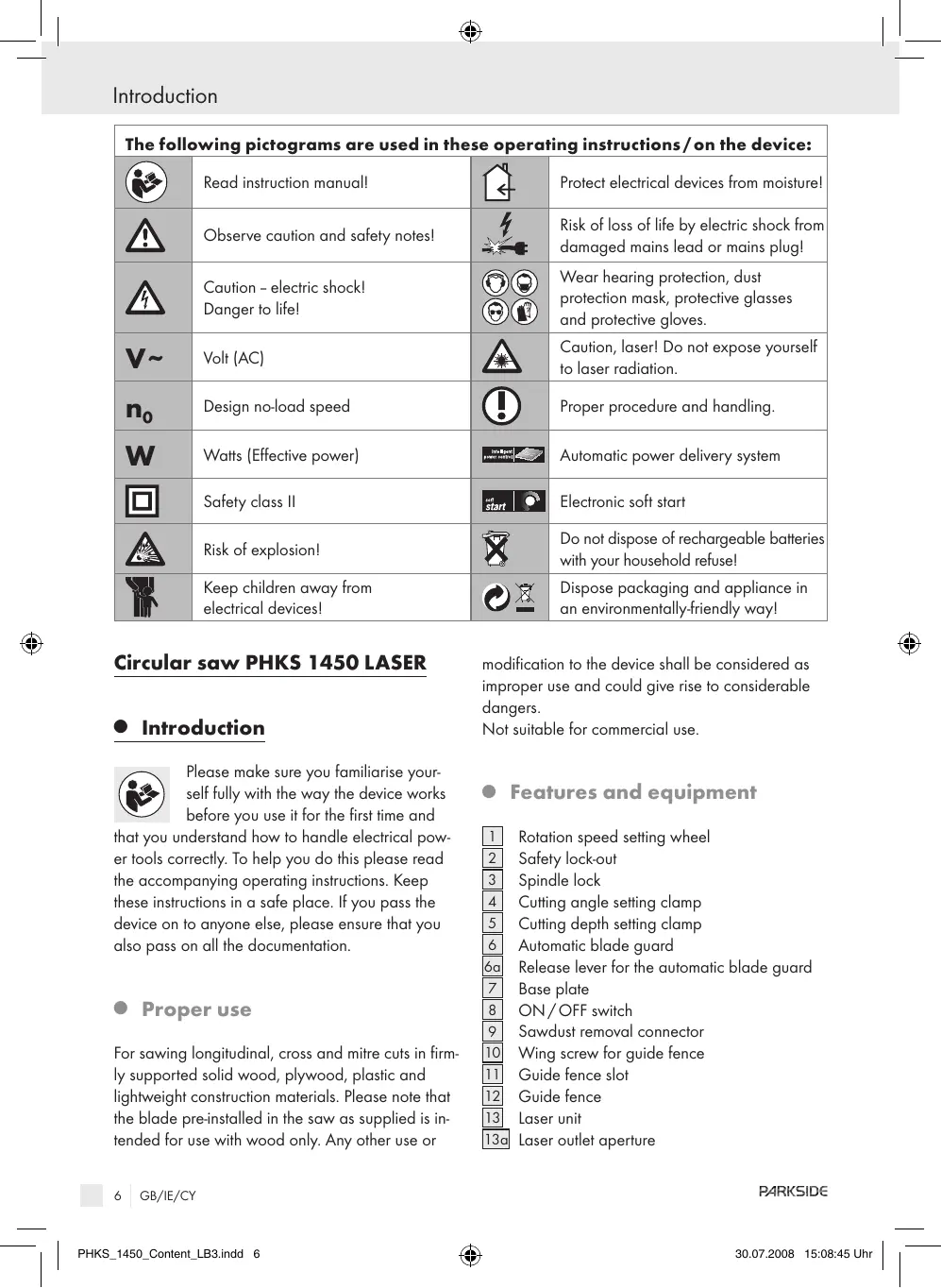
| The following pictograms are used in these operating instructions/ on the device: |
| Read instruction manual! | | Protect electrical devices from moisture! |
| Observe caution and safety notes! | | Risk of loss of life by electric shock from damaged mains lead or mains plug! |
| Caution - electric shock!
Danger to life! | | Wear hearing protection, dust protection mask, protective glasses and protective gloves. |
| V~ | Volt (AC) | | Caution, laser! Do not expose yourself to laser radiation. |
| n0 | Design no-load speed | | Proper procedure and handling. |
| W | Watts (Effective power) | | Automatic power delivery system |
| Safety class II | | Electronic soft start |
| Risk of explosion! | | Do not dispose of rechargeable batteries with your household refuse! |
| Keep children away from electrical devices! | | Dispose packaging and appliance in an environmentally-friendly way! |
Circular saw PHKS 1450 LASER
Introduction

Please make sure you familiarise yourself fully with the way the device works before you use it for the first time and
that you understand how to handle electrical power tools correctly. To help you do this please read the accompanying operating instructions. Keep these instructions in a safe place. If you pass the device on to anyone else, please ensure that you also pass on all the documentation.
- Proper use
For sawing longitudinal, cross and litre cuts in firmly supported solid wood, plywood, plastic and lightweight construction materials. Please note that the blade pre-installed in the saw as supplied is intended for use with wood only. Any other use or
modification to the device shall be considered as improper use and could give rise to considerable dangers.
Not suitable for commercial use.
- Features and equipment
1 Rotation speed setting wheel
2 Safety lock-out
Spindle lock
Cutting angle setting clamp
Cutting depth setting clamp
Automaticbladeguard
6a Release lever for the automatic blade guard
7 Base plate
8 ON/OFF switch
9 Sawdust removal connector
10 Wing screw for guide fence
11 Guide fence slot
12 Guide fence
13 Laser unit
13d Laser outlet aperture
14 Laser ON/OFF switch
Cutting depth scale
16 Riving knife
[17] Auxiliary handle
18 Drive spindle
19 Mounting flange
20 Clamping flange
21 Clamping screw with plain washer
22 Riving knife mounting
23 Mounting screws
24 Adapter for vacuum sawdust removal
- Included items
1 Circular saw
1 Guide fence
1 Adapter for vacuum sawdust removal
1 Allen key
2 Batteries, micro AAA 1.5V (for laser)
1 Operating instructions
Nom. power input: 1450W
Rated voltage: 230V 50Hz
Mechanical output: 15 Nm max.
No-load speed: n_0 1800 - 5000 min^-1
Saw blade: 210 × 30 × 1.8 × 2.6 ~mm
Cutting depth at 90^ .. 0 - 75mm
Cutting depth at 45^ .. 0 - 49mm
Protection class: II/回
Noise and vibration data:
Values determined in accordance with EN 60745 The sound pressure level (A-weighted) of the device is typically 93dB A.Uncertainty K = 3dB .The sound level while working can exceed 104dB(A)

Wear ear protection!
Evaluated acceleration, typical:
Hand/arm vibration a_h = 2,309m / s^2
Uncertainty K = 1,5m / s^2
WARNING! The vibration level given in these instructions has been measured in accordance with a standardised measurement procedure specified in EN 60745 and can be used to compare devices. Different uses of the device give rise to different vibration levels and in many cases they may exceed the values given in these instructions. It is easy to underestimate the vibration load if the electrical power tool is used regularly in particular circumstances.
Note: If you wish to make an accurate assessment of the vibration loads experienced during a particular period of working, you should also take into account the intervening periods of time when the device is switched off or is running but is not actually in use. This can result in a much lower vibration load over the whole of the period of working.

General safety advice
WARNING! Read all the safety advice and instructions! Failure to observe the safety advice and instructions may result in electric shock, fire and/or serious injury.
KEEP ALL THE SAFETY ADVICE AND INSTRUCTIONS IN A SAFE PLACE FOR FUTURE REFERENCE!
1. Your working area
a) Keep your working area clean and clutter-free. Untidy or poorly lit working areas can lead to accidents.
b) Do not work with the device in potentially explosive environments in which there are inflammable liquids, gases or dusts. Electrical power tools create sparks, which can ignite dusts or fumes.
c) Keep children and other people away while you are operating the electrical tool.
Distractions can cause you to lose control of the device.
PARKSIDE
GB/IE/CY

2. Electrical safety

To avoid danger to life from electric shock:
a) The mains plug on the device must match the mains socket. The plug must not be modified in any way. Do not use an adapter plug with devices fitted with a protective earth. Unmodified plugs and matching sockets reduce the risk of electric shock.
b) Avoid touching earthed surfaces such as pipes, radiators, ovens and refrigerators with any part of your body. There is an increased risk of electric shock if your body is earthed.
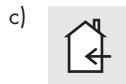
Keep the device away from rain or moisture. Water entering an electrical device the risk of electric shock.
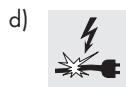
Do not use the mains lead for any purpose for which it was not intended, e.g. to
carry the device, to hang up the device or to pull the mains plug out of the mains socket. Keep the mains lead away from heat, oil, sharp edges or moving parts of the device. Damaged or tangled mains leads increase the risk of electric shock.
e) When working outdoors with an electrical power tool always use extension cables that are also approved for use outdoors. The use of an extension cable suitable for outdoor use reduces the risk of electric shock.
f) Use a residual current device (RCD) for protection if operating the electrical power tool in a moist environment is unavoidable. The use of an RCD reduces the risk of electric shock.
3. Personal safety
a) Remain alert at all times, watch what you are doing and always proceed with caution. Do not use the device if you are tired or under the influence of drugs, alcohol or medication.
One moment of carelessness when using the device can lead to serious injury.
b) Wear personal protective equipment and always wear safety glasses. The wearing of personal protective equipment such as dust masks, non-slip safety shoes, safety helmets or ear protectors, appropriate to the type of electrical power tool used and work undertaken, reduces the risk of injury.
c) Avoid unintentional operation of the device. Check that the electrical power tool is switched off before you connect it to the mains, pick it up or carry it. Accidents can happen if you carry the device with your finger on the ON/OFF switch or with the device switched on.
d) Remove any setting tools or spanners before you switch the device on. A tool or spanner left attached to a rotating part of a device can lead to injury.
e) Avoid placing your body in an unnatural position. Keep proper footing and balance at all times. By doing this you will be in a better position to control the device in unforeseen circumstances.
f) Wear suitable clothing. Do not wear loose clothing or jewellery. Keep your hair, clothing and gloves clear of moving parts. Loose clothing, jewellery or long hair can become trapped in moving parts.
g) If vacuum dust extraction and collection devices are fitted do not forget to check that they are properly connected and correctly used. The use of these devices reduces the hazard presented by dust.
a) Do not overload the device. Always use an electrical power tool that is intended for the task you are undertaking. By using the right electrical power tool for the job you will work more safely and achieve a better result.
b) Do not use an electrical power tool if its switch is defective. An electrical power tool that can no longer be switched on and off is dangerous and must be repaired.
c) Pull the mains plug from the socket before you make any adjustments to the device, change accessories or when the device is put away. This precaution is intended to prevent you from unintentionally starting the device.
d) When not in use always ensure that electrical power tools are kept out of reach of children. Do not let anyone use the device if he or she is not familiar with it or has not read the instructions and advice. Electrical power tools are dangerous when they are used by inexperienced people.
e) Look after the device carefully. Check that moving parts are working properly and move freely. Check for any parts that are broken or damaged enough to detrimentally affect the functioning of the device. Have damaged parts repaired before you use the device. Many accidents have their origins in poorly maintained electrical power tools.
f) Keep cutting tools clean and sharp. Carefully maintained cutting tools with sharp cutting edges are less likely to jam and are easier to control.
g) Use the electrical power tool, accessories, inserted tools etc. in accordance with these instructions and advice, and the stipulations drawn up for this particular type of device. In doing this, take into account the
working conditions and the task in hand. The use of electrical power tools for purposes other than those intended can lead to dangerous situations.

Safety advice relating specifically to this device
Ensure that the device is always used in accordance with the advice in these operating instructions and only by persons over 16 years of age.
Note: Do not use grinding discs. Failure to observe this advice may result in injury or damage.

To avoid danger to life from electric shock:
Frequently check the condition of the device, mains lead and plug.
Do not use the device if these kinds of parts are damaged. Never open up the device
A damaged device, mains lead or plug presents a serious danger to life from electric shock.
Always have any repairs carried out or replacement parts fitted at the service centre or by an electrical equipment repair specialist.
Devices marked with 230V can also be operated at 220V .
- Do not operate the device if it is damp and do not use it in a damp environment.
If you use the device outdoors, always connect it through a residual current device (RCD) with a maximum trip current of 30mA . If using an extension lead, always use one that is approved for outdoor use.
Note: Always keep the mains lead away from the working area of the machine and lead away the mains lead from the rear.

CAUTION! To avoid the risk of injury:
a) Keep your hands away from the area around the saw and clear of the
General safety advice
saw blade. Hold the auxiliary handle or the motor housing with your free hand. If you have both hands on the saw they cannot be injured by the saw blade.
b) Do not grip the underside of the workpiece. The blade guard cannot protect you from the saw blade under the workpiece.
c) Set the cutting depth to match the thickness of the workpiece. Less than a full tooth height should be visible below the workpiece.
d) Never hold the workpiece in your hand or steady it with your leg whilst sawing. Keep the workpiece steady on a stable supporting surface. It is important to see that the workpiece is firmly held in place to minimise any danger of it making contact with your body, jamming of the saw blade or loss of control.
e) Hold the device by the insulated handle surfaces when you are undertaking work where there is the danger of the cutting tool striking hidden electricity cables or the device's mains lead. Contact with a live wire means that the metal parts of the device may also become live and this can result in an electric shock.
f) When cutting longitudinally always use a guide fence or a straight edge guide. This will improve the accuracy of your cut and reduce the risk of the blade jamming.
g) Always use a saw blade of the correct size and with the appropriate central fixing hole bore. Saw blades that do not correspond with the attachment components on the saw will not run true and could lead to loss of control.
h) Never use a damaged or incorrect saw blade washer or screw. The saw blade washer and screw have been specially designed to give your saw optimum performance and safety in use.
To avoid the device kicking back:
Kickback occurs as a result of incorrect use or misuse of the saw. It can be prevented by taking the appropriate precautions as described below.
a) Hold the saw with both hands and bring your arms into a position in which you will be able to withstand any kickback forces. Always stand to the side of the saw blade and never bring your body in line with the saw blade. When kickback occurs, the circular saw may jump backwards but the operator can control the kickback forces by adopting suitable precautions.
b) If the saw blade jams or sawing stops for another reason, release the ON/OFF switch and hold the saw in the workpiece without moving it until the saw blade comes to a complete standstill. Never try to remove the saw from the workpiece or move it backwards until the saw blade has stopped moving or cannot cause a kickback. Find the reason for the saw blade jamming and take the appropriate action to rectify it.
c) If you wish to restart a saw that has been inserted into the workpiece, centre the saw blade in the saw gap and check that the saw teeth do not catch on the workpiece. If the saw blade jams, it may move itself out of the workpiece or cause a kickback when the saw is restarted.
d) Support boards whilst cutting to reduce the risk of kickback caused by a jammed saw blade. Large boards may bend under their own weight. Boards must be supported on both sides as well as near the saw gap and at the edges.
e) Do not use blunt or damaged saw blades. Saw blades with blunt or misaligned teeth are in effect too wide for the designed saw gap and this gives rise to increased friction, jamming and kickback.
f) Make sure that the cutting depth and angle setting fastenings are tightened before sawing starts. If these settings move during sawing, this can lead to the saw blade jamming and kickback.
g) Be particularly careful when carrying out a plunge cut in an obscured area,
e.g. in an existing wall. The plunging blade could jam in a hidden object and cause kickback.
Causes of kickback:
a) A kickback is a sudden reaction to a saw blade becoming hooked, jammed or misaligned. This causes an out of control circular saw to raise itself and move out of the workpiece and towards the operator.
b) If the sawblade becomes hooked or trapped in a narrowing saw gap, it is suddenly prevented from rotating and the force of the motor throws the device back in the direction of the operator.
c) If the sawblade distorts or becomes misaligned in the saw cut, the teeth at the rear edge of the sawblade may hook themselves into the workpiece surface causing the sawblade to move out of the saw gap and the circular saw to jump backwards in the direction of the operator.
Special safety advice for circular saws and automatic blade guards
a) Before you use the saw, always check that the automatic blade guard 6 closes properly. Do not use the saw if the bottom compartment of the blade guard does not move freely or close immediately. Never jam or tie the automatic blade guard in the open position. The bottom part of automatic blade guard may become bent if the saw falls on to the floor. Open the blade guard with the release lever and make sure that it moves freely and does not touch the saw blade or other parts at all cutting angles and depths.
b) Check that the spring on the automatic blade guard functions properly. If the automatic blade guard or spring does not function properly, have the device serviced before you use it. Damaged parts, sticky deposits or accumulations of splinters can delay the operation of the bottom blade guard.
c) Open the automatic blade guard by hand only for certain cuts such as plunge or angle cuts. Open the auto
matic blade guard with the release lever ⑥ a and let it go again as soon as the saw blade penetrates the workpiece. The automatic blade guard must be al- lowed to operate automatically for all saw cuts.
d) Do not put the saw down on a work bench or the floor without the automatic blade guard covering the saw blade. If unprotected, a rotating saw blade moves the saw against the cutting direction and saws whatever is in its way. Always be aware that the saw blade takes some time to stop.
Special safety advice for circular saws and riving knives
a) Use the riving knife matched to the installed saw blade. The riving knife must be thicker than the body of the blade but thinner than the width of the teeth.
b) Adjust the riving knife as described in the operating instructions. If its thickness, position or alignment is incorrect, this can lead to the riving knife not effectively preventing kickback.
c) Always use the riving knife, except for plunge cuts. After completing plunge cutting, put the riving knife back in place. The riving knife interferes with plunge cuts and can result in kickback.
d) For the riving knife to work properly, it must be within the saw gap. The riv- ing knife is ineffective in preventing kickback for short cuts.
e) Do not operate the saw if the riving knife is bent out-of-true. Even a slight defect can cause the blade guard to close too slowly.
General safety advice

WARNING! Protecting yourself from laser radiation:

LASER BEAM DO NOT LOOK INTO THE BEAM! LASER CLASS 2
Do not look directly into the laser beam or into the opening from which it is emitted.
WARNING! Looking at the laser output aperture [13a] with optical instruments (e.g. magnifying glass, magnifying lens, etc.) could result in eye damage.
- Never direct the laser beam on to reflective surfaces or at people or animals. Even a brief look into a laser beam can damage your eyes.
- Do not open the laser attachment housing except to replace the batteries (2 AAA micro, 1.5V). Use a suitable Phillips screwdriver to unscrew the housing.
Insert the batteries observing the correct polarity and screw the housing back in place.
CAUTION! The use of operating or adjustment devices or other methods of working other than those indicated in this document may lead to exposure to hazardous radiation.

Working safely:
If a dangerous situation arises, pull the mains plug immediately out of the mains socket.
Never use the device for a purpose for which it was not intended.
Always keep the device clean, dry and free of oil or grease.
If the saw is used whilst fixed in place on a saw table then the saw table must have a restart cut-out.
Make sure the device is switched on before placing it against the workpiece.
Always work away from your body.
Do not saw materials containing asbestos.
The course of the cut must have no obstructions above or below it.
The saw blade must not project more than 3 mm out of the workpiece.
When you are sawing, always make sure that you do not cut through any nails, screws or the like.
Do not work with the device in the overhead position.
Protect the saw blade from sharp blows or impacts and prevent it from becoming tilted.
When you switch off the saw, allow the blade to slow down naturally - do not assist this process in any way.
- Cracked or distorted blades are not to be used. HSS (High Speed Steel) saw blades are not to be used.
Before carrying out any work on the saw, e.g. setting the base plate etc. always pull the mains plug out of the mains socket.
Never remove sawdust or splinters whilst the saw is running.
Have a suitable, tested vacuum removal device attached to the saw when working with woods or materials that create dusts that may be hazardous to health.
Always use the safety devices integrated into the circular saw, e.g. the safety lock-out and automatic blade guard.
Ensure that all moving parts of the saw blade protection system function properly and all the assemblies and components involved in covering the saw blade are in perfect working order.
- Do not lock on the ON/OFF switch in hand-guided operation.
Preparing for use
The PHKS 1450 LASER circular saw has Intelligent Power Control.

This automatic power delivery system ensures that for a particular
speed range the power output remains constant when working on harder and more resistant materials.
- Switching on and off
Switching on:
Press the safety lock-out 2 to the left or right and keep it pressed.
Press the ON/OFF switch 8.Once the saw is running you can release the safety lock-out again.
soft start The circular saw is fitted with an electronic soft start system. The
motor starts with a delay.
Switching off:
Release the ON/OFF switch 8.
- Setting the cutting angle
You can set the cutting angle accurately with the help of the cutting angle scale.
- Release the wing screws of the cutting angle setting clamp 4 on both sides, set the desired angle on the scale and retighten the wing screws.
- Setting the cutting depth
Note: If possible we recommend that the cutting depth is set approximately 3mm greater than the material thickness. This should help to ensure you achieve a clean cut.
Switching on:
Move the laser ON/OFF switch [14] to setting "I".
Switching off:
Move the laser ON/OFF switch 14 to setting "0".
Note: If the batteries become exhausted you should replace them with two new ones, type AAA 1.5V.
- Working with the circular saw
- Switch on the device as described in the section about "Switching on and off" and then place it first with the front edge of the base plate against the material.
- Align the device using the guide fence [12] or with reference to marked-out line or by using the laser.
- Saw with a even pressure whilst holding the device by the handles with both hands (see Fig. A).
- Setting the speed
Turn the wheel 1 to the desired speed setting (arrow marking
1 = lowest speed/6 = highest speed):
Use the general settings suggested in the following table (information offered without liability) or adjust the speed setting on the setting wheel 1 to the material being cut.
Preparing for use
| Material | Speed setting |
| Hard- and softwood (solid wood) cut longitudinally and transversely | 6 |
| Plywood, hard fibre board | 6 |
| Chipboard | 6 |
| Blockboard, laminated wood | 6 |
| Coated and veneered board | 6 |
| PVC board | 3-5 |
| Acrylic glass panels, Plexiglas | 2-4 |
| Aluminium board | 4-6 |
| Aluminium profiles | 4-6 |
| Plasterboard | 1-2 |
| Mineral wool board | 1-2 |
| Cement-bound chipboard | 1-2 |
The circumferential speeds at minimum and maximum rotational speeds are approx.:
| Setting | Rpm | Metres/sec |
| 1 | 1.800 | 20 |
| 6 | 5.000 | 55 |
Make sure that the cutting speed resulting from the effects of different saw blades, materials and the force you apply to advance the saw is always less than the circumferential speed (CS) under no load.
Insert the adapter for vacuum sawdust removal [24] into the sawdust removal connector.
Connect a vacuum device approved for the extraction of sawdust and splinters.
- Changing a saw blade
WARNING! Press the spindle lock only after the mains plug has been pulled out of the socket!
- Then remove the guide fence 12 by releasing the wing screw 10 .
- Set the cutting depth (by means of the wing screw for cutting depth setting clamp 5) to the minimum position, 0 ~mm .
- Swing back the automatic blade guard 6 and place the device down.
- Press the spindle lock button (until it engages) and release the clamping screw [21] using the Allen key. Now remove the clamping screw with integral washer head [21] and the clamping flange [20] (see Fig. D).
- Detach the saw blade.
- The installation of a sawblade is done in the reverse order.
- Press the spindle lock button 3 (until it engages) and tighten the clamping screw 21 using the Allen key.
WARNING! The arrow on the saw blade must agree with the arrow showing the direction of rotation (running direction shown on the device).
Ensure that the saw blade is suitable for the saw spindle speed.
- Installing and setting the riving knife
WARNING: The distance between the riving knife and the saw blade must not be greater than 5mm . If the riving knife has been removed e.g. for a plunge cut, this distance must be observed again when the riving knife is reinstalled (see Fig. F).
Removing the riving knife: (see Fig. E)
- Release the wing screws of the cutting depth setting clamp [5] and swing the circular saw up until it meets the stop; this exposes the riving knife mounting [22].
- Screw out the mounting screws [23] and remove the riving knife [16].
WARNING! After completion of the plunge cut the riving knife must be reinstalled before the circular saw is used for any other sawing tasks.
Preparing for use/Maintenance and cleaning/Disposal/Information
Setting the riving knife: (see Fig. F)
Set the distance between the riving knife 16 and the tips of the saw blade teeth to a maximum of 5 mm, and the distance between the tip of the riving blade and the lowest point of the saw blade to a maximum of 5 mm.
The distances to be set are illustrated in Fig. F.
- Tips and tricks
Use the appropriate marking on the base plate for the desired cutting angle (the marking can be found behind the wing screw for the guide fence 10): Right-angled cut = marking 0^ , 45^ -cut = marking 45^ .
Breaking out of the cut edges of delicate surfaces, e.g. coated chipboard or doors, can be avoided by applying masking tape in advance along the cutting line. This has the additional advantage that masking tape shows up the cutting line better than a smooth surface. An even more effective way of stopping the cut edges from being broken out is to clamp a thin piece of wood along the cutting line, which is then also sawn through.
- Maintenance and cleaning
WARNING! Always pull the mains plug out of the socket before doing any work on the device.
Clean the device after you have finished using it.
Use a cloth to clean the outside of the device - never use petrol, solvents or cleaners.
- Disposal

The packaging is wholly composed of environmentally-friendly materials that can be disposed of at a local recycling centre.

Do not dispose of electrical power tools with the household rubbish!
In accordance with European Directive 2002/96/EC (covering waste electrical and electronic equipment) and its transposition into national legislation, worn out electrical power tools must be collected separately and taken for environmentally compatible recycling.
Contact your local refuse disposal authority for more details of how to dispose of your worn out electrical devices.

Do not dispose of rechargeable batteries with your household refuse!
Disposal of batteries
Batteries must be recycled in accordance with Directive 91/157/EEC and must not be disposed of with household refuse. Battery users are obliged by law to take all rechargeable and single-use batteries to a collection point operated by a public authority or a retailer.
Service
AWARNING! Have your device repaired at the service centre or by qualified specialist personnel using original manufacturer parts only. This will ensure that your device remains safe to use.
A!WARNING! If the plug or lead needs to be replaced, always have the replacement carried out by the manufacturer or its service centre. This will ensure that your device remains safe to use.
Warranty
This appliance is guaranteed for 3 years from the date of purchase. It has been carefully produced and meti-culously checked before delivery. Please keep your receipt as proof of purchase. Contact your service centre by telephone in case of questions pertaining to the warranty. Your goods can
PARKSIDE

be transmitted free of cost only in this manner. This warranty applies only to the initial purchaser and is non-transferable.
The warranty covers only material or manufacturing faults, not normal wear or damage to fragile parts such as switches or rechargeable batteries. The appliance is intended solely for private, not commercial, use.
If this product has been subjected to improper or inappropriate handling, abuse, or interventions not carried out by one of our authorised sales and service outlets, the warranty will be considered void. This warranty does not affect your statutory rights.
GB
DES Ltd
Units 14-15
Bilston Industrial Estate
Oxford Street
Bilston (Great Britain)
WV147EG
Tel.: 0870/787-6177
Fax: 0870/787-6168
e-mail: support.uk@kompernass.com
IE
Kompernass Service Ireland
c/o Irish Connection
41 Harbour View
Howth, Co. Dublin (Ireland)
Tel 087-9962077
Fax: 18398056
e-mail: support.ie@kompernass.com
D-44867 Bochum, Germany, declare that this
product complies with the following EU directives:
Machinery Directive
98/37/EC
EU Low Voltage Directive
2006/95/EC
EN60745-1
EN60745-2-5
Electromagnetic Compatibility
2004/108/EC
EN55014-1
EN55014-2
EN61000-3-2
EN61000-3-3
EN61000-6-1
EN61000-6-3
EN60825-1
Type/Device description:
Circular saw PHKS 1450 LASER
Bochum, 31.07.2008
Hans Kompernaβ
We reserve the right to make technical modifications in the course of further development.
Aluksi
intelligent power control
14231 N.Ionia Athens (Greece)
Tel.: 210-2790865
Fax: 210-2796982
e-mail: support.gr@kompernass.com
p / kataoekuaotnC
intelligent power control