MOTORLIFT500 - Garage Door Motor System CHAMBERLAIN - Free user manual and instructions
Find the device manual for free MOTORLIFT500 CHAMBERLAIN in PDF.



User questions about MOTORLIFT500 CHAMBERLAIN
0 question about this device. Answer the ones you know or ask your own.
Ask a new question about this device
Download the instructions for your Garage Door Motor System in PDF format for free! Find your manual MOTORLIFT500 - CHAMBERLAIN and take your electronic device back in hand. On this page are published all the documents necessary for the use of your device. MOTORLIFT500 by CHAMBERLAIN.
USER MANUAL MOTORLIFT500 CHAMBERLAIN
Manager, Regulatory Affairs
Chamberlain GmbH
D-66793 Saarwellingen
July, 2007
Herstellererklarung


(1) Ref. 84330EML
(2)Réf. 84333EML
(3) Ref. 84335EML
(4) Ref. 770EML
(5) Ref. 8747EML
(6) Ref. 845EML
(7) Ref. 75EML
(8) Ref. 760EML
(9) Ref. 1702EML
Manager, Regulatory Affairs
Chamberlain GmbH
D-66793 Saarwellingen
July, 2007


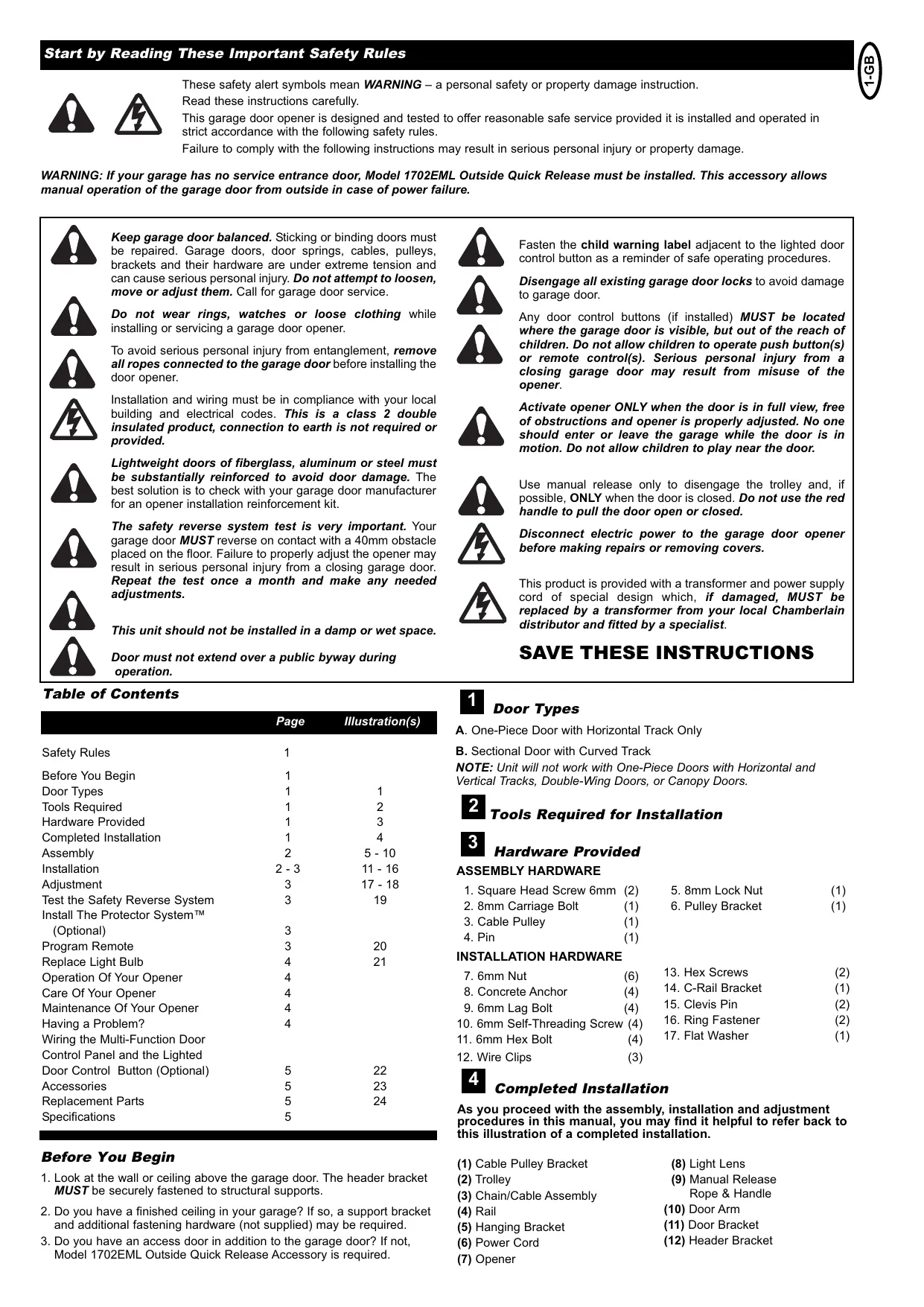
These safety alert symbols mean WARNING - a personal safety or property damage instruction. Read these instructions carefully.
This garage door opener is designed and tested to offer reasonable safe service provided it is installed and operated in strict accordance with the following safety rules.
Failure to comply with the following instructions may result in serious personal injury or property damage.
WARNING: If your garage has no service entrance door, Model 1702EML Outside Quick Release must be installed. This accessory allows manual operation of the garage door from outside in case of power failure.

Keep garage door balanced. Sticking or binding doors must be repaired. Garage doors, door springs, cables, pulleys, brackets and their hardware are under extreme tension and can cause serious personal injury. Do not attempt to loosen, move or adjust them. Call for garage door service.

Do not wear rings, watches or loose clothing while installing or servicing a garage door opener.

To avoid serious personal injury from entanglement, remove all ropes connected to the garage door before installing the door opener.

Installation and wiring must be in compliance with your local building and electrical codes. This is a class 2 double insulated product, connection to earth is not required or provided.

Lightweight doors of fiberglass, aluminum or steel must be substantially reinforced to avoid door damage. The best solution is to check with your garage door manufacturer for an opener installation reinforcement kit.

The safety reverse system test is very important. Your garage door MUST reverse on contact with a 40mm obstacle placed on the floor. Failure to properly adjust the opener may result in serious personal injury from a closing garage door. Repeat the test once a month and make any needed adjustments.

This unit should not be installed in a damp or wet space.
Door must not extend over a public byway during operation.

Fasten the child warning label adjacent to the lighted door control button as a reminder of safe operating procedures.

Disengage all existing garage door locks to avoid damage to garage door.

Any door control buttons (if installed) MUST be located where the garage door is visible, but out of the reach of children. Do not allow children to operate push button(s) or remote control(s). Serious personal injury from a closing garage door may result from misuse of the opener.

Activate opener ONLY when the door is in full view, free of obstructions and opener is properly adjusted. No one should enter or leave the garage while the door is in motion. Do not allow children to play near the door.

Use manual release only to disengage the trolley and, if possible, ONLY when the door is closed. Do not use the red handle to pull the door open or closed.

Disconnect electric power to the garage door opener before making repairs or removing covers.

This product is provided with a transformer and power supply cord of special design which, if damaged, MUST be replaced by a transformer from your local Chamberlain distributor and fitted by a specialist.
SAVE THESE INSTRUCTIONS
Table of Contents
INSTALLATION HARDWARE
| Page | Illustration(s) | |
| Safety Rules | 1 | |
| Before You Begin | 1 | |
| Door Types | 1 | 1 |
| Tools Required | 1 | 2 |
| Hardware Provided | 1 | 3 |
| Completed Installation | 1 | 4 |
| Assembly | 2 | 5 - 10 |
| Installation | 2 - 3 | 11 - 16 |
| Adjustment | 3 | 17 - 18 |
| Test the Safety Reverse System | 3 | 19 |
| Install The Protector SystemTM (Optional) | 3 | |
| Program Remote | 3 | 20 |
| Replace Light Bulb | 4 | 21 |
| Operation Of Your Opener | 4 | |
| Care Of Your Opener | 4 | |
| Maintenance Of Your Opener | 4 | |
| Having a Problem? | 4 | |
| Wiring the Multi-Function Door Control Panel and the Lighted Door Control Button (Optional) | 5 | 22 |
| Accessories | 5 | 23 |
| Replacement Parts | 5 | 24 |
| Specifications | 5 |
Before You Begin
- Look at the wall or ceiling above the garage door. The header bracket MUST be securely fastened to structural supports.
- Do you have a finished ceiling in your garage? If so, a support bracket and additional fastening hardware (not supplied) may be required.
- Do you have an access door in addition to the garage door? If not, Model 1702EML Outside Quick Release Accessory is required.

Door Types
A. One-Piece Door with Horizontal Track Only
B. Sectional Door with Curved Track
NOTE: Unit will not work with One-Piece Doors with Horizontal and Vertical Tracks, Double-Wing Doors, or Canopy Doors.

Tools Required for Installation

Hardware Provided
ASSEMBLY HARDWARE
- Square Head Screw 6mm (2) 5. 8mm Lock Nut (1)
- 8mm Carriage Bolt (1) 6. Pulley Bracket (1)
- Cable Pulley (1)
-
Pin (1)
-
6mm Nut (6) 13. Hex Screws (2)
- Concrete Anchor (4) 14. C-Rail Bracket (1)
9.6mm Lag Bolt (4) 15. Clevis Pin (2)
10.6mm Self-Threading Screw (4) 16. Ring Fastener (2) - 6mm Hex Bolt (4) 17. Flat Washer (1)
- Wire Clips (3)

Completed Installation
As you proceed with the assembly, installation and adjustment procedures in this manual, you may find it helpful to refer back to this illustration of a completed installation.
(1) Cable Pulley Bracket
(2) Trolley
(3) Chain/Cable Assembly
(4) Rail
(5) Hanging Bracket
(6) Power Cord
(7) Opener
(8) Light Lens
(9) Manual Release Rope & Handle
(10) Door Arm
(11) Door Bracket
(12)Header Bracket
ASSEMBLY SECTION

Assemble Rail
Place Rail pieces (1) on a flat surface for assembly. Take special note of the raised line on the Rail pieces (4) these lines MUST line up in order for the Rail to fit together properly. All three Rail sections are interchangeable. Slide Rail Braces (2) into slots on the sides of Rail. Make sure small tabs on Rail Braces (3) are up against top lip of Rail. Connect Rail by sliding other end of braces into next Rail. Be sure the raised lines that run down Rail sections (4) line up. Tap Rail assembly (5) on a piece of wood (6) until Rail sections are flush. Repeat for final Rail section.

Assemble Cable Pulley Bracket
Insert Carriage Bolt (1) though square hole in Cable Pulley Bracket (4). Remove Chain/Cable assembly (3) from carton. Wrap Cable around Cable Pulley (2) and insert Pulley into Bracket (NOTE: Make sure the Bracket is assembled in position shown). Slide pin (5) through holes in Cable Pulley Bracket and Cable Pulley. NOTE: Trolley with Magnet (6) MUST be installed in the position shown.

Insert Chain/Cable into Rail
Slide Cable Pulley Bracket (1) into Rail assembly (3), be sure to insert Cable Pulley Bracket as shown. Push Cable Pulley Bracket toward front of Rail and slide Inner Trolley (2) into Rail assembly. Magnet (4) MUST be installed in position shown or unit will not function properly.

Attach Trolley to Rail
Turn Rail assembly over. Slide Outer Trolley (1) into Rail assembly (2), be sure the end with Door Arm Hole (3) is heading in direction of door (4). Slide Outer Trolley down Rail until it engages with Inner Trolley.

Attach Rail to Unit
Turn Rail assembly over. Wrap Chain around Drive Sprocket (1). Slide Rail assembly (2) toward unit and into slots on top of unit. Push Cable Pulley Bracket forward making Chain tight on sprocket. Chain MUST engage teeth on Drive Sprocket. Attach C-Bracket (3) on rail and secure with screws (4) as shown.

Attach Header Bracket
Turn Rail and Unit assembly over. Slide Cable Pulley Bracket (2) toward front end of Rail (3). Be careful Chain does not come off Drive Sprocket on unit or become twisted. Slide Carriage Bolt (5) into Header Bracket (1). Secure with Lock Nut (4) and washer (6). Tighten Nut until Chain does not droop below rail. Do NOT over tighten.
ASSEMBLY OF YOUR OPENER IS NOW COMPLETE.
INSTALLATION SECTION
Wear protective goggles when working overhead to protect your eyes from injury. Disengage all existing garage door locks to avoid damage to garage door. To avoid serious personal injury from entanglement, remove all ropes connected to garage door before installing opener. Installation of this product shall comply with ZH1/494, VDE 0700 Part 238, and VDE 0700 Part 1. It is recommended that the opener be installed 2.1m (7 feet) or more above the floor where space permits.

Position the Header Bracket
The header bracket must be rigidly fastened to a structural support of the garage. Reinforce the wall or ceiling with a 40mm (1-1/2") board if necessary. Failure to comply may result in improper operation of safety reverse system.
You can attach the header bracket either to the header wall (1) or to the ceiling (3). Follow the instructions which will work best for your particular requirements.
With the door closed, mark the vertical centerline (2) of the garage door. Extend line onto header wall above the door.
Open door to highest point of travel. Draw an intersecting horizontal line (4) on header wall 5cm ( 2" ) above high point to provide travel clearance for top edge of door.

Install the Header Bracket

NOTE: Refer to vertical center and horizontal lines created in step 11 for proper placement of header bracket.
A. Wall Mount: Center the header bracket (1) on the vertical center line (2) with the bottom edge of the header bracket on the horizontal line (4) (with the arrow pointing toward the ceiling). Mark all of the header bracket holes (5). Drill 4,5 ~mm (3/16") pilot holes and fasten the header bracket with wood screws (3).
B. Ceiling Mount: Extend vertical center line (2) onto the ceiling. Center the header bracket (1) on the vertical mark no more than 150 ~mm (6") from the wall. Make sure the arrow is pointing toward the opener. Mark all of the header bracket holes (5). Drill 4,5 ~mm (3/16") pilot holes and fasten the header bracket with wood screws (3). For concrete ceiling mount, use concrete anchors (6) provided.
Clearance between highest point of travel and rail should not exceed 50mm and can be zero when clearance between door and ceiling is only 30mm .

Attach Rail to Header Bracket
Position opener on garage floor below the header bracket. Use packing material to protect the cover. Raise rail until holes in the header sleeve and holes in the header bracket align. Join with clevis pin (1). Insert ring fastener (2) to secure.
NOTE: To enable the rail to clear sectional door springs, it may be necessary to lift opener onto a temporary support. The opener must either be secured to a support or held firmly in place by another person.

Hang Opener
Bend Hanging Brackets (1) so they are flat against ceiling. Measure distance from Header Bracket to Ceiling Mounting Bracket Bolts. Mark length on ceiling starting at the Header Wall, along this point is where the unit will be mounted. Lift door to full open position, rest opener on door. Insert Square Head Screws (A) into Rail assembly (B) approximately 120mm from end of Rail near motor unit. Slide Hanging Brackets on to Square Head Screws and secure Brackets with Nuts (5). In this process the Square Head Screws hook into slots on the sides of Rail by turning 90^ (C). For concrete ceilings, drill 8mm pilot holes into ceiling and insert Concrete Anchors (2). Secure Hanging Brackets to ceiling with Lag Screws (3). For wood ceilings, drill 4mm pilot holes and secure with Lag Screws (3).

Fasten Door Bracket
Sectional and One-Piece Door Installation Procedure:
Door bracket (1) has left and right side fastening holes. If your installation requires top and bottom fastening holes use both the door bracket and door bracket plate (2) as shown.
- Center door bracket (with or without door bracket plate, as required) at the top inside face of door as shown. Mark holes.
A.Standard Sectional or One-piece doors: locate bracket at inside face of the door.
B. Sectional doors with two horizontal roller channels: 150 - 250mm below the top of the door.
- A. Sheet metal doors
Fasten with wood screws (4).
B. One-piece door optional
Fasten with wood screws (4).
NOTE: If you have a Hörmann Door and for some other doors it is recommended to place two screws (5) in the front bottom holes (Not Provided).
16
Connect Door Arm to Trolley
A. Preferred Installation:
Disconnect Trolley by pulling on the red handle and slide towards door. With door closed connect Straight Door Arm (5) to Trolley (4) with Bolt (3), secure with Nut (1). Connect Curved Door Arm (2) to Door Bracket with Bolt (3) Secure with Nut (1). Align Straight and Curved Door Arms with a 2 hole overlap connect with Bolt (3), secure with Nut (1). If Straight Door Arm (5) is too long, cut the end of the Door Arm.
B. Where extra travel distance is required:
With door closed connect Curved Door Arm (2) to Door Bracket with Bolt (3), secure with Nut (1). Lift Curved Door Arm (2) to meet Trolley, connect door arm to Trolley with Bolt (3), secure with Nut (1).
Connect Electric Power
To avoid installation difficulties, do not run the garage door opener until instructed to do so.
Plug the opener into electric outlets as specified by local wiring codes. The opener light will turn on when power is connected and remain on for 2-1/2 minutes.

Attach Limit Switches
NOTE: The limits must be installed as shown. If installed incorrectly the unit will not function properly.
Close garage door by hand. Determine the position of the Close Limit Switch (1) (Long wire) by aligning the center of trolley and the center of the Limit Switch. The Limit Switches are actuated by a magnet in the Inner Trolley.
Insert bottom tab (5) of Limit Switch (1) into bottom lip of Rail (7). Insert top tab (4) under top lip of Rail (6). Lift limit assembly against top lip of Rail and tighten screw (8) to secure Close Limit Switch.
Open garage door by hand to the full open position. Pull red handle to open door past Inner Trolley. Determine the position of the Open Limit Switch (3) (Short Wire) by aligning the center of the Trolley and the center of the Limit Switch.
Insert bottom tab (5) of Limit Switch (1) into bottom lip of rail (7). Insert top tab (4) under top lip of rail (6). Lift limit assembly against top lip of rail and tighten screw (8) to secure Open Limit Switch.
Insert wires for Limit Switch (9) into top channel of Rail (10). Secure wires with wire clip. the wires must be secured so they do not interfere with the travel of the Trolley. Activate remote, the opener will operate and reconnect to the door automatically.
Run opener 2 full travel cycles. If the door reverses in mid travel go to Setting the Force Section. Adjust Limit Switches as necessary to fully open and close the door without reversing.

Setting the Force
The Force is programmed to operate most doors, however, if Limits are not able to be set, or the door reverses during normal operation follow this procedure: Locate the Program Button (1) on the left side panel of unit (2). Push the Program Button twice to enter unit into Auto-Force Adjustment Mode. The green LED will flash slowly. Activate unit with remote and run the unit to the Open Limit. Activate unit again to run the unit to the Closed Limit. The door must travel through a complete cycle up and down in order for the Force to be set properly. If the unit stops before it reaches the Open or Close Limit repeat the process. The green LED will stop flashing when the Force has been learned.
19
Test the Safety Reverse System
The safety reverse system test is important. Garage door must reverse on contact with a 40mm obstacle laid flat on the floor. Failure to properly adjust opener may result in serious personal injury from a closing garage door. Repeat test once a month and adjust as needed.
Procedure: Place a 40mm obstacle (1) laid flat on the floor under the garage door. Operate the door in the down direction. The door must reverse on the obstruction. If the door stops on the obstruction, it is not traveling far enough in the down direction. Move Close Limit closer to door.
When the door reverses on the 40mm obstacle, remove the obstruction and run the opener through a complete travel cycle. Door must not reverse in closed position. If it does, adjust Limit and repeat safety reverse test.
Place 20kg at the center of the door and ensure that the door will not move up more than 500mm.
SAVE THESE INSTRUCTIONS
Install Protector System™ (Optional) - (See accessories)
After opener has been installed and adjusted, The Protector System™ accessory can be installed. Instructions are included with this optional device.
The Protector System™ provides an additional measure of safety against a small child being caught under a garage door.
It uses an invisible beam which, when broken by an obstruction, causes a closing door to open and prevents an open door from closing and is strongly recommended for homeowners with young children.

Program Remotes
Activate the opener only when door is in full view, free of obstruction and properly adjusted. No one should enter or leave garage while door is in motion.
Your garage door opener receiver and Remote Control Transmitter are set to a matching code. If you purchase additional Remote Controls, the garage door opener must be programmed to accept the new Remote code.
To program receiver to match additional Remote Control codes:
- Press and release the program button on the side of the unit (1). The green LED will glow steadily for 30 seconds.
- Within 30 seconds press and hold the button on the hand-held Remote (2).
- Release the button when the motor unit light blinks. It has learned the code. If the light bulb is not installed, two clicks will be hear.
To erase all codes from motor unit memory or to deactivate any unwanted Remote, first erase all codes:
Press and hold the program button (1) on motor unit until the learn indicator light goes out (approximately 6 seconds). All previous codes are now erased. Reprogram each Remote or Keyless Entry you wish to use.
Replace light bulb (1) with a 21 watt maximum light bulb. Insert bulb into socket (2) as shown. The light will turn on and remain lit for 2 1/2 minutes when power is connected. After 2 1/2 minutes it will turn off.
Operation Of Your Opener
Your opener can be activated by any of the following devices:
- The Remote Control Transmitter. Hold the push button down until the door starts to move.
- The Lighted Door Control Button (if you have installed this accessory). Hold the button down until door starts to move.
- The Outside Keylock or Keyless Entry System (if you have installed either of these accessories).
Opening the Door Manually:
Door should be fully closed if possible. Weak or broken springs could allow an open door to fall rapidly. Property damage or serious personal injury could result.
The door can be opened manually by pulling the release handle down. To reconnect the door, activate the unit.
Do not use the manual release handle to pull the door open or closed.
When the Opener is Activated by Remote Control or Door Control Button:
- If fully open, the door will close.
- If closed, the door will open.
- If opening or closing, the door will stop.
- If partially open, the door will move in the opposite direction of last travel.
- If an obstruction is encountered while closing, the door will reverse to the open position.
- If an obstruction is encountered while opening, the door will reverse for 1 second.
- The optional Protector System™ uses an invisible beam which, when broken by an obstruction, causes a closing door to open and prevents an open door from closing. It is STRONGLY RECOMMENDED for homeowners with young children.
Allow a 15 minute cooling period after 5 continuous operations of the opener.
The opener light will turn on: 1. when opener is initially plugged in;
2. when the power is interrupted; 3. when the opener is activated.
The light turns off automatically after 2-1/2 minutes. Bulb size is
21 Watts maximum.
Care Of Your Opener
When properly installed, opener will provide high performance with a minimum of maintenance. The opener does not require additional lubrication.
Limit and Force Adjustments: These adjustments must be checked and properly set when opener is installed. Only a screwdriver is required to adjust the limits. Weather conditions may cause some minor changes in the door operation, requiring some re-adjustments, particularly during the first year of operation. Refer to the Limit and Force Adjustments on page 2. Follow the instructions carefully and repeat the safety reverse test after any adjustment.
Remote Control Transmitter: Additional Remotes can be purchased at any time for use in all vehicles using garage. Refer to Accessories. The receiver must be programmed to operate with any new Remote.
Remote Control Battery: The lithium batteries should produce power for up to 5 years. If transmission range lessens, replace battery.
To Change Battery: Insert batteries positive side up. To replace cover, snap shut along both sides. Do not dispose of the old battery with household waste. Take batteries to a proper disposal center.
Maintenance Of Your Opener
Once a Month:
- Repeat safety reverse test. Make any necessary adjustments.
- Manually operate door. If it is unbalanced or binding, call for professional garage door service.
- Check to be sure door opens and closes fully. Adjust Limits and/or Force if necessary.
Twice a Year:
- Check chain tension. Disconnect Trolley first. Adjust if necessary.
Once a Year:
Oil door roller, bearings and hinges. The opener does not require additional lubrication. Do not grease the door tracks.
HAVING A PROBLEM?
-
Opener doesn't operate from remote:
-
Does the opener have electric power? Plug lamp into outlet. If it doesn't light, check the fuse box or the circuit breaker. (Some outlets are controlled by a wall switch.)
- Have you disengaged all door locks? Review installation instruction warning on page 1.
Try a new battery.
If you have two or more remotes and only one operates, review receiver programming procedures in Step 21. - Is there a build-up of ice or snow under door? The door may be frozen to ground. Remove any obstruction.
-
The garage door spring may be broken. Have it professionally replaced.
-
Remote has short range:
Is battery installed? Try a new one.
- Change the location of the remote control in the car.
- The metal garage door, foil-backed insulation or metal siding will reduce the transmission range.
-
Door reverses for no apparent reason and opener lights don't blink:
-
Is something obstruction the door? Pull Manual Release Handle. Operate door manually. If it is unbalance or binding, call for professional garage door service.
Reprogram the Force. - Clear any ice or snow from garage floor area where garage door closes.
If door reverses in fully closed position, adjust the Close Limit.
Repeat safety reverse test after adjustment is complete.
The need for occasional adjustment of the Limit positions is normal.
Weather conditions in particular can affect door travel.
-
Door reverses for no apparent reason and door control button light blinks for 5 seconds after reversing:
-
Check The Protector System™ (if you have installed this accessory). If the light is blinking, correct alignment.
-
The garage door opens and closes by itself:
-
(Keypad or Code Switch transmitters only) Is there a neighbor with a garage door opener using the same code? Change your code.
-
Make sure remote push button is not stuck in ON position.
-
Door does not close completely:
Adjust the Close Limit.
Repeat safety reverse test after any adjustment of door arm length, or Close Limit.
-
Door opens but won't close:
-
Check The Protector System™ (if you have installed this accessory). If the light is blinking, correct alignment.
Repeat the safety reverse test after the adjustment is complete.
- Opener light does not turn on:
Replace light bulb (21 Watts maximum).
- Opener light does not turn off:
Defective logic board.
-
Opener motor hums briefly, then won't work:
-
Garage door springs are broken. Close door and use Manual Release Rope and handle to disconnect Trolley. Open and close door manually. A properly balanced door will stay in any point of travel while being supported entirely by its springs. If it does not, call for a professional garage door service to correct the problem.
-
If problem occurs on first operation at opener, door may be locked. Disable door lock.
-
Opener won't activate due to power failure:
-
Pull Manual Release Handle to disconnect Trolley. Door can be opened and closed manually. The next time opener is activated, the Trolley will reconnect.
- The Outside Quick Release accessory 1702EML (if fitted) disconnects the Trolley from outside the garage in case of power failure.
22 Wiring the Multi-Function Door Control Panel and the Lighted Door Control Button (Optional)
Locate any Wall Mounted Door Control where the garage door is visible, away from door and door hardware, at a minimum height of 1.5m. fasten the child warning label on the wall near the Door Control.
There are 2 screw terminals (1) on the back of the Door Control (2). Strip about 6mm of insulation from bell wire (4). Separate wires enough to connect the white/red wire to terminal screw 1 and the white wire to terminal screw (1).
Lighted Door Control Button: Fasten to an inside garage wall with sheet metal screws (3) provided with Lighted Push Button. Drill 4mm holes and use anchors (6) if installing into drywall or concrete. A convenient place is beside the service door and out of reach of children.
Multifunction Door Control: Insert a small flat head screwdriver into the top of the Wall Control (10), gently pry the cover off. Fasten to an inside garage wall with sheet metal screws (8) as follows:
- Install bottom screw, allowing 3mm to protrude from the wall.
- Position bottom of door control over screw head and adjust for snug fit.
- Install top screw with care to avoid cracking plastic housing. Do not over tighten.
- Replace cover by inserting bottom tabs (9) and snapping into place. To remove cover after mounting, gently pry at top with paper clip or small flat head screwdriver.
Run the bell wire up the wall and across the ceiling to the garage door opener. Use insulated staples (5) to secure wire.
The opener Quick-Connect Terminals (7) are located in the recess next to the learn button on the left side panel. Insert bell wire into holes in the Quick Connect Terminals as follows: Red/White to Red and White to White.
23
Accessories
(1) Model 84330EML
(2) Model 84333EML
(3) Model 84335EML
(4) Model 770EML
(5) Model 8747EML
(6) Model 845EML
(7) Model 75EML
(8) Model 760EML
(9) Model 1702EML
Single Function Remote Control
3-Function Remote Control
3-Function Mini Remote Control
The Protector System
Wireless Keyless Entry Keypad
Multi-Function Door Control Panel
Lighted Door Control Button
Outside Keylock
Outside Quick Release
24
Replacement Parts
(1)
41A5644
Trolley with Chain/Cable Assy.
(2)
41A5674
Head Only
(3)
41A5643
Hardware Bag
(4)
012B0905
Door Bracket
012B0906
Header Bracket
(5)
012C0788
Rail End Piece
(6)
012C0908
Rail Hardware
(7)
41A5676
Rail Sections
Specifications
FOR USE IN THE EU
Input Voltage .230 VAC 50/60 Hz
Max.Pull force .600N
Rated Power Input .85 Watts
Rated Load 3.0 Nm
Standby Power 9 Watts
Max. Door Weight .60kg
Motor
Type 63:1 Worm Gear Reduction
Volts. 24VDC
Drive Mechanism
Length of Travel 2.3M
Travel Rate .8cm/sec
Lamp .24V 21 Watts
Safety
Electronic Auto-Force Adjustment
Electrical .Thermal Fuse in Transformer
Limit Adjustment .Manual
Dimension
Length (Overall) 2.75m
Headroom Required .30mm
Hanging Weight .9kg
Receiver Code Registers
Rolling Code 8
Dip Switch 1
Keypad 1
Operating Frequency . .433.92MHz
Declaration of Conformity

The undersigned, hereby declare that the equipment specified, and all accessories, conforms to the Directives and Standards stated.
Model: ML500
89/336/EEC
73/23/EEC
1999/5/EC
EN55014-1 (2000), EN55014-2 (1997), EN61000-3-2 (2000), EN61000-3-3 (1995), EN 301 489-3 (V1.3.1), EN 300 220-3 (V1.1.1), EN60335-1 (1994), and EN60335-2-95 (2000)
Declaration of Incorporation
A power door operator, in combination with a Garage Door must be installed and maintained according to all the Manufacturer's instructions, to meet the provisions of EN12453, EN13241-1 and Machinery Directive, 89/392/EEC.

B. P. Kelkhoff
Manager, Regulatory Affairs
Chamberlain GmbH
D-66793 Saarwellingen
July, 2007


Manager, Regulatory Affairs
Chamberlain GmbH
D-66793 Saarwellingen
July, 2007