
YY8303FD - Coffee machine KRUPS - Free user manual and instructions
Find the device manual for free YY8303FD KRUPS in PDF.


| Product type | Drip coffee maker |
| Brand | KRUPS |
| Model | YY8303FD |
| Carafe capacity | 1.7 L (approx. 12 cups of 140 ml) |
| Carafe type | Glass or thermal depending on model |
| Delayed programming | Yes, 2 adjustable Auto-On programs |
| Automatic shut-off | Yes, adjustable from 1 to 3 hours |
| Aroma function | Yes, for less than 6 cups |
| Pause function | Yes (interruption < 20 seconds) |
| Digital clock | Yes, 12/24 h display |
| Water filter | DuoFilter (anti-chlorine and anti-scale) with counter |
| Coffee filter type | Paper filter No. 4 or permanent filter |
| Cleaning | Body with damp cloth; filter holder in dishwasher (top rack) |
| Descaling | Recommended: Krups solution or white vinegar |
| Spare parts | DuoFilter filters (F472), descaling solution (F054), paper filters No. 4 (983), Gold filter No. 4 (049) |
| Use | Household use only |
| Safety | Automatic shut-off, do not immerse, use original accessories |
| Weight | Not specified |
Frequently Asked Questions - YY8303FD KRUPS
User questions about YY8303FD KRUPS
0 question about this device. Answer the ones you know or ask your own.
Ask a new question about this device
Download the instructions for your Coffee machine in PDF format for free! Find your manual YY8303FD - KRUPS and take your electronic device back in hand. On this page are published all the documents necessary for the use of your device. YY8303FD by KRUPS.
USER MANUAL YY8303FD KRUPS
Normal 88:88 Stark 88:88
a Top lid
b Open button
c Control panel
d Cord storage
Heating plate / base (according to model)
Glass jug or thermal pot (according to model)
g Water level indicator
h Cone filter holder
Water filter change indicator (according to model)
j Water filter holder (according to model)
k DuoFilter (according to model)
Display
m On/Off
n Auto-on manual brewing selection button
o Auto-on LED
Hours and minutes setting buttons
q Aroma function
r Programming button
IMPORTANT PRECAUTIONS

- Read the instructions carefully before you start using your machine: any use which does not conform to these instructions will absolve Krups of any liability.
- Do not leave the machine within reach of children without supervision. The use of this machine by young children or by disabled people must always be supervised.
- This appliance is not intended for use by persons (including children) with reduced physical, sensory or mental capacities, or lack of experience and knowledge, unless they have been given supervision or instruction concerning use of the appliance by a person responsible for their safety. Children should be supervised to ensure that they do not play with the appliance.
- Before plugging in the machine, check that the voltage of your electrical wiring system matches that of the machine and that your electric socket is earthed.
- Your machine is designed solely for domestic, indoor use.
- Do not use the machine for purposes other than that for which it is designed.
- Do not touch the hot surfaces. Use the handles or buttons.
- Unplug the machine from the mains supply as soon as you stop using it, over a prolonged period and when you clean it. Allow to cool before putting on or taking off parts, before cleaning the machine and before storing.
- Do not use the machine if it is not working correctly or if it has been damaged. In such cases, contact an approved Krups service centre.
- Do not place the machine on or near an electrical or gas heating element, or near a hot oven.
- The machine should be used on a flat, stable heat-resistant work surface.
- Before unplugging the machine, check that it is not switched on (indicator light off).
- Do not pour liquids other than water and descending solutions specified in this manual into the water tank.
Unplug the machine when not in use. - Do not operate the machine without water.
English
- All operations other than cleaning and usual customer maintenance must be performed by an approved KRUPS service centre.
- Do not use the machine if the power cord or plug is damaged. To avoid any hazard, the power cord must be replaced by an approved KRUPS service centre.
- Do not put the machine, power cord or plug in water or any other liquid.
- Do not leave the power cord hanging within children's reach.
- The power cord must never be near or in contact with the hot parts of the machine, near a source of heat or over a sharp edge.
- For your own safety, only use KRUPS accessories and spare parts suited to your machine.
- Do not disconnect the plug from the socket by pulling on the cord.
- All our machines undergo strict quality control. Tests are carried out on machines at random, which accounts for any traces of use.
- Do not clean the jug with harsh cleansers, steel wool pads, or other abrasive materials.
- Never place your jug or your insulated pot in a microwave oven, in a dishwasher or on a stove top.
- Never put your hand inside the insulated pot.
- Do not use the jug or the insulated pot without the lid.
- Do not leave the empty jug on the hot plate.
- This product has been designed for domestic use only. Any commercial use, inappropriate use or failure to comply with the instructions, the manufacturer accepts no responsibility and the guarantee will not apply.
BEFORE USING YOUR MACHINE FOR THE FIRST TIME
Remove all packaging.
The water filter holder and DuoFilter cartridge are located inside the water tank during shipping.
Remove them before using the appliance. fig. 1
Follow the steps below to run a first brew cycle to rinse the system.
Fill the water tank up to the max level and do not use coffee, coffee filter or water filter. fig. 6 & 7
To prepare a new DuoFilter first remove it from its plastic covering.
Rinse the filter cartridge under tap water for 1 minute.
Unhinge the water filter holder, place the filter into the filter holder. fig. 2
Firmly press the filter holder into the bottom of the water tank. fig. 3
See page 17 for setting the clock.
CORD STORAGE
Unused cord can be stored inside the coffee maker (h). To insert the unused cord, push it inside the store location (h) as long as you need. fig.4
MAKING COFFEE
See drawing N^ 5 to 13.
1- Open the top lid by pressing the open button (b) and fill the water tank with cold water taking careful note of the number of cups. Use filtered water if possible.
The water level indicator displays the number of cups by turning from light to dark as the water level rises.
2- Insert the jug or thermal pot (f) after prewarming by rinsing it out with hot water (prewarming the jug will help keeping coffee hotter) securely in place (e). Be sure the jug sits straight and level on the heating plate/base (e) before starting the brew cycle.
3- Add paper or permanent filter to the filter holder.
Krups original accessories (according to model):
4 paper filters 100-pack. Item #983
4 size gold tone filter. Item #049
4- Add ground coffee to the into the filter holder or to the permanent filter
Measure one rounded coffee scoop per (140 ml) cup of water.
Note : Pay attention to max level indicated on the permanent filter.
This simple step is critical to the taste of your brewed coffee.
See your brewing guide on page 20 for more detail.
5- Close the lid. The machine is ready to brew.
6- For immediate brewing, press the ON/OFF button and the brew cycle will begin.
- The ON/OFF button will glow red while the machine is brewing and stay lit for
2 hours while the coffee is kept warm on the heating plate.
- You can turn the machine off at any time by pressing the ON/OFF button again.

DURING THE BREW CYCLE STEAM RISES FROM THE TOP OF THE MACHINE. BE CAREFUL TO KEEP HANDS AWAY FROM THIS AREA UNTIL AFTER THE BREW CYCLE IS COMPLETED!
Auto-Off function:
The heating plate will maintain the temperature in the jug for 2 hours after which the machine shuts off automatically. This is for safety and convenience. The auto-off time can be adjusted to 1, 2 or 3 hours.
See page 17 - Programming the unit.
For best results brew only as much coffee as you will drink within 30-60 minutes.
Pause and Serve feature:
You can remove the jug during the brew cycles to pour an early cup. Keep in mind that this will change the taste you would normally get from a full pot in a complete cycle.
Be sure to replace the jug quickly (less than 20 seconds) to avoid overflow during the brew cycle.
For models with thermal pot : to ensure maximum heat retention, rinse the thermal pot with hot water before use, and close the lid by turning clockwise.

Warning :
- Hot water continues to drip in the filter holder (h) when the jug (f) is removed. The overflow of coffee and hot water could cause burns.
- Do not exceed the maximum capacity of the water tank as shown by the water level indicator (g).
- Place the ground coffee into the paper filter or directly into a permanent filter.
Note : Pay attention to max level indicated on permanent filter.
After use, discard the grounds, and rinse the filter holder under running water.
CURRENT TIME; SETTING THE CLOCK : FIG. 16
When the machine is first plugged in, the clock blinks and ask you for setting the clock.
Press the H and Min buttons to set the time. This will ensure the Auto-On function activates at the proper time of day.
If you prefer a 24 hour clock or military time you can switch from AM/PM mode by pressing the H and min buttons simultaneously. The AM/PM symbol will disappear when the clock is running in 24 hour mode.
You can press and hold the buttons to move quickly through the hours or minutes.
PROGRAMMING THE UNIT
Use the PROG button to access 3 programmable functions. The LCD will display a different function for each
English
time the PROG is pressed. The blinking display and the icon alerts you that the unit is in a programming mode. After pressing the PROG button the screen should default back to the stand-by mode after 5 seconds of inactivity, accepting the last programmed settings for auto-on and auto-off.
1-Auto-On setting #1: fig. 14 & 15
Press PROG (r) once, the AUTO program #1 is indicated with a red light (o).
Press the H and Min buttons (p) to set a time for the machine to brew automatically. You can press and hold the buttons to move quickly through the hours or minutes.
The display will show digits with the current time.
Regular 88:88
Strong 88:88
Press PROG (r) when done.
2- Auto-On setting #2:
Press PROG (r) twice, the AUTO program #2 is indicated with a red light (o).
This second preset start time can be used for days with later start times, ie weekends.
After programming the automatic start time as described above, be sure to prepare the machine for a brew cycle with water in the tank, coffee in the brew filter holder, lid closed and jug securely in place.
Press the Auto-On button (n) to choose preset number 1 or number 2. You can check the preset times by pressing PROG (r).
The machine will brew automatically at the designated time. The program will need to be activated when needed again.
3- Auto-Off setting (only for model with glass jug):
Press PROG (r) 3 times, the number of hours will blink and the 2 red lights (o) on the control panel will blink. Use the H button (p) to change between 1, 2 or 3 hours.
Press PROG when done.
This function controls how long the heating plate will continue before automatically turning off. For best results we recommend brewing only as much coffee as you will consume in 30-60 minutes. Taste is affected the longer the coffee is allowed to sit on the heating plate.
AROMA FUNCTION
This function is designed specifically for small batches, normally less than 6 cups, where brew cycles become too short to properly extract the coffee taste from the coffee ground.
To activate press the Aroma button (q), then press On.
Note : this function cannot be changed once the brew cycle has started.
The function can also be used for full pots but will cause more of the bitter flavours to be extracted in that case. Krups recommends only using Aroma Control for small batches less than 6 cups.
WATER FILTRATION
English
- DuoFilter Water Filtration: active vegetable based double acting anti-chlorine and anti-scale filter. The anti-chlorine action of the filter brings out the most delicate flavours of the coffee. The anti-scale action allows for longer periods between descaling.
Note: there is a rotary indicator on the top of the water filter holder. This indicates when the DuoFilter should be changed. Place the index mark next to the month the filter should be changed, referring to the chart below.
| Water type | Uses | Replace Duo Filter every : |
| Soft water | about 120 | 4 months |
| Hard water | about 80 | 2 months |
Example: if you replace the DuoFilter in January (1) you should set the indicator to March (3) or May (5), depending on the hardness of your local water supply: position the number 3 or 5 opposite the index mark.
Important:
- The DuoFilter must only be used with water.
- The coffee machine still functions if the water filter is not in place.
- If the coffee machine has not been used for more than one month, rinse the DuoFilter under running water.
It is recommended not to leave the DuoFilter in place for more than 5 months. - Your appliance is designed for use with the jug type (glass or thermal) it was purchased with. Do not use thermal pots on coffeemakers purchased with a glass jug and vice versa.
CLEANING
Turn off the coffee machine and remove the plug from the mains. Do not clean the coffee machine when it is hot. Never immerse the coffee machine in water or put it under running water.
- Clean the body of the coffee machine with a damp cloth or sponge.
- Open the top lid (a), remove the paper or permanent filter. The filter holder (j) can be washed in warm soapy water and rinsed thoroughly, or cleaned in the upper rack of a dishwasher.
We recommend washing carafes by hand with a mild detergent. - Do not use scouring agents or harsh cleansers on any part of the coffee machine.
DESCALING
Descaling is necessary to keep your coffee machine running efficiently. The frequency of descending depends on the hardness of your water and how often you use the coffee machine.
If you notice the brew cycle has slowed it is generally time to descale the machine.
See the chart below:
English
| Type of water | Without Duo Filter Water Filtration | With Duo Filter Water Filtration | |
| Series KM4 or KT4 | Hard | 40 uses | 80 uses |
| Soft | 80 uses | 120 uses | |
| Series KM5 or KT5 | Hard | 60 uses | 120 uses |
| Soft | 120 uses | 180 uses |
Before descending, remove the filter holder (j).
- You may use either the Krups descaling solution diluted in 1/2 litre of water or 1/4 litre of white vinegar.
Pour the solution or vinegar into the water tank and start the coffee machine (without coffee). - Allow half the liquid to run into the jug, then switch off and let stand for 1 hour.
- Restart the coffee machine to complete the cycle.
- Rinse the coffee machine by running it through 2 full cycles with water only.
COFFEE BREWING GUIDE
THE COFFEE
Choose your filter coffee grounds wisely. It is best to use grounds made from premium whole beans from a trusted brand or roaster. Arabica beans provide the best flavours and have less caffeine, while Robusta beans are easier to grow and less expensive, they have less flavour and higher caffeine content. Robusta beans are sometimes used in blends to add a particular bitterness to the brew.
Beans can be roasted very lightly to provide a smooth aromatic taste or roasted dark to provide stronger flavours, and anywhere in between.
A good roaster will be able to describe the flavours that the beans will impart to your brewed coffee.
Note: experiment with coffee grounds made from different beans and different roasts to identify one or several that suit your tastes.
THE RATIO
The amount of ground coffee must be carefully measured against the volume of water for each brew cycle. It is important to use enough coffee to avoid over extraction. A small amount of coffee would be overwhelmed by a large volume of hot water. The jug measures "cups" as 140 ml each. Maximum capacity is slightly more than 1,68 l total water volume before brewing. The volume of brewed coffee will be slightly less because the ground coffee will absorb a certain amount.
Krups recommends using 7 grams of ground coffee per 140ml cup of water. 7 grams can be measured in one rounded tablespoon.
If the resulting brew seems too strong you can adjust by using slightly less ground coffee. If you prefer a much lighter taste it is best to brew at the recommended ratio and dilute the resulting brew with a measure of hot water. This allows the best flavour to be extracted from the beans while avoiding over extraction of too small an amount of ground coffee.
THE WATER
English
The water is a critical factor in the taste of your brewed coffee. Filtered water is normally the best choice to help avoid the minerals and chlorine that can be found in municipal water systems. However if your water tastes good then it should be good for your coffee.
Never pour milk, prepared coffee, tea, etc. into a water tank.
THE GRIND
The method of grinding and the level of fineness of the grind have a significant impact on the resulting taste of the brewed coffee. Ideally you should grind fresh roasted whole beans just before brewing. Be aware that this machine is set to brew the most common grinds found on store shelves. Typically pre-ground coffees are of a similar size, medium-coarse. A very fine grind will produce much stronger flavours but risks becoming extracted during the brew cycle producing a more bitter taste. You can learn more about coffee grinding and about Krups range of grinders at our website www.krups.com.
ACCESSORIES
Accessories can be purchased through Krups service centres.
- Duo Filter water filtration cartridges - pack of 2: F472
- Krups descending solution: F054
-
4 paper filters 100 pack : item # 983
-
4 Gold tone Filter : item # 049 Glass jug and thermal pot
Filter set with a filter Holder and a Duo Filter insert : item # F15A04
(except for model 12 cups with thermal jug)
HELPLINE :
If you have any product problems or queries, please contact our Customer Relations team first for expert help and advice :
0845 602 1454 - UK
(01) 677 4003 - Ireland
Or consult our website - www.krups.co.uk
ELECTRIC OR ELECTRONIC PRODUCT AT THE END OF ITS LIFE CYCLE
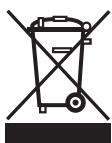
Environment protection first!
① Your appliance contains valuable materials which can be recovered or recycled.
Leave it at a local civic waste collection point.
TROUBLESHOOTING
| PROBLEM | SOLUTION |
| The coffee does not brew or the machine does not switch on. | Check to ensure the appliance is plugged into a working mains socket, and the appliance is in the «ON» position. The water tank is empty. There was a power failure. There was a power surge. Unplug the machine, then plug it back in. The clock must be reset after a power failure. The Auto-Off function switches off the coffee maker. Switch off the coffee maker then switch it back on to make more coffee. For more information, refer to the section « Making coffee ». |
| Appliance appears to be leaking. | Make sure that the water tank has not been filled beyond the max. fill level. |
| It takes a long time to brew. | It may be time to descale your coffee maker. Numerous minerals may accumulate in the coffee maker's circuit. Periodic descaling of the machine is recommended. More frequent descaling may be necessary depending on the hardness of the water. For more information, refer to the “Dscaling” section. NOTE: do not dismantle the machine. |
| The filter holder (h) overflows or the coffee drips too slowly. | • Excessive amount of coffee. We recommend that you use one measuring spoon or one tablespoon of coffee ground per cup. • Coffee ground too fine (unsuitable for an automatic coffee maker). • The jug (f) is not well positioned on the hot plate (e). • The coffeepot (f) was removed for more than 20 seconds during brewing and was not correctly put back on the hot plate (e). • Some coffee grounds have seeped in between the paper filter and the filter holder (h). • The paper filter is not open or is incorrectly positioned. • Rinse out the filter holder (h) before putting in the paper filter so that its edges stick to the damp sides of the filter. |
| The coffee has a bad taste. | • The coffee maker needs to be cleaned. • The coffee grounds are not suited to your coffee maker. • The proportion of coffee to water is inadequate. Adjust it to suit your taste. • The quality and freshness of the coffee are not optimal. • Poor-quality water. Use filtered or bottled water. |
| With machine equipped with a thermal pot, the coffee temperature is too low. | • Warm the thermal pot by rinsing with hot water just before brewing. |
DESCRIPTION
HET APPARAAT PROGRAMMEREN
Retire todas as embalagens.
O suporte do filtrlo de agua e o cartucho DuoFilter encontrar-se acondicionados no interior do reservatorio de agua.
Regular (Kαvovikός) 88·88
Strong ( ) 88:88
PntnoTe TO PROG (r) oTav TELwoTe.
2-PuOmuon TnC autoαTnc evepyotoinong αp.2
Pnto PROG (r) do o opc. To poypma AUTO aP. 2 uOdeltaKvEaI e m Koklvn evdEt (o).
H 出 出 np TPOypaumatouevn wpa evapxnc mTpei va xpnouotouintheta i yia napecs tou xunatae no apya,lambda. to 2aBbAtoKupko.
MaKcImaJIbHbI Oobem BoDbl Do NaHajla ZIKJa pInrOToBJIeHnI KoFe coCTabJIeT yTyb 60Jee 1,68 J. OObem roTOBOrO KoFe 6yDet HEMHO r MeHbIe, NocKOBky MOnOTbI KoFe BnITbIBaET onpeJeHHeO KOJIuYeCTBO BODbI.
«Krups» pekomehnyet nCnoB3OBA Tb rpaMM moIOTOro KoΦe Ha KaJdbIe 140 mI BObl. 7 rpaMM COOTBETCTBYOT ONDH CTOLOBOJI JOKKE C rOpKOJ.
EcIn HaNITOK, nOJyueHHbI npn DaHHo npOpOpzni, KaKetcBam CInuKOM KpeKNiM, Bbl MoKeTe KlaCTb MeHbWee KOJIYecTBO MOJTOrO KoFe. EcIn Jze Bbl ppeIOnHTaTe COBCem HeKpeKNi KoFe, LyUwe BCErO hCnOJIb3OBAbT peKOMeHdyeMyIO npOpOpzIO, a 3aTeM pa36abNTb rOTOBbl HaNITOK HeOxOIMbIM KOJIYecTBM TROPey BoIb. B 3ToM cLuyae KoFeHbIe 3epHa npDJaUT HaNITKy MaKcImaJIbHbI apOMa I BKyc, ppi 3ToM He npOn30JeT qPe3MePHo NkCTpaKzIM n3-3a CInuKOM MaJOrO KOJIYecTBA MOJTOrO KoFe.
BOIDA
KaueCTBO BOdy - Kpntuueckn fakTop, OKa3bBAIOuN BJIyHne Ha BKyc rOToBOro HauNTka. KaK npaBnlo, LyUe NcNoJb3OBaTb fInbTPOBaHHyIO BOy, OChUeHHyIO OT MInHepaIob N Xlopa, KOtOpble o6bHuO CoepjatcB BOdOpnoBoHO B OJeBOM Clyuae, ecJIN BKyc BOdy Bac yctpanBaet, OHa rOJTcra DnI pRrTOBLeHn KoFe.
Hn B KOem cIyuae He IIOabJIaIte B EMMOCTb IJRA BOJb MOJOKO, rOTOBb KOFe, qai n T.I.
CTENEHb NOMOJA
MeToI nCTeHb IOMOla OKa3bIBaOT cyuceCTBHeHoe BnIyHne Ha BKyc rTOBOrHO HAnITka. NdeaIbHbI bBapnaHT - CBveeO6xapEnHHbe 9eJIbHbe 3epHa, IOMoJIOtBe HeNOCpeDCTBHeHNO neped nprirotOBJeHem KoFe. PrcnM Bac npinraTb BO BHMaHne, YTO daHHa KoFeBaOpUHaN MaunHa paccHTaHa Ha nprirotOBLeHne KoFe HauBoJe paCnpocTpaHenHbIX IOMoJIOB, KOtOpbIe BCTpeuIoTcB IpoJaXe. ObUHbIe BVdbI MOJOTOr KoFe ImEoi OdnHaKOBbI pa3Mep, OT cpeHero DO kpyHoro. KoFe ouehb ToHKOro IOMOla npiDaet rOTobOMy HauNTky HamHoro 6oJIee JPKN BWcN apOMaT, Ondako npri 3Tom CyuceCTByET BepoRTHOCTb Upe3MePHOH 3KCTpakCmN IPOBLeHn ROpeu. IJnIPOUeHn IOIpOboHn INΦOpMaunO IOMOJIe KoFe, a TAKKe o6 accOPTImente KoFemolok «Krups» nocTeNte Haaw caNt www.krups.com.