3FCA-68NFX - Fridge FAGOR - Free user manual and instructions
Find the device manual for free 3FCA-68NFX FAGOR in PDF.



User questions about 3FCA-68NFX FAGOR
0 question about this device. Answer the ones you know or ask your own.
Ask a new question about this device
Download the instructions for your Fridge in PDF format for free! Find your manual 3FCA-68NFX - FAGOR and take your electronic device back in hand. On this page are published all the documents necessary for the use of your device. 3FCA-68NFX by FAGOR.
USER MANUAL 3FCA-68NFX FAGOR
CARE & INSTRUCTIONS MANUAL GUIDE D'UTILISATION ET D'ENTRETIEN MANUAL DE INSTRUCIONES Y MANTENIMIENTO
REFRIGERATOR RÉFRIGÉRATEUR FRIGORÍFICO
- 3FCA-68NFX
TABLE OF CONTENTS
Page
- Important Safety Instructions 3
- Installation 4
2.1 Installation Requirements 4
2.2 Electrical Requirements 4
2.3 Installation Instructions 5
2.4 Before First Use 5
- Features of the Refrigerator and the Freezer 6
3.1 Temperature Regulation 7
3.2 Control Panel (No Frost) 7
3.3 Functions 8
- Operation of the Refrigerator 9
4.1 Multifresh System 9
4.2 Double Fresh System 10
4.3 Bio Filter 10
4.4 Normal Refrigerator Noises 11
- Operation of the Freezer 12
5.1 Ice Making 12
5.2 Defrosting 12
5.3 Defrosting Food 12
- Care and Cleaning 13
- Troubleshooting 14
- Customer Service 16
- Product Warranty 17
Please read these instructions carefully before use. Keep this manual for future reference.
1. IMPORTANT SAFETY INSTRUCTIONS
READ BEFORE INSTALLING AND USING. FAILURE TO FOLLOW THESE INSTRUCTIONS CAN RESULT IN SERIOUS OR EVEN FATAL INJURY.
WARNING: To reduce the risk of fire, electric shock, or injury when using your refrigerator, follow these basic precautions:
- This refrigerator must be properly installed in accordance with the Installation Instructions before it is used.
- Always plug into a grounded 3 prong outlet, do not remove ground prong.
- Do not use an adapter or an extension cord.
- Replace all panels before operating.
- Keep flammable materials and vapors, such as gasoline, away from refrigerator.
- Use two or more people to move and install refrigerator.
- Unplug the refrigerator before cleaning, making repairs, changing the light bulbs or servicing the refrigerator.
- Never clean refrigerator parts with flammable fluids. The fumes can create a fire hazard or explosion.
- Never allow children to operate, play with, or crawl inside the refrigerator. They could damage the refrigerator and seriously injure themselves.
- Do not touch the cold surfaces in the freezer compartment when hands are damp or wet. Skin may stick to these extremely cold surfaces.
- Keep fingers out of the "pinch point" areas; clearances between the doors and cabinet are necessarily small. Be careful closing doors when children are in the area.
IMPORTANT: Child entrapment and suffocation are not problems of the past. Junked or abandoned refrigerators are still dangerous – even if they will sit for “just a few days.” If you are getting rid of your old refrigerator, please follow these instructions to help prevent accidents.
Before you throw away your old refrigerator or freezer:
Take off the doors.
- Leave the shelves in place so that children may not easily climb inside.
SAVE THESE INSTRUCTIONS FOR FUTURE REFERENCE.
2. INSTALLATION
2.1 INSTALLATION REQUIREMENTS:
Ensure that the refrigerator is located away from heat sources (stoves, radiators, etc.) and protected from direct sunlight, which increases energy consumption.
Allow air flow around the rear of the refrigerator. Do not cover the space between the refrigerator and the floor or the top of the refrigerator with any object.
The refrigerator must not be installed outdoors or exposed to rain.
To ensure better energy efficiency, a 1 inch space is recommended between the back of the refrigerator and the wall.
On certain occasions, relative humidity and room temperature may generate condensation on the inside and outside of the refrigerator.
To avoid vibrations and noise, ensure that the refrigerator is stable and level.
2.2 ELECTRICAL REQUIREMENTS:
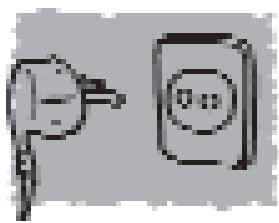
Plug specifications: grounded 110-120 V.
Do not use adaptors or extension cables.
Ensure that the cable is not in contact with the motor.
Ensure that the cable is not caught under the refrigerator.
2.3 INSTALLATION INSTRUCTIONS:
TOOLS REQUIRED:
A Phillips screwdriver.
PROCEDURE:
- Unplug the refrigerator.
- Remove the cover from the top hinge. (Fig.1)
- Loosen the top hinge screws. (Fig.1)
- Take the door off with an upward movement.
- Remove the cover of the central hinge screws, and loosen the two screws holding it in place. (Fig.2)
- With the screws loose, move the freezer door upward to release it.
- Lastly, remove the screws and take out the bottom hinge. (Fig.3)
- Change the position of the bottom hinge shaft, placing it on the opposite side. (Fig.3)
- If fitted, change the lateral handles to the other side.
- Reverse this procedure to refit the doors.
Fig. 1 Top hinge
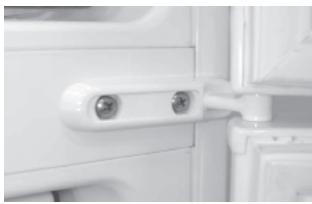
Fig. 2 Central hinge
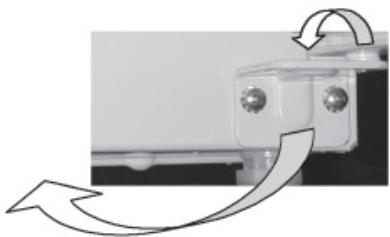
Fig. 3 Bottom hinge
2.4 BEFORE FIRST USE:
Clean the inside with warm water and baking soda. Rinse carefully and allow to dry completely.
Wait for 2 hours before starting to ensure that the motor lubricants have stabilized.
If the refrigerator has been switched off, wait 4 hours after restarting before placing food inside.
3. FEATURES OF THE REFRIGERATOR AND THE FREEZER
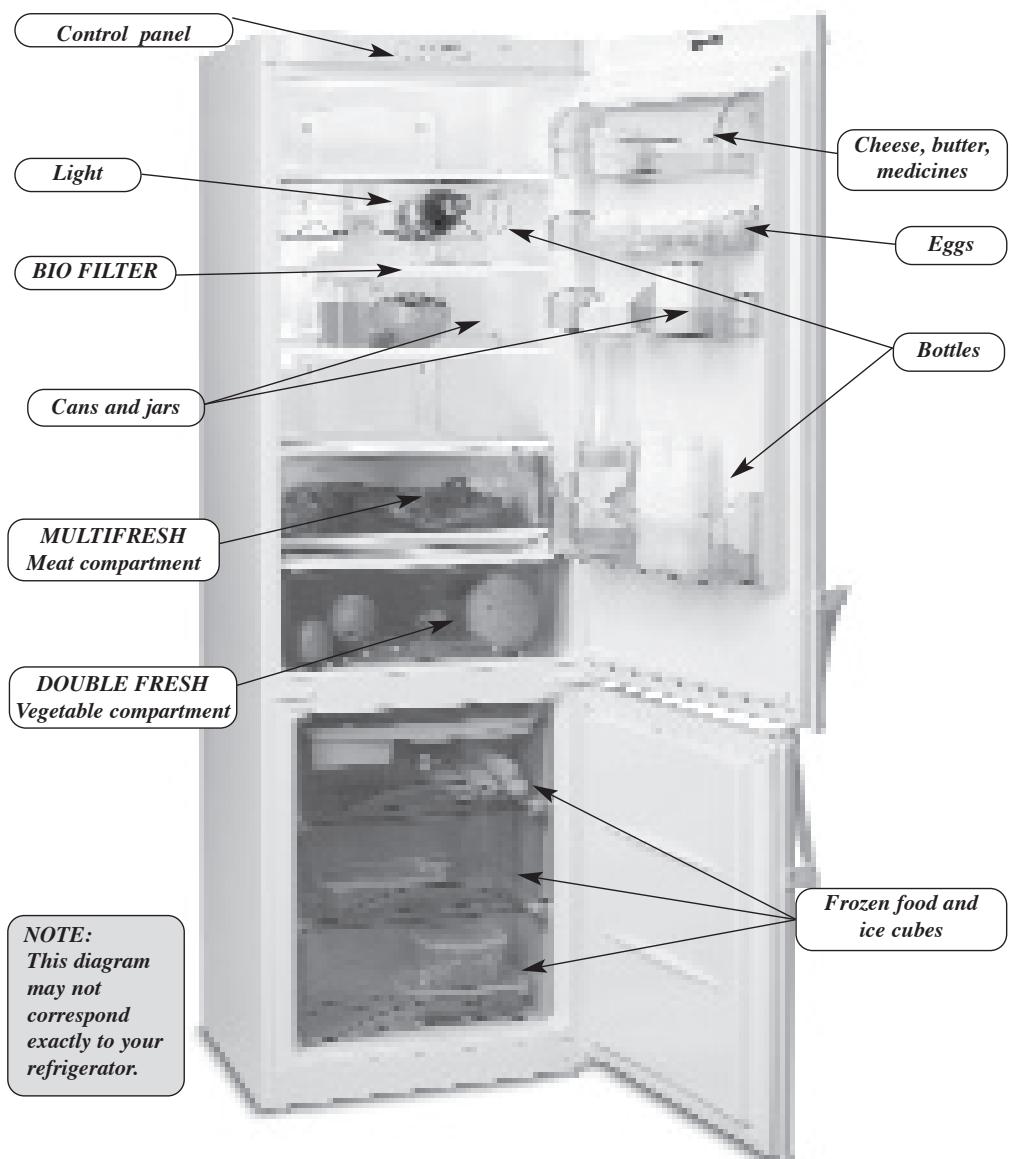
FEATURES OF THE REFRIGERATOR:
This refrigerator includes a four star (^****) freezer compartment enabling you to freeze food.
This refrigerator will operate correctly between the following temperatures:
No-Frost Models
50^ - 116^ (10^ - 43^)
3.1 TEMPERATURE REGULATION:
In normal conditions, the recommended approximate temperature is 38^ (4^) in the refrigerator and about -8^ (-19^) in the freezer.
To regulate the temperature, use the temperature selection controls. Temperatures are indicated in ^
WARNING: The inside refrigerator temperature depends on:
Room temperature.
The location of the refrigerator.
Door-opening frequency
3.2 CONTROL PANEL (No-Frost)
Your refrigerator will have either a LED control panel or a digital control panel.
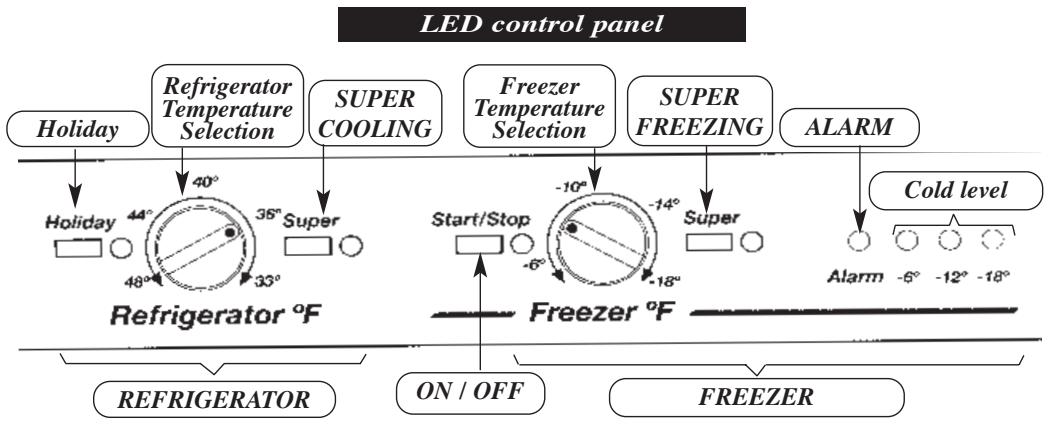

3.3 FUNCTIONS
ON/OFF
LED control panel
The refrigerator is switched on and off using the "ON/OFF" button.
Digital control panel
The refrigerator is switched on and off using the freezer temperature selection buttons. If a number appears on the freezer displays, this means the refrigerator is running. To switch off the refrigerator, press + or - repeatedly until the displays switch off.
| Freezer (°F) | OFF | -4 | -6 | -8 | -10 | -12 | -14 | -16 | -18 | OFF |
| Freezer (°C) | OFF | -17 | -18 | -19 | -20 | -21 | -22 | -23 | -24 | OFF |
Temperature selection
LED control panel
The refrigerator and freezer temperatures in ^ F can be selected by turning the dials. The coldest temperature is obtained by turning the dial clockwise as far as it will go.
| Refrigerator (°F) | +32 | +34 | +36 | +38 | +40 | +42 | +44 | +46 | +48 |
| Freezer (°F) | -6 | -8 | -10 | -12 | -14 | -16 | -18 | ||
| Refrigerator (°C) | +1 | +2 | +3 | +4 | +5 | +6 | +7 | +8 | +9 |
| Freezer (°C) | -18 | -19 | -20 | -21 | -22 | -23 | -24 |
Digital control panel
The refrigerator and freezer temperatures in ^ F can be selected by pressing the + and - buttons. While the number display flashes, choose the temperature required. Once this is done the temperature in the compartment will be shown on the display and will gradually move to the level chosen.
| Refrigerator (°F) | H | +32 | +34 | +36 | +38 | +40 | +42 | +44 | +46 | +48 | H |
| Freezer (°F) | OFF | -4 | -6 | -8 | -10 | -12 | -14 | -16 | -18 | OFF | |
| Refrigerator (°C) | H | +1 | +2 | +3 | +4 | +5 | +6 | +7 | +8 | +9 | H |
| Freezer (°C) | OFF | -17 | -18 | -19 | -20 | -21 | -22 | -23 | -24 | OFF |
SUPER COOLING
With this function running, the refrigerator temperature is regulated automatically to maximum cold for six hours. It switches off automatically but can also be turned off automatically before the 6 hours is up.
SUPER FREEZING
With this function running, the freezer temperature is automatically adjusted to maximum cold. This is to facilitate freezing of food and it is recommended that it is turned on 24 hours before introducing a large amount of food. The function will turn off automatically, and can also be switched off manually.
Alarm
A light and audio signal is activated if the freezer temperature is abnormally low. The audio alarm can be turned off manually using the SUPER FREEZING function. When the refrigerator door is left open for more than 120 seconds, an alarm will sound intermittently. This alarm will be switched off by closing the door.
Cold level
The number of lights on will indicate freezer cold level. The more lights on, the colder the freezer.
Holiday Function
Used when you want the freezer to work normally and the refrigerator to be switched off when you do not plan to use it for a long period of time, for example, during a vacation. Before enabling this option, empty the refrigerator, clean it and close the door. Then activate this function to ensure that your refrigerator is maintained in optimum conditions to avoid generating unpleasant odors. When you come back from your holiday, simply deactivate the holiday function and the temperature in the refrigerator will drop once again to the pre-selected level.
To activate or deactivate the Holiday function:
LED control panel
Press the Holiday function button and close the refrigerator door.
Digital control panel
Press the + or - button used for selecting the refrigerator temperature until the letter H (Holiday) appears on the refrigerator display.
Leave enough space between food items to let air flow around them.
Do not leave the door open longer than necessary.
Do not put hot food in the refrigerator.
Do not obstruct the ventilation grills. (Fig.4)
To prevent stored food from drying out, we recommend that you place them in an airtight container or wrap them in aluminium foil or plastic food wrap.
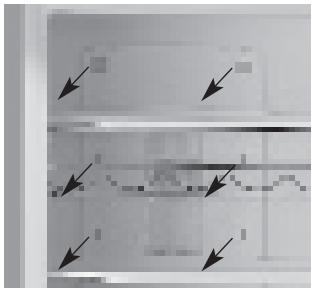
Fig. 4 Ventilation grills
4.1 MULTIFRESH SYSTEM
If your refrigerator has a Multifresh compartment:
This guarantees ideal conservation of fresh food such as meat, fish, and also vegetables, allowing these items to be conserved for longer periods of time without having to freeze them.
This area has the coldest temperatures in the refrigerator and is also the area least affected by frequent opening.
For meat and fish, an intermediate refrigerator temperature is recommended.
For greater capacity in the refrigerator, remove the top rack and cover, and store directly on the tray. This area loses the benefits outlined above.
4.2 DOUBLE FRESH SYSTEM
Your refrigerator is fitted with this system. The top rack covering the fruit and vegetable baskets has a membrane filter maintaining a high level of humidity in the baskets. The humidity level provided is ideal to ensure that vegetables do not dry out, ensuring that they retain their texture, flavor and nutritional value.
4.3 BIO FILTER
Function
The refrigerator may be equipped with a filter that absorbs any unpleasant smells produced by the food, and retains microorganisms (mold and bacteria) from the circulating air.
Location
The BIO FILTER is located on the inside of the reflector cover on the refrigerator light.
Activation
If your refrigerator has a BIO FILTER, the procedure for activating it is as follows:
- Press the top tab and remove the light reflector cover (Fig.5).
- Separate the filter from the cover (Fig.6) and remove the seals by pulling on the red tabs (Fig.7).
- Then press on the BIO FILTER window until you hear a click. After a few seconds the time scale will begin to change color (Fig.8).
- Put the filter back in place and fit the cover into its corresponding recess (first, position the lower part and then click the top part into place.)
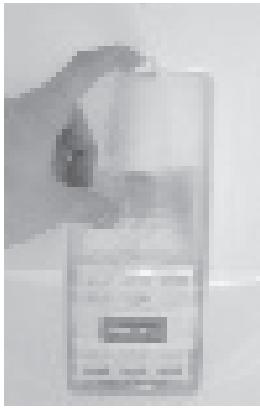
Fig.5
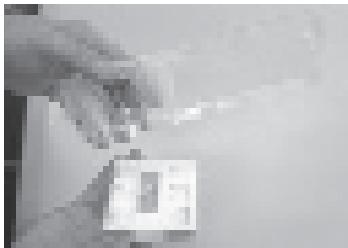
Fig.6
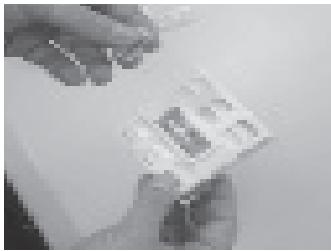
Fig.7
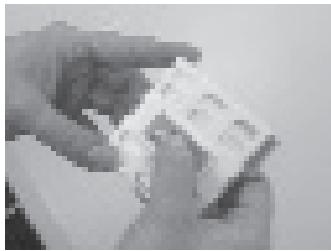
Fig.8
Duration and replacement
The BIO FILTER only maintains its properties for a certain time (approx. 6 months). The BIO FILTER window shows when it needs changing. To replace it, follow the activation directions on previous page. Replacement parts can be purchased in the shop where you bought your refrigerator by calling _. The code 993010246 will be printed on the rear of the filter.
Caution

Keep all replacement parts and used BIO FILTERs out of reach of children. They could be dangerous if swallowed.

Do not get the BIO FILTER wet, as it will lose its properties.
4.4 NORMAL REFRIGERATOR NOISES
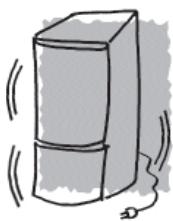
The refrigerating gas may produce bubbling sounds as it flows through the unit.
The compressor may buzz and/or produce a light knocking noise, which maybe louder when started.
Cracking sounds produced by expansion and contraction of the materials used.
The insulation used amplifies sound levels.
You may hear a gentle murmur when your refrigerator is switched on. This is due to the working fan incorporated to ensure adequate air circulation inside the appliance.
You will note the effect of the fan in the freezer, which cools the entire refrigerator evenly.
The amount of food to be frozen at once must not exceed the freezing power indicated on the specifications plate.
Ensure that your food to be frozen is in good condition.
Observe the best-by date.
To prevent the food from drying out, wrap it in aluminium foil or plastic wrap.
Do not put food to be frozen in contact with food already frozen.
Never refreeze thawed food.
Freeze in daily servings.
Do not store bottles with carbonated drinks or glass bottles containing liquids in the freezer. They may burst.
Do not eat very cold ice-cream or food; this may burn your mouth.
Label the wrapping, indicating the contents and the freezing date.
For best energy yield, keep the ice-cube holder full, along with the ice holder on the upper basket tray.
5.1 ICE-MAKING:
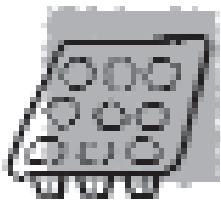
Fill the trays in the freezer up to three quarters with water.
Place the trays in the freezer.
Once the water has frozen, the cubes can be removed by twisting the tray slightly. Store the cubes in the ice compartment.
5.2 DEFROSTING
No-Frost refrigerators do not generate layers of frost or ice.
5.3 DEFROSTING FOOD
Not all food should be defrosted in the same way.
If you have bought frozen food, follow the instructions on the package.
Vegetables should be cooked directly per instructions.
In general, prepared or pre-cooked foods can be cooked directly from freezer.
Meat and fish must be defrosted slowly in the refrigerator over several hours, or you can use a microwave.
6. CARE AND CLEANING
6.1 CLEANING:
Switch off the refrigerator using the ON/OFF button before starting to clean it.
Clean the interior with water and baking soda, with a sponge or cloth, this will prevent the formation of odors.
Never use steam cleaning machines, solvents or abrasive detergents. This may damage the inside of your refrigerator. Do
not place the inside shelves in the dishwasher.
It is recommended that the rear grill be cleaned once a year using a vacuum cleaner. If it is dusty and dirty, it reduces the refrigerator's performance and increases its consumption.
6.2 CHANGING THE LIGHT
Switch the refrigerator off.
Remove the light reflector cover by pressing the top tab.
Remove the bulb and replace it with another of the same type, screw type E14, 220-240 V, with a maximum of 15 W.
6.3 WHAT TO DO IN CASE OF A POWER OUTAGE:
If possible, do not open the refrigerator doors.
When power is restored, check to see if the food has defrosted, if so please discard.
6.4 WHAT TO DO IF THE REFRIGERATOR IS NOT TO BE USED FOR A LONG PERIOD OF TIME:
Empty the refrigerator.
Switch off and clean the refrigerator as described in the Cleaning section.
Leave the doors open to prevent formation of unwanted odors.
Holiday function: If your refrigerator is to be out of use for any length of time and you wish to keep food in the freezer, you may switch it off and activate the Holiday function, leaving the door closed. The refrigerator will then function at a very low rate of energy consumption and no bad odors will be produced.
7. TROUBLESHOOTING
| PROBLEM | CAUSE | SOLUTION |
| The refrigerator does not operate | ·It is not plugged in. ·There is no electrical current to the plug because the fuse has blown or the automatic power switch has activated. ·The controls are not on. | ·Plug in. ·Change the fuse or reset the automatic power switch. ·Switch the controls on. |
| The refrigerator vibrates | ·The refrigerator is not properly level. | ·Level the refrigerator properly, with the leveller bases. |
| The refrigerator or freezer is not very cold | ·Temperature selection is set too hot. ·The door is not properly closed, is opened frequently or was left open. ·The space between the refrigerator and floor or the top of the refrigerator has been covered. ·The refrigerator is exposed to direct sunlight or a heat source. ·A large amount of food has been stored. ·There is something obstructing the ventilation grills. | ·Set temperature selection to maximum cold. ·Ensure that the door does not remain open too long. ·Keep these areas free as described in the "Installation" section of this manual. ·Relocate the refrigerator or protect it from these heat sources. ·Consult the section on "Operation and Use of the Refrigerator". ·Remove any obstacles blocking the air outlet of the ventilation grills. |
| The motor runs constantly | ·The doors are not properly closed. ·The doors are opened often. ·The food was stored recently. ·Temperature selection is in the high position. | ·Close the door properly. ·Avoid opening the door frequently. ·Wait for the appliance to return to normal. ·Set the temperature switch to less cold. |
| The door does not close | · The refrigerator is not lev-elled correctly. · The door was closed vio-lently. · It is prevented from closing by a product inside. | · Level the refrigerator correctly. · Close the doors gently. · Rearrange food. |
| Too much ice at the front of the freezer drawers | · The door is open. · The door has been opened often. | · Check to see if food is pre-venting the door from being closed. · Ensure that the door does not remain open for too long. |
| Odor in the refrigerator | · Some food is producing odors in the refrigerator. | · Wrap the food or cover it correctly or replace the BIO FILTER, in models which have this function. |
| The food dries out | · The food is not properly wrapped. | · Wrap the food or cover it correctly. |
| The refrigerator light does not come on | · The light is loose. · It has blown. · The plug is not connected to the power. · There is no electrical cur- rent to the plug because the fuse has blown or the automatic power switch has acti-vated. | · Screw it in properly. · Change the light as explai-ned in the manual. · Plug in. · Change the fuse or reset the automatic power switch. |
8. CUSTOMER SERVICE
Write the model and serial number on the lines below, you'll need them in the event of a service call. The serial and model numbers are inside of the refrigerator on the inside left of the refrigerator near the food storage drawers.
Model:
Serial:
Date Purchased:
Store:
Should you need service or have any questions about this product, don't hesitate to contact FAGOR AMERICA Customer Service at 1-800-207-0806.
9. PRODUCT WARRANTY
ONE-YEAR LIMITED WARRANTY
For one year from the date of purchase, provided this product is operated and maintained in accordance with the instructions attached to or furnished with the product, Fagor America Inc. will replace parts and provide labor to correct defects in materials or workmanship. Service has to be provided by a Fagor America Inc. designated service company. Please contact Fagor America at 1800 201 0806 or by email at infoappliances@fagoramerica.com
FIVE YEAR LIMITED WARRANTY ON THE SEATED SYSTEM
For five years from the date of purchase, provided this product is operated and maintained in accordance with the instructions attached to or furnished with the product, Fagor America Inc. will replace parts for any component of the sealed system* that proves defective under conditions of normal home use, labor charges excluded.
*Sealed refrigeration system includes compressor, evaporator, condenser, dryer/strainer and connecting tubing.
THIS LIMITED WARRANTY DOESN'T COVER:
- Repairs when the product is used in other than normal, single family household use.
- Damage resulting from accident, alteration, misuse, abuse, fire, acts of God, improper installation, installation not in accordance with local electrical and plumbing codes, or use not approved by Fagor America.
- Replacement parts or repair labor costs if the product is operated outside of the United States/Canada
- Pick up/delivery. This product is designated to be repaired in the home.
FAGOR AMERICA WILL NOT BE LIABLE FOR INCIDENTAL OR CONSEQUENTIAL DAMAGES
Some states do not allow the exclusion or limitation of incidental or consequential damages so this exclusion or limitation may not apply to you. This warranty gives you specific legal rights and you may also have other rights which vary from state to state.
IF YOU NEED SERVICE
Please contact Customer Care at Fagor America at 1.800.207.0806 or email Fagor America at infoappliances@fagoramerica.com
FAGOR

Model # Serial #
The serial number is located on the inside left of the refrigerator near the food storage drawers.
WARRANTY REGISTRATION CARD Refrigerator
Register your warranty on line at www.fagorama.com
IMPORTANT NOTICE: PLEASE COMPLETE AND MAIL THIS WARRANTY REGISTRATION CARD IMMEDIATELY TO PROTECT YOUR WARRANTY SERVICE
Mr./Mrs./Ms.
Address:
City: State: Zip Code:
Phone:
E-mail:
Date of purchase:
Name of Dealer:
Comments:
CONTENIDO
Pág.
4.2 SISTEMA DOUBLE FRESH
9. GARANTIE DU PRODUIT
GARANTIE D'UN AN LIMITÉE
Toll Free: 1.800.207.0806
Email: infoappliances@fagoramerica.com
www.fagorama.com