
2685 - Coin and bill counter Safescan - Free user manual and instructions
Find the device manual for free 2685 Safescan in PDF.


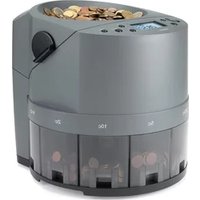
| Product type | Coin and bill counter |
| Brand | Safescan |
| Model | 2685 |
| Dimensions (approx.) | 250 x 200 x 150 mm |
| Weight (approx.) | 2.5 kg |
| Power supply | 230 V AC, 50 Hz |
| Hopper capacity | 300 coins or 100 bills |
| Main functions | Coin and bill counting, counterfeit detection, sorting by value, totaling |
| Maintenance and cleaning | Clean the sensors regularly with a soft, dry cloth |
| Safety | Automatic shutdown in case of jam, counterfeit detection |
| Spare parts and repairability | Parts available via Safescan after-sales service, repair by certified technician |
| General information | Manual available in multiple languages at notice-facile.com |
Frequently Asked Questions - 2685 Safescan
User questions about 2685 Safescan
0 question about this device. Answer the ones you know or ask your own.
Ask a new question about this device
Download the instructions for your Coin and bill counter in PDF format for free! Find your manual 2685 - Safescan and take your electronic device back in hand. On this page are published all the documents necessary for the use of your device. 2685 by Safescan.
USER MANUAL 2685 Safescan
Safescan 2600 series
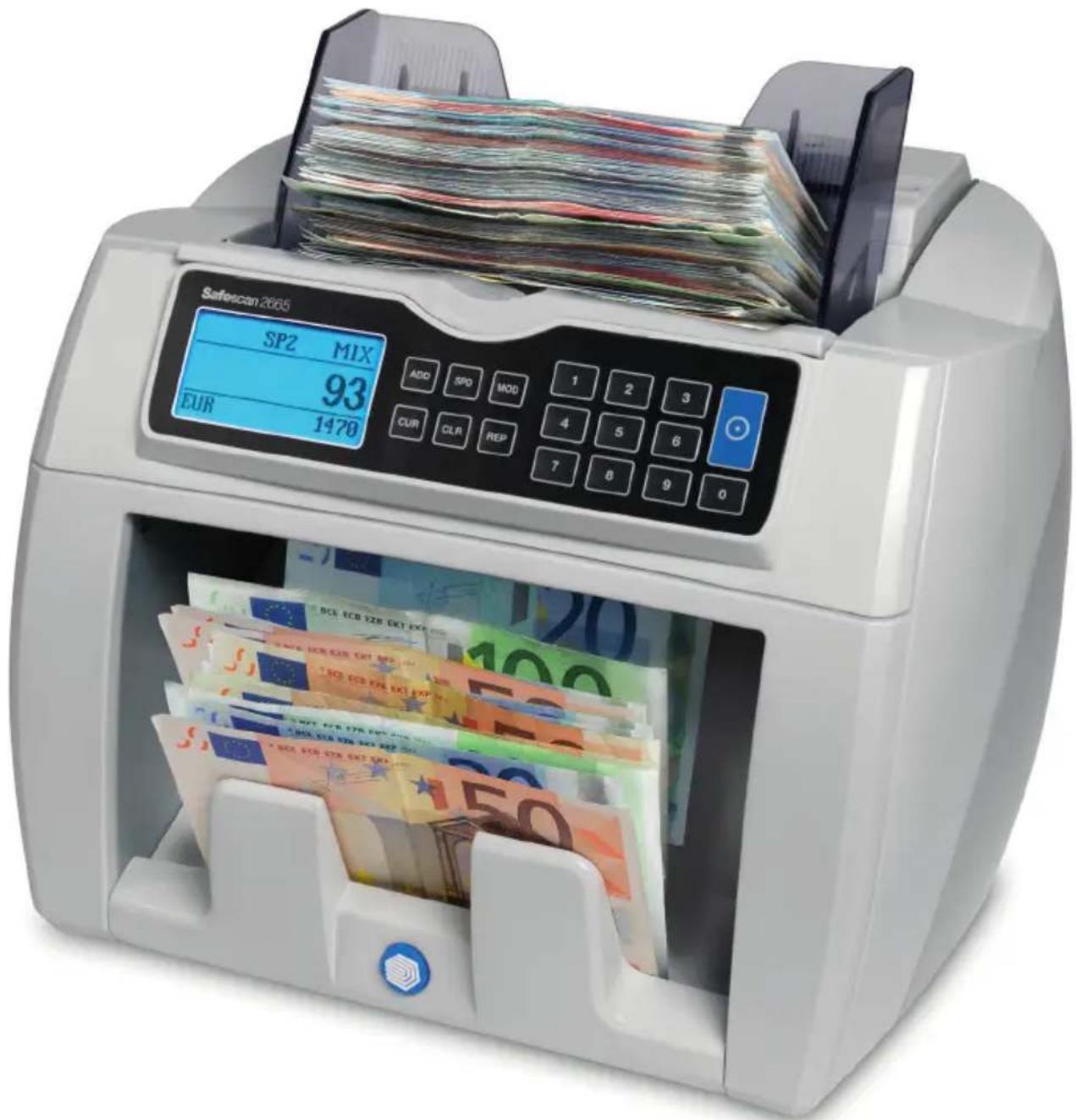
Manual
Safescan 2600 series
Safescan 2600 series
In the box:
- Safescan 2600 series banknote counter
• Power cables (EUR/UK) - Service kit
- User manual
Thank you for choosing a banknote counter from the Safescan 2600 series. Before using the machine, please read this manual thoroughly, in order to familiarize yourself with the functions and operations of the machine.
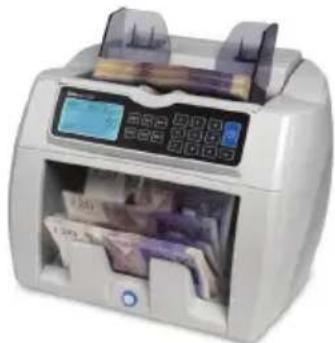
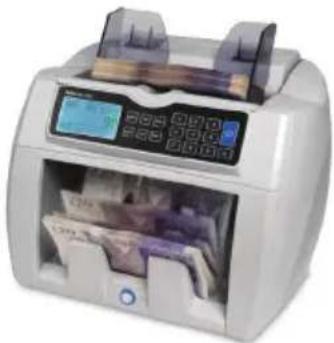
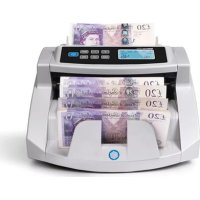
The Safescan 2600 series are banknote counters for professional use with outstanding performance and reliability. It features counterfeit detection such as: double note, colour, size-detection and (value) counting for sorted and unsorted euro notes. Its compact and stylish design makes it an invaluable tool for banks, casino's, supermarkets, movie theaters and other retail environments.
There are 4 models available:
- Safescan 2610, this machine counts at a speed of 1.500 notes per minute and performs add and batch counting functions, including 1-point counterfeit detection.
- Safescan 2660, in addition to the functions of the 2610, the 2660 has 6-point counterfeit detection.
- Safescan 2665, in addition to the functions of the 2660, the 2665 has mixed counting function for EUR.
- Safescan 2685, in addition to the functions of the 2665, the 2685 has mixed counting function for GBP.
Note:
- Before turning the power on, please make sure that there are no objects obstructing the operation of the rollers and wheels.
- Do not place the machine in a damp environment. This will cause leakages of electricity and a risk of electric shocks.
- When you have finished counting, switch off the machine and remove the plug from the power outlet.
- Banknotes that have been washed (along with clothings for example) may lose the UV properties and cause a “false alarm”.
- If the banknotes are dirty, this may alter the infrared absorption features and cause a "false alarm".
1.0 GENERAL PARTS & CONTROLS
1.1 Parts of the machine

- Hopper guide
- Banknote transporting wheel
- LCD screen
- Banknote stacker wheel
- Stacker
-
Handle
-
Banknote feeding sensor
- Banknote feeding wheel
- Hopper
- Control panel
- Banknote receiving sensor

- Hopper adjusting screw
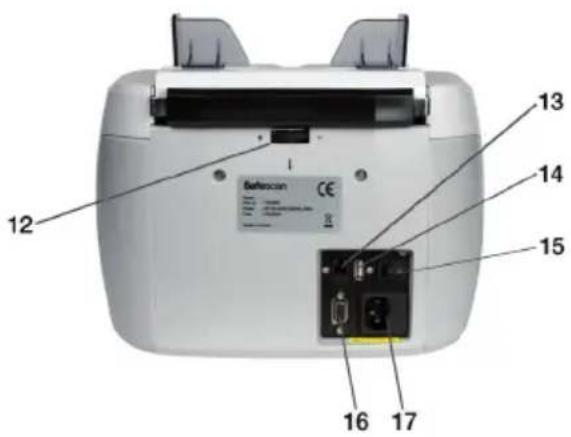
- RJ-10 printinterface*
- USB interface**
- Power switch
- RS-232 interface
- Power socket
* Interface to print counting results with thermal printer (Safescan TP-220) or send to Safescan Money counting Software (available for the 2665 & 2685 models)
** USB interface is available for 2660, 2665 & 2685 models
1.2 Control panels
2610

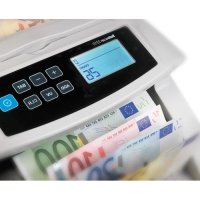
2660, 2665, 2685

- [ADD] button: Press this key to enter the Add function (Accumulative counting).
- [SPD] button: Press this key to set counting speed (SP1= Low, SP2=Medium and SP3=High).
- [MOD] button: Press this key to select a counting mode: MIX* / SORT / COUNT (*available for the 2665 & 2685 models).
- Numeric keys [1-9] buttons: Press these keys to set a batch number (0-200).
- [START] button: Press this key to start counting. Press and hold this key for 3 seconds to change and select to Auto/Manual counting (not available for the 2610 model).
- [UV] button: Press this key to (in)activate the UV detection.
- [CLR] button: Press this key to clear the count memory.
- [A/M] button: Press this key to switch between Auto/Manual counting.
- [CUR] button: Press this key to select a currency.
- [REP/PRT] button: Press this key to view/print the count result report (available for the 2665 & 2685 models).
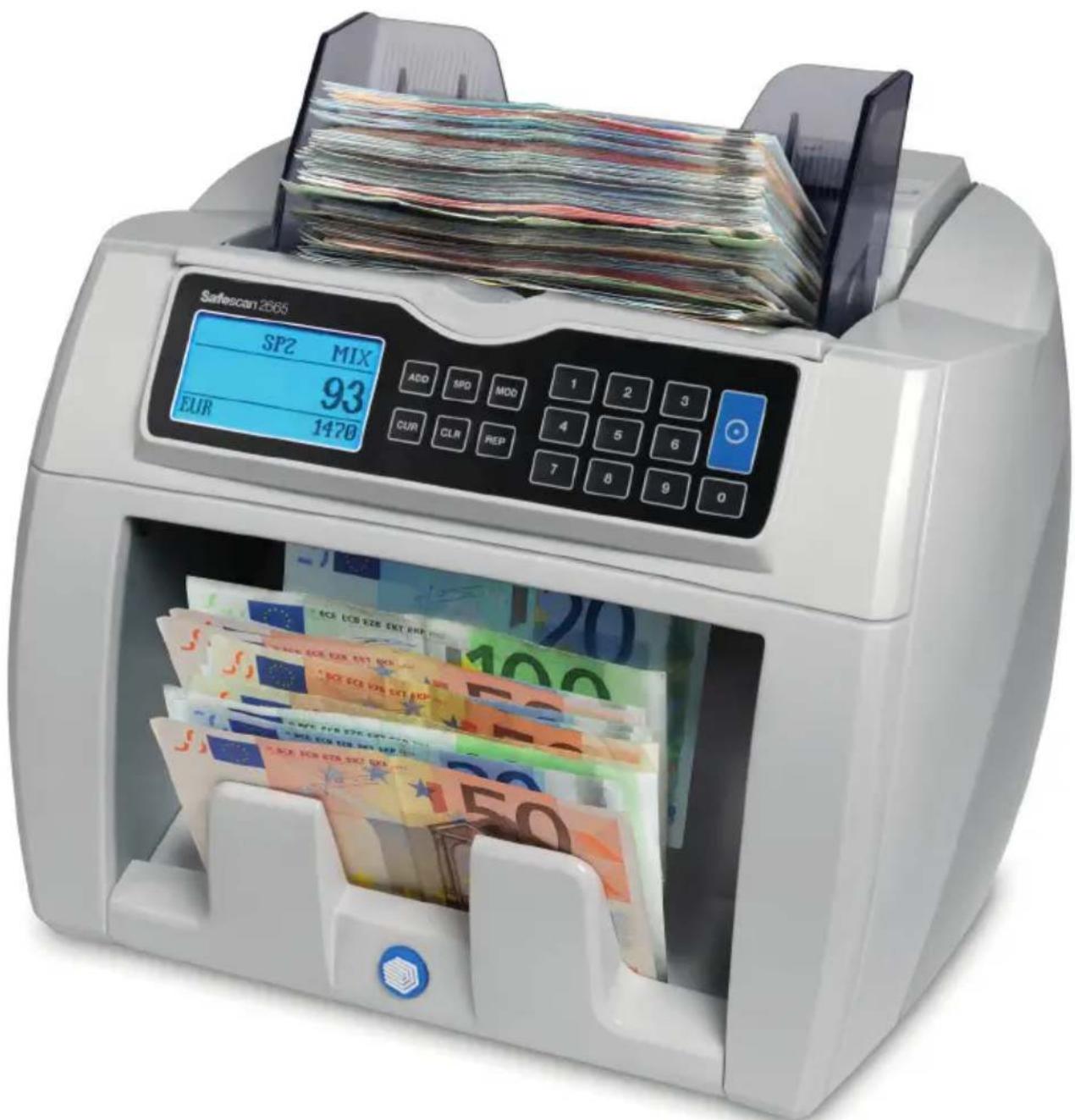
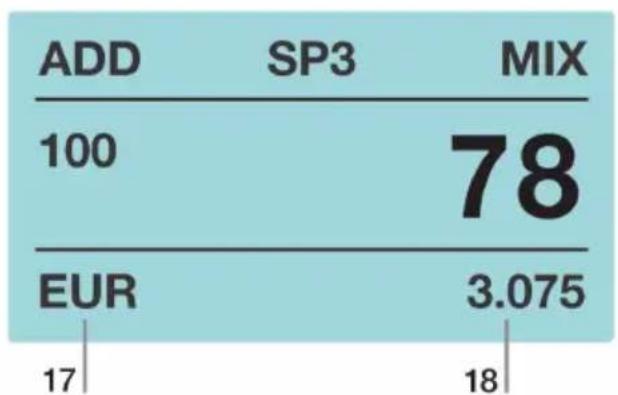
1.3 Operation screen
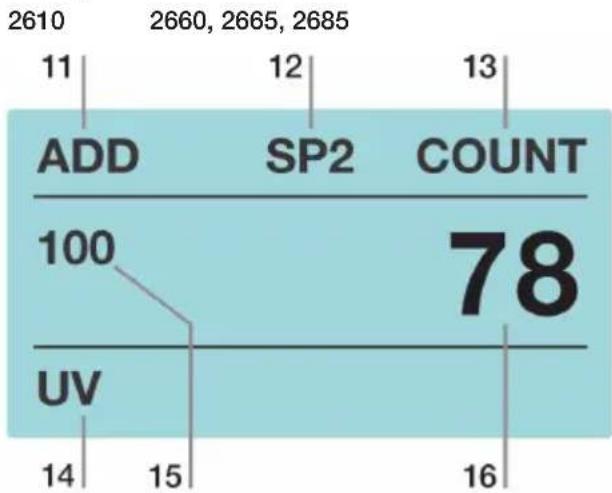
- Add (cumulative counting) indication
- Speed: High (SP3)/Medium (SP2)/Low (SP1)
- Counting mode selection: Mix/Sort/Count
- UV detection indication

- Batch count number
- Sheet count result
- Currency: EUR, GBP, USD, PLN, SEK, NOK, ALL
- Value count result / total
2.0 OPERATION
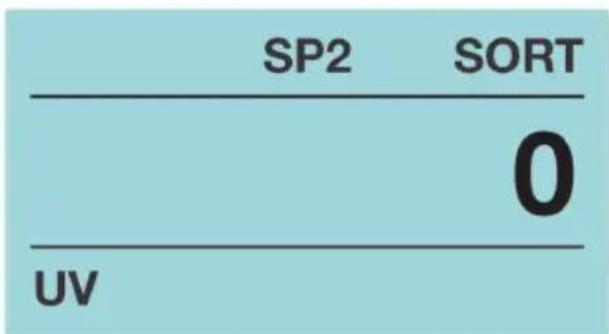
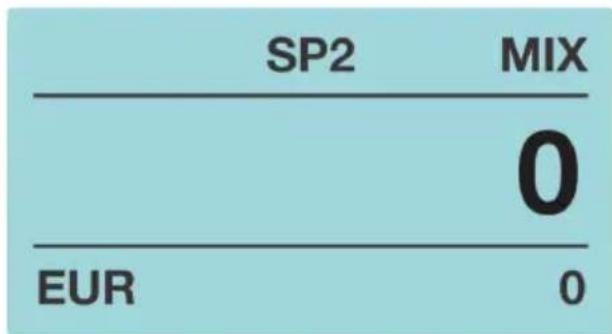
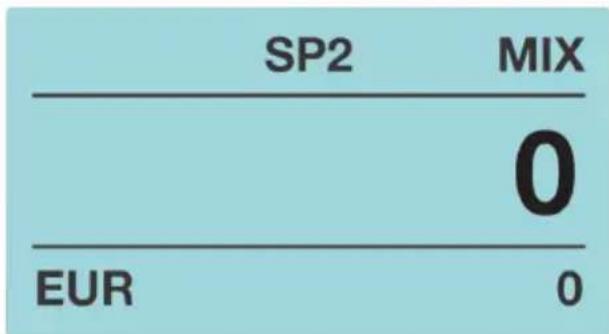
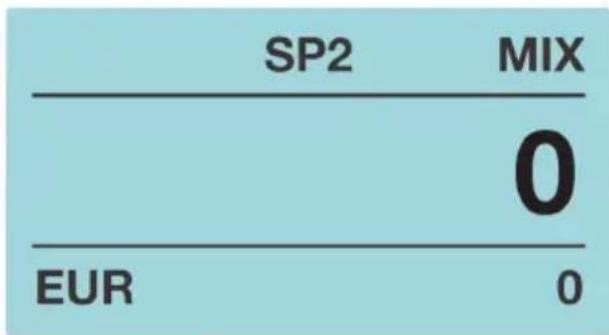
Switch on the machine using the power switch on the back of the machine. At start up, the software version is displayed. After displaying the software version, the machine will do a self-test. If the test finished successfully, the machine is ready to operate (see picture below).
If any warning messages are displayed, please check table 4.1 for instructions to solve the problem.
2610 2660, 2665, 2685
2.1 Counting modes
Press the [MOD] key to select a counting mode.
MIX (available for the 2665 & 2685 models): Value counting and counterfeit detection for sorted and unsorted notes (Speed-SP2 or lower is recommended).
SORT: Sheet counting with counterfeit detection for sorted notes.
COUNT: Sheet counting (free count) with detection for all available currencies.
For sheet counting without counterfeit detection, choose CUR: ALL.
Note:
In SORT mode; When a banknote of a different denomination/size (2610) is detected this warning message will be displayed; “Denomination different”. The machine will stop counting. The banknote of the different denomination/size (2610) will be the last counted banknote in the stacker.

2.2 Currency selection (not available for 2610 model)
Press [CUR] to choose & select the available currencies within the active counting mode.
[COUNT] EUR, GBP, USD, PLN, SEK, NOK & ALL (without detection)
2.3 Batch mode
Press [0-9] to preset the batch number.
To Switch Off the batch function, repeatedly press the [0] key till the batch number indication switches off.
2.4 Add mode
Press [ADD] to count accumulatively. The screen will display ADD when the function is active. Press [ADD] again to deactivate the function.
2.5 Speed
Press [SPD] to set counting speed (SP1= Low, SP2=Medium and SP3=High).
• High speed: 1500 notes/minute
• Medium speed: 1200 notes/minute
- Low speed: 800 notes/minute
Note:
During value counting of mixed banknotes the recommended speed is: SP2 (medium).
2.6 Report/Print count results (available for the 2665 & 2685 model)
Press [REP] to view the counting results on the display.
Press and hold [REP] for 3 seconds, the counting report will be printed by the thermal printer (Safescan TP-220) or send to the Safescan Money Counting Software.

- Denomination
- Sheet number
- Value
2.7 Feeding hopper adjustment
The position of the hopper adjusting screw has already been set in optimal position in the factory. When unnecessary counting errors occur (i.e. Double notes/chain notes), it could be necessary to adjust the hopper-adjusting-screw to optimize the banknote transport, when:
- The notes can not be counted smoothly, increase the note thickness distance.
- The machine stops and display the codes “double notes” or “chain notes”, decrease the note thickness distance.
Turn the screw clockwise (+) to increase the note thickness distance, turn the screw counter-clockwise (-) to decrease the distance.
Note:
the adjustment screw is very sensitive, make only minor adjustments (see picture).

2.8 Using the hopper guides
- The width of hopper guides can be adjusted manually. Both hopper guides move simultaneously.
- In order to have the best counting result, the width of the hopper guide should be the same as the largest note counted.
- In order to optimize counterfeit detection functions, the width of the hopper guide should be the same as the largest note counted.
3.0 COUNT BANKNOTES CORRECTLY
- Place the notes neatly and centered on the hopper.
- For optimal counting, place a pile of banknotes on the hopper, with the largest note on the bottom of the pile and smallest notes on top.
• Make sure the back of the banknote pile is straight. - Place the banknotes horizontal on the hopper.


Note:
For optimal counting lightly hold the notes with one hand to ensure proper feeding and use the banknote guides to keep the notes centered.
4.0 COUNTERFEIT DETECTION SETTINGS
4.1 Set sensitivity
Press [CUR]/[UV] (2610) and turn on the machine. The counterfeit method and sensitivity level are displayed.
Press [MOD] to select counterfeit type; Press the numeric keys [0-8] to select the sensitivity settings.
See the table below for all counterfeit settings and information:
| Counterfeit type | Default level | range |
| Width sensitivity level | -4- | 0~8 |
| UV sensitivity level | -4- | 0~8 |
| MG/MT sensitivity level | -2- | 0~4 |
| Color sensitivity level | -4- | 0~8 |
| IR sensitivity level | -3- | 0~8 |
| Paper sensitivity level | -3- | 0~8 |
Press [START] twice to save settings and return to the counting menu.
4.2 Reset to default factory settings
Press [CLR] and turn on the machine, “—DEF—” and “—H—” are displayed in the screen.
Press [START] to save and exit.

5.0 CURRENCY SOFTWARE UPDATE PROCEDURE
If security features of banknotes are change or new banknotes are issued, it could be necessary to update the Safescan banknote counter with new currency software via the built in USB port (available for the 2660, 2665 & 2685 models). Contact Safescan for assistance: www.safescan.com
6.0 TROUBLESHOOTING & MAINTENANCE
6.1 Error messages after self-test
| error message | solution |
| Fluorescence sensor | Do not place or operate the machine under strong light |
| Banknote feeding sensor | Remove banknote(s) or dust from the hopper |
| Banknote receiving sensor | Remove banknote(s) or dust from the stacker |
| Left counting sensor | Remove banknote(s) or dust from the stacker |
| Right counting sensor | Remove banknote(s) or dust from the stacker |
| Ext IR sensor | Remove banknote(s) or dust using an air duster |
| Internal memory fault | Reset to default factory settings |
6.2 Cleaning sensors
For optimal performance it is needed to regularly clean the device.
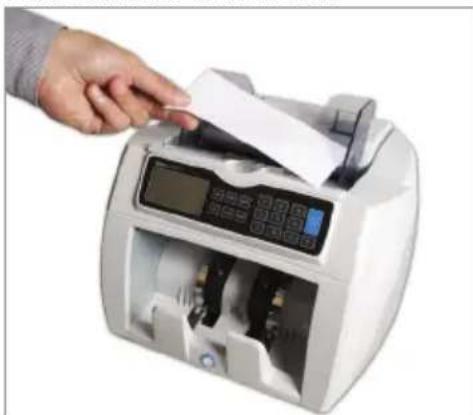
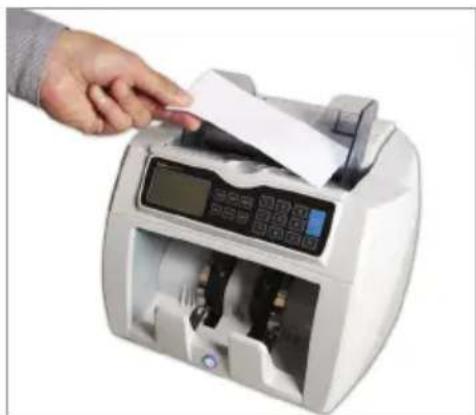
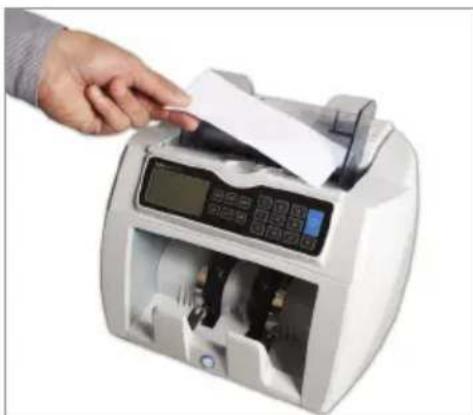
Clean the hopper and stacker with the enclosed dry brush. Clean the inner parts with the enclosed cleaning note. Place this note with the soft side up on the hopper and let the paper go through the device 3-5 times.


6.3 Detecting suspected notes
| error message | Causes and solutions |
| Slant notes | Make sure to place banknotes neatly and centered on the hopper. If the error message frequently occurs then fine-tune the Hopper-adjusting-screw slightly toward clockwise direction (+) (for details see chapter 2.7). |
| Chained notes / Double notes | Sometimes banknotes are stuck/connected or folded together. Check the banknotes and re-count. If the error message frequently occurs then fine-tune the hopper-adjusting-screw slightly toward clockwise direction (+) (for details see chapter 2.7). |
| Incomplete notes | Incomplete/damaged banknote. Remove and check the banknote. Press [START] to continue. |
| UV Suspected | Counterfeit or suspicious banknote. Remove the banknote from the stacker and press [START] to continue counting. |
| IR Suspected | |
| MG Suspected | When incorrect identification of genuine banknotes frequently occurs: adjust the sensitivity level to a lower level (for details see chapter 4.1). |
| Width error | Non-conforming size of banknote, remove and check the banknote. Press [START] to continue. |
| Different denomination | Remove the different banknote denomination, remove counted notes and re-count bundle. |
| Cannot Judge Denomination | Remove and re-count bundle. |
| Receiver stack full | Stacker capacity is 220 notes. Remove notes from the stacker. |
7.0 TECHNICAL SPECIFICATIONS
Dimensions 243 x 287 x 248 mm
Weight 6.5 kg
Note size range 50 x 110 mm \~ 90 x 180 mm
Speed High speed: 1500 notes/minute
Medium speed: 1200 notes/minute
Low speed: 800 notes/minute
Hopper capacity 300 notes
Stacker capacity 220 notes
Power source AC 100-240V / 50-60Hz
Power consumption 60W
Operating Temperature 0--40°C
8.0 wARRANTY
Warranty procedure
Contact Safescan for assistance: www.safescan.com

This product is in compliance with the essential requirements and other relevant provisions of the applicable European directives. The Declaration of Conformity (DoC) is available at www.safescan.com

If possible, bring the machine to a recycling centre after usage. Do not throw away the product with the household trash.
Handleiding
Safescan 2600 series

Handleiding
Safescan 2600 series

Safescan 2600 series

2.1 Telmodus
Let op:

Safescan 2600 series
Handbuch
Safescan 2600 Serie

Safescan 2600 series
In der Verpackung:
Bitte beachten Sie:
Safescan 2600 series

Manuel Safescan 2600 series

Safescan 2600 series
Safescan 2600 series

Manual Safescan 2600 series
Safescan 2600 series
El la caja:
2.1 Modos de conteo
Atención:

Safescan 2600 series

Manual
Safescan 2600 series

Safescan 2600 series


Nota bene:
Safescan 2600 series

Manual Safescan 2600 series
Safescan 2600 series

Safescan

- MANUAL
- SAFESCAN 2600 SERIES
- IN THE BOX
- THERE ARE 4 MODELS AVAILABLE
- NOTE
- 1.0 GENERAL PARTS & CONTROLS
- 1.1 PARTS OF THE MACHINE
- 1.2 CONTROL PANELS
- 1.3 OPERATION SCREEN
- 2.0 OPERATION
- 2.1 COUNTING MODES
- 2.2 CURRENCY SELECTION (NOT AVAILABLE FOR 2610 MODEL)
- 2.3 BATCH MODE
- 2.4 ADD MODE
- 2.5 SPEED
- 2.6 REPORT/PRINT COUNT RESULTS (AVAILABLE FOR THE 2665 & 2685 MODEL)
- 2.7 FEEDING HOPPER ADJUSTMENT
- 2.8 USING THE HOPPER GUIDES
- 3.0 COUNT BANKNOTES CORRECTLY
- 4.0 COUNTERFEIT DETECTION SETTINGS
- 4.1 SET SENSITIVITY
- 4.2 RESET TO DEFAULT FACTORY SETTINGS
- 5.0 CURRENCY SOFTWARE UPDATE PROCEDURE
- 6.0 TROUBLESHOOTING & MAINTENANCE
- 6.1 ERROR MESSAGES AFTER SELF-TEST
- 6.2 CLEANING SENSORS
- 7.0 TECHNICAL SPECIFICATIONS
- 8.0 WARRANTY
- HANDLEIDING
- 2.1 TELMODUS
- LET OP
- HANDBUCH
- SAFESCAN 2600 SERIE
- IN DER VERPACKUNG
- BITTE BEACHTEN SIE
- MANUEL SAFESCAN 2600 SERIES
- MANUAL SAFESCAN 2600 SERIES
- EL LA CAJA
- 2.1 MODOS DE CONTEO
- ATENCIÓN
- NOTA BENE
- SAFESCAN
Brand : Safescan
Model : 2685
Category : Coin and bill counter