2265 - Coin and bill counter Safescan - Free user manual and instructions
Find the device manual for free 2265 Safescan in PDF.


Pick your language and provide your email: we'll send you a specifically translated version.
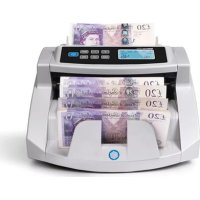
| Product Type | Coin and Bill Counter |
| Brand | Safescan |
| Model | 2265 |
| Counting Speed (Coins) | Up to 300 coins per minute |
| Counting Speed (Bills) | Up to 600 bills per minute |
| Hopper Capacity (Coins) | Approximately 500 coins |
| Hopper Capacity (Bills) | Approximately 200 bills |
| Batch Function | Yes, programmable batch sizes |
| Add Function | Yes, cumulative count |
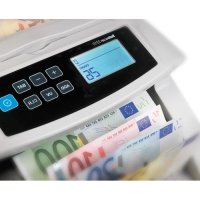
| Display | LCD with count and denomination |
| Power Supply | AC adapter (100-240V, 50/60Hz) |
| Dimensions (W x D x H) | Approx. 30 x 25 x 15 cm (11.8 x 9.8 x 5.9 in) |
| Weight | Approx. 3.0 kg (6.6 lbs) |
| Detection Technology | Optical and magnetic sensors |
| Supported Coin Denominations | Multiple (configurable per currency) |
| Supported Bill Denominations | Multiple (configurable per currency) |
| Maintenance | Clean sensors with soft cloth; avoid dust |
| Safety Features | Auto-stop on jam; overheating protection |
Frequently Asked Questions - 2265 Safescan
How do I set the coin denomination for counting?
Refer to the user manual to program the coin values. Typically, you press the DENOM button and use arrow keys to select the coin type.
What should I do if the counter stops mid-count?
Check for a jam in the coin or bill path. Clear any obstructions and press the RESET button.
How can I clean the sensors?
Use a soft, lint-free cloth slightly dampened with water. Gently wipe the sensor windows. Avoid abrasive cleaners.
Can I use this device for mixed coin counting?
Yes, the Safescan 2265 can count mixed coins if you have set the denomination values correctly. It will display the total count and value.
What type of power adapter does it use?
It uses a standard AC adapter with input 100-240V, 50/60Hz. The output is typically 12V DC, 1A.
How do I change the batch size?
Press the BATCH button, then use the numeric keypad to enter the desired quantity. Press ENTER to confirm.
Why is the display showing an error code?
Error codes vary; common ones include E1 (sensor issue) or E2 (motor jam). Consult the manual for specific troubleshooting.
Is it compatible with all currencies?
The device supports multiple currencies; you need to configure the denomination settings for your specific currency. Refer to the manual for instructions.
How often should I oil the machine?
The Safescan 2265 does not require oiling. Keep it clean and dust-free for optimal performance.
Can I use rechargeable batteries?
No, the device is powered solely by the AC adapter. There is no battery compartment.
User questions about 2265 Safescan
0 question about this device. Answer the ones you know or ask your own.
Ask a new question about this device
No questions yet. Be the first to ask one.
Download the instructions for your Coin and bill counter in PDF format for free! Find your manual 2265 - Safescan and take your electronic device back in hand. On this page are published all the documents necessary for the use of your device. 2265 by Safescan.
USER MANUAL 2265 Safescan
Manual assistant
Powered by Anthropic
Waiting for your message
Product information
Brand : Safescan
Model : 2265
Category : Coin and bill counter