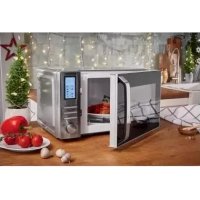
SMW 900 EDS A1 - Micro-ondes SILVERCREST - Free user manual and instructions
Find the device manual for free SMW 900 EDS A1 SILVERCREST in PDF.
Download the instructions for your Micro-ondes in PDF format for free! Find your manual SMW 900 EDS A1 - SILVERCREST and take your electronic device back in hand. On this page are published all the documents necessary for the use of your device. SMW 900 EDS A1 by SILVERCREST.
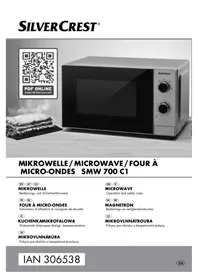
USER MANUAL SMW 900 EDS A1 SILVERCREST
+ Näo remova as bases do microondas.
Important safety instructions
Basic principles of microwave cookery Use suitable cookware …
Description of the appliance
Installation of the appliance . Preparing the appliance. Inserting the turntable .
Setting the Clock Dormant mode … Seting the kitchen time: Child protection system Query functions.
Microwave operation. Grill function "Top heat” . Grill function "Top and bottom heat' Grill function "Bottom heat"
Combination cooking proces Convection operation. Convection operation with preheating Combination cooking process "Convection".…
Defrosting by weight. Defrosting by time …
Starting the Auto Men Memory function. Select a start time
Meat patty.… Baking frozen ready made breadrolls Potato gratin
Cleaning and Care 94 Troubleshooting 95 Disposal 96 Warranty and Service 9% Importer 96
Read the operating instructions carefully before using the appliance for the first time and preserve this booklet for later reference. Pass the manual on to whomsoever might acquire the appliance at a later date.
Stainless Steel Microwave
This appliance is intended for the heating up and preparation of foodstuffs according to the described procedures.
Any modifications to the appliance shall be deemed to be improper use and implies substantial danger of accidents. The manufacturer declines to accept responsibility for damage[s) arising out of usage contrary to the instructions specified below.
This appliance is not intended for commercial use.
Important safety instructions
Caretully read these safety and operating instructions before the first use and preserve them for future re ference.
Warnings regarding damages to the appliance.
PAN Danger! / À Risk of injury!
Warning about physical injuries and electric shock!
Warning about risks of fire.
Note Hints and tips for using the microwave.
Safety precautions for the avoidance of exces-
sive contact with microwave energy
+ Do not try to operate the appliance while the door is open, as this can lead to you coming into contact with a potentially harmful dose of microwave radiation. Ît is also important not to break open or manipulate the safety locks .
+ Do not jam anything between the front of the appliance and the door, and make sure that there is no residual food or cleaning agent on the seals.
+ Ifthe door or the door seal is damaged, UNDER NO CIRCUMSTANCES may you continue to use the appliance. Arrange for it to be repaired as soon as possible by qualiied specialists
+ Never attempt to repair the appliance yourself. Removal of the appliance housing could cause the release of microwave energy. Arrange for the repair to be carried out only by qualified specialists.
+ This appliance is nof intended for use by individuals (including children) with restricted physical, physio logical or intellectual abilities or deficiences in experience and/or knowledge unless they are supervised by a person responsible for their safety or receive from this person instruction in how the appliance is to be used. Children should be supervised to ensure that they do not play with the appliance.
+ Children may only be allowed to use the ap pliance without supervision if appropriate in structions have been given that have provided the child with the knowledge to use the cooker in a safe manner and to understand the risks of improper use.
Only use this appliance for its intended purpose as described in this manual. Do not use any caustic chemicals or vapours in this appliance. This micro wave oven is especially designed for the heating, cooking, grillng or drying of foodstuffs
His not designed for use in industrial or labora tory areas.
Do not operate the microwave oven if the power cable or plug are damaged!. To avoid the risk of injury, arrange for damaged power cables or plugs to be exchanged by qualified specialists.
Keep children well away from the microwave oven when it is in use. Risk of Burns
UNDER NO CIRCUMSTANCES should you remove the microwave oven housing.
Should the lamp in the interior of the microwave oven need replacing, arrange for this to be done by a qualified specialist
NEVER touch the microwave oven door, housing, ventilation openings, accessories or the dinner
ware directly after the grill, combi or automatic menu process. The paris will be very hot. Allow them to cool down before cleaning them.
Ensure that the plug is at all times easily accessible, s0 that it can be quickly removed in the event of an emergency.
People fitted with a heart pacemaker should consult their doctor about the possible risks of using a microwave oven before taking one into use.
Do not allow the power cable to hang from a table or work surface. Children could pull on it.
Afler they have been warmed up, always open containers, popcorn bags etc. with the opening pointing away from your body. Escaping steam could lead to scalds.
+ NEVER stand directly against the microwave oven when opening the door. Escaping steam could lead to scalds.
+ Do not fry in the microwave. Hot oil can damage parts of the appliance and utensils and even cause skin burns.
+ ALWAYS shake up or stir warmed up baby glasses or bottles! The contents could have heated up unevenly and the baby could be burned/scalded by them. AT ALL EVENTS, check their temperature BEFORE feeding them to the baby!
+ Do not modify the microwave oven.
+ Microwave radiation is dangerous! Maintenance and repairs requiring the removal of access co vers, which are intended for protection against contact with microwave radiation, are to be carried out by trained specialists only.
+ _ Before feeding babies, check the temperature ofthe foodsiuff/drink so as to avoid potentially lethal burns or scalds.
Cooking utensils may become hot from the heat emitted by the food, therefore you may require
oven gloves to touch them. In this case, a check should also be made to ensure that the cooking utensils are suitable for use with the microwave
ZA Attention! Hot surfaces!
+ NEVER leave the microwave oven unaïtended if you are heating foodstuffs packed in plastics or paper.
+ NEVER place flammable materials close to the microwave oven or the ventilation openings.
+ _ Remove ALL metallic closures from the packaging of the foodstuff that you intend to warm up. Risk of fire!
+ When making popcomn, use only popcorn bags suitable for microwave ovens.
Do not use the microwave oven to warm up cushions filled with kernels, cherry stones or gels. Risk of fire!
Do not use the microwave oven for storing food stuffs or other objects.
Do not exceed the cooking times detailed by the manufacturer.
Do not place any objects on the microwave oven when it is in use. The ventilation openings
Do not place the microwave oven adjacent to other appliances discharging heat, for example, an oven
Clean the microwave oven thoroughly after warming up greasy foodk, especially if they were not covered. Allow the appliance to cool down completely before cleaning it. Residues such as fat or grease cannot be allowed to collect on the heating elements of the grill. They could possibly ignite
Do not thaw frozen fat or oil in the microwave oven. The fat or oil could ignite.
Do not use an external timing switch or a separate remote control system to operate the appliance.
À Attention! Appliance Damage!
+ Do not use the microwave oven when it is empty.
The only exception is for the initial commissioning (see chapter "Commissioning'")
NEVER insert foreign objects into the ventilation openings or the door safety locks.
Do not use metallic utensils which reflect micro waves and lead to sparking. Do not place tins in the microwave oven.
Do not place plastic containers in the microwave oven immediately after a grill, combi or auto matic menu process. The plastic could melt.
+ This microwave oven may not be located in areas
with high humidily or where moisture could collect.
Liquids and other foods must not be heated in airtight containers, as these may explode and damage the appliance
+ Do not lean on the microwave oven door.
+ Insufficient cleanliness of the appliance could
lead to the destruction of the upper surfaces, which themselves influence its useful lifespan and could possibly also lead to dangerous situations.
NEVER submerse the appliance, the power cable or the plug in water or other fluids.
Keep the power cable away from hot surfaces Do not lead it in front ofthe microwave oven door. The heat could damage the cable.
NEVER pour fluids into the ventilation openings or the safety locks. Should fluids ever enter them, IMMEDIATELY switch the microwave oven off and remove the plug from the mains power socket. Arrange for the microwave oven to be checked by qualified specialists.
Safety tips + To minimize the risk of fire in the microwave: When heating food in plastic or paper containers, always keep an eye on the microwave oven when it is in operation, as these materials can
When heating drinks in the microwave, bubbling may be delayed when the drink boils. Therefore, be careful when handling the container. To avoid sudden simmering,
W possible, place a glass rod in the fluid for as long as it is being heated.
To avoid an unexpected reboiling, leave the fluid to stand in the microwave oven for ca: 20 seconds after being warmed up.
+ Puncture the skins of potatoes, sausages or similar. Otherwise, they could explode
+ Proceed with caution when warming up fluids. Use only open containers, so that any air bubbles produced can escape.
+ Should you notice smoke, switch the appliance off or remove the plug from the socket and keep the door closed to suffocate any possible fla mes.
+ Eggs in their shells and hard boiled eggs should not be heated in the microwave oven as they could explode, even on completion of the heating pro cess.
Food with thick skins, such as potatoes, whole pumpkins, apples and chesinuts must be pricked before cooking.
+ Do not transport the microwave oven when it is in use.
Earthing information/correct installation
This appliance must be earthed. This appliance is to be connected only to a correcily earthed power socket. An individual circuit, solely for the connec tion of the microwave oven, is recommended.
À\ Danger: Improper use of the earthing connector could increase the risk of an electric shock
© Take note: Should have any questions about earthing or the instructions on the use of this electrical appliance, please consult an electrici an or a maintenance technician.
Neither the manufacturer nor the dealer can accept liability for damage to the microwave oven or injury to persons resulting from failure to comply with the instructions for electrical connection.
Interference with other appliances
The operation ofthe microwave may cause inter
ference on your radio, television or similar appliances.
If such interferences should occur, they may be reduced
or corrected by the following remedial measures:
+ Clean the door and the seal ofthe microwave.
+ Re align the receiver antenna of your radio or television.
+ Position the microwave in a different place to the receiver.
+ Move the microwave away from the receiver.
+ Plug the microwave into another wall socket. The microwave and the receiver should be connected to different circuits.
Microwave oven Turntable
Power rating: 230 240V- 50 Hz
Maximum power consumption: _ 2000 W Microwave: 1400 W Double Grill: 1700W Top Grill: 1200W Convection: 2000 W Maximum power
output Microwave: 900 W Microwave frequency: 2450 MHz
Basic principles of microwave cookery
+ Arrange the food with consideration
+ The thickest parts near the edges.
+ Pay attention to the cooking time. Select the shortest possible stated cooking time and in crease as required. Food that is cooked too long can begin to smoke or catch fire
When using the microwave for heating do not use products made of recycled paper. These can contain minute fragments of metal, which can generale sparks and/or fires.
We recommend the use of round/oval cook ware instead of square or oblong containers, as food in corner areas tends to overcook. The following list provides general hints to assist you in selecting the correct cookware.
+ Cover the food during cooking with a lid suitable IMicro- Con- . : . (Combi- for microwave cookery. The lid prevents splashing Cookware [wave |Grill | vec- . “nation and helps in the even cooking of the food. loven tion + While cooking, turn the food in the microwave ïñ Heat resistant once so that items such as chicken or hamburgers eatresistant | y. | ve, | ves | ves are cooked more quickly. glass + Large pieces of food, such as joints of meat, must be turned at least once. Non heat . No No | No No Completely re arrange foods such as meaiballs | ein glass after half the cooking time. Turn them and move the meaïballs from the middle of the . cookware to the edge. Heatresistant |. | 4 | ve | ves ceramics Use suitable cookware + The ideal material for a microwave oven is | microwave permeable, allowing the energy Plastic crockery : suitable for | Yes | No | No | No to penetrate the container to heat the food. . microwave Microwaves cannot permeate metal. For this reason metal containers and cookware may t bé d none tee Kitchen roll | Yes | No | No | No Metal No | Ves | Yes | No tray/plate Grill stand No Yes | Yes No Alufoil & Foil PART | No | Ves | Yes | No containers -79- [CO Fan
NEVER use the grill stand or other metallic objects when you are using the appliance in the microwave mode or in the combination cooking process. Metals reflect the microwave radiation and it leads to the generation of sparks. This could cause a fire and irreparably damage the appliancel
Description of the appliance
© Display @ Door opener button © Turniable
© Combination button Microwave Convection
© Grill Button © Clock/Timer button @/x
© Convection button [Æ]
© Control dial/Button Start/Quickstart @ ® Stop/Child safety @+8
® Weight/Kitchen timer button A /t$ © Combination button Microwave Grill © Operation (Microwave) button ©® Grill stand
Installation of the appliance
This microwave oven is not suitable for installation in a kitchen cabinet. In closed cabinets sufficient ventilation for the appliance cannot be assured. The appliance could be damaged and there would be the additional risk of a fire!
Select an even surface offering sufficient space for the adequate ventilation of the appliance: Ensure that you maintain a minimum distance of 10 cm from neighbouring walls/surfaces. Make sure that the door of the microwave oven can be opened easily.
Maintain a gap of at least 20 cm above the microwave oven.
Ensure that the electrical plug is accessible without problem, so that in case of danger it can be easily reached and removed.
Do not remove the pads underneath the micro wave oven.
Do not block the ventilation openings @. If you do, it could cause damage to the appliance. Install the appliance as far away as possible from radios and televisions. The operation of the microwave oven can cause malfunctions of radio and televsision reception.
Do not install the microwave above a cooker or any other appliance generating heat. Installation at such a location could cause damage to the appliance and thereby a subsequent lapse of the warranty provisions.
Preparing the appliance + Remove all packaging materials and any protective film on the surface of the housing. Insert the plug into a mains power socket.
Use a 230 240 V, 50 Hz mains power socket with a 16 A fuse. ltis recommended that the microwave oven is powered from its own ring main. If you are unsure about how to connect the microwave oven, consult a specialist.
Before the first regular usage of the microwave oven the appliance must be heated up to remove any remaining production residues.
After inserting the mains plug into the socket, open the microwave door.
Without foodstuffs or accessories [turntable @ and grill stand ®), switch the appliance on in the mode Grill:
+ Press the button Grill @ (] twice. With this, you have chosen to use the grill with top and bottom heat. In the display @ the symbol [7] and the symbol
+ Adjustthe control dial @ to a cooking time of 10 minutes.
Press button Start/Quickstart ® © to start ihe grilling process.
On the first usage, the generation of light smoke and a slight smell can occur, this is due to the pro duction residues. This is unharmful. Provide for suf ficient ventilation. For example, open a window.
+ After 10 minutes, the appliance switches itself off automatically. Wait until it has cooled down completely.
+ Remove the plug from the mains power socket then, after cleaning the appliance with a moist cloth, dry it carefully.
Inserting the turntable @
+ Place the turntable @ centrally on the axle in the cooking area. Ensure that it slides completely onto the axle and is firmly seated.
After inserting the mains plug into the socket, open the microwave door once. The display @ indicates "1:00".
. Press the button Clock @ @/2 . In the display appears @ "Hr 24". Press the button Clock @ @/Z once again should you wish to switch to the 12 hour mode.
… By turning the control dial ® programme in the
current hour. Press the button Clock @ @/Z . The minutes
4. By turning the control dial ® programme in the current minute.
5. When the correct time is programmed in, press the button Clock @ @/Z . The colon blinks
to indicate that the clock is running.
To read off the current time when the microwave oven is in operation, press the button Clock @ @/Z : the time will then be indicated in the display @ for approx. 4 seconds.
The microwave automatically switches itself into a dormant mode if no keys are pressed for a long time. The display lighting is first dimmed slightly. Press any button to exit the dormant mode and to call up the appropriate function of the pressed button.
Setting the kitchen timer
The microwave oven is provided with a kitchen timer
which you can use independent of the microwave
1. Press the button Weight/Kitchen timer @ A/t3 when the appliance is in standby mode. In the display @ appears "0:00" and he symbol 735 .
2. Now setthe desired time using the control dial @. You can select any time range from 10 seconds to 95 minutes.
3. Press the button Start/Quickstart ® © . the appliance emits an acoustic signal. The count down begins. After approx. 3 seconds the current time is shown once again. The cooking timer progresses further in the background.
IF you wish to check the progress of the kitchen timer, press the Weight/Kitchentimer button @ Alt5 . lt appears for a brief period in the kitchen timer.
As soon as the programmed time period has
expired, 3 signal tones sound.
Child protection system
Engage this setting to prevent accidental activation
by children and other persons not familiar with the
operation of the appliance.
The symbol for Child safety (appears in the dis
play @ and, for as long as this function is activated,
the appliance cannot be put into operation.
+ Press and hold the button Stop/Child safety ® @+8 until a signal tone sounds and the symbol for Child safety
The buttons and the control dial now no longer
appears in the display @.
+_ To deactivate Child safety, press and hold the Stop/Child safety button ® €3+@ until a sig nal tone sounds and the symbol for Child safety À extinguishes.
Query functions Query the time during operation During the cooking process press the button Clock
& The time appears in the display @ for
Query the power level operation During the cooking process press the button Opera tion D
fional level appears for approx. 3 seconds.
In the display @ the activated opera
This microwave is equipped with a cooling function. This means that after a cooking or grill process that takes at least Iwo minutes, the fan of the machine continues running for about 3 minutes. This is not
a malfunction of the appliancel The rapid cooling helps to prolong the life of the appliance.
For hygienic reasons, never place the food you want to cook in the microwave directly onto the turntable @.
Excepted from this is the preparation of pizza (see chapter "Automatic Menu").
During the cooking process, drops of water can form on the oven door or on the housing. This is normal and is not an indication of a malfunction. When the appliance has cooled down, wipe the moisture off with a dry cloth.
NEVER use the grill stand @ or other metallic objects
when you are using the appliance in the microwave mode. Metals reflect the microwave radiation and it leads to the generation of sparks. This could cause
a fire and irreparably damage the appliancel
Selecting the operation level Press the button Operation ® propriate number of times to set the required
power. 1x for 900 Wait power (P900). 2x for 800 Wait power (P800). 3x for 700 Wait power (P700). 4x for 600 Wait power (P600). 5x for 500 Wait power (P500). 6x for 400 Wait power (P400). 7x for 300 Wait power (P300). 8x for 200 Wait power (P200). 9x for 100 Watt power (P100).
The operational level is indicated in the display @ {e. g. P800 at 800 Waït power].
Programming the cooking time
After you have selected the power level, programme in the desired cooking time:
Turn the control dial @ until the desired cooking time has been programmed in.
The increments for setting the time with the control dial ® are as follows:
+ from O sec. to 5 min: in 10 second increments + from 5 to 10 min: in 30 second increments + from 10 to 30 min: in 1 minute increments
+ from 30 to 95 min: in 5 minute increments Aborting/stopping an input process Press the button Stop ® €
end the input of data. The appliance reverts to
Starting the cooking process
When you have set the power and cooking time, you can start the cooking process:
To start the cooking process, press button Start/ Quick start ® © . In the display @ the symbols and "M1" appear.
for microwave operation The programmed time counts backwards.
Interrupting the cooking process Press the button Stop ® 6)+8& once to interrupt a cooking process. The appliance interrupts the cooking
process and stops countdown of the remaining time. Press the button Start/Quickstart ® @ to continue the cooking process.
Abort the cooking process Press the button Stop ® €)+& twice to stop the cooking process. The appliance reverts to standby mode.
With this function you can immediately begin coo king at 900 W power for 30 seconds [or longer, up to 95 minutes).
Press the button Start/Quickstart ® ©
once. In the display @ appear the symbols for microwave operation A) and "M1", as well as":30". The microwave starts the cooking
process for 30 seconds. The countdown begins. Should you wish to cook for longer than 30 seconds, repeatedly press the button Start/Quickstart ® © until the desired time is reached. The time levels are apportioned as follows:
+ from 30 sec. to 5 min: in 30 second increments
+ from 5 Min. to 95 Min: in 1 minute increments
Grill function "Top heat"
This grill function is eminently suitable for baked over
sandwiches and gratins.
When grilling with "top heat”, always use the metal
stand ®. To achieve an optimal grilling result.
Always place the grillstand @ on the turntable @.
1. Press the button Grill the grill function "top heat".
In the display @ appear the symbol for the gril function "top heat" (FF) and "Gr 1".
2. Setthe required cooking time with the rotary switch @. The maximum possible cooking time seing is 95 minutes.
3. Press button Start/Quickstart ® @ to start
Grill function "Top and bottom heat" This grilling function can be used for thin slices of meat, steaks, meatballs, sausage or pieces of chicken. When grilling with "top and bottom heat", always use the metal stand @. To achieve an optimal grilling result.
Always place the grillstand @ on the turntable @.
1. Press the button Grill Q twice to activate the grill function "top and bottom heat".
In the display @ appear the symbols for the grill function "top heat" (1), for the grill function
2. Setthe required cooking time with the rotary switch @. The maximum possible cooking time seing is 95 minutes.
When grilling with "bottom heat”, always use the me
tal stand ®. To achieve an optimal grilling result.
Always place the grillstand @ on the turntable @.
1. Press the button Grill tivate the grill function "bottom heat".
In the display @ appear the symbols for the and "Gr 3".
grill function "bottom heat"
2. Setthe required cooking time with the rotary switch ®. The maximum possible cooking time setting is 95 minutes.
3. Press button Start/Quickstart ® © to start
Combination cooking process "Grill" This function combines the grill function and the normal microwave operation. During the combination mode, a certain amount of time for cooking and the remaining time for grilling is carried out automatically and in one process. You may notice a quiet clicking noise when the oven is switching between modes.
NEVER use the grill stand ® or other metallic objects, when you are using the appliance in the combina tion cooking process. Metals reflect the microwave radiation and it leads to the generation of sparks. This could cause a fire and irreparably damage the appliancel
In Combination 1 the microwave element amounts
to 30% and the grill element amounts to 70% of the
cooking time. This is suitable for, for example fish or
once to acfivate combination 1. In
2. Setthe required cooking time with the rotary
In Combination 2 the microwave element amounts to 55% and the grill element amounts to 45% of the cooking time. This is suitable for, for example omlettes, puddings or lasagne. The microwave function and the grill function "top heaï" are used.
1. Press the combination button Microwave Grill ® ÆE ice to activate combination 2. In
2. Setthe required cooking time with the rotary
the display @ appears
switch @. The maximum possible cooking time setting is 95 minutes. 3. To start, press the button Start/Quickstart @
Combination 3 In Combination 3 the microwave element amounts to 30% and the grill element amounts to 70% of the
cooking time. This is suitable for, for example potatoes.
The microwave function and the grill functions "top and bottom heat" are used.
1. Press the combination button Microwave Grill ® ÆE three times to activate combination
3. In the display @ appears and"C 3".
2. Setthe required cooking time with the rotary switch ®. The maximum possible cooking time setting is 95 minutes.
3. To start, press the button Start/Quickstart ® @
In Combination 4 the microwave element amounts to 55% and the grill element amounits to 45% of the cooking time. This is suitable for, for example, poultry. dishes. The microwave function and the grill func tions "top and bottom heat" are used.
1. Press the combination button Microwave Grill ® ÆE four times to aclivate combination 4. In the display @ appears and CA.
2. Setthe required cooking time with the rotary
switch ®. The maximum possible cooking time setting is 95 minutes. 3. To start, press the button Start/Quickstart ®
Convection operation
When cooking with convection, hot air circulates in the oven. Hot air is especially recommended for cooking souffles or crunchy foods.
Selecting the temperature
+ Press the button Convection @ (&] the ap propriate number of times to set the required temperature.
+ 10x for 95 °C The temperature level is indicated in the display @ le. g. 230C for a temperature of 230°C }.
Programming the cooking time
After you have selected the temperature level, pro
gramme in the desired cooking time:
+ Turnthe control dial @ uniil the desired cooking fime has been programmed in.
Starting the cooking process
When you have set the temperature and cooking time, you can start the cooking process:
To start the cooking process, press button Start/ Quick start ® © . In the display @ the symbols for hot air operation (Æ] and "M1" appear.
The programmed time counts backwards.
When the set time has elapsed, "End" and "Hot will appear alternately in the display @. À signal tone is heard repeatedly.
Convection operation with preheating You can also preheat your microwave before you start a cooking process:
1. Select the desired temperature by pressing the Convection @ [Æ] button the required number oftimes.
To preheat, press the button Start/Quickstart ® ©. Inthe display @ appears "30:00" and the time counts down. As soon as the set temperature is reached, a signal tone is heard. Open the door and insert the food to be cooked into the microwave.
Set the required cooking time with the rotary switch ®. The maximum possible cooking time setting is 95 minutes.
To start, press the button Start/Quickstart @
Combination cooking process “Convection"
This function combines the convection function with the normal microwave operation. With this, for example, meat is juicy and tender but still crisp.
NEVER use the grill stand @ or other metallic objects, when you are using the appliance in the combina tion cooking process. Metals reflect the microwave radiation and it leads to the generation of sparks. This could cause a fire and irreparably damage the appliancel
1. Press the combination button Microwave Convention @ 1 x, to activate the combination with 200°C,
2 x, to activate the combination with 170°C,
3 x, to activate the combination with 140°C,
4 x, to activate the combination with 110°C.
In the display @ appear the selected temperature, "MI and the symbols ©) and (Œ).
2. Setthe required cooking time with the rotary switch @. The maximum possible cooking time setting is 95 minutes.
3. To start, press the button Start/Quickstart ® © .
Defrosting Defrosting by weight
Always place the food to be defrosted on dishes suitable for use in a microwave oven. Never directly onto the turntable @!
This function enables you to defrost meat, poultry and fish with ease. The defrosting time and the power level are calculated and set automatically once you have entered the weight.
1. In standby mode turn the control dial @ anti clockwise until "A 12" and CD appear in the display @.
2. Press the button Start/Quickstart ® © .
3. Now select the food to be defrosted by turning the control dial ®. In the display @ appears:
"401" and a for "Beef"
.402" and |] for “Pork”
"d 03" and LA for "Pizza"
"04" and ER for "Poulirÿ"
"405" and Ka) for "Fruit/Vegetables"
"406" and |A) for "Fish
"d 07" and for "Potates"
4. When the food you have selected appears in the display @, press the button Weight/Kitchen Timer ® A/#5 repeatedly until the desired weight is shown in the display @.
The following weights can be set:
“do1"/ e> /"Beef" 100 1800g ,402"/ pe] / "Pork" 100 1800g “d03"/ =] /"Pizza' 100 900g r404/ ER |/"Poury" 100 1800g
“d05"/) KE) |/"Fruit/Vegetables" 100 900g
“d06"/ |A / "Fish" 100 1800g
"d07'/ || / "Potatoes' 100 900g
5. When the required weight appears in the dis play @, press the button Start/Quickstart @ © . The appliance automatically calculates the required defrosting period.
To ensure optimum defrosting, it is necessary to turn the food during the thawing process. The appliance reminds you of the need to turn by sounding signal tones and "turn" appears on the display @. Open the appliance door, turn the foodsiuff and then re close the door. Press the button Start/Quickstart @ © to continue the thawing process.
If you do not want to turn the foodstuff, just wait for the signal tones to stop. The appliance will automati cally continue the thawing process. We recommend that you do turn the food. This will ensure an even thawing.
Always place the food to be defrosted on dishes suitable for use in a microwave oven. Never directly onto the turntable @!
In standby mode turn the control dial @ anti clockwise until" A 13" and > appear in the
display @. 2. Press the button Weight/Kitchen Timer @ Al . 3. Setthe desired time using the control dial @. 4. Press button Start/Quickstart ® @ to start
the defrosting operation. The count down begins.
To ensure optimum defrosting, it is necessary to turn
the food during the thawing process. The appliance
reminds you of the need to turn by sounding signal
tones and "turn" appears on the display @. Open the appliance door, turn the foodstuff and then re close the door. Press the button Start/Quickstart ® © to continue the thawing process.
If you do not want to turn the foodstuff, just wait for the signal tones to stop. The appliance will automati cally continue the thawing process. We recommend that you do turn the food. This will ensure an even thawing.
For foods that are intended to be prepared in the Auto Menu modus it is not necessary to programme in the period of the cooking process and the power level. lt is quite sufficient to enter which type of food is to be cooked/boiled, and its weight.
The microwave calculates the time/operational level for fresh foods. Frozen foods are not cooked with the timings set by the microwave (except for automatic programme "Pizza”)
If needs be, defrost frozen foods with the defrost programme beforehand (see section "Defrosting")
Starting the Auto Menu
1. Turn the control dial @ (in standby operation] slowly to the left to call up the automatic menu mode. In the display @ a numer appears [e.g. "A 02" for automatic programme 2 (sausage]| and the symbol "sausage". By turning the con trol dial ® select the automatic menu appro priate for your food.
When, by turning the control knob @ to the left you have reached the automatic menu mode, you can, by then turning it to the right, make your selection from the automatic menus in the running order AO1, A02, A0G etc.
M | symbol | Foodstuff | Weight play AO! ê > Beef [200 1400g A02 © Sausage | 100 500g PI 150 450g A0! SD | Pizza |P2 150 4509 P3 150 450g AO4 =) Beverages | 200 500ml A05 co) Pork |200 1400g 10% | CH Fih |200 1200g h = Le) A07 Fe: Entrees | 300 / 500g A08| 33 | Warming | 300 700g A09 EX Poulry | 400 1400g 5 Fruit/ A10 V2) 100 1000 G Vegetables 8 AT eo) Potatoes | 100 800g 3e. ir A12 C5 Defrosting by _ À weight 3e. Defrosting by + as frame
2. Press, if necessary repeatedly, the button Weight/Kitchen Timer ® A/ff$ until the desired weight appears in the display @.
3. Press the button Start/Quickstart ® @ to commence the cooking process.
To obtain uniform warming or cooking, some food stuffs should be turned after 1/2 2/3 of the period of he cooking process The microwave oven will stop automatically after this time, four signal tones sound and "Turn" appears on the display @:
Dis- turn over play | Smbol | Foodstuff | D 1/2 of AO! ET Boot the time 2/3 of A02 © Sausage | Le
D PA A05 {9 Pork 1720 |
the time - 2/3 of 106 | CHA Fish ire " 2/3 of A09 ER Poultry Here
+ Turn the foodstuff. Proceed cautiously with the possibly already hot food
+ Press the button Start/Quickstart ® © to continue the cooking process.
If you do not want to turn the foodstuff, just wait for the signal tones to stop. The appliance will automati cally continue the cooking process. We recommend that you do turn the food. This will ensure even cooking.
Should the meal not be properly cooked on comple ion of the auto menu, continue cooking for a couple of minutes with the Quick start programme.
For the programmes with enabled Grill function
(A O1, A 02, À 03, A 05, À 06, À 09), under NO circumstances may you use covers or non heat resistant dishes, as they can melt or caïch fire!
After a cooking process, the turntable @ is very hot! You should therefore always use an oven clofh or heat resistant oven gloves when removing it from the cooking area:
Take note that size, shape and the type of foodstuff help determine the result of the cooking process.
Proceed as follows to cook 400 g of vegetables or
1. In standby mode turn the control dial @ slowly to the left until "A 10" appears in the display @.
2. Press the button Weight/Kitchen Timer @ A/tä four times. 400 g appears in the display @.
3. Press the button Start/Quickstart ® © to
commence the cooking process.
To heat 300 ml water, proceed as follows:
1. In standby mode turn the control dial @ slowly to the left until "A 04" appears in the display @.
2. Press the button Weight/Kitchen Timer @ Alt three times. 300 g appears in the display ©.
3. Press the button Start/Quickstart ® @ to commence the cooking process.
To heat 300 g of appetizers, proceed as follows:
1. In standby mode turn the control dial @ slowly to the left until "A 07" appears in the display @.
2. Press the button Weight/Kitchen Timer @ A/t5 once. 300 g appears in the display @.
3. Press the button Start/Quickstart ® @ to commence the cooking process.
Baking Pizza With the automatic programme "Pizza" you can prepare delicious pizza in the microwave. 1. In standby mode turn the control dial @ slowly to the left until "A 03" appears in the display @. 2. Press the button Start/Quickstart ® © . 3. Using the control dial @ select the matching pizza programme: + "POI" for deep frozen pizza, temperature approx. 18°C Weight 150 g 450 g ('PO1" appears in the display @). + "PO2: for chilled pizza, temperature approx. 5°C, Weight 150 g 450 g {'P02" appears in the display @). + "PO3" for fresh pizza, temperature approx. 20°C, Weight 150 g 450 g ('P03" appears in the display @). 4. Repeatedly press the button Weight/Kitchen Timer ® A/f5 until the desired weight appears in the display @.
5. Press the button Start/Quickstart ® © to
commence the cooking process.
If you are preparing pizza, you can place it directly on the turntable @. lt will be very crispy. Ensure that the edge of the pizza does not extend to the walls of the cooking area during preparation.
Proceed as follows to cook a deep frozen, 450 g
1. In standby mode turn the control dial @ slowly to the left until "A 03" appears in the display @.
2. Press the button Start/Quickstart ® © .
3. Using the control dial @ select the programme "PO".
4. Press the button Weight/Kitchen Timer @ A/fË repeatedly until 450g appears in the display @.
6. Press the button Start/Quickstart ® © to commence the cooking process. The appliance calculates the time required automatically.
Use the memory function if you wish to carry out up to 3 processes, one after the other. .
Afler finishing a process, the acoustic signal sounds once and the next process starts immediately.
The automatic menu programmes defrosting by time and defrosting by weight cannot be saved.
To save three events in succession, proceed as follows:
. Programme in the first operation. For instance, a microwave process, at 900 W power, for 2 minutes. "2:00", "M1" and ppear in the display @. Do NOT then press the button Start/Quickstart ® © !
… Programme in the second operation. For example,
a grilling, with bottom heat, for 3 minutes. "3:00", "M2" and (FF) appear in the display @. Do NOT then press the button Start/Quickstart @ ©!
3. Programme in the third operation. For example, a convection process, at 200 °C, for 2 minutes. "2:00", "M3" and (#Æ) appear in the display ©.
4. To start, press the button Start/Quickstart ®
The microwave starts the first operation. When an operation is completed, you will hear a signal tone and the oven automatically starts the next opera tion.
Select a start time With this programme you can preset a specific start the minute figure flashes.
4. Press the button Clock/Timer @ @/2 , now
time for the cooking or grilling of the foodstuff. Ifthe 5. Turn the control dial @ to programme in the
programming is carried out correcily, the appliance minutes.
starts automatically at the programmed time.
6. Press the button Start/Quickstart ® @.The hourglass appears in the display @.
© Take note: The clock must be correctly set to be The microwave oven automatically starts the able to select the function "Selecting the start cooking process at the programmed time. time".
Enter the desired cooking program: For microwave operation: Press the button Operation D
© 7ake note: To query the saved start time, press the button
the appropriate number of
times to set the required power level. Programme The saved start time will be shown in the display @.
the cooking time with the control dial @.
For grilling: Press the button Grill
To delete the saved start time and thus cancel the
@ oniil programmed procedure, press the button Clock/
the desired grill function is activated. Setthe re Timer @ @/& so that the set start time appears quired cooking time with the control dial @. in the display @. Then, while the start time is to be
For convection operation: Press the button
Con seen in the display @, press the button Stop/Child
vection @ (#Æ] the appropriate number of mes safety @)+8& @®. The hourglass in the display @ to set the required temperature. Programme the extinguishes. The saved procedure is deleted.
cooking time with the control dial @.
For the combination process "Convection": Press the combination button Microwave Convention @ the appropriate nu
ber of times to set the required temperature.
Programme the cooking time with the control
dial ®. For the combination process "Grill": Press the combination button Microwave
the appropriate number of
mes to set the grilling process. Programme the
cooking time with the control dial @.
For an automatic menu: Select the desired auto
matic menu using the control dial @. Repeatedly
press the button Weight/Kitchen Timer @
A/fä until the desired weight appears in the
Press the button Clock/Timer @ @/Z. The display @ shows the currenily set time and the
Turn the control dial @ to programme in the
+ Shape approx. 125g of minced beef into a patty (about 75mm in diameter, height 35mm).
+ Locate the mea patties evenly on a plate suitable for microwave ovens and then place it on the
Preparation The best resulis are achieved with the following self programmed combination (See also the chapter memory function): + Process 1: Convection 230°C, 4:00 Mins. + Process 2: Microwave 900 W power , 5:30 Mins. + Process 3: Convection 230°C, 2:00 Mins (depending on personal taste, a time of up to 4:00 min can also be be possible).
Baking frozen ready-made breadrolls
*_ For the baking of breadrolls, select the convec tion function.
+_Locate 3 4 rolls on an appropriate dish for mi crowave ovens then place it on the turntable @. Pre heating of the microwave is not required.
Select the following settings for the baking process:
+ Convection 170°C, Duration: 12 Minutes
If you wish to bake additional rolls direcily after wards, shorten the baking time for these by about 12 minutes, as the appliance is now already pre heated.
+ 100 g grated cheese with a fat content of 25% to 30% fat in dry matter.
+ Spices to taste [e.g., salt/pepper)
Use a microwave proof, round dish with a lid, height
56 cm and a diameter of about 22 cm.
Preparation + Cutthe potatoes into slices approximately
Lay about half of the potatoes in the casserole dish in the style of roof tiles.
Sprinkle the potatoes with about half of the
cheese. Then add half ofthe spices, and about 150 g of cream.
+ Lay the rest of the sliced potatoes on it, also in the style of roof tiles.
Sprinkle the remaining cheese over the potatoes and pour the remaining cream over them.
Sprinkle the remaining spices over the gratin. Cover the dish with the lid and place it in the centre of the turntable @.
The best results are achieved with the following self programmed combination: + Process I: Microwave 900 W power, 10:00 Mins. + Process 2: Convection 230 °C, 10:00 Mins. + Process 3: Microwave 900 W power, 10:00 Mins.
A pre heating is not required.
Ingredients This recipe yields 10 to 20 muffins.
Baking margarine (80% fat content) or salted butter
170 g granulated sugar (up to 0.3 mm grain size)
3 eggs (55 60 g with shell/Size M)
Mix all ingredients well. Fill the muffin pastry into commercial paper baking cases (diameter 45 mm, height 28 mm)
Preheat the oven with the convection function to 170°C.
Should, due to the number of muffins, multiple baking operations be necessary, preheating is required only once.
Distribute the muffins evenly on the turntable @. Select the following settings for the baking
process: Convection 170°C, Duration: 12 Minutes
Before cleaning, switch the microwave oven off and
remove the plug from the mains power socket.
Otherwise, there is the great risk of receiving an electric shock!
UNDER NO CIRCUMSTANCES should you
immerse the appliance in water or other liquids. This could result in you receiving a fatal electric shock and the appliance could be damaged.
Always keep the interior of the microwave oven clean.
If splashes of food or spilt liquids stick to the walls of the microwave, wipe them off with a damp cloth.
Use a mild detergent if the microwave is more heavily soiled.
Avoid using cleaning sprays and other aggres sive cleaning agents, as they can cause stains, stripes or a blurring of the door surface.
Clean the external walls with a damp cloth.
To avoid damage to the functional components in the interior of the microwave, do not let liquids to seep in through the ventilation slits @. Regularly remove splashes or contaminants. Cle an the door, both sides ofthe viewing window, door seals and adjacent components with a damp cloth. Do not use abrasive cleaning agents.
Should steam collect on or around the outside ofthe appliance door, wipe it off with a soft towel. This can happen if the microwave is operated in extremely humid conditions. Clean the turntable @ regularly. Clean the plate in warm soapy water.
Clean the grill stand ® in warm dishwater and dry it well.
Regularly eliminate odours. Place a deep micro wave bowl with a cup of water and the juice and peel of a lemon into the microwave oven. Heat it up for 5 minutes. Wipe off thoroughly and rub dry with a cloth.
Should replacement of the bulb in the micro wave be necessary, arrange for it to be ex changed by a dealer or consult our Service Department.
The display @ indicates nothing.
+ The plug is not inserted into a power socket. Check the plug.
+ The mains power socket is defective.
Try another mains power socket.
The display @ is defective. Contact our Customer Services Department.
The appliance does not respond to pressing the buttons.
The Child safety facility is activated. Deactivate the Child safety facility (see chapter "Operation“].
The appliance does not start the cooking/ wWarming process. The door is not properly closed. Close the
The turntable @ generates loud noise when revolving.
+ The turntable @ is not correctly positioned on the axle. Insert the turntable @ correcily into the cooking area.
The small rollers @ and/or the floor of the cooking area are unclean. Clean the rollers @
and the floor of the cooking area.
The display @ indicates "EO1" and signal tones sound.
+ The microwave is overheated. Terminate the
current programme immediately. Remove the plug from the mains power socket, open the
microwave door and allow the appliance to cool down.
The display @ indicates "E02" and signal tones sound.
+ There is an error on the sensor. Interrupt the programme and let the appliance cool down. Then restart the microwave. lfthe error occurs again, contact Customer Support.
There is an error during the heating up of the appliance. Interrupt the programme and let the appliance cool down. Then restart the micro wave. fthe error occurs again, contact Customer Support.
The display @ indicates "E03" and signal tones sound.
+ Due to a short circuit or open circuit voltage, the microwave has switched into fault protection. Stop the programme and remove the power plug. If possible, eliminate the problem, e.g. metals in the cooking area, which can lead to the above problem when using the microwave function. Otherwise, please contact our Customer Support.
Do not dispose of this appliance in your normal domestic waste. This product is
=== subject to the provisions of European Directive 2002/96/EC.
Dispose ofthe appliance through an approved di sposal centre or at your community waste facility. Observe the currently applicable regulations.
In case of doubt, please
contact your waste disposal centre.
Warranty and Service
Dispose of all packaging materials in an en vironmentally friendly manner.
You receive a 3 year warranty for this appliance as ofthe purchase date. This appliance has been manufactured with care and meticulously examined before delivery.
Please retain your receipt as proof of purchase. In the case of a warranty claim, please make contact by telephone with our service department. Only in this way can a postfree despatch for your goods be assured.
The warranty covers only claims for material and manufacturing defects, not for transport damages, worn paris or for damage to fragile components, e.g. buttons or batteries. This product is for private use only and is not intended for commercial ap plications.
In the event of misuse and improper handling, use of force and interference not carried out by our authorized service branch, the warranty will be come void. Your statutory rights are not restricted in any way by this warranty.
The warranty period is not extended by repairs ef fected under warranty. This applies also to replaced and repaired paris. Damages or defects discovered after purchase are to be reported direcily after un packing, at the latest two days after the purchase date. Repairs carried out after lapse of the warranty period are subject to charge.
Service Great Britain Tel.:0871 5000 720 (£ 0.10/Min E Mail: komperass@lidl.gb
-113- D DB | Gate flo] Won pley nach.
ManualGo.com