
CDI1803M - Drill RYOBI - Free user manual and instructions
Find the device manual for free CDI1803M RYOBI in PDF.



| Brand | RYOBI |
| Model | CDI1803M |
| Product type | Cordless impact drill/driver |
| Voltage | 18 V |
| Chuck capacity | 13 mm (auto-tightening) |
| No-load speed (drill mode) | 0-370 / 0-750 / 0-2200 min⁻¹ (3 speeds) |
| No-load speed (impact mode) | 0-5920 / 0-12000 / 0-35200 min⁻¹ (3 speeds) |
| Max torque | 55 Nm |
| Weight (with battery) | 3 kg |
| Power supply | 18 V lithium-ion battery (not included) models BPP-1817M / BPP-1815S |
| Compatible charger | BC-1800 / BC-1815-S (not included) |
| Main functions | Drilling, screwdriving, impact drilling, variable speed, electric brake, reverse rotation |
| Settings | Torque adjustment ring, speed selector (3 positions), depth stop, adjustable auxiliary handle |
| Impact mode | Yes, for concrete, brick, tile |
| Chuck | Keyless, auto-tightening |
| Maintenance and cleaning | Clean with a dry cloth; do not use solvents; use only original spare parts |
| Safety | Lockable trigger, central rotation direction selector for lock, automatic chuck stop, detailed safety instructions in manual |
| Warranty | 24 months (excluding normal wear, batteries, accessories) |
| Standards | 89/336/EEC, 98/37/EC, EN 50260, EN 61000, EN 55014 |
Frequently Asked Questions - CDI1803M RYOBI
User questions about CDI1803M RYOBI
0 question about this device. Answer the ones you know or ask your own.
Ask a new question about this device
Download the instructions for your Drill in PDF format for free! Find your manual CDI1803M - RYOBI and take your electronic device back in hand. On this page are published all the documents necessary for the use of your device. CDI1803M by RYOBI.
USER MANUAL CDI1803M RYOBI
Important! It is essential that you read the instructions in this manual before mounting and operating this machine.
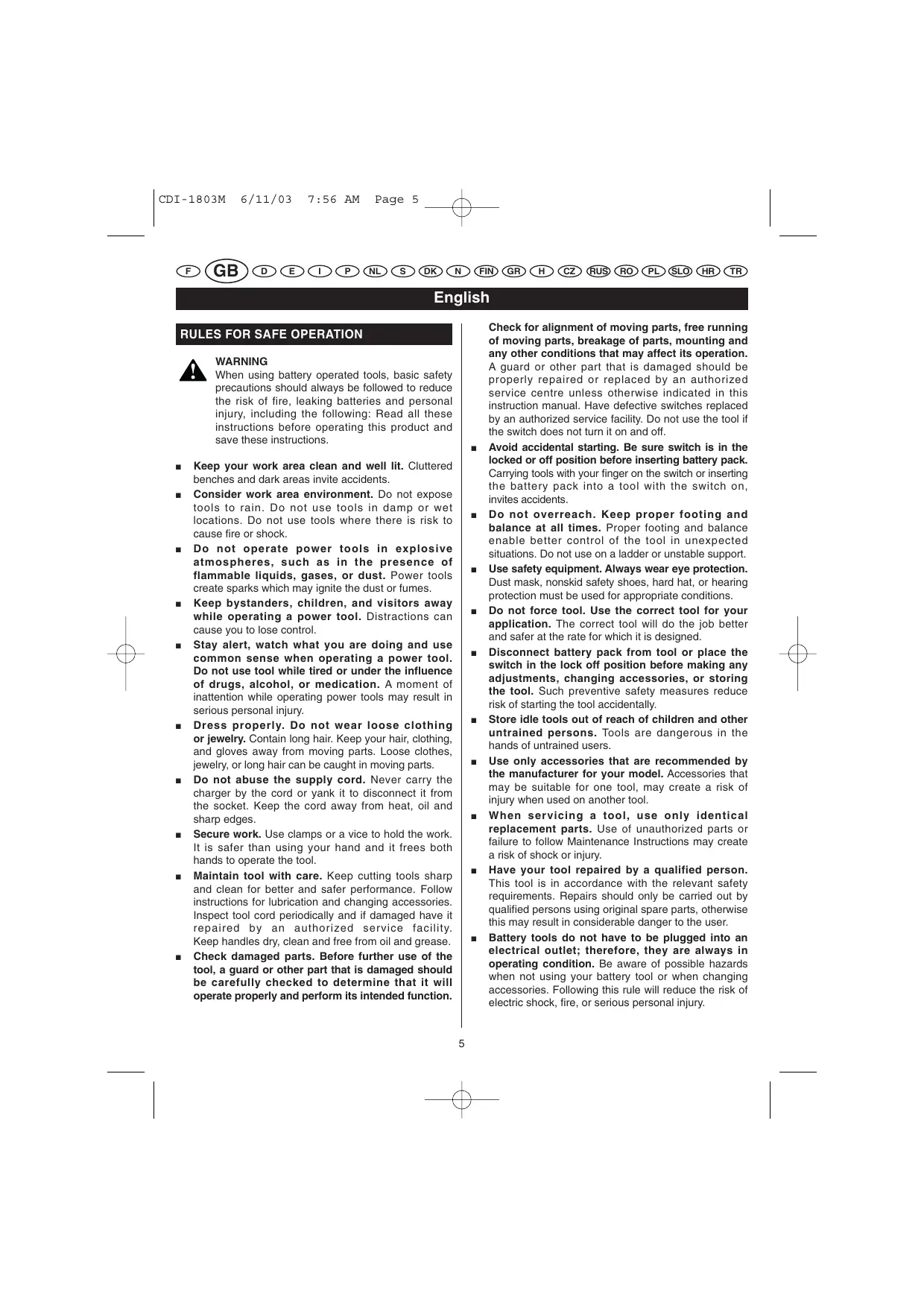
When using battery operated tools, basic safety precautions should always be followed to reduce the risk of fire, leaking batteries and personal injury, including the following: Read all these instructions before operating this product and save these instructions.
- Keep your work area clean and well lit. Cluttered benches and dark areas invite accidents.
Consider work area environment. Do not expose tools to rain. Do not use tools in damp or wet locations. Do not use tools where there is risk to cause fire or shock. - Do not operate power tools in explosive atmospheres, such as in the presence of flammable liquids, gases, or dust. Power tools create sparks which may ignite the dust or fumes.
- Keep bystanders, children, and visitors away while operating a power tool. Distractions can cause you to lose control.
- Stay alert, watch what you are doing and use common sense when operating a power tool. Do not use tool while tired or under the influence of drugs, alcohol, or medication. A moment of inattention while operating power tools may result in serious personal injury.
- Dress properly. Do not wear loose clothing or jewelry. Contain long hair. Keep your hair, clothing, and gloves away from moving parts. Loose clothes, jewelry, or long hair can be caught in moving parts.
- Do not abuse the supply cord. Never carry the charger by the cord or yank it to disconnect it from the socket. Keep the cord away from heat, oil and sharp edges.
- Secure work. Use clamps or a vice to hold the work. It is safer than using your hand and it frees both hands to operate the tool.
- Maintain tool with care. Keep cutting tools sharp and clean for better and safer performance. Follow instructions for lubrication and changing accessories. Inspect tool cord periodically and if damaged have it repaired by an authorized service facility. Keep handles dry, clean and free from oil and grease.
- Check damaged parts. Before further use of the tool, a guard or other part that is damaged should be carefully checked to determine that it will operate properly and perform its intended function.
Check for alignment of moving parts, free running of moving parts, breakage of parts, mounting and any other conditions that may affect its operation. A guard or other part that is damaged should be properly repaired or replaced by an authorized service centre unless otherwise indicated in this instruction manual. Have defective switches replaced by an authorized service facility. Do not use the tool if the switch does not turn it on and off.
- Avoid accidental starting. Be sure switch is in the locked or off position before inserting battery pack. Carrying tools with your finger on the switch or inserting the battery pack into a tool with the switch on, invites accidents.
- Do not overreach. Keep proper footing and balance at all times. Proper footing and balance enable better control of the tool in unexpected situations. Do not use on a ladder or unstable support.
Use safety equipment. Always wear eye protection. Dust mask, nonskid safety shoes, hard hat, or hearing protection must be used for appropriate conditions. - Do not force tool. Use the correct tool for your application. The correct tool will do the job better and safer at the rate for which it is designed.
- Disconnect battery pack from tool or place the switch in the lock off position before making any adjustments, changing accessories, or storing the tool. Such preventive safety measures reduce risk of starting the tool accidentally.
Store idle tools out of reach of children and other untrained persons. Tools are dangerous in the hands of untrained users. - Use only accessories that are recommended by the manufacturer for your model. Accessories that may be suitable for one tool, may create a risk of injury when used on another tool.
- When servicing a tool, use only identical replacement parts. Use of unauthorized parts or failure to follow Maintenance Instructions may create a risk of shock or injury.
- Have your tool repaired by a qualified person. This tool is in accordance with the relevant safety requirements. Repairs should only be carried out by qualified persons using original spare parts, otherwise this may result in considerable danger to the user.
- Battery tools do not have to be plugged into an electrical outlet; therefore, they are always in operating condition. Be aware of possible hazards when not using your battery tool or when changing accessories. Following this rule will reduce the risk of electric shock, fire, or serious personal injury.

English
If under abusive conditions, liquid is ejected from the battery, avoid contact. If this accidentally occurs, flush with water. If liquid contacts eyes additionally, seek medical help.
- Do not place battery tools or their batteries near fire or heat. This will reduce the risk of explosion and possibly injury.

WARNING
Batteries vent hydrogen gas and can explode in the presence of a source of ignition, such as a pilot light. To reduce the risk of serious personal injury, never use any cordless product in the presence of open flame. An exploded battery can propel debris and chemicals. If exposed, flush with water immediately.
SPECIFICATIONS
| Model | CDI-1803M |
| Voltage | 18 V |
| Chuck | 13 mm |
| Switch | Variable speed |
| No load speed (drill mode): | |
| - Lo speed | 0 - 370 min-1 |
| - Hi speed | 0 - 750 min-1 |
| - Super-Hi speed | 0 - 2200 min-1 |
| No load speed (impact mode): | |
| - Lo speed | 0 - 5920 min-1 |
| - Hi speed | 0 - 12000 min-1 |
| - Super-Hi speed | 0 - 35200 min-1 |
| Max. Torque | 55 Nm |
| Weight - incl. battery pack | 3 kg |
| Battery pack (not included): | BPP-1817M/BPP-1815M |
| Charger (not included) | BC-1800/BC-1815-S |
FEATURES
- Keyless chuck
- Switch trigger
- Direction of rotation selector (Forward/Reverse)
- Screwdriver bits
- Battery pack (not included)
- Depth gauge Rod
- Auxiliary handle
- Latches
- Depress latches to release battery pack
- To Tighten
-
To Loosen
-
Drilling Depth
- To Decrease torque
- To Increase torque
- Torque adjusting Ring
- Drill mode
- Impact mode
- Forward/Reverse selector
- Reverse
- Forward
- Unlock (release)
- Chuck jaws
- Lock (tighten)
OPERATION
TO INSTALL BATTERY PACK (NOT INCLUDED)
- Lock switch trigger on your drill by placing the direction of rotation selector in center position. See Figure 6.
- Place battery pack in your drill. Align raised rib on battery pack with groove inside drill. See Figure 2.
Make sure the latches on battery pack snap in place and battery pack is secured in drill before beginning operation.
TO REMOVE BATTERY PACK (NOT INCLUDED)
- Lock switch trigger on your drill by placing the direction of rotation selector in center position. See Figure 6.
- Locate latches of battery pack and depress to release battery pack from your drill. See Figure 2.
Remove battery pack from your drill.
ADJUSTING THE AUXILIARY HANDLE
See Figure 3.
Follow these steps to adjust the auxiliary handle.
- Loosen the auxiliary handle by turning the knob counterclockwise.
- Rotate the auxiliary handle to the desired location.
- Tighten the auxiliary handle securely by turning the knob clockwise.
ADJUSTING THE DEPTH GAUGE ROD
See Figure 4.
Follow these steps to adjust the depth gauge rod.
Lock the trigger switch by placing the rotation selector in the center position.
- Loosen the auxiliary handle by turning the knob counterclockwise.

English
OPERATION
- Adjust the depth gauge rod so that the drill bit extends beyond the end of the rod to the required drilling depth.
- Tighten the auxiliary handle by turning the knob clockwise.
The tool is equipped with an adjustable torque clutch for driving different types of screws into different materials. Adjust the torque as necessary.
We recommend that you use carbide-tipped bits and select impact mode when drilling in hard material such as brick, tile, concrete, etc.

CAUTION
The impact drill is not designed for reverse hammering. Failure to obey this caution may result in property damage.
SWITCH
See Figure 6.
To turn your drill ON, depress the switch trigger.
To turn it OFF, release the switch trigger.
VARIABLE SPEED
This tool has a variable speed switch that delivers higher speed and torque with increased trigger pressure. Speed is controlled by the amount of switch trigger depression.
SWITCH LOCK
See Figure 6.
The switch trigger can be locked in the OFF position. This feature can be used to prevent the possibility of accidental starting when not in use. To lock switch trigger, place the direction of rotation selector (Forward/Reverse Selector) in center position.
Note: When selector is in center position, switch trigger is locked.
REVERSIBLE
See Figure 6.
This tool has the feature of being reversible. The direction of rotation is controlled by a selector located above the switch trigger. With the drill held in normal operating position, the direction of rotation selector should be positioned to the left of the switch for drilling. The drilling direction is reversed when the selector is to the right of the switch.
When the selector is in center position, the switch trigger is locked. To stop, release switch trigger and allow the chuck to come to a complete stop.
ELECTRIC BRAKE
This drill has an electric brake. When the trigger switch is released, the chuck stops turning. When the brake is functioning properly, sparks will be visible through the vent slots on the housing. This is normal and is the action of the brake.
ADJUSTING THE SPEED
See Figure 8.
Follow these steps to adjust the speed.
For super high speed: Slide the three-speed gear train switch to "3".
For high speed: Slide the three-speed gear train switch to "2".
For low speed: Slide the three-speed gear train switch to "1".
Note: If you have difficulty changing from one gear range to the other, turn the chuck by hand until the gears engage.

CAUTION
To prevent gear damage, always allow chuck to come to a complete stop before changing the speed or the direction of rotation.
KEYLESS CHUCK
See Figure 7.
Your drill has a keyless chuck. As the name implies, you can hand tighten or release drill bits in the chuck jaws. Rotate the chuck with your hand.
The arrows on the chuck indicate which direction to rotate the chuck body in order to LOCK (tighten) or UNLOCK (release) the drill bit.

WARNING
Do not hold chuck body with one hand and use power of the drill to tighten chuck jaws on drill bit. Chuck body could slip in your hand or your hand could slip and come in contact with rotating drill bit. This could cause an accident resulting in serious personal injury.

English
MAINTENANCE

WARNING
When servicing, use only identical replacement parts. Use of any other part may create a hazard or cause product damage.
Avoid using solvents when cleaning plastic parts. Most plastics are susceptible to damage from various types of commercial solvents and may be damaged by their use. Use clean cloths to remove dirt, dust, oil, grease, etc.

WARNING
Do not at any time let brake fluids, gasoline, petroleum-based products, penetrating oils, etc. come in contact with plastic parts. They contain chemicals that can damage, weaken or destroy plastic.
Do not abuse power tools. Abusive practices can damage tool as well as workpiece.

WARNING
Do not attempt to modify this tool or create accessories not recommended for use with this tool. Any such alteration or modification is misuse and could result in a hazardous condition leading to possible serious personal injury.
Deutsch
HULPHANDGREEP INSTALLEREN
Zie afbeelding 3.
Tomgangshastighet (borrning):
-hastighet 1
0 - 370 min-1
-hastighet2
0 - 750 min-1
-hastighet 3
0 - 2200 min-1
Tomgangshastighet (slagboring):
-hastighet 1
0-5920 min-1
-hastighet2
0-12000 min-1
-hastighet 3
0 - 35200 min-1
Max. vridmoment
55Nm
Vikt, med batteri
3 kg
Batteri (bifogasinte):
BPP-1817M/BPP-1815M
Laddare (bifogas inte)
BC-1800/BC-1815-S
BESKRIVNING
BPP-1817M/BPP-1815M
BC-1800/BC-1815-S
A KESZULEK RÉSZEI
Akumulator (neni soucasti dodaky): BPP-1817M/BPP-1815M
Nabiječka
YCTAHOBKA BCIIOMOFATEJIbHOI PYKOKTKN
C.M. Puc. 3.
YCTaHOBka BcIOMoTaTeJIbHOpyKoRTK:
OtnyuctHe KOJIbIcIO KpeIIeHnB CINOMoTaIbHOI pyKoRTKN,IOBOPaUHBApyKuBYJbeBO.
YcTaHOBHTe pyKoTky B HyxHoe IOJIOxeHHe.
KpeIko 3aTnHHe KOJIbIO KpeIIJeHHB CbHOMoRaTeJbHOI pyKOHTKN, IOBOPaUHBa pyUky BIIpABO.
PEGYJINPOBKA OΓPAHUNHTEJI ΓΙΥБΗΝΑ
CM.Puc.4.
PeyinpoBkaIOIOxKeHnOrgaHmHTeJIgIy6HbI:
3a6JIOKHyTe KypOK,ycTaHOBNB IpepeKJIyOaTeJIb HnapBaJIeHnB BpaIeHnB BcHTpaJIbHOM IOJIoKeHHN.
OTnIyCTHTe KOJIbIO KpeIIJIeHnB CIIOMoRatIbHOI pyKoRTKN, IIOBOPaHHBa pyKy BJIeBO.
YctahOBHTe OrpaHnHnTeJIb Iy6HHb TaK, YTObI CBepJIO BbICTyNaIIO 3a HrO BInpeI Ha HyKHyIO Iy6HHy CBepJIeHNII.
KpeIko 3aTaNHTe BCnOMoTaTeJbHyIO pyKOaTKy, IOBOPaHBA pyKy BnpaBO.
PEYJHPOBKA BPAIIAIOIIETO MOMEHTA
CM.PHC.5.
Hnctpymeht ochaiehen cneIeHHem,IO3BOJIaIOIHMMpeyIInpoBaTb BpaiaIoIIH MmEHTB 3aBHCIMOCTHOTMaTePHaJIa 3aOToBKn. HactpoTe BpaiaIoIIH MmEHTIOJIhBIM O6ba3OM.
Пир pa6oTe B TbePbIbIX MaTepeHJIaX (KINPIHue, YepeHIIe HJI6BeToHE) peKOMeHNyEeTcN IOJIb3OBAtbcS CbePJIaMn H3 TbePdIOrO cIIaBA H pa6oTaTb B peKHe "YdaHrOc CbeJIeHnI".

IPEIOCTEPEKHEH
YJapnag IpeJIbIuPyNObePt He IpeJIH3a3HuYeHa IyIg 6bepHH. IIPh HcIOJIb3OBAHH He IIO Ha3aHeHHIO HHCTpymEHT MOKET cIOMAITcSb.
KYPOK
CM.Puc.6.
TTO6b3AIIYCTNTbIpeJIb-IIIpyuOBepr,HaXMHTe Ha Kypok.
TTO6bIOCTAHOBNTbIpeJIb-IIIpyuNObePT,OTnycHTHe Kypok.
PEGYJHPYEMARCKOPOCTb
Ckopoctb HhCTpymEHTa H3MeHReTcB 3aBHCMOCTH OT cHJIbI hKaTHa HA KypOK. Yem cHJIbHee IaBJIeHne Ha KypOK, TEM bIIHe cKopoctb. PpH MeJIeHHom OITnyCKaHHN KypKa ckopoctb IIaAet.
EJIOKINPOBKA
CM.Puc.6.
Kypok MoKHO 3a6loKHpObaTb B NIOJIoKeHH "BbIKJI." 3Ta BO3MOKHOCTb NIOB3oIET H36EkaTb HEBOBJHORO 3aIpycka HnCTpyMeTHa B HepaOooe BpeMb. YTO6bI 3aIOKHpObaTb Kypok, YctaHOBHTE NepeKJIOUateMb HnAPBaJIeHH BpAIIeHH (3aKpyuINBaHHe / OTKpyuINBaHHe) B IeHTpAlbHoe POLOKeHHe.
IIpHmeyHHe: KOrJa IpeKJIIOuATEIb HAnPabJIeHnBbAaIeHnCToHT BcIeHTpaJIbHOM IIOIoJKeHn, KypOK3a6IokHPOBaH.
CMEHA HAPRAPJEHNA BPAIIEHNA
CM.Puc.6.
HaipabJIeHHe BpaIeHHnIHcTpymEHTa MoKet 6bITb H3MeHeHO. OO yIpaBJIeTcrapeKJIIOVAteJIemHAD KypkOM.KoJgA BbI eJepKITE pIeJI-bIpyuNObert B HopMaJIbHom pa6Oyem IIOJIooKeHH, IpeKJIIOvateJIb HaipabJIeHHn BpaIeHHn DOJIeKe HAXOITbC JcEBA OT KypKa, TcObSI IO3BOJIIHTCB cEpJIeHHne HIN 3aKpyuHBaHHe.EcJI INpeKJIIOvateJIb HaxOJITcC cIpBaTa OT KypKa, HApapBJIeHHe BpaIeHHn H3MeHeo (OTKpyuHBaHHe). KOrJa IpeKJIIOvateJIb HaipabJIeHHn BpaIeHHn CTOnT B IEENTpAlbHom POIOKeHH, KypOK 3a6IOkHpOBaH. TcObSI OCTAHOBtB IHCTpymeHT, OTIyCTHRe KypOK N IOJXITcTeB, IOKa NaTPOH NOIHOCTbIO OCTAHOBITc.
Pysckni
PABOTA
3JEKTPHueCKHE TOPMO3
IpeJIb-IIIpyPnoBepT OshaIIeHa 3JIeKTPnueckHM TopMO3OM. Ipi OHnyckAHIN KypKa NpatOn PnepeTaet BpaAaTbCJ. Ipi HopMaJIbHO paOte TOpMO3A cKB03b BEHTHJIuHOHHyO peIeETKU KApTepa BnHbI NcKpbI. HauHyne NcKp CbuIETeJIbCTByET O HopMaJIbHO paObe 3JIeKTPnueckORO TopMO3A.
PEYJINPOBKA CKOPOCTH
CM.Puc.8.
PeylnpOBka ckopocTH:
IIa paobtbi Ha camoB blicokoi ckopocTH:IOCTabTe IpeekJIHOuATEJIb ckopocTei Ha "3".
IIЯ pa6OtBI Ha BbICOKON ckOpocTH: NocTaBBTe HepeKJIHOuATEJIb ckOpocTeH Ha "2".
IIЯ pa6o7bI Ha MaJIoi CKOpOCTH: IocTaBBTe HepeKJIIOUaTeJIb ckOpOCTeHa "1".
PnmeHne: Ecn npyIpyoT cKOpOCTn nepeBnIaTeC T pyIO, NOBepHNTE IaIPOH pyKO, YTObI cKOpOCT bBKIOHOJIacb.

IPEIOCTEPEKHEH
Bo I36bKaHAne NOpuI cIpeJIeHnI, IpEJKe YEmMeHt b CkOPOCTb Hn HcIpaNAbLeHne BpaIeHnI, NOIOJNTHe, IOKa IpatroH OIIIOCTbIO octAOHBOTc.
CAMO3ATYHBAIOIINCSIATPOH
CM.Puc.7.
IpeJIb-IIIpyIIIOBepT OCHaIeHa cAmO3aTgHbAIOHMcI NaIATPOHOM.HacaJIK HNCTpyMeHTaMOKHO yCTaHABJIHBaTB H CHIMATb BpyHyIO. NOBOPaYHBAITe NaIPTOHyKOH.
CtpeJKN Ha IaTPOHe yKa3bIbAHT HAnpaBJIeHHe BpaIeHnHaIaTPOHa JIy UcTaHOBKn H ChrTHNa HacajOK.

IPEUYIIPEXJEHNE
HeIbTaIReTcB yCTaHABINBaTb HacaIKy,JePkaIpaTPOH OJHOpyKOHN3aYnCkA HNCTpyMeHT, YTO6bI IpoBepHyTb IIaTPOH N3aKaTb HacaIKy B TnCKaX IpatPOHa. IpatPOH MOKET IpOBePHcyBa,A BaIIa pyka-CocKOJIb3HYb INoIaCTb IOI BrpaIauHOuHocH hAcAKy HInCBepIO. 3To BIeueT 3a CooB TjaKeJIbe TpaBMbI.
OBCJYKHBAHNE

IPEUYIIPEKJEHNE
B cIyae pemOHTa nIOJIb3yIteCb ToJIbKO mApOuHbIMn 3aIyacTAMn Ryobi. IcNoJIb3oBaHne IpyrHx 3aIyAcTeM KOeJ npEcdTbJIaTb OAnchocTb HII IOBpeITb IHCTpyMeHT.
HnKOrJa He nIb3yTeEc pAcTBOpHTeJMy nIJI YnCTKn IJIaTcMaccobBoI JETaeJIe. BoJIbIIHHCTBO IJIaTcMacc MoKeT JIOBpeJIbTCbO tO bUChbX pAcTBOpHTeJIe. IJI cHrTHn TpR3H, MaJcIA, JxHpA, IIbIIN I T.I. NIOb3yTeCb YCHToT PTrkON.

IPEJUYIPEKJEHNE
IIaactMaCCOBbIe TaJIH HKnKOrJa He OJIoJXbI 6opbaTbIBaTcB TOpMO3HOH JIKoKCTbIO,6eH3HOM, HeΦTeIipOyKaTAMn, eKHMn MaCJAMn H.T.I. ΘTH XmHKaTb COpejKAT BeUeCTBa, KOTOpBe MOryt HcNOpTHTb, oclaBHTb HJIH pazrpuTTb IIaCTMaCCy.
He 6yIbTe Ype3MePHo Tpe6OBateJIbHbIMN K HnCTpyMEnTy. OΦchroBaHne HnCTpyMEnTa moKet IOBpeIHTb erO IIN 3aTOrTOBky.

IPEyIPEXJEHNE
He IIbTaIteCb MoINHΦHnHPOBaT bpeJIb-IIIpyPNOBepr HII IN pIncPiOcA6JIbHaTb K HeI akCecCyapbl He peKomeHIOBOAHbIe H3rTOBOTHe.IeM. IIOIoBHbIe MoINHΦHkaaHH N IpeO6pa3OBaHH NpeIcTabJHOT cOBoH NeIpaBbHoe HcNIOb3OBaHH HeHCTpyMeHTa MOryT Co3JaTb OAnChbEs CNTyaaHH, BLeKyuIe TKeJIbe TpaBMbl.
Roman
MÁSURI DE SECURITATE

AVERTISMENT
WYCIAGANIE AKUMULATORA (NIE OBJECTDOSTAWA)
NAVODILA ZA VARNO UPORABO

OPOZORILO
NAVODILA ZA VARNO UPORABO
GARANTIE - CONDITIONS
All Ryobi products are guaranteed against manufacturing defects and defective parts for a period of twenty four (24) months from the date stated on the original invoice drawn up by the retailer and given to the end user. Deterioration caused by normal wear and tear, unauthorised or improper use or maintenance, or overload are excluded from this guarantee as are accessories such as battery packs, light bulbs, blades, fittings, bags, etc. In the event of malfunction during the warranty period, please take the NON-DISMANTLED product, along with the proof of purchase, to your retailer or nearest Authorised Ryobi Service Centre.
This warranty in no way affects your legal rights concerning defective products.

DECLARATION OF CONFORMITY
We declare under our sole responsibility that this product is in conformity with the following standards or standardized documents: EN 10276-EN 50300-EN 64000-EN 55841.
89/3.36/EEC, 98/377/EC, EN 50260, EN 61000, EN 55014
KONFORMITATSERKLARUNG
Ryobi Technologies (UK) Limited.
ANVIL HOUSE, TUNS LANE
HENLEY-ON-THAMES,
OXFORDSHIRE, RG9 1SA
UNITED KINGDOM
Tel: +44-1491-848700 Fax: +44-1491-848701
Name of company:
Address:
- English
- WARNING
- SPECIFICATIONS
- FEATURES
- OPERATION
- TO INSTALL BATTERY PACK (NOT INCLUDED)
- TO REMOVE BATTERY PACK (NOT INCLUDED)
- ADJUSTING THE AUXILIARY HANDLE
- ADJUSTING THE DEPTH GAUGE ROD
- CAUTION
- SWITCH
- VARIABLE SPEED
- SWITCH LOCK
- REVERSIBLE
- ELECTRIC BRAKE
- ADJUSTING THE SPEED
- KEYLESS CHUCK
- MAINTENANCE
- Deutsch
- HULPHANDGREEP INSTALLEREN
- BESKRIVNING
- A KESZULEK RÉSZEI
- YCTAHOBKA BCIIOMOFATEJIbHOI PYKOKTKN
- PEGYJINPOBKA OΓPAHUNHTEJI ΓΙΥБΗΝΑ
- PEYJHPOBKA BPAIIAIOIIETO MOMEHTA
- IPEIOCTEPEKHEH
- KYPOK
- PEGYJHPYEMARCKOPOCTb
- EJIOKINPOBKA
- CMEHA HAPRAPJEHNA BPAIIEHNA
- Pysckni
- PABOTA
- 3JEKTPHueCKHE TOPMO3
- PEYJINPOBKA CKOPOCTH
- CAMO3ATYHBAIOIINCSIATPOH
- IPEUYIIPEXJEHNE
- OBCJYKHBAHNE
- IPEUYIIPEKJEHNE
- IPEJUYIPEKJEHNE
- IPEyIPEXJEHNE
- Roman
- MÁSURI DE SECURITATE
- AVERTISMENT
- WYCIAGANIE AKUMULATORA (NIE OBJECTDOSTAWA)
- NAVODILA ZA VARNO UPORABO
- OPOZORILO
- GARANTIE - CONDITIONS
Brand : RYOBI
Model : CDI1803M
Category : Drill