
TK53009 - Coffee maker SIEMENS - Free user manual and instructions
Find the device manual for free TK53009 SIEMENS in PDF.



| Product type | Automatic coffee machine with grinder (espresso) |
| Brand | Siemens |
| Model | TK53009 |
| Power supply | Mains, detachable power cord |
| Coffee type | Beans (do not use frozen, caramelized or sweetened beans) |
| Main functions | Preparation of short coffee (30-220 ml adjustable, preset ~40 ml) and long coffee (preset ~125 ml), hot water, steam for milk froth, automatic shut-off (10 min to 4 h adjustable) |
| Settings | Coffee strength (normal/strong), grind fineness (5 positions), temperature (low/medium/high), water hardness (4 levels) |
| Display | LED: water level indicators, drip tray, maintenance program, selector |
| Controls | On/off switch, buttons for short/long coffee, strength, steam, hot water/steam selector |
| Water tank capacity | Approx. 1 L (fill up to max mark) |
| Bean hopper capacity | Not specified |
| Maintenance | Combined descaling and cleaning maintenance program (specific tablets), cleaning of steam nozzle and removable brewing unit, automatic rinsing |
| Safety | Risk of electric shock (unplug before cleaning, do not immerse in water), risk of burns (hot steam nozzle), child safety |
| Spare parts and accessories | Water filter (ref. 461732), descaling agent (ref. 310967), cleaning tablets (ref. 310575) |
| After-sales service | Consumers: 0 892 698 110 (€0.34/min), Parts: 0 892 698 009, website: www.siemens-home.fr |
| Warranty | According to distributor's terms, proof of purchase required |
Frequently Asked Questions - TK53009 SIEMENS
User questions about TK53009 SIEMENS
0 question about this device. Answer the ones you know or ask your own.
Ask a new question about this device
Download the instructions for your Coffee maker in PDF format for free! Find your manual TK53009 - SIEMENS and take your electronic device back in hand. On this page are published all the documents necessary for the use of your device. TK53009 by SIEMENS.
USER MANUAL TK53009 SIEMENS
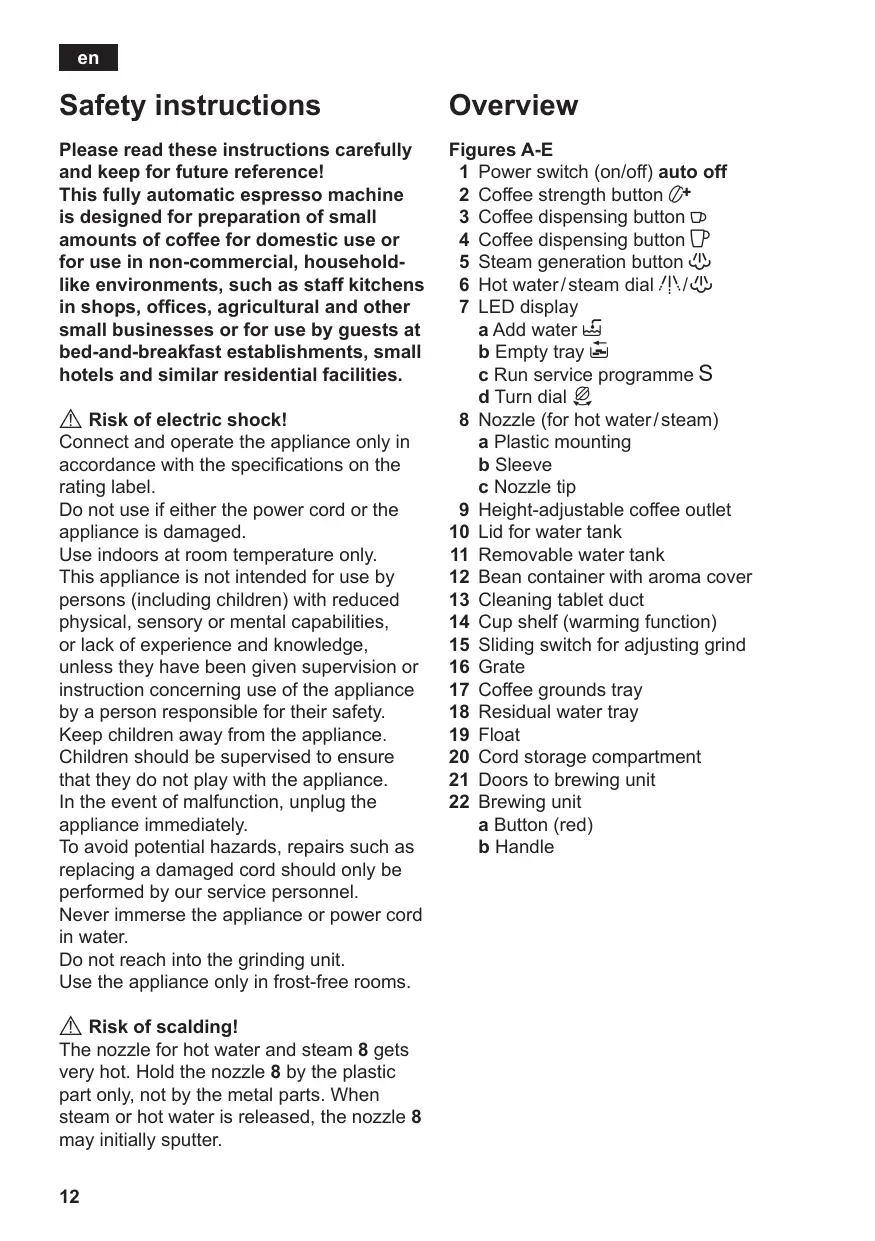
Please read these instructions carefully and keep for future reference!
This fully automatic espresso machine is designed for preparation of small amounts of coffee for domestic use or for use in non-commercial, household-like environments, such as staff kitchens in shops, offices, agricultural and other small businesses or for use by guests at bed-and-breakfast establishments, small hotels and similar residential facilities.
Risk of electric shock!
Connect and operate the appliance only in accordance with the specifications on the rating label.
Do not use if either the power cord or the appliance is damaged.
Use indoors at room temperature only. This appliance is not intended for use by persons (including children) with reduced physical, sensory or mental capabilities, or lack of experience and knowledge, unless they have been given supervision or instruction concerning use of the appliance by a person responsible for their safety. Keep children away from the appliance.
Children should be supervised to ensure that they do not play with the appliance. In the event of malfunction, unplug the appliance immediately.
To avoid potential hazards, repairs such as replacing a damaged cord should only be performed by our service personnel.
Never immerse the appliance or power cord in water.
Do not reach into the grinding unit.
Use the appliance only in frost-free rooms.
Risk of scalding!
The nozzle for hot water and steam 8 gets very hot. Hold the nozzle 8 by the plastic part only, not by the metal parts. When steam or hot water is released, the nozzle 8 may initially sputter.
Overview
Figures A-E
1 Power switch (on/off) auto off
2 Coffee strength button ^+
3 Coffee dispensing button
4 Coffee dispensing button P
5 Steam generation button 必
6 Hot water/steam dial 小/少
7 LED display
a Add water
b Empty tray
c Run service programme S
d Turn dial
8 Nozzle (for hot water/steam)
a Plastic mounting
b Sleeve
c Nozzle tip
9 Height-adjustable coffee outlet
10 Lid for water tank
11 Removable water tank
12 Bean container with aroma cover
13 Cleaning tablet duct
14 Cup shelf (warming function)
15 Sliding switch for adjusting grind
16 Grade
17 Coffee grounds tray
18 Residual water tray
19 Float
20 Cord storage compartment
21 Doors to brewing unit
22 Brewing unit
a Button (red)
b Handle
Before using for the first time
General
Fill the water tank with fresh, uncarbonated water only, and if possible, use only beans for fully automatic coffee and espresso machines. Do not use coffee beans that have been glazed, caramelized or treated with other additives containing sugar, since they will block the grinding unit.
This appliance can be adjusted for use with different water hardness values (see "Setting the water hardness").
Switching on the appliance
- Place the appliance on a flat, water-resistant surface.
- Pull enough of the power cord out of the storage compartment and plug it into the electrical socket.
- Remove and rinse the water tank 11 and fill it with fresh cold water. Do not fill above the "max" mark.
- Replace the water tank 11 and push it firmly down into place.
- Fill the bean container with coffee beans.
- Make sure that the hot water/steam dial 6 is at "O".
- Press the power switch 1 auto off to switch on the appliance.
Filling the system
When switched on for the first time, the water pipes in the appliance must be filled.
- Place a cup under the nozzle 8.
- Turn the dial 6 to /ɪv/ɪs. Water runs into the cup.
As soon as flashes, turn the rotary knob 6 to "O".
- The coffee dispensing buttons 3 and 4 now flash, the appliance rinses automatically and heats up.
The appliance is ready for use as soon as both LEDs light up.
Controls
1 Power switch auto off
The auto off power switch can be used to turn the power supply on or off.
After switching on the power supply, the appliance heats up, rinses and is then ready for use. The dispensing buttons 3 and 4 both light up.
The appliance does not rinse if it is still warm when switched on.
If the appliance is not manually switched off, it will switch off automatically after approx. 10 minutes after the last dispensing operation and then rinse. The pre-set switch-off time can be changed (see section "Automatic Switch-Off auto off").
The appliance will not rinse if:
- there was no coffee drawn after switching on the machine.
- steam was drawn shortly before switching off the machine.
- only hot water or steam were drawn.
2 Coffee strength button ^+
By pressing the button ^+ , the coffee strength can be set:
^+ LED does not light = Normal setting
^+ LED lights = Strong setting
^+ LED flashing = Bean container empty
3 Dispensing button Small coffee
With this button, a small cup (approx. 40ml) of coffee can be dispensed.
- Press the button 3. The LED will start to flash. The coffee is ground, brewed and poured into the cup. Both LEDs light up as soon as the process is finished.
The beverage size can be changed (see section "Changing volume dispensed").
4 Dispensing button Large coffee
With this button, a large cup (approx. 125ml) of coffee can be dispensed.
- Press the button 4. The LED will start to flash. The coffee is ground, brewed and poured into the cup. Both LEDs light up as soon as the process is finished. The beverage size can be changed (see section "Changing volume dispensed")
5 Steam generation button
The steam button 必 generates steam for foaming or warming.
6 Steam dispensing dial
Hot water or steam can be dispensed by turning the dial to 山 or 山 . To dispense steam, the steam generation button must be pressed first (see "Steam for foaming milk").
7 LED display
The various LEDs indicate the following: on The water tank is empty and needs to be filled
on Trays full: Empty and replace them flashing Trays missing: Reinsert them
S on Run the service programme (see "Service programme") S flashing Service programme in operation
on Turn dial to /1/
flashing Turn dial to "O"
Settings and displays
Setting the water hardness
It is important that the water hardness be set correctly, so that the appliance indicates accurately when the descending programme should be run. The factory setting is a water hardness of 4.
You can check the water hardness by asking your local water supplier.
| Degree | Water hardness | |
| German (°dH) | French (°fH) | |
| 1 | 1-7 | 1-13 |
| 2 | 8-15 | 14-27 |
| 3 | 16-23 | 28-42 |
| 4 | 24-30 | 43-54 |
The appliance must be ready for use.
- Hold down the steam button for at least 5 seconds. The number of LEDs 7a , b , c S, d that light up indicates the selected water hardness.
- Press the steam button repeatedly until the correct number of LEDs is lit; e.g. for a hardness of 3, the LEDs 7a, b and c (S, S) light up.
- Press the button 20^ once. The selected number of LEDs should light up briefly; this indicates that the desired setting has been saved successfully.
If a water filter (optional extra Order No. 461732) is used, the water hardness should be set to 1.
Note: If no button is pressed within 90 seconds, the appliance switches to stand-by mode without saving the new settings. In this case, the previous water hardness setting is retained.
The appliance must be rinsed when a filter is first used and after changing the filter.
-
Fill the tank with water up to the "0,5l" mark.
-
Place a suitable container (approx. "0,5l") under the nozzle 8.
- Set the dial 6 to /ɪs/
- When water stops coming out of the nozzle 8, set the dial back to "O".
- Fill the water tank and the water pipes (see "Switching on the appliance / Filling the system").
Adjusting the grinding unit
Sliding switch 15 adjusts the degree of grinding, from coarse to fine.
Warning
Adjust the grinding unit only while it is running! Otherwise the appliance may be damaged.
- Press dispensing button 4 .
- While the grinding unit is running, move the sliding switch 15 to the desired position: the smaller the dots, the finer the grind.
The new setting will not become apparent until the second or third cup is brewed.
Tip: For dark roast coffee beans, choose a coarser grind; for light roast beans, select a finer grind.
Automatic switch-off auto off
The pre-set automatic switch-off time of approx. 10 minutes can be changed.
- To do this, press and hold the dispensing button 3 and the button 5 at the same time for at least 5 seconds. The LEDs that light up, 7a, b, c and d (S, ), represent the switch-off time set. By pressing the button 5, the switch-off time can be selected:
LED 7a (5) lights up
= Appliance switches off after approx. 10 minutes.
LED 7a and 7b (5, 6) light up
= Appliance switches off after approx. 30 minutes.
LED 7a, 7b and 7c (U, U, S) light up
= Appliance switches off after approx. 1 hour.
LED 7a, 7b, 7c and 7d (S, S, S) light up
= Appliance switches off after approx. 4 hours.
Pressing button 2^+ saves the selection.
Setting the temperature
This fully automatic coffee machine allows the user to change the temperature of the coffee.
- To do this, press and hold the dispensing buttons 3 and 4 at the same time for at least 5 seconds. The LEDs that light up, 7a, b and c (L, S), represent the temperature set. By pressing the button 5, the temperature can now be selected: LED 7a (L) lights up
= Low temperature.
LED 7a and 7b (5, 5) light up
= Medium temperature.
LED 7a, 7b and 7c (U, U, S) light up
= High temperature.
Pressing button 2^+ saves the selection.
Float
The float 19 in the water tray 18 shows when the tray needs emptying.
- If the float 19 is clearly visible, empty the water tray 18.
Using coffee beans
This fully automatic espresso/coffee machine grinds beans freshly for each brew. If possible, use only beans for fully automatic coffee and espresso machines. Deep-freeze or store in a cool place in sealed, airtight containers. Coffee beans can be ground while frozen.
Important: Fill the water tank with fresh water every day. The tank must always contain sufficient water for operating the appliance. Do not allow it to become empty.
Tip: Pre-warm cups, especially small, thick espresso cups, by placing on the cup shelf 14 or rinsing with hot water.
The appliance must be ready for use.
- Place the prewarmed cup(s) under the coffee outlet 9.
- Depending on the amount of coffee required, press either dispensing button 3 or 4. The coffee is brewed and then dispensed into the cup(s).
- The appliance automatically stops dispensing the coffee as soon as the set quantity has been reached.
1 The brewing process can be terminated at any time by pressing the coffee dispensing button 3 or 4.
Extra coffee
It is possible to dispense the same amount of coffee a second time.
- Press the dispensing button 3 or 4 once again within 3 seconds of brewing.
Note: The second cup is brewed using the previously ground coffee.
Changing volume dispensed
The pre-set quantities for dispensing button 3 (approx. 40ml ) and dispensing button 4 (approx. 125ml ) can be changed.
- Press and hold the coffee dispensing button 3 or 4 until the desired volume of coffee has been delivered (range approx. 30 - 220ml ).
The quantity can be changed again at any time. By pressing "Reset", the factory settings are restored.
Reset: The appliance must be ready for use.
- Pull out trays 17 and 18. Press and hold dispensing buttons 3 and 4 at the same time for at least 5 seconds.
- The LEDs 7a, b, c and d (L, S, ∅) flash briefly as confirmation.
- Reinsert trays 17 and 18.
The standard factory settings have now been reactivated.
Preparing hot water
The appliance must be ready for use.
This function allows water to be heated for a cup of tea, for example.
Risk of burns
The nozzle gets very hot. Do not touch the metal parts.
- Place an appropriate cup under the nozzle 8.
- Push the sleeve on the nozzle 8 all the way down.
- Turn the dial 6 to /ɪs/
Risk of scalding
When the dial is set to [4]12 ,the nozzle may sputter a little.Do not touch the nozzle 8 or point it at anyone.
- End the process by turning the dial 6 back to "O".
Steam for foaming milk
The appliance must be ready for use. You can foam the milk first and add the coffee on top, or foam the milk separately and pour it into the coffee.
Risk of burns
The nozzle gets very hot. Do not touch the metal parts.
- Push the sleeve on the nozzle 8 all the way down.
- Fill the cup approximately 1/3 full of milk.
- Press the steam button. The LED will start to flash.
1 The appliance will heat up for approx. 20 seconds.
- Immerse the nozzle 8 deep into the milk, but do not let it touch the bottom of the cup.
- As soon as the LED (\varnothing) lights up, turn the rotary button 6 to /!\/).
Risk of scalding
When the dial 6 is set to /1/., the nozzle 8 may sputter. Escaping steam is very hot and may cause liquids to sputter. Do not touch the nozzle 8 or point it at anyone.
- Rotate the cup slowly until the milk is fully foamed.
- End the process by turning the dial 6 back to “O”.
To foam more milk, press the steam button again and repeat the whole process.
Note: When the nozzle 8 has cooled down, clean immediately. Dried residue is difficult to remove.
Tip: If possible, use cold low-fat (1,5% fat) milk.
Steam for heating drinks
Risk of burns
The nozzle gets very hot. Do not touch the metal parts.
The appliance must be ready for use.
- Push the sleeve on the nozzle 8 all the way up.
- Press the steam button. The LED will start to flash.
1 The appliance will now heat up for approx. 20 seconds.
- Immerse the nozzle 8 deep into the liquid you want to heat.
- As soon as the LED (\varnothing) lights up, turn the rotary button 6 to /!\/).
Risk of scalding
When the dial 6 is set to /ɪʌ/ 心, the nozzle 8 may sputter a little. Escaping steam is very hot and may cause liquid to sputter. Do not touch the nozzle 8 or point it at anyone.
- End the process by turning the dial 6 back to "O".
To generate more steam, press the steam button 必 again and repeat the whole process.
Note: When the nozzle 8 has cooled down, clean immediately. Dried residue is difficult to remove.
Maintenance and daily cleaning
Risk of electric shock!
Unplug the appliance before cleaning it.
Never immerse the appliance in water.
Do not use a steam cleaner.
- Wipe the outside of the appliance with a damp cloth. Do not use scouring agents.
Always remove any limescale, coffee, milk or descending fluid residue immediately. Such residue can cause corrosion. - Wash all removable parts by hand only.
- Rinse out the water tank 11 with water only.
- Remove, empty and clean the trays for coffee grounds 17 and residual water 18.
- Wipe out the inside of the appliance (tray holders).
- Open the door to the brewing unit 21 and remove any coffee residues. Close the door.
Note: If the appliance is cold when switched on, or if it is switched off after dispensing coffee, it rinses automatically; in other words the system cleans itself.
Nozzle 8 for hot water/steam
- Unscrew the nozzle 8 from the steam pipe.
- Dismantle all parts (Fig. D).
- Clean with a caustic cleaning solution and a soft brush. Clean the tip of the nozzle 8c with a blunt needle.
- Thoroughly rinse and dry all parts.
Brewing unit
The brewing unit can be removed for cleaning (Fig. E).
- Switch off the appliance using the power switch 1 auto off.
- Open the door 21 to the brewing unit 22.
-
Hold the red button 22a down and push the handle 22b up until you hear it engage.
-
Grasp the brewing unit 22 by the handle, remove carefully, and rinse under running water. Do not use cleaning agents. Do not place in the dishwasher.
Vacuum the inside of the appliance, or clean it with a damp cloth. - Reinsert the brewing unit 22 all the way into the appliance.
- Hold the red button 22a down and push the handle 22b down as far as it goes, until you hear it engage. The brewing unit is now secure.
- Close the door of the brewing unit.
Service programme: Combined cleaning and descaling process
If the S LED lights up while the appliance is on, the service programme must be run immediately to clean and descale the appliance. If the service programme is not run as instructed, the appliance may be damaged.
Specially developed descaling (Order No. 310967) and cleaning agents (Order No. 310575) can be obtained from our customer service department.
Warning
Each time you run the service programme, follow the instructions for using the cleaning and descending agents.
Never interrupt the service programme!
Do not drink the liquids!
Never use vinegar or vinegar-based products!
Never put descending tablets or other descending materials into the duct for cleaning tablets!
1 The S LED flashes while the service programme is running (approx. 40 minutes).
Important: If there is a filter in the water tank, it must be removed before the service programme is run.
Starting the service programme
The appliance must be ready for use.
- Empty and replace the trays 17 and 18.
- Press and hold the buttons 4 and 5 必 for at least 5 seconds.
The S LED starts to flash and the appliance rinses the coffee dispenser through twice.
- Empty and reinsert the grounds tray 17.
The LEDs for button and "Add water" light up.
- Place one cleaning tablet in the duct 13.
- Fill the water tank with lukewarm water, add descaling agent and dissolve completely (total liquid 0,5 litres)
or
pour prepared descaling mixture into the water tank (total liquid 0,5 litres).
- Press the steam button. The descending process begins. Duration approx. 10 minutes. The descending solution flows into the water tray 18.
The LED lights up.
- Place a suitable container (approx. 0,5 litres) under the nozzle 8.
- Set the dial 6 to /ɪʌ/ 心. The descending process begins. Duration approx. 5 minutes. The descending solution flows into the container.
The LED lights up.
- Empty and reinsert the grounds tray 17.
The steam button LED lights up.
- Empty and clean the water tank 11, fill with fresh water up to the "max" mark and reinsert.
- Place a suitable container (approx. 0,5 litres) under the nozzle 8.
- Press the steam button 心. The cleaning process begins. Water flows into the container.
The LED flashes.
- Turn the dial 6 to "O". The cleaning process begins. Duration approx. 10 minutes. Liquid flows into the coffee grounds tray 17 inside the appliance, then out through the coffee outlet.
The LED lights up.
- Empty, clean and reinsert the trays 17 and 18.
The appliance starts to heat up and is ready for use once the LEDs for dispensing buttons 3 and 4 light up.
Important: If the service programme is interrupted, e.g. due to a power cut, it is vital that the appliance be rinsed before it is used again.
The appliance must be ready for use.
The ^+ and steam button LEDs flash.
- Rinse the water tank 11 thoroughly and fill with fresh water.
- Press the steam button. The appliance is rinsed and liquid flows into the tray.
The LED lights up.
- Hold a cup under the nozzle 8 and turn the dial 6 to /ɪʌ/ 心. Water runs into the cup.
The LED flashes.
- Turn the dial 6 back to "O".
The appliance rinses and is ready for use again.
Anti-freeze
In order to avoid damage through cold during transportation and storage, the appliance must be emptied completely first.
The appliance must be ready for use.
- Remove, empty, and replace water tank.
- Place a large, narrow container under nozzle 8.
- Press button.
- As soon as the LED (\varnothing) lights up, turn the rotary button 6 to /!\/).
The appliance will release steam for a while.
- When nozzle 8 stops releasing steam, turn dial back to "O".
- Turn off the appliance.
Disposal

This appliance is labelled in accordance with the European Directive 2002/96/EG relating to waste electrical and electronic equipment – WEEE. The directive provides the framework for the EU-wide take-back and disposal of end-of-life appliances.
Please ask your specialist retailer about current disposal facilities.
Guarantee
The guarantee conditions for this appliance are as defined by our representative in the country in which it is sold. Details regarding these conditions can be obtained from the dealer from whom the appliance was purchased. The bill of sale or receipt must be produced when making any claim under the terms of this guarantee.
Right of modification reserved.
Troubleshooting
| Problem | Possible cause | Solution |
| No hot water or steam discharge. | Nozzle 8 is blocked. | Clean nozzle 8. |
| Foam insufficient or too runny. | Sleeve b on nozzle 8 not in correct position. | Push down sleeve b on nozzle 8. |
| Milk not suitable for foaming. | Use cold low-fat (1,5% fat) milk. | |
| Coffee dispensing slows to a trickle. | Coffee is ground too fine. | Adjust the grinding unit to a coarser setting. |
| Coffee not dispensed. | Water tank not filled or not correctly positioned. | Fill water tank and make sure it is in the right position. If necessary, fill water pipes (see “Switching on the appliance”). |
| Coffee has no “crema” (creamy foam). | Unsuitable type of coffee. Beans no longer fresh. | Change type of coffee used. Use fresh beans. |
| Degree of grinding inappropriate for beans. | Optimize degree of grinding. | |
| Grinding unit does not grind the beans. | Beans are not falling into the grinding unit (beans too oily). | Gently tap the bean container. |
| Grinding unit makes a loud noise. | Foreign objects in the grinding unit (e.g. grit, which can be found even in superior types of coffee). | Call the hotline. |
| LED S and button Ⓞ+ flash alternately. | The brewing unit 22 is missing, or is not properly inserted or secured. | Insert and secure the brewing unit 22. |
| If you are unable to solve the problem, please call the hotline. You will find the telephone numbers at the back of these instructions. | ||
He cyuTe pykn B KoΦeMOnIky.
He nCnOJb3yIe TnpBOp B NOMEuEHNJx C MInHycBOoT TeMnpepAtypoi.
KpaTkni 063op
PucyknA-E
1 CeTeBOB BbIKNIOaTeIb (BKN/BbIKJI) auto off
2 KnaBnua kpenocn kope ^+
3 KnaBnA nOaU D
4 KlaBnHa noaun
5 KlaBnua(HarpB napa)
6 NobopOtHbI peryIaTOp /I:// (ropaJyBa/nap)
7 CBeToOnIOHbIe INdNkAtOpbl a 3aJIeTe BOy
bOnopOKHNTE NOIDONHbI c npOBeINTe cepBnCHyIO npoRpaMMy S dNoBepHNTE peryJrTOp
8 Hacaika (Дпя поачи гораяк Вобл/napa)
a PnactMaCCOBa pyka
b Btynka
C HaKOHeuHnK HacaKn
9 Perynipemyoe no Bicote yctpoiCTBO naoa Koe
10 Kpbilka eMKoCTn DnB BoDbl
11 CbemHa eMKoCTb IJRA BObl
12 EmKocTb IaI KoFeiHbIX 3epeH c KpbIshKoI, COxpaHraUoIeI apOMaT
13 ⅢaxTaДЯЗагуЗКИСТЯЦХ TabJeTOK
14Подставka Дя чашек (Функцияпогревa)
15 POn3yHKnOBbI peRyJIaTOp cTepeHINomOJa KoΦe
16 PeuTeKa
17 PoiDOn Ia KoΦeHNo rUuN
18 POnDOn dIa c6op a OCTaTkoB BoDbl
19 Nopnabok
20 Otcek dIy xpaHnna Ka6eIa
21Дьерцаблoka3abapuBaHnIa
22БLOK3aBapuBaHnna KJIaBnua(KpaChna)
b pykOaTKa
Onachoctb ounpaBaanr!
HacaKa InnnoaunrnpaeyBoBb/napa 8 cnIbHo HarpBaetc. PnPKacatbcM OMOHO ToIbKO K nlaCTMaCCBOy pyKe HacaKn 8, a He K dTeTaNm Kopnyca. B camom hauane OT60pa npa nn npraeuy BoBb BO3MOXHO NOBJIeHne 6pb13r n3 HacaKn 8.
Pπp6op He npOn3BODNT npOMbIBKy, ecn:
- Nocne BKNIOUeHnKoPe He NIOaBaIcra,
- He3aIIOIro Do BbIKNoUeHn IOnaBaIcna nap,
- NOДаВАПИСТОЛБКО Горая ВODА ИПИ nap.
2 KlaBnua kpenoctn Kope ^+
HajatneM KJIaBUNI MOXHO HAcTpOnTb KpeNoCTb KoPe:
空 ^ 空 CBETOINIOHbI INDnKATOP He CBETNTcR = 06bIuHaNacTpOka
^+ CBETODIOHbI INHINKATop CBEHTTCa
= NactpoiKa Ha KpeKn KoΦe
^+ CBETOINOIDHyI INHIDKATOP MInFaET
= emKoCTbДЯ KOΦeHbIX 3epeH nYcTa
3 KnaBnsha nodaun - MaJIeHbKaar aWka KoOfe
3Ta KnaBnua CnyKNT JIJI pIPIROTOBHeHnMaIeHbKOu YauKKn KoOe (OK. 40 MЛ).
- Haxmnte KnaBnUy 3D, CBeToOnIOHbI INdNkATOp HaI HeI Mtraet. Kope MeIeTcR, BapNTcR I TeET B aUkY, Oba CBTeOAnIOhBIX INdNkATOpa 3aropAOTcR cpa3y nO 3aBepWeHn npoecca.
Obem HauNTka MOxHO u3MeHHTb (cM. pa3dien «U3MeHeHne obbema IOnyuaemoro KoΦe>).
4 KlaBnHa nOdaun -6oIbsha YaSha KaOfe
3Ta KnaBnua CnyKNT nIpynroTOBnHn8 6oJbwoy aUkN KoPe (ok.125 m).
- Haxmnte KnaBnUy 4 P, CBeToOnIOHbI INdNkATOp HaI HeMiraet. KoPe MeIeTcA, 3aBapuBaEcTc I HAINBaETcB V aShKy, oBa CBeToOnIOHbIX INdNkATopa 3aropaoTc cpa3y nO 3aBepseHnnpocecca.
O6bem HauNTka MoXHO 3MeHHTb (CM. pa3dien «U3meHeHne o6bema nOlyuHaemoro KoΦe>).
5KnaBnua noaunnapa
7 CBeToDnOuNbIe INHdNkaTopbI
CbeueHne mMraHne COOTBeTCTByUOuNX CBETOIOIaHbIX INDnKaTOPOB COO6uaet O cJeDuOuem:
EBETTCB EMKoCTbIaBOBlyNCTa, ee CneDyET CHOBA HANONHHTb
CBETNTcI POnIOHObl 3aONHHebl: ONOPOKHNTE POJIOHObl IN CHOBAyCTaHOBnTe INx HA MecTO
Mnraet IOnIOHObl OTCYCTBYOT: CHOBA yCTaHOBHTe IOnIOHObl Ha MecTO
S CBETITCA CNeIyET BbIIOJIHNHtB cepBnC-HyI npOrpaMMy, cm. pa3JeI «CepBnCha npOrpamma»
S Mmraet BbIopHnEeTc cepBnchna nporpaMa
CBeTNTc CJeNyetyCTaHOBnTB NOBOPOTbI pyyIaTOP B nOIOXeHne /1/
Mnraet CJeNyET yCTaHOBNTb NOBOPOTbI peYJrTOp B IIOJoxKeHne «O»
HactpoIKNBn3yaJIbHaNnDnKaZnA
YcTaHObKa XeCTKoCTN BOybI
Ipeed nCTKoB bInbTe BnIKy np6opa n3 po3eTkn.
HkoRa He norpykaTe np6op B Body.
He nCpOlb3yIte napOBbe OunchTeTI.
-Протпг Te Koprnyс пибopa влжноу.Tprяков. He nCnoJIb3yIte a6pa3nBhIe.YHCTaIuIne cpeIcTBA.
Heo6xOIMo He3aMeIITeHbHO ydaJIaTb OCTaTKn N3BecTN, KoFe, MOJOKa n paCTBopa IydaJeHnHaKInn. 3Tu OCTaTKn MOryt npNBecTN K Koppo3nn.
- PpombIBKa BcEx He3aKpeIeHHbIX DeTaJIeN Ipon3BOIDITcA NCKHQUHTeJIbHO BpyHyIO.
ДляпомьИКИ EMKOCTN 11 Ист百年 TOЛьКО BODY.
- CHINMITE, ONOPOXHNTE IN NOUCHNTTE NODOHbI DnI KOpeHOBI rUuN 17 n OCTaTKOB BObl 18.
-ПюотрипЕВИтрунneesпрocтpanctBO npибopa(HишДяпоДоHOB)
- OTKpoIte DBepy 6Ioka 3aBapuBaHnra 21
N ydaJIInTe OCTaTkn KoPe n3 BHyTpEnHei
KamepbI. DBepy CHOba 3akpoIte.
Yka3aHne: EcIn npi6bop BkIIOucaETcB XOJIODHOM COCTOAHIN INN BbIKJIOUcaETcN ONCJe pnpiroTOBLeHnKoFe, IpombIBKa npi6bopa npOn3BOIDTCa ABtOMaTNUeCKN. Tem camblm npOn3OJET CAMOOHnCTKa CnCTEmbl.
Hacaika 8 dnia ropeyew Bobl/napa
- OTBnHTte HacaIky 8 ot Tpy6kn dIy nOdaun npa.
- ПониЗБеДиTe pa3борky BCex элем entobнасадкn (pucyHOK D).
-Почисте Haacdkу Мягков сИСпОьзOBaHmE MцЕLOчHOrO YUcTЯцeroCpeДCTBa.Почистe HaKoHeuHnKHaacdkn 8c TynoN nIJIoN. - ПомоиTe И порушITE BCE элем entbl Hacadkn.
UcTka 6Joka 3aBapnBaHna
CBeToIaOnHbI INdNkAtOp Mnraet.
- UctahOBHTe NOBOPOTHbIpepyJrTOp 6 B pIoJoxKeHne «O», Tepepb npi6bp HauHnaet pIOueCC qNCTKn.ДIITeJIbHOCTb npoecca: OKOLO 10 MInHyT. ChaJaA JxIKoCTb nepeTeKaet BHyTpNi npi6bopa B IODOH 17, a 3aTeM BblTEkaETn3 yCTpOHTBa NODaH KoPe.
CBETTCTC BETODIOHbI INDkATOp
- Onopoxhnte, noHCTnTe n CHOba yctahOBHTe Ha MeCTO NOdoHbI 17 u 18.
Pnp6op HarpBaet Body n CHOba roTOB K 3KcNpyatauMn,ecn roprT CBeToIONoHbIe INdNkATOpblKnabWn PoJaun 3 O n 4 P.
BaxnHa HOpMaun: EcnB BInOnHeHne cepBnCHoI npOrpaMMbI 6blIO npepBaHO, HanpImep, BCNEcTBne nepe60B a3JIeK TPOCha6KeHN, npeH HObIM BKIOUeHNEM np60b CNeDyET pOMbITb.
CBeToIIOHbIe INHdNkATOpbl 0+N MInraIOT.
- Emkoctb dIpa BODbl 11 kak cIeJyET npoMoIte n3aONHnTe CBExKe BOOn.
- HaxmTe KnaBnUy 心, npu6op npoN3-BOINT npOMbIBKU CO CInBOM XnDkoCTN B NOdIOH.
CBeNTCTCBETOIDNHOHbINHdNkATOp
- NocTaBbTe yauKy noH hacaKy 8 n ycta-HOBnTE NOBOpOTbI pepyTAp06 B nOIO-JeKeHne /!/. 心.BoDa cInBaETcB yauKy.
CBeToNoIbHnHmIkaTop Muraet.
- UctaHOBnte NOBOPOTbI peYrJrTOp 6 o6paTHo B pONOKeHne «O».
Ppnbop npoN3BOJNT npombIKy n CHOba roTOB K pa6Ote.
3auntataOT 3amep3aHnA
Bo n36eKaHne Bb3BaHHbIX 3aMep3aHnEM NOBpeKdEHNI pNIOOpa Ipn erO TpaHcnpTINPOBKe N XpAHeHNI HeoXoDmIO npEaBAPNTeNbHO IOJIHOCTbIO ONOPOKHnTB pNIOBOp. PpNIOBOp DOJIKEN 6bITb rOTOB K pa60te.
- CHЯТь eMКОCTь ДЯ BÖdьI, ONOPOXHINТь ee
- И установиь На пөхнee MeCTо.
- ПОДСТАВИТь пОД НACАКУ 8 60ЛьшУЮ y3КУЮ EMKOCTь.
- HαkaTb KlaBnUy 心.
- KaK TOnIbKO 3aROpNTc CBeTOnIOdHbI INHdNkATop , yCTaHOBnTe NOBOPoTHbI peYJrTOp 6 Ha /!/.
B TeueHne HnpoDoJnxTeJIbHOro BpeMeHH np6op npOn3BoDnT o6pa3ObaHne npa.
swiei dioda LED 7a (
swieca diody LED 7a i 7b (E, E)
swieca diody LED 7a, 7b i 7c (S)
swiei dioda LED 7a (
= niska temperatura.
swieca diody LED 7a i 7b (E, E)
= srednia temperatura.
swieca diody LED 7a, 7b i 7c (L, L, S)
= wysoka temperatura.
AE United Arab Emirates,
BSH Home Appliances FZE Round About 13, Plot Nr MO-0532A Jebel Ali Free Zone - Dubai Tel.:04 881 4401 mailto:service-UA@bshg.com www.siemens_ua@home.ac
Old Wolverton Road
Wolverton
Milton Keynes MK12 5PT
To arrange an engineer visit, to order spare parts or accessories or for product advice please visit
www.siemens-home.co.uk or call
Tel.:0844 892 8999*
*Calls from a BT landline will be charged at up to 3 pence per minute. A call set-up fee of up to 6 pence may apply.
GR Greece, Eλλας
BSH Ikiakes Siskeves A. B. E.
Central Branch Service
17 km E.O. Athinon-Lamias &
Potamou 20
145 64 Kifisia
Greece - Athens
Tel.:2104 277 701
Fax:2104277669
North-Greece - Thessaloniki
Tel.:2310497200
Fax:2310497220
South-Greece - Heraklion/Kreta
Tel.:2810325403
Fax:2810324585
Central-Greece - Patras
Tel.:2610330478
Fax: 2610 331 832
mailto:cs_gr_helpdesk@bshg.com
www.siemens-home.com
HK Hong Kong, 香港
BSH Home Appliances Limited
Unit 1 & 2, 3rd Floor
North Block, Skyway House
3 Sham Mong Road
Tai Kok Tsui, Kowloon
Hong Kong
Tel.: 2565 6151
Fax: 2565 6681
mailto:service.siemens@bshg.com
www.siemens-home.com.hk
HR Hrvatska, Croatia
BSH kučni urežadi d.o.o.
Kneza Branimira 22
10000 Zagreb
Tel.: 01 640 36 09
Fax: 01 640 36 03
mailto:informacije.servis-hr@
bshg.com
IE Republic of Ireland
BSH Home Appliances Ltd.
Unit F4, Ballymount Drive
Ballymount Industrial Estate
Walkinstown
Dublin 12
Service Requests, Spares and
Accessories
Tel.: 01450 2655
Fax: 01450 2520
www.siemens-home.com
IL Israel,
C/S/B Home Appliance Ltd.
Uiel Building
- Hamelacha St.
Industrial Park North
71293 Lod
Tel.:089777222
Fax:089777245
mailto:csb-serv@zahav.net.il
www.siemens-home.com
IS Iceland
Smith & Norland hf.
Noatuni 4
105 Reykjavik
Tel.: 0520 3000
Fax: 0520 3011
www.sminor.is
IT Italia, Italy
LT Lietuva, Lithuania
Baltic Continent Ltd.
Lukšio q. 23
09132 Vilnius
Tel.: 05 274 1788
Fax:052741765
mailto:info@balticcontinent.It
www.balticcontinent.it
LU Luxembourg
General Serviss Limited
Bullu street 70c
1067 Riga
Tel.:07424137
mailto:bt@olimpeks.lv
MD Moldova
S.R.L. "Rialto-Studio"
yI. LycceBa 98
2012 KuniHneB
Tei./fakc:022 23 81 80
ME Crna Gora, Montenegro
Elektronika komerc
Ul. 27 Mart br. 2
81000 Podgorica
Tel./Fax: 020 662 444
Mobil: 069324812
MK Macedonia, MaKeDoHnJa
GORENEC
Jane Sandanski 69 lok.3
1000 Skopje
Tel.:02 2454 600
Mobil: 070 697 463
mailto:gorenec@yahoo.com
MT Malta
Aplan Limited
Aplan Centre
B-Kara By Pass
B - Kara BKR 14
Tel.:021480590
Fax:021480598
mailto:lapap@aplan.com.mt
NL Nederlande, Netherlands
Unit F 2, 4 Orbit Drive
Mairangi Bay
Auckland 0632
Tel.:094770492
Fax:094772647
mailto:bshnz-cs@bshg.com
PL Polska, Poland
Union Industrial Building
Block A, #01-03
577177 Singapore
Tel.:6751 5000
Fax:67515005
mailto:bshsgp.service@bshg.com
SI Slovenija, Slovenia
BSH Hišni aparati d.o.o.
Litostrojska 48
1000 Ljubljana
Tel.:015830887
Fax:015830889
gama-electronics.com
XS Srbija, Serbia
BSH Kučni aparati d.o.o.
Milutina Milankovića 11a
11070 Novi Beograd
Tel.: 011 205 23 97
Fax: 011 205 23 89
mailto:informacije.servis-sr@
bshg.com
ZA South Africa
BSH Home Appliances (Pty) Ltd.
15th Road Randjespark
Private Bag X36, Randjespark
1685 Midrand - Johannesburg
Tel.:086 002 6724
Fax:0866171780
mailto:applianceserviceza@
bshg.com
www.siemens-home.com
www.siemens-homeappliances.com
9000706466


- Overview
- Before using for the first time
- General
- Switching on the appliance
- Filling the system
- Controls
- Power switch auto off
- Coffee strength button O+
- Dispensing button Small coffee
- Dispensing button Large coffee
- Steam generation button
- Steam dispensing dial
- LED display
- Settings and displays
- Setting the water hardness
- Adjusting the grinding unit
- Warning
- Automatic switch-off auto off
- Setting the temperature
- Float
- Using coffee beans
- Extra coffee
- Changing volume dispensed
- Preparing hot water
- Risk of burns
- Risk of scalding
- Steam for foaming milk
- Risk of burns
- Steam for heating drinks
- Maintenance and daily cleaning
- Risk of electric shock!
- Nozzle 8 for hot water/steam
- Brewing unit
- Service programme: Combined cleaning and descaling process
- Specially developed descaling (Order No. 310967) and cleaning agents (Order No. 310575) can be obtained from our customer service department.
- Starting the service programme
- or
- Anti-freeze
- Disposal
- Guarantee
- KpaTkni 063op
- PucyknA-E
- Onachoctb ounpaBaanr!
- KlaBnua kpenoctn Kope O+
- KnaBnsha nodaun - MaJIeHbKaar aWka KoOfe
- KlaBnHa nOdaun -6oIbsha YaSha KaOfe
- 5KnaBnua noaunnapa
- CBeToDnOuNbIe INHdNkaTopbI
- HactpoIKNBn3yaJIbHaNnDnKaZnA
- YcTaHObKa XeCTKoCTN BOybI
- Hacaika 8 dnia ropeyew Bobl/napa
- UcTka 6Joka 3aBapnBaHna
- 3auntataOT 3amep3aHnA
- GR Greece, Eλλας
- HK Hong Kong, 香港
- HR Hrvatska, Croatia
- IE Republic of Ireland
- IL Israel,
- IS Iceland
- IT Italia, Italy
- LT Lietuva, Lithuania
- LU Luxembourg
- MD Moldova
- ME Crna Gora, Montenegro
- MK Macedonia, MaKeDoHnJa
- MT Malta
- NL Nederlande, Netherlands
- PL Polska, Poland
- SI Slovenija, Slovenia
- XS Srbija, Serbia
- ZA South Africa
Brand : SIEMENS
Model : TK53009
Category : Coffee maker