
MBW-200 Contemporary Elegance - Smartwatch SONY - Free user manual and instructions
Find the device manual for free MBW-200 Contemporary Elegance SONY in PDF.


| Product Type | Bluetooth Smartwatch |
| Brand | Sony |
| Model | MBW-200 Contemporary Elegance |
| Dimensions (approx.) | 45 mm diameter, 12 mm thickness |
| Weight (approx.) | 50 g |
| Power Source | Rechargeable battery, full charge in 2 hours |
| Charger included | Yes, with charging clip |
| Main Functions | Call control, SMS notification, music control (play/pause/next/previous/volume), date/time display, Bluetooth |
| Water Resistance | 3 ATM (resistant to perspiration, water vapor, light rain) |
| Display | Status icons, caller name/number, SMS |
| Connectivity | Bluetooth, range up to 10 meters (depending on obstacles) |
| Phone Compatibility | Requires Bluetooth-compatible phone (list at www.sonyericsson.com) |
| Care and Cleaning | Clean with a soft dry cloth; avoid immersion in water |
| Safety | Disable Bluetooth in airports, hospitals, etc. |
| Spare Parts and Repairability | Battery replaceable only by an authorized center; charging clip available |
| General Information | Brand: Sony, Model: MBW-200, Category: Smartwatch |
Frequently Asked Questions - MBW-200 Contemporary Elegance SONY
User questions about MBW-200 Contemporary Elegance SONY
0 question about this device. Answer the ones you know or ask your own.
Ask a new question about this device
Download the instructions for your Smartwatch in PDF format for free! Find your manual MBW-200 Contemporary Elegance - SONY and take your electronic device back in hand. On this page are published all the documents necessary for the use of your device. MBW-200 Contemporary Elegance by SONY.
USER MANUAL MBW-200 Contemporary Elegance SONY
This user guide is published by Sony Ericsson Mobile Communications AB or its local affiliated company, without any warranty. Improvements and changes to this user guide necessitated by typographical errors, inaccuracies of current information, or improvements to programs and/or equipment, may be made by Sony Ericsson Mobile Communications AB at any time and without notice. Such changes will, however, be incorporated into new editions of this user guide. All rights reserved.
©Sony Ericsson Mobile Communications AB, 2008
Publication number: 1208-5748.3
Some of the services in this user guide are not supported by all networks. This also applies to the GSM International Emergency Number 112. Contact your network operator or service provider if you are in doubt whether you can use a particular service or not.
The Bluetooth word mark and logos are owned by the Bluetooth SIG, Inc. and any use of such marks by Sony Ericsson is under license. Sony is a trademark or registered trademark of Sony Corporation. Ericsson is a trademark or registered trademark of Telefonaktiebolaget LM Ericsson.
The Liquid Identity logo is a trademark or registered trademark of Sony Ericsson Mobile Communications AB.
English
MBW-200 Bluetooth™ watch ....4
Icons 6
Getting started....9
Using your watch 16
Troubleshooting....25
Declaration of conformity for MBW-200......260
FCC statement....262
MBW-200 Bluetooth™ watch
Thank you for purchasing the Sony Ericsson MBW-200 Bluetooth™ watch.
The MBW-200 provides you with intelligent control of calls and music through your watch.
You are notified when your phone rings and if you receive a text message. When your phone rings the name or number of the caller is displayed in the watch and you can mute or reject it.
If your phone has a music player you can play, stop and change tracks with your watch. You can change the volume and keep track of the date and time. If supported in your phone, you can also see the name of the track currently being played.
The watch can withstand light spray, perspiration, water vapour and rain drops. The level of resistance to water is 3 ATM.
Go to www.sonyericsson.com for an overview of which phone models fully support the MBW-200.
Watch overview
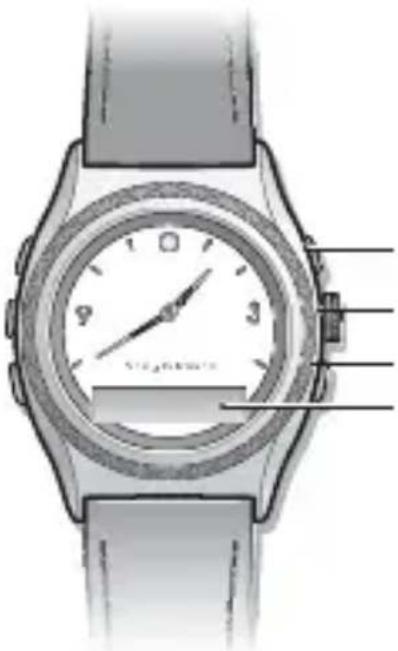
Right top key
Crown key
Right bottom key
Display
Next/Volume up key
Play/Stop key
Previous/Volume down key
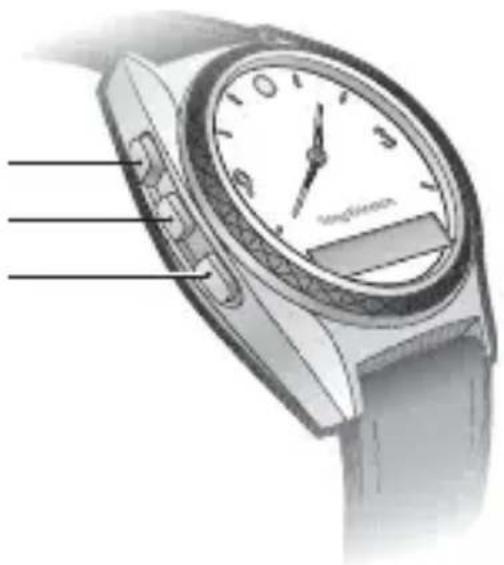
Icons
Status icons
 | Incoming call |
 | Message received |
 | The Bluetooth function on. No connection to phone |
 | The Bluetooth function on. Watch connected to phone |
 | The Bluetooth function on, connecting |
 | Bluetooth function off due to low battery level |
 | Battery level |
 | Battery charging |
 | Play |
 | Stop |
 | Next track |
 | Previous track |
 | Adjusting volume |
 | Pairing succeeded |
 | Out of range notification: connection to the phone is lost |
 | Watch in pairing mode |
Setting icons
| The Bluetooth function on | |
| The Bluetooth function off | |
| Message notification on | |
| Message notification off | |
| Out of range notification on | |
| Out of range notification off | |
| Start pairing mode |
Instruction symbols
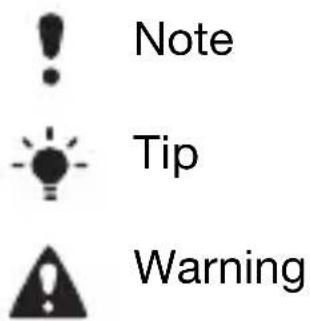
The following symbols may appear in the User guide:
Getting started
Box content
Before you start using the watch, make sure the following items are in the box:
- Charger (A)
- Charging clip (B)
• The MBW-200 (C)
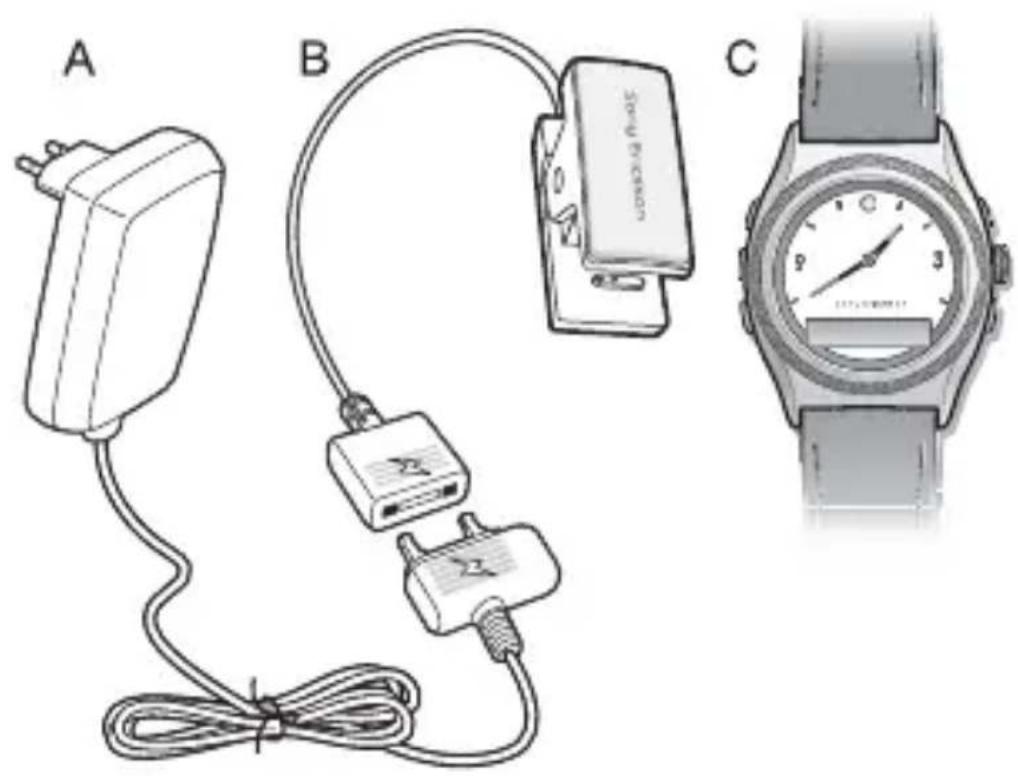
Charging
Make sure your watch battery is fully charged. The minimum time to fully charge is 2 hours.
To charge the battery
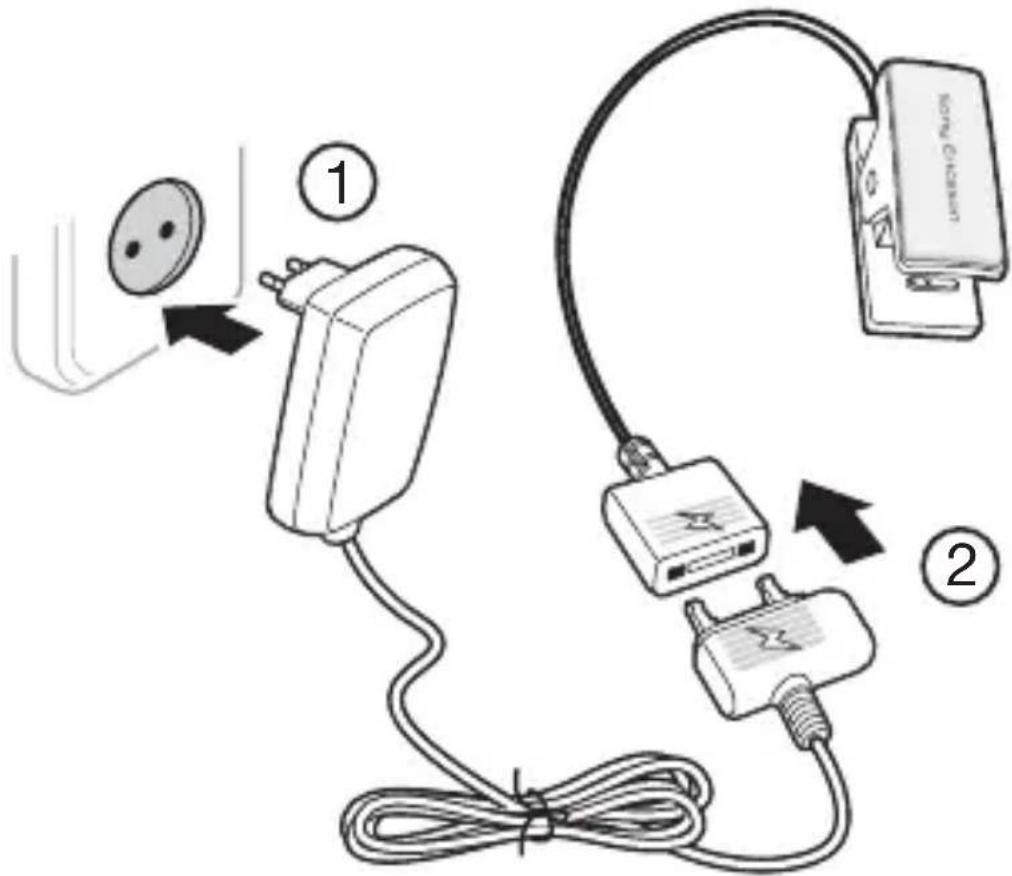
1 Connect the charger, without the charging clip, to the mains.
2Connect the charger to the charging clip with the symbols on the charger and clip connector facing the same direction.
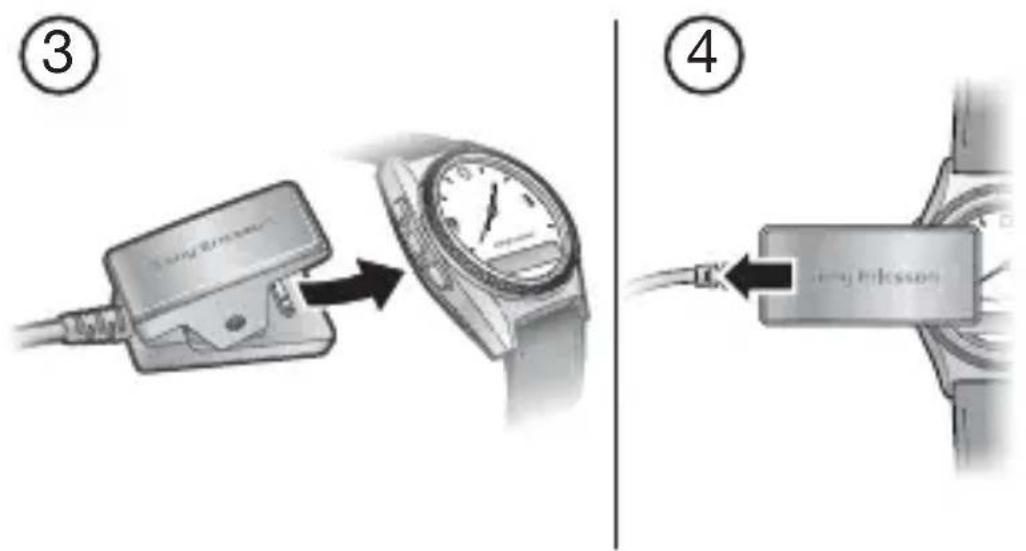
3On the charging clip, press the handle to open the clip, and slide it over the watch. Make sure the contacts of the clip are connected to the contacts on the back of the watch.
4Wait approximately 2 hours or until the battery icon indicates charging is complete.
Setting the time
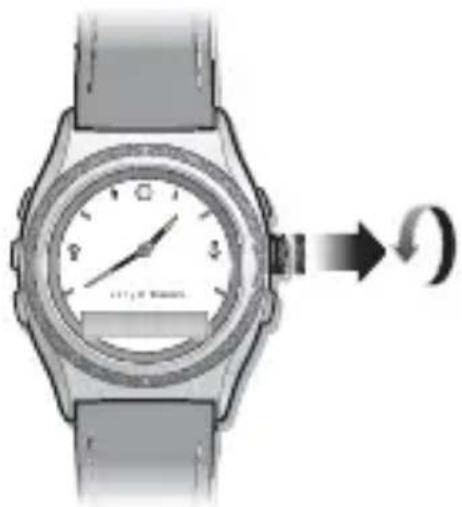
To set the time
natural_image
Illustration of a wristwatch with a dial and scroll, showing a rotational motion arrow (no text or symbols)• Gently pull out the crown and rotate it to set the time. When the time is set, push the crown back in until you hear a click.
Pairing
Your watch has to be paired with your phone before you can use it. Your watch can only be paired with one phone at a time. Start a new pairing procedure to use the watch with another phone.
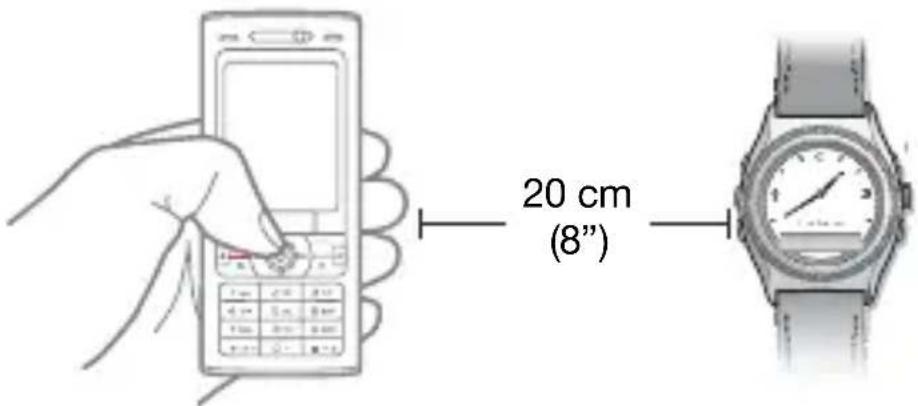
Follow instructions in the phone User guide on how to turn on the Bluetooth function in the phone.
To pair your watch with a phone
1Turn on the Bluetooth function in your phone.
2Turn on Bluetooth visibility in your phone. This makes your phone visible to other Bluetooth devices.
3Press the bottom key on the watch repeatedly to select pairing mode then press the right top key to turn on pairing mode.
4 Press Yes when Add device? appears in your phone. If Add device? does not appear, go to step 5. For some phones you may need to enter a passcode. The default passcode is 0000.
5Prepare your phone according to the phone User guide on how to pair a Bluetooth device.
If pairing is successful, the pairing icon appears and the watch vibrates.
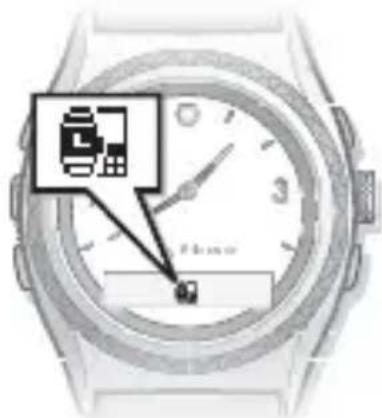
! To stop pairing, press the right top key.
After you have paired your watch with a phone, the watch will automatically connect to the phone as soon as the phone is on and within range.
! If pairing fails, you need to set the watch in pairing mode and repeat the pairing procedure. See how to set the watch in Pairing mode on page 13.
Phone settings
A few seconds after you have paired your watch with the phone you are asked if you want to allow your watch to connect. You can choose between Always ask and Always allow.
•Always ask
If you choose Always ask, you will always be asked if you want to reconnect each time the watch and the phone are within range.
•Always allow
If you choose Always allow, the watch automatically reconnects to the phone each time both devices are within range.
Always allow is the preferred setting.
Pairing mode
To pair your watch a second time, for example, with another phone or if the first pairing failed, do this manually by setting the watch to pairing mode.
To set the watch to pairing mode
- Press the bottom key repeatedly to select pairing mode and then press the right top key. An animated pairing icon appears.
Using your watch
Settings
Settings are shown as icons in the display.
To read more about Setting icons go to page 8.
To enter the Settings menu
- Press the right bottom key.
To turn a setting on or off
1 Press the right bottom key repeatedly until the setting you want is centered in the watch display.
2Press the right top key to turn the setting on or off.
Calls
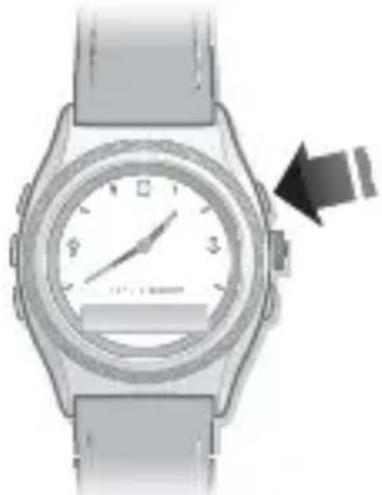
When the phone rings, the watch vibrates and the name or number of the caller is displayed in the watch. You can mute or reject the call by pressing the right top key.
To mute an incoming call
natural_image
Illustration of a wristwatch with a dial and wrist strap, showing a hand pointing to the dials (no text or symbols present)- Press the right top key once. To reject an incoming call
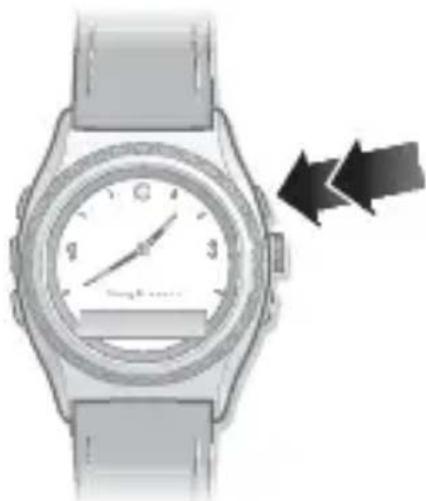
natural_image
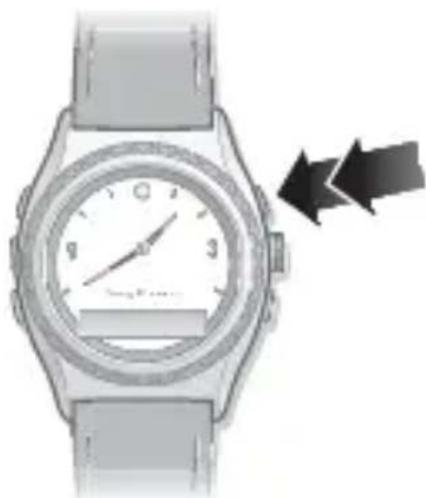
Illustration of a wristwatch with a circular dial and two directional arrows indicating motion (no text or symbols)- Press the right top key twice to reject a call.
Text messages
When message notification is on, the watch vibrates and 📂 appears when you receive a text message. Message notification is on by default. The name or number of the sender is displayed in the watch.
! Go to www.sonyericsson.com for an overview of which phone models fully support this functionality.
To change message notification status
1Press the right bottom key repeatedly to select
2Press the right top key to change between on and off .


Music
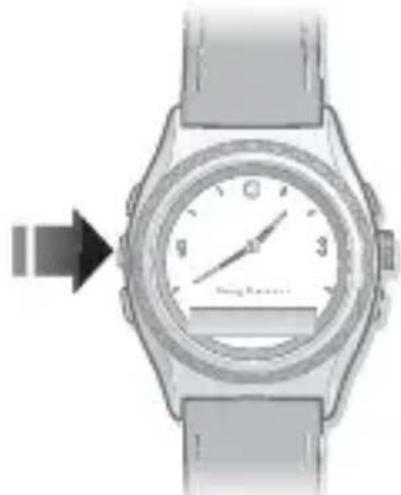
Use the watch to control the music player in the phone. Play, stop and change music tracks by pressing the keys on the left side of the watch.
To listen to music
natural_image
Illustration of a wristwatch with a dial and wrist strap, showing a finger pointing to the dials (no text or symbols visible)- Press and hold the play/stop key to play a track.
- Press the play/stop key to stop a track.
- Press and hold the next/volume up key to go forward to the next music track.
- Press and hold the previous/volume down key to go to the previous track.
Track info
- Press the right top key three times to display track information from the phone.
! Track info is displayed in standby mode when new information becomes available, when you start playing a track, and when you change tracks while playing.
Volume control
Use the volume control keys on the left side of the watch to control voice volume during a phone call and music volume when listening to music.
To increase and decrease volume
• To increase music or voice volume press the next/volume up key.
• To decrease music or voice volume press the previous/volume down key.
Battery status
To check the watch battery status
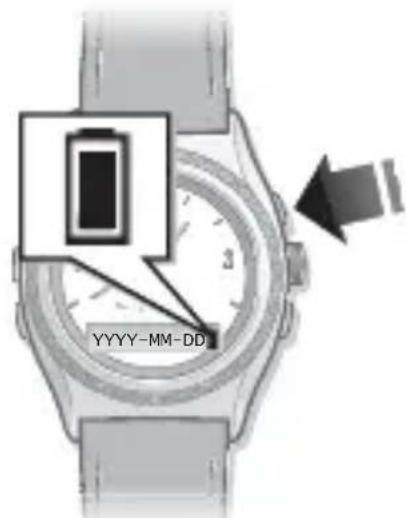
- From standby press the right top key. The phone date is also shown.
Date
To check the phone date
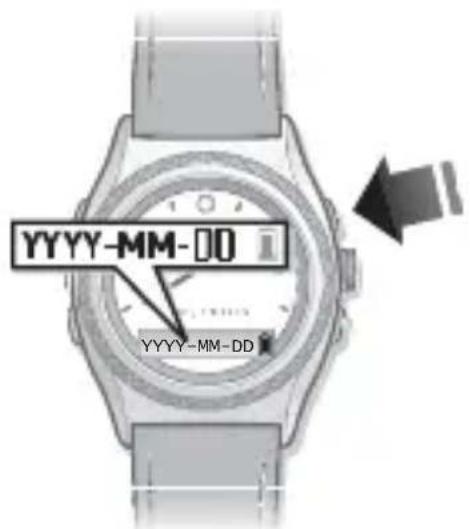
- From standby press the right top key once. The watch battery status is also shown.
The date format shown in the watch is set to YYYY-MM-DD (year, month and day).
Time
To check the phone time
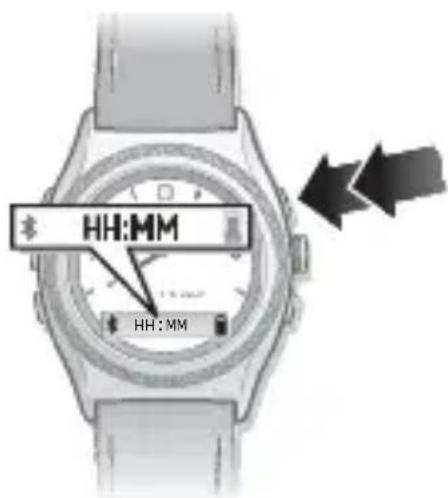
- From standby press the right top key twice. Watch battery status and Bluetooth function status are also shown.
The time format shown in the watch is set to 24-hour, HH:MM (hour and minute).
The Bluetooth function
The Bluetooth function makes wireless connection to your phone possible.
You have to turn the Bluetooth function off in sensitive areas like airplanes or hospitals.
To turn the Bluetooth function on or off
1 When the display is dimmed, press the bottom key once to select
2Press the right top key to change between on and off
! If battery level is low, the Bluetooth function is automatically turned off. Turn on the Bluetooth function again when the battery is fully charged.
Out of range
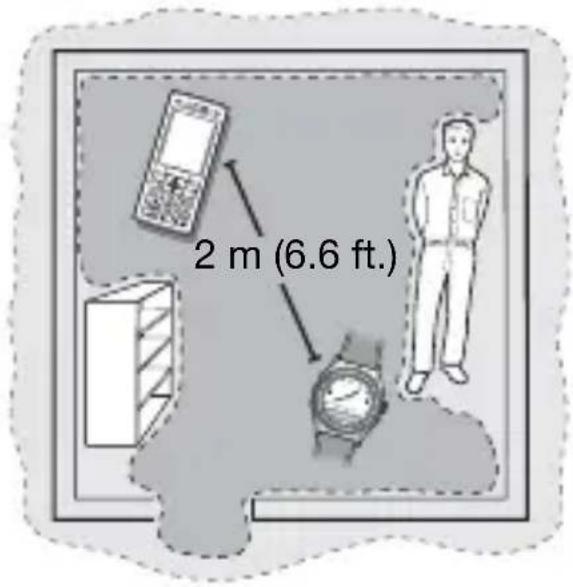
When the phone is out of range the watch vibrates and the 📄·×·icon appears.
Optimal performance
Limited performance
The out-of-range distance varies and depends where you are. The connection may be improved if there are no solid objects between your watch and phone.
If you are out of range more than 24 hours, reconnect to the phone again by pressing the right top key on the watch.
To change out-of-range notification status
1Press the bottom key repeatedly to select . 2Press the right top key to change between on and off .
Master reset
Set the watch to factory default settings and delete changes you have made.
To reset the watch
1 Enter pairing mode. See Pairing mode on page 15. 2Press and hold the right top and bottom key until the display lights up. After a few seconds the display dims again and your watch is reset.
Pairing the watch after master reset
To pair your watch with a phone after a master reset, see Pairing on page 13.
Troubleshooting
Music player does not start
If the music player does not start when you press the Play/Stop key then turn the music on using the phone.
Battery capacity
If the battery does not work properly it needs to be replaced by a certified repair centre.
Software version
To check software version
- In pairing mode, press the right bottom key five times. To stop checking software version, press the right top key twice. Ignore the pairing request in the phone.
Dashes on the display
If dashes ( ---- ) appear on the display when you press the right top key, pair your watch with the phone again.
Dial-up networking message
During pairing with some phones you may receive a message about dial-up networking. If this happens, select Accept to continue.
Text message notification
With some phones the text message notification function does not work.
Track info
Track info is not supported in all phones.
Česky
Hodinky Bluetooth™ MBW-200 ......27
Ikony 29
Začínáme 32
Declaration of conformity for MBW-200......260
FCC statement....262
Hodinky Bluetooth™ MBW-200
Ikony Ikony stavu
natural_image
Close-up of a wristwatch with a dial and wrist strap, showing a circular dial indicator (no text or symbols visible)natural_image
Illustration of a wristwatch with a dial and wrist strap, showing a hand gesture (no text or symbols)natural_image
Illustration of a wristwatch with a circular dial and two directional arrows pointing to the watch face (no text or symbols present)natural_image
Illustration of a wristwatch with a dial and wrist strap, showing a change in the left hand (no text or symbols present)Declaration of conformity for MBW-200......260
FCC statement....262
MBW-200 Bluetooth™-ur
Ikoner
Statusikoner
natural_image
Illustration of a wristwatch with a dial and scroll, showing a circular motion arrow (no text or symbols)natural_image
Close-up of a wristwatch with a dial and wrist strap, showing a hand pointing to the dials (no text or symbols visible)natural_image
Illustration of a wristwatch with a dial and two directional arrows indicating motion (no text or symbols)natural_image
Close-up of a wristwatch with a dial and wrist strap, showing a white dial and black hand pointing to the side (no visible text or symbols)Declaration of conformity for MBW-200......260
FCC statement....262
MBW-200 Bluetooth™-Armbanduhr
Taste rechts oben
Kronentaste
Taste rechts unten
Display
Symbole
Statussymbole
natural_image
Illustration of a wristwatch with a dial and sensor, showing a circular dial indicator (no text or symbols on the watch face)natural_image
Illustration of a wristwatch with a dial and wrist strap, showing a hand gesture (no text or symbols)natural_image
Illustration of a wristwatch with a circular dial and wrist strap, showing motion arrows (no text or symbols)natural_image
Illustration of a wristwatch with a dial and wrist strap, showing a directional arrow pointing to the left (no text or symbols on the watch face itself)Declaration of conformity for MBW-200 ....260
FCC statement....262
Bluetooth™ ρολόι MBW-200
Επάνω δεξί πλήκτρο
Εικονίδια
natural_image
Illustration of a wristwatch with a dial and scroll, showing a rotational motion arrow (no text or symbols)natural_image
Close-up of a wristwatch with a dial and wrist strap, showing a hand pointing to the dials (no text or symbols visible)natural_image
Illustration of a wristwatch with a circular dial and wrist strap, showing motion arrows (no text or symbols)natural_image
Illustration of a wristwatch with a dial and wrist strap, showing a change in the left side (no text or symbols present)Declaration of conformity for MBW-200......260
FCC statement....262
natural_image
Illustration of a wristwatch with a dial and scroll, showing a circular dial adjustment (no text or symbols)natural_image
Illustration of a wristwatch with a dial and wrist strap, showing a hand pointing to the dials (no text or symbols present)natural_image
Illustration of a wristwatch with a dial and wrist strap, showing motion arrows (no text or symbols)natural_image
Illustration of a wristwatch with a dial and wrist strap, showing a directional arrow pointing to the left (no text or symbols on the watch face itself)
Rendimiento óptimo
Declaration of conformity for MBW-200......260
FCC statement....262
MBW-200 Bluetooth™-kello
Kiitos, kun valitsit Sony Ericsson MBW-200 Bluetooth™ -kellon.
natural_image
Illustration of a wristwatch with a dial and wrist strap, showing a circular dial indicator (no text or symbols on the watch face)natural_image
Close-up of a wristwatch with a dial and wrist strap, showing a black arrow pointing to the left side (no text or symbols visible)natural_image
Illustration of a wristwatch with a dial and two directional arrows indicating motion (no text or symbols)natural_image
Illustration of a wristwatch with a dial and wrist strap, showing a change in the left side (no text or symbols present)Declaration of conformity for MBW-200......260
FCC statement....262
Montre Bluetooth™ MBW-200
natural_image
Illustration of a smartwatch with a dial and wrist strap, showing a close-up of the dial (no text or symbols present)natural_image
Illustration of a wristwatch with a dial and wrist strap, showing a hand pointing to the dials (no text or symbols present)natural_image
Illustration of a wristwatch with a dial and two directional arrows indicating motion (no text or symbols)natural_image
Illustration of a wristwatch with a dial and wrist strap, showing a directional arrow pointing to the left (no text or symbols on the watch face itself)Declaration of conformity for MBW-200......260
FCC statement....262
MBW-200 Bluetooth™ sat
Zahvaljujemo vam na kupnji Sony Ericsson MBW-200 Bluetooth™ sata.
Desna gornja tipka
Kruna
Desna donja tipka
Zaslon
natural_image
Illustration of a wristwatch with a dial and scroll, showing a rotational motion arrow (no text or symbols)! Za prekid združivanja pritisnite desnu gornju tipku.
natural_image
Close-up of a wristwatch with a dial and wrist strap, showing a hand pointing to the dials (no text or symbols visible)- Pritisnite jednom desnu gornju tipku. Za odbijanje dolaznog poziva
natural_image
Illustration of a wristwatch with a circular dial and two directional arrows pointing to the watch face (no text or symbols present)- Desnu gornju tipku pritisnite dvaput za odbijanje poziva.
SMS poruke
Ako su upozorenja poruka uključena, kada primite SMS poruku, sat vibrira i prikazuje ☒ pozorenja poruka su tvornički uključena. Ime ili broj pošiljatelja vide se na satu.
! Otvorite www.sonyericsson.com da biste vidjeli koji modeli telefona u potpunosti podržavaju tu funkciju.
Za promjenu podešenja dojave poruka
1 Pritišćite opetovano desnu donju tipku da biste odabrali 📧
natural_image
Illustration of a wristwatch with a dial and wrist strap, showing a directional arrow pointing to the left (no text or symbols present)Declaration of conformity for MBW-200......260
FCC statement....262
MBW-200 Bluetooth™ karóra
natural_image
Illustration of a wristwatch with analog dial and wrist strap (no text or symbols visible)Jobb felső gomb
Korona
Jobb alsó gomb
Kijelző
Következő/Hangerő
növelése gomb
natural_image
Illustration of a wristwatch with a dial and scroll, showing a rotational motion arrow (no text or symbols)natural_image
Close-up of a wristwatch with a dial and wrist strap, showing a hand pointing to the dials (no text or symbols visible)natural_image
Illustration of a wristwatch with a circular dial and two directional arrows indicating motion (no text or symbols)natural_image
Close-up of a wristwatch with a dial and wrist strap, showing a hand pointing to the dials (no text or symbols visible)Declaration of conformity for MBW-200......260
FCC statement....262
Orologio Bluetooth™ MBW-200
Icone
Icone di stato
natural_image
Illustration of a wristwatch with a dial and scroll, showing a circular dial adjustment (no text or symbols)natural_image
Illustration of a wristwatch with a dial and wrist strap, showing a hand pointing to the dials (no text or symbols present)natural_image
Illustration of a wristwatch with a dial and wrist strap, showing motion arrows (no text or symbols)natural_image
Illustration of a wristwatch with a dial and wrist strap, showing a directional arrow pointing to the left (no text or symbols on the watch face itself)Declaration of conformity for MBW-200
We,
Sony Ericsson Mobile Communications AB of Nya Vattentornet
SE-221 88 Lund, Sweden
declare under our sole responsibility that our product
Sony Ericsson type DGA-0002005
and in combination with our accessories, to which this declaration relates is in conformity with the appropriate standards EN 300328:V1.7.1, EN 301 489-17:V1.2.1 and EN 60 950-1:2006, following the provisions of, Radio Equipment and Telecommunication Terminal Equipment Directive 1999/5/EC.
Lund, October 2008.
CE0682
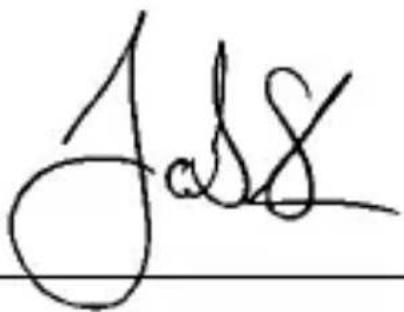
Jacob Sten, Head of Product Business Unit Accessories
We fulfill the requirements of the R&TTE Directive (99/5/EC)
This device complies with Part 15 of the FCC rules.
Operation is subject to the following two conditions:
(1) This device may not cause harmful interference, and
(2) This device must accept any interference received,
including interference that may cause undesired operation.

Any change or modification not expressly approved by Sony Ericsson may void the user's authority to operate the equipment.
This equipment has been tested and found to comply with the limits for a Class B digital device, pursuant to Part 15 of the FCC Rules. These limits are designed to provide reasonable protection against harmful interference in a residential installation. This equipment generates, uses and can radiate radio frequency energy and, if not installed and used in accordance with the instructions, may cause harmful interference to radio communications. However, there is no guarantee that interference will not occur in a particular installation.
If this equipment does cause harmful interference to radio or television reception, which can be determined by turning the equipment off and on, the user is encouraged to try to correct the interference by one or more of the following measures:
- Reorient or relocate the receiving antenna.
- Increase the separation between the equipment and receiver.
- Connect the equipment into an outlet on a circuit different from that to which the receiver is connected.
- Consult the dealer or an experienced radio/TV technician for help.
Industry Canada Statement
This Class B digital apparatus complies with Canadian ICES-003.
This device complies with RSS-210 of Industry Canada.
Operation is subject to the following two conditions: (1) this device may not cause interference, and
(2) this device must accept any interference, including interference that may cause undesired operation of the device.
Export Regulations: Software, including technical data, is subject to U.S. export control laws, including the U.S. Export Administration Act and its associated regulations, and may be subject to export or import regulations in other countries. Customer agrees to comply strictly with all such regulations and acknowledges that it has the responsibility to obtain licenses to export, reexport, or import Software.
Software may not be downloaded, or otherwise exported or re-exported (i) into, or to a national or resident of, Cuba, Iraq, Iran, North Korea, Libya, Sudan, Syria (as such listing may be revised from time to time) or any country to which the U.S. has embargoed goods; or (ii) to anyone on the U.S. Treasury Department's list of Specially Designated Nations or the U.S. Commerce Department's Table of Denial Orders.
Restricted Rights: Use, duplication or disclosure by the United States government is subject to the restrictions as set forth in the Rights in Technical Data and Computer Software Clauses in DFARS 252.227-7013(c) (1) (ii) and FAR 52.227-19(c) (2) as applicable.
All illustrations are for guidance only and may not accurately depict the actual device.
- English
- MBW-200 Bluetooth™ watch
- Watch overview
- Icons
- Status icons
- Setting icons
- Instruction symbols
- Getting started
- Box content
- Charging
- Setting the time
- Pairing
- To pair your watch with a phone
- Phone settings
- •Always ask
- •Always allow
- Pairing mode
- To set the watch to pairing mode
- Using your watch
- Settings
- Calls
- Text messages
- To change message notification status
- Music
- To listen to music
- Track info
- Volume control
- To increase and decrease volume
- Battery status
- Date
- Time
- The Bluetooth function
- To turn the Bluetooth function on or off
- Out of range
- To change out-of-range notification status
- Master reset
- To reset the watch
- Pairing the watch after master reset
- Troubleshooting
- Music player does not start
- Battery capacity
- Software version
- To check software version
- Dashes on the display
- Dial-up networking message
- Text message notification
- Česky
- Hodinky Bluetooth™ MBW-200
- Ikony Ikony stavu
- MBW-200 Bluetooth™-ur
- Ikoner
- Statusikoner
- MBW-200 Bluetooth™-Armbanduhr
- Symbole
- Statussymbole
- Bluetooth™ ρολόι MBW-200
- Εικονίδια
- MBW-200 Bluetooth™-kello
- Montre Bluetooth™ MBW-200
- MBW-200 Bluetooth™ sat
- SMS poruke
- Za promjenu podešenja dojave poruka
- MBW-200 Bluetooth™ karóra
- Orologio Bluetooth™ MBW-200
- Icone
- Icone di stato
- Declaration of conformity for MBW-200
- Sony Ericsson type DGA-0002005
- Industry Canada Statement
Brand : SONY
Model : MBW-200 Contemporary Elegance
Category : Smartwatch