
DMW-MCTZ5 - Photo Accessories PANASONIC - Free user manual and instructions
Find the device manual for free DMW-MCTZ5 PANASONIC in PDF.



| Product Type | Waterproof Housing for Digital Camera |
| Brand | Panasonic |
| Model | DMW-MCTZ5 |
| Compatibility | Panasonic DMC-TZ5, DMC-TZ15, DMC-TZ4, DMC-TZ11 |
| Maximum Depth | 40 m (130 ft) |
| Dimensions | 150 x 94 x 93 mm (W x H x D) |
| Weight | 434 g |
| Material | Impact-resistant polycarbonate |
| Seal | O-ring (supplied, replaceable) |
| Operating Temperature | 0°C to 40°C |
| Included Accessories | O-ring (VMG1798), silica gel (VZG0371), grease (VZG0372), wrist strap (VFC4190), 2 weights (VXA8446), fixing screws, diffuser (VYK2D90) |
| Main Features | Underwater photography, dedicated controls (zoom, shutter, mode), external flash shoe (compatible with INON) |
| Maintenance and Cleaning | Rinse with fresh water after each use, grease O-ring, air-dry |
| Safety | Leak test before use, do not open in humid environment, avoid shocks, use only supplied grease |
| Spare Parts | O-ring (VMG1798), silica gel (VZG0371), grease (VZG0372) |
| Repairability | Inspection recommended every 3 years by an authorized dealer, do not disassemble yourself |
| General Information | Limited warranty: Panasonic is not responsible for water ingress due to misuse or inadequate maintenance |
Frequently Asked Questions - DMW-MCTZ5 PANASONIC
User questions about DMW-MCTZ5 PANASONIC
0 question about this device. Answer the ones you know or ask your own.
Ask a new question about this device
Download the instructions for your Photo Accessories in PDF format for free! Find your manual DMW-MCTZ5 - PANASONIC and take your electronic device back in hand. On this page are published all the documents necessary for the use of your device. DMW-MCTZ5 by PANASONIC.
USER MANUAL DMW-MCTZ5 PANASONIC
natural_image
Technical illustration of a mechanical device housing with no visible text or symbolsOperating Instructions
natural_image
Line drawing of a digital camera with lens and screen (no text or symbols)Before connecting, operating or adjusting this product, please read the
instructions completely.
What is the O-ring?....9
Preparation -Setting the O-ring- 10
Preparation -Checking the Case is Waterproof- ..... 14
Preparation -Attaching the Digital Camera- ..... 15
Taking Pictures....18
Tips for Taking Pictures in the Water ..... 19
After Use....20
Cleaning and Storing 21
Caution for Use....21
Specifications 23
● This Marine Case is designed for a Panasonic Digital Camera.
You can enjoy taking pictures underwater at depths up to 40 m/130 feet.
- In the case of water leakage due to insufficient care, Panasonic is in no way liable for damage to any products (digital camera, batteries, card etc.) inside this Case, photography costs or any other expenses.
- Panasonic also offers no compensation for accidents resulting in injury or damage to property.
- Read the operating instructions for your digital camera.
- Before attaching the digital camera, submerge the case in water for about 3 minutes or more to check that there is no water leakage.
■ About handling this Case
- Use under the following conditions.
• Water depth: Up to 40 m/130 feet
- Ambient temperature: 0 °C to 40 °C/32 °F to 104 °F
- Do not use the Case in water over 40 °C/104 °F. The heat may damage the Case or cause water leakage.
- The Case is made of impact resistant polycarbonate however be careful when you are using it. It can be easily scratched when taking pictures in rocky places etc. and can be damaged by the impact if dropped etc. When travelling, pack the Case carefully to prevent any direct impact if it is dropped etc. and do not leave the digital camera in the Case. Only attach the digital camera to the case if you are transporting it a short distance such as from the airport to the diving spot. (You cannot reuse the material the Case was packed in at the time of purchase to transport it.)
- When boarding a plane, the change in atmospheric pressure may cause the inside of the Case to expand causing damage to the Case. Remove the O-ring before boarding a plane.
- Do not leave the digital camera in the Case for a long period of time in a car, a ship, exposed to direct sunlight etc. The Case is an airtight device so the temperature inside the Case will become very high and the digital camera may stop operating properly. Do not let the temperature inside the Case become too high.
■ Using the Case in high or low temperatures
- If you open or close the Case where it is humid or hot and then move to a place that is cold or dive underwater, condensation may appear inside the Case, the glass surface may become cloudy and the digital camera may be damaged.
- If you suddenly move the Case from a cold place or cold water to a warm place, the glass surface may become cloudy. Wait until the Case becomes close to the air temperature before taking pictures.
■ About preparation
- Do not open or close the Case where it may be splashed by water or sand may get in it. We recommend opening or closing the Case indoors.
- Replace the battery, card etc. and attach the digital camera indoors where there is little moisture.
-
If you must open or close the Case at the diving spot to replace the battery or the card, be sure to follow the steps below.
-
Select a place where the Case will not be splashed by water and sand will not get in it.
- Blow off any drops of water in the gap between the rear case and the front case and on the buckle. Thoroughly wipe off any remaining drops of water with a dry cloth.
- Thoroughly wipe off any drops of water on your body or hair.
- Be particularly careful about any water coming from the sleeves of your thermal suit.
- Do not touch the digital camera if your hands are wet from sea water. Wet a towel with fresh water and place it in a polyester bag beforehand. Use this towel to wipe off any drops of water or sand on your hands or body.
- This Case does not absorb shock. If you place a heavy object on the Case or cause shock to it, the digital camera may be damaged. Be careful when you are using the case.
When you first open the package, check that the Case and all the accessories are included and that there has been no damage to the Case or any of the accessories during distribution or transportation. If you find something unusual, consult your dealer before using the Case.
Do not use any accessories except those specified below.
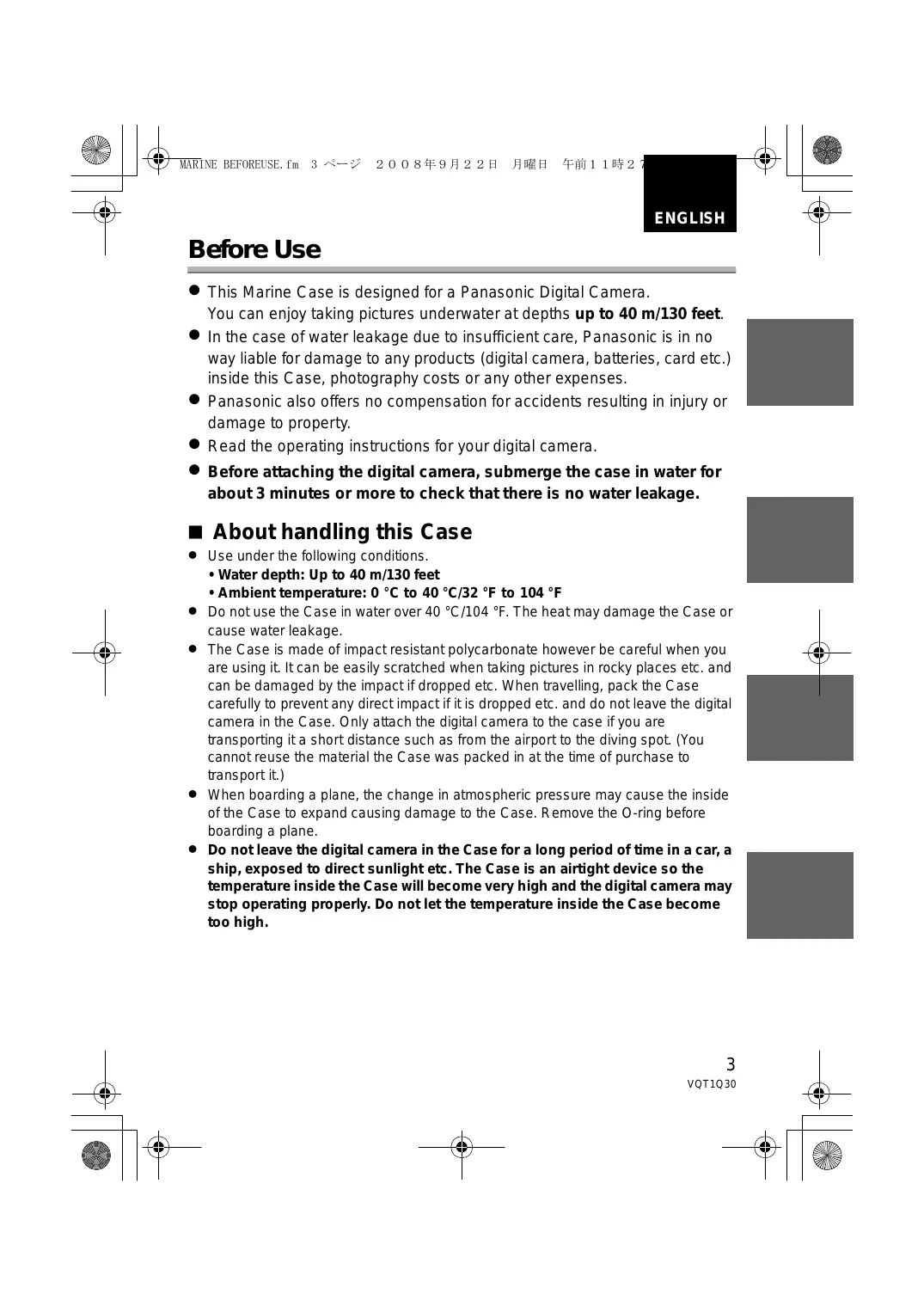
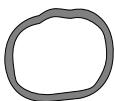 | O-ringVMG1798 | 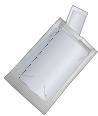 | Silica Gel (Desiccant)(1 g /5 pieces)VZG0371 |
 | Grease (for O-ring)VZG0372 | 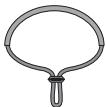 | Hand StrapVFC4190 |
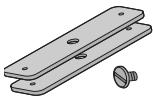 | Weight (2) , Weights attachment screwVXA8446 | ||
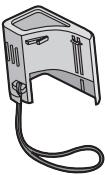 | DiffuserVYK2D90• You can remove this diffuser when not using it.Removing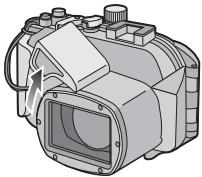 | Attaching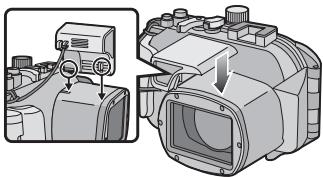 Align with the mark on the back of the case and attach. Align with the mark on the back of the case and attach. | |
- Do not place the Case where it may fall.
- If the Case falls on your head or foot, it will injure you and cause the Case to malfunction.
- Never alter the Case.
- If water leaks into the digital camera because the Case was altered, the digital camera may be damaged beyond repair.
- If you continue to use the digital camera after water has leaked into it, this may cause a fire.
- Do not use the Case while scuba diving without proper training.
- You should only operate the Case while scuba diving if you have been properly trained and certified for this sport.
- Never place the Case, grease, silica gel or O-ring within the reach of infants.
- If any part of an infant's body is caught in the Case, it may cause an injury.
- Infants may accidentally swallow the grease, silica gel or O-ring.
- Consult a doctor immediately if you think an infant may have swallowed the grease, silica gel or O-ring.
- Do not hang the strap around your neck underwater.
- It may become wound around your neck causing suffocation or other serious injuries.
- Thoroughly wash off any grease on your hands.
- Do not allow the grease on your hands to come into contact with your mouth or eyes.
- If water leaks into the case, stop using it immediately.
- This may cause an electric shock, burning or a fire.
- Consult your dealer.
- If anything abnormal occurs while using the Case underwater, please follow all necessary procedures and guidelines for decompressing when you ascend.
- If you ascend too quickly, you may get caisson disease.
- If smoke or abnormal heat, smells or sounds come from the Case, stop using it immediately.
• These may cause an electric shock, burning or fire.
- Remove the digital camera from the Case and then immediately remove the battery from the digital camera.
- Consult your dealer.
- Be careful when opening the Case after water leakage.
- The leaked water may blow out or the rear case may flip.
- Do not leave the Case where the temperature is high.
- The temperature inside the Case becomes very high particularly when it is exposed to direct sunlight on a beach, a ship etc. or when it is left in an airtight car in the summer. The heat may damage the Case or its inner parts.
- If a digital camera is attached to the Case, it may also be damaged.
- If you use the attached digital camera when the temperature inside the Case is very high, it may cause leakage, short-circuiting or insulation failure resulting in fire or malfunction.
- Do not handle the digital camera or the battery with wet hands.
- This may cause an electric shock or malfunction.
■ When taking pictures with the flash
- When taking pictures with the flash, the corners of the picture may be vignetted or the picture may not be lit evenly.
- When taking pictures with the flash, the available flash range is less underwater than on land.
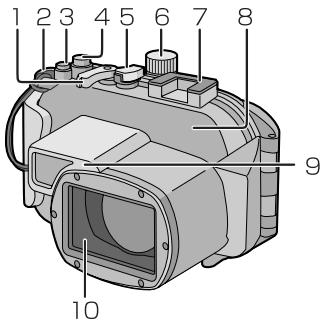
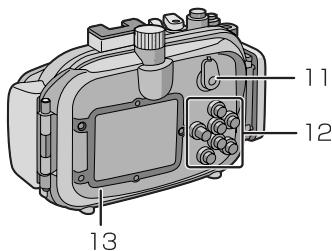
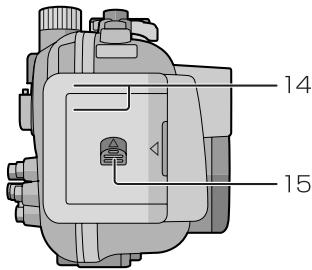
- Zoom Lever
- Strap Eyelet (for attaching the supplied hand strap and diffuser)
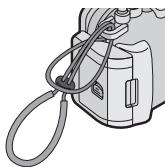
natural_image
Diagram of a mechanical device with a coiled cable and attached components (no text or symbols)- [E.ZOOM] button
- Shutter Button
- Camera ON/OFF Switch
- Mode dial
- Mounting shoe for INON Inc., external strobe *1
- Front Case
-
Diffuser (supplied)
-
Front Glass
-
[REC]/[PLAYBACK] selector switch
- Button operation section (Read the operating instructions of the digital camera for details about each button operation. *2 )
- Rear Case
- Buckle
- Lock Release Lever
*1 This is a mounting shoe dedicated for an external strobe manufactured by INON Inc.
Please refer to INON Inc. regarding compatible strobe.
http://www.inon.co.jp/INON_WORLD_body.html
*2 Depending on the digital camera being used, the
button indications on the marine case may be slightly different. Follow the button indications on the digital camera for use.
- The O-ring is a waterproofing packing used for underwater cameras, watches and diving equipment.
- The O-ring keeps the Case waterproof by sealing the gap between the rear case and the front case.
■ How the O-ring keeps the Case waterproof
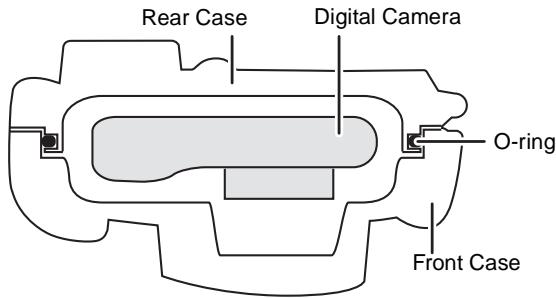
The gum comes into contact with the sides of the Case making the Case waterproof and stopping water from entering from the gap.
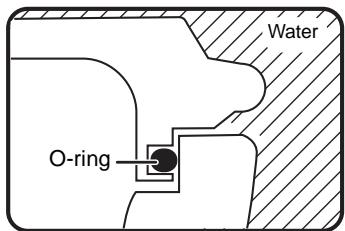
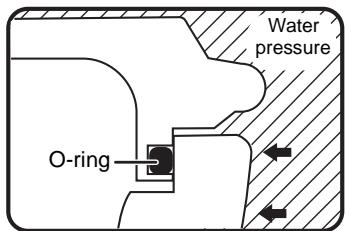
When water pressure acts on the O-ring, the surface of the O-ring expands and the Case is sealed more tightly.
The O-ring prevents water leakage by coming into uniform contact with the sides of the Case. Therefore, good care of the O-ring is very important. Incorrect care of the O-ring may cause water leakage.
Be sure to set the O-ring before attaching a digital camera.
Thoroughly wash and dry your hands before handling the O-ring. Place the O-ring where there is no sand or dust.
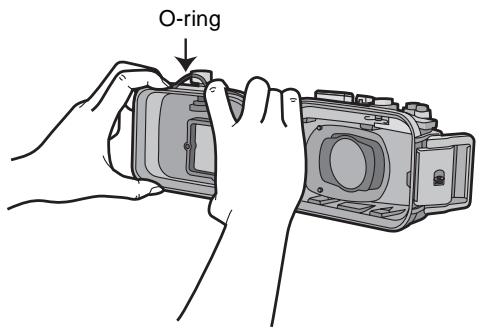
1 Loosen the O-ring with your fingers to remove it.
- Loosen part of the O-ring with the tips of two fingers and then lift the loosened part. Be careful not to scratch the O-ring with your fingernails.

Note
- Do not use a pointed object to remove the O-ring. This may scratch the O-ring.
2 Check the O-ring.
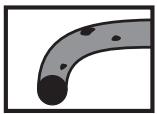
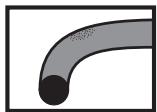
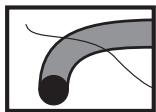
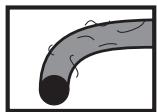
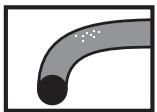
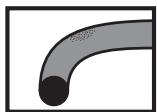
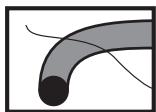
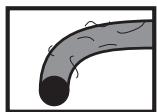
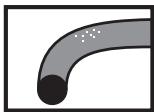
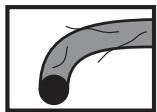
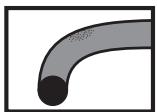
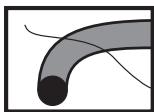
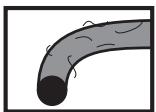
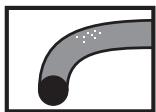
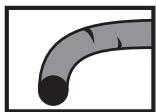
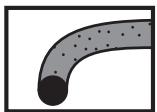
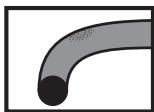
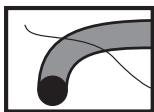
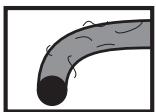
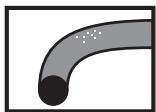
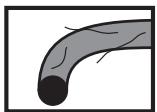
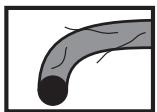
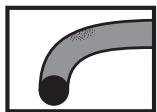
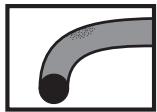
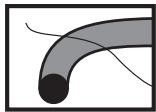
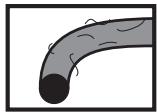
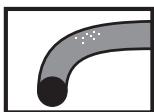
- Check that there is no dirt, sand, hair, dust, salt crystals, lint or grease on the O-ring. If you find any of these, remove them with a soft, dry cloth.
natural_image
Simple illustration of a curved pipe with black circular marks indicating points (no text or symbols)▲ Dirt
natural_image
Simple illustration of a curved pipe or duct with a circular end (no text or symbols)▲Sand
natural_image
Abstract curved line drawing with shaded segments and a black circular end (no text or symbols)▲Hair
natural_image
Illustration of a curved pipe with internal flow lines (no text or symbols)▲ Dust
natural_image
Simple illustration of a curved pipe with a circular end and scattered particles (no text or symbols)▲ Salt crystals
natural_image
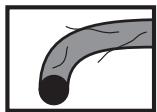
Illustration of a curved pipe or duct with visible cracks and a circular end (no text or symbols)▲Lint
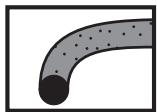
- There may be dirt on the O-ring that you cannot see. Check if there is any dirt by rubbing your finger over the O-ring.
- Be careful not to leave any fibers from the dry cloth on the O-ring when wiping it.
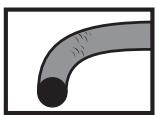
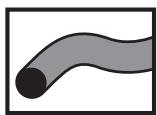
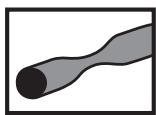
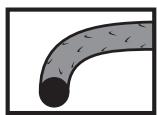
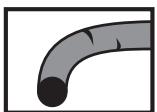
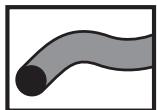
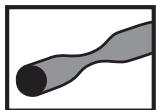
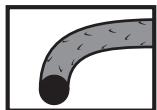
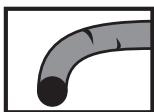
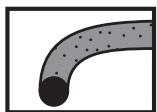
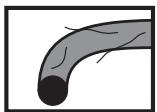
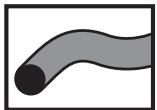
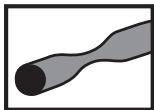
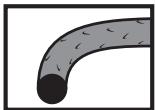
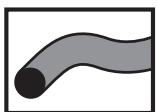
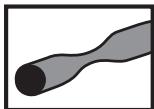
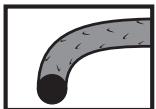
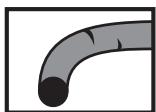
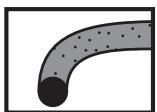
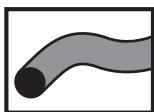
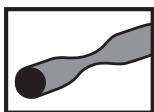
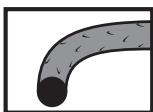
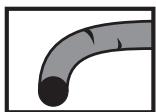
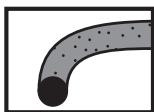
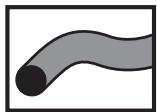
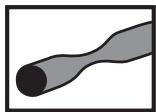
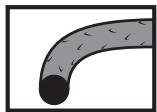
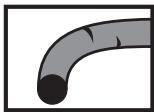
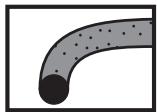
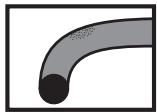
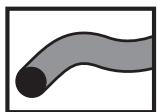
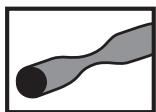
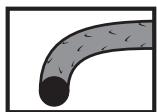
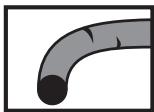
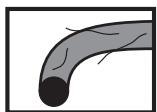
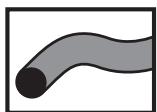
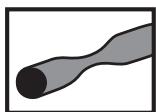
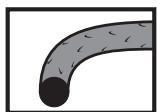
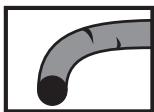
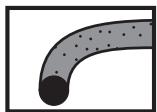
- Check that the O-ring is not ripped, twisted, squashed, frayed or scratched and that there is no sand sticking to it. Replace the O-ring in these cases.
natural_image
Simple illustration of a curved pipe or tube with a circular end (no text or symbols)▲Ripped
natural_image
Simple illustration of a curved pipe or tube with a black end (no text or symbols)▲ Twisted
natural_image
Simple illustration of a curved pipe or tube with a black end (no text or symbols)▲ Squashed
natural_image
Illustration of a curved pipe or duct with internal debris (no text or symbols)▲ Frayed
natural_image
Simple illustration of a curved pipe or tube with a circular end (no text or symbols)▲Scratched
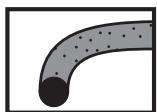
natural_image
Simple illustration of a curved pipe with a circular end and dotted fill (no text or symbols)▲Sand
3 Inspect the O-ring groove.
- Grains of sand or hardened salt crystals may get into the O-ring groove. Remove them carefully with an air spray or a cotton swab. If you use a cotton swab, be careful not to leave any fibers from it in the O-ring groove.
4 Inspect the opposite side of the O-ring in the same way.
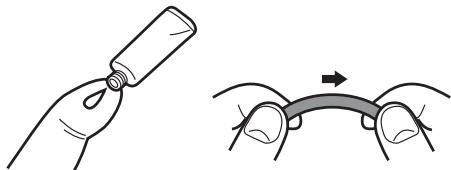
5 Apply the grease (supplied).
natural_image
Illustration showing a hand holding a cylindrical object and a close-up of hands holding a curved object with an arrow indicating motion (no text or symbols)- Apply a rice-grain size of grease (supplied) evenly to the O-ring with the tip of your finger.
- Dirt or dust will stick to the O-ring if you apply too much grease.
- Use only the specified grease. If you use other types of grease, the surface of the O-ring may be damaged causing water leakage.
- Do not apply the grease with paper or a cloth. The fibers from the paper or cloth may stick to the O-ring.
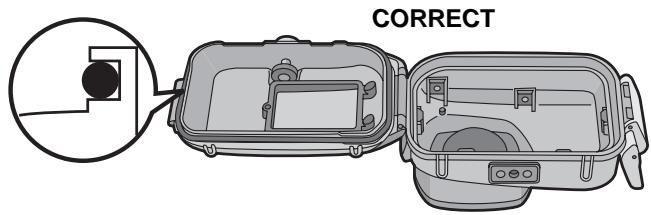
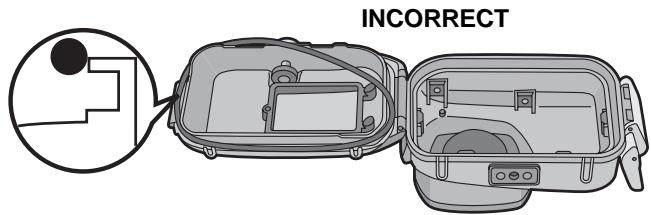
6 Fit the O-ring evenly into the O-ring groove.
Check the following:
- There is no dirt sticking to the O-ring.
● The O-ring has not come out.
● The O-ring is not twisted. - The O-ring is not stretched too much.
7 Inspect the O-ring one last time.
Check the following one more time:
- There is no dirt sticking to the O-ring.
● The O-ring has not come out.
● The O-ring is not twisted.
- There are no scratches or squashed parts on the O-ring.
Thoroughly wipe any grease off your hands with a dry cloth and then wash your hands with water.
8 Close the buckle.
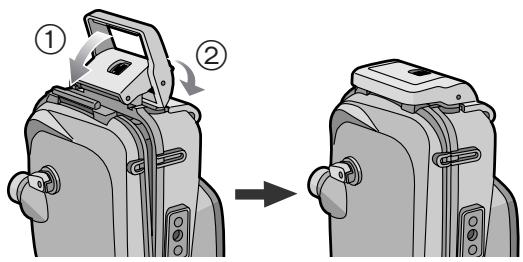
- Check that no foreign materials are sticking to the outer surface of the O-ring or the buckle on the front case and then close the Case.
Notes
- To keep the Case completely airtight, do not scratch the surface of the O-ring that comes into contact with the sides of the Case.
- Never use an O-ring that has been scratched or damaged by dirt etc. This will cause water leakage.
- Each time you use the Case, remove the O-ring and check that there is no dirt, sand, hair or other foreign materials in the O-ring groove and then apply a thin coat of grease (supplied). If you apply too much grease, dirt and the dust may stick to the O-ring causing water leakage.
- Be sure to bring a spare O-ring in case the O-ring that you are using becomes damaged or scratched.
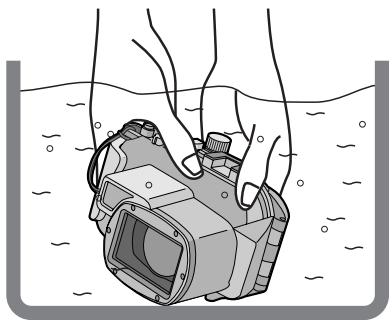
After setting the O-ring, check that no water leaks into the Case by submerging it in a water tank, bath tub etc. for more than about 3 minutes before attaching a digital camera.
- Do not use the Case in water over 40 °C/104 °F. The heat may damage the Case or cause water leakage.
natural_image
Illustration of hands holding a digital camera underwater, no text or symbols presentCarry out the same test after attaching the digital camera to the Case. (P15)
Notes
- If bubbles rise from the Case when it is submerged in water or there is water inside the Case when you take it out the water, there is water leakage. In these cases, consult your dealer.
- If water leaks into the Case while you are using it and the digital camera is submerged in water, remove the battery immediately. Hydrogen gas can cause burning or explosion if there is a fire nearby.
- If you dive quickly while holding the Case or throw the Case from a ship into the sea, some water leakage may occur because of high pressure. This is not a malfunction of the Case. Always dive slowly into the water.
- The Case is designed to be used at a depth of up to 40 m/130 feet. If you dive deeper than 40 m/130 feet, part of the Case may be damaged beyond repair.
- When closing the Case, be careful that no foreign materials get caught between the O-ring and the O-ring groove. Even one strand of hair or one grain of sand can cause water leakage.
Check that the ON/OFF Switch on the camera and the case is set to [OFF], and [REC]/[PLAYBACK] selector switch is set to [☐].
- Remove the strap from the digital camera.
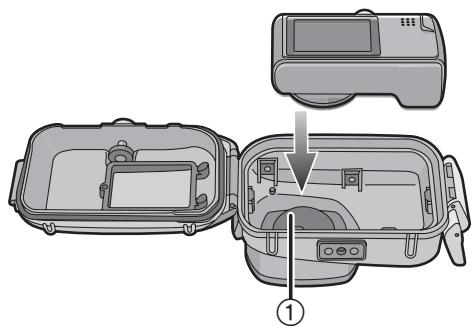
1 Push ② up with your finger while sliding ① to open the buckle.
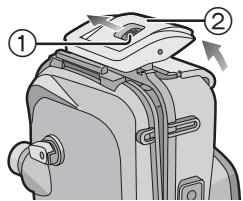
2 Attach the digital camera to the Case.
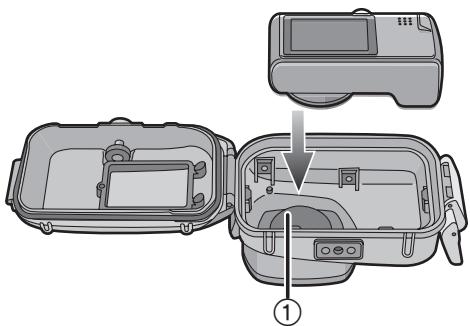
- Be careful not to catch the shading ring ①.
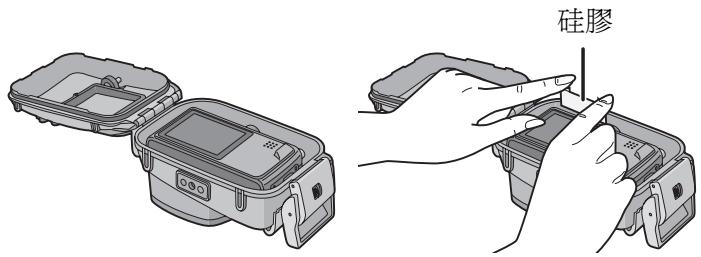
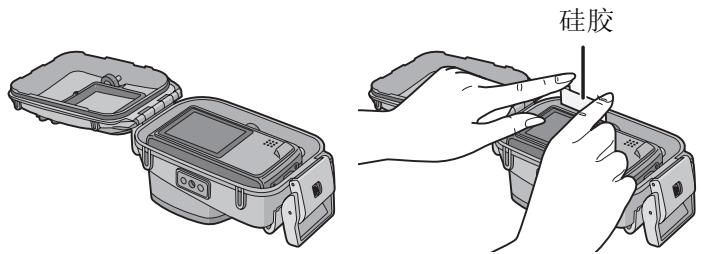
3 Insert the silica gel (supplied).
● Always use new silica gel.
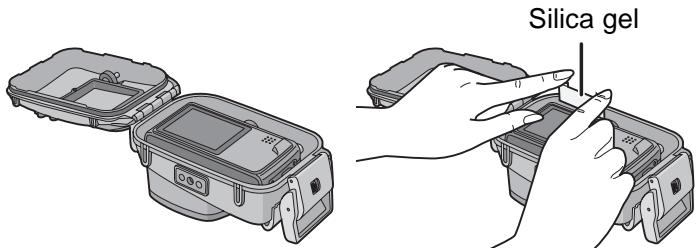
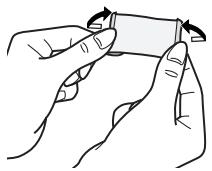
- When inserting the silica gel, bend it as shown in the illustration below and then insert it as far as possible. If you close the Case with the silica gel not fully inserted, the silica gel will get caught in the O-ring causing water leakage.
natural_image
Illustration of two hands holding a small object with a curved arrow indicating rotation (no text or symbols)- If the air temperature is high and the water temperature is low, condensation may appear inside the Case. To prevent condensation, make sure that the silica gel (supplied) does not come into contact with the digital camera lens. To prevent the Case from becoming fogged up, insert the silica gel about 1 to 2 hours before using the Case.
4 Close the buckle.
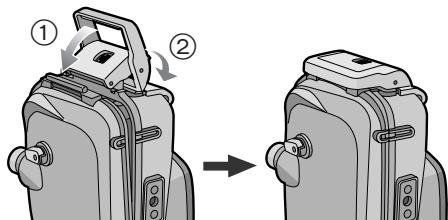
Check that the buckle is closed firmly. Do not insert the strap etc. in the buckle
natural_image
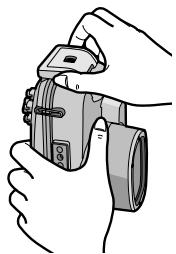
Illustration of hands holding a digital camera (no text or symbols visible)5 After you have attached the digital camera, check one more time that no water leaks into the Case. (P14)
Notes
- Check one more time that the O-ring is fitted evenly into the O-ring groove.
- Avoid opening or closing the Case where there is a lot of sand or dust and in humid or wet places.
- If there is a sudden change in temperature, condensation may appear inside the Case.
- If sunscreen or sun oil sticks to the Case, wash it off immediately with lukewarm water to prevent reduced waterproofness or discoloration.
■ Attaching the weights
About using the weights
Attach the weights to adjust to the preferred buoyancy when using the marine case. Use them as necessary.
Refer to the following about buoyancy underwater.
① If you use the digital camera and the marine case only:
They will float slowly in fresh water or seawater. (Plus buoyancy)
② If you use the digital camera, the marine case and 1 weight:
They will float even more slowly in fresh water or seawater than ①. (Plus buoyancy)
③ If you use the digital camera, the marine case and 2 weights:
They will sink slowly in fresh water or seawater. (Minus buoyancy)
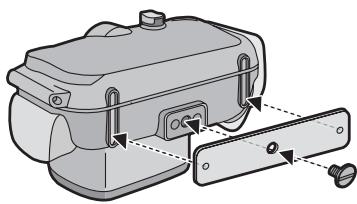
How to attach the weights
natural_image
Diagram of a mechanical device with a lever and adjustment mechanism (no text or symbols)If you use 1 weight, align the protruding part of the weight with the tripod receptacle on the marine case and then use the supplied screw to attach it. If you use 2 weights, align the projecting part of the second weight with the indented part of the first weight so that the weights do not overlap and then attach them to the tripod receptacle.
Note
- To prevent rusting, detach the weights after use, wipe off any salt and then store them.
■ Before taking pictures underwater Check the following before diving.
- Is there sufficient remaining battery power?
- Is there sufficient memory in the card?
- Is the O-ring fitted evenly into the O-ring groove?
● Have you checked that no water leaks into the Case? - Is the buckle closed firmly?
■ Taking pictures
1 Turn the camera on.
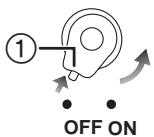
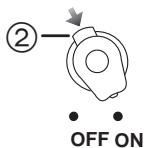
Press ① to release the lock and then set to [ON].
Press ② to lock.

2 Display the scene mode menu and then set [UNDERWATER].
- Read the operating instructions of the digital camera for details.
3 Aim the AF area on the LCD monitor at the subject you want to focus on.
4 Press ◀ ( ⏻/AF-L) to focus.
- Press ◀ ( ⚙/AF-L) again to cancel.
5 Press the shutter button fully to take the picture.
Notes
- Before attaching the camera to the Case, we recommend setting the clock again. (Read the operating instructions of the digital camera for details.)
- If there are any particles floating in front of the camera, it may focus on them instead of the subject.
- If there are drops of water or dirt sticking to the front glass, you may not be able to focus properly. Be sure to wipe the front glass before taking pictures.
When the image is too bluish in the water
① Press ▲ (+) several times until [WB±] appears.
② Press ◀ ( ⏻ AF-L)/▶ (⚡) to adjust the white balance.
③ Press [MENU/SET] to finish.
- You can also press the shutter button halfway to finish.
Select the best picture
Set the flash to [⚡].
Using the auto bracket function (For models with an auto bracket function)
- Each time the shutter button is pressed, 3 pictures with different exposures are automatically recorded. You can select the desired picture from the 3 pictures.
Use Burst mode
- When taking pictures of a fast-moving subject (a fish etc.), you can select your favourite picture after taking the pictures using burst mode.
Note
- For more information, read the operating instructions of the digital camera.
After you have finished taking pictures, follow the steps below.
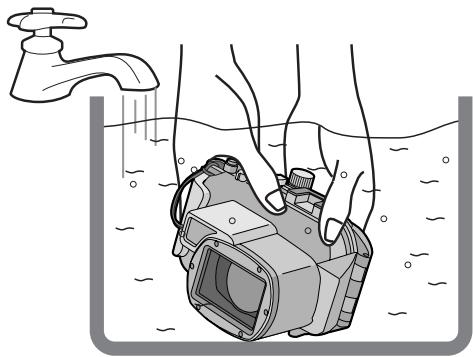
1 Submerge the Case in fresh water for about 30 minutes or more without removing the digital camera to remove any salt crystals etc.
natural_image
Illustration of hands holding a submerged camera in water, with a faucet above (no text or symbols)- Press all the operation buttons etc. on the Case to wash away any seawater. If the salt crystals are not removed from the buttons etc., they will harden and the buttons will become unoperable.
- Do not wash the Case with fast-running or pressurized water etc. as it may cause water leakage.
2 Wipe the water with a dry cloth that has no salt crystals sticking to it and then dry the Case completely.
- Do not dry the Case by exposing it to direct sunlight. This may discolor or damage the Case or may hasten deterioration of the O-ring.
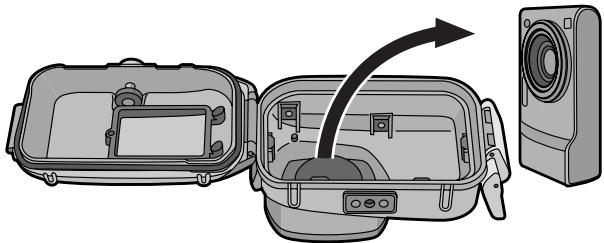
3 Open the rear of the case to remove the digital camera.
natural_image
Diagram of a device's internal components showing a box, camera, and speaker (no text or symbols)4 Remove the O-ring from the Case and check that there is no rubbish etc. in the O-ring groove.
5 Check that there are no scratches etc. on the O-ring while you are applying the grease.
Notes
Be careful when removing the digital camera from the Case so that it does not get wet.
- Remove the camera with clean hands. (Wash your hands with fresh water and then thoroughly dry them.)
- Thoroughly dry any moisture on your body or hair. (Be particularly careful about any water coming from the sleeves of your thermal suit.)
- When the weather or the sea is particularly bad, select a place where the digital camera will not get wet e.g. indoors or where there is a roof overhead.
Cleaning and Storing
1 Wash the outside of the Case with water.
- Wash the outside of the Case until it is clean. (P20)
- Be sure to close the Case and then wash the outside only with water.
- Wipe off any dirt inside the Case with a wet, soft cloth.
Notes
- Do not wash the Case with high-pressure water as it may cause water leakage. Remove the digital camera before washing the Case with water.
- Do not leave the digital camera inside the Case when storing it.
- Store the Case in a cool, well-ventilated place.
Caution for Use
■ Handling of the O-ring
- Do not use alcohol, thinner or a chemical cleaning agent for cleaning the O-ring. Thus will cause damage to, or deterioration of, the O-ring.
-
If you will not be using the Case for a long period of time, remove the O-ring from the O-ring groove, apply a thin coat of grease (supplied), place it in a clean polyester bag and then store it in a cool, dark place to prevent the surface from being damaged. When you use the O-ring again, thoroughly check that it is not scratched or split.
-
Use only the specified grease. If you use other types of grease, the surface of the O-ring may be damaged causing water leakage.
- The O-ring comes into contact with the sides of the Case making the Case waterproof. Do not knock, insert foreign materials (dirt, sand, hair etc.) or scratch the O-ring or sides of the Case.
- Use the tips of your fingers to remove the O-ring. Do not use a pointed object as it may scratch the O-ring.
- After removing the O-ring from the rear case, wipe off any dirt, sand, hair or other foreign materials on it. Also wipe the O-ring groove and the inner sides of the front case which come into contact with the O-ring.
- Never use an O-ring that has been scratched or damaged by dirt etc. This will cause water leakage. Replace it with a new O-ring.
- After replacing an O-ring, not using the Case for a long period of time, opening the Case to attach a digital camera or to replace the battery etc., thoroughly check that the O-ring is not scratched or split. Then, close the Case and check that no water leaks into it by submerging it in a water tank, bath tub etc. for about 3 minutes. (P14)
- O-rings are consumable products. Although the lifespan of O-rings will depend on how well they are maintained, how often they are used and their storage conditions, we recommend replacing them every year even if you cannot see any scratches.
■ About maintenance
- Do not use the chemicals shown below for cleaning, rustproofing, defogging or repair. Using them directly or indirectly (with a chemical spray etc.) on the Case may cause it to crack under high pressure.
| Prohibited chemicals | Cautions |
| Volatile organic solvents/ Chemical cleansers | Do not clean the Case with volatile organic solvents such as alcohol, gasoline or thinner or with chemical cleansers. Clean it with fresh water or lukewarm water. |
| Anti-corrosives | Do not use anti-corrosives as the metal parts of the Case are made from stainless steel or brass. Clean it with fresh water. |
| Anticlouding agents | Do not use commercially available anticlouding agents. Be sure to use the silica gel indicated in these operating instructions. |
| Adhesives | Do not use adhesives for repair. If the Case needs to be repaired, consult your dealer. |
- If grease sticks to the digital camera, wipe it off with a soft, dry cloth.
- When wiping the inside of the Case, only use a soft, dry cloth. Wipe the inside of the front glass with a soft, dry cloth before and after use to keep the glass clear.
■ About storage and inspection after use
● Always take the digital camera out of the Case.
● Make sure that no dirt or dust is stuck to the O-ring.
- Thoroughly dry the Case at room temperature and then store it in a cool, dark place.
- We recommend that the Case be inspected about 3 years after purchase. This inspection involves dismantling and cleaning the Case, inspecting all the parts and repairing them if necessary and checking the waterproofness of the Case using the same hydrostatic test equipment that was used to check the waterproofness before purchase. The customer is responsible for all transportation costs.
- Do not dismantle any parts or use any accessories not specified in these operating instructions and do not alter the Case. If the Case does not work properly, consult your dealer.
Specifications
| Compatible model: | DMC-TZ5/DMC-TZ15/DMC-TZ4/DMC-TZ11(As of March 2008*) |
| Mass (Weight): | Approx. 434 g/15 1/4 oz |
| Dimensions: | Approx. 150 mm (W)×94 mm (H)×93 mm (D)[5 15/16" (W)×3 3/4" (H)×3 11/16" (D)](excluding the projecting parts) |
| Material: | Polycarbonate |
| Waterproof construction: | O-ring sealing |
| Water resistant depth: | 40 m/130 feet |
* Refer to the operating instructions, catalogue, website etc. of the digital camera for the latest information on models that can be used.
Panasonic Consumer Electronics Company, Division of Panasonic Corporation of North America
One Panasonic Way, Secaucus, NJ 07094
Panasonic Puerto Rico, Inc.
Ave. 65 de Infantería, Km. 9.5, San Gabriel Industrial Park, Carolina, Puerto Rico 00985
Panasonic Canada Inc.
5770 Ambler Drive, Mississauga, Ontario, L4W 2T3
© Panasonic Corporation 2008
natural_image
Illustration of a medical device with a coiled tube attached to a container (no text or symbols visible)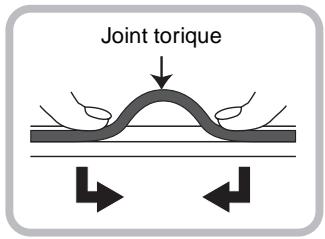
■ Nota
natural_image
Simple illustration of a curved pipe with black circular marks indicating points (no text or symbols)▲ Saleté
natural_image
Simple curved pipe or elbow joint diagram with no text or symbols▲ Sable
natural_image
Abstract curved shape with a shaded gray band and black circular element, enclosed in a square frame (no text or symbols)▲Cheveux
natural_image
Illustration of a curved pipe with a circular opening, showing internal texture and motion (no text or symbols)▲ Poussière
natural_image
Simple illustration of a curved pipe with a black end and scattered white dots, no text or symbols present.▲Cristaux de sel
natural_image
Illustration of a curved pipe or duct with a circular end, no text or symbols present▲ Fils de tissu
natural_image
Simple illustration of a curved pipe or duct with a circular end, no text or symbols present.▲ Fissures
natural_image
Simple illustration of a curved pipe or tube with a black end (no text or symbols)▲ Distorsions
natural_image
Simple illustration of a curved pipe or tube with a central circular opening, no text or symbols present.▲ Écrasements
natural_image
Illustration of a curved pipe with embedded particles (no text or symbols)▲ Écaillements
natural_image
Simple illustration of a curved pipe or tube with a circular end (no text or symbols)▲Rayures
natural_image
Simple illustration of a curved pipe with a circular end and dotted fill (no text or symbols)▲ Dépôts de sable
natural_image
Illustration showing a hand holding a cylindrical object and a close-up of a curved cable with an arrow indicating motion (no text or symbols)natural_image
Illustration of hands holding a digital camera underwater, no text or symbols present
natural_image
Illustration of two hands holding a small object with a curved arrow indicating rotation (no text or symbols)natural_image
Illustration of hands holding a DSLR camera (no text or symbols visible)natural_image
Diagram of a mechanical device with a lever and adjustment mechanism (no text or symbols)natural_image
Illustration of hands cleaning a submerged camera device in water (no text or symbols)natural_image
Illustration of a device's open case with a camera module and a speaker unit, showing no text or symbols.Panasonic Canada Inc.
5770 Ambler Drive,
Mississauga, Ontario
L4W 2T3
(905) 624-5010
www.panasonic.ca
© Panasonic Corporation 2008
Imprimé au Japon
Inhalt
natural_image
Illustration of a medical device with a coiled tube attached to a box (no text or symbols visible)natural_image
Simple illustration of a curved pipe with black circular marks indicating points (no text or symbols)▲ Schmutz
natural_image
Simple curved pipe diagram with a circular end (no text or symbols)▲ Sand
natural_image
Abstract curved shape with shaded bands and a central circle, no text or symbols present▲Haare
natural_image
Illustration of a curved pipe with a circular end, showing internal texture and minor fluctuations (no text or symbols)▲ Staub
natural_image
Simple illustration of a curved pipe with a black end and white dots on the surface (no text or symbols)▲ Salzkristalle
natural_image
Illustration of a curved pipe or tube with a circular end, no text or symbols present▲Fusseln
natural_image
Simple illustration of a curved pipe or duct with a circular end (no text or symbols)▲ Risse
natural_image
Simple illustration of a curved pipe or tube with a black end (no text or symbols)▲ Verdrehung
natural_image
Simple illustration of a curved pipe or tube with a central circular opening, no text or symbols present.▲ Quetschung
natural_image
Simple illustration of a curved pipe with internal particles (no text or symbols)▲ Abblättern
natural_image
Simple illustration of a curved pipe or tube with a black circular end (no text or symbols)▲ Kratzer
natural_image
Simple illustration of a curved pipe with a circular end and dotted fill (no text or symbols)▲ Staub,
anhaftender Sand
natural_image
Illustration showing a hand holding a cylindrical object and a curved pipe with an arrow indicating motion (no text or symbols)natural_image
Illustration of hands holding a camera underwater, no text or symbols present
natural_image
Diagram of a device's internal components, showing open and closed compartments with no visible text or symbolsnatural_image
Line drawing of two hands holding a small object with a curved arrow indicating rotation (no text or symbols)natural_image
Illustration of hands holding a DSLR camera (no text or symbols visible)natural_image
Technical illustration of a mechanical device with a handle and mounting bracket (no text or symbols)natural_image
Illustration of hands cleaning a submerged camera under a faucet (no text or symbols)natural_image
Diagram of a device interior showing a box with internal components and a speaker unit (no text or symbols)natural_image
Illustration of a medical device with a coiled tube and attached tubing (no text or symbols)natural_image
Simple illustration of a curved pipe with black circular marks indicating points (no text or symbols)▲ Suciedad
natural_image
Simple curved pipe or elbow joint diagram with no text or symbols▲ Arena
natural_image
Abstract curved shape with shaded bands and a black circular end (no text or symbols)▲Pelo
natural_image
Illustration of a curved pipe with a circular end, showing internal texture and minor fluctuations (no text or symbols)▲Polvo
natural_image
Simple illustration of a curved pipe with a black end and white dots on the surface (no text or symbols)▲Sal
natural_image
Illustration of a curved pipe or tube with a circular end, no text or symbols present▲Hilas
natural_image
Simple illustration of a curved pipe or duct with no text or symbols▲Hendedura
natural_image
Simple illustration of a curved pipe or tube with a black end (no text or symbols)▲Distorsión
natural_image
Simple illustration of a curved pipe or tube with a black end (no text or symbols)▲Aplastamiento
natural_image
Simple illustration of a curved pipe or tube with internal particles (no text or symbols)▲ Peladura
natural_image
Simple illustration of a curved pipe or tube with a circular end (no text or symbols)▲ Arañazo
natural_image
Simple illustration of a curved pipe with a circular end and dotted fill (no text or symbols)▲ Arena pegada
3 Controle la ranura del anillo tórico.
natural_image
Illustration showing a hand holding a cylindrical object and a close-up of a curved pipe with an arrow indicating motion (no text or symbols)natural_image
Diagram of two open safety gear compartments with a close-up view of the first compartment (no text or symbols)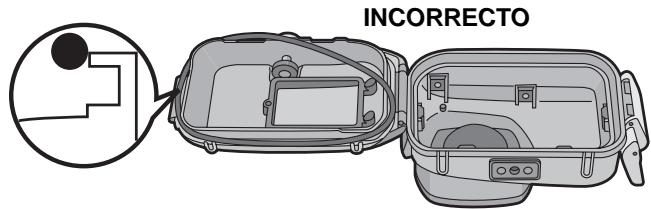
natural_image
Illustration of hands holding a submerged camera in water (no text or symbols)natural_image
Line drawing of two hands holding a rectangular object with a curved arrow indicating rotation (no text or symbols)natural_image
Illustration of hands holding a camera with adjustment knobs (no text or symbols)natural_image
Technical illustration of a mechanical device with a lever and adjustment knob (no text or symbols)natural_image
Illustration of hands cleaning a submerged camera in water, with a faucet above (no text or symbols)natural_image
Diagram of a device housing with an arrow indicating direction, showing internal components and a speaker unit (no text or symbols present)natural_image
Illustration of a medical device with tubing and connector (no text or symbols)2 Controllare l'O-ring.
natural_image
Simple illustration of a curved pipe with black circular marks indicating points (no text or symbols)▲ Sporcizia
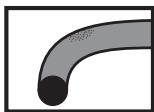
natural_image
Simple curved pipe or elbow joint diagram with no text or symbols▲Sabbia

natural_image
Abstract curved shape with shaded gradient and black circular element, no text or symbols present▲ Capelli
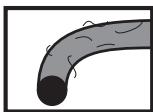
natural_image
Illustration of a curved pipe with a circular end and internal markings (no text or symbols)▲Polvere
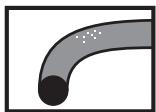
natural_image
Simple illustration of a curved pipe with a black circular end and scattered white dots (no text or symbols)▲Cristalli di sale
natural_image
Illustration of a curved pipe or tube with a black circular end (no text or symbols)▲ Fili di tessuto
natural_image
Simple illustration of a curved pipe or duct with a circular end (no text or symbols)▲Fessure
natural_image
Simple illustration of a curved pipe or tube with a circular end (no text or symbols)▲Distorsioni
natural_image
Simple illustration of a curved pipe or tube with a central circular opening, no text or symbols present.▲ Schiacciamenti
natural_image
Illustration of a curved pipe with internal particles (no text or symbols)▲ Spellature
natural_image
Simple illustration of a curved pipe or tube with a circular end (no text or symbols)▲ Graffi
natural_image
Simple illustration of a curved pipe with a circular end and dotted fill (no text or symbols)natural_image
Illustration showing a hand holding a cylindrical object and a close-up of a curved pipe with an arrow indicating motion (no text or symbols)natural_image
Diagram of a two-part mechanical device with an open lid and internal compartments, showing no text or symbols.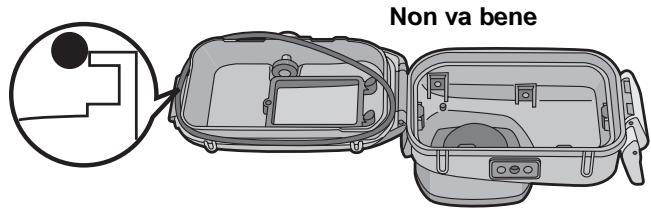
natural_image
Illustration of hands holding a camera underwater, creating ripples (no text or symbols)natural_image
Illustration of two hands holding a small object with a curved arrow indicating rotation (no text or symbols)natural_image
Illustration of a hand holding a DSLR camera with no visible text or symbolsnatural_image
Diagram of a device with a lock and adjustment lever, no text or symbols presentnatural_image
Illustration of hands holding a submerged camera in water, with a faucet above (no text or symbols)natural_image
Diagram of a device housing with an arrow indicating direction, showing internal components and a speaker unit (no text or symbols present)natural_image
Illustration of a medical device with a coiled tube and attached tubing (no text or symbols)natural_image
Simple illustration of a curved pipe with black circular marks indicating points (no text or symbols)▲ 髓物
natural_image
Simple illustration of a curved pipe or duct with a circular end (no text or symbols)▲ 砂粒
natural_image
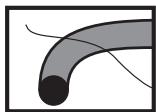
Abstract curved line drawing with shaded segments and a central circular element (no text or symbols)▲毛髮
natural_image
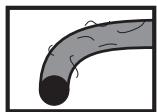
Illustration of a curved pipe with internal markings (no text or symbols)▲ 灰塵
natural_image
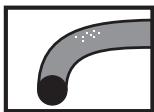
Simple illustration of a curved pipe with a black end and dotted markings (no text or symbols)▲鹽粒
natural_image
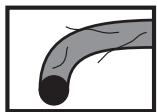
Illustration of a curved pipe or tube with a black circular end (no text or symbols)▲ 棉絨
natural_image
Simple illustration of a curved pipe or tube with a circular end (no text or symbols)▲ 裂紋
natural_image
Simple illustration of a curved pipe or tube with a black end (no text or symbols)▲ 扭曲
natural_image
Simple illustration of a curved pipe or tube with a black end (no text or symbols)▲ 擠壓
natural_image
Illustration of a curved pipe with embedded particles (no text or symbols)▲ 剝落
natural_image
Simple illustration of a curved pipe or tube with a black circular end (no text or symbols)▲ 擦傷
natural_image
Simple illustration of a curved pipe with dotted fill (no text or symbols)▲ 沾附砂粒
3 檢查 0 形環槽。
natural_image
Illustration showing a hand holding a cylindrical object and a close-up of a curved pipe with an arrow indicating motion (no text or symbols)natural_image
Illustration of hands holding a camera underwater, no text or symbols present2 將數位相機裝入盒子。
- 請小心不要碰到遮蔽環 ①。
3 插入硅膠(提供)。
- 要一直使用新硅膠。
natural_image
Illustration of two hands holding a small object with a curved arrow indicating rotation (no text or symbols)natural_image
Illustration of hands holding a DSLR camera (no text or symbols visible)natural_image
Diagram of a mechanical device with a lever and adjustment mechanism (no text or symbols)natural_image
Illustration of hands holding a submerged camera device in water, with a faucet above (no text or symbols)natural_image
Diagram of a device housing with an arrow indicating direction, showing internal components and a speaker unit (no text or symbols present)natural_image
Illustration of a cable being inserted into a device (no text or symbols visible)natural_image
Simple illustration of a curved pipe with black circular marks indicating points (no text or symbols)▲ 脏物
natural_image
Simple curved pipe diagram with a black circular end (no text or symbols)▲ 沙粒
natural_image
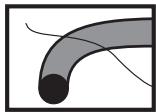
Abstract curved line drawing with shaded bands and a black circular end (no text or symbols)▲毛发
natural_image
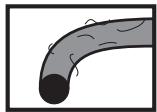
Illustration of a curved pipe with internal flow lines (no text or symbols)▲ 灰尘
natural_image
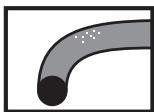
Simple illustration of a curved pipe with a black end and scattered white dots, no text or symbols present.▲ 盐粒
natural_image
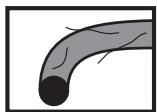
Illustration of a curved pipe or tube with a black circular end (no text or symbols)▲ 棉绒
natural_image
Simple illustration of a curved pipe or tube with a circular end (no text or symbols)▲裂纹
natural_image
Simple illustration of a curved pipe or tube with a black end (no text or symbols)▲扭曲
natural_image
Simple illustration of a curved pipe or tube with a black end (no text or symbols)▲ 挤压
natural_image
Illustration of a curved pipe with internal particles (no text or symbols)▲ 剥落
natural_image
Simple illustration of a curved pipe or tube with a circular end (no text or symbols)▲ 擦伤
natural_image
Simple illustration of a curved pipe with a circular end and dotted fill (no text or symbols)▲ 粘附沙粒
3 检查 o 形环槽。
natural_image
Illustration showing a hand holding a cylindrical object and a curved pipe with an arrow indicating motion (no text or symbols)natural_image
Illustration of hands holding a camera underwater with bubbles rising (no text or symbols)2 将数码相机装入盒子。
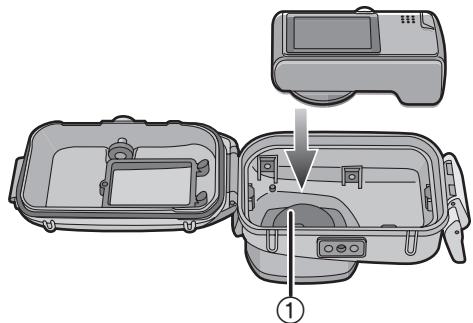
- 请小心不要碰到遮蔽环①。
3 插入硅胶(附件)。
- 要一直使用新硅胶。
natural_image
Illustration of two hands holding a rectangular object with a curved arrow indicating rotation (no text or symbols)natural_image
Illustration of hands holding a DSLR camera (no text or symbols visible)natural_image
Technical illustration of a mechanical device with a lever and adjustment mechanism (no text or symbols)natural_image
Illustration of hands holding a submerged camera device in water, with a faucet above (no text or symbols)natural_image
Diagram of a device housing with an arrow indicating direction, showing internal components and a speaker unit (no text or symbols present)natural_image
Illustration of a medical device with a coiled tube attached to its side (no text or symbols visible)natural_image
Line drawing of hands holding a digital camera module (no text or symbols)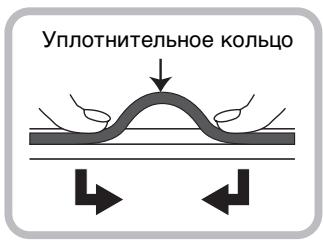
natural_image
Simple illustration of a curved pipe with black circular marks indicating points (no text or symbols)▲Грязь
natural_image
Simple curved pipe diagram with a circular end (no text or symbols)▲Песок
natural_image
Abstract curved line drawing with shaded segments and a central circle (no text or symbols)▲Волосы
natural_image
Illustration of a curved pipe with visible cracks and texture (no text or symbols)▲Пыль
natural_image
Simple illustration of a curved pipe with a circular end (no text or symbols)▲Кристалл соли
natural_image
Illustration of a curved pipe or duct with visible internal structure (no text or symbols)▲Bopc
natural_image
Simple illustration of a curved pipe or tube with a circular end (no text or symbols)▲Разрыв
natural_image
Simple illustration of a curved pipe or tube with a black end (no text or symbols)▲Искривление
natural_image
Simple illustration of a curved pipe or tube with a central circular opening, no text or symbols present.▲ Сдавливание
natural_image
Illustration of a curved pipe with embedded particles (no text or symbols)▲Шелушение
natural_image
Simple illustration of a curved pipe or tube with a circular end (no text or symbols)▲Царапина
natural_image
Simple illustration of a curved pipe with a circular end and dotted fill (no text or symbols)natural_image
Illustration showing a hand holding a cylindrical object and a curved pipe with an arrow indicating motion (no text or symbols)natural_image
Diagram of a two-part mechanical device with internal compartments and a close-up view of the interior (no text or symbols)natural_image
Illustration of hands holding a camera underwater, creating ripples (no text or symbols)natural_image
Line drawing of two hands holding a rectangular object with a curved arrow indicating rotation (no text or symbols)natural_image
Illustration of hands holding a DSLR camera (no text or symbols visible)natural_image
Diagram of a mechanical device with a lever and adjustment knob (no text or symbols)natural_image
Illustration of hands holding a camera underwater with a faucet, no text or symbols presentnatural_image
Diagram of a device's internal components showing a camera module being opened and then placed on a speaker tower (no text or symbols present)- ■ About handling this Case
- ■ Using the Case in high or low temperatures
- ■ About preparation
- ■ How the O-ring keeps the Case waterproof
- Loosen the O-ring with your fingers to remove it.
- Note
- Check the O-ring.
- Inspect the O-ring groove.
- Inspect the O-ring one last time.
- Close the buckle.
- Notes
- After setting the O-ring, check that no water leaks into the Case by submerging it in a water tank, bath tub etc. for more than about 3 minutes before attaching a digital camera.
- Carry out the same test after attaching the digital camera to the Case. (P15)
- Close the buckle.
- ■ Attaching the weights
- About using the weights
- ■ Before taking pictures underwater Check the following before diving.
- ■ Taking pictures
- Turn the camera on.
- Display the scene mode menu and then set [UNDERWATER].
- Aim the AF area on the LCD monitor at the subject you want to focus on.
- Press ◀ ( ⏻/AF-L) to focus.
- Press the shutter button fully to take the picture.
- When the image is too bluish in the water
- Select the best picture
- Set the flash to [⚡].
- Cleaning and Storing
- Caution for Use
- ■ About maintenance
- ■ About storage and inspection after use
- ■ Nota
- Inhalt
- Controle la ranura del anillo tórico.
- Controllare l'O-ring.
- 檢查 0 形環槽。
- 检查 o 形环槽。
Brand : PANASONIC
Model : DMW-MCTZ5
Category : Photo Accessories