
7009074 - Flat Screen Mount Acme United - Free user manual and instructions
Find the device manual for free 7009074 Acme United in PDF.


| Product Type | Flat Screen Mount |
| Brand | Acme United |
| Model | 7009074 |
| Compatible Screen Sizes | 26 to 55 inches |
| VESA Compatibility | 200x200, 300x300, 400x400 mm |
| Maximum Weight Capacity | 50 kg (110 lbs) |
| Material | Steel |
| Tilt Range | -5° to +15° |
| Swivel Range | ±60° |
| Rotation | 360° |
| Distance from Wall | 1.5 to 2.5 inches |
| Installation | Wall mount with included hardware |
| Power Supply | None (passive) |
| Cleaning Instructions | Wipe with a dry cloth; avoid solvents |
| Safety Warning | Ensure wall can support weight; use safety cable |
| Spare Parts | Contact Acme United customer service |
| Reparability | Not user-serviceable; seek professional help |
| Warranty | 1 year limited |
| Packaging Contents | Mount, hardware kit, manual |
Frequently Asked Questions - 7009074 Acme United
User questions about 7009074 Acme United
0 question about this device. Answer the ones you know or ask your own.
Ask a new question about this device
Download the instructions for your Flat Screen Mount in PDF format for free! Find your manual 7009074 - Acme United and take your electronic device back in hand. On this page are published all the documents necessary for the use of your device. 7009074 by Acme United.
USER MANUAL 7009074 Acme United
Universal Wall Bracket

GB 4 Installation Instruction 100 Warranty card
LT 12 Montavimo instrukcija 101 Garantinis lapas
Unpacking instructions
- Carefully open the carton, remove contents and lay out on cardboard or other protective surface to avoid damage.
- Check package contents against the Supplied Parts List in the next page to assure that all components were received undamaged. Do not use damaged or defective parts.
- Carefully read all instructions before attempting installation.
Important safety information
Install and operate this device with care. Please read this instruction before beginning the installation, and carefully follow all instructions contained herein. Use proper safety equipment during installation.
Please call a qualified installation contractor for help if you:
- If you don't understand these directions or have any doubts about the safety of the installation.
- If you are uncertain about the nature of your wall, consult a qualified installation contractor.
Do not use this product for any purpose or in any configuration not explicitly specified in this instruction. We hereby disclaim any and all liability for injury or damage arising from incorrect assembly, incorrect mounting, or incorrect use of this product.
 WARNING WARNING | This TV mount must be securely attached to the vertical wall. If the mount is not properly installed it may fall, resulting in possible injury and/or damage. | ||
| Tools Required | 5/32"(4mm) Drill BitScrewdriver | 3/8"(10mm) Masonry BitStud Finder | Wrench or Socket SetCarpenter's Level |
Note: The mounting components and hardware supplied in this package are not designed for installations to walls with steel studs or to cinder block walls. If the hardware you need for your installation is not included, please consult your local hardware store for proper mounting hardware for the application.
GB
Supplied parts list
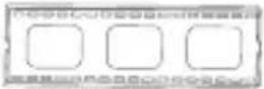 |  |  | 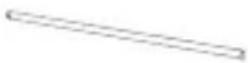 |
| (1)Wall Plate-a | (2)Monitor Bracket-b | (4)Small Added Hook-c | (1)Locking Bar-d |
 |  |  |  |
| (4)M4x12 Bolt-e | (4)M5x12 Bolt-f | (4)M6x12 Bolt-g | (4)M8x16 Bolt-h |
 |  | 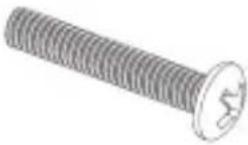 |  |
| (4)M4x30 Bolt-i | (4)M5x30 Bolt-j | (4)M6x35 Bolt-x | (4)M8x40 Bolt-H |
 |  |  |  |
| (4)M4 Lock Washer-m | (4)M5 Lock Washer-n | (4)M6 Lock Washer-o | (4)M8 Lock Washer-p |
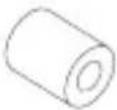 | 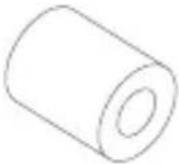 |  |  |
| (4)M4/M5 Space-q | (4)M6/M8 Space-r | (8)M4/M5 Washer-s | (4)M6/M8 Washer-t |
 |  | 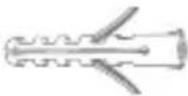 | 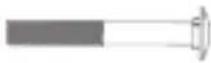 |
| (6)Lag Bolt-u | (6)Lag Bolt Washer-v | (6)Concrete Anchor-w | (4)Carriage Bolt-x |
Mounting the monitor brackets to a TV with flat back
First of all, make sure the diameter of the Bolt(e,f,g,h) your TV requires. Once you have determined the correct diameter, please see the relative diagram as below. You will thread the Bolt into the TV using the correct Lock Washer(m,n,o,p) and Washer(s,t). Please make sure the Monitor Brackets(b,c) are vertically centered and level with each other.
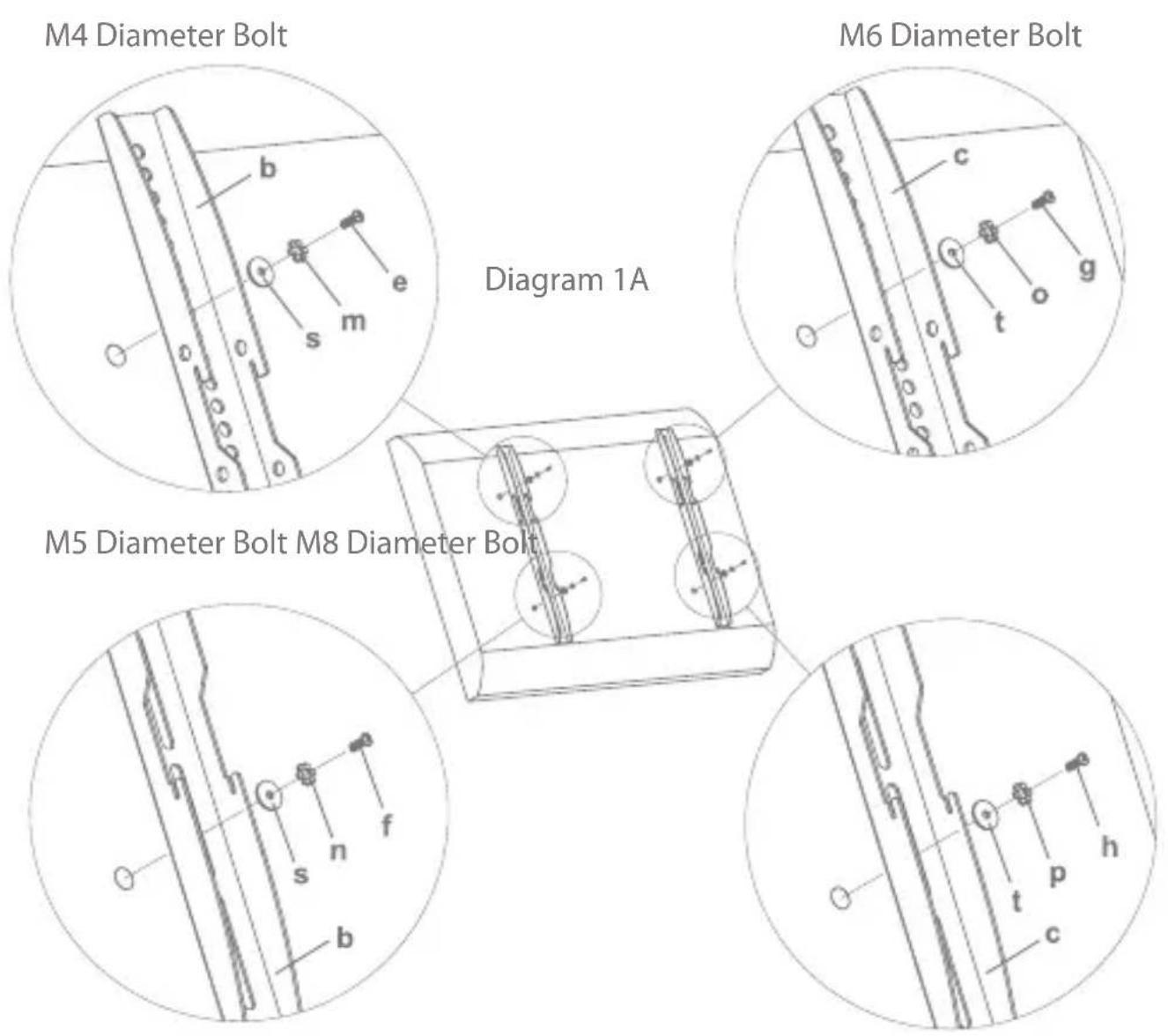
GB
Mounting the monitor brackets to a TV with curved back
First of all, make sure the diameter of the Bolt(i,j,k,l) your TV requires. Once you have determined the correct diameter, please see the relative diagram as below. You will thread the Bolt into the TV using the correct Lock Washer(m,n,o,p), Washer(s,t) and spacer(q,r). For the M4 or M5 diameter bolt, you will need another M4/M5 Washer between the Monitor Bracket and the Spacer. Please make sure the Monitor Brackets are vertically centered and level with each other.
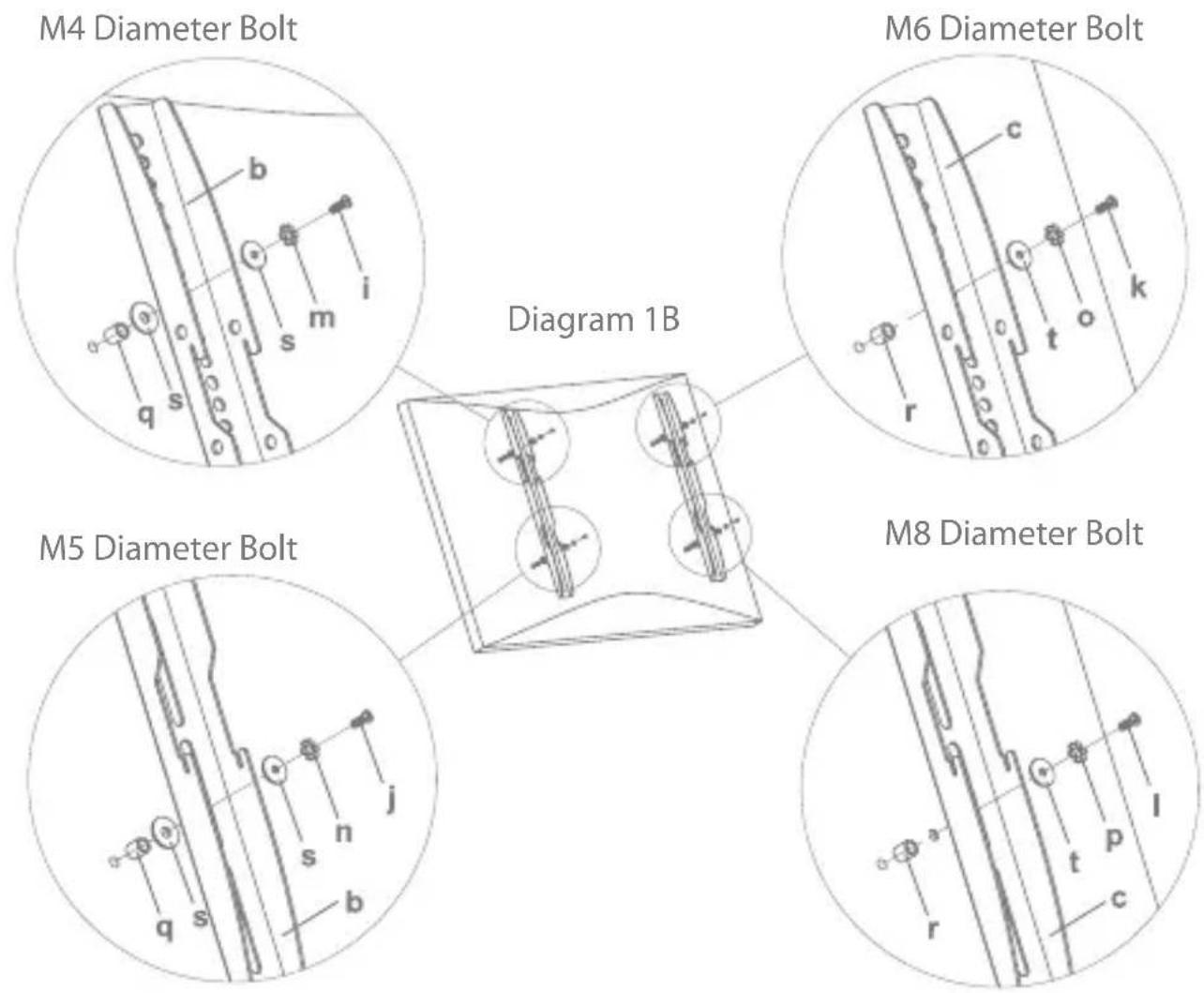
Mounting the wall plate to the wall
Brick, Solid Concrete and Concrete Block mounting:
Use the Wall Plate(a) as a template to mark 6 hole locations on the wall. Three in the top row of slots and three more in the bottom row. Make sure these holes are level and there is at least 6"(150mm) distance between any two holes. Pre-Drill these holes with a 3/8"(10mm) masonry bit to at least 2.4"(60mm) in depth. Insert a Concrete Anchor(w) into each of these holes. Make sure the anchor is seated completely flush with the concrete surface even if there is a layer of drywall or other material in front. Attach the Wall Plate to the wall using 6pcs Lag Bolts(u) and 6pcs Lag Bolt Washers(v), shown in Diagram 2A.
Wood Stud mounting:
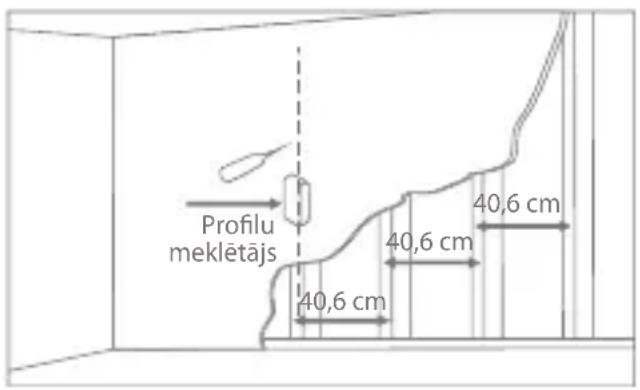
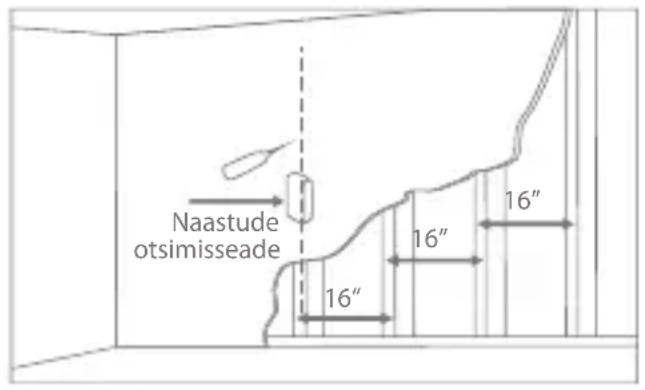
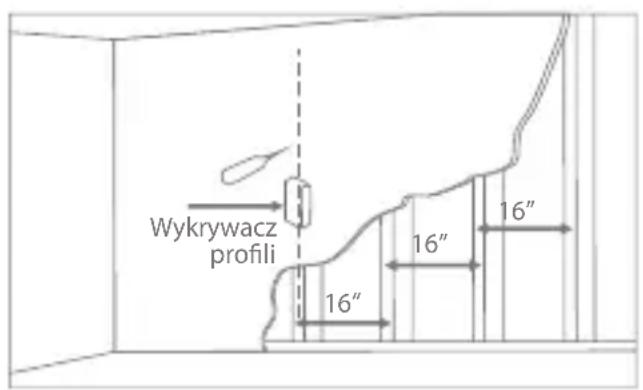
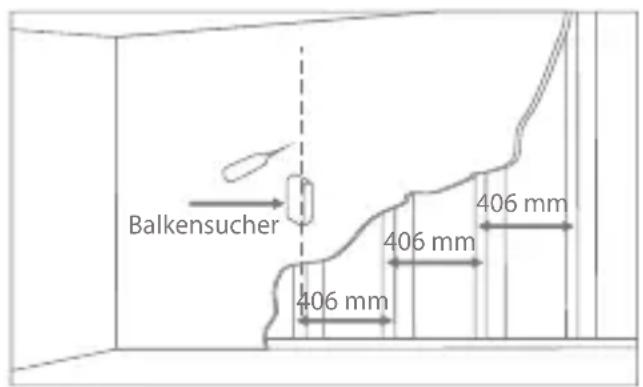
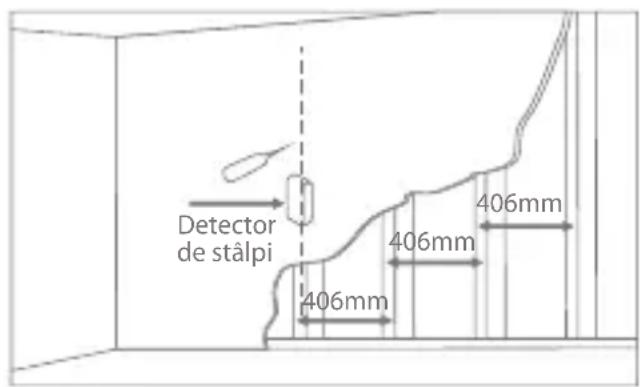
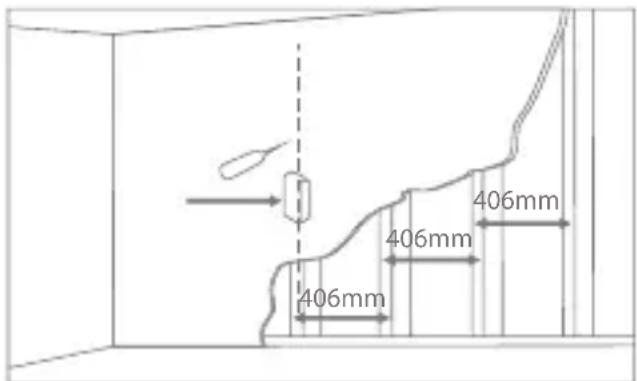
The Wall Plate(a) must be mounted to two wood studs at least 16"(406mm) apart. Use a stud finder to locate two adjacent studs. It is a good idea to verify where the studs are located with an awl or thin nail shown in Diagram 2B. Pre-drill a 2.4"(60mm) deep hole at the desired height in each stud using a 5/32"(4mm) drill bit. Make sure these holes are in the center area of the studs and level with each other. Use the Wall Plate as a template to mark the location of the second hole in each stud. Drill 2.4"(60mm) deep holes using the 5/32"(4mm) drill bit in the marked locations. Attach the Wall Plate to the wall using the 4pcs Lag Bolts(u) and 4pcs Lag Bolt Washers(v).

GB
Choose Mounting Position in plat or minus 5 degree
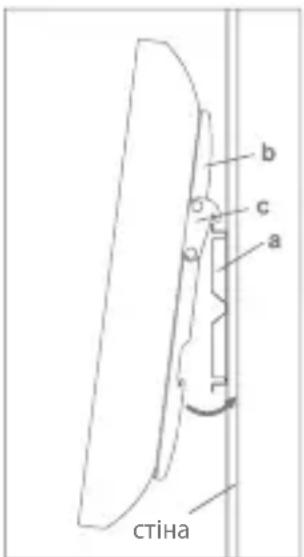
You can mount your television in either of two positions: flat or at a minus 5 degree downward tilt. To mount the television flat to the wall use only the Monitor Brackets(b). To mount the television in the minus 5 degree tilt position you must first add two Small Added Hook(d) to each Monitor Bracket with two Carriage Bolts(x) and two Nuts(y) as shown in Diagram 3.
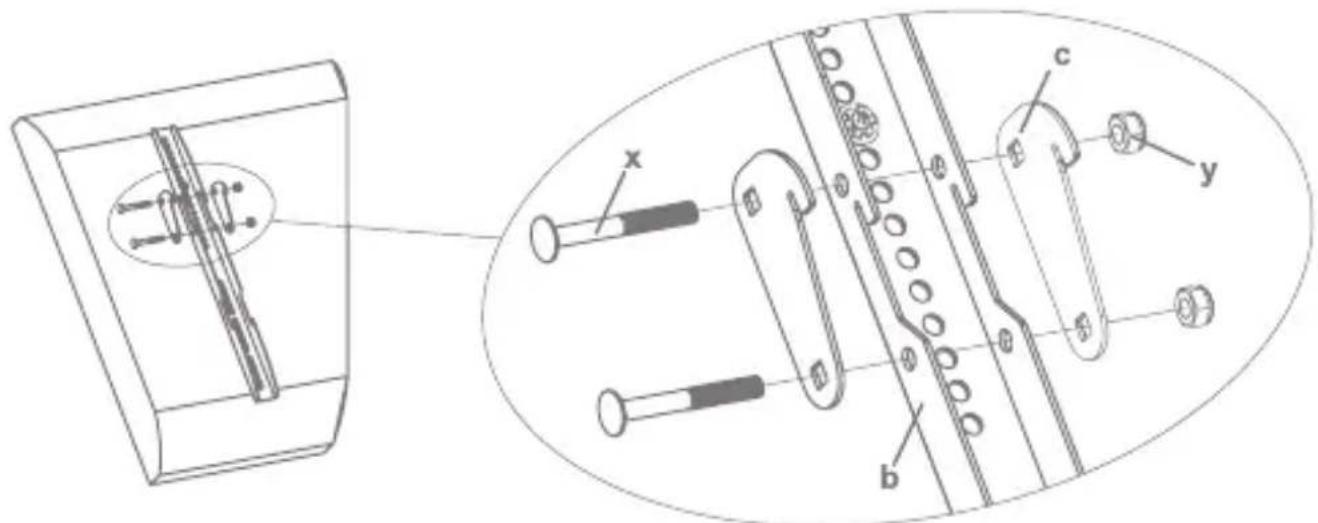
Diagram 3
Attaching Monitor to Wall Plate and Insert the Locking Bar
Warning: Some TVs may require two people to lift! We are not responsible for personal injury or product damage.
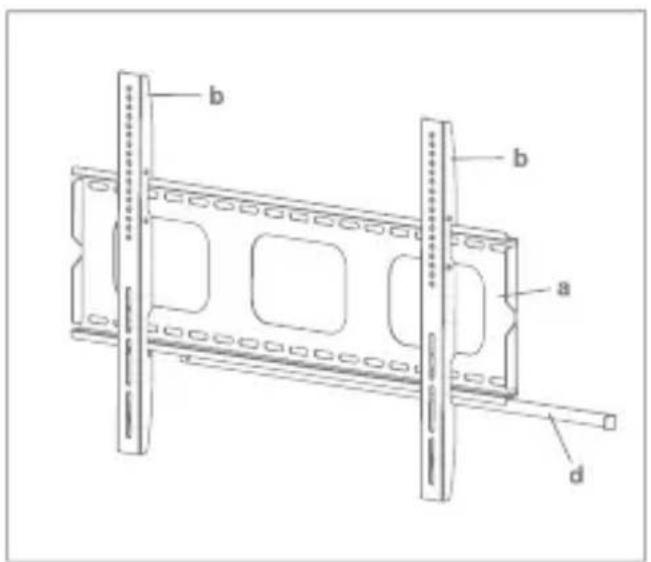
First hook the Monitor Brackets(b) over the top of the wall Plate(a), then let the bottom of the Monitor Brackets rotate to the bottom of the Wall Plate. This process is shown with the flat mount option in Diagram 4A, and with the minus 5 degree tilt option in Diagram 4B. Insert the Locking Bar(d) into the slots in the bottom of the Monitor Brackets so that is sits behind the bottom tab on the Wall Plate. Once the Locking Bar passes out from the other side of wall plate, a padlock can be added for additional security. Details see Diagram 4C.
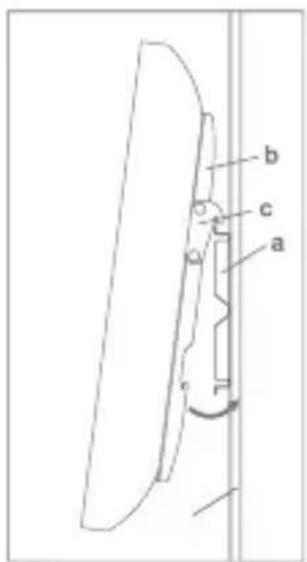
Thanks for choosing our products, enjoy the using.
LT

3 schema
LV
Attēls 3
EE
Diagramm 3
Monitori kinnitamine seinaplaadile
PL
Rysunek 3
DE
Abbildung 3

FI
Kaavio 3

SE
Diagram 3
RO
Diagram 3
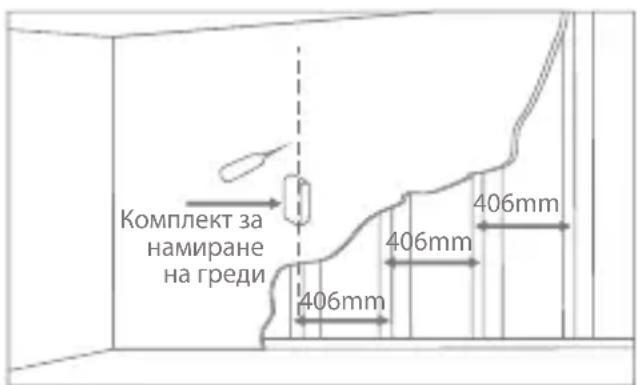
Схема 3

RU
UA
| Product Product model | |
| Product purchase date Seller name, address | |
| Failures (date, description, position of the person who accepts the product, first name, last name and signature) | |
1. Warranty period
Warranty enters into force starting with the day when the buyer acquires the product from the seller. Warranty period is indicated on the package of the product.
2. Warranty conditions
The warranty is valid only by providing an original document of the product acquisition and this warranty sheet, which includes name of the product model, product purchase date, name and address of the seller.
If it is noticed during the warranty period that the product has faults and these faults where not caused by any of the reasons when the warranty is not applied as indicated in the paragraphs below, manufacturer undertakes to replace the product.
The warranty is not applied to regular testing, maintenance and repair or replacement of the parts which are worn out naturally.
The warranty is not applied if damage or failures occurred due to the following reasons:
- Inappropriate installation of the product, inappropriate usage and/or open product without following the manual, technical requirements and safety standards as provided by the manufacturer, and additionally, inappropriate warehousing, falling from heights as well as hard strikes.
• Corrosion, mud, water and sand. - Repair works, modifications or cleaning, which were performed by a authorised by the manufacturer.
- Usage of the spare parts, software or consumptive materials which do not apply to the product.
- Accidents or events or any other reasons which do not depend on the manufacturer, which includes lightning, water, fire, magnetic field and inappropriate ventilation.
- If the product does not meet standards and specifications of a particular which it was not bought. Any attempt to adjust the product in order to meet technical and safety requirements such as those in the other countries withdraws all the rights to the warranty service.
If no failures are detected in the product, all the expenses in relation to the service are covered by the buyer.
Garantinis lapas
www.acme.eu/warranty

Universal
Wall Bracket


- UNIVERSAL WALL BRACKET
- UNPACKING INSTRUCTIONS
- IMPORTANT SAFETY INFORMATION
- PLEASE CALL A QUALIFIED INSTALLATION CONTRACTOR FOR HELP IF YOU
- GB
- SUPPLIED PARTS LIST
- MOUNTING THE MONITOR BRACKETS TO A TV WITH FLAT BACK
- MOUNTING THE MONITOR BRACKETS TO A TV WITH CURVED BACK
- MOUNTING THE WALL PLATE TO THE WALL
- BRICK, SOLID CONCRETE AND CONCRETE BLOCK MOUNTING
- WOOD STUD MOUNTING
- CHOOSE MOUNTING POSITION IN PLAT OR MINUS 5 DEGREE
- ATTACHING MONITOR TO WALL PLATE AND INSERT THE LOCKING BAR
- LT
- LV
- EE
- MONITORI KINNITAMINE SEINAPLAADILE
- PL
- DE
- FI
- SE
- RO
- RU
- UA
- WARRANTY PERIOD
- WARRANTY CONDITIONS
- GARANTINIS LAPAS
- UNIVERSAL
- WALL BRACKET
Brand : Acme United
Model : 7009074
Category : Flat Screen Mount