
CO40 - Can opener Duronic - Free user manual and instructions
Find the device manual for free CO40 Duronic in PDF.


| Product type | Electric can opener with bottle opener and knife sharpener |
| Brand | Duronic |
| Model | CO40 |
| Dimensions (L x W x H) | 20 x 8.5 x 11 cm |
| Weight | 0.82 kg |
| Cable length | 90 cm |
| Power | 50-60 W |
| Voltage | 220-240 V, 50-60 Hz |
| Compatible can diameter | 50 to 100 mm |
| Maximum can height | 178 mm (7 in) |
| Maximum can weight | 0.6 kg |
| Main functions | Electric can opening (hands-free), bottle opener for metal caps, knife sharpener |
| Maximum continuous opening | 5 cans with 15-second interval |
| Components | Piercing lever, blade support, magnetic lid holder, piercing blade, drive wheel, can support, base, bottle opener, sharpener, cable storage |
| Maintenance and cleaning | Clean blade with a damp cloth; do not put in dishwasher; wipe casing with a damp cloth; do not immerse |
| Safety | Indoor use only; avoid contact with water; disconnect before cleaning; do not touch sharp blades; automatic shut-off after opening |
| Spare parts and repairability | No user-serviceable parts; contact Duronic customer service if problem occurs |
| General information | Manual available in several languages, 76 pages |
Frequently Asked Questions - CO40 Duronic
User questions about CO40 Duronic
0 question about this device. Answer the ones you know or ask your own.
Ask a new question about this device
Download the instructions for your Can opener in PDF format for free! Find your manual CO40 - Duronic and take your electronic device back in hand. On this page are published all the documents necessary for the use of your device. CO40 by Duronic.
USER MANUAL CO40 Duronic
Creative Consumer Products
natural_image
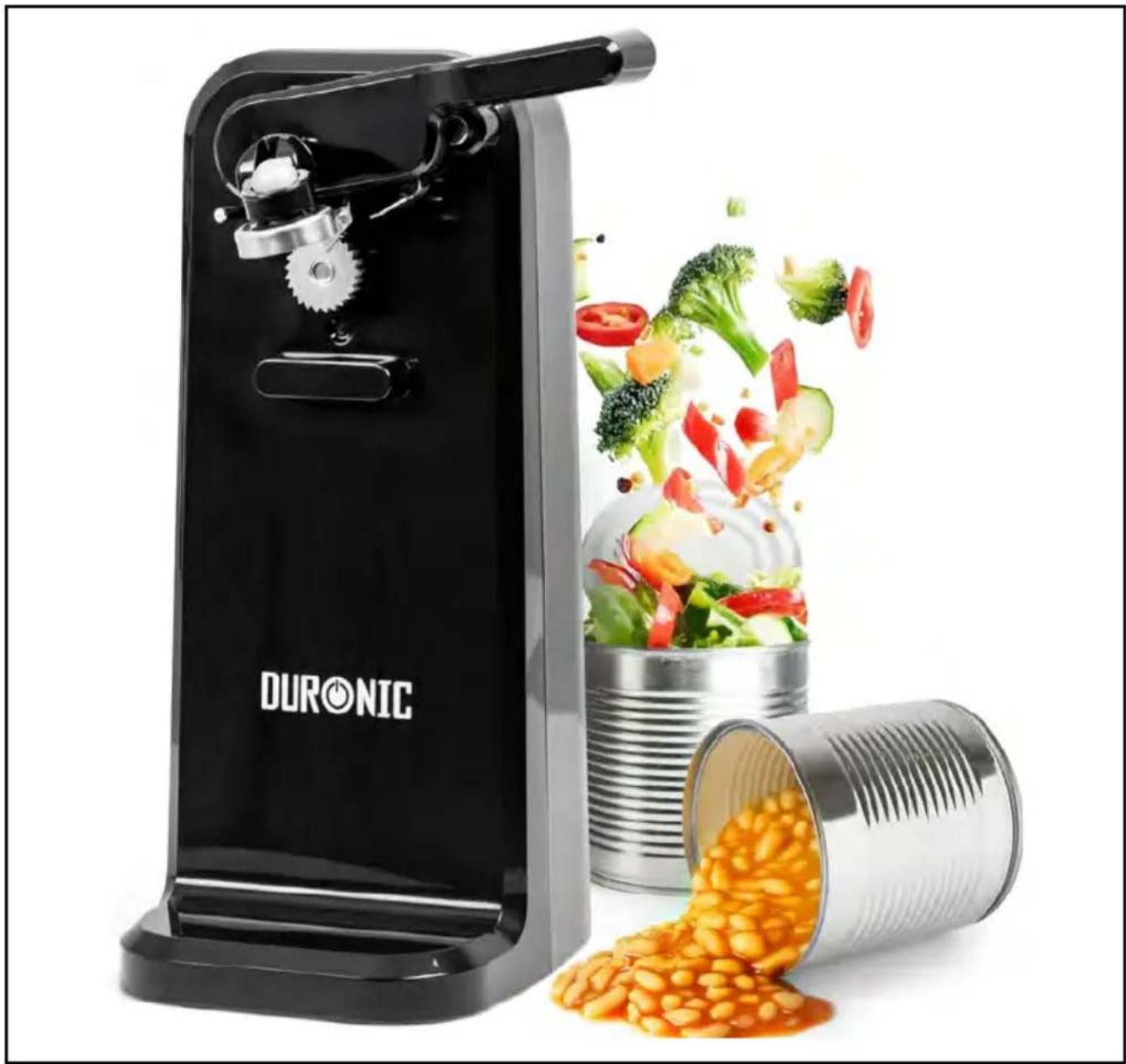
Black DURONIC stand with a handpan and fresh vegetables, next to a cylindrical can filled with beans (no text or symbols on main objects)CO40
Electric Can Opener
PLEASE READ ALL THE INSTRUCTIONS BEFORE USE

duronic.com

duronic

@duronicmedia

duronic

@duronicmedia

@duronicuk
Contents
English Manual 3
Features and Specifications
| Size Weight | Cable Power Voltage | |||
| 20x8.5x11cm7.9x3.3x4.3in | 0.82kg1.8lb | 90cm35.4in | 50-60W | 220-240V50-60Hz |
| Suitable Can Diameter | Max. Can Height | Max. Can Weight | Max. Continuous Opening | Bottle Opener Compatibility |
| 50mm to 100mm2in to 3.9in | 178mm7in | 0.6kg1.3lb | 5 cans with 15 second intervals | Metal bottle caps |
Components
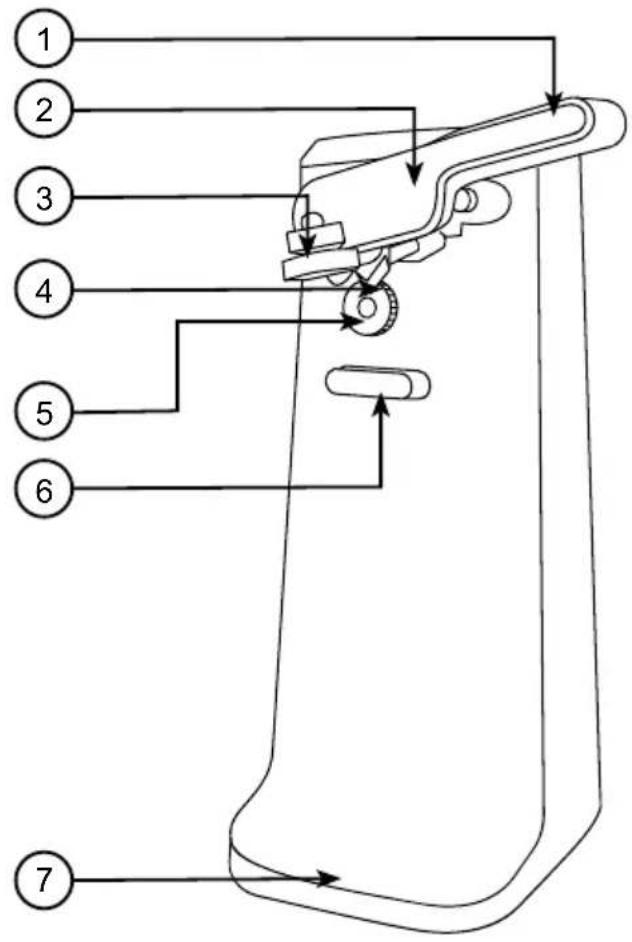
- Can piercing lever
- Blade bracket
- Magnetic lid holder
- Piercing blade
- Drive wheel
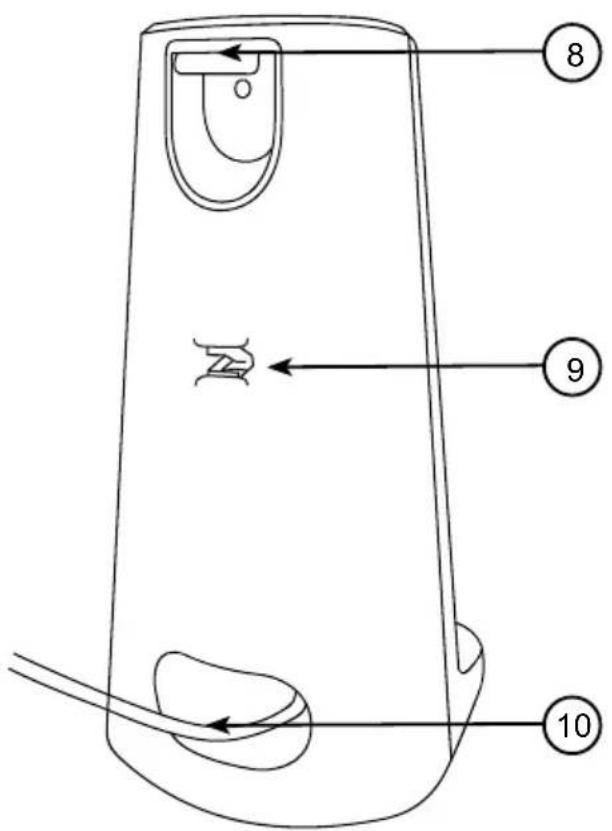
- Can rest
- Base
- Bottle opener
- Knife sharpener
- Cable Storage
DURONIC
Safety Information
PLEASE READ THIS MANUAL CAREFULLY AND RETAIN FOR FUTURE REFERENCE
- Use the appliance solely for its intended purpose and adhere to all procedures outlined within this manual.
- Avoid contact with water during use and never immerse appliances, mains cable, or plug in water or any liquid to prevent electric shock.
- Don't touch the appliance with wet hands.
• Intended for indoor use only. - Ensure appliances are used on a flat and level surface.
• Always unplug the appliance before moving, filling, cleaning, or when not in use and never pull the mains cable; always pull directly on the plug itself. - Avoid kinking or crushing the mains cable.
- Do not use the appliance if the appliance itself, the mains cable, or the plug is damaged.
- Keep the appliance and its components away from open flames and hot surfaces.
- Never leave the appliance unattended during operation.
- Never open the casing; there are no user-serviceable parts inside.
- The appliance is not suitable for children or individuals with reduced mental capabilities.
• This product is not a toy. Keep out of reach of children. - Ensure the appliance and accessories have cooled completely before cleaning or storing.
- Do not use abrasive or caustic cleaning agents on the appliance's outer surfaces.
- Do not use outdoors or for commercial purposes.
- Do not open pressurized cans.
- Do not open cans of flammable liquids such as lighter fluids.
DURONIC
How to Use
- Remove the unit and blade bracket from the package before the first use.
- Place the can opener on a dry even worktop surface, pushed towards the back of the surface area.
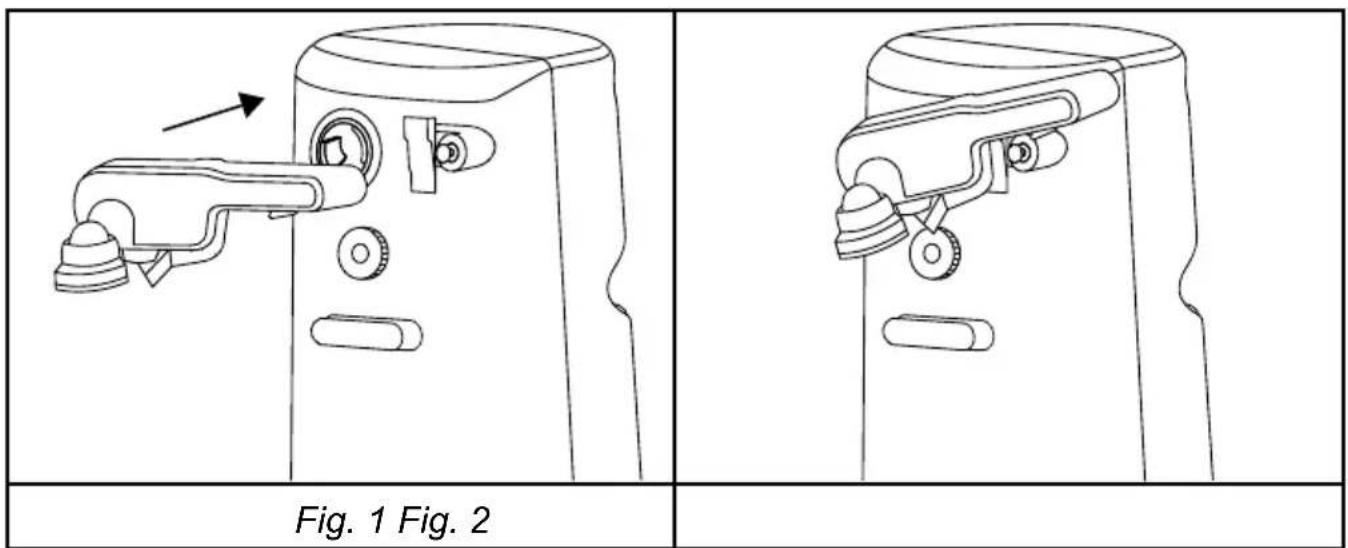
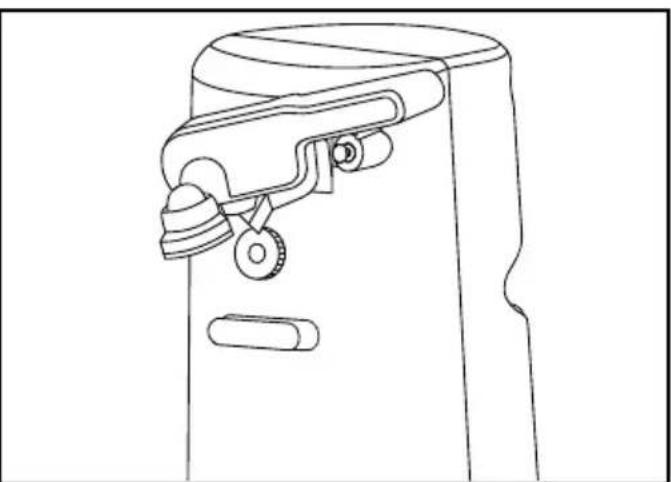
- Attach the blade bracket: Align the key tabs with the key slots, push it forward to fix it (Fig. 1), then press down the blade bracket to ensure it is assembled (Fig. 2). Lift the blade bracket afterward.
- Connect the plug to a power outlet and turn on at the wall.
- Place the can's rim under the thin locating post underneath the blade bracket, allowing the lid to be attracted by the magnetic lid holder.
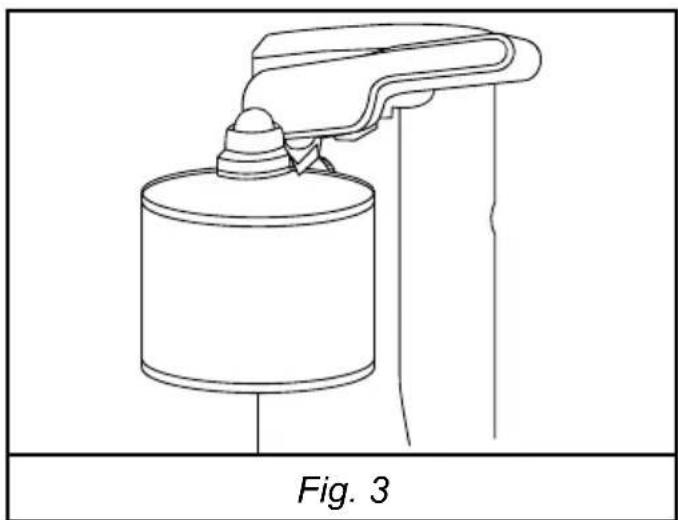
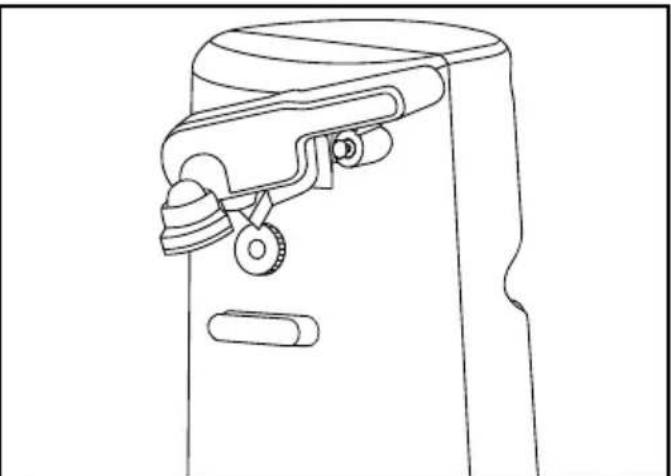
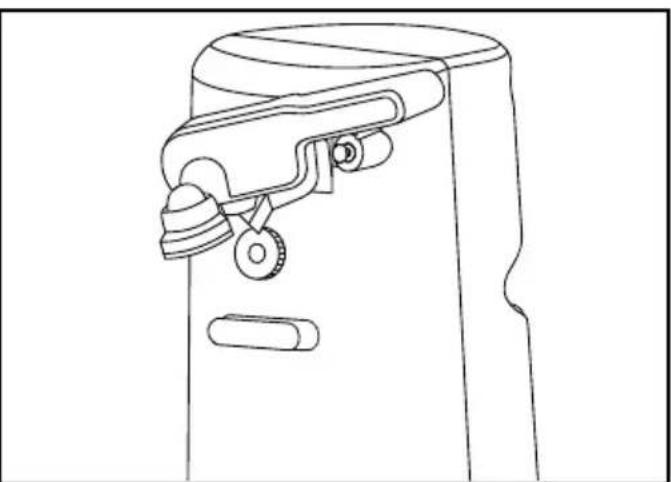
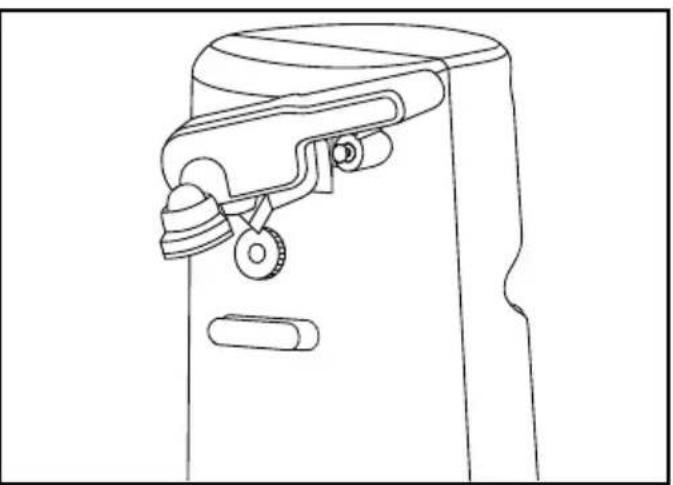
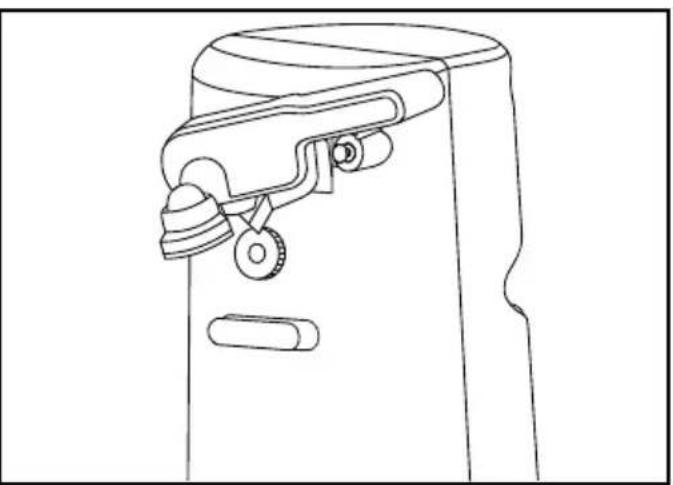
- Press down on the can piercing lever. The can opener will turn on. Ensure the blade is inside the rim (Fig. 3).
natural_image
Line drawing of a mechanical device with a cylindrical component and lever, labeled Fig. 3 (no text or symbols on the diagram itself)- The drive wheel will rotate the can, and the blade will cut the lid open. The hands-free feature eliminates the need to hold the bracket or support the can whilst cutting.
DURONIC
Opening Cans
- The can diameter should be 50mm to 100mm, and max weight of the can is 600g.
- No more than 5 cans continuously; 15 seconds interval.
- Suitable for circular cans only. Cans must be under 0.6kg.
- Once opened, the can opener will stop automatically. Remove the can by holding it with one hand and raising the blade bracket with the other. Beware of sharp edges.
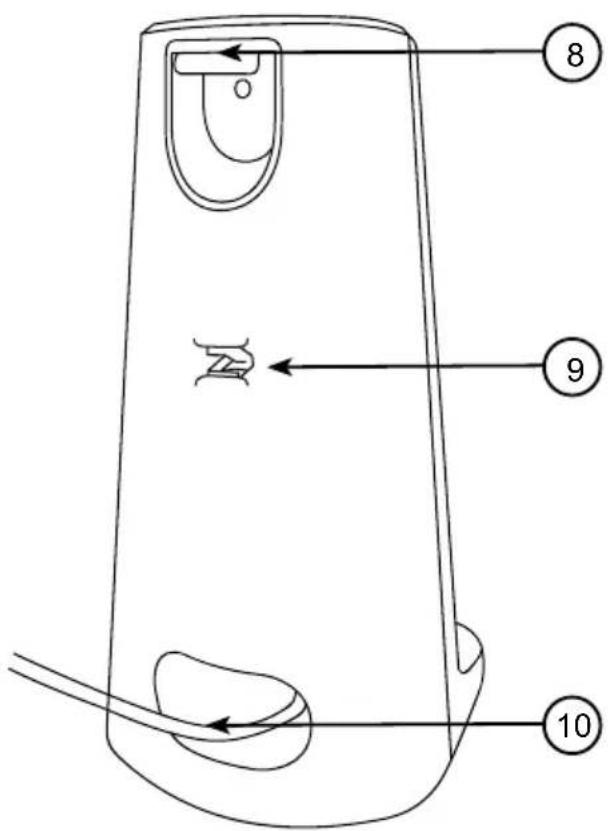
- Store excess cord in the back's storage and feed it through the notch for tidiness.
PLEASE NOTE:
- Do not use this can opener for cans designed for other opening methods.
- For dented cans, start cutting just beyond the dent.
- Turn cans with heavy seams or uneven rims slightly by hand if they stall.
- Open frozen foods promptly after removal from the freezer.
- Aluminium lids won't stick to the magnet.

CAUTION:
The cut edge of the can and lid is sharp. Be careful when removing the can and lid from the device and discard appropriately.
DURONIC
Opening Bottles
- Unplug the can opener before opening bottles for your safety. Make sure the product is on a stable surface.
- Get your bottle and place it horizontally into the bottle opener slot at the back of the can opener.
- Position the cap under the metal hook part of the bottle opener.
- Hold the can opener with one hand and pull down with the other to pop the cap off.
PLEASE NOTE:
- The bottle opener function is for metal bottle caps only. Do not use with screw-off caps or pull rings.
- Be careful when using glass bottles in the bottle opener. Make sure the bottle neck is not under the metal hook part, or the glass may break.
Knife Sharpening
- Unplug the can opener before sharpening knives for your safety.
- Place the blade of knife you wish to sharpen in the slot of knife sharpener at the back of the unit.
- Pull the knife using even pressure through the knife sharpener from base to tip until the desired sharpness is achieved.
- After sharpening, wash and dry the knife.
PLEASE NOTE:
- Clean and dry knives before sharpening.
- Do not attempt to sharpen serrated blades, as this will smooth their edges.
- Do not attempt to sharpen scissors.
DURONIC
Knife Sharpening

CAUTION:
Do not touch the sharpened blade to avoid injury. Be careful with the knife when sharpening.
Cleaning and Maintenance
- Before cleaning, turn off and unplug the cord from the electrical outlet.
• To remove the blade bracket for cleaning, lift it up and pull it out. - Clean the blade assembly with a damp cloth, then a sponge, and dry thoroughly. Do not use a dishwasher. Before replacing the blade bracket, wipe the can opener housing and drive wheel area with a damp cloth or sponge. For stubborn spots, use a nylon or mesh pad and sudsy water, then a clean, damp cloth. Do not use abrasive cleaners.

WARNING:
- Do not expose the main electrical unit or plug to water or any liquid to prevent electric shock.
- Be careful when cleaning the sharp blade to avoid injury.
Troubleshooting
| Problem Solution | |
| The can opener is not turning on. | Check Power Source: Ensure that the can opener is properly plugged into a functioning power outlet. If possible, try a different outlet to rule out an electrical issue.Can Piercing Lever: Confirm that the Can piercing lever is in the “Down” position. |
| The can opener stalled. | Turn of the device then check the following;Can is Jammed: Look for any foreign objects or pieces of packaging that may be causing a jam.Overheating: Do not use the device for more than 1min at a time. If the can opener has been in use for an extended period, it may automatically shut off to prevent overheating. Allow it to cool down for a few minutes before attempting to use it again.Check for Obstructions: Carefully inspect the cutting blade and drive wheel for any debris or obstructions. Clean the blade area thoroughly to ensure smooth operation. |
| Uneven or incomplete can opening. | Blade Alignment: Make sure the cutting blade is properly aligned with the edge of the can. Adjust if necessary to ensure an even cut.Dull Blade: Over time, the blade may become dull. Remove the blade bracket and check for dirt or signs of wear. If the blade is just dirty, clean carefully and try again. If the blade is damaged, please contact Duronic. |
| Unusual noises during operation. | Lubrication: Gently and carefully apply a food-safe lubricant to the moving parts of the can opener to reduce friction and noise.Loose Parts: Do not attempt to replace parts or fix yourself. Stop operation and please contact Duronic. |
If the troubleshooting steps do not resolve the issue, please contact our customer support team for technical support.
MANUEL D'UTILISATION EN FRANÇAIS
natural_image
Line drawing of a door handle assembly with an arrow indicating direction (no text or symbols)Fig. 1 Fig. 2
natural_image
Line drawing of a mechanical device with handle and clasp (no text or symbols)natural_image
Line drawing of a spray gun with a cylindrical container and handle (no text or symbols)Fig. 3
natural_image
Line drawing of a spray gun on a stand, labeled Fig. 3 (no text or symbols on the diagram itself)
natural_image
Line drawing of a door handle mechanism with an arrow indicating direction (no text or symbols)Fig. 1 Fig. 2
natural_image
Line drawing of a mechanical device with handle and clasp (no text or symbols)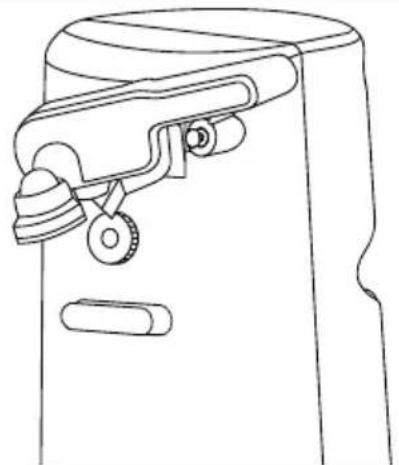
natural_image
Line drawing of a door handle mechanism with no text or symbolsnatural_image
Line drawing of a mechanical device with a cylindrical component and lever (no text or symbols)Fig. 3
natural_image
Line drawing of a mechanical device with a cylindrical component and lever, labeled Fig. 3 (no text or symbols on the diagram itself)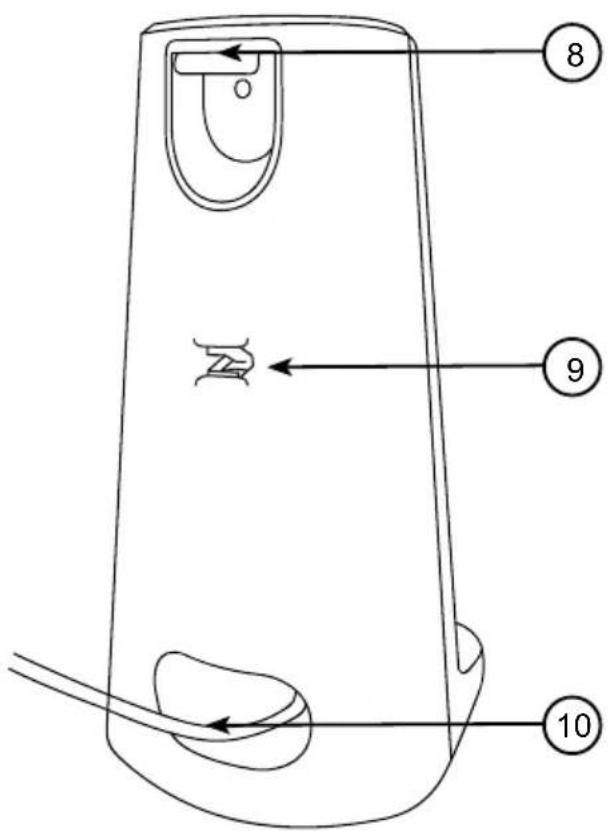
natural_image
Line drawing of a door handle assembly with an arrow indicating direction (no text or symbols)Rys. 1 Rys. 2
natural_image
Line drawing of a mechanical device with handle and clasp (no text or symbols)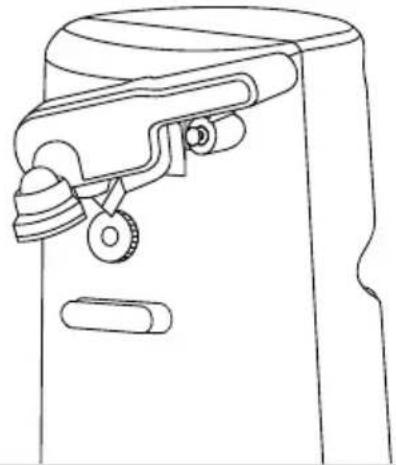
natural_image
Line drawing of a door handle mechanism with no text or symbolsnatural_image
Line drawing of a mechanical device with a cylindrical component and lever (no text or symbols)Rys. 3
natural_image
Line drawing of a door handle assembly with an arrow indicating direction (no text or symbols)Şekil. 1 Şekil. 2
natural_image
Line drawing of a mechanical device with handle and clasp (no text or symbols)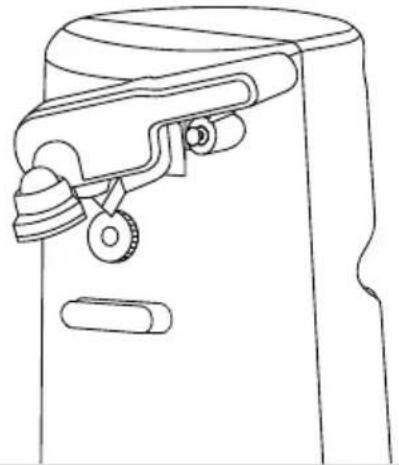
natural_image
Line drawing of a mechanical device with handle and wheels (no text or symbols)natural_image
Line drawing of a mechanical device with a cylindrical component and a lever, labeled 'Şekil. 3' below (no other text or symbols)natural_image
Line drawing of a spray gun on a cylindrical container, labeled Fig. 3 (no text or symbols on the diagram itself)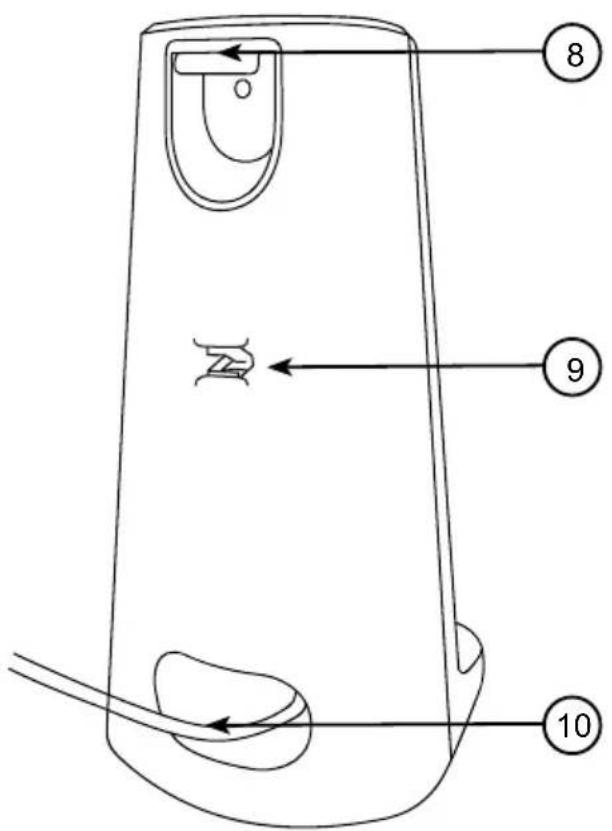
natural_image
Line drawing of a door handle assembly with an arrow indicating direction (no text or symbols)Fig. 1 Fig. 2
natural_image
Line drawing of a mechanical device with handle and clasp (no text or symbols)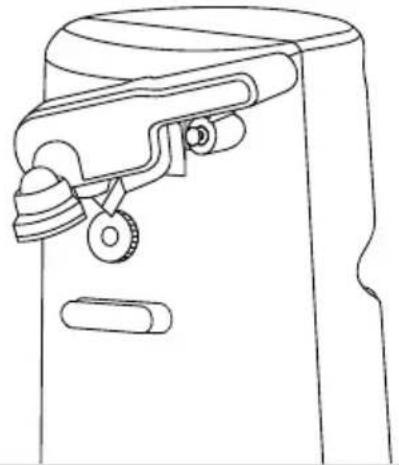
natural_image
Line drawing of a mechanical device with handle and wheels (no text or symbols)natural_image
Line drawing of a mechanical device with a cylindrical component and lever (no text or symbols)Fig. 3
Information for consumers on the disposal of Waste Electrical & Electronic Equipment (WEEE).
This mark on a product and/or accompanying documents indicates that when it is to be disposed of, it must be treated as Waste Electrical & Electronic Equipment, (WEEE).
Any WEEE marked products must not be mixed with general household waste, but kept separate for the treatment, recovery and recycling of the materials used. For proper treatment, recovery and recycling; please take all WEEE marked waste to your Local Authority Civic waste site, where it will be accepted free of charge.
If customers dispose of Waste Electrical & Electronic Equipment correctly, they will be helping to save valuable resources and preventing any potential negative effects upon human health and the environment, of any hazardous materials that the waste may contain.

- Creative Consumer Products
- CO40
- Electric Can Opener
- Contents
- Features and Specifications
- Components
- DURONIC
- Safety Information
- PLEASE READ THIS MANUAL CAREFULLY AND RETAIN FOR FUTURE REFERENCE
- How to Use
- Opening Cans
- PLEASE NOTE:
- CAUTION:
- Opening Bottles
- Knife Sharpening
- Cleaning and Maintenance
- WARNING:
- Troubleshooting
- MANUEL D'UTILISATION EN FRANÇAIS
Brand : Duronic
Model : CO40
Category : Can opener