
Voice Sport 184053 - Headphones HAMA - Free user manual and instructions
Find the device manual for free Voice Sport 184053 HAMA in PDF.


| Product Type | Wireless Sports Headphones |
| Model | Voice Sport 184053 |
| Brand | Hama |
| Connectivity | Bluetooth 5.0 |
| Driver Size | 40 mm |
| Frequency Response | 20 Hz - 20 kHz |
| Impedance | 32 Ω |
| Battery Life | Up to 10 hours |
| Charging Time | Approximately 2 hours |
| Charging Port | Micro-USB |
| Weight | 190 g |
| Dimensions | 18 x 16 x 8 cm (folded) |
| Microphone | Built-in omnidirectional |
| Controls | On-ear buttons for volume, track, and calls |
| Water Resistance | IPX4 (sweat and splash resistant) |
| Foldable Design | Yes, for portability |
| Ear Cushions | Memory foam with breathable mesh |
| Included Accessories | USB charging cable, audio cable (3.5 mm), pouch |
| Compatibility | Smartphones, tablets, laptops with Bluetooth |
| Safety | Complies with EU directives; do not disassemble |
| Cleaning | Wipe with dry cloth; do not use liquids |
| Storage | Keep in dry place, avoid extreme temperatures |
| Repairability | Contact Hama support for spare parts |
Frequently Asked Questions - Voice Sport 184053 HAMA
User questions about Voice Sport 184053 HAMA
0 question about this device. Answer the ones you know or ask your own.
Ask a new question about this device
Download the instructions for your Headphones in PDF format for free! Find your manual Voice Sport 184053 - HAMA and take your electronic device back in hand. On this page are published all the documents necessary for the use of your device. Voice Sport 184053 by HAMA.
USER MANUAL Voice Sport 184053 HAMA
OperatingInstructions
Bedienungsanleitung
Instruccionesdeuso
Thankyouforchoosinga H amaproduct. Takeyourtimeandreadthefollowinginstructions andinformationcompletely. P leasekeepthese instructions in a safe place for future reference. If yousellthedevice,pleasepasstheseoperating instructionsontothenewowner.
1. ExplanationofWarningSymbolsandNotes
Warning

This symbol is used to indicate safety instructions ortodraw your attention specific h a z a r d s andrisks.
Note

This symbol is used to indicate additional information or important notes.
2.PackageContents
• 1 x Bluetooth® stereoearphones
• 1 x Micro-USBchargingcable
• 3 pairsofsiliconeearpadsinvarioussizes(S,M,L)
• T heseoperatinginstructions
3.SafetyNotes
• T heproductisintendedforprivate,non-commercialuseonly.
• U setheproductforitsintendedpurposeonly.
- P rotectheproductfromdirt,moisture a nd overheating,andonlyuseitina d ryenvironment
- D o n otusetheproductintheimmediatevicinity ofheatersorotherheatsourcesorindirect sunlight.
• D o n otdroptheproductanddonotexposeitto anymajorshocks.
• D o n otoperatetheproductoutsidethepower limitsgiveninthespecifications.
- D o n otopenthedeviceorcontinuetooperateitif itbecomesdamaged.
- S incethebatteryisintegratedandcannotbe removed,youwillneedtodisposeoftheproduct asa w hole.Dothisincompliancewiththelegal
requirements.
• D isposeofpackagingmaterialimmediately accordingtolocallyapplicableregulations.
- Do not modify the product in any way. Doing so voidsthewarranty.
- D o n otattempttoserviceorrepairtheproduct yourself. L eaveanyandallserviceworkto qualifiedexperts.
Warning-Battery

- O nlyusesuitablechargingdevicesorUSB connectionsforcharging.
- A s a rule, donotcharged devices or USB connection that are d effective and donotry to repairs them yourself.
- D o n otoverchargetheproductorallowthe batterytocompletelydischarge.
- A voidstoring, chargingorusingbatteriesin extremetemperatures.
- W henstoredovera longperiodoftime, batteriesshouldbechargedregularly(atleast everythreemonths).
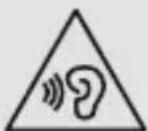
Warning—H ighvolumes

• H ighsoundpressure level!
• There is a risk of hearing damage.
- To prevent hearing loss, avoid listening at high volume levels for long periods.
- Always keep the volume at a reasonable level. Loudvolumes, evenovershortperiods, can causehearingloss.
- U singthisproductlimitsyour perceptionofambientnoise. For t hisreason, donotoperate anyvehiclesormachineswhile usingthisproduct.
4. Getting Started
- The earphones are equipped with a rechargeable battery. The battery must be fully charged before using the device for the first time.
- Ensure that the earphones are switched off before charging them.
- B eginchargingbyconnectingtheincludedUSB chargingcabletothechargingsocket(3)as wellastotheUSBconnectionofa P C/laptop.
- A Internatively, you can charge the earphones using a suitable USB charger. Please refer to the operating instructions for the USB charger used.
• The LED (7) is constantly lit red during charging.
• It takes around 2 hours until the battery is
completelycharged.
- O ncethechargingprocessiscomplete, theLED (7)islitblue.
• D isconnectallcableandmainsconnections afteruse.
Note

- T heBluetooth® connectionisnotavailable duringcharging.
- If the battery level is low, a voice says, 'Low Battery'. The message is repeated twice at 5-minute intervals (approximately) before the earphones automatically switch off. The LED indicator(7) begins to flash red. Connect the earphonestoa suitable USB port using the charging cable, in order to recharge the battery.
5.Operation
Switchingtheearphoneson/off
- P ressandholdtheMFBbutton(4)forabout 3 s econdsuntiltheLED(7)emitsflashesof alternatingred a ndbluelight.
- T o s witchofftheheadphones, pressandhold the MFB button (4) for about 3 seconds until the LED(7) goesout.
Note

The functions described in this section are only available for Bluetooth ^ -capable terminal devices.
5.1. Bluetooth ^® pairing
Note— Pairing

- M akesure t hatyourBluetooth®-capable terminaldeviceisonandBluetooth ® is activated.
- M akesure t hatyourBluetooth®-capable terminaldeviceisvisibleforotherBluetooth devices.
-
Formore information, pleaserefertothe operatinginstructionsofyourterminaldevice.
-
T heearphonesandtheterminaldevicesshouldbe no furtherthanonemetre a part. Theshorterthe distance, the better.
- Ensure that the earphones are switched off.
- S witchontheearphonesbypassingandholding theMFBbutton(4)forabout3 secondsuntil the LED (7) emits flashes of alternating red and bluelight.Theearphonesare searchingfora Bluetooth® connection.
-
O pentheBluetooth® settingsonyourterminal deviceandwaituntil HamaBTHVOICESPORT appearsinthelistofBluetooth® devicesfound.
-
S electHamaBTHVOICESPORTandwaituntil theearphonesare listedasconnectedinthe Bluetooth® settingsonyourterminaldevice.
- I f t heconnectionwassuccessful,youwillhear anotheracousticsignalandtheLED(7)slowly flashesblue.
Note- Bluetooth password

Some terminal devices require a password in order to connect to another Bluetooth ^ device.
- If your terminal device requests a password for connectiontotheearphones,enter0000.
Note

• After a successful connection, the LED (7) slowlyflashesblue.
- I f t heconnectioncouldnotbesetup,first switchofftheearphonesandthenrepeatthe stepsfortheBluetooth® connectionlisted under5.1.
5.2.AutomaticBluetooth ^® connection(after successfulpairing)
Note

Oncetheearphoneshaveconnectedtoa terminaldevice,theywillstore t hedeviceand automaticallyconnecttoitagainwhenthedevice iswithinrangeandhasBluetooth ^® enabled.
Renewedpairingsisnotrequiredforterminal devicesthathavepreviouslybeenconnectedto theseearphones.
Whenthearphonesare s witchedon,theywill automaticallyattempttoconnecttotheterminal devicelastconnected.Ifyouwanttoconnect thearphonestoa n ewterminaldevice,please followthestepsfortheBluetooth ^ connection listedunder5.1.
Assoonasthearphonesare connected to yourterminaldevice,musicistransmittedvia Bluetooth® usingtheseearphones.For further information,pleasealsorefertotheoperating instructionsofyourterminaldevice.
- S witchontheearphoneswiththeMFBbutton(4). TheLED(7)beginstoemitflashesofalternating red a ndbluelight,andthearphonesautomatically connecttotheterminaldevicelastused.
Note

- I f t heconnectionwassuccessful,theLED(7) slowlyflashesblue.
Note

- I f t heconnectioncouldnotbesetup,first switchofftheearphonesandthenrepeatthe stepsfortheBluetooth® connectionlisted under5.1.
- I t m aybenecessarytochangethesettings onyourterminaldevicetoenableitto automaticallyconnecttotheearphones.
Note- Connectionimpaired

Aftertheheadsetandterminaldevicehavebeen paired, a c onnectionisestablishedautomatically. IftheBluetooth ^® connectionisnotestablished automatically, c heckthefollowing:
- C hecktheBluetooth® settingsofyourterminal device to see whether HamaBTHVOICE SPORT is connected. If not, repeat the steps listed under 5.1. Bluetooth ® pairing.
- C heckwhetherobstaclesare i mpairingthe range.Ifso,movethedevicesclosertogether.
- T heperformancecanalsobeaffectedbya weakbattery.
5.3.Audioplayback
Note

- N otethatthefunctionsdescribedunder5.3., 5.4. and 5.5. are only possible with an active Bluetooth® connection.
- Y ourterminaldevicemustalsosupportthe individualfunctions.
- Formore information, pleaserefertothe operatinginstructionsofyourterminaldevice.
-
F unctionscanstillbecontrolleddirectlyviathe terminaldevice.
-
S etthevolumeonyourterminaldevicetoa lowlevel.
- S witchontheearphoneswiththeMFBbutton(4).
- S tartaudioplaybackontheconnectedterminal device.
- Press and briefly hold Volume + (5) to increase the volume.
- Press and briefly hold Volume - (6) to reduce the volume.
- Briefly press the MFB button (4) to start or pause audioplayback.
- Briefly press Volume + (5) to skip to the next track.
- Briefly press Volume - (6) to skip back to the previoustrack.
Note

Anacousticsignalisgivenwhenteminimumor maximumvolumeisreached.
5.4.Hands-freefunction
- P resstheMFBbutton(4)oncetoansweran incomingcall.
- Press and hold the MFB button (4) for 2 seconds or use your telephonetorejectan incoming call.
- During a call, press the MFB button (4) once to endthecall.
- Press and hold Volume + (5) to increase the volume.
- Press and hold Volume - (6) to reduce the volume.
- Press the MFB button (4) twice to redial the numberlastdialled.
Note

- N otallterminaldevicessupportall the functionsspecifiedabove. For more information, pleasealsorefertotheoperating instructionsofyourterminaldevice.
- Somefunctionsandacousticsignalsare dependentonyourterminaldevice.
Note- Callquality

To increase the call quality, please make sure that you are n earyourmobilephoneduringthecall.
5.5.VoiceAssistantfunction
TheVoiceAssistantisanintegrated,interactive functionthatenablesyoutostartcommunication withyourSiriorGoogleAssistantatthepressofa button. Thisfunctionenablesyoutoaskquestions andgetvariousformsofhelpfromyourvoice assistant,evenifyouare n otholdingyourtelephone inyourhands.
Belowyouwillfindsomeexamplesselectedfromthe largenumberofpossibilities.
Note- Siri

Siriisonlyavailableonsuitableterminaldevices withiOS5 or higher(fromiPhone4sonwards).
Note- GoogleAssistant

- T heGoogleAssistantisonlyavailableon suitableterminaldeviceswithAndroid5.0 or higher, Google Play Services, > 1.5 GB of freememoryanda m inimumscreenresolution of720P.
Note— GoogleAssistant

- The GoogleAssistantapp must be available on your terminal device and set asthedefault voiceassistant.
PresstheVoiceAssistantbutton(1)whilethe earphonesare c onnectedviaBluetooth ® tostart communicationwithyourSiriorGoogleAssistant. Assoonasyouhearanacousticsignal,yourvoice assistantisreadytohelpyou.
• Example1:
PresstheVoiceAssistantbutton(1)andthen speakintoyourearphones:'What's t heweather liketoday?'Thevoiceassistantwillansweras follows,forexample:'Mainlycloudywithsome showers'
- Example2:
PresstheVoiceAssistantbutton(1)andthen speakintoyourearphones:'Whattimeisit?' Thevoiceassistantwillanswerasfollows,for example:'Itis8 p m'
- Otherexamples: Setanalarmfortomorrow at7 a m. Playmusic. What's in thenews?
5.6.Disconnectingtheearphones
• S witchofftheearphones.
- D isconnecttheearphonesviatheBluetooth® settingsonyourterminaldevice.
5.7.LEDindicator
Thetablebelowprovidesanoverviewofthevarious LEDindicatorsyoumayseeduringuseofthe earphones,andexplainswhattheymean.
Duringcharging
| LEDindicator | Statusofthe earphones |
| RedLEDonCharging | |
| BlueLEDonChargingcompleted |
Duringoperation
| LEDindicator | Statusofthe earphones |
| LEDquicklyflashesred andblue | SettingupBluetooth® connection |
| LEDslowlyflashesblue | Bluetooth® connection successful |
LEDflashesred
Weakbattery—please recharge
6.Troubleshooting
ProblemSolution
| Nosound | S witchontheearphones and,ifnecessary, charge thebattery.I ncreasethevolumeon yourearphonesorterminal device.B ringyourterminaldevice andthearphonescloser together, a ndremoveany sourcesofinterferenceor obstacles.T ryanothermusicsource.C onnecttheearphonesto anotherterminaldevice. |
| Poorsound quality | T ryanothermusicsource.C onnecttheearphonesto anotherterminaldevice.B ringyourterminaldevice andthearphonescloser together, a ndremoveany sourcesofinterferenceor obstacles. |
| Chargingwon't start | C heckthecable connections.U seanothercharger. |
| MyGoogle Assistantdoesn't respondProblemSolution | T hisfunctionisonly supportedbyterminal deviceswithAndroid5.0 orhigher.CheckwhethertheGoogle Assistantisinstalledon yourterminaldeviceand issetasthedefaultvoice assistant.C heckthatyourAndroid terminaldeviceisconnected totheearphones.C heckwhethertheGoogle Assistantisavailablein yourcountry.F urthersupportcanbe foundat:www.support.google.com/assistant. |
| Louddialtone/noisesduringactivationoftheGoogleAssistant | C heckwhetheryouare usingthemostup-to-date versionoftheGoogle Assistantapp.D isabletheGoogle Assistantinthesettings onyourAndroidterminal device(underSettings >A pps>G oogleApp> Disable).ThentapEnable (ifyouhavedeleted theGoogleapp,please reinstallit). |
7. Care and Maintenance
Onlycleanthisproductwitha s lightlydamp,lint-free clothanddonotuseaggressivecleaningagents. Makesure t hatwaterdoesnotgetintotheproduct.
8.WarrantyDisclaimer
HamaGmbH& C o KGassumesnoliabilityand providesnowarrantyfordamageresultingfrom improperinstallation/mounting,improperuseof theproductorfromfailure t o o bservetheoperating instructionsand/orsafetynotes.
9. Service and Support
PleasecontactHamaProductConsultingifyouhave anyquestionsaboutthisproduct. Hotline:+499091502-115(German/English) Furthersupportinformationcanbefoundhere: www.hama.com
10.TechnicalData
| Bluetooth® earphones | |
| Earphones/microphone impedance | 16Ω/ < 2,2kΩ |
| Frequency | 20Hz- 2 0 kHz/100Hz- 1 0 kHz |
| Earphones/microphone sensitivity | 100dB/ - 4 2 dB |
| WBCV≥75mV | |
| Rangemax.10m | |
| Bluetooth® technologyv4.2 | |
| Profile | HFPV1.6/ H SPV1.2/A2DPV1.2/AVRCPV1.4/DIV1.3 |
| Transmissionfrequency2,4- 2 ,48GHz | |
| BatteryLi-Po 3 ,7V | |
| Batterycapacity80mAh | |
| Currentconsumptionmax.80mA | |
| Chargingvoltage | max.5 V USB |
| Totalweight | 25g |
| Batterylifeinstandby mode | 120 h |
| Talking time / music playbacktime Bluetooth® | 9 h / 7 h |
| Chargingtime2h |
11. Recycling Information
Noteonenvironmentalprotection:
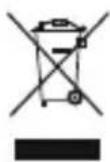
Aftertheimplementationofthe EuropeanDirective2012/19/EUand 2006/66/EUinthenationallegal system, the following applies: Electric and electronic devices as wellas
batteriesmustnotbedisposedofwithhousehold waste. Consumers are o bligedbylawtoreturn electricalandelectronicdevicesaswellasbatteries attheendoftheirservicelivestothepublic collectingpointsetupforthispurposeorpointof sale. Details to this are defined by the national law oftherespectivecountry. T hissymbolontheproduct, theinstructionmanualorthepackageindicatesthat a p roductissubjecttotheseregulations. By recycling, reusingthematerialsorotherformsof utilisingolddevices/Batteries, youare m akingan importantcontributiontoprotectingour environment.
12. DeclarationofConformity

Hereby, Hama GmbH & Co KG declares thattheradioequipmenttype [00184053] is in compliance with
Directive2014/53/EU. ThefulltextoftheEU declarationofconformityisavailableatthefollowing internetaddress: www.hama.com->00184053->Downloads.
Frequencyband(s)2402MHz- 2 480MHz
Maximumradio-frequency powertransmitted
0.66mWE.I.R.P.
The Bluetooth® word mark and logos are registered trademarks owned by Bluetooth SIG, Inc. and any use of such marks by Hama GmbH & Co KG is under license. Other trademarks and trade names are those of their respective owners.
All listed brands are trademarks of the corresponding companies. Errors and omissions excepted, and subject to technical changes. Our general terms of delivery and payment are applied.
- ExplanationofWarningSymbolsandNotes
- Warning
- Note
- 2.PackageContents
- 3.SafetyNotes
- Warning-Battery
- Warning—H ighvolumes
- Getting Started
- 5.Operation
- Switchingtheearphoneson/off
- Bluetooth ® pairing
- Note— Pairing
- Note- Bluetooth password
- 5.2.AutomaticBluetooth ® connection(after successfulpairing)
- Note- Connectionimpaired
- 5.3.Audioplayback
- 5.4.Hands-freefunction
- Note- Callquality
- 5.5.VoiceAssistantfunction
- Note- Siri
- Note- GoogleAssistant
- Note— GoogleAssistant
- • Example1:
- - Example2:
- 5.6.Disconnectingtheearphones
- 5.7.LEDindicator
- 6.Troubleshooting
- Care and Maintenance
- 8.WarrantyDisclaimer
- Service and Support
- Recycling Information
- Noteonenvironmentalprotection:
- DeclarationofConformity
Brand : HAMA
Model : Voice Sport 184053
Category : Headphones