
RA 104 - Radio HYUNDAI - Free user manual and instructions
Find the device manual for free RA 104 HYUNDAI in PDF.


| Product Type | Car Radio / Stereo |
| Brand | Hyundai |
| Model | RA 104 |
| Dimensions (W x H x D) | 178 x 50 x 160 mm (1 DIN) |
| Weight | 0.5 kg |
| Power Supply | 12V DC (negative ground) |
| Radio Bands | AM / FM |
| Preset Stations | 30 (18 FM + 12 AM) |
| Audio Formats | MP3, WMA (via USB) |
| Playback Sources | CD, USB, AUX, Radio |
| Max Power Output | 4 x 20W RMS |
| Audio Features | Bass, Treble, Balance, Fader |
| Display | LCD with backlight |
| Remote Control | Included (wired or IR) |
| Supported Languages | English, Spanish, French (varies) |
| Cleaning Instructions | Use a soft dry cloth; avoid liquids |
| Safety Warnings | Disconnect battery before installation; avoid water |
| Spare Parts Availability | Replacement knobs, mounting kit (contact service) |
| Reparability | Serviceable by qualified technician |
Frequently Asked Questions - RA 104 HYUNDAI
User questions about RA 104 HYUNDAI
0 question about this device. Answer the ones you know or ask your own.
Ask a new question about this device
Download the instructions for your Radio in PDF format for free! Find your manual RA 104 - HYUNDAI and take your electronic device back in hand. On this page are published all the documents necessary for the use of your device. RA 104 by HYUNDAI.
USER MANUAL RA 104 HYUNDAI
natural_image
Black industrial radio unit with perforated ventilation slots and control knobs (no visible text or symbols on main body)NÁVOD K POUŽITÍ / NÁVOD NA POUŽITIE INSTRUKCJA OBSŁUGI / INSTRUCTION MANUAL HASZNÁLATÍ ÚTMUTATÓ
MONOFONNÍ RÁDIO AM/FM / MONOFÓNNE RÁDIO AM/FM RADIO MONOFONICZNE AM/FM / AM/FM MONO RADIO MONO AM / FM RÁDIÓ
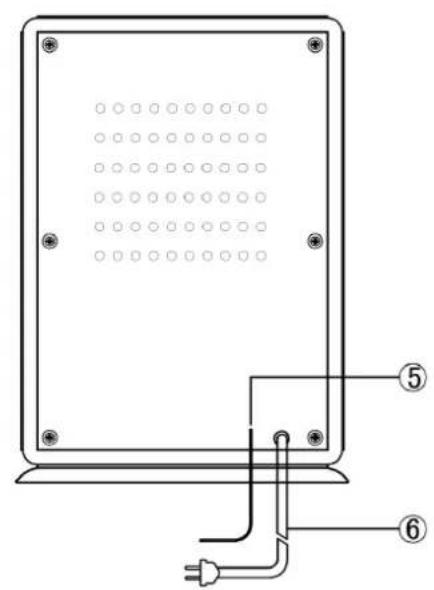
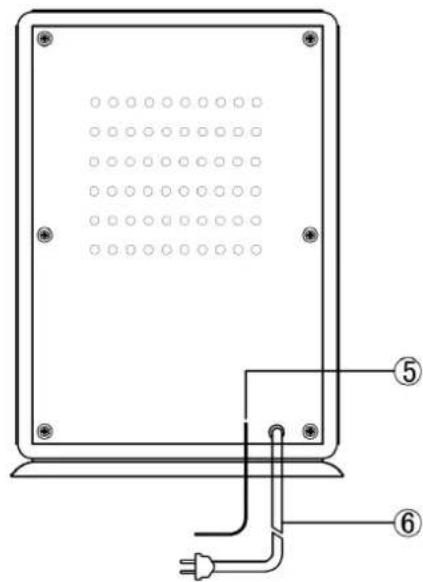
1) Výrezy reproduktoru
2) Ladiaci gombík
3) Gombík vol'by pásma
4) Gombík hlasitosti/zapnutia/vypnutia
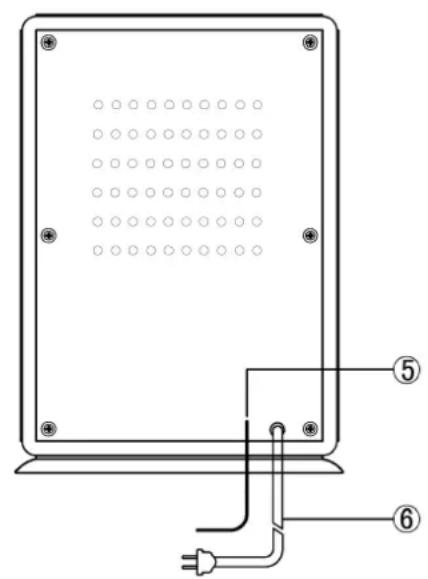
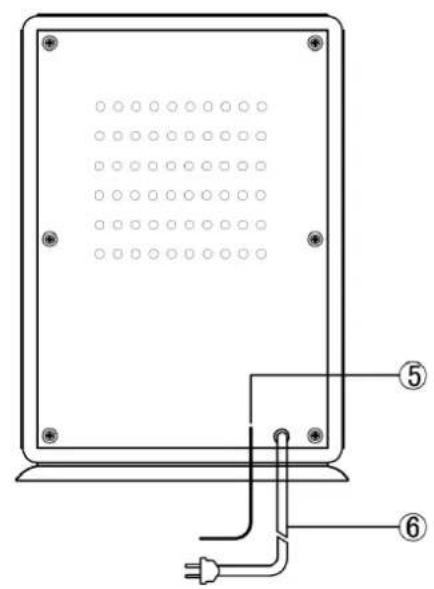
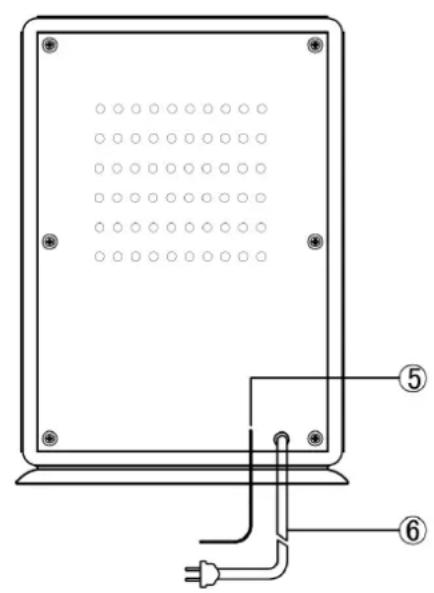
5) Anténa FM
6) Siet'ový kábel
POUŽÍVANIE RÁDIA
Dear customer, thank you for purchasing our product. Please read the operating instructions carefully before putting the appliance into operation and keep these instructions including the warranty, the receipt and if possible, the box with the internal packing.
GENERAL SAFETY INSTRUCTIONS
- The appliance is designed exclusively for private use and for the envisaged purpose.
• This appliance is not fit for commercial use. - Keep it away from sources of heat, direct sunlight, humidity (never dip it into any liquid) and sharp edges. Do not use the appliance with wet hands. If the appliance is humid or wet, unplug it immediately. Do not put it in water.
- When cleaning or putting it away, switch off the appliance and always pull out the plug from the socket (pull on the plug, not the cable) if the appliance is not being used and remove the attached accessories.
- Do not operate the machine without supervision. If you should leave the workplace, always switch the machine off or remove the plug from the socket (pull the plug itself, not the lead).
- To protect children from the dangers posed by electrical appliances, make sure that the cable is hanging low and that children do not have access to the appliance.
- Check the appliance and the cable for damage on a regular basis. Do not use the appliance if it is damaged.
- Do not try to repair the appliance on your own. Always contact an authorized technician. To avoid the exposure to danger, always have a faulty cable be replaced only by the manufacturer, by our customer service or by a qualified person and with a cable of the same type.
- Pay careful attention to the following „Special Safety Instructions for this unit“.
SAFETY
- No naked flame sources such as lighted candles, should be placed on the apparatus.
- Where the mains plug or an appliance coupler is used as the disconnect device, the disconnect device will remain readily operable.
- Excessive sound pressure from earphones and headphones can cause hearing loss.
- It shall not be exposed to dripping or splashing and that no objects filled with liquids, such as vases, shall be placed on the apparatus.
- Ensure minimum distances around the apparatus for sufficient ventilation. The ventilation should not be impeded by covering the ventilation openings with items, such as newspapers, table-cloths, curtains, etc.
- Attention should be drawn to the environmental aspects of battery disposal.
- The use of apparatus in moderate climates.
- Danger of explosion if battery is incorrectly replaced. Replace only with the same or equivalent type.
- Batteries shall not be exposed to excessive heat such as sunshine, fire or the like.
- Do not place the product in closed bookcases or racks without proper ventilation.
- This appliance is not intended for use by persons people (including children) with reduced physical sensory or mental capabilities, or lack of experience and knowledge, unless they have been given supervision or instructions concerning the way of use of the appliance by a person responsible for their safety.
- Children should be supervised to ensure that they do not play with the appliance.
CAUTION: RISK OF ELECTRIC SHOCK. DO NOT OPEN!!
To reduce the risk of electric shock:do not remove cover(or back). No user serviceable parts inside.Refer servicing to qualified service personnel
BEFORE USE
- Choose unit installation location carefully. Avoid placing it in direct sunlight or close to a source of heat. Also avlod locations subject to vibrations and excessive dust, cold or moisture.
- Keep away from sources that hum, such as transformers or motors.
- Do not open the cabinet as this might result in damage to the circuitry or electrical shock. If a foreign object should get into the set, contact your dealer.
- When removing power plug from the wall outlet always pull directly on the plug, never yank the cord.
- Do not attempt to clean the unit with chemical solvents as this might damage the finish. Use a clean, dry cloth.
- Keep this manual in a safe place for future reference.
LOCATION OF PARTS
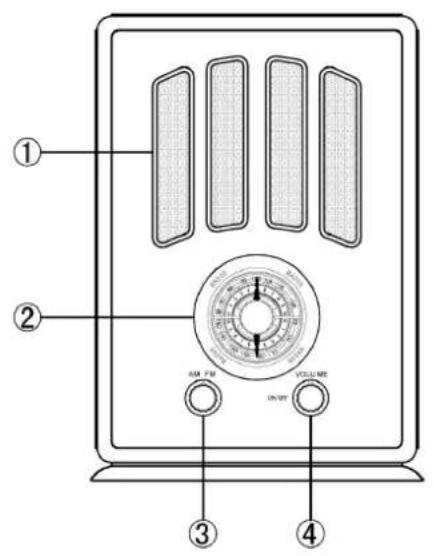
1) Speaker Window
2) Tuning Konb
3) Band Konb
4) Volume/On/Off Konb
5) FMAntenna Power
6) Cord
RADIO OPERATION
1) Plug the Power Cord(6) into a standard 230V\~50HZ outlet.
2) Fully extend the FM Antenna(5) for best reception of FM broadcasting.
3) Rotate the On/Off/Volume Knob(4) clockwise until it clicks turning the unit on.
4) Select either AM or FM on the AM/FM/Knob by turning it to the right for FM or to the left for AM.
5) Rotate the Frequency Tuning Knob (2) while watching the frequency display to tune to your-favourite station.
6) When listening to the AM bandwidth rotate the unit horizontally for best reception.
Set the VOLUME(4) to Off.
TROUBLE SHOOTING GUIDE
The unit does not operate
- The Power Cord (6) is not properly connected to a power outlet.
- The unit is not turned on: Rotate the On/Off/VOLUME Knob(4) from the OFF position past the click to turn on the
Cannot listen to any station
The FM station you selected will not come in clearly
- Move the antenna until reception improves.
- Make a minor adjustment to the Frequency Tuning Knob(2)
SPECIFICATIONS
Power Source 230 V - 50 Hz
Power Consumption 5W
Power Consumption Off mode < 0,5W
Output Power 0,6W
Speakers 3" Dynamic Type
Radio Frequency Coverage AM: 530 - 1600 kHz FM: 88 - 108 MHz
Unit Dimension 178 (L) x 141 (W) x 260 (H) mm
Net Weight 1,8 kg
We reserve the right to change technical specifications.
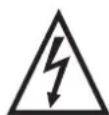
WARNING: DO NOT USE THIS PRODUCT NEAR WATER, IN WET AREAS TO AVOID FIRE OR INJURY OF ELECTRIC CURRENT. ALWAYS TURN OFF THE PRODUCT WHEN YOU DON'T USE IT OR BEFORE A REVISION. THERE AREN'T ANY PARTS IN THIS APPLIANCE WHICH ARE REPARABLE BY CONSUMER. ALWAYS APPEAL TO A IED AUTHORIZED SERVICE. THE PRODUCT IS UNDER A DANGEROUS TENTION.
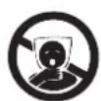
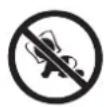
TO AVOID DANGER OF SUFFOCATION, KEEP THE PLASTIC BAG AWAY FROM BABIES AND CHILDREN. DO NOT USE THIS BAG IN CRIBS, BEDS, CARRIAGES OR PLAYPENS. THIS BAG IS NOT A TOY.
Disposal of old Electrical & Electronic Equipment (Applicable in the European Union and other European countries with separate collection systems).
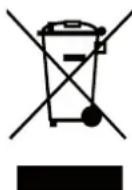
This symbol on the product or on its packaging indicates that this product shall not be treated as household waste. Instead it shall be handed over to the applicable collection point for the recycling of electrical and electronic equipment. By ensuring this product is disposed of correctly, you will help prevent potential negative consequences for the environment and human health, which could otherwise be caused by inappropriate waste handling of this product. The recycling of materials will
help to conserve natural resources. For more detailed information about recycling of this product, please contact your local Civic Office, your household waste disposal service or the shop where you purchased the product.
Hereby, ETA a.s. declares that the radio equipment type RA104 is in compliance with Directive 2014/53/EU. The full text of the EU declaration of conformity is available at the following internet address: http://www.hyundai-electronics.cz/declaration_of_conformity
FONTOS
Licensed by Hyundai Corporation, Korea
