
SBWL 60 A1 - Loudspeaker SILVERCREST - Free user manual and instructions
Find the device manual for free SBWL 60 A1 SILVERCREST in PDF.


| Product type | Bluetooth stereo soundbar |
| Brand | SilverCrest |
| Model | SBWL 60 A1 |
| Dimensions (W × H × D) | 872 × 60 × 113 mm |
| Power supply | AC 220-240 V~, 50/60 Hz |
| Power consumption | 30 W |
| Standby power consumption | < 0.5 W |
| Output power | 15 W × 2 + 30 W |
| Frequency response | 40 Hz - 20 kHz |
| Impedance | 4 Ω × 2 + 8 Ω |
| Total harmonic distortion | 1% (1 kHz, 1 W) |
| Audio input sensitivity | 500 mV |
| Bluetooth version | V 3.0 |
| Bluetooth frequency bands | 2402 - 2480 MHz |
| Bluetooth range | Approximately 8 m (without obstacles) |
| Connections | HDMI ARC, Optical, Coaxial, AUX (3.5 mm), USB (service only) |
| Functions | Bluetooth, Equalizer (News, Movie, Music), Auto standby (15 min) |
| Remote control | Included, CR2025 battery, range 6 m |
| Wall mounts | Included (2 brackets with screws) |
| Safety class | Class II (double insulation) |
| Cleaning | Soft dry cloth; no solvents |
Frequently Asked Questions - SBWL 60 A1 SILVERCREST
User questions about SBWL 60 A1 SILVERCREST
0 question about this device. Answer the ones you know or ask your own.
Ask a new question about this device
Download the instructions for your Loudspeaker in PDF format for free! Find your manual SBWL 60 A1 - SILVERCREST and take your electronic device back in hand. On this page are published all the documents necessary for the use of your device. SBWL 60 A1 by SILVERCREST.
USER MANUAL SBWL 60 A1 SILVERCREST
STEREO SOUNDBAR WITH BLUETOOTH® / BLUETOOTH® STEREO SOUNDBAR / BARRE DE SON STÉRÉO BLUETOOTH® SBWL 60 A1
DE AT CH
STEREO SOUNDBAR WITH BLUETOOTH®
Operation and Safety Notes
NL BE
STEREO SOUNDBAR WITH BLUETOOTH®
GB / IE Operation and Safety Notes Page 21
Main device
Note:
Warnings and symbols used 22
Trademark notices 23
Scope of delivery 23
General safety instructions 24
Description of parts 28
Technical data 29
Before use 30
Placement and mounting 31
Connections 32
Operation 35
Bluetooth operation 35
Cleaning 36
Troubleshooting 37
Storage when not in use 37
Disposal 37
Simplified EU declaration of conformity 38
BLUETOOTH® STEREO SOUNDBAR
Introduction
We congratulate you on the purchase of your new product. You have chosen a high quality product. The instructions for use are part of the product. They contain important information concerning safety, use and disposal. Before using the product, please familiarise yourself with all of the safety information and instructions for use. Only use the product as described and for the specified applications. If you pass the product on to anyone else, please ensure that you also pass on all the documentation with it.
Intended use
This product is a consumer electronics device. This product may only be used privately and not for industrial or commercial purposes. Furthermore, this product may not be used in tropical climates. Any other use is considered improper. Any claims resulting from improper use or due to unauthorised modification of the product will be considered un-warranted. Any such use is at your own risk.
Warnings and symbols used
These instructions for use contain the following warnings:
DANGER!
This symbol with the signal word indicates a hazard with a high level of risk which, if not avoided, will result in serious injury or death.
WARNING!
This symbol with the signal word indicates a hazard with a medium level of risk which, if not avoided, could result in serious injury or death.
CAUTION!
This symbol with the signal word indicates a hazard with a low level of risk which, if not avoided, could result in minor or moderate injury.
Note:
This symbol with the signal word provides additional useful information.
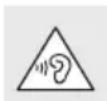
Take care when using the product. Listening at high volume for prolonged periods can damage your hearing. Before
using the product, set the volume to the lowest level.
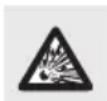
CAUTION! EXPLOSION HAZARD!
A warning with this symbol and the words "CAUTION! EXPLOSION HAZARD" indicates the potential threat of explosion. Failure to observe this warning may result in serious or fatal injuries and potential property damage. Follow the instructions in this warning to prevent serious injuries, danger to life, or property damage!
This action sign indicates to wear suitable protective gloves! Follow the instructions to avoid hands striking or
being struck by objects or being in contact with thermal or chemical materials!
Trademark notices
- USB® is a registered trademark of USB Implementers Forum, Inc.
- The Bluetooth® word mark and logos are registered trademarks of Bluetooth SIG, Inc. and any use of such marks by OWIM GmbH & Co. KG is under license. • The SilverCrest trademark and trade name is the property of their respective owners. • Any other names and products may be trademarks or registered trademarks of their respective owners.
Scope of delivery
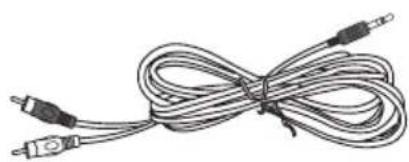
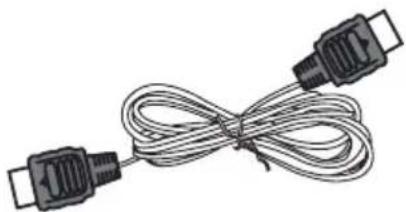
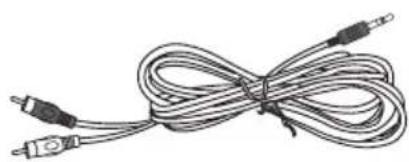
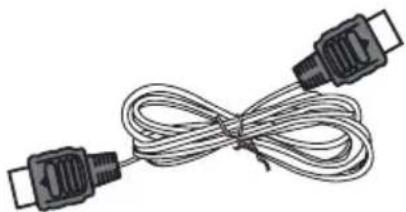
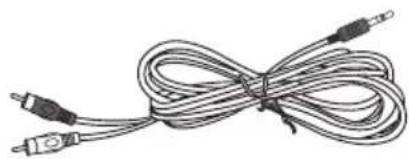
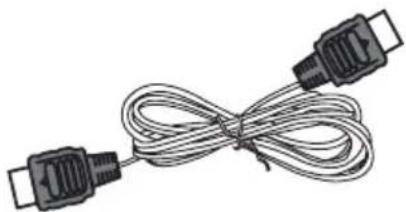
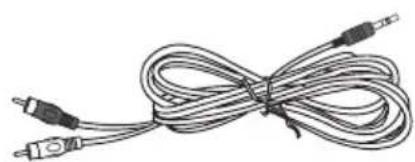
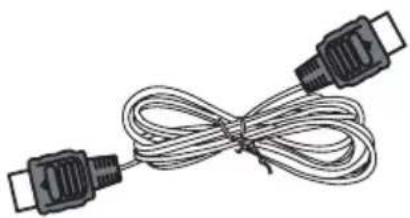
1 Main Unit, 1 Remote Control, 1 RCA to 3.5 mm audio Cable, 1 HDMI Cable, 2 Mounting Brackets (with screws), 1 Instruction Manual
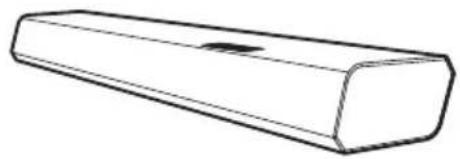
Main Unit
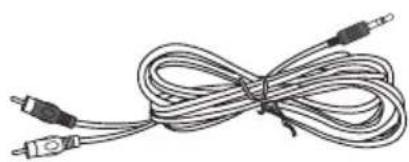
Instruction Manual, RCA to 3.5
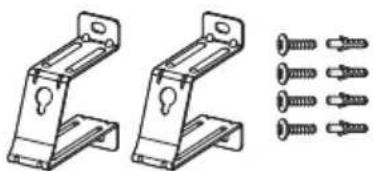
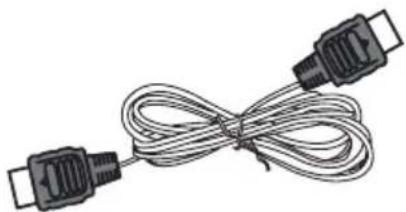
HDMI Cable, Wall Mounting Brackets, Remote Control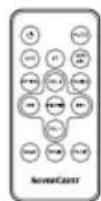
General safety instructions
Before using the product, please familiarize yourself with all of the safety instructions and instructions for use! When passing this product on to others, please also include all the documents!
CAUTION
RISK OF ELECTRIC SHOCK DO NOT OPEN
CAUTION: TO REDUCE THE RISK OF ELECTRIC SHOCK, DO NOT REMOVE COVER (OR BACK). NO USER-SERVICEABLE PARTS INSIDE. REFER SERVICING TO QUALIFIED SERVICE PERSONNEL.
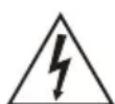
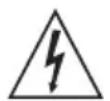
The lightning flash with arrowhead symbol, within an equilateral triangle, is intended to alert the user to the presence of uninsulated "dangerous voltage" within the product's enclosure that may be of sufficient magnitude as to constitute a risk of electric shock to persons.
The exclamation point within an equilateral triangle is intended to alert the user to the presence of important
operating and maintenance (servicing) instructions in the literature accompanying the appliance.
Safety
- Read these instructions – All the safety and operating instructions should be read before this product is operated.
- Keep these instructions – The safety and operating instructions should be retained for future reference.
- Heed all warnings – All warnings on the appliance and in the operating instructions should be adhered to.
- Follow all instructions – All operating and usage instructions should be followed.
- Do not use this apparatus near water
- The appliance should not be used near water or moisture – for example, in a wet basement or near a swimming pool and the like.
- Clean only with a dry cloth.
- Do not block any ventilation openings. Install in accordance with the manufacturer's instructions.
- Do not install near any heat sources such as radiators, heaters, stoves, or other apparatus (including amplifiers) that produce heat.
- Do not defeat the safety purpose of the polarized or grounding plug. A polarized plug has two blades with one wider than the other. A grounding plug has two blades and a third grounding prong. The wide blade or the third prong is provided for your safety. If the provided plug does not fit into your outlet, consult an electrician for replacement of the obsolete outlet.
- Protect the power cord from being walked on or pinched particularly at plugs, convenience receptacles, and the point where they exit from the apparatus.
- Only use attachments/accessories specified by the manufacturer.
- Use only with the cart, stand, tripod, bracket or table specified by the manufacturer, or sold with the apparatus. When a cart or rack is used, use caution when moving the cart/apparatus combination to avoid injury from tip-over.
- Unplug the apparatus during lightning storms or when unused for long periods of time.
- Refer all servicing to qualified personnel. Servicing is required when the apparatus has been damaged in any way, such as power supply cord or plug is damaged, liquid has been spilled or objects have fallen into the apparatus, the unit has been exposed to rain or moisture, does not operate normally, or has been dropped.
- This equipment is a Class II or double insulated electrical appliance. It has been designed in such a way that it does not require a safety connection to electrical earth.
- The apparatus shall not be exposed to dripping or splashing. No objects filled with liquids, such as vases, shall be placed on the apparatus.
- Minimum distance around the apparatus for sufficient ventilation is 5 cm.
- The ventilation should not be impeded by covering the ventilation openings with items, such as newspapers, table-cloths, curtains, etc...
- No naked flame sources, such as lighted candles, should be placed on the apparatus.
- Batteries should be recycled or disposed of as per state and local guidelines.
- The use of apparatus in moderate climates.
Caution:
- Use of controls or adjustments or performance of procedures other than those described herein, may result in hazardous radiation exposure or other unsafe operation.
- To reduce the risk of fire or electric shock, do not expose this apparatus to rain or moisture. The apparatus must not be exposed to dripping or splashing and objects filled with liquids, such as vases, must not be placed on apparatus.
- The mains plug/appliance coupler is used as the disconnect device, the disconnect device must remain readily operable.
- Danger of explosion if battery is incorrectly replaced. Replace only with the same or equivalent type.
Warning:
- The battery (batteries or battery pack) shall not be exposed to excessive heat such as sunshine, fire or the like.
- Before operating this system, check the voltage of this system to see if it is identical to the voltage of your local power supply.
- Do not place this unit close to strong magnetic fields.
- Do not place this unit on an amplifier or receiver.
- Do not place this unit close to damp areas as the moisture will affect the life of the laser head.
- If any solid object or liquid falls into the unit, unplug the system and have it checked by qualified personnel before operating it any further.
- Do not attempt to clean the unit with chemical solvents as this may damage the finish. Use a clean, dry or slightly damp cloth.
- When removing the power plug from the wall outlet, always pull directly on the plug, never yank on the cord.
- Changes or modifications to this unit not expressly approved by the party responsible for compliance will void the user's authority to operate the equipment.
- The rating label is pasted on the bottom or back of the equipment.
⚠ DO NOT INGEST BATTERY, CHEMICAL BURN
The remote control supplied with this product contains a coin/button cell battery. If the coin/button cell battery is swallowed, it can cause severe internal burns in just 2 hours and lead to death. Keep new and used batteries away from children. If the battery compartment does not close securely, stop using the product and keep it away from children. If you think batteries might have been swallowed or placed inside any part of the body, seek immediate medical attention.
⚠ WARNING! DANGER TO LIFE AND RISK OF ACCIDENT FOR INFANTS AND CHILDREN!
⚠️ DANGER Risk of suffocation!
Never leave children unsupervised with the packaging material. The packaging material poses a suffocation hazard. Children frequently underestimate the dangers. The packaging material is not a toy.
This product may be used by children age 8 years and up, as well as by persons with reduced physical, sensory or mental capacities or lacking experience and/or knowledge, so long as they are supervised or instructed in the safe use of the product and understand the associated risks.
Do not allow children to play with the product. Cleaning and user maintenance should not be performed by children without supervision. The product is not a toy.
RISK OF PROPERTY DAMAGE
- This product does not contain any parts which can be serviced by the user.
- Keep the product away from moisture, dripping and splash water!
- Do not place burning candles or other open fire on or next to the product.
- Check the product before every use! Discontinue use if any damage to the product or the charging cable is detected!
- If you notice smoke or unusual noise or odour, switch the product off immediately.
- Sudden temperature changes may cause condensation inside the product. In this case, allow the product to acclimatise for some time before using it again to prevent short circuits!
- Do not operate the product near heat sources, e.g. radiators or other devices emitting heat!
- Do not throw the product into fire and do not expose to high temperatures.
DANGER
Do not try to open the product! It has no internal parts requiring maintenance.
⚠️ DANGER! Radio interface
- Switch the product off on aeroplanes, in hospitals, service rooms, or near medical electronic systems. The wireless signals transmitted could impact the functionality of sensitive electronics.
- Keep the product at least 20 cm from pacemakers or implantable cardioverter defibrillators, as the electromagnetic radiation may impair the functionality of pacemakers.
- The radio waves transmitted could cause interference in hearing aids.
- Do not place the product near flammable gasses or potentially explosive areas (e.g. paint shops) with the wireless components on, as the radio waves emitted can cause explosions and fire.
- The range of the radio waves varies by environmental conditions. In the event of wireless data transmission, unauthorised third parties receiving the data cannot be excluded.
- The OWIM GmbH & Co KG is not responsible for interference with radios or televisions due to unauthorised modification of the product. The OWIM GmbH & Co KG further assumes no liability for using or replacing cables and products not distributed by OWIM. The user of the product is fully responsible for correcting interference caused by such unauthorised modification of the product, as well as replacement of such products.
⚠️ DANGER Risk of Explosion!
The product must not be thrown into a fire because the built-in battery may explode.
Remember that excessive sound pressure or volume from the product or earphones can lead to damage to the hearing. Always adjust the volume to a pleasant, not too loud level. If you have adjusted the volume of the product too high and use that for an extended period, it can damage your hearing.
⚠ WARNING! Ensure that:
- no direct heat sources (e.g. heating) can affect the product
- the product is not exposed to bright artificial light
- any contact with splashed and dripping water and corrosive liquids is avoided and the product is not operated in the vicinity of water. In particular, the product should never be submerged in liquid; do not place any vessels filled with liquid, for example, vases or drinks, on or near the product
- the product is not used in the immediate vicinity of magnetic fields (e.g. speakers)
- no fire sources (e.g. burning candles) are placed on or near the product • no foreign objects penetrate the product
- the product is never subjected to extreme temperature fluctuations as this could result in condensation and electrical short circuits. However, if the product was subjected to extreme temperature fluctuations, wait (approx. 2 hours) until the product has reached ambient temperature before use
- the product is never subjected to excessive shocks and vibrations
- connected cables are always laid in such a manner that nobody can step on them or trip over them. There is a risk of injury
- no objects are placed on a connected cable and cables are not connected over sharp edges because they could be damaged otherwise.
CAUTION! EXPLOSION HAZARD!
Never recharge non-rechargeable
batteries. Do not short-circuit batteries / rechargeable batteries and / or open them. Overheating, fire or bursting can be the result. Never throw batteries / rechargeable batteries into fire or water. Do not exert mechanical loads to batteries / rechargeable batteries
Risk of batteries / rechargeable batteries leakage
Avoid extreme environmental conditions and temperatures, which could affect batteries / rechargeable batteries, e.g. radiators / direct sunlight. Avoid contact with the skin, eyes and mucous membranes. In the event of contact with battery acid, thoroughly flush the affected area with plenty of clean water and seek immediate medical attention.

WEAR PROTECTIVE GLOVES!
Leaked or damaged batteries / rechargeable batteries can cause burns on contact with the skin. Wear suitable protective gloves at all times if such an event occurs. with plenty of clean water and seek immediate medical attention.
Description of parts
Main Unit
Front View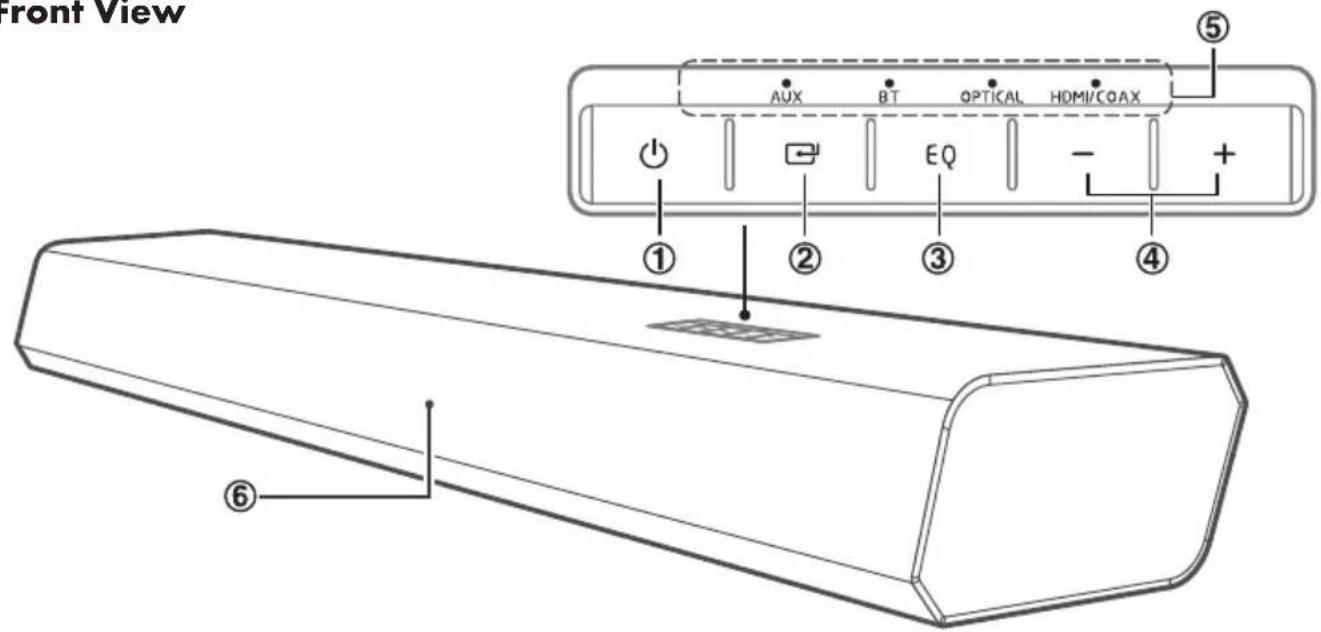
- button
Switch the unit between ON and STANDBY modes.
- SOURCE button
Select the play function.
- EQ button
Select a preset sound effect.
- +/- buttons
Increase/decrease the volume level.
- LED Indicators
- Remote Control Sensor
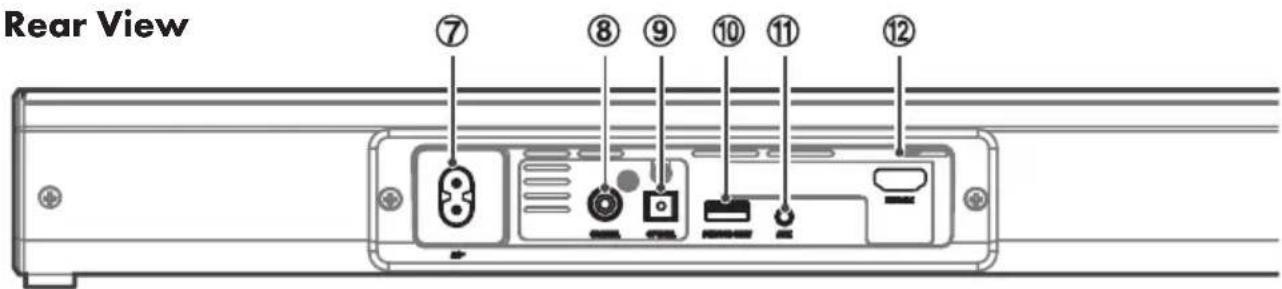
- AC Power Plug
Connect a power cable.
- COAXIAL Socket
Connect to a coaxial cable.
- OPTICAL Socket
Connect to an optical cable.
- SERVICE ONLY Socket
The USB socket is for service only. It is not designed to charge smartphones, tablets or similar devices.
- AUX Socket
Connect to an external audio device.
- HDMI ARC Socket
Connect to an HDMI cable.
Remote control
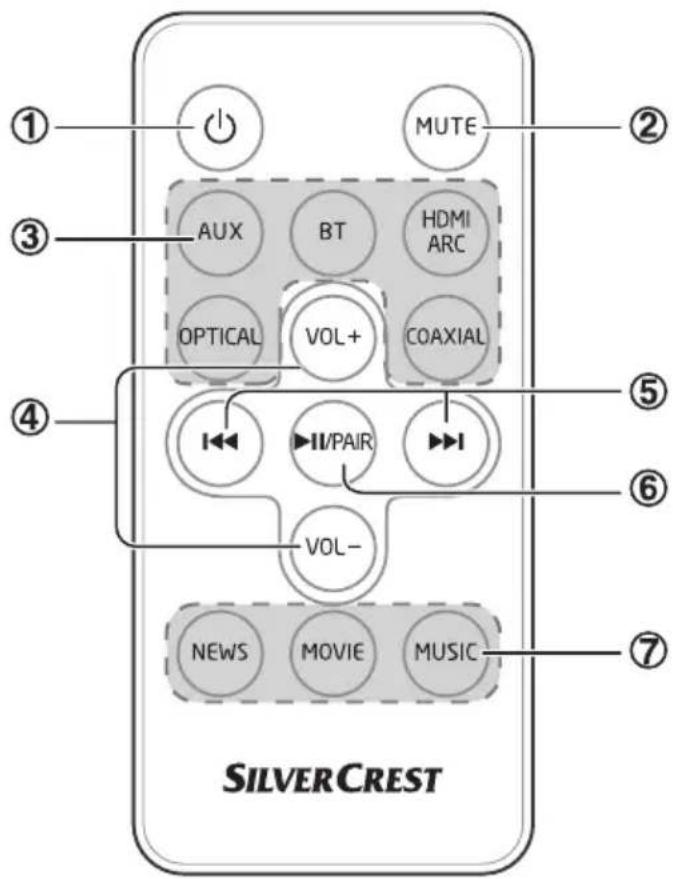
- ⏻
Switch the unit between ON and STANDBY mode.
- MUTE
Mute or resume the sound.
- Function buttons
Select the play function.
- VOL+/VOL-
Increase/decrease the volume level.
5.
Skip to previous/next track in Bluetooth mode.
- ▶II/PAIR
Play/pause/resume playback in Bluetooth mode.
Press and hold to activate the pairing function in Bluetooth mode or disconnect the existing paired Bluetooth device.
- EQ buttons
Select a preset sound effect.
Technical data
General
Power Supply: AC 220 - 240 V~50/60 Hz
Output Power: 15 W x 2 +30 W
Power Consumption: 30 W
Power consumption of standby mode: < 0.5 W
Frequency Response: 40 Hz - 20 KHz
Impedance: 4 Ω x 2 + 8 Ω
Total harmonic distortion: 1% (1 kHz, 1 W)
Audio input sensitivity: 500 mV
Dimension (W x H x D): 872 x 60 x 113 mm
Bluetooth
Version: V 3.0
Maximum power transmitted: <20 dBm
Frequency bands: 2402 MHz - 2480 MHz
Remote Control
Distance: 6 m
Angle: 30°
The specification and design may be changed without notification
Before use
Note:
All parts have to be unpacked and the packaging material has to be removed completely.
Before use, verify the package contents are complete and undamaged!
First time use
The unit has a pre-installed lithium CR2025 battery. Remove the protective tab to activate the remote control battery.
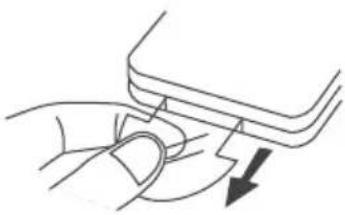
Replace the remote control battery
- Move the tab on the side of the battery tray.
- Pull out the battery tray and remove the old battery.
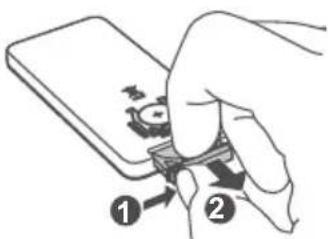
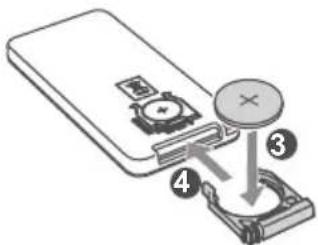
- Place a new CR2025 battery into the battery tray with the correct polarity (+/-) as indicated.
- Insert the battery tray back into the slot.
Prepare the remote control
The provided remote control allows the unit to be operated from a distance.
Even if the remote control is operated within the effective range (6 m), remote control operation may be impossible if there are any obstacles between the unit and the remote control.
If the remote control is operated near other products that generate infrared rays, or if other remote control devices using infrared rays are used near the unit, it may operate incorrectly.
Conversely, the other products may operate incorrectly.
Precautions concerning batteries
- Be sure to insert the batteries with correct positive "+" and negative "-" polarities.
- Use batteries of the same type. Never use different types of batteries together.
- Either rechargeable or non-rechargeable batteries can be used. Refer to the precautions on their labels.
- When the remote control is not to be used for a long time (more than a month), remove the battery from the remote control to prevent it from leaking.
- If the batteries leak, wipe away the leakage inside the battery compartment and replace the batteries with new ones.
- Do not use any batteries other than those specified.
- Do not mix new batteries with old ones.
- Do not heat or disassemble batteries. Never throw them in fire or water.
- Do not carry or store batteries with other metallic objects. Doing so could cause batteries to short circuit, leak or explode.
- Never recharge a battery unless it is confirmed that it is a rechargeable battery.
Placement and mounting
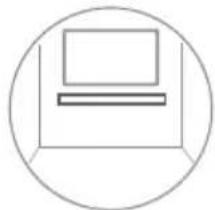
Normal placement (Option-A)
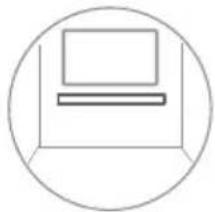
Place the soundbar on a level surface in front of the TV.
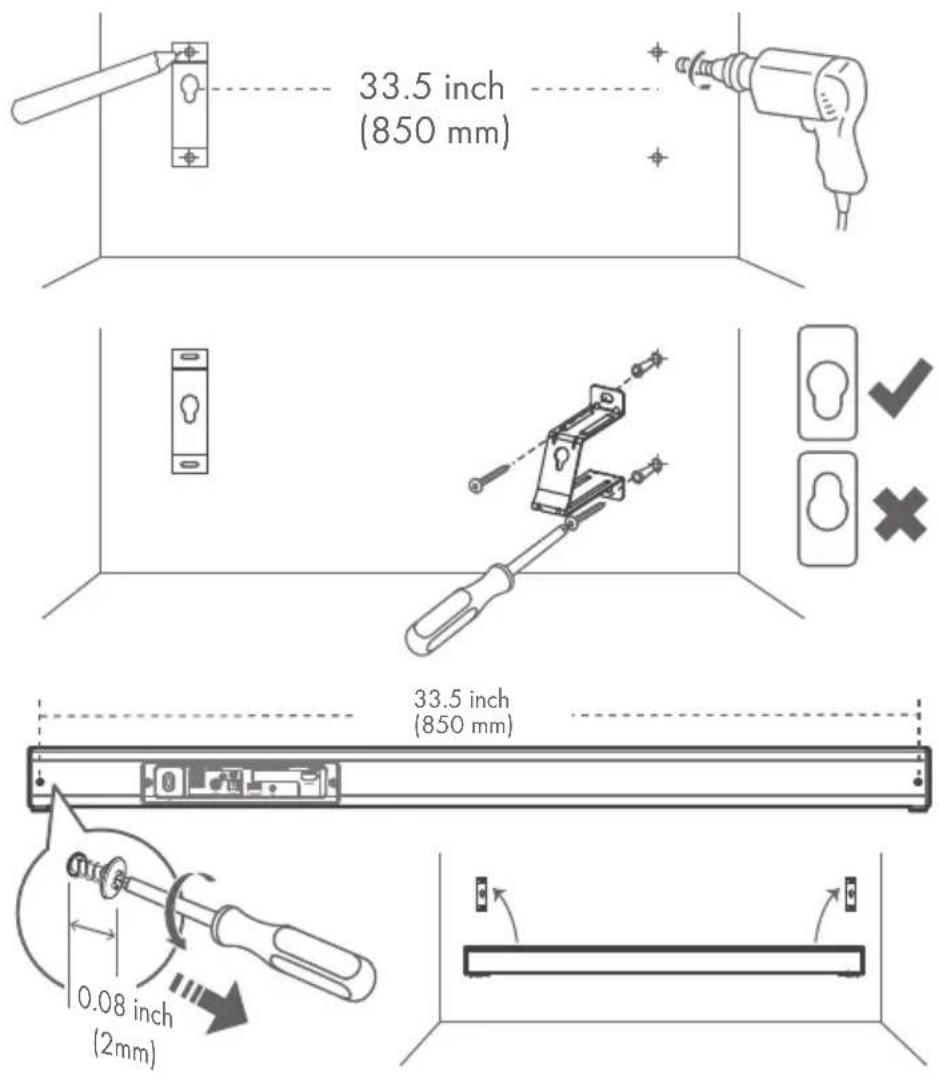
Wall mounting (Option-B)
Option - A Option - B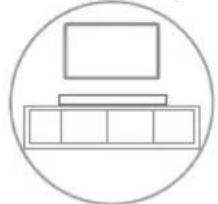
Note:
- Installation must be carried out by qualified personnel only. Incorrect assembly can result in severe personal injury and property damage. If you intend to install this product yourself, you must check for installations such as electrical wiring and plumbing that may be buried inside the wall. It is the installer's responsibility to verify that the wall will safely support the total load of the unit and wall brackets. Additional tools (not included) are required for the installation.
- Do not overtighten screws.
- Keep this instruction manual for future reference.
- Use an electronic stud finder to check the wall type before drilling and mounting.
Connections
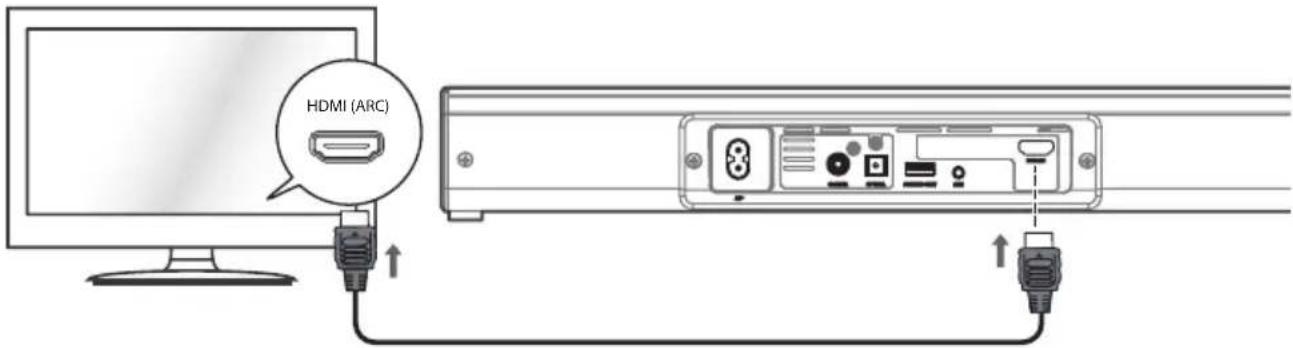
Connect to HDMI ARC (Audio Return Channel)
The ARC (Audio Return Channel) function allows you to send audio input from your ARC-compliant TV to ARC-compliant audio devices (e.g., soundbar) without the need to connect an audio cable.
To enjoy the ARC function, make sure the main unit's HDMI (ARC) socket is connected with the HDMI cable (included) to the HDMI (ARC) socket of your ARC-compliant TV. Then, just use your TV remote control to adjust the volume output (VOL +/- and MUTE) of the connected audio device.
Note:
- Your TV must support HDMI-CEC and ARC, and both must be set to On.
- The method for setting up HDMI-CEC and ARC may vary depending on the TV. For details about the ARC function, please refer to the owner's manual.
- Ensure that you use HDMI cables that support the ARC function.
- HDMI-CEC is called different names by different manufacturers – please refer to your owner's manual for details on setting up HDMI-CEC and ARC.
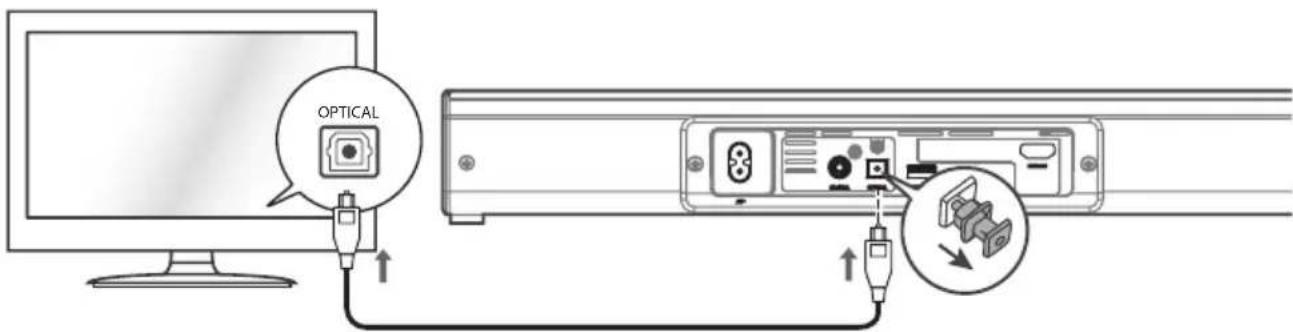
Connect to OPTICAL socket
Remove the protective cap of the OPTICAL socket, then connect an OPTICAL cable (not included) to the TV's OPTICAL OUT socket and the OPTICAL socket on the unit.
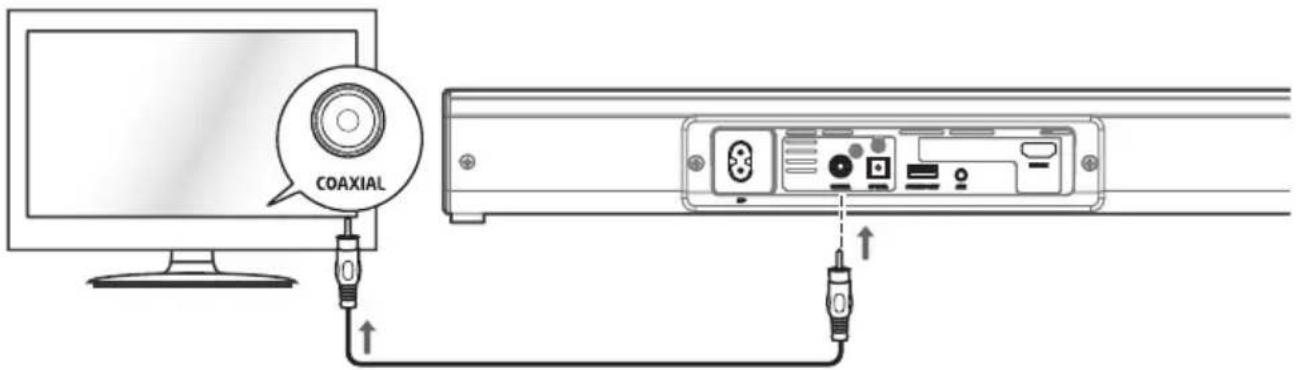
Connect to COAXIAL socket
You can also use a COAXIAL cable (not included) to connect the TV's COAXIAL OUT socket to the COAXIAL socket on the unit.
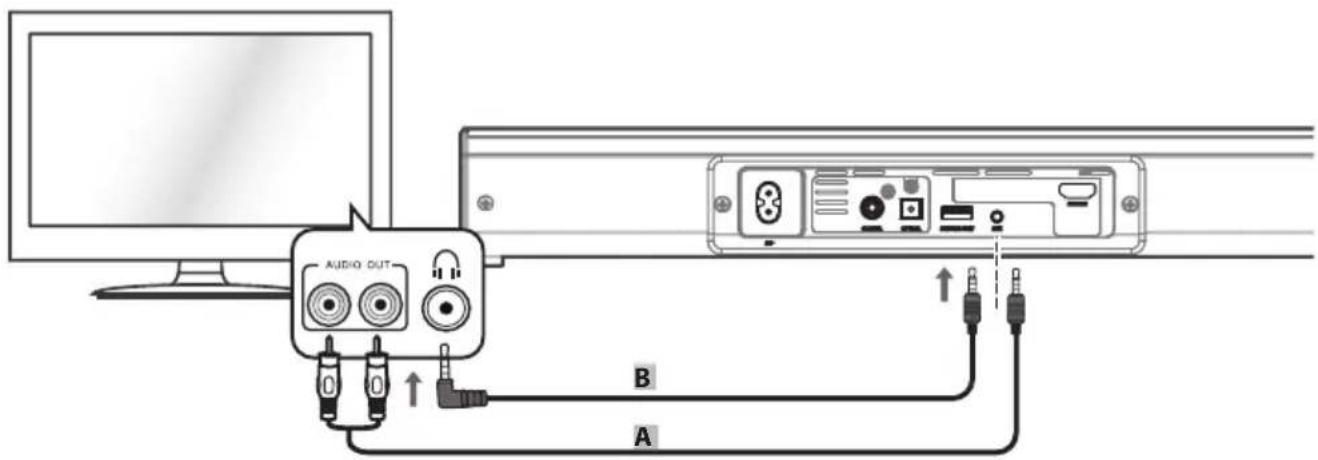
Connect to AUX Socket
A: Use an RCA to 3.5mm audio cable (included) to connect the TV's audio output sockets to the AUX socket on the unit. B: Use a 3.5mm to 3.5mm audio cable (not included) to connect the TV's or an external audio device's headphone socket to the AUX socket on the unit.
Connect to power
Risk of product damage!
- Ensure that the power supply voltage corresponds to the voltage printed on the back or underside of the unit.
- Before connecting the AC power cord, ensure you have completed all other connections.
- Connect the mains plug of the main unit to a mains socket.
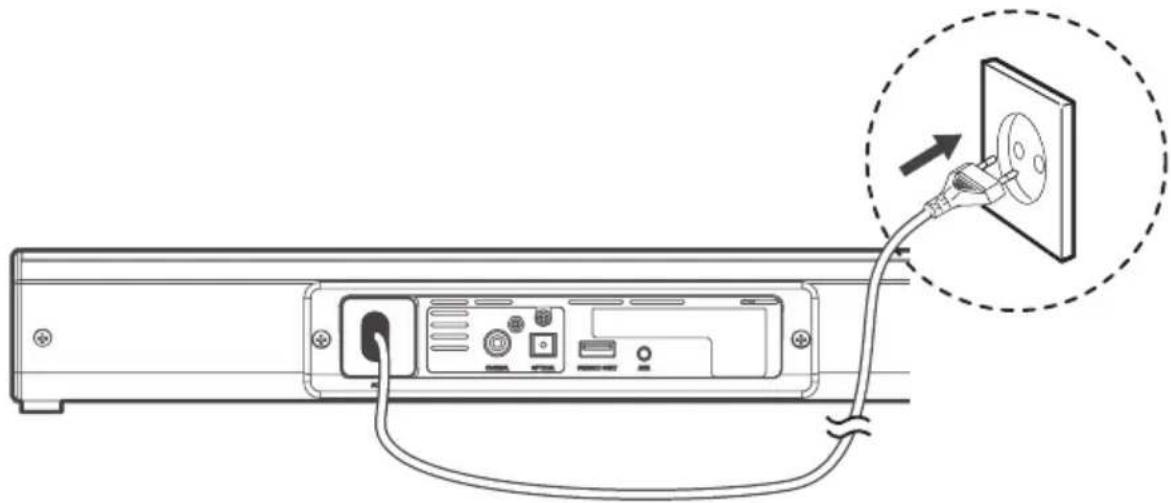
Note:
If there is no power, ensure that the power cord and plug are fully inserted and that the power is turned on.
Operation
Standby/ON
When you first connect the unit to the mains socket, the unit will be in Standby mode.
- Press the ⏻ button on the unit or on the remote control to switch the unit on.
- Press the ⏻ button again to switch the unit back to standby mode. The power indicator will light up red.
- Disconnect the mains plug from the mains socket if you want to switch the unit OFF completely.
- If the unit is idle for over 15 minutes, the unit will automatically switch to Standby mode.
Select modes
Press the SOURCE button repeatedly on the unit or the AUX, HDMI ARC, COAXIAL, OPTICAL and BT (Bluetooth) buttons on the remote control to select the desired mode.
Adjust the volume
- Press the VOL+ / VOL- buttons on the unit or on the remote control to adjust the volume.
- If you wish to turn the sound off, press the MUTE button on the remote control. Press the MUTE button again or press the VOL+ / VOL- buttons on the unit or on the remote control to resume normal listening.
- While adjusting the volume, the status indicator flashes quickly.
- When the volume level reaches its maximum level, if you press the VOL+ button again, the status indicator flashes once. When the volume level reaches its minimum level, if you press the VOL+ button again, the status indicator flashes once.
Select a preset sound effect
While playing, press the EQ button on the unit or the NEWS, MOVIE, MUSIC buttons on the remote control to select between preset equalizers.
AUX / HDMI ARC / COAXIAL /
OPTICAL operation
- Ensure that the unit is connected to the TV or audio device.
- Press the SOURCE button repeatedly on the unit or the AUX, COAXIAL, HDMI ARC and OPTICAL buttons on the remote control to select the desired mode.
- Operate your audio device directly for playback features.
- Press the VOL +/VOL- button to adjust the volume to your desired level.
! Note:
While in HDMI ARC, COAXIAL, OPTICAL mode, if there's no sound output from the unit and the status indicator flashes quickly, you may need to activate PCM Signal output on your source device (e.g. TV, DVD or Blu-ray player).
Bluetooth operation
Pair Bluetooth-enabled devices
The first time you connect your Bluetooth device to this unit, you need to pair your device to the unit.
! Note:
- The operational range between this unit and a Bluetooth device is approximately 8 meters (without any object between the Bluetooth device and the unit).
- Before you connect a Bluetooth device to this unit, ensure you know the device's capabilities.
- Compatibility with all Bluetooth devices is not guaranteed.
- Any obstacle between this unit and a Bluetooth device can reduce the operational range.
- If the signal strength is weak, your Bluetooth receiver may disconnect, but it will re-enter pairing mode automatically.
To connect your device to the unit via Bluetooth, follow the steps below:
- During ON mode, press the SOURCE button repeatedly on the unit or the BT button on the remote control to select Bluetooth mode. The Blue indicator will light flash.
- Activate your Bluetooth device and select the search mode. "SBWL 60 A1" will appear on your Bluetooth device list. If you cannot find the unit, press and hold the ▶II/PAIR button on the remote control to be searchable. The system has entered pairing mode. You will hear "Pairing" from the unit and the Blue indicator will flash fast.
- Select "SBWL 60 A1" in the pairing list. After the "Paired" voice prompt, the system is successfully connected and the Blue indicator will light up solidly.
- Play music from the connected Bluetooth device.
To disconnect the Bluetooth function, you can :
- Switch to another function on the unit.
- Disable the function from your Bluetooth device. The Bluetooth device will be disconnected from the soundbar after the "Disconnected" voice prompt.
- Press and hold the ▶IV/PAIR button on the remote control.
Note:
- Enter "0000" for the password if necessary.
- If no other Bluetooth device pairs with this player within two minutes, the player will recover its previous connection.
- The player will also be disconnected when your device is moved beyond the operational range.
- If you want to reconnect your device to this player, place it within the operational range.
- If the device is moved beyond the operational range, when it is brought back, please check if the device is still connected to the player.
- If the connection is lost, follow the instructions above to pair your device to the player again.
Listen to Music from Bluetooth Device
If the connected Bluetooth device supports Advanced Audio Distribution Profile (A2DP), you can listen to the music stored on the device through the player.
If the device also supports Audio Video Remote Control Profile (AVRCP), you can use the player's remote control to play music stored on the device.
- Pair your device with the player.
- Play music via your device (if it supports A2DP).
- Use supplied remote control to control play (if it supports AVRCP).
To pause/resume play, press the ▶I/PAIR button on the remote control.
To skip to a track, press the ◀◀/▶buttons on the remote control.
Cleaning
- Switch the product off, remove all plugs before cleaning!
- No acid, chafing or solvent cleaning agents should be used or the product can be damaged.
- Only clean the outside of the product using a soft, dry cloth!
- For persistent soiling, a mild cleaning agent can be used.
- It is necessary to repair the product if they have been damaged in any way, for example, if the housing is damaged, if liquid or objects have penetrated the device or if the product has been exposed to rain or moisture.
- Repair work is also required if the device is not working properly or has been dropped. If smoke is produced, or there are any unusual sounds or smells, turn the product off immediately. In such cases, the product should not be used until it has been inspected by authorised service personnel. Only have the device repaired by qualified personnel. Never open the housing of the product.
- Only use a clean, dry cloth for cleaning the product and never use any corrosive liquids. Use a slightly moistened cloth and a mild cleaning agent to remove stubborn dirt.
Troubleshooting
To keep the warranty valid, never try to repair the system yourself. If you encounter problems when using this unit, check the following points before requesting service.
No power
- Ensure that the AC cord of the apparatus is properly connected.
- Ensure that there is power at the AC outlet.
- Press the standby button to turn the unit on.
Remote control does not work
- Before you press any playback control button, first select the correct source.
- Reduce the distance between the remote control and the unit.
- Insert the battery with its polarities (+/-) aligned as indicated.
- Replace the battery.
- Aim the remote control directly at the sensor on the front of the unit.
I cannot find the Bluetooth name of this unit on my Bluetooth device
- Ensure the Bluetooth function is activated on your Bluetooth device.
- Re-pair the unit with your Bluetooth device.
This is a 15 mins power off function, one of the ERPII standard requirement for saving power
- When the unit's external input signal level is too low, the unit will turn off automatically in 15 minutes. Please increase the volume level of your external device.
Storage when not in use
Store the product in a dry location to protect it from dust and direct sunlight.
Disposal
The packaging is made of environmentally friendly materials, which may be disposed of through your local recycling facilities.
Contact your municipality for information on how to dispose of your worn-out product.
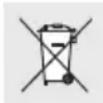
The adjacent symbol of a crossed out dustbin on wheels indicates this device is subject to Directive 2012/19/EU.
This directive states that at the end of its life, this device must not be disposed of through regular household refuse but must be returned to special collection sites, recycling depots, or waste management companies.
This disposal is free of charge to you. Protect the environment and dispose properly.
Please contact your local waste management company or the city/municipal administration for more information.
Think about the environment and your personal health. Dispose of empty batteries in separate collecting boxes. These can be found in many public buildings or in shops where batteries are sold.
Improper disposal of batteries can harm the environment!
Never dispose of batteries in your household waste. They may contain toxic heavy metals and are subject to hazardous waste regulations. The chemical symbols of the heavy metals are: Cd = cadmium, Hg = mercury, Pb = lead. Therefore, dispose of used batteries through your local collection site.
Simplified EU declaration of conformity
Hereby, OWIM GmbH & Co. KG, Stiftsbergstraße 1, DE-74167 Neckarsulm, GERMANY, declares that the product BLUETOOTH® STEREO SOUNDBAR HG03078 is in compliance with Directives 2014/53/EU, 2011/65/EU, and 2009/125/EC.
The full text of the EU declaration of conformity is available at the following internet address:
www.owim.com
CE
Table of contents
Introduction 40
Main unit
Note:
Main unit
HDMI cable Wall mounts
Remote control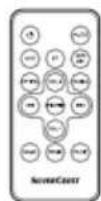
! Note:
Main unit
USE PROTECTIVE GLOVES!
! Note:
! Note:


- STEREO SOUNDBAR WITH BLUETOOTH® / BLUETOOTH® STEREO SOUNDBAR / BARRE DE SON STÉRÉO BLUETOOTH® SBWL 60 A
- STEREO SOUNDBAR WITH BLUETOOTH®
- NOTE
- BLUETOOTH® STEREO SOUNDBAR
- INTRODUCTION
- INTENDED USE
- WARNINGS AND SYMBOLS USED
- DANGER
- WARNING
- CAUTION
- CAUTION! EXPLOSION HAZARD
- TRADEMARK NOTICES
- SCOPE OF DELIVERY
- GENERAL SAFETY INSTRUCTIONS
- SAFETY
- ⚠ DO NOT INGEST BATTERY, CHEMICAL BURN
- ⚠ WARNING! DANGER TO LIFE AND RISK OF ACCIDENT FOR INFANTS AND CHILDREN
- ⚠️ DANGER RISK OF SUFFOCATION
- RISK OF PROPERTY DAMAGE
- ⚠️ DANGER! RADIO INTERFACE
- ⚠️ DANGER RISK OF EXPLOSION
- ⚠ WARNING! ENSURE THAT
- RISK OF BATTERIES / RECHARGEABLE BATTERIES LEAKAGE
- WEAR PROTECTIVE GLOVES
- DESCRIPTION OF PARTS
- MAIN UNIT
- REMOTE CONTROL
- TECHNICAL DATA
- GENERAL
- BLUETOOTH
- BEFORE USE
- FIRST TIME USE
- REPLACE THE REMOTE CONTROL BATTERY
- PREPARE THE REMOTE CONTROL
- PRECAUTIONS CONCERNING BATTERIES
- PLACEMENT AND MOUNTING
- NORMAL PLACEMENT (OPTION-A)
- WALL MOUNTING (OPTION-B)
- CONNECTIONS
- CONNECT TO HDMI ARC (AUDIO RETURN CHANNEL)
- CONNECT TO OPTICAL SOCKET
- CONNECT TO COAXIAL SOCKET
- CONNECT TO AUX SOCKET
- CONNECT TO POWER
- RISK OF PRODUCT DAMAGE
- OPERATION
- STANDBY/ON
- SELECT MODES
- ADJUST THE VOLUME
- SELECT A PRESET SOUND EFFECT
- AUX / HDMI ARC / COAXIAL
- OPTICAL OPERATION
- BLUETOOTH OPERATION
- PAIR BLUETOOTH-ENABLED DEVICES
- TO CONNECT YOUR DEVICE TO THE UNIT VIA BLUETOOTH, FOLLOW THE STEPS BELOW
- TO DISCONNECT THE BLUETOOTH FUNCTION, YOU CAN
- LISTEN TO MUSIC FROM BLUETOOTH DEVICE
- CLEANING
- TROUBLESHOOTING
- NO POWER
- REMOTE CONTROL DOES NOT WORK
- I CANNOT FIND THE BLUETOOTH NAME OF THIS UNIT ON MY BLUETOOTH DEVICE
- THIS IS A 15 MINS POWER OFF FUNCTION, ONE OF THE ERPII STANDARD REQUIREMENT FOR SAVING POWER
- STORAGE WHEN NOT IN USE
- DISPOSAL
- SIMPLIFIED EU DECLARATION OF CONFORMITY
- TABLE OF CONTENTS
- USE PROTECTIVE GLOVES
Brand : SILVERCREST
Model : SBWL 60 A1
Category : Loudspeaker