X920 - Gps WayteQ - Free user manual and instructions
Find the device manual for free X920 WayteQ in PDF.


| Product Type | Portable GPS Navigation Device |
| Brand | WayteQ |
| Model | X920 |
| Dimensions | 135 × 85.9 × 14.3 mm (reference) |
| Display | 5 inch TFT LCD, 480 × 272 pixels, 65,536 colors, resistive touch |
| Processor | SiRF Atlas IV dual core, ARM11 500 MHz |
| Operating System | Windows CE 6.0 |
| RAM | 128 MB (64 MB optional) |
| Internal Storage | 2 GB (4 GB optional) |
| External Storage | Micro SD card up to 8 GB |
| GPS Chip | SiRF GPS, up to 40 channels |
| Battery | Rechargeable lithium-ion, 1800 mAh |
| Power Input | Car charger (12V) via mini USB; USB cable for PC charging |
| Connectivity | Mini USB 2.0 (Mass Storage / ActiveSync), 3.5 mm headphone jack |
| Antenna | Embedded |
| Additional Features | Light sensor, external TMC receiver support |
| Media Playback | Music (WMA), Video (AVI), Photo (JPG, GIF, BMP, PNG), E-book (TXT), Flash (SWF) |
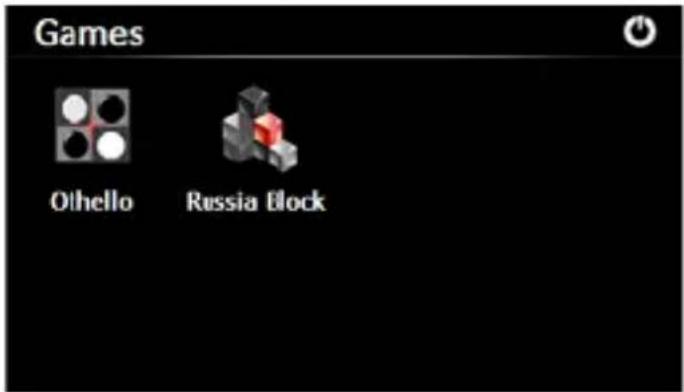
| Games | Othello, Russia Block |
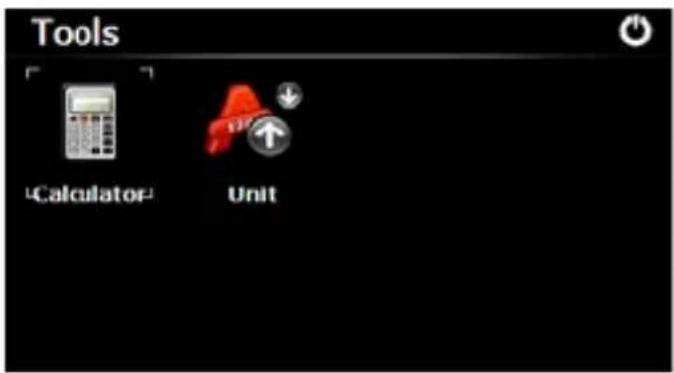
| Tools | Calculator, Unit Converter, GPS Info display |
| Languages Supported | Multiple (including English, German, French, etc.) |
| Safety Warnings | Not for precise measurements; do not use while driving; avoid direct sunlight; GPS may be blocked indoors |
| Care Instructions | Keep away from moisture; clean with soft dry cloth; avoid extreme temperatures |
| Spare Parts & Repairability | Battery internal; memory card slot accessible; no user-serviceable parts; contact support for repairs |
| Included Accessories | Car charger, USB cable, car cradle, suction mount, stylus |
Frequently Asked Questions - X920 WayteQ
User questions about X920 WayteQ
0 question about this device. Answer the ones you know or ask your own.
Ask a new question about this device
Download the instructions for your Gps in PDF format for free! Find your manual X920 - WayteQ and take your electronic device back in hand. On this page are published all the documents necessary for the use of your device. X920 by WayteQ.
USER MANUAL X920 WayteQ
3.1 Zene (Music)
3.2 Fotó
natural_image
Close-up of chocolate pastries and a strawberry tart on a red background (no visible text or symbols)H G F E D C B A
5. Eszközök
6. GPS Info
7.4 Dátum és idő
7.7 Rendszer Info
3.1 Muzică
3.2 Fotografie
natural_image
Close-up of colorful pastries with chocolate and berries on a red background, no visible text or symbols.5. Instrumente
6. Info GPS
7.4 Data și ora
3.1 Музика

natural_image
Close-up of colorful dessert cakes with berries and chocolate topping on red background (no visible text or symbols)H G F E D C B A
6. GPS Информация
7.4 Дата и време
A. Ladeanzeige
B. Lautsprecher
C. Einschalten
3.1 Musik

natural_image
Close-up of colorful pastries including chocolate, strawberries, and waffles on a red background (no visible text or symbols)H G F E D C B A
5. Werkzeug
6. GPS Info
7.4 Datum und Zeit
A. kontrolka nabíjania
B. reproduktor
C. vypínač
D. konektor na sluchátka
E. šachta pre pamät'ovú kartu
F. mini USB
G. dotyková ceruza
H. Reset
I. Svetelné čidlo
3.1 Hudba (Music)
3.2 Fotó
Dotknite sa Photo ikony na zobrazenie tohto obrazca a dotknite sa sa " ikony pre výber obrázku
natural_image
Close-up of chocolate pastries and strawberries on a red background, with no visible text or symbols.5. Nástroje
6. GPS Info
7.4 Čas a dátum
Precaution and Notice
- The PND is used only as a navigation aid. It is not for precise measurement of direction, distance, location or topography. The user must follow all traffic signs and local regulations along the roads.
- GPS satellite signals cannot pass through solid materials (except glass). When you are inside a tunnel or building, GPS position is not available.
- A minimum of 4 GPS satellite signals are needed to determine current location. Signal reception can be affected by situations such as bad weather or dense overhead obstacles (e.g. tall buildings).
- Other wireless devices in the vehicle might interfere with the reception of satellite signals and cause the reception to be unstable.
- When you get out of the car, do not leave your PND on the dashboard or subject to direct sunlight. The overheating of the battery may cause malfunctions and/or dangerous conditions.
- For your own safety, do not operate the controls of the PND while driving. Do not mount where the driver's field of vision is blocked.
Basic Introduction
1.1 Overview
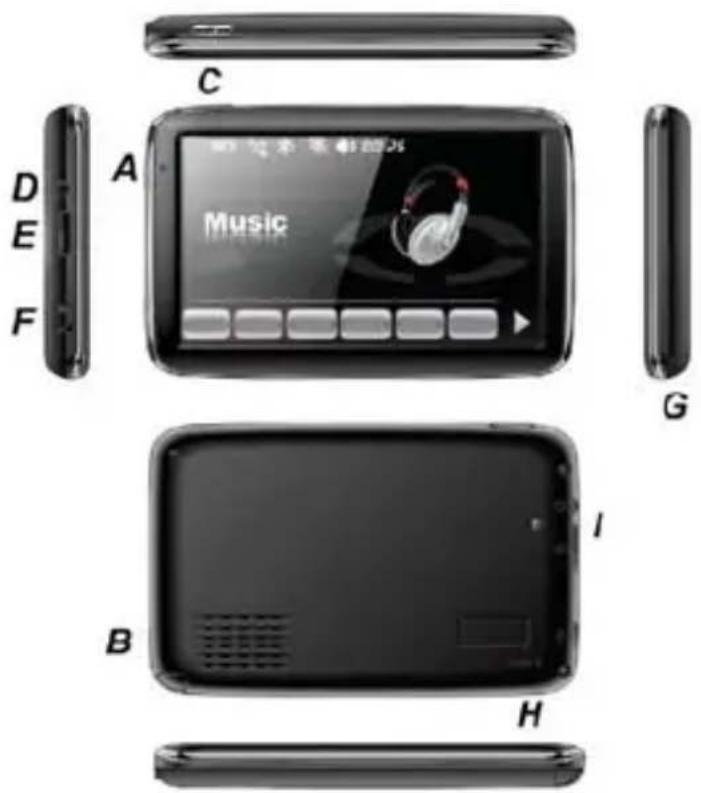
A. Charging Indication
B. Speaker
C. Power
D. 3.5mm Earphone Socket
E. Memory Card Slot
F. Mini USB
G. Stylus Pen Slot
H. Reset
I. Light Sensor
Once the card is installed, it cannot be removed during the operation of the device.
If you need to remove the card, switch the unit off first, push the card in and it will eject from the slot.
1.2 Charging by Car Charger
Caution: To protect your device against suddenness, please connect the car charger only after the car engine has been started.
1.3 USB Cable
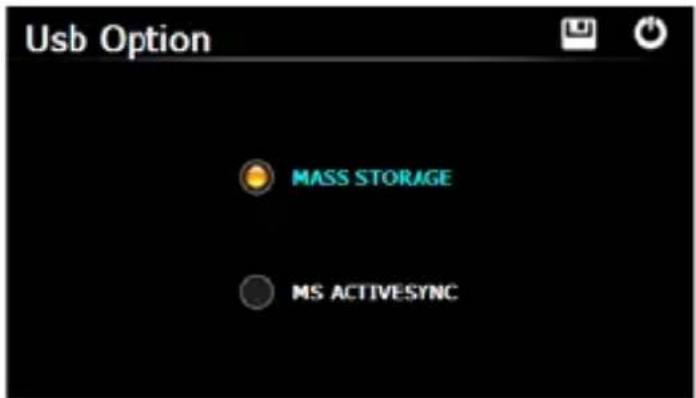
The USB cable is provided for system upgrades and battery charging. This USB cable will work on the PC either with Microsoft Active Sync® or as a mess storage media. You can select the mode in the "Setting-USB" menu.
1.4 Install the Car Cradle and Bracket
Take off the protection film on the bottom of the suction. Then put the bracket onto a suitable location of your windscreen or side window and make sure the suction or windscreen is clean without water or any dirty things. Never place the stand where the driver's field of vision is blocked.
Install the device bracket into the car cradle, after adjust of the angle and direction of the PND, rotate the screw to lock onto windscreen.
1.5 AC-DC Charger optional
Main Functions Introduction
1. Starting Up and Power Off
Long press the "Power" button to power the equipment on and you can see the main interface as below :
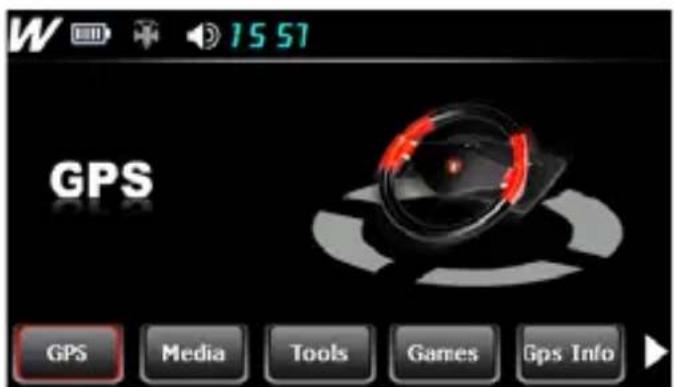
Long press the "Power" button again to enter into the below interface :
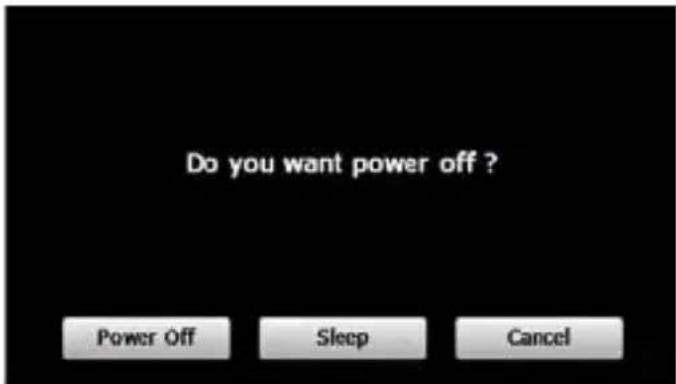
Tap the "Power off" button to turn the unit off.
Tap the "Sleep" button to enter a suspend state and the system stops operation.
Tap the "Cancel" button to turn back to the screen.
2. GPS Navigation
Double tap the "GPS" icon to start navigation program.
3. Media
Tap the icon "Media" on the main menu and enter into the below interface :
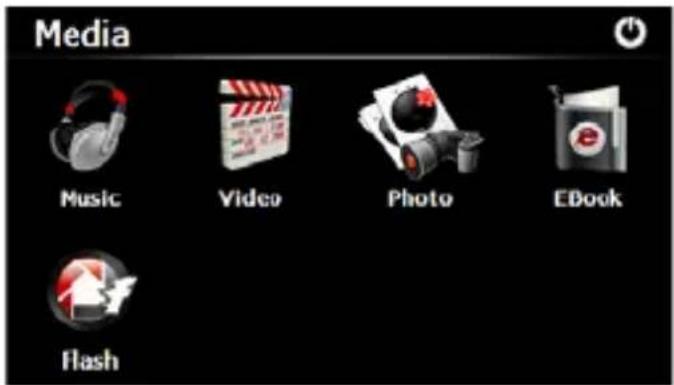
3.1 Music
Tap the icon "Music" on the media menu and enter into the following interface.
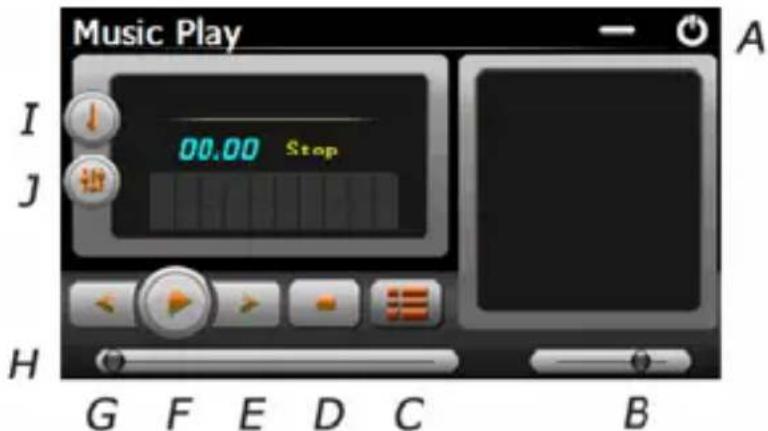
A. Return to the Media menu
B. Volume control
C. Select desired music file
D. Stop
E. Next
F. Pause / Play
G. Previous
H. Speed Bar
I. Play mode
J. Equalizer
Double tap icon "
" to choose music file .
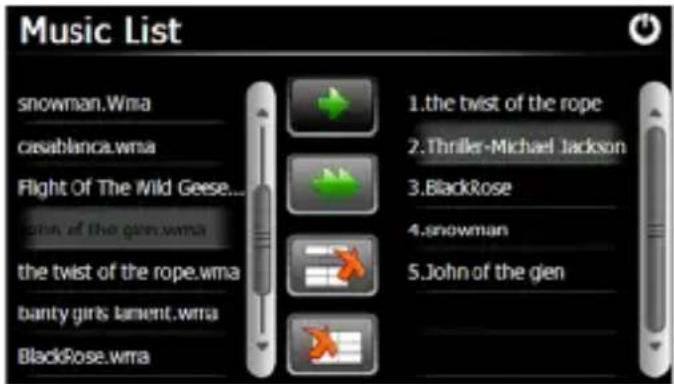
Tap the icon " " for single selection, tap the icon " " to select all, tap the icon " " for single delete, tap the icon " " to delete all.
3.2 Photo
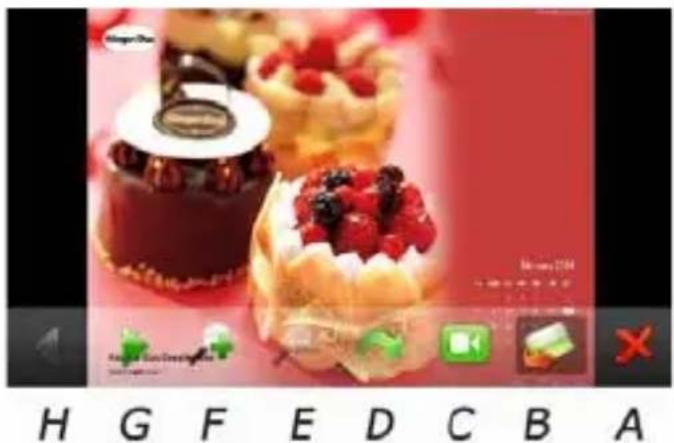
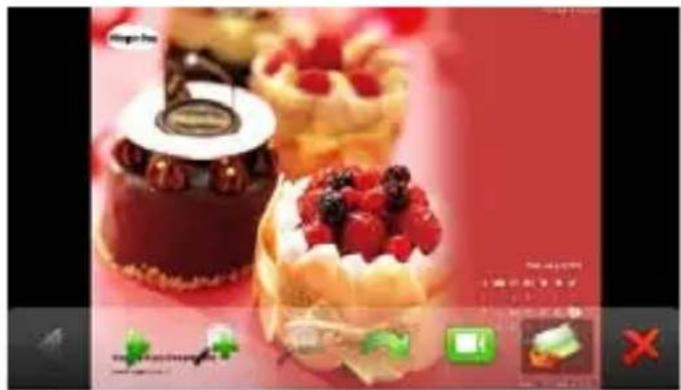
Tap the "Photo" icon on the media menu and tap the icon " " to select photo files, double tap the photo file to see the following interface.
natural_image
Close-up of colorful pastries including chocolate, strawberries, and waffles on a red background (no visible text or symbols)H G F E D C B A
A. Return to the Media menu
B. Select photo file
C. Slide mode
D. Rotate
E. Zoom in
F. Zoom out
G. Next
H. Previous
3.3 E-book
Tap the "EBook" icon on the media menu, then tap the " " icon to choose Ebook files, double tap the file and enter into the following interface.

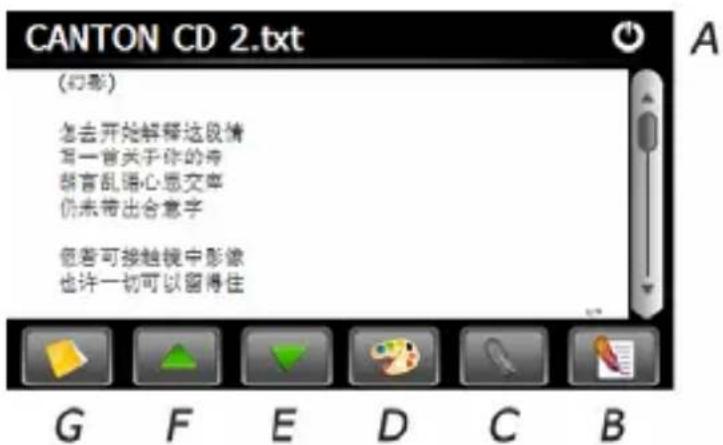
A. Return to the Media menu
B. Bookmark list
C. Bookmark
D. Theme and font
E. Down
F. Up
G. Select EBook files
3.4 Video
Tap the icon "Video" on the media menu, then tap the " and enter into following interface.
"icon to choose video files, and double tap the file
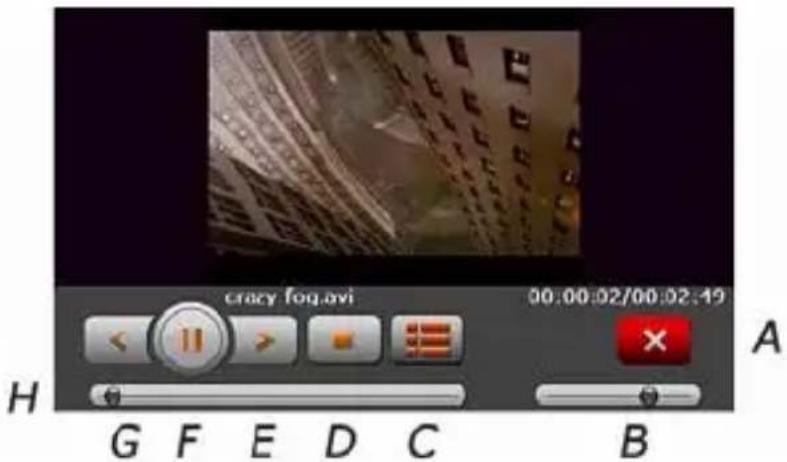
A. Return to the Media menu
B. Volume
C. Select video file
D. Stop
E. Next
F. Pause/play
G. Previous
H. Speed bar
Tips:
Tap NEXT button to recycle the movie.
Double tap the screen, it will display in full screen, double tap the screen again, it will return to original playing size.
3.5 Flash
Tap the icon "Flash" on the media menu and enter into the following interface.
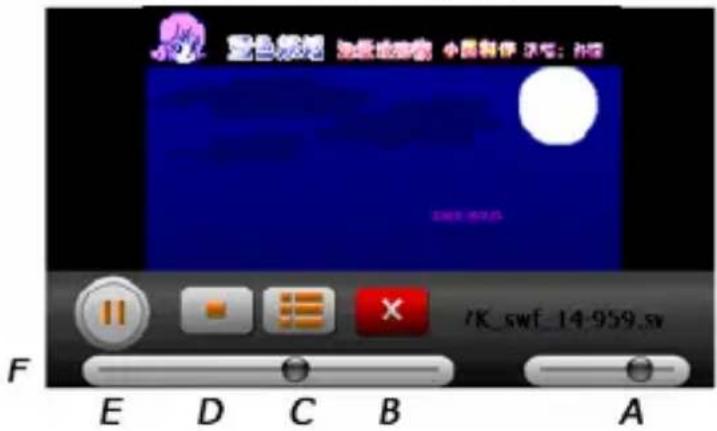
B. Return to the Media menu
C. Select flash file
D. Stop
E. Play / Pause
F. Speed Bar
4. Games
Tap the icon "Games" on the main menu and double tap the game to run it.
5. Tools
Tap the icon "Tools" on the main menu and double tap the tool program to run it.
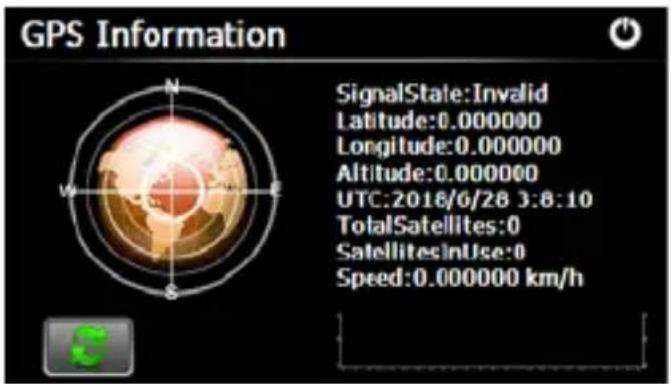
6. GPS Info
Tap the "GPS Info" icon and the unit will show the detail information of GPS satellites.
7. Setting
Tap the icon "Setting" on the main menu and enter into the following interface.
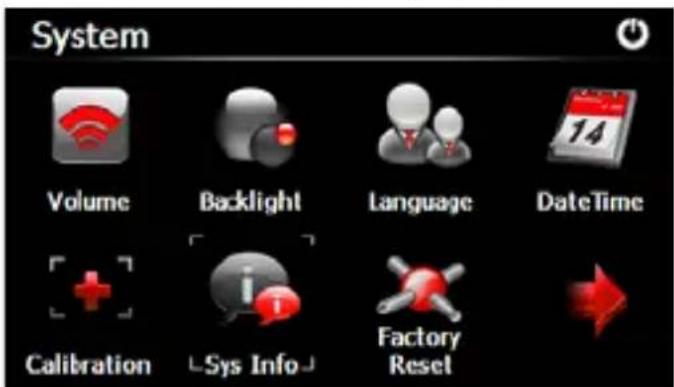
Tips : after make any changes of setting , tap " " to save the change .
7.1 Volume
Tap the icon "Volume" on the menu and enter into the following interface.
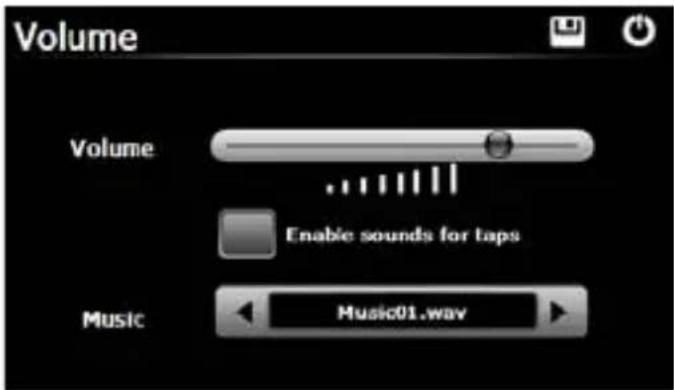
Choose "Music" files to be background sound when unit is power on.
7.2 Backlight
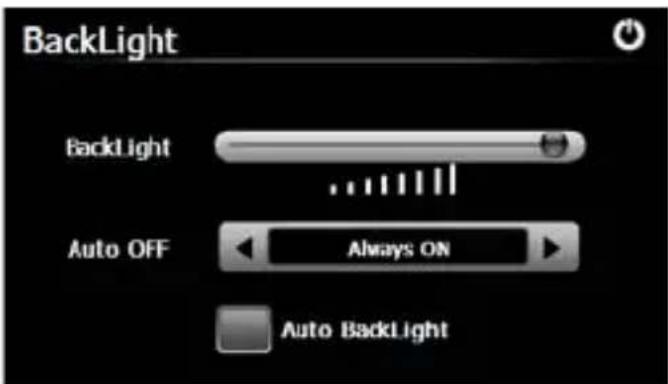
Tap the "Backlight" icon and enter into the following interface.
7.3 Language
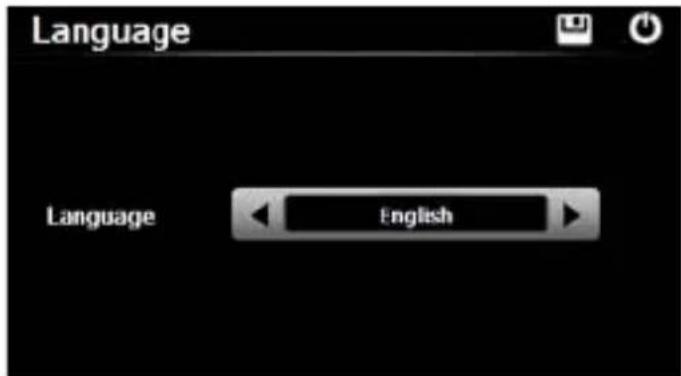
Tap the "Language" icon and choose the language.
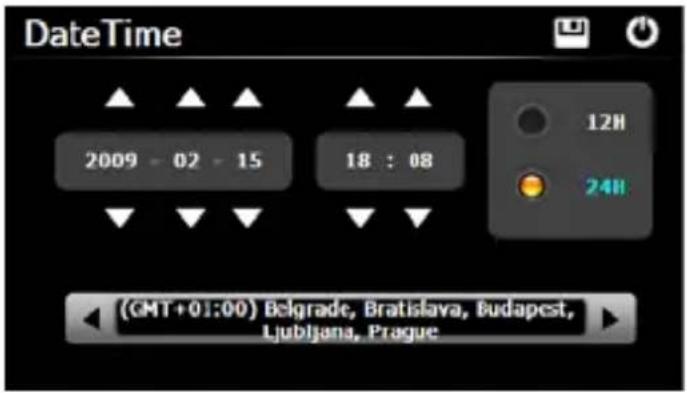
7.4 Date and Time
Tap the icon "Date Time" and enter into the following interface to set date, time and time zone.
7.5 Calibration
Tap the " Calibration " icon and enter into the following interface .
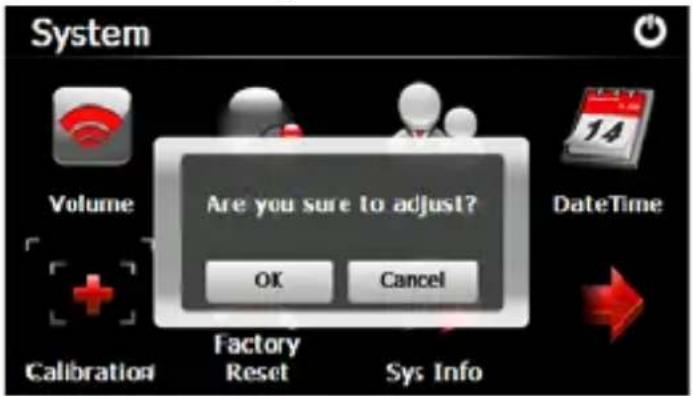
Tap the icon "OK" to adjust the touch screen.
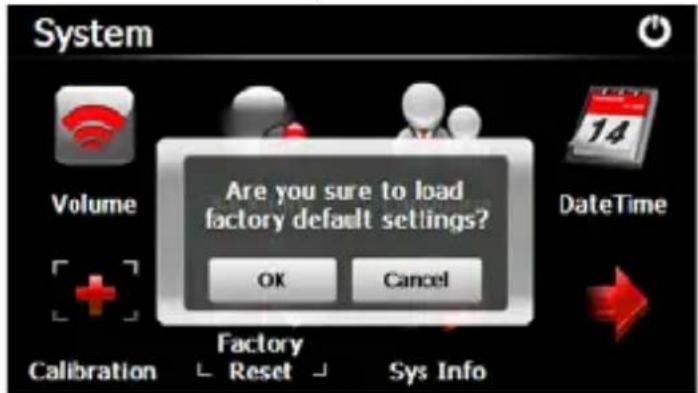
7.6 Factory Reset
Tap the " Factory Reset " icon and enter into the following interface . Tap the icon " OK " to load factory default setting .
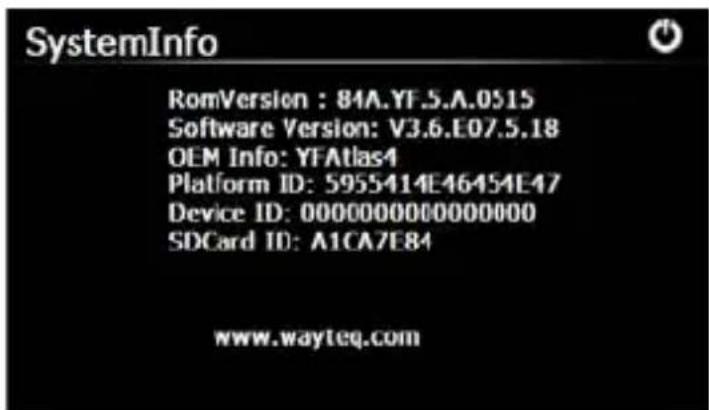
7.7 System Info
Tap the "Sys Info" icon and enter into the following display interface.
7.8 USB
Tap the icon "USB" to set the USB working mode.
7.9 Nav Path
Tap the "Nav Path" icon and enter into the following display interface.
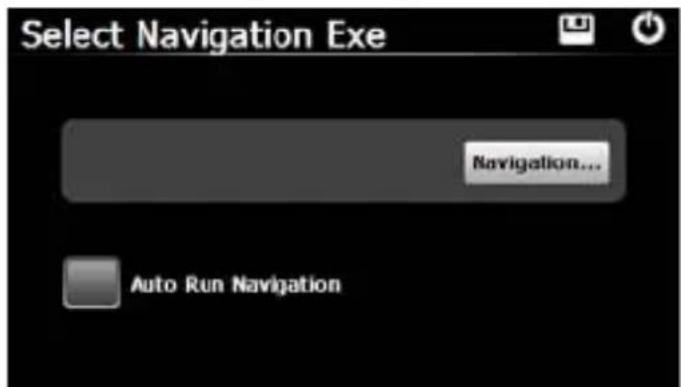
When you have several Navigation maps in the device, if you choose the "Navigation" icon, you can set up one of Navigation maps (navigation program files), and select the Auto Run Navigation, next time when tapping the "GPS" icon on the main menu, the device will run the selected Navigation software automatically.
This document is for guidance only and does not form part of any contract, and may be subject to change without notice
Technical Specification
•135 * 85.9 * 14.3 mm (reference)
•SiRF Atlas IV dual core, ARM11 CPU 500MHz Processor
- WinCE 6.0 system
•SDRAM : 128MB (64MB Optional)
- Flash Memory : 2GB (4GB Optional)
- External Memory : Micro SD card support up to 8GB
•SiRF GPS up to 40 channels
- USB2.0 high speed, support Active Sync. Or Mass Storage Modes
- 5 inch , 480 * 272, 65,536 possible colors, Digital TFT LCD with 4-wire resistive touch panel , 250 lumen,16:9
- Embedded Antenna
•Light Sensor
•Li Battery, 1800mAh
•External TMC receiver support
•3.5mm Stereo headphone jack
- Animation Menu Style
•Photo Viewer : JPG, GIF, BMP, PNG
•E-book : TXT
- Flash Player : SWF
•Games : Othello, Russia block
-Tools: Calculator, Unit Converter, GPS Info
This specification is for reference only and does not form part of any contract, and may be subject to change without notice.
© 2009 WayteQ Technology Co., Ltd. All rights reserved.
Print in China
- Zene (Music)
- Fotó
- Eszközök
- GPS Info
- Dátum és idő
- Rendszer Info
- Muzică
- Fotografie
- Instrumente
- Info GPS
- Data și ora
- Музика
- GPS Информация
- Дата и време
- Musik
- Werkzeug
- Datum und Zeit
- Hudba (Music)
- Nástroje
- Čas a dátum
- Precaution and Notice
- Basic Introduction
- Overview
- Charging by Car Charger
- USB Cable
- Install the Car Cradle and Bracket
- AC-DC Charger optional
- Main Functions Introduction
- Starting Up and Power Off
- GPS Navigation
- Media
- Music
- Photo
- E-book
- Video
- Tips:
- Flash
- Games
- Tools
- Setting
- Volume
- Backlight
- Language
- Date and Time
- Calibration
- Factory Reset
- System Info
- USB
- Nav Path
- Technical Specification
Brand : WayteQ
Model : X920
Category : Gps