
Smart Switch Dual Battery - Home Automation TESLA - Free user manual and instructions
Find the device manual for free Smart Switch Dual Battery TESLA in PDF.


| Product Type | Smart Switch with Dual Battery Backup |
| Dimensions | 90 x 90 x 40 mm |
| Weight | 200 g |
| Power Supply | 100-240V AC, 50/60Hz |
| Battery Type | Lithium-ion rechargeable, dual cells |
| Battery Capacity | 2000 mAh (total) |
| Backup Runtime | Up to 4 hours under normal load |
| Wireless Connectivity | Wi-Fi 2.4 GHz, Bluetooth 4.0 |
| Compatibility | Works with Alexa, Google Assistant, HomeKit |
| Max Load | 10A resistive, 5A inductive |
| Standby Power Consumption | < 0.5W |
| Operating Temperature | 0°C to 40°C |
| Enclosure Material | Fire-resistant polycarbonate |
| Key Functions | Remote on/off, scheduling, energy monitoring, battery backup |
| Maintenance | Wipe with dry cloth; do not use liquids |
| Safety Certifications | CE, RoHS, FCC |
| Protection Features | Overload, short circuit, over-temperature, over-discharge |
| Installation | Wall-mounted, requires neutral wire |
| Warranty | 2 years |
| Spare Parts Availability | Contact Tesla support; not user-serviceable |
Frequently Asked Questions - Smart Switch Dual Battery TESLA
User questions about Smart Switch Dual Battery TESLA
0 question about this device. Answer the ones you know or ask your own.
Ask a new question about this device
Download the instructions for your Home Automation in PDF format for free! Find your manual Smart Switch Dual Battery - TESLA and take your electronic device back in hand. On this page are published all the documents necessary for the use of your device. Smart Switch Dual Battery by TESLA.
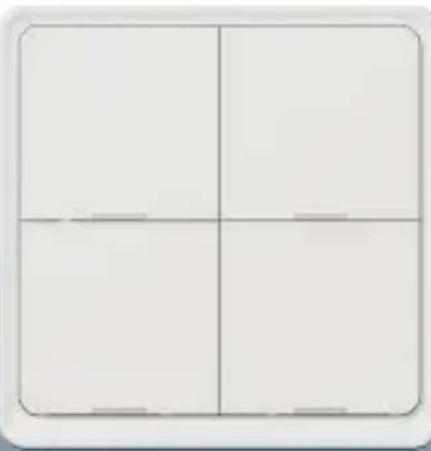
USER MANUAL Smart Switch Dual Battery TESLA
natural_image
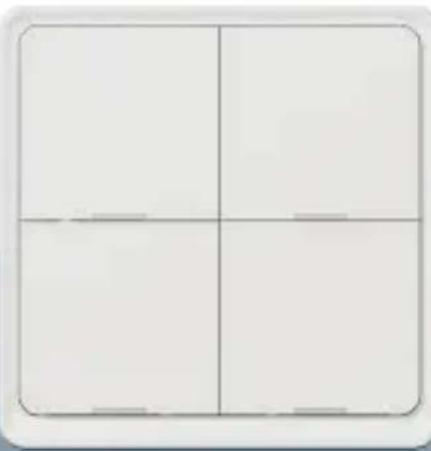
Simple four-quadrant grid with no text or symbols, no readable content
natural_image
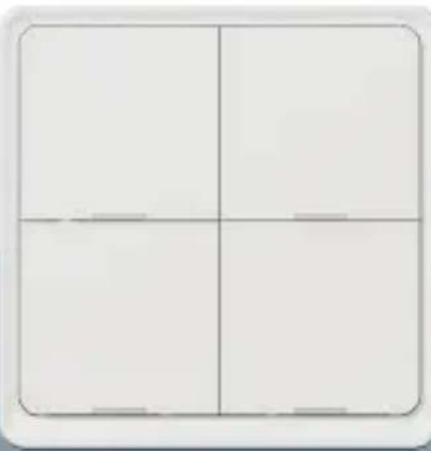
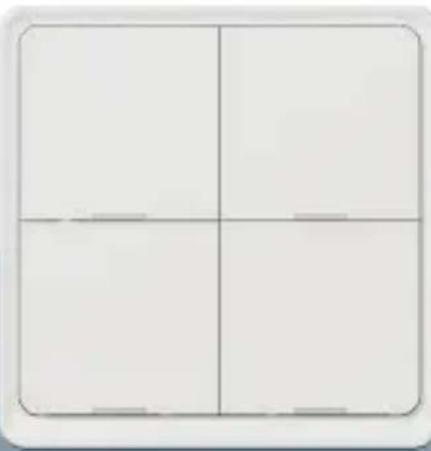
Two adjacent empty rectangular panels with rounded corners, no text or symbols visible.TESLA SMART SWITCH QUATRO/DUAL BATTERY
QUICK START GUIDE
-Remote control
-Voice Control
-Off-Line Control Support
-Mechanical Push Button with LED feedback
Product Introduction
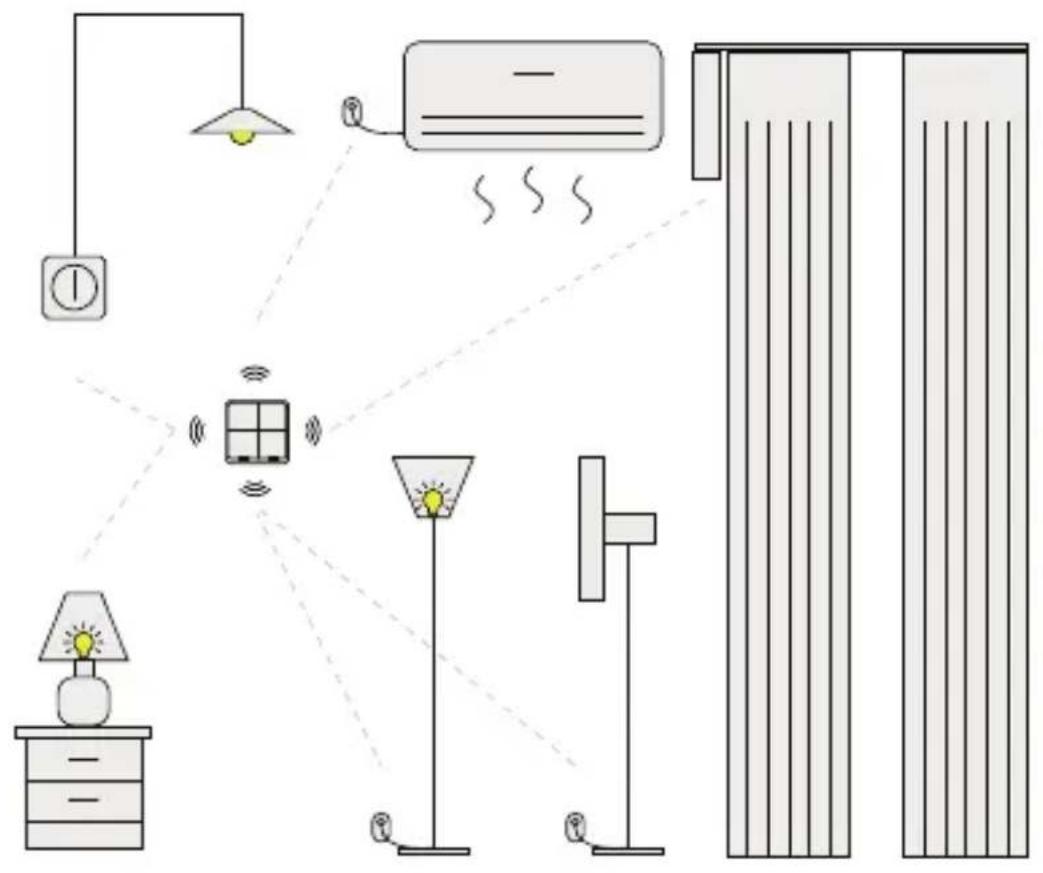
- The smart scene switch is based on ZigBee technology, with stable network, fast response, high security, strong expansion ability, and low power consumption.
- The ZigBee smart scene switch can be used with other smart devices to realize rich home automation and scene control.
Specification
Battery: CR2430 3V DC
Communication: Zigbee 3.0
Working Range: 25m open area
Working Temperature: -10^ 45^
Working Humidity: <90%RH
Battery life: 50k times
Dimension:
86×86×13mm
Connection and Operation
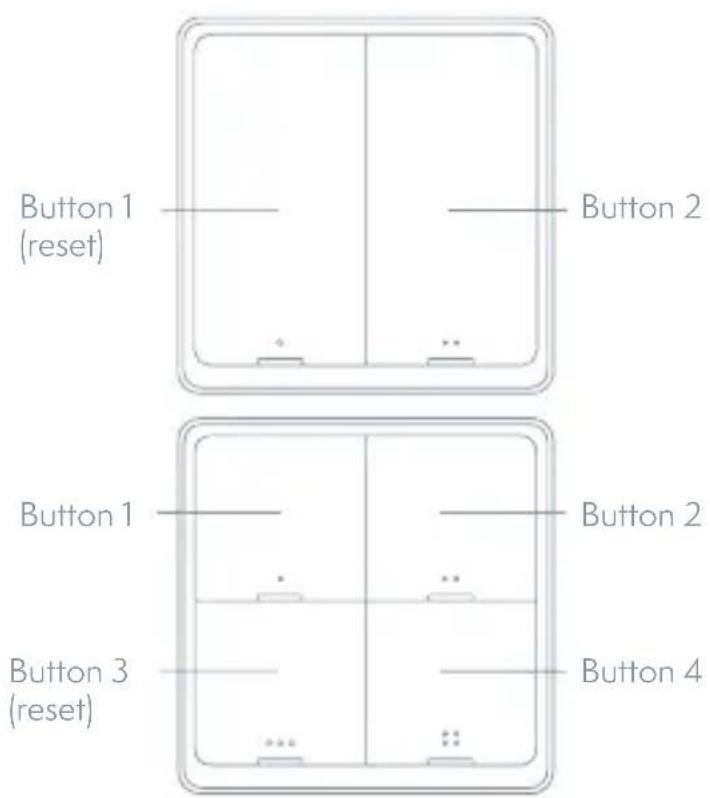
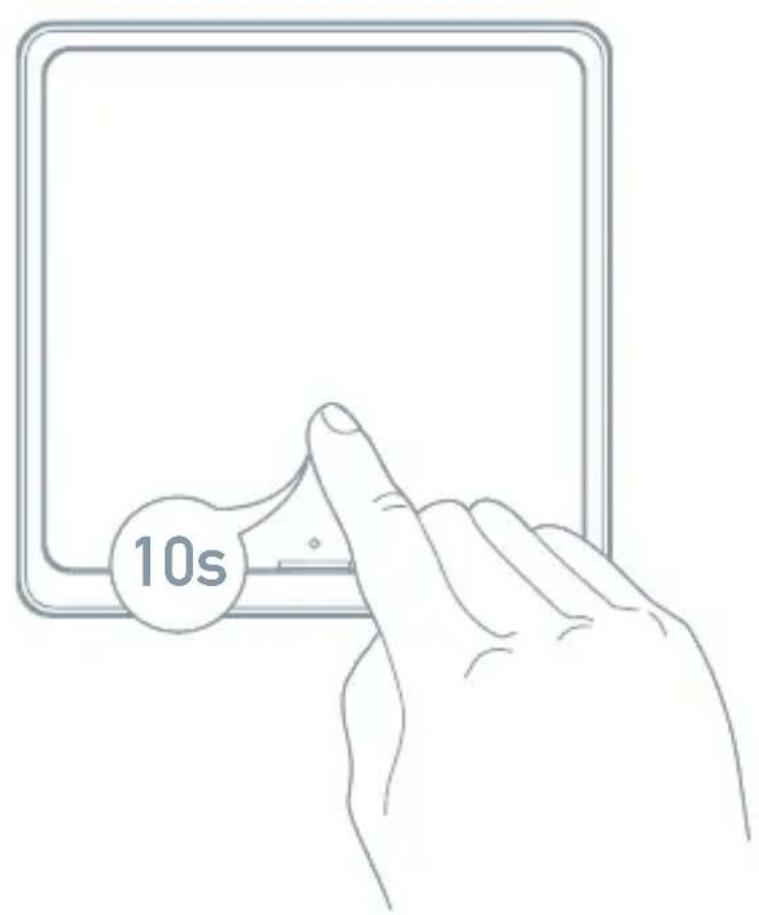
Quick Configure Mode
Press and hold the switch reset button for 10s until indicate LED flash, the switch get into Quick Configure Mode.
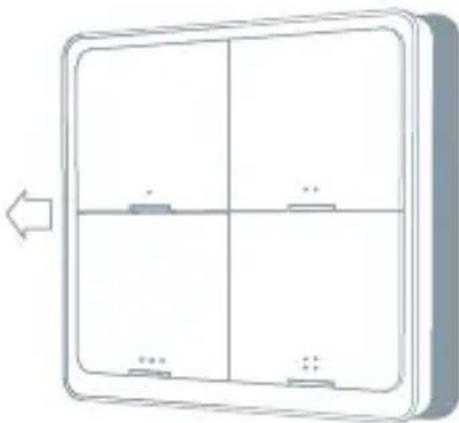
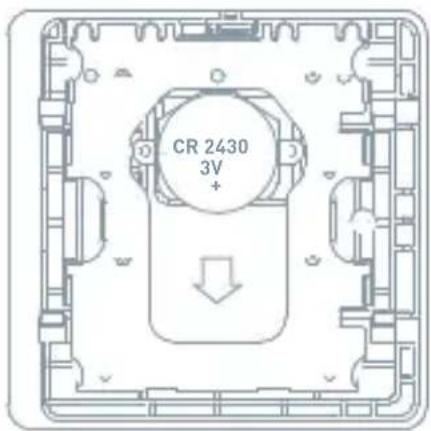
Install/Replace Battery
Please follow this instruction to install battery or remove battery tap when first time use this product.
natural_image
Diagram of a four-panel wall-mounted device with two side panels and two labeled buttons, no text or symbols present.- Push the front panel to the left to open
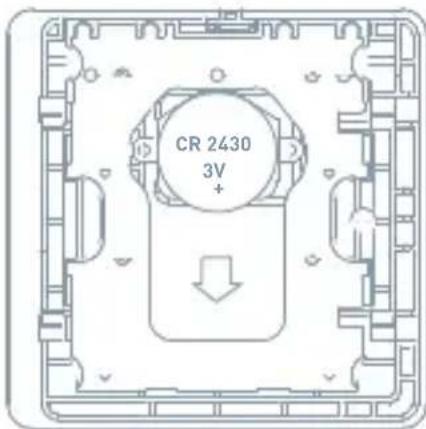
- Remove old battery then push new CR2430 battery to slot.
After replacing the battery, the smart scene switch will automatically connect to the ZigBee/ network and resume normal working status, and the user does not need to make any APP settings.
Scene Switch with Your Smart Home
Fix it as Where as You Want
natural_image
Interior bedroom scene with a bed and blanket, no visible text or symbolsBedroom
natural_image
Interior view of a minimalist room with a white table and wall, no visible text or symbolsLiving room
natural_image
Interior scene with dark countertop, wall-mounted objects, and a hanging lamp (no visible text or symbols)Kitchen
natural_image
Interior view of a modern bathroom with a sink, mirror, and hanging lamp (no visible text or symbols)Bathroom
APP Operation
1 Preparation for use
- Tesla Smart is available for both iOS and Android OS. Search the name 'Tesla Smart' in App Store or Android Market, or scan the QR-Code to download the App and register or login your account.
• Make sure that the smartphone is connected to the 2.4Ghz network.

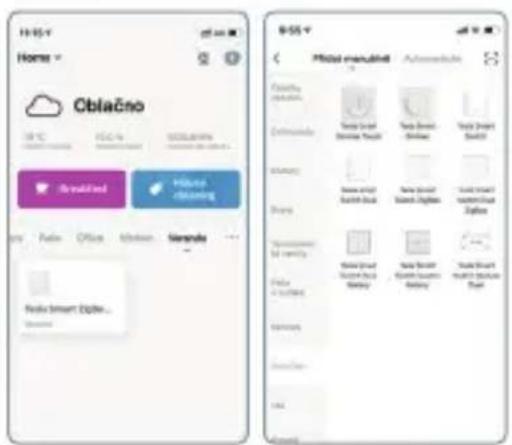
2 ADD Devices (ZigBee)
- Press and hold any button of the switch get into Quick Configure Mode.
- Open the App, press and hold any button to get into network pairing mode. Open the App, on the "Tesla Smart ZigBee Hub" page, click "add subdevice", and click "LED already blink".
•search nearby device and discover the Tesla Smart Switch Quatro Battery.
•After adding the device successfully, click "DONE"
• After connecting the network successfully, you will see the Intelligent Gateway page, choose the „Tesla Smart Switch Quatro Battery“ to enter the controlling page, then choose „Add intelligence“ enter to the setting mode.
- Choose „Add condition“ to choose the controlling condition, such as „Sin-
gle click", the choose „Add task" choose the controlling action.
- Select the device and action
3 Control Switch
• Control switch with APP
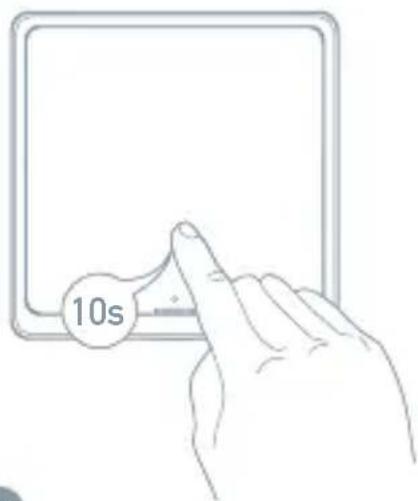
Reset
Press and hold Reset button for 10s to reset the switch and get into Quick configure mode.
INFORMATION ABOUT DISPOSAL AND RECYCLING
This product is marked with the symbol for separate collection. The product must be disposed of in accordance with the regulations for disposal of electrical and electronic equipment (Directive 2012/19/EU on waste electrical
and electronic equipment). Disposal together with regular municipal waste is prohibited. Dispose of all electrical and electronic products in accordance with all local and European regulations at the designated collection points
which hold the appropriate authorisation and certification in line with the local and legislative regulations. Correct disposal and recycling help to minimise impacts on the environment and human health. Further information regarding disposal can be obtained from the vendor, authorised service centre or local authorities.
EU DECLARATION OF CONFORMITY
Hereby, Witty, s.r.o declares that the radio equipment type ESW-0ZBA-EU is in compliance with EU directives. The full text of the EU declaration of conformity is available at the following internet address: teslasmart.com/declaration
Connectivity: ZigBee IEEE 802.15.4
Frequency band: 2.400 - 2.480 GHz
Max. radio-frequency power (EIRP): < 20 dBm

Manufacturer
Tesla Global Limited
Gee Chang Industrial Building,
121 Des Voeux Road Central
852 00 Hong Kong
www.teslasmart.com
TSL-SWI-SCENEZG4/ TSL-SWI-SCENEZG2

natural_image
Simple four-partment grid diagram with no text or symbols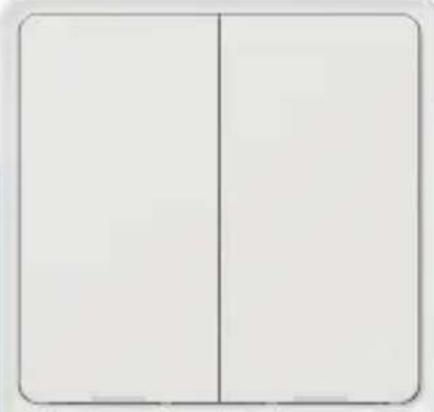
natural_image
Two adjacent empty rectangular panels with rounded corners, no text or symbols visible.TESLA SMART SWITCH QUATRO/DUAL BATTERY
BENUTZERHANDBUCH
natural_image
Diagram of a four-panel electrical cabinet with two side panels and two battery terminals, no text or symbols present.natural_image
Interior view of a bedroom with a bed, nightstands, and a wall-mounted notice (no visible text or symbols)Schlafzimmer
natural_image
Interior view of a minimalist room with a white table and a small wall-mounted fixture (no visible text or symbols)Wohnzimmer
natural_image
Interior scene with dark countertop, wall-mounted objects, and a hanging lamp (no visible text or symbols)Küche
natural_image
Interior view of a modern bathroom with a sink, mirror, and hanging lamp (no visible text or symbols)Bad
Benutzung der App
Gee Chang Industrial Building,
121 Des Voeux Road Central
852 00 Hong Kong
www.teslasmart.com
TSL-SWI-SCENEZG4/ TSL-SWI-SCENEZG2

natural_image
Simple four-partment grid diagram with no text or symbols
natural_image
Two adjacent empty rectangular panels with rounded corners, no text or symbols visible.TESLA SMART SWITCH QUATRO/DUAL BATTERY
UŽIVATELSKÁ PŘÍRUČKA
natural_image
Diagram of a four-panel electrical switch or panel with labeled terminals (no text or symbols beyond basic labels)natural_image
Interior view of a bedroom with a bed, nightstands, and a wall-mounted picture (no visible text or symbols)Ložnice
natural_image
Interior view of a minimalist room with a white table and a small wall-mounted fixture (no visible text or symbols)obývací pokoj
natural_image
Interior scene with dark gray wall, whiteboard, pendant light, and scattered objects (no visible text or symbols)kuchyně
natural_image
Interior view of a modern bathroom with a sink, mirror, and hanging lamp (no visible text or symbols)koupelna
Použití aplikace
natural_image
Simple four-partment grid diagram with no text or symbols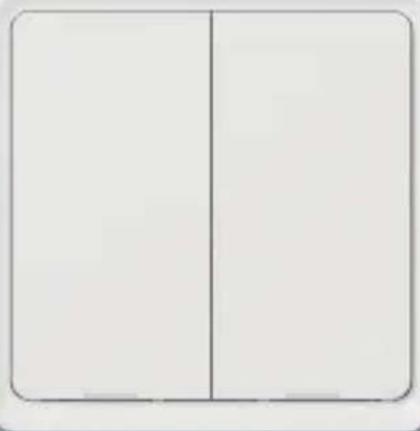
natural_image
Simple diagram of two adjacent empty rectangular compartments with no text or symbolsTESLA SMART SWITCH QUATRO/DUAL BATTERY
UŽÍVATELŠKÁ PRÍRUČKA
natural_image
Diagram of a four-panel electrical cabinet or panel with four internal components and a left-pointing arrow (no text or symbols)Nastavenie kdekol'vek chcete
natural_image
Interior view of a bedroom with a bed, nightstands, and a window (no visible text or symbols)Spálňa
natural_image
Interior scene with a minimalist white table and a small object on the wall (no visible text or symbols)obývacia izba
natural_image
Interior scene with dark countertop, wall-mounted pendant lights, and stacked boxes (no visible text or symbols)kuchyňa
natural_image
Interior view of a modern bathroom with a toilet, mirror, and hanging lamp (no visible text or symbols)kúpelňa
Použitie aplikácie
2 Pridajte zariadenie (ZigBee)
Gee Chang Industrial Building,
121 Des Voeux Road Central
852 00 Hong Kong
www.teslasmart.com
TSL-SWI-SCENEZG4/ TSL-SWI-SCENEZG2

natural_image
Simple four-partment grid diagram with no text or symbols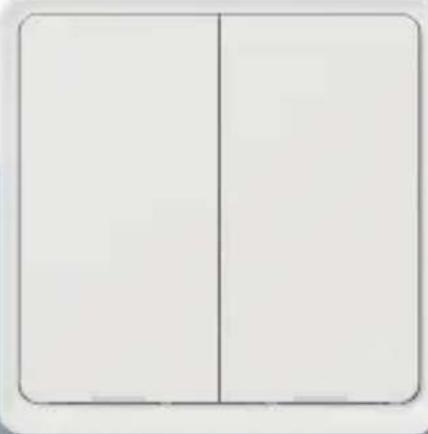
natural_image
Two adjacent empty rectangular panels with rounded corners, no text or symbols visible.TESLA SMART SWITCH QUATRO/DUAL BATTERY
INSTRUKCJA UŻYTKOWNIKA
natural_image
Diagram of a four-panel electrical cabinet or panel with four legs and two side legs, no text or symbols present.natural_image
Interior view of a bedroom with a bed, nightstands, and a wall-mounted picture (no visible text or symbols)Sypialnia
natural_image
Interior view of a minimalist room with a white table and wall, no visible text or symbolspokój gościnny
natural_image
Interior scene with dark room, wall-mounted objects, and a hanging pendant light (no visible text or symbols)kuchnia
natural_image
Interior view of a modern bathroom with a wall-mounted mirror, sink, and hanging lamp (no visible text or symbols)łazienka
Zastosowanie
Gee Chang Industrial Building,
121 Des Voeux Road Central
852 00 Hong Kong
www.teslasmart.com
TSL-SWI-SCENEZG4/ TSL-SWI-SCENEZG2

natural_image
Simple four-partment grid diagram with no text or symbols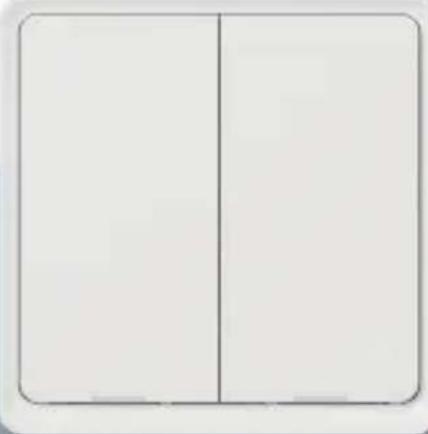
natural_image
Two adjacent empty rectangular panels with rounded corners, no text or symbols visible.TESLA SMART SWITCH QUATRO/DUAL BATTERY
HASZNÁLATI UTASÍTÁS
natural_image
Diagram of a four-panel electrical switch or panel with four terminals and two labeled terminals (no text or symbols present)natural_image
Interior view of a bedroom with a bed, nightstands, and a wall-mounted notice (no visible text or symbols)Hálószoba
natural_image
Interior scene with a minimalist white table and a small object on the wall (no visible text or symbols)nappali
natural_image
Interior scene with dark countertop, wall-mounted objects, and a hanging lamp (no visible text or symbols)konyha
natural_image
Interior view of a modern bathroom with a wall-mounted sink, mirror, and hanging lamp (no visible text or symbols)fürdőszoba
Gee Chang Industrial Building,
121 Des Voeux Road Central
852 00 Hong Kong
www.teslasmart.com
TSL-SWI-SCENEZG4/ TSL-SWI-SCENEZG2

natural_image
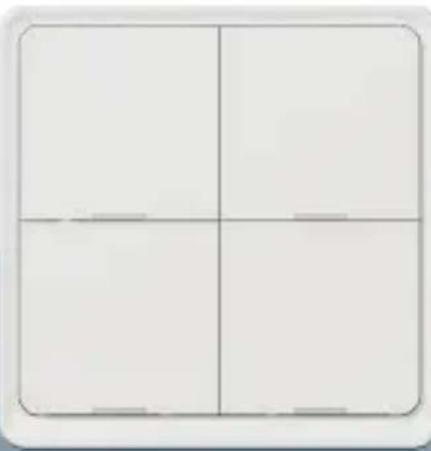
Simple four-partment grid diagram with no text or symbols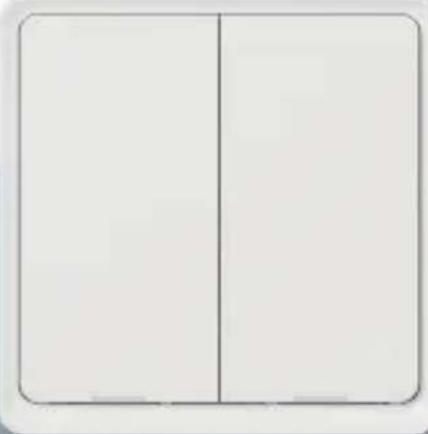
natural_image
Two adjacent empty rectangular panels with rounded corners, no text or symbols visible.TESLA SMART SWITCH QUATRO/DUAL BATTERY
PRIROČNIK ZA UPORABO
- Upravljanje na daljavo
- Glasovno upravljanje
- Podpora upravljanja v načinu brez povezave
- Mehanski gumb z osvetljavo LED
natural_image
Diagram of a four-panel electrical cabinet or panel with four vertical slots and two base blocks, no text or symbols present.natural_image
Interior view of a bedroom with a bed, nightstands, and a wall-mounted notice (no visible text or symbols)Spalnica
natural_image
Interior view of a minimalist room with a white table and wall, no visible text or symbolsdnevna soba
natural_image
Interior scene with dark countertop, wall-mounted pendant lights, and stacked boxes (no visible text or symbols)kuhinja
natural_image
Interior view of a modern bathroom with a sink, mirror, and hanging pendant light (no visible text or symbols)kopalnica
Uporaba aplikacije
2 Dodajte napravo (Zigbee)
- Pritisnite in pridržite katerikoli gumb na stikalu, naprava preide v način hitre konfiguracije.
natural_image
Simple four-partment grid diagram with no text or symbols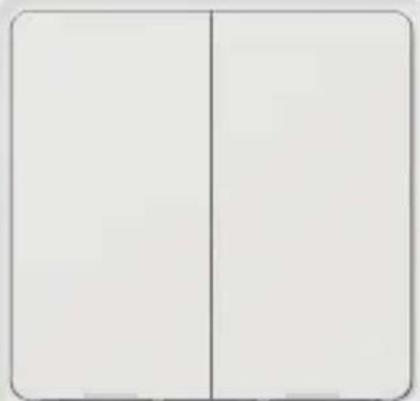
natural_image
Two adjacent empty rectangular panels with no text or symbols visibleTESLA SMART SWITCH QUATRO/DUAL BATTERY
KORISNIČKI PRIRUČNIK
- Upravljanje na daljinu
- Upravljanje glasom
- Podrška upravljanja u režimu offline
- Mehanička tipka s LED pozadinskim osvjetljenjem
Predstavljanje proizvoda
- Pametni prebacivač scena zasnovan je na tehnologiji ZigBee, koja nudi stabilnu mrežu, brz odaziv, visoku razinu sigurnosti, veliku skalabilnost i mogućnosti raširivanja, te malu potrošnju energije.
- Prekidač pametne scene ZigBee može se koristiti sa drugim pametnim uređajima za izvođenje različitih automatizacija kuće i postavljanje scena.
Specifikacije
Baterija: CR2430 3V DC
natural_image
Diagram of a four-panel wall-mounted device with four side panels and two labeled ports, shown without any text or symbols.- Pomaknite prednju ploču ulijevo da biste ju otvorili.
- Izvadite staru bateriju, a zatim gurnite novu bateriju CR2430 u utor.
Nakon zamjene baterije, prebacivač pametne scene automatski se spaja na mrežu ZigBee/ i vraća se u normalan rad (u aplikaciji nije potrebno vršiti nikakva postavljanja).
natural_image
Interior view of a bedroom with a bed and blanket, no visible text or symbolsSpavaća soba
natural_image
Interior view of a minimalist room with a white table and a small wall-mounted fixture (no visible text or symbols)dnevni boravak
natural_image
Interior scene with dark gray wall, black bottles, and hanging items (no visible text or symbols)kuhinja
natural_image
Interior view of a modern bathroom with a sink, mirror, and hanging lamp (no visible text or symbols)kupaonica
Upotreba aplikacije
1 Priprema za upotrebu
3 Upravljajte sklopkaem
Gee Chang Industrial Building,
121 Des Voeux Road Central
852 00 Hong Kong
www.teslasmart.com
TSL-SWI-SCENEZG4/ TSL-SWI-SCENEZG2

natural_image
Simple four-partment grid diagram with no text or symbols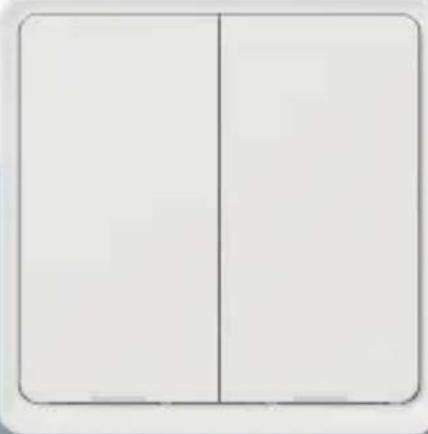
natural_image
Two adjacent empty rectangular panels with rounded corners, no text or symbols visible.TESLA SMART SWITCH QUATRO/DUAL BATTERY
natural_image
Diagram of a four-panel wall-mounted device with four side panels and two labeled buttons, shown without any text or symbols.natural_image
Interior view of a bedroom with a bed, nightstands, and a wall-mounted notice (no visible text or symbols)Спальня
natural_image
Interior view of a minimalist room with a white table and a small wall-mounted fixture (no visible text or symbols)вітальня
natural_image
Interior scene with dark countertop, wall-mounted objects, and a hanging lamp (no visible text or symbols)кухня
natural_image
Interior view of a modern bathroom with a sink, mirror, and hanging lamp (no visible text or symbols)ВОHHО
natural_image
Simple four-partment grid diagram with no text or symbols
natural_image
Two adjacent empty rectangular panels with rounded corners, no text or symbols visible.TESLA SMART SWITCH QUATRO/DUAL BATTERY
natural_image
Diagram of a four-panel electrical switch or panel with four terminals and a bidirectional arrow indicating left-side motion (no text or symbols)natural_image
Interior view of a bedroom with a bed, nightstands, and a window (no visible text or symbols)Спальня
natural_image
Interior scene with a minimalist white table and a small object on the wall (no visible text or symbols)ГОСТИНАЯ
natural_image
Interior scene with dark countertop, wall-mounted pendant lights, and stacked boxes (no visible text or symbols)кухня
natural_image
Interior view of a minimalist bathroom with a sink, mirror, and hanging pendant light (no text or symbols visible)ВАННАЯ
Gee Chang Industrial Building,
121 Des Voeux Road Central
852 00 Hong Kong
www.teslasmart.com
TESLA SMART SWITCH QUATRO/DUAL BATTERY
Manufacturer
Tesla Global Limited
Gee Chang Industrial Building,
121 Des Voeux Road Central
852 00 Hong Kong
www.teslasmart.com


- TESLA SMART SWITCH QUATRO/DUAL BATTERY
- Product Introduction
- Specification
- Connection and Operation
- Quick Configure Mode
- Install/Replace Battery
- Fix it as Where as You Want
- APP Operation
- Preparation for use
- ADD Devices (ZigBee)
- Control Switch
- Reset
- INFORMATION ABOUT DISPOSAL AND RECYCLING
- EU DECLARATION OF CONFORMITY
- Manufacturer
- Benutzung der App
- Použití aplikace
- Nastavenie kdekol'vek chcete
- Použitie aplikácie
- Pridajte zariadenie (ZigBee)
- Zastosowanie
- Uporaba aplikacije
- Dodajte napravo (Zigbee)
- Predstavljanje proizvoda
- Specifikacije
- Upotreba aplikacije
- Priprema za upotrebu
- Upravljajte sklopkaem
Brand : TESLA
Model : Smart Switch Dual Battery
Category : Home Automation