
34Z052 - Kitchen scale Zelmer - Free user manual and instructions
Find the device manual for free 34Z052 Zelmer in PDF.


| Brand | Zelmer |
| Model | 34Z052 |
| Product Type | Kitchen Scale |
| Display | Electronic LCD |
| Capacity | 2 g to 5000 g (0.1 oz to 11 lb 15 oz) |
| Accuracy | ±1 g (0.05 oz) |
| Units | Grams (g), Pounds/Ounces (lb/oz) |
| Tare Function | Yes |
| Auto-Off | After approx. 2 minutes of inactivity |
| Battery | 2 x 1.5V AAA (not included) |
| Weighing Platform | Glass |
| Material | Glass platform, plastic body, rubber feet |
| Cleaning | Wipe with damp cloth; do not immerse in water; avoid abrasive cleaners |
| Overload Indicator | "0-Ld" when exceeding 5 kg |
| Low Battery Indicator | "LO" |
| CE Mark | Yes |
| Automatic Switch-Off | Yes (by holding ON/TARE/OFF for 3 seconds) |
| Manual Included | Yes (48 pages, PDF available) |
Frequently Asked Questions - 34Z052 Zelmer
User questions about 34Z052 Zelmer
0 question about this device. Answer the ones you know or ask your own.
Ask a new question about this device
Download the instructions for your Kitchen scale in PDF format for free! Find your manual 34Z052 - Zelmer and take your electronic device back in hand. On this page are published all the documents necessary for the use of your device. 34Z052 by Zelmer.
USER MANUAL 34Z052 Zelmer
natural_image
Black-and-white illustration of a bunch of bananas on a scale with an arrow pointing downward (no text or symbols)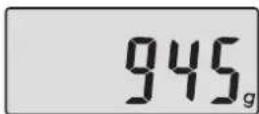
b) Tara
natural_image
Illustration of a hand pressing a button labeled 'ON/TARA/OFF' next to a rectangular object on a base (no text or symbols on the object itself)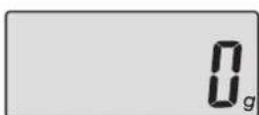
natural_image
Black-and-white illustration of a bunch of bananas on a scale, with an arrow pointing downward (no text or symbols)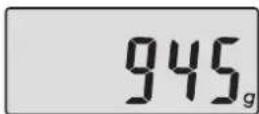
b) Tara
natural_image
Illustration of a hand pressing a button labeled 'ON/TARA/OFF' next to a rectangular object on a base (no text or symbols on the object itself)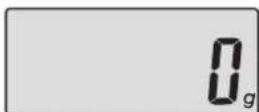
Obsluha a fungovanie váhy
1) Spôsob použitia
natural_image
Illustration of a banana on a scale with an arrow pointing downward (no text or symbols)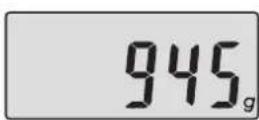
b) Tara
natural_image
Simple illustration of a rectangular object with a curved top and base, resembling a container or basin (no text or symbols)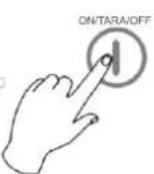
natural_image
Black-and-white illustration of a banana on a scale with an arrow pointing downward (no text or symbols)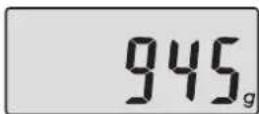
b) Tára
natural_image
Black-and-white photo of a bunch of bananas on a scale, with an arrow pointing downward (no text or symbols)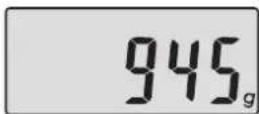
b) Tara
natural_image
Illustration of a hand pressing a button labeled 'ON/TARA/OFF' next to a rectangular object on a base (no text or symbols on the object itself)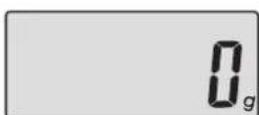
natural_image
Black-and-white illustration of a banana on a scale with an arrow pointing downward (no text or symbols)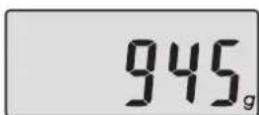
b) Tara
natural_image
Black-and-white photo of a bunch of bananas on a scale, with an arrow pointing downward (no text or symbols)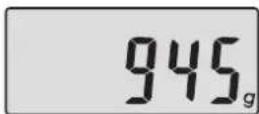
b) Tapa
natural_image
Illustration of a hand pressing a button labeled 'ON/TARA/OFF' next to a rectangular object on a base (no text or symbols on the object itself)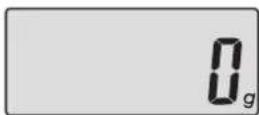
natural_image
Black-and-white illustration of a bunch of bananas on a scale, with an arrow pointing downward (no text or symbols)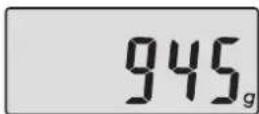
b) Tapa
natural_image
Illustration of a hand pressing a button with 'ON/TARA/OFF' label (no other text or symbols)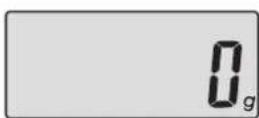
Instructions for use 42
Technical parameters 42
Product features 43
How to use 43
Cleaning and maintenance 45
Ecology - Environmental protection 46
Dear Customers!
Congratulations on your choice of our appliance, and welcome among the users of Zelmer products.
In order to achieve best possible results we recommend using exclusively original Zelmer accessories. They have been specially designed for this product.
Please read this instruction manual carefully. Pay special attention to important safety instructions. Keep this instruction manual for future reference.
Instructions for use

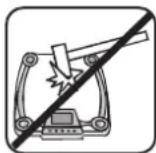
environment.
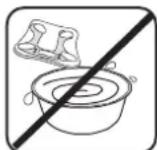
Do not immerse into water. Do not hit. Do not use or store in a moist
Technical parameters
The technical parameters are indicated on the rating label.
Accuracy ±1 g. Capacity range 2 g – 5000 g.
The kitchen scale meets the requirements of the applicable norms.
The appliance is in conformity with the requirements of the directives:
Electromagnetic compatibility (EMC) - 2004/108/EC.
The appliance was marked by a CE sign on the rating label.
42 GW34-014_v02
Product features
- Electronic display
- Unit conversion button
- ON/OFF button reset function TARE
- Rubber feet
- Glass weighing plate
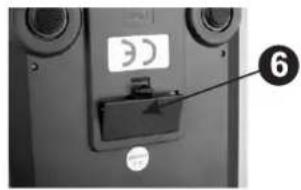
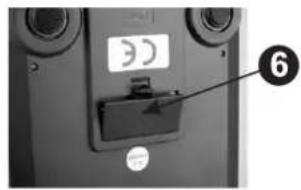
- Battery compartment
How to use
1) How to use
- Place the kitchen scale on a hard and even surface.
- Press the ON/TARE/OFF button (3) to switch on the appliance.
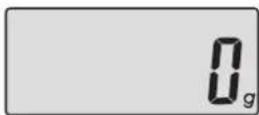
- Wait until the display shows "0g" and then start weighing.
- In order to maximize the battery life, switch off the appliance after use by pressing the ON/TARA/OFF (3) button.
NOTE: If you want to use a bowl, first place the bowl on the weighing plate (5), switch on the appliance and wait until the display shows "0g".
2) Warning indicators
- Replace the battery – the display will show the symbol "LO" The kitchen scale will automatically switch off after 2 seconds.
- Overload indicator – the display will show the symbol "0-Ld". Take off the item in order to avoid damage to the scale.
The maximum capacity is 5 kg.
NOTE: The button ON/TARA/OFF on the touch screen is very sensitive. Be careful not to accidentally switch off the appliance.
3) Indicators on the display
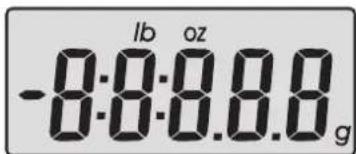
- Negative value
lb - Pounds
oz - Ounces
g - Grams
4) Types of functions
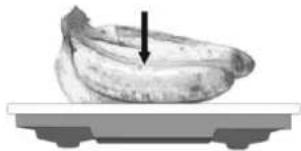
a) Weighing
Place the products on the scale. The display will show the weight of the products.
natural_image
Black-and-white photo of a bunch of bananas on a scale, with an arrow pointing downward (no text or symbols)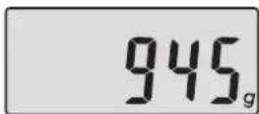
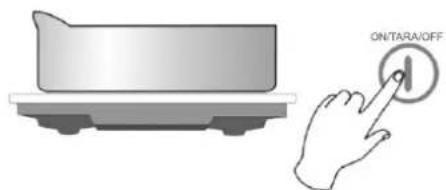
b) Tare
When the appliance is switched on and the display shows the symbol "0g", place the plate, bowl or other container on the scale and press the ON/TARA/OFF button (3) to reset the scale to zero weight. Put the products into the container in order to weigh them.
natural_image
Illustration of a hand pressing a button labeled 'ON/TARA/OFF' next to a rectangular object on a base (no text or symbols on the object itself)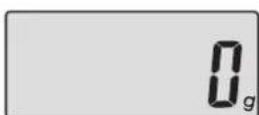
c) Taking off products (if there are two products on the scale):
If there are two products on the scale, press the ON/TARA/OFF button (3) and remove the first product. The display will show the weight of the first product (with a minus); remove the second product, the display will show the weight of both products (with a minus).
Automatic switch off
The scale will switch off automatically, if the display shows "0g" or the same weight for about 2 minutes. You can also switch off the scale by pressing and holding the ON/TARA/OFF button (3) for about 3 seconds.
5) Unit conversion
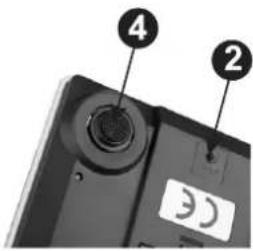
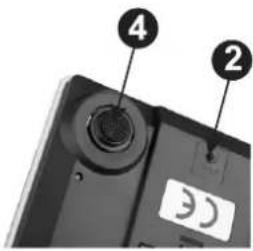
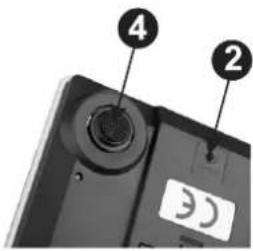
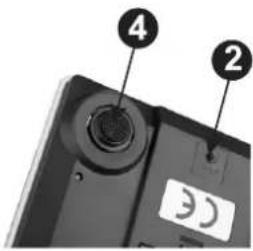
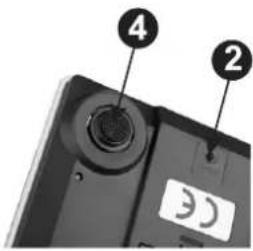
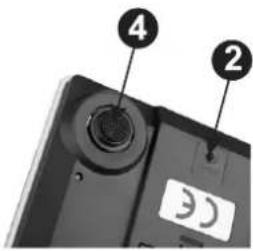
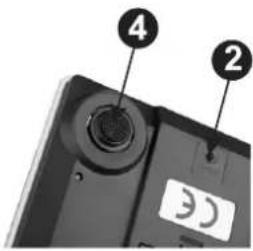
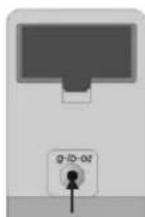
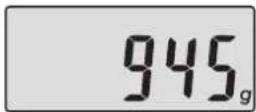
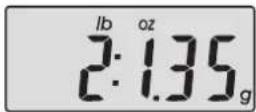
You can convert the metric system units (grams) to the English units (pounds ounces). Press the unit conversion button (2) in order to convert the units while weighing.
The gram is set as default. In order to convert the metric system units
(gram) to the English units (lb/oz.) press the button on the bottom
of the appliance. To return to the previous setting press the button once again.
NOTE: If the product is very light, the scale will display 0 if it is set in the English unit mode (lb).
- Maximum capacity: 5000 g/ 11 lb 15 oz.
- Minimum capacity: 2 g/0,1 oz.
- Scale: 1 g/0,05 oz.
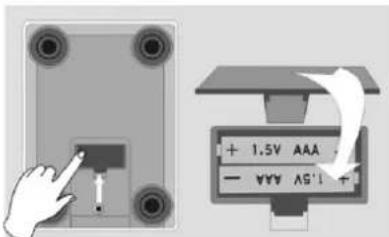
6) Battery replacement
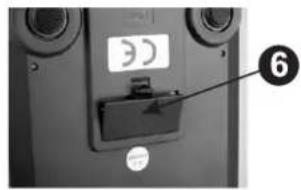
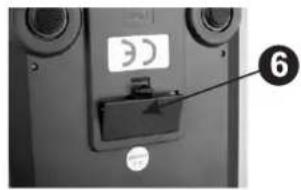
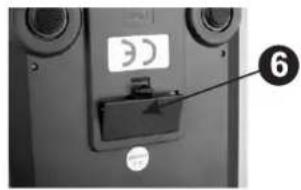
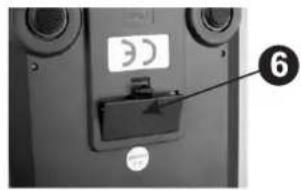
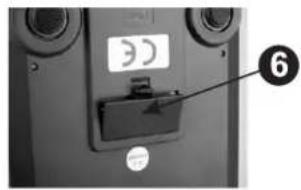
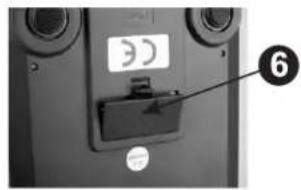
The battery compartment is on the bottom of the scale. Before initial use, open the compartment and pull out the insulating slip.
Battery replacement:
- Open the battery compartment cover (6) on the underside of the scale (see picture).
- Insert two 1.5 V AAA batteries. Make sure the polarity is correct.
- Refit the battery compartment cover (6).
Cleaning and maintenance
- Clean with a damp cloth. Do not immerse the scale into water. Do not use chemical/abrasive detergents.
- All plastic parts should be cleaned immediately after having contact with fat, spices, vinegar and food with an intense color/taste. Avoid contact with citrus fruit juices.
- Place the kitchen scale on a hard and even surface. Do not place the scale on the carpet or other elastic surfaces.
Ecology – Environment protection
Each user can contribute to protect the environment. It is neither difficult nor expensive. In order to do so:
Return cardboard packages to recycling points.
Throw polyethylene (PE) bags into appropriate containers.
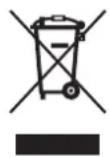
Batteries contain substances harmful to the natural environment. Do not throw them away with other household waste.
Return used batteries to recycling points. Before disposing of or returning the appliance to a recycling point make sure to remove the batteries from the battery compartment.
Return a worn out appliance to an appropriate collecting point as the components of the appliance may pose a threat to the environment.
Do not dispose into the domestic waste disposal!!!
The manufacturer/importer does not accept any liability for any damages resulting from unintended use or improper handling.
The manufacturer/importer reserves his rights to modify the product any time in order to adjust it to law regulations, norms, directives, or due to construction, trade, aesthetic or other reasons, without notifying in advance.

