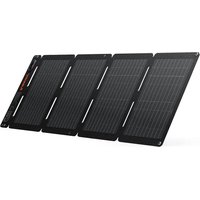
SolarSaga 40 Air - Solar panel Jackery - Free user manual and instructions
Find the device manual for free SolarSaga 40 Air Jackery in PDF.


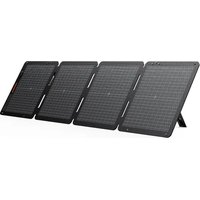
| Product Type | Foldable and portable solar panel |
| Brand | Jackery |
| Model | SolarSaga 40 Air (JS-40B) |
| Maximum Power (STC) | 40 W ± 5 % |
| Maximum Power (BNPI) | 44 W ± 5 % |
| Open Circuit Voltage (Voc) | 25 V ± 5 % |
| Short Circuit Current (Isc) | 2,07 A ± 5 % |
| Maximum System Voltage | 30 V |
| Protection Rating (IP) | IP68 |
| Dimensions (Unfolded) | 962 × 339 × 2,5 mm |
| Dimensions (Folded) | 232 × 339 × 20 mm |
| Weight | 0,9 kg ± 0,2 kg |
| Operating Temperature | -20 °C to 65 °C |
| Bifaciality Coefficient (Pmax) | > 65 % |
| USB-A Output | 5 V / 2,4 A |
| USB-C Output | 5 V / 3 A |
| Solar Charging Cable Length | 1,8 m |
| Included Accessories | Solar charging cable, DC8020 to DC7909 adapter, DC8020 to USB-C adapter cable, accessory pouch, 2 carabiners |
| Warranty | 1 year (extendable upon registration) |
| Maintenance and Cleaning | Gently wipe with a damp cloth |
| Safety | Do not immerse, do not expose to flames, do not scratch, do not step on, do not twist |
| Main Function | Charging Jackery power stations and USB devices via multi-function adapter |
Frequently Asked Questions - SolarSaga 40 Air Jackery
User questions about SolarSaga 40 Air Jackery
0 question about this device. Answer the ones you know or ask your own.
Ask a new question about this device
Download the instructions for your Solar panel in PDF format for free! Find your manual SolarSaga 40 Air - Jackery and take your electronic device back in hand. On this page are published all the documents necessary for the use of your device. SolarSaga 40 Air by Jackery.
USER MANUAL SolarSaga 40 Air Jackery
The image is for reference only.
USER MANUAL
Jackery SolarSaga 40 Air
CONTACT US:

1-888-502-2236 (US)

hello@jackery.com

www.jackery.com
TABLE OF CONTENTS
US
English
01-07
SAFETY TIPS 01
WHAT'S IN THE BOX 02
HOW TO USE 02
SOLAR PANEL STORAGE 05
TECHNICAL PARAMETERS 06
WARRANTY 07
FR
Français
08-14
CONSEILS DE SÉCURITÉ 08
CONTENU DE LA BOÎTE 09
CONSEILS D'UTILISATION 09
STOCKAGE DU PANNEAU SOLAIRE 12
CARACTÉRISTIQUES TECHNIQUES 13
GARANTIE 14
ES
Español
15-21
- Please read the user manual first before using this product.
- Do not bend the solar panels.
- Do not place the solar panels under trees, buildings or in other shaded areas for use.
- Do not submerge the solar panels in water or any other liquid for extended periods.
- Use a damp cloth to gently wipe them clean.
- Do not use or store the solar panels near open flames or flammable materials.
- Do not scratch the solar panels with sharp objects.
- Keep corrosive substances away from the solar panels.
- Do not step on or place heavy objects on the solar panels.
- Do not disassemble the solar panels.
- The output circuit of solar panel must be connected to the equipment properly, and reverse connection of positive and negative poles is strictly prohibited.
- Check the connection status of all components, wires, and plugs before use.
-
Do not drop the product, as this may cause internal damage and render it unusable.
-
The solar panel is not intended for permanent installation. Please store the solar panels during strong winds, hail or other severe weather to avoid damage or potential hazards.
- Under normal circumstances, solar panels may be exposed to higher currents or voltages than those under standard test conditions. When calculating the rated voltage of components, the rated current of conductors, and the size of the control device connected to the PV output, multiply the short-circuit current ( Isc ) and open-circuit voltage ( Voc ) values indicated on the panel nameplate by a factor of 1.25.
- Any damage to the product may lead to electric shock or fire.
- Do not expose the solar panels to artificial spotlight.
- Do not connect the solar panel to other solar panels or power sources unless the combination includes protection against reverse current and overvoltage.
FC
This device complies with part 15 of the FCC Rules. Operation is subject to the following two conditions:
(1) This device may not cause harmful interference, and
(2) this device must accept any interference received, including interference that may cause undesired operation.
NOTE: This equipment has been tested and found to comply with the limits for a Class B digital device, pursuant to part 15 of the FCC Rules. These limits are designed to provide reasonable protection against harmful interference in a residential installation. This equipment generates, uses and can radiate radio frequency energy and, if not installed and used in accordance with the instructions, may cause harmful interference to radio communications. However, there is no guarantee that interference will not occur in a particular installation. If this equipment does cause harmful interference to radio or television reception, which can be determined by turning the equipment off and on, the user is encouraged to try to correct the interference by one or more of the following measures:
- Reorient or relocate the receiving antenna.
- Increase the separation between the equipment and receiver.
- Connect the equipment into an outlet on a circuit different from that to which the receiver is connected.
- Consult the dealer or an experienced radio/TV technician for help.
MODIFICATION: Any changes or modifications not expressly approved by the grantee of this device could void the user's authority to operate the device.
WHAT'S IN THE BOX
1
Jackery SolarSaga 40 Air User Manual
2
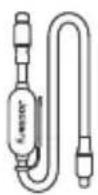
Multifunctional Solar
Charging Cable (5.9 ft/1.8m)
3
4
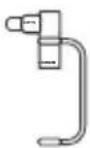
DC8020 to DC7909
Adapter
5
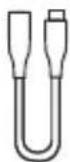
DC8020 to USB-C Adapter Cable (6.9 in/17 cm)
6
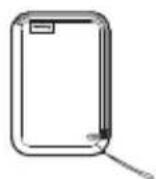
7
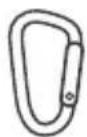
Carabiner ×2Accessories Bag
Note
The cables are only compatible with the SolarSaga 40 Air (JS-40B) solar panel. Do not use them with other solar panel models.
HOW TO USE
CHARGING JACKERY PORTABLE POWER STATION
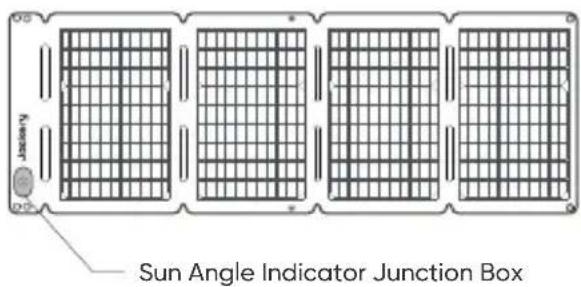
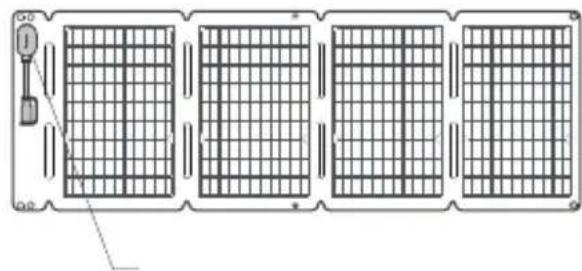
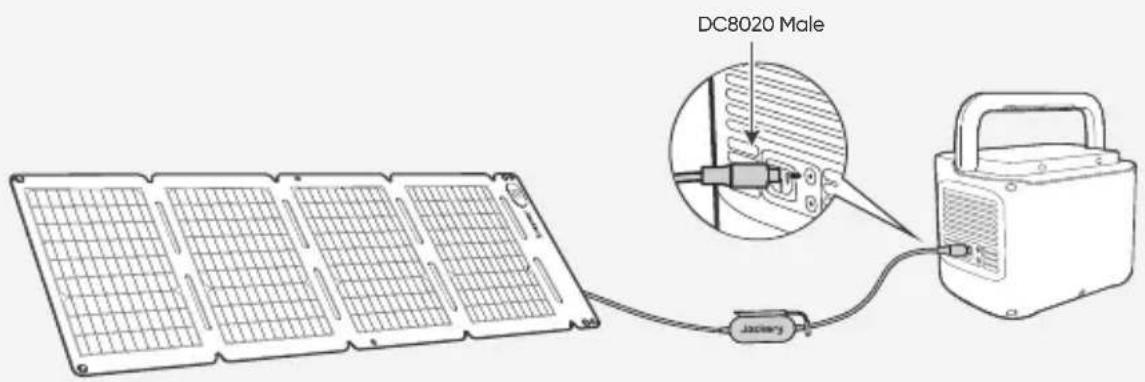
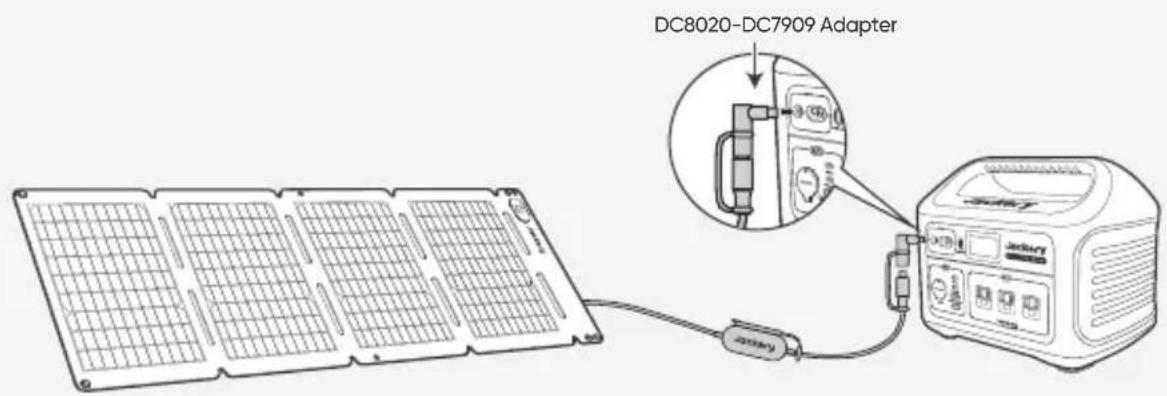
Connect the charging cable to the solar panel and the DC input port of the portable power station.
- Front View
- Rear View
The product comes with adapters that allow it to connect to different Jackery portable power stations via their DC input ports.
• DC8020 CONNECTOR
Compatible with Jackery portable power stations with DC8020 input port(s).
• DC8020-DC7909 ADAPTER
Compatible with Jackery portable power stations with DC7909 input port(s).
• DC8020 TO USB-C ADAPTER CABLE
Compatible with Jackery portable power stations with USB-C input port(s).
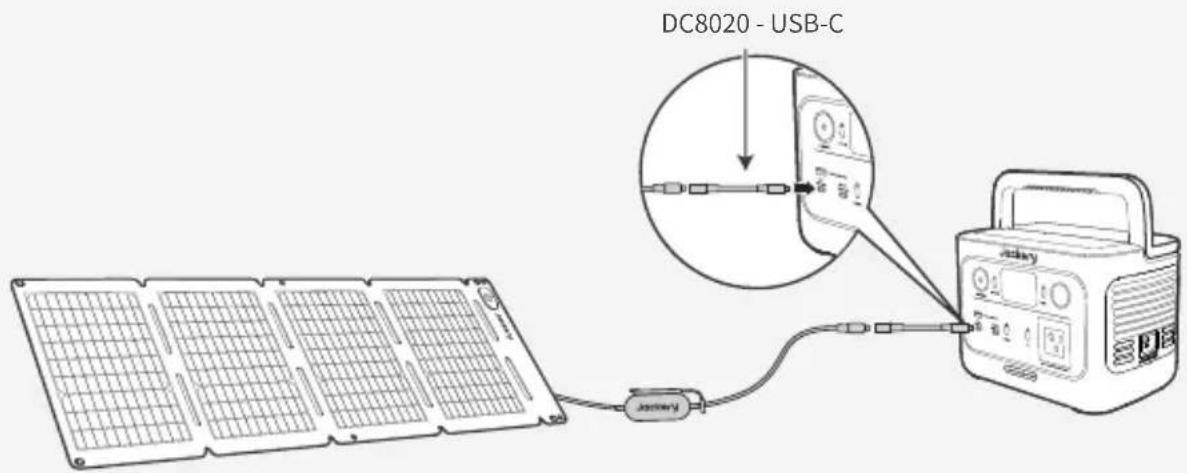
Note
The DC8020 to USB-C Adapter Cable is used to charge Jakcery portable power station only. Do not use it to charge any other devices.
● SUN ANGLE INDICATOR
The carry handle has a sun angle indicator. When sunlight hits its surface, a shadow will appear at its bottom.
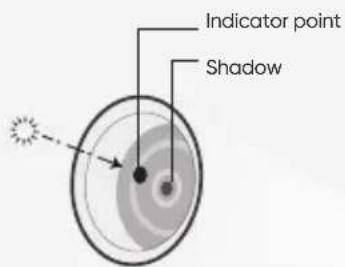
Sun Angle Indicator

If the shadow falls on the white inner circle at its bottom, it means that the solar panel is facing directly towards the sun and you can get optimal power generation; if not, it is suggested to adjust its angle until it does.

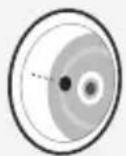
Shadow falls in the white inner circle

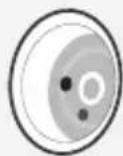
Shadow does not fall in the white inner circle
Note
To maximize the power generation, adjust the orientation of SolarSaga 40 Air throughout the day to ensure full exposure of the panel surface to direct sunlight.
POWER YOUR DEVICE
![graph TD A["SolarSaga 40 Air"] --> B["Grid of panels"] B --> C["Sunlight emission"] C --> D["Jackery"] D --> E["Multifunctional Adapter"] E --> F["Device with battery and switch"] F --> G["Mobile devices"] style A fill:#f9f,stroke:#333 style B fill:#ccf,stroke:#333 style C fill:#cfc,stroke:#333 styl…](/content/2026/05/754806/images/9a760c1c293231759991e5dcc025fe3543e9b2a2125f415f4768fa7177ecbc92.jpg)
Cell Phone
Power Bank Tablet
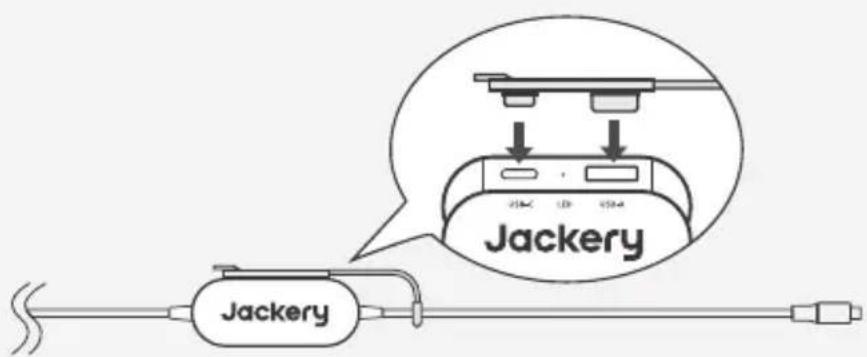
※ Insert the rubber plug when USB ports are not in use to prevent dust.
SOLAR PANEL STORAGE
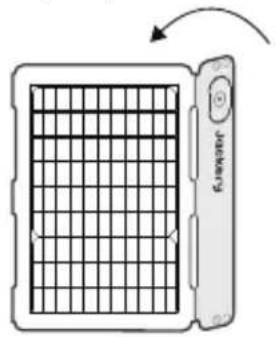
- Keep the front side of the solar panel facing up.
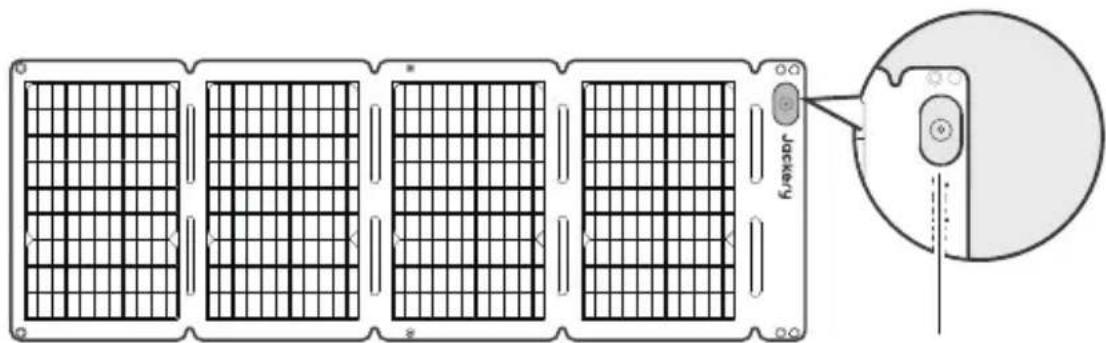
Sun Angle Indicator
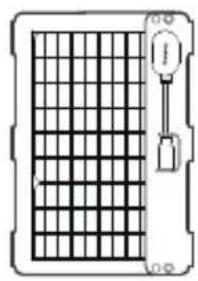
- Fold the solar panel along the creases from left to right as shown in the figure. Handle with care. Do not pull or apply excessive force to the solar panel.
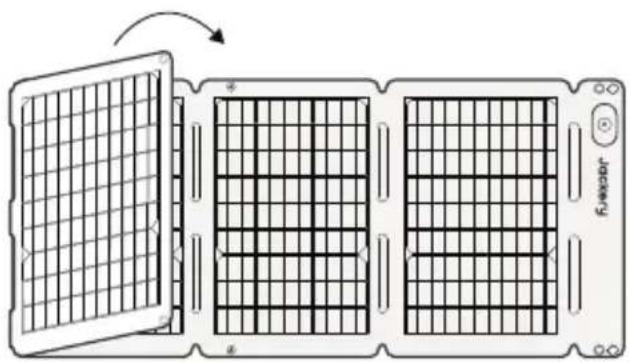
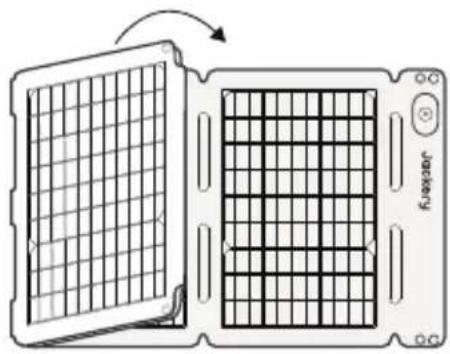
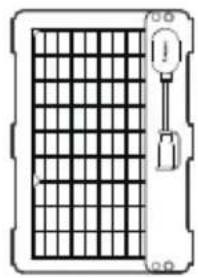
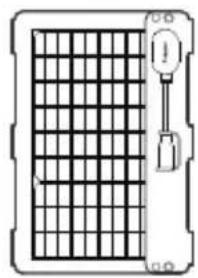
- After folding is complete, fasten the snap buttons to secure the solar panel.
TECHNICAL PARAMETERS
Jackery SolarSaga 40 Air
| Product Name | Jackery SolarSaga 40 Air | |
| Model | JS-40B | |
| Electrical Data | STC* | BNPI* |
| Maximum Power (Pmax) | 40W±5% | 44W±5% |
| Open-Circuit Voltage (Voc) | 25V±5% | 25V±5% |
| Short-Circuit Current (Isc) | 2.07A±5% | 2.3A±5% |
| Maximum Power Voltage (Vmp) | 20.5V±5% | 20.5V±5% |
| Maximum Power Current (Imp) | 1.96A±5% | 2.11A±5% |
| Maximum System Voltage | 30V | |
| Maximum Reverse Current | 6A | |
| Protection Class Against Electric Shock | Class III | |
| IP Rating | IP68 | |
| Dimensions (Excluding Junction Box) | Unfolded: 37.9 × 13.4 × 0.1 in / 962 × 339 × 2.5 mm | |
| Folded: 9.1 × 13.4 × 0.8 in / 232 × 339 × 20 mm | ||
| Weight | 1.98 lb ± 0.44 lb / 0.9 kg±0.2 kg | |
| Operating Temperature Range | -4°F to 149°F / -20°C to 65°C | |
| Bifaciality Coefficient (back/front) | Pmax>65%, Voc>95%, Isc>65% | |
| Voltage Temperature Coefficient | -0.3%/°C | |
| Power Temperature Coefficient | -0.39%/°C | |
| Photovoltaic Consumer Products | IEC TS 63163 Consumer Product Category 1 | |
* STC (Standard Test Conditions): 1000W/m², 25°C, AM 1.5
* BNPI (Bifacial Nameplate Irradiance): Front 1000W/m², Rear 135W/m², 25°C, AM 1.5
- Multifunctional Adapter
| USB-A Output | 5V==2.4A |
| USB-C Output | 5V==3A |
WARRANTY
Warranty Period

YEAR
Standard Warranty
The product is covered by a limited warranty from Jackery for the original purchaser that covers the product from defects in workmanship and materials for 12 months from the date of purchase ( damages from normal wear and tear, alteration, misuse, neglect, accident, service by anyone other than authorized service center, or act of God are not included ).
During the warranty period and upon verification of defects, this product will be replaced when returned with proper proof of purchase.

YEARS
Extended Warranty
To activate the Warranty Extension, you must register your product online or contact our customer service team at hello@jackery.com to extend the standard warranty runtime.
Contact Us
For any inquiries or comments concerning our products, please send an email to hello@jackery.com, and we will respond to you as soon as possible. If there is any quality-related issue with the product, you may request a replacement or refund by submitting a request form at www.jackery.com.
Customer Service

1-year limited warranty Lifetime@jackson.com

CONSEILS DE SÉCURITÉ
CARACTÉRISTIQUES TECHNIQUES
Jackery SolarSaga 40 Air
PARÁMETROS TÉCNICOS
Jackery SolarSaga 40 Air

- USER MANUAL
- JACKERY SOLARSAGA 40 AIR
- TABLE OF CONTENTS
- US
- ENGLISH
- 01-07
- FR
- FRANÇAIS
- 08-14
- ES
- ESPAÑOL
- 15-21
- FC
- WHAT'S IN THE BOX
- NOTE
- HOW TO USE
- CHARGING JACKERY PORTABLE POWER STATION
- DC8020 CONNECTOR
- DC8020-DC7909 ADAPTER
- DC8020 TO USB-C ADAPTER CABLE
- ● SUN ANGLE INDICATOR
- POWER YOUR DEVICE
- SOLAR PANEL STORAGE
- TECHNICAL PARAMETERS
- WARRANTY
- WARRANTY PERIOD
- YEAR
- STANDARD WARRANTY
- YEARS
- EXTENDED WARRANTY
- CONTACT US
- CUSTOMER SERVICE
- CONSEILS DE SÉCURITÉ
- CARACTÉRISTIQUES TECHNIQUES
- PARÁMETROS TÉCNICOS
Brand : Jackery
Model : SolarSaga 40 Air
Category : Solar panel