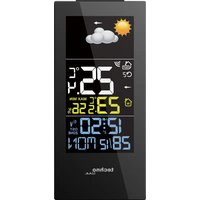
WS6446 - Weather Station Techno Line - Free user manual and instructions
Find the device manual for free WS6446 Techno Line in PDF.


| Product type | Radio-controlled weather station with wireless outdoor sensor |
| Brand and model | Techno Line WS6446 |
| Dimensions (station) | 85 x 65 x 185 mm |
| Dimensions (outdoor sensor) | 40 x 22 x 100 mm |
| Weight (station with batteries) | Approximately 200 g |
| Power supply (station) | Mains adapter (HX0180500150D2E) or 3 AAA batteries (not included) |
| Power supply (outdoor sensor) | 2 AAA batteries (not included) |
| Main functions | DCF radio-controlled time, alarm with snooze, calendar (2018-2099), indoor/outdoor temperature, humidity, weather forecast (6 symbols), temperature and pressure trend, MAX/MIN, backlight, 7 languages |
| Indoor temperature range | -9.9 °C to 50 °C (14 °F to 122 °F) |
| Outdoor temperature range | -40 °C to 60 °C (-40 °F to 140 °F) |
| Temperature accuracy (0-50 °C) | ± 1 °C |
| Indoor humidity range | 20 % to 95 % RH |
| Transmission range | 30 m in open space |
| Display | LCD with backlight |
| Adjustable time zone | from -12 to +12 hours |
| Care and cleaning | Clean with a soft dry cloth; avoid solvents or abrasive cleaners |
| Safety | Indoor use for the station; outdoor sensor weather-resistant; observe battery polarities; do not expose to fire or water |
| Spare parts and repairability | Replaceable outdoor sensor (ref. TX960); standard batteries and adapter; no user-serviceable parts |
| General information | Multilingual support (7 languages); automatic DCF reception every night; low battery indicator |
Frequently Asked Questions - WS6446 Techno Line
User questions about WS6446 Techno Line
0 question about this device. Answer the ones you know or ask your own.
Ask a new question about this device
Download the instructions for your Weather Station in PDF format for free! Find your manual WS6446 - Techno Line and take your electronic device back in hand. On this page are published all the documents necessary for the use of your device. WS6446 by Techno Line.
USER MANUAL WS6446 Techno Line
 |  |  | 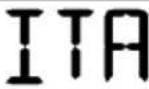 | 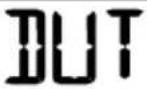 | 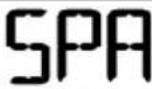 | 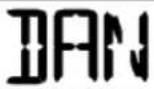 | |
| MON |  |  |  |  |  | 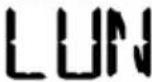 | 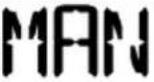 |
| TUE |  | 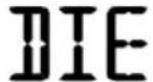 | 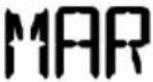 | 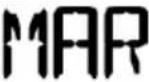 | 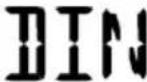 | 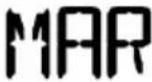 | 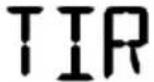 |
| WED |  |  |  |  |  |  |  |
| THU |  | 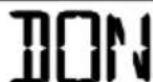 | 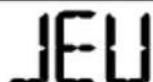 | 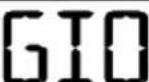 | 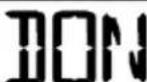 | 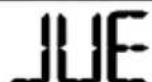 | 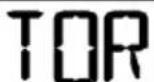 |
| FRI | 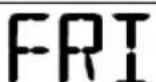 | 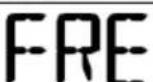 | 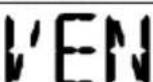 | 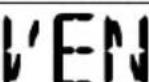 | 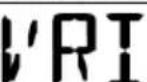 | 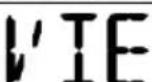 | 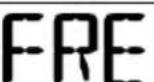 |
| SAT | 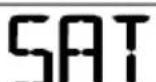 | 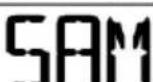 | 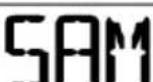 | 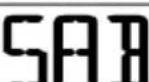 | 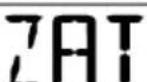 | 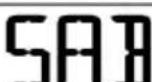 | 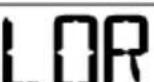 |
| SUN | 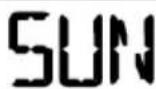 | 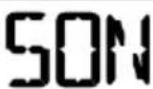 | 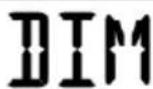 |  | 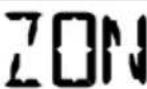 | 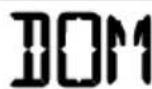 | 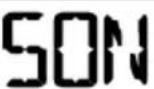 |
Alarmeinstellung:
natural_image
Simple illustration of a bright sun with a curved arrow pointing to it against a black background (no text or symbols)SONNIG
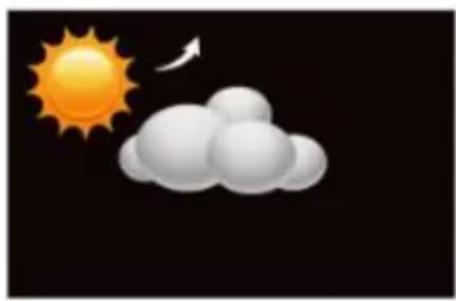
natural_image
Weather icon showing sun and cloud against black sky (no text or symbols)TEILWEISE SONNIG
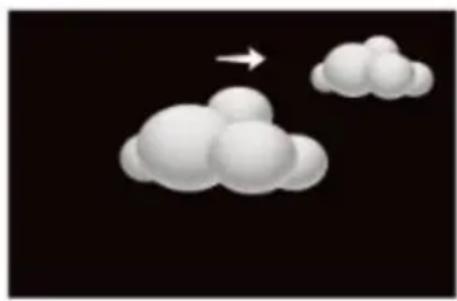
natural_image
Abstract 3D cloud shapes with a white arrow pointing upward on a black background (no text or symbols)BEWÖLKT
natural_image
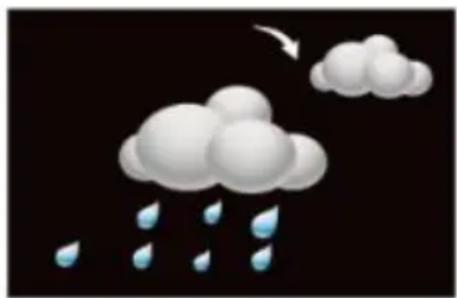
Illustration of a cloud with raindrops falling, no text or symbols presentREGNERISCH
natural_image
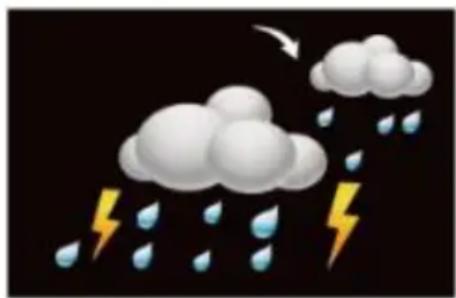
Illustration of raindrops falling with a lightning bolt, no text or symbols presentSTÜRMISCH
natural_image
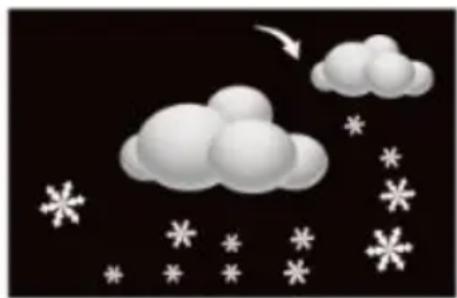
Illustration of a cloudy sky with scattered snowflakes and an arrow pointing downward (no text or symbols)VERSCHNEIT
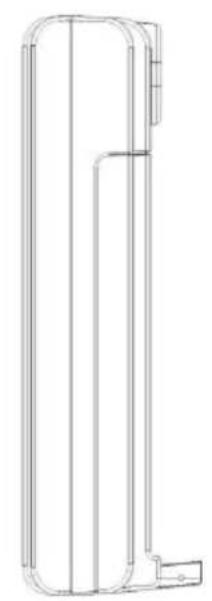
Station : 85mm (L) x65mm (B) x185mm (H)
Sender : 40mm (L) x22mm (B) x100 (H)
Innentemperatur:
- DCF radio clock receiver function
• 12/24h selectable - Alarm and snooze function
• Calendar (date/month,2018-2099 default year 2018) - Indoor temperature, indoor humidity and outdoor temperature
- Outdoor temperature trend and barometric pressure trend
- Low battery icon for station and outdoor sensor
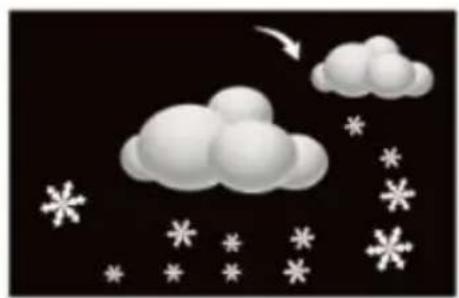
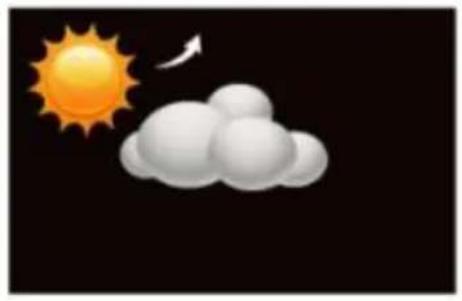
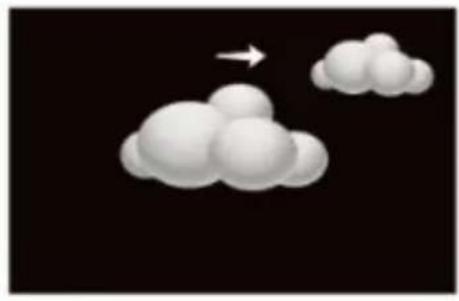
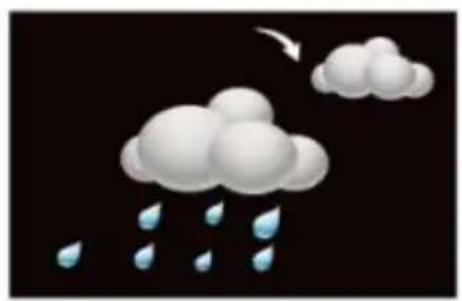
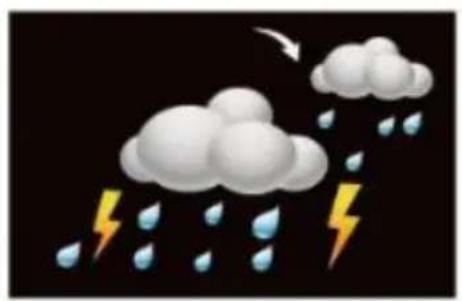
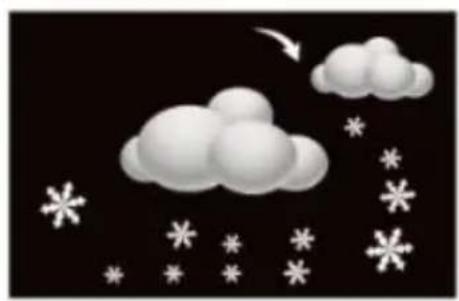
- Weather forecast: sunny, partly sunny, cloudy, rainy, stormy and snowy
• Maximum and minimum temperature/humidity - Seven languages for week (GER, ITA, DUT, SPA, DAN, ENG, FRE)
• Time zone: -12/+12HR - Backlight
Overview:
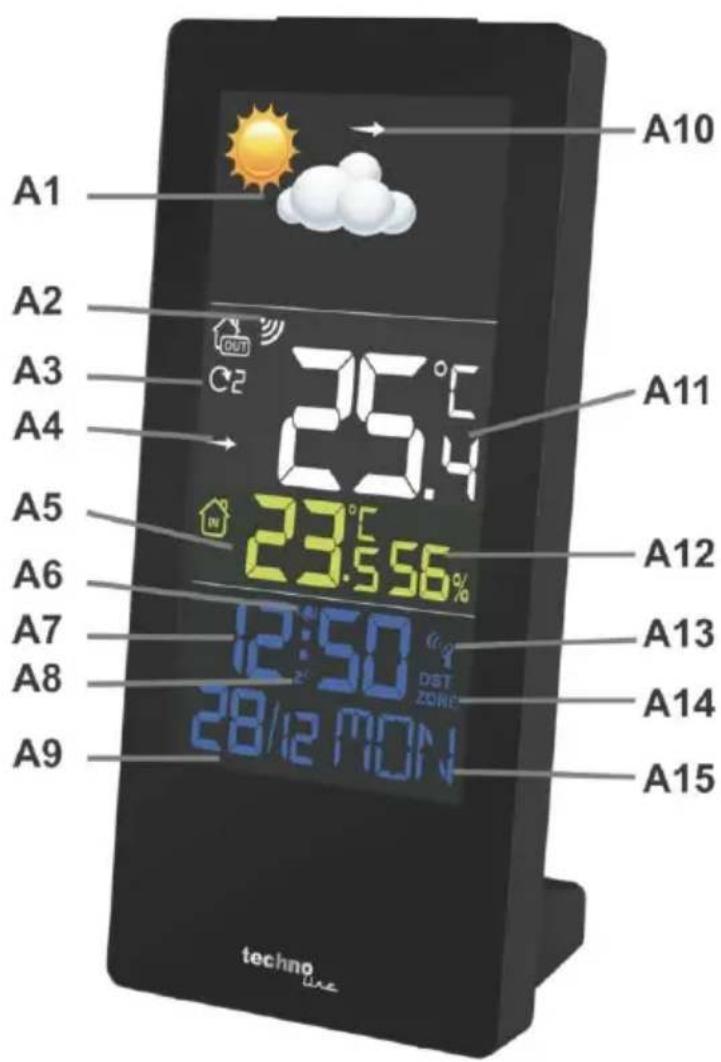
A – Display and frontside
A1 – Weather forecast A2 – Outdoor reception icon
A3 – Selected outdoor channel A4 – Temperature trend icon
A5 – Indoor temperature A6 – Alarm icon
A7 – Time A8 – Snooze icon
A9 – Date and month A10 – Barometric pressure trend icon
A11 – Outdoor temperature A12 – Indoor humidity
A13 – DCF icon A14 – DST icon
A15 – Week day
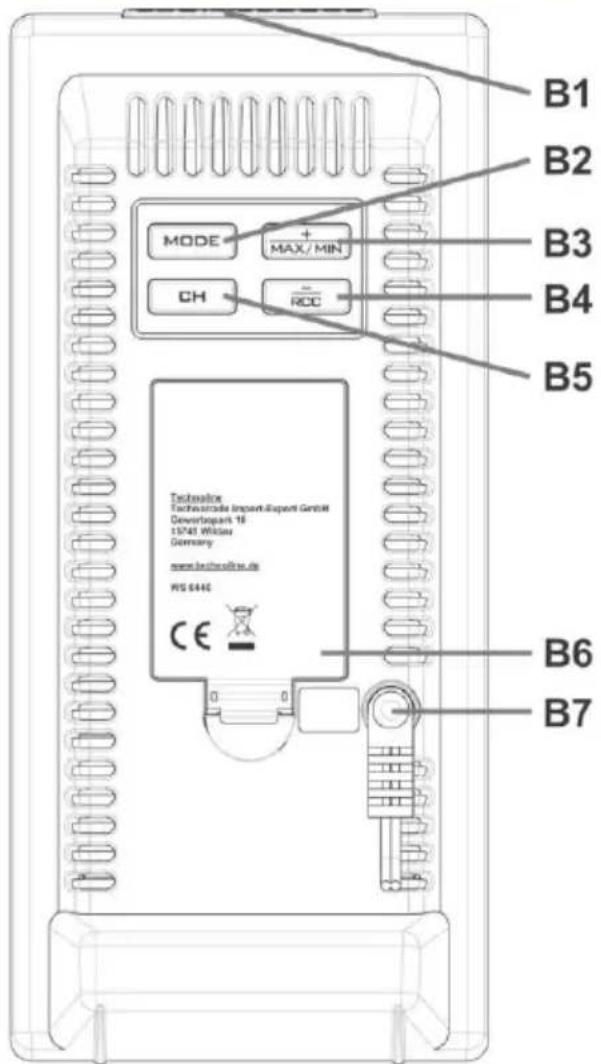
B – Buttons and backside
B1 – SNOOZE/LIGHT button B2 – MODE button
B3 - + / MAX/MIN button B4 - - / RCC button
B5 – CH button B6 – Battery compartment
B7 – Connection for power adapter
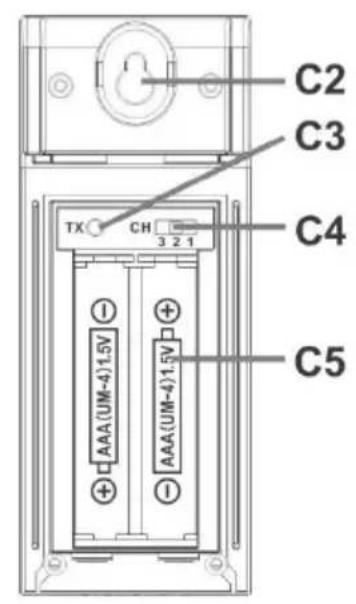
C – Outdoor temperature sensor
C1 – Control LED C2 – Hanging hole
C3 – TX button C4 – CH switch (Channel 1/2/3)
C5 – Battery compartment
Initial operations:
To power on:
- Open the battery compartment of the outdoor sensor and insert 2 x AAA batteries under
consideration of polarity (+/-). Close the battery compartment with the battery door again.
- Connect the AC/DC adapter (HX0180500150D2E) with the main station to an household power outlet. Display will be fully displayed for a short time and then start operation.
- All display elements will light up for a short time and then the station will start to search for the outdoor sensor signal.
Back-up batteries (optional):
- Open the battery compartment of the main station and insert 3 x AAA batteries under consideration of polarity (+/-). Close the battery compartment with the battery door again.
Outdoor sensor reception:
Outdoor reception icon

- After powering, the station automatically searches for the outdoor sensor signal.
- The strength signal icon will flash until the sensor signal is received or for 3 minutes if no signal available.
- Hold the CH/+ button for 2 seconds if no signal was received after 3 minutes or to manually search for the sensor of the selected channel. Then press the TX button on the sensor to manually send the signal.
• In case of further reception problems: please repeat the steps of the initial operation again.
Note:
- The outdoor sensor needs to be placed away from direct sunlight and rain.
Automatic reception of DCF:

DCF RECEPTION ICON with full signal strength will appear on screen if the reception of radio-controlled time is successful.
- The tower icon is displayed permanently when the display has received the DCF signal.
- No tower icon displayed. The station was unable to receive a signal at this time.
- Reposition the display for better signal reception or try again at bedtime.
- Daily at 1:00,2:00,3:00,4:00,5:00 the clock will automatically receive the time, once received the clock will only search for the signal again on the following day.
- If the unit received DST signal, the unit will display "DST" icon. If the unit did not receive
radio-controlled time signal, the “DST” icon does not disappear unless it received no DST signal.
- If there is no signal or too much interference the receiver will only be on for 2 minutes.
- If the signal is good the reception will finish in 2-3 minutes.
- If the signal is weaker the reception will run for up to 10 minutes.
Manual reception of DCF:
- In normal display mode, press the RCC button to on/off time signal search. The DCF reception icon will be flashing while the reception of the DCF signal is active and the icon will no longer be displayed when the reception is turned off.
Manual setting:
- Press and hold the MODE button in normal display mode to enter setting mode:
- 24/12-HOUR: 24Hr will flash. Press the + or - button to select the 24-hour or 12-hour time display. Press the MODE button to continue.
- Time zone: Time zone will display and the selected time zone will blink. Press the + or - button to set the time zone( setting range is 0\~+12,0\~-12, German time is 00 and UK time is -01 ). Press the MODE button to continue.
- HOURS: The hour will flash. Press the + or - button to select the hour. Press the MODE button to continue.
- MINUTES: The minutes will flash. Press the + or - button to select the minutes. Press the MODE button to continue.
- YEAR: The year will flash. Press the + or - button to select the year. Press the MODE button to continue.
- MONTH: The month will flash. Press the + or - button to select the month. Press the MODE button to continue.
- DATE: The date will flash. Press the + or - button to select the date. Press the MODE button to continue.
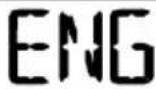
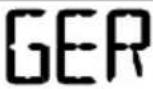
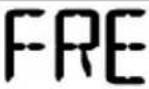
- LANGUAGE: Language for weekday will display, the default is GER. Press the + or - button to select the language: English (ENG), German (GER), French (FRE), Italian (ITA), Dutch (DUT), Spanish (SPA), Danish (DAN). Press the MODE button to continue.
- °C/°F: The °C or °F will flash. Press the + or - button to select the temperature unit. Press the MODE button to confirm and exit setting.
Notes:
- If no buttons are pressed in a 20 seconds period, set mode will time out and return to live
display mode, reflecting whatever adjustments were made by user before timed out.
- +/- buttons: Press once to adjust by 1 unit, hold for fast scroll adjustment.
- Day of the week will be set automatically after YEAR, MONTH, DATE are set and will be displayed as following:
| ENG | GER | FRE | ITA | DUT | SPA | DAN | |
| MON | MON | MON | LUN | LUN | MAA | LUN | MAN |
| TUE | TUE | DIE | MAR | MAR | DIN | MAR | TIR |
| WED | WED | MIT | MER | MER | WOE | MIE | ONS |
| THU | THU | DON | JEU | GIO | DON | JUE | TOR |
| FRI | FRI | FRE | VEN | VEN | VRI | VIE | FRE |
| SAT | SAT | SAM | SAM | SAB | ZAT | SAB | LOR |
| SUN | SUN | SON | DIM | DOM | ZON | DOM | SON |
Alarm setting:
- Press the MODE button once to enter alarm display mode. Press the + or - button to activate/deactivate the alarm. The alarm icon is displayed while the alarm is activated. Press the MODE button again to return to normal display mode.
- Press and hold the MODE button in alarm display mode to enter alarm setting mode:
- ALARM HOUR: The hour will flash. Press the + or - button to select the hour. Press the MODE button to continue.
- ALARM MINUTES: The minutes will flash. Press the + or - button to select the minutes. Press the MODE button to continue and exit setting.
Notes:
- If no buttons are pressed in a 20 seconds period, set mode will time out and return to live display mode, reflecting whatever adjustments were made by user before timed out.
- +/- buttons: Press once to adjust by 1 unit, hold for fast scroll adjustment.
- Alarm is crescendo sound. When the alarm sounds, it continues for 2 minute and then shuts off completely. The alarm icon is blinking while the alarm sounds.
Snooze function:
- When alarm sounds, press the SNOOZE/LIGHT button to trigger snooze duration of 10 minutes. The alarm icon and the snooze icon (Zz) both flash when the snooze duration is active.
- To stop alarm for one day, press any button but SNOOZE/LIGHT button, while alarm is sounding or in snooze mode. The alarm icon will show solid and the alarm will sound the next day..
MAX/MIN operation:
- In normal display mode, press the MAX/MIN button once to display maximum data of indoor and outdoor temperature and humidity (the MAX icon is displayed). Press the MAX/MIN button again to display minimum data of indoor and outdoor temperature and humidity (the MIN icon is displayed). Press the MAX/MIN button to return to normal display mode.
- Press and hold the MAX/MIN button in the corresponding interface 2 seconds to clear the MAX or MIN record.
• After 5 seconds the MAX/MIN display will return back to the normal display mode. - The MIN/MAX values will also be automatically cleared at every midnight (0:00).
Weather forecast:
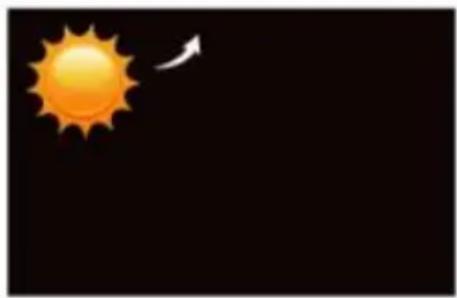
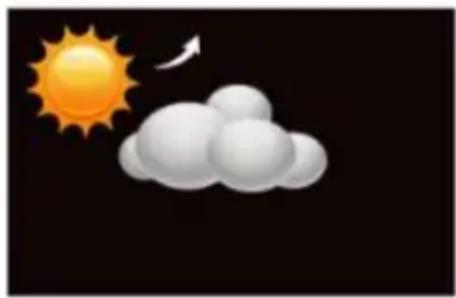
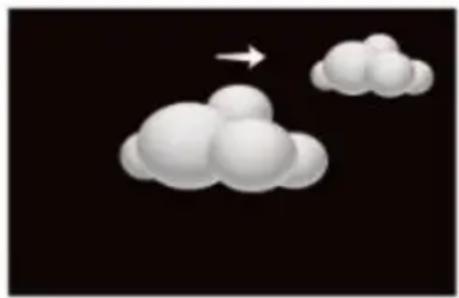
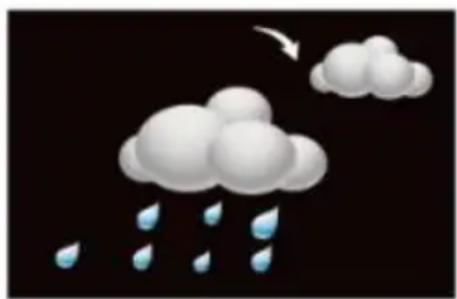
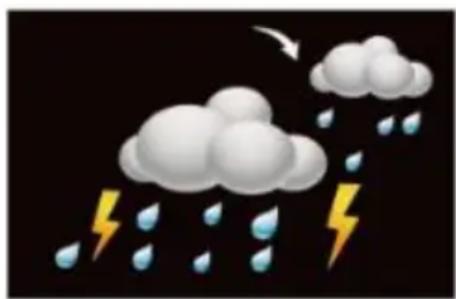
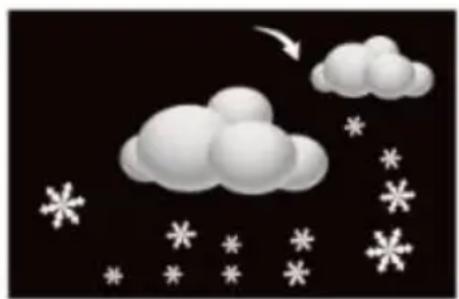
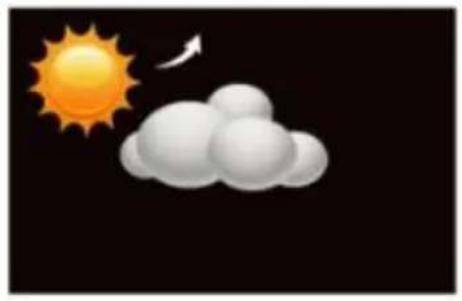
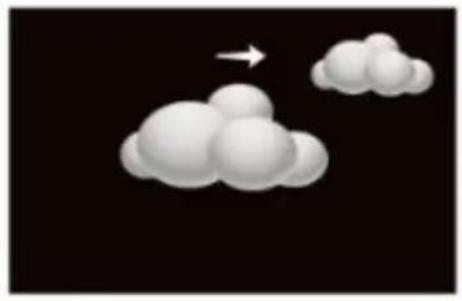
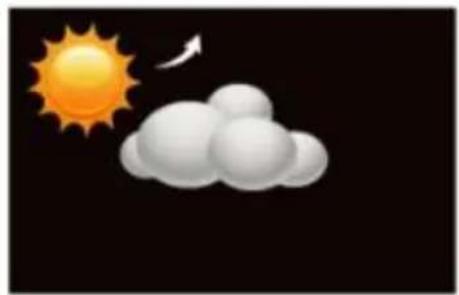
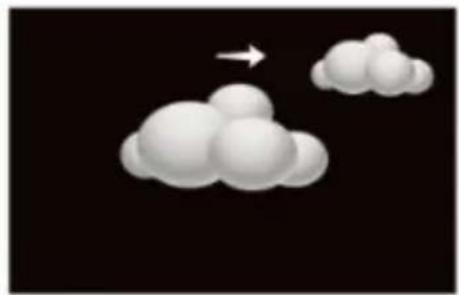
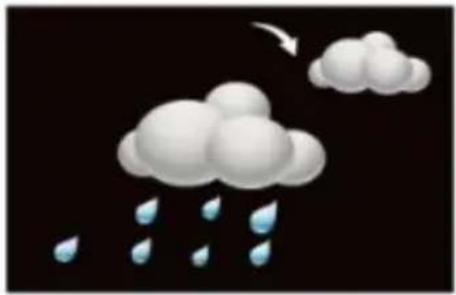
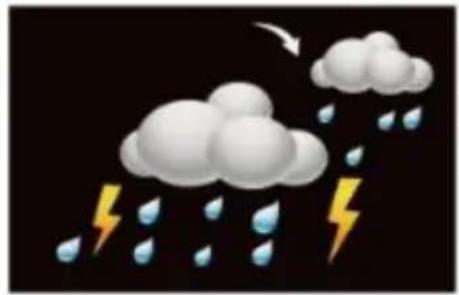
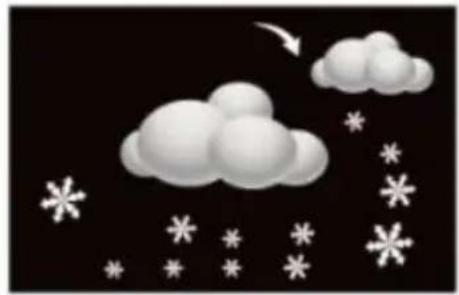
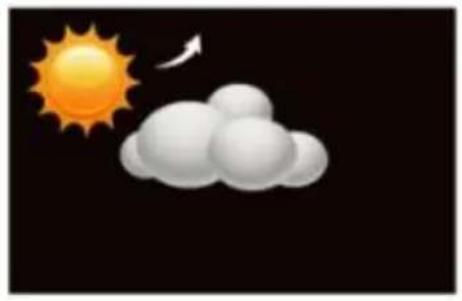
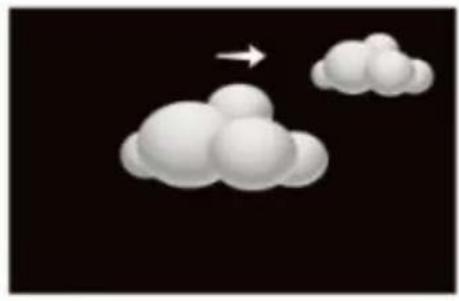
The station will display one of 6 weather forecast symbols: Sunny, Partly sunny, Cloudy, Rainy, stormy and Snowy
natural_image
Simple illustration of a bright sun with a curved arrow pointing to it against a black background (no text or symbols)SUNNY
natural_image
Weather icon showing sun and cloud against black sky (no text or symbols)PARTLY SUNNY
natural_image
Abstract 3D cloud shapes with a white arrow pointing upward on a black background (no text or symbols)CLOUDY
natural_image
Illustration of a cloud with raindrops falling, no text or symbols presentRAINY
natural_image
Illustration of raindrops falling and clouds with a lightning bolt, no text or symbols presentSTORMY
natural_image
Illustration of a cloudy sky with scattered snowflakes and an arrow pointing to it (no text or symbols)SNOWY
Trend display for outdoor temperature and barometric pressure:
- The weather station can display the temperature trend and the barometric pressure trend. You may see the following displays:

The outdoor temperature / barometric pressure rises
The outdoor temperature / barometric pressure remains constant.
The outdoor temperature / barometric pressure falls
Outdoor sensor channels:
- The station can receive up to 3 sensors on 3 differently displayed channels and each outdoor sensor can only transmit measured data to one specific channel.
- Press the CH button on the station to set one of 4 possible channel display options: channel 1, channel 2, channel 3 or constant rotation of all 3 channels. The icon is displayed when the rotation is selected.
- Select the same channel on the outdoor sensor by using the CH switch.
- Press and hold the CH button for 2 seconds to clear the current channel and re-register a new sensor to this channel.
Backlight:
- With power adapter: Display is lighted at all times.
- With battery only: Press the SNOOZE/LIGHT button to activate the backlight for 10 seconds.
Low battery indicator:
- Battery icon displayed near indoor temperature indicates to change the batteries in the station.
- Battery icon displayed near outdoor temperature indicates to change the batteries in the sensor.
Specifications:
Batteries:
Receiver: 3 x AAA Micro MR03
TX960 sensor: 2 x AAA Micro MR03
Dimensions
Station : 85mm (L) x65mm (W) x185mm (H)
Sensor : 40mm (L) x22mm (W) x100 (H)
Indoor temperature:
- Operating temperature range = -9.9 °C to 50 °C (14 °F to 122 °F)
• Accuracy ± 1 degrees Celsius 0 °C to 50 °C (14 °F to 122 °F)
• Resolution = 0.1 degree Celsius - When above 50 °C (122 °F), the LCD will display HI
- When below- 9.9 °C (14 °F) the LCD will display LO
Indoor Humidity:
- Operating humidity range =20% RH to 95%
- Accuracy +/- 5% RH (@25oC, 30%RH to 80%RH)
- Accuracy +/- 8% RH (@25oC, 20%RH to 29%RH 80%RH to 95%RH)
• Resolution = 1 % RH
Outdoor temperature:
• Operating temperature range = -40 °C to 60 °C (-40 °F to 140 °F)
- Accuracy ± 1 degrees Celsius from 0 °C to 50 °C (32 °F to 122 °F)
- Accuracy ±1.5 degrees Celsius -40 °C to 0 °C (-40 °F to 32 °F) and 50 °C to 60 °C (122 °F to 140 °F)
• Resolution = 0.1 degree Celsius
- When above 60 °C (140 °F), the LCD will display HI.
- When below -40 °C (-40 °F), the LCD will display LO.
• Transmission range: 30m (open area)
Safety information:
Environmental reception effects
The station obtains the accurate time with wireless technology. Same as all wireless devices, the reception is maybe affected by the following circumstances:
- long transmitting distance
• nearby mountains and valleys - near freeway, railway, airports, high voltage cable etc.
- near construction site
- among tall buildings
• inside concrete buildings
- near electrical appliances (computers, TV's, etc) and metallic structures
• inside moving vehicles
Place the station at a location with optimal signal, i.e. close to a window and away from metal surfaces or electrical appliances.
Precautions
- This main unit is intended to be used only indoors, the outdoor sensor is intended for outdoors.
- Do not subject the unit to excessive force or shock.
- Do not expose the unit to extreme temperatures, direct sunlight, dust or humidity.
- Do not immerse in water.
- Avoid contact with any corrosive materials.
- Do not dispose this unit in a fire as it may explode.
- Do not open the inner back case or tamper with any components of this unit.
Batteries safety warnings
- Use only alkaline batteries, not rechargeable batteries.
• Install batteries correctly by matching the polarities (+/-).
• Always replace a complete set of batteries. - Never mix used and new batteries.
- Remove exhausted batteries immediately.
- Remove batteries when not in use.
- Do not recharge and do not dispose of batteries in fire as the batteries may explode.
- Ensure batteries are stored away from metal objects as contact may cause a short circuit.
- Avoid exposing batteries to extreme temperature or humidity or direct sunlight.
- Keep all batteries out of reach from children. They are a choking hazard.
Use the product only for its intended purpose!
Consideration of duty according to the battery law
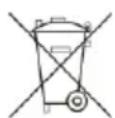
Old batteries do not belong to domestic waste because they could cause damages of health and environment. You can return used batteries free of charge to your dealer and collection points. As end-user you are committed by law to bring back
needed batteries to distributors and other collecting points!
Consideration of duty according to the law of electrical devices
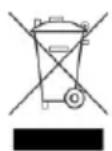
This symbol means that you must dispose of electrical devices separated from the General household waste when it reaches the end of its useful life. Take your unit to your local waste collection point or recycling centre. This applies to all countries of the European Union, and to other European countries with a separate waste collection system.
Caractéristiques :
natural_image
Simple illustration of a bright sun with a curved arrow pointing to it against a black background (no text or symbols)ENSOLEILLÉ
natural_image
Weather icon showing sun and cloud against black background (no text or symbols)PARTIELLEMENT ENSOLEILLÉ
natural_image
Abstract 3D cloud shapes with a white arrow pointing upward, set against a black background (no text or symbols)NUAGEUX
natural_image
Illustration of a cloud with raindrops falling, no text or symbols presentPLUVIEUX
natural_image
Illustration of raindrops falling and clouds with a lightning bolt, no text or symbols presentORAGEUX
natural_image
Illustration of a cloudy sky with scattered white snowflakes and an arrow, no text or symbols present.NEIGEUX
Station 85 (L) x 65 (P) x 185 mm (H)
C4 - Interruptor CH (Canal 1/2/3)
natural_image
Simple illustration of a bright sun with a curved arrow pointing to its right side against a black background (no text or symbols)SOLEADO
natural_image
Weather icon showing sun and cloud against black sky (no text or symbols)PARCIALMENTE NUBLADO
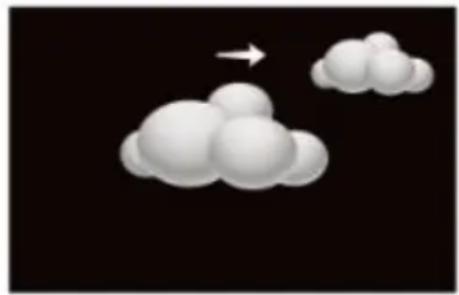
natural_image
Abstract 3D cloud shapes with a white arrow pointing upward on a black background (no text or symbols)NUBLADO
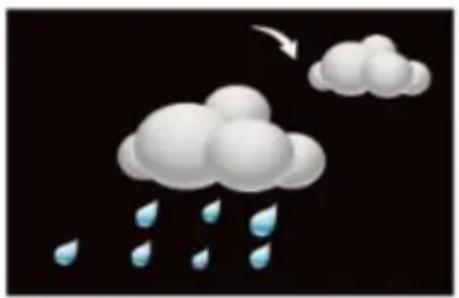
natural_image
Illustration of a cloud with raindrops falling, no text or symbols presentLLUVIOSO
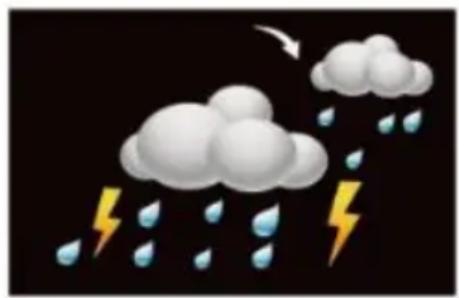
natural_image
Illustration of raindrops falling with a cloud above, symbolizing storm or lightning (no text or symbols)TORMENTA
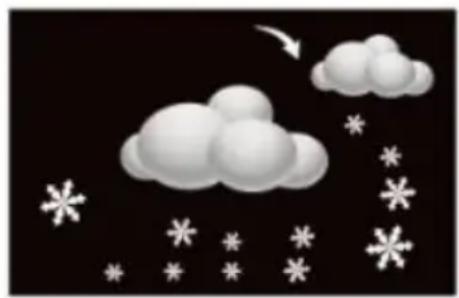
natural_image
Illustration of a cloudy sky with scattered white snowflakes and an arrow, no text or symbols present.NEVADO
Sensor: 40mm (L) x22mm (A) x100 (A)
Temperatura interior:
natural_image
Simple illustration of a bright sun with a curved arrow pointing to it against a black background (no text or symbols)ZONNIG
natural_image
Weather icon showing sun and cloud against black background (no text or symbols)GEDEELTELIJK BEWOLKT
natural_image
Abstract 3D cloud shapes with a white arrow pointing upward, set against a black background (no text or symbols)BEWOLKT
natural_image
Illustration of a cloud with raindrops falling, no text or symbols presentREGENACHTIG
natural_image
Illustration of raindrops falling with a cloud above, symbolizing storm or lightning (no text or symbols)STORMACHTIG
natural_image
Illustration of a cloudy sky with scattered white snowflakes and an arrow pointing downward (no text or symbols)SNEEUW
TX960-sensor: 2 x AAA Micro MR03
Afmetingen
Station: 85mm (L) x65mm (B) x185mm (H)
Sensor: 40mm (L) x22mm (B) x100 (H)
Binnentemperatuur:
natural_image
Simple illustration of a bright sun with a curved arrow pointing to it against a black background (no text or symbols)SOLEGGIATO
natural_image
Weather icon showing sun and cloud against black background (no text or symbols)PARZIALMENTE SOLEGGIATO
natural_image
Abstract 3D cloud shapes with a white arrow pointing upward on a black background (no text or symbols)NUVOLOSO
natural_image
Illustration of a cloud with raindrops falling, no text or symbols presentPIOVOSO
natural_image
Illustration of raindrops falling and clouds with a lightning bolt, no text or symbols presentTEMPESTOSO
natural_image
Illustration of a cloudy sky with scattered white snowflakes and an arrow, no text or symbols present.NEVOSO
natural_image
Pure technical line drawing of a vertical cylindrical component without any text, numbers, or symbols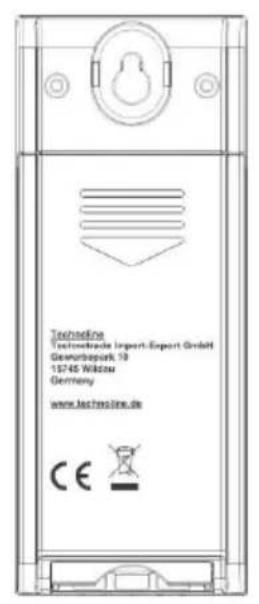
natural_image
Simple illustration of a bright sun with a curved arrow pointing to it against a black background (no text or symbols)SLUNEČNO
natural_image
Weather icon showing sun and cloud against black background (no text or symbols)POLOJASNO
natural_image
Abstract 3D cloud shapes with a white arrow pointing upward, set against a black background (no text or symbols)ZATAŽENO
natural_image
Illustration of a cloud with raindrops falling, no text or symbols presentDÉŠŤ
natural_image
Illustration of raindrops falling and clouds with a lightning bolt, no text or symbols presentBOUŘKY
natural_image
Illustration of a cloudy sky with scattered white snowflakes and an arrow pointing downward (no text or symbols)SNĚŽENÍ
natural_image
Simple illustration of a bright sun with a curved arrow pointing to it against a black background (no text or symbols)SŁONECZNIE
natural_image
Weather icon showing sun and cloud against black background (no text or symbols)CZEŚCIOWO
SŁONECZNIE
natural_image
Abstract 3D cloud shapes with a white arrow pointing upward, set against a black background (no text or symbols)ZACHMURZENIE
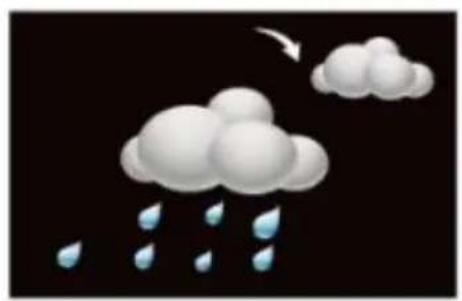
natural_image
Illustration of a cloud with raindrops falling, no text or symbols presentDESZCZ
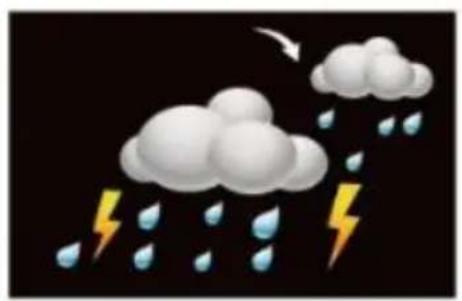
natural_image
Illustration of raindrops falling and clouds with a lightning bolt, no text or symbols presentBURZA
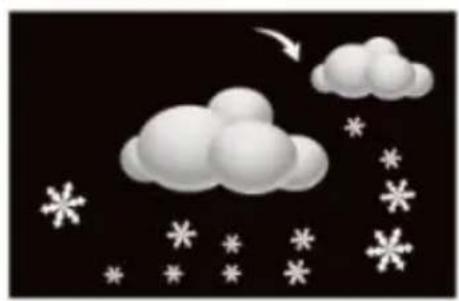
natural_image
Illustration of a cloudy sky with scattered snowflakes and an arrow, no text or symbols present.ŚNIEG
- Alarmeinstellung:
- Innentemperatur:
- A – Display and frontside
- B – Buttons and backside
- C – Outdoor temperature sensor
- Initial operations:
- Back-up batteries (optional):
- Outdoor sensor reception:
- Outdoor reception icon
- Note:
- Automatic reception of DCF:
- Manual reception of DCF:
- Manual setting:
- Notes:
- Alarm setting:
- Snooze function:
- MAX/MIN operation:
- Weather forecast:
- Trend display for outdoor temperature and barometric pressure:
- Outdoor sensor channels:
- Backlight:
- Low battery indicator:
- Specifications:
- Batteries:
- Dimensions
- Indoor temperature:
- Indoor Humidity:
- Outdoor temperature:
- Safety information:
- Environmental reception effects
- Precautions
- Batteries safety warnings
- Consideration of duty according to the battery law
- Consideration of duty according to the law of electrical devices
- Caractéristiques :
- Temperatura interior:
- Afmetingen
- Binnentemperatuur:
Brand : Techno Line
Model : WS6446
Category : Weather Station