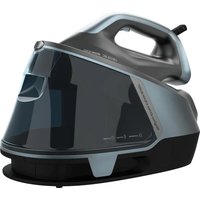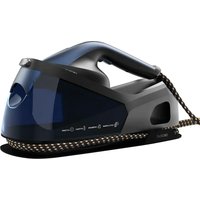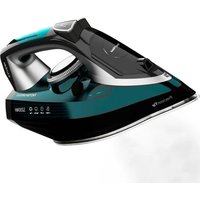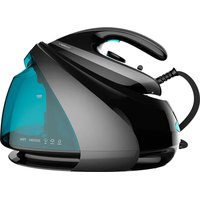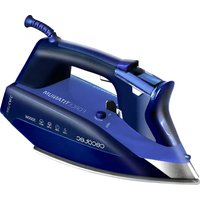
ForceTitanium 720 Smart - Iron CECOTEC - Free user manual and instructions
Find the device manual for free ForceTitanium 720 Smart CECOTEC in PDF.


| Product type | Iron |
| Brand | Cecotec |
| Model | ForceTitanium 720 Smart |
| Power | 3000 W |
| Power supply | 220-240 V ~ 50/60 Hz |
| Soleplate | Titanium Slide (scratch-resistant) |
| Water tank | Capacity not specified, with MAX mark |
| Display | LCD with temperature and fabric type display |
| Main functions | Dry ironing, steam, steam burst, ECO mode, anti-calc, anti-drip, auto shut-off |
| Safety | Auto shut-off (30 s horizontal, 8 min vertical), auto disconnect |
| Cleaning and maintenance | Self-cleaning, clean soleplate with a damp cloth |
| Spare parts | Contact Cecotec After-Sales Service |
| Repairability | Do not repair yourself, contact authorized service |
| Warranty | 2 years |
| Included accessories | Measuring cup (mentioned for descaling) |
Frequently Asked Questions - ForceTitanium 720 Smart CECOTEC
User questions about ForceTitanium 720 Smart CECOTEC
0 question about this device. Answer the ones you know or ask your own.
Ask a new question about this device
Download the instructions for your Iron in PDF format for free! Find your manual ForceTitanium 720 Smart - CECOTEC and take your electronic device back in hand. On this page are published all the documents necessary for the use of your device. ForceTitanium 720 Smart by CECOTEC.
USER MANUAL ForceTitanium 720 Smart CECOTEC
natural_image
Blue electric iron with brand name 'FORCETITANIUM' and certification marks, displayed against a light blue geometric background (no text beyond branding)natural_image
Two horizontal bar segments with grayscale shades and a central crosshair symbol (no text or labels)
natural_image
Abstract geometric design with overlapping light blue triangles (no text or symbols)ÍNDICE
- Safety instructions / 12
- Pieces and components / 13
- Before use /13
- Operation / 14
- Cleaning and maintenance / 17
- Technical details / 18
- Disposal of electrical appliances / 18
- Warranty /18
INDICE
Normal status:
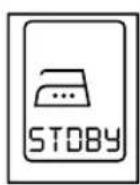
Stand By
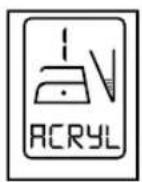
Level 1
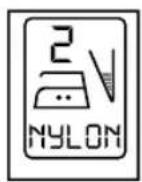
Level 2
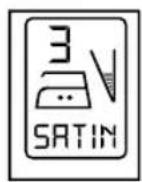
Level 3
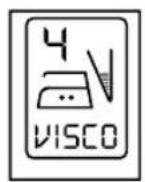
Level 4
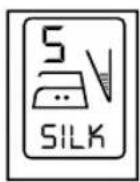
Level 5

Level 6
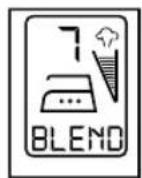
Level 7
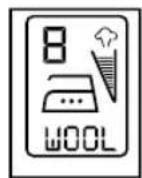
Level 8
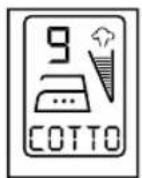
Level 9
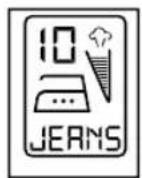
Level 10
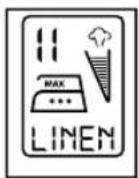
Level 11
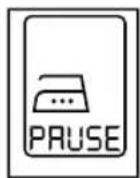
Auto shut off
Error status:
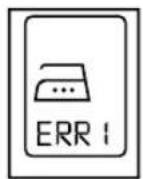
Malfunction 1
Read these instructions thoroughly before using the appliance. Keep this instruction manual for future reference or new users
1. SAFETY INSTRUCTIONS
- All safety instructions should be closely followed when using the appliance.
- Make sure that the mains voltage matches the voltage stated on the rating label of the appliance and that the wall outlet is grounded.
- Do not immerse the cord, plug, or any non-removable part of the toaster in water or any other liquid, nor expose the electrical connections to water. Make sure your hands are dry before handling the plug or switching on the appliance.
WARNING: if the appliance falls accidentally in water, unplug it immediately. Do not reach into the water!
Do not twist, bend, strain, or damage the power cord in any way. Protect it from sharp edges and heat sources. Do not let it touch hot surfaces. Do not let the cord hang over the edge of the working surface.
· The appliance is not intended to be operated by means of an external timer or separate remotecontrol system.
- Turn off and unplug the appliance from the mains supply when not in use and before cleaning. Pull from the plug, not the cord, to disconnect it from the outlet.
· This appliance is designed to iron textiles. It is designed for domestic use only and, therefore, not suitable for commercial use. Do not use it outdoors.
· To protect against burns or injuries to persons, do not iron textiles while being worn on the body.
- Do not use any accessory that has not been recommended by the manufacturer, as they might cause injuries or damage.
- The appliance is not intended to be used by children under the age of 8. It can be used by children over the age of 8, as long as they are given continuous supervision.
3 This appliance is not intended to be used by persons with reduced physical, sensory, or mental capabilities, or lack of experience or knowledge, unless they have been given supervision or instruction concerning the use of the appliance in a safe way by a person responsible for their safety, and understand the hazards involved.
· Supervise young children to make sure that they do not play with the appliance. Close supervision is necessary when the appliance is being used by or near children.
- Keep the appliance and its cord out of reach of children under the age of 8.
- Place the appliance on a dry, stable, flat, heat-resistant surface.
· The temperature of accessible surfaces may be high while in use and could cause burns. Do not touch hot surfaces while in use or immediately after.
· Unplug the appliance immediately if fire or smoke is observed.
· Do not leave the appliance unattended while in use. Unplug it from the mains supply when you finish using it or when you leave the room.
· The appliance must not be plugged in when filling or emptying the water tank.
· The tank cap must not be open when the appliance is switched on.
· The use of tap water is recommended. If the lime content of the tap water is too high, use a mix composed by 50% of tap water and 50 % of water with low mineral content. Do not use only
ENGLISH

water with low mineral content.
· Burns can occur when touching hot metal parts, hot water, or steam. Hot water may leak from the iron. Be careful when filling or turning the steam iron upside down.
· To protect against burns or injuries, do not direct steam toward persons or animals when ironing.
- The iron must be used and placed on a stable surface. When placing the iron on its stand, make sure that the surface is stable.
- Keeping the iron at maximum temperature for too long may cause discolouration, which will not affect the performance of the appliance.
Do not try to repair the appliance by yourself. Contac the official Technical Support Service of Cecotec for advice.
· Cleaning and maintenance must be carried out according to this instruction manual to make sure the appliance functions properly. Turn off and unplug the appliance before moving and cleaning it. Make sure the iron has completely cooled down before storing it.
· Cleaning and maintenance tasks must not be carried out by children.
- Store the appliance and its instruction manual in a safe and dry place when not in use.
- The manufacturer takes no responsibility for any damage caused by misuse of the appliance. Any misuse or non-compliance with these instructions renders the warranty and the manufacturer's liability null and void.
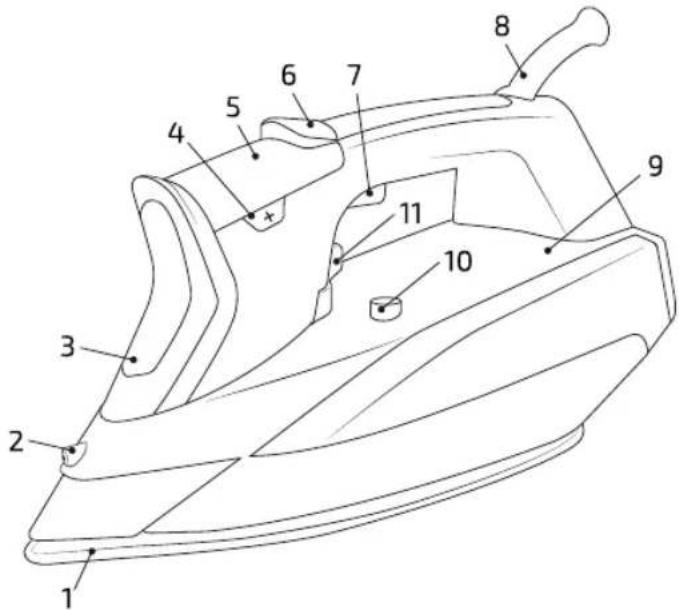
2. PARTS AND COMPONENTS
- Titanium Slide soleplate
- Spray nozzle
- Water tank cap
- Temperature control buttons
- LCD screen
- Spray button
- Steam button
- 360° swivelling cord
- Water tank
- Autoclean button
- Steam selector
3. BEFORE USE
- Remove all packaging elements.
- Inspect all parts of the appliance for visual damage. Unwind the power cord completely and inspect it for damage. Do not use the appliance if it or its cord have been damaged or are not working properly. In case of damage, contact the official Technical Support Service of Cecotec for advise, repairs, or returns.
- Make sure you have read and understood all instructions and warnings in this instruction manual. Pay particular attention to the safety instructions on previous pages.
- Place the appliance on an even, heat-resistant surface. Do not place the appliance near heat

ENGLISH
sources, places with high humidity levels, or combustible materials.
- Plug the appliance into an appropriate wall outlet. The plug must be accessible so that, in case of an emergency, it can be easily unplugged.
NOTE: you may notice a slight burning smell or smoke when using the appliance for the first time, caused by the excess of lubricants from the manufacturing process. Ensure good ventilation and let the appliance work until no odour or smoke can be noticed.
How to fill with water:
Make sure the iron is turned off and unplugged from the mains supply before following the instructions below:
- Turn the steam selector to position '0' before filling the tank with water.
- Open the cap of the tank and fill it up to the 'MAX' mark on the tank. The water level can be seen through the transparent side of the tank when the iron is placed upright.
- Pour out the remaining water after use.
Note: tap water can be used in this iron. Do not use water additives or substitute water, such as linen or scented water in the steam iron. They can stain fabrics or damage the iron. Do not exceed the 'MAX' mark on the tank.
4. OPERATION
Preparation
Sort the laundry according to the international symbols on the label of the different pieces of clothing, or the type of fabric.
| Label Fabric type | Thermostat regulation | |
 | Synthetic | Low temperature |
 | Silk - Wool | Medium temperature |
 | Cotton - Linen | High temperature |
 | Not to be ironed | |
Start ironing the fabric that requires a lower temperature. This reduces waiting times (the iron takes less time to heat up than to cool down) and eliminates the risk of burning the fabric.
Selecting the temperature
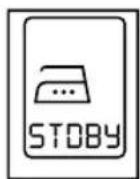
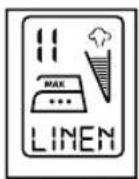
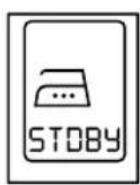
- Stand the iron on its base and plug the power cord into the wall socket; the buzzer will beep once, the LCD backlight will turn on, and the text "STDBY" will be shown on the display. The iron will be in stand by status.
- Press the temperature buttons (+/-) until you get the desired temperature setting. While the fabric type on the LCD panel flashes, the soleplate is heating up. When the iron reaches the selected temperature, the LCD panel will stop flashing and the buzzer will beep once. If you
ENGLISH

lower the temperature, the fabric type on the LCD panel will flash, indicating the soleplate is cooling down.
- To return to stand by mode, hold the temperature button for more than 3 seconds. The backlight will change colour and the buzzer will beep once, indicating that the stand by mode is activated.
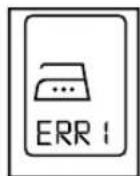
- If the LCD panel displays (ERR 1), flashes, and beeps continuously, do not press any button until you unplug the appliance. Wait for the soleplate to cool down and plug the iron in again. If the LCD panel still shows the error status, contact the official Technical Support Service of Cecotec.
LCD screen
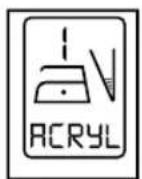
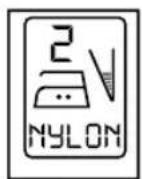
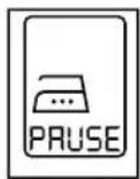
Normal status:
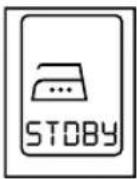
Stand By
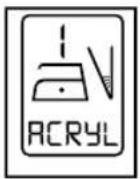
Level 1
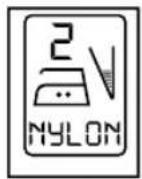
Level 2
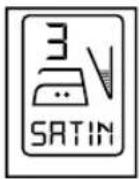
Level 3
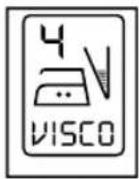
Level 4
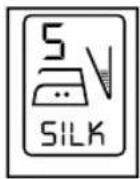
Level 5
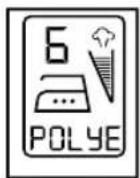
Level 6
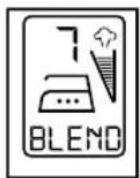
Level 7
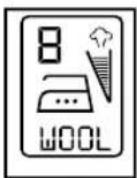
Level 8
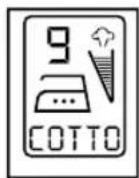
Level 9
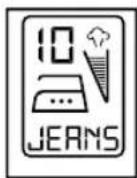
Level 10
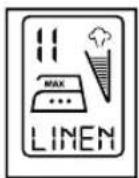
Level 11
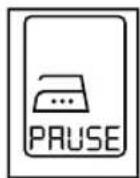
Auto shut off
Error status:
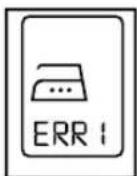
Malfunction 1
Note: after setting the temperature, the backlight of the LCD will become duller if the button is not pressed within 30 seconds. The backlight will change colour when the iron is in stand by status and auto power-off status.
Dry ironing
Fill the iron as described in 'How to fill with water'.
- Plug the appliance into the mains supply.
- Place the iron vertically and set the temperature with the temperature buttons according to the international symbols on the label of the piece of clothing. The LCD will flash while the iron preheats.
- Once the LCD panel stops flashing, you can start ironing.
WARNING: if you lower the temperature after ironing at a high temperature, do not start ironing until the soleplate cools down to the selected temperature.

ENGLISH
Steam ironing
Fill the iron as described in 'How to fill with water'.
- Plug the appliance into the mains supply.
- Place the iron vertically and set the temperature with the temperature buttons in one of the steam-ironing levels. As indicated on the LCD panel, steam-ironing is only possible at high temperatures (level 6 or over).
- Preheat the iron until the LCD panel stop flashing.
- Turn the steam selector to the required setting, according to the different types of fabric.
WARNING: the iron releases steam continuously only if you hold the iron horizontally. You can stop the continuous steam flow by placing the iron in upright position or by turning the steam selector off. You can only use steam at the highest temperatures. If the selected temperature is too low, water may drip from the soleplate.
ECO mode
Press the ECO button for optimal results when steam ironing any type of fabric. This position guarantees good results saving energy.

Anti-Calc Function
The anti-calc function is a permanent system located inside the water tank to eliminate impurities from the water and reduce the problems derived from limescale build-up. To prolong the efficiency of this system, follow these steps regularly:
- Unplug the iron and allow it to cool down.
- Fill 3/4 of the measuring cup provided with the iron with water. Add 1 teaspoon of salt and fill the water tank with this solution.
- Leave the solution in the water tank for 15 minutes, shaking it occasionally, and empty it. Repeat this step twice.
- Fill the tank with fresh water to rinse it and empty it.
Anti-Drip Function
This system controls the water flow to the soleplate at all times. Below a certain temperature, the antidrip function cuts off the water flow and prevents the iron from dripping water onto the fabric.
Auto-Power Off Function
The iron will automatically turn off if placed in horizontal position for 30 seconds, or in the vertical position for 8 minutes. To indicate that the iron has been turned off, the unit will beep 6 times and the auto-power off indicator light will blink. The iron can take up to 45-60 minutes to cool down completely. To heat up the iron again:
- Pick up the iron or move it slightly.
- The auto-power off light indicator will stop blinking.
16
FORCETITANIUM 720 SMART
ENGLISH

- The auto-power off light indicator will remain on and the iron will be ready for use.
How to use the water spray
Before using the spray function, check the fabric label for ironing instructions, as some fabrics may be spotted or stained with moisture. The spray function is particularly helpful to remove stubborn wrinkles and whenever extra moisture is needed. The spray may be used both with steam or dry ironing. Simply press the spray mist button when desired.
Ho to use the burst of steam

The burst of steam feature provides additional steam to remove stubborn wrinkles. It may be used both with steam or dry ironing. Press the burst of steam button to release a burst of steam that can penetrate the fabric. Pressing the button several times may be necessary to build up the burst of steam. Wait a few seconds for the steam to penetrate the fabric before pressing the button again for more steam. You can also use the burst of steam to iron textiles vertically (curtains, hung clothes, etc.).
Note: for optimal results, do not apply more than three successive bursts after the LCD panel starts flashing.
After use
-
Turn off and unplug the iron.
-
Empty the iron immediately after use. Do not store the iron with water in its tank.
-
Wait until the iron has cooled down before storing it. Let it rest on its base in vertical position to protect the soleplate from scratches, corrosion, or stains.
5. CLEANING AND MAINTENANCE
Outside surface of the iron:
After unplugging and letting the iron cool down, wipe its exterior surface with a damp cloth and, if necessary, a mild detergent.
WARNING: do not use any abrasive cleaning agent.
Soleplate:
Starch and other types of residue may be easily removed from the soleplate with a damp cloth. To avoid scratches on its finish, do not use metallic scouring pads to clean the soleplate and never place the iron on a rough surface. If synthetic fabrics are ironed at high temperature, both the fabric and the soleplate of the iron could be damaged. The best way to remove synthetic residue from the soleplate is to heat it up and iron over an old cotton rag.
CAUTION: do not use steam iron cleaners in this iron, since they could damage its working parts.
Self-Cleaning:
IMPORTANT: your iron will give the best ironing results and last longer if you use the self-cleaning function once a month, or more depending upon usage.
- Fill half of the water tank with water and leave the steam selector in "OFF" position.
- Place the iron in vertical position.
- Plug the iron.
- Set the temperature in the highest setting.
- Allow the iron to heat up until the LCD panel stops flashing.
- Unplug the iron from the mains supply and keep it in horizontal position over the sink.
- Hold the "Autoclean" button until all the boiling water, steam, and impurities come out.

ENGLISH
- Clean the soleplate with a clean cloth once it has cooled down.
Storage:
- Disconnect the iron from the mains supply.
- Empty the tank by turning the iron upside down and shaking it gently.
- Let the iron cool down completely.
- Roll the power cord around the base of the iron.
- Store the iron away in upright position.
6. TECHNICAL SPECIFICATIONS
· Rated Voltage: 220-240 V 50/60 Hz
· Power: 3000 W
• Made in P.R.C. | Designed in Spain
· Product reference: 05027
7. DISPOSAL OF OLD ELECTRICAL APPLIANCES
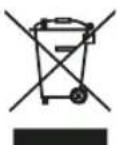
The European directive 2012/19/EU on Waste Electrical and Electronic Equipment (WEEE), specifies that old household electrical appliances must not be disposed of with the normal unsorted municipal waste. Old appliances must be collected separately, in order to optimize the recovery and recycling of the materials they contain, and reduce the impact on human health and the environment.
The crossed out "wheeled bin" symbol on the product reminds you of your obligation to dispose of the appliance correctly. If the product has a built-in battery or uses batteries, they should be removed from the appliance and disposed of appropriately.
Consumers must contact their local authorities or retailer for information concerning the correct disposal of old appliances and/or their batteries.
8. WARRANTY
This product is under warranty for 2 years from the date of purchase, as long as the proof of purchase is submitted, the product is in perfect physical condition, and it has been given proper use, as explained in this instruction manual. The warranty will not cover the following situations:
- The product has been used for purposes other than those intended for it, misused, beaten, exposed to moisture, immersed in liquid or corrosive substances, as well as any other fault attributable to the customer.
· The product has been disassembled, modified, or repaired by persons, not authorised by the official Technical Support Service of Cecotec.
· Faults deriving from the normal wear and tear of its parts, due to use. The warranty service covers every manufacturing defects of your appliance for 2 years, based on current legislation, except consumable parts. In the event of misuse, the warranty will not apply. If at any point, a fault is detected, contact the official Technical Support Service of Cecotec and send us your proof of purchase via e-mail at:
sat@cecotec.es
FRANÇAIS

3. AVANT UTILISATION
Normal status:
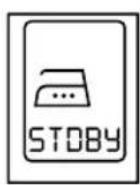
Stand By
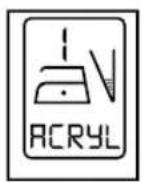
Level 1
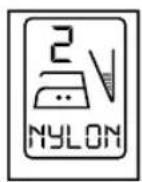
Level 2
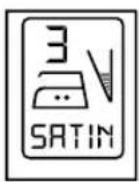
Level 3
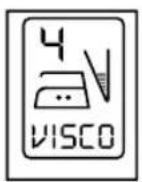
Level 4
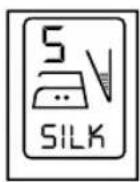
Level 5
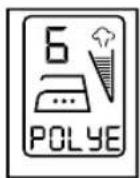
Level 6
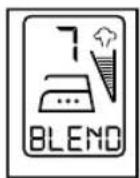
Level 7
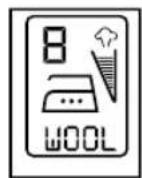
Level 8
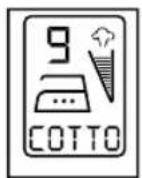
Level 9
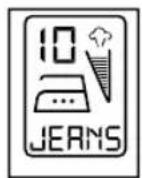
Level 10
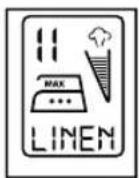
Level 11
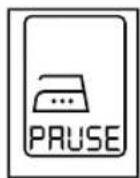
Auto shut off
Error status:
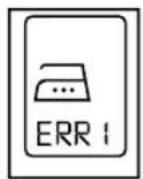
Malfunction 1
flowchart
graph LR
    A["Cloud Icon"] --> B["Cloud Icon"]
    B --> C["ECO Label"]
OFFMAX
3. VOR DEM GEBRAUCH
Normal status:
Stand By
Level 1
Level 2
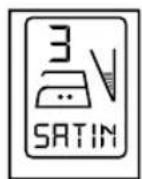
Level 3
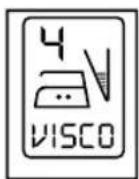
Level 4
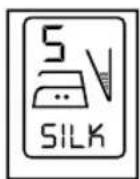
Level 5
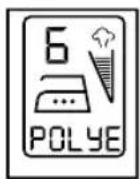
Level 6
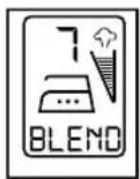
Level 7
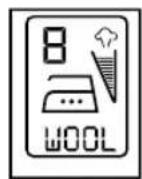
Level 8

Level 9
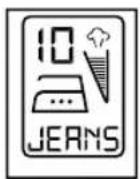
Level 10
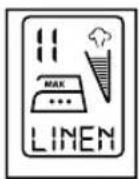
Level 11
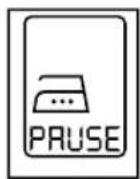
Auto shut off
Error status:
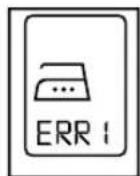
Malfunction 1
flowchart
graph LR
    A["Cloud Icon"] --> B["Cloud Icon"]
    B --> C["Cloud Icon"]
    C --> D["ECO Label"]
OFFMAX
Self-Cleaning/Selbst-Reinigung:
Normal status:
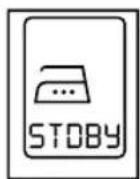
Stand By
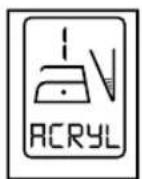
Level 1
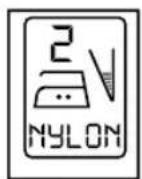
Level 2
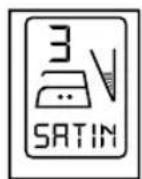
Level 3
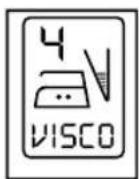
Level 4
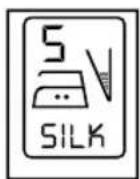
Level 5
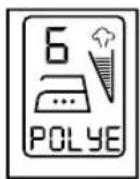
Level 6
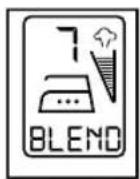
Level 7
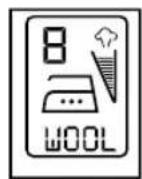
Level 8

Level 9
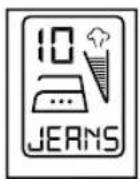
Level 10
Level 11
Auto shut off
Error status:
Malfunction 1
flowchart
graph LR
    A["Cloud Icon"] --> B["Cloud Icon"]
    B --> C["ECO Label"]
OFFMAX
3. ANTES DE USAR
Normal status:
Stand By
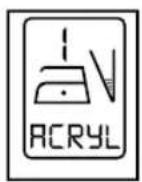
Level 1
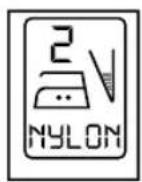
Level 2
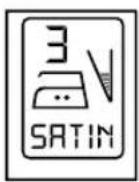
Level 3
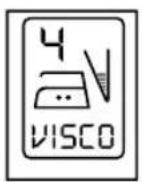
Level 4
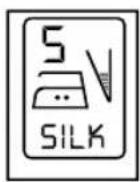
Level 5
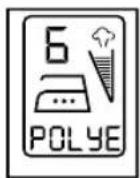
Level 6
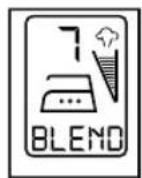
Level 7
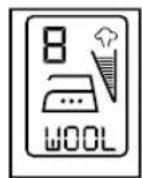
Level 8
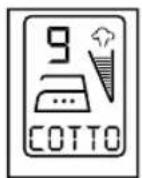
Level 9
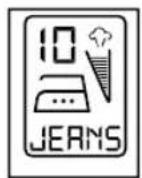
Level 10
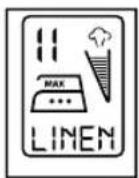
Level 11

Auto shut off
Error status:
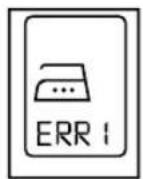
Malfunction 1
flowchart
graph LR
    A["Initial Cloud"] --> B["Intermediate Cloud"]
    B --> C["Final Eco-ECO"]
OFFMAX
natural_image
Two horizontal bar segments with grayscale shades and a central crosshair symbol (no text or labels)





natural_image
Abstract geometric design with overlapping light blue triangles (no text or symbols)www.cecotec.es