H-2607 - Shredder Uline - Free user manual and instructions
Find the device manual for free H-2607 Uline in PDF.


User questions about H-2607 Uline
0 question about this device. Answer the ones you know or ask your own.
Ask a new question about this device
Download the instructions for your Shredder in PDF format for free! Find your manual H-2607 - Uline and take your electronic device back in hand. On this page are published all the documents necessary for the use of your device. H-2607 by Uline.
USER MANUAL H-2607 Uline
NOTE: Read these instructions before use.
Do not discard. Keep for future reference.
PARTS
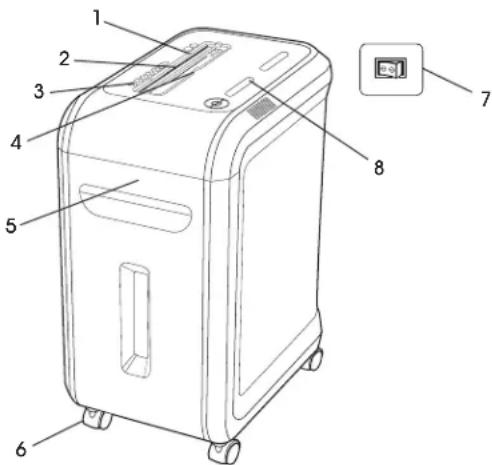
REF. DESCRIPTION
| 1 | SafeSense® Technology |
| 2 | Paper entry |
| 3 | See safety instructions |
| 4 | CD/Card safety flap |
| 5 | Pullout bin |
| 6 | Casters |
| 7 | Disconnect power switch |
| 8 | Control Panel and LEDs |
CAPABILITIES
Will shred paper, plastic credit cards, CD/DVDs, staples and small paper clips.
Will not shred adhesive labels, continuous form paper, transparencies, newspaper, cardboard, large paper clips, laminates, file folders, X-rays or plastic other than noted above.
Paper Shred Size
Cross-Cut - 5/32 x 1½"
Maximum
Sheets per pass - 18
- CDs/Cards per pass - 1
- Paper entry width - 9"
*8½ x 11", 20 lb., paper at 120V, 60 Hz, 5 Amps; heavier paper, humidity or other than rated voltage may reduce capacity.
Recommended daily usage rates: 1,500 sheets per day, 50 credit cards, 10 CDs. 18 sheets per pass.
Fellows SafeSense® shredders are designed to operate in home and office environments ranging between 50 - 80^ and at 40 - 80% relative humidity.
SAFETY
Operation, maintenance and service requirements are covered in these instructions. Read completely before operating shredder.
- Keep away from children and pets. Keep hands away from paper entry. Always set to OFF (O) or unplug when not in use.
- Keep foreign objects - gloves, jewelry, clothing, hair, etc. - away from shredder openings. If object enters top opening, switch to Reverse (A) back out object.
- Do not use aerosol products, petroleum-based or aerosol lubricants on or near shredder. Do not use canned air or air dusters on shredder. Vapors from propellants and petroleum-based lubricants may combust causing serious injury.
- Do not use if damaged or defective. Do not disassemble shredder. Do not place near or over heat source or water.
- This shredder has a disconnect power switch that must be in the ON (I) position to operate the shredder. In case of emergency, move switch to OFF (O) position. This action will stop shredder immediately.
- Avoid touching exposed cutting blades under shredder head.
- Shredder must be plugged into a properly grounded wall outlet of the voltage and amperage designated on the label. The grounded outlet or socket must be installed near the equipment and easily accessible. Energy convertors, transformers or extension cords should not be used with this product.
- Fire hazard - do not shred greeting cards with sound chips or batteries.
- For indoor use only.
- Unplug shredder before cleaning or servicing.

WARNING! Changes or modifications to this unit not expressly approved by the party responsible for compliance could void the user's authority to operate the equipment.

NOTE: This equipment has been tested and found to comply with the limits for a Class B device, pursuant to Part 15 of the FCC Rules. These limits are designed to provide reasonable protection against harmful interference in a residential installation. This equipment generates uses and can radiate radio frequency energy and, if not installed in accordance with the instructions, may cause harmful interference to radio communications. However, There is no guarantee that interference will not occur in a particular installation. If this equipment does cause harmful interference to radio or television reception, which can be determined by turning the equipment off and on, the user is encouraged to try to correct the interference by one or more of the following measures:
- Reorient or relocate the receiving antenna.
- Increase the separation between the equipment and receiver.
- Connect the equipment into an outlet on a circuit different from that to which the receiver is connected.
- Consult the dealer or an experienced radio/TV technician for help.
CASTER INSTALLATION
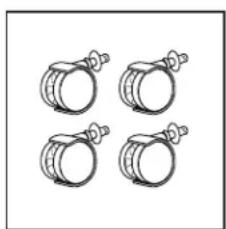
1. Locate casters.
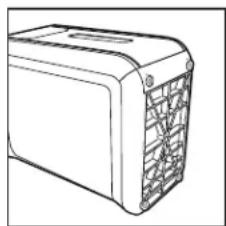
2. Lay shredder on its back.
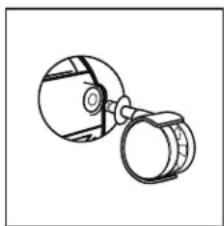
3. Insert casters into housing.
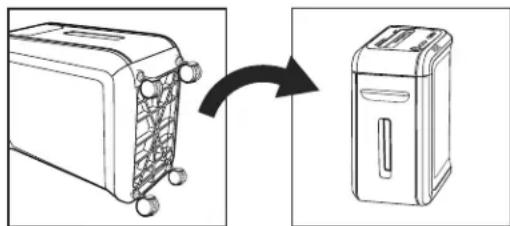
4. Flip upright.
OPERATING INSTRUCTIONS
Continuous operation up to 30-minute maximum.

NOTE: Shredder runs briefly after each pass to clear entry. Continuous operation beyond 30 minutes will trigger 40-minute cool down period.
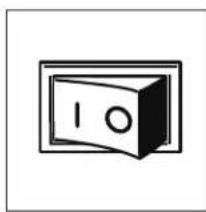
1. Plug in and put disconnect power switch in ON (I) position.
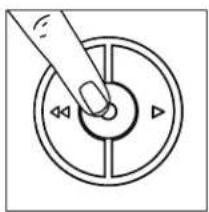
2. Press ON () to activate (blue).
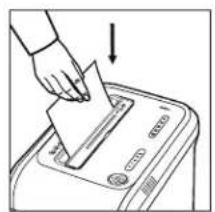
3. Feed paper straight into paper entry and release.
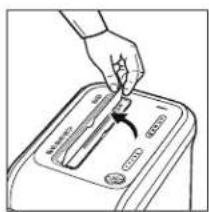
4. To shred CDs or credit cards, rotate safety flap into place.
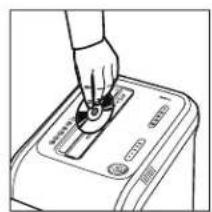
5. Hold card/CD at edge. Feed into center of entry and release.
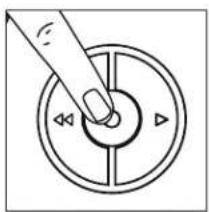
6. When finished shredding, set to OFF ( position.
PRODUCT FEATURES
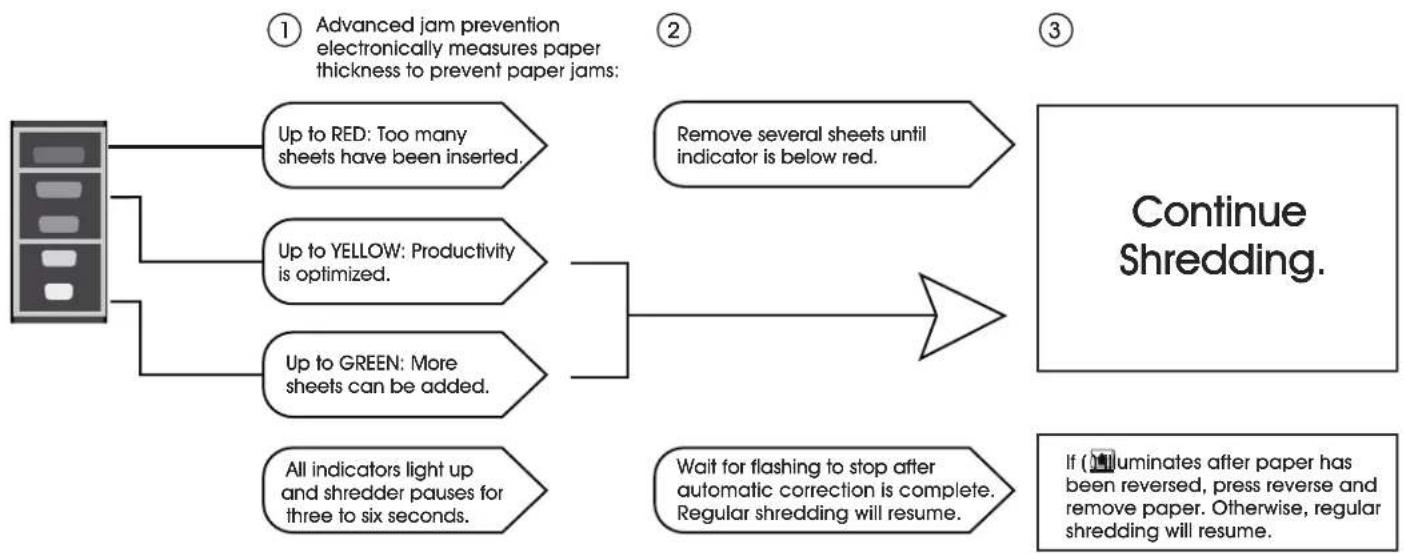
JAM-PROOF SYSTEM
Jam-proof system eliminates paper jams and powers through tough jobs.
SAFESENSE® TECHNOLOGY
Stops shredding immediately when hands touch the paper opening.
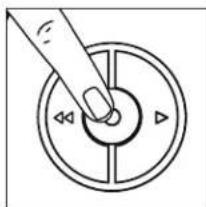
1. Turn the shredder ON (to activate SafeSense).
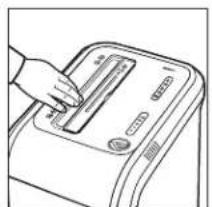
2. Touch test area and look for the SafeSense indicator to illuminate.
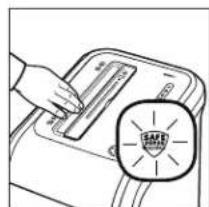
3. SafeSense is active and working properly.
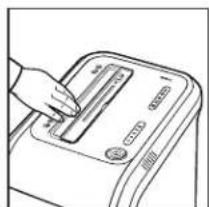
4. If hand is held on SafeSense area more than three seconds, shredder will shut off.
PRODUCT FEATURES CONTINUED
ENERGY SAVINGS SYSTEM
Optimal energy efficiency 100% of the time - in use and out of use.
- Saves energy in four ways: energy efficient electronics, jam prevention, standby mode and sleep mode.
- Sleep mode shuts down shredder after two minutes of inactivity.
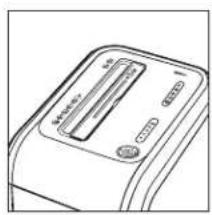
1. In sleep mode.
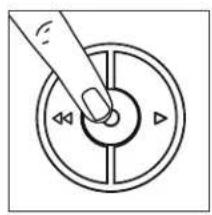
2. To get out of sleep mode, touch control panel.
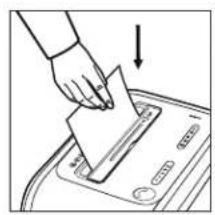
3. Insert paper.
MAINTENANCE
OILING SHREDDER
All cross-cut shredders require oil for peak performance. If not oiled, a machine may experience diminished sheet capacity, intrusive noise when shredding and could ultimately stop running. To avoid these problems, we recommend oiling shredder each time user empties waste bin.

CAUTION! Use only a non-aerosol vegetable oil in long nozzle container, such as S-16094.
Follow oiling procedures below and repeat twice.
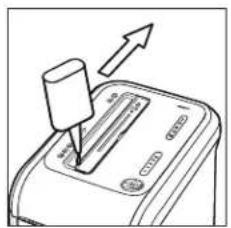
1. Apply oil across entry.
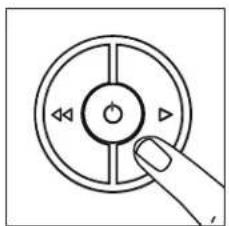
2. Press and hold Forward ( )D for two to three seconds.
CLEANING AUTO-START INFRARED SENSORS
Paper detection sensors are for maintenance-free operation. However, on rare occasions the sensors may become blocked by paper dust, causing the motor to run even when there is no paper present.

NOTE: Two paper detection sensors are located in the center of the paper entry.
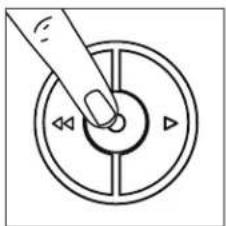
1. Turn off and unplug shredder.
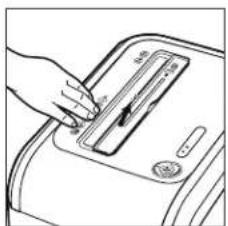
2. Locate auto-start infrared sensor.
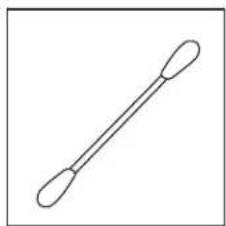
3. Dip cotton swab in rubbing alcohol.
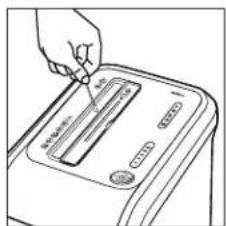
4. Using cotton swab, wipe away any contamination from the paper sensors.
TROUBLESHOOTING
| OPERATING ISSUE RECOMMENDATIONS | |
| Overheat Indicator | When the Overheat Indicator is illuminated:1. Allow the shredder to cool down.2. Resume shredding once the Overheat Indicator is no longer illum-nated. |
| Bin Open | When Bin Open is Illuminated:1. Close the bin.2. Resume shredding. |
| Bin Full | When Bin Full is Illuminated:1. Empty the bin.2. Resume shredding. |
| Remove Paper | When Remove Paper is Illuminated:1. Press the Reverse button (A) and remove the paper.2. Reduce paper quantity to an acceptable amount and refeed into paper entry. |
| SafeSense® Indicator | When SafeSense® Indicator is Illuminated:1. Remove hands from proximity of the paper entry. NOTE: If illuminated for more than 3 seconds, the shredder will automatically turn off. In this case, press the power button on the control panel to resume shredding. |