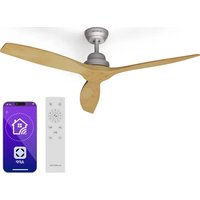
Santa Elena Smart - Fan Klarstein - Free user manual and instructions
Find the device manual for free Santa Elena Smart Klarstein in PDF.


| Product type | Ceiling fan |
| Brand | Klarstein |
| Model | Santa Elena Smart |
| Power supply | 220-240 V~ 50/60 Hz |
| Maximum power | 35 W |
| Number of speeds | 6 |
| Maximum air flow | 170.6 m³/min |
| Maximum noise level | 47 dB(A) |
| Maximum air speed | 2.8 m/s |
| Standby consumption | 0.5 W |
| Minimum distance from floor | > 2.3 m |
| Hook load capacity | > 100 kg |
| Blade material | Plastic (not specified) |
| Blade diameter | 132 cm (estimated) |
| Net weight | Approx. 6 kg |
| Remote control | Yes (RF 433 MHz) |
| Connectivity | WiFi 2.4 GHz (connected models) |
| Smartphone app | Klarstein (iOS/Android) |
| Installation | On ceiling, rod included |
| Maintenance | Clean with a soft, dry cloth |
| Safety | Automatic shut-off not specified |
| Spare parts | Blades, remote control, rods available |
| Repairability | Replaceable parts accessible |
| Warranty | 2 years (depending on retailer) |
Frequently Asked Questions - Santa Elena Smart Klarstein
User questions about Santa Elena Smart Klarstein
0 question about this device. Answer the ones you know or ask your own.
Ask a new question about this device
Download the instructions for your Fan in PDF format for free! Find your manual Santa Elena Smart - Klarstein and take your electronic device back in hand. On this page are published all the documents necessary for the use of your device. Santa Elena Smart by Klarstein.
USER MANUAL Santa Elena Smart Klarstein
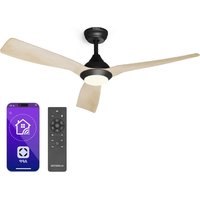
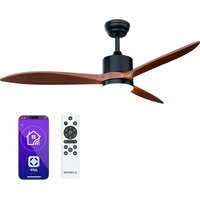
SANTA ELENA SANTA ELENA SMART
Deckenventilator
Ceiling Fan
ONNNNNNNNNNNNNNNNNNNNNNNNNNNNNNNNNNNNNNNNNNNNNNNNNNNNNNNNNNNNNNNNNNNNNNNNNNNNNNNNNNNNNNNNNNNNNNNNNNNNNNNNNNNNNNNNNNNNNNNNNNNN
KLARSTEIN
www.klarstein.com


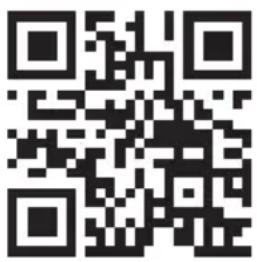
Congratulations on purchasing this equipment. Please read this manual carefully and take care of the following hints on installation and use to avoid technical damages. Any failure caused by ignoring the items and cautions mentioned in the operation and installation instructions are not covered by our warranty and any liability. Scan the QR code to get access to the latest user manual and more product information.
CONTENTS
Technical Data 17
Safety Instructions 18
Scope of Supply 19
Installation 20
Use and Operation 26
Device Control by Smartphone 27
Disposal Considerations 29
Declaration of Conformity 29
TECHNICAL DATA
| Article number Normal model Smart model | 10046084, 10046898, 10046085, 10046086, 10046899, 10047993 |
| Power supply 220-240 V~ 50-60 Hz | |
| BT Frequency band maximum radio-frequency power | 433 MHz 10 dBm |
SAFETY INSTRUCTIONS
- Never attach the fan to a power point, but to the ceiling itself.
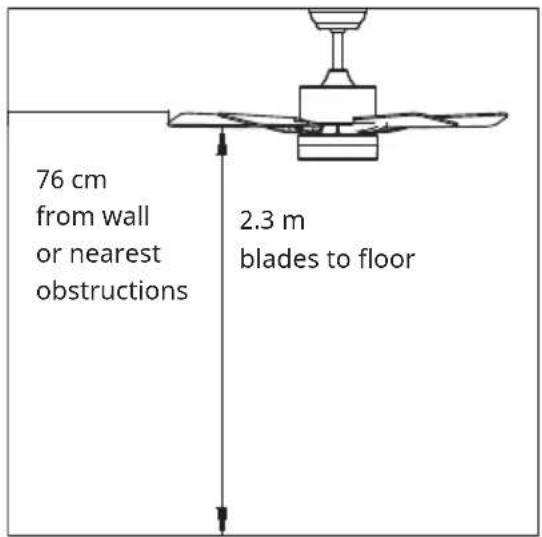
- The minimum distance between the blades of the fan and the floor must be more than 2.3m . The minimum carrying capacity of the hook from which the fan is hung must be 100kg .
- Make sure to install all poles disconnection switch having a contact separation of at least 3mm between poles in the supply wiring to the ceiling fan.
- The model or type reference of luminaries which may be installed in fans which are constructed for his purpose.
- Switch off the power before connecting.
- The electrical wiring must be in accordance with the local regulation.
- The fan must be properly earthed to avoid the risk of electric shocks.
- Never mount the fan in a moist or wet room.
- Be careful when working near the rotor blades.
- This device may be only used by children 8 years old or older and persons with limited physical, sensory and mental capabilities and / or lack of experience and knowledge, provided that they have been instructed in use of the device by a responsible person who understands the associated risks.
Children being supervised not to play with the appliance. - Ensure that the fan is switched off from the supply mains before removing the guard.
- Take precautions to avoid the back-flow of gases into the room from the open flue of gas or other fuel-burning appliances (for duct and partition fans).
Note: Always have your fan installed by someone who is knowledgeable about electrical wiring.
SCOPE OF SUPPLY
Carefully open the packaging. Remove items from Styrofoam inserts. Remove motor housing and place on carpet or Styrofoam to avoid damage to finish. Check against parts inventory that all parts have been included.
| canopy | downrod and hanging ball | downrod |
| hanger bracket | decorative covers | motor |
| blade | screws and dowls | |
| remote control |
INSTALLATION
Installation prepraton
To prevent personal injury and damage, ensure that the hanging location allows the blades a clearance of 2.3m from the floor and 76cm from any wall or obstruction.
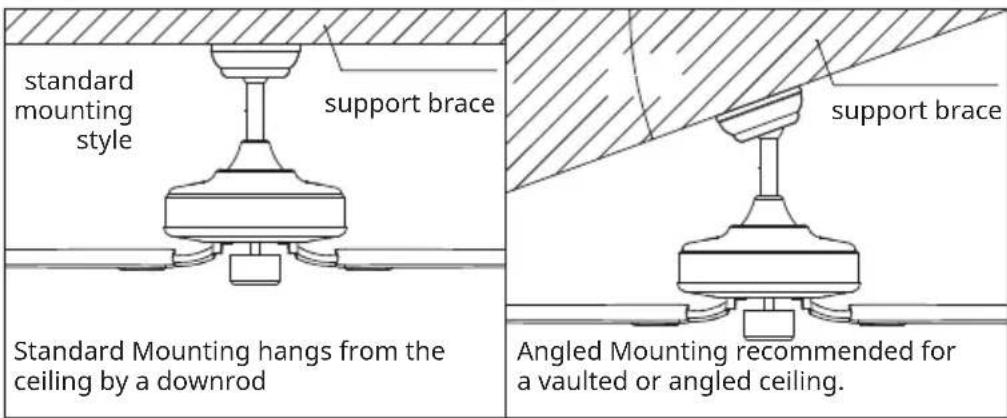
Be sure the outlet box is securely attached to the building structure and can support the full weight of the fan.
Preparing the Fan Site
Downrod Installation
This fan can be mounted with a downdrod on a normal or vaulted ceiling. The hanging length can be extended by a longer downdrod.
Installation requires these tools: Screwdriver, flat-head screwdriver, adjustable pliers or wrench, stepladder, wire cutters, and rated electrical tape.
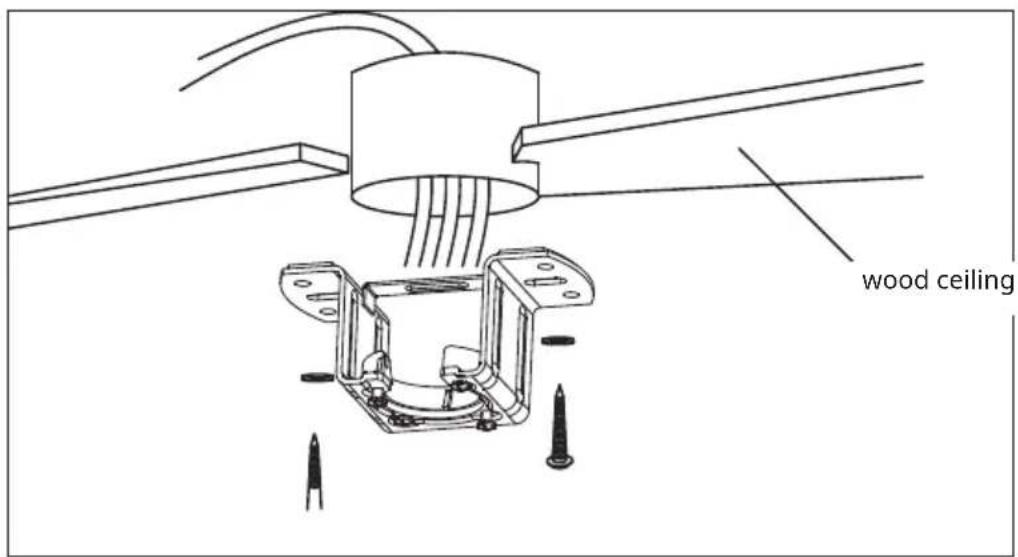
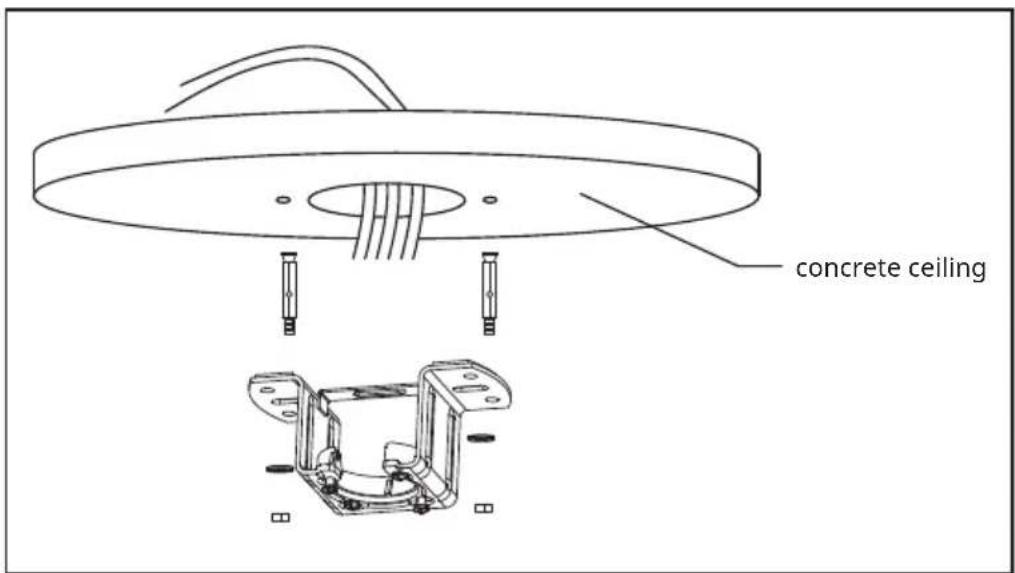
Please drill 08-mm hole on the concrete ceiling, and insert the the dowels and the bolts.
Align bracket with the hole, then tighten with nut.
Assembling and Hanging the Fan
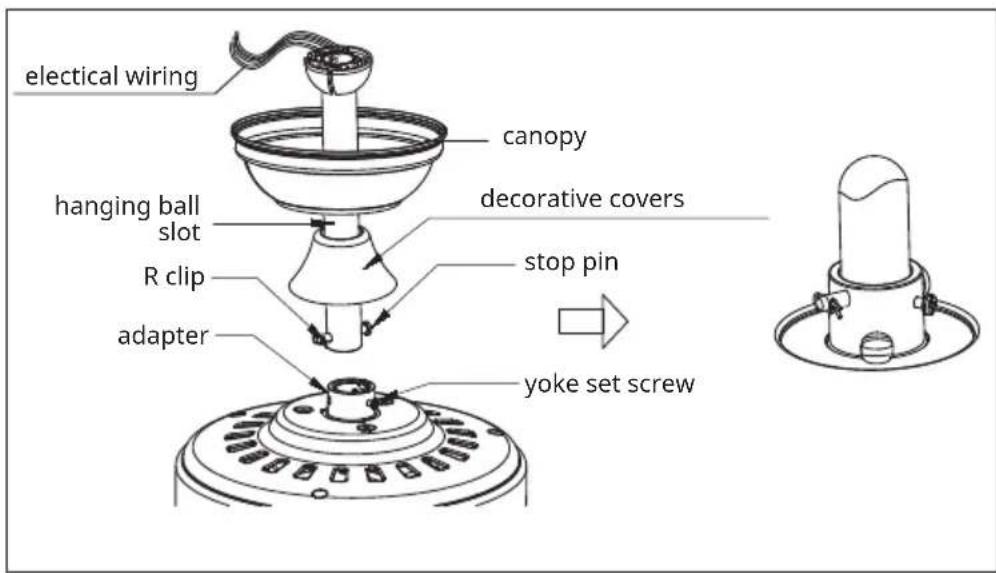
If you wish to extend the hanging length of your fan, you must remove the hanging ball from the 6 inch downrod provided to use with an extended downrod (included). (If you wish to use the 6 inch downrod, please proceed to instructions below.)
To remove hanging ball, loose set screw on hanging ball and remove pin and clip. Lower hanging ball and remove stop pin. Slide hanging ball off the original downrod A, and slide it down the longer downrod B (the top of the downrod should be noted as having a set screw hole; use this hole when setting the set screw).
Insert stop pin into top of extended downrod and raise hanging ball.
Be sure stop pin aligns with slots on the inside of the hanging ball, tighten set screw securely.
Tip: To prepare for threading electrical wires through downrod, apply small piece of electrical tape to the ends of electrical wires—this will keep the wires together when threading them through the downrod.
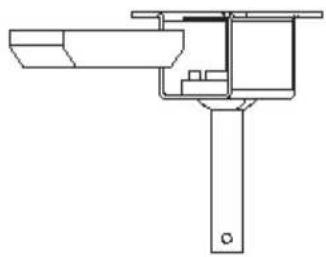
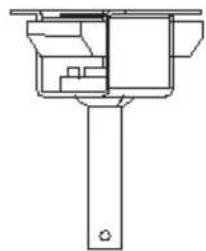
Loosen yoke set screws and nut at top of motor housing. Remove pin and clip from downrod (if you have not already done so). Slide downrod through canopy.
Tread electrical wires through downrod and pull extra wire slack from the upper end of the downrod.
Place downrod into the motor housing yoke. Insert the stop pin and clip that were previously removed. Tighten yoke set screws and nut securely. Lower the canopy to motor housing.
Remote control connection
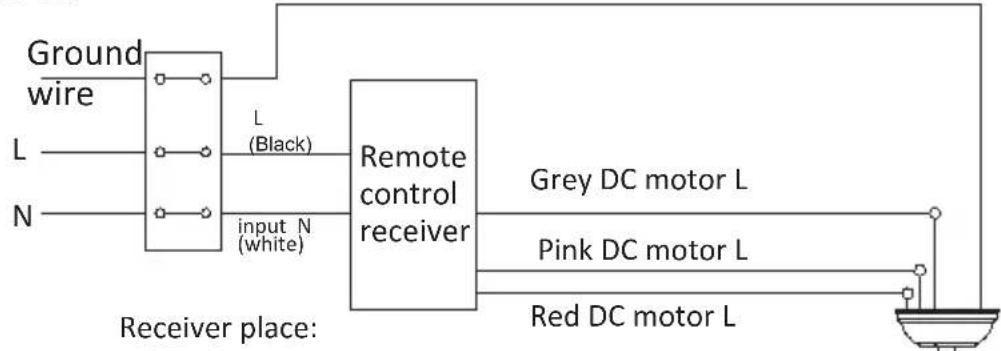
DC:
green/yellow stripe
Canopy assembly
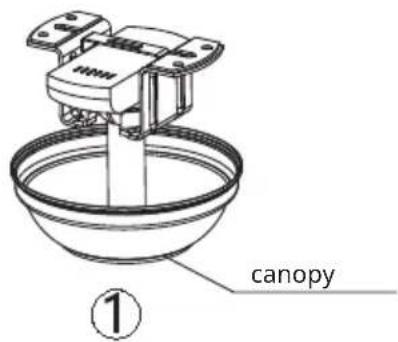
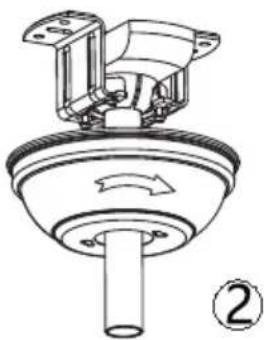
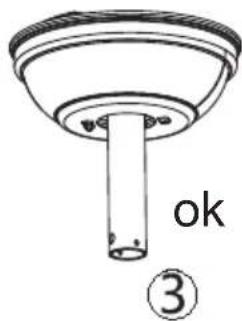
Raise canopy to hanging bracket, aligning loosened screws in hanging bracket with slotted holes in canopy. Twist canopy to lock. Re-insert screws and secured all screws with screwdriver.
With hanging bracket secured to the outlet box and able to support to fan, you are now ready to hang your fan. Grab the fan firmly with two hands. Slide downrod through opening in hanging bracket and let hanging ball rest on the hanging bracket. Turn the hanging ball slot until it lines up with the hanging bracket tab.
Tip: Seek the help of another person to hold the stepladder in place and to lift the fan up to you once you are set on the ladder.
Blade assembly
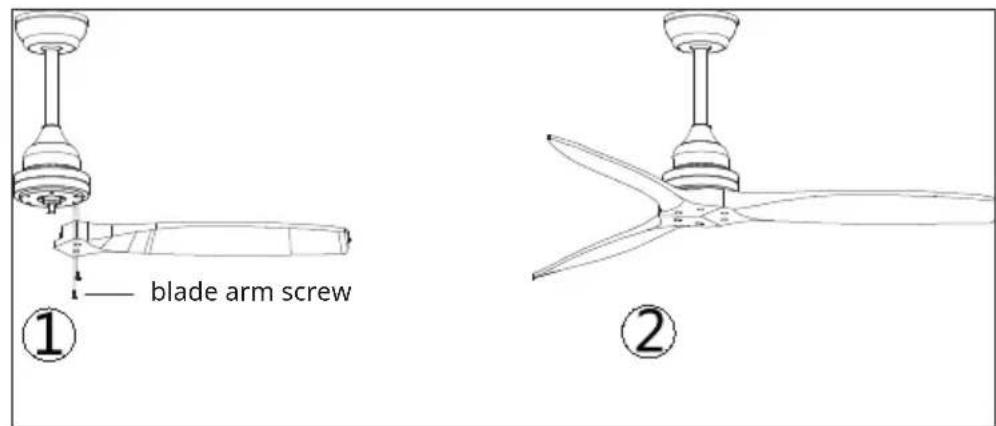
Time Saver: Washers for blade screws can be set on each blade screw prior to installing blades.
Align blade holes with motor screw holes, Securing tighten all the screws once all the blades are attached. Before securing screws permanently, repeat with remaining blade arms.
Note: Tighten blade arm screws twice.
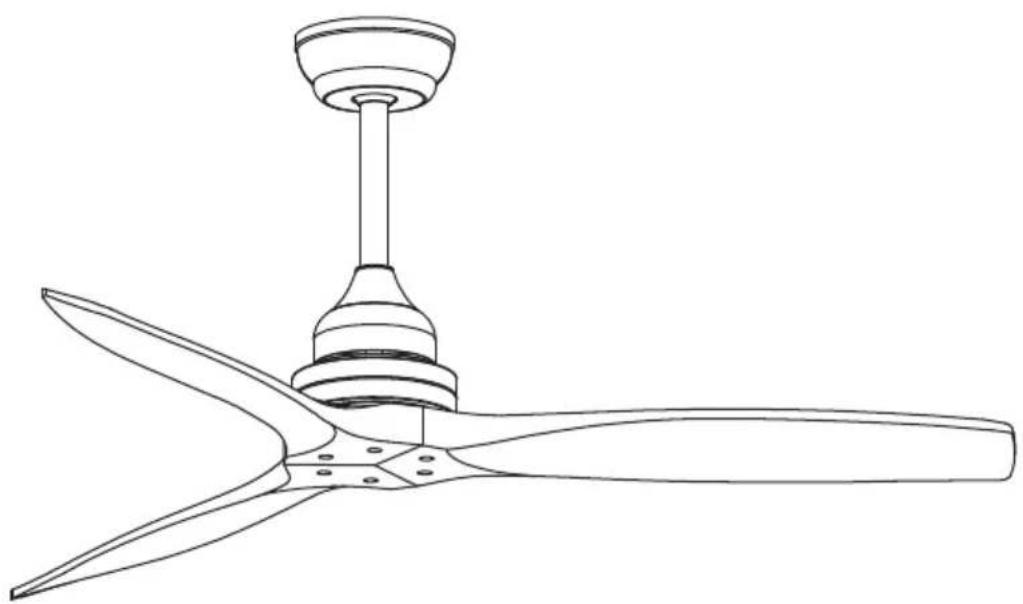
Assembly finished
EN
USE AND OPERATION
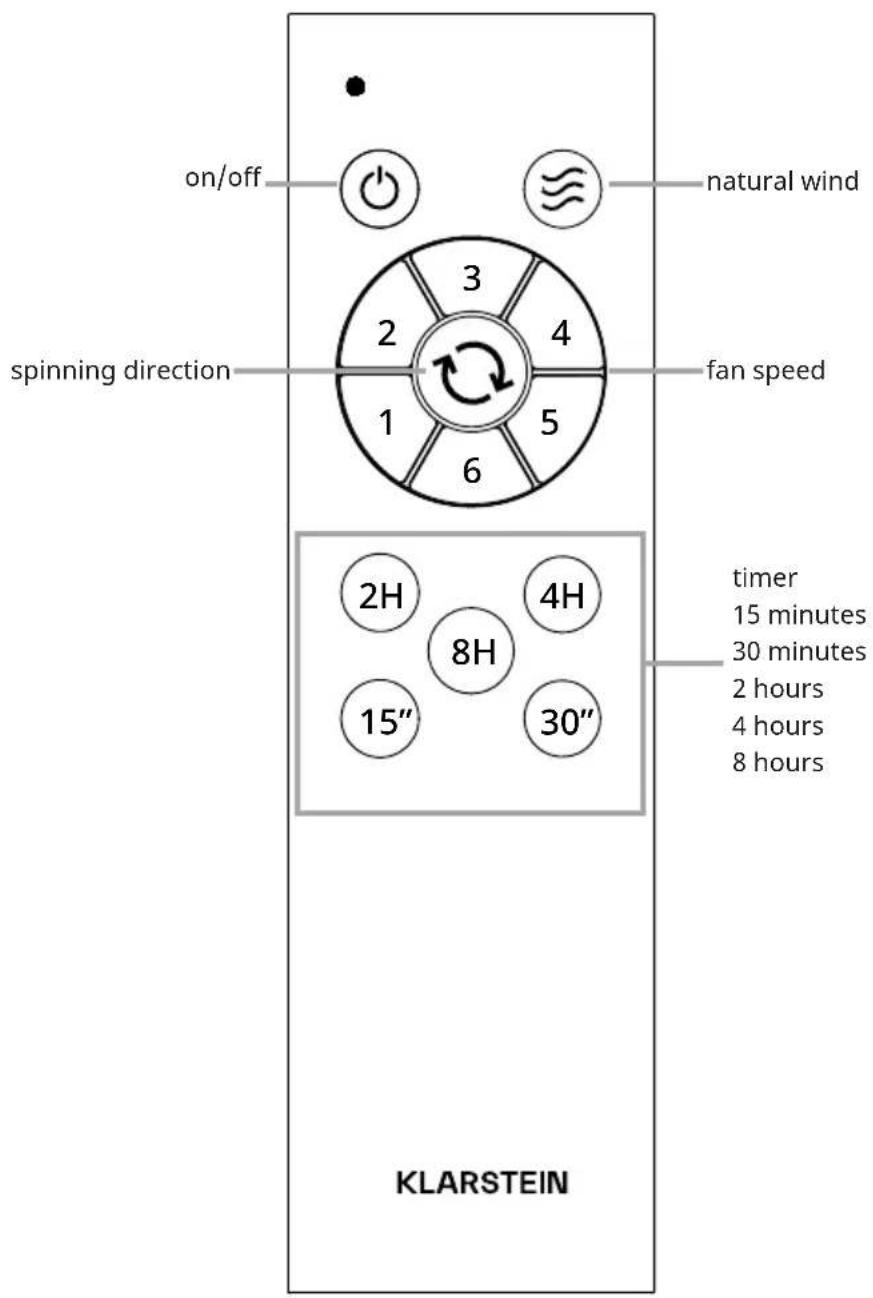
Remote control
DEVICE CONTROL BY SMARTPHONE
For models 10046085, 10046086, 10046899
If you integrate the device into your home WiFi, you can conveniently operate it via the associated Klarstein app. The app not only allows you to remotely control the device via your smartphone, but also gives you access to recipes and additional information.
Follow these steps to connect your smartphone to your Klarstein device:
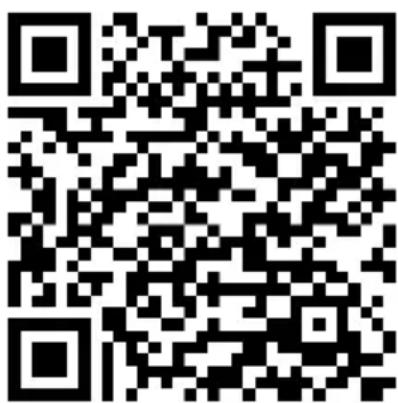
1 Download the Klarstein app first by scanning the QR code with your smartphone (see below), or download it directly from App Store or Google Play.
2 Make sure your smartphone is connected to the same WiFi network that your Klarstein device is to be connected to.
3 Open the Klarstein app.
4 Sign in to your account. If you do not have an account, sign up in the Klarstein app.
5 Follow the instructions from the app.
App Download
Use the scan function of your smartphone to scan the QR code and save the app on your smartphone.
Note: The app provides further information on how to use the app and help on how to connect to your device as soon as you open it for the first time.

iOS Android
Troubleshooting connection problems
If your Klarstein device cannot be found in the WLAN, check the following:
1 The device is not plugged in. Make sure that your device is plugged into an electric socket.
2 The device is not in pairing mode. Make sure that the WiFi indicator (LED) on the smart device control panel is blinking as described in the 'Reset WiFi settings' instruction of your smart device (instructions are usually available on device connection process).
3 The WiFi access point does not operate on 2.4 GHz. Make sure that your access point operates on 2.4 GHz band and you have a separate SSID on 2.4 GHz band. If you are not sure about the operating band of your access point, please contact your internet provider company.
Important: please note that if your WiFi router is dual band - operating on both 2.4 GHz and 5 GHz band - you need to separate the SSIDs for each band and use the 2.4 GHz SSID for connection.
4 Firewall settings of your WiFi network; the firewall setting of yourWiFi network may not allow the Klarstein app to configure theWiFi settings on your smart device. Please make sure that you are not using a publicWiFi network, e.g. airports,dormitories, companies,etc.
5 Different credentials used in smartphone and the app. Make sure that the WiFi credentials entered in the Klarstein app are the same as the ones that your smartphone is connected to.
Following the above mentioned points, if your smart device still fails to connect to the app, please contact us via email for support:
appsupport@go-bbg.com
DISPOSAL CONSIDERATIONS
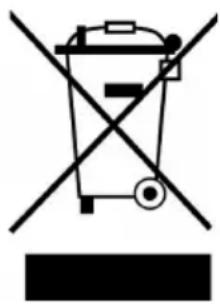
If there is a legal regulation for the disposal of electrical and electronic devices in your country, this symbol on the product or on the packaging indicates that this product must not be disposed of with household waste. Instead, it must be taken to a collection point for the recycling of electrical and electronic equipment. By disposing of it in accordance with the rules, you are protecting the environment and the health of your fellow human beings from negative consequences. For information about the recycling and disposal of this product, please contact your local authority or your household waste disposal service.
This product contains batteries. If there is a legal regulation for the disposal of batteries in your country, the batteries must not be disposed of with household waste. Find out about local regulations for disposing of batteries. By disposing of them in accordance with the rules, you are protecting the environment and the health of your fellow human beings from negative consequences.
DECLARATION OF CONFORMITY

Manufacturer & Importer for Great Britain:
Chal-Tec GmbH, Mühlenstrasse 25, 10243 Berlin, Germany.
Contact: info@electronic-star.de
Hereby, Chal-Tec GmbH declares that the radio equipment type Santa Elena is in compliance with Directive 2014/53/EU. The full text of the EU declaration of conformity is available at the following internet address: use.berlin/10046084
For Great Britain: Hereby, Chal-Tec GmbH declares that the radio equipment type Santa Elena is in compliance with the relevant statutory requirements. The full text of the declaration of conformity is available at the following internet address: use.berlin/10046084
| Product information requirements according to REGULATION (EU) No 206/2012 | |||
| Information to identify the model(s) to which the information relates to | |||
| 10046084, 10046898, 10047993 - Klarstein Santa Elena Ceiling Fan | |||
| Description Symbol Value Unit | |||
| Maximum fan flow rate F Speed 1: 56.8 | Speed 2: 85.2 | m3/min | |
| Speed 3: 116.4 | |||
| Speed 4: 139.8 | |||
| Speed 5: 156.3 | |||
| Speed 6: 170.6 | |||
| Fan power input P Speed 1: 4.5 | Speed 2: 7.6 | W | |
| Speed 3: 12.5 | |||
| Speed 4: 18.5 | |||
| Speed 5: 25.1 | |||
| Speed 6: 35.0 | |||
| Service value SV Speed 1: 12.7 | Speed 2: 11.3 | (m3/min)/W | |
| Speed 3: 9.3 | |||
| Speed 4: 7.5 | |||
| Speed 5: 6.2 | |||
| Speed 6: 4.9 | |||
| Standby power consumption PSB 0.5 W | |||
| Fan sound power level LWA Speed 1: 33.6 | Speed 2: 34.1 | dB(A) | |
| Speed 3: 36.6 | |||
| Speed 4: 39.7 | |||
| Speed 5: 43.2 | |||
| Speed 6: 47.0 | |||
| Maximum air velocity c Speed 1: 1.0 | Speed 2: 1.5 | m/s | |
| Speed 3: 1.8 | |||
| Speed 4: 2.2 | |||
| Speed 5: 2.4 | |||
| Speed 6: 2.8 | |||
| Measurement standard for service value | IEC 60879:2019 | ||
| Contact details for obtaining more information | Chal-Tec GmbHMühlenstraße 2510243 BerlinDeutschland | ||
Cher client, chere clientele,

- SANTA ELENA SANTA ELENA SMART
- CONTENTS
- TECHNICAL DATA
- SAFETY INSTRUCTIONS
- SCOPE OF SUPPLY
- INSTALLATION
- Installation prepraton
- Preparing the Fan Site
- Downrod Installation
- Assembling and Hanging the Fan
- Remote control connection
- Canopy assembly
- Blade assembly
- USE AND OPERATION
- DEVICE CONTROL BY SMARTPHONE
- App Download
- Troubleshooting connection problems
- DISPOSAL CONSIDERATIONS
- DECLARATION OF CONFORMITY
- Manufacturer & Importer for Great Britain:
Brand : Klarstein
Model : Santa Elena Smart
Category : Fan