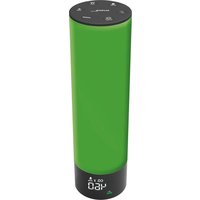
WL 1045 - Air quality detector Techno Line - Free user manual and instructions
Find the device manual for free WL 1045 Techno Line in PDF.


| Product type | Air quality monitor (CO₂) |
| CO₂ measurement range | 400 – 5 000 ppm |
| Resolution | 1 ppm |
| Accuracy | ±5 % + 50 ppm (up to 2000 ppm) |
| Power supply | 5 V DC, 1.2 A (power adapter included) |
| Sensor type | Photoacoustic (PASens®, made in Switzerland) |
| Display | Three-color with bar graph and ventilation indicator |
| Audible alarm | Adjustable for high/low level, button activation/deactivation |
| Value memory | Min/Max values, 15 min and 8 h averages of last 24 h |
| Ambient lighting | 4-color LED (green, light green, orange, red) |
| Calibration | Automatic (every 7 days) and manual (recommended every 12 months) |
| Cable and adapter | 4 m USB cable and 5 V ~ 1.2 A adapter (KA06E-0501200EU) |
| Stand | Integrated table stand |
| Warm-up time | 2.5 minutes before display, 30 minutes for stabilization |
| Maintenance and cleaning | Soft cloth dampened with water and mild soap; unplug before cleaning |
| Usage precautions | Indoor use only; avoid shocks, extreme temperatures, humidity; do not open the housing |
| Repairability | Not user-repairable; intervention of a qualified technician |
Frequently Asked Questions - WL 1045 Techno Line
User questions about WL 1045 Techno Line
0 question about this device. Answer the ones you know or ask your own.
Ask a new question about this device
Download the instructions for your Air quality detector in PDF format for free! Find your manual WL 1045 - Techno Line and take your electronic device back in hand. On this page are published all the documents necessary for the use of your device. WL 1045 by Techno Line.
USER MANUAL WL 1045 Techno Line
B1 – “ALARM ON/OFF” -Taste
B2 - “- / CAL” -Taste
B3 – “MOOD LIGHT ON/OFF” -Taste
B4 – “CO2 HI/LO ALERT SETTING” -Taste
B5 - “+ / MEM” -Taste
B6 – “DIMMER” -Taste
C – Rückseite
Air quality monitor with CO_2 and mood lighting
Overview
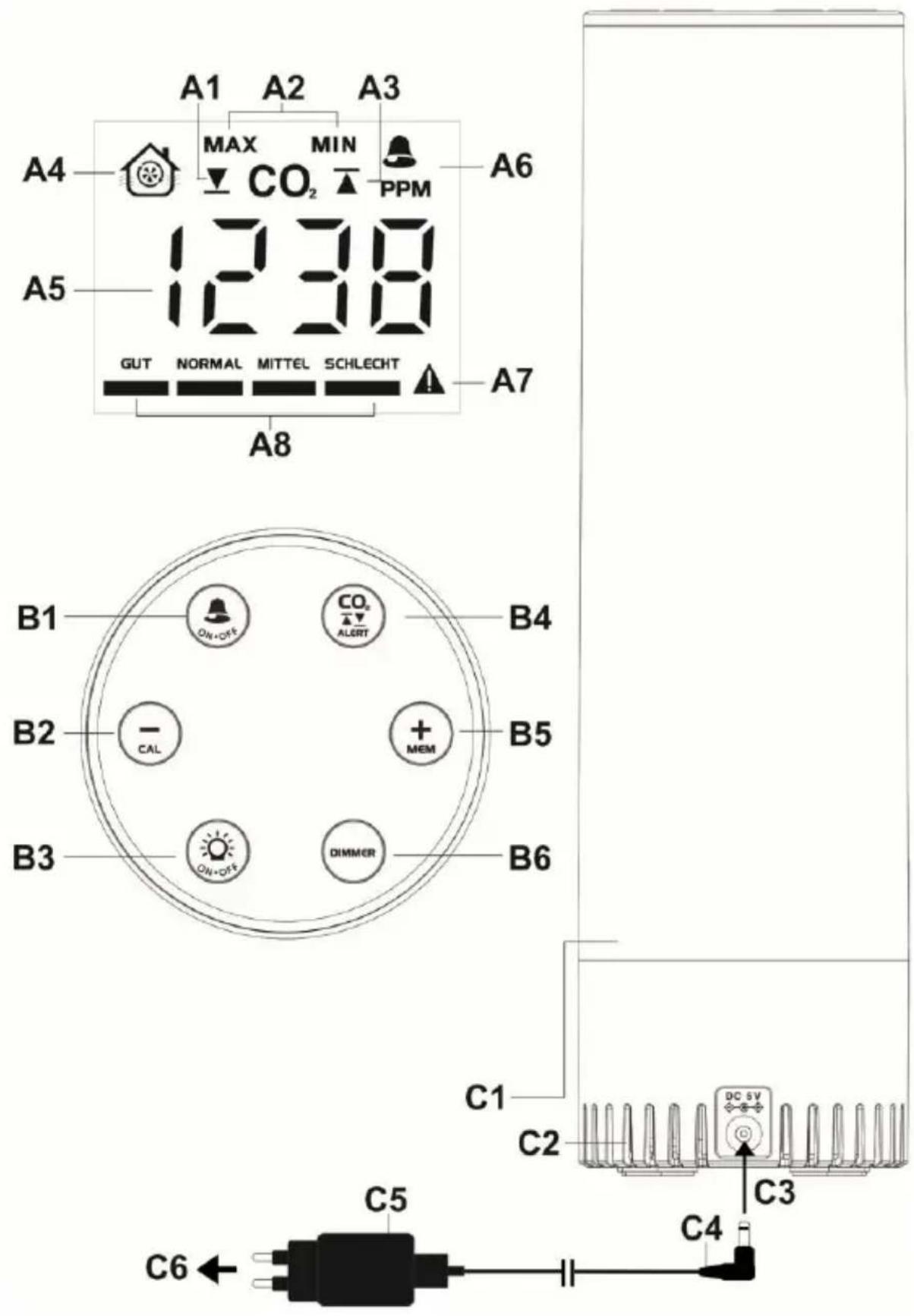
A – Display
A1 - CO _2 Low alert icon
A2 - MIN / MAX icons
A3 - CO _2 High alert icon
A4 – Ventilation indicator
A5 - CO _2 Value
A6 - CO _2 Sound alarm icon
A7 – Warning icon (CO _2 > 2000 ppm)
A8 – Air quality bar charts
B - Buttons
B1 – “ALARM ON/OFF” button
B2 - “- / CAL” button
B3 – “MOOD LIGHT ON/OFF” button
B4 – “CO2 HI/LO ALERT SETTING” button
B5 - “+ / MEM” button
B6 – “DIMMER” button
C - Back side
C1 – LED mood light
C2 – Ventilation vents
C3 – Insert DC jack to the back case
C4 - USB-cable
C5 - AC/DC adapter
C6 – Insert into AC wall socket
Features
- Triple color displays of CO _2 level
- Swiss-made and patented photoacoustic sensor (PASens®) for CO _2 detection
- Wide CO _2 measuring range from 400 to 5000 PPM
- Color display of ventilation recommendation on basis of CO _2 concentration in the air
• Max-Min/ 15min/ 8hrs value memory of last 24 hours
- Adjustable CO _2 high or low value alert with optional alarm sound
• Automatic baseline calibration on CO _2
• Hi/ Middle/ Lo brightness levels
• Built-in memory chip to save settings when power is off
- Table standing
- 4m USB cable and 5V\~1.2A adaptor KA06E-0501200EU as power supply (included)
Installation
Plug in the enclosed 5V-1.2A AC/DC adaptor to an AC wall outlet and then the DC jack of the USB cable to the back of your air quality monitor. Connect the free ends of the USB cable with AC/DC power adapter with each other. The display will come on with the mood light. Your CO 2 reading flashes with “----” PPM. The relevant CO 2
data will be displayed in around 2 minutes. It takes around 30 minutes to have all the CO_2 readings stabilized.
If the AC power is interrupted, the monitor does not function, the display turned off. The settings of your unit will be kept by the internal memory chip so your monitor will function again after the AC power resumes.
Ventilation recommendation on the basis of CO2 concentration in the air Your CO2 monitor measures and displays the CO2 in PPM with color ventilation recommendations :-
| CO2value | Chart display | |
| over 2000 PPM | 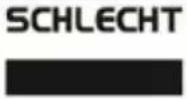 | 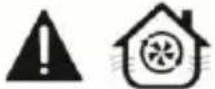 |
| 1501-2000 PPM | 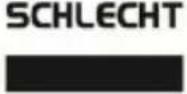 | 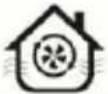 |
| 1001-1500 PPM | 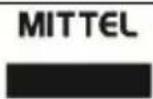 | 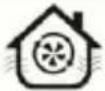 |
| 601 – 1000 PPM | 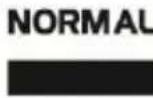 | |
| 400-600 PPM | 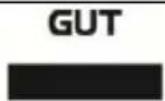 | |
The “con flashes when the current CO2 value exceeds 2000 ppm.
It also shows the ventilation icon " if ventilation is recommended and needed.
To Set High-Low Alert of CO2
1) Press and hold the CO₂ ALERT button, the CO2 digits "400" (default) flash and ▼ + -
appears. Press the MEM or the CAL button to adjust the low alert level of CO2. Press once to adjust +/- 10 PPM. Press and hold the button to accelerate setting in fast speed. The lowest alert level is 400 PPM.
CO _2
T
ALERT
utton once again, the CO2 digits "2000" (default) flash and
+ -
appears. Press the MEM the butCAuto adjust the high alert level of CO2.
Press once to adjust +/- 10 PPM. Press and hold the button to accelerate setting in fast speed. The highest CO2 alert level is 5000 PPM.
CO _2
T
3) Press the button to confirm.
Note: your monitor will store your settings and exit the alert set mode when no key is pressed in approximate 10 seconds.
When the measured CO2 reaches the set high / low alert level, the related ▲ or ▼ icon appears and flashes to remind you.
Use the audible CO₂ alarm (for high alert)

- Press the button once to turn on the CO2 alarm. When the alarm is on, the icon appears on the display.
- When the measured CO2 reaches the set high alert level, both the ▲ and 🔒 icons flash and an audible beep sound will be given continuously. The beep sound will accelerate when the measured CO2 level exceeds more over the set alert level.
If this happens, please open the windows, adjust the air ventilation and avoid too many people gathering together to improve the air quality of your environment.

- Press the button to disable the CO2 voice alarm. remains flashing if CO2 exceeds the set high alert.
To Recall the Maximum, Minimum Value Memory

- Press the MEM button one at a time to view the maximum => minimum => 15 mins average => 8 hrs average record of the CO2 (MAX con appears when max or min record displayed).

- When the Max / Min reading is being displayed, press and hold the MEM button to reset all records (all digits on the display become “----”) and your monitor will start to store data for the next 24-hour period.
Note :
You need to power on your monitor for at least 15 minutes/ 8 hours to display the relevant last 15-minute/ 8 hours of CO2 level
Calibrate the CO_2 sensor
This monitor is factory calibrated to a 400 PPM CO _2 standard concentration.
Caution:
Do not calibrate the monitor in an environment of unknown CO_2 concentration.
Automatic baseline calibration
Your monitor is equipped with a smart chip so that it will automatically calibrate itself to reduce the drift of the CO2 sensor for long time usage. It will calibrate itself automatically at the minimum CO2 reading detected during 7 days of continuous monitoring.
Note: make sure the place you put your monitor at is well ventilated (with a CO_2 level near 400 PPM) for at least an hour or so everyday, or you move the monitor to such a well ventilated room for an hour or so everyday to perform Automatic Baseline Calibration.
Manual calibration of the CO₂ sensor
It is recommended to undergo manual calibration performed by a qualified laboratory every 12 months.
- Place your CO 2 monitor in a 400 PPM calibration chamber or a room with as close to 400 PPM as possible. Power it on and wait for 1-2 minutes until the
first CO2 reading is displayed. Then press and hold the CAL button until “CAL” flashes as below. - In around 20 minutes, the blinking will stop and the calibration is completed. Your CO _2 monitor will return to normal display mode.
- To stop the manual calibration anytime, press the button once.
Adjusting the display and mood light brightness
Press the DIMMER one at a time to adjust the brightness of the display and mood night (if mood light is on) from High-Middle-Low.
Turning on/ off the mood light

Press the button once at a time to turn on or off the mood light (factory setting is mood light on).
There are 4 colors of mood light (green, light green, orange and red), that each match the indicating icons of the air quality level on the display.
Troubleshooting
No display or functions
Check the AC/DC adaptor is properly connected.
Response time
Ensure the air flow channels at the back of the monitor are not blocked or covered.
CO _2 reading shows “Err”
The CO_2 sensor is not working properly. Unplug the AC/DC adapter (C6) for 10 seconds to insert it to your monitor again.
Care and maintenance
- Place your monitor on a stable surface, away from sources of direct sunlight or excessive heat or moisture.
- Clean your monitor with a soft cloth moistened only with mild soap and water. Stronger agents such as Benzine, thinner or similar materials can damage the surface of the item. Make sure the monitor is unplugged before cleaning.
- Do not open the back case or tamper with any components of this monitor.
- Do not plug in any other AC/AC or AC/DC adaptor with incorrect specifications or voltage.
CO _2 levels and guidelines
Below are some CO_2 reference levels in general:
400\~600 ppm Background (normal) outdoor air level.
600\~1,000 ppm Typical level for occupied spaces with good air exchange.
1,000 \~1,500 ppm Start ventilation of the room.
1,500\~2,000 ppm Level associated with complaints of drowsiness and poor air. Ventilation recommended!
2,000\~5,000 ppm Level associated with headaches, sleepiness, and stagnant, stale, stuffy air. Poor concentration, loss of attention, increased heart rate and slight nausea may also be present. Ventilation strongly recommended!
5,000 ppm Exposure may lead to serious oxygen deprivation
resulting in permanent brain damage, coma, and death. Requires immediate ventilation!
Declaration of conformity
Hereby, Technotrade declares that this product WL 1045 is in compliance with the essential requirements and other relevant provisions of Directive 2014/30/EU and ROHS 2011/65/EC. The original EU declaration of conformity may be found at: www.technoline.de/doc/4029665310459
Specifications
CO2
Measurement range : 400 – 5000 PPM
Resolution : 1 PPM
Accuracy : +/-5% + 50 PPM (up to 2000 PPM)
Warm up time : 2.5 minutes
Out of range display
CO2 : 400 (below 400 PPM) / HI (over 5000 PPM)
Power Supply : 5V DC, 1.2A adaptor
KA06E-0501200EU
Default Settings
CO2 alert : Low - 400, High - 2000
CO2 sound alarm : Off
Backlit level : High
Precautions
- The item is intended to be used only indoors.
- Do not subject the item to excessive force or shock.
- Do not expose the item to extreme temperatures, direct sunlight, dust or humidity.
- Do not immerse in water.
- Avoid contact with any corrosive materials.
- Do not dispose this item in a fire as it may explode.
- Do not open the inner back case or tamper with any components of this item.
Use the product only for its intended purpose!
Consideration of duty according to the law of electrical devices
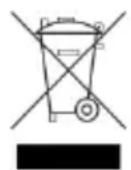
This symbol means that you must dispose of electrical devices separated from the General household waste when it reaches the end of its useful life. Take your item to your local waste collection point or recycling centre. This applies to all countries of the European Union, and to other European countries with a separate waste
collection system.
B5 – Pulsante "+/ MEM"
B6 – Pulsante "DIMMER"
C – Lato posteriore
C1 - Luce d'atmosfera LED
- C – Rückseite
- Air quality monitor with CO_2 and mood lighting
- A – Display
- B - Buttons
- C - Back side
- Features
- Installation
- To Set High-Low Alert of CO2
- Use the audible CO₂ alarm (for high alert)
- To Recall the Maximum, Minimum Value Memory
- Note :
- Calibrate the CO_2 sensor
- Caution:
- Automatic baseline calibration
- Manual calibration of the CO₂ sensor
- Adjusting the display and mood light brightness
- Turning on/ off the mood light
- Troubleshooting
- No display or functions
- Response time
- CO _2 reading shows “Err”
- Care and maintenance
- CO _2 levels and guidelines
- Declaration of conformity
- Specifications
- Precautions
- Consideration of duty according to the law of electrical devices
- C – Lato posteriore
Brand : Techno Line
Model : WL 1045
Category : Air quality detector