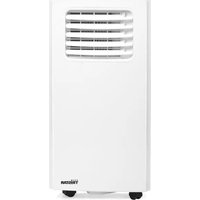
PD-3821 - Air Conditioning TRISTAR - Free user manual and instructions
Find the device manual for free PD-3821 TRISTAR in PDF.


User questions about PD-3821 TRISTAR
0 question about this device. Answer the ones you know or ask your own.
Ask a new question about this device
Download the instructions for your Air Conditioning in PDF format for free! Find your manual PD-3821 - TRISTAR and take your electronic device back in hand. On this page are published all the documents necessary for the use of your device. PD-3821 by TRISTAR.
USER MANUAL PD-3821 TRISTAR
natural_image
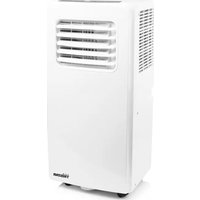
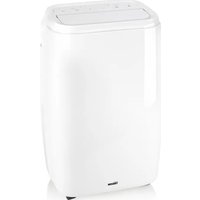
White TRISTAR air purifier device with lid and control panel (no visible text or symbols on body)Air conditioner PD-3821
EN User manual 5
This user manual contains all the information for correct, safe, and efficient use of the appliance.
Ensure you have fully read and understood the instructions in this user manual before you use the appliance.
Always store this user manual in a safe place near the appliance for future reference.
This manual is originally written in English. All other languages are translated documents.
General symbols
| Symbol Description | |
 | Signal word used to indicate a potentially hazardous situation which, if not avoided, could result in death or serious injury. |
 | Signal word used to indicate a potentially hazardous situation which, if not avoided, could result in minor or moderate injury. |
 | Signal word used to address practices not related to physical injury. |
 | Indicates additional information or emphasis on an instruction. |
 | This product complies with conformity requirements of the applicable European regulations or directives. |
 | The universal recycling symbol, logo, or icon is an internationally recognized symbol used to designate recyclable materials. The recycling symbol is in the public domain and is not a trademark. |
APPLIANCE DESCRIPTION
About this appliance
The Tristar PD-3821 is a stylishly designed mobile air conditioner.
Control the air conditioner with the included remote and use the convenient timer function to shut off the device automatically.
Intended use
This appliance is intended for indoor use only.
This appliance is intended exclusively for domestic, non-commercial use.
This appliance is intended to be used in household and similar applications such as:
- staff kitchen areas in shops, offices and other working environments;
- farmhouses;
- by clients in hotels, motels, and other residential type environments;
- bed and breakfast type environments.
This appliance is not intended for use by persons (including children) with reduced physical, sensory or mental capabilities, or lack of experience and knowledge, unless they have been given supervision or instruction concerning use of the appliance by a person responsible for their safety.
This appliance shall not be used by children aged less than 8 years. This appliance can be used by children
aged from 8 years and above and persons with reduced physical, sensory or mental capabilities or lack of experience and knowledge if they have been given supervision or instruction concerning use of the appliance in a safe way and understand the hazards involved. Children shall not play with the appliance.
Keep the appliance and its cord out of reach of children aged less than 8 years. Cleaning and user maintenance shall not be made by children unless older than 8 and supervised.
The appliance is not intended to be operated by means of an external timer or a separate remote-control system.
Any use of the appliance other than described in this user manual is regarded as misuse and may cause injury or damage to the appliance and void the warranty.
Main parts (see image A)
1 Air inlet
2 Air filter
3 Control panel
4 Power cord
5 Air outlet
6 Castor
7 Drainage hole
8 Hose connector (window end)
9 Hot-air exhaust hose
10 Hose connector (Air conditioner end)
11 Window seal + Velcro
12 Remote control
13 Batteries
Control panel (see image B)
14 Power on/off
15 Fan speed
16 Temperature up
17 Temperature down
18 Mode button
19 Timer on/off
20 Swing on/off
21 Sleep mode
22 Cooling indicator
23 Dehumidifying indicator
24 Fan indicator
25 WiFi indicator
26 High/Medium/Low fan speed indicator
27 Water full indicator
Remote control (see image C)
28 Power on/off
29 Timer on/off
30 Mode
31 °C / F° selector
32 Temperature up
33 Temperature down
34 LED Display
35 Auto swing
36 Fan speed
37 Sleep mode
38 Receiving signal
39 Cooling function
40 Dehumidifying function
41 Fan function
42 Auto swing
43 Current timer
44 Timer on/off
45 Sleep mode
46 Fan speed
47 Temperature display
Technical specifications
| Appliance name Air Conditioner | ||
| Model PD-3821 | ||
| Cooling capacity 3800W | ||
| Heating capacity N/A | ||
| Refrigerant R290/226g | ||
| Permissible excessive operating pressure | Discharge 2.6MPa | |
| Suction 1.0MPa | ||
| Maximum allowable pressure Discharge 3.2MPa | ||
| Rated voltage 220 – 240 V~ | ||
| Rated frequency | 50Hz | |
| Standard rating conditions | Current Cooling 6.5A | ||
| Heating N/A | |||
| Input Cooling 1461W | |||
| Heating N/A | |||
| Rated current Cooling 7.0A | |||
| Heating N/A | |||
| Rated input Cooling 1538W | |||
| Heating N/A | |||
| Resistance class IPX0 | |||
| Dimensions (l × w × h) 440 × 335 × 715 mm | |||
| Sound power level 65 dB | |||
SAFETY
Safety symbols
| Symbol Description |
Safety precautions
WARNING
Safety hazard due to unintended use:
- Only use the appliance as described in this user manual.
- By ignoring the safety instructions the manufacturer cannot be held responsible for the damage.
- Never use the appliance if there are visible signs of damage or defects. Always replace a damaged or defective appliance immediately.
- Never make any adjustments to the appliance. Adjustments may affect safety, warranty and proper operation.
- Do not use this appliance if it has been dropped or damaged.
Electric shock hazard due to short-circuiting:
- Never use the appliance if there are visible signs of damage or defects to the appliance or power cable. Always replace a damaged or defective appliance or power cable immediately or contact customer service.
• Always avoid spillage on the power cable.
- To protect yourself against an electric shock, do not immerse the cord, plug or appliance in the water or any other liquid.
- Do not use the appliance in the immediate surroundings of a bath, a shower or a swimming pool.
- Never open the appliance. The appliance may only be
opened for maintenance by an authorised technician.
- Never replace the power cable yourself. Always let the manufacturer, its service agent or a similarly qualified person replace the power cable.
- Never lift the appliance by the power cable. Lifting the appliance by the power cable may damage the power cable. Only lift the appliance by holding the base.
- Always unplug the power cable when the appliance is not in use or unattended, and before cleaning.
- Always check if the voltage stated on the type plate of your appliance matches your mains voltage before use.
- Never insert any objects into the air vent openings.
- If the supply cord is damaged, it must be replaced by the manufacturer, its service agent or similarly qualified persons in order to avoid a hazard.
- Never move the appliance by pulling the cord and make sure the cord cannot become entangled.
Fire hazard due to overheating:
- Never leave the appliance unattended when in use. Only use the appliance under supervision. Switch off the appliance and remove the power cable from the power outlet when you leave the room.
- Never use the appliance with a programmer, timer, separate remote control system or any other device that switches the appliance on automatically.
- Do not install the appliance close to curtains and other combustible materials.
- The appliance shall, under no circumstances, be covered with insulating material or similar material.
- The appliance must not be located immediately below a socket-outlet.
- Do not use this appliance in small rooms when they are occupied by persons not capable of leaving the room on their own, unless constant supervision is provided.
- Use this appliance on a horizontal and stable surface.
- To reduce the risk of fire, keep textiles, curtain, or any other flammable material a minimum distance of 1 meter from the air outlet.
Fire hazard due to short-circuiting:
- Never drop the appliance and avoid bumping. Excessive
vibrations can lead to loosened connections and can influence proper functioning of the appliance. Stop using the appliance if the appliance has been dropped.
- Never use the appliance with an extension cable.
- Never connect any other appliance with high power consumption to the same group.
Choking hazard due to plastic packaging:
- Never let children play with the packaging material. Always keep the packaging material out of the reach of children.
CAUTION
Burning hazard due to heat:
- Children should be supervised to ensure that they do not play with the appliance.
- Some parts of this product can become very hot and cause burns. Particular attention has to be given where children and vulnerable people are present
- Never touch the hot surfaces during or shortly after use. The hot surfaces may be subject to residual heat. Let the appliance cool down completely before handling the appliance.
Tripping hazard due to loose cables:
- Never leave the power cable hanging out in a way that someone might trip over it or accidentally pull it.
NOTICE
Risk of damaging the appliance:
- Joists, beams and rafters shall not be cut or notched to install the appliance.
- The appliance must be placed on a stable, level surface.
- Never use aggressive chemical cleaning agents that can damage the appliance when cleaning the appliance.
- Only use the appliance with the provided accessories or accessories recommended by Tristar.
- The heater needs to be installed so that the switches and other controls cannot be touched by a person in the bath or shower.
INSTALLATION
- The air-conditioner should be installed on a flat and stable surface. Do not block the air outlet and allow at least 30cm around the unit.
- Socket wiring should be in accordance with the local electric safety requirements.
Exhaust Hose Installation (see image D)
- Twist both ends of the hot-air exhaust hose A ⑨ into the hose connector (windowend) A ⑧ and the hose connector (air conditioner end) A ⑩.
- Insert the hose connector (air conditioner end) A ^10 into the openings at the back of the air conditioner.
- Fixthehoseconnector(windowend)A 8 to the nearest windowsill.
Universal Window Kit Installation (see image E)
- Clean the window and window frame with soap or detergent and make sure the entire window frame is dust and grease free.
- Cut the Velcro to the dimensions of the window with scissors.
- Attach the Velcro around the entire window. Note: don't stick the Velcro onto the glass.
- Attach the cloth to the Velcro tape. Start with the narrow part and work from the center towards the rest of the Velcro tape, which is attached on the window frame and around the window.
- It may be useful to open the window while attaching the cloth. Make sure to leave enough room in the corners so the cloth won't get stuck in the window.
- Open the window kit's zipper by about 50centimeters.
- Place the air conditioning hose in the opening of the cloth. After that, close the zipper until the air condition hose is placed.
BEFORE FIRST USE
Before starting operations in this section:
• Find a place where there is power supply nearby.
• Install the exhaust hose and adjust the window position well.
- Insert the power cord into a grounded AC220\~240V/50Hz socket.
- Press the power button to turn on the air-conditioner.
- Check whether the exhaust hose has been mounted properly.
- Set the temperature range: 16^ - 31^ .
- When using functions on cooling and dehumidifying, allow at least 3 minutes between powering off and powering on.
Remote control (see image C)
• 2xAAA size batteries are required.
- Ensure batteries are inserted in the correct direction.
- When replacing, ensure both batteries are changed simultaneously.
- Press the corresponding buttons as explained in the control panel part to operate the fan.
USE
Manual use
Cooling operation
- Press the "Mode" button till the "Cool" icon appears.
- Press the + or - button to select a desired room temperature.
- Allow around 5 minutes for the cooling to start.
- Press the "Fan speed" button to adjust airflow speed.
Dehumidifying operation
- Press the "Mode" button until the "Dehumidify" icon appears.
- The temperature will automatically be selected.
• The fan speed will automatically be selected.
Fan operation
- Press the "Mode" button till the "Fan" icon appears.
- Press the "Fan speed" button to adjust airflow speed.
Timer operation
Timer ON setting
- When the air-conditioner is OFF, press the "Timer" button and select a desired ON time and adjust by using the Temperature up and Temperature down buttons.
- The ON time can be adjusted to anytime in 0-24 hours.
Timer OFF setting
- When the air-conditioner is ON, press the "Timer" button and select a desired OFF time and adjust by using the Temperature up and Temperature down buttons.
- The OFF time can be adjusted to anytime in 0-24 hours.
Swing operation (oscillation mode)
- Press this button to start the oscillation mode, the louver will swing continuously up and down. Press button again to stop the operation.
Drainage
- After a lengthy operation and before storage, you will need to drain the water that has been collected. Please prepare a suitable location or tray to collect the water and remove the rubber stop from the drainage hole at the bottom of the unit. The water will then begin to drain. After this has stopped, you can insert the drain stop.
Internal Tank Water Full Alarm Function
- The inner water tank in the air-conditioner has one water level safety switch that controls the water level. When the water level reaches an anticipated height, the water full indicator lamp lights up. Follow previous steps to drain the water.
Using The Appliance With Climate App
The appliance can be used manually with its built-in controls, remote control or you can use a smart phone or voice to control it. Before you begin, ensure the Connected at Home app is downloaded. The Connected at Home app is available on Android and iOS.
Pair your appliance to the Connected at Home app.
• Make sure the appliance is powered.
- PresstheFanbuttonB 15 for about 3 seconds until you hear a beep and the Wi-Fi indicator light is flashing rapidly.
- Open the Connected at Home app.
- Create an account or if you already have an account, please log in using those details.
- Follow the instructions on the app to connect the appliance.
CLEANING AND MAINTENANCE
- Before cleaning, disconnect the unit from any electric supply outlet.
- First clean the surface with a neutral detergent and wet cloth, and then wipe it with a dry cloth.
- Do not use gasoline or other chemicals to clean the unit.
- Do not wash the unit directly.
Air filter
- The air filter should be cleaned once every two weeks.
- Open the air inlet grille and take off air filter.
- Clean the air filter with neutral detergent in lukewarm 40°C water and allow to dry (not in direct sunlight).
• Re-install the air filter into the inlet grille.
EU DECLARATION OF CONFORMITY
Hereby, Smartwares Europe declares that the radio equipment type PD-3821 are in compliance with Directive 2014/53/EU
The full text of the EU declaration of conformity is available at the following internet address: www.tristar.eu/doc
TROUBLESHOOTING
| Problem Possible cause Possible solution | ||
| The unit does not start when pressing power button. | Water full indicator lamp blinks and water tank is full. | Drain the water out of the water tank. |
| Room temperature is higher than the setting temperature. (Electric heating mode) | Adjust the temperature. | |
| Room temperature is lower that the setting temperature. (Cooling mode) | ||
| The unit doesn't cool enough. The doors or windows are not closed. | Make sure all the windows and doors are closed. | |
| Noisy. The ground is not level or not flat enough. | Place unit on a flat, level ground if possible. | |
| E0 Code Room temperature sensor failed. Replace room temperature sensor. | sensor. | |
| E1 Code Condenser temperature sensor failed. | Replace condenser temperature sensor. | |
| E2 Code Water tray full when cooling. | Take off rubber stopper and empty the watertank. | |
| E3 Code Pipe temperature sensor failed. Replace pipe temperature sensor. | sensor. | |
| E4 Code Water tank full. Please empty the water tank. | sensor. | |
DISPOSAL

The crossed out wheelie bin symbol means that this product shall not be disposed of with normal household waste. Electronic and Electrical Equipment not included in the selective sorting process are potentially dangerous for the environment and human health due to the presence of hazardous substances. Please dispose of responsibly at an approved waste or recycling facility.
SUPPORT
For spare parts and more information about the appliance, please visit www.tristar.eu

Gebruikshandleiding
Airconditioner
VOORWOORD
Over dit document
BESCHRIJVING APPARAAT
Over dit apparaat
- Ouvrez l'application Connected at Home.
DÉCLARATION DE CONFORMITÉ EU
Operating frequency: 2.4 GHz
Max. radio-frequency power: ≤20dBm.