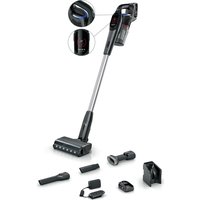
Unlimited 9 BCS932 - Vacuum Cleaner BOSCH - Free user manual and instructions
Find the device manual for free Unlimited 9 BCS932 BOSCH in PDF.


User questions about Unlimited 9 BCS932 BOSCH
0 question about this device. Answer the ones you know or ask your own.
Ask a new question about this device
Download the instructions for your Vacuum Cleaner in PDF format for free! Find your manual Unlimited 9 BCS932 - BOSCH and take your electronic device back in hand. On this page are published all the documents necessary for the use of your device. Unlimited 9 BCS932 by BOSCH.
USER MANUAL Unlimited 9 BCS932 BOSCH
Register your new appliance now at MyBosch and enjoy benefits free of charge: bosch-home.com/ welcome
Cordless handstick vacuum cleaner
BBS9 BCS9 BKS9 BSS9 BXS9
https://ium-pim.bsh-digital.com/8001293732
[en] You can find additional information and explanations online. Scan the QR code on the title page.
2
3
4
5
6
7
8
9
natural_image
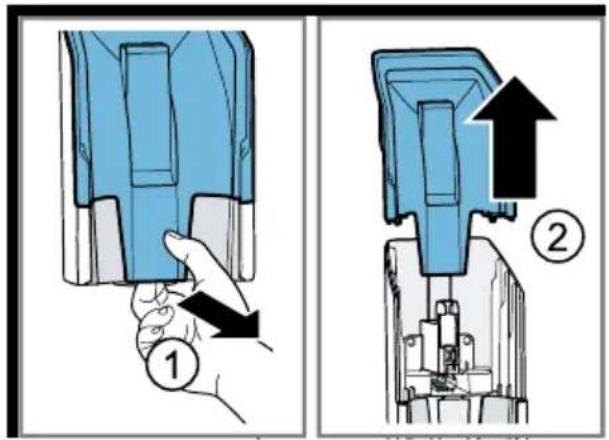
Diagram showing two mechanical assembly steps: left panel with blue component and black arrow indicating direction, right panel with blue bracket and rail (no text or symbols)10
11
12
13

14
15
natural_image
Two-step diagram showing a device being inserted into a device, with arrows indicating the process (no text or symbols present)16
17
18
19
20
21
22
23
natural_image
Illustration of a foot stepping on a walking shoe with a blue tool inserted, showing a black arrow indicating motion (no text or symbols present)24
25
natural_image
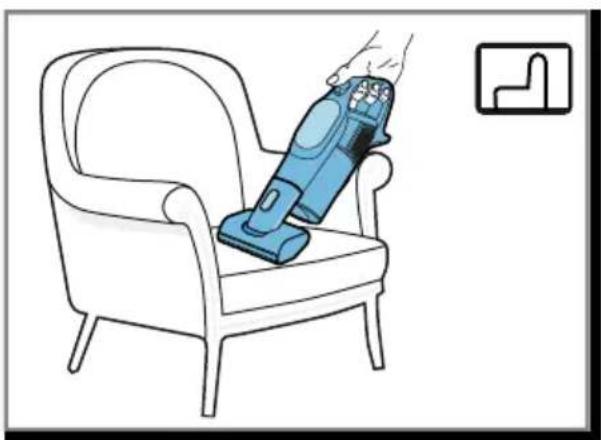
Line drawing of a blue vacuum cleaner placed on an armchair, with a small icon in the corner (no text or symbols)26
27
natural_image
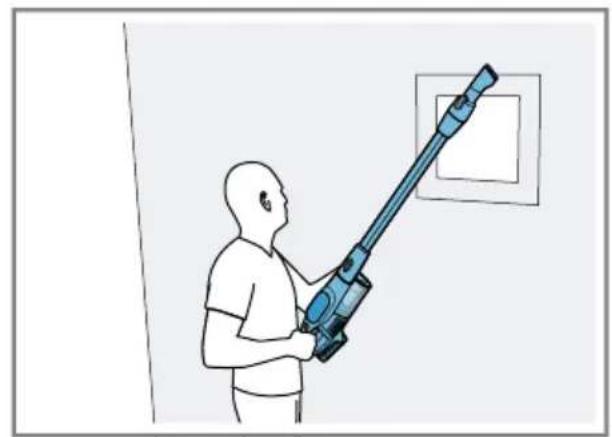
Illustration of a person using a handheld vacuum cleaner to clean or clean a wall (no text or symbols visible)28
29
The image is too blurry to recognize any text content.
natural_image
Illustration of a hand inserting a device into a container with a black arrow indicating the process (no text or symbols present)31
The image is too blurry to recognize any text content.
33
34
35
36
37

38
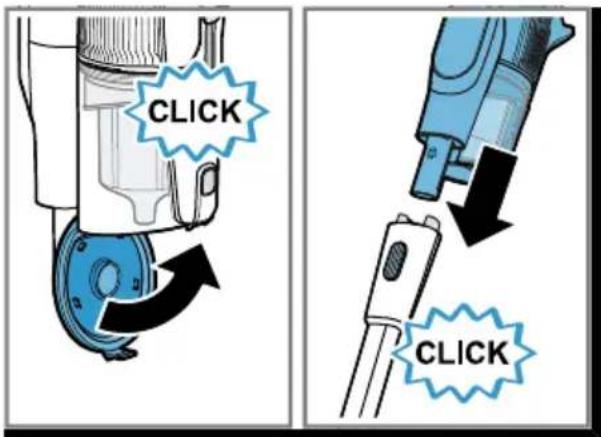
39
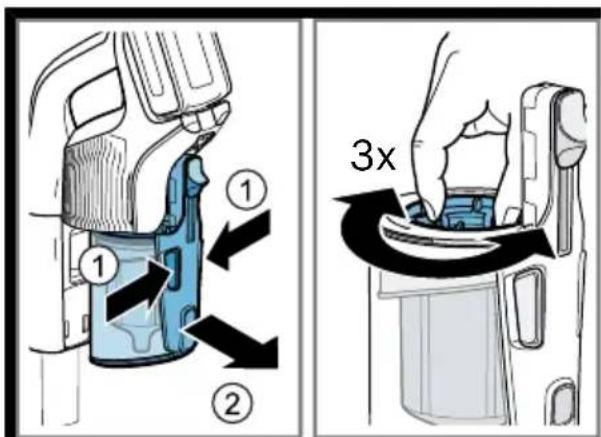
40
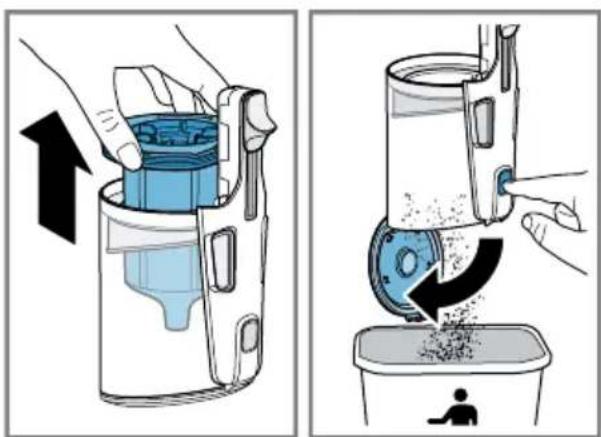
41
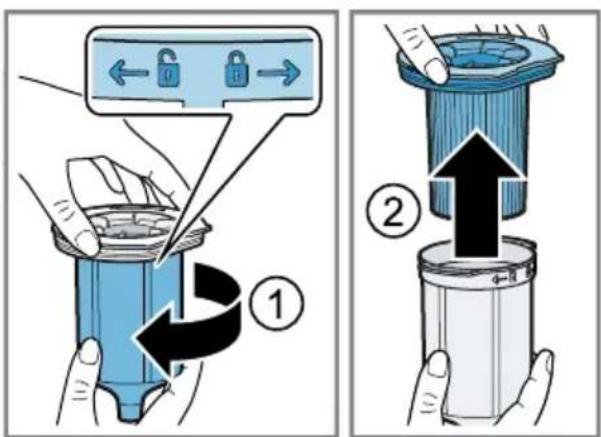
42
43
natural_image
Illustration showing two steps of a hand pouring granular material into a container and cleaning a trash bin (no text or symbols)44
45
46
47
48
natural_image
Illustration of scissors cutting a blue cylindrical pipe with visible cracks and a plastic lid, no text or symbols present49
50
51
natural_image
Illustration of scissors cutting through a cylindrical pipe with visible fibers (no text or symbols)52
53
54
natural_image
Illustration of a hand holding a cylindrical object with visible internal fibers and blue lines, no text or symbols present.55
56
4Sicherheit
- Read this instruction manual carefully.
- Keep the instruction manual and the product information safe for future reference or for the next owner.
■ Do not connect the appliance if it has been damaged in transit.
Only use this appliance:
■ with genuine parts and accessories. Damage caused by using third-party products is not covered under the warranty.
■ for cleaning surfaces.
■ in private households and in enclosed spaces in a domestic environment at room temperature.
■ up to an altitude of max. 2000 m above sea level.
Do not use the appliance:
■ for vacuum-cleaning persons or animals.
■ for vacuuming up harmful, sharp-edged, hot or burning substances.
■ for vacuuming up damp substances or liquids.
■ for vacuuming up highly flammable or explosive materials and gases.
■ for vacuuming up ash or soot from stoves and central heating systems.
■ for vacuuming up toner dust from printers and photocopiers.
■ for vacuuming up building rubble.
Disconnect the appliance from the power supply when:
■ cleaning the appliance.
This appliance may be used by children aged 8 or over and by people who have reduced physical, sensory or mental abilities or inadequate experience and/or knowledge, provided that they are supervised or have been instructed on how to use the appliance safely and have understood the resulting dangers.
Do not let children play with the appliance.
Cleaning and user maintenance must not be performed by children unless they are being supervised.
- Repairs to the appliance should only be carried out by trained specialist staff.
▶ Only use genuine spare parts when repairing the appliance.
▶ Never operate a damaged appliance.
▶ Never operate an appliance with a cracked or fractured surface.
en Safety
▶ Call customer services.→Page 24
▶ Only use the appliance in enclosed spaces.
▶ Never expose the appliance to intense heat or humidity.
- Do not use steam- or high-pressure cleaners to clean the appliance.
▶ Never let the power cord come into contact with hot appliance parts or heat sources.
▶ Never let the power cord come into contact with sharp points or edges.
▶ Never kink, crush or modify the power cord.
- Connect and operate the charging cable ^1 , and the quick charger ^1 only in accordance with the specifications on the rating plate.
- Connect the charging cable ^1 , and the quick charger ^1 to a power supply with alternating current only via a properly installed socket with earthing.
- Do not apply flammable substances or substances containing alcohol to the filter.
- When cleaning the appliance, do not use flammable substances or substances that contain alcohol.
- Keep clothing, hair, fingers and other body parts away from the openings on the appliance and the moving parts.
▶ Never point the pipe or the nozzles towards eyes, hair, ears or mouths.
Before attempting any maintenance or cleaning of the appliance, remove the battery and disconnect the appliance from the power supply.
▶ Only store the appliance lying on the floor or in the base station.
- Ensure that children do not play with the appliance, even when it is in the base station ^1 .
▶ Never use the free-standing function of the floor nozzle with the appliance attached.
▶ Persons with electronic implants must stand at least 10 cm away from the appliance.
- Keep packaging material away from children.
▶ Do not let children play with packaging material.
▶ Protect the battery against fire, heat and constant sunlight.
- Protect the battery against water and penetrating moisture.
▶ Never open the battery. - When not in use, keep the battery away from metal objects, e.g. paper clips, coins, keys, nails or screws.
▶ If fumes are escaping from a damaged battery, supply fresh air.
▶ If there are any problems, seek medical advice from a doctor.
▶ If liquids are escaping from a damaged battery and they come into contact with the skin, rinse immediately with water.
▶ If these come into contact with the eyes, seek medical help.
Preventing material damage
▶ Check and clean any wet objects.
- Replace damaged objects.
▶ Regularly check the running surfaces of the nozzles for wear.
▶ Replace worn nozzles.
- Never use the nozzle without the brush roller in place.
▶ Never operate the appliance without the filter unit.
▶ Never lean the appliance against walls or the edges of tables.
- Retain the packaging material for transport purposes.
Included with the appliance
After unpacking all parts, check for any damage in transit and completeness of the delivery.
Note: The appliance comes with additional accessories depending on its features.
→Fig. 1
| A | Hand-held cordless vacuum cleaner |
| B | Base station ^1 |
| C | Accessory holder ^1 , with rail ^1 for base station |
| D | Universal floor nozzle ^1 |
| E | Hard floor nozzle ^1 |
| F | Suction pipe ^1 |
| G | Crevice nozzle and adapter for other accessories |
| H | Extension for long, flexible crevice nozzle ^1 |
| I | Extension for keyboard and drawer nozzle ^1 |
| J | Extension for narrow furniture brush ^1 |
| K | Rotatable furniture brush ^1 |
| L | Battery ^1 |
| M | Charging cableD□K Power supply model identifier■ S018BUz2350065 for 650 mA charging cable■ S023BUz2350100 for 1 mA charging cable |
| N | Rotating XXL upholstery nozzle ^1 |
| O | Mini electro-nozzle ^1 |
| P | Quick charger ^1 |
Overview
You can find an overview of the parts of your appliance here.
→Fig. 2
| 1 | Universal floor nozzle with free-standing function |
| 2 | Floor nozzle release button |
| 3 | Suction pipe |
| 4 | Suction pipe release button |
| 5 | Display with control panel |
| 6 | Operating buttons |
| 7 | Battery |
| 8 | MicroClean and status display |
| 9 | Dust container |
| 10 | RotationClean |
| 11 | Cartridge filter |
en Installing the base station
| 12 | Fluff filter |
| 13 | Sliding switch |
| 14 | Dust container release |
| 15 | Release button for dust container lid |
| 16 | Dust container lid |
| 17 | Foot release |
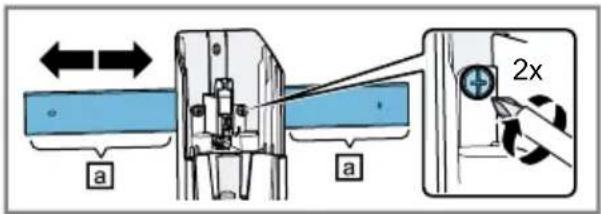
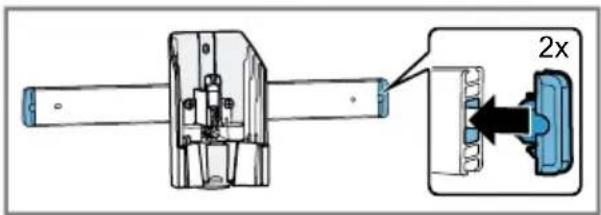
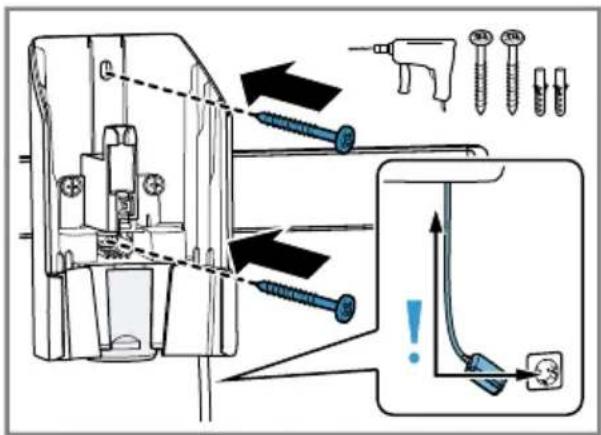
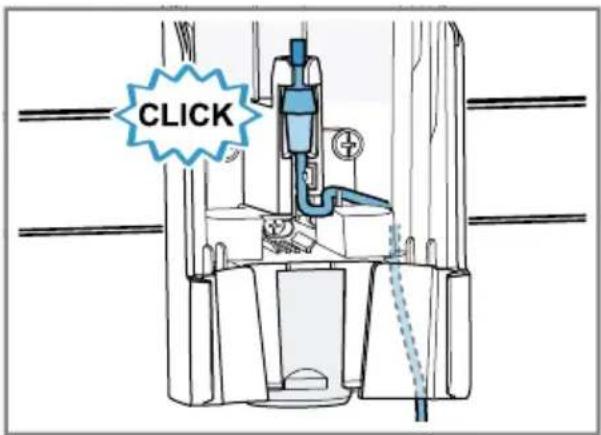
Installing the base station
- Check whether any household wiring could be damaged in the installation area.
- Do not install the base station horizontally or vertically above, below or next to a socket.
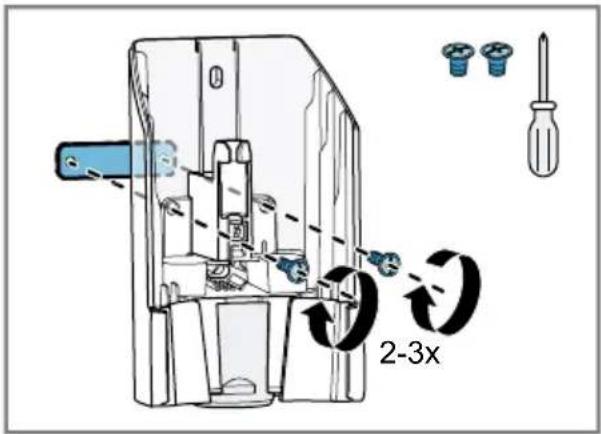
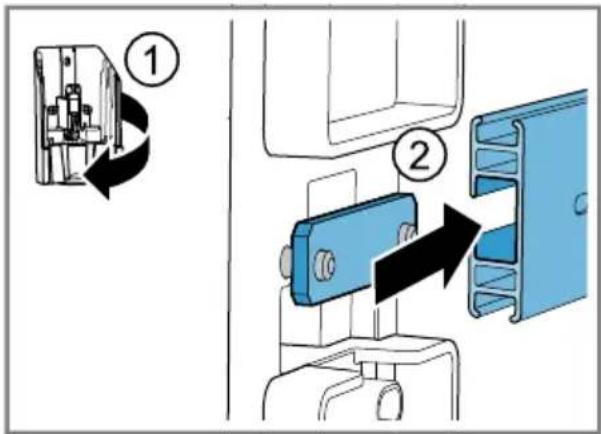
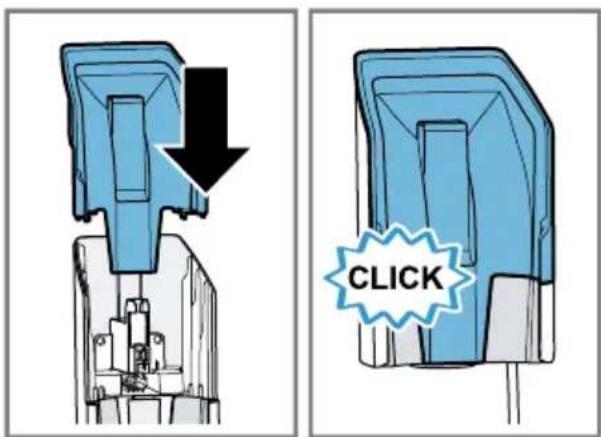
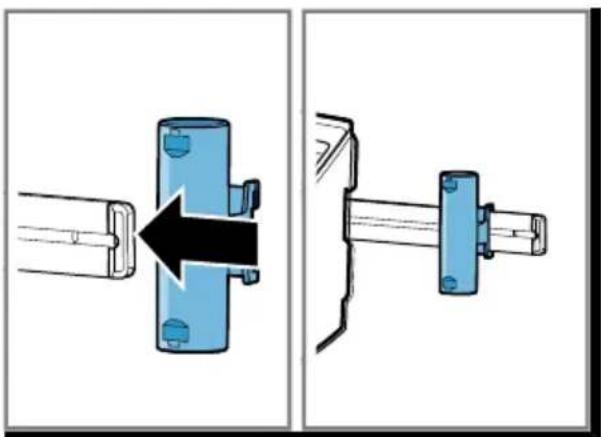
→Fig. 3 - 10
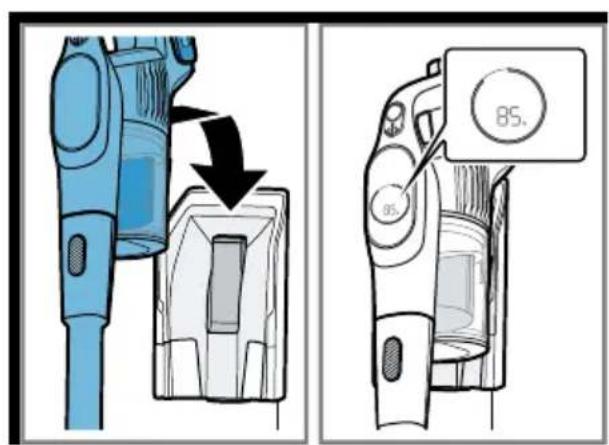
Operation Installing the appliance
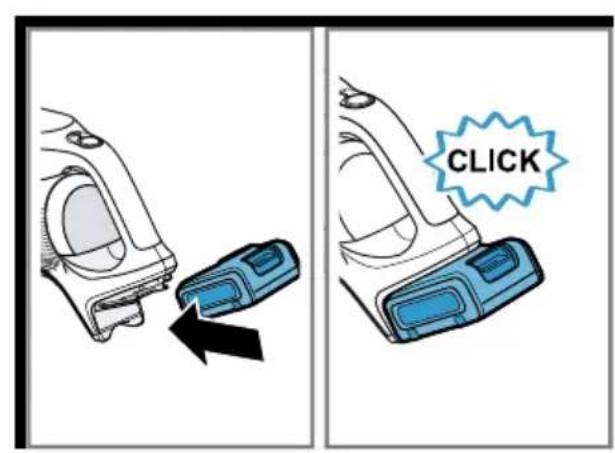
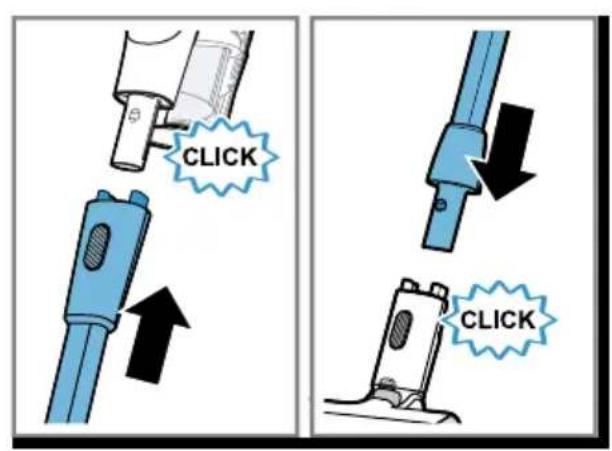
→Fig. 11 - 12
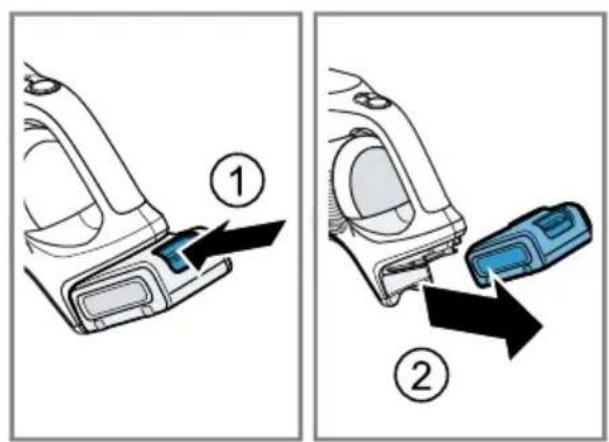
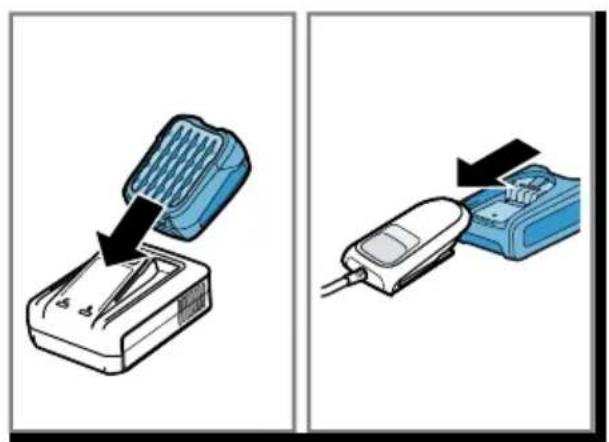
Charging the appliance
Notes
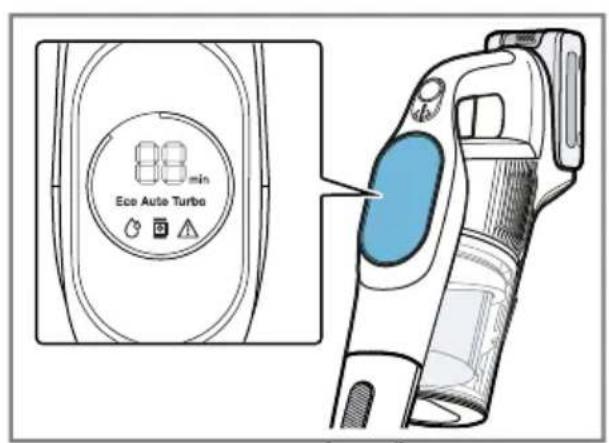
■ During charging, the display shows the battery charge status as a percentage.
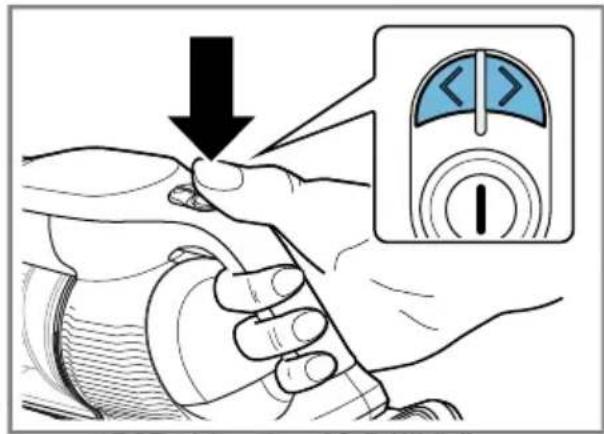
- To check the current battery charge status, briefly press the operating buttons <>
■ To save energy, the appliance switches off once the battery is fully charged.
▶ Only use the battery in connection with the Bosch appliance.
▶ Always charge the battery using the original charging cable or the original quick charger ^1 .
▶ Only use batteries from the Power for ALL 18 V series.
- Follow the instructions for the batteries and the quick charger ^1 .
- Ensure that children do not play with the appliance, even when it is in the base station.
Note: For a rapid charge, use the quick charger.
→Fig. 13 - 16
Battery runtimes
Here you can find information about battery runtimes depending on the battery that is in use.
Notes
- The battery runtime depends on the suction mode selected, the accessories used and the floor covering. The battery runtime may vary when vacuuming on carpets in particular.
- The display shows the estimated remaining runtime of the appliance in minutes. Actual values may vary.
Runtime (up to) 3,0 Ah 4,0 Ah Power+ 5,0 Ah
| Eco mode with non-electrical accessories | 60 80 100 |
| Eco mode with electrical floor nozzle | 50 65 80 |
| Auto mode with electrical floor nozzle | 15 25 30 |
| Turbo mode with electrical floor nozzle | 10 11 13 |
Notes
■ Like every Li-ion battery, the batteries from the Power for ALL 18 V series wear
out over time, meaning that the battery capacity and the runtime decrease. This is a natural aging process and not the
result of a material error, manufacturing error or material defect.
■ You can delay natural wear by taking the following measures:
- Do not store the battery for an extended period of time if it is fully charged or fully discharged.
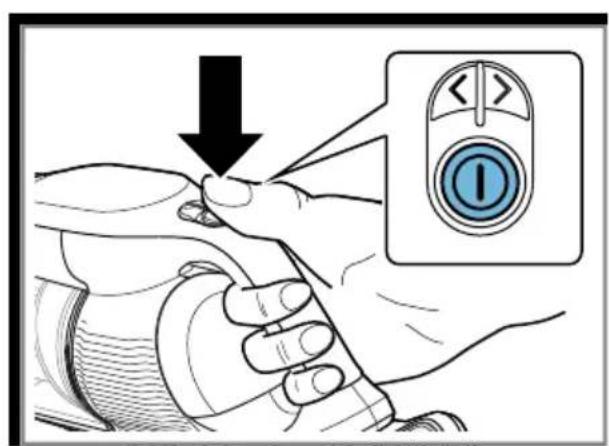
Operating the appliance
Note: Use Turbo mode (normal mode) for best results when cleaning hard floors and deep cleaning rugs and carpets. Switch to Auto mode or Eco mode when it is too difficult to push the nozzle on rugs or carpets.
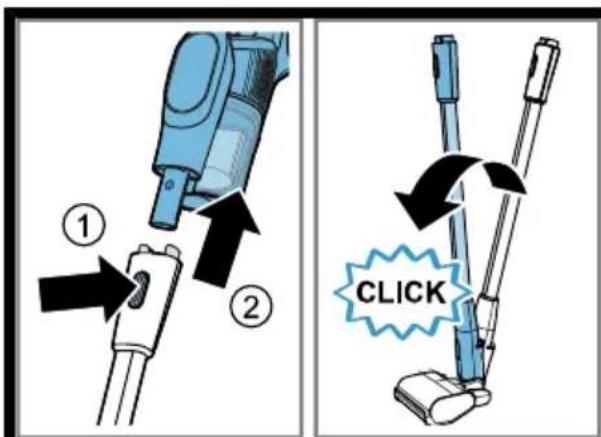
→Fig. 17 - 22
Using the free-standing function
Note: Never use the free-standing function of the floor nozzle with the appliance attached.
→Fig. 23 - 24
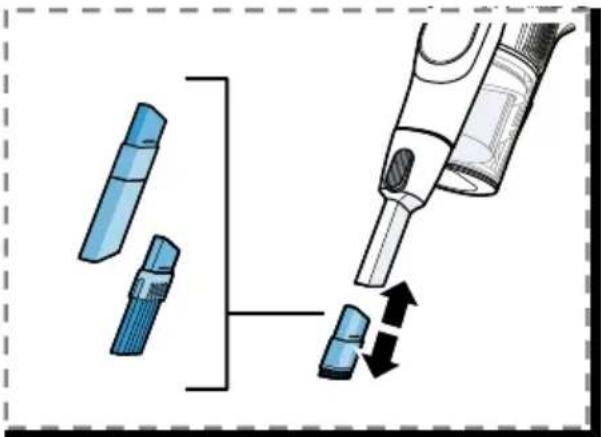
Vacuuming with the mini electro-nozzle ^1
The mini electro-nozzle cleans upholstered furniture and difficult-to-reach areas particularly thoroughly.
→Fig. 25 - 26
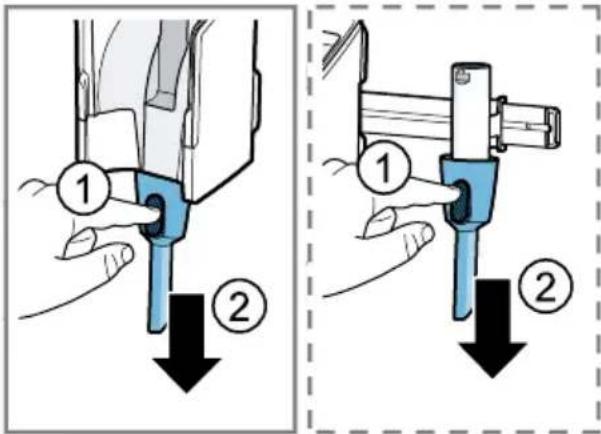
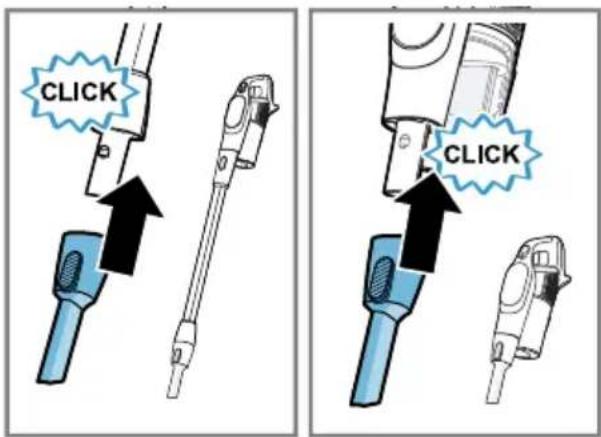
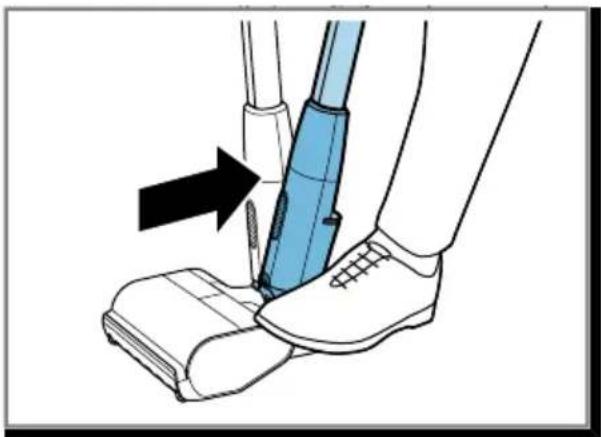
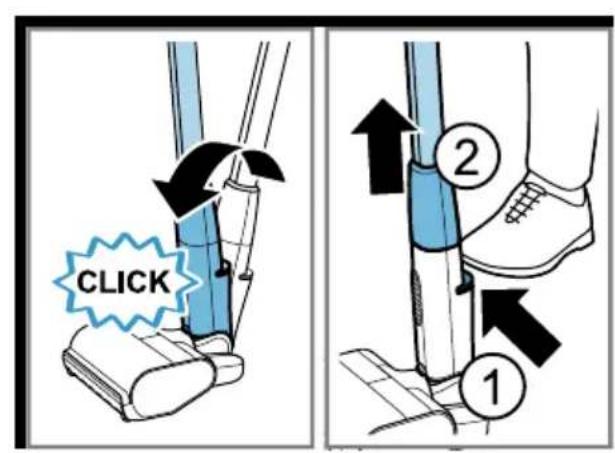
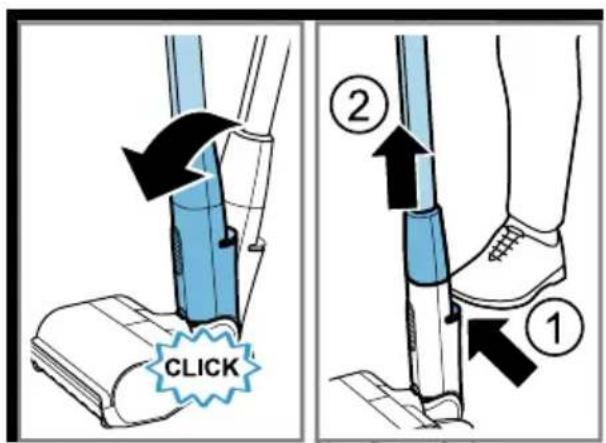
Using the foot release
→Fig. 27 - 29
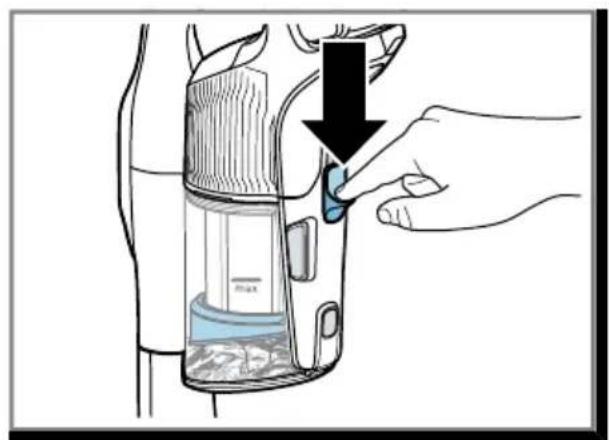
Compressing the dust
→Fig. 30 - 31
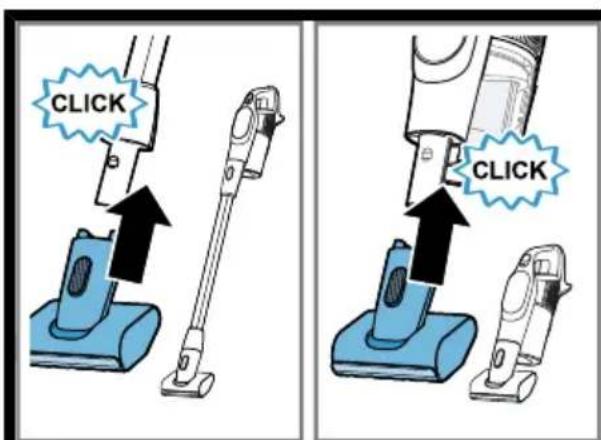
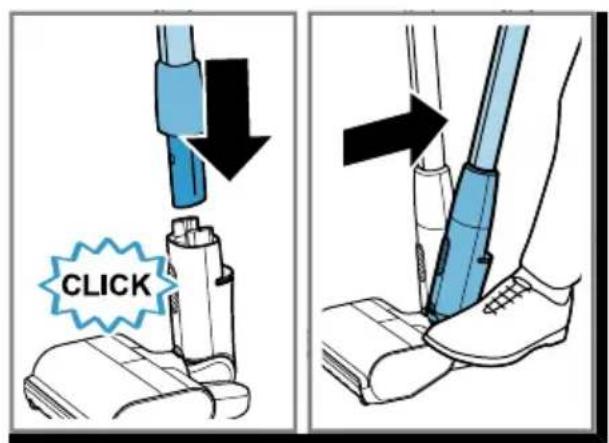
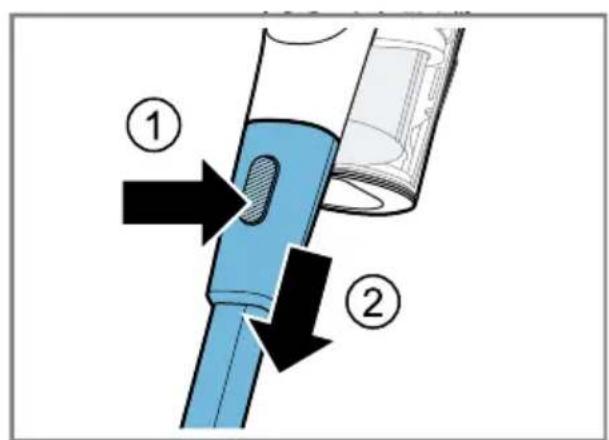
Removing the appliance
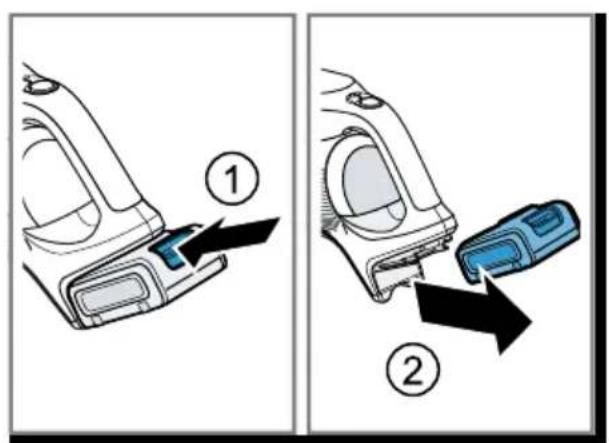
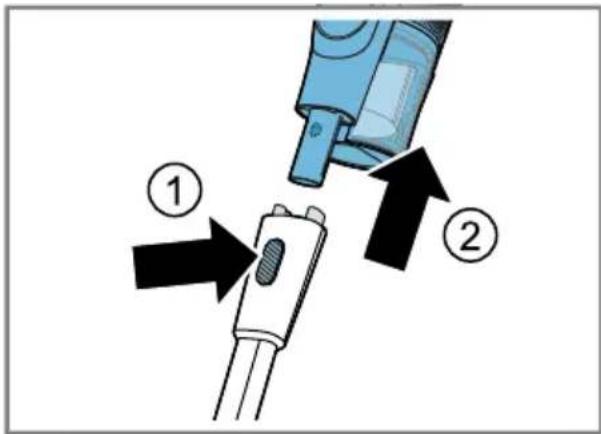
→Fig. 32 - 34
Cleaning and servicing
Cleaning the appliance
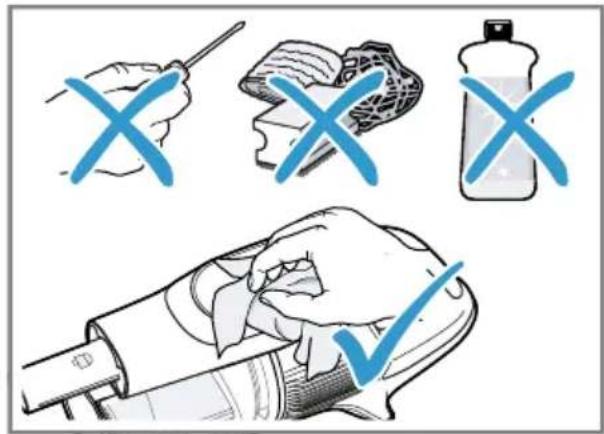
- Clean the appliance with a soft, dry cloth only.
→Fig. 35
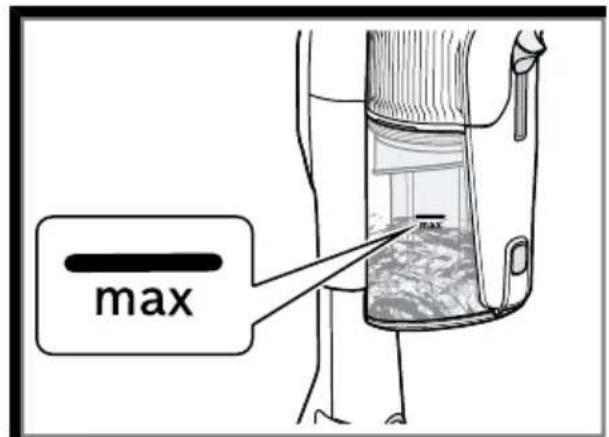
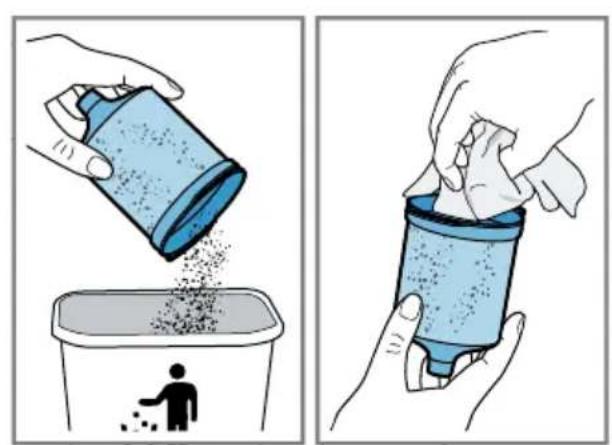
Emptying the dust container
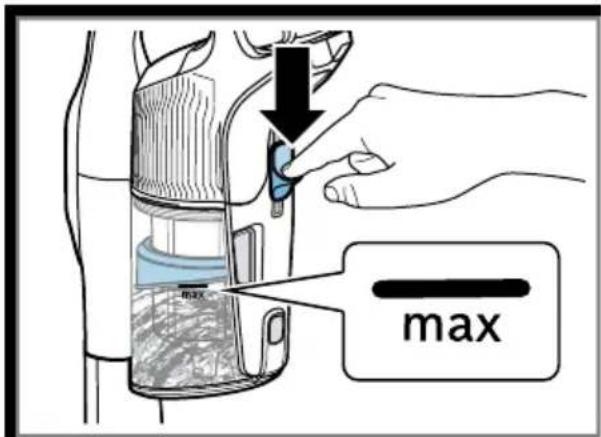
→Fig. 36 - 39
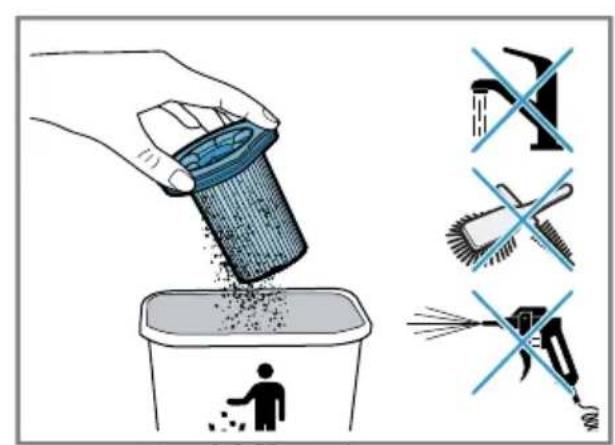
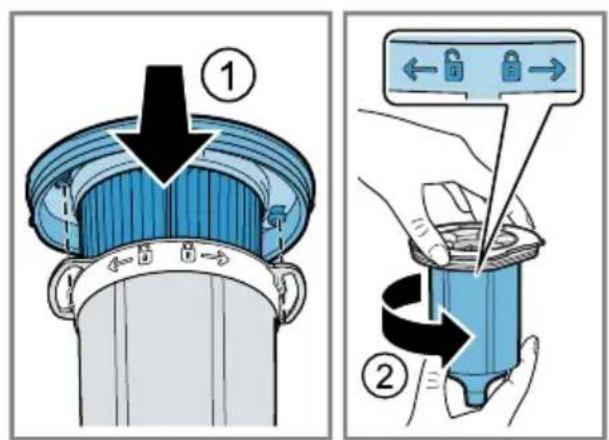
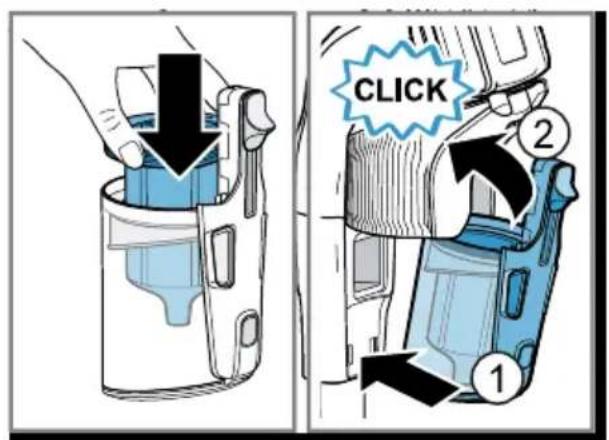
Cleaning the filter unit
▶ Never allow the filters to come into contact with liquids.
Note: It is recommended that you clean the dust container filter when it is heavily soiled and the suction power decreases.
Tip: Wipe off any dust particles on the fluff filter with a slightly damp cloth.
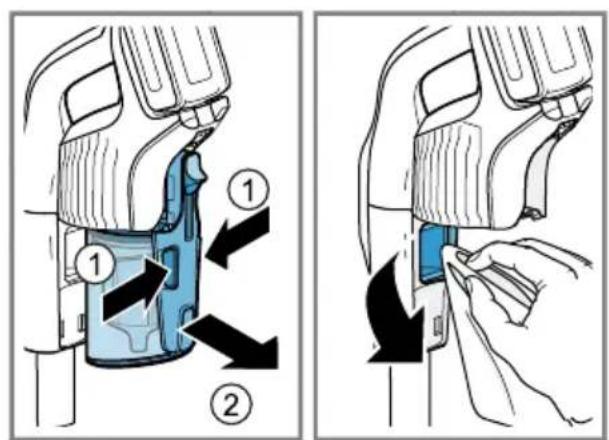
→Fig. 40 - 46
Cleaning the sensor
Note: The sensor surface must be clean for the MicroClean display to work properly. Clean the sensor if the LED ring for the MicroClean display no longer works or does not work correctly.
- Wipe the sensor thoroughly with a soft, clean and lint-free cloth.
→Fig. 47
Cleaning the universal floor nozzle
Requirement: The appliance is switched off.
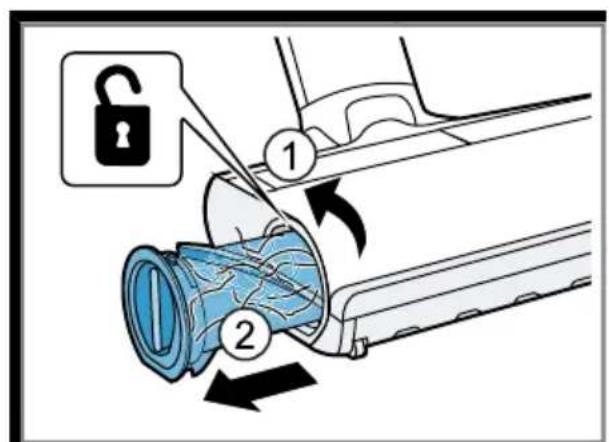
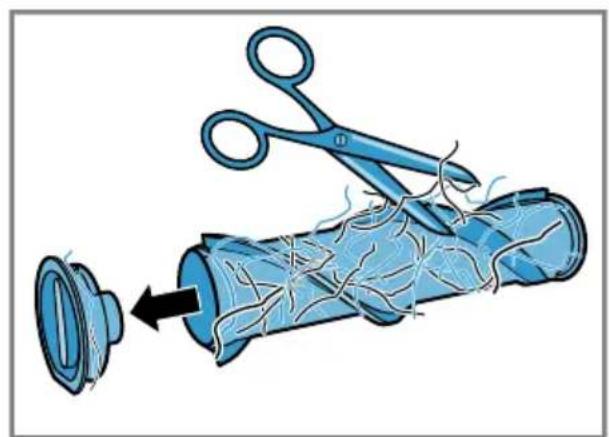
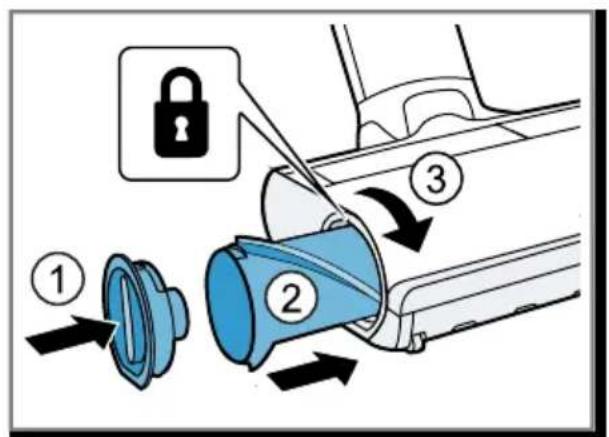
→Fig. 48 - 50
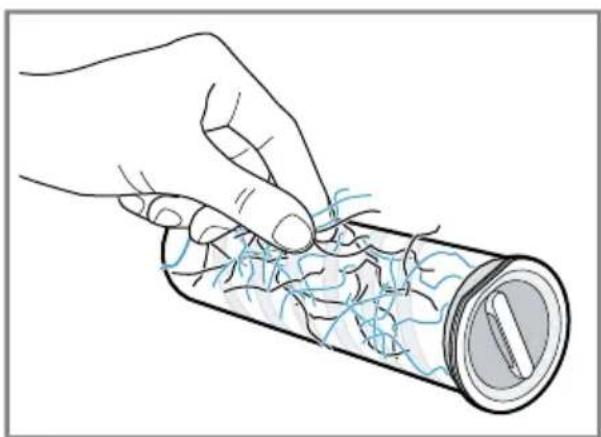
Note: The brush roller features a cleaning function. When operating the brush roller on carpet, your appliance automatically vacuums the cut threads and hairs after more than 30 seconds.
Cleaning the mini electro-nozzle
Requirement: The appliance is switched off.
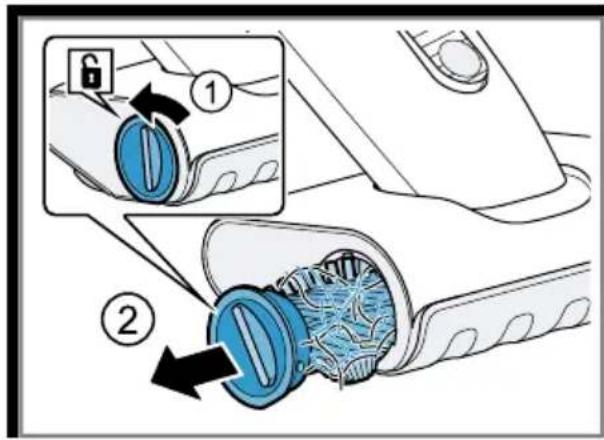
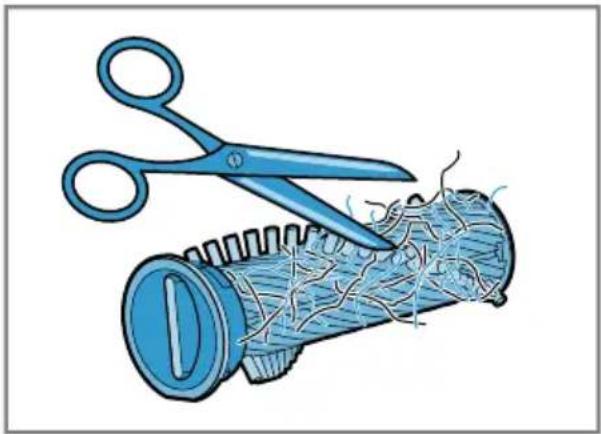
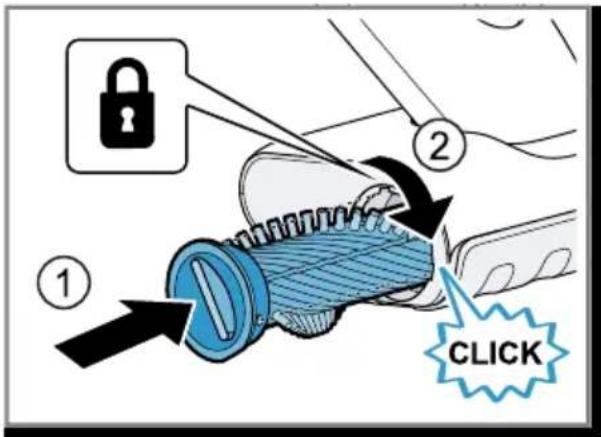
→Fig. 51 - 53
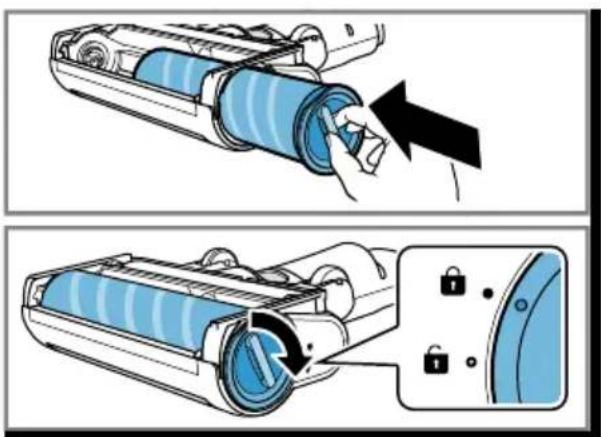
Cleaning the hard floor nozzle ^1
Requirement: The appliance is switched off.
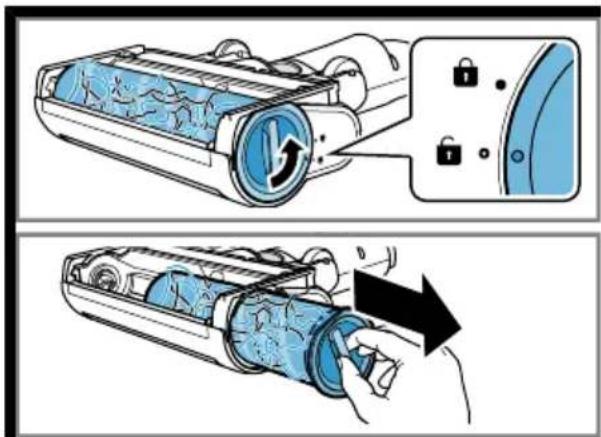
→Fig. 54 - 56
Troubleshooting
Tip: You can find further information and explanations on troubleshooting online by scanning the QR code on the cover page and on our website www.bosch-home.com.
▶ Repairs to the appliance should only be carried out by trained specialist staff.
▶ Only use genuine spare parts when repairing the appliance.
en Disposing of old appliance
The appliance is not working.
The battery has not been inserted correctly.
▶ Insert the battery correctly.
The battery has not been charged.
▶ Charge the battery.
The nozzle cannot be moved.
The nozzle is stuck.
Too much suction power.
▶ Change the cleaning mode.
No charging function.
Incorrect charger was used.
▶ Only use the charger that is included.
Information in the display
Message "E0" appears on the display. The sensor is dirty.
-
Clean the sensor.
-
If required, remove any hair and fluff from the suction pipe and the appliance support.
Message "E2" appears on the display. The safety shut-off has been activated.
-
Switch off the appliance and disconnect the appliance from the power supply.
-
Wait until battery has reached room temperature or use a spare battery.
-
Switch the appliance back on again.
-
If this fault occurs repeatedly, please call.
→ "Customer Service", Page 24
Message "E3/E4" appears on the display. The thermal safety switch-off function has been activated.
-
Switch off the appliance and disconnect the appliance from the power supply.
-
Check whether the air channel from the nozzle to the appliance is blocked.
-
Empty the dust container.
-
Clean the filter unit.
-
Once the appliance has cooled down, switch the appliance back on.
Message "E5" appears on the display. A motor fault has been detected.
-
Switch the appliance off and then on again.
-
If this fault occurs repeatedly, please call.
→ "Customer Service", Page 24
A message with "E" appears on the display. A fault has been detected and vacuuming is continued.
-
Scan the QR code on the cover page or visit our website www.bosch-home.com.
-
Follow the instructions in the interactive manual.
Disposing of old appliance
- Dispose of the appliance in an environmentally friendly manner. Information about current disposal methods are available from your specialist dealer or local authority.
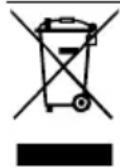
This appliance is labelled in accordance with European Directive 2012/19/EU concerning used electrical and electronic appliances (waste electrical and electronic equipment - WEEE).
The guideline determines the framework for the return and recycling of used appliances as applicable throughout the EU.
Disposing of batteries
Batteries should be recycled in an environmentally friendly manner. Do not dispose of the batteries in the household rubbish.
- Dispose of batteries in an environmentally friendly manner.
Customer Service
You can obtain function-relevant and storable genuine spare parts from our Customer Service for up to 10 years from the date on which your appliance was placed on the market.
For more information, please contact our Customer Service team.
Detailed information about the warranty period and the warranty conditions in your country is available via the QR code on the enclosed document on service contacts and warranty conditions, from our customer service or on our website.
You can find the contact details for our customer service via the QR code on the enclosed document on service contacts and warranty conditions or on our website.
You can find the information required as per Regulation (EU) 2023/826 online at www.bosch-home.com on the product and service pages for your appliance, in the area of user manuals and additional documents.
Information regarding Free and Open Source Software
This product includes software components that are licensed by the copyright holders as free software or open source software. You can download the licence information on the brand product website. (Please search for your appliance model and additional documents on the product website.)
4Sécurité
e-mail: ala-infokz@bshg.com
rectangular agitated
31 - 30 alشكل
فلك الجهاز
34 - 32 alشكل
التنظيف والعناية
تنظيف الجهاز
Many thanks for choosing a Bosch home appliance!
Register your new appliance now on MyBosch and benefit directly from:
- Expert advice and tips to make the most of your appliance
- Options for warranty extension
• Discounts on spare parts and accessories - Digital information for use and all appliance data to hand
- Easy access to Bosch Home Appliance Service
Simple to register, free of charge – including on mobile devices:
www.bosch-home.com/welcome
BOSCH HOME APPLIANCES SERVICE
Need some help? You can find it here.
Expert advice on your Bosch home appliances, help with problems or repairs by professionals from Bosch.
Discover all the different ways Bosch can assist you:
www.bosch-home.com/service
The contact details of all countries are listed in the attached service directory.
BSH Hausgeräte GmbH
Carl-Wery-Straße 34
81739 München, GERMANY
www.bosch-home.com
A Bosch Company
Valid within Great Britain:
Imported to Great Britain by
BSH Home Appliances Ltd.
Grand Union House
Old Wolverton Road
Wolverton, Milton Keynes
MK12 5PT
United Kingdom

8001346293 (051219)
de, en, fr, it, nl, da, no, sv, fi, es, pt, el, tr, pl, hu, ru, ro, cs, uk, ar

- Cordless handstick vacuum cleaner
- BBS9 BCS9 BKS9 BSS9 BXS9
- https://ium-pim.bsh-digital.com/8001293732
- 4Sicherheit
- en Safety
- Preventing material damage
- Included with the appliance
- Overview
- en Installing the base station
- Installing the base station
- Operation Installing the appliance
- Charging the appliance
- Notes
- Battery runtimes
- Operating the appliance
- Using the free-standing function
- Vacuuming with the mini electro-nozzle 1
- Using the foot release
- Compressing the dust
- Removing the appliance
- Cleaning and servicing
- Cleaning the appliance
- Emptying the dust container
- Cleaning the filter unit
- Cleaning the sensor
- Cleaning the universal floor nozzle
- Cleaning the mini electro-nozzle
- Cleaning the hard floor nozzle 1
- Troubleshooting
- The appliance is not working.
- The nozzle cannot be moved.
- No charging function.
- Information in the display
- Disposing of old appliance
- Disposing of batteries
- Customer Service
- Information regarding Free and Open Source Software
- 4Sécurité
- التنظيف والعناية
- Many thanks for choosing a Bosch home appliance!
- Need some help? You can find it here.
Brand : BOSCH
Model : Unlimited 9 BCS932
Category : Vacuum Cleaner