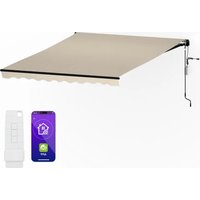
CloudShade - Outdoor blind Blumfeldt - Free user manual and instructions
Find the device manual for free CloudShade Blumfeldt in PDF.


User questions about CloudShade Blumfeldt
0 question about this device. Answer the ones you know or ask your own.
Ask a new question about this device
Download the instructions for your Outdoor blind in PDF format for free! Find your manual CloudShade - Blumfeldt and take your electronic device back in hand. On this page are published all the documents necessary for the use of your device. CloudShade by Blumfeldt.
USER MANUAL CloudShade Blumfeldt
Berlin Brands Group UK Limited
PO Box 42
272 Kensington High Street
London, W8 6ND
United Kingdom
Congratulations on purchasing this equipment. Please read this manual carefully and take care of the following hints on installation and use to avoid technical damages. Any failure caused by ignoring the items and cautions mentioned in the operation and installation instructions are not covered by our warranty and any liability. Scan the QR code to get access to the latest user manual and more product information.
CONTENTS
Articles 15
Safety Instructions 16
Opening and Closing the Awning 17
Adjustment 19
Control Box and remote Control 20
Device Control by Smartphone 21
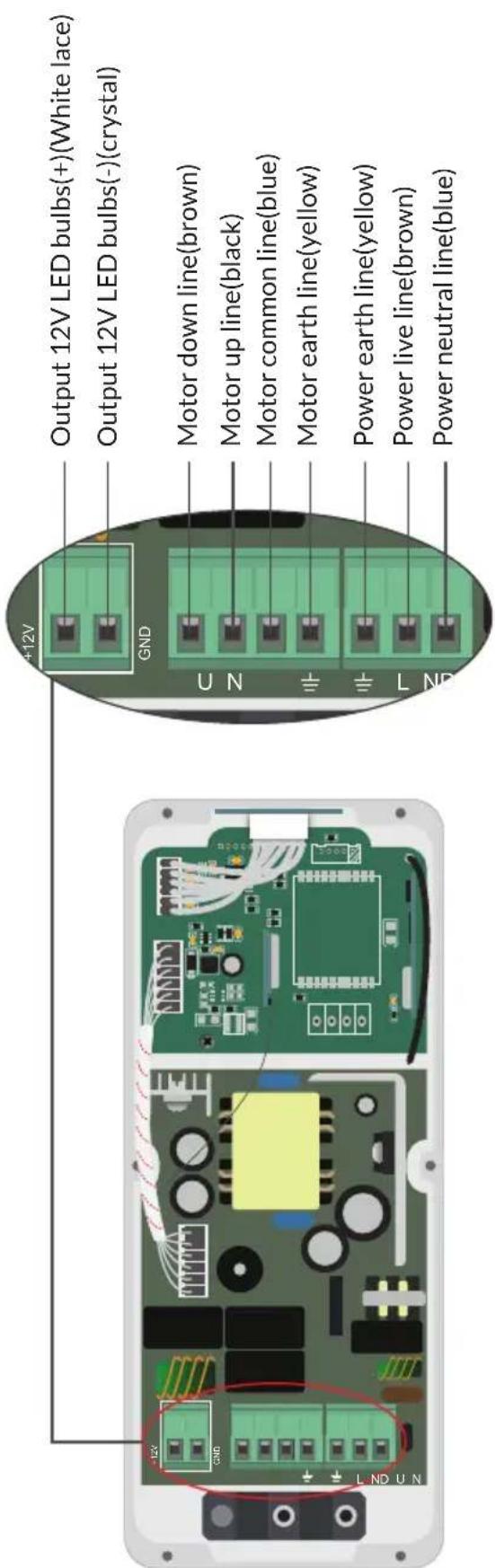
Wiring 23
Disposal Considerations 24
Declaration of Conformity 24
Installation 55
ARTICLES
| Article number Size App | control | |
| 10046904 | 2.5 × 2.0 m | no |
| 10046905 | 2.95 × 2.5 m | no |
SAFETY INSTRUCTIONS
Read this manual carefully before installing and using the product. Follow the instructions below.
- Switch the power off before cable installation.
- Before installing the product, remove the unnecessary cord and disable any equipment not needed for power operation.
- Never install it in high and windy places, as the sunshade may drop and hurt people.
- When you are ready to unpack and assemble the awning, make sure that you have the appropriate tools, sufficient operators (3 persons are suggested) and space, and a clean and dry area to perform the installation.
- Do not use it in places that have vibrations or impulses.
- The installation can be made by non-professionals assuming the instruction is followed correctly. Should you have any trouble during assembly, please consult a qualified person for help Please use all the screws and nuts correctly during installation as it is very dangerous if you leave it loose.
- Be careful with your finger during installation.
- Do not use it in places of high temperature such as walls near furnaces.
- Do not hang anything on the frame or on the folding arms as the awning may fall down and cause damage or personal injury.
- Never use it in rainy and windy days.
- Never use it for other purposes.
- The operation in frosty conditions may damage the awning
- No modification of the awning in any kind is allowed.
- Save enough free space around the awning while rolling or unrolling.
- Do not barbecue under the awning or ignite a fire near to the awning
- Do not allow children to play with the switch. Children should be supervised to ensure that they do not play with the awning.
- Check the awning every 3 months to ensure all fixing are tightened and no damage on the products.
- Frequently examine the installation for imbalance and signs of wear or damage to cables and springs. Do not use if repair or adjustment is necessary.
- If the supply cord is damaged, it must be replaced by the manufacturer, its service agent or similarly qualified persons in order to avoid a hazard.
- The awning is not intended for use by persons (including children) with reduced physical, sensory or mental capabilities, or lack of experience and knowledge, unless they have been given supervision or instruction concerning use of the awning by a person responsible for their safety.
- Take care when operating the manual release with the external blind retracted since it may fall rapidly due to weak or broken springs.
- For awning that can be operated from a position without view on the blind, the user shall take appropriate organisational measures for preventing operation of the blind when maintenance, such as window or wall cleaning, is being carried out in the vicinity.
- For an inspection or maintenance of the electrical parts, the external blind shall be disconnected from the energy supply in a reliable way.
OPENING AND CLOSING THE AWNING
1
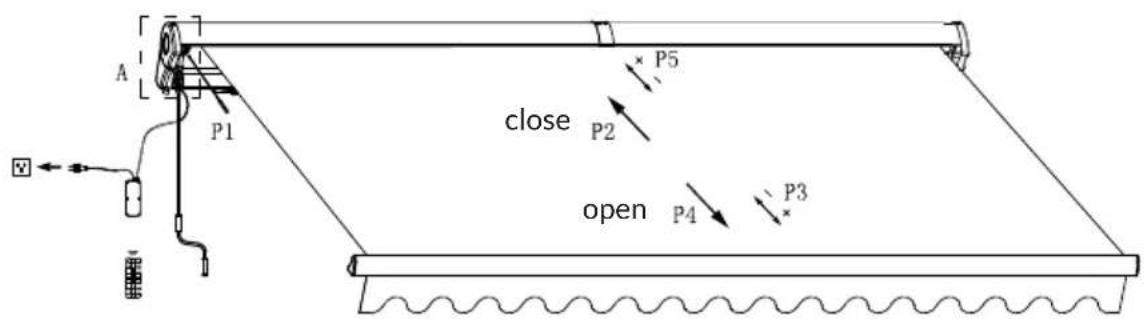
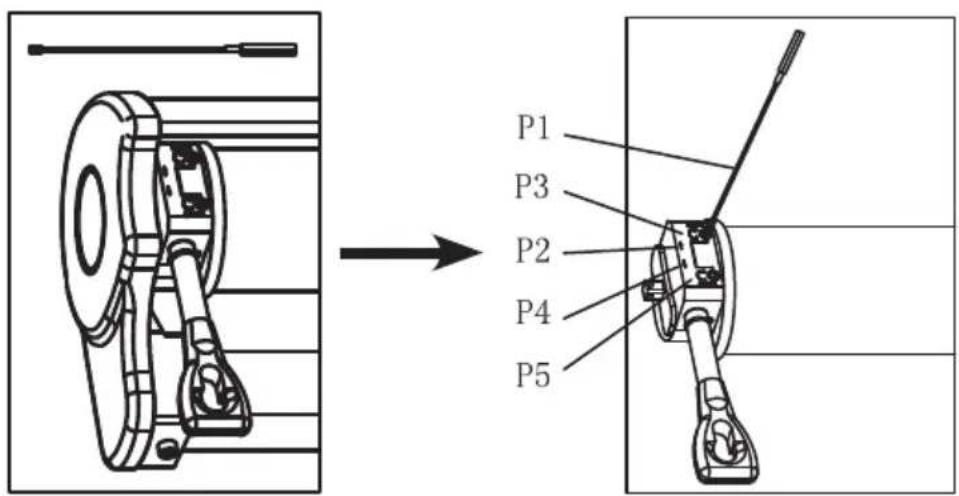
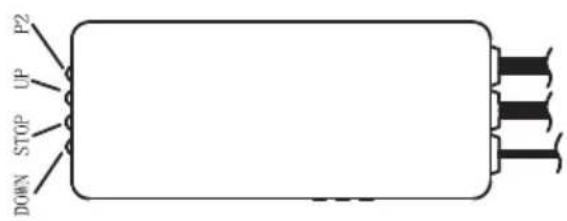
| P1 | —— | Adjustment tool for motor controls. |
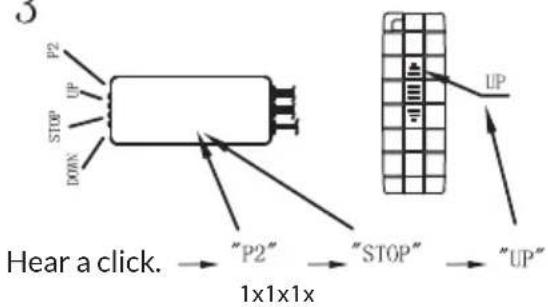
| P2 | ↑ | Direction of closing the awning. |
| P3 | ←+⑦ | + increase the closing distance - reducing the closing distance |
| P4 | ↓ | Direction of opening the awning |
| P5 | ←+⑧ | + increase the opening distance - reducing the opening distance |
2
1
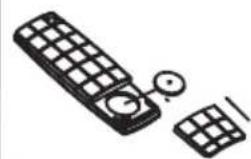
Insert battery.
2
3
ADJUSTMENT
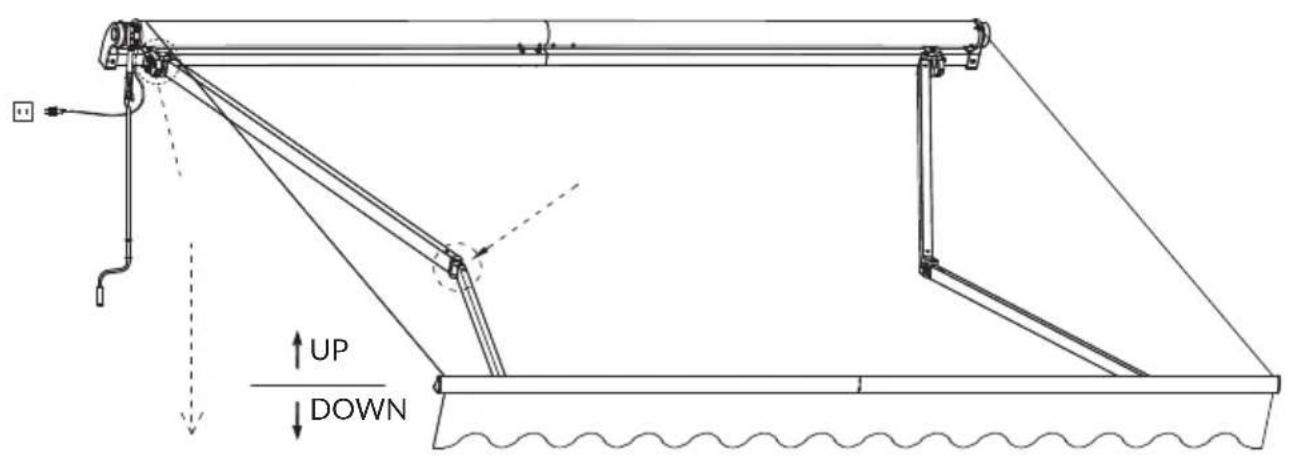
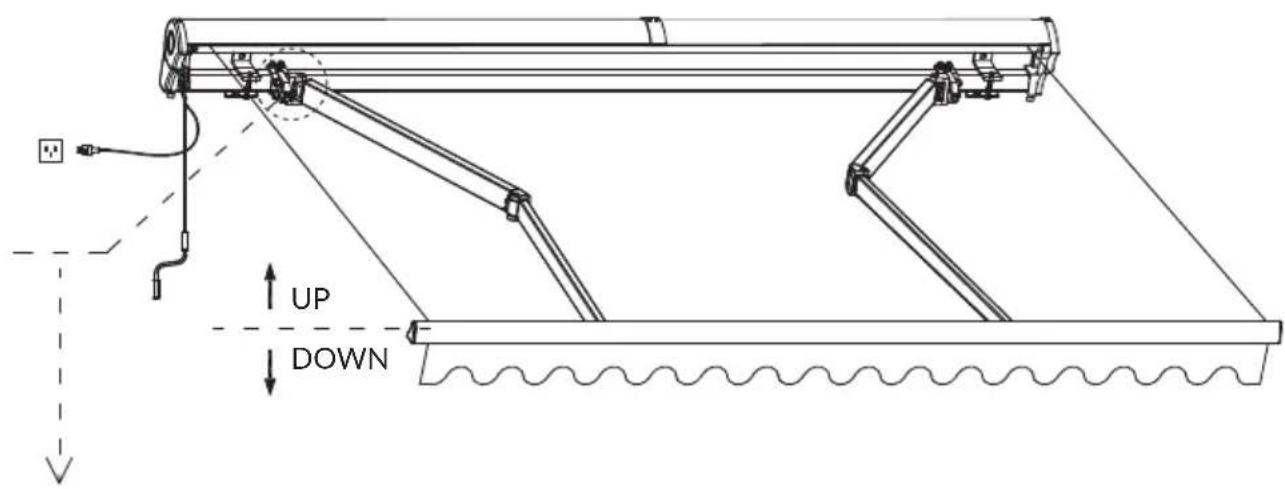
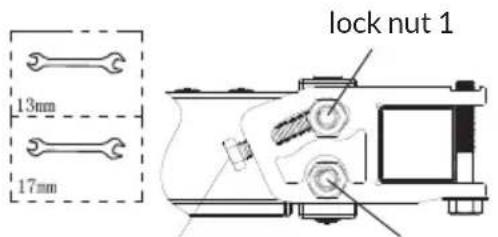
lock nut 2adjustment bolt
| Front bar up | ⇒ | Loosen lock nut 1 | ⇒ | Fasten adjustment bolt | ⇒ | Fasten lock nut 1 + lock nut 2 |
| Front bar down | ⇒ | Loosen lock nut 2 | ⇒ | Loosen adjustment bolt | ⇒ | Fasten lock nut 1 + lock nut 2 |
CONTROL BOX AND REMOTE CONTROL
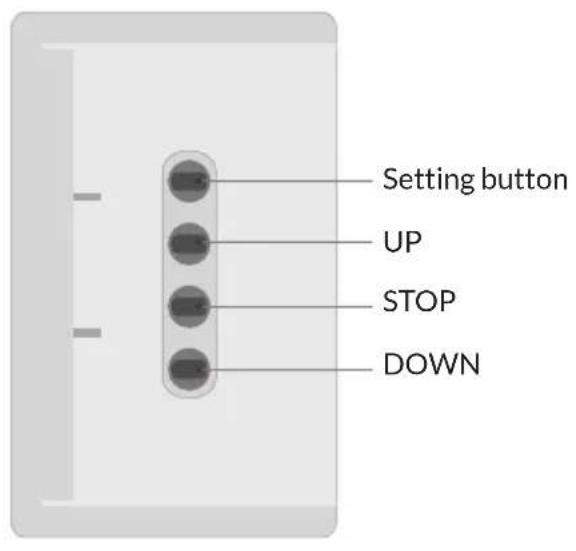
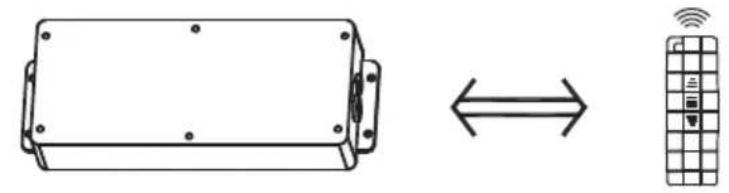
Control box Remote control
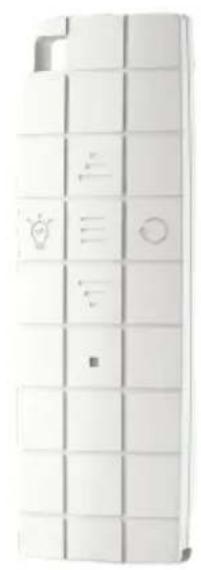
Specifications
| Radio frequency 433. | 92 MHz |
| Radio distance Indoor: 35 m Outdoor: 150 m | |
Connect to WLAN (models 10046902 10046903 only)
| → | → | Connect to WLAN signal, so your mobile phone can connect via the Blumfeldt app. | ||
| Power on. Press | UP+DOWN simultaneously. | The LED flashes. It beeps once. |
DEVICE CONTROL BY SMARTPHONE
For items 10046902 10046903
If you integrate the device into your home WiFi, you can conveniently operate it via the associated Blumfeldt app. The app not only allows you to remotely control the device via your smartphone, but also gives you access to recipes and additional information.
Follow these steps to connect your smartphone to your Blumfeldt device:
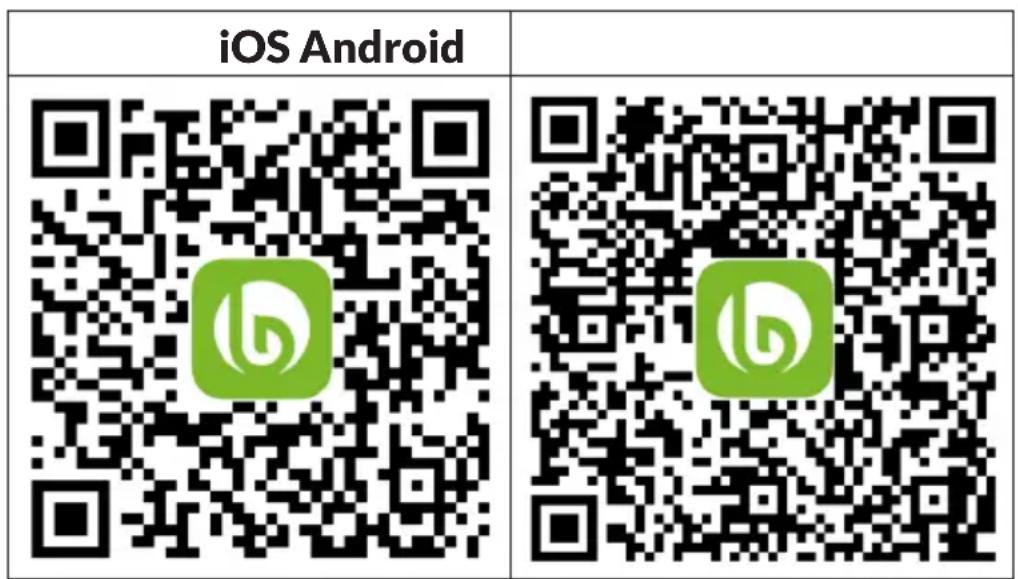
- Download the Blumfeldt app first by scanning the QR code with your smartphone (see below), or download it directly from App Store or Google Play.
- Make sure your smartphone is connected to the same WiFi network that your Blumfeldt device is to be connected to.
- Open the Blumfeldt app.
- Sign in to your account. If you do not have an account, sign up in the Blumfeldt app.
- Follow the instructions from the app.
App Download
Use the scan function of your smartphone to scan the QR code and save the app on your smartphone.
Note: The app provides further information on how to use the app and help on how to connect to your device as soon as you open it for the first time.
Troubleshooting connection problems
If your Blumfeldt device cannot be found in the WLAN, check the following:
- The device is not plugged in. Make sure that your device is plugged into an electric socket.
- The device is not in pairing mode. Make sure that the WiFi indicator (LED) on the smart device control panel is blinking as described in the 'Reset WiFi settings' instruction of your smart device (instructions are usually available on device connection process).
- The WiFi access point does not operate on 2.4 GHz. Make sure that your access point operates on 2.4 GHz band and you have a separateSSID on 2.4 GHz band. If you are not sure about the operating band of your access point, please contact your internet provider company.
Important: please note that if your WiFi router is dual band - operating on both 2.4 GHz and 5 GHz band - you need to separate the SSDs for each band and use the 2.4 GHz SSD for connection.
- Firewall settings of your WiFi network; the firewall setting of yourWiFi network may not allow the Blumfeldt app to configure theWiFi settings on yoursmart device.Please make sure that you are not using a publicWiFi network,e.g.airports,dormitories,companies,etc.
- Different credentials used in smartphone and the app. Make sure that the WiFi credentials entered in the Blumfeldt app are the same as the ones that your smartphone is connected to.
Following the above mentioned points, if your smart device still fails to connect to the app, please contact us via email for support:
appsupport@go-bbg.com
DISPOSAL CONSIDERATIONS
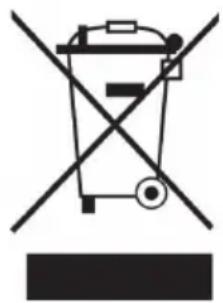
If there is a legal regulation for the disposal of electrical and electronic devices in your country, this symbol on the product or on the packaging indicates that this product must not be disposed of with household waste. Instead, it must be taken to a collection point for the recycling of electrical and electronic equipment. By disposing of it in accordance with the rules, you are protecting the environment and the health of your fellow human beings from negative consequences. For information about the recycling and disposal of this product, please contact your local authority or your household waste disposal service.
This product contains batteries. If there is a legal regulation for the disposal of batteries in your country, the batteries must not be disposed of with household waste. Find out about local regulations for disposing of batteries. By disposing of them in accordance with the rules, you are protecting the environment and the health of your fellow human beings from negative consequences.
DECLARATION OF CONFORMITY

Manufacturer:
Chal-Tec GmbH, Wallstrasse 16, 10179 Berlin, Germany. info@electronic-star.de
Importer for Great Britain:
Berlin Brands Group UK Limited
PO Box 42
272 Kensington High Street
London, W8 6ND
United Kingdom
Hereby, Chal-Tec GmbH declares that the radio equipment type CloudShade is in compliance with Directive 2014/53/EU. The full text of the EU declaration of conformity is available at the following internet address: use.berlin/10046904
For Great Britain: Hereby, Chal-Tec GmbH declares that the radio equipment type CloudShade is in compliance with the relevant statutory requirements. The full text of the declaration of conformity is available at the following internet address: use.berlin/10046904
Chere cliente, cher client,
Berlin Brands Group UK Limited PO Box 42
272 Kensington High Street, London WC1N 6ND
London, W8 6ND
United Kingdom
Berlin Brands Group UK Limited
PO Box 42
272 Kensington High Street
London, W8 6ND
United Kingdom
Berlin Brands Group UK Limited PO Box 42 272 Kensington High Street London, W8 6ND United Kingdom
- For the assembly you need 2 people.
- The product must be assembled and used in accordance with the provisions of the manual.
- This product contains small components, please ensure that they are kept away from small children while assembling.
- Do not tighten the screws until the very end!