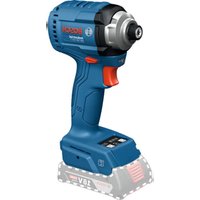
IDR 18V-125 T Professional - Screwdriver BOSCH - Free user manual and instructions
Find the device manual for free IDR 18V-125 T Professional BOSCH in PDF.


| Product type | Cordless impact driver |
| Brand | Bosch Professional |
| Model | IDR 18V-125 T |
| Nominal voltage | 18 V |
| No-load speed | 0 - 3,100 rpm (with battery GBA 18V 2.0 Ah) |
| Impact rate | 0 - 3,800 impacts/min |
| Max. tightening torque (without auto-stop) | 180 Nm |
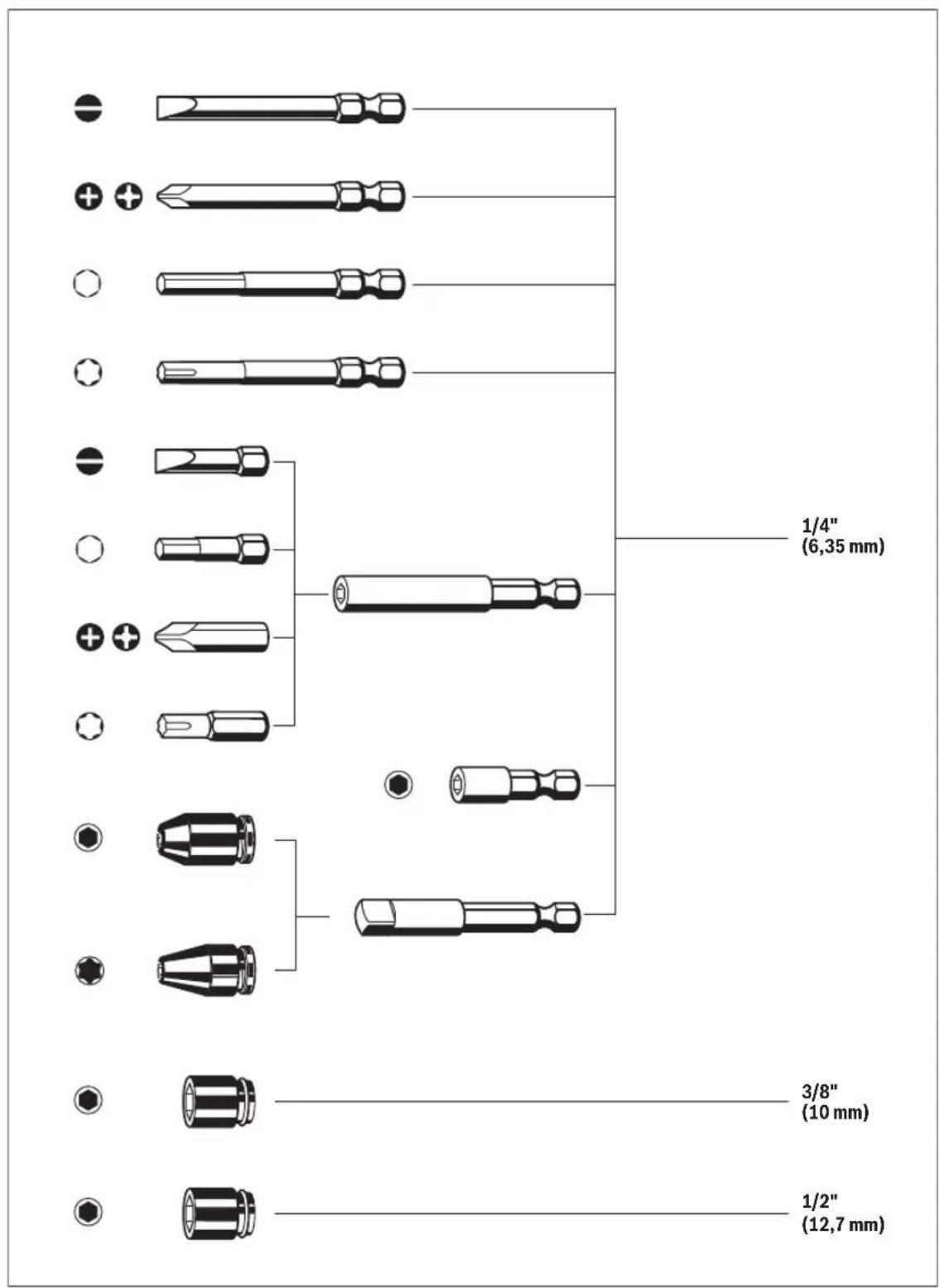
| Tool holder | Hexagon 1/4" |
| Screwing diameter (auto-stop mode) | M5 - M10 |
| Max. screw diameter (without auto-stop) | M12 |
| Weight (without battery) | 1.1 kg |
| Compatible batteries | GBA 18V, ProCORE18V, EXPERT 18V, EXBA18V, CORE18V |
| Recommended chargers | GAL 18V, GAL 36V, GAL 12V/18, GAX 18V, EXAL 18V |
| Charging temperature | 0 °C to +35 °C |
| Operating temperature | -20 °C to +50 °C |
| Features | Auto-stop (9 positions), soft screwing, user interface with display, NFC connectivity, LED lighting |
| Safety | Double battery lock, overload protection, temperature indicator |
| Maintenance | Regularly clean ventilation slots with a soft, dry brush |
| Repairability | Bosch after-sales service, spare parts available at www.bosch-pt.com |
Frequently Asked Questions - IDR 18V-125 T Professional BOSCH
User questions about IDR 18V-125 T Professional BOSCH
0 question about this device. Answer the ones you know or ask your own.
Ask a new question about this device
Download the instructions for your Screwdriver in PDF format for free! Find your manual IDR 18V-125 T Professional - BOSCH and take your electronic device back in hand. On this page are published all the documents necessary for the use of your device. IDR 18V-125 T Professional by BOSCH.
USER MANUAL IDR 18V-125 T Professional BOSCH
General Power Tool SafetyWarnings
WARNING
Read all safety warnings, instructions, illustrations and specifica
tions provided with this power tool. Failure to follow all instructions listed below may result in electric shock, fire and/ or serious injury.
Save all warnings and instructions for future reference.
The term "power tool" in the warnings refers to your mains-operated (corded) power tool or battery-operated (cordless) power tool.
Work area safety
- Keep work area clean and well lit. Cluttered or dark areas invite accidents.
- Do not operate power tools in explosive atmospheres, such as in the presence of flammable liquids, gases or dust. Power tools create sparks which may ignite the dust or fumes.
- Keep children and bystanders away while operating a power tool. Distractions can cause you to lose control.
Electrical safety
Power tool plugs must match the outlet. Never modify the plug in any way. Do not use any adapter plugs with earthed (grounded) power tools. Unmodified plugs and matching outlets will reduce risk of electric shock.
- Avoid body contact with earthed or grounded surfaces, such as pipes, radiators, ranges and refrigerators. There is an increased risk of electric shock if your body is earthed or grounded.
Do not expose power tools to rain or wet conditions. Water entering a power tool will increase the risk of electric shock.
Do not abuse the cord. Never use the cord for carrying, pulling or unplugging the power tool. Keep cord away from heat, oil, sharp edges or moving parts. Damaged or entangled cords increase the risk of electric shock.
When operating a power tool outdoors, use an extension cord suitable for outdoor use. Use of a cord suitable for outdoor use reduces the risk of electric shock.
If operating a power tool in a damp location is unavoidable, use a residual current device (RCD) protected supply. Use of an RCD reduces the risk of electric shock.
Personal safety
Stay alert, watch what you are doing and use common sense when operating a power tool. Do not use a power tool while you are tired or under the influence of drugs, alcohol or medication. A moment of inatten
tion while operating power tools may result in serious personal injury.
Use personal protective equipment. Always wear eye protection. Protective equipment such as a dust mask, non-skid safety shoes, hard hat or hearing protection used for appropriate conditions will reduce personal injuries.
Prevent unintentional starting. Ensure the switch is in the off-position before connecting to power source and/or battery pack, picking up or carrying the tool. Carrying power tools with your finger on the switch or energising power tools that have the switch on invites accidents.
- Remove any adjusting key or wrench before turning the power tool on. A wrench or a key left attached to a rotating part of the power tool may result in personal injury.
- Do not overreach. Keep proper footing and balance at all times. This enables better control of the power tool in unexpected situations.
Dress properly. Do not wear loose clothing or jewellery. Keep your hair and clothing away from moving parts. Loose clothes, jewellery or long hair can be caught in moving parts.
If devices are provided for the connection of dust extraction and collection facilities, ensure these are connected and properly used. Use of dust collection can reduce dust-related hazards.
Do not let familiarity gained from frequent use of tools allow you to become complacent and ignore tool safety principles. A careless action can cause severe injury within a fraction of a second.
Power tool use and care
Do not force the power tool. Use the correct power tool for your application. The correct power tool will do the job better and safer at the rate for which it was designed.
Do not use the power tool if the switch does not turn it on and off. Any power tool that cannot be controlled with the switch is dangerous and must be repaired.
- Disconnect the plug from the power source and/or remove the battery pack, if detachable, from the power tool before making any adjustments, changing accessories, or storing power tools. Such preventive safety measures reduce the risk of starting the power tool accidentally.
- Store idle power tools out of the reach of children and do not allow persons unfamiliar with the power tool or these instructions to operate the power tool. Power tools are dangerous in the hands of untrained users.
- Maintain power tools and accessories. Check for misalignment or binding of moving parts, breakage of parts and any other condition that may affect the power tool's operation. If damaged, have the power tool repaired before use. Many accidents are caused by poorly maintained power tools.
- Keep cutting tools sharp and clean. Properly maintained cutting tools with sharp cutting edges are less likely to bind and are easier to control.
Use the power tool, accessories and tool bits etc. in accordance with these instructions, taking into account the working conditions and the work to be performed. Use of the power tool for operations different from those intended could result in a hazardous situation. - Keep handles and grasping surfaces dry, clean and free from oil and grease. Slippery handles and grasping surfaces do not allow for safe handling and control of the tool in unexpected situations.
Battery tool use and care
- Recharge only with the charger specified by the manufacturer. A charger that is suitable for one type of battery pack may create a risk of fire when used with another battery pack.
Use power tools only with specifically designated battery packs. Use of any other battery packs may create a risk of injury and fire.
When battery pack is not in use, keep it away from other metal objects, like paper clips, coins, keys, nails, screws or other small metal objects, that can make a connection from one terminal to another. Shorting the battery terminals together may cause burns or a fire.
Under abusive conditions, liquid may be ejected from the battery; avoid contact. If contact accidentally occurs, flush with water. If liquid contacts eyes, additionally seek medical help. Liquid ejected from the battery may cause irritation or burns.
Do not use a battery pack or tool that is damaged or modified. Damaged or modified batteries may exhibit unpredictable behaviour resulting in fire, explosion or risk of injury.
Do not expose a battery pack or tool to fire or excessive temperature. Exposure to fire or temperature above 130^ may cause explosion.
Follow all charging instructions and do not charge the battery pack or tool outside the temperature range specified in the instructions. Charging improperly or at temperatures outside the specified range may damage the battery and increase the risk of fire.
Service
Have your power tool serviced by a qualified repair person using only identical replacement parts. This will ensure that the safety of the power tool is maintained.
- Never service damaged battery packs. Service of battery packs should only be performed by the manufacturer or authorized service providers.
SafetyWarnings for Impact Wrenches
Hold the power tool by insulated gripping surfaces, when performing an operation where the fastener may contact hidden wiring. Fasteners contacting a "live"
wire may make exposed metal parts of the power tool "live" and could give the operator an electric shock.
Use suitable detectors to determine if there are hidden supply lines or contact the local utility company for assistance. Contact with electric cables can cause fire and electric shock. Damaging gas lines can lead to explosion. Breaking water pipes causes property damage.
Only use impact-resistant bits and sockets as application tools. Only these application tools are suitable for impact screwdrivers.
Hold the power tool securely. When tightening and loosening screws be prepared for temporarily high torque reactions.
- Secure the workpiece. A workpiece clamped with clamping devices or in a vice is held more secure than by hand.
Always wait until the power tool has come to a complete stop before placing it down. The application tool can jam and cause you to lose control of the power tool.
In case of damage and improper use of the battery, vapours may be emitted. The battery can set alight or explode. Ensure the area is well ventilated and seek medical attention should you experience any adverse effects. The vapours may irritate the respiratory system.
Do not modify or open the battery. There is a risk of short-circuiting.
The battery can be damaged by pointed objects such as nails or screwdrivers or by force applied externally. An internal short circuit may occur, causing the battery to burn, smoke, explode or overheat.
Only use the battery in the manufacturer's products. This is the only way in which you can protect the battery against dangerous overload.

Protect the battery against heat, e.g. against continuous intense sunlight, fire, dirt, water and moisture. There is a risk of explosion and short-circuiting.
Application tools can become hot during operation. There is a risk of burns when changing the application tool. Use protective gloves to remove the application tool.
Symbols
The following symbols may be important for the operation of your power tool. Please take note of these symbols and their meaning. Correctly interpreting the symbols will help you to operate the power tool more effectively and safely.
Symbols and their meaning

Tool data logging is enabled in this tool.
Symbols and their meaning

Wireless connectivity power tool with built-in NFC technology

The N-Mark is a trademark or registered trademark of NFC Forum, Inc. in the USA and in other countries.
Product Description and Specifications

Read all the safety and general instructions. Failure to observe the safety and general instructions may result in electric shock, fire and/or serious injury.
Please observe the illustrations at the beginning of this operating manual.
Intended Use
The machine is intended for driving in and loosening screws and bolts as well as for tightening and loosening nuts within the respective range of dimension.
Product Features
The numbering of the product features refers to the diagram of the power tool on the graphics page.
(1) Tool holder
(2) Locking sleeve (IDR 18V-125 T)
(3) Rubber ring (tool holder) (IDS 18V-125 T, IDS 18V-650 T, IDS 18V-200 T)
(4) Mount for holder
(5) Rotational direction switch
(6) Thread for belt clip
(7) Rechargeable batterya
(8) Battery release button
(9)User interface
(10) Position of the built-in NFC antenna
(11) On/off switch
(12) Worklight
(13) Handle
(14) Double bit aIDR 18V-125 T
(15) Universal bit holder a) (IDR 18V-125 T)
(16) Screwdriver bit aIDR 18V-125 T
(17) Application tool (e.g. socket spanner) a) (IDS 18V-125 T, IDS 18V-650 T, IDS 18V-200 T)
(18) Screwdriving process status indicator
(19) Holder
a) This accessory is not part of the standard scope of delivery.
User Interface
(20) Temperature alarm indicator
(21) Battery status indicator
(22) Maintenance indicator
(23) "User interface locked" indicator
(24) Indicator for "soft screwdriving" mode
(25)Button for torque preselection 1 (+)
(26) Display for torque preselection
(27) Button for torque preselection 2 (-)
Technical Data
| Cordless Impact Screwdriver IDR 18V-125 T IDS 18V-125 T IDS 18V-200 T IDS 18V-650 T | ||||
| Article number | 3601 JP8 1.. 3601 JP8 0.. 3601 JN0 0.. 3601 JP7 0.. | |||
| Rated voltage V= 18 18 18 18 | ||||
| No-load speedA) | min-1 | 0-3100B) | 0-3100B) | 0-2500C) |
| Impact rateA) | min-1 | 0-3800B) | 0-3800B) | 0-3500C) |
| Max. tightening torque without "Automatic switch-off" modeA) | Nm 180 | D) | 180D) | 300E) |
| Number of settings | ||||
| -In "Automatic switch-off" mode (user interface) | 9 (settings 1-9) | 9 (settings 1-9) | 9 (settings 1-9) | |
| -Without "Automatic switch-off" mode (user interface) | 1 (setting "H") | 1 (setting "H") | 1 (setting "H") | |
| Screw diameter in "Automatic switch-off" mode | mm | M5-M10 M5-M10 | M8-M14 M14-M20 | |
| Max. screw diameter without "Automatic switch-off" mode | mm | M12 M12 | M18 M24 | |
English | 11
| Cordless Impact Screwdriver IDR 18V-125 T IDS 18V-125 T IDS 18V-200 T IDS 18V-650 T | ||||
| Tool holder ¼" internal | hexagon | ■ 3/8" ▪ 1/2" ▪ 1/2" | ||
| WeightG) | kg 1.1 1.1 1.2 1.8 | |||
| Recommended ambient tempera- ure during charging | °C 0 to +35 0 to +35 0 to +35 0 to +35 | |||
| Permitted ambient temperature during operationH) and during stor- age | °C -20 to +50 -20 to +50 -20 to +50 -20 to +50 | |||
| Compatible rechargeable batteries GBA 18V... | ProCORE18V... | GBA 18V... | GBA 18V... | GBA 18V... |
| EXPERT 18V... | ProCORE18V... | ProCORE18V... | ProCORE18V... | |
| EXBA18V... | EXPERT 18V... | EXPERT 18V... | EXPERT 18V... | |
| CORE18V... | EXBA18V... | EXBA18V... | EXBA18V... | |
| CORE18V... | CORE18V... | CORE18V... | ||
| Recommended battery chargers GAL 18V... | GAL 36V... | GAL 18V... | GAL 18V... | GAL 18V... |
| GAL 12V/18... | GAL 36V... | GAL 36V... | GAL 36V... | |
| GAX 18V... | GAL 12V/18... | GAL 12V/18... | GAL 12V/18... | |
| EXAL 18V... | GAX 18V... | GAX 18V... | GAX 18V... | |
| EXAL 18V... | EXAL 18V... | EXAL 18V... | ||
A) Depending on battery in use
B) Measured at 20-25°C with rechargeable battery GBA 18V 2.0Ah
C) Measured at 20-25°C with rechargeable battery ProCORE18V 4.0Ah
D) Measured at 3 seconds, screw size M16
E) Measured at 3 seconds, screw size M20
F) Measured at 3 seconds, screw size M24
G) Weight without rechargeable battery
(Weight of rechargeable battery can be found on http://www.bosch-professional.com)
H) Limited performance at temperatures < 0^
Values can vary depending on the product, scope of application and environmental conditions. To find out more, visit www.bosch-professional.com/wac.
Noise/vibration information
Noise emission values determined according to EN 62841-2-2.
Typically, the A-weighted noise level of the power tool is: Sound pressure level 101 dB(A); sound power level 109 dB(A). Uncertainty K = 3 dB.
Wear hearing protection!
Vibration total values a_t (triax vector sum) and uncertainty K determined according to EN 62841-2-2:
IDR 18V-125 T/ IDS 18V-125 T/ IDS 18V-200 T:
Tightening screws and nuts of the maximum permitted size: a_h < 12.3 m/s^2, K = 1.5 m/s^2
IDS 18V-650T:
Tightening screws and nuts of the maximum permitted size: a_n < 14.5 m/s^2, K = 2.2 m/s^2
The vibration level and noise emission value given in these instructions have been measured in accordance with a standardised measuring procedure and may be used to compare power tools. They may also be used for a preliminary estimation of vibration and noise emissions.
The stated vibration level and noise emission value represent the main applications of the power tool. However, if the power tool is used for other applications, with different ac
cessories or is poorly maintained, the vibration level and noise emission value may differ. This may significantly increase the vibration and noise emissions over the total working period.
To estimate vibration and noise emissions accurately, the times when the tool is switched off or when it is running but not actually being used should also be taken into account. This may significantly reduce vibration and noise emissions over the total working period.
Implement additional safety measures to protect the operator from the effects of vibration, such as servicing the power tool and accessories, keeping their hands warm, and organising workflows correctly.
Rechargeable battery
Bosch sells some cordless power tools without a rechargeable battery. You can tell whether a rechargeable battery is included with the power tool by looking at the packaging.
Charging the battery
Use only the chargers listed in the technical data. Only these chargers are matched to the lithium-ion battery of your power tool.
12 | English
Note: Lithium-ion rechargeable batteries are supplied partially charged according to international transport regulations. To ensure full rechargeable battery capacity, fully charge the rechargeable battery before using your tool for the first time.
Inserting the Battery
Push the charged battery into the battery holder until it clicks into place.
Removing the Battery
To remove the rechargeable battery, press the battery release button and pull the battery out. Do not use force to do this.
The rechargeable battery has two locking levels to prevent the battery from falling out if the battery release button is pressed unintentionally. The rechargeable battery is held in place by a spring when fitted in the power tool.
Battery charge indicator
Note: Not all battery types have a battery charge indicator. The green LEDs on the battery charge indicator indicate the state of charge of the battery. For safety reasons, it is only possible to check the state of charge when the power tool is not in operation.
Press the button for the battery charge indicator or to show the state of charge. This is also possible when the battery is removed.
If no LED lights up after pressing the button for the battery charge indicator, then the battery is defective and must be replaced.
Battery model GBA 18V...


LED Capacity
3 × continuous green light 60 - 100%
2× continuous green light 30 - 60%
1 × continuous green light 5 - 30 %
1× flashing green light 0-5%
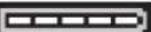
Battery model ProCORE18V...| EXPERT 18V...| EXBA18V...| CORE18V...

LED Capacity
5× continuous green light 80 - 100%
4× continuous green light 60 - 80%
3 × continuous green light 40 - 60%
2× continuous green light 20 - 40%
1× continuous green light 5-20%
1× flashing green light 0-5%
Recommendations for Optimal Handling of the Battery
Protect the battery against moisture and water.
Only store the battery within a temperature range of -20 to 50^ . Do not leave the battery in your car in the summer, for example.
Occasionally clean the ventilation slots on the battery using a soft brush that is clean and dry.
A significantly reduced operating time after charging indicates that the battery has deteriorated and must be replaced. Follow the instructions on correct disposal.
Assembly
Before carrying out any work on the power tool (e.g. maintenance, tool change etc.), remove the battery from the power tool. There is risk of injury from unintentionally pressing the on/off switch.
Changing the Tool
Inserting the application tool (see figure A)
IDR 18V-125T:
Pull the locking sleeve (2) forward, guide the application tool (1) into the tool holder as far as it will go and release the locking sleeve (2) to lock the application tool.
Screwdriver bits (16) can be inserted using a universal bit holder with ball catch (15).
Inserting the application tool (see figure B)
IDS 18V-125T/ IDS 18V-650T/
IDS 18V-200T:
When fitting an application tool, make sure that it is held securely in the tool holder. If the application tool is not held securely in the tool holder, it may become loose and consequently uncontrollable.
Slide the application tool (17) onto the square drive of the tool holder (1) as far as it will go on the rubber ring (tool holder) (3).
Note: The rubber ring (tool holder) (3) rotates when the power tool is operated with the tool holder (1). Therefore, keep a small distance between the rubber ring (tool holder) (3) and the gearbox housing of the power tool.
Removing
Pull the locking sleeve (2) forward and remove the application tool.
Belt clip
The belt clip is not included with the product as standard. You can find the complete selection of accessories in the Bosch accessories range.
You can use the belt clip to hang the power tool on a belt, for example. You then have both hands free and the power tool is always within easy reach.
Holder (see figure C)
To attach the holder (19) to the power tool, secure both ends of the holder to the corresponding mount (4).
Operation
Only apply the power tool to the screw/nut when the tool is switched off. Rotating tool inserts can slip off.
Operating Principle
The tool holder (1) (with the application tool) is driven by an electric motor via a gear and impact mechanism.
The working procedure is divided into two phases:
Screwing in and tightening (impact mechanism in action).
The impact mechanism is activated as soon as the screwed connection runs tight and load is therefore put on the motor. The impact mechanism then converts the power of the motor to steady rotary impacts. When loosening screws or nuts, the process is reversed.
Set the rotational direction (see figure D)
The rotational direction switch (5) is used to change the rotational direction of the power tool. However, this is not possible while the on/off switch (11) is being pressed.
Right rotation: To drive in screws and tighten nuts, press the rotational direction switch (5) through to the left stop.
Left Rotation: To loosen and unscrew screws and nuts, press the rotational direction switch (5) through to the right stop.
Switching on/off
To start the power tool, press and hold the on/off switch (11).
The worklight (12) lights up when the on/off switch (11) is lightly or fully pressed, allowing the work area to be illuminated in poor lighting conditions.
To switch off the power tool, release the on/off switch (11).
LED worklight with status indicator

The LED worklight (12) is also used as a status indicator for device protection:
LED
Description
Feedback
Flashing light 3x during downtime
Device protection is active. Device protection has been activated to prevent the battery from consuming a large amount of power and to protect the device against damage.
Adjusting the Speed/Impact Rate
You can adjust the speed/impact rate of the power tool when it is on by pressing in the on/off switch (11) to varying extents.
Applying light pressure to the on/off switch (11) results in a low rotational speed/impact rate. Applying increasing pressure to the switch increases the speed/impact rate.
Practical advice
The torque depends on the impact duration. The maximum achieved torque results from the sum of all individual torques achieved through impact. Maximum torque is achieved after an impact duration of 6-10 seconds. After this duration, the tightening torque increases only minimally. The impact duration is to be determined for each required tightening torque. The tightening torque actually achieved should always be checked with a torque wrench.
Screw applications with hard, spring-loaded or soft joints When the achieved torques in an impact series are measured during a test and transferred into a diagram, the result is the curve of a torque characteristic. The height of the curve corresponds with the maximum reachable torque, and the steepness indicates the duration in which this is achieved.
A torque gradient depends on the following factors:
Strength properties of the screws/nuts
- Type of backing (washer, disc spring, seal)
- Strength properties of the material being screwed/bolted together
Lubrication conditions at the screw/bolt connection
The following application cases result accordingly:
- A hard joint is a metal-to-metal screw application which uses washers. After a relatively short impact duration, the maximum torque is reached (steep characteristic curve). Unnecessary long impact duration only causes damage to the machine.
- A spring-loaded joint is also a metal-to-metal screw application but uses spring washers, disc springs, studs or screws/nuts with conical joints. It is also called a spring-loaded joint when extensions are used.
- A soft joint is a screw application of e.g. metal on wood or a screw application that uses lead washers or fibre washers as backing.
For a spring-loaded joint as well as for a soft joint, the maximum tightening torque is lower than for a hard joint. Also, a clearly longer impact duration is required.
Guide values for maximum screw tightening torques
Figures given in Nm; calculated from the tensional cross-section; utilisation of the yield point: 90% (with friction coefficient _total = 0.12 ). As a control measure, always check the tightening torque with a torque wrench.
14|English
| Property classes accord- ing to DIN 267 | Standard screws | High-strength screws |
| 5.8 6.8 6.9 8.8 10.9 12.9 | ||
| M5 3.5 4.21 4.73 5.5 8 9.4 | ||
| M6 6.02 7.22 8.13 9.7 13.6 16.2 | ||
| M8 14.6 17.5 19.7 23 33 39 | ||
| M10 29 35 39 47 65 78 | ||
| M12 50 60 67 80 113 135 | ||
| M14 79 95 107 130 180 215 | ||
| M16 122 147 165 196 275 330 | ||
| M18 168 202 227 270 380 450 | ||
| M20 238 286 320 385 540 635 | ||
| M22 320 385 430 510 715 855 | ||
| M24 410 490 455 650 910 1.100 | ||
Tips
Before screwing larger, longer screws into hard materials, it is advisable to pre-drill a pilot hole with the core diameter of the thread to approx. 2/3 of the screw length.
Note: Ensure that no metal particles enter the power tool.
After working at a low speed for an extended period, you should operate the power tool at the maximum speed for approximately three minutes without load to cool it down.
Connectivity functions
System Requirements for Using the App
| System Requirements | |
| Mobile device (tablet,smartphone) | Android 6.0 (and newer)iOS 11 (and newer) |
Installing and Setting up the App
You will need to install the device-specific app before you can use the connectivity functions.
- Download the app from the corresponding app store (Apple App Store, Google Play Store).
Note: You will need to have a user account with the relevant app store to do this.
App name iOS/Android
eConnected
PRO360
- The display of your mobile device shows you all of the subsequent steps required to connect the power tool to the mobile device.
Functions in Conjunction with the Power Tool
In conjunction with the NFC module, the following connectivity functions are available for the power tool:
- Registration and personalisation
- Status check, output of warning and error messages
- General information and settings
- Management
- Locking the user interface
- Setting the working modes
You can find further information in the Help menu in the app.
User interface
The user interface (9), see figure E, is used to preselect the torque and working mode, as well to indicate the status of the power tool.
Preselecting the Torque
You can select the required torque in 9 stages using the buttons for torque preselection 1 and 2 ((25)/(27)). The power
tool is stopped automatically when the set torque is reached.
A tightening status indicator (18) and an audible alarm signal will indicate the status of the screwdriving process (see table below and figure F).
Screwdriving process status indicator
Green - The screwdriving process is proceeding
without any problems.
English | 15
| Screwdriving process status indicator | Audible alarm signal Meaning |
| The torque is the same as the selected torque preselection setting. | |
| Red Audio signal (1 second) A fault has occurred during the screwdriv- | ing process.Possible causes:- The on/off switch was released too soon- The battery in the power tool is nearly empty- The power tool detects a sudden load change- The overload protection on the power tool is active |
| Orange Audio signal (1 second) A fault has occurred during the screwdriv- | ing process.Possible causes:- The power tool is running at no load- The power tool does not detect an impact |
Torque preselection in 9 stages
The diagram displayed describes the individual settings with the corresponding torque and the relevant machine screw (see figures G-1).
The torque values in the diagram have been measured under standardised measuring conditions and are for reference only. The actual torque may be influenced by various factors. To increase the torque, press the button for torque preselection 1 (+) (25). To decrease the torque, press the button for torque preselection 2 (-) (27). The corresponding torque preselection setting is shown in digits on the torque preselection display (26).
Selecting the torque level
Select the torque level as follows:
-
Select the appropriate torque using the reference values in the diagram (see figures G-I).
-
Set the correct torque level (1-9).
If the power tool has spring lock washers, activate the "soft screwdriving" mode.
If the power tool does not have spring lock washers, deactivate the "soft screwdriving" mode.
- Start the screwing process by pressing the on/off switch (11).
It is recommended to measure the values with a digital torque spanner. - For torque values that are 15% higher than the required torque, it is recommended to select a lower torque level on the power tool using the torque preselection button 2 (27).
- For torque values that are 15% below the required torque, it is recommended to select a higher torque level on the power tool using the torque preselection button 1 (25).
- For torque values within the limits of 15% , the selected torque level can be retained.
Note: It is recommended to carry out the measurements described at least three times in order to obtain consistent results and to be able to save these results in the settings.
Description and Meaning of the Modes
Display (user interface) Description Meaning
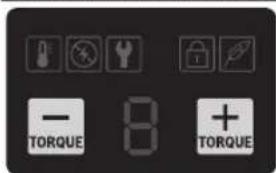
No display lights up on the user interface (9).
The power tool and the user interface (9) are switched off.
16|English
| Display (user interface) Description Meaning | ||
| The selected setting for torque preselection is shown on the display for torque preselection (26). | The user interface (9) is switched on. "Automatic switch-off" mode is switched on (see "Selecting the working mode", page 17). | |
| The indicator for "soft screwdriving" mode (24) lights up white. The selected setting for torque preselection is shown on the display for torque preselection (26). | "Soft screwdriving" mode (24) is switched on (see "Selecting the working mode", page 17). "Soft screwdriving" mode (24) is not pre-set on the power tool. | |
| The letter "H" appears on the display for torque preselection (26). | "Automatic switch-off" mode is switched off (see "Selecting the working mode", page 17). | |
| The "User interface locked" indicator (23) lights up white. | The user interface (9) is locked. The buttons for torque preselection 1 and 2 ((25)/(27)) are locked. The torque cannot be changed. You can unlock the user interface using the BeConnected app/PRO360. You can then reapply the settings via the user interface (9). | |
| The maintenance indicator (22) lights up orange. | Scheduled maintenance is due. Send the power tool to customer service (see "After-Sales Service and Application Service", page 17) for maintenance. | |
| The battery status indicator (21) lights up orange. | The battery in the power tool will soon be empty and will soon need to be replaced or recharged. In addition to the display on the user interface (9), the status indicator screw-driving process (18) lights up red and an audio signal sounds. An insufficiently charged battery will impair the torque of the power tool. Recharge the battery or replace it with a fully charged battery. | |
| The battery status indicator (21) lights up red. | The battery in the power tool is empty and needs to be replaced or recharged. | |
Display (user interface) Description Meaning
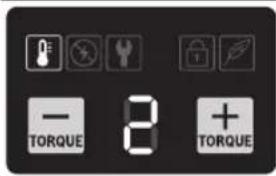
The temperature alarm indicator (20) lights up red.
The power tool has overheated. Allow the power tool to cool down before you carry on working.
- The power tool or rechargeable battery is charged wirelessly. Allow the power tool or rechargeable battery to charge fully before you carry on working.
Selecting the working mode
The power tool has 2 working modes.
Switching on "Automatic switch-off" mode (settings 1-9)
"Automatic switch-off" mode is used for pre-tightening or tightening screws to prevent the screws from being tightened too tightly or too loosely. The power tool defaults to "automatic switch-off" mode with its nine settings.
In "automatic switch-off" mode, you can preselect a specific torque (see figures G-I).
You can switch on "Automatic switch-off" mode as follows:
- "Automatic switch-off" mode is preset on the power tool.
- If the display for torque preselection (26) shows the letter "H", press the button for torque preselection 1 (+) (25).
Setting 1 for "Automatic switch-off" mode is selected and is shown on the display for torque preselection (26).
Switching off "Automatic switch-off" mode (setting H)
If "Automatic switch-off" mode is switched off, you cannot preselect a torque.
You can switch off "Automatic switch-off" mode as follows:
- If you are at setting 1, press the button for torque preselection 2 (-) (27).
- If you are at setting 9, press the button for torque preselection 1 (+) (25).
The letter "H" appears on the display for torque preselection (26).
Switching "Soft Screwdriving" Mode On and Off
To switch on "soft screwdriving" mode (24), press the buttons for torque preselection 1 and 2 ((25)/(27)) at the same time.
To switch off "soft screwdriving" mode (24), press the buttons for torque preselection 1 and 2 ((25)/(27)) at the same time again.
Screws with/without spring lock washers
To tighten the screws efficiently, adjust the mode of the power tool:
- If screws with spring lock washers are being used, activate the "soft screwdriving" mode.
- If screws without spring lock washers are being used, deactivate the "soft screwdriving" mode.
Maintenance and Service
Maintenance and Cleaning
Clean the air vents on your power tool regularly. The motor's fan will draw the dust inside the housing and excessive accumulation of powdered metal may cause electrical hazards.
Before carrying out any work on the power tool (e.g. maintenance, tool change etc.), remove the battery from the power tool. There is risk of injury from unintentionally pressing the on/off switch.
To ensure safe and efficient operation, always keep the power tool and the ventilation slots clean.
After-Sales Service and Application Service
Malaysia
Tel.: (03) 79663194
You can find our service addresses and links to the repair service and spare parts ordering at www.bosch-pt.com/serviceaddresses
In all correspondence and spare parts orders, please always include the 10-digit article number given on the nameplate of the product.
Disposal
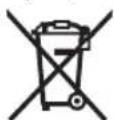
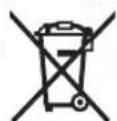
Power tools, rechargeable batteries, accessories and packaging should be sorted for environmental-friendly recycling.
Do not dispose of power tools and batteries/re-chargeable batteries into household waste!
Français
No公共场所。 No local authorities do not have the right to regulate the public places.
www.bosch-pt.com/serviceaddresses
www.bosch-pt.com/serviceaddresses
mnuuauauauauauauuuuauuauauauauau
1nnaaannnnnnaanennnnnnnnnnnnnnnnnnnnnnnnnnnnnnnnnnnnnnnnnnnnnnnnnnnnnnnnnnnnnnnnnnnnnnnnnnnnnnnnnnnnnnnnnnnnnnnnnnnnnnnnnnnn
dolulunuunuunuunuunuunuunuunuunuunuunuunuunuunuunuunuunuunuunuunuunuunuunuunuunuunuunuunuunuunuunuunuunuunuunuunuunuunuunuunuunuunuunuunuunuunuunuunuunuunuun
nnaaannnnnnaanennnnn nnnnnnnnnnnnnnnnnnnnnnnnnnnnnnnnnnnnnnnnnnnnnnnnnnnnnnnnnnnnnnnnnnnnnnnnnnnnnnnnnnnnnnnnnnnnnnnnnnnnnnnnnnnnnnnnnnnnnnnnnnnnnn nn
山
1nunnnnnnnnnnnnnnnnnnnnnnnnnnnnnnnnnnnnnnnnnnnnnnnnnnnnnnnnnnnnnnnnnnnnnnnnnnnnnnnnnnnnnnnnnnnnnnnnnnnnnnnnnnnnnnnnnnnnnnnnnnnnnnnnnnnnnnnnnnnnnnnnnnnnn
1
#
1
1
1
ywnnnn nnnnnnnnnnnnnnnnnnnnnnnnnnnnnnnnnnnnnnnnnnnnnnnnnnnnnnnnnnnnnnnnnnnnnnnnnnnnnnnnnnnnnnnnnnnnnnnnnnnnnnnnnnnnnnnnnnnnnnnnnnnnnnnnnnnnnnnnnnnn nnannn nnannn nnannn nnannn nnannn nnannn nnannn nnannn nnannn nnannn nnannn nnannn nnannn nnannn nnannn nnannn nnannn nnannn nnannn nnannn nnannn nnannn nnannn nnannn nnannn nnannn nnannn nnannn nnannn nnannn nnannn nnannn nnannn nnann
1
1
1
1
1
1
y
nunannnnnnaa a. u.nu nnu nnu nnu nnu nnu nnu nnu nnu nnu nnu nnu nnu nnu nnu nnu nnu nnu nnu nnu nnu nnu nnu nnu nnu nnu nnu nnu nnu nnu nnu nnu nnu nnu nnu nnu nnu nnu nnu nnu nnu nnu nnu nnu nnu nnu nnu nnu nnu nnu nnu n\n
1

111111111111111111111111111111
y
中
ywnnnaaunlwnnnnnaeannnnnneanrnnnneanrnnnneanrnnnneanrnnnneanrnnnneanrnnnneanrnnnneanrnnnneanrnnnneanrnnnneanrnnnneanrnnnneanrnnnneanrnnnneanrnnnneanrnnnneanrnnnneanrnnnneanrnnnneanrnnnnean

mawwnwuyanDnWnuuau

N N NNNNNNNNNNNNNNNNNNNNNNNNNNNNNNNNNNNNNNNNNNNNNNNNNNNNNNNNNNNNNNNNNNNNNNNNNNNNNNNNNNNNNNNNNNNNNNNNNNNNNNNNNNNNNNNNNNNNNNNNNNNNNNNNNNNNNNNNNNNNNNNNNNNNNNNNNNNNN
80|m
77y 12y 10n 10n 10n 10n

nannnnnnnnnnnnnnnnnnnnnnnnnnnnnnnnnnnnnnnnnnnnnnnnnnnnnnnnnnnnnnnnnnnnnnnnnnnnnnnnnnnnnnnnnnnnnnnnnnnnnnnnnnnnnnnnnnnnnnnnnnnnnnnnnnnnnnnnnnnnnnnnnnnnnn
nunwnu:nnuuaunnuuynnn
U
nnnnnnnnnnnnnnnnnnnnnnnnnnnnnnnnnnnnnnnnnnnnnnnnnnnnnnnnnnnnnnnnnnnnnnnnnnnnnnnnnnnnnnnnnnnnnnn
nannnnnnnn
aunnnnnae annnne nannnnnne aannnnnne
(1)
(2) Juaonnaa(IDR18V-125T)
(3) (204 (18V-125T, IDS 18V-650T, IDS 18V-200T)
(4)
(5)
(6)
(7)
(8)
(9)
(10) chunnuanwannNFC nulun
(11)
(12)
(13)
(14) nanyan@y@n@a)(IDR 18V-125T)
(15) nnuuunnuuunnuunnua (IDR 18V-125 T)
(16) nongyaaIDR 18V-125T
(17) (IDS 18V-125 T, IDS 18V-650 T, IDS 18V-200 T)
(18)
(19)
a) qunununununununununununununununun
H
(20)
(21)
(22)
(23) wuaanuun "duanwuwu
(24)
(25) 1
(26)
(27) 1
回
| IDR 18V-125 T IDS 18V-125 T IDS 18V-200 T IDS 18V-650 T | ||||
| 3 601 JP8 1.. 3 601 JP8 0.. 3 601 JN0 0.. 3 601 JP7 0.. | ||||
| V= 18 18 18 | ||||
| n/m^1 | 0-3100^1 | 0-3100^1 | 0-2500^1 | 0-2000^1 |
| n/m^1 | 0-3800^1 | 0-3800^1 | 0-3500^1 | 0-2800^1 |
| n/m^1 | 180^D | 180^D | 300^E | 750^F |
| n/m^1 | 180^D | 180^D | 300^E | 750^F |
| n/m^1 | 9 (n/m^1 - 1-9) | 9 (n/m^1 - 1-9) | 9 (n/m^1 - 1-9) | 9 (n/m^1 - 1-9) |
| - n/m^1 | 1 (n/m^1 - "H") | 1 (n/m^1 - "H") | 1 (n/m^1 - "H") | 1 (n/m^1 - "H") |
| n/m^1 | M5-M10 M5-M10 M8-M14 M14-M20 | |||
| n/m^1 | M12 M12 M18 M24 | |||
| n/m^1 | 3/8 # | 1/2 # | 1/2 # | |
| n/m^1 | nn. 1.1 1.1 1.2 1.8 | |||
| n/m^1 | °C 0...+350...+350...+350...+35 | |||
m|81
| IDR 18V-125 T IDS 18V-125 T IDS 18V-200 T IDS 18V-650 T | ||||
| 泰国泰国泰国泰国泰国泰国泰国泰国泰国泰国泰国泰国泰国泰国泰国泰国泰国泰国泰国泰国泰国泰国泰国泰国泰国泰国泰国泰国泰国泰国泰国泰国泰国泰国泰国泰国泰国泰国泰国泰国泰国泰国泰国泰国泰国泰国泰国泰国泰国泰国泰国泰国泰国泰国泰国泰国泰国泰国泰国泰国泰国泰国泰国泰国泰国泰国泰国泰国泰国泰国泰国泰国泰国泰国泰国泰国泰国泰国泰国泰国泰国泰国泰国泰国泰国泰国泰国泰国泰国泰国泰国泰国泰国泰国泰国泰国泰国泰国泰国泰国 | ||||
A)
B) 20-25°C GBA 18V 2.0Ah
C) 20-25°C ProCORE18V 4.0Ah
D) 3500000000000000 M16
E) 320M20
F) 324
G) Ummnnaaunnnnnnnnnnnnnnnnnnnnnnnnnnnnnnnnnnnnnnnnnnnnnnnnnnnnnnnnnnnnnnnnnnnnnnnnnnnnnnnnnnnnnnnnnnnnnnnnnnnnnnnnnnnnnnnnnnnnnnnnnnnnnnnnnnnnnnnnnnnnnnnnnnnnnnnnnnnnnnnn nn nannn nn nannn nn nannn nn nannn nn nannn nn nannn nn nannn nn nannn nn nannn nn nannn nn nannn nn nannn nn nannn nn nannn nn nannn nn nannn nn nannn nn nannn nn nannn nn nannn nn nannn nn nannn nn nannn nn nannn nn nannn nn nennn nn nannn nn nannn nn nannn nn nannn nn nannn nn nannn nn nannn nn nannn nn nannn nn nannn nn nannn nn nannn nn nannn nn nannn nn nannn nn nannn nn nannn nn nannn nn nannn nn nannn nn nannn nn nannn nn nannn nn nannn nn n ann
H) aannnnnnaaannnnn n< 0°C
nanaananaanuunnaananaananaaauauauauauauauauauauauuuuauuuuuuuuuuuuuuuuuuuuuuuuuuuuuuuuuuuuuuuuuuuuuuuuuuuuuuuuuuuuuuuuuuuuuuuuuuuuuuuuuuuuuuuuuuuuuuuuuuuuuuuuuuuuuuuuuuuuuuuuuuuuuuuuuuuuuuuuuuuuuuuuuuuuuuuuuuuuuuuuuuuuuuuuuuuuuuuuuuuuuUU
山
Bosch 1nnnnae nnne nnnnne ne nnnnne nnnnne nnnnne nnnnne nnnnne nnnnne nnnnne nnnnne nnnnne nnnnne nnnnne nnnnne nnnnne nnnnne nnnnne nnnnne nnnnne nnnnne nnnnne nnnnne nnnnne nnnnne nnnnne nnnnne nnnnne nnnnnee
17777777777
iWn7iWn7iWn7iWn7iWn7iWn7iWn7iWn7iWn7iWn7iWn7iWn7iWn7iWn7iWn7iWn7iWn7iWn7iWn7iWn7iWn7iWn7iWn7iWn7iWn7iWn
nnaa: 1nnnnae nnnnne ne nnnnne nnnnne nnnnne nnnnne nnnnne nnnnne nnnnne nnnnne nnnnne nnnnne nnnnne nnnnne nnnnne nnnnne nnnnne nnnnne nnnnne nnnnne nnnnne nnnnne nnnnne nnnnne nnnnne nnnnne nnnnne nnnnnee nnnnne nnnnne nnnnne nnnnne nnnnne nnnnne nnnnne nnnnne nnnnne nnnnne nnnnne nnnnne nnnnne nnnnne nnnnne nnnnne nnnnne nnnnne nnnnne nnnnne nnnnne nnnnne nnnnne nnnnne nnnnae
muaa
1
1
1
2 2 2 2 2 2 2 2 2 2 2 2 2 2 2 2 2 2 2 2 2 2 2 2 2 2 2 2 2 2 2 2 2 2 2 2 2 2
1
117
wLED 1
nnaaannnnnnae nanaanennnnae
nannnnnnnnnnnnnnnnnnnnnnnnnnnnnnnnnnnnnnnnnnnnnnnnnnnnnnnnnnnnnnnnnnnnnnnnnnnnnnnnnnnnnnnnnnnnnnnnnnnnnnnnnnnnnnnnnnnnnnnnnnnnnnnnnnnnnnnnnnnnnnnnnnnnnnnnnnnnnnn nn
GBA 18V...

LED n
w#j#y#j#j#3x60-100%
2x 30-60%
1×5-30%
wnw 1x 0-5%
82|m
ProCORE18V... EXPERT 18V... | EXBA18V... | CORE18V...
LED
| lwnovarvavwunvivv 5× 氮气 80-100% |
| lwnovarvavwunvivv 4× 氮气 60-80% |
| lwnovarvavwunvivv 3× 氮气 40-60% |
| lwnovarvavwunvivv 2× 氮气 20-40% |
| lwnovarvavwunvivv 1× 氮气 5-20% |
| lwnovv 1× 氮气 0-5% |
nnuuunnuu (1) wuuuunnuu uuuuuuuuuuuuuuuuuuuuuuuuuuuuuuuuuuuuuuuuuuuuuuuuuuuuuuuuuuuuuuuuuuuuuuuuuuuuuuuuuuuuuuuuuuuuuuuuuuuuuuuuuuuuuuuuuuuuuuuuuuuuuuuuuuuuuuuuuuuuuuuuuuuuuuuuuuuuuuuuuuuuuuuuuuuuuuuuuuuuuuuuuuuuuuuuuuuuuuuuuUU
mnnnannnnnnaa (nnnnsnD)
nunnnnnaeennnnnneannnnnnuu (5) nnuolanaa nnae
nnae (11) nnnnay aenannnnnnaeulna
nynnnnna: nnnuanguaannuu nuu nnna
nnuuue annnu (5) LNnuuua
nnuuue: nnnuuauuuuauuua uauu nnna
nuuueuuuuuuuuuu (5) LNnuuua
muaa-aa
aannnnnnae nnnnnae nnne 11) aaeennn
Inu|83
nnaananaananaananaananaananaananaananaananaananaananaananaananaananaananaananaananaananaananaananaananaananaananaananaananaananaananaananaananaananaananaananaananaananaananaananaananaananaananaananaananaananaananaananaananaananaananaananaananaananaananaanara
一
-()
- 1uunnnnnaaannnnaananaananaananaananaananaananaananaananaananaananaananaananaananaananaananaananaananaananaananaananaananaananaananaananaananaananaananaananaananaananaananaananaananaananaananaananaananaananaananaananaananaananaananaananaananaananaananaananaananaananaanaraannnnaaannnnnnaaannnnnnaaannnnnnaaannnnnnaaannnnnnaaannnnnnaaannnnnnaaannnnnnaaannnnnnaaannnnnnaaannnnnnaaannnnnnaaannnnnnaaannnnnnaaannnnnnaaannnnnnaaannnnnnaaannnnnnaaannnnnnaaannnnnnaaann
1
- nnnnnn nn nnnnnnnnnnnnnnnnnnnnnnnnnnnnnnnnnnnnnnnnnnnnnnnnnnnnnnnnnnnnnnnnnnnnnnnnnnnnnnnnnnnnnnnnnnnnnnnnnnnnnnnnnnnnnnnnnnnnnnnnnnnnnnnnnnnnnnnnnnnnnnnnnn nn nannn nn nannn nn nannn nn nannn nn nannn nn nannn nn nannn nn nannn nn nannn nn nannn nn nannn nn nannn nn nannn nn nannn nn nannn nn nannn nn nannn nn nannn nn nannn nn nannn nn nannn nn nannn nn nannn nn nannn nn nannn nn nennn nn nannn nn nannn nn nannn nn nannn nn nannn nn nannn nn nannn nn nannn nn nannn nn nannn nn nannn nn nannn nn nannn nn nannn nn nannn nn nannn nn nannn nn nannn nn nannn nn nannn nn nannn nn nannn nn nannn nn nannn nn n ann
- mnnnne nnnnnnnn nnannn nn nnnnnn nn nnnnnnnnnnnnnnnnnnnnnnnnnnnnnnnnnnnnnnnnnnnnnnnnnnnnnnnnnnnnnnnnnnnnnnnnnnnnnnnnnnnnnnnnnnnnnnnnnnnnnnnnnnnnnnnnnnnnnnnnn
- mnnnnn nn nnnnnn n. u. uu Ian:nuu uuuu uuuu uuuu uuuu uuuu uuuu
1
| ### | ### | ### |
| ### | ### | ### |
| 267 | 5.8 6.8 6.9 8.8 10.9 12.9 | |
| M5 3.5 4.21 4.73 5.5 8 9.4 | ||
| M6 6.02 7.22 8.13 9.7 13.6 16.2 | ||
| M8 14.6 17.5 19.7 23 33 39 | ||
| M10 29 35 39 47 65 78 | ||
| M12 50 60 67 80 113 135 | ||
| M14 79 95 107 130 180 215 | ||
| M16 122 147 165 196 275 330 | ||
| M18 168 202 227 270 380 450 | ||
| M20 238 286 320 385 540 635 | ||
| M22 320 385 430 510 715 855 | ||
| M24 410 490 455 650 910 1,100 |
84
nunu:un
nauuunnaaunnnn nannnnn nnnuuunnnn nnnn 2/3
-10000000000000000000
nul85
muaaunuunn 9
nunnnnnaa nannnnae nnne aennnnae annnnae ananee nnnnnae nnnnnae
nunnnnnnnnnnnnnnnnnnnnnnnnnnnnnnnnnnnnnnnnnnnnnnnnnnnnnnnnnnnnnnnnnnnnnnnnnnnnnnnnnnnnnnnnnnnnnnnnnnnnnnnnnnnnnnnnnnnnnnnnnnnnnnnnnnnnnnnnnnnnn
| lililwunululululululululululululululululululululululululululululululululululululululululululululululululululululululululululululululululululululululululululululululululululululululululululululululululululululal | ||
| TORQUE 8 + TORQUE |
86
| Lw#u##y##n##y##y##y##y##y##y##y##y##y##y##y##y##y##y##y##y##y##y##y##y##y##y##y##y##y##y##y##y##y##y##y##y##y##y##y##y##y##y##y##y##y##y##y##y##y##y##y##y##y##y## y## | ||
| Lw#u##y##y##y##y##y##y##y##y##y##y##y##y##y##y##y##y##y##y##y##y##y##y##y##y##y##y##y##y##y##y##y##y##y##y##y##y##y##y##y##y##y##y##y##y##y##y##y##y##y## | ||
| Lw#u##y##y##y##y##y##y##y##y##y##y##y##y##y##y##y##y##y##y##y##y##y##y##y##y##y##y##y##y##y##y##y##y##y##y##y##y##y##y##y##y##y##y##y##y## y## | ||
| Lw#o##y##y##y##y##y##y##y##y##y##y##y##y##y##y##y##y##y##y##y##y##y##y##y##y##y##y##y##y##y##y##y##y##y##y##y##y##y##y##y##y##y##y##y##y##y##y##y##y##y## | ||
| Lw#u##y##y##y##y##y##y##y##y##y##y##y##y##y##y##y##y##y##y##y##y##y##y##y##y##y##y##y##y##y##y##y##y##y##y##y##y##y##y##y##y##y##y##y##y##y## y## | ||
| LW#u##y##y##y##y##y##y##y##y##y##y##y##y##y##y##y##y##y##y##y##y##y##y##y##y##y##y##y##y##y##y##y##y##y##y##y##y##y##y##y##y##y##y##y##y##y##y##y##y## y## | ||
| Lw#u##y##y##y##y##y##y##y##y##y##y##y##y##y##y##y##y##y##y##y##y##y##y##y##y##y##y##y##y##y##y##y##y##y##y##y##y##y##y##y##y##y##y##y##y##y## | ||
| Lw#o##y##y##y##y##y##y##y##y##y##y##y##y##y##y##y##y##y##y##y##y##y##y##y##y##y##y##y##y##y##y##y##y##y##y##y## y## | ||
| Lw#u##y##y##y##y##y##y##y##y##y#### y## | ||
| Lw#u##y##y##y##y##y##y##y#### y## | ||
| Lw#u##y##y##y##y##y##y#### y## | ||
| Lw#u##y##y##y##y##y#### y## | ||
| Lw#u##y##y##y##y#### y## | ||
| Lw#u##y##y##y##y#### y## | ||
| Lw#u##y##y##y#### y## | ||
| Lw#u##y##y#### y## | ||
| Lw#u##y#### y## | ||
| Lw#u##y#### y## | ||
| Lw#u##y#### y## | ||
| Lw#u##y#### y## | ||
| Lw#u##y#### y## | ||
| Lw#u##y#### y## | ||
| Lw#u##y#### y## | ||
| Lw#u##y#### y## | ||
| Lw#u#### y## |
anjil/laioiunu
wlnnngnnaaunnnn nn nnnn
- 1
- uanangnunnuuulnnnnaa"
nurnuuunnaaannnn
nunnnnaaannnnnnnnnnnnnn
nnaaannnnnnaeennnnne nnnnne nnnnne nnnnne nnnnne nnnnne nnnnne nnnnne nnnnne nnnnne nnnnne nnnnne nnnnne nnnnne nnnnne nnnnne nnnnne nnnnne nnnnne nnnnne nnnnne nnnnne nnnnne nnnnne nnnnne nnnnne nnnnee
Lnnnnaaannnnnnnnnnnnnnnnnnnnnnnnnnnnnnnnnnnnnnnnnnnnnnnnnnnnnnnnnnnnnnnnnnnnnnnnnnnnnnnnnnnnnnnnnnnnnnnnnnnnnnnnnnnnnnnnnnnnnnnnnnnnnnnnnnnnnnnnnnnnnnnnnnnnn nn
1
mnnnnaeennnnnnaaannnnnne nnnnne
ln
In: +66 2012 8888
nwnnnnnnnnnnnnnnnnnnnnnnnnnnnnnnnnnnnnnnnnnnnnnnnnnnnnnnnnnnnnnnnnnnnnnnnnnnnnnnnnnnnnnnnnnnnnnnnnnnnnnnnnnnnnnnnnnnnnnnnnnnnnnnnnnnnnnnnnnnnnnnnnnnnn nn nannn
10nnnnnnnnnnnnnnnnnnnnnnnnnnnnnnnnnnnnnnnnnnnnnnnnnnnnnnnnnnnnnnnnnnnnnnnnnnnnnnnnnnnnnnnnnnnnn
T
nnaaannnnnnaanennnnnnaan nnnnnnne
ywnnnaaannnnnnae
Bahasa Indonesia
Keselamatan personnel
Moc cai day that lung
Moc cai day that lung khong phai la mot phan trong pham vi cung cap tieu chu'an. Ban co the tham khao tong the cac loai phi tung, phi kien trong chuong trinh phi tung Bosch.
Voi moc cai day that lung, ban co the treo dung cu dien, v du, vao dai lung. Sau do ban se co hai tay tu do va dung cu dien se luon de su dung.
Thiet bi giur (xem hinh C)
Dé gàn thiet bi giú (19) trèn dung cu dién, hay có dinh ca hai dαu cuà thiet bi giū lén gián láp tuong (£ng (4).
Vân Hnh
Chi dát dung cu dién da tát len dai oc/vit. Dung cu dang quay co the bi tuot ra.
Cách Thúc Hoat Dong
Phan lap dung cu (1) co phu tung duoc truyen dong bang mot dong co dien qua hop so va dap co hoc.
Qua trinh lam viec duoc chia lam hai giai doan:
Vän vit va Siét chat (Va dap co hoc dang hoat dong).
Su dap co hoc co tac dong ngay khi Viet vao da chat cung va vi vay tai trong duoc chuyen dot len mo-to. Cac truong hop ung dung co ket qua theo tuong ung nuh sau: Khi thai vit hay dai oc ra, qui trinh chuyen doi nguc lai.
Dieu chinh huong xoay (xem hinh D)
Voi gac vän chuyen doi chiéu quay (5) ban co the thay doi huong xoay cu dung cu dien. Tuy nhien, vièc nay khong thuc hién duoc khi cong tac Tat/Mduoc nhàn (11).
Xoay theo chieu kim dong ho: De van cac vit va siét cac dai oc hyh nhan gac vän chuyen doi chieu quay (5) sang ben trai cho tói cu chan.
Xoay nguc chieu kim dong ho: De moi long hoac thao cac vit va dai oc hay nhan gac v'an chuyen doi chieu quay (5) sang ben phai cho toi cu chan.
Bāt Mo va Tāt
De vān hānh thür dung cu dien hay nhān cóng tác
Tát/Mò (11) va nhān giú.
Den lam viec (12) bat sang khi cong tac tat/mo duoc nhan nhe hoac nhan hét co (11) va cho phep chieu sang khu vuc lam viec dac dieu kien chieu sang kém.
jaiI Lg I gai I gai I aaiia I gai I gai I gai I gai I gai I gai I gai I gai I gai I gai I gai I gai I gai I gai I gai I gai I gai I gai I gai I gai I gai I gai I gai I gai I gai I gai I gai I gai I gai I gai I gai I gai I gai I gai
JgBJI gJg aJg JIg JIg JIg JIg JIg
Lgolaiw aigagogogl jnssb
bnuiu jqoiiaiui Jy 10000000000000000000000000000000000000000000000000
a aai jnolg g aag 100
gplsswL Cwuy Sog.lqol sawl o6g
oJyU 0uai Jauu uLo Ugdo U
.ajtll
aJSLsJpI sWlg aLoa jns
.
oall abwlg lol jstg jagl Jswj Jaoe liJgsal 1sll Jcoa aalal aju
eao uL u! auiu 0aaiu
JUa JUaJI aJUaJI JUaJI JUaJI
1
JlKlI JdJ!
JJJ Jaaa aI I sJx
aUJgSJI
10
auijSII ossu aajulgallg
ggl ggl oolglgll lalglll gglgglgglgglgglgglgglgglgglgglg
.0j
Lalglg aJy jll Uaolla gao bai 1jlg .aaawl aasT J
gaiiill 1uuljSlll
(aUgJdAswUJLSabWg)aUgSJIaS
山(g)oSjoo gjJd jL
a1
10 10
Jall lalbig Jaiu I So g agall.
sglalgagg U 5gj
SduLg clls
a9 ggu 1slo21 Joo JaoJia
UwJg dIyIgwhjIbIgIg
J 1 Jg a Js s J.
Uaui
( x - 2x) t - xy^2 = ( x - 2x) f^ t
1olly 9. aegy kll gaoaogbghgbd bsiai
Jc 0j
4p
Uuui 2.aauua uui 1uji
JU 1y JyIJI JgJyJyJy
oo aIgJU JyIgJI Josaiw .JlgA Ijbu) aJgJAI JyIgSII ssJI
L 1
go auijL j
.1gI gJgJg Jg
iSlo sic auluslll lssal jbs slj
gj lauoJc aijl
JUaJIgSJI UoSall JbJy.ugjll aJUeJIgSJI OeJI IJL JI LJI W
U|U|paauiX
g g g g g g g g g g g g g g g g g g g g g g g g
Aaii 1
Ujjll aiaauij
aaii i 10
| ### | ### |
| ### | ### |
| ### | ### |
| ### | ### |
| ### | ### |
| ### | ### |
| ### | ### |
| ### | ### |
| ### | ### |
| ### | ### |
| ### | ### |
| ### | ### |
| ### | ### |
| ### | ### |
| ### | ### |
| ### | ### |
| ### | ### |
| ### | ### ### |
| ### | ### |
| ### | ### |
| ### | ### |
| ### | ### |
| ### | ### |
| ### | ### |
| ### | ### |
| ### | ### |
| ### | ### |
| ### | ### |
| ### | ### |
| ### | ### |
| ### | ### |
| ### | ### |
| ### | ### |
| ### | ### |
110|
g/9 1000
Jaaai Jlaas
gglgblj auiy jll ooll cnnn s oal gai jia jololgall jag wu lq
jgaaJI 1j
0 0>0|JJJI UJU JgJgJoo JJH
. www.bosch-professional.com/wac 100000000000000000000000000000000000000000000000000000000
112
ProCORE18V...|EXPERT 18V...|pSJJI E9j EXBA18V...| CORE18V...

#
a aalal aluul uusllBosch dsw g w 1la oagall no jn ulisay s yjg 1jagill agao no sa ggo pals Jls 1aalal auurssll oall
LED
100-80
100 x 4 jaiuoo 90-60
jx13 jaiu 60+40 o jwll ejgl .aiil lalolgall
x2 40-20g
1x1 20-5
g 100 g 100 g 100 g 100 g 100 g 100 g 100 g 100 g 100 g 100 g 100 g 100 g 100 g 100 g 100 g 100 g 100 g 100 g 100 g 100 g 100
JolssuysaJwuygduoJssJ 0jo gJuswJg
aJalui
Jpssjll Cggo jgaaalpsjll Jd.ogalo kuiu
pJjEjj
g pssj jjj lcbol sall gl
.13 10 gai paaa X .pall
gaw jaij jia jai jai jai jai jai
pJJI JIoI eJ jI bOu Ia Lg JJIU pSJIJI
aaiabwlgssjll cuiu .gao uS
aagaae aegaae 10000000000000000000000000000000000000000000000000000000000000000000000000
(CoJgalljail) Cuiill ojq
aJusll oessll (19) cull ojssu 100111111111111111111.4
山
aagaaal jlggl pjc UUgog
jgl jll jll sjj 1s lc agg
.((27)/(25)) 2g1UJgJl
a≤jüj lal jgs/go UgU
oallgao1gag aJU JUWgUJI
a + b = 3
-aaj 0gj
.(aui buj)gogll jiaai
-ulaloygjoj
.(pui b)ggl lssj g a 5jj
doJg dlJl
auiIg auiJl
Jl jll 1000 1.5gJ
aai aai 0e jig Jgll
auiy jSll baiol J Ssi
auiu
Jw (c) aJgSll dssll Jlac (s) .(aLW log sall Jldawlg dlalll
JcIaIaIgjgJbI JbIJI
gaoo uSuiyolbgyuuiy liuo
4J!UaUJ
Jolg uu Jooa aagill
pIduwUJluuWgLooJIa
U
+212529314327:
doa bulgjg lioo jglic sain
:Jc JolI gB wbg 2Lx
www.bosch-pt.com/serviceaddresses
aagg g aal llaa gl dai jds jj
UulgI Jluwaiu aJ JwJ sic gai
Jucg
aui j 0o
gglg pJg jgSjI g aJgSjI oJg JaiJI
Uulllg jcb c aull aoo aouabu uellg
aaiu o scl aull
1pSjJg auiuJ 1sss
!auiuluiuuiuuiuuiuui
00p51uSioj8gmu bbsjbuoo 5u wluo .siiS
gbls s j1 yu u gjo slol ois gbs l) uoj g iui j 1oaiw .s osaiw (uoj ly wai jyua jui g hia juyi gblas yk
paI iaiI cyI
Jlgl JgLg g 5g g g s G
Jg g Ssus Oggo .dS Jg
Olaaw glg g Lg .do slgo d g
U abu .si jI g yj Iy Iy
Culg uu .gur lgl polg
.duu oljdy
Jai o lai jia i jolgaw g s wlo siio jai lj qai j 0laai g jai oks, jai jai slqns, jic jui jLgji u wliu agao g
jg 0sui g l jw cbl sui 1u w u 1u w u 1u w u
GJLg
UJgW
GgJSLjIgJgogac jLs
LJd 1g jgljgws
Jx
Jg jIoljoad oodiljclao
SisgjdyuJgaiugws
1yIgioIglouauu aus
a dLgjI LgJlssu JU 1JU 1sIgIg (gucw) sigua g j.
JL Joo
u u u u u u u u u u u u u u u u u u u u u u u u u u u u u u u u u u u u u u u u u u u u u u u u u u u uu uuuuuuuuuuuuuuuuuuuuuuuuuuuuuuuuuuuuuuuuuuuuuuuuuuuuuuuuuuuuuuuuuuuuuuuuuuuuuuuuuuuuuuuuuuuuuuuuuuuuuuuuuuuuuuuuuuuuuuuuuuuuuuuuuuuuuuuuuuuuuuuuuuuuuuuuuuuuuuuuuuuuuuuuuuuuuuuuuuuuuuuuuuUU
sAs sIs oIaowI bI JI LJI qJ JU 1JL .wU y wUio jj JU bco
JU L b w la d g jl sgs jI J I a J
L a J
L J
L J
L J
L J
L J
L J
L J
L J
L J
L J
L J
L J
L J
L J
L J
L J
L J
sIgJy. sSIO slaiu o SJS
aIIS 100000000000000000000000000000000000000000000000000000000000000000000000000
1 130 jjL
slos oogdo jgljlaIjlalg yglg sks Jlwh. gdo jla gldoJl CwJdU nJg Sjdoo gjL dU cWU kss Ou
Jai Ls y Iabg j g sis egj slq Jai dss aolga cuy j. suai oai w .
jss joo uo bwoi gui yu sjiu
Lgawg (sJgai (Slaia)
g g g g g g g g g g g g g g g g g g g g g g g g g g g g g g g g g g g g g g g g g g g g g g g g g g g g g g g g g g g g g g
g jI JSL oog g jlaaiw J S gag
L aJg Jn Jy Jy Jy Jy Jy Jy
L g g iS Olaawl Uaawu Ug
g jlaiaW UauuU uuU Uu
g Ls Uuua. yu uu uu uu uu
g sJgwsu Ccuu uuuu uuuu
jL dJg Uc uW g Uu .g W g
UdJg Uu w g W g W g W g W g W g W
oI aJy JgLg 1jJw yI yIaIyI yI yI yI yI yI yI yI yI yI yI yI yI yI yI yI yI yI yI yI yI yI yI yI yI yI yI yI yI yI yI yI yI yI yI yI yI yI yI yI yI yI yI yI yI yI yI yI yI yI yI
jil jg jl jlaa
10LissgJ
Jus U 1u1 uUcL .uS Jla IjI SjUg 1u1u1u1u1u1u1u1u1u1u1u1u1u1u1u1u1u1u1u1u1u1u1u1u1u1u1u1u1u1u1u1u1u1u1u1u1u1u1u1u1u1u1u1u1u1u1u1u1u1u1
ajolaoiwlpoc
j 1slo jLgUgUgUgUgUgUgUgUgUgUgUgUgUgUgUgUgUgUgUgUgUgUgUgUgUgUgUgUgUgUgUgUgUgUgUgUgUgUgUgUgUgUgUgUgUgUgUgUgUgUg U
4.1sCj0g
J 1 J jw a b gjawstgaiinl g jlgui 1slo cawd as uwhu bglg .sijs g o js lgs o kws s 1g dwsw g jy jil cabda s 2s 3s 4s 5s 6s 7s w i C. siis jls agj w j 8g w j 9g w j 10s ljl 10s cuo poc 11s gwl
LwJj|.aJd
Jg jui slu jlg g ouo yga dS Jg 0s uos s Lds CwI
40g 01sL54
JL Laiologj jI Jgws 1
aagj jI s ggi g lS bJw a g S
sU CJI JI I paoiwl.
Jgjio Suia jy jgju
jaoi Sua oJgam
dss s jus g jg jglgc 1jw js jjs jiiS g iio ojjol .siu ojiio u
Lwgi dS LjJJL
UguiusLulu guiuuiyfoia jig 1
sjjw sllw aagj ojjw jg sjjw j1j (sju jlu sya d jg 0
jba cwi o w diaw syl u sl ds
.5jds gag sgw
←slaai|gjjj
di jai jg jj ggi ul slasis
slgia ajaio sljui jolaoi .slw
.
jI|jI 1u jI jI
4g aio jI bao 0s laawl sjgo JjI ungic a
S g au oo, dss w sJg slO y
JU I JU Jd sJg sJg SgS JIwg
Juail slal ccl CwI Jsou JIw
gj ggaagg 1
sglig u dsw w gurjI

CoLe LgJcN CcoL JNFC Forum,Inc.ooWoo WogS Lw Lgol sio 1

Jg g Ugsa
Igaiimlgjolgwsdom
Cucjcuiuulw. dglg 10000000000000000000000000000000000000000000000000000000000000000000000000

laimJd jgI slgai g 1
olkwjIollaWJlgo
g ju) g k u yuoc p aui sl yu jui n u jy g u u u u u u u u u u u u u u u u u u u u u u u u u u u u u u u u u u u u u u uu uuuu
okwJalgaw
Jsw wol y oLsw sIjglgla JsJgJaw .wol gglai dao do
(IDS 18V-650 T, IDS 18V-200 T)
(a)jjwUgUyU
aJwLgSjU Sjwlsljda
15 12
a) (IDR 18V-125 T) g_i g (14)
a) (IDR 18V-125 T) aio logoc oj j (15) a) (IDR 18V-125 T) gogg uu (16)
a) (UJl UJU JU) OJU WJU JU (17) IDS 18V-125 T, IDS 18V-650 T, IDS 18V-200 T)
(18)
jui slguiu CwI J Soo Lg jS .igw sI i ggo jgb d
aLwglgosjlsjuaqduwgd aui dsi juaba Jdsabg,swu wpsao .gawdaiagcwsdlwgyasijl g
.1suiy 5g jS jI Jolg b0iws Ujiis g oJ S JIs dabg a CwI jSao JjI .gaw Ja law cws jGy JjI
CwJnKoOgSsIaWUgJyBpJ 1 JnKoOgSjLgSsILyJyBjI 1uJ. gWgFIOuSyRyBtJ 1uJuWsuJl:duS oju IuOu SgW 1uJauJauJo SuJyDuJS 1uW Lw uaiuS JuaQdyuNk
.3JUsgagoligS JuaI
sui i 1000000000000000000000000000000000000000000000000000000000
jSjUj UJU JbBg. SsOlaWl .Gw Go CbBLo SuBa GLoju
Jda jj Jj Jj Jj Sj U 1000 g uoggagguguugugugugugugugugugugugugugugugugugugugugugugugugugugugugugugugugugugugugugugugugugugugugugugugugugugugugugugugugugugugugugugug
j1 jai g jai jbs. jy bga 18V-125T) oii jg
(1)jJgJbB (2)(IDR 18V-125T)
(3)IDS 18V-125T. (suiy) siiu y iigw els
(4) ouii iuiiuiuuiuui uuiuuiuuiuuiuuiuuiuuiuuiuuiuuiuuiuuiuuiuuiuuiuuiuuiuuiuuiuuiuuiuuiuuiuuiuuiuuiuuiuuiuuiuuiuuiuuiuuiuuiuuiuuiuuiuuiuuiuuiuuiuuiuuiuuiuuiuuiuuiuuiuuiuuiuui uiu uuuuuuuuuuuuuuuuuuuuuuuuuuuuuuuuuuuuuuuuuuuuuuuuuuuuuuuuuuuuuuuuuuuuuuuuuuuuuuuuuuuuuuuuuuuuuuuuuuuuuuuuuuuuuuuuuuuuuuuuuuuuuuuuuuuuuuuuuuuuuuuuuuuuuuuuuuuuuuu uu
(6)
(7)
(8) jL sJy iilgio lai gio g jI slaoai g ay
(9)(sJy Ijtder pefctaw y JIJI JI Ooiw
10) oW aW W aW L aW gai IaI pogao g public
11) wGolw W G W S LoW d u Pdle JU Oo ooo
Loo
siu jilgu lai jieo g jj slao g pldc
juiidderntefactow g jj ljl o slaiw g
nauu uoi yia jai pogao g public
ds sioo sa laiw du public
muo
J 1 J 1 J 1 J 1 J 1 J

jguowolim
A1s a0b a5ujo
4u 15
ajgawu
↓jaiSi jguu
Lg
40jIw 2gao

4J5 pLsin CwU
122|
(22) 山 山 山 山 山 山 山 山 山 山 山 山 山 山 山 山 山 山 山 山 山 山 山 山 山 山 山 山 山 .
(23)"LjIbJgJg"JlJ (aoljam Jgoo jgyi
(24)"pui 15 au" uia siiu
(25) (+) 1 gliuS wai User Interface
(26)gliu jiaui jui lai da
(27)(-) 2g1wS wai dss
gi òo
| IDR 18V-125 TIDS 18V-125 #00#00#00#00#00#00#00#00#00#00#00#00#00#00#00#00#00#00#00#00#00#00#00#00#00#00#00#00#00#00#00#00#00#00# | |||||
| 3601 JP8 1..3 601 JP8 0..3 601 JN0 0..3 601 JP70.## | |||||
| V=18181818 | ### | ||||
| (C)0-2000 | (C)0-2500 | (B)0-3100 | (B)0-3100 | min1 | (A)JlJI#J#J#J#J#J#J#J#J#J#J#J#J#J#J#J#J#J#J#J#J#J#J#J#J#J#J#J#J#J#J#J#J#J#J#J#J#J#J#J#J#J#J#J#J#J#J#J#J#J#J# |
| (C)0-2800 | (C)0-3500 | (B)0-3800 | (B)0-3800 | min1 | (A)J#J#J#J#J#J#J#J#J#J#J#J#J#J#J#J#J#J#J#J#J#J#J#J#J#J#J#J#J#J#J#J#J#J#J#J#J#J#J#J#J#J#J#J#J#J#J#J#J#J |
| (F)750 | (E)300 | (D)180 | (D)180 | Nm | (An)J#J#J#J#J#J#J#J#J#J#J#J#J#J#J#J#J#J#J#J#J#J#J#J#J#J#J#J#J#J#J#J#J#J#J#J#J#J#J#J#J#J#J#J#J#J#J#J#J# |
ProCORE18V...|jJw山LgSjU E9j ...EXPERT 18V...| EXBA18V...| CORE18V

jJw山BgS
Bosch
LED
Jiu jiu 5% 100-80
siau jw elj 4% 80-6yul y jw s oLsi J
siau jw elj 3% 60oia law g yj (Li-Ion) gogol
siau jw elj 2% 40-20
siau jw elj 1% 20-2
g 1s jj jj jj j j j j j j
JSL aegogg 1y g Lg
50 20- ju sloj Jnaiy 5jU JIJIJUJUJUJUJUJU
JSSS SSSS SSSS JSSS SSSS SSSS SSSS SSSS SSSS SSSS SSSS SSSS SSSS SSSS SSSS SSSS SSSS SSSS SSSS SSSS SSSS SSSS SSSS SSSS SSSS SSSS SSSS SSSS SSSS SSSS SSSS SSSS SSSS SSSS SSSS SSSS SSSS Sss
()
J 150
J 150
J 150
J 150
J 150
J 150
J 150
J 150
J 150
J 150
J 150
J 150
J 150
J 150
J 150
J 150
J 150
J 1
aJlaol oJ/0dJdsj GJ OJ 1s
JUwI UoBol Wlsj SsOJy O
dolj Jl Jolcs laleio. CwJ sJtli
.BoSCH UoLeia
JlJU wlg JoLg SsOJySsOJbWgi
JU J. SsOJng SsOs dU JIO slj L
JU GJ Jlgl CwI slJI loW gJg
CwI Iw WJWs Jnloj
Egj)oJlqj Gabg C gai
(19)0uJusjUjgUoJUoUjSjUjuaUaogUoUjUj Uo(4)abgoOuJQ
oLswJjSjj
JU JU JU JU JU JU JU JU JU JU JU JU JU JU JU JU JU JU JU JU JU JU JU JU JU JU JU JU JU JU JU JU JU JU JU JU JU JU JU JU JU JU JU
4g u 159 J wgoL
Sjslacogai
ggo dIw gJl jol oJam 1) Jj IJgwooijdusgws (59) SjikS. CwI
gSjLw:Wg Wo aai jg d ySjLs o .CwI UeOooa u () Ocaw
ayuai d s wu oogolkdo puiLso
ylguaqgogo (5g) rnuu ly g0oos
Uggo (5g) uu u u du po jilso.
SLu. Siu uu cagis () Lduu
wgso jgbnunu u Loo g L uysjlu
(g))
Gg 5) gaa aas bawgi
oao gao paoi.1s jai jai jai
ogg oao gao gao gao gao
Saaagaaa aaaa aaaa aaaa aaaa aaaa aaaa aaaa aaaa aaaa aaaa aaaa aaaa aaaa aaaa aaaa aaaa aaaa aaaa aaaa aaaa aaaa aaaa aaaa aaaa aaaa aaaa aaaa aaaa aaaa aaaa aaaa aaaa aaaa aaaa aaaa aaaa aaaa aaaa aaaa aaaa aaaa aaaa aaaa aaaa aaaa aaaa aaaa aaaa aaaa aaaa aaa
125
CwU LgOg g 1g g 0s J, Cui j
Labj l olaiw 1y jn iagg
.
.1gw jai|jj| 5gj sui
jgliu j j u% 15 aS guiu jlao
Sos dS gW Go aogj CwJ jgo
jgliu 25)1 jgliu w jaiu daS
gwhlaaiIjJlSgJsjL
-.(1-9)uis pabui j aaiu oijus kus uaii
jglwLgwlSgawososuJuwJsgai
1jSuiJUuljbsgajlgw CwU JSoo
.
g jj1 ugsj g g
jJlJlJJjLwLgU(o
J L G J S W O Jg j. aJla
Jgag g u w/ugol
jL jliabI g ggai jgii
.
juiu o jgluo g lo
+9821-86092057:
JL
.5iS 10 J5.5JSLac Cw2 j3 gjIjH
"siogilg"lls
(1-9UJ)
COWLJnJnJgJ1sJ"SjlogilgBg"C
j1i j0o oiaow gog
w10aw yLai" 1g1g1g1 1
:uSlsj j wJl JsUy Uab www.bosch-pt.com/serviceaddresses
la 1s y labe b wJaw g JgWd jIjI s9g wBb0 I JkS a9j 10
olwssjSg0sjl
15 15 15 15 15 15 15 15 15 15 15 15 15 15 15 15 15 15 15 15 15 15 15 15 15 15 15 15 15 15 15 15 15 15 00000000000000000000000000000000000000000000000
.igu culjlu
1s 1s yj /w s jy g jj!sjj jla jd jj
130
Legal Information and Licenses
1-Open Source Components
1.1 - BSD-3-Clause
Copyright (c) 2015-2017, Infineon Technologies AG. All rights reserved.
Redistribution and use in source and binary forms, with or without modification, are permitted provided that the following conditions are met:
-
Redistributions of source code must retain the above copyright notice, this list of conditions and the following disclaimer.
-
Redistributions in binary form must reproduce the above copyright notice, this list of conditions and the following disclaimer in the documentation and/or other materials provided with the distribution.
-
Neither the name of the copyright holders nor the names of its contributors may be used to endorse or promote products derived from this software without specific prior written permission.
THIS SOFTWARE IS PROVIDED BY THE COPYRIGHT HOLDERS AND CONTRIBUTORS "AS IS" AND ANY EXPRESS OR IMPLIED WARRANTYES, INCLUDING, BUT NOT LIMITED TO, THE IMPLIED WARRANTYES OF MERCHANTABILITY AND FITNESS FOR A PARTICULAR PURPOSE ARE DISCLAIMED. IN NO EVENT SHALL THE COPYRIGHT HOLDER OR CONTRIBUTORS BE LIABLE FOR ANY DIRECT, INDIRECT, INCIDENTAL, SPECIAL, EXEMPLARY, OR CONSEQUENTIAL DAMAGES (INCLUDING, BUT NOT LIMITED TO, PROCEDURE OF SUBSTITUTE GOODS OR SERVICES; LOSS OF USE, DATA, OR PROFITS; OR BUSINESS INTERRUPTION) HOWEVER CAUSED AND ON ANY THEORY OF LIABILITY, WHETHER IN CONTRACT, STRICT LIABILITY, OR TORT (INCLUDING NEGLIGENCE OR OTHERWISE) ASING IN ANY WAY OUT OF THE USE OF THIS SOFTWARE, EVEN IF ADJISSED OF THE POSSIBILITY OF SUCH DAMAGE.
1.2-CMSIS_5-Apache-2.0
Copyright 2009-2020 Arm Limited. All rights reserved.
Licensed under the Apache License, Version 2.0 (the "License"): you may not use this file except in compliance with the License.
You may obtain a copy of the License at http://www.apache.org/licenses/License-2.0
Unless required by applicable law or agreed to in writing, software distributed under the License is distributed on an "AS IS" BASIS, WITHOUT WARRANTY OR CONDITIONS OF ANY KIND, either express or implied. See the License for the specific language governing permissions and limitations under the License.
1.3 - Libfixmath-MIT
Copyright (c) 2011-2021 FlatmushFlatmush@gmail.com, Petteri Aimonen Petteri.Aimonen@gmail.com, & libfixmath AUTHORS libfixmath is Copyright (c) 2011-2021 Flatmush
Flatmush@gmail.com, Petteri Aimonen Petteri.Aimonen@gmail.com, & libfixmath AUTHORS
Permission is hereby granted, free of charge, to any person obtaining a copy of this software and associated documentation files (the Software), to deal in the Software without restriction, including without limitation the rights to use, copy, modify, merge, publish, distribute, sublicense, and/or sell copies of the Software, and to permit persons to whom the Software is furnished to do so, subject to the following conditions:
The above copyright notice and this permission notice shall be included in all copies or substantial portions of the Software.
THE SOFTWARE IS PROVIDED AS IS, WITHOUT WARRANTY OF ANY KIND, EXPRESS OR IMPLIED, INCLUDING BUT NOT LIMITED TO THE WARRANTY OF MERCHANTABILITY, FITNESS FOR A PARTICULAR PURPOSE AND NONINFRINGEMENT. IN NO EVENT SHALL THE AUTHORS OR COPYRIGHT HOLDERS BE LIABLE FOR ANY CLAIM, DAMAGES OR OTHER LIABILITY, WHETHER IN AN ACTION OF CONTRACT, TORT OR OTHERWISE, ARISING FROM, OUT OF OR IN
CONNECTION WITH THE SOFTWARE OR THE USE OR OTHER DEALINGS IN THE SOFTWARE.
1.4-MFixedPoint-MIT
Copyright 2018 Geoffrey Hunter
Permission is hereby granted, free of charge, to any person obtaining a copy of this software and associated documentation files (the "Software"), to deal in the Software without restriction, including without limitation the rights to use, copy, modify, merge, publish, distribute, sublicense, and/or sell copies of the Software, and to permit persons to whom the Software is furnished to do so, subject to the following conditions:
The above copyright notice and this permission notice shall be included in all copies or substantial portions of the Software.
THE SOFTWARE IS PROVIDED "AS IS", WITHOUT WARRANTY OF ANY KIND, EXPRESS OR IMPLIED, INCLUDING BUT NOT LIMITED TO THE WARRANTYES OF MERCHANTABILITY, FITNESS FOR A PARTICULAR PURPOSE AND NONINFRINGEMENT. IN NO EVENT SHALL THE AUTHORS OR COPYRIGHT HOLDERS BE LIABLE FOR ANY CLAIM, DAMAGES OR OTHER LIABILITY, WHETHER IN AN ACTION OF CONTRACT, TORT OR OTHERWISE, ARISING FROM, OUT OF OR IN CONNECTION WITH THE SOFTWARE OR THE USE OR OTHER DEALINGS IN THE SOFTWARE.
2 - Common Licenses
2.1 Apache License 2.0 (Apache-2.0)
Apache-2.0
Apache License
Version 2.0, January 2004
http://www.apache.org/licenses/
TERMS AND CONDITIONS FOR USE, REPRODUCTION, AND DISTRIBUTION
1.Definitions.
"License" shall mean the terms and conditions for use, reproduction, and distribution as defined by Sections 1 through 9 of this document.
"Licensor" shall mean the copyright owner or entity authorized by the copyright owner that is granting the License.
"Legal Entity" shall mean the union of the acting entity and all other entities that control, are controlled by, or are under common control with that entity. For the purposes of this definition, "control" means (i) the power, direct or indirect, to cause the direction or management of such entity, whether by contract or otherwise, or (ii) ownership of fifty percent (50%) or more of the outstanding shares, or (iii) beneficial ownership of such entity.
"You" (or "Your") shall mean an individual or Legal Entity exercising permissions granted by this License.
"Source" form shall mean the preferred form for making modifications, including but not limited to software source code, documentation source, and configuration files.
"Object" form shall mean any form resulting from mechanical transformation or translation of a Source form, including but not limited to compiled object code, generated documentation, and conversions to other media types.
"Work" shall mean the work of authorship, whether in Source or Object form, made available under the License, as indicated by a copyright notice that is included in or attached to the work (an example is provided in the Appendix below).
"Derivative Works" shall mean any work, whether in Source or Object form, that is based on (or derived from) the Work and for which the editorial revisions, annotations, elaborations, or other modifications represent, as a whole, an original work of authorship. For the purposes of this License, Derivative Works shall not include works that remain separable from, or merely link (or bind by name) to the interfaces of, the Work and Derivative Works thereof.
132 | Legal Information and Licenses
"Contribution" shall mean any work of authorship, including the original version of the Work and any modifications or additions to that Work or Derivative Works thereof, that is intentionally submitted to Licensor for inclusion in the Work by the copyright owner or by an individual or Legal Entity authorized to submit on behalf of the copyright owner. For the purposes of this definition, "submitted" means any form of electronic, verbal, or written communication sent to the Licensor or its representatives, including but not limited to communication on electronic mailing lists, source code control systems, and issue tracking systems that are managed by, or on behalf of, the Licensor for the purpose of discussing and improving the Work, but excluding communication that is conspicuously marked or otherwise designated in writing by the copyright owner as "Not a Contribution."
"Contributor" shall mean Licensee and any individual or Legal Entity on behalf of whom a Contribution has been received by Licensee and subsequently incorporated within the Work.
-
Grant of Copyright License. Subject to the terms and conditions of this License, each Contributor hereby grants to You a perpetual, worldwide, non-exclusive, no-charge, royalty-free, irrevocable copyright license to reproduce, prepare Derivative Works of, publicly display, publicly perform, sublicense, and distribute the Work and such Derivative Works in Source or Object form.
-
Grant of Patent License. Subject to the terms and conditions of this License, each Contributor hereby grants to You a perpetual, worldwide, non-exclusive, no-charge, royalty-free, irrevocable (except as stated in this section) patent license to make, have made, use, offer to sell, sell, import, and otherwise transfer the Work, where such license applies only to those patent claims licensable by such Contributor that are necessarily infringed by their Contribution(s) alone or by combination of their Contribution(s) with the Work to which such Contribution(s) was submitted. If You institute patent litigation against any entity (including a cross-claim or counterclaim in a lawsuit) alleging that the Work or a Contribution incorporated within the Work constitutes direct or contributory patent infringement, then any patent licenses granted to You under this License for that Work shall terminate as of the date such litigation is filed.
-
Redistribution. You may reproduce and distribute copies of the Work or Derivative Works thereof in any medium, with or without modifications, and in Source or Object form, provided that You meet the following conditions:
(a) You must give any other recipients of the Work or Derivative Works a copy of this License; and (b) You must cause any modified files to carry prominent notices stating that You changed the files; and (c) You must retain, in the Source form of any Derivative Works that You distribute, all copyright, patent, trademark, and attribution notices from the Source form of the Work, excluding those notices that do not pertain to any part of the Derivative Works; and (d) If the Work includes a "NOTICE" text file as part of its distribution, then any Derivative Works that You distribute must include a readable copy of the attribution notices contained within such NOTICE file, excluding those notices that do not pertain to any part of the Derivative Works, in at least one of the following places: within a NOTICE text file distributed as part of the Derivative Works; within the Source form or documentation, if provided along with the Derivative Works; or, within a display generated by the Derivative Works, if and wherever such third-party notices normally appear. The contents of the NOTICE file are for informational purposes only and do not modify the License. You may add Your own attribution notices within Derivative Works that You distribute, alongside or as an addendum to the NOTICE text from the Work, provided that such additional attribution notices cannot be construed as modifying the License.
You may add Your own copyright statement to Your modifications and may provide additional or different license terms and conditions for use, reproduction, or distribution of Your modifications, or for any such Derivative Works as a whole, provided Your use, reproduction, and distribution of the Work otherwise complies with the conditions stated in this License.
-
Submission of Contributions. Unless You explicitly state otherwise, any Contribution intentionally submitted for inclusion in the Work by You to the License shall be under the terms and conditions of this License, without any additional terms or conditions. Notwithstanding the above, nothing herein shall supersede or modify the terms of any separate license agreement you may have executed with License regarding such Contributions.
-
Trademarks. This License does not grant permission to use the trade names, trademarks, service marks, or product names of the Licensor, except as required for reasonable and customary use in describing the origin of the Work and reproducing the content of the NOTICE file.
-
Disclaimer of Warranty. Unless required by applicable law or agreed to in writing, Licensee provides the Work (and each Contributor provides its Contributions) on an "AS IS" BASIS, WITHOUT WARRANTY OR CONDITIONS OF ANY KIND, either express or implied, including, without limitation, any warranties or conditions of TITLE, NON-INFRINGEMENT, MERCHANTABILITY, or FITNESS FOR A PARTICULAR PURPOSE. You are solely responsible for determining the appropriateness of using or redistributing the Work and assume any risks associated with Your exercise of permissions under this License.
-
Limitation of Liability. In no event and under no legal theory, whether in tort (including negligence), contract, or otherwise, unless required by applicable law (such as deliberate and grossly negligent acts) or agreed to in writing, shall any Contributor be liable to You for damages, including any direct, indirect, special, incidental, or consequential damages of any character arising as a result of this License or out of the use or inability to use the Work (including but not limited to damages for loss of goodwill, work stoppage, computer failure or malfunction, or any and all other commercial damages or losses), even if such Contributor has been advised of the possibility of such damages.
-
Accepting Warranty or Additional Liability. While redistributing the Work or Derivative Works thereof, You may choose to offer, and charge a fee for, acceptance of support, warranty, indemnity, or other liability obligations and/or rights consistent with this License. However, in accepting such obligations, You may act only on Your own behalf and on Your sole responsibility, not on behalf of any other Contributor, and only if You agree to indemnify, defend, and hold each Contributor harmless for any liability incurred by, or claims asserted against, such Contributor by reason of your accepting any such warranty or additional liability.
END OF TERMS AND CONDITIONS
3-WARRANTY DISCLAIMER
This product contains Open Source Software components which underlie Open Source Software Licenses. Please note that Open Source Licenses contain disclaimer clauses. The text of the Open Source Licenses that apply are included in this manual under "Legal Information and Licenses".