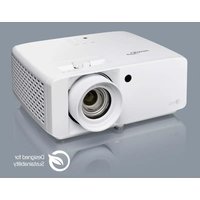
ZK551 - Projector OPTOMA - Free user manual and instructions
Find the device manual for free ZK551 OPTOMA in PDF.


User questions about ZK551 OPTOMA
0 question about this device. Answer the ones you know or ask your own.
Ask a new question about this device
Download the instructions for your Projector in PDF format for free! Find your manual ZK551 - OPTOMA and take your electronic device back in hand. On this page are published all the documents necessary for the use of your device. ZK551 by OPTOMA.
USER MANUAL ZK551 OPTOMA
natural_image
Line drawing of a projector with visible lens and control panel (no text or symbols)4 ایمنی
IEC 60825-1:2014, EN 60825-1:2014+A11:2021, EN 50689:2021 CLASS 1 CONSUMER LASER PRODUCT RISK GROUP 2, Complies with 21 CFR 1040.10 and 1040.11 except for conformance as a Risk Group 2 LIP as defined in IEC 62471-5:Ed.1.0. For more information see Laser Notice No. 57, dated May 8, 2019. IEC 60825-1:2014 等級1雷射產品RG2危險等級 IEC 60825-1:2014 1类激光产品RG2危险等级
WARNING: MOUNT ABOVE THE HEADS OF CHILDREN! Do not look into the beam less than 1m. No direct eye exposure to the beam is permitted.
text_image
Optoma OLP Projector 招商银行 10.000 Regulatory No: DACHUAG Input / 输出值:24.0V === 19.41A CAN ICES: 800000000000000000000000000000000000000000000000000000000000000000000000000000000000 FC CE UK EN Reg. Optoma Europe Ltd. 1. Science Credit Model (Hankel Corporation, UK) EC Pro. Optoma Europe IT Europe 2156, 326.12.26 (The Netherlands) 2. The company includes a 3D-PC-CMS Modbus Conventional System for the following conditions: (1) This device may not contain any performance or maintenance, and (2) This device must be used to maintain the same current operating system. Made in China 国际、中国 古立号学校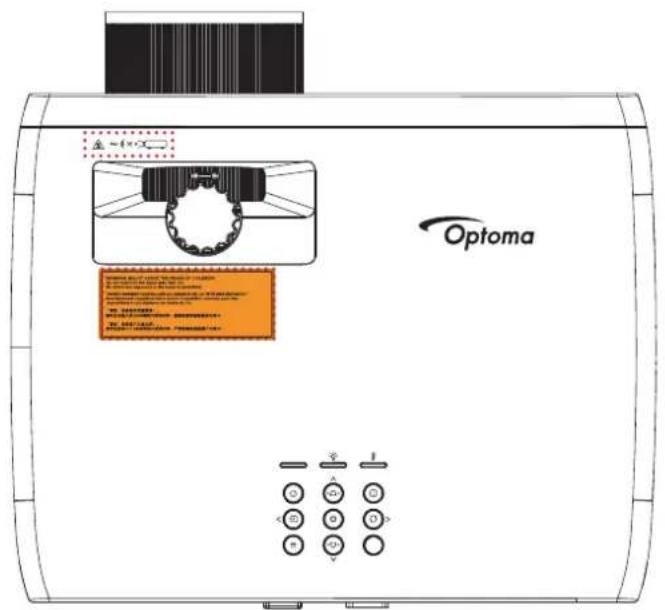
text_image
Optoma A-100 B-100 C-100 D-100 E-100 F-100 G-100 H-100 I-100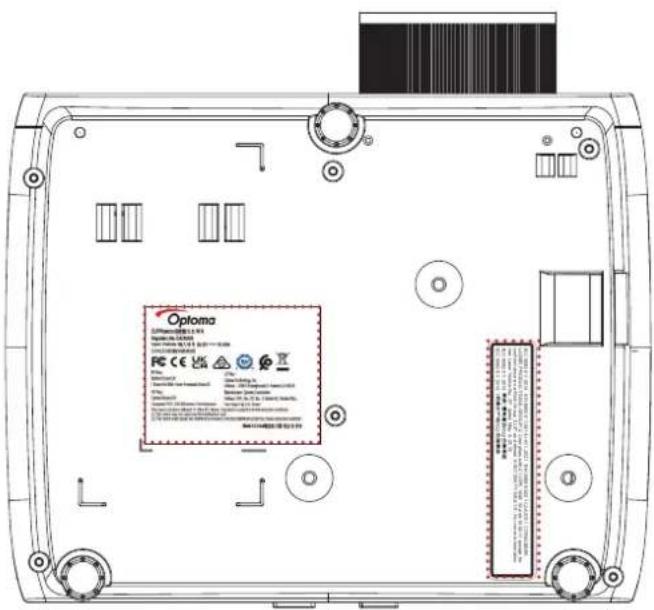
text_image
Oploma OPPMA-0018.1.4 Hypertension 2016 PC CE 100% Ceramics Ceramics Ceramics Ceramics Ceramics Ceramics Ceramics Ceramics Ceramics Ceramics Ceramics Ceramics Ceramics Ceramics Ceramics Ceramics Ceramics Ceramics Ceramics Ceramics Ceramics Ceramics Ceramics Ceramics Ceramics Ceramics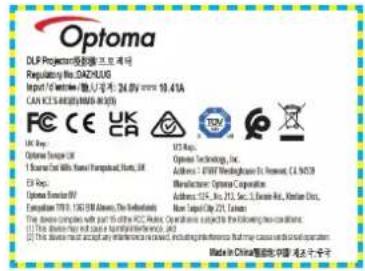
text_image
Optoma DLP Project® 投资者:DAPXUG Regulatory No. DAZHUG Import / Export: 24.0V www.10.41A CAN FCS-REGORY (M800-36) FC CE UK UK Cap: Optoma Europe 1 Source Cell With Home Operational Status, UK EU Cap: Optoma Europe European TUR 1.05 GB Access, The Netherlands This device complies with your own PCs. Features selected to the following two conditions: [1] This device must not access any information received, including information that may cause additional information. Made in China's Republic of China for 20 years
text_image
Optoma A. 100% B. 100% C. 100% D. 100% E. 100% F. 100% G. 100% H. 100% I. 100% J. 100% K. 100% L. 100% M. 100% N. 100% O. 100% P. 100% Q. 100% R. 100% S. 100% T. 100% U. 100% V. 100% W. 100% X. 100% Y. 100% Z. 100% A. 100% B. 100% C. 100% D. 100% E. 100% F. 100% G. 100% H. 100% I. 100% J. 100% K. 100% L. 100% M. 100% N. 100% O. 100%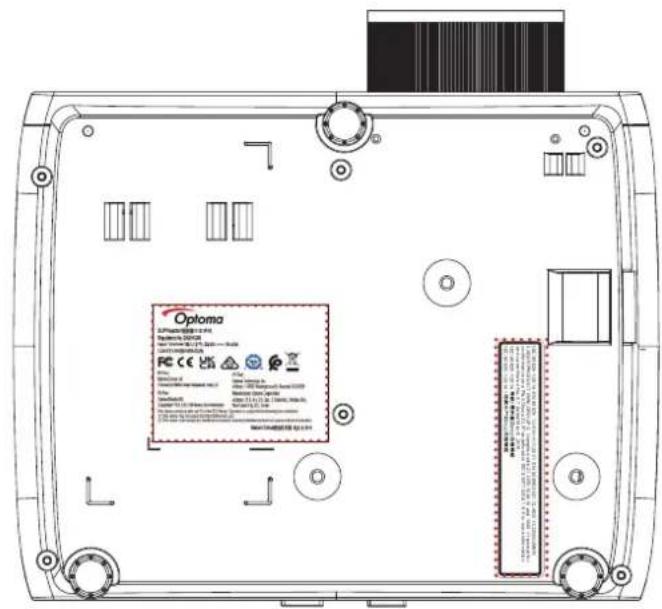
text_image
Optoma 3.2 Performance Control & 100% Performance Control Test: 100% (100%) Test: 100% (100%) Test: 100% (100%) Test: 100% (100%) Test: 100% (100%) Test: 100% (100%) Test: 100% (100%) Test: 100% (100%) Test: 100% (85%) Test: 100% (85%) Test: 100% (85%) Test: 100% (85%) Test: 100% (85%) Test: 100% (85%) Test: 100% (85%) Test: 100% (85%) Test: 100% (85%) Test : 100% (85%) Test : 100% (85%) Test : 100% (85%) Test : 100% (85%) Test : 100% (85%) Test : 100% (85%) Test : 100% (85%) Test : 100% (85%) Test : 10, 2, 3, 4, 5, 6, 7, 8, 9, 10, 11, 12, 13, 14, 15, 16, 17, 18, 19, 20, 21, 22, 23, 24, 25, 26, 27, 28, 29, 30, 31, 32, 33, 34, 35, 36, 37, 38, 39, 40, 41, 42, 43, 44, 45, 46, 47, 48, 49, 50, 51, 52, 53, 54, 55, 56, 57, 58, 59, 60, 61, 62, 63, 64, 65, 66, 67, 68, 69, 70, 71, 72, 73, 74, 75, 76, 77, 78, 79, 80, 81, 82, 83, 84, 85, 86, 87, 88, 89, 90, 91, 92, 93, 94, 95, 96, 97, 98, 99, 100 Test : CEC Test : CEC Test : CEC Test : CEC Test : CEC Test : CEC Test : CEC Test : CEC Test : CEC Test : CEC Test : CEC Test : CEC Test : CEC Test : CEC Test : CEC Test : CEC Test : CEC Test : CEC Test : CEC Test : CEC Test : CEE Test : CEE Test : CEE Test : CEE Test : CEE Test : CEE Test : CEE Test : CEE Test : CEE Test : CEE Test : CEE Test : CEE Test : CEE Test : CEE Test : CEE Test : CEE Test : CEE Test : CEE Test : CEE Test : CEE Test : CCE Test : CCE Test : CCE Test : CCE Test : CCE Test : CCE Test : CCE Test : CCE Test : CCE Test : CCE Test : CCE Test : CCE Test : CCE Test : CCE Test : CCE Test : CCE Test : CCE Test : CCE Test : CCE Test : CCE Test : CEE Test : CEE Test : CEE Test : CEE Test : CEE Test : CEE Test : CEE Test : CEE Test : CEE Test : CEE Test : CEE Test : CEE Test : CEE Test : CEE Test : CEE Test : CEE Test : CEE Test : CEE Test : CEE Test : CIE Test : CIE Test : CIE Test : CIE Test : CIE Test : CIE Test : CIE Test : CIE Test : CIE Test : CIE Test : CIE Test : CIE Test : CIE Test : CIE Test : CIE Test : CIE Test : CIE Test : CIE Test : CIE Test : CIE Test : CII ECE Test : CII ECE Test : CII ECE Test : CII ECE Test : CII ECE Test : CII ECE Test : CII ECE Test : CII ECE Test : CII ECE Test : CII ECE Test : CII ECE Test : CII ECE Test : CII ECEtext_image
Safety less Production monitored TÜV SÜD C USتميز کردن لنز
text_image
CAUTION ELECTRIC SHOCK Keep ground wire connectednatural_image
Line drawing of a battery with coiled cable and terminal connector (no text or symbols)
natural_image
Illustration of a projector with lens and screen (no text or symbols)
natural_image
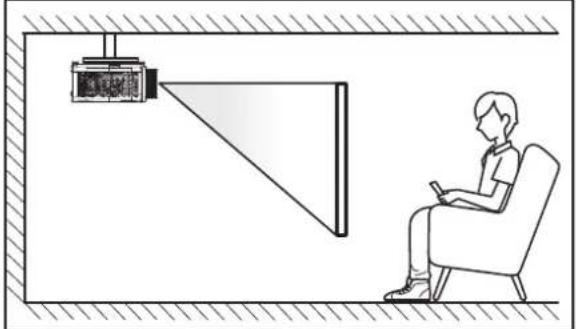
Line drawing of a person sitting in a chair facing a projector mounted on a wall, no text or symbols present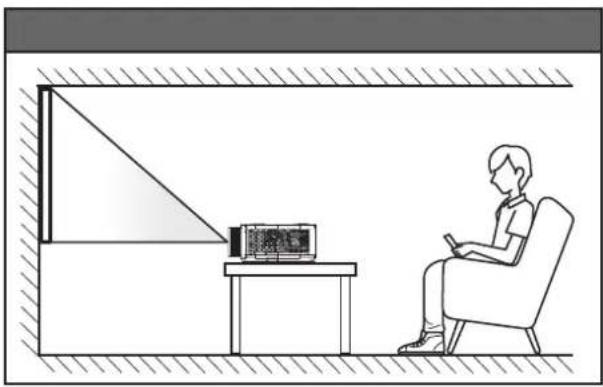
natural_image
Line drawing of a person sitting in a chair watching television from a desk (no text or symbols present)پایه عقب س town عقب
natural_image
Illustration of a person sitting in a chair viewing a projector mounted on a wall, with no visible text or symbols.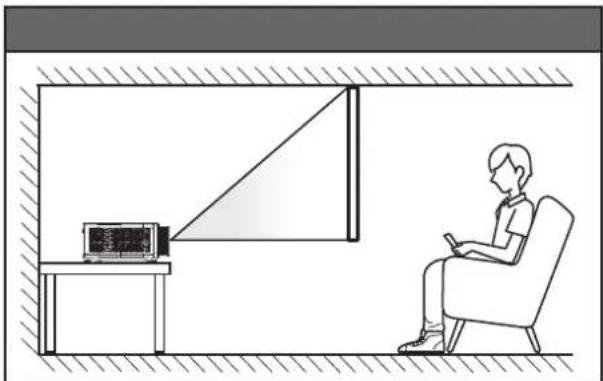
natural_image
Line drawing of a person sitting in a chair watching a television, with a small screen and TV set on the wall (no text or symbols)text_image
Image showing a red X symbol crossed over a grid of boxes, indicating prohibition or exclusion in a software interface.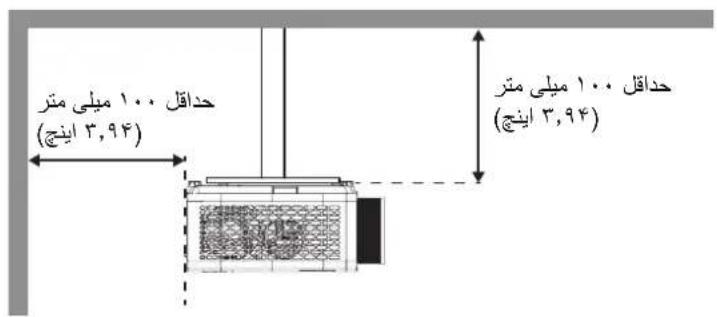
text_image
Diagram showing battery charge distribution before and after a photo of a hand holding a battery with a magnified view.text_image
Diagram of an open projector with a hand pointing to its power button, labeled in Chinese.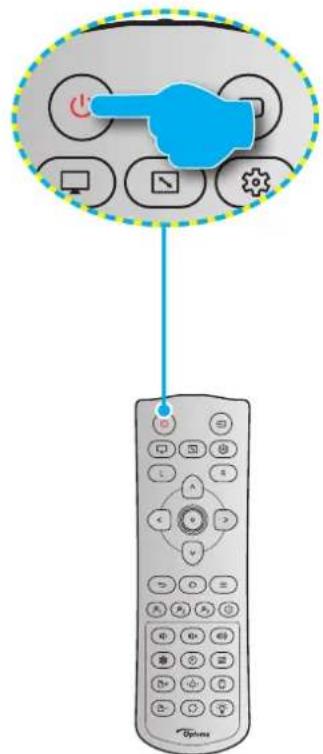
text_image
Diagram showing a hand pointing to a remote control with icons for function keys and navigation controls.روشن
natural_image
Four geometric diagrams showing grid patterns with curved and straight lines, no text or symbols present.text_image
Settings com IPv4 data limit to help control data usage. On this section IP settings IP assignment: Manual IPv4 address: IPv4 subnet prefix length: 24 IPv4 gateway: IPv4 DNS servers: Edit IPv4 On IP address 192.168.0.100 Subnet prefix length 24 Gateway 192.168.0.254 Preferred DNS 192.168.0.1 Save Canceltext_image
Diagram showing connection between an electronic device and a laptop, with RJ-45 connector labeled1080p مدل
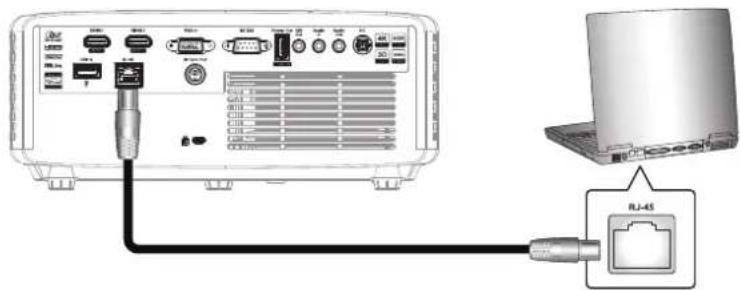
text_image
Diagram showing connection between a laptop and an RJ-45 network interface with ports and cablestext_image
Settings Windows Settings Find a setting System Display, sound, notifications, power Devices Bluetooth, printers, mouse Phone Link your Android, iPhone Network & Internet Wi-Fi, airplane mode, VPN Personalization Background, lock screen, colors Apps Uninstall, defaults, optional featurestext_image
Settings Home Find a setting Network & Internet Status Ethernet Dial-up VPN Proxy Status Ethernet Proportions Status Network status Ethernet com You're connected to the Internet If you have a limited data plan, you can make this network a metered connection or change other properties. Ethernet From the last 30 days 62.77 GB Properties Data usagetext_image
Settings www.com Set to file limits to help confirm these updates. Our IP settings IP settings IP assignment: Manual IPv4 address: IPv4 subnet prefix length: 24 IPv4 gateway: IPv4 DNS servers: Edittext_image
New Tab ← → C ↑ 192.168.0.100text_image
Projector Web Server Projector Name:Optoma 1080P Admin Change Username and Password for Webpage Enter User Name admin Reusing passwords is not recommended. Password cannot be blank. Password needs to be at least eight single-byte characters in length and use a mix of the following 3 types of letters. Uppercase letters Lowercase letters Digits Confirm New password The user name and password are used by the Web Control function. Changing the current settings may interrupt the connection For details, refer to the user's manual. Change PJLink Password Enter New password Reusing passwords is not recommended. The password is used for the communication control via a LAN (including Ricoh application software). Changing the current settings may interrupt the connection For details, refer to the user's manual. Confirm New password Applytext_image
Optoma Projector Web Server Projector Name: Optoma 1080P Login Admin > General Setup System Status General Setup Projector Control Network Setup Alert Setup Creation Reset to Default Reboot System Projector Name Optoma 1080P Apply Change User name and password for Webpage Enter User name admin Enter Old password Enter New password Confirm New password • Reusing passwords is not recommended. • Password cannot be blank. • Password needs to be at least eight single-byte characters in length and use a mix of the following 3 types of letters: • Uppercase letters • Lowercase letters: • Digits • The user name and password are used by the Web Control function. Changing the current settings may interrupt the connection. For details, refer to the user's manual. Apply PJLink Setting PJLink Password ○ Enable ● Disable Current Password • Reusing passwords is not recommended. • The password is used for the communication control via a LAN (including Rieoh application software). Changing the current settings may interrupt the connection. For details, refer to the user's manual. Confirm Password Applyکنترل پروژکتور
text_image
All Apps Documents Web More Best match Command Prompt App Search the web cmd - See web results Command Prompt App Open Run as administrator Open file location File to Start File to toolbar cmd۲ را باز کنید.. C
natural_image
Diagram showing a device rear panel and its internal components, with no visible text or symbols.٢١٤٥ مَحْمَ كَنِيد٠
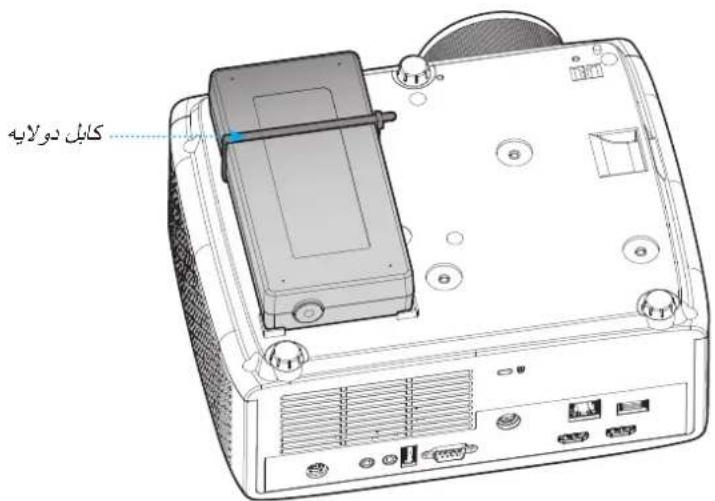
text_image
Optoma Device Web Server Device Name:Optoma UHD Login Admin > OMS System Status General Setup Device Control Network Setup Alert Setup OMS Credron Reset to Default Reboot System Optoma Management Suite™ Manage your devices anytime from anywhere Binding with OMS CMS Please click the button to pin the device with OMStext_image
Select your device location please select your device location that Worldwide Cancel OKtext_image
Optoma Management Suite Manage your devices anytime from anywhere. Sign up and login Optoma Management Suite website Enter serial number Confirm PIN code [OMS URL] 40190904000028 Go to Device page and "Add a new device" using the serial number above. Confirm the PIN code is the same between device and the website.text_image
Optoma Management Suite Manage your devices anytime from anywhere. Sign up and login Optoma Management Suite website PIN: 1234 Serial number (Serial number) Please confirm the PIN code matches the one shown on the OMY website. This PIN code will expire in 4 mos 30 secs. Cancel Confirm https://oms.optoma.com/ Go to Device page and "Add a new device" using the serial number above. Confirm the PIN code in the same best device and the website. PIN Code 1254تگاه کامل شد...
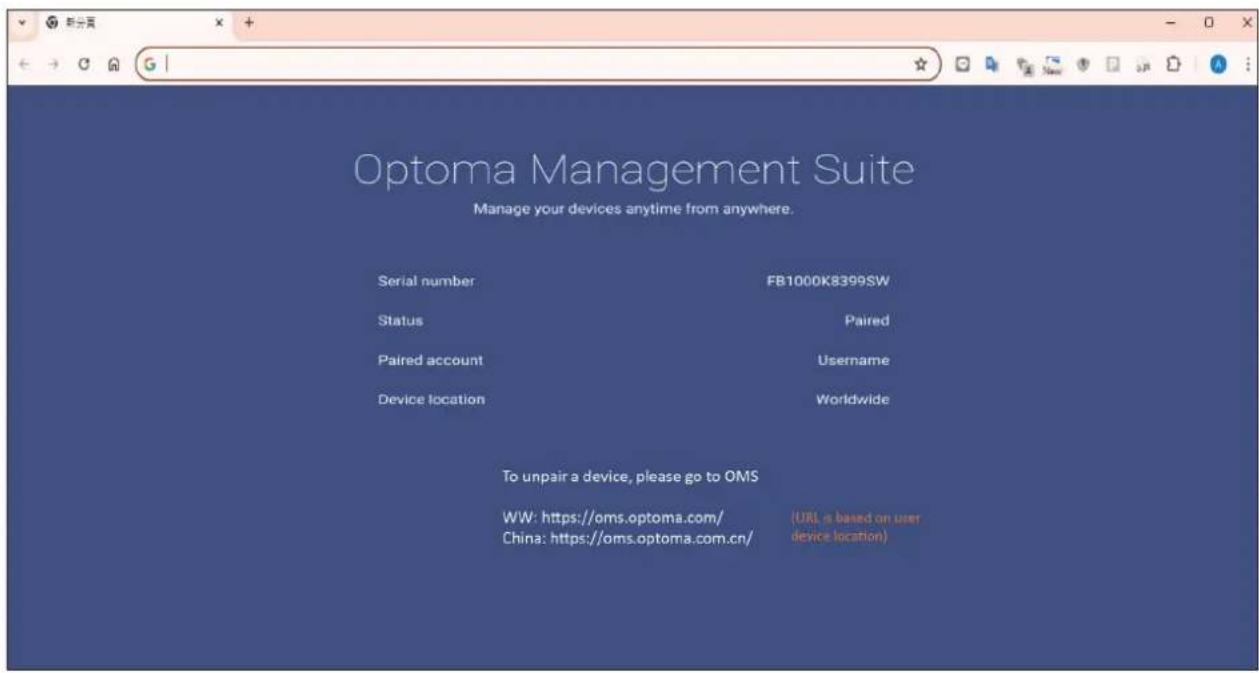
text_image
Optoma Management Suite Manage your devices anytime from anywhere. Serial number FB1000K8399SW Status Paired Paired account Username Device location Worldwide To unpair a device, please go to OMS WW: https://oms.optoma.com/ China: https://oms.optoma.com.cn/ (URL is based on user device location)https://www.optoma.com/jp/
ΥΥΛΥ-ΥΛΥΛΛΛΛ
A7·1-A9V-Δ1.
Optoma Technology, Inc.
47697 Westinghouse Drive.
Fremont, Ca 94539

https://www.optoma.com/tw/


9YΛ9-ΥΛ9-ΛΛΛ
A9·1-A9Y-Δ1.
Optoma Technology, Inc.
47697 Westinghouse Drive.
Fremont, Ca 94539

9794V7V7-71-A7+
9794V7V0-71-8+
www.optoma.com.cn


9YΛ9-YΛ9-ΛΛΛ
A9·1-A9Y-Δ1
Optoma Technology, Inc.
47697 Westinghouse Drive.
Fremont, Ca 94539
https://www.optoma.com/au/

Unit 1, Network 41, Bourne End Mills
Hemel Hempstead, Herts,
HP1 2UJ, United Kingdom
www.optoma.eu
ال Quantity: 1927 (٠) 44+
A..F911977(.)F4+
ΛΛΛ 991 1977 (.) 47+
service@tsc-europe.com

. ·(·)1+
9.△Y△F∧TF(·)T1+

Benelux BV
Randstad 22-123
1316 BW Almere
The Netherlands
www.optoma.nl

Bâtiment E
Υ. 1Υ 49 41 1 77+
70949991177+

81-83 avenue Edouard Vaillant
savoptoma@optoma.fr
92100 Boulogne Billancourt, France

.9.94999144+
YY. A 9Y. 91 YF+

C/ José Hierro,36 Of. 1C
28522 Rivas VaciaMadrid,
اسپاتيا

. 9A7F7F71F1 (.) 49+
99 98 99 11 11 (.) 49+
info@optoma.de

Am Nordpark 3
41069 Mönchengladbach
Germany
- ∧9 9 ∧ ∥ ∥ ∥ +
99 A9 9A T7 FV+
info@optoma.no


Lerpeveien 25
3040 Drammen
Norway
PO.BOX 9515
3038 Drammen
Norway

https://www.optoma.com/kr/