
HFK-9225G-12 - Electric scooter Vevor - Free user manual and instructions
Find the device manual for free HFK-9225G-12 Vevor in PDF.
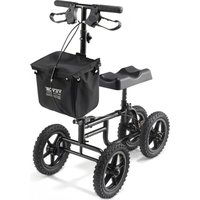


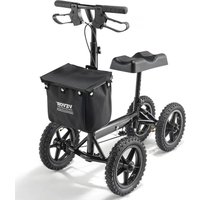
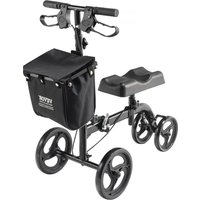
| Product Type | Folding knee scooter |
| Brand | Vevor |
| Model | HFK-9225G-12 |
| Dimensions (L x W x H) | 940 x 500 x 1160 mm |
| Adjustable Handlebar Height | 965-1165 mm |
| Adjustable Knee Pad Height | 500-630 mm |
| Wheelbase | 590.8 mm |
| Maximum Load Capacity | ≤ 350 lb (approx. 159 kg) |
| Wheel Size | 12 inches (12" x 2.215") |
| Tire Type | Solid puncture-proof tires (black) |
| Color | Black |
| Frame Material | Steel (estimated) |
| Product Weight | Approx. 12-15 kg (estimated) |
| Main Features | Mobility for below-knee injury, even weight distribution, handbrake with parking lock, foldable for storage |
| Included Accessories | Front basket, contoured knee pad, ergonomic handles |
| Brake Adjustment | Via M6 nut (8 mm wrench or pliers) |
| Intended Use | Indoor and outdoor, flat surfaces |
| Recommended Maximum Speed | 3 mph (slow to moderate walk) |
| Maximum Slope | 15 degrees (slight incline) |
| Maintenance and Cleaning | Check tightness of fasteners before use, clean with a damp cloth |
| Spare Parts Available | Contact Vevor support (www.vevor.com/support) |
| Warranty | Electronic warranty via provided certificate |
| Standards | CE/FDA approval |
| Certifications | Medical device, not a toy |
Frequently Asked Questions - HFK-9225G-12 Vevor
User questions about HFK-9225G-12 Vevor
0 question about this device. Answer the ones you know or ask your own.
Ask a new question about this device
Download the instructions for your Electric scooter in PDF format for free! Find your manual HFK-9225G-12 - Vevor and take your electronic device back in hand. On this page are published all the documents necessary for the use of your device. HFK-9225G-12 by Vevor.
USER MANUAL HFK-9225G-12 Vevor
Technical Support and E-Warranty Certificate www.vevor.com/support
KNEE SCOOTER
MODEL: HFK-9225G-12
We continue to be committed to providing you with tools at competitive prices. "Save Half", "Half Price", or any other similar expressions used by us only represent an estimate of savings you might benefit from buying certain tools with us compared to the top brands, and do not necessarily mean to cover all categories of tools offered by us. We kindly remind you to verify carefully when placing an order with us if you are actually saving half in comparison with the top major brands.
VEVOR®
TOUGH TOOLS, HALF PRICE
KNEE SCOOTER
Model: HFK-9225G-12
NEED HELP? CONTACT US!
Have product questions? Need technical support? Please feel free to contact us:
Technical Support and E-Warranty Certificate www.vevor.com/support
This is the original instruction. Please read all manual instructions carefully before operating. VEVOR reserves a clear interpretation of the user manual. The appearance of the product shall be subject to the product you received. Please forgive us that we won't inform you of any technology or software updates on our product.
INTRODUCTION
Read and follow all instructions, warnings, and notes in this manual before attempting to operate your Knee Scooter for the first time. If there is any information in this manual which you do not understand, or if you require additional assistance for assembly or operation, please contact your authorized local provider.
Your safety to operate this product depends upon whether you completely follow the instructions, cautions, and warnings in this manual. Vevor Corporation is not liable for any damages and/or injuries resulting from individual unsafe operation or failure to follow the instructions, cautions, and warnings in this manual.

WARNING! Failure to heed the warnings in the manual may result in personal injury.

CAUTION! Failure to heed the cautions in the manual may result in damage to the Knee Scooter.
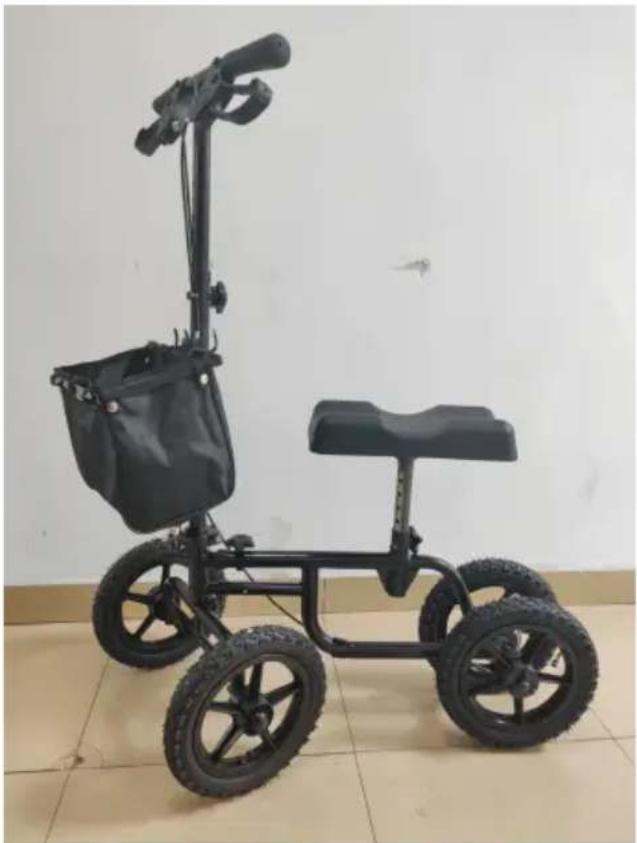
The Knee Scooter is suitable for everyday use. It can be used for both indoor and outdoor purposes. The all-in-one folding compact design is perfect for easy storage and transportation.
The knee glider comes with solid black puncture-proof tyres. We have also included great features such as contoured knee pad, ergonomic handgrips and dual brake function.
Our products are always manufactured to the highest quality standards and comply with CE/FDA approval.
Parts Description
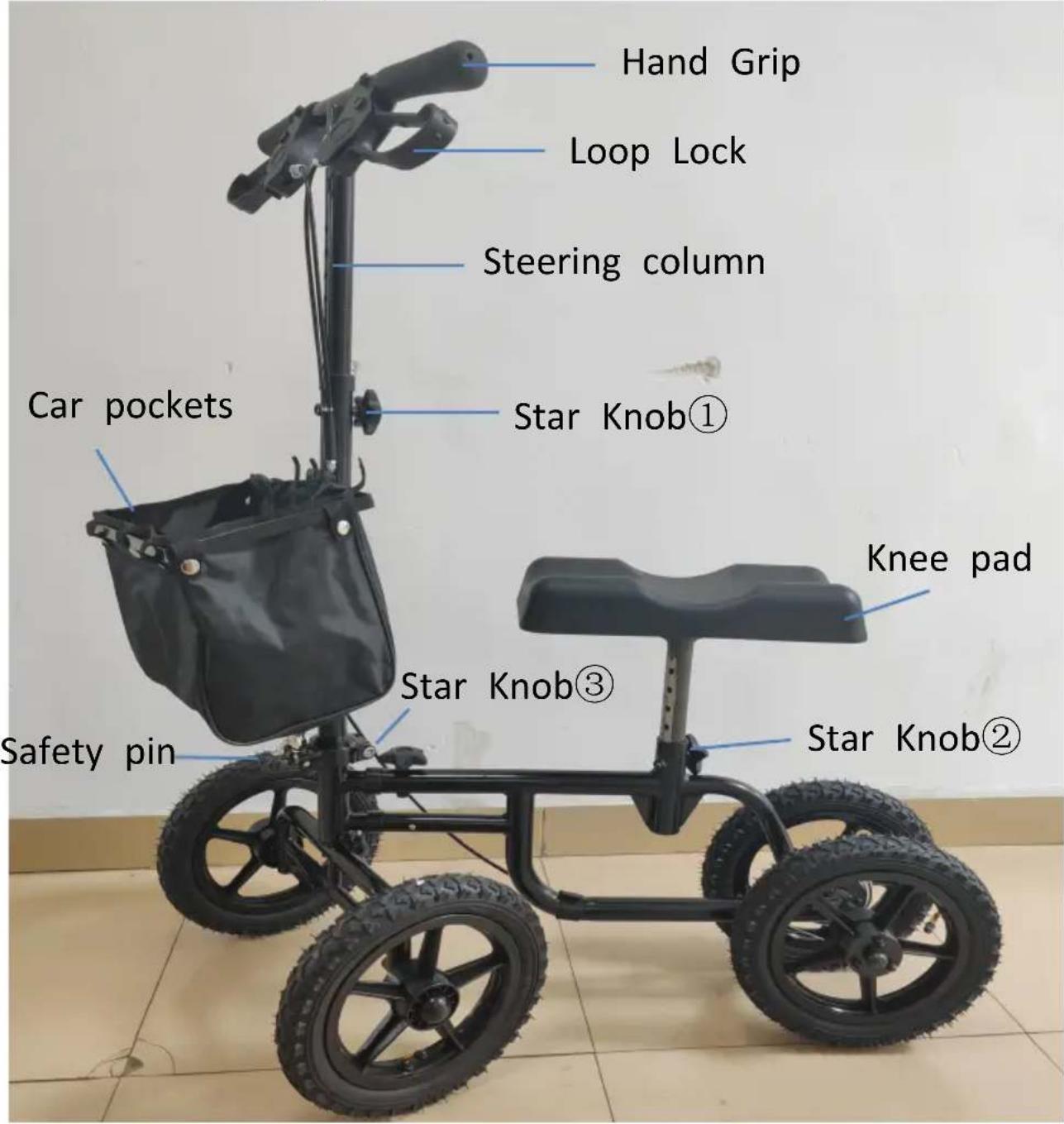
Product parameter
| Table 1 | SPECIFICATIONS |
| Overall size (L*W*H) | 940 * 500 *1160 mm |
| Color | Black |
| Handle height | 965-1165mm |
| Knee pad height | 500-630mm |
| wheelbase | 590.8mm |
| Load capacity | ≤350 LB |
| Front wheels | ODxW (12"x2.215") |
| Rear wheels | ODxW (12"x2.215") |
Assembly
1. Steering column setup
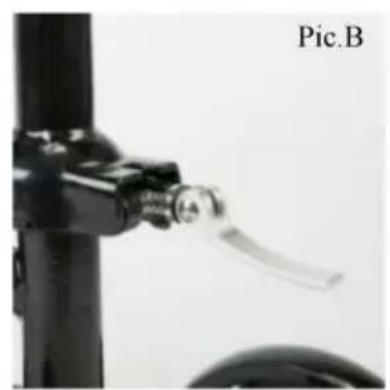
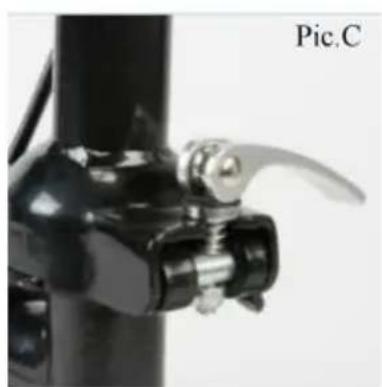
(1) Push the lever to the left and downward at the same time to disengage and push the steering column upward until it is in the full upright position. (2) Release the lever to make the safety pin engage the right hole. (Pic. B) Now, release the handle, the steering column will stand in the upright position. (3) Pull the lever up and clockwise to make the end of the lever pointing to the ground to lock the steering column in the upright position. (Pic. C)
Note: Rotate the lever counter clockwise to loosen and clockwise to tighten pressure on the lever.
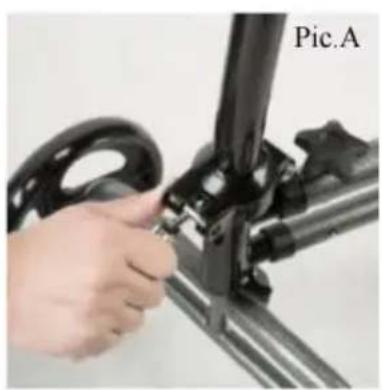
2. Combine Steering column and frame
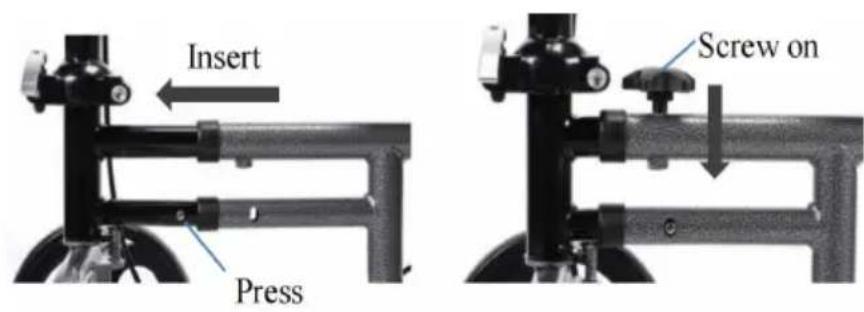
(1) Press the spring button and insert the front tube into the frame tube until the mainspring buckle engages. (2) Screw the Star Knob③ on the frame.
3. Adjust the handle height
Loosen the Star knob① on the handle by turning it counter clockwise until it is removed.
Adjust the handle grip to the desired height and reinsert the adjustment screw into the hole, turning it clockwise until it is tightened.
4. Adjust the knee pad height
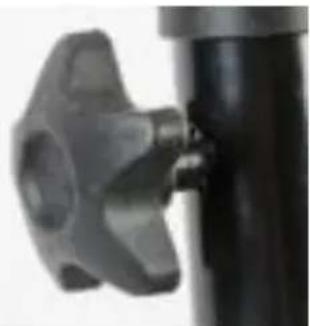
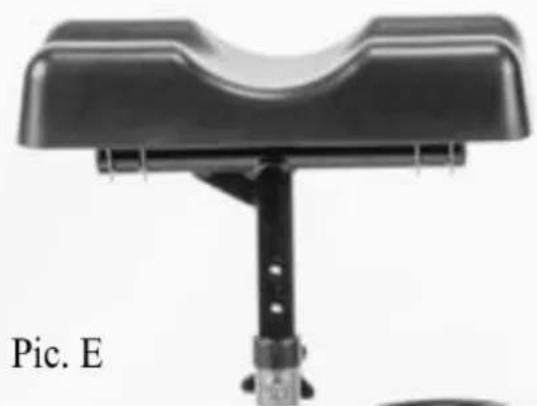
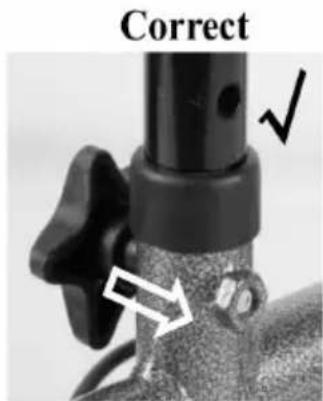
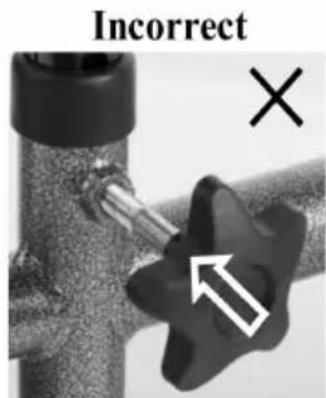
(1) Insert the knee pad tube into the mainframe (Pic. (2) When you have found a comfortable height setting, tighten the star knob ② and turn it clockwise until it has fully locked into position.
Note: Always check carefully that the knee pad is fully set and not loose in any way before using the knee glider.
5. Install the basket
Install the basket in front of the steering column.
Loop Lock Operation
USING Loop Lock Operation - Always engage and disengage wheel locks on both sides simultaneously.
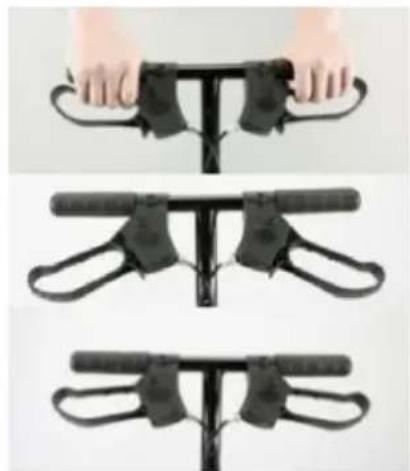
(1) To Slow Down or Come to a Temporary Stop: slowly pull on the loop locks with four fingers until the glider slows down or comes to a temporary stop.
(2) To Temporarily Lock Wheels in Position: push down on both loop locks with palms until you hear a "click" that will tell you the wheels are locked.
(3) To Release Wheel Locks: push up on both loop locks with palms of hands to the original position.
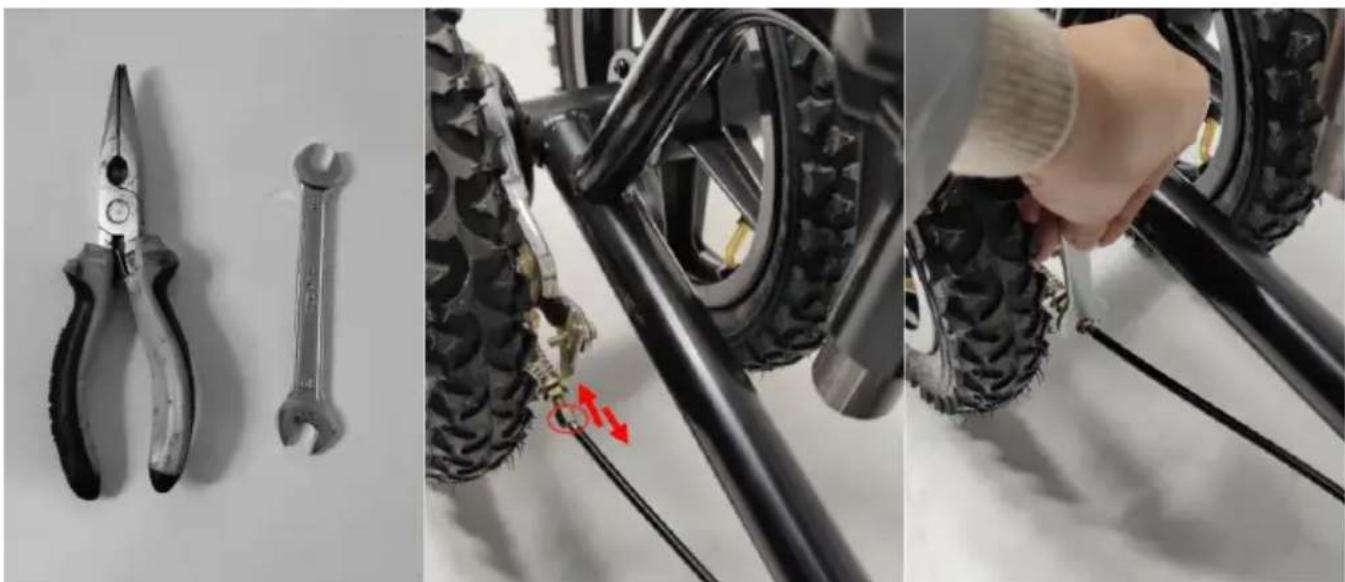
How to adjust brakes?
Tools: Pliers or 8mm wrench
Use pliers (or 8mm wrench) to screw the M6 nuts. Adjust in the direction of the brake to make it a little looser, or away from the direction of the wheel to make it a little tighter.
Movement
The knee walker is a mobility device that provides strength and comfort to a person who may have an injury below the knee. It allows an even distribution of body weight by supporting half of the weight on the device and the other half on the non-injured leg.
The device has a cushioned platform to support both the injured leg and the other leg, making certain that no weight will be placed on the lower leg.
The device is designed for easy steering and stopping.
- Place your hands on the handlebars.
- Place the knee of your injured foot on the front pad so that the top of your knee or cast is directly over the space between the pads. Your lower leg is then on the rear pad.
- Release the parking brake and propel yourself forward or backward with your pushing foot, keeping the knee of your injured foot centered on the front pad.
- Move slowly so that you can stop safely using your pushing foot.
- The hand brake may be used if needed but is primarily designed to maintain a stopped stance.
Additional Cautions
- Do not operate on loose gravel or uneven surfaces.
- Do not travel over large cracks or fissures.
- Stop and move forward slowly when encountering cracks or separations in walkway surfaces.
- Do not operate in excess of 3 miles per hour (slow-to-moderate walking speed).
- Do not turn unless one foot is on the ground.
- Never make a sharp turn at high speed.
- Do not turn at speeds over 1 mph (very slow walking speed).
- Do not operate on inclines above 15 degrees (slight incline).
- Do not travel over drops or barriers such as curbs or parking stops.
- This is a medical device, not a toy. Do not allow children or adults to use as a toy or for entertainment.
- Always check the fasteners on the tiller, wheels, brakes, and seat for tightness before use.
Manufacturer: Shanghaiuxinmuyeyouxianggsi
Address: Baoshanqu Shuangchenglu 803long 11hao 1602A-1609shi Shanghai
Imported to AUS: SIHAO PTY LTD.
1 ROKEVA STREETEASTWOOD NSW 2122 Australia
Imported to USA: Sanven Technology Ltd.
Suite 250,9166 Anaheim Place, Rancho Cucamonga,CA91730
Pooledas Group Ltd
Kit 5 Albert Edward House, The Pavilions
Preston, United Kingdom
SHUNSHUN GmbH
Romeracker 9 Z2021, 76351
Technical Support and E-Warranty Certificate www.vevor.com/support
VEVOR®
TOUGH TOOLS, HALF PRICE
Technical Support and E-Warranty Certificate www.vevor.com/support
KNEE SCOOTER
MODEL: HFK-9225G-12
Suite 250, 9166 Anaheim Place, Rancho Cucamonga, CA91730
Pooledas Group Ltd
Suite 250, 9166 Anaheim Place, Rancho Cucamonga, CA91730

Pooledas Group Ltd
1 ROKEVA STREET EASTWOOD NSW 2122 Australia
Suite 250, 9166 Anaheim Place, Rancho Cucamonga, CA91730
Pooledas Group Ltd
1 ROKEVA STREET EASTWOOD NSW 2122 Australia
Suite 250, 9166 Anaheim Place, Rancho Cucamonga, CA91730
Grupo Pooledas Ltd
1 Rokeva Street, Eastwood NSW 2122, Australia
Import do USA: Sanven Technology Ltd.
Apartment 250, 9166 Anaheim Place, Rancho Cucamonga, CA91730
Pooledas Group Ltd
Unit 5 Albert Edward House, Pavilions
www.vevor.com/support
VEVOR®
TOUGH TOOLS, HALF PRICE
Technical support and e-warranty certificate www.vevor.com/support
KNEE SCOOTER
MODEL: HFK-9225G-12
NEED HELP? CONTACT US!
Suite 250, 9166 Anaheim Place, Rancho Cucamonga, CA91730
Pooledas Group Ltd
Unit 5 Albert Edward House, The Pavilions
Suite 250, 9166 Anaheim Place, Rancho Cucamonga, CA 91730

Pooledas Group Ltd
Unit 5 Albert Edward House, The Pavilions
www.vevor.com/support
- KNEE SCOOTER
- VEVOR®
- NEED HELP? CONTACT US
- INTRODUCTION
- PARTS DESCRIPTION
- PRODUCT PARAMETER
- ASSEMBLY
- STEERING COLUMN SETUP
- COMBINE STEERING COLUMN AND FRAME
- ADJUST THE HANDLE HEIGHT
- ADJUST THE KNEE PAD HEIGHT
- INSTALL THE BASKET
- LOOP LOCK OPERATION
- HOW TO ADJUST BRAKES
- MOVEMENT
- ADDITIONAL CAUTIONS
- TOUGH TOOLS, HALF PRICE
- MODEL: HFK-9225G
Brand : Vevor
Model : HFK-9225G-12
Category : Electric scooter