
XFL-QX-YW03 - Medical transfer chair Vevor - Free user manual and instructions
Find the device manual for free XFL-QX-YW03 Vevor in PDF.



| Product type | Medical transfer chair |
| Model | XFL-QX-YW03 |
| Brand | Vevor |
| Color | White + black |
| Dimensions (L x W x H) | 960 x 600 x 945 mm |
| Maximum load | 150 kg (330 lb) |
| Seat cushion lifting range | 330 mm |
| Sling lifting range | 400 mm |
| Protection rating | IPX44 |
| Power supply | Low-voltage power adapter |
| Intended use | Short-distance transfer of persons with reduced mobility, rehabilitation nursing care |
| Operating temperature | +10 °C to +40 °C |
| Operating relative humidity | 30 % to 75 % |
| Storage temperature | 0 °C to +50 °C |
| Storage humidity | ≤ 93 % |
| Package content | Backrest (x2), sling, base frame, headrest, guardrail gantry, hanger, cushion side frames (x2), grips (x2), end grip, power adapter, electric push rod (x2), toilet bucket, bucket support, seat cushion, mounting fittings |
| Maintenance | Clean with soft cloth and alcohol, disinfect with non-corrosive disinfectant, do not immerse |
| Safety | Do not exceed 150 kg, do not use while charging, do not open battery box while charging, use appropriate adapter, not recommended for shower without waterproof cover |
| Warranty | Electronic assistance and warranty certificate, contact after-sales service |
| Reparability | Spare parts available via after-sales service, do not disassemble without authorization |
Frequently Asked Questions - XFL-QX-YW03 Vevor
User questions about XFL-QX-YW03 Vevor
0 question about this device. Answer the ones you know or ask your own.
Ask a new question about this device
Download the instructions for your Medical transfer chair in PDF format for free! Find your manual XFL-QX-YW03 - Vevor and take your electronic device back in hand. On this page are published all the documents necessary for the use of your device. XFL-QX-YW03 by Vevor.
USER MANUAL XFL-QX-YW03 Vevor
Patient Transfer Chair
MODEL: XFL-QX-YW03
We continue to be committed to providing you with tools at competitive prices. "Save Half", "Half Price", or any other similar expressions used by us only represent the savings you might benefit from buying certain tools with us compared to top brands, and does not necessarily mean to cover all categories of tools offered. We kindly remind you to verify carefully when placing an order with us whether you are actually saving half in comparison with the top major brands.
MODEL: XFL-QX-YW03

Note: The product picture is for reference; the actual details shall prevail.
NEED HELP? CONTACT US!
Have product questions? Need technical support? Please feel free to contact us:
This is the original instruction. Please read all manual instructions carefully before operating. VEVOR reserves a clear interpretation of the user manual. The appearance of the product shall be subject to the product you received. Please forgive us that we won't inform you in advance if there are any technology or software updates on our product.
Thank you very much for choosing this Patient Transfer Chair. Please read all of the instructions before using it. The information will help you achieve the best possible results.
Operation Safety
Please put this manual in a place easy to check and keep it properly. This instruction manual clearly indicates how to use the equipment safely and correctly, so as to prevent any harm or property loss caused to you and others.
Warning
- Must use matched adapter with this product when charging. 2. This chair is not recommended for use for showering; if you have to, you must turn off the power and put the waterproof cover on the charging port.
- The light on the adapter will be red while charging. It will stop charging automatically when the battery is fully charged, and the light will turn green. 4. Maintenance of this machine must be carried out by professionals.

Prohibition
- Do not open the battery box while it is charging.
- Do not use the product during the charging process.
- Do not use it if the weight exceeds 300 lbs (150 kg).
- Do not place it where children can reach it to avoid injury. 5. It is strictly forbidden to operate the machine when there are objects blocking it, otherwise the machine will be damaged.
*Our company will not be responsible for any loss or damage caused by operation that neglects warnings and attention. Please pay attention.
Product introduction
Intended use
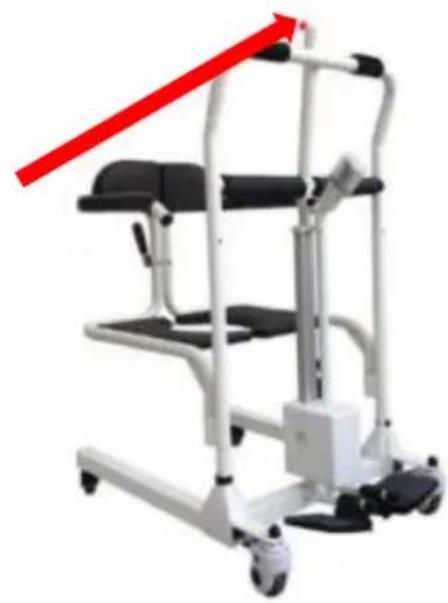
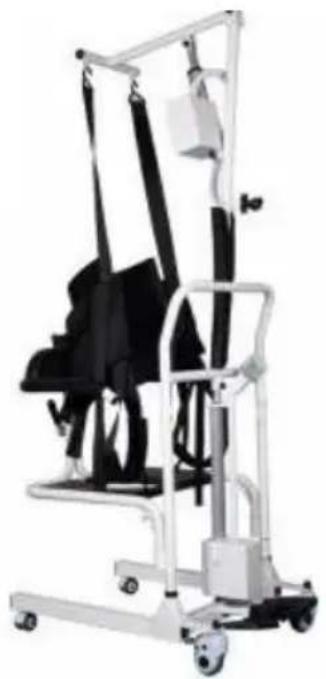
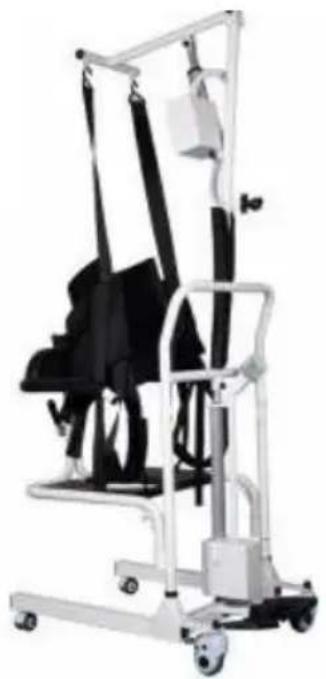
The electric lift transfer chair is a nursing device that helps disabled people move without barriers. It is designed for short-distance transferring and rehabilitation nursing. Caregivers can transfer patients easily by controlling the lift button, which greatly improves nursing efficiency. It helps caregivers transfer patients who are immobile to the car, living room, toilet, and bathroom. In summary, it can greatly reduce the nursing intensity for caregivers and lower the risk of secondary injury during the transfer process.
Circuit principle block diagram![graph TD A["Battery 24 V"] --> B{Rocker type Bidirectional self reset switch} B -->|Rocker up| C["Electric push rod up"] B -->|Rocker pull down| D["Electric push rod down"]](/content/2026/04/737022/images/207e5370ac201a1fb74cdbdc0b47c6d0746a5a4c7803c5de19210ff53e5920d6.jpg)
Environmental requirements
◆Use environment:
Ambient temperature range: +10°C to +40°C. Relative humidity range: 30% to 75%. Atmospheric pressure range: 700 hPa to 1060 hPa. No corrosive or combustible materials, dry and low-dust indoor environment.
◆Storage environment:
Ambient temperature: 0°C to +50°C; relative humidity: ≤93%; atmospheric pressure: 500 hPa to 1060 hPa. No corrosive gas, well-ventilated room.
During transportation and storage, handle with care, and do not throw or drop objects.
Do not store the equipment in a place where liquid may splash. Do not store the equipment under the risk of combustible gas.
Product parameters
| Model | XFL-QX-YW03 |  |
| Colour | White + black | |
| Seat cushion lifting range | 330mm | |
| Sling lifting range | 400mm | |
| Waterproof Class | IPX44 | |
| Maximum Load | ≤150 KG (330 lbs | |
| Product Size | 960x600x945 mm |
Parts list
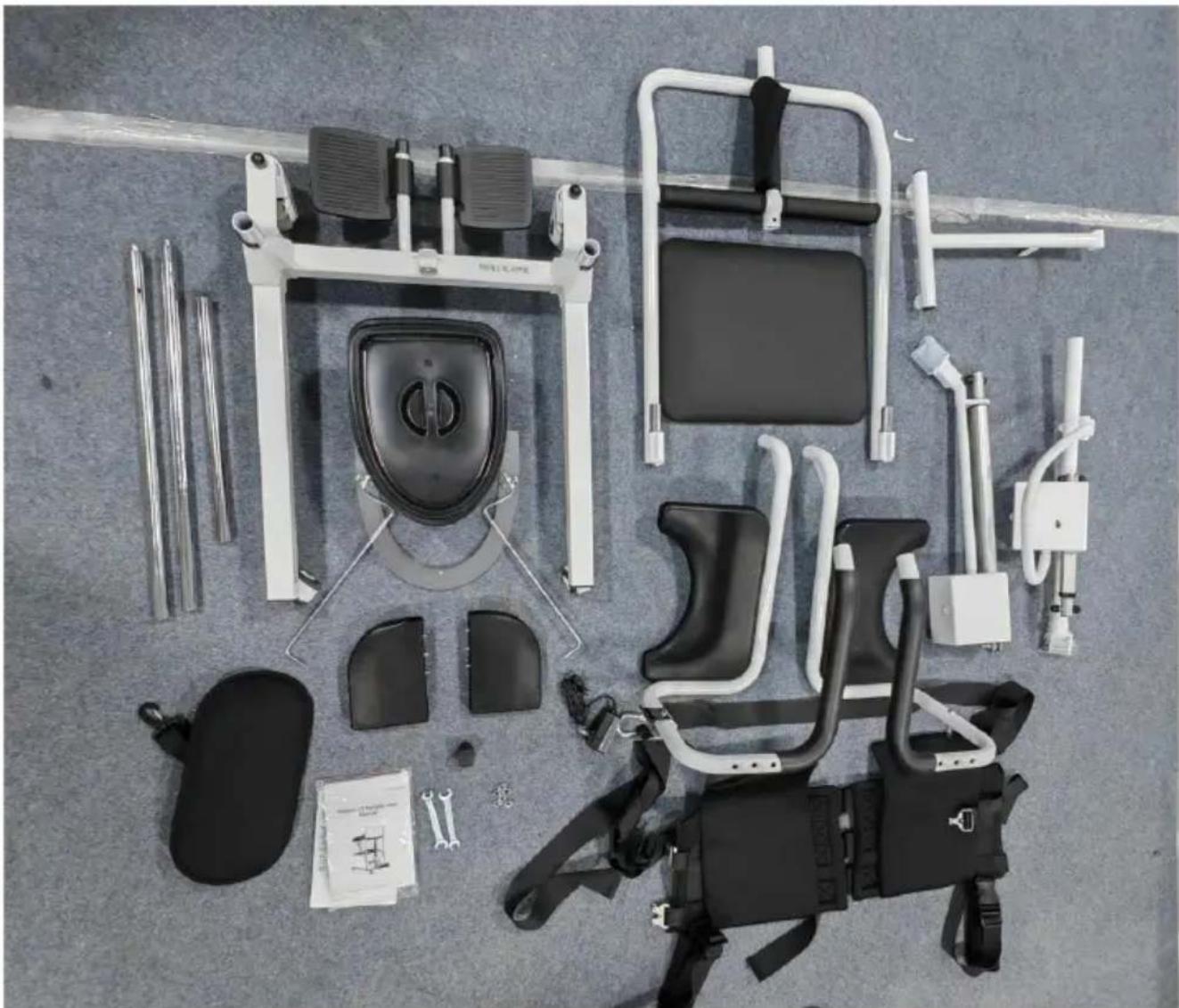
| 1.Backrest x2 | 2.sling x1 |
| 3.Base frame x1 | 4. Head support x1 |
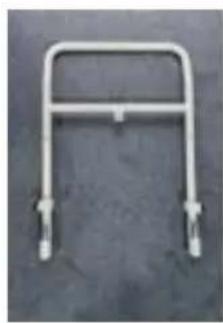
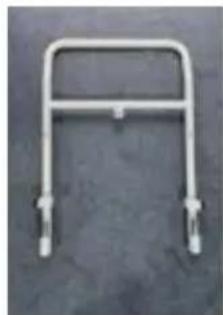
| 5.Handrail gantry x1 | 6. hanger x1 |
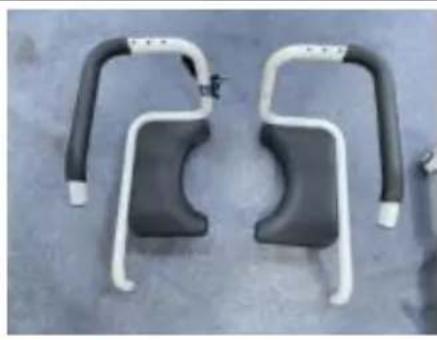
| 7.Left seat cushion side frame x1 | 8.Right seat cushion side frame x1 |
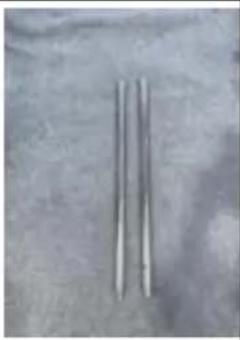
| 9.Mandrel x2 | 10.Stub mandre x1 |
| 11.Power adapter x1 | 12.Electric push rod assembly x1 |
| 13. Electric push rod assembly x1 | 14.Toilet bucket x1 |
| 15.Toilet bucket stand x 1 | 16.seat cushion x 1 |
| 17. Mounting fittings x 1set |
Installation instructions
Step 1: Mounting the body
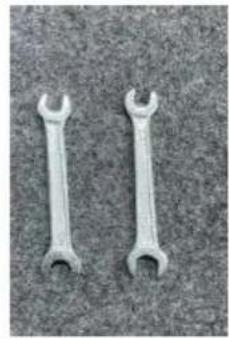
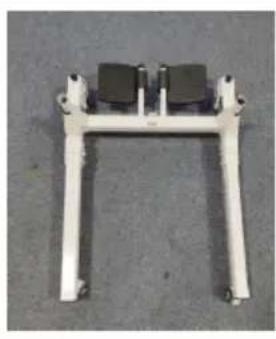
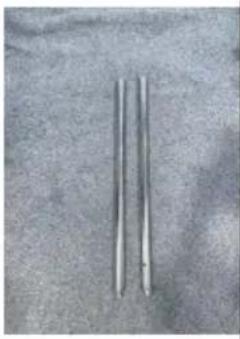
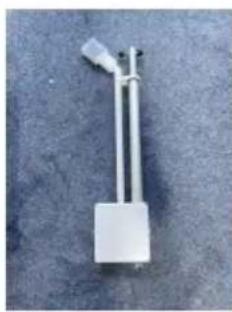
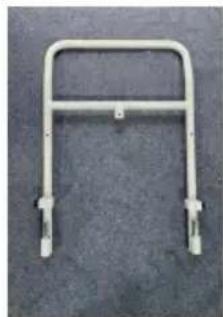
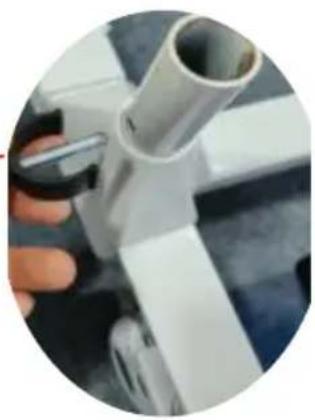
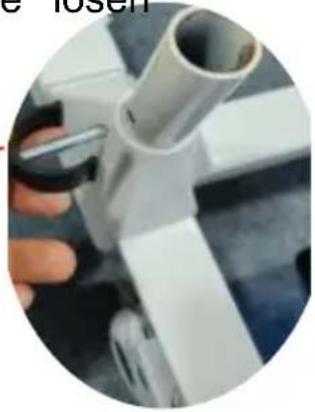
1.1 Pre-unplug the latch on the frame assembly
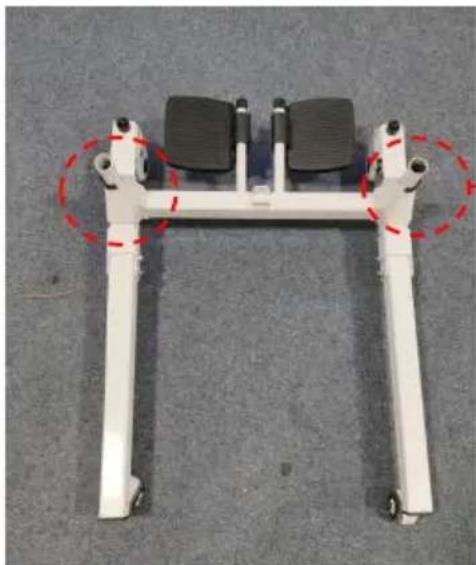
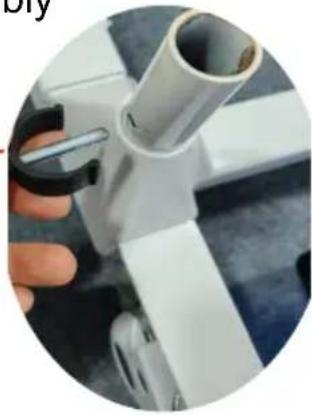
1.2 Insert the mandrel into the mounting holes on the left and right of the frame assembly and insert the latch
(Note: The perforated end of the mandrel is the insertion end)
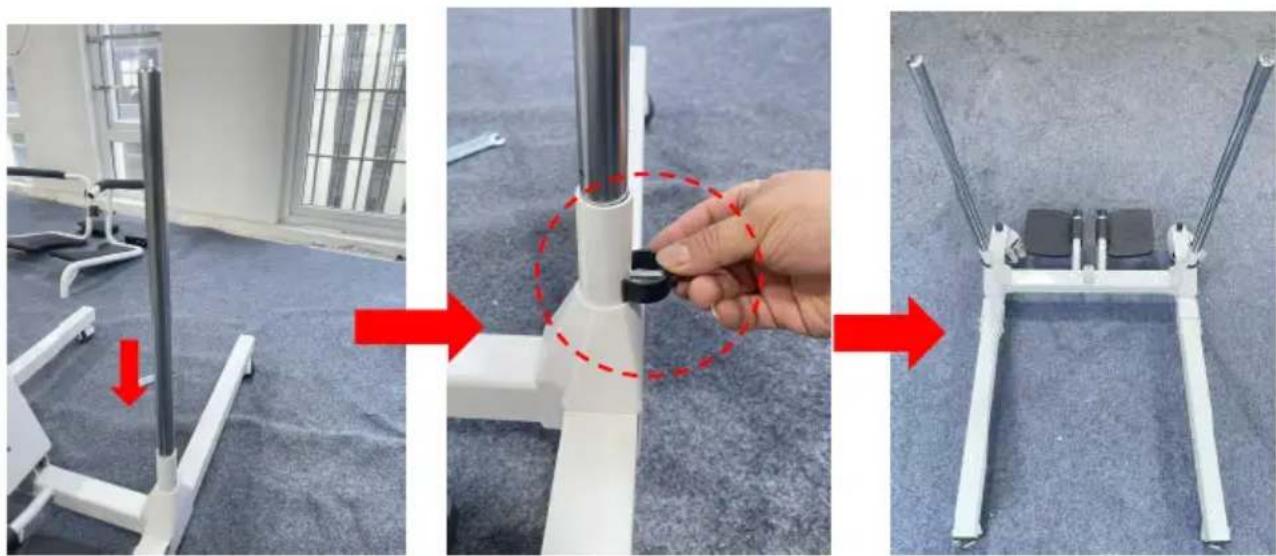
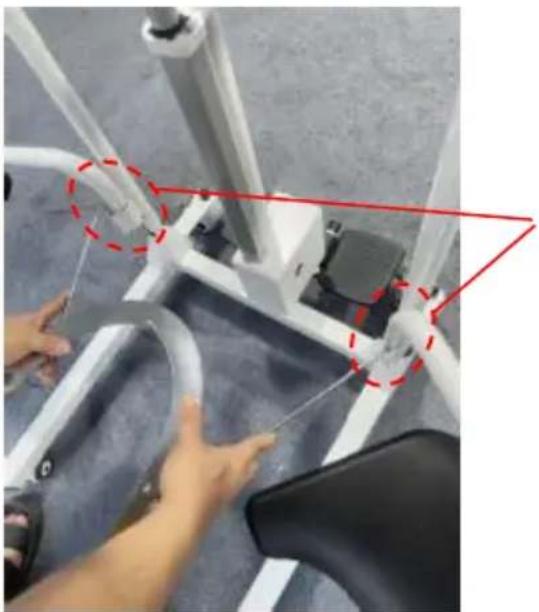
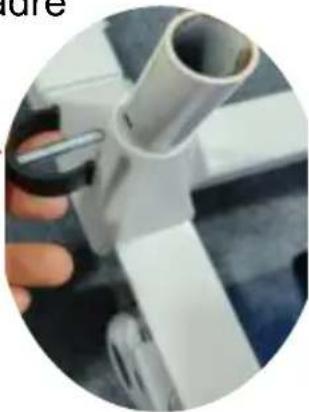
1.3 Remove the screws at the upper and lower ends of the push rod assembly. Then attach the lower end of the push rod assembly to the base frame wrench.
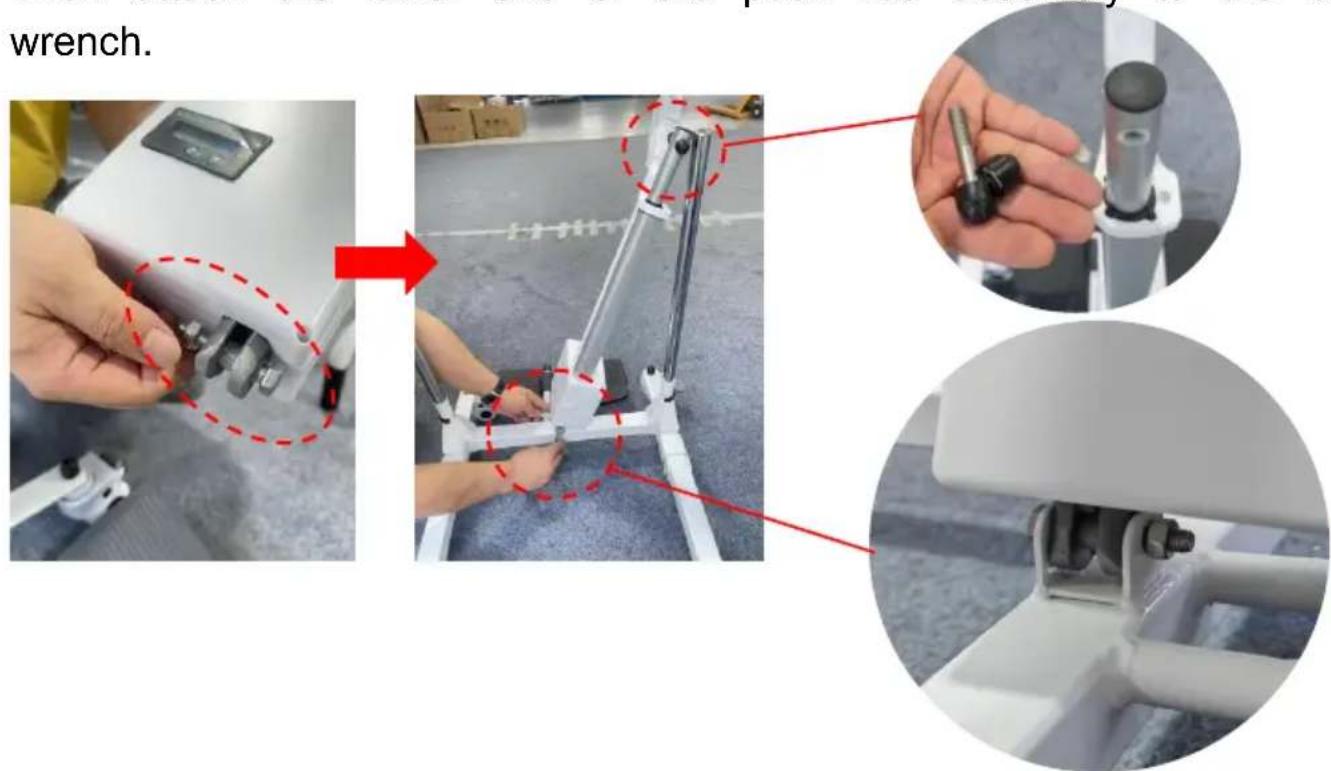
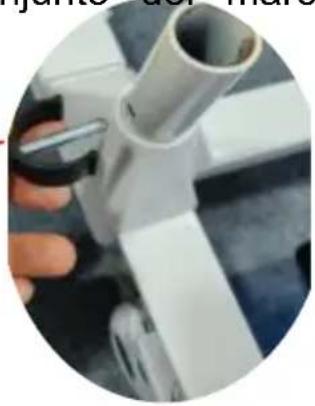
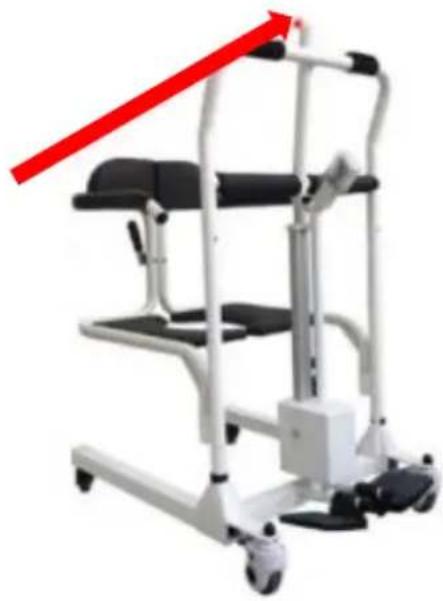
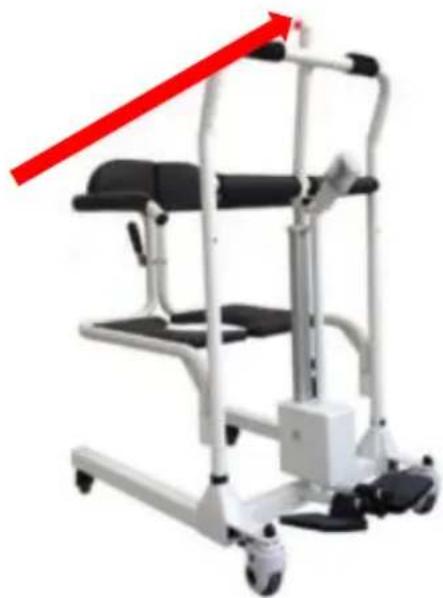
1.4 After installation, keep the push rod assembly upright and then insert it into the handrail gantry. Align the mounting holes and lock the screws.
![graph TD A["Person in exercise frame"] --> B["Assembly step 1"] B --> C["Assembly step 2"] C --> D["Assembly step 3"] D --> E["Assembly step 4"] E --> F["Assembly step 5"] F --> G["Assembly step 6"] G --> H["Assembly step 7"] H --> I["Assembly step 8"] I --> J["Assembly step 9"] J --> K["Assembly st…](/content/2026/04/737022/images/64716de703f2f3b9f24077bb8d31370d55930c05883628d185d112e1637ddc99.jpg)
Step 2: Mounting the cushion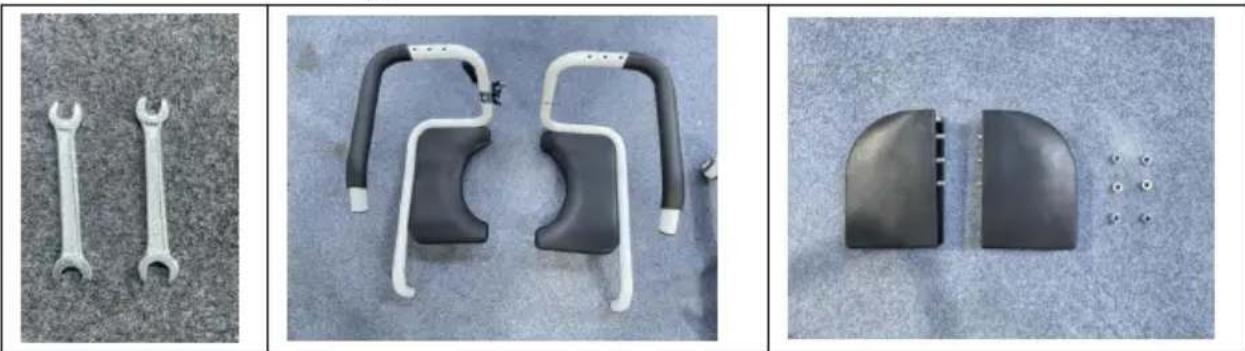
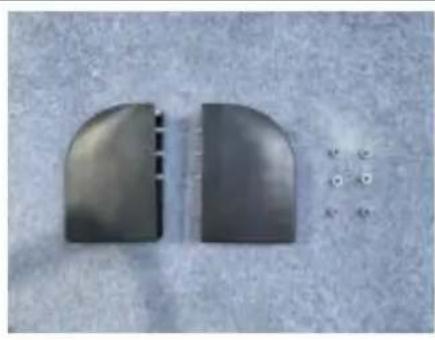
2.1 Install the backrest separately on the left and right cushion frames. Tighten the nut with a wrench.
2.2 Then insert the left and right seat cushion side frames respectively into the mounting holes on the left and right sides of the frame assembly
![graph TD A["Chair Position: Hand Holding Body"] --> B["Step 1: Left Side Mounting"] B --> C["Step 2: Left Side Mounting Body"] C --> D["Step 3: Right Side Mounting Body"] D --> E["Step 4: Right Side Mounting Body"] E --> F["Step 5: Right Side Mounting Body"] F --> G["Step 6: Right Side Mounting Body…](/content/2026/04/737022/images/068faecc385bc72e956ce5066b9fa9ce58ec8bc2e032eabf4125fa9ee75fabef.jpg)
Step 3: Mounting Toilet
3.1 First, insert the two ends of the toilet support into the mounting holes on the left and right seat cushion frames.
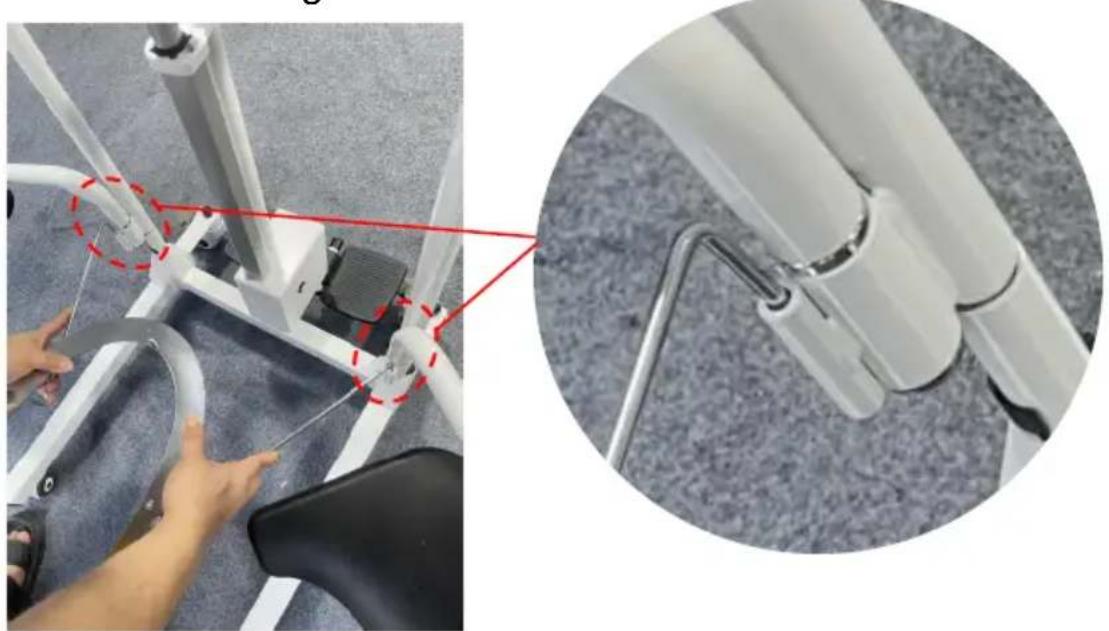
3.2 Insert the toilet into the toilet holder from behind, and then close the buckle on the left and right cushion frames. Finished.
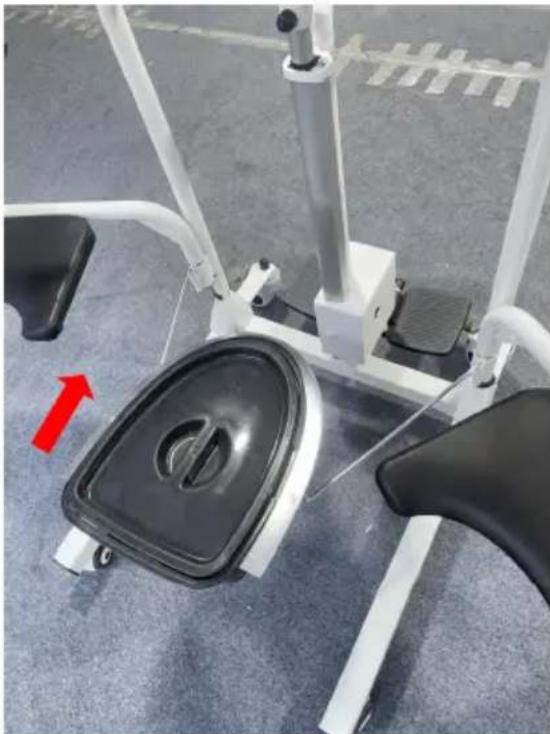
Step 4: Install Upper Sling Bracket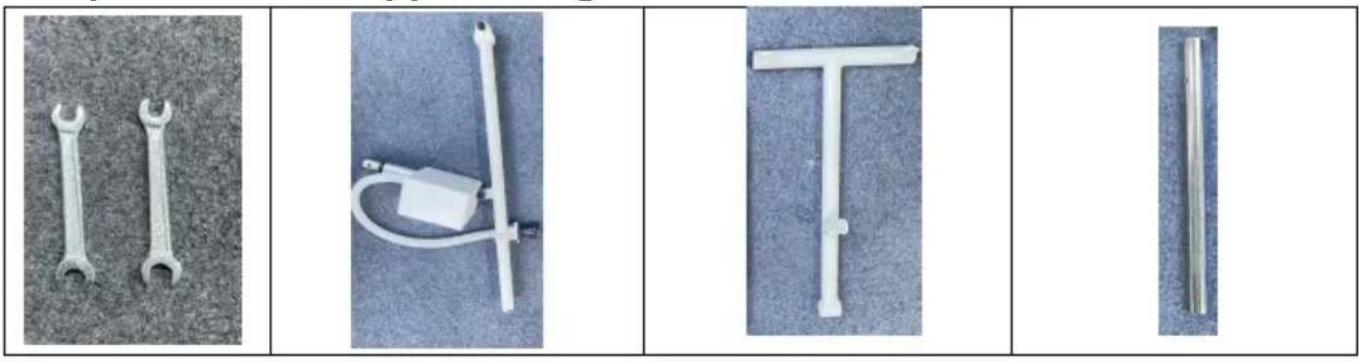
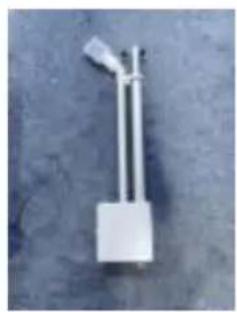
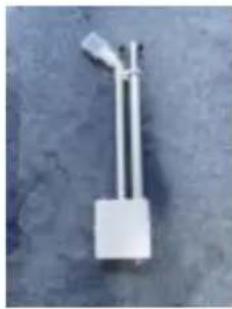
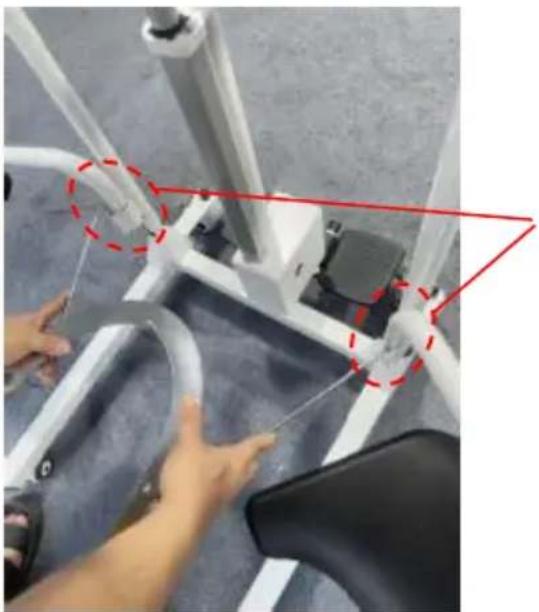
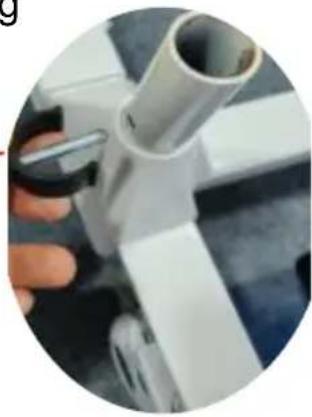
4.1 First, unscrew the battery push rod assembly and the T-rack, and then install the two together with screws. (Note: The black nuts must be removed and screwed on before being covered.)
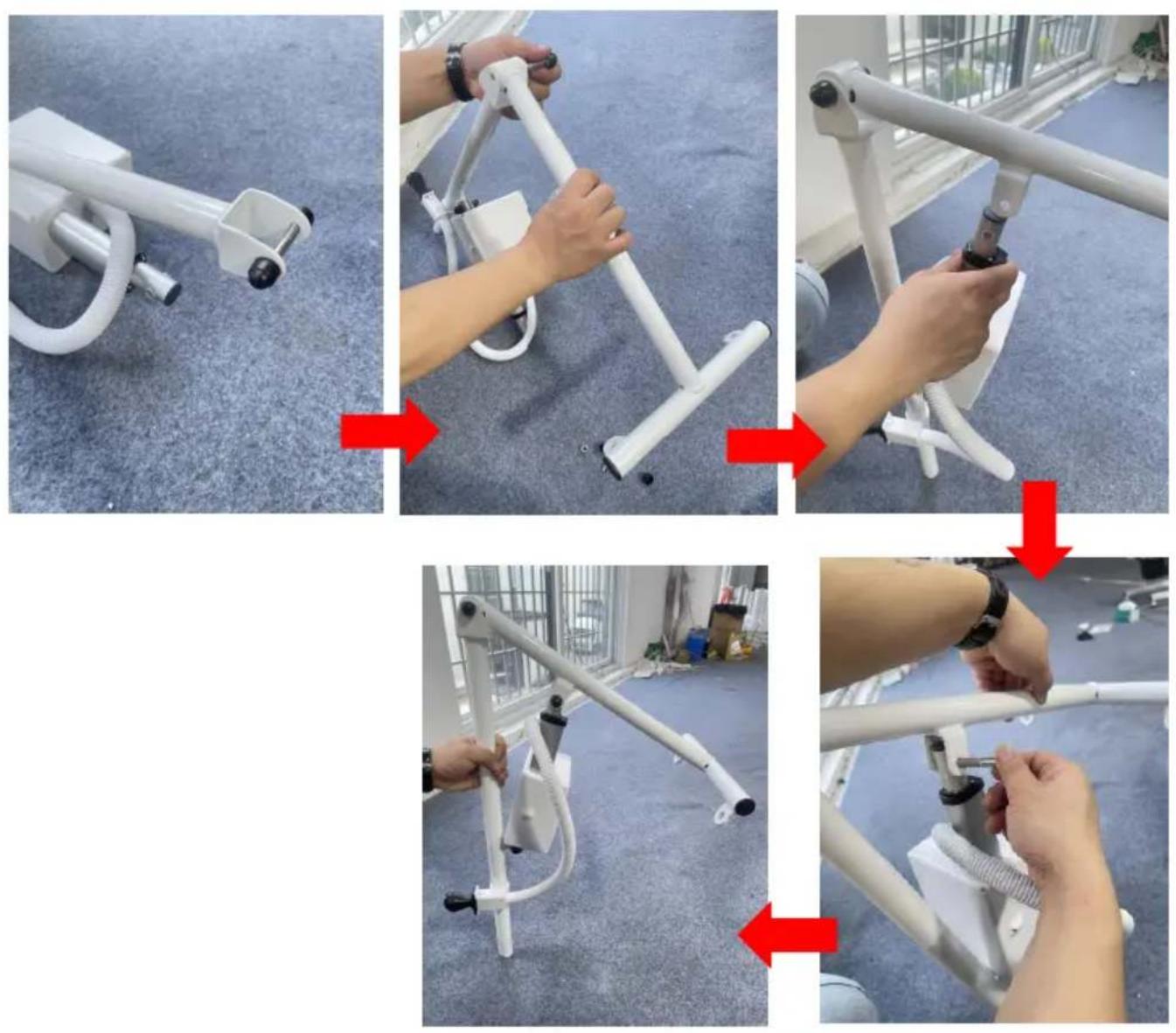
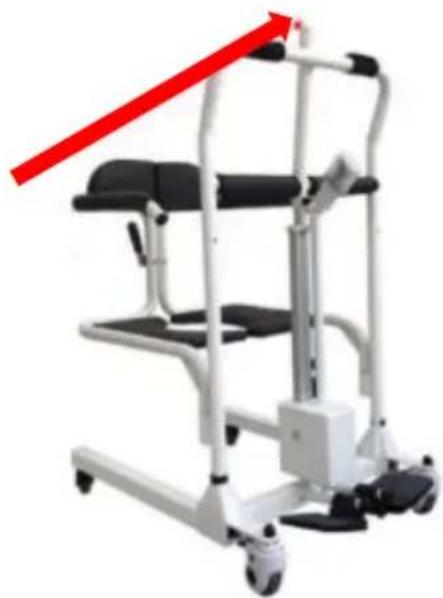
4.2 Insert the short mandrel into the mounting hole in the middle of the handrail gantry. Then insert the sling frame, and wrap it in a black sheath.
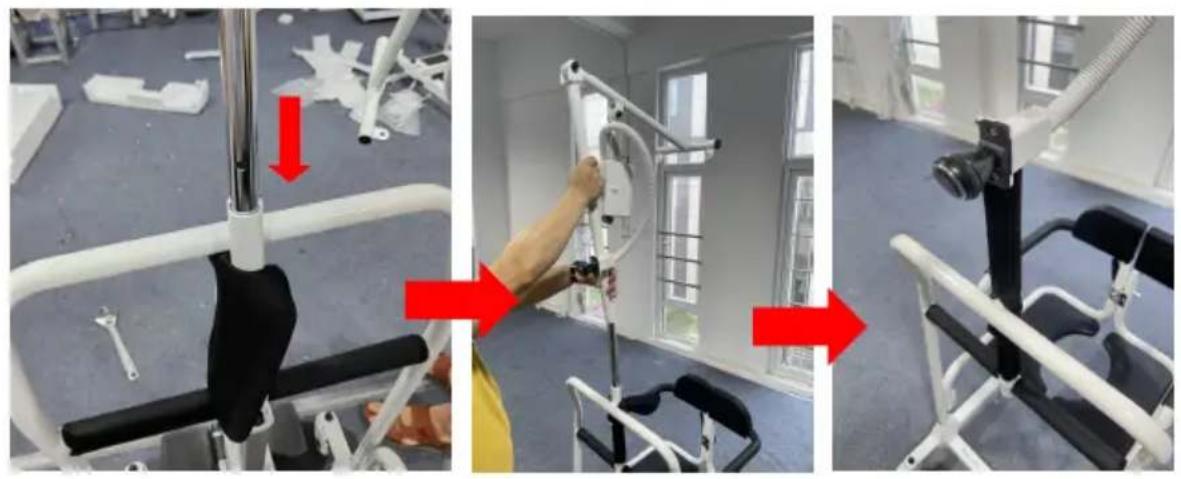
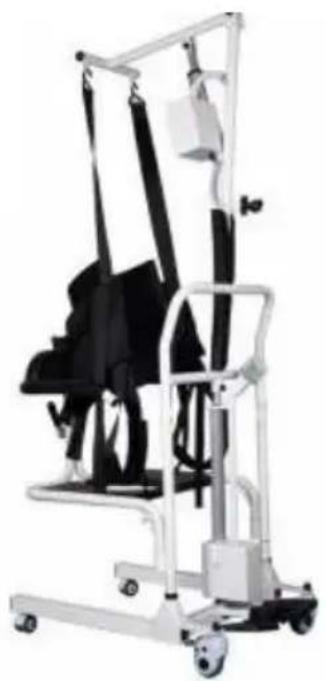
Step 5: Install the Sling and the Headrest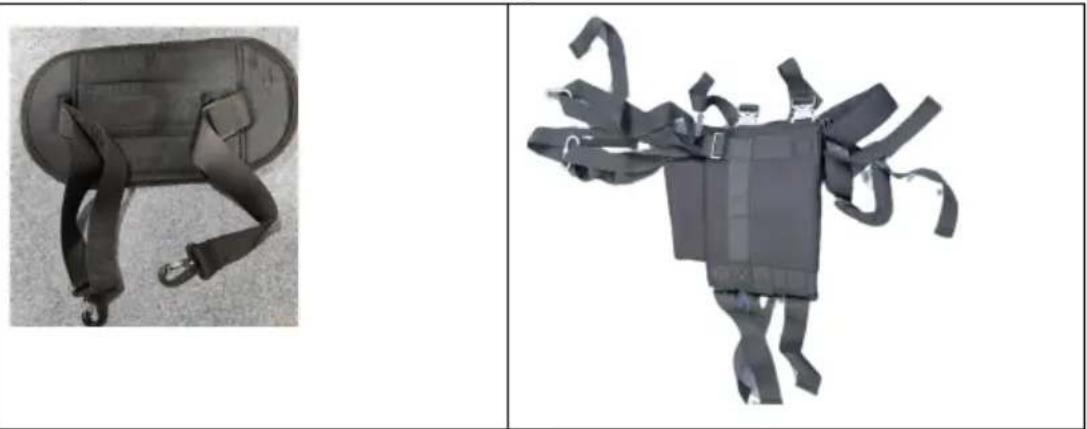
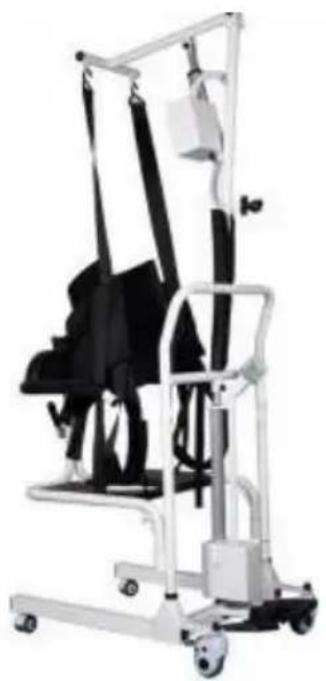
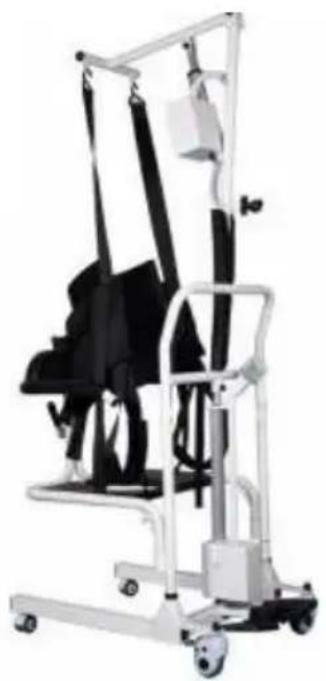
5.1 First, install the lock of the sling on the hanging hole of the slit, then the lock of the head support, and then the lock of the finished.

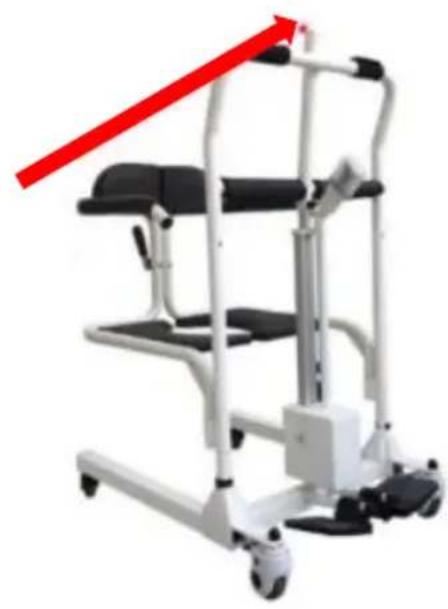
Tips: When the sling frame is not installed and used, install the following black plastic cover on the top of the middle tube of the handrail gantry frame.
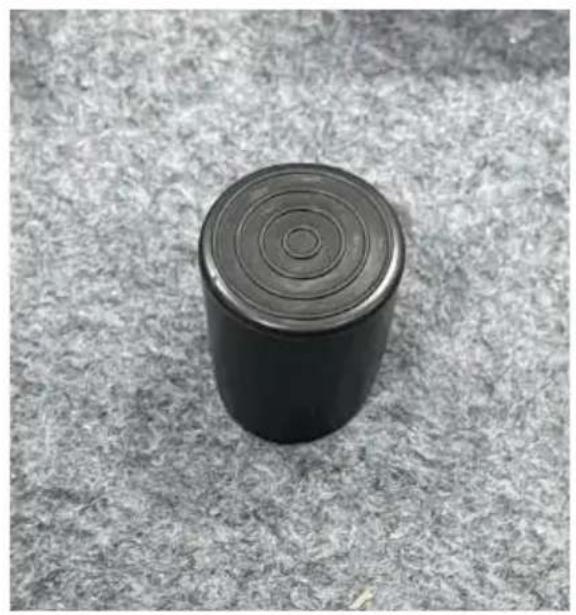
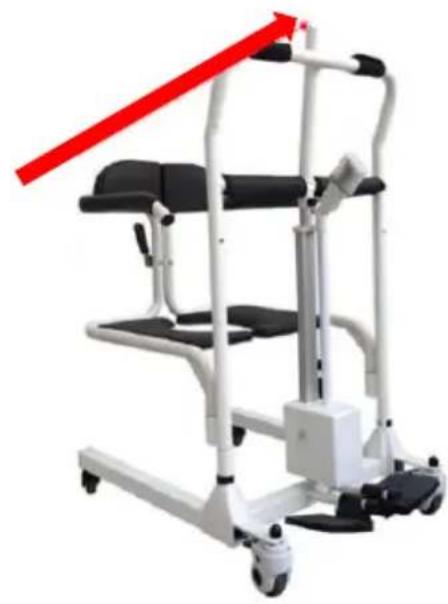
Instructions
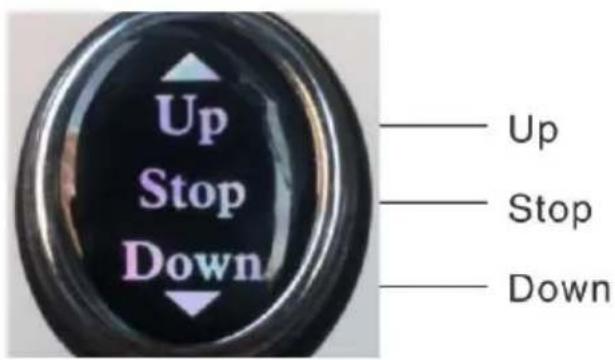
Product Controller Diagram
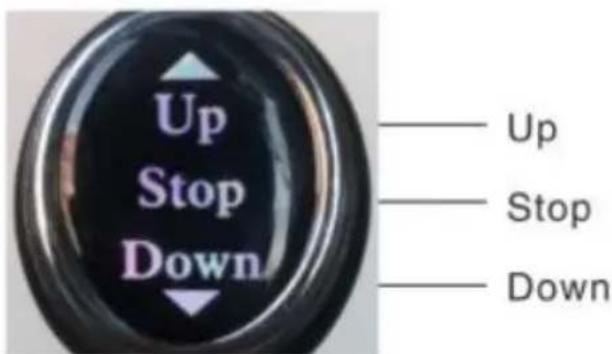
After charging, it can be used normally. It can be adjusted up and down to the proper height and can be moved. Before use, it must be confirmed that the spindle of the frame is inserted to ensure safety. According to the height of the product, press the up button to the appropriate height, release it. If the key is not released, the product automatically stops at its highest point. The power supply designed for this product is low voltage power.
supply, please rest assured.
Note: There is a power display on the battery box. Please check the display on the monitor regularly and charge it in time.
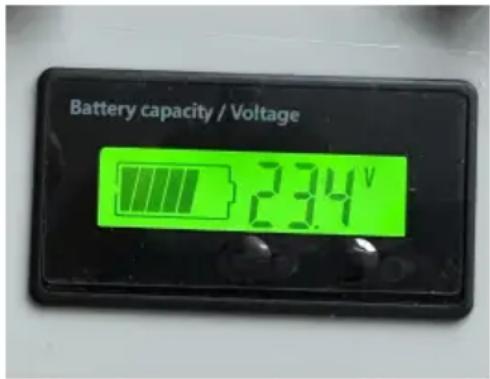
Troubleshooting
In the event of a failure, please contact our after-sales personnel or visit our official website for contact information. With the trust of our test staff, we will solve the problem. If we cannot solve the problem, we will visit the manufacturer free of charge. If the warranty period ends or the issue is caused by personnel, our company will not provide a free warranty. Materials and shipping costs will be required.
Maintenance
Warning: Do not disassemble or repair the machine without the permission of the manufacturer.
Cleaning and disinfection
It is recommended to wipe the seat ring with a soft cotton cloth before use, and disinfect it after cleaning. The conveyor shell and accessories should be scrubbed with medical alcohol or other non-corrosive disinfectants.
Warning:
When cleaning and disinfecting, do not charge or use the machine.
It is forbidden to wash or disinfect the transfer machine and accessories with liquid.
It is forbidden to use corrosive detergent to clean the shifter and
accessories.
It is forbidden to use corrosive disinfectant to disinfect the moving machine and accessories.
Only after the detergent and disinfectant are dried, can the shifter and accessories be used.
When the machine is not used for a long time, please take it out and charge it regularly to avoid battery failure.
Safe use and maintenance
- Do not always plug in the power supply during the process. At least once a week, the battery should be used to work, and until the battery is exhausted, it is necessary to ensure that the battery is recharged when exhausted. Although the lithium battery has no memory effect, this can prolong the life span of the battery. 2. Please dispose of the battery according to the relevant local regulations when the machine is scrapped.
- After using the machine, it is not necessary to clean and maintain it every time. It can be used normally after charging when battery powered. If it is found that there will be jitter when the machine is falling, apply electric lubricating oil on both long shafts.
- After using the product for a period of time, check whether the parts are loose. If there is any looseness, it should be tightened in time.
- The internal power supply of this product is DC low voltage power. If there is water on the surface of the body, it can be dried with a cloth. Do not immerse it in water directly.
CORRECT DISPOSAL

This product is subject to the provisions of European Directive 2012/19/EU. The symbol showing a wheelie bin crossed through indicates that the product requires separate refuse collection in the European Union. This applies to the product and all
accessories marked with this symbol. Products marked as such may not be discarded with normal domestic waste, but must be taken to a collection point for recycling electrical and electronic devices.
BATTERY DISPOSAL

To minimize hazards to health and the environment at the end of this product's life, laws dealing with Waste Electrical and
Electronic Equipment (WEEE) and The Waste Battery Directive
require you to dispose of this product at a suitable collection facility where it will be sent in order to remove the batteries and for appropriate recycling. Please contact your local authorities for more details on recycling and safe disposal of these in your area.
XIANG FALI TECHNOLOGY (XIAMEN) CO., LTD
Address: Floor 5th, No. 63, Pingcheng North Road, Haicang District
Xiamen Fujian, CN 361026
Imported to AUS: SIHAO PTY LTD. 1 ROKEVA STREET EASTWOOD
NSW 2122 Australia
Imported to USA: Sanven Technology Ltd. Suite 250, 9166 Anaheim
Place, Rancho Cucamonga, CA 91730
| UK | REP |
YH CONSULTING LIMITED.
C/O YH Consulting Limited Office 147,
Centurion House,
London Road, Staines-upon-Thames, Surrey
TW18 4AX
| EC | REP |
E-CrossStu GmbH
Mainzer Landstr.69, 60329 Frankfurt a
Main.
VEVOR®
TOUGH TOOLS, HALF PRICE
Technical Support and E-Warranty Certificate
www.vevor.com/support
VEVOR®
TOUGH TOOLS, HALF PRICE
We continue to be committed to providing you with tools at competitive prices. "Save Half", "Half Price" or any other similar expressions used by us only represent the savings you might benefit from buying certain tools with us compared to top brands and do not necessarily mean to cover all categories of tools offered. We kindly remind you to verify carefully when placing an order with us that you are actually saving half in comparison with the top major brands.
MODEL: XFL-QX-YW03
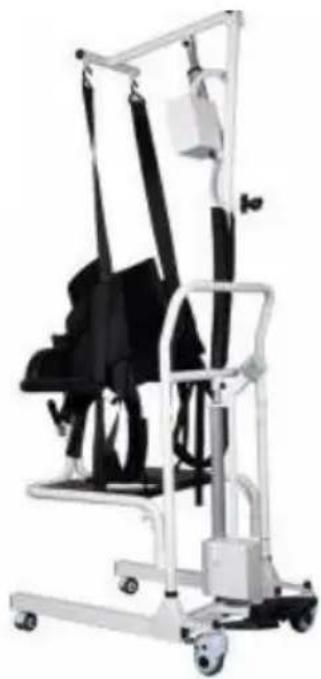
NEED HELP? CONTACT US!
Have product questions? Need technical support? Please feel free to contact us:
Technical Support and E-Warranty Certificate www.vevor.com/support
This is the original instruction. Please read all manual instructions carefully before operating. VEVOR reserves a clear interpretation of the user manual. The appearance of the product shall be subject to the product you received. Please forgive us that we won't inform you of any technology or software updates on our product.
Circuit principle block diagram
![graph TD A["Battery 24 V"] --> B{Rocker type\nBidirectional self reset switch} B -->|Rocker up| C["Electric push rod up"] B -->|Rocker pull down| D["Electric push rod down"]](/content/2026/04/737022/images/e303b8861f3e9cff60d208d4e3e3f3331215eddcf97b604621ed71b6a65252a6.jpg)
Environmental requirements
◆Usage environment:
Installation instructions
Instructions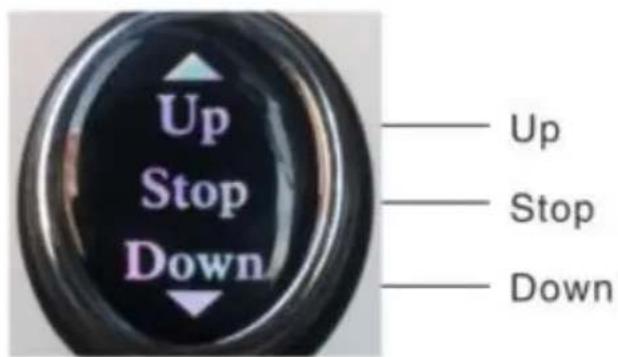
Product Controller Diagram
Troubleshooting
Cleaning and disinfection
Safe use and maintenance
C/O YH Consulting Limited Office 147,
Centurion House,
London Road, Staines-upon-Thames, Surrey
TW18 4AX
| EC | REP |
E-CrossStu GmbH
Mainzer Landstr.69, 60329 Frankfurt a
Main.
VEVOR®
TOUGH TOOLS, HALF PRICE
www.vevor.com/support
VEVOR®
TOUGH TOOLS, HALF PRICE
We continue to be committed to provide you tools with competitive price. "Save Half", "Half Price" or any other similar expressions used by us only represent estimate of savings you might benefit from buying certain tools with us compared top brands and does not necessarily mean to cover all categories of tools offered are kindly reminded to verify carefully when you are placing an order with us actually saving half in comparison with the top major brands.
MODELL: XFL-QX-YW03
NEED HELP? CONTACT US!
Have product questions? Need technical support? Please feel free to contact us:
Technical Support and E-Warranty Certificate www.vevor.com/support
This is the original instruction. Please read all manual instructions carefully before operating. VEVOR reserves a clear interpretation of the user manual. The appearance of the product shall be subject to the product you received. Please forgive us that we won't inform you if there are any technology or software updates on our product.
Circuit principle block diagram
![graph TD A["Battery 24 V"] --> B{Rocker type\nBidirectional self reset switch} B -->|Rocker up| C["Electric push rod up"] B -->|Rocker pull down| D["Electric push rod down"]](/content/2026/04/737022/images/52959c2fc11d2b85c09a19c5802e42d94aaf0c25acb516b23c0fce3cc0622303.jpg)
Environmental requirements
◆ Operating environment:
Installation instructions
Mounting the toilet
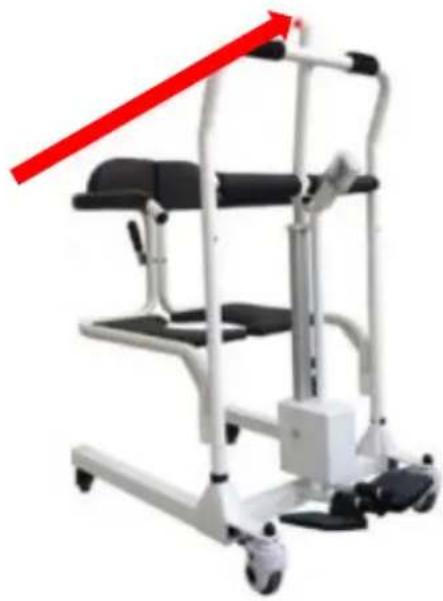
Instructions
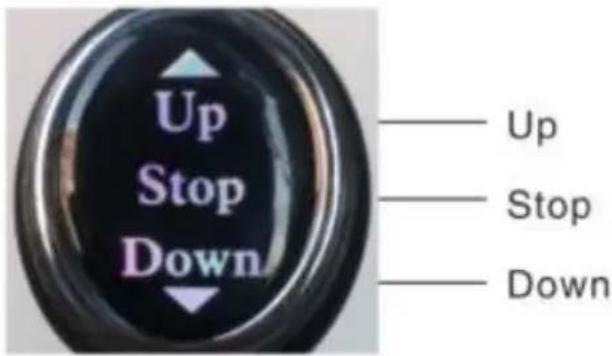
Product Controller Diagram
Troubleshooting
Cleaning and disinfection
Safe use and maintenance
C/O YH Consulting Limited Office 147,
Centurion House,
London Road, Staines-upon-Thames, Surrey
TW18 4AX
| EC | REP |
E-CrossStu GmbH
Mainzer Landstr.69, 60329 Frankfurt a
Main.
VEVOR®
TOUGH TOOLS, HALF PRICE
www.vevor.com/support
VEVOR®
TOUGH TOOLS, HALF PRICE
We continue to be committed to provide you tools with competitive price. "Save Half", "Half Price" or any other similar expressions used by us only represent estimate of savings you might benefit from buying certain tools with us compared to top brands and does not necessarily mean to cover all categories of tools offered. We kindly remind you to verify carefully when you are placing an order with us to see if you are actually saving half in comparison with the top major brands.
MODEL: XFL-QX-YW03
NEED HELP? CONTACT US!
Have product questions? Need technical support? Please feel free to contact us:
Technical Support and E-Warranty Certificate www.vevor.com/support
This is the original instruction. Please read all manual instructions carefully before operating. VEVOR reserves a clear interpretation of the user manual. The appearance of the product shall be subject to the product you received. Please forgive us that we won't inform you of any technology or software updates on our product.
Circuit principle block diagram![graph TD A["Battery 24 V"] --> B{Rocker type Bidirectional self reset switch} B -->|Rocker up| C["Electric push rod up"] B -->|Rocker pull down| D["Electric push rod down"]](/content/2026/04/737022/images/8d9e1d6d72a0d556497d603c310c116f4b417ea68de36b873db2b49f73325f74.jpg)
Environmental requirements
Installation instructions
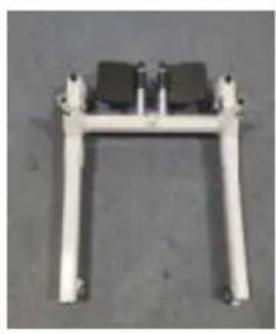
Instructions
Product Controller Diagram
Troubleshooting
Cleaning and disinfection
Safe use and maintenance
C/O YH Consulting Limited Office 147, Centurion House,
London Road, Staines-upon-Thames, Surrey TW18 4AX
| EC | REP |
E-CrossStu GmbH
Mainzer Landstr.69, 60329 Frankfurt a Main.
VEVOR®
TOUGH TOOLS, HALF PRICE
www.vevor.com/support
VEVOR®
TOUGH TOOLS, HALF PRICE
Technical Support and E-Warranty Certificate www.vevor.com/support
We continue to be committed to provide you tools with competitive price. "Save Half", "Half Price" or any other similar expressions used by us only represent the savings you might benefit from buying certain tools with us compared to top brands and does not necessarily mean to cover all categories of tools offered. We are kindly reminded to verify carefully when you are placing an order with us that you are actually saving half in comparison with the top major brands.
MODEL: XFL-QX-YW03
NEED HELP? CONTACT US!
Have product questions? Need technical support? Please feel free to contact us:
Technical Support and E-Warranty Certificate www.vevor.com/support
This is the original instruction. Please read all manual instructions carefully before operating. VEVOR reserves a clear interpretation of the user manual. The appearance of the product shall be subject to the product you received. Please forgive us that we won't inform you if there are any technology or software updates on our product.
Circuit principle block diagram
![graph TD A["Battery 24 V"] --> B{Rocker type\nBidirectional self reset switch} B -->|Rocker up| C["Electric push rod up"] B -->|Rocker pull down| D["Electric push rod down"]](/content/2026/04/737022/images/e78d967dedb407e5293289758885b7680c0575431c11e16db42a651bbbcd7a06.jpg)
Environmental requirements
| 1. Rugleuning x2 | 2.slinger x1 |
| 3. Basisframe x1 | 4. Hoofdsteun x1 |
| 5. Leuningportaal x1 | 6. ophangbeugel x1 |
| 7. Linker zitkussen zijframe x1 | 8. Rechter zitkussen zijframe x1 |
| 9. Doorn x2 | 10. Stub mandre x1 |
| 11. Stroomadapter x1 | 12. Elektrische duwstangmontage x1 |
| 13. Elektrische duwstangmontage x1 | 14. Toiletemmer x1 |
| 15. Toilet emmer standaard x 1 | 16. zitkussen x 1 |
| 17. Montagemateriaal x 1set |
Installation instructions
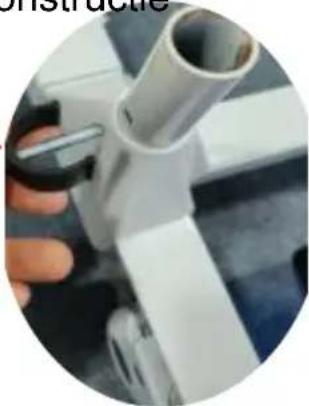
Step 3: Mount the toilet
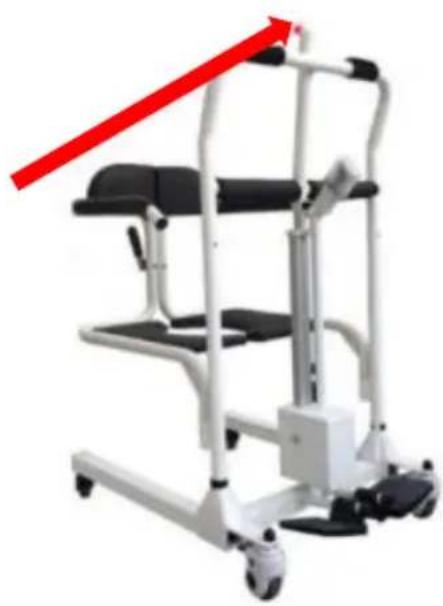
Instructions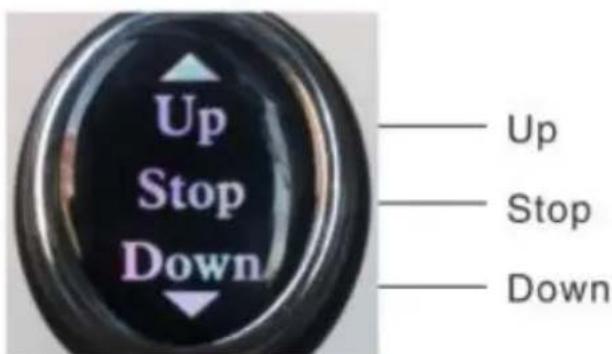
Product Controller Diagram
Troubleshooting
Cleaning and disinfection
Safe use and maintenance
C/O YH Consulting Limited Office 147,
Centurion House,
London Road, Staines-upon-Thames, Surrey
TW18 4AX
| EC | REP |
E-CrossStu GmbH
Mainzer Landstr.69, 60329 Frankfurt a
Main.
VEVOR®
TOUGH TOOLS, HALF PRICE
www.vevor.com/support
VEVOR®
TOUGH TOOLS, HALF PRICE
We continue to be committed to provide you tools with competitive price. "Save Half", "Half Price" or any other similar expressions used by us only represent of savings you might benefit from buying certain tools with us compared top brands and does not necessarily mean to cover all categories of tools offered are kindly reminded to verify carefully when you are placing an order with us actually saving half in comparison with the top major brands.
MODELL: XFL-QX-YW03
NEED HELP? CONTACT US!
Have product questions? Need technical support? Please feel free to contact us:
Technical Support and E-Warranty Certificate www.vevor.com/support
This is the original instruction, please read all manual instruction carefully before operating. VEVOR reserves a clear interpretation user manual. The appearance of the product shall be subject to product you received. Please forgive us that we won't inform you there are any technology or software updates on our product.
Circuit principle block diagram![graph TD A["Battery 24 V"] --> B{Rocker type Bidirectional self reset switch} B -->|Rocker up| C["Electric push rod up"] B -->|Rocker pull down| D["Electric push rod down"]](/content/2026/04/737022/images/3ee21c82d0cb41dc91dc168ad75af3e71c8d08ed8dfb3393dd448cf534222b53.jpg)
Environmental requirements
◆Operating environment:
Installation instructions
Step 1: Mounting body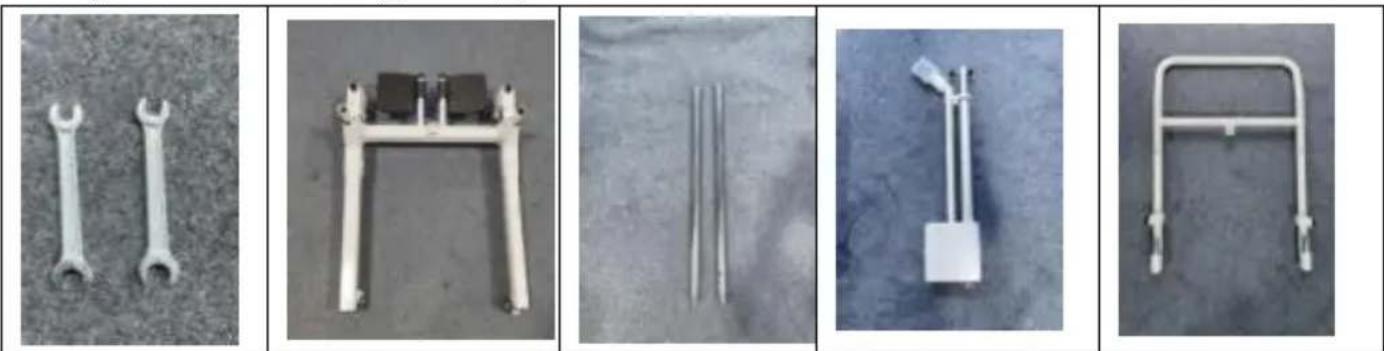
Step 2: Mounting cushion
![graph TD A["Step 1: Hand holding seatbelt device"] --> B["Step 2: Insert seatbelt device"] B --> C["Step 3: Hand adjusting seatbelt device"] C --> D["Step 4: Assembly seatbelt device"] D --> E["Step 5: Setup seatbelt device"] E --> F["Step 6: Attach seatbelt device"] F --> G["Step 7: Remove seatbelt…](/content/2026/04/737022/images/91818e55a9623a8abe0a092a3e693319ca452aef644f66efa49c1ef1143c362b.jpg)
Instructions

Product Controller Diagram
Troubleshooting
Cleaning and disinfection
Safe use and maintenance
Address: Floor 5th, No. 63, Pingcheng North Road, Haicang District
Xiamen Fujian, CN 361026
Imported to AUS: SIHAO PTY LTD. 1 ROKEVA STREET EASTWOOD
NSW 2122 Australia
Imported to USA: Sanven Technology Ltd. Suite 250, 9166 Anaheim
Place, Rancho Cucamonga, CA 91730
| UK | REP |
YH CONSULTING LIMITED.
C/O YH Consulting Limited Office 147,
Centurion House,
London Road, Staines-upon-Thames, Surrey
TW18 4AX
| EC | REP |
E-CrossStu GmbH
Mainzer Landstr.69, 60329 Frankfurt a
Main.
VEVOR®
TOUGH TOOLS, HALF PRICE
www.vevor.com/support
VEVOR®
TOUGH TOOLS, HALF PRICE
We continue to be committed to provide you tools with competitive price. "Save Half", "Half Price" or any other similar expressions used by us only represent of savings you might benefit from buying certain tools with us compared top brands and does not necessarily mean to cover all categories of tools offered are kindly reminded to verify carefully when you are placing an order with us actually saving half in comparison with the top major brands.
MODELO: XFL-QX-YW03
NEED HELP? CONTACT US!
Have product questions? Need technical support? Please feel fr contact us:
Technical Support and E-Warranty Certificate www.vevor.com/support
This is the original instruction, please read all manual instruction carefully before operating. VEVOR reserves a clear interpretation user manual. The appearance of the product shall be subject to product you received. Please forgive us that we won't inform you there are any technology or software updates on our product.
Circuit principle block diagram
![graph TD A["Battery 24 V"] --> B{Rocker type\nBidirectional self reset switch} B -->|Rocker up| C["Electric push rod up"] B -->|Rocker pull down| D["Electric push rod down"]](/content/2026/04/737022/images/8e916a65223d9a04551df70fc0589c39485fb6a672358672e6378dc4349c10ca.jpg)
Environmental requirements
◆ Operating environment:
Installation instructions
Instructions
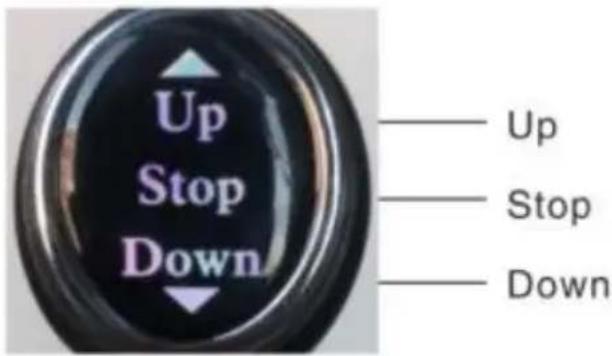
Product Controller Diagram
Troubleshooting
Cleaning and disinfection
Safe use and maintenance
C/O YH Consulting Limited Office 147,
Centurion House,
London Road, Staines-upon-Thames, Surrey
TW18 4AX
| EC | REP |
E-CrossStu GmbH
Mainzer Landstr.69, 60329 Frankfurt a
Main.
VEVOR®
TOUGH TOOLS, HALF PRICE
www.vevor.com/support
VEVOR®
TOUGH TOOLS, HALF PRICE
We continue to be committed to providing you with tools at competitive prices. "Save Half", "Half Price", or any other similar expressions used by us only represent the savings you might benefit from buying certain tools with us compared to top brands, and does not necessarily mean to cover all categories of tools offered. We kindly remind you to verify carefully when placing an order with us to ensure you are actually saving half in comparison with the top major brands.
MODEL: XFL-QX-YW03
NEED HELP? CONTACT US!
Have product questions? Need technical support? Please feel free to contact us:
Technical Support and E-Warranty Certificate www.vevor.com/support
This is the original instruction. Please read all manual instructions carefully before operating. VEVOR reserves the right to interpret the user manual. The appearance of the product shall be subject to the product you received. Please forgive us that we won't inform you of any technology or software updates on our product.
Circuit principle block diagram
![graph TD A["Battery 24 V"] --> B{Rocker type\nBidirectional self reset switch} B -->|Rocker up| C["Electric push rod up"] B -->|Rocker pull down| D["Electric push rod down"]](/content/2026/04/737022/images/e2c00ed9377d256add397644f73a6f81c3379213ab42ba281686a6952899d149.jpg)
Environmental requirements
Installation instructions
Instructions
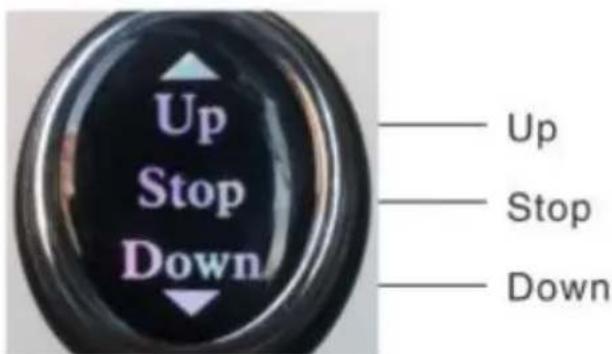
Product Controller Diagram
Troubleshooting
Cleaning and disinfection
Safe use and maintenance
C/O YH Consulting Limited Office 147, Centurion House,
London Road, Staines-upon-Thames, Surrey TW18 4AX
| EC | REP |
E-CrossStu GmbH
Mainzer Landstr.69, 60329 Frankfurt a Main.
VEVOR®
TOUGH TOOLS, HALF PRICE
www.vevor.com/support


- PATIENT TRANSFER CHAIR
- MODEL: XFL-QX-YW
- NEED HELP? CONTACT US
- OPERATION SAFETY
- WARNING
- PROHIBITION
- PRODUCT INTRODUCTION
- INTENDED USE
- ENVIRONMENTAL REQUIREMENTS
- PARTS LIST
- INSTALLATION INSTRUCTIONS
- STEP 1: MOUNTING THE BODY
- PRE-UNPLUG THE LATCH ON THE FRAME ASSEMBLY
- INSERT THE MANDREL INTO THE MOUNTING HOLES ON THE LEFT AND RIGHT OF THE FRAME ASSEMBLY AND INSERT THE LATCH
- STEP 3: MOUNTING TOILET
- INSTRUCTIONS
- TROUBLESHOOTING
- MAINTENANCE
- CLEANING AND DISINFECTION
- SAFE USE AND MAINTENANCE
- CORRECT DISPOSAL
- BATTERY DISPOSAL
- VEVOR®
- TOUGH TOOLS, HALF PRICE
- CIRCUIT PRINCIPLE BLOCK DIAGRAM
- MOUNTING THE TOILET
- STEP 3: MOUNT THE TOILET
Brand : Vevor
Model : XFL-QX-YW03
Category : Medical transfer chair