
XF8307 - Repair seat Vevor - Free user manual and instructions
Find the device manual for free XF8307 Vevor in PDF.
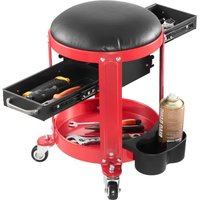


| Product Type | Repair Seat (Workshop Stool) |
| Brand | Vevor |
| Model | XF8307 |
| Product Dimensions (mm) | 400 x 300 x 420 |
| Seat Size (mm) | 287 x 70 |
| Maximum Load | 136 kg (300 lb) |
| Weight (approx.) | Approximately 5 kg |
| Materials | Steel, foam, plastic |
| Main Functions | Adjustable seat with leg support, footrest, under-seat storage, cup holder, swivel casters |
| Assembly | Requires simple assembly with included tools (Allen keys and wrench) |
| Maintenance and Cleaning | Clean with a damp cloth. Store in a dry place to prevent rust |
| Safety Instructions | Do not stand on the seat. Do not exceed the maximum load. Keep out of reach of children |
| Spare Parts and Repairability | Spare parts can be ordered from the manufacturer. Detailed parts list in the manual |
| Warranty | Electronic warranty included. Technical support via www.vevor.com/support |
| Included Accessories | 4 casters, Allen keys and wrench, screws and nuts, cup holder |
| Intended Use | Repair and maintenance in workshop |
Frequently Asked Questions - XF8307 Vevor
User questions about XF8307 Vevor
0 question about this device. Answer the ones you know or ask your own.
Ask a new question about this device
Download the instructions for your Repair seat in PDF format for free! Find your manual XF8307 - Vevor and take your electronic device back in hand. On this page are published all the documents necessary for the use of your device. XF8307 by Vevor.
USER MANUAL XF8307 Vevor
Technical Support and E-Warranty Certificate www.vevor.com/support
Repair Seats
MODEL: XF8307
We continue to be committed to providing you with tools at competitive prices. "Save Half", "Half Price", or any other similar expressions used by us only represent an estimate of savings you might benefit from buying certain tools with us compared to the major top brands and do not necessarily mean to cover all categories of tools offered by us. You are kindly reminded to verify carefully when placing an order with us if you are actually saving half in comparison with the top major brands.
VEVOR®
TOUGH TOOLS, HALF PRICE
Repair Seats
Model: XF8307
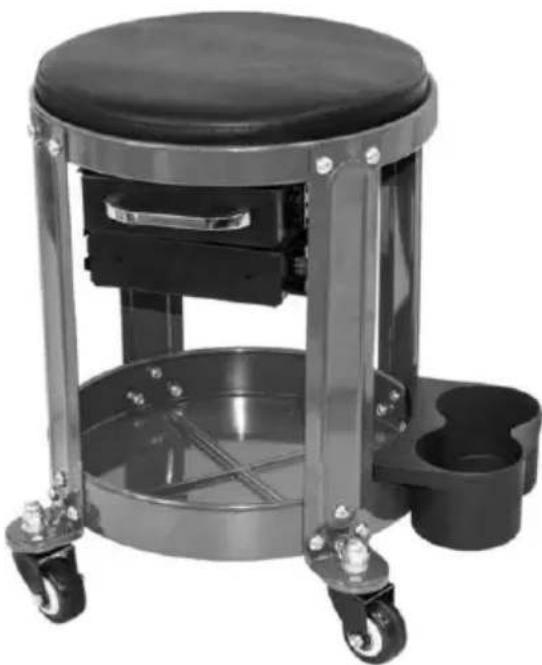
NEED HELP? CONTACT US!
Have product questions? Need technical support? Please feel free to contact us:
Technical Support and E-Warranty Certificate www.vevor.com/support
This is the original instruction. Please read all manual instructions carefully before operating. VEVOR reserves a clear interpretation of the user manual. The appearance of the product shall be subject to the product you received. Please forgive us that we won't inform you again if there are any technology or software updates on our product.
WARNING:
Read this material before using this product. Failure to do so can result in serious injury.
Assembly precautions
- Assemble only according to these instructions. Improper assembly can create hazards.
- Keep children, pets, and bystanders out of the area during assembly. Distractions can cause you to lose control of tools, injuring yourself or others. Weight capacity and other product capabilities apply to properly and completely assembled product only. Do not use if incompletely or improperly assembled.
Use precautions
This product is not a toy. Do not allow children to play with or near it, and store it out of reach of children. Use the stool and accessories as intended and in accordance with the instructions, taking into account the working conditions and the work to be performed. Use of the stool for operations different from those intended could result in a hazardous situation. Inspect before every use; do not use if parts are loose or damaged. Do not exceed weight capacity of 300 lbs (136 kg). NOTE: Be aware of dynamic loading! Sudden shifts in the load may create excess load, which may result in product failure. Store idle equipment. When not in use, this product must be stored in a location to inhibit rust. The warnings, cautions, and instructions discussed in this instruction manual cannot cover all possible conditions and situations that may occur. It must be understood by the operator that common sense and caution are factors which cannot be built into this product but must be supplied by the operator.
WARNING: Do not stand on Stool Pad. Serious injury can occur.
TECHNICAL PARAMETERS
| Model | XF8307 |
| Rated Load (lbs) | 300 |
| Seat size (mm) | φ287*70 |
| Product size (mm) | 400*300*420 |
PART LIST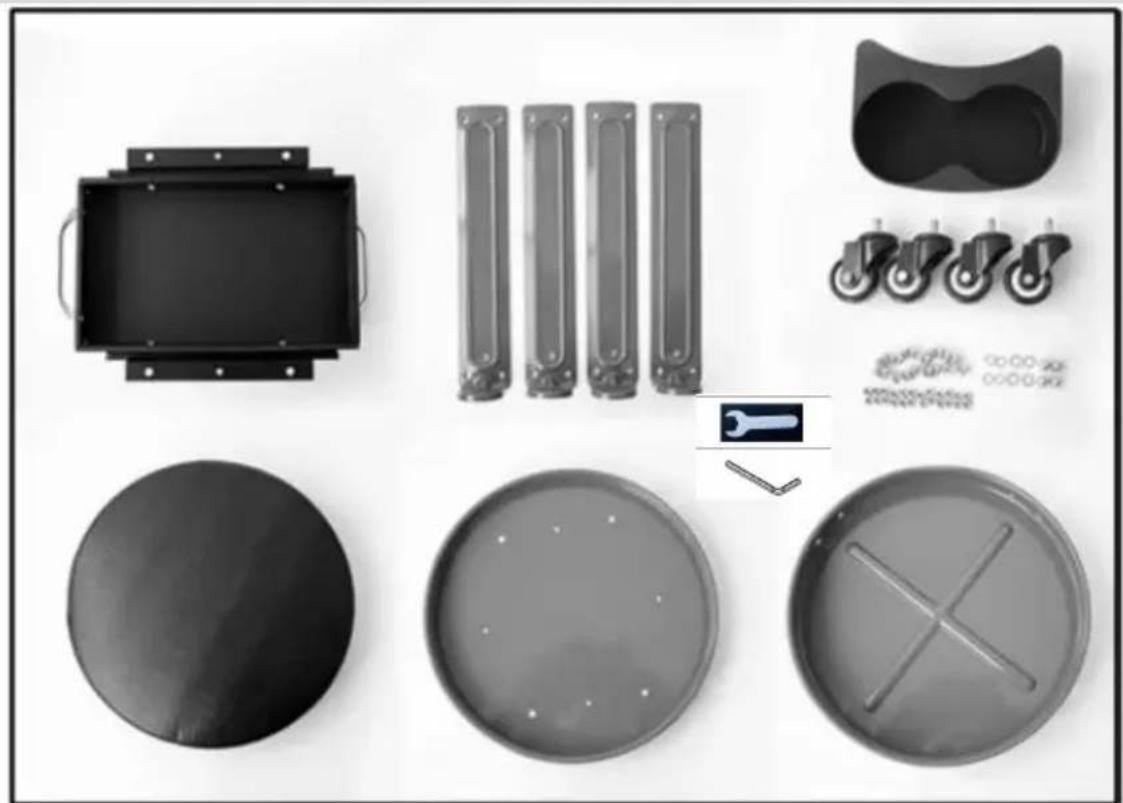
| Part | Description | Qty | Part | Description | Qty |
| 1 | Seat cushion | 1 | 8 | M6 Lock nut | 24 |
| 2 | Seat cushion base | 1 | 9 | M8 Cap nut | 4 |
| 3 | Ball bearing slide drawers set | 1 | 10 | Flat washer | 4 |
| 4 | Support leg | 4 | 11 | Spring washer | 4 |
| 5 | Under seat storage base | 1 | 12 | Castor | 4 |
| 6 | Can holder | 1 | 13 | Open - end wrenche | 2 |
| 7 | M6 Round head inne hexagon screw | 24 | 14 | hex key | 2 |
INSTRUCTION FOR USE
- Assemble drawers to seat cushion base with M6 Roundhead inner hexagon screw (7) and M6 Lock nut (8) (Fig. 3).
- Assemble the remaining three screws and tighten all. (Fig. 3)
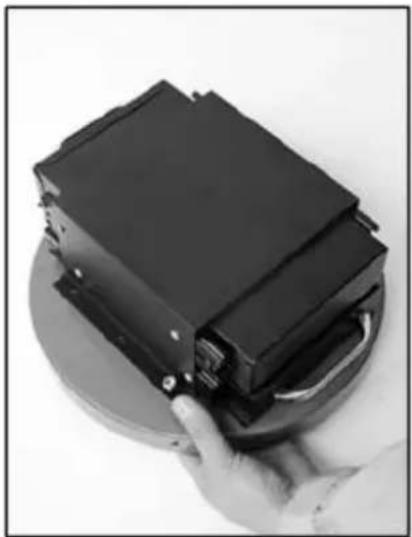
Figure 2
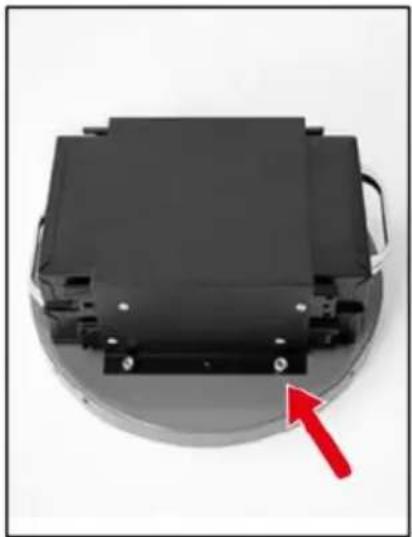
Figure 3
- Using one of the support legs (4), align the 3 holes in the support with the holes of the under-seat storage base (5), using M6 Round head hexagon screw (7) and M6 Lock nut (8). Hand tighten the screws (leave screws loose until completely assembled). (Fig. 4)
- Assemble the remaining three support legs (4) to the under-seat storage base (5) and hand tighten. (Fig. 5)
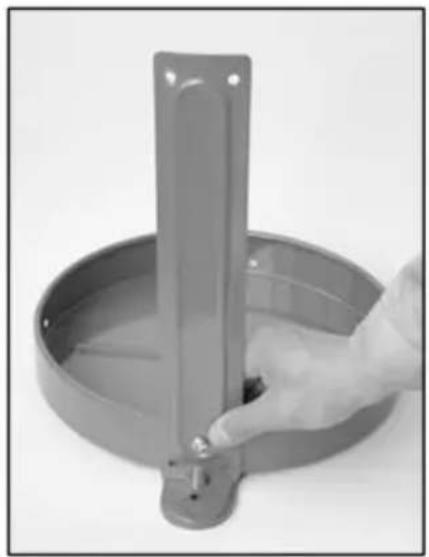
Figure 4
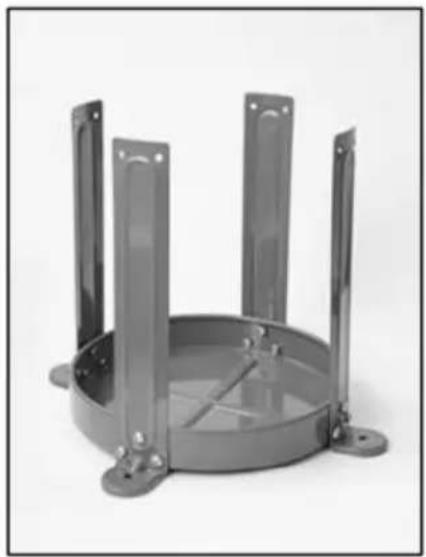
Figure 5
- Align the 2 holes in the support leg with the holes of the seat base which is completed in Figure 3. using M6 Round head inner hex screw(7) and M6 Lock nut(8) and hand tighten.(Fig.6)
- Assemble the remaining three support legs(4) to the seat cushion and hand tighten. (Fig.7)
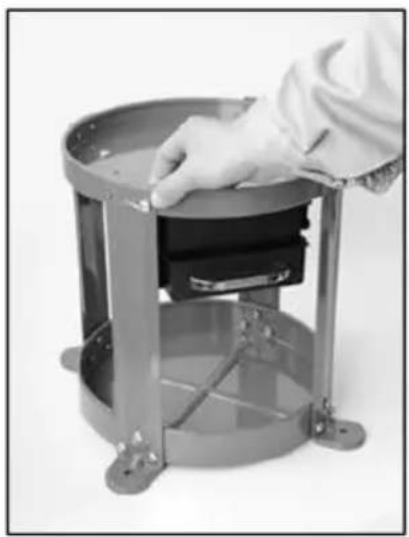
Figure 6
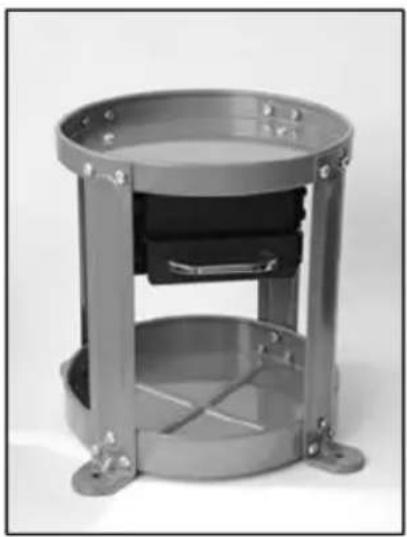
Figure 7
- Tighten all screws. (Fig. 8)
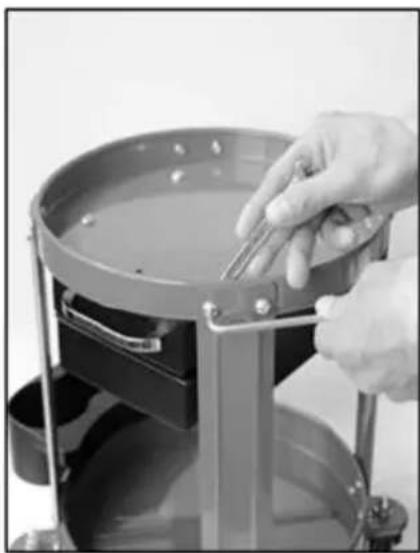
Figure 8
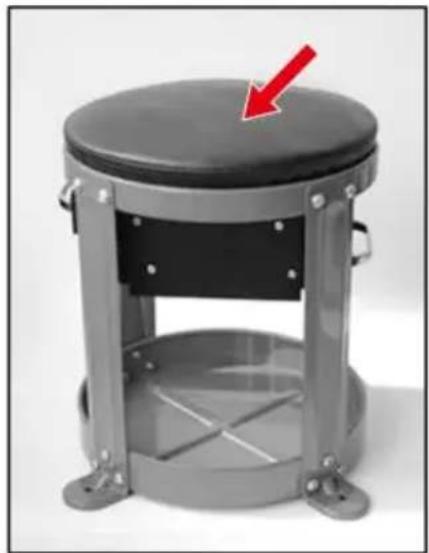
Figure 9
- Put the Seat cushion(1) into the seat cushion base. (Fig .9)
- Assemble the castors with M8 cap nut(9), fat washer(10), spring washer(11). Repeat for all castors.(Fig.11)
- Put the can holder to the side of under seat storage base. (Fig.
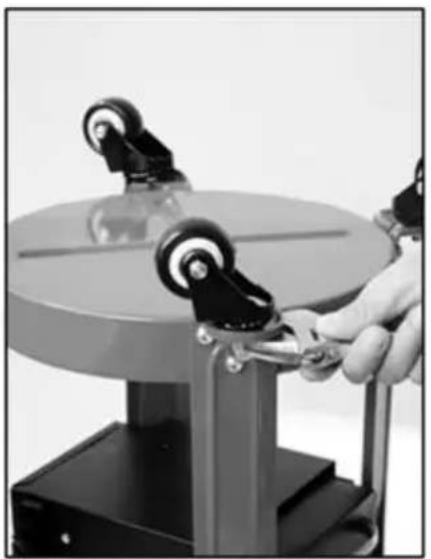
Figure 11
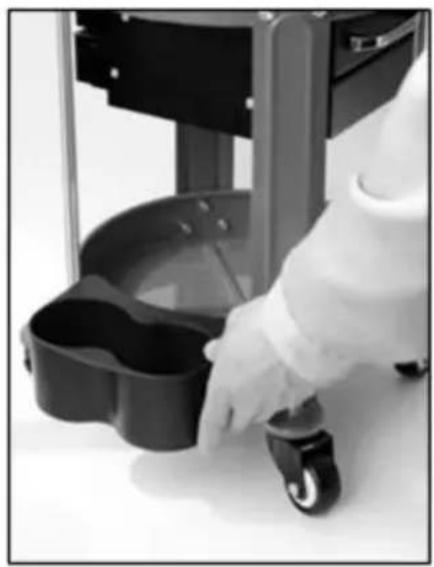
Figure 12
- Your workshop creeper seat is now ready for use. Periodically check to ensure all bolts are tight on your workshop creeper seat.
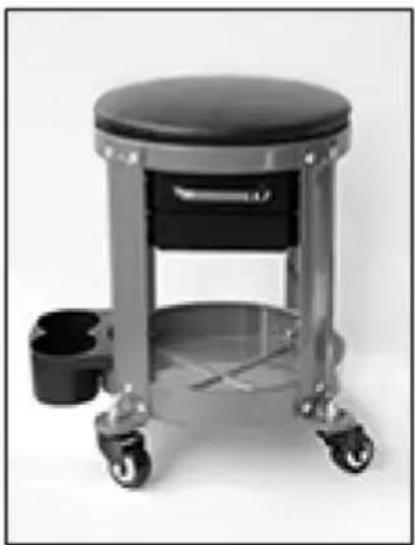
Figure 13
VEVOR®
TOUGH TOOLS, HALF PRICE
Technical Support and E-Warranty Certificate
www.vevor.com/support
VEVOR®
TOUGH TOOLS, HALF PRICE
NEED HELP? CONTACT US!
Figure 2
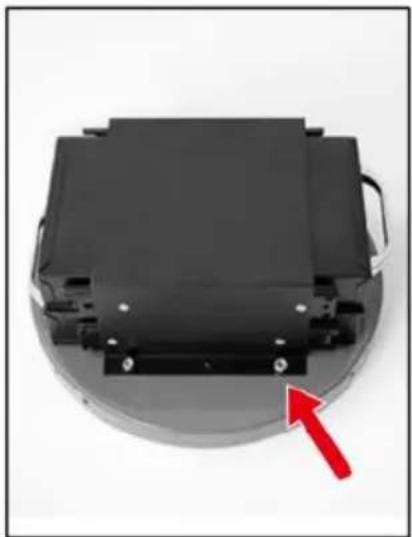
Figure 3
Figure 4
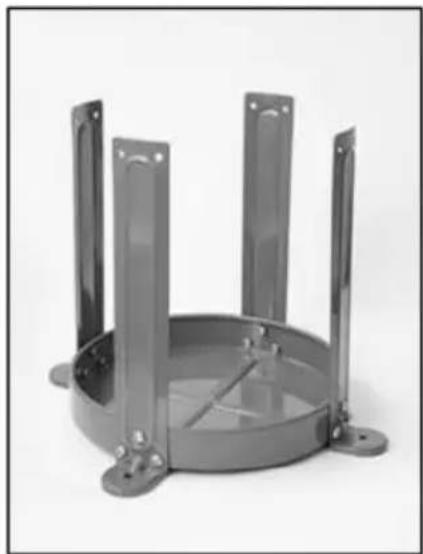
Figure 5
Figure 6
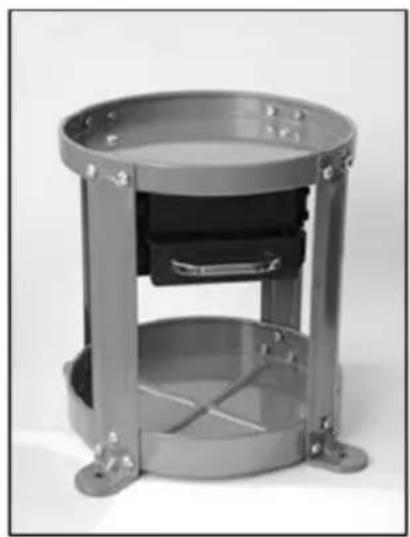
Figure 7
Figure 8
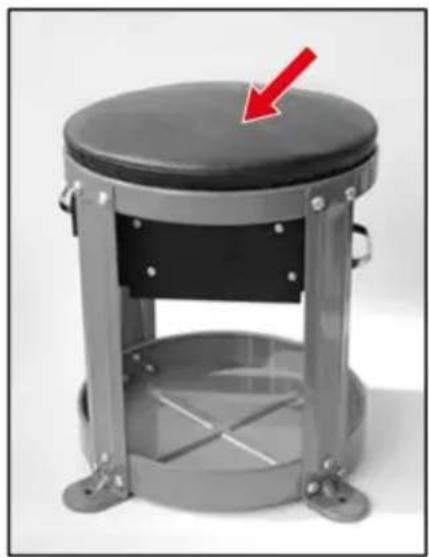
Figure 9
Figure 11
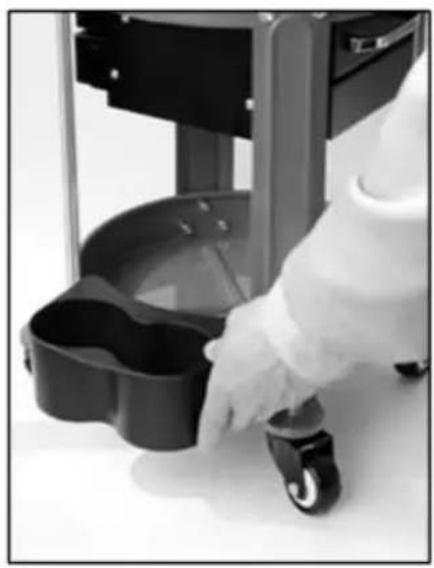
Figure 12
Figure 13
VEVOR®
TOUGH TOOLS, HALF PRICE
www.vevor.com/support
VEVOR®
TOUGH TOOLS, HALF PRICE
www.vevor.com/support
Figure 2
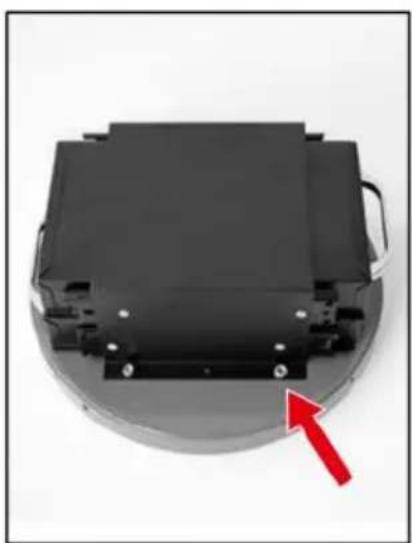
Figure 3
Figure 4
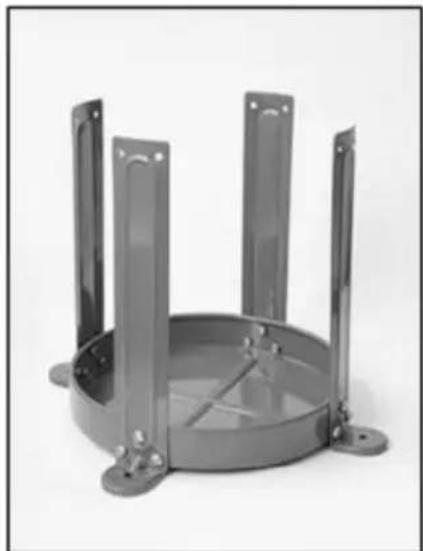
Figure 5
Figure 6
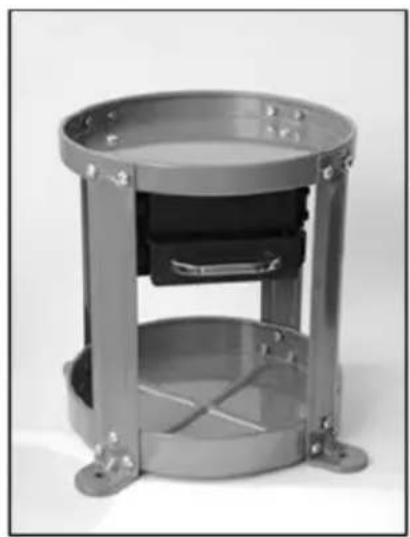
Figure 7
Figure 8
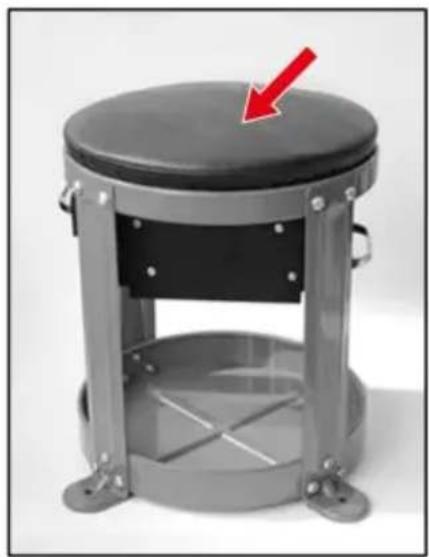
Figure 9
Figure 11
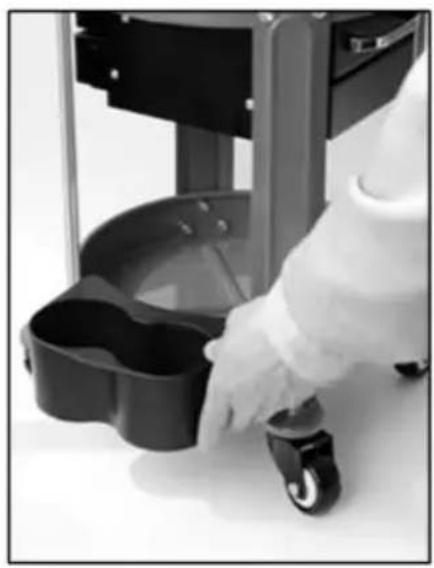
Figure 12
Figure 13
VEVOR®
TOUGH TOOLS, HALF PRICE
www.vevor.com/support
VEVOR®
TOUGH TOOLS, HALF PRICE
www.vevor.com/support
NEED HELP? CONTACT US!
Figure 2
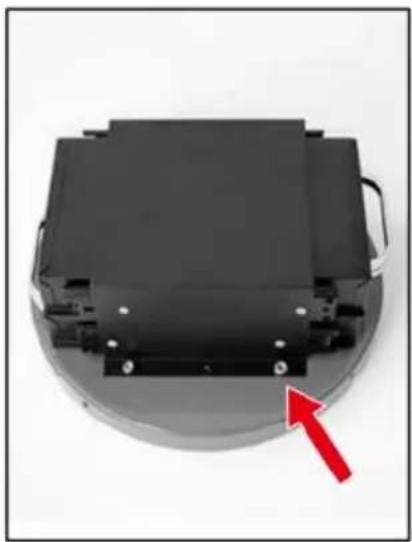
Figure 3
Figure 4
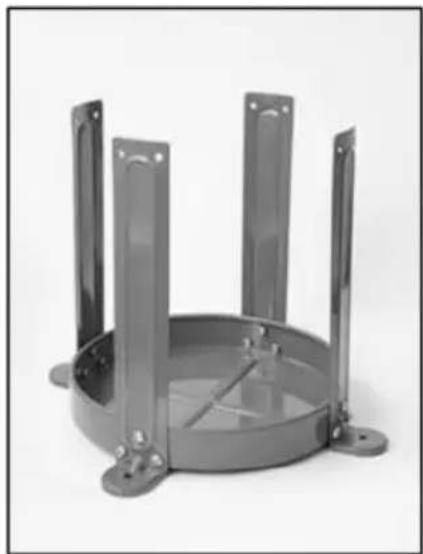
Figure 5
Figure 6
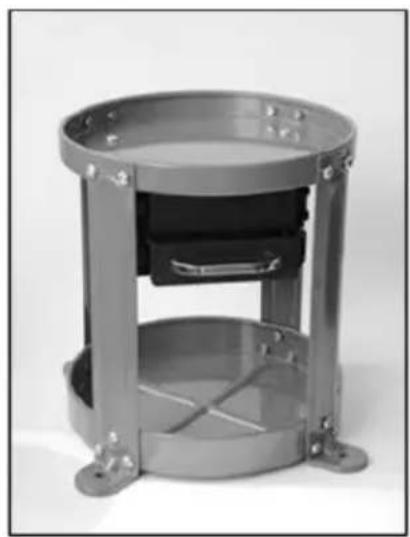
Figure 7
Figure 8
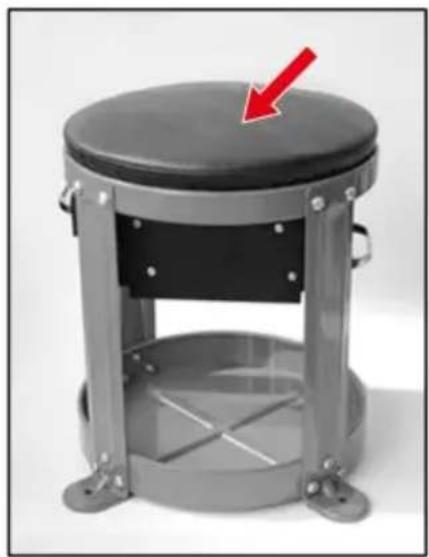
Figure 9
Figure 11
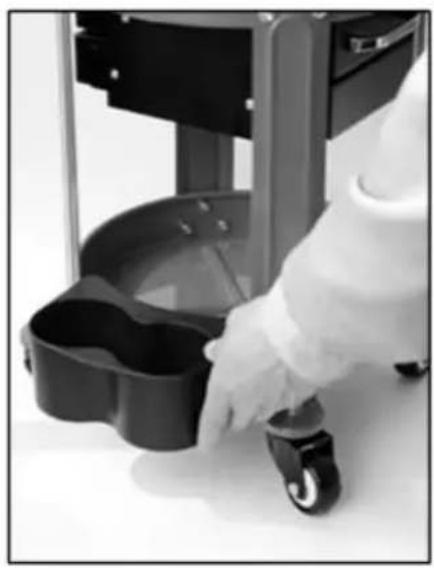
Figure 12
Figure 13
VEVOR®
TOUGH TOOLS, HALF PRICE
www.vevor.com/support
VEVOR®
TOUGH TOOLS, HALF PRICE
Technical Support and E-warranty Certificate www.vevor.com/support
Repairing chairs
MODEL: XF8307
NEED HELP? CONTACT US!
Figure 2
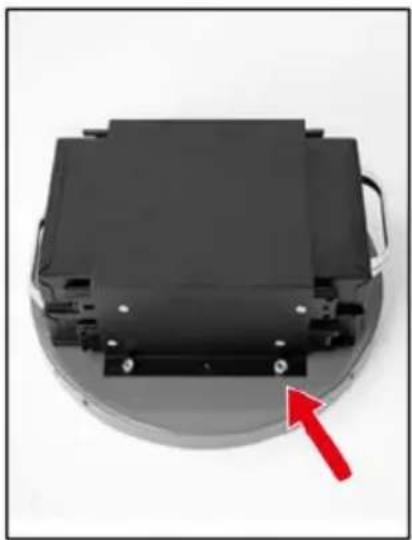
Figure 3
Figure 4
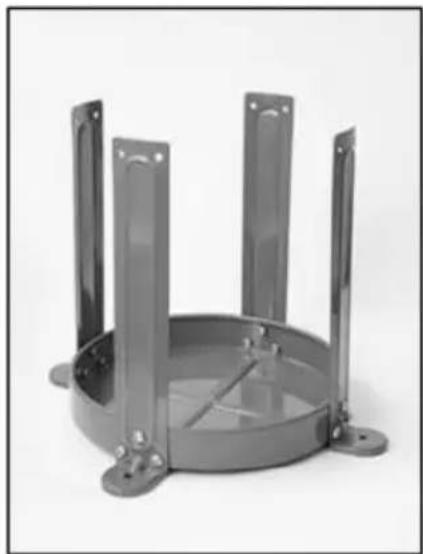
Figure 5
Figure 6
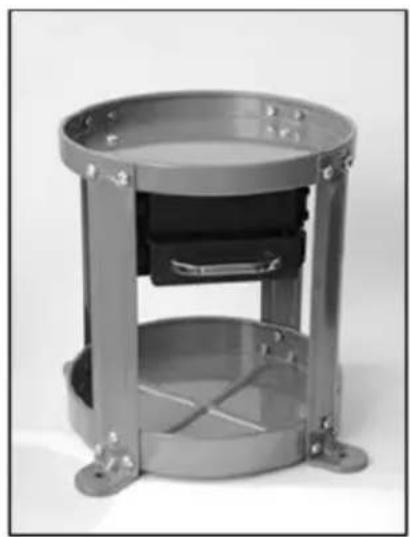
Figure 7
- Tighten all screws. (Fig. 8)
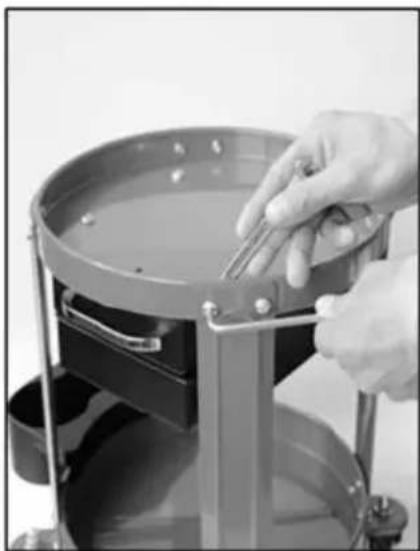
Figure 8
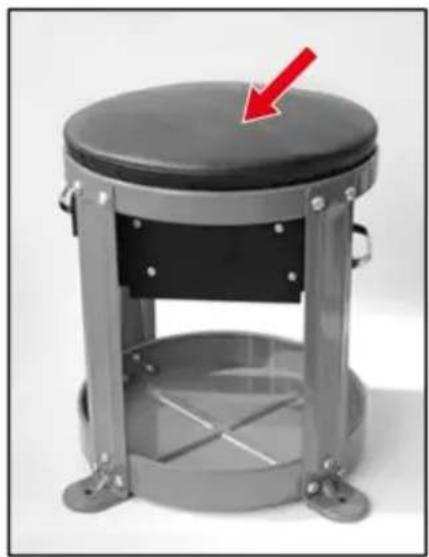
Figure 9
Figure 11
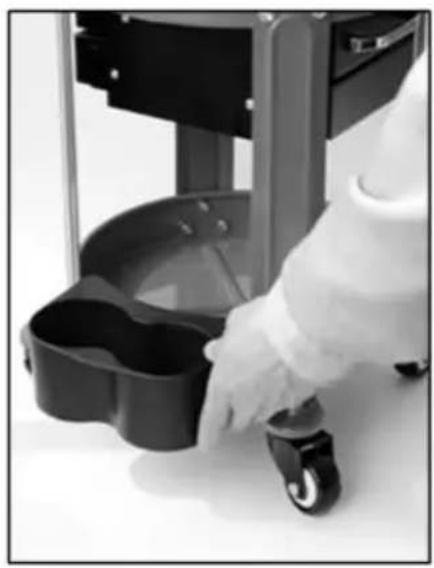
Figure 12
Figure 13
VEVOR®
TOUGH TOOLS, HALF PRICE
www.vevor.com/support
VEVOR®
TOUGH TOOLS, HALF PRICE
NEED HELP? CONTACT US!
Figure 2
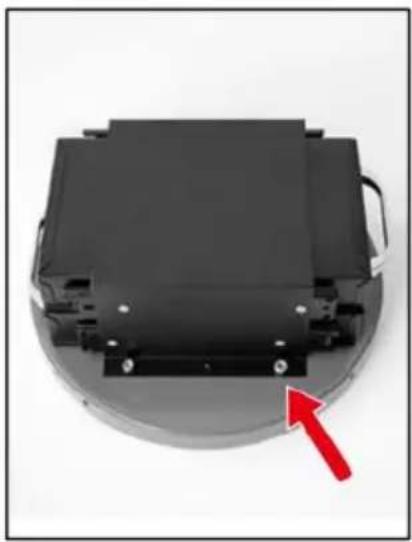
Figure 3
Figure 4
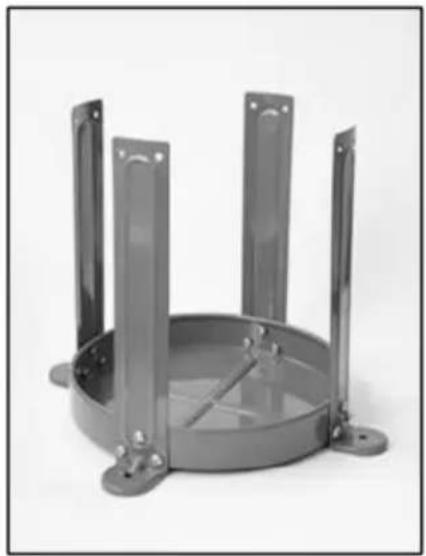
Figure 5
Figure 6
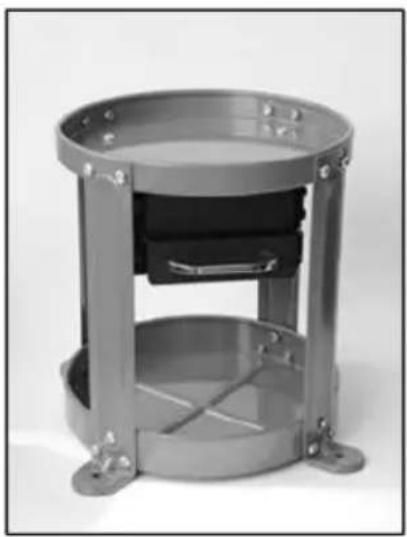
Figure 7
Figure 8
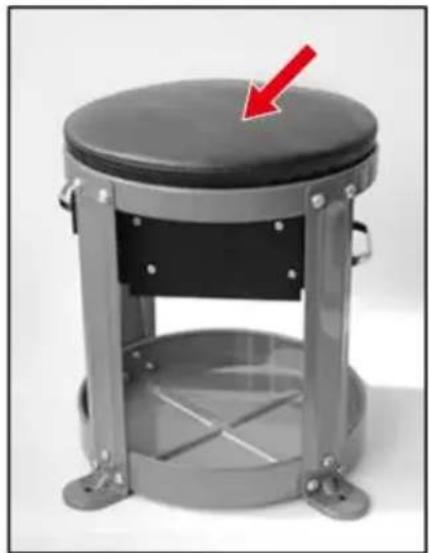
Figure 9
Figure 11
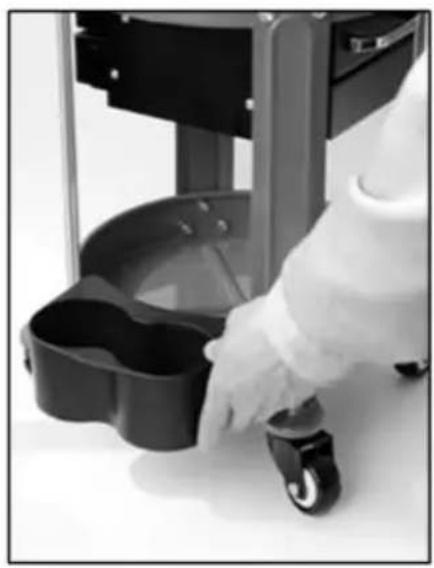
Figure 12
Figure 13
VEVOR®
TOUGH TOOLS, HALF PRICE
www.vevor.com/support
VEVOR®
TOUGH TOOLS, HALF PRICE
Figure 2
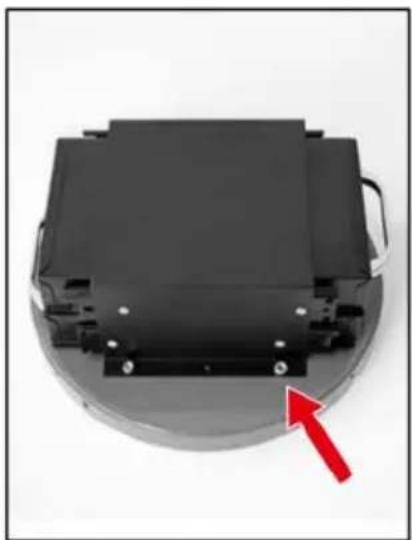
Figure 3
Figure 4
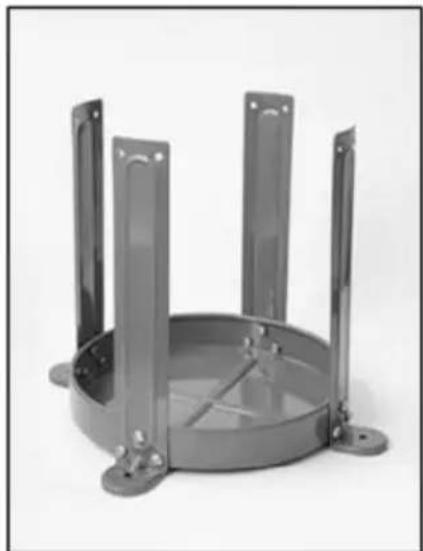
Figure 5
Figure 6
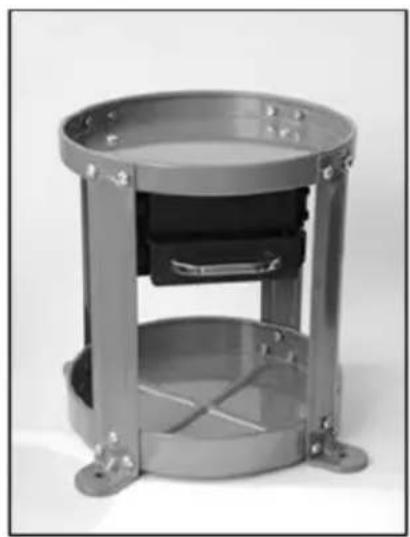
Figure 7
Figure 8
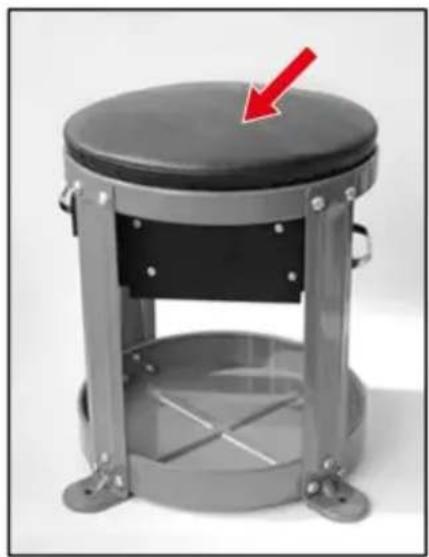
Figure 9
Figure 11
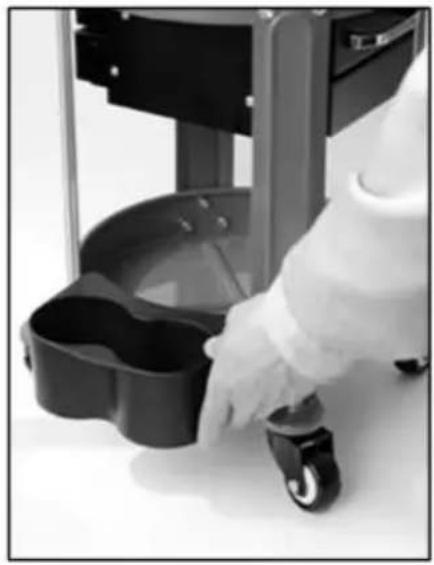
Figure 12
Figure 13
VEVOR®
TOUGH TOOLS, HALF PRICE
www.vevor.com/support
VEVOR®
TOUGH TOOLS, HALF PRICE
Figure 2
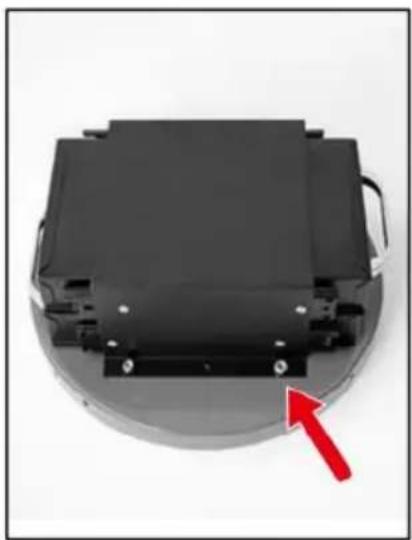
Figure 3
Figure 4
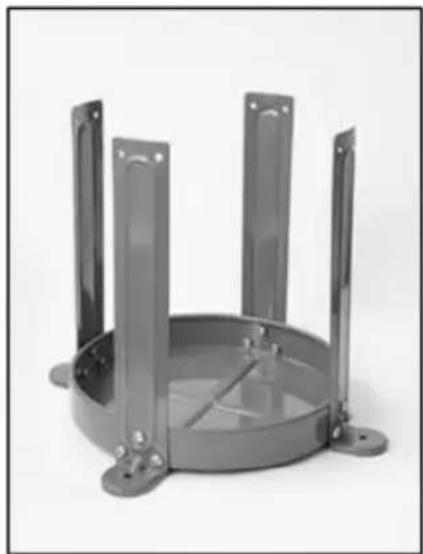
Figure 5
Figure 6
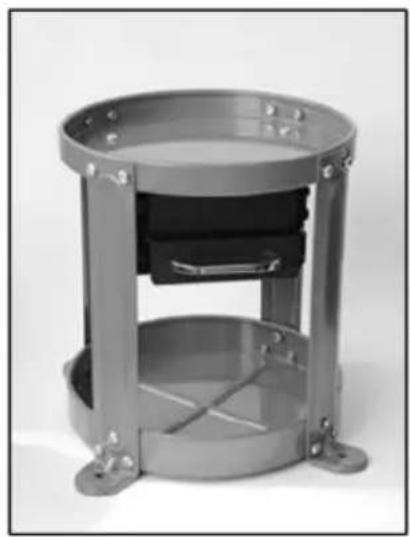
Figure 7
Figure 8
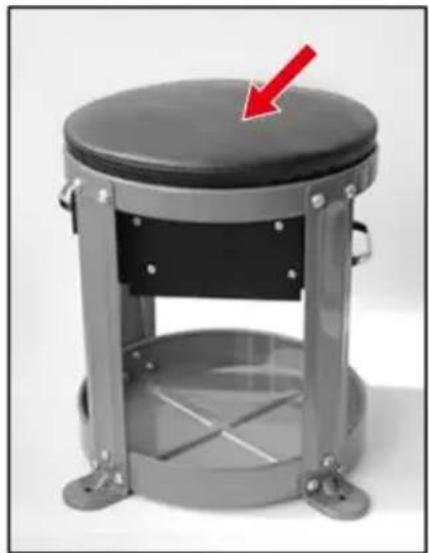
Figure 9
Figure 11
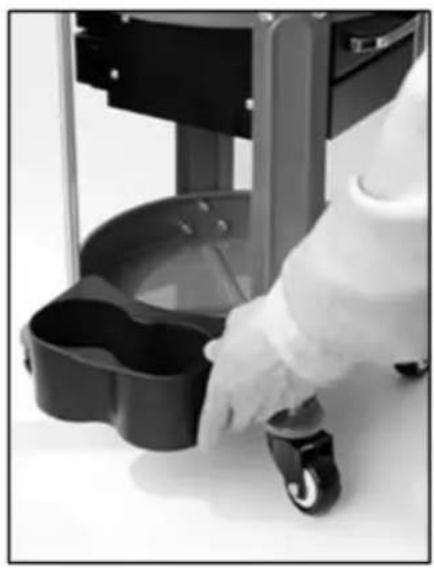
Figure 12
Figure 13
VEVOR®
TOUGH TOOLS, HALF PRICE
www.vevor.com/support
Brand : Vevor
Model : XF8307
Category : Repair seat