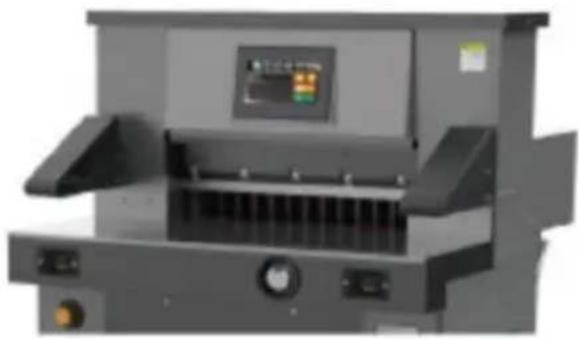
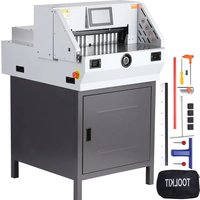
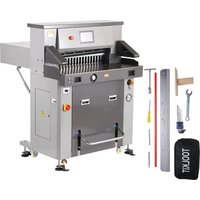
Vevor H670TV7 - Paper cutter

H670TV7 - Paper cutter Vevor - Free user manual and instructions

Find the device manual for free H670TV7 Vevor in PDF.

📄 160 pages English EN Download 💬 AI Question
Notice Vevor H670TV7 - page 1
Pick your language and provide your email: we'll send you a specifically translated version.

User questions about H670TV7 Vevor

0 question about this device. Answer the ones you know or ask your own.

Ask a new question about this device

The email remains private: it is only used to notify you if someone responds to your question.

No questions yet. Be the first to ask one.

Download the instructions for your Paper cutter in PDF format for free! Find your manual H670TV7 - Vevor and take your electronic device back in hand. On this page are published all the documents necessary for the use of your device. H670TV7 by Vevor.

USER MANUAL H670TV7 Vevor

Technical Support and E-Warranty Certificate https://www.vevor.com/support

WATCH WINDER

USER MANUAL

MODEL NO.: H670TV7

We continue to be committed to provide you tools with competitive price. "Save Half", "Half Price" or any other similar expressions used by us only represent estimate of savings you might benefit from buying certain tools with us compared top brands and does not necessarily mean to cover all categories of tools offered are kindly reminded to verify carefully when you are placing an order with us actually saving half in comparison with the top major brands.

VEVOR®

TOUGH TOOLS, HALF PRICE

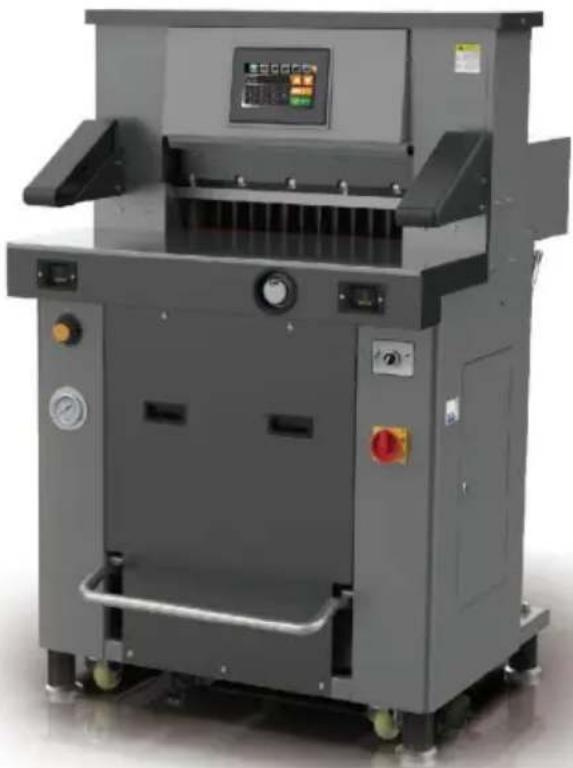
Electric Paper Cutte

MODEL NO.: H670TV7

Vevor H670TV7 - Electric Paper Cutte - 1

natural_image Industrial machine with control panel and control buttons (no visible text or symbols)

NEED HELP? CONTACT US!

Have product questions? Need technical support? Please feel from contact us:

Technical Support and E-Warranty Certificate www.vevor.com/support

This is the original instruction, please read all manual instruction carefully before operating. VEVOR reserves a clear interpretation user manual. The appearance of the product shall be subject to product you received. Please forgive us that we won't inform you there are any technology or software updates on our product.

Vevor H670TV7 - NEED HELP? CONTACT US! - 1

WARNING:

Please read this manual carefully before using the product. Failure do so may result in serious injury. SAVE THIS MANUAL

Vevor H670TV7 - WARNING: - 1

Warning: this kind machine is allowed to cut printed paper or books or soft leathers only. It is forbidden to cut any metal s or other hard objects do harm to the machine quality.

Vevor H670TV7 - WARNING: - 2

Forbid children to operate the machine

Vevor H670TV7 - WARNING: - 3

Keep hand from underneath the blade

Vevor H670TV7 - WARNING: - 4

Do not extract or transport the blade without protection

Vevor H670TV7 - WARNING: - 5

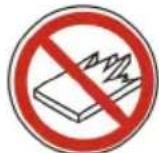
Do not cut hand or splintery materials

Vevor H670TV7 - WARNING: - 6

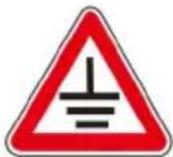
Must use socket with ground wire connected

Note:

In order to have more usage information of Numerical-controlled Paper Cutting Machine, you have to read this specification carefully first. This

help you improve your working efficiency, realize the machine'

sProperty,then the machine will have the best cutting effects,This will be good for the main tenance of the machine,and can prolong service of the maintenance of the machine,and can prolong service life of the machine.

Safety caution

1. Open the box and check

When you open the package of the machine, firstly you should check machine and relevant accessories. Please contact the seller or compare there is any damage or shortage.

●1 set of main engine ●1 instruction manual
●1 set of tools ●2 screws for tool removal ●1 Certificate
●1 blade and 1 power line ●1 warranty certificate

2. Machine installation and initial commissioning

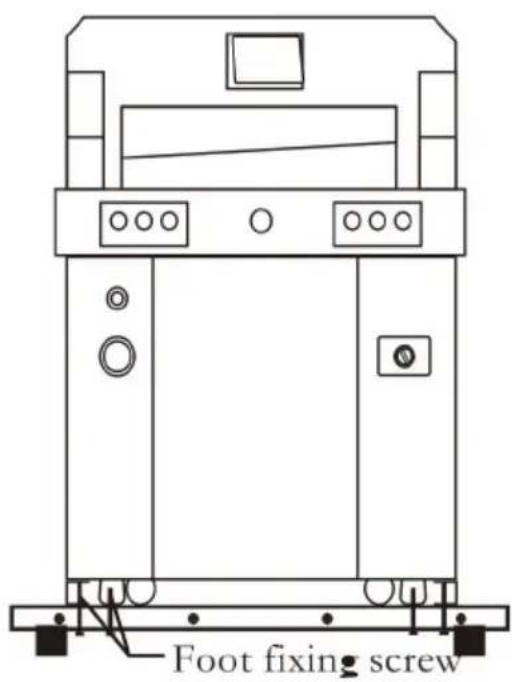
Remove the wooden box, take out the accessories, and remove the screws on the base of the main engine. The hydraulic press needs to shoveled by a forklift.

Vevor H670TV7 - Machine installation and initial commissioning - 1

text_image Foot fixing screw

The location of the paper cutter should meet the following requirements:

  1. No vibration
  2. The ground shall be level and level, and the grade of concrete on the ground shall at least 300 mm, enough to carry the machine.
  3. It can avoid the operator's accidental injury caused by uneven ground.
  4. Keep a proper distance from buildings and ancillary equipment.
  5. It is recommended to adjust the levelness of the console with a level gauge.

Check the packing list for completeness and missing items; Check and clean all parts of the machine.

3. Usage environment

The machine must be placed in a clean working environment to avoid direct sunlight and air outlet; Environment temperature: 10 \~ 30 °C, It shall not exceed 32 °C; Ambient temperature: 50 \~ 80%;

Connect the ground wire correctly.

4. Hot tip

Remember that only one professional is allowed to operate this machine. When cutting, the button must be operated with both hands at the same time; Do not remove the safety cover;

When hands or foreign matters enter the cutting area, the power sup must be cut off first;

When replacing the blade, strictly follow the blade replacement instructions;

It is forbidden to modify the internal structure and circuit of the mach without permission.

TECHNICAL SPECIFICATIONS

ModelH670TV7
Rating(s)AC220V, 60Hz, 2600VAC220V, 50Hz, 2600W
Max cutting length670mm
Min cutting length30mm
Cutting thickness80mm
Product Dimensions (LxWxH)1040*1430*1410mm
Packing Size (LxWxH)1535*1220*1600mm
Net Weight (kg)450
Gross Weight (kg)484

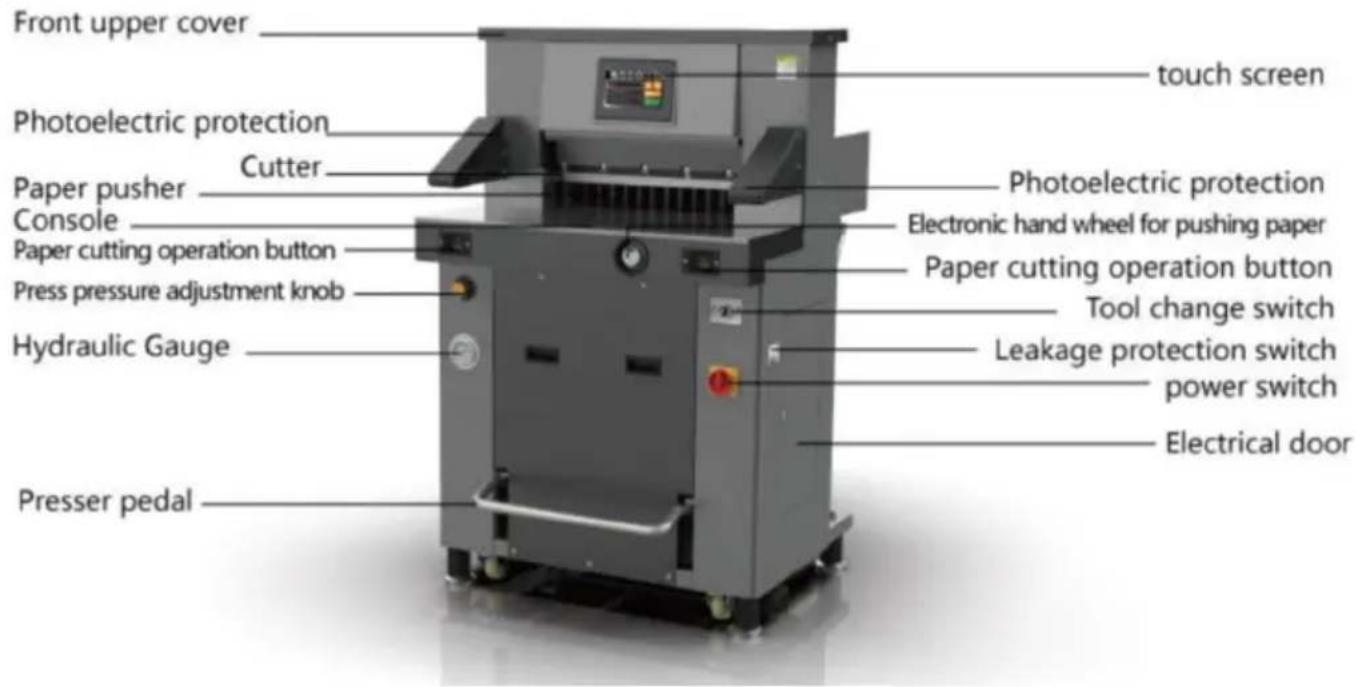
Parts description

Vevor H670TV7 - Parts description - 1

text_image Front upper cover Photoelectric protection Paper pusher Console Paper cutting operation button Press pressure adjustment knob Hydraulic Gauge Presser pedal Cutter touch screen Photoelectric protection Electronic hand wheel for pushing paper Paper cutting operation button Tool change switch Leakage protection switch power switch Electrical door

Operation panel

Operation diagram of paper cutter.

Turn on the power supply, turn on the power switch, turn the switch the display will be on, and the display will show the president's switch. When the knife light is on, the paper pusher automatically adjusts the which indicates that it has entered the normal startup state.

The correct way to operate the machine is to stand in front of the machine and face the paper cutter. The left hand controls the button on the left and the right hand controls the button on the right (you can step on the pedal switch for single pressure or single pressure before cutting), as shown in the figure.
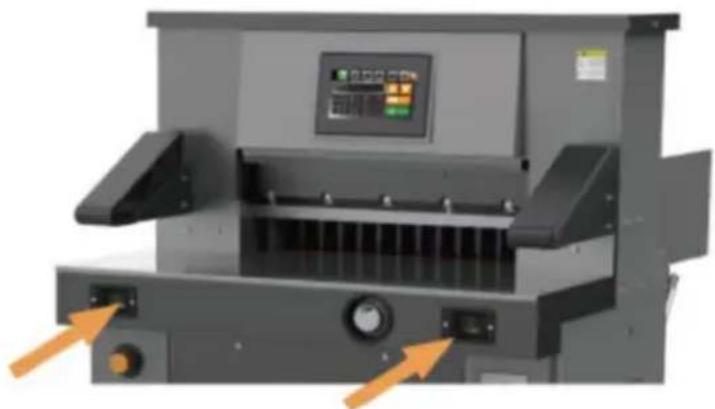
Vevor H670TV7 - Operation panel - 1

natural_image Industrial machine with control panel and orange arrows indicating ports (no visible text or symbols)

Basic operation and adjustment

1. basic operation

- Power on

Before starting the machine, check whether there are other articles or machine, and clean them up;

Turn on the power supply;

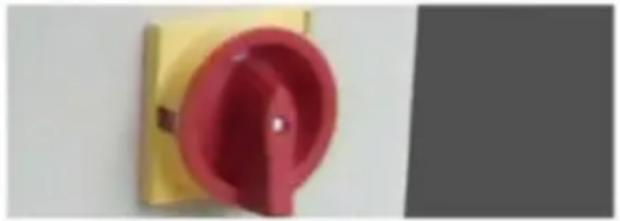
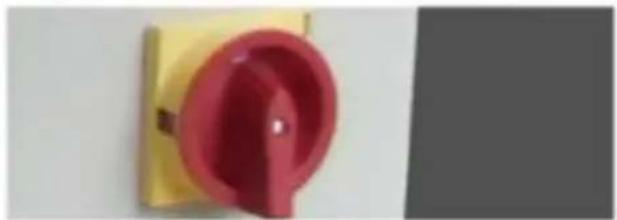
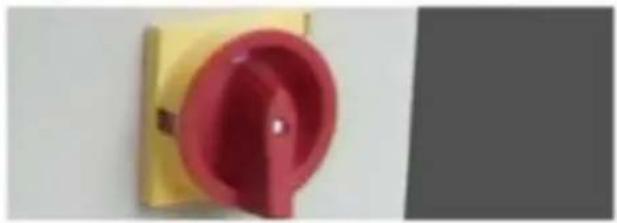
Turn the electrical protection switch to the "on" position, turn on the switch, the NC screen / LCD screen will display, the position indicator will be on, and the paper pusher will be automatically calibrated, indicate that the power is normal.
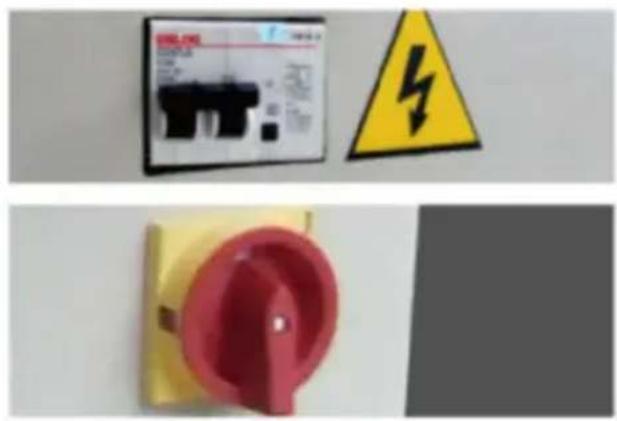
Vevor H670TV7 - - Power on - 1

natural_image Three safety warning symbols: a digital display panel, a yellow triangular hazard symbol, and a red circular switch (no text or labels visible)

Vevor H670TV7 - - Power on - 2

text_image Scanned image of a book cover with Chinese title and author information, partially visible on a white surface.

● Operation instructions of touch screen paper cutter

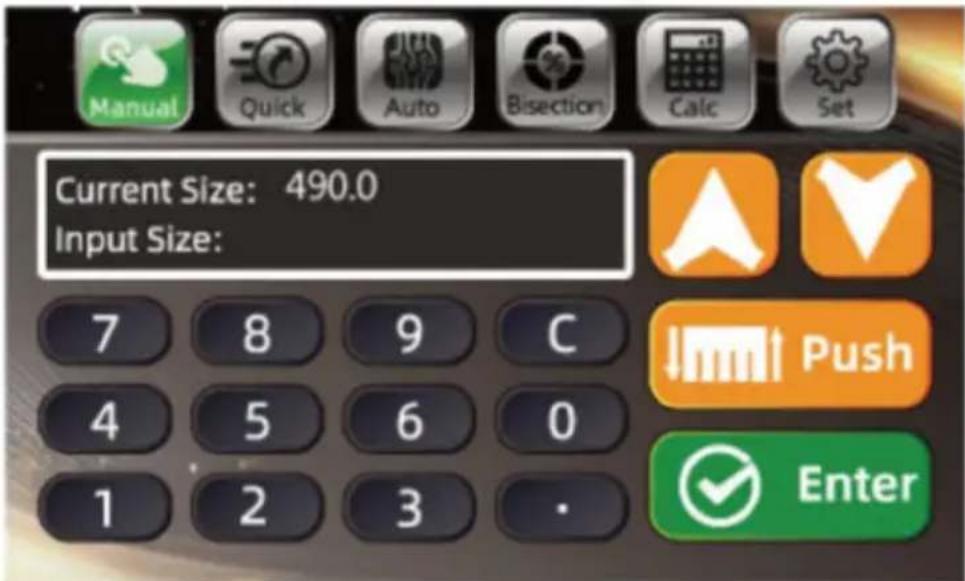
The program-controlled computer has three paper pushing modes. Now, 285mm is taken as an example to push paper respectively A. Manual mode

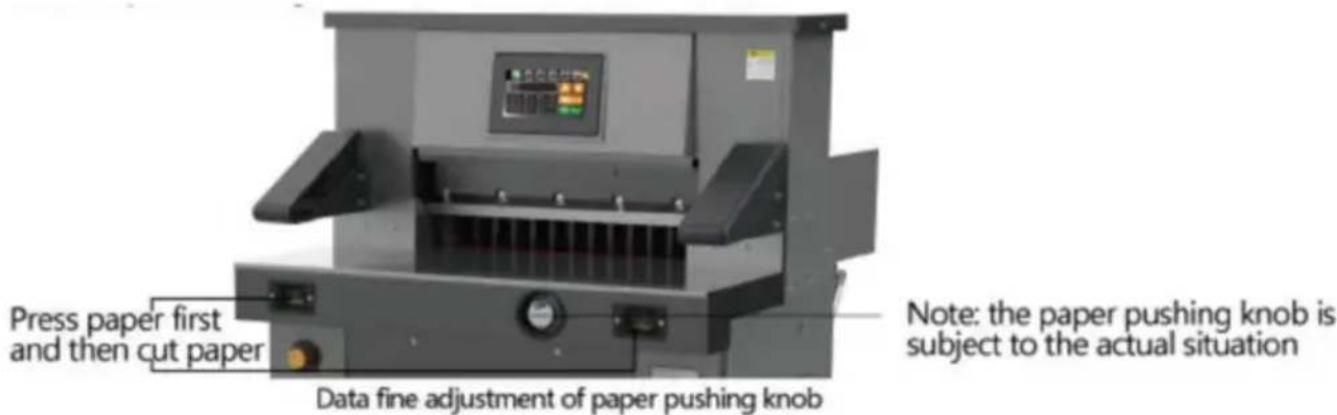
After startup, if the current mode is not in manual mode, click manual switch to manual mode, as shown in the figure. In manual mode, the two methods to input data. One is the paper pushing knob (not recommended, which is relatively slow and not recommended. The paper pushing knob is only used for data fine adjustment).

The second method is to directly click 480 to reverse select, press key, enter 285.0, OK, the paper pusher moves to the position of set size.

Vevor H670TV7 - - Power on - 3

text_image Current Size: 490.0 Input Size: 7 8 9 C 4 5 6 0 1 2 3 · Manual Quick Auto Bisection Calc Set Push Enter

Use of electronic handwheel

Rotate the button clockwise, and the paper pusher moves in the direction of the arrow. and the paper pusher moves 0.1 mm per click. Press a the rotation button continuously. The pusher moves from slow to fast. When the button is rotated counterclockwise, the paper pusher moves the direction of the arrow, and the paper pusher moves 0.1 mm per Press and hold the rotation button continuously, and the pusher move from slow to fast.

Vevor H670TV7 - - Power on - 4

text_image Press paper first and then cut paper Data fine adjustment of paper pushing knob Note: the paper pushing knob is subject to the actual situation

Push in the cutting paper or book and place it on the left side to a with the ruler bar;

After confirming the size, you can cut the paper. Step on the foot s the presser starts to press the paper, press the cutting button with b hands, and start cutting after pressing the paper (you can also press cutting button directly with both hands without stepping on the foot sw

and the paper holder starts pressing the paper after pressing the paper. When there is any error, release the button, the knife and the press automatically return to their original position, and continue to press if is no error Live the cutting button to complete cutting;

After cutting, the paper pusher will push the book out (set the automatic push book cutting), a complete cutting process is completed. To continue other cutting, just repeat the above steps.

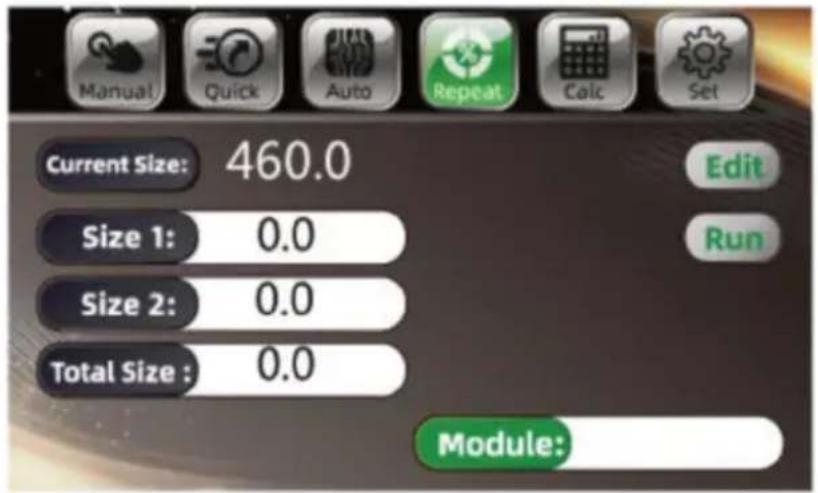
B. Segmentation mode

Click bisection to switch to bisection mode, click OK, the paper push automatically push to the first size. When you need to edit the size, the programming mode to enter the first group of programming mode, shown in the figure. To modify the data, click E-click bisection edit, switch to bisection editing, switch dialog box, modify data, and confirm to return.

Push in the cutting paper book and place it on the side to align with the ru bar;

Vevor H670TV7 - Segmentation mode - 1

text_image Manual Quick Auto Repeat Calc Set Current Size: 460.0 Size 1: 0.0 Size 2: 0.0 Total Size : 0.0 Edit Run Module:

Push in the cut paper or book and on the left to align with the ruler. After confirming the size, you can cut paper.

Step on the foot switch, the presser to press the paper, press the cutting

Vevor H670TV7 - Segmentation mode - 2

natural_image Industrial machine with control panel and display screen (no visible text or symbols)

button with both hands, and start cutting after pressing the paper (yo also press the cutting button directly with both hands without stepping the foot switch, and the paper holder will start pressing the paper af pressing the paper). When there is any error, release the button, the and the presser will return to their original position automatically, and

it again after confirmation Hold the cutting button to finish cutting the the first knife of 60.0 ~mm , and then continue to press the cutting ke the size of the second knife of 110.0 ~mm .

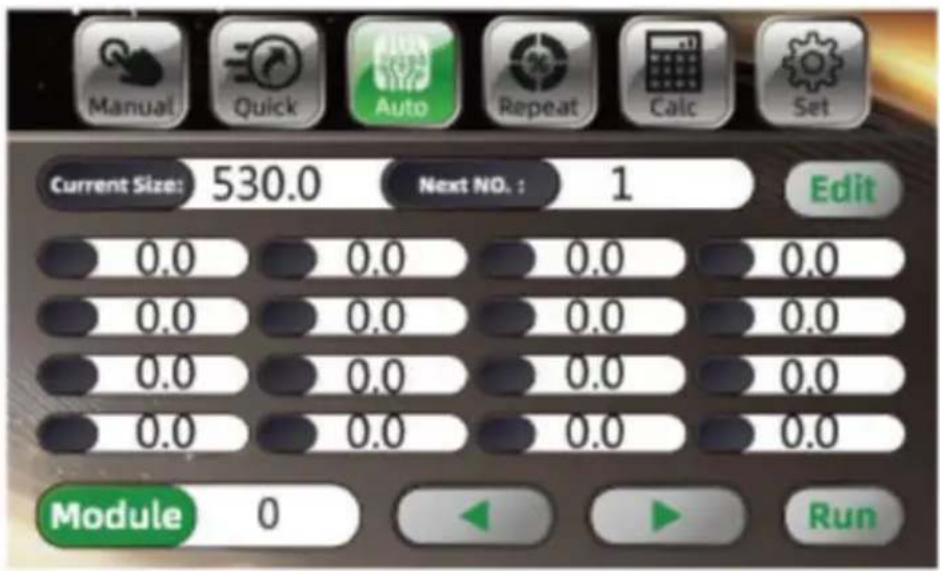
- Program control mode operation

Vevor H670TV7 - Segmentation mode - 3

text_image Manual Quick Auto Repeat Calc Set Current Size: 530.0 Next NO.: 1 Edit 0.0 0.0 0.0 0.0 0.0 0.0 0.0 0.0 0.0 0.0 0.0 0.0 0.0 0.0 0.0 0.0 Module 0 Run

Click program control to switch to program control mode, as shown in figure above, you can see a lot of data list, click to turn page, click Edit to input cutting data, data input.

After entering, click Edit to save data again, and click change module switch data of different modules. After clicking ,the paper pusher will move to the corresponding size, push in and cut the paper or book, the paper or book on the left, which is close to the ruler.

After setting the size, push in the cutting paper or book, and arrange paper or book to the left, the edge is in line with the ruler.

After confirming the size, the paper can be cut. Step on the foot sw the paper presser starts to press the paper,press the cutting button w both hands respectively,press the paper to start cutting (or do not ste the foot switch,press the cutting button with both hands, and the paper holder starts to press the paper, and then starts cutting after pressing paper.If any error is found, release the button, the knife and presser return to their original position automatically, and continue to press an hold if there is no error.The cutting button is used to cut the size c knife of 60.0 mm, and then continue to press the cutting key to cut

second knife size of 110.0 mm. After cutting the first knife and the set knife, continue to press the cutting key to automatically return to the knife 60.0.

Cut and repeat until the cutting sequence is completed cut (it is inva push books by yourself in the bisection mode).

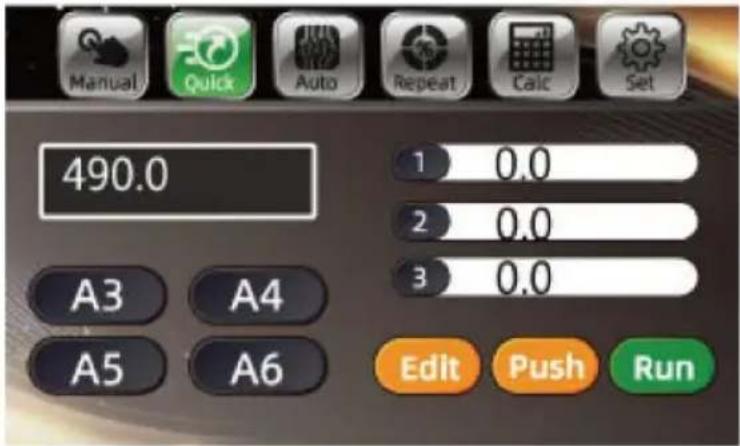
- Shortcut mode

Click shortcut to switch to shortcut mode. Several common standard sizes appear.Click the required size and the paper pusher will automatically push to the fi size, as shown in the figur

Vevor H670TV7 - Segmentation mode - 4

text_image Manual Quick Auto Repeat Calc Set 490.0 1 0.0 2 0.0 3 0.0 A3 A4 A5 A6 Edit Push Run

To edit the size, click Edit mode, click standard size (to enter the modification interface. After modification, click the return icon, as shown in the figure.
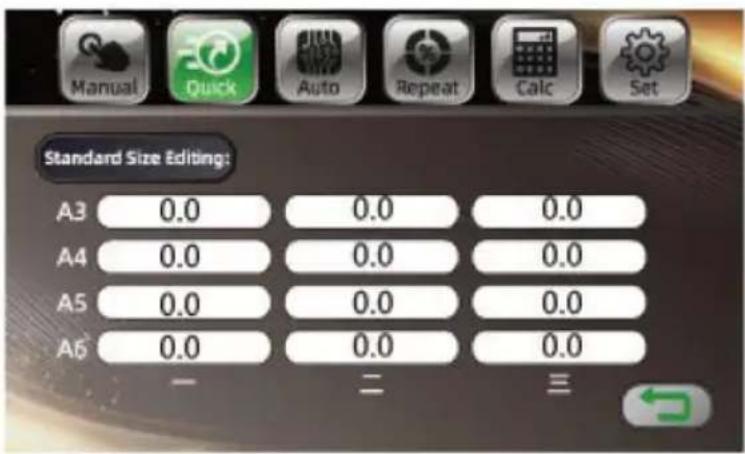
Vevor H670TV7 - Segmentation mode - 5

text_image Standard Size Editing: A3 0.0 0.0 0.0 A4 0.0 0.0 0.0 A5 0.0 0.0 0.0 A6 0.0 0.0 0.0 - - = =

Basic adjustment

- Size proofreading and adjustment Cut off the power supply;

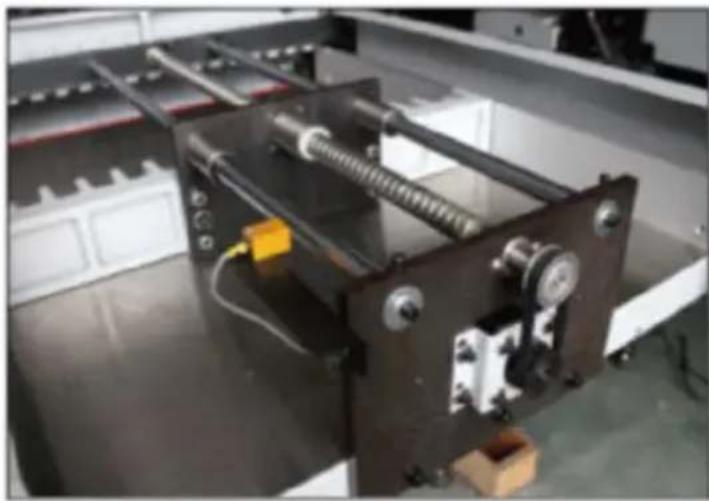
Remove the bottom plate of the machine and check whether there foreign matters stuck on the drivin screw rod;

Vevor H670TV7 - Basic adjustment - 1

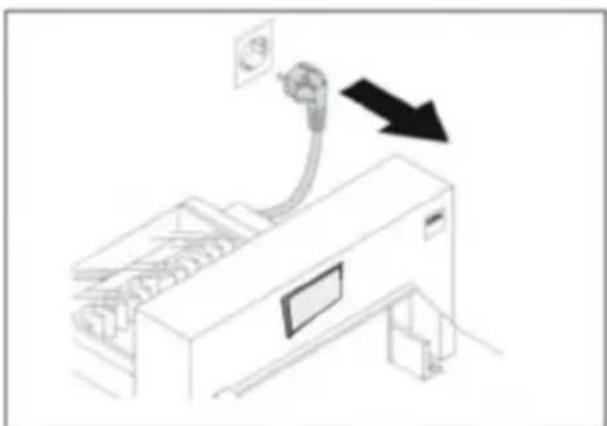
natural_image Line drawing of a printer with a paper outlet and cable, showing no text or symbols

Check the stepper motor, remove the rear bottom plate, and change whether the synchronous motor and synchronous belt (hidden under the motor) are fixed normally;

Vevor H670TV7 - Basic adjustment - 2

natural_image Industrial machine with coiled spring and mounting base, no visible text or symbols

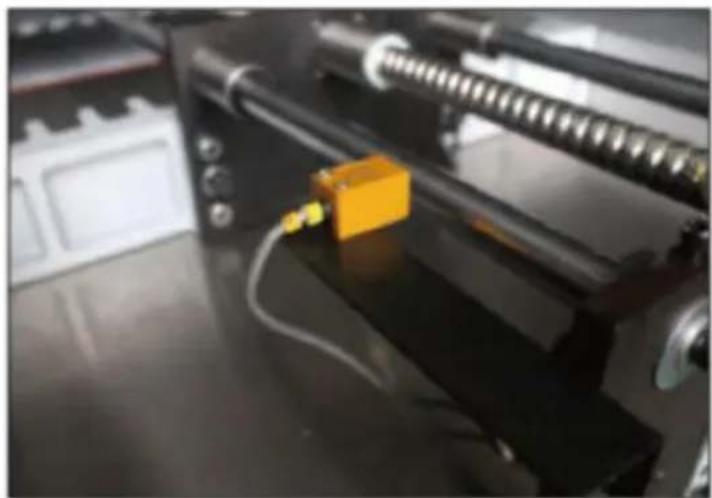
Adjust the limit support on the holder and adjust it before an after, until the size of the dis screen is in conformity with the size of the ruler, then lock the fixing screw.then lock the fixin screw.

Vevor H670TV7 - Basic adjustment - 3

natural_image Close-up of a 3D printer with a yellow component inserted, showing mechanical parts and wiring (no visible text or symbols)

- Cutter depth adjustment

In the process of using, there are two adjustment methods when the bottom paper is continuously cut:

a. Through the control program adjustment of the display screen.

First, adjust the cutter depth fine adjustment device (adjust the depth of about 5mm) or change the cutting surface of the blade; click Set click the common parameters to modify according to the actual situation with the maximum modification value of 20.
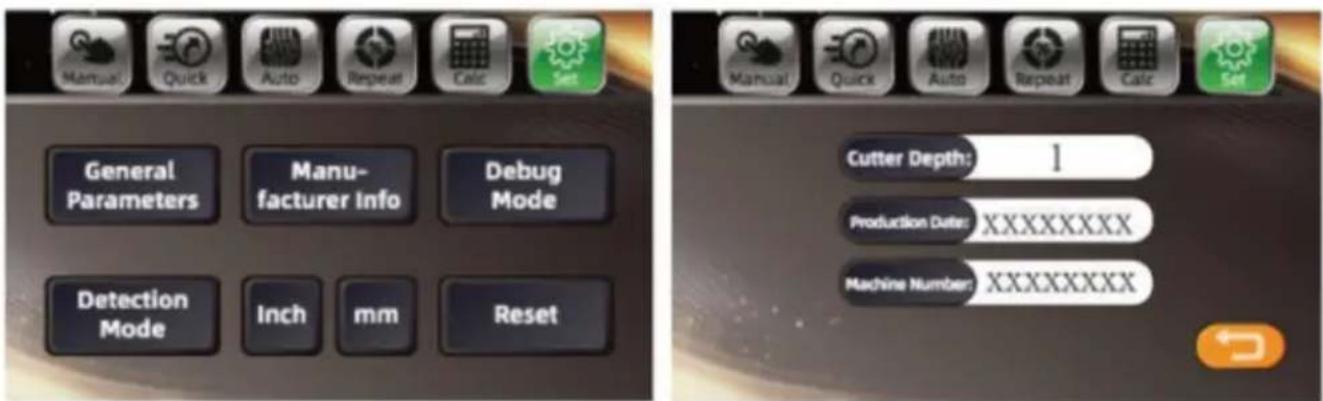
Vevor H670TV7 - Basic adjustment - 4

text_image Manual Quick Auto Repeat Calc Set General Parameters Manufacturer Info Debug Mode Detection Mode Inch mm Reset Cutter Depth: 1 Production Date: XXXXXXXX Machine Number: XXXXXXXX

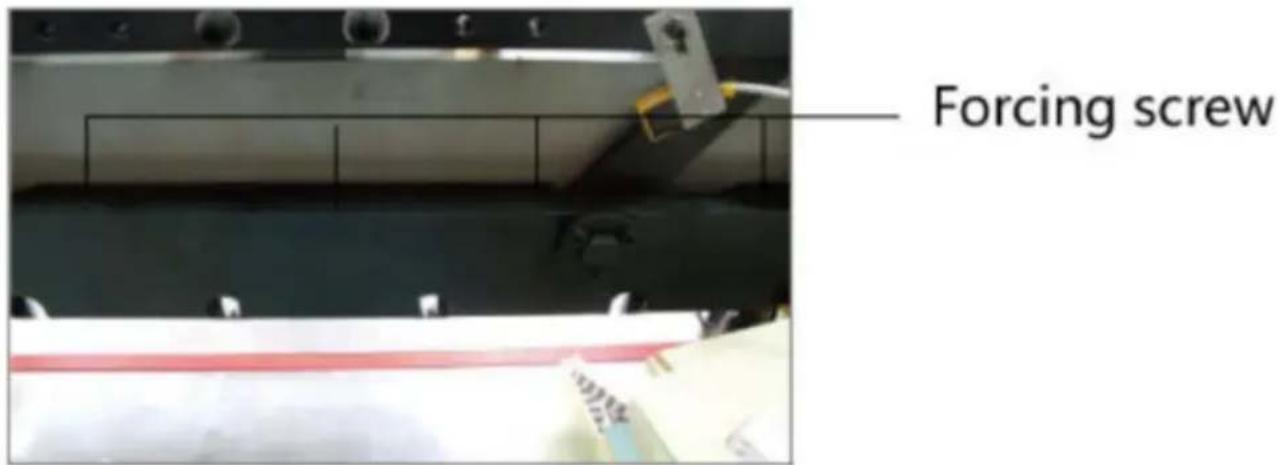
It is completed by the top cutter screw on the tool holder.

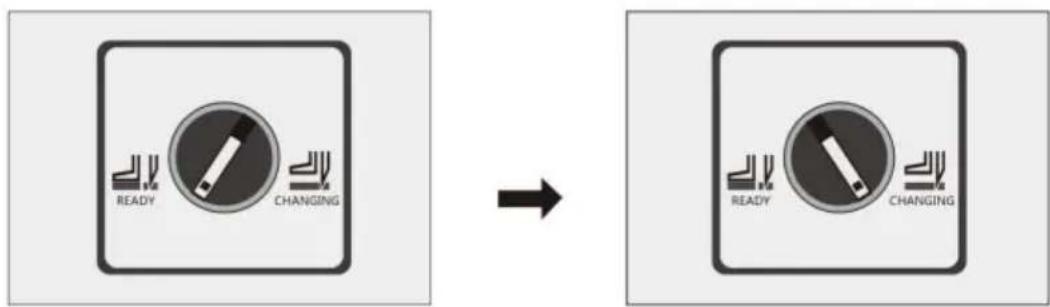
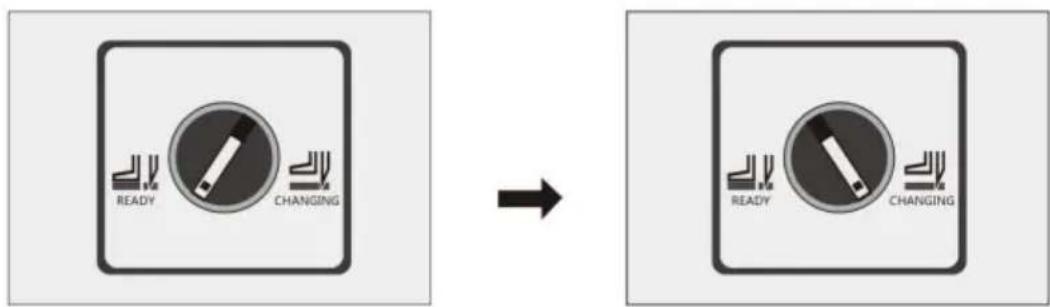
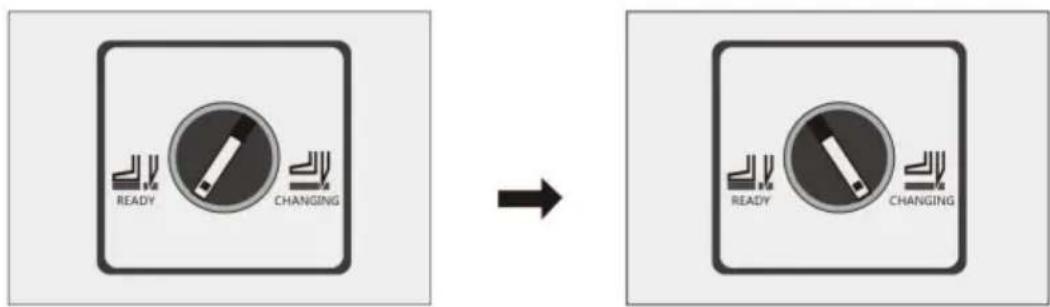
Change the tool switch, and rotate the tool change switch from the state to the tool change state, as shown in the figure.
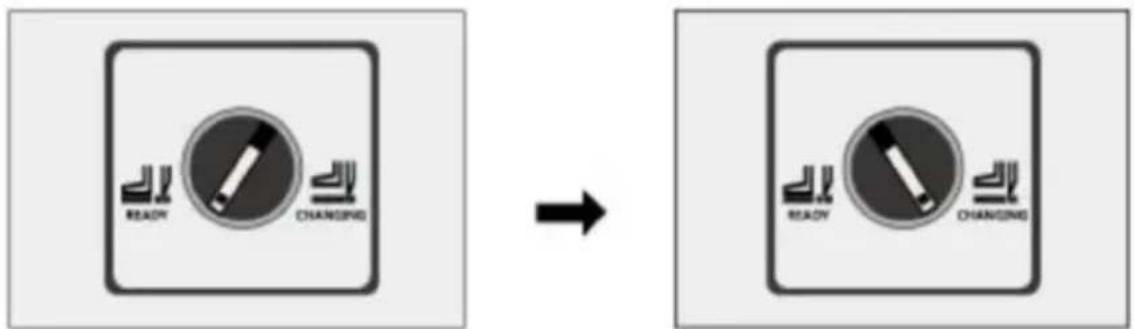
Vevor H670TV7 - Basic adjustment - 5

text_image READY CHANGING → READY CHANGING

If you can't cut off the next sheet of paper, you need to adjust the screw; generally, adjust it to 0.3-0.5 mm of the cutter insert pad. Try with a piece of paper. If the cutting is continuous, readjust according above steps.

Vevor H670TV7 - Basic adjustment - 6

text_image Forcing screw

Turn the tool change switch from tool change state to normal state.

- Stick adjustment

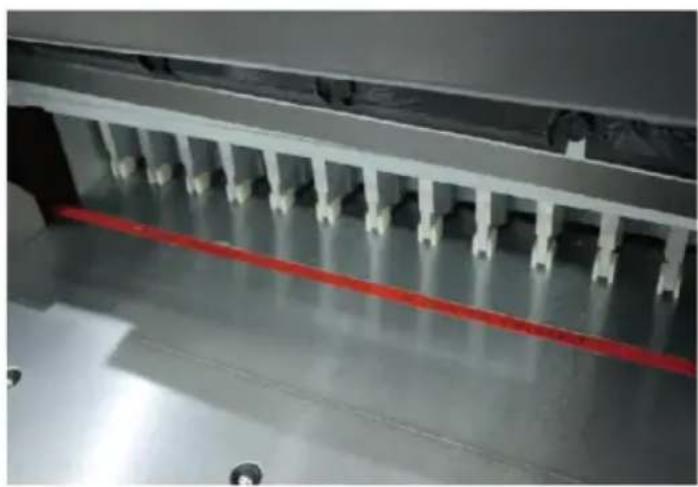
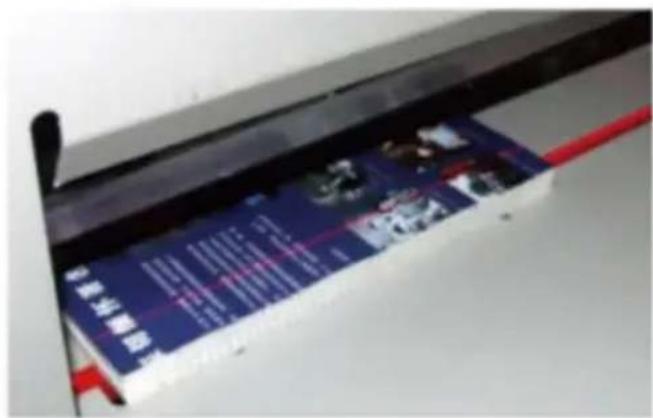
The blade has 4 sides, each s can be used twice and can be recycled for 8 times;

If the knife mark on the blade deep, it is necessary to adjust replace the blade;

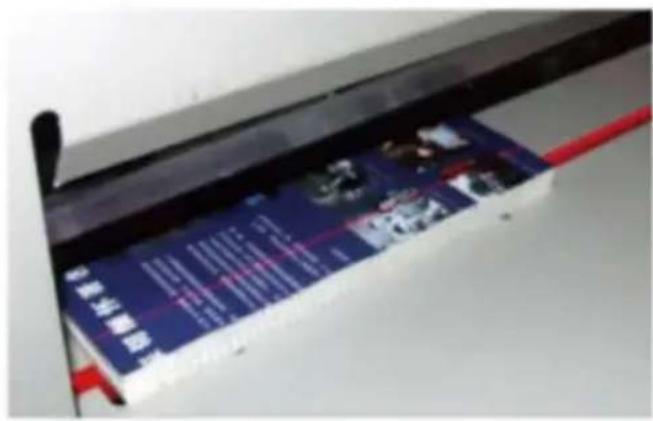
The blade can be taken out w screw driver, and it should be smoothly installed into the cuttir

Vevor H670TV7 - Basic adjustment - 7

natural_image Industrial machine with a red horizontal line and white panel connectors (no visible text or symbols)

table when it is replaced;

The blade should be on the left.

- Pressure adjustment

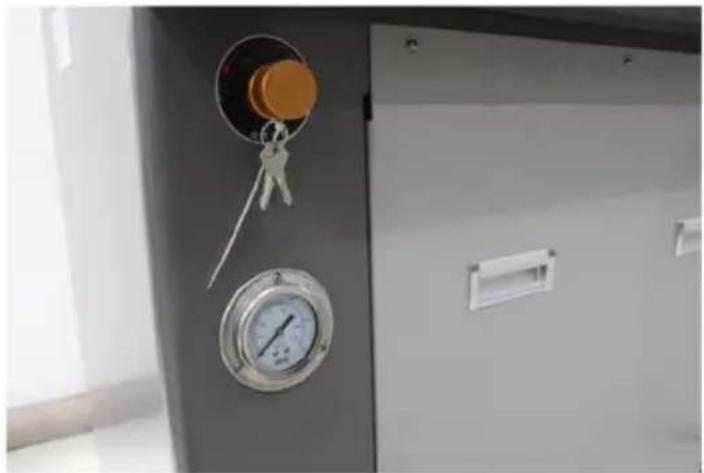
Press the cutting button with both hands, and the pressure gauge will display the pressure when the presser drops to press the paper;

Standard pressure: 40kg / cm²

50kg / cm².

Turn the pressure adjustment knob to increase the clockwise pressure and decrease the counter clockwise pressure.

Press the cutting button again the presser presses the paper to display the new pressure.
Vevor H670TV7 - Basic adjustment - 8

natural_image Close-up of a metallic industrial control panel with a pressure gauge and handle, no visible text or symbols

- Blade replacement (please follow the steps carefully)

Turn the tool change switch from normal state to tool change state, shown in the figure.

Vevor H670TV7 - Basic adjustment - 9

text_image READY CHANGING → READY CHANGING

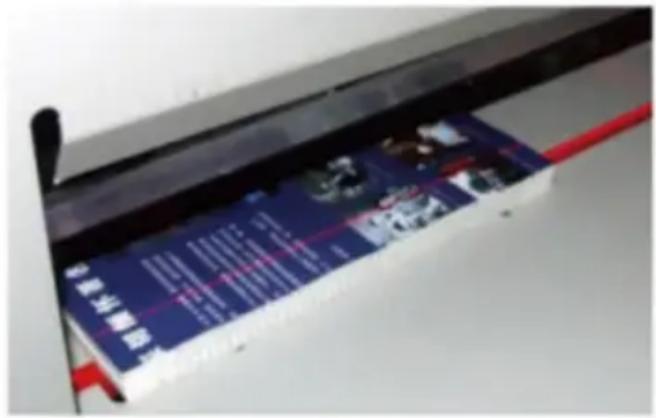
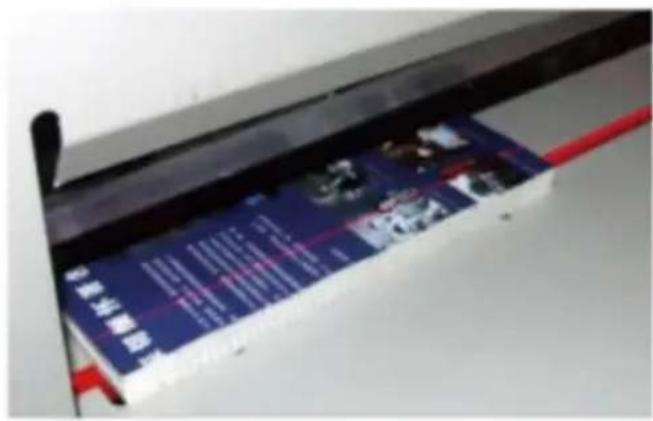
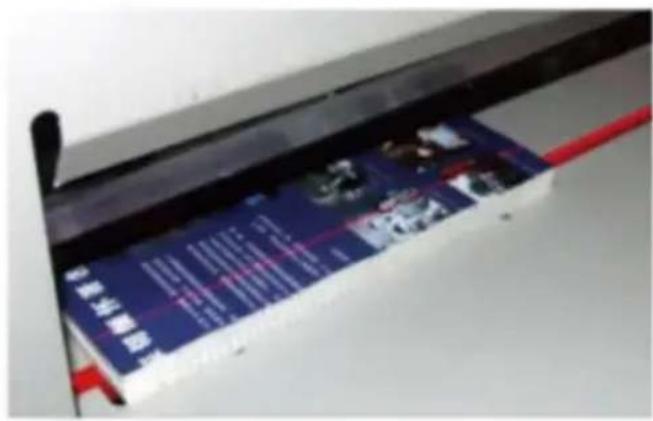
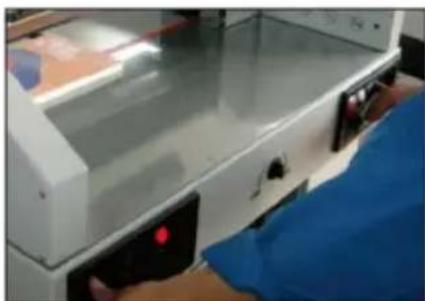
Press the cutting button with both hands, under the knife;

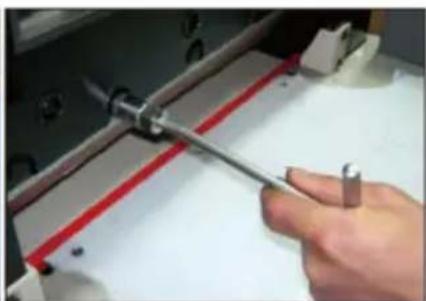
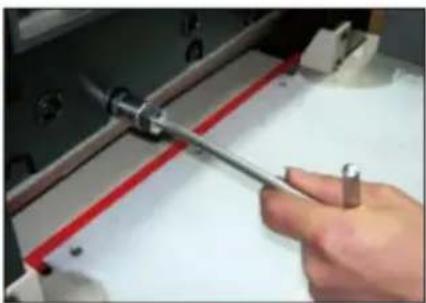
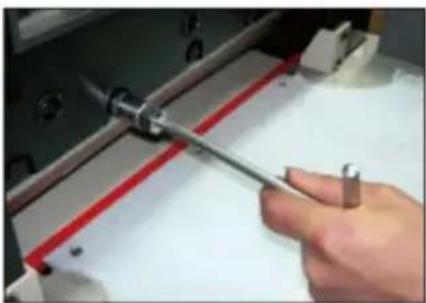
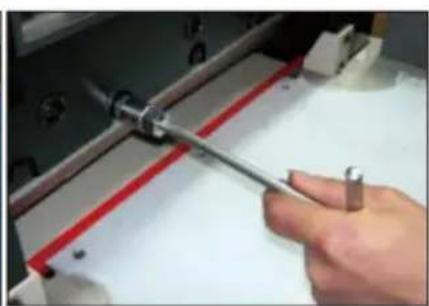
Loosen and remove the locking screw 1 with an opening on the tool
Vevor H670TV7 - Basic adjustment - 10

natural_image Close-up of a white electronic device with a blue glove and red indicator light, partially covered by a person's hand (no visible text or symbols)

Vevor H670TV7 - Basic adjustment - 11

natural_image Close-up of a hand using a tool to cut or adjust a red and white component on a white surface (no text or symbols visible)

Vevor H670TV7 - Basic adjustment - 12

text_image 1 2 3

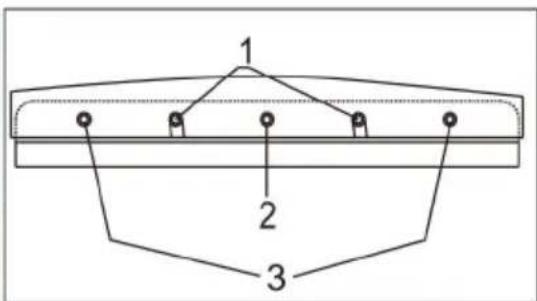
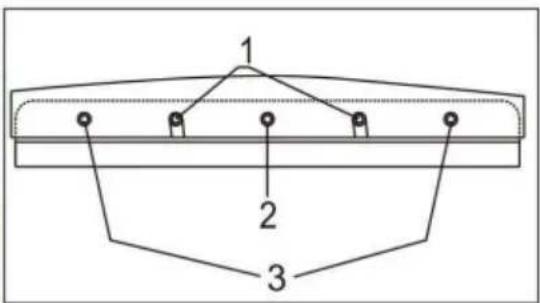
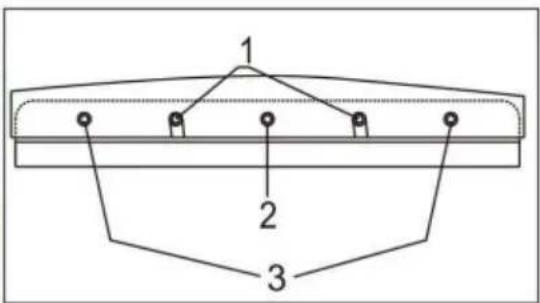
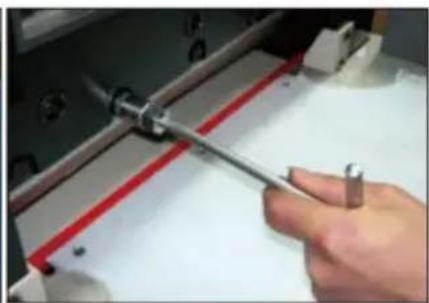
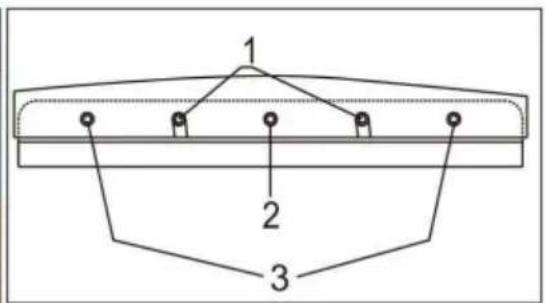
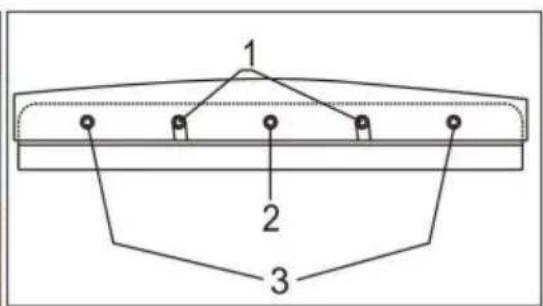
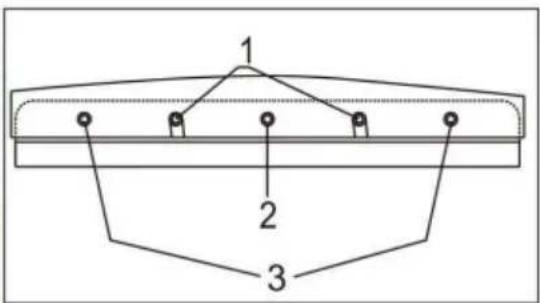
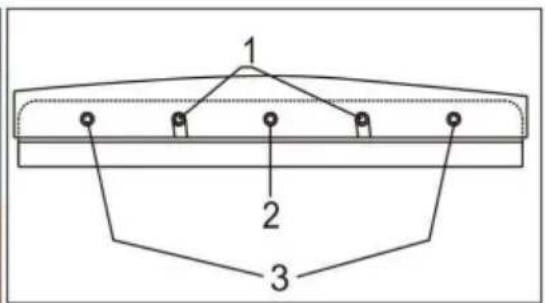
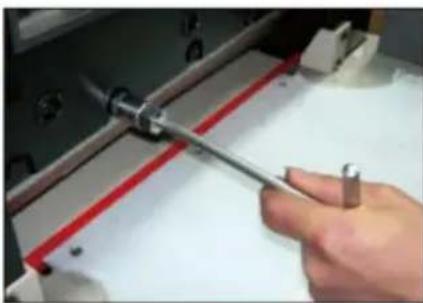
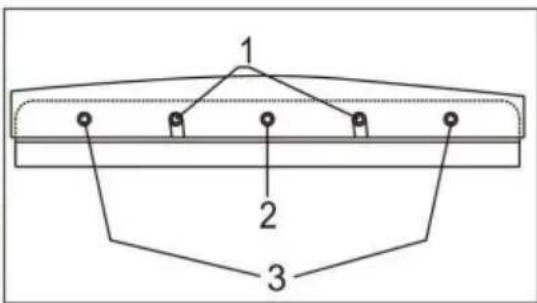
Remove other locking screws on the tool holder, except for screw No. 2. Turn the tool change switch from the tool change state to the normal. On the tool, rotate the opening screw hole 1 of the two tool removal clockwise. If it is fixed and locked, remove other screws and No. 2 and pay attention to the blade falling;
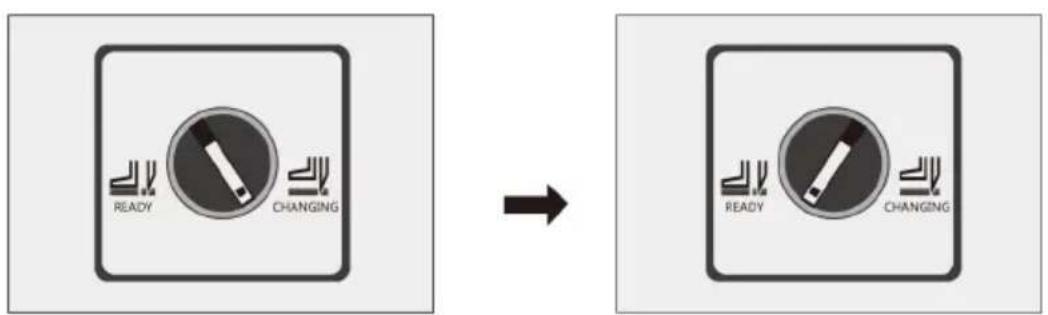
Vevor H670TV7 - Basic adjustment - 13

text_image READY CHANGING → READY CHANGING

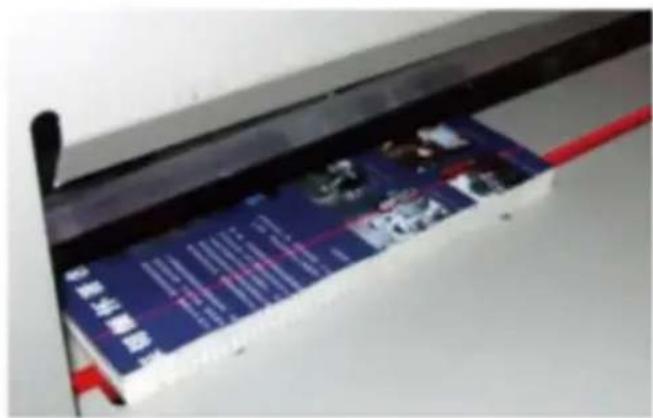
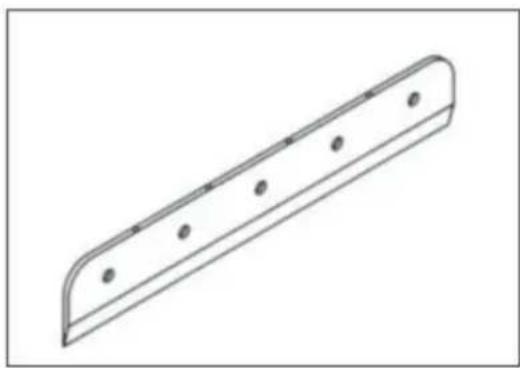
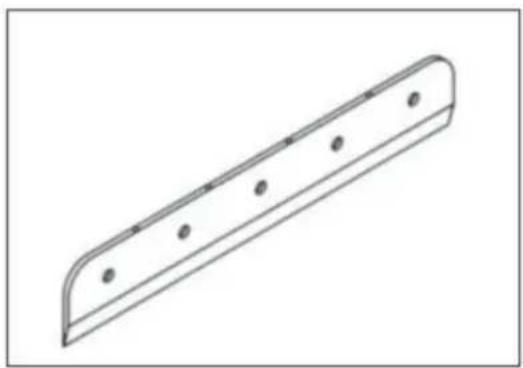
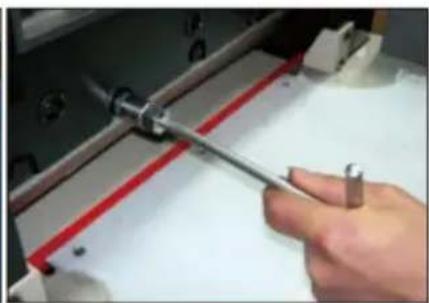
Take out the blade by turning the two screw rods anticlockwise for h circle. Wrap the blade with gloves or cloth and put it into the cutter avoid scratches;
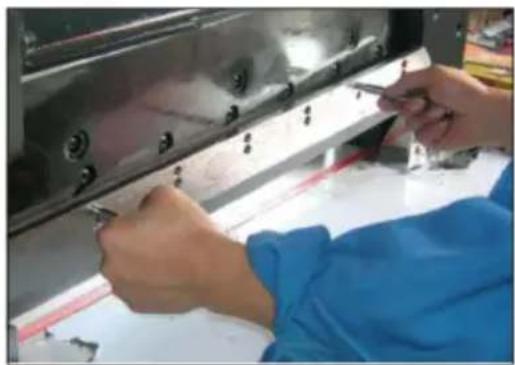
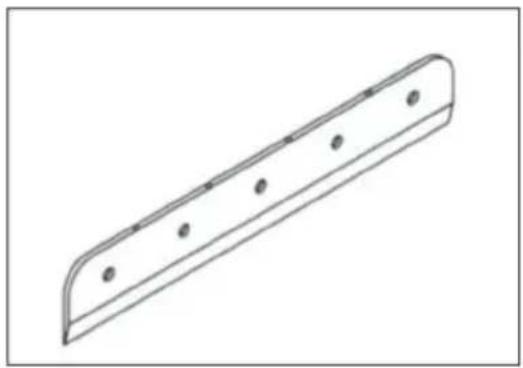
Vevor H670TV7 - Basic adjustment - 14

natural_image Person in blue lab coat and white shirt working on a metal mechanical component with bolts (no visible text or symbols)

Vevor H670TV7 - Basic adjustment - 15

natural_image Technical line drawing of a mechanical part with evenly spaced holes (no text or symbols)

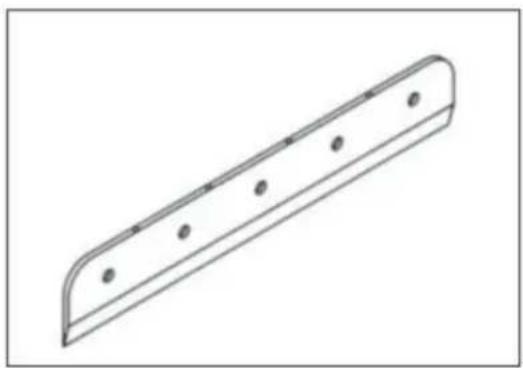
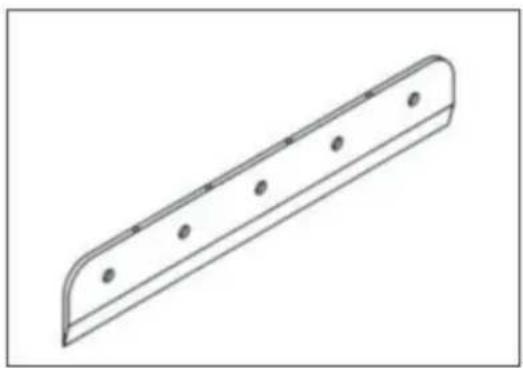
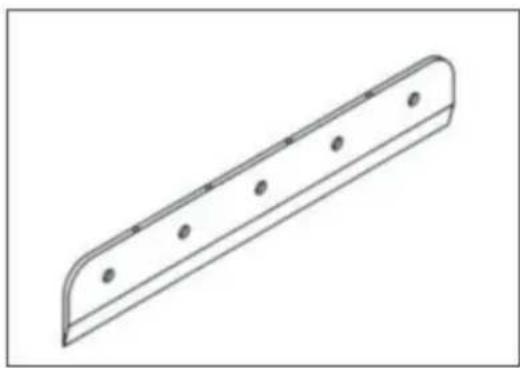
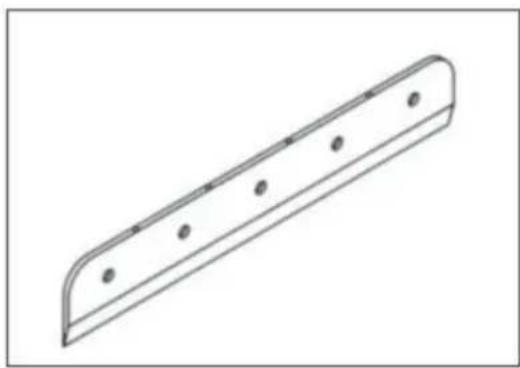
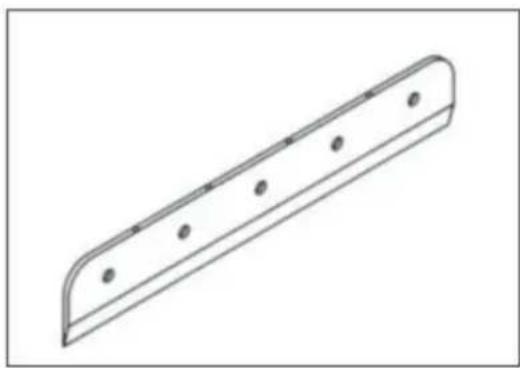
Take out a new blade, pay attention to safety, the blade is facing o screw the two removal screws into the opening hole of the blade, in: blade on the tool holder, tighten and fix with screws in turn, and the according to the cutting depth adjustment method.

- Presser pressure adjustment

Due to different cutting materials, the pressure required is different.

Therefore, it is necessary to adjust according to the figure.

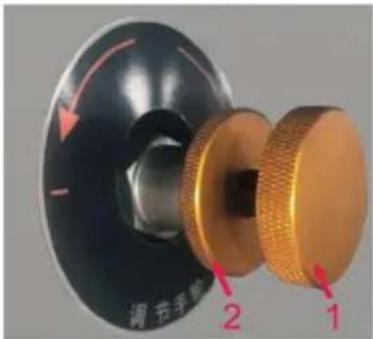
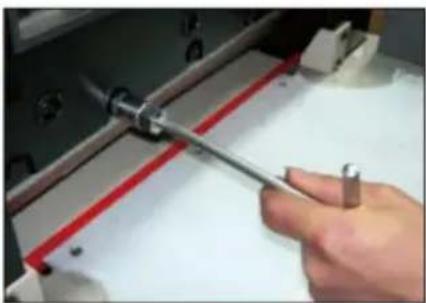
To adjust the presser pressure, first loosen locking screw 2 and turn the adjusting han adjust the pressure. Turn the pressure clock to increase and the pressure to decrease i

Vevor H670TV7 - Basic adjustment - 16

text_image 调节手柄 2 1

counter clockwise direction. The ideal pressure is 4MPa, and then loc screw.

Note: under the condition of not affecting the cutting performance, red the pressure of pressing paper as far as possible, which is beneficial service life and safety of the machine.

In general, the cutting pressure does not need to be adjusted. If the pressure exceeds the rated pressure, the machine is easy to be damaged or damaged, such as cutting paper should be grinded in time. (the n pressure is 8Mpa).

Lubrication and maintenance

1. Lubrication

The machine should open the cover every month, check the cleaning, fasten parts and lubricate the transmission parts once a month. Please be careful to avoid dripping lubricating oil on electrical circuits or electronic components when refueling; in order to avoid failure.

Vevor H670TV7 - Lubrication - 1

2. Maintenance

When working, it is forbidden to put non-cutting objects on the machine, so prevent hard objects from entering the knife and damaging the cutter. Bound b should avoid bringing staples into the cutting area so as not to damage the After the work is finished every day, wipe the machine, remove debris, and cut the power supply.

3. Attached drawings
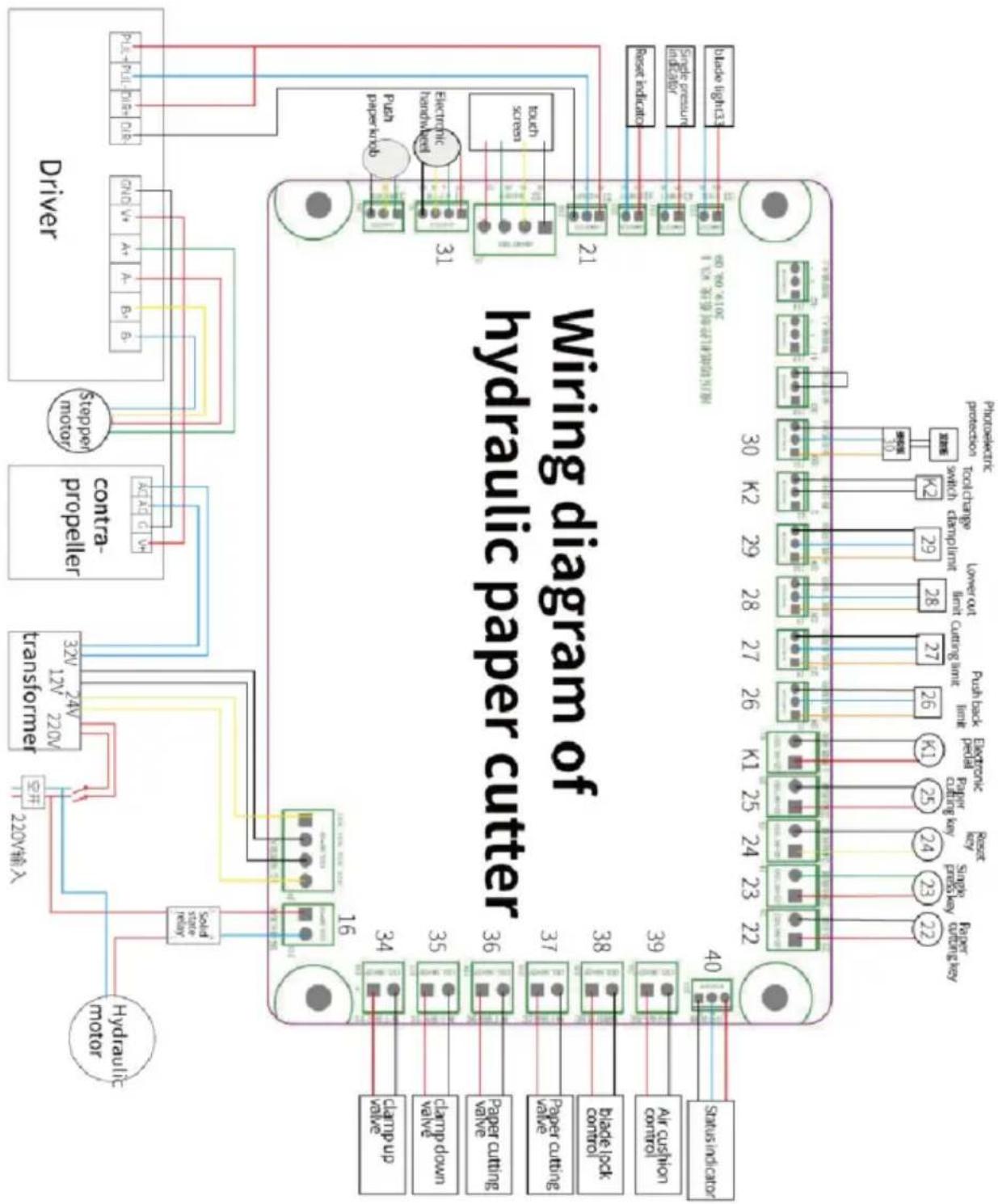
Vevor H670TV7 - Attached drawings - 1

flowchart Hydraulic paper cutter wiring diagram showing connections between motor, driver, and control panel with labeled components and terminal numbers.

Common error and elimination

faultPhenomenaExclusion method
No power displayThe indicator light doesn't turn off1. Check the power socket2. Check whether the switch is in good condition3. The power cord is not good
Motor capacitance damageAbnormal sound or pressure of motorReplace the capacitor
Uneven cutting or large errorThe cut paper i wide on one side and narrow on the other, or the size deviation is largeShift the stop gauge, loosen the fastening screw, adjust the angle between the ruler and the pushing board with a ruler, an then fix the screw again
blade does not reset or works continuously up and downButton invalid, continuous up and down1. Displacement or damage of home limit sensor2. Circuit board damaged
The window is no displayed, displayed disorderly or cannot be proofreadPower normal button invalidCheck the display board, electrical main board and electronic circuit
Part of the NC circuit is damagedThe paper pusher doesn't work1. Check the progress motor and driver2. Check whether the main board of the machine is normal
E-1 or foreign body in platformThe button is invalid and cannot be cut1. Check whether the safety photoelectricity is in good2. Check whether the main board of the machine is normal
Display E-2 and alarmIt can cut, but the cutter can't return to its position1. Check whether the upper line sensor of tool rest is in good condition2. Check whether the main board of the machine is normal
Display E-3 and alarmIt can cut, and the depth of thecutter cannot be adjusted1. Check whether the tool carrier lower limit sensor is ingood condition2. Check whether the main bo of the machine is normal
Display E-4 and alarmAbnormal return of press frame1. Check whether the upper li sensor of presser is in good condition2. Check whether the main bo of the machine is normal
Display E-6 and alarmIt can cut, and the pusher cannot be limited or calibrated1. Check whether the back lin calibration sensor of the paper pusher is in good condition2. Check whether the main bo of the machine is normal

Manufacturer: Shanghaimuxinmuyeyouxiangongsi

Address: Shuangchenglu 803nong11hao1602A-1609shi, baoshanqu, shanghai 200000 CN.

Imported to AUS: SIHAO PTY LTD. 1 ROKEVA STREETEASTWOOD NSW 2122 Australia

Imported to USA: Sanven Technology Ltd. Suite 250, 9166 Anaheim Place, Rancho Cucamonga, CA 91730

ECREP

E-CrossStu GmbH

Mainzer Landstr.69, 60329 Frankfurt am Main

UKREP

YH CONSULTING LIMITED.

C/O YH Consulting Limited Office 147, Centurion House, London Road, Staines-upon-Thames, Surrey TW18 4AX

VEVOR®

TOUGH TOOLS, HALF PRICE

Technical Support and E-Warranty Certificate www.vevor.com/support

VEVOR®

TOUGH TOOLS, HALF PRICE

natural_image Industrial machine with control panel and control buttons (no visible text or symbols)
text_image Foot fixing screw
text_image Front upper cover Photoelectric protection Paper pusher Console Paper cutting operation button Press pressure adjustment knob Hydraulic Gauge Presser pedal Cutter touch screen Photoelectric protection Electronic hand wheel for pushing paper Paper cutting operation button Tool change switch Leakage protection switch power switch Electrical door

Bedienfeld

natural_image Industrial machine with control panel and orange arrows indicating ports (no visible text or symbols)
text_image Safety warning sign showing a circuit board with hazard symbol and yellow triangular hazard symbol

Vevor H670TV7 - Bedienfeld - 1

natural_image Close-up of a red circular switch component mounted on a yellow base, against a plain white background (no text or symbols visible)

Vevor H670TV7 - Bedienfeld - 2

text_image Scanned image of a blue printed advertisement with Chinese text and logos, likely advertising a product or service.
text_image Current Size: 490.0 Input Size: 7 8 9 C 4 5 6 0 1 2 3 · Manual Quick Auto Bisection Calc Set ←→ Push ✓ Enter
text_image Press paper first and then cut paper Data fine adjustment of paper pushing knob Note: the paper pushing knob is subject to the actual situation
text_image Manual Quick Auto Repeat Calc Set Current Size: 460.0 Size 1: 0.0 Size 2: 0.0 Total Size : 0.0 Edit Run Module:
natural_image 3D rendering of a mechanical device with control panel and buttons (no visible text or symbols)
natural_image Line drawing of a printer with a cable and paper outlet, showing a black arrow pointing to the cable (no text or symbols present)
natural_image Industrial machine with coiled spring and mounting base, no visible text or symbols
text_image Forcing screw
natural_image Industrial machine with a red horizontal strip and white components, no visible text or symbols
natural_image Close-up of a metallic industrial control panel with a pressure gauge and circular dial (no visible text or symbols)
natural_image Close-up of a lab equipment with a gloved hand holding a blue object, no visible text or symbols

Vevor H670TV7 - Bedienfeld - 3

natural_image Close-up of a hand using a tool to adjust or install a mechanical component, no visible text or symbols

Vevor H670TV7 - Bedienfeld - 4

text_image 1 2 3
natural_image Close-up of hands installing or adjusting a metal bracket component (no visible text or symbols)

Vevor H670TV7 - Bedienfeld - 5

natural_image Technical line drawing of a mechanical part with evenly spaced holes (no text or symbols)

C/O YH Consulting Limited Office 147, Centurion

Haus, London Road, Staines-upon-Thames, Surrey,

TW18 4AX

VEVOR®

TOUGH TOOLS, HALF PRICE

www.vevor.com/support

VEVOR®

TOUGH TOOLS, HALF PRICE

natural_image Industrial machine with control panel and control buttons (no visible text or symbols)

POTRZEBUJESZ POMOCY? SKONTAKTUJ SIĘ Z NAMI!

text_image Foot fixing screw
text_image Front upper cover Photoelectric protection Paper pusher Console Paper cutting operation button Press pressure adjustment knob Hydraulic Gauge Presser pedal Cutter touch screen Photoelectric protection Electronic hand wheel for pushing paper Paper cutting operation button Tool change switch Leakage protection switch power switch Electrical door

Panel operacyjny

natural_image Industrial machine with control panel and orange arrows indicating ports (no visible text or symbols)
text_image Warning sign showing a warning about electrical hazard with a yellow triangular hazard symbol

Vevor H670TV7 - Panel operacyjny - 1

natural_image Close-up of a red circular switch component mounted on a yellow base (no text or symbols visible)

Vevor H670TV7 - Panel operacyjny - 2

text_image Scanned image of a blue printed card with Chinese characters and logos, partially visible on a white surface.
text_image Press paper first and then cut paper Data fine adjustment of paper pushing knob Note: the paper pushing knob is subject to the actual situation
text_image Manual Quick Auto Repeat Calc Set Current Size: 460.0 Size 1: 0.0 Size 2: 0.0 Total Size : 0.0 Edit Run Module:
natural_image Industrial machine with control panel and display screen (no visible text or symbols)
natural_image Line drawing of a printer with a cable and paper outlet, showing a black arrow pointing to the cable (no text or symbols present)
natural_image Industrial machine with coiled spring and mounting base, no visible text or symbols
natural_image Close-up of a 3D printer with a yellow component inserted, showing mechanical parts and wiring (no visible text or symbols)
text_image Forcing screw
natural_image Close-up of a mechanical device with a red horizontal line and white components, no visible text or symbols.
natural_image Close-up of a metallic industrial control panel with a pressure gauge and key inserted, no visible text or symbols.

Vevor H670TV7 - Panel operacyjny - 3

text_image READY CHANGING → READY CHANGING
natural_image Close-up of a lab or laboratory equipment with a gloved hand holding a blue object, no visible text or symbols.

Vevor H670TV7 - Panel operacyjny - 4

natural_image Close-up of a hand using a tool to adjust or install a mechanical component, no visible text or symbols

Vevor H670TV7 - Panel operacyjny - 5

text_image 1 2 3
natural_image Close-up of hands installing or adjusting a metal bracket component (no visible text or symbols)

Vevor H670TV7 - Panel operacyjny - 6

natural_image Simple line drawing of a curved metal plate with evenly spaced circular holes (no text or symbols)

C/O YH Consulting Limited Biuro 147, Centurion

Dom, London Road, Staines-upon-Thames, Surrey,

TW18 4AX

VEVOR®

TOUGH TOOLS, HALF PRICE

natural_image Industrial machine with control panel and control buttons (no visible text or symbols)

BESOIN D'AIDE? CONTACTEZ-NOUS!

text_image Foot fixing screw
text_image Front upper cover Photoelectric protection Paper pusher Console Paper cutting operation button Press pressure adjustment knob Hydraulic Gauge Presser pedal Cutter touch screen Photoelectric protection Electronic hand wheel for pushing paper Paper cutting operation button Tool change switch Leakage protection switch power switch Electrical door

Panneau de commande

natural_image Industrial machine with control panel and orange arrows indicating ports (no visible text or symbols)
text_image Safety warning sign showing a device with warning labels and a yellow triangular hazard symbol

Vevor H670TV7 - Panneau de commande - 1

natural_image Close-up of a red circular switch component mounted on a yellow base (no text or symbols visible)

Vevor H670TV7 - Panneau de commande - 2

text_image Scanned image of a blue printed book cover with Chinese text and images, likely a magazine or report.
text_image Current Size: 490.0 Input Size: 7 8 9 C 4 5 6 0 1 2 3 · Manual Quick Auto Bisection Calc Set Push Enter
text_image Press paper first and then cut paper Data fine adjustment of paper pushing knob Note: the paper pushing knob is subject to the actual situation
text_image Manual Quick Auto Repeat Calc Set Current Size: 460.0 Size 1: 0.0 Size 2: 0.0 Total Size : 0.0 Edit Run Module:
natural_image Industrial machine with control panel and display screen (no visible text or symbols)
natural_image Line drawing of a printer with a cable and paper outlet, showing a black arrow pointing to the cable (no text or symbols present)
natural_image Industrial machine with coiled spring and mounting base, no visible text or symbols
natural_image Close-up of a 3D printer with a yellow component inserted, showing mechanical parts and wiring (no visible text or symbols)
text_image Forcing screw
natural_image Close-up of a mechanical device with a red horizontal line and white components, no visible text or symbols.
natural_image Close-up of a metallic industrial control panel with a pressure gauge and key inserted, no visible text or symbols.
natural_image Close-up of a lab or laboratory equipment with a gloved hand holding a blue object, no visible text or symbols.

Vevor H670TV7 - Panneau de commande - 3

natural_image Close-up of a hand using a tool to adjust or install a mechanical component, no visible text or symbols

Vevor H670TV7 - Panneau de commande - 4

text_image 1 2 3
natural_image Close-up of hands installing or adjusting a metal bracket component (no visible text or symbols)

Vevor H670TV7 - Panneau de commande - 5

natural_image Technical line drawing of a mechanical part with evenly spaced holes (no text or symbols)

A/S YH Consulting Limited Bureau 147, Centurion

Maison, London Road, Staines-upon-Thames, Surrey,

TW18 4AX

VEVOR®

TOUGH TOOLS, HALF PRICE

natural_image Industrial machine with control panel and control buttons (no visible text or symbols)

HULP NODIG? NEEM CONTACT MET ONS OP!

text_image Foot fixing screw
text_image Front upper cover Photoelectric protection Paper pusher Console Paper cutting operation button Press pressure adjustment knob Hydraulic Gauge Presser pedal Cutter touch screen Photoelectric protection Electronic hand wheel for pushing paper Paper cutting operation button Tool change switch Leakage protection switch power switch Electrical door

Bedieningspaneel

natural_image Industrial machine with control panel and orange arrows indicating ports (no visible text or symbols)
natural_image Three safety warning symbols: a digital display panel, a yellow triangular warning sign with a lightning bolt, and a red circular switch (no text or labels visible)

Vevor H670TV7 - Bedieningspaneel - 1

text_image Scanned image of a blue printed card with Chinese characters and logos, partially visible on a white surface.
text_image Current Size: 490.0 Input Size: 7 8 9 C 4 5 6 0 1 2 3 · Manual Quick Auto Bisection Calc Set ←→ Push ✓ Enter
text_image Press paper first and then cut paper Data fine adjustment of paper pushing knob Note: the paper pushing knob is subject to the actual situation
text_image Manual Quick Auto Repeat Calc Set Current Size: 460.0 Size 1: 0.0 Size 2: 0.0 Total Size : 0.0 Edit Run Module:
natural_image Industrial machine with control panel and display screen (no visible text or symbols)
natural_image Line drawing of a printer with a cable and paper outlet, showing a black arrow pointing to the cable (no text or symbols present)
natural_image Industrial machine with coiled spring and mounting base, no visible text or symbols
text_image Forcing screw
natural_image Industrial machine with a red horizontal line and white components, no visible text or symbols
natural_image Close-up of a metallic industrial control panel with a pressure gauge and key inserted, no visible text or symbols.

Vevor H670TV7 - Bedieningspaneel - 2

text_image READY CHANGING → READY CHANGING
natural_image Close-up of a lab or laboratory equipment with a gloved hand holding a blue sample (no visible text or symbols)

Vevor H670TV7 - Bedieningspaneel - 3

natural_image Close-up of a hand using a tool to adjust or install a mechanical component (no visible text or symbols)

Vevor H670TV7 - Bedieningspaneel - 4

text_image 1 2 3
natural_image Close-up of hands installing or adjusting a metal bracket component (no visible text or symbols)

Vevor H670TV7 - Bedieningspaneel - 5

natural_image Technical line drawing of a mechanical part with evenly spaced holes (no text or symbols)

C/O YH Consulting Limited Kantoor 147, Centurion Huis, London Road, Staines-upon-Thames, Surrey, TW18 4AX

VEVOR®

TOUGH TOOLS, HALF PRICE

Technische ondersteuning en e-garantiecertificaat www.vevor.com/support

VEVOR®

TOUGH TOOLS, HALF PRICE

natural_image Industrial machine with control panel and control buttons (no visible text or symbols)

BEHÖVER HJÄLP? KONTAKTA OSS!

text_image Foot fixing screw
text_image Front upper cover Photoelectric protection Paper pusher Console Paper cutting operation button Press pressure adjustment knob Hydraulic Gauge Presser pedal Cutter touch screen Photoelectric protection Electronic hand wheel for pushing paper Paper cutting operation button Tool change switch Leakage protection switch power switch Electrical door

Manöverpanel

Driftschema för pappersskärare.

natural_image Industrial machine with control panel and orange arrows indicating ports (no visible text or symbols)
natural_image Three safety warning symbols: a digital display panel, a yellow triangular warning sign with a lightning bolt, and a red circular switch (no text or labels visible)

Vevor H670TV7 - Manöverpanel - 1

text_image Scanned image of a blue printed book cover with Chinese text and images, likely a magazine or report.
text_image Current Size: 490.0 Input Size: 7 8 9 C 4 5 6 0 1 2 3 · ↓←→ Push ✓ Enter
text_image Press paper first and then cut paper Data fine adjustment of paper pushing knob Note: the paper pushing knob is subject to the actual situation
text_image Manual Quick Auto Repeat Calc Set Current Size: 460.0 Size 1: 0.0 Size 2: 0.0 Total Size : 0.0 Edit Run Module:
natural_image 3D rendering of a mechanical device with control panel and buttons (no visible text or symbols)
natural_image Line drawing of a printer with a cable and paper outlet, showing a black arrow pointing to the cable (no text or symbols present)
natural_image Industrial machine with coiled spring and mounting base, no visible text or symbols
natural_image Close-up of a 3D printer with a yellow component and coiled cable, no visible text or symbols
text_image Forcing screw
natural_image Close-up of a mechanical printer or printer with a red strip extending from its side (no visible text or symbols)
natural_image Close-up of a metallic industrial control panel with a pressure gauge and circular dial (no visible text or symbols)

Vevor H670TV7 - Manöverpanel - 2

text_image READY CHANGING → READY CHANGING
natural_image Close-up of a lab equipment with a gloved hand holding a blue sample (no visible text or symbols)

Vevor H670TV7 - Manöverpanel - 3

natural_image Close-up of a hand using a tool to adjust or install a mechanical component, no visible text or symbols

Vevor H670TV7 - Manöverpanel - 4

text_image 1 2 3
natural_image Close-up of hands installing or adjusting a metal bracket component (no visible text or symbols)

Vevor H670TV7 - Manöverpanel - 5

natural_image Technical line drawing of a mechanical part with evenly spaced holes (no text or symbols)
flowchart
graph TD
    subgraph Motor
        A["Hydraulic motor"] --> B["Driver"]
        B --> C["Control"]
        C --> D["Stappen motor"]
        D --> E["Driver"]
    end

    subgraph Control
        F["30 K2 29 28 27 26 25 24 K1 23 K0 22 21 K1 20 K0 19 K0 18 K0 17 K0 16 K0 15 K0 14 K0 13 K0 12 K0 11 K0 10 K0 9 K0 8 K0 7 K0 6 K0 5 K0 4 K0 3 K0 2 K0 1 K0 0.5K<br>    end<br><br>    subgraph Wiring Diagram<br>        F --> G[Blade indicator"]
        G --> H["Air cushion control"]
        H --> I["Blade lock control"]
        I --> J["Paper cutting valve"]
        J --> K["Paper cutting valve"]
        K --> L["clamp down valve"]
        L --> M["clamp up valve"]
        M --> N["Cap pump valve"]
        N --> O["Cap pump valve"]
        O --> P["Cap pump valve"]
        P --> Q["Cap pump valve"]
        Q --> R["Cap pump valve"]
        R --> S["Cap pump valve"]
        S --> T["Cap pump valve"]
        T --> U["Cap pump valve"]
        U --> V["Cap pump valve"]
        V --> W["Cap pump valve"]
        W --> X["Cap pump valve"]
        X --> Y["Cap pump valve"]
        Y --> Z["Cap pump valve"]
        Z --> AA["Cap pump valve"]
        AA --> AB["Cap pump valve"]
        AB --> AC["Cap pump valve"]
        AC --> AD["Cap pump valve"]
        AD --> AE["Cap pump valve"]
        AE --> AF["Cap pump valve"]
        AF --> AG["Cap pump valve"]
        AG --> AH["Cap pump valve"]
        AH --> AI["Cap pump valve"]
        AI --> AJ["Cap pump valve"]
        AJ --> AK["Cap pump valve"]
        AK --> AL["Cap pump valve"]
        AL --> AM["Cap pump valve"]
        AM --> AN["Cap pump valve"]
        AN --> AO["Cap pump valve"]
        AO --> AP["Cap pump valve"]
        AP --> AQ["Cap pump valve"]
        AQ --> AR["Cap pump valve"]
        AR --> AS["Cap pump valve"]
        AS --> AT["Cap pump valve"]
        AT --> AU["Cap pump valve"]
        AU --> AV["Cap pump valve"]
        AV --> AW["Cap pump valve"]
        AW --> AX["Cap pump valve"]
        AX --> AY["Cap pump valve"]
        AY --> AZ["Cap pump valve"]
        AZ --> BA["Cap pump valve"]
        BA --> BB["Cap pump valve"]
        BB --> BC["Cap pump valve"]
        BC --> BD["Cap pump valve"]
        BD --> BE["Cap pump valve"]
        BE --> BF["Cap pump valve"]
        BF --> BG["Cap pump valve"]
        BG --> BH["Cap pump valve"]
        BH --> BI["Cap pump valve"]
        BI --> BJ["Cap pump valve"]
        BJ --> BK["Cap pump valve"]
        BK --> BL["Cap pump valve"]
        BL --> BM["Cap pump valve"]
        BM --> BN["Cap pump valve"]
        BN --> BO["Cap pump valve"]
        BO --> BP["Cap pump valve"]
        BP --> BQ["Cap pump valve"]
        BQ --> BR["Cap pump valve"]
        BR --> BS["Cap pump valve"]
        BS --> BT["Cap pump valve"]
        BT --> BU["Cap pump valve"]
        BU --> BV["Cap pump valve"]
        BV --> BW["Cap pump valve"]
        BW --> BX["Cap pump valve"]
        BX --> BY["Cap pump valve"]
        BY --> BZ["Cap pump valve"]
        BZ --> CA["Cap pump valve"]
        CA --> CB["Cap pump valve"]
        CB --> CC["Cap pump valve"]
        CC --> CD["Cap pump valve"]
        CD --> CE["Cap pump valve"]
        CE --> CF["Cap pump valve"]
        CF --> CG["Cap pump valve"]
        CG --> CH["Cap pump valve"]
        CH --> CI["Cap pump valve"]
        CI --> CJ["Cap pump valve"]
        CJ --> CK["Cap pump valve"]
    end

    style Motor fill:#f9f,stroke:#333
    style Driver fill:#ccf,stroke:#333
    style Wiring Diagram fill:#cfc,stroke:#333
    note right of A: Wiring diagram of hydraulic paper cutter
    note left of A: Wiring diagram of hydraulic paper cutter
    note right of B: Wiring diagram of hydraulic paper cutter
    note left of C: 
    note right of D: 
    note right of E: 
    note right of F: 
    note right of G: 
    note right of H: 
    note right of I: 
    note right of J: 
    note right of K: 
    note right of L: 
    note right of M: 
    note right of N: 
    note right of O: 
    note right of P: 
    note right of Q: 
    note right of R: 
    note right of S: 
    note right of T: 
    note right of U: 
    note right of V: 
    note right of W: 
    note right of X: 
    note right of Y: 
    note right of Z: 
    note right of AB: 
    note right of AC: 
    note right of AD: 
    note right of AE: 
    note right of AF: 
    note right of AG: 
    note right of AH: 
    note right of AI: 
    note right of AJ: 
    note right of AK: 
    note right of AL: 
    note right of AM: 
    note right of AN: 
    note right of AO: 
    note right of AP: 
    note right of AQ: 
    note right of AR: 
    note right of AS: 
    note right of AT: 
    note right of AU: 
    note right of AV: 
    note right of AW: 

    %% Legend
    %% Color coding
    %% Note values (e.g., 30, 29, 28, 27, 26, 25, 24, 23, 22, 21, 20, 19, 18, 17, 16, 15, 14, 13, 12, 11, 10, 9, 8, 7, 6, 5, 4, 3, 2, 1, 0.5K=5K=5K=5K=5K=5K=5K=5K=5K=5K=5K=5K=5K=5K=5K=5K=5K=5K=5K=5K=5K=5K=5K=5K=5K=5K=5K=5K=5K=5K=5K=5K=5K=5K=16
    end

C/O YH Consulting Limited Office 147, Centurion

House, London Road, Staines-upon-Thames, Surrey,

TW18 4AX

VEVOR®

TOUGH TOOLS, HALF PRICE

www.vevor.com/support

VEVOR®
TOUGH TOOLS, HALF PRICE

natural_image Industrial machine with control panel and control buttons (no visible text or symbols)
text_image Foot fixing screw
text_image Front upper cover Photoelectric protection Paper pusher Console Paper cutting operation button Press pressure adjustment knob Hydraulic Gauge Presser pedal Cutter touch screen Photoelectric protection Electronic hand wheel for pushing paper Paper cutting operation button Tool change switch Leakage protection switch power switch Electrical door
natural_image Industrial machine with control panel and orange arrows indicating ports (no visible text or symbols)
natural_image Three safety warning symbols: a digital display panel, a yellow triangular hazard symbol, and a red circular switch (no text or labels visible)

Vevor H670TV7 - TOUGH TOOLS, HALF PRICE - 1

text_image Scanned image of a blue printed book cover with Chinese text and images, likely a magazine or report.
text_image Current Size: 490.0 Input Size: 7 8 9 C 4 5 6 0 1 2 3 · ↓←→ Push ✓ Enter
text_image Press paper first and then cut paper Data fine adjustment of paper pushing knob Note: the paper pushing knob is subject to the actual situation
text_image Manual Quick Auto Repeat Calc Set Current Size: 460.0 Size 1: 0.0 Size 2: 0.0 Total Size : 0.0 Edit Run Module:
natural_image Industrial machine with control panel and display screen (no visible text or symbols)
natural_image Line drawing of a printer with a cable and paper outlet, showing a black arrow pointing to the cable (no text or symbols present)
natural_image Industrial machine with coiled spring and mounting base, no visible text or symbols
natural_image Close-up of a 3D printer with a yellow component inserted, showing mechanical parts and wiring (no visible text or symbols)
text_image Forcing screw
natural_image Industrial machine with a red horizontal strip and white components, no visible text or symbols
natural_image Close-up of a metallic industrial control panel with a pressure gauge and circular dial (no visible text or symbols)
natural_image Close-up of a lab equipment with a blue gloved hand and red laser indicator light (no visible text or symbols)

Vevor H670TV7 - TOUGH TOOLS, HALF PRICE - 2

natural_image Close-up of a hand using a tool to adjust or install a mechanical component, no visible text or symbols

Vevor H670TV7 - TOUGH TOOLS, HALF PRICE - 3

text_image 1 2 3
natural_image Close-up of hands installing or adjusting a metal bracket component (no visible text or symbols)

Vevor H670TV7 - TOUGH TOOLS, HALF PRICE - 4

natural_image Simple line drawing of a curved metal plate with evenly spaced circular holes (no text or symbols)

Casa, London Road, Staines-upon-Thames, Surrey,

TW18 4AX

VEVOR®

TOUGH TOOLS, HALF PRICE

natural_image Industrial machine with control panel and control buttons (no visible text or symbols)
text_image Foot fixing screw
text_image Front upper cover Photoelectric protection Paper pusher Console Paper cutting operation button Press pressure adjustment knob Hydraulic Gauge Presser pedal Cutter touch screen Photoelectric protection Electronic hand wheel for pushing paper Paper cutting operation button Tool change switch Leakage protection switch power switch Electrical door

Pannello operativo

natural_image Industrial machine with control panel and orange arrows indicating ports (no visible text or symbols)
natural_image Three safety warning symbols: a digital display panel, a yellow triangular warning sign with a lightning bolt, and a red circular switch (no text or labels visible)

Vevor H670TV7 - Pannello operativo - 1

text_image Scanned image of a blue printed book cover with Chinese text and images, likely a magazine or report.
text_image Current Size: 490.0 Input Size: 7 8 9 C 4 5 6 0 1 2 3 · ↓←→ Push ✓ Enter
text_image Press paper first and then cut paper Data fine adjustment of paper pushing knob Note: the paper pushing knob is subject to the actual situation
text_image Manual Quick Auto Repeat Calc Set Current Size: 460.0 Size 1: 0.0 Size 2: 0.0 Total Size : 0.0 Edit Run Module:
natural_image Industrial machine with control panel and display screen (no visible text or symbols)
natural_image Line drawing of a printer with a paper feeding into a cable, showing a black arrow indicating direction (no text or symbols)
natural_image Industrial machine with coiled spring and mounting base, no visible text or symbols
natural_image Close-up of a 3D printer with a yellow component inserted, showing mechanical parts and wiring (no visible text or symbols)
text_image Forcing screw
natural_image Close-up of a mechanical device with a red horizontal line and multiple white components, no visible text or symbols.
natural_image Close-up of a metallic industrial control panel with a pressure gauge and a circular dial (no visible text or symbols)
natural_image Close-up of a lab equipment cabinet with blue gloves and red indicator lights (no visible text or symbols)

Vevor H670TV7 - Pannello operativo - 2

natural_image Close-up of a hand using a wrench to adjust a mechanical component (no visible text or symbols)

Vevor H670TV7 - Pannello operativo - 3

text_image 1 2 3
natural_image Close-up of hands installing or adjusting a metal bracket component (no visible text or symbols)

Vevor H670TV7 - Pannello operativo - 4

natural_image Technical line drawing of a mechanical part with evenly spaced holes (no text or symbols)

Importato in AUS: SIHAO PTY LTD. 1 ROKEVA STREETEASTWOOD NSW 2122 Australia

Importato negli USA: Sanven Technology Ltd. Suite 250, 9166 Anaheim Place, Rancho Cucamonga, CA 91730

C/O YH Consulting Limited Ufficio 147, Centurion

Casa, London Road, Staines-upon-Thames, Surrey,

Modello TW18 4AX

VEVOR®

TOUGH TOOLS, HALF PRICE
Manual assistant
Powered by Anthropic
Waiting for your message
Product information

Brand : Vevor

Model : H670TV7

Category : Paper cutter