
DX2000II - Range hood Vevor - Free user manual and instructions
Find the device manual for free DX2000II Vevor in PDF.
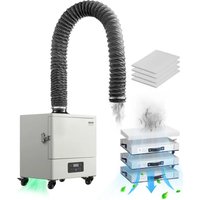


| Product Type | Welding Smoke Extractor |
| Brand | Vevor |
| Model | DX2000II |
| Dimensions (L x W x H) | 425 x 315 x 520 mm |
| Weight | 23 kg |
| Power Supply | 110-120 V (USA) / 220-240 V (EU, Australia) |
| Maximum Power | 280 W |
| Maximum Airflow | 459 m³/h |
| Noise Level | < 64 dB |
| Air Inlet Diameter | 115 mm |
| Hose Length | 2 m |
| Number of Filtration Layers | 4 |
| Filter Types | Primary, Intermediate, High Efficiency |
| Air Speed | 23 m/s |
| Ambient Temperature Range | 50 °C max (gas and dust at inlet) |
| Ambient Humidity | 40% to 80% |
| Functions | On/Off, variable speed control (10-100%), timer (1-300 h), remote control, panel lock |
| Remote Control | Yes, recommended distance 2-3 m |
| Panel Lock | Yes, accessible via remote control |
| Timed Shutdown | Yes, from 1 to 300 hours |
| Casters | 4 universal casters |
| Included Accessories | Main machine, power cable, corrugated hose with clamp, remote control, filter, screwdriver, user manual |
| Warranty | Electronic warranty via www.vevor.com/support |
Frequently Asked Questions - DX2000II Vevor
User questions about DX2000II Vevor
0 question about this device. Answer the ones you know or ask your own.
Ask a new question about this device
Download the instructions for your Range hood in PDF format for free! Find your manual DX2000II - Vevor and take your electronic device back in hand. On this page are published all the documents necessary for the use of your device. DX2000II by Vevor.
USER MANUAL DX2000II Vevor
Technical Support and E-Warranty Certificate www.vevor.com/support
We continue to be committed to provide you tools with competitive price. "Save Half", "Half Price" or any other similar expressions used by us only represent savings you might benefit from buying certain tools with us compared to top brands and does not necessarily mean to cover all categories of tools offered. We kindly remind you to verify carefully when you are placing an order with us that you are actually saving half in comparison with the top major brands.
VEVOR®
TOUGH TOOLS, HALF PRICE
The picture is for reference only, please refer to the actual object.
NEED HELP? CONTACT US!
Have product questions? Need technical support? Please feel free to contact us:
Technical Support and E-Warranty Certificate www.vevor.com/support
This is the original instruction. Please read all manual instructions carefully before operating. VEVOR reserves a clear interpretation of the user manual. The appearance of the product shall be subject to the product you received. Please forgive us that we won't inform you of any technology or software updates on our product.
USER INFORMATION
Respected Users, before operation, please read the following safety precautions in order to avoid fire or personal injuries.
- This product is prohibited to be used under high temperature environment (above 80 °C), inflammable, explosive or greasy environment.
- When not in use for a long time, the power should be disconnected and the machine switch closed.
- The distance between smoke hood and smoke producing point directly influences smoking effect. (VEVOR advises: the bamboo smoking tube used? Smoking distance should be kept at 10-15cm)
- The longer the pipe, the weaker the smoking effect. (VEVOR advises: Adjust direction of the fan or air conditioner outlet around the smoke hood that produces airflow. You can also make a seal to block the effect of air flow smoking.)
- The longer the pipe, the less effective it is to smoke (VEVOR advises: The branch of the smoking pipe can be up to 1.4M).
- The more frequently the pipe is changed, the weaker the smoking effect is. (VEVOR advises: Cut as few corners as you can).
IMPORTANT SAFEGUARDS
Please read and understand this entire manual before attempting to assemble,

operate or install the product. Failure to follow all instructions listed below may result in electric shock, fire and/or serious injury.
WARNING:
- To reduce the risk of fire or electric shock, do not use this air purifier with any solid-state speed control device. Include instructions pertaining to a risk of fire, electric shock, or injury to persons, for cleaning and user maintenance such as lubrication.
- DO NOT operate any air purifier with a damaged cord or plug. Discard the air purifier or return it to an authorized service facility for examination and/or repair.
- DO NOT run the cord under carpeting. Do not cover the cord with throw rugs, runners, or similar coverings.
- DO NOT route the cord under furniture or appliances. Arrange the cord away from traffic areas and where it will not be tripped over. Disconnect the appliance from the power supply before servicing.
- Regular Check: Have your air purifier checked regularly for any sign of malfunction! Stop using it. Check if the plug, cord, or appliance is damaged. Excessive noise, unpleasant odor, or abnormal heat.
- This appliance can be used by children aged from 8 years and above and persons with reduced physical, sensory or mental capabilities or lack of experience and knowledge if they have been given supervision or instruction concerning use of the appliance in a safe way and understand the hazards involved. Children shall not play with the appliance. Cleaning and user maintenance shall not be made by children without supervision.
- Children should be supervised to ensure that they do not play with the appliance.
- Close supervision is necessary when any appliance is used by or near children. Children should be supervised to ensure that they do not play with the appliance. Cleaning and user maintenance shall not be done by children unless they are older than 8 and supervised.
- Use the appliance only for intended household purposes as described in this User Manual. Any other use is not recommended and may cause fire, electric shock, or injury to people.
- If the supply cord is damaged, it must be replaced by the manufacturer, its service agent, or similarly qualified persons in order to avoid a hazard.
Other safety rules
- Always disconnect the power supply prior to servicing the air purifier, motor, or junction box.
- Installation work must be carried out by a qualified person(s) in accordance with applicable safety codes, including the rules for fire-rated construction.
- Follow all local building, safety, and electrical codes, as well as NEC (National Electrical Code) and OSHA (Occupational Safety and Health Act).
- Electric service supply must be in accordance with the input parameters.
- This unit must be properly grounded.
- Do not bend or kink the power wires.
- Do not use to exhaust hazardous or explosive vapors.
- The air purifier should always be vented to the exterior and in compliance with codes.
- Prior to servicing or cleaning this unit, shut off the power supply at the panel lock to prevent the power from being turned on.
- Use this unit in the manner intended by the manufacturer. If you have any questions, please call customer service.
SAVE THESE INSTRUCTIONS
FCC INFORMATION
CAUTION: Changes or modifications not expressly approved by the party responsible for compliance could void the user's authority to operate the equipment!
This device complies with Part 15 of the FCC Rules. Operation is subject to the following two conditions:
1) This product may cause harmful interference. 2) This product must accept any interference received, including interference that may cause undesired operation.
WARNING: Changes or modifications to this product not expressly approved by the party responsible for compliance could void the user's authority to operate the product.
Note: This product has been tested and found to comply with the limits for a Class B digital device pursuant to Part 15 of the FCC Rules. These limits are designed to provide reasonable protection against harmful interference in a residential installation.
This product generates, uses and can radiate radio frequency energy, and if installed and used in accordance with the instructions, may cause harmful interference to radio communications. However, there is no guarantee that interference will not occur in a particular installation. If this product does cause harmful interference to radio or television reception, which can be determined by turning the product off and on, the user is encouraged to try to correct the interference by one or more of the following measures.
- Reorient or relocate the receiving antenna.
- Increase the distance between the product and receiver.
- Connect the product to an outlet on a circuit different from that to which the receiver is connected.
- Consult the dealer or an experienced radio/TV technician for assistance.
APPEARANCE STRUCTURE
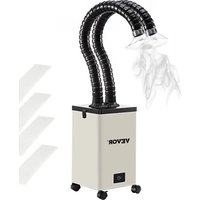
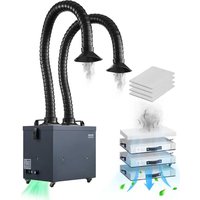
VEVOR DX2000II smoke purifier volume small, with four universal casters at bottom, mobile flexible plug-in. Smoking tube can be universally adjusted, applicable to all types of worktables. The purified air conforms to the PONY test certification, and the new filter is barrel-shaped, which also greatly increases the dust tolerance. The three-block variable speed adjustment can achieve a maximum flow of 430-480m3/h.
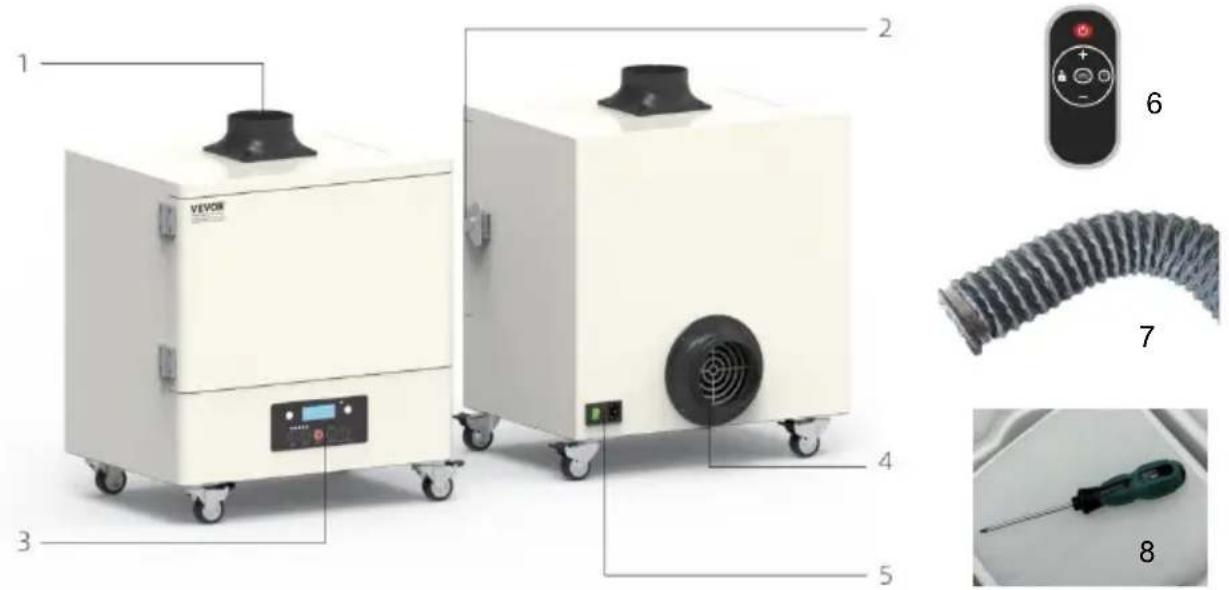
- Flange 2. Hasp 3. Control panel
- Air outlet 5. Switch 6. Corrugated wire hose + throat hoop
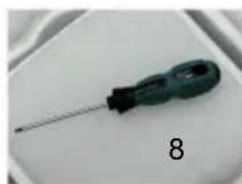
- Remote control unit 8. Screwdriver
PACKING LIST
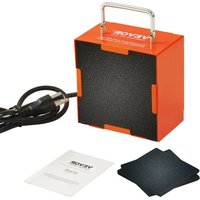
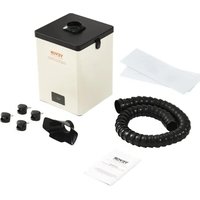
Please check the following parts carefully. If there is any missing or damaged part, please contact the customer service department or dealers.
| Main Machine | 1 |
| Power Line | 1 |
| throat hoop | 1 |
| Corrugated wire hose | 1 |
| Operation Manual | 1 |
| Remote control unit | 1 |
| Filter element | 1 SET |
| screwdriver | 1 |
OPERATION INSTRUCTIONS
- The power input of the machine shall be used within the specified rated voltage range (according to the power mark on the body) and it is forbidden to use the voltage if it is too high or too low. Turn off the machine and unplug the plug if you find that the voltage is not stable.
- When using the machine, the ambient temperature range of the gas and dust inhaled into the suction mouth is: at room temperature of 50 °C, and it is forbidden to use above or below this temperature range.
- When using the machine, the humidity of the gas and dust inhaled by the inlet is 40% - 80%. Excessive humidity will quickly invalidate the filter and damage the internal circuit of the machine, and it is forbidden to use when the humidity is higher than 80%.
- It is forbidden to use the machine without a filter core. The direct inhalation of soot or dust particles into the machine will cause damage to the fan and control system. The use of the machine in the above state caused by the time of maintenance at your own expense will cause you greater losses.
- It is forbidden to continue to use the machine after the filter is severely blocked, which will greatly shorten the service life of the machine and even cause damage to the machine. The machine should be cleaned and maintained regularly, and the filter tube should be replaced regularly. To ensure that the machine works in good condition.
- When your machine filter is less clogged suction or when the filter core fails to remove odor, use the filter tube strictly. Please replace the filter cartridge with the original configuration.
- It is forbidden to open the interior of the machine for maintenance. The warranty sticker on the fuselage is the only proof that you enjoy after-sales service: Please do not tear up or damage the warranty sticker on the fuselage.
INSTRUCTIONS FOR USE
- Turn the butterfly buckle on the right side of the chassis counterclockwise to open the chassis door
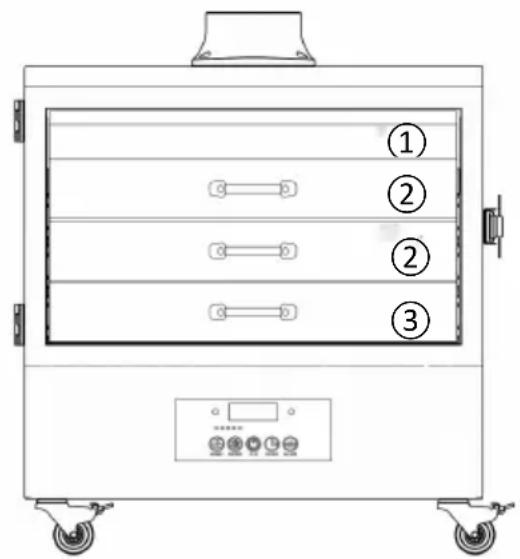
- Start at the top. Hold the handle and pull out the filter element layer by layer. Replace the filter element of a certain layer and follow the sequence indicated, layer by layer from bottom to top. Note: This product uses replaceable filter consumables. When the filter element is saturated, it needs to be replaced in order to ensure the purification effect of the machine!
Layer ①: Primary filtration
Layer ②: Intermediate filtration
Layer ③: High efficiency filtration
* NOTES: Do not use brute force to press down the filter core, otherwise the box and buckle will be damaged.
CONTROL INTERFACE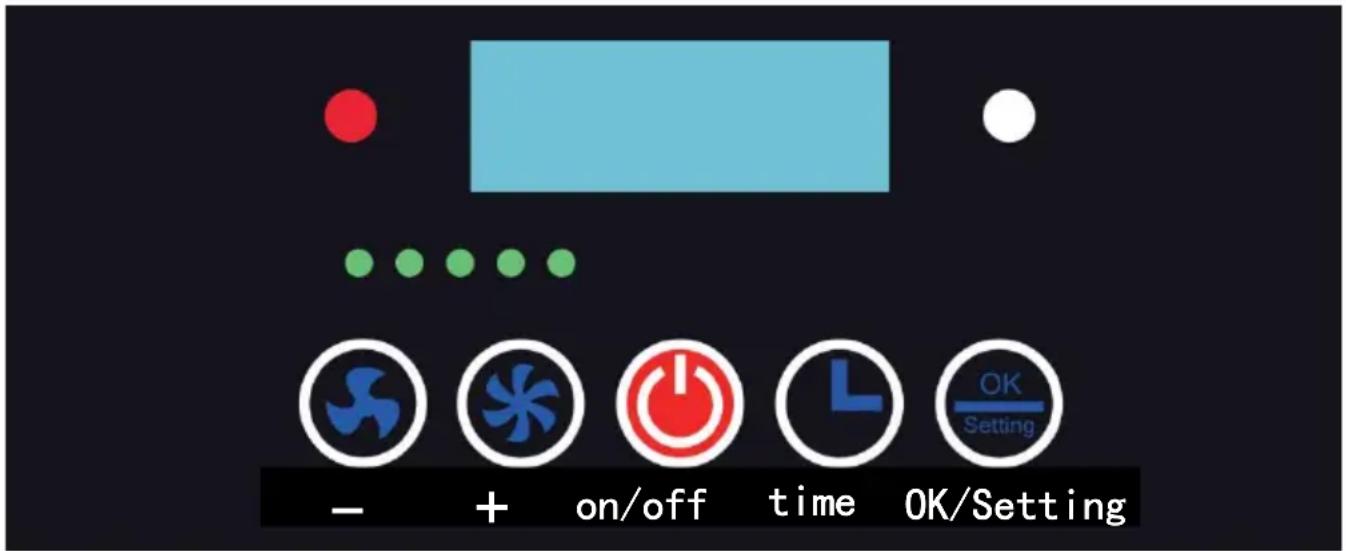
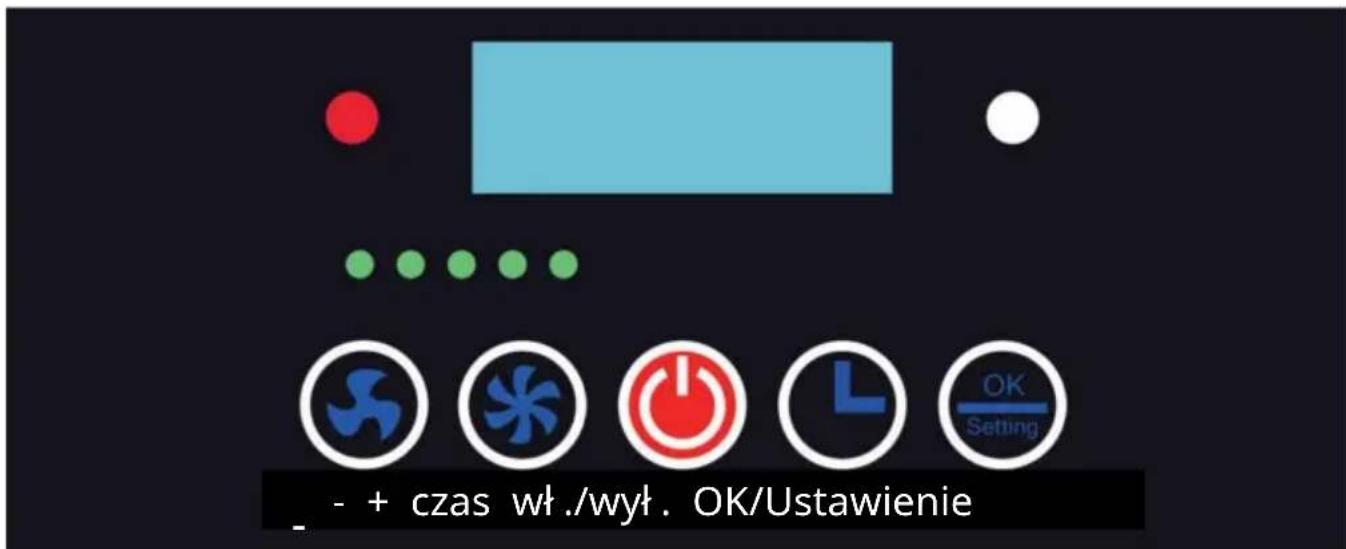
- The power switch key - It is used to switch the entire machine on or off. When the orange light is on after pressing it, the entire machine starts operating. When it is turned off, the entire machine stops operating. (Note: If you want to shut down for a long time, please turn off the power switch of the machine and unplug the power cord.)

- The wind volume increase key - When the machine is running, pressing this key will make the digital display on the digital tube increase by 1. The maximum is 100, which means the machine is running at full speed.

- The wind volume decrease key - When the machine is running, pressing this key will make the digital display on the digital tube decrease by 1. The minimum is 10.

- The timed shutdown key - When the machine is running, pressing this key will make the digital display on the digital tube show HXXX. Then, the timed shutdown can be adjusted by increasing or decreasing the wind speed. After setting the time, adjust the digits of hours, tens, and hundreds by pressing the key again. After setting, confirm the setting by pressing the OK/Set key, and the timing device is set. Among them, XXX represents the number of hours for the machine's timed operation, with a maximum of 300 hours and a minimum of 1 hour. After setting, you can check the remaining timed time by pressing the key. The digital tube display shows HXXX. For example, H005 means the machine will automatically shut down after 5 hours. Set it to H000 to cancel the timing.

- The setting key - When the machine enters the alarm state and the buzzer sounds, press this key once to turn off the buzzer sound. When the machine is not in the alarm state, press this key to check the cumulative running time of the entire machine.

- The panel lock key (Remote control unit) - When the machine is running, pressing this key will lock all the function keys on the operation panel of the machine, making them inoperable. Press this key again or disconnect the power supply of the entire machine and restart to unlock.
*The remote control - It is recommended to operate at a distance of 2 - 3 meters from the front of the device.
Requirements:
- The filter core should be replaced regularly to ensure that the machine works in good condition. Before replacing and maintaining the filter system, please ensure that the power is cut off! We have no responsibility for machine damage caused by failure to comply with the regulations of the user's manual.
- The bamboo tube should be cleaned regularly to prevent the filter from clogging too quickly.
- When the adsorption capacity is reduced, check whether the filter should be replaced.
- When replacing the new filter, record the replacement date.
- When installing or removing the filter cylinder, hold the four-way border with your hands and slowly insert or remove it. When handling, avoid using the inside of the head or top filter to prevent deformation of the filter material and affect the filtration effect.
FAULT HANDLING

Please cut off the power before checking and repairing the equipment.
- Phenomenon: The system is still working, but the wind volume is weak and inhalation force is greatly reduced.
Reason: The air inlet is blocked or the filter has reached saturation.
Check: Turn off the power, open the top cover, check whether there is something plugged into the air mouth. Check the air outlet for blockage. If there is no difference in inspection and treatment, reboot. If the wind volume is still small, the filter should be replaced.
- Phenomenon: Automatic shutdown immediately after the machine is started, re-open and repeat the above phenomenon.
Reason: The internal air flow is impassable, the filter core resistance is too high, causing the fan to start with too much current, leading to automatic protection shutdown.
Check: Turn off the power, open the top cover, check whether there is a foreign body plugged into the air mouth; If there is no difference in inspection and treatment, set the fan speed to the minimum, and then reboot at a suitable wind level.
SPECIFICATION PARAMETER
| Model | DX2000II |
| Air Inlet | Φ115mm |
| Voltage | 110~120V(USA) |
| 220~240V(EU, AUS) | |
| Maximum Power | 280W |
| Air Velocity | 23m/s |
| Noise Level | <64dB |
| Length Of Duct | 2m |
| System Traffic | 459m3/h |
| Dimensions Of Main Unit | 425 x315x520 mm |
| Weight | 23KG |
| Layer Number | 4 |
*Content is subject to update without notice.
CORRECT DISPOSAL
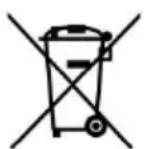
This product is subject to the provisions of European Directive 2012/19/EC. The symbol showing a crossed-out wheelie bin indicates that the product requires separate refuse collection in the European Union. This applies to the product and all accessories
marked with this symbol. Products marked as such may not be discarded with normal domestic waste, but must be taken to a collection point for recycling electrical and electronic devices
VEVOR®
TOUGH TOOLS, HALF PRICE
Technical Support and E-Warranty Certificate
www.vevor.com/support
VEVOR®
TOUGH TOOLS, HALF PRICE
STRUCTURE D'APPARENCE
INTERFACE DE CONTRÔLE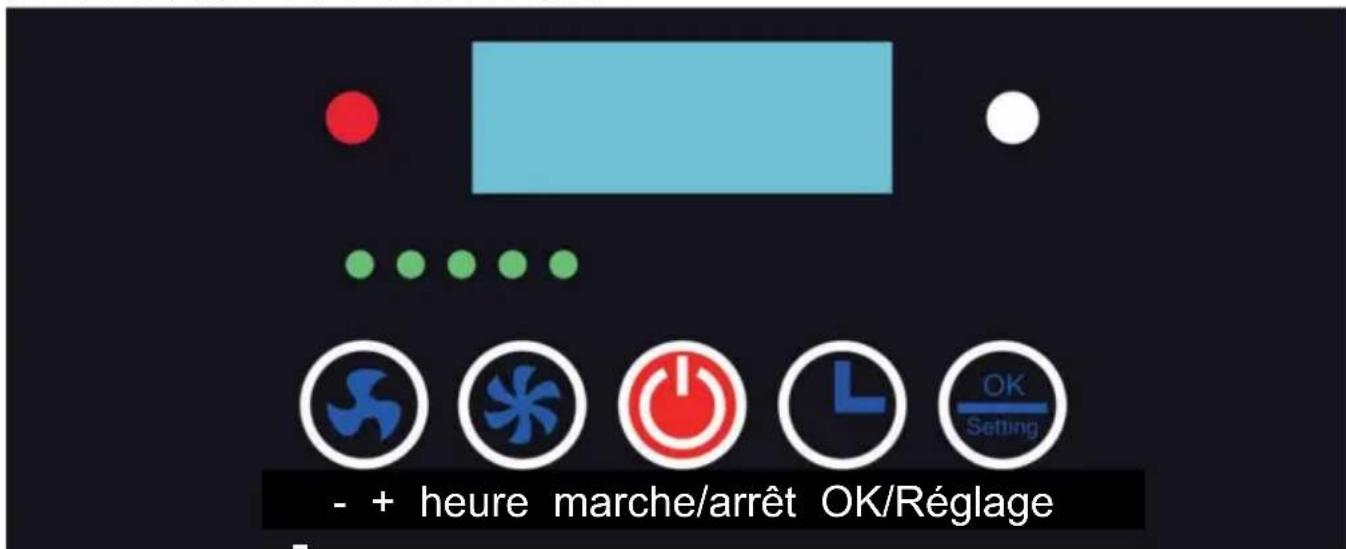
www.vevor.com/support
VEVOR®
TOUGH TOOLS, HALF PRICE
elettronica www.vevor.com/support
VEVOR®
TOUGH TOOLS, HALF PRICE
CONTROL INTERFACE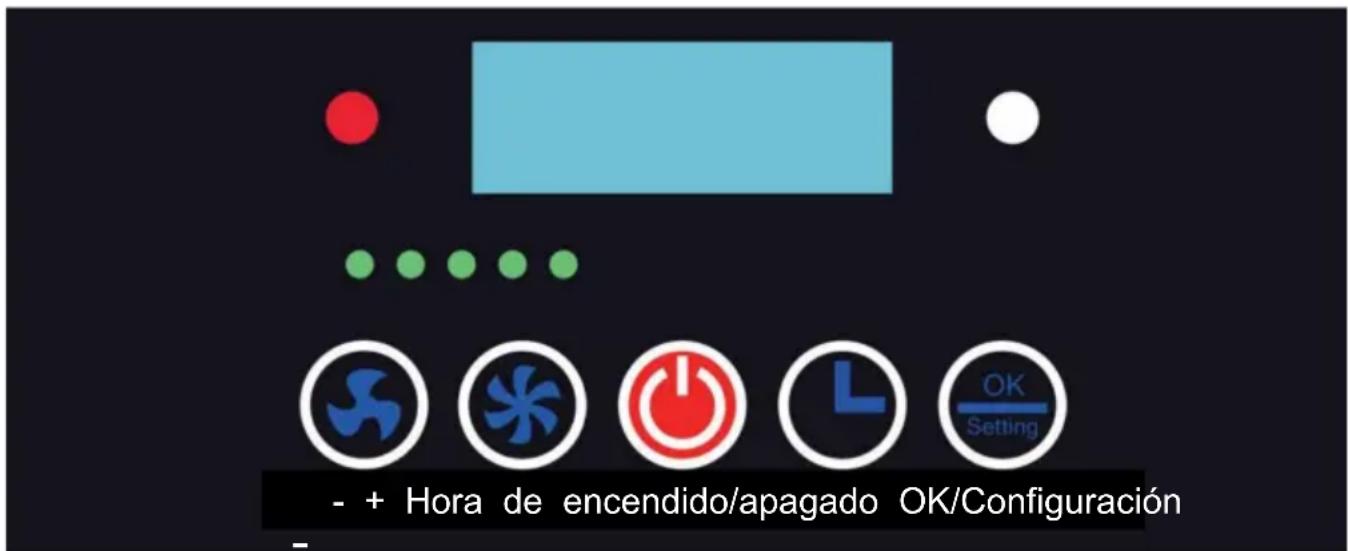
CONTROL INTERFACE
NEED HELP? CONTACT US!
warranty certificate www.vevor.com/support
VEVOR®
TOUGH TOOLS, HALF PRICE
www.vevor.com/support

- VEVOR®
- NEED HELP? CONTACT US
- USER INFORMATION
- IMPORTANT SAFEGUARDS
- WARNING
- OTHER SAFETY RULES
- SAVE THESE INSTRUCTIONS
- FCC INFORMATION
- APPEARANCE STRUCTURE
- PACKING LIST
- OPERATION INSTRUCTIONS
- INSTRUCTIONS FOR USE
- REQUIREMENTS
- FAULT HANDLING
- CORRECT DISPOSAL
- TOUGH TOOLS, HALF PRICE
- STRUCTURE D'APPARENCE
- CONTROL INTERFACE
Brand : Vevor
Model : DX2000II
Category : Range hood