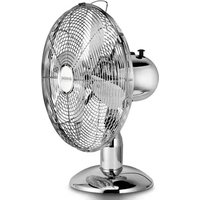
Retro Fan - Fan Sonnenkönig - Free user manual and instructions
Find the device manual for free Retro Fan Sonnenkönig in PDF.


User questions about Retro Fan Sonnenkönig
0 question about this device. Answer the ones you know or ask your own.
Ask a new question about this device
Download the instructions for your Fan in PDF format for free! Find your manual Retro Fan - Sonnenkönig and take your electronic device back in hand. On this page are published all the documents necessary for the use of your device. Retro Fan by Sonnenkönig.
USER MANUAL Retro Fan Sonnenkönig
natural_image
White desktop fan with a mesh grille and base, no visible text or symbolsArtikelnummer Retro Fan weiss: 10501207
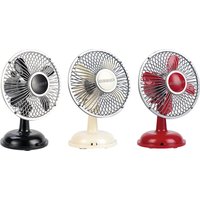
Artikelnummer Retro Fan rot: 10501327
Inhaltsverzeichnis
text_image
Technical diagram of a fan with labeled parts including fan, head, and cable connectionFestnetz 14 Cent/Minute
natural_image
White desktop fan with mesh grille and base, no visible text or symbolsArticle-nr. Retro Fan blanche: 10501207
Article-nr. Retro Fan rouge: 10501327
Sommaire
2. FONCTIONS ET APPLICATIONS
CARACTÉRISTIQUES
text_image
Technical diagram of a fan with labeled parts including head, top, and cable connections4. FONCTIONNEMENT ET STOCKAGE
Festnetz 14 Cent/Minute
natural_image
White desktop fan with a mesh grille and base, no visible text or symbolsArtikelnummer Retro Fan bianco: 10501207
Artikelnummer Retro Fan rosso: 10501327
Inhaltsverzeichnis
text_image
Technical diagram of a fan with labeled parts including head, top, and cable connectionsFestnetz 14 Cent/Minute
Oscillating Desk Fan
Instruction manual
natural_image
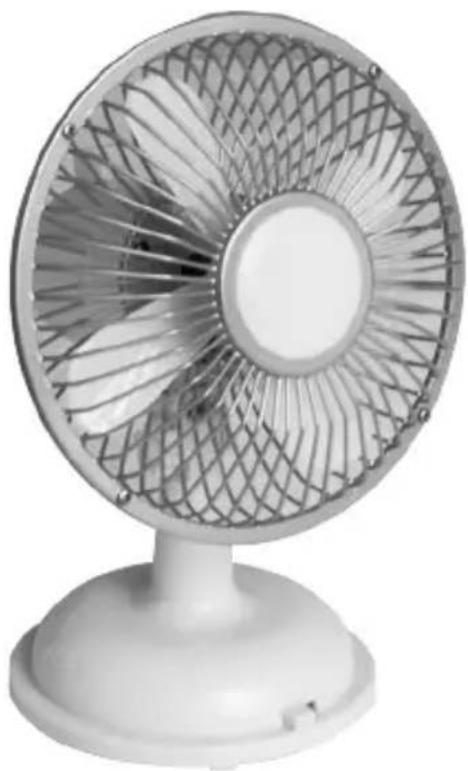
White office desk fan with a mesh fan grille and base (no text or symbols visible)1 Safety Instructions.... 3
2 Features and Use.... 4
3 Technical Specifications.... 5
4 Operation and Storage 6
5 Warranty / Disposal / Technical Change 7
1. SAFETY INSTRUCTIONS
Please read before first commissioning the safety instructions carefully and observe the safety instructions to prevent damage due to misuse, improper operation, and improper environmental conditions to be avoided. Keep these for later reference.
Check the device after removing the packaging for damage. Do not put the unit in case of suspected corruption in operation and consult a specialist. The recyclable packaging material must not be stored or disposed accessible for young children, but must be disposed of properly.
This appliance is only for the purpose for which it was explicitly developed. Any other use is regarded as improper and therefore dangerous. The supplier is not liable for damage to persons and / or property damage due to an improper or incorrect use.
This appliance can be used by children aged from 8 years and above and persons with reduced physical, sensory or mental capabilities or lack of experience and knowledge if they have been given supervision or instruction concerning use of the appliance in a safe way and understand the hazards involved. Children shall not play with the appliance. Cleaning and user maintenance shall not be made by children without supervision. Please make sure to place the device on a suitable and waterproof surfaces, so that spilled liquids can not cause harm.
Repairs to electrical appliances must only be carried out by trained personnel only. Improperly performed repairs and alterations to the equipment can have dangerous consequences for the user according to what the warranty will be rejected..
IMPORTANT INSTRUCTIONS
PLEASE READ ALL INSTRUCTIONS CAREFULLY BEFORE USING THE PRODUCT.
WARNING – To reduce the risk of fire, electric shock or injury to persons or property:
- Use this fan only as described in this manual. Any other use not recommended by the manufacturer may cause electric shock, fire or injury to persons.
- Do not operate the fan with a damaged power cord or after the fan malfunctions or has been dropped.
- Extreme caution is necessary when a fan is used by or near children, disabled persons and whenever the fan is left operating unattended. Children or disabled persons must
be supervised or have received instructions concerning the use of the appliance by a person responsible for their safety.
- Do not place the fan on a small, inclined or uneven surface or any surface which might allow the fan to tip or fall.
- For proper operation, the fan should be placed on a smooth, non-combustible, level surface.
- Do not immerse or expose the product or the flexible cord to rain, moisture or any other liquid.
- This product should not be used in the immediate vicinity of water, such as bathtubs, washbowls, swimming pools, etc. where immersion or splashing of water are likely.
- Switch off and unplug from the outlet when the product is not in use. Do not cover the grille or operate in close proximity to curtains, etc.
- Do not insert or allow any object to enter any openings of the fan.
- Do not immerse in water.
- If the cord is damaged, it must be replaced by the manufacturer, its service agent or a similarly qualified person in order to avoid a hazard.
2. FEATURES AND USE
FEATURES
- Use anywhere, with or without a computer
- 2 speed settings
- 4x "AA" batteries or included USB power cord
- AC adapter
- Runs on computer, laptop or any powered USB port
- Quiet operation
- Adjustable tilt angle
- Oscillation switch
OPERATING THE FAN: Always operate the fan in an upright position observing all instructions and recommendations listed in this manual.
USB FUNCTION OR AA BATTERIES GUIDE
Connecting the fan: Plug the power cord into the back of the fan base and the other end into any USB port. Make sure the USB plug fits tightly into the USB port. A loose connection many cause overheating and damage to the USB plug or the fan. Note: To prevent overloading a USB port, do not plug the fan into a USB port that is serving other electrical needs.
3. TECHNICAL SPECIFICATIONS
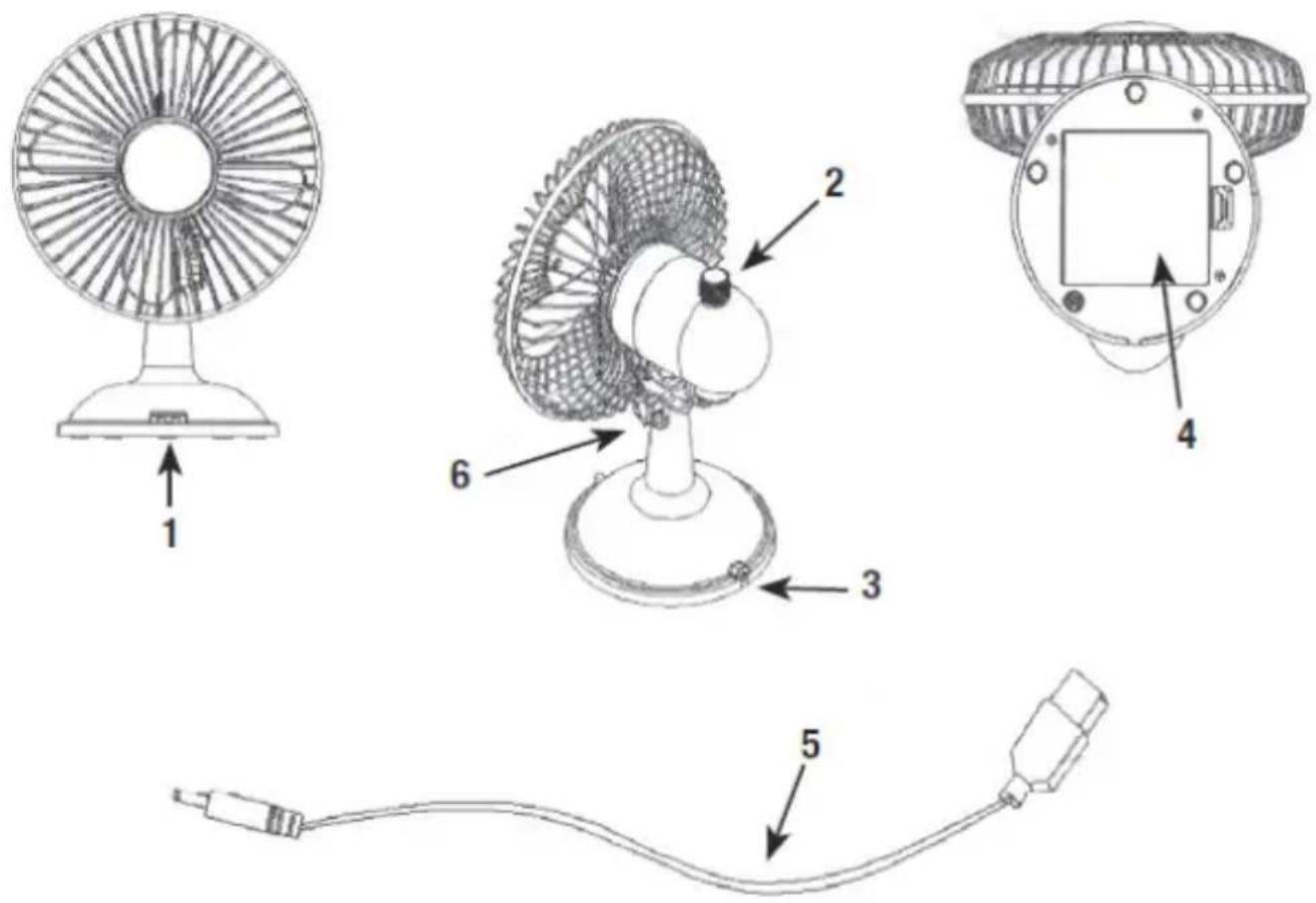
- On/off switch with 2 speed levels (high/low)
- USB fan oscillation switch
- DC power jack input
- AA battery compartment with cover
- USB to DC power cable
- Thumb screw to adjust the fan head up/down
text_image
Technical diagram of a fan with labeled parts including head, top, and cable connections- Power the fan with a USB cable or insert 4 AA batteries into the battery compartment.
- Move the on/off switch to select high/low power level.
- When the oscillation switch is pulled up, the fan will stay in the current position. When pushing down the oscillation switch, the fan will oscillate again.
- Turn the thumb screw to adjust the fan angle up/down for your desired position.
- When finished using, move the power switch of the fan into the "OFF" position
Attention:
Do not use any other power source than the USB cable or AA batteries.
Disconnect the USB cable when not using the fan.
Laptop computer users' note:
When plugged into your laptop USB port, this USB fan gets its power from the laptop computer. To avoid laptop battery drain, plug the laptop into a receptacle while using this fan.
Battery warnings:
- Do not mix old and new batteries.
- Do not mix alkaline, standard (carbon-zinc), or rechargeable (nickel-cadmium) batteries.
- Do not install the batteries backwards. Install batteries with the proper polarity (+/-). There is a risk of explosion or leakage if batteries are installed incorrectly.
- Always remove discharged batteries from the product to avoid damage by possible battery leakage.
- Do not throw batteries into fire as they may explode or leak.
- Do not short circuit battery terminals.
CLEANING AND MAINTENANCE
Follow these instructions to correctly and safely care for your fan. Please remember:
• Always unplug the fan before cleaning or assembling.
- Do not allow water to drip on or into the fan motor.
- Be sure to use a soft cloth, moistened with a mild soap solution.
- Do not use petrol, thinners or benzene as cleaning agents.
STORAGE
Keep original carton for storage of the fan. Coil and tie the power cord to avoid damage during storage.
5. WARRANTY / DISPOSAL / TECHNICAL CHANGE
EN
WARRANTY
The Products are controlled just before delivery. If despite a lack of your product, try trustfully your seller. Please bring your receipt, as this is to be submitted for each warranty. The guarantee period is 24 months from date of purchase.
DISPOSAL
The device must be disposed of properly. The device can be distributed free of charge for disposal at each dealer.
TECHNICAL CHANGES
We reserve the right to modify the price, the design and the technical features
Festnetz 14 Cent/Minute