
AC2221 - Air purifier PHILIPS - Free user manual and instructions
Find the device manual for free AC2221 PHILIPS in PDF.

 FR
FR
 BG
BG
 CS
CS
 DA
DA
 DE
DE
 EL
EL
 EN
EN
 ES
ES
 ET
ET
 FI
FI
 HR
HR
 HU
HU
 ID
ID
 IT
IT
 LT
LT
 LV
LV
 MK
MK
 NL
NL
 NO
NO
 PL
PL
 PT
PT
 RO
RO
 SK
SK
 SL
SL
 SQ
SQ
 SV
SV
 TR
TR
 UK
UK
 VI
VI
| Brand | Philips |
| Model | AC2221 |
| Product type | Air purifier |
| Filter | FY2200 purification filter (non-washable, non-reusable) |
| Sensor | PM2.5 particle sensor (AeraSense technology) |
| Display | Air quality indicator (color based on PM2.5) and PM2.5 digital display |
| Operating modes | Auto, Sleep, Medium, Turbo, App (via Air+ app) |
| Connectivity | Wi-Fi 2.4 GHz (802.11b/g/n/ax), Bluetooth 5.2 LE |
| Mobile app | Philips Air+ (iOS and Android) for control and additional modes |
| Power supply | Power adapter KA3601A-2401500EU (input 100-240 V, output 24 V 1.5 A) |
| Power consumption | Approx. 30 W (estimated) |
| Noise level | Sleep mode: silent; Turbo mode: audible |
| Coverage area | Up to 48 m² (estimated) |
| Dimensions (approx.) | Height: approx. 36 cm, diameter: approx. 22 cm |
| Weight | Approx. 4.5 kg (estimated) |
| Safety | Child lock, automatic shutdown if filter not replaced (air quality lock) |
| Maintenance | Sensor cleaning every 2 months, filter surface cleaning with vacuum, filter replacement (FY2200) |
| Warranty | 2 years (Versuni/Philips) |
| Spare parts | FY2200 filter, KA3601A-2401500EU adapter |
| General information | Domestic use, does not replace ventilation, does not filter CO or radon |
Frequently Asked Questions - AC2221 PHILIPS
Important: The device must be unplugged during installation.
Tip: Disable mobile data during pairing.
Caution: Do not use a vacuum cleaner to clean the sensor.
Note: The lock prevents any changes to settings.
Tip: Use this procedure if you change your Wi-Fi network.
Do not attempt to repair yourself, as this could void the warranty.
User questions about AC2221 PHILIPS
0 question about this device. Answer the ones you know or ask your own.
Ask a new question about this device
Download the instructions for your Air purifier in PDF format for free! Find your manual AC2221 - PHILIPS and take your electronic device back in hand. On this page are published all the documents necessary for the use of your device. AC2221 by PHILIPS.
USER MANUAL AC2221 PHILIPS
natural_image
Three Philips air purifiers with black and white textured bases, displayed against a white background (no visible text or symbols on the devices themselves)English1
Български 19
Čeština 39
Dansk 57
Deutsch 75
Ελληνικά 95
Español 114
Eesti 133
Suomi 151
Français 169
Hrvatski 188
Magyar 206
Simplified EU declaration of conformity 3
2 Your air purifier ....4
Product overview 4
Controls overview 5
3 Getting started 6
Installing the filter 6
Connecting power 6
Understanding Wi-Fi indicator 7
Wi-Fi connection 7
4 Using the air purifier 8
Understanding the air quality light 8
Turning on and off 9
Changing the mode setting 9
Using the light function 10
Setting the child lock 11
5 Cleaning and maintenance 11
Cleaning schedule 11
Cleaning the body of the air purifier 11
Cleaning the particle sensor 12
Cleaning the filter 12
Replacing the filter 14
Filter reset 16
6 Storage 16
7 Troubleshooting ....17
8 Warranty and support ....18
Order parts or accessories 18
Safety
Read this user manual carefully before you use the appliance, and save it for future reference. To ensure the best performance, kindly suggest the firmware of your purifier is upgraded to the latest version. You can do this upgrade via the Air+ app.
Danger
- Do not let any liquid or flammable detergent enter the appliance, to avoid electric shock and/or a fire hazard.
- Do not spray any flammable materials such as insecticides or fragrance around the appliance.
Warning
- Check if the voltage indicated on the appliance corresponds to the local mains voltage before you connect the appliance.
- If the power cord is damaged, you must have it replaced by Philips, a service center authorized by Philips, or similarly qualified persons in order to avoid a hazard.
- Do not use the appliance if the plug, the power cord, or the appliance itself is damaged.
• Only to be used together with the adaptor provided with the appliance.
• This appliance can be used by children aged from 8 years and above under supervision. - This appliance can be used by persons with reduced physical, sensory or mental capabilities or lack of experience and knowledge if they have been given supervision or instruction concerning use of the appliance in a safe way and understand the hazards involved.
• Children shall not play with the appliance.
• Cleaning and user maintenance shall not be made by children without supervision. - Do not block the air inlet and outlet, e.g. by placing items on the air outlet or in front of the air inlet.
• Make sure that foreign objects do not fall into the appliance through the air outlet. - Standard WiFi interface based on 802.11b/g/n/ax at 2.4GHz with a maximum output power of 72mW EIRP.
- Bluetooth version 5.2 (LE) at frequency 2.4 GHz with RF output less than 10mW EIRP.
• We recommend people who are allergic to dust, pollen, pets or mold, not to replace filters by themselves or to take protective measures, such as mask and gloves.
Caution
- This appliance is not a substitute for proper ventilation, regular vacuum cleaning, or use of an extractor hood or fan while cooking.
• Always place and use the appliance on a dry, stable, level, and horizontal surface. - Leave at least 20cm free space around the appliance and leave at least 30cm free space above the appliance.
- Do not sit or stand on the appliance. Do not place anything on top of the appliance.
- Do not place the appliance directly below an air conditioner to prevent condensation from dripping onto the appliance.
• Only use the original Philips filters specially intended for this appliance. Do not use any other filters. - Combustion of the filter may cause irreversible human hazard and/or jeopardize other lives. Do not use the filter as fuel or for similar purpose.
- Avoid knocking against the appliance (the air inlet and outlet in particular) with hard objects.
- Do not insert your fingers or objects into the air outlet or the air inlet to prevent physical injury or malfunctioning of the appliance.
- Do not use this appliance when you have used indoor smoke-type insect repellents or in places with oily residues, burning incense, or chemical fumes.
-
Do not use the appliance near gas appliances, heating devices or fireplaces.
-
Always unplug the appliance when you want to move, clean appliance, replace the filter or carry out maintenance.
• The appliance is only intended for household use under normal operating conditions. - Do not use the appliance in wet surroundings or in surroundings with high humidity or high ambient temperatures, such as the bathroom, or in a room with major temperature changes.
- The appliance does not remove carbon monoxide (CO) or radon (Rn). It cannot be used as a safety device in case of accidents with combustion processes and hazardous chemicals.
Electromagnetic fields (EMF)
This appliance complies with the applicable standards and regulations regarding exposure to electromagnetic fields.
Recycling
This symbol means that this product shall not be disposed of with normal household waste (2012/19/EU).
Follow your country's rules for the separate collection of electrical and electronic products. Correct disposal helps prevent negative consequences for the environment and human health.
Simplified EU declaration of conformity
Hereby, DAP B.V. declares that the radio equipment type AC2210/AC2220/AC2221 is in compliance with Directive 2014/53/EU. The full text of the EU declaration of conformity is available at the following internet address: www.philips.com.
2 Your air purifier
Congratulations on your purchase, and welcome to Philips!
To fully benefit from the support that Philips offers, register your product at
www.philips.com/welcome.
Product overview
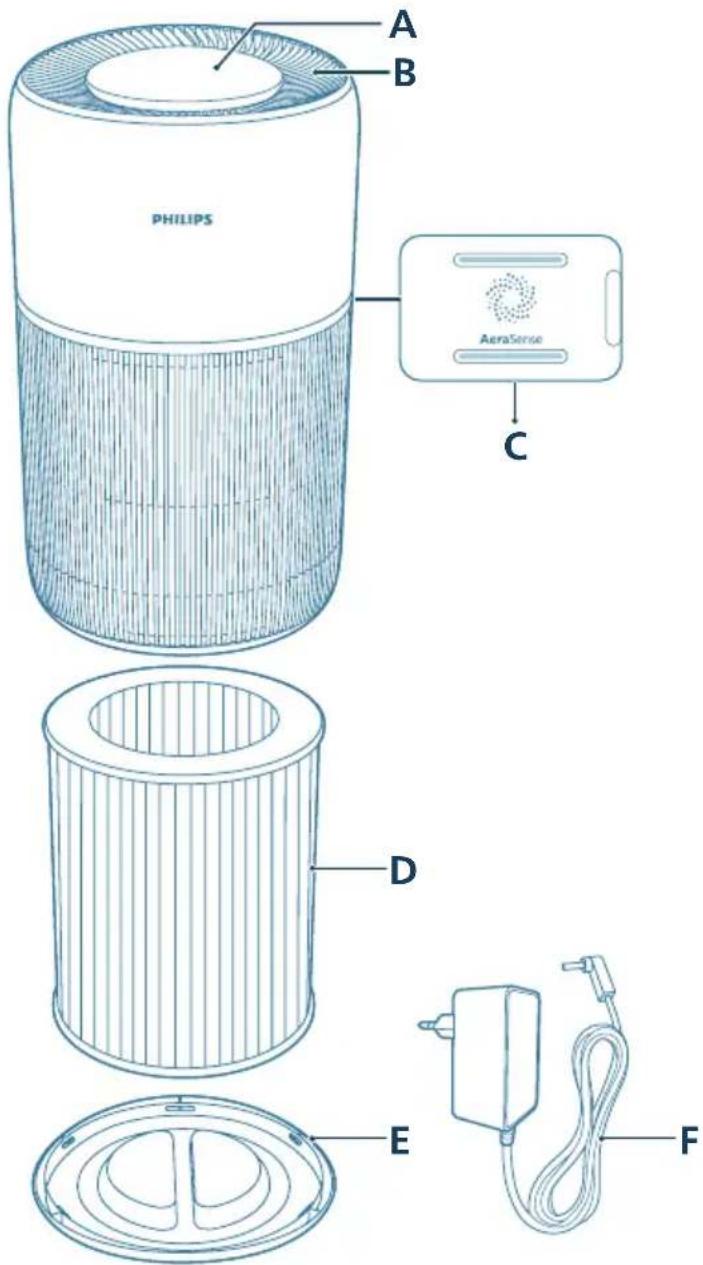
| AControl panel DFilter (FY2200) | ||
| BAir outlet EBase | ||
| CAir quality sensor FAdapter (KA3601A-2401500EU) |
Controls overview
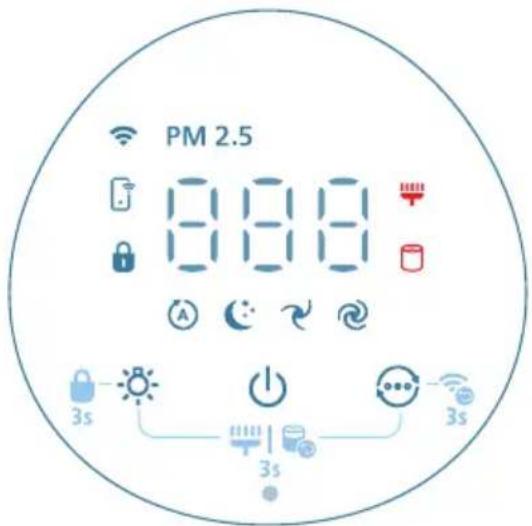
Control buttons
| [1276] | Power on/off | [H276] | Mode switch button/WiFi reset button (long press 3 seconds) |
| [1252] | Light function button (short press)/Child lock button (long press 3 seconds) | [0KDY] | Filter cleaning/replacement reset |
Display panel
| PM2.5 PM2.5 display App-operated mode | |||
| [3844] | Child lock indicator Auto mode | [HTZ] | |
| [6614] | Sleep mode Medium mode | [WHC] | |
| [OWHS] | Turbo speed Filter cleaning alert | [7XXC] | |
| Filter replament alert | |||
Note:
- The light sensor is located beneath the power button. Please ensure that it is not obstructed by any other objects.
3 Getting started
Installing the filter
Remove all packaging of the filter before first use.
Note: Make sure the air purifier is unplugged from the electrical outlet before installing the filter.
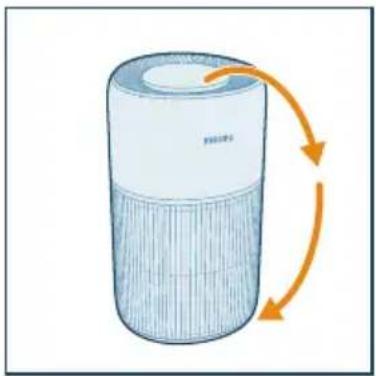
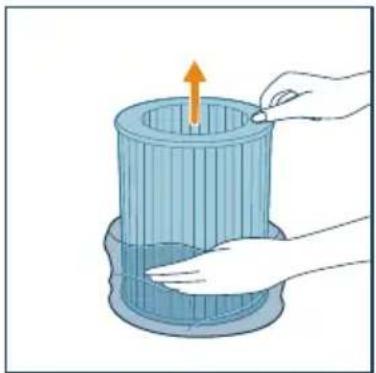
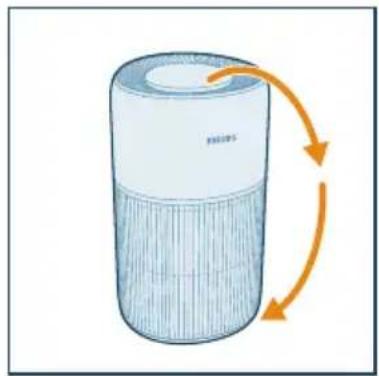
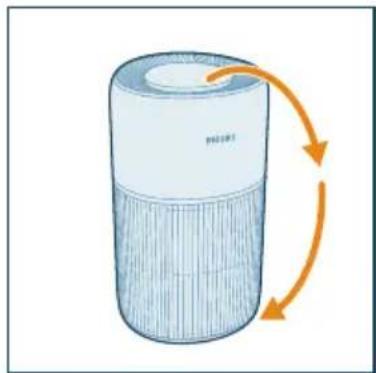
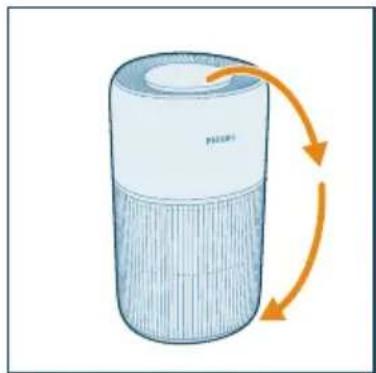
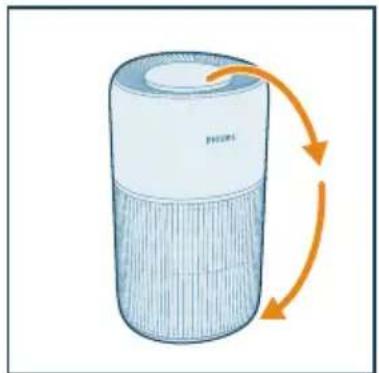
1 Turn the appliance upside down.
natural_image
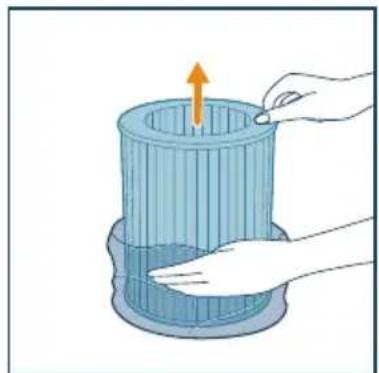
Illustration of a cylindrical device with orange arrows indicating rotation or flow (no text or symbols)2 Rotate the base anti-clockwise to remove it from the appliance. Pull the filter out from the appliance.
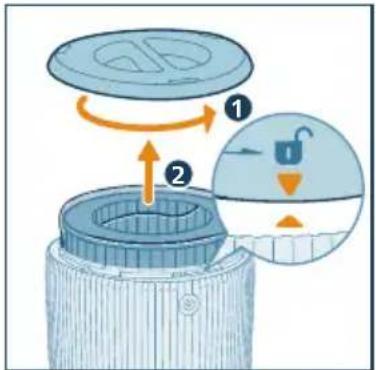
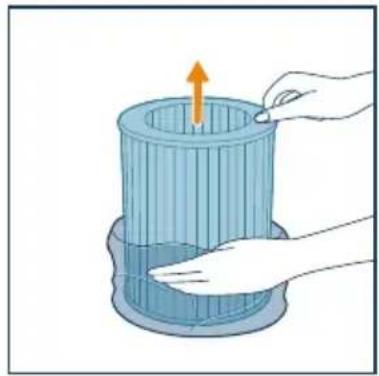
3 Remove all packaging materials of the air purification filter.

natural_image
Illustration of a hand placing a component into a cylindrical container with an upward arrow (no text or symbols)4 Put the filter back into the appliance. Ensure the filter is level and aligned with the base (of the appliance). Reattach the base and rotate it clockwise to fasten the base.
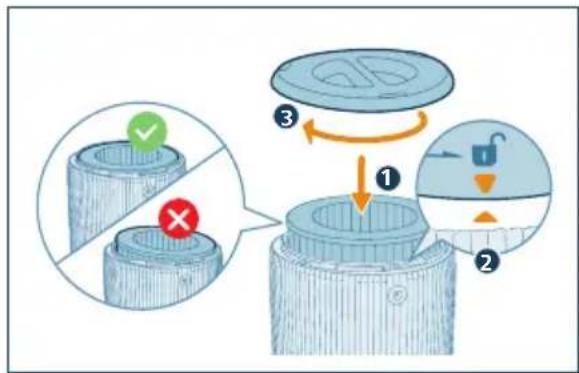
Connecting power
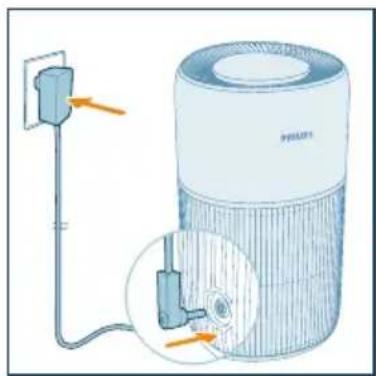
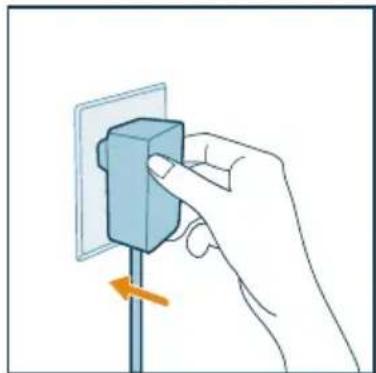
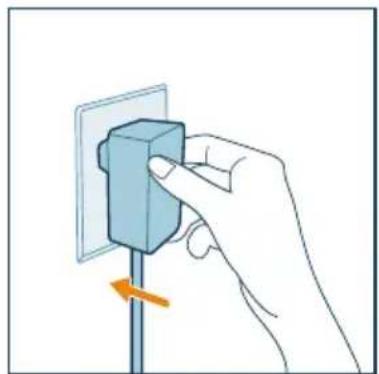
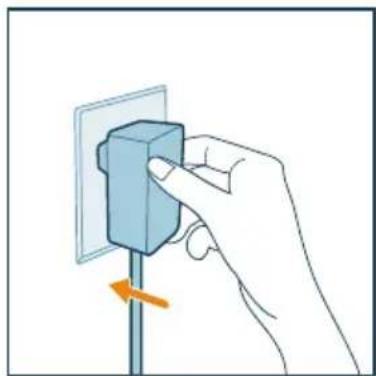
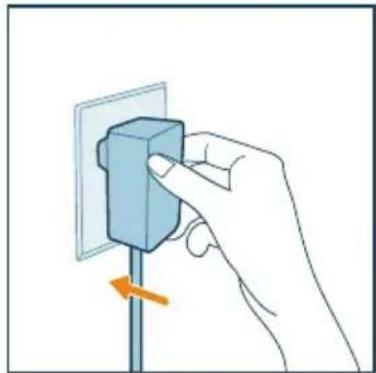
Caution: Risk of electric shock! When you unplug the adaptrt, always pull the plug from the socket. Never pull the cord.
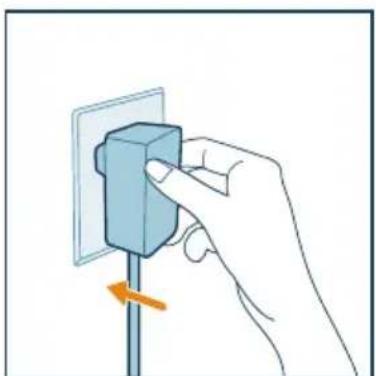
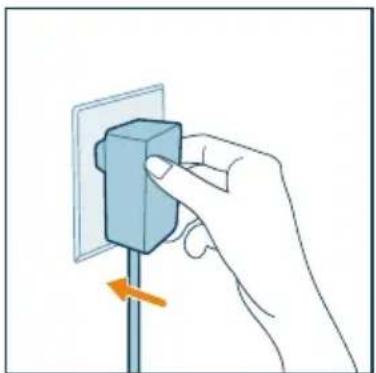
Connect the power adapter to:
- First, the appliance.
- Then, the wall outlet.
natural_image
Diagram of a PHEAT air purifier with attached power outlet and internal components (no text or symbols)Understanding Wi-Fi indicator
| Wi-Fi icon status Wi-Fi connection status | |
| Blinking in orange Connecting to the smartphone | |
| Stable in orange Connected to the smartphone | |
| Blinking in white Connecting to the server | |
| Stable in white Connected to the server | |
| Off Wi-Fi function disabled |
Wi-Fi connection
Setting up the Wi-Fi connection for the first time
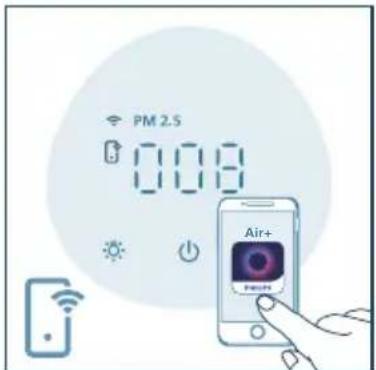
1 Download and install the Philips "Air+" app from the App Store or Google Play.

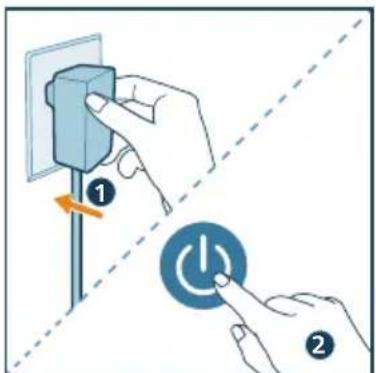
2 Put the adapter of the purifier in the power socket and press ⏻ to turn on the air purifier.
→The Wi-Fi indicator 📞inks orange for the first time.
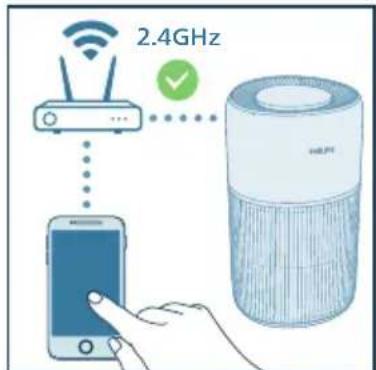
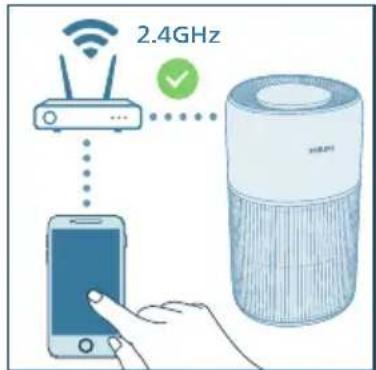
3 Make sure that your smartphone or tablet is successfully connected to your Wi-Fi network.
Note:
- Enable the Bluetooth feature on your smartphone to ensure smooth pairing. - Please ensure your smartphone is connected to a 2.4GHz (home) Wi-Fi network instead of a 5GHz Wi-Fi network or public Wi-Fi. For a successful pairing, we suggest turning off your mobile data before initiating the pairing process.
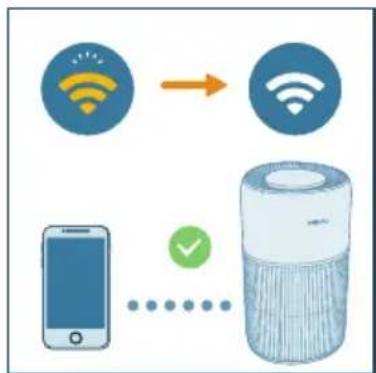
4 Launch the "Air+" app and click on "Connect a New Device" or press the "+" button on the top of the screen. Follow the onscreen instructions to connect the air purifier to your network.
flowchart
graph TD
    A["Smart Phone"] -->|Signal Transmission| B["Mobile Device"]
    C["Smart Air Purifier"] -->|Signal Transmission| D["Back-to-Back Signal"]
    style A fill:#f9f,stroke:#333
    style B fill:#bbf,stroke:#333
    style C fill:#dfd,stroke:#333
    style D fill:#dfd,stroke:#333
Note:
- This instruction is only valid when the air purifier is being set up for the first time. If the network has changed or the setup needs to be performed again, see Chapter "Reset the Wi-Fi connection" on page 8.
- If you want to connect more than one air purifier to your smartphone or tablet, you have to do this one by one.
- Make sure that the distance between your smartphone or tablet and the air purifier is less than 10 m without any obstructions.
Reset the Wi-Fi connection
Note:
- Reset the Wi-Fi connection when your default network has changed.
1 Put the plug of the air purifier in the power socket and press to turn on the air purifier.
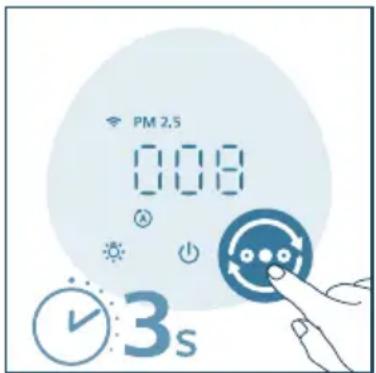
2 Touch and hold for 3 seconds until you hear a beep.
→The air purifier goes to pairing mode.
→The Wi-Fi indicator blinks orange.
3 Follow steps 3-4 in "Setting up the Wi-Fi connection for the first time" section.
4 Using the air purifier
Understanding the air quality light
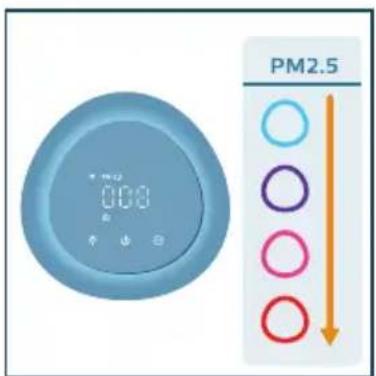
Once turned on, the air purifier will start scanning the air quality. After approximately 30 seconds, the particle sensor selects the color that corresponds to the surrounding air quality of airborne particles.
The color of the air quality light is determined by the PM2.5 reading.
PM2.5
AeraSense sensing technology accurately detects and quickly responds to even the slightest particle change in the air. It provides you with reassurance with realtime PM2.5 feedback. Most of the indoor air pollutants fall under PM2.5 – which refers to airborne particle pollutants smaller than 2.5 micrometers. Common indoor sources of fine particles are tobacco smoke, cooking, burning candles. Some airborne bacteria and the smallest mold spores, pet allergen and dust mite allergen particles also fall under PM2.5.
| PM2.5 level | Air quality color | Air quality level |
| ≤12 Blue Good | ||
| 13-35 Blue-purple Fair | ||
| 36-55 Purple-red Poor | ||
| >55 Red Very poor |
Turning on and off
Note:
- For optimum purification performance, close doors and windows.
- Avoid foreign objects (such as curtains) from falling into or obstructing the air inlet or air outlet.
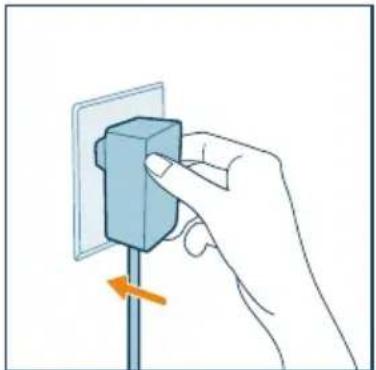
1 Put the plug of the air purifier in the power socket.

natural_image
Hand inserting a component into a wall socket (no text or symbols visible)2 Press the button to turn on the purifier.
→The purifier beeps.
→The "---" displays on the screen during warming up. Then the air purifier shows the PM2.5 level after measuring the air quality.
→The air purifier operates in the Auto mode with PM2.5 displayed on the screen.
3 Press the again to turn off the purifier.
Note: If the air purifier stays connected to the electrical outlet after turning OFF, the air purifier will operate under the previous settings when turned ON again.
Changing the mode setting
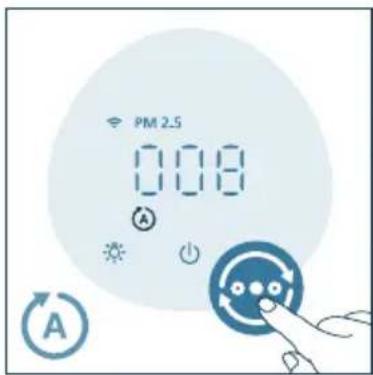
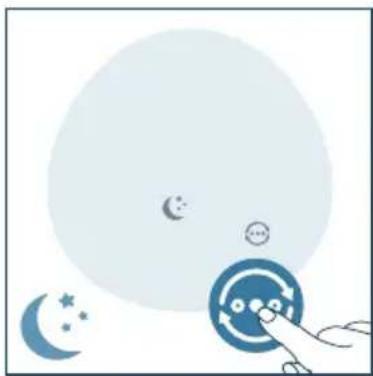
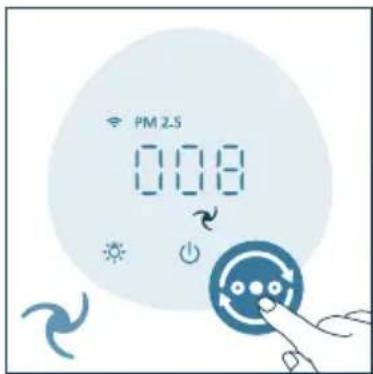
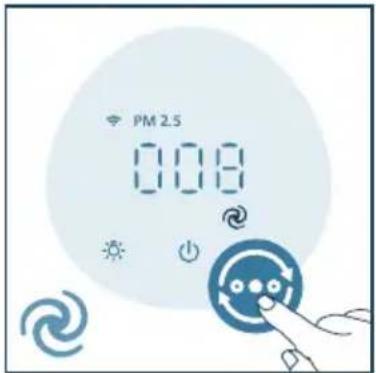
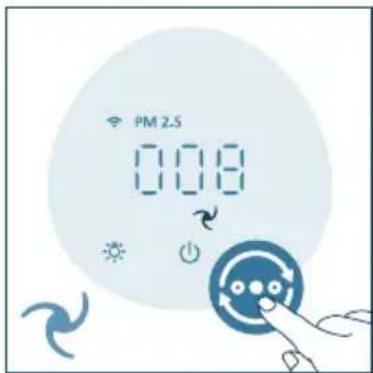
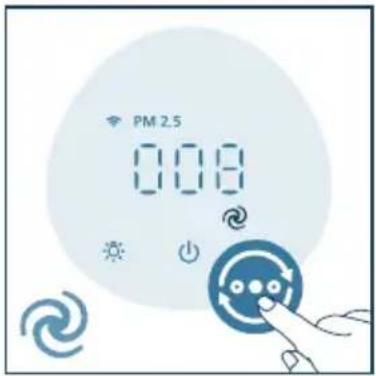
You can press the button to select the Auto mode ( ) the sleep mode ( ), the medium mode ( ) or the Turbo mode ( ).
Additional operating modes (☐) can be selected in the Air+ app.
- Auto mode: The appliance automatically adjusts the fan speed in accordance with the ambient air quality.
- Sleep mode: The appliance operates quietly at a low speed. After 3 seconds, the display lights turn off.
natural_image
Illustration of a hand interacting with a circular button featuring stars and crescent moon (no text or symbols)• Medium mode: The appliance operates on a medium mode.
- Turbo speed: The appliance operates on the highest speed.
- App-operated mode: The appliance is operating a mode that is only available through the app, such as additional manual fan speeds or other modes that were customized in the app.
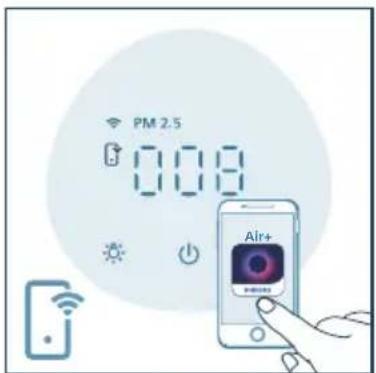
- Note: The app-operated mode is available ONLY through the app after the Wi-Fi connection is successful.
Using the light function
With the light sensor, the control panel can automatically turn on, turn off or dim according to the ambient light.
The control panel will be off or dim when the ambient light is dark. You can press any button to wake up all lights. Then, if there is no further operation, all lights will be off or dim again to match with the ambient light.
You can press the button to turn on air quality light, ambient light or turn off all lights and the control panel.
1 The purifier will turn on the air quality light by default. The air quality ring will change color based on the ambient air quality.
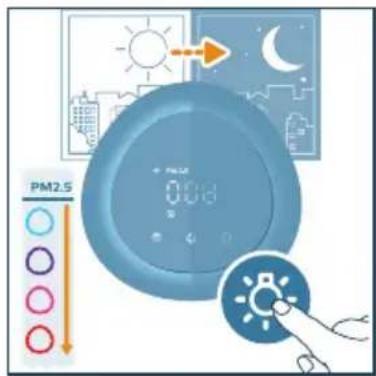
2 Press the button to switch to the ambient light mode. Tailor the brightness and color of the cozy light in the Air+ app.
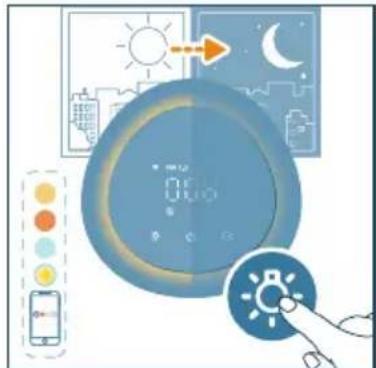
3 You can press the button to turn off all lights and the control panel. Press the button again to wake up all lights.
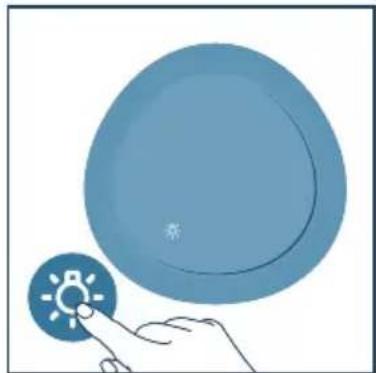
natural_image
Illustration of a hand interacting with a circular device displaying a sun icon (no text or symbols)Setting the child lock
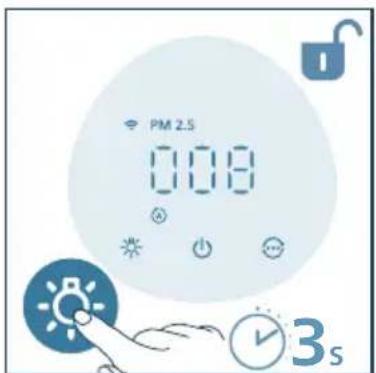
1 You can press and hold the button for 3 seconds to activate the child lock. →The 🔒 displays on the screen.
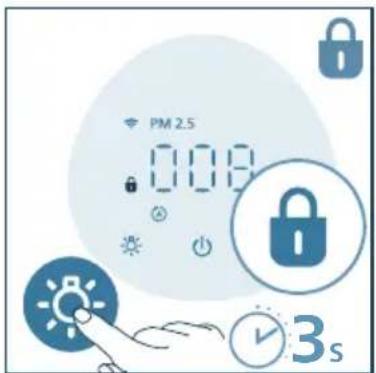
2 Press and hold the button for 3 seconds to deactivate the child lock. →The disappears from the screen.
5 Cleaning and maintenance
Note:
• Always unplug the appliance before you clean it.
- Never immerse the appliance in water or any other liquid.
- Never use abrasive, aggressive, or flammable cleaning agents such as bleach or alcohol to clean any part of the appliance.
- Never use any liquids (including water) to clean the filter.
- Do not attempt to clean the particle sensor with a vacuum cleaner.
Cleaning schedule
| Frequency Cleaning method | |
| When necessary | Wipe the plastic part of the appliance with a soft, dry cloth |
| Clean the air outlet cover | |
| Every two months | Clean the particle sensor with a dry cotton swab |
| The displays on the screen. | Clean the surface of the filter |
Cleaning the body of the air purifier
Regularly clean the inside and outside of the air purifier to prevent dust from collecting.
- Use a soft, dry cloth to clean both the interior and exterior of the air purifier and the air outlet.
- The air outlet can also be cleaned with a dry, soft cloth.
Cleaning the particle sensor
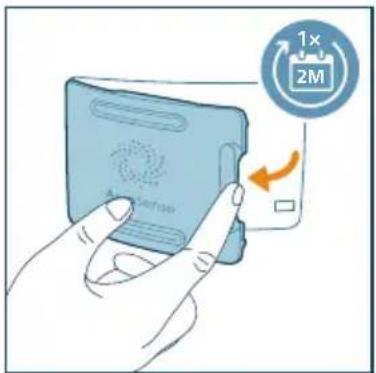
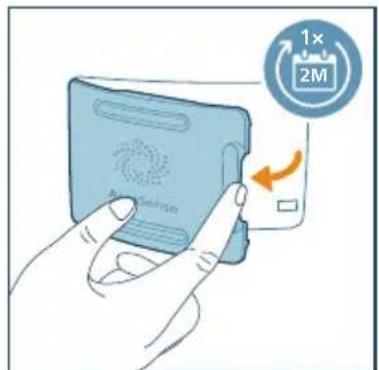
Clean the particle sensor every 2 months for optimal functioning of the appliance.
Note:
- If the air purifier is used in a dusty environment, it may need to be cleaned more often.
- If the humidity level in the room is very high, condensation may develop on the particle sensor and the air quality light may indicate a poorer air quality even though the air quality is actually good. If this occurs, clean the particle sensor.
1 Switch off the air purifier and unplug from the power socket.
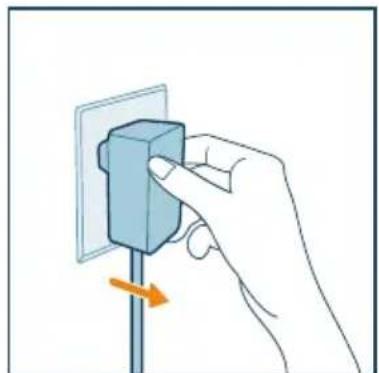
natural_image
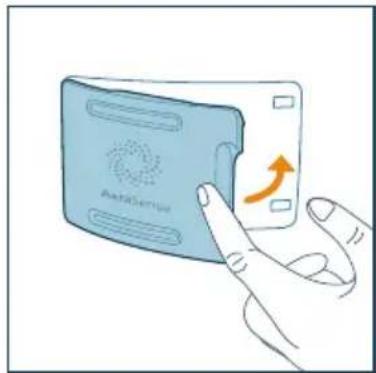
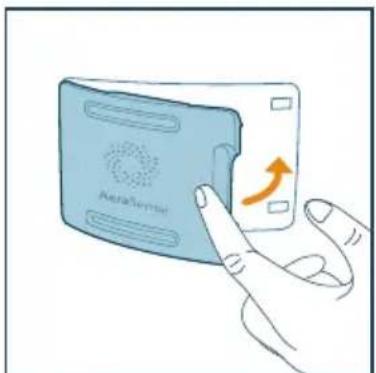
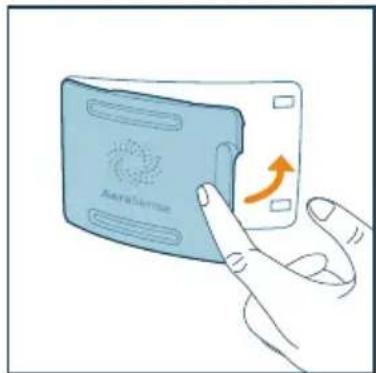
Hand holding a blue electrical socket mounted on a vertical pole, with an orange arrow indicating clockwise motion (no text or symbols)2 Open the air quality sensor cover.
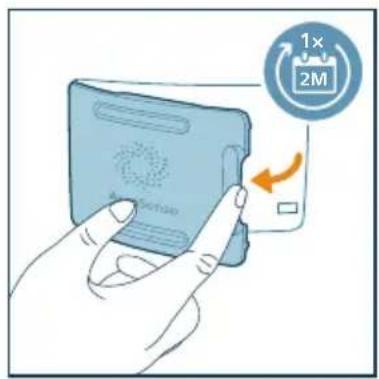
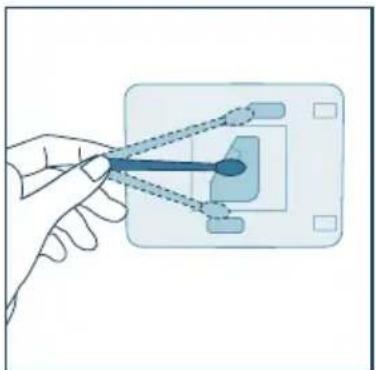
3 Clean the particle sensor with a damp cotton swab. Dry all parts thoroughly with a dry cotton swab.
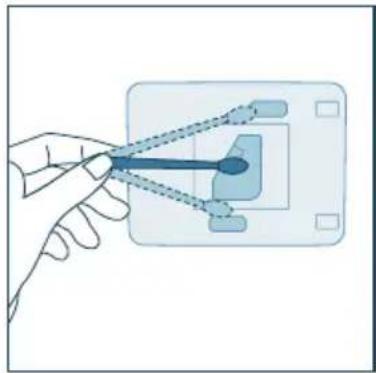
natural_image
Hand holding a small blue object connected to a grid-like interface (no text or symbols visible)4 Close the air quality sensor.
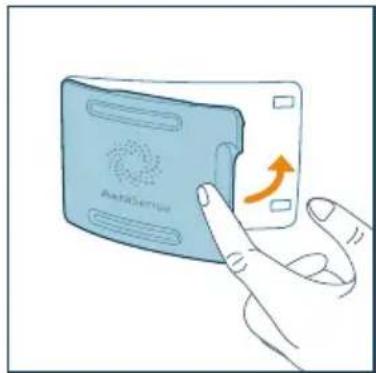
natural_image
Illustration of a hand interacting with a device labeled 'Aerisector' (no text or symbols on the device itself)Cleaning the filter
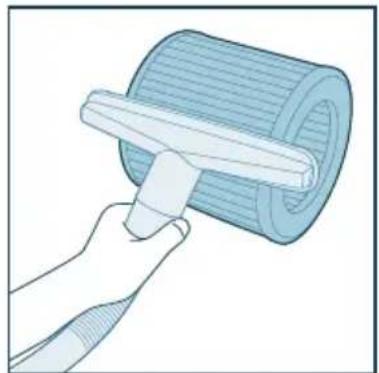
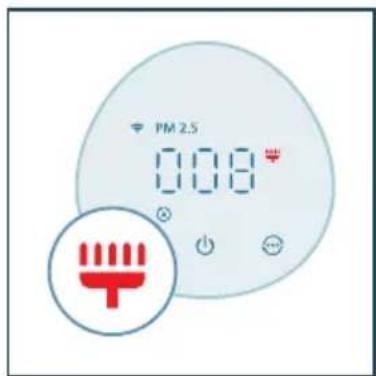
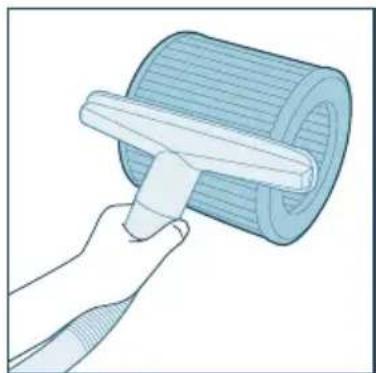
When the filter cleaning alert displays on the screen, clean the surface of the filter with a vacuum cleaner.
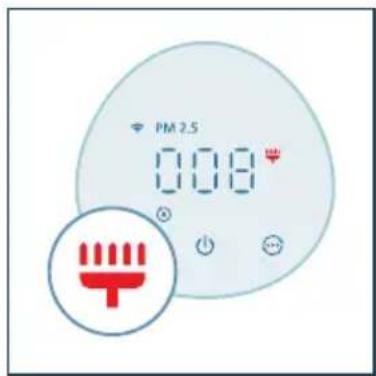
Note:
• We recommend people who are allergic to dust, pollen, pets or mold, not to replace filters by themselves or to take protective measures, such as wearing a mask and gloves.
1 Switch off the appliance and unplug from the power socket
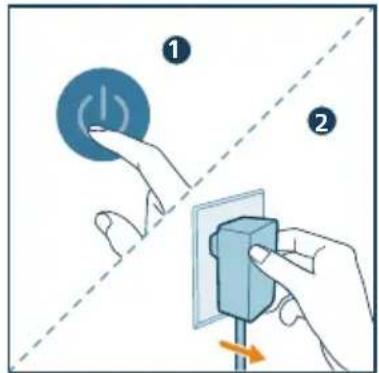
2 Use a cloth, or a vacuum cleaner to clean the filter.
natural_image
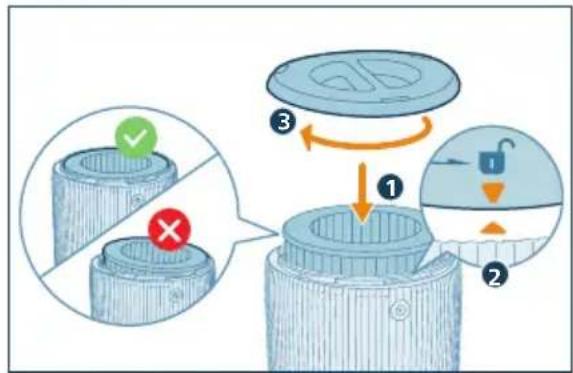
Illustration of a hand using a tool to lift a rolled cylindrical object (no text or symbols visible)3 Put the filter back into the appliance. Ensure the filter is level and aligned with the base (of the appliance). Reattach the base and rotate it clockwise to fasten the base.
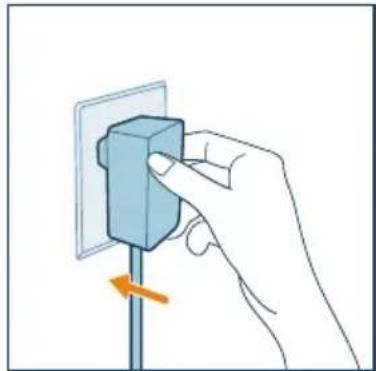
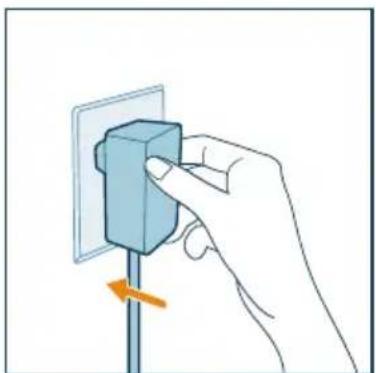
4 Put the adapter of the air purifier in the power socket.
natural_image
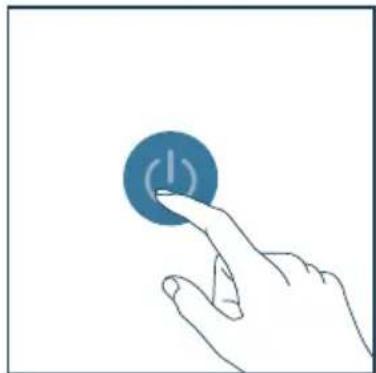
Hand inserting a component into an electrical outlet (no text or symbols visible)5 Press the power button to switch on the appliance.
natural_image
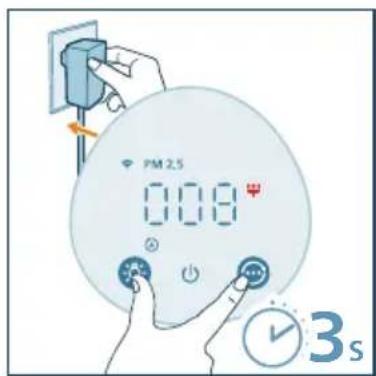
Hand pressing a blue circular button with a white 'I' symbol (no text or numbers present)6 Press and hold the and button for 3 seconds to reset the filter cleaning time.
→You can also reset the filter cleaning time via the Air+ app.
→After the reset is successful, the filter cleaning alert disappears from the screen.
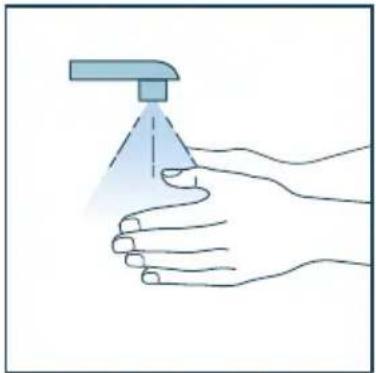
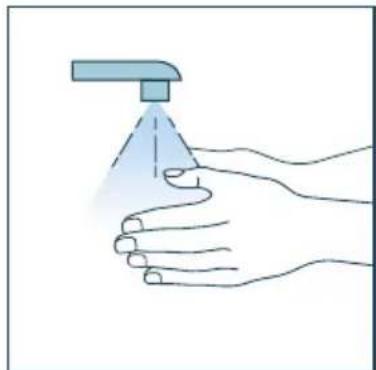
7 Wash your hands thoroughly after cleaning the filter.
natural_image
Illustration of a hand holding a spray can with a dropper (no text or symbols)Replacing the filter
Understanding the healthy protection lock
This air purifier is equipped with a filter replacement indicator to make sure that the air purification filter is in optimal condition when the air purifier is operating. When the filter need to be replaced, the filter replacement alert lights up red.
If the filter is not replaced in time, the air purifier will stop operating and automatically lock to protect the air quality in the room. Replace the filter as soon as possible.
Replacing the filter
Note:
• The filter is not washable or reusable.
- Always turn off the purifier and unplug from the electrical outlet before replacing the filter.
• We recommend people who are allergic to dust, pollen, pets or mold, not to replace filters by themselves or to take protective measures, such as wearing a mask and gloves.
- For installation guidance, please refer to the manual included in the filter box.
When the filter replacement alert lights up, replace the filter (FY2200).
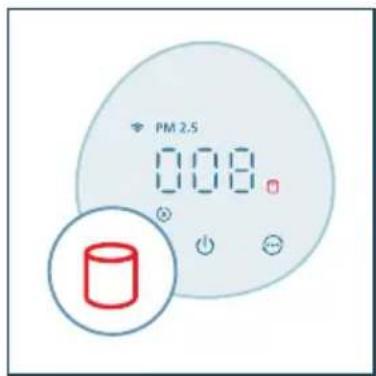
1 Switch off the air purifier and unplug from the power socket.
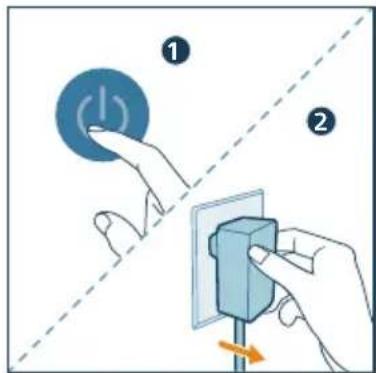
2 Turn the appliance upside down.
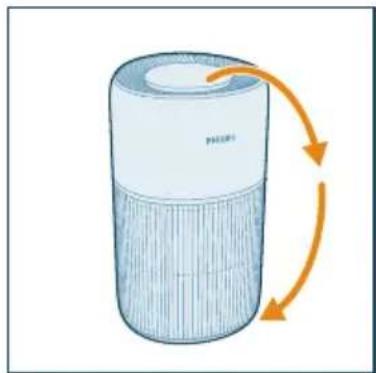
natural_image
Illustration of a cylindrical device with orange arrows indicating rotation or flow, no text or symbols present.3 Rotate the base anti-clockwise to remove it from the appliance. Pull the filter out from the appliance.
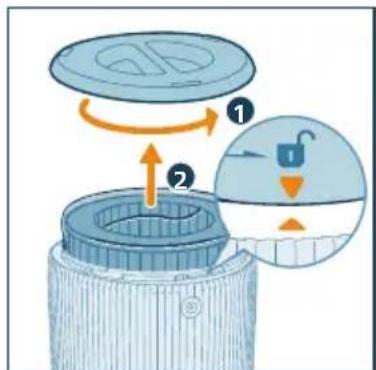
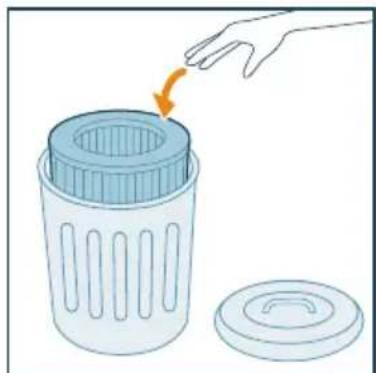
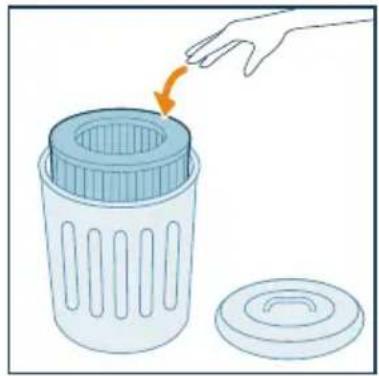
4 Discard the used filter.
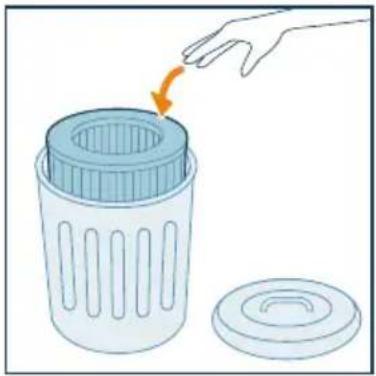
natural_image
Illustration of a hand placing a plastic bin into a trash can with an orange arrow indicating rotation (no text or symbols)5 Remove all packaging materials of the new filter.
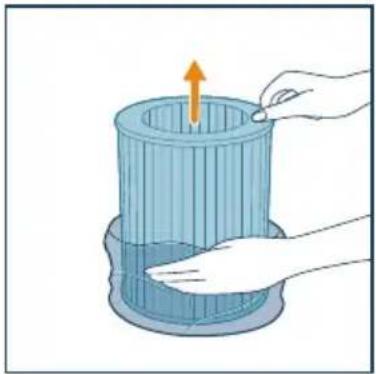
natural_image
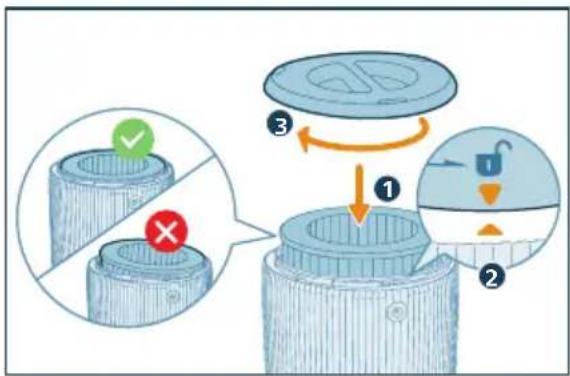
Illustration of a hand placing a component into a cylindrical container with an upward arrow (no text or symbols)6 Put the filter back into the appliance. Reattach the base and rotate it clockwise to fasten the base.
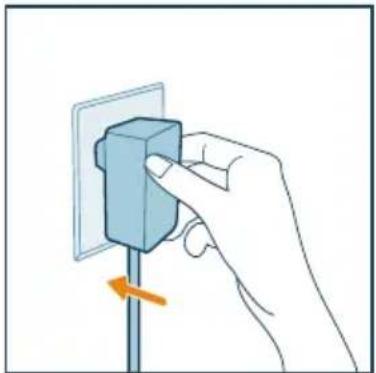
7 Put the adapter of the air purifier in the power socket.
natural_image
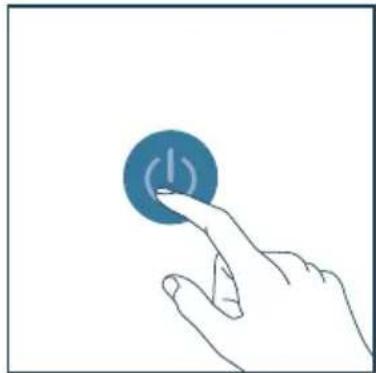
Hand holding a blue electrical plug with an orange arrow indicating rotation (no text or symbols)8 Press the power button to switch on the appliance.
natural_image
Hand pressing a blue circular button with a power symbol (no text or labels)9 Press and hold the and button for 3 seconds to reset the filter lifetime counter.
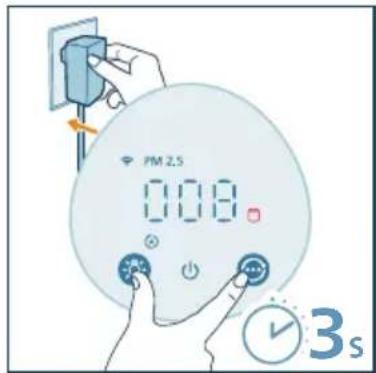
→You can also reset the filter replacement time via the Air+ app.
→After the reset is successful, the filter replacing alert disappears from the screen.
10 Wash your hands thoroughly after replacing the filter.
natural_image
Illustration of a hand holding a spray can with a dropper (no text or symbols)Filter reset
You can replace the filter even before the filter replacement alert (☐) displays on the screen. After replacing a filter, you need to reset the filter lifetime counter manually.
1 Press the power button to turn off the purifier, and unplug the appliance.
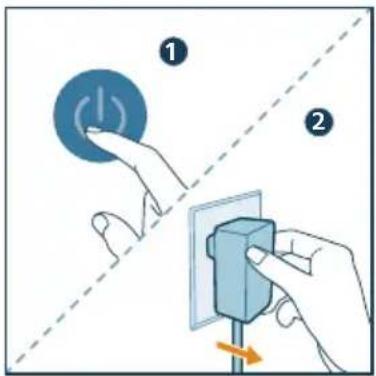
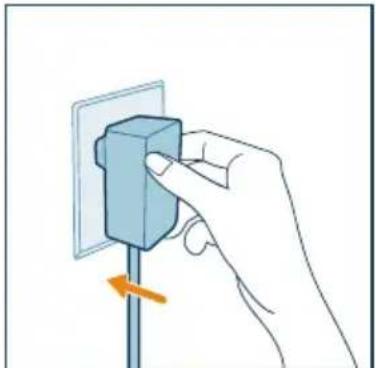
2 Make sure the appliance is completely unplugged, and then put the power plug in the power socket.
natural_image
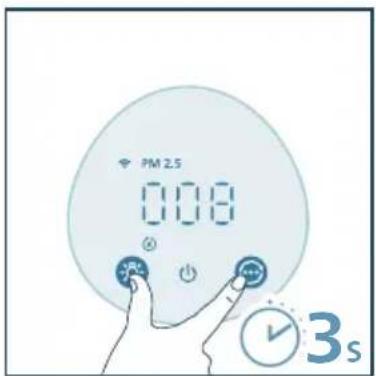
Hand inserting a blue block into a wall socket (no text or symbols visible)3 Within 15 seconds after power on, press and hold the ☐ and button for 3 seconds to reset the filter lifetime counter.
6 Storage
1 Turn off the air purifier and unplug from the power socket.
2 Clean the appliance, particle sensor and the surface of the filter (see chapter "Cleaning and maintenance").
3 Let all parts air dry thoroughly before storing.
4 Wrap the filter in air tight plastic bags.
5 Store the air purifier and filter in a cool, dry location.
6 Always thoroughly wash your hands after handling the filter.
7 Troubleshooting
This chapter summarizes the most common problems you could encounter with the appliance. If you are unable to solve the problem with the information below, contact the Consumer Care Center in your country.
| Problem Possible solution | |
| The appliance does not work properly. | · The filter replacement alert has been on continuously but you have not replaced the corresponding filter. As a result, the appliance is now locked. In this case, replace the filter and long press and to reset the filter lifetime counter. |
| The airflow that comes out of the air outlet is significantly weaker than before. | · The surface of the filter is dirty. Clean the surface of the filter (see the chapter “Cleaning and maintenance”). |
| The air quality does not improve, even though the appliance has been operating for a long time. | · Check if the packing material is removed from the filter. · The filter has not been placed in the appliance. Make sure that the filter (FY2200) is properly installed. · The particle sensor is wet. The humidity level in your room is high and causes condensation. Make sure that the particle sensor is clean and dry (see the chapter “Cleaning and maintenance”). · Room size is large or the outdoor air quality is poor. For optimum purification performance, please close the doors and windows when operating the air purifier. · There are indoor pollution sources. For instances, smoking, cooking, incense, perfume or alcohol. · Filter reaches the end of life. Replace the filter with a new one. |
| The color of the air quality light always stays the same. | · The particle sensor is dirty. Clean the particle sensor (see the chapter “Cleaning and maintenance”). |
| The appliance produces a strange smell. | · The first few times you use the appliance, it may produce a plastic smell. This is normal. However, if the appliance produces a burnt smell even if removing filters, contact your Philips dealer or an authorized Philips service center. The filter may produce smell after being used for a while because of the absorption of indoor gases. It’s recommended that you reactivate the filter by putting it in direct sunlight for repeated use. If odor still exists, replace the filter. |
| The appliance is extra loud. | · It's normal if the appliance runs at the Turbo mode. · In the Auto mode, if the appliance is too loud, maybe the appliance runs at high speed because air quality becomes worse, or your personalized setting in App triggers a higher fan speed. You can choose the Sleep mode, or change the settings in the App. · If there is abnormal sound, contact the Consumer Care Center in your country. · If anything drops into the air outlet, it may also cause abnormal loud sound. Immediate turn off appliance, turn appliance upside down, to get foreign objectives out of appliance. |
Problem Possible solution
| The appliance still indicates that I need to replace a filter, but I already did. | Perhaps you did not reset the filter lifetime counter. Switch on the appliance. Then press and hold the and for-3 seconds. |
| Error code "E1" displays on the screen. | The motor has a malfunctions. Contact the Consumer Care Center in your country. |
| The Wi-Fi setup is not successful. | If the router your purifier is connected to is dual – band and currently it is not connecting to a 2.4GHz network, please switch to another band of the same router (2.4GHz) and try to pair your purifier again. 5GHz networks are not supported.Web authentication networks are not supported.Check if the purifier is within range of the Wi-Fi router. You can try to locate the air purifier closer to the Wi-Fi router.Check if the network name is correct. The network name is case-sensitive.Check if the Wi-Fi password is correct. The password is case-sensitive.Retry the setup with the instructions in section "Reset the Wi-Fi connection".The Wi-Fi connectivity can be interrupted by electromagnetic or other interferences. Keep the appliance away from other electronic devices that may cause interferences.Check if the mobile device is in airplane mode. Make sure to have the airplane mode deactivated when connecting to the Wi-Fi network.Consult the help section in the App for extensive and up-to-date troubleshooting tips. |
8 Warranty and support
Versuni offers a two-year warranty after purchase on this product. This warranty is not valid if a defect is due to incorrect use or poor maintenance. Our warranty does not affect your rights under law as a consumer. For more information or for invoking the warranty, please visit our website www.philips.com/support.
Order parts or accessories
If you have to replace a part or want to purchase an additional part, go to your Philips dealer or visit www.philips.com/support.
If you have problems obtaining the parts, please contact the Philips Consumer Care Center in your country.
Съдържание
1 Важно 20
Безопасност 20
Електромагнитни полета (ЕМП) 21
Рециклиране 21
Контролни бутони
natural_image
Illustration of a cylindrical device with orange arrows indicating rotation or flow (no text or symbols)natural_image
Illustration of a hand placing a tool into a cylindrical container with an upward arrow (no text or symbols)natural_image
Illustration of a Philips air purifier with attached circuit board and power outlet (no text or symbols)natural_image
Hand holding a blue electrical plug with a pull arrow, no text or symbols visiblenatural_image
Illustration of a moon, crescent moon, and starry night scene with a hand interacting with a circular button (no text or symbols)natural_image
Illustration of a weather monitoring system with a digital display, clock, and control panel (no text or symbols)natural_image
Illustration of a hand interacting with a blue circular button (no text or symbols)natural_image
Hand holding a blue electrical plug with an orange arrow indicating rotation (no text or symbols)natural_image
Hand holding a small blue object with connecting lines, pointing at a grid-like structure (no text or symbols visible)natural_image
Illustration of a hand pressing a device with an orange arrow indicating rotation (no text or symbols)natural_image
Illustration of a hand using a tool to lift a cylindrical object (no text or symbols visible)natural_image
Hand holding a blue electrical socket with an orange arrow indicating rotation (no text or symbols)natural_image
Hand pressing a blue circular button with an 'I' symbol (no text or numbers present)natural_image
Illustration of a hand holding a spray can with a dropper (no text or symbols)Смяна на филтъра
natural_image
Illustration of a cylindrical device with orange arrows indicating rotation or flow, no text or symbols present.natural_image
Illustration of a hand placing a plastic bin into a trash can with an arrow indicating rotation (no text or symbols)natural_image
Illustration of a hand placing an orange arrow into a blue cylindrical container (no text or symbols)natural_image
Hand inserting a blue block into a wall socket with an orange arrow indicating force (no text or symbols)natural_image
Hand pressing a blue circular button with an 'I' symbol (no text or numbers present)natural_image
Illustration of a hand holding a spray can with a dropper (no text or symbols)Нулиране на филтър
natural_image
Hand inserting a blue block into a wall socket (no text or symbols visible)Tlačítka ovládání
natural_image
Illustration of a cylindrical device with orange arrows indicating rotation or flow, no text or symbols present.natural_image
Illustration of a hand placing a tool into a blue cylindrical container with an upward arrow (no text or symbols)Připojení napájení
natural_image
Illustration of a Huawei air purifier with connected tubing and a close-up view of its internal structure (no text or symbols)flowchart
graph TD
    A["Smart Phone"] -->|Signal Transmission| B["Mobile Device"]
    C["Smart Phone"] -->|Signal Transmission| D["Back-to-Back System"]
    E["Smart Phone"] -->|Signal Transmission| F["Back-to-Back System"]
    G["Smart Phone"] --> H["Back-to-Back System"]
Poznámka:
natural_image
Hand inserting a component into a wall socket (no text or symbols visible)natural_image
Illustration of a hand interacting with a circular button featuring stars and crescent moon (no text or symbols)natural_image
Illustration of a hand interacting with a circular device displaying a sun icon (no text or symbols)natural_image
Hand holding a blue electrical socket mounted on a vertical pole, with an orange arrow indicating clockwise motion (no text or symbols)natural_image
Hand holding a small blue object connected to a grid-like structure, possibly a switch or connector (no text or symbols visible)natural_image
Illustration of a hand using a tool to lift a rolled roller (no text or symbols)natural_image
Hand holding a blue electrical plug with a pull rod, showing a right-hand rule (no text or symbols present)natural_image
Hand pressing a blue circular button with an 'Power' symbol (no text or numbers present)natural_image
Illustration of a hand holding a spray can with a dropper (no text or symbols)Výměna filtru
natural_image
Illustration of a hand placing a plastic bin into a trash can with an arrow indicating rotation (no text or symbols)natural_image
Illustration of a hand placing a component into a cylindrical container with an upward arrow (no text or symbols)natural_image
Hand inserting a blue block into a wall socket (no text or symbols visible)natural_image
Hand pressing a blue circular button with an 'I' symbol (no text or numbers present)natural_image
Illustration of a hand holding a spray can with a dropper, no text or symbols presentResetování filtru
natural_image
Hand holding a blue electrical socket mounted on a vertical pole, with an orange arrow indicating force direction (no text or symbols)Betjeningsknapper
natural_image
Illustration of a cylindrical device with orange arrows indicating rotation or flow (no text or symbols)3 Fjern alle emballagematerialer fra luftrenserfilteret.
natural_image
Illustration of a hand placing a tool into a cylindrical container with an upward arrow (no text or symbols)Om Wi-Fi-indikator
natural_image
Hand inserting a small block into a wall socket (no text or symbols visible)natural_image
Illustration of a hand interacting with a circular button featuring stars and crescent moon symbols (no text or labels)natural_image
Illustration of a hand interacting with a blue circular object, no text or symbols presentnatural_image
Hand holding a blue electrical socket mounted on a vertical pole, with an orange arrow indicating clockwise motion (no text or symbols)natural_image
Hand holding a small blue object connected to a grid-like interface (no text or symbols visible)4 Luk partikelsensoren.
natural_image
Illustration of a hand pressing a button on a device (no text or symbols visible)natural_image
Illustration of a hand using a tool to lift a rolled-up blue cylindrical object (no text or symbols)4 Sæt adapteren til luftrenseren i stikkontakten.
natural_image
Hand holding a blue electrical socket with a pull switch, no text or symbols visiblenatural_image
Hand pressing a blue circular button with an 'I' symbol (no text or numbers present)natural_image
Illustration of a hand holding a spray can with a funnel (no text or symbols)natural_image
Illustration of a cylindrical device with orange arrows indicating rotation or flow, no text or symbols present.natural_image
Illustration of a hand placing a plastic bin into a trash can with an arrow indicating rotation (no text or symbols)natural_image
Illustration of a hand placing a component into a cylindrical container with an upward arrow (no text or symbols)7 Sæt adapteren til luftrenseren i stikkontakten.
natural_image
Hand holding a blue electrical socket mounted on a vertical pole, with an orange arrow indicating the direction (no text or symbols present)natural_image
Hand pressing a blue circular button with an 'I' symbol (no text or numbers present)natural_image
Illustration of a hand spraying a spray gun with a blue spray can (no text or symbols)Nulstilling af filter
natural_image
Hand inserting a small blue block into a wall socket (no text or symbols visible)Bedientasten
natural_image
Illustration of a cylindrical device with orange arrows indicating rotation or flow (no text or symbols)natural_image
Illustration of a hand placing a tool into a cylindrical container with an upward arrow (no text or symbols)natural_image
Illustration of a handheld air purifier with a power outlet and internal components, showing wiring connections (no text or symbols)natural_image
Hand inserting a blue block into a wall socket with an orange arrow indicating rotation (no text or symbols)natural_image
Illustration of a hand interacting with a circular button and stars, no text or symbols presentnatural_image
Illustration of a hand interacting with a circular blue object, no text or symbols presentnatural_image
Hand inserting a component into a wall socket with an orange arrow indicating rotation (no text or symbols)natural_image
Hand holding a small electronic component with wires, no visible text or symbolsnatural_image
Illustration of a hand interacting with a blue device labeled 'AraService' (no text or symbols on the device itself)natural_image
Illustration of a hand using a tool to lift a cylindrical component (no text or symbols visible)natural_image
Hand holding a blue electrical socket with an orange arrow indicating clockwise motion (no text or symbols)natural_image
Hand icon showing a finger pressing a blue circular button with an 'Power' symbol (no text or numbers present)natural_image
Illustration of a hand spraying a spray bottle with a triangular tip (no text or symbols)Filterwechsel
natural_image
Illustration of a cylindrical device with orange arrows indicating rotation or flow (no text or symbols)natural_image
Illustration of a hand placing a trash bin into a plastic cup with an arrow indicating rotation (no text or symbols)natural_image
Illustration of a hand placing a component into a cylindrical container with an upward arrow (no text or symbols)natural_image
Hand inserting a blue block into a wall socket (no text or symbols visible)natural_image
Hand pressing a blue circular button with a power symbol (no text or labels)natural_image
Illustration of a hand spraying a spray bottle with a funnel (no text or symbols)Filter zurücksetzen
natural_image
Hand inserting a component into an electrical outlet (no text or symbols visible)Κουμπιά ελέγχου
natural_image
Illustration of a cylindrical device with orange arrows indicating rotation or flow (no text or symbols)natural_image
Illustration of a hand placing a component into a cylindrical container with an upward arrow (no text or symbols)Σύνδεση στο ρεύμα
natural_image
Diagram of a Siemens air purifier with attached circuit board and fan (no text or symbols)natural_image
Hand holding a blue electrical component mounted on a vertical pole, with an orange arrow indicating rotation (no text or symbols)natural_image
Illustration of a hand interacting with a circular button and floating stars, no text or symbols presentnatural_image
Illustration of a hand interacting with a blue circular device (no text or symbols visible)natural_image
Hand placing a blue block on a vertical pole with an orange arrow indicating rotation (no text or symbols)natural_image
Hand holding a small object with a blue handle, connected to a grid-like interface (no text or symbols visible)natural_image
Illustration of a hand inserting a card into a device (no text or symbols visible)natural_image
Illustration of a hand using a tool to lift a cylindrical component (no text or symbols visible)natural_image
Hand holding a blue electrical socket mounted on a vertical pole, with an orange arrow indicating the pull-down (no text or symbols present)natural_image
Hand icon showing a finger pressing a blue circular button with a power symbol (no text or labels)natural_image
Illustration of a hand spraying a spray bottle with a blue tip (no text or symbols)natural_image
Illustration of a cylindrical device with orange arrows indicating rotation or flow, no text or symbols present.natural_image
Illustration of a hand placing a plastic bin into a trash can with an orange arrow indicating rotation (no text or symbols)natural_image
Illustration of a hand placing a tool into a cylindrical container with an upward arrow (no text or symbols)natural_image
Hand holding a blue electrical socket mounted on a vertical pole, with an orange arrow indicating direction (no text or symbols)natural_image
Hand pressing a blue circular button with a power symbol (no text or labels)natural_image
Illustration of a hand holding a spray can with a dropper (no text or symbols)Επαναφορά φίλτρου
natural_image
Hand holding a blue electrical plug with a pull rod, showing a right-hand rule (no text or symbols present)Botones de control
natural_image
Illustration of a cylindrical device with orange arrows indicating rotation or flow, no text or symbols present.natural_image
Illustration of a hand placing a component into a cylindrical container with an upward arrow (no text or symbols)natural_image
Illustration of a handheld air purifier with attached power outlet and internal circuit (no text or symbols)natural_image
Hand holding a blue electrical socket with an arrow indicating clockwise motion (no text or symbols)natural_image
Illustration of a hand interacting with a circular button featuring stars and crescent moon symbols (no text or labels)natural_image
Illustration of a hand interacting with a circular blue object, no text or symbols presentnatural_image
Hand inserting a component into a wall socket with an orange arrow indicating rotation (no text or symbols)natural_image
Hand holding a small electronic component with wires, no visible text or symbolsnatural_image
Illustration of a hand pressing a button on a device with an arrow indicating rotation (no text or symbols)Limpieza del filtro
natural_image
Illustration of a hand using a tool to lift a rolled cylindrical object (no text or symbols visible)natural_image
Hand holding a blue rectangular object mounted on a vertical pole, with an orange arrow indicating direction (no text or symbols)natural_image
Hand pressing a blue circular button with a white lightning bolt symbol (no text or labels)natural_image
Illustration of a hand holding a spray can with a dropper (no text or symbols)natural_image
Illustration of a cylindrical device with orange arrows indicating rotation or flow, no text or symbols present.natural_image
Illustration of a hand removing a plastic waste into a trash bin with an orange arrow indicating the process (no text or symbols present)natural_image
Illustration of a hand placing a tool into a cylindrical container with an upward arrow (no text or symbols)natural_image
Hand inserting a blue block into a wall socket with an orange arrow indicating force (no text or symbols)natural_image
Hand pressing a blue circular button with a white lightning bolt symbol (no text or labels)natural_image
Illustration of a hand holding a spray can with a blue tip, no text or symbols presentnatural_image
Hand holding a blue electrical socket mounted on a pole, with an orange arrow indicating clockwise motion (no text or symbols)Juhtnupud
natural_image
Illustration of a cylindrical device with orange arrows indicating rotation or flow (no text or symbols)natural_image
Illustration of a hand placing a component into a blue cylindrical container with an upward arrow (no text or symbols)Toite ühendamine
natural_image
Illustration of a handheld air purifier with a power outlet and internal components (no text or symbols)natural_image
Hand holding a blue electrical socket mounted on a pole, with an orange arrow indicating the direction (no text or symbols present)natural_image
Illustration of a hand interacting with a circular button featuring stars and crescent moon (no text or symbols)natural_image
Illustration of a hand interacting with a circular blue object, no text or symbols presentLapseluku seadistamine
natural_image
Hand holding a blue electrical socket mounted on a vertical pole, with an orange arrow indicating clockwise motion (no text or symbols)natural_image
Hand holding a small blue object connected to a grid-like interface (no text or symbols visible)natural_image
Illustration of a hand interacting with a device labeled 'AutoGelieve' (no text or symbols on the device itself)Filtri puhastamine
natural_image
Illustration of a hand using a tool to lift a cylindrical object (no text or symbols visible)4 Pange õhupuhastaja adapter pistikupessa.
natural_image
Hand holding a blue electrical socket mounted on a pole, with an orange arrow indicating the direction (no text or symbols present)natural_image
Hand pressing a blue circular button with an 'I' symbol (no text or numbers present)natural_image
Illustration of a hand holding a spray can with a blue tip, no text or symbols presentnatural_image
Illustration of a cylindrical device with orange arrows indicating rotation or flow, no text or symbols present.natural_image
Illustration of a hand placing a plastic bin into a trash can with an orange arrow indicating rotation (no text or symbols)natural_image
Illustration of a hand placing a component into a blue cylindrical container with an upward arrow (no text or symbols)natural_image
Hand holding a blue rectangular object mounted on a vertical pole, with an orange arrow indicating a downward motion (no text or symbols)natural_image
Hand pressing a blue circular button with an exclamation mark (no text or symbols)natural_image
Illustration of a hand spraying a spray gun with a blue spray can (no text or symbols)Filtri lähtestamine
natural_image
Hand holding a small blue electrical socket with an orange arrow indicating a downward motion (no text or symbols)Ohjauspainikkeet
natural_image
Illustration of a cylindrical device with orange arrows indicating rotation or flow (no text or symbols)natural_image
Illustration of a hand placing a tool into a cylindrical container with an upward arrow (no text or symbols)Virran kytkeminen
natural_image
Illustration of a PHELI air purifier with attached power outlet and wiring (no text or symbols)Wi-Fi-merkkivalo
natural_image
Hand inserting a component into a wall socket (no text or symbols visible)natural_image
Illustration of a moon, crescent moon, and starry night scene with a hand interacting with a circular button (no text or symbols)natural_image
Illustration of a hand interacting with a circular blue device displaying a sun icon (no text or symbols)natural_image
Hand holding a blue electrical socket mounted on a pole, with an orange arrow indicating clockwise motion (no text or symbols)natural_image
Hand holding a small electronic component with wires extending into a rectangular panel (no text or symbols visible)natural_image
Illustration of a hand interacting with a device labeled 'AerGesertive' (no text or symbols on the device itself)natural_image
Illustration of a hand using a tool to lift a rolled cylindrical object (no text or symbols visible)natural_image
Hand holding a blue electrical component mounted on a pole, with an orange arrow indicating direction (no text or symbols)natural_image
Hand pressing a blue circular button with an exclamation mark (no text or symbols)natural_image
Illustration of a hand holding a spray can with a blue tip, no text or symbols presentSuodattimen vaihto
natural_image
Illustration of a cylindrical device with orange arrows indicating rotation or flow, no text or symbols present.natural_image
Illustration of a hand removing a trash bin into a plastic container with an orange arrow (no text or symbols)natural_image
Illustration of a hand placing a component into a cylindrical container with an upward arrow (no text or symbols)natural_image
Hand holding a blue electrical socket mounted on a vertical pole, with an orange arrow indicating the pull-down (no text or symbols present)natural_image
Hand pressing a blue circular button with an 'I' symbol (no text or numbers present)natural_image
Illustration of a hand spraying a spray bottle with a triangular tip (no text or symbols)Suodattimen nollaus
natural_image
Hand holding a blue electrical socket mounted on a pole, with an orange arrow indicating the pin (no text or symbols present)6 Säilytys
Boutons de commande
natural_image
Illustration of a cylindrical device with orange arrows indicating rotation or flow, no text or symbols present.natural_image
Illustration of a hand placing a component into a cylindrical container with an upward arrow (no text or symbols)natural_image
Diagram of a ventilator with attached power outlet and internal components (no text or symbols)natural_image
Hand holding a blue electrical socket with an orange arrow indicating a pull-down (no text or symbols present)natural_image
Illustration of a hand interacting with a circular button and floating stars, no text or symbols presentnatural_image
Illustration of a hand interacting with a circular device displaying a sun icon (no text or symbols)natural_image
Hand holding a blue electrical plug with an orange arrow indicating rotation (no text or symbols)natural_image
Hand holding a small electronic component with wires, no visible text or symbolsnatural_image
Illustration of a hand pressing a button on a device with an arrow indicating rotation (no text or symbols)Nettoyage du filtre
natural_image
Illustration of a hand using a tool to lift a rolled cylindrical object (no text or symbols visible)natural_image
Hand inserting a blue block into a wall socket with an orange arrow indicating rotation (no text or symbols)natural_image
Hand pressing a blue circular button with a white pulse symbol (no text or numbers)natural_image
Illustration of a hand spraying a spray gun with a blue tip (no text or symbols)natural_image
Illustration of a cylindrical device with orange arrows indicating rotation or flow, no text or symbols present.natural_image
Illustration of a hand placing a trash bin into a lid with an arrow indicating rotation (no text or symbols)natural_image
Illustration of a hand placing a component into a cylindrical container with an upward arrow (no text or symbols)natural_image
Hand holding a blue electrical socket mounted on a pole, with an orange arrow indicating the direction (no text or symbols present)natural_image
Hand pressing a blue circular button with an exclamation mark (no text or symbols)natural_image
Illustration of a hand spraying a spray can with a dropper (no text or symbols)natural_image
Hand inserting a small block into an electrical outlet (no text or symbols visible)Gumbi za upravljanje
| [1086] | Uključivanje/isključivanje napajanja | [1486] | Gumb za izmjenu načina rada / gumb za ponovno postavljanje Wi-Fi veze (dugi pritisak od 3 sekunde) |
| [1803] | Gumb za funkciju svjetla (kratki pritisak) / blokada za zaštitu djece (dugi pritisak od 3 sekunde) | [CASO] | Ponovno postavljanje nakon čišćenja/zamjene filtra |
Zaslon
| PM2.5 | Prikaz PM2.5 Način rada kojim se upravlja aplikacijom | ||
| Indikator blokade za zaštitu djece | Auto | način rada | |
| Stanje mirovanja Način rada Srednja | |||
| Turbo brzina Upozorenje za čišćenje fil | |||
| Upozorenje za zamjenu filtra | |||
Napomena:
- Senzor svjetla nalazi se ispod gumba za uključivanje/isključivanje. Pazite da ne bude blokiran nikakvim drugim predmetima.
3 Početak
Ugradnja filtra
Prije prve upotrebe uklonite svu ambalažu s filtra.
Napomena: prije ugradnje filtra provjerite je li pročišćivač zraka odspojen od električne utičnice.
1 Okrenite aparat naopako.
natural_image
Illustration of a cylindrical device with orange arrows indicating rotation or flow (no text or symbols)3 Uklonite svu ambalažu filtra za pročišćavanje zraka.
natural_image
Illustration of a hand placing a tool into a blue cylindrical container with an upward arrow (no text or symbols)natural_image
Illustration of a Philips air purifier with connected tubing and a highlighted component (no text or symbols)3 Provjerite jesu li se pametni telefon ili tablet uspješno povezali s vašom Wi-Fi mrežom.
Napomena:
natural_image
Hand inserting a blue block into a wall socket with an orange arrow indicating direction (no text or symbols)natural_image
Illustration of a hand interacting with a circular button and stars, no text or symbols present- Srednji način rada: aparat radi u srednjem načinu rada.
- Turbo brzina: aparat radi pri najvišoj brzini.
- Način rada kojim se upravlja aplikacijom: aparat radi u načinu rada koji je dostupan samo putem aplikacije, kao što su dodatne ručne brzine ventilatora ili drugi načini rada koji su prilagođeni u aplikaciji.
- Napomena: način rada kojim se upravlja aplikacijom dostupan je SAMO putem aplikacije nakon uspješnog uspostavljanja Wi-Fi veze.
natural_image
Illustration of a hand interacting with a blue circular object, no text or symbols presentPostavljanje blokade za zaštitu djece
2 Pritisnite i zadržite gumb
na3 sekunde
natural_image
Hand holding a blue electrical socket with an orange arrow indicating rotation (no text or symbols)2 Otvorite poklopac senzora kvalitete zraka.
3 Očistite senzor čestica vlažnim pamučnim štapićem. Sve dijelove temeljito osušite suhim pamučnim štapićem.
natural_image
Hand holding a small electronic component with wires, no visible text or symbols4 Zatvorite senzor kvalitete zraka.
natural_image
Illustration of a hand pressing a device labeled 'Aerisense' with an orange arrow indicating rotation (no text beyond label)Čišćenje filtra
Kad se na zaslonu prikaže upozorenje za čišćenje filtra čistite površinu filtra usisavačem.
Napomena:
2 Za čišćenje filtra upotrijebite krpu ili usisivač prašine.
natural_image
Illustration of a hand using a tool to lift a rolled blue cylindrical object (no text or symbols visible)4 Adapter pročišćivača zraka ukopčajte u strujnu utičnicu.
natural_image
Hand holding a blue electrical socket mounted on a vertical pole, with an orange arrow indicating the direction (no text or symbols present)natural_image
Hand pressing a blue circular button with an exclamation mark (no text or symbols on the button)6 Pritisnite i 3 sekunde zadržite gumbe

i -kako biste ponovo postavili vrijeme čišćenja filtra.
natural_image
Illustration of a hand spraying a spray bottle with a triangular tip (no text or symbols)Zamjena filtra
Objašnjenje blokiranja radi zaštite zdravlja
2 Okrenite aparat naopako.
natural_image
Illustration of a cylindrical device with orange arrows indicating rotation or flow, no text or symbols present.4 Iskorišteni filtar odložite u otpad.
natural_image
Illustration of a hand placing a plastic bin into a trash can with an arrow indicating rotation (no text or symbols)5 Uklonite svu ambalažu s novog filtra.
natural_image
Illustration of a hand placing a tool into a cylindrical container with an upward arrow (no text or symbols)7 Adapter pročišćivača zraka ukopčajte u strujnu utičnicu.
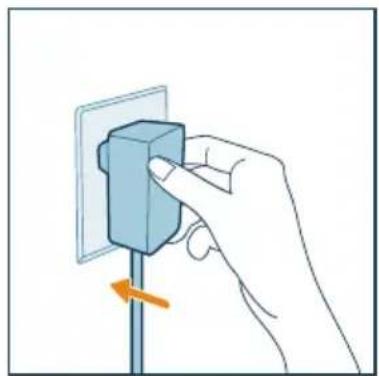
natural_image
Hand inserting a component into an electrical outlet (no text or symbols visible)natural_image
Hand pressing a blue circular button with an exclamation mark (no text or symbols)9 Pritisnite i 3 sekunde zadržite gumbe i -kako biste ponovo postavili brojač trajanja filtra.

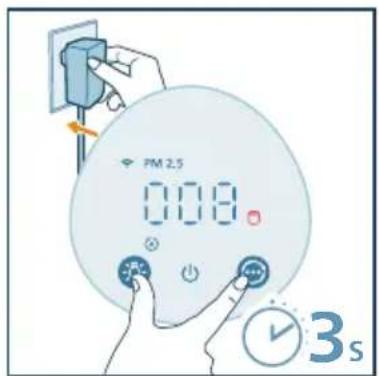
natural_image
Illustration of a hand spraying a spray bottle with a triangular tip (no text or symbols)Ponovno postavljanje filtra
2 Provjerite je li aparat potpuno iskopčan, a zatim ukopčajte utikač za napajanje u utičnicu.
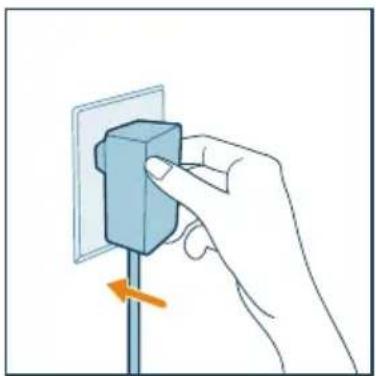
natural_image
Hand inserting a blue block into a wall socket with an orange arrow indicating direction (no text or symbols)3 Unutar 15 sekundi nakon uključivanja pritisnite i 3 sekunde zadržite gumbe 😊 i -Pako biste ponovno postavili brojač trajanja filtra.
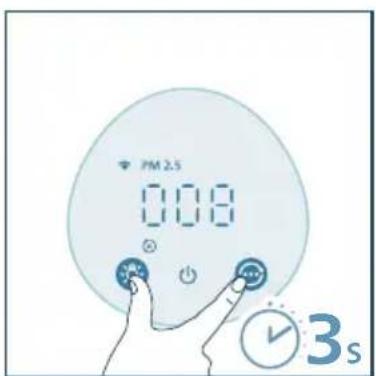
6 Spremanje
1 Isključite pročišćivač zraka i odspojite ga od električne utičnice.
2 Očistite aparat, senzor čestica i površinu filtra (pogledajte poglavlje „Čišćenje i održavanje“).
3 Prije spremanja pričekajte da se svi dijelovi temeljito osuše.
4 Filtre zamotajte u plastične vrećice koje ne propuštaju zrak.
5 Pročišćivač zraka i filtar spremite na hladno i suho mjesto.
6 Nakon rukovanja filtrom obavezno temeljito operite ruke.
7 Rješavanje problema
Kezelögombok
natural_image
Illustration of a cylindrical device with orange arrows indicating rotation or flow (no text or symbols)natural_image
Illustration of a hand placing a tool into a cylindrical container with an upward arrow (no text or symbols)natural_image
Illustration of a Siemens air purifier with attached circuit board and power outlet (no text or symbols)natural_image
Hand inserting a blue block into a wall socket (no text or symbols visible)natural_image
Illustration of a hand interacting with a circular button featuring stars and crescent moon (no text or symbols)natural_image
Illustration of a hand interacting with a blue circular device (no text or symbols visible)natural_image
Hand holding a blue electrical socket with an arrow indicating rotation (no text or symbols)natural_image
Hand holding a small electronic component with wires, no visible text or symbolsnatural_image
Illustration of a hand pressing a button on a device (no text or symbols visible)A szűrő tisztítása
natural_image
Illustration of a hand using a tool to lift a cylindrical object (no text or symbols visible)natural_image
Hand holding a blue rectangular object mounted on a vertical pole, with an orange arrow indicating direction (no text or symbols)natural_image
Hand pressing a blue circular button with a white lightning bolt symbol (no text or labels)natural_image
Illustration of a hand holding a spray can with a blue tip, no text or symbols presentA szűrő cseréje
natural_image
Illustration of a cylindrical device with orange arrows indicating rotation or flow, no text or symbols present.natural_image
Illustration of a hand placing a plastic bin into a trash can with an arrow indicating rotation (no text or symbols)natural_image
Illustration of a hand placing a white object into a blue cylindrical container with an upward arrow (no text or symbols)natural_image
Hand holding a blue electrical socket mounted on a vertical pole, with an orange arrow indicating a downward motion (no text or symbols)natural_image
Hand pressing a blue circular button with an exclamation mark (no text or symbols)natural_image
Illustration of a hand holding a spray can with a dropper (no text or symbols)natural_image
Hand holding a blue electrical socket mounted on a pole, with an orange arrow indicating the switch (no text or symbols present)Tombol kontrol
| Danaasi | Tombol daya | Danaasi | Tombol pengganti mode/tombol pengaturan ulang Wi-Fi (tahan selama 3 detik) |
| Danaasi | Tombol fungsi lampu (tekan sebentar)/Tombol kunci pengaman (tahan selama 3 detik) | Danaasi | Pengaturan ulang pembersihan/ penggantian filter |
Panel layar
| PM2.5 Tampilan PM2.5 Mode yang dioperasikan aplikasi | |||
| [2017] | Indikator kunci pengaman Modeotor (JTB) is | ||
| [4637] | Mode tidur Mode sedang | [4245] | |
| [5488] | Kecepatan turbo Peringatan pembers (BSHT) in filter | ||
| [5CAH] | Peringatan penggantian filter | ||
Catatan:
natural_image
Illustration of a cylindrical device with orange arrows indicating rotation or flow (no text or symbols)natural_image
Illustration of a hand placing a component into a blue cylindrical container with an upward arrow (no text or symbols)Menghubungkan daya
natural_image
Diagram of a PEPOLY air purifier with connected tubing and a close-up inset showing internal components (no text or symbols)Memahami indikator Wi-Fi
| Status ikon Wi-Fi Status koneksi Wi-Fi |
| Berkedip oranye Menghubungkan ke ponsel pintar |
| Menyala oranye terus-menerus Terhubung ke ponsel pintar |
| Berkedip putih Menghubungkan ke server |
| Menyala putih terus-menerus Terhubung ke server |
| Mati Fungsi Wi-Fi nonaktif |
Koneksi Wi-Fi
natural_image
Hand inserting a component into an electrical outlet (no text or symbols visible)natural_image
Illustration of a hand interacting with a circular button and stars, no text or symbols presentnatural_image
Illustration of a hand interacting with a blue circular device displaying a starburst symbol (no text or labels)Mengatur kunci pengaman
natural_image
Hand holding a blue electrical socket mounted on a vertical pole, with an orange arrow indicating clockwise motion (no text or symbols)natural_image
Hand holding a small electronic component with wires extending into a grid (no text or symbols visible)natural_image
Illustration of a hand pressing a button on a device labeled 'Aerogelms' (no text or symbols beyond label)Membersihkan filter
natural_image
Illustration of a hand using a tool to lift a cylindrical component (no text or symbols visible)4 Colokkan steker adaptor pemurni udara ke soket daya.
natural_image
Hand holding a blue rectangular object mounted on a vertical pole, with an orange arrow indicating direction (no text or symbols)natural_image
Hand pressing a blue circular button with a white lightning bolt symbol (no text or labels)natural_image
Illustration of a hand holding a spray can with a blue tip, no text or symbols presentMemasang filter kembali
2 Baliklah alat.
natural_image
Illustration of a cylindrical device with orange arrows indicating rotation or flow (no text or symbols)4 Buang filter bekas.
natural_image
Illustration of a hand placing a trash bin into a lid with an arrow indicating rotation (no text or symbols)natural_image
Illustration of a hand placing a component into a cylindrical container with an upward arrow (no text or symbols)7 Colokkan steker adaptor pemurni udara ke soket daya.
natural_image
Hand holding a blue electrical socket mounted on a vertical pole, with an orange arrow indicating the pull-down (no text or symbols present)natural_image
Hand pressing a blue circular button with a lightning bolt symbol (no text or labels)natural_image
Illustration of a hand holding a spray can with a dropper (no text or symbols)Pengaturan ulang filter
natural_image
Hand holding a small blue block mounted on a vertical pole, with an orange arrow indicating force (no text or symbols)Pulsanti di comando
natural_image
Illustration of a cylindrical device with orange arrows indicating rotation or flow (no text or symbols)natural_image
Illustration of a hand placing a component into a cylindrical container with an upward arrow (no text or symbols)natural_image
Diagram of a HELEF air purifier with attached power outlet and internal components (no text or symbols)natural_image
Hand holding a blue electrical socket with an orange arrow indicating clockwise motion (no text or symbols)natural_image
Illustration of a hand interacting with a circular button featuring stars and crescent moon symbols (no text or labels)natural_image
Illustration of a hand interacting with a circular blue device (no text or symbols visible)natural_image
Hand holding a blue electrical socket mounted on a vertical pole, with an orange arrow indicating clockwise motion (no text or symbols)natural_image
Hand holding a small electronic component with wires extending into a grid (no text or symbols visible)natural_image
Illustration of a hand pressing a button on a device (no text or symbols visible)Pulizia del filtro
natural_image
Illustration of a hand using a tool to lift a rolled-up blue cylindrical object (no text or symbols)natural_image
Hand inserting a blue block into a wall socket with an orange arrow indicating direction (no text or symbols)natural_image
Hand pressing a blue circular button with a white 'I' on it, symbolizing power or control (no text or symbols present)natural_image
Illustration of a hand holding a spray can with a dropper (no text or symbols)2 Capovolgere l'apparecchio.
natural_image
Illustration of a cylindrical device with orange arrows indicating rotation or flow, no text or symbols present.natural_image
Illustration of a hand placing a trash bin into a lid with an arrow indicating rotation (no text or symbols)natural_image
Illustration of a hand placing a component into a cylindrical container with an upward arrow (no text or symbols)natural_image
Hand holding a blue electrical socket mounted on a vertical pole, with an orange arrow indicating the pull-down (no text or symbols present)natural_image
Hand pressing a blue circular button with an 'I' symbol (no text or numbers present)natural_image
Illustration of a hand spraying a spray bottle with a triangular tip (no text or symbols)natural_image
Hand holding a blue electrical socket mounted on a vertical pole, with an orange arrow indicating the pull-down (no text or symbols present)Valdymo mygtukai
natural_image
Illustration of a cylindrical device with orange arrows indicating rotation or flow, no text or symbols present.natural_image
Illustration of a hand placing a component into a cylindrical container with an upward arrow (no text or symbols)Maitinimo prijungimas
natural_image
Illustration of a cylindrical air purifier with attached plug and outlet, showing internal components and wiring (no text or symbols)natural_image
Hand holding a blue electrical socket mounted on a vertical pole, with an orange arrow indicating the switch (no text or symbols present)2 Norėdami jjungti adapterį, paspauskite mygtuka
natural_image
Illustration of a hand interacting with a circular button featuring stars and crescent moon symbols (no text or labels)natural_image
Illustration of a weather monitoring system with solar panels, city skyline, and a digital display (no text or symbols)natural_image
Illustration of a hand interacting with a blue circular button (no text or symbols)natural_image
Hand holding a blue electrical plug with a pull switch, showing a right-hand rule (no text or symbols present)natural_image
Hand holding a small electronic component with wires and connectors (no text or symbols visible)natural_image
Illustration of a hand interacting with a blue AeraSense card (no text or symbols on the card body)Filtro valymas
natural_image
Illustration of a hand using a tool to lift a cylindrical component (no text or symbols visible)4 Ijunkite oro valytuvo adapteri i sieninj elektros lizda.
natural_image
Hand holding a blue electrical socket with an arrow indicating a pull-down (no text or symbols present)natural_image
Hand pressing a blue circular button with an 'I' symbol (no text or numbers present)natural_image
Illustration of a hand spraying a spray gun with a blue spray can (no text or symbols)Filtro keitimas
natural_image
Illustration of a cylindrical device with orange arrows indicating rotation or flow, no text or symbols present.natural_image
Illustration of a hand placing a plastic bin into a trash can with an arrow indicating rotation (no text or symbols)natural_image
Illustration of a hand placing a component into a blue cylindrical container with an upward arrow (no text or symbols)7 Ijunkite oro valytuvo adapteri j sieninj elektros lizda.
natural_image
Hand inserting a blue block into a wall socket (no text or symbols visible)natural_image
Hand pressing a blue circular button with an 'I' symbol (no text or numbers present)natural_image
Illustration of a hand holding a spray can with a dropper (no text or symbols)natural_image
Hand holding a blue electrical plug with an arrow indicating clockwise motion (no text or symbols)Vadības pogas
natural_image
Illustration of a cylindrical device with orange arrows indicating rotation or flow (no text or symbols)natural_image
Illustration of a hand placing a component into a cylindrical container with an upward arrow (no text or symbols)natural_image
Illustration of a handheld air purifier with attached power outlet and internal components (no text or symbols)Piezime.
natural_image
Hand holding a blue electrical socket mounted on a vertical pole, with an orange arrow indicating the direction (no text or symbols present)natural_image
Illustration of a hand interacting with a circular button featuring stars and crescent moon (no text or symbols)3 Lai izslēgtu visus indikatorus un vadības paneli, varat nospiest pogu vēlreiz nospiediet pogu lai aktivizētu visus indikatorus.

natural_image
Illustration of a hand interacting with a blue circular device labeled with a sun icon (no text or symbols on the device itself)natural_image
Hand holding a blue electrical socket with an orange arrow indicating clockwise motion (no text or symbols)2 Atveriet dalinu sensora pârsegu.
natural_image
Hand holding a tool interacting with a wall-mounted device (no text or symbols visible)4 Aizveriet dalinu sensoru.
natural_image
Illustration of a hand interacting with a device labeled 'Aeratherm' (no text or symbols on the device itself)Filtra tīrīšana
natural_image
Illustration of a hand using a tool to lift a rolled roller (no text or symbols)natural_image
Hand holding a blue electrical plug with an orange arrow indicating rotation (no text or symbols)natural_image
Hand pressing a blue circular button with an 'I' symbol (no text or numbers present)natural_image
Illustration of a hand holding a spray can with a funnel, no text or symbols presentFiltra maina
Izpratne par filtra nolietojuma uzraugu
natural_image
Illustration of a cylindrical device with orange arrows indicating rotation or flow (no text or symbols)natural_image
Illustration of a hand placing a trash bin into a plastic container with an arrow indicating rotation (no text or symbols)natural_image
Illustration of a hand placing a component into a cylindrical container with an upward arrow (no text or symbols)natural_image
Hand holding a blue electrical socket with an orange arrow indicating rotation (no text or symbols)natural_image
Hand pressing a blue circular button with an 'W' symbol (no text or numbers present)natural_image
Illustration of a hand holding a spray can with a dropper (no text or symbols)natural_image
Hand holding a blue electrical socket mounted on a vertical pole, with an orange arrow indicating a downward motion (no text or symbols)Копчиња за контрола
natural_image
Illustration of a cylindrical device with orange arrows indicating rotation or flow (no text or symbols)natural_image
Illustration of a hand placing a component into a cylindrical container with an upward arrow (no text or symbols)natural_image
Diagram of a Philips air purifier with connected tubing and a close-up inset showing internal components (no text or symbols)natural_image
Hand inserting a component into an electrical outlet (no text or symbols visible)natural_image
Illustration of a hand interacting with a circular button featuring stars and crescent moon (no text or symbols)natural_image
Illustration of a hand interacting with a blue circular device (no text or symbols visible)natural_image
Hand holding a blue electrical socket mounted on a vertical pole, with an orange arrow indicating clockwise motion (no text or symbols)natural_image
Hand holding a small electronic component with wires extending into a grid (no text or symbols visible)natural_image
Illustration of a hand pressing a device with an orange arrow indicating rotation (no text or symbols)Чистење на филтерот
natural_image
Illustration of a hand using a tool to lift a cylindrical component (no text or symbols visible)natural_image
Hand holding a blue electrical socket with an arrow indicating clockwise motion (no text or symbols)natural_image
Hand pressing a blue circular button with an 'I' symbol (no text or numbers present)natural_image
Illustration of a hand holding a spray can with a dropper (no text or symbols)Замена на филтерот
natural_image
Illustration of a cylindrical device with orange arrows indicating rotation or flow, no text or symbols present.natural_image
Illustration of a hand placing a plastic bin into a trash can with an arrow indicating rotation (no text or symbols)natural_image
Illustration of a hand placing a component into a cylindrical container with an upward arrow (no text or symbols)natural_image
Hand holding a blue electrical socket mounted on a vertical pole, with an orange arrow indicating a force or adjustment (no text or symbols present)natural_image
Hand pressing a blue circular button with an 'I' symbol (no text or numbers present)natural_image
Illustration of a hand spraying a spray bottle with a triangular tip (no text or symbols)natural_image
Hand inserting a component into a wall socket (no text or symbols visible)6 Складирање
Bedieningsknoppen
natural_image
Illustration of a cylindrical device with orange arrows indicating rotation or flow (no text or symbols)natural_image
Illustration of a hand placing a component into a cylindrical container with an upward arrow (no text or symbols)natural_image
Illustration of a handheld air purifier with a power outlet and internal components (no text or symbols)natural_image
Hand holding a blue electrical plug with a pull switch, no text or symbols visiblenatural_image
Illustration of a hand interacting with a circular button and stars, no text or symbols presentnatural_image
Illustration of a digital climate controller with sun, moon, and cityscape icons (no text or symbols)natural_image
Illustration of a hand interacting with a circular device (no text or symbols visible)natural_image
Hand holding a blue rectangular object mounted on a vertical pole, with an orange arrow indicating rotation (no text or symbols)natural_image
Hand holding a small electronic component with wires extending into a grid (no text or symbols visible)natural_image
Illustration of a hand pressing a device with an orange arrow indicating rotation (no text or symbols)natural_image
Illustration of a hand using a tool to lift a rolled roller (no text or symbols)natural_image
Hand holding a blue electrical socket with an orange arrow indicating rotation (no text or symbols)natural_image
Hand pressing a blue circular button with a lightning bolt symbol (no text or labels)natural_image
Illustration of a hand holding a spray can with a blue tip, no text or symbols presentnatural_image
Illustration of a cylindrical device with orange arrows indicating rotation or flow, no text or symbols present.natural_image
Illustration of a hand placing a plastic bin into a trash can with an arrow indicating rotation (no text or symbols)natural_image
Illustration of a hand placing a tool into a cylindrical container with an upward arrow (no text or symbols)natural_image
Hand holding a blue electrical socket mounted on a pole, with an orange arrow indicating a downward motion (no text or symbols)natural_image
Hand pressing a blue circular button with an 'I' symbol (no text or numbers present)natural_image
Illustration of a hand holding a spray can with a blue tip, no text or symbols presentFilter resetten
natural_image
Hand inserting a blue block into a wall socket (no text or symbols visible)Kontrollknapper
| (ZWOT) | Av/på | (TYK2) | Modusbryterknapp/Wi-Fi-tilbakestillingsknapp (hold inne i 3 sekunder) |
| (YZHT) | Lysfunksjonsknapp (kort trykk)/ Barnesikringsknapp (hold inne i 3 sekunder) | (TX86) | Filterrengjøring/erstatningstilbakestilling |
Displaypanel
| PM2.5 PM2.5-display App-styringsmodus | |||
| [AC68] | Indikator for barnesikring Automodus | (HAKY) | |
| [HOK3] | Hvilemodus Medium-modus | (DCKY) | |
| [CC684] | Turbo-hastighet Filterrengjøringsvars | (BWSE) | |
| [3277] | Varsel om filtererstatning | ||
Merk:
natural_image
Illustration of a cylindrical device with orange arrows indicating rotation or flow, no text or symbols present.natural_image
Illustration of a hand placing a wooden handle into a cylindrical container with an upward arrow (no text or symbols)Koble til strøm
natural_image
Diagram of a white air purifier with attached power outlet and internal components (no text or symbols)Forklaring av Wi-Fi-indikator
| Wi-Fi-ikonstatus Status for Wi-Fi-tilkoblingen | |
| Blinker oransje Koble til smarttelefonen | |
| Vedvarende oransje Koblet til smarttelefonen | |
| Blinker hvitt Kobler til serveren | |
| Vedvarende hvitt Koblet til serveren | |
| Av Wi-Fi-funksjon deaktivert |
Wi-Fi-tilkobling
natural_image
Hand inserting a blue block into a wall socket with an orange arrow indicating direction (no text or symbols)natural_image
Illustration of a moon, crescent moon, and starry night scene with a hand interacting with a circular button (no text or symbols)natural_image
Illustration of a hand pressing a circular button with a starburst symbol (no text or labels)Stille inn barnesikringen
1 Du kan trykke på og holde inne -knappen i 3 sekunder for å aktivere barnesikringen.
ses på skjermen.
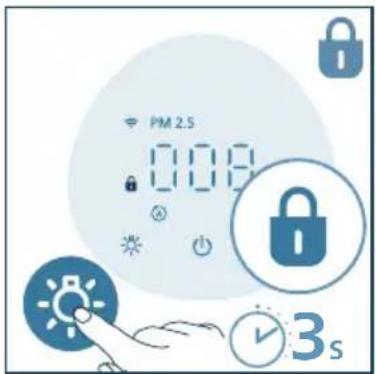
2 Hold inne -knappen i 3 sekunder for å deaktivere barnesikringen.
natural_image
Hand holding a blue electrical socket mounted on a vertical pole, with an orange arrow indicating clockwise motion (no text or symbols)natural_image
Hand holding a small electronic component with wires extending into a rectangular panel (no text or symbols visible)4 Lukk luftkvalitetssensoren.
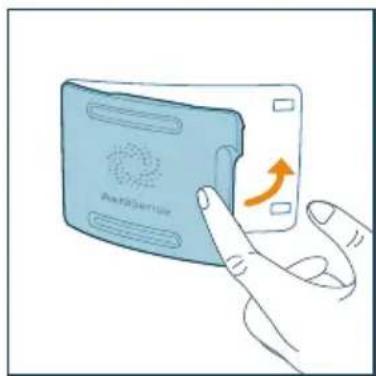
natural_image
Illustration of a hand interacting with a device labeled 'AerR369100' (no text or symbols on the device itself)Rengjøre filteret
natural_image
Illustration of a hand using a tool to lift a rolled cylindrical object (no text or symbols visible)4 Sett adapteren på luftrenseren inn i stikkontakten.
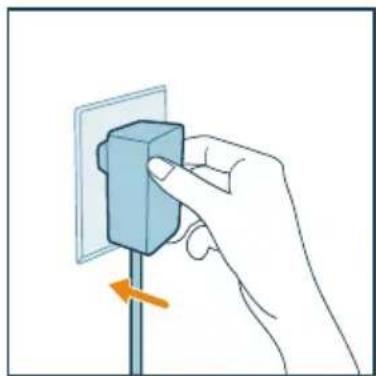
natural_image
Hand holding a blue electrical plug with a pull rod, showing a right-hand rule (no text or symbols present)natural_image
Hand pressing a blue circular button with a power symbol (no text or labels)natural_image
Illustration of a hand holding a spray can with a dropper (no text or symbols)Skifte filteret
2 Snu apparatet opp ned.
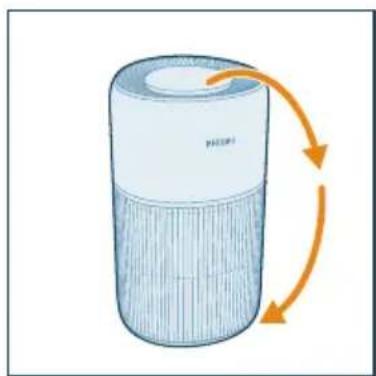
natural_image
Illustration of a cylindrical device with orange arrows indicating rotation or flow, no text or symbols present.4 Kast det brukte filteret.
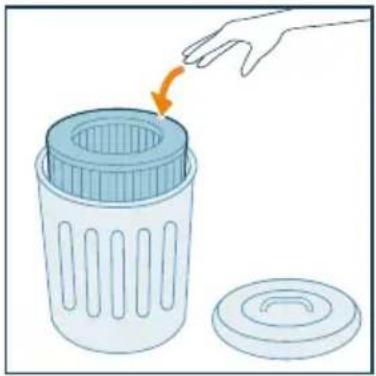
natural_image
Illustration of a hand placing a plastic bin into a trash can with an orange arrow indicating rotation (no text or symbols)natural_image
Illustration of a hand placing a component into a cylindrical container with an upward arrow (no text or symbols)7 Sett adapteren på luftrenseren inn i stikkontakten.
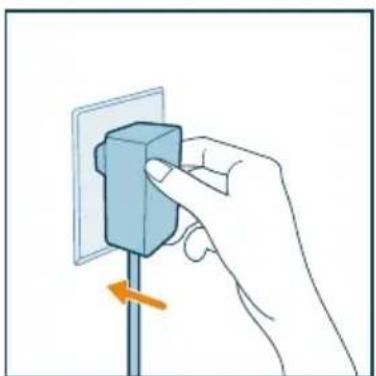
natural_image
Hand inserting a component into a wall socket (no text or symbols visible)natural_image
Hand pressing a blue circular button with a lightning bolt symbol (no text or labels)natural_image
Illustration of a hand holding a spray can with a blue tip, no text or symbols presentnatural_image
Hand holding a blue electrical plug with a pull rod, showing a force or adjustment (no text or symbols)natural_image
Illustration of a cylindrical device with orange arrows indicating rotation or flow, no text or symbols present.natural_image
Illustration of a hand placing a tool into a blue cylindrical container with an upward arrow (no text or symbols)natural_image
Illustration of a Philips air purifier with attached circuit board and power outlet (no text or symbols)natural_image
Hand inserting a component into a wall socket (no text or symbols visible)natural_image
Illustration of a hand interacting with a circular button featuring stars and crescent moon (no text or symbols)natural_image
Illustration of a hand interacting with a circular device displaying a sun icon (no text or symbols)natural_image
Hand inserting a blue block into a wall socket with an orange arrow indicating rotation (no text or symbols)natural_image
Hand holding a small blue object connected to a light blue rectangular component, with no visible text or symbols.natural_image
Illustration of a hand pressing a device labeled 'Aerisense' with an orange arrow indicating rotation (no text beyond label)Czyszczenie filtra
natural_image
Illustration of a hand using a tool to lift a rolled cylindrical object (no text or symbols visible)natural_image
Hand inserting a blue block into a wall socket (no text or symbols visible)natural_image
Hand pressing a blue circular button with an 'I' symbol (no text or numbers present)natural_image
Illustration of a hand spraying a spray bottle with a tip (no text or symbols)Wymiana filtra
natural_image
Illustration of a cylindrical device with orange arrows indicating rotation or flow (no text or symbols)natural_image
Illustration of a hand placing a plastic bin into a trash can with an arrow indicating rotation (no text or symbols)natural_image
Illustration of a hand placing a tool into a cylindrical container with an upward arrow (no text or symbols)natural_image
Hand holding a blue electrical socket with an orange arrow indicating direction (no text or symbols)natural_image
Hand pressing a blue circular button with an 'I' symbol (no text or numbers present)natural_image
Illustration of a hand holding a spray can with a dropper (no text or symbols)Resetowanie filtra
natural_image
Hand inserting a blue block into a wall socket (no text or symbols visible)6 Przechowywanie
Botões de controlo
natural_image
Illustration of a cylindrical device with orange arrows indicating rotation or flow (no text or symbols)natural_image
Illustration of a hand placing a tool into a cylindrical container with an upward arrow (no text or symbols)Ligar a alimentação
natural_image
Illustration of a portable air purifier with attached power outlet and internal components (no text or symbols)Compreender o indicador de Wi-Fi
natural_image
Hand inserting a component into a wall socket (no text or symbols visible)natural_image
Illustration of a hand interacting with a circular button and stars, no text or symbols presentnatural_image
Illustration of a hand interacting with a blue circular object, featuring a starburst symbol on the lid (no text or labels)natural_image
Hand inserting a component into a wall socket with an orange arrow indicating rotation (no text or symbols)natural_image
Hand holding a small object with a blue line extending into a rectangular panel (no text or symbols visible)natural_image
Illustration of a hand interacting with an AirCeller card (no text or symbols on the card body)Limpeza do filtro
natural_image
Illustration of a hand using a tool to lift a cylindrical object (no text or symbols visible)4 Ligue o adaptador do purificador de ar à tomada elétrica.
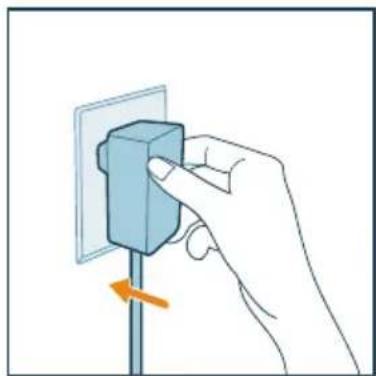
natural_image
Hand holding a blue electrical plug with an orange arrow indicating left-side motion (no text or symbols)natural_image
Hand pressing a blue circular button with a white lightning bolt symbol (no text or labels)natural_image
Illustration of a hand holding a spray can with a blue tip, no text or symbols presentnatural_image
Illustration of a cylindrical device with orange arrows indicating rotation or flow (no text or symbols)natural_image
Illustration of a hand placing a trash bin into a lid with an arrow indicating rotation (no text or symbols)natural_image
Illustration of a hand placing a tool into a cylindrical container with an upward arrow (no text or symbols)7 Ligue o adaptador do purificador de ar à tomada elétrica.
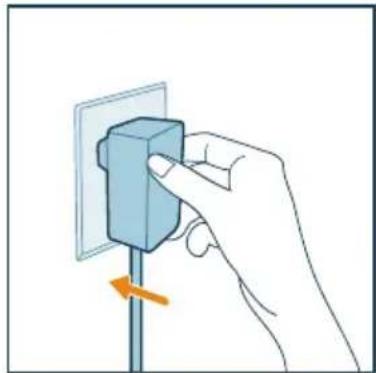
natural_image
Hand holding a blue electrical socket mounted on a vertical pole, with an orange arrow indicating the pull-down (no text or symbols present)natural_image
Hand pressing a blue circular button with an 'I' symbol (no text or numbers present)natural_image
Illustration of a hand holding a spray can with a blue tip, no text or symbols presentReposição do filtro
natural_image
Hand holding a small blue block mounted on a vertical pole, with an orange arrow indicating force or direction (no text or symbols)Butoane de control
natural_image
Illustration of a cylindrical device with orange arrows indicating rotation or flow (no text or symbols)natural_image
Illustration of a hand placing a tool into a cylindrical container with an upward arrow (no text or symbols)Conectarea la alimentare
natural_image
Hand holding a blue electrical socket mounted on a vertical pole, with an orange arrow indicating the pull-down (no text or symbols present)natural_image
Illustration of a moon, crescent moon, and star with a hand interacting with a circular button (no text or symbols)natural_image
Illustration of a hand interacting with a blue circular device (no text or symbols)natural_image
Hand holding a blue electrical socket mounted on a vertical pole, with an orange arrow indicating clockwise motion (no text or symbols)natural_image
Hand holding a small electronic component with wires extending into a grid (no text or symbols visible)natural_image
Illustration of a hand pressing a button on a device (no text or symbols visible)Curățarea filtrului
natural_image
Illustration of a hand using a tool to lift a cylindrical object (no text or symbols visible)natural_image
Hand placing a blue block on a vertical pole with an orange arrow indicating rotation (no text or symbols)natural_image
Hand pressing a blue circular button with a power symbol (no text or labels)natural_image
Illustration of a hand holding a spray can with a dropper (no text or symbols)natural_image
Illustration of a cylindrical device with orange arrows indicating rotation or flow, no text or symbols present.natural_image
Illustration of a hand placing a plastic bin into a trash can with an orange arrow indicating rotation (no text or symbols)natural_image
Illustration of a hand placing a tool into a cylindrical container with an upward arrow (no text or symbols)natural_image
Hand holding a blue electrical component mounted on a pole, with an orange arrow indicating direction (no text or symbols)natural_image
Hand icon showing a finger pressing a blue circular button with a power symbol (no text or labels)natural_image
Illustration of a hand spraying a spray bottle with a blue tip (no text or symbols)natural_image
Hand inserting a component into an electrical outlet (no text or symbols visible)Ovládacie tlačidlá
natural_image
Illustration of a cylindrical device with orange arrows indicating rotation or flow, no text or symbols present.natural_image
Illustration of a hand placing a tool into a cylindrical container with an upward arrow (no text or symbols)Pripojenie napájania
natural_image
Illustration of a flexible air purifier with attached power outlet and internal components (no text or symbols)natural_image
Hand inserting a blue block into a wall socket with an orange arrow indicating direction (no text or symbols)natural_image
Illustration of a hand interacting with a circular button and stars around a crescent moon (no text or symbols)- Stredný režim: Zariadenie funguje v strednom režime.
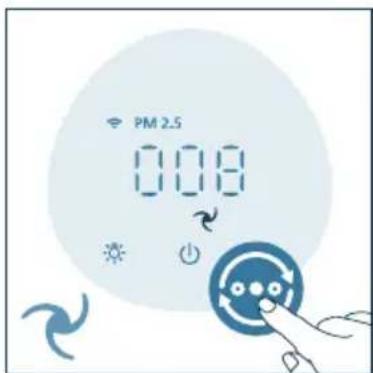
natural_image
Illustration of a hand interacting with a circular device (no text or symbols visible)5 Čistenie a údržba
Poznámka:
natural_image
Hand holding a blue electrical plug with a pull switch, showing a right-hand rule (no text or symbols present)natural_image
Hand holding a small object with connected lines to a rectangular panel (no text or symbols visible)2 Na očistenie filtra použite handričku alebo vysávač.
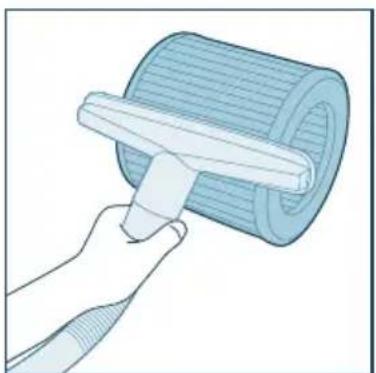
natural_image
Illustration of a hand using a tool to lift a cylindrical component (no text or symbols visible)natural_image
Hand holding a blue electrical socket mounted on a pole, with an orange arrow indicating a downward motion (no text or symbols)natural_image
Hand pressing a blue circular button with an 'Power' symbol (no text or numbers present)natural_image
Illustration of a hand holding a spray can with a dropper (no text or symbols)Výmena filtra
natural_image
Illustration of a cylindrical device with orange arrows indicating rotation or flow (no text or symbols)natural_image
Illustration of a hand placing a plastic bin into a trash can with an arrow indicating rotation (no text or symbols)natural_image
Illustration of a hand placing a tool into a cylindrical container with an upward arrow (no text or symbols)natural_image
Hand inserting a component into a wall socket (no text or symbols visible)natural_image
Hand pressing a blue circular button with an exclamation mark (no text or symbols)natural_image
Illustration of a hand spraying a spray can with a dropper (no text or symbols)Vynulovanie filtra
natural_image
Hand holding a blue electrical plug with a pull rod, no text or symbols visibleUpravljalni gumbi
natural_image
Illustration of a cylindrical device with orange arrows indicating rotation or flow (no text or symbols)2 Podstavek obrnite v levo, da ga odstranite z aparata. Filter povlecite iz aparata.
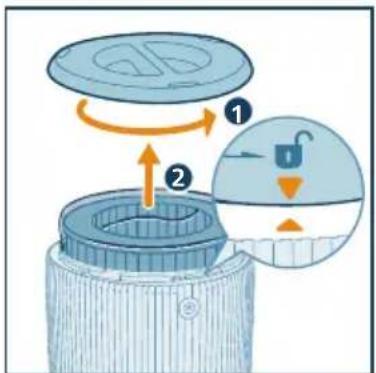
natural_image
Illustration of a hand placing a tool into a cylindrical container with an upward arrow (no text or symbols)4 Filter namestite nazaj v aparat. Prepričajte se, da je filter položen ravno in poravnan s podstavkom (aparata). Znova namestite podstavek in ga obrnite v desno, da ga pritrdite.
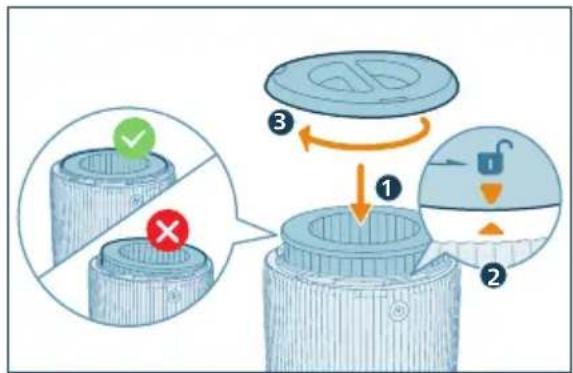
natural_image
Diagram of a portable air purifier with attached power outlet and internal components (no text or symbols)3 Preverite, ali je pametni telefon ali tablični računalnik povezan v omrežje Wi-Fi.
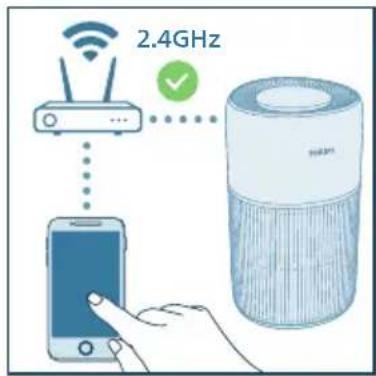
Opomba:
natural_image
Hand holding a blue electrical plug with a pull rod, showing a button and arrow (no text or symbols)2 Za vklop čistilnika zraka pritisnite gumb za vklop ⏻
natural_image
Illustration of a hand interacting with a circular button and floating stars, no text or symbols presentnatural_image
Illustration of a digital weather controller with a sun, moon, and cityscape background (no text or symbols)natural_image
Illustration of a hand interacting with a blue circular device (no text or symbols visible)natural_image
Hand holding a blue electrical socket with an orange arrow indicating rotation (no text or symbols)2 Odprite pokrov senzorja kakovosti zraka.
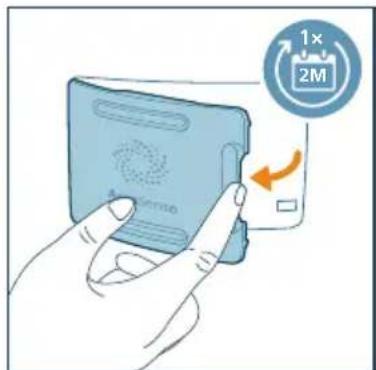
3 Senzor delcev očistite z vlažno vatirano paličico. Vse dele temeljito osušite s suho vatirano paličico.
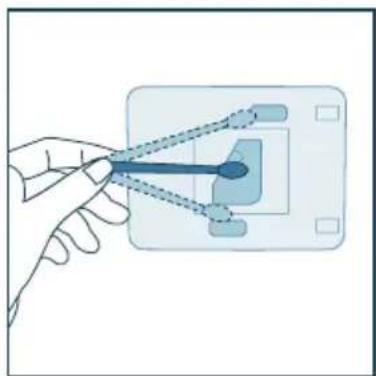
natural_image
Hand holding a small electronic component with wires, no visible text or symbolsnatural_image
Illustration of a hand pressing a button on a device labeled 'Aerisense', with an orange arrow indicating rotation (no text or symbols on the device itself)Čiščenje filtra
2 Filter očistite s krpo ali sesalnikom za prah.
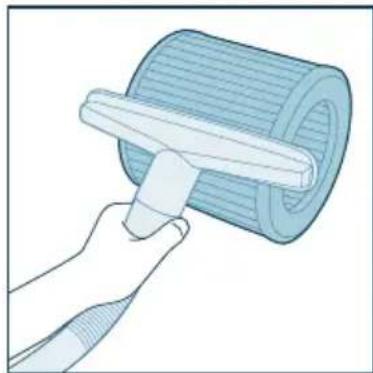
natural_image
Illustration of a hand using a tool to lift a rolled-up blue cylindrical object (no text or symbols visible)3 Filter namestite nazaj v aparat. Prepričajte se, da je filter položen ravno in poravnan s podstavkom (aparata). Znova namestite podstavek in ga obrnite v desno, da ga pritrdite.
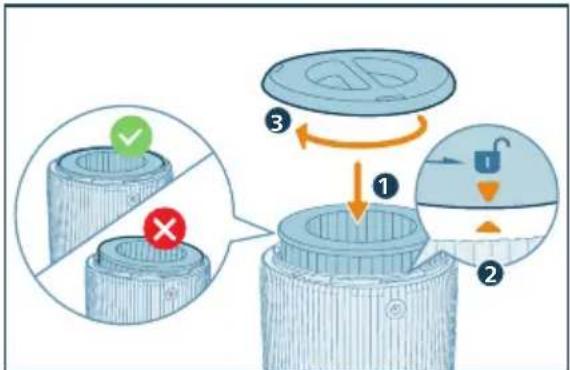
4 Adapter čistilnika zraka priključite v električno vtičnico.
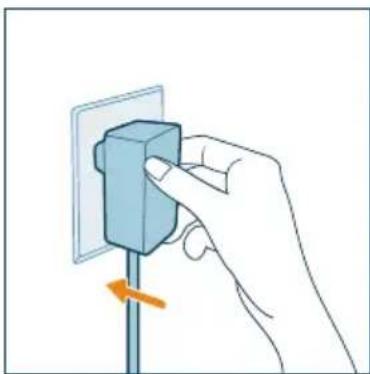
natural_image
Hand holding a blue electrical socket mounted on a pole, with an orange arrow indicating a downward motion (no text or symbols present)5 Aparat vklopite s pritiskom gumba za vklop.
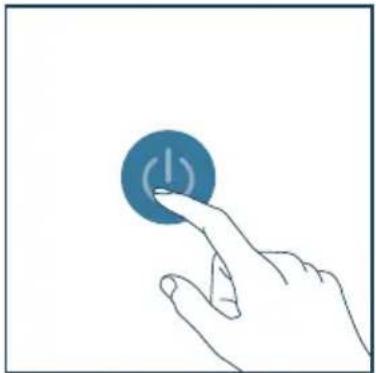
natural_image
Hand pressing a blue circular button with an 'Power' symbol (no text or numbers present)natural_image
Illustration of a hand spraying a spray can with a blue tip (no text or symbols)Menjava filtra
2 Aparat obrnite navzdol.
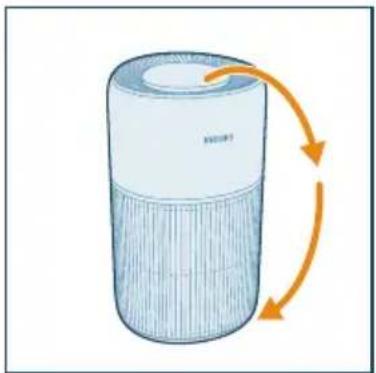
natural_image
Illustration of a cylindrical device with orange arrows indicating rotation or flow, no text or symbols present.3 Podstavek obrnite v levo, da ga odstranite z aparata. Filter povlecite iz aparata.
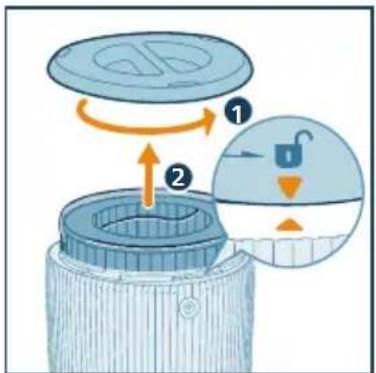
natural_image
Illustration of a hand placing a plastic bin into a trash can with an arrow indicating rotation (no text or symbols)5 Z novega filtra odstranite ves embalažni material.
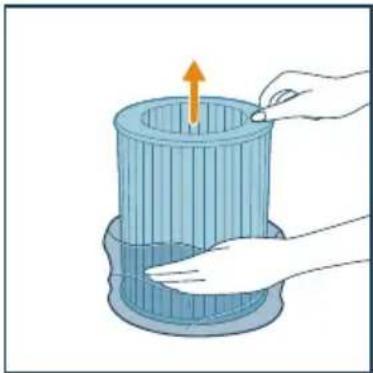
natural_image
Illustration of a hand placing a component into a blue cylindrical container with an upward arrow (no text or symbols)6 Filter namestite nazaj v aparat. Prepričajte se, da je filter položen ravno in poravnan s podstavkom (aparata). Znova namestite podstavek in ga obrnite v desno, da ga pritrdite.
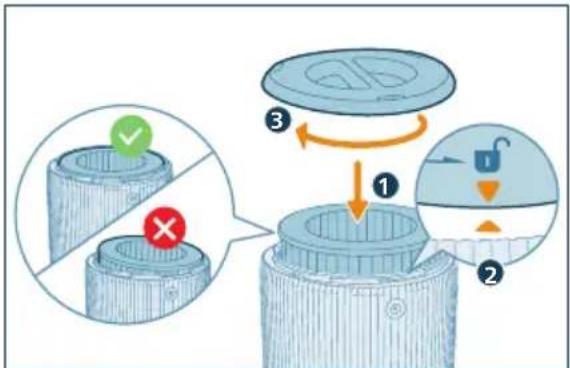
7 Adapter čistilnika zraka priključite v električno vtičnico.
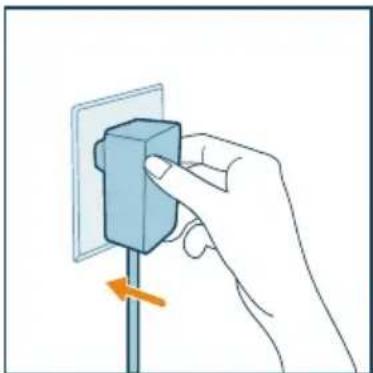
natural_image
Hand holding a blue electrical socket mounted on a pole, with an orange arrow indicating a downward motion (no text or symbols present)8 Aparat vklopite s pritiskom gumba za vklop.
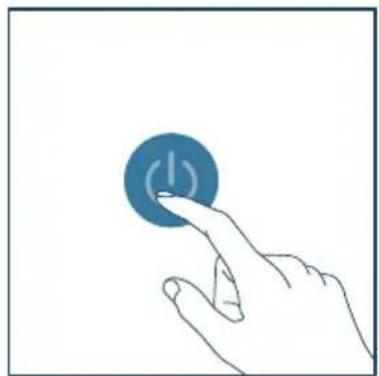
natural_image
Hand pressing a blue circular button with an exclamation mark (no text or symbols)natural_image
Illustration of a hand spraying a spray bottle with a triangular tip (no text or symbols)natural_image
Hand holding a blue electrical socket mounted on a pole, with an orange arrow indicating a downward motion (no text or symbols)Butonat e komandimit
natural_image
Illustration of a cylindrical device with orange arrows indicating rotation or flow, no text or symbols present.natural_image
Illustration of a hand placing a tool into a cylindrical container with an upward arrow (no text or symbols)natural_image
Illustration of a portable air purifier with attached power outlet and internal components (no text or symbols)natural_image
Hand inserting a blue block into a wall socket (no text or symbols visible)natural_image
Illustration of a hand interacting with a circular button featuring stars and crescent moon (no text or symbols)natural_image
Illustration of a hand interacting with a blue circular device (no text or symbols visible)natural_image
Hand inserting a blue block into a wall socket with an orange arrow indicating rotation (no text or symbols)natural_image
Hand holding a small electronic component with wires extending into a grid (no text or symbols visible)natural_image
Illustration of a hand pressing a button on a device labeled 'Aerolaser', with an orange arrow indicating rotation (no text or symbols beyond the label)Pastrimi i filtrit
natural_image
Illustration of a hand using a tool to lift a rolled roller (no text or symbols)natural_image
Hand holding a blue electrical plug with a pull switch, no text or symbols visiblenatural_image
Hand icon showing a finger pressing a blue circular button with an 'I' symbol (no text or numbers present)natural_image
Illustration of a hand spraying a spray bottle with a blue tip (no text or symbols)Ndërrimi i filtrit
natural_image
Illustration of a cylindrical device with orange arrows indicating rotation or flow, no text or symbols present.natural_image
Illustration of a hand placing a trash bin into a lid with an arrow indicating rotation (no text or symbols)natural_image
Illustration of a hand placing a component into a blue cylindrical container with an upward arrow (no text or symbols)natural_image
Hand holding a blue electrical socket mounted on a vertical pole, with an orange arrow indicating the pull-down (no text or symbols present)natural_image
Hand pressing a blue circular button with an 'I' symbol (no text or numbers present)natural_image
Illustration of a hand spraying a spray bottle with a blue tip (no text or symbols)natural_image
Hand placing a blue block on a vertical pole with an orange arrow indicating rotation (no text or symbols)Kontrolna dugmad
| [10X74] | Uključivanje/isključivanje napajanja | [16XXX] | Dugme za promenu režima / Dugme za resetovanje Wi-Fi veze (pritisnite i zadržite 3 sekunde) |
| [17TK4] | Dugme za funkciju svetla (kratko pritisnite) / Dugme za dečiju bravu (pritisnite i zadržite 3 sekunde) | [14842] | Resetovanje nakon čišćenja/zamene filtera |
Panel ekrana
| PM2.5 PM2.5 prikaz Režim upravljanja pomoću aplikacije | |||
| [7415] | Indikator dečije brave Automatski rež  | ||
| [TO72]1 | Režim mirovanja Srednji režim  | ||
| [TH67] | Turbo brzina Upozorenje za čišćenje f [3SH2] ra | ||
 | Upozorenje za zamenu filtera | ||
Napomena:
- Senzor svetla se nalazi ispod dugmeta za uključivanje. Pobrinite se da ga drugi predmeti ne blokiraju.
3 Početak rada
Instaliranje filtera
Uklonite svu ambalažu filtera pre prve upotrebe.
Napomena: Proverite da li je prečišćivač vazduha isključen iz strujne utičnice pre nego što instalirate filter.
1 Okrenite aparat naopako.
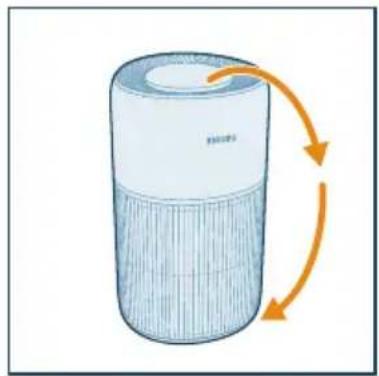
natural_image
Illustration of a cylindrical device with orange arrows indicating rotation or flow (no text or symbols)2 Okrenite postolje suprotno od smera kazaljke na satu da biste ga skinuli sa aparata. Izvucite filter iz aparata.
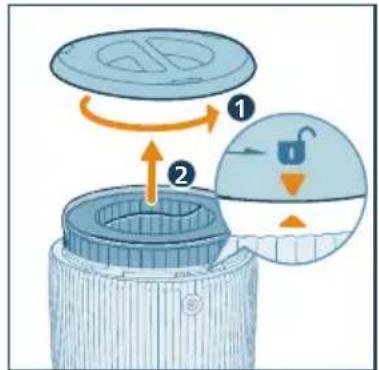
3 Uklonite svu ambalažu filtera za prečišćavanje vazduha.
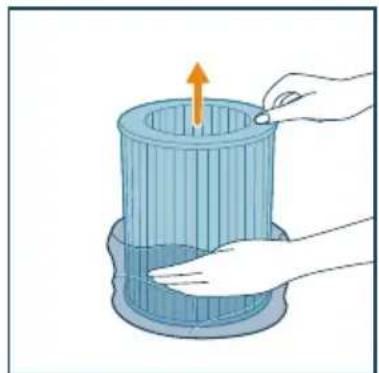
natural_image
Illustration of a hand placing a tool into a blue cylindrical container with an upward arrow (no text or symbols)4 Vratite filter u aparat. Proverite da li je filter u ravni i poravnat sa postoljem (aparata). Vratite postolje na mesto i okrenite ga u smeru kazaljke na satu da biste ga fiksirali.
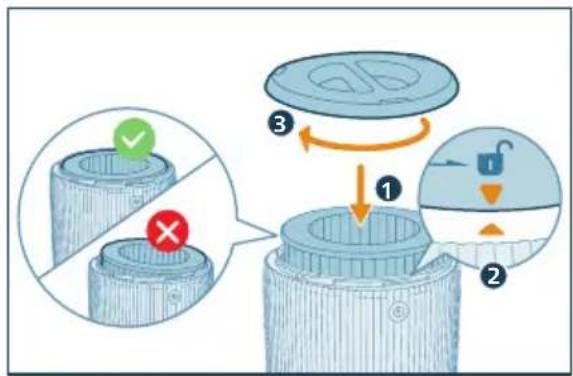
natural_image
Diagram of a flexible air purifier with attached power outlet and internal components (no text or symbols)Razumevanje Wi-Fi indikatora
| Status Wi-Fi ikone Status Wi-Fi veze |
| Treperi narandžasto Povezivanje sa pametnim telefonom |
| Svetli narandžasto Uspostavljena je veza sa pametnim telefonom |
| Treperi belo Povezivanje na server |
| Svetli belo Uspostavljena je veza sa serverom |
| Isk. Wi-Fi funkcija je onemogućena |
Wi-Fi veza
flowchart
graph TD
    A["Smart Phone"] --> B["Smart Air Purifier"]
    B --> C["Wireless Signal Transmission"]
    C --> D["Smart Home"]
    D --> E["User Interface"]
Napomena:
natural_image
Hand inserting a component into a wall socket (no text or symbols visible)2 Pritisnite dugme da biste uključili prečišćivač.
natural_image
Illustration of a hand interacting with a circular button featuring stars and crescent moon (no text or symbols)3 Možete da pritisnete dugme do biste isključili sve indikatore i kontrolnu tablu. Pritisnite opet dugme da biste aktivirali sve indikatore.
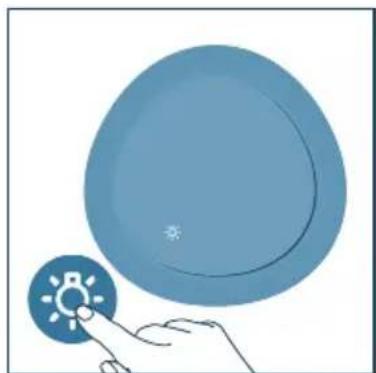
natural_image
Illustration of a hand interacting with a circular blue object, no text or symbols presentnatural_image
Hand holding a blue electrical socket mounted on a vertical pole, with an orange arrow indicating clockwise motion (no text or symbols)2 Otvorite poklopac senzora za kvalitet vazduha.
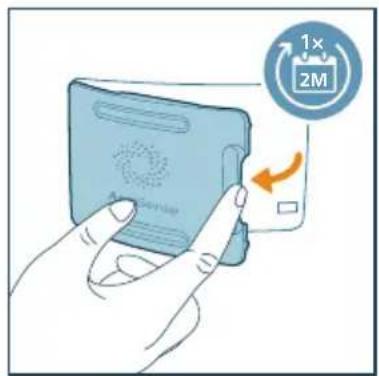
natural_image
Hand holding a small blue object connected to a grid-like interface (no text or symbols visible)4 Zatvorite senzor za kvalitet vazduha.
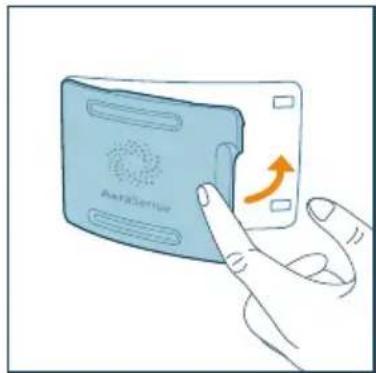
natural_image
Illustration of a hand interacting with a device labeled 'AerXGertior', showing a finger pressing the button (no text or symbols on the device itself)Čišćenje filtera
Kada se upozorenje za čišćenje površine filtera prikaže na ekranu, očistite površinu filtera usisivačem.
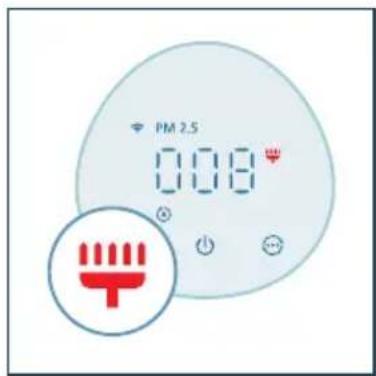
Napomena:
- Preporučujemo da osobe koje su alergične na prašinu, polen, kućne ljubimce ili buđ ne menjaju filtere samostalno ili da primene mere zaštite, poput nošenja maske i rukavica.
1 Isključite aparat i isključite ga iz zidne utičnice
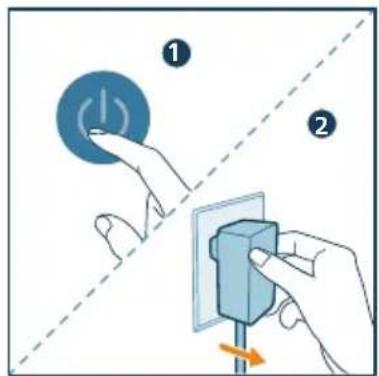
2 Filter očistite krpom ili usisivačem.
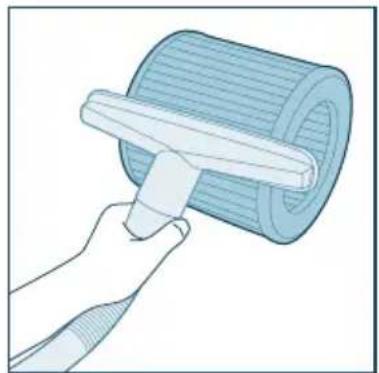
natural_image
Illustration of a hand using a tool to lift a rolled cylindrical object (no text or symbols visible)3 Vratite filter u aparat. Proverite da li je filter u ravni i poravnat sa postoljem (aparata). Vratite postolje na mesto i okrenite ga u smeru kazaljke na satu da biste ga fiksirali.
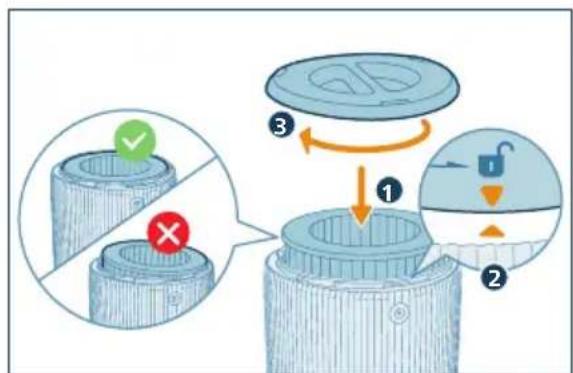
natural_image
Hand holding a blue electrical socket mounted on a vertical pole, with an orange arrow indicating clockwise motion (no text or symbols)5 Pritisnite dugme za napajanje da biste uključili aparat.
natural_image
Hand pressing a blue circular button with an 'Power' symbol (no text or numbers present)6 Pritisnite dugmad i idrzite
3 sekunde da biste resetovali vreme za čišćenje filtera.
natural_image
Illustration of a hand holding a spray can with a triangular tip (no text or symbols)Zamena filtera
2 Okrenite aparat naopako.
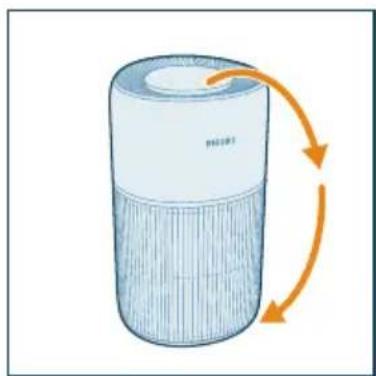
natural_image
Illustration of a cylindrical device with orange arrows indicating rotation or flow, no text or symbols present.3 Okrenite postolje suprotno od smera kazaljke na satu da biste ga skinuli sa aparata. Izvucite filter iz aparata.
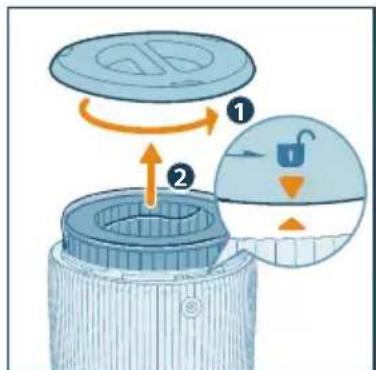
4 Bacite iskorišćeni filter.
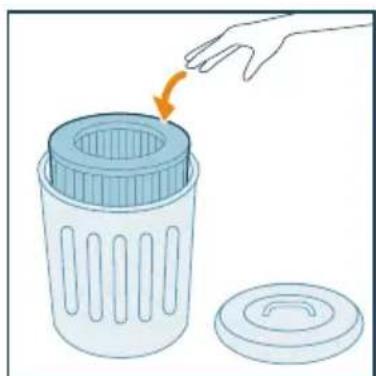
natural_image
Illustration of a hand placing a plastic bin into a trash can with an arrow indicating rotation (no text or symbols)5 Uklonite svu ambalažu novog filtera.
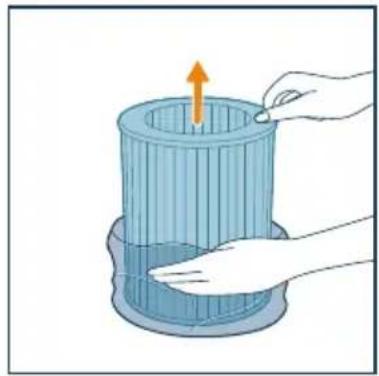
natural_image
Illustration of a hand placing a tool into a cylindrical container with an upward arrow (no text or symbols)6 Vratite filter u aparat. Proverite da li je filter u ravni i poravnat sa postoljem (aparata). Vratite postolje na mesto i okrenite ga u smeru kazaljke na satu da biste ga fiksirali.
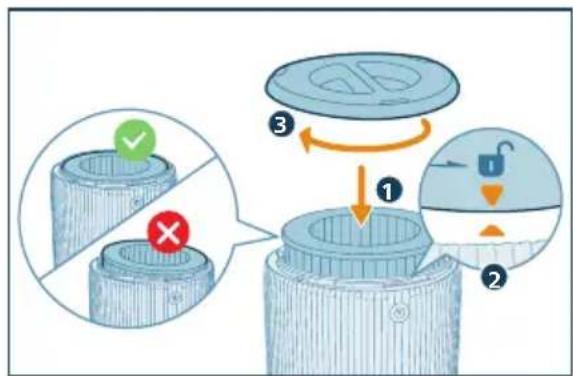
natural_image
Hand holding a blue electrical socket with an orange arrow indicating rotation (no text or symbols)8 Pritisnite dugme za napajanje da biste uključili aparat.
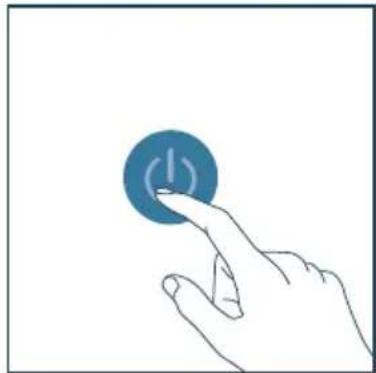
natural_image
Hand pressing a blue circular button with an 'I' symbol (no text or numbers present)9 Dodirnite dugmad i držte 3 sekunde da biste resetovali brojač za radni vek filtera.
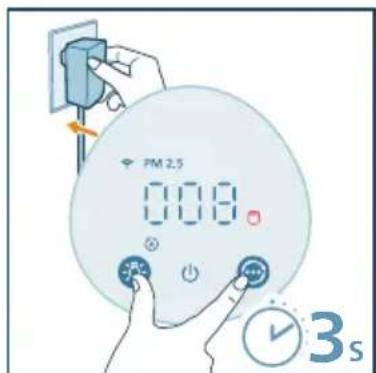
natural_image
Illustration of a hand spraying a spray bottle with a clear tip (no text or symbols)Resetovanje filtera
natural_image
Hand inserting a blue block into a wall socket with an orange arrow indicating direction (no text or symbols)3 U roku od 15 sekundi od uključivanja, pritisnite dugmad ⓘ i džite 3 sekunde da biste resetovali brojač za radni vek filtera.
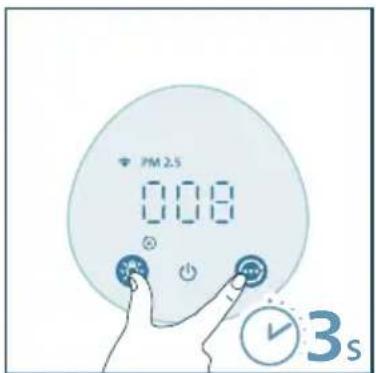
6 Odlaganje
1 Isključite prečišćivač vazduha i isključite ga iz zidne utičnice.
2 Očistite aparat, senzor za čestice i površinu filtera (pogledajte poglavlje „Čišćenje i održavanje“).
3 Ostavite sve delove da se temeljno osuše na vazduhu pre odlaganja.
4 Umotajte filtere u hermetički zatvorene plastične kese.
5 Prečišćivač vazduha i filter odložite na suvo i hladno mesto.
6 Uvek temeljno operite ruke nakon rukovanja filterom.
7 Rešavanje problema
U ovom poglavlju ukratko su navedeni najčešći problemi do kojih može da dode sa aparatom. Ako ne možete da rešite problem pomoću liste mogućih problema u nastavku, obratite se centru za korisničku podršku u svojoj zemlji.
Kontrollknappar
natural_image
Illustration of a cylindrical device with orange arrows indicating rotation or flow, no text or symbols present.natural_image
Illustration of a hand placing a component into a cylindrical container with an upward arrow (no text or symbols)Ansluta strömmen
natural_image
Diagram of a Philips air purifier with attached circuit board and power outlet (no text or symbols)natural_image
Hand inserting a small block into a wall socket (no text or symbols visible)natural_image
Illustration of a hand interacting with a circular button featuring stars and crescent moon symbols (no text or labels)• Medelläge: Apparaten körs i medelläget.
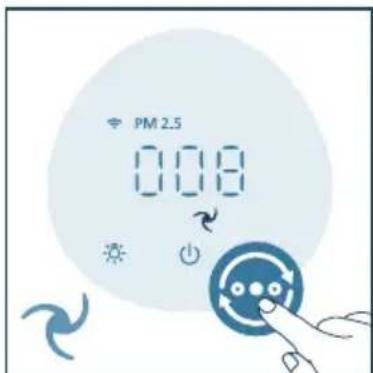
natural_image
Illustration of a hand interacting with a blue circular button (no text or symbols)Ställa in barnlåset
natural_image
Hand holding a blue electrical socket mounted on a pole, with an orange arrow indicating clockwise motion (no text or symbols)natural_image
Hand holding a tool interacting with a wall-mounted device (no text or symbols visible)natural_image
Illustration of a hand interacting with a device labeled 'Aeratherm' (no text or symbols on the device itself)Rengöra filtret
natural_image
Illustration of a hand using a tool to lift a rolled cylindrical object (no text or symbols visible)natural_image
Hand holding a blue electrical socket with an orange arrow indicating rotation (no text or symbols)natural_image
Hand pressing a blue circular button with a power symbol (no text or labels)natural_image
Illustration of a hand holding a spray can with a blue tip, no text or symbols presentByta filter
natural_image
Illustration of a cylindrical device with orange arrows indicating rotation or flow, no text or symbols present.4 Kassera det gamla filtret.
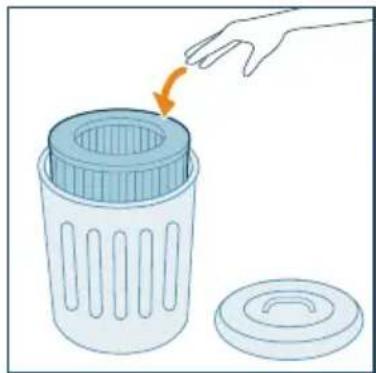
natural_image
Illustration of a hand placing a plastic bin into a trash can with an arrow indicating rotation (no text or symbols)natural_image
Illustration of a hand placing a tool into a cylindrical container with an upward arrow (no text or symbols)natural_image
Hand placing a blue block on a vertical pole with an orange arrow indicating rotation (no text or symbols)natural_image
Hand pressing a blue circular button with an 'I' symbol (no text or numbers present)natural_image
Illustration of a hand holding a spray can with a blue tip, no text or symbols presentÅterställa filtret
natural_image
Hand holding a blue electrical socket mounted on a pole, with an orange arrow indicating the switch (no text or symbols present)Kontrol düğmeleri
natural_image
Illustration of a cylindrical device with orange arrows indicating rotation or flow, no text or symbols present.natural_image
Illustration of a hand placing a tool into a cylindrical container with an upward arrow (no text or symbols)natural_image
Diagram of a portable air purifier with attached power outlet and internal components (no text or symbols)flowchart
graph TD
    A["Smart Phone"] -->|Signal Transmission| B["Mobile Device"]
    B --> C["Back-to-Back Transmission"]
    C --> D["Speaker with Wi-Fi icon"]
    style A fill:#4CAF50,stroke:#388E3C
    style B fill:#4CAF50,stroke:#388E3C
    style C fill:#FFA500,stroke:#388E3C
    style D fill:#4CAF50,stroke:#388E3C
Not:
natural_image
Hand inserting a component into a wall socket (no text or symbols visible)natural_image
Illustration of a hand interacting with a circular button featuring stars and crescent moon (no text or symbols)natural_image
Illustration of a hand interacting with a circular blue object, no text or symbols presentnatural_image
Hand holding a blue electrical socket mounted on a pole, with an orange arrow indicating clockwise motion (no text or symbols)natural_image
Hand holding a small object with a blue handle, connected to a grid-like interface (no text or symbols visible)natural_image
Illustration of a hand pressing a button on a device labeled 'AerisGenius' (no text beyond label)natural_image
Illustration of a hand using a tool to lift a cylindrical object (no text or symbols visible)natural_image
Hand holding a blue electrical socket mounted on a vertical pole, with an orange arrow indicating the direction (no text or symbols present)natural_image
Hand pressing a blue circular button with an 'Power' symbol (no text or numbers present)natural_image
Illustration of a hand spraying a spray bottle with a triangular tip (no text or symbols)Filtreyi değiştirme
natural_image
Illustration of a cylindrical device with orange arrows indicating rotation or flow (no text or symbols)natural_image
Illustration of a hand placing a trash bin into a lid with an arrow indicating rotation (no text or symbols)natural_image
Illustration of a hand placing a tool into a cylindrical container with an upward arrow (no text or symbols)natural_image
Hand holding a blue electrical component mounted on a pole, with an orange arrow indicating direction (no text or symbols)natural_image
Hand pressing a blue circular button with a lightning bolt symbol (no text or labels)natural_image
Illustration of a hand holding a spray can with a blue tip, no text or symbols presentFiltre sifirlama
natural_image
Hand holding a blue electrical socket mounted on a vertical pole, with an orange arrow indicating the pull-down (no text or symbols present)Кнопки керування
natural_image
Illustration of a cylindrical device with orange arrows indicating rotation or flow (no text or symbols)natural_image
Illustration of a hand placing a component into a blue cylindrical container with an upward arrow (no text or symbols)natural_image
Illustration of a HELO® air purifier with connected tubing and a power outlet (no text or symbols)natural_image
Hand inserting a blue block into a wall socket (no text or symbols visible)natural_image
Illustration of a moon, crescent moon, and star with a hand interacting with a circular button (no text or symbols)natural_image
Illustration of a hand interacting with a blue circular button (no text or symbols)natural_image
Hand holding a blue electrical plug with an arrow indicating rotation (no text or symbols)natural_image
Hand holding a small blue object connected to a grid-like interface (no text or symbols visible)natural_image
Illustration of a hand pressing a button on a device (no text or symbols visible)Чищення фільтра
natural_image
Illustration of a hand using a tool to lift a rolled blue cylindrical object (no text or symbols visible)natural_image
Hand holding a blue electrical plug with a pull switch, no text or symbols visiblenatural_image
Hand pressing a blue circular button with a white lightning bolt symbol (no text or labels)natural_image
Illustration of a hand holding a spray can with a dropper (no text or symbols)Заміна фільтра
natural_image
Illustration of a cylindrical device with orange arrows indicating rotation or flow, no text or symbols present.natural_image
Illustration of a hand placing a trash bin into a lid with an arrow indicating rotation (no text or symbols)natural_image
Illustration of a hand placing a component into a cylindrical container with an upward arrow (no text or symbols)natural_image
Hand inserting a blue block into a wall socket (no text or symbols visible)natural_image
Hand pressing a blue circular button with a white lightning bolt symbol (no text or labels)natural_image
Illustration of a hand spraying a spray bottle with a triangular tip (no text or symbols)natural_image
Hand holding a blue electrical socket mounted on a vertical pole, with an orange arrow indicating the direction (no text or symbols present)Các nút điều khiển