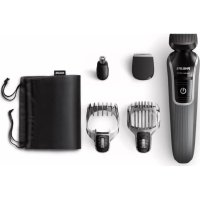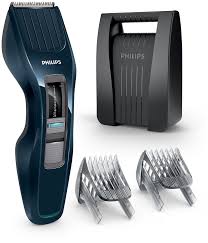
HC3424/80 - Electric mower PHILIPS - Free user manual and instructions
Find the device manual for free HC3424/80 PHILIPS in PDF.



| Product Type | Electric Trimmer |
| Brand | Philips |
| Model | HC3424/80 |
| Power Supply | 100-240 V mains adapter, built-in rechargeable battery |
| Adapter Input Voltage | 100-240 V (automatic selection) |
| Adapter Output Voltage | Less than 24 V (very low safety voltage) |
| Charging Time | 8 hours |
| Cordless Autonomy | 60 minutes |
| Cutting Height (with comb) | 1 to 23 mm |
| Cutting Height (without comb) | 0.5 mm |
| Height Adjustment | Rotary wheel with millimeter markings |
| Beard Comb Included | Yes (for HC3424/80) |
| Storage Case Included | Yes |
| Cleaning Brush Included | Yes |
| Trimmer Unit Cleaning | Washable with water (rinse under tap) |
| Comb Cleaning | Washable with water |
| Waterproofness | No (do not immerse the device) |
| Operating Temperature | 5°C to 35°C |
| Spare Parts | Original Philips trimmer unit (available at authorized service center) |
| Warranty | International warranty (see leaflet) |
Frequently Asked Questions - HC3424/80 PHILIPS
User questions about HC3424/80 PHILIPS
0 question about this device. Answer the ones you know or ask your own.
Ask a new question about this device
Download the instructions for your Electric mower in PDF format for free! Find your manual HC3424/80 - PHILIPS and take your electronic device back in hand. On this page are published all the documents necessary for the use of your device. HC3424/80 by PHILIPS.
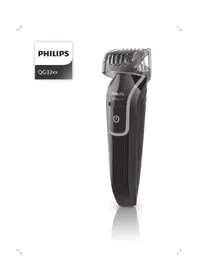
USER MANUAL HC3424/80 PHILIPS
Always here to help you
Register your product and get support at www.philips.com/welcome
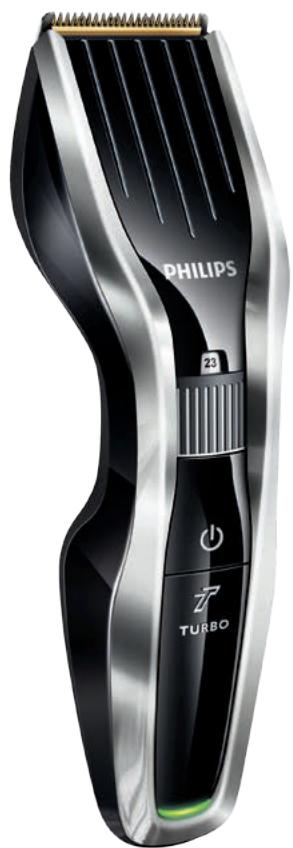
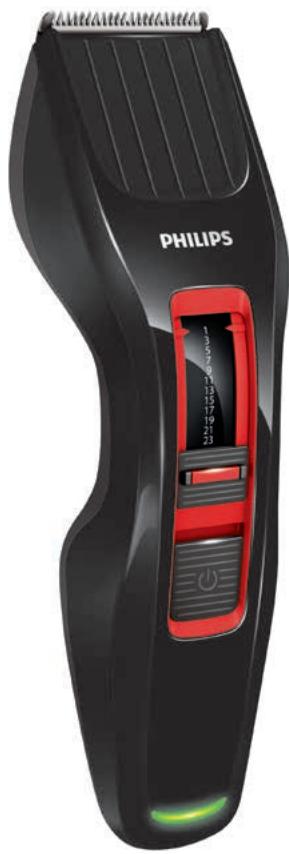
HC5440/80
HC5440/16
HC5440/15
HC3424/80
HC3420/80
HC3420/17
HC3420/15
User manual
ENGLISH 6
DANSK 14
DEUTsCH 22
EAAHNIKA 31
ESPANOL 40
SUOMI 49
FRANÇAIS 57
ITALIANO 66
NEDERLANDS 74
NORSK 82
PORTUGUES 90
SVENSKA 98
TURKCE 106
Introduction
Congratulations on your purchase and welcome to Philips! To fully benefit from the support that Philips offers, register your product at www.philips.com/welcome.
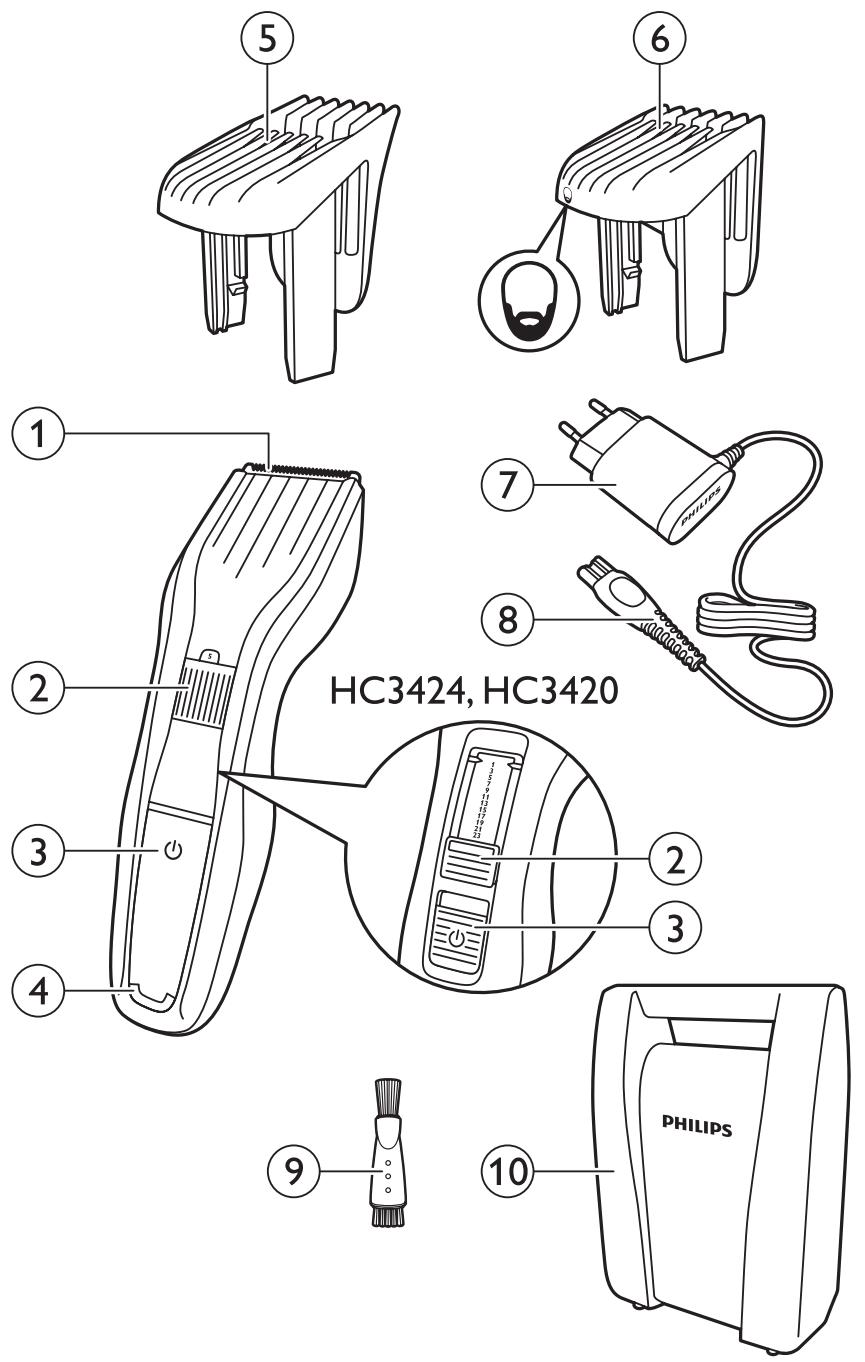
General description (Fig. 1)
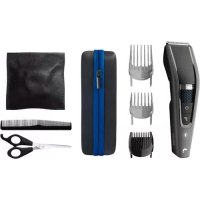
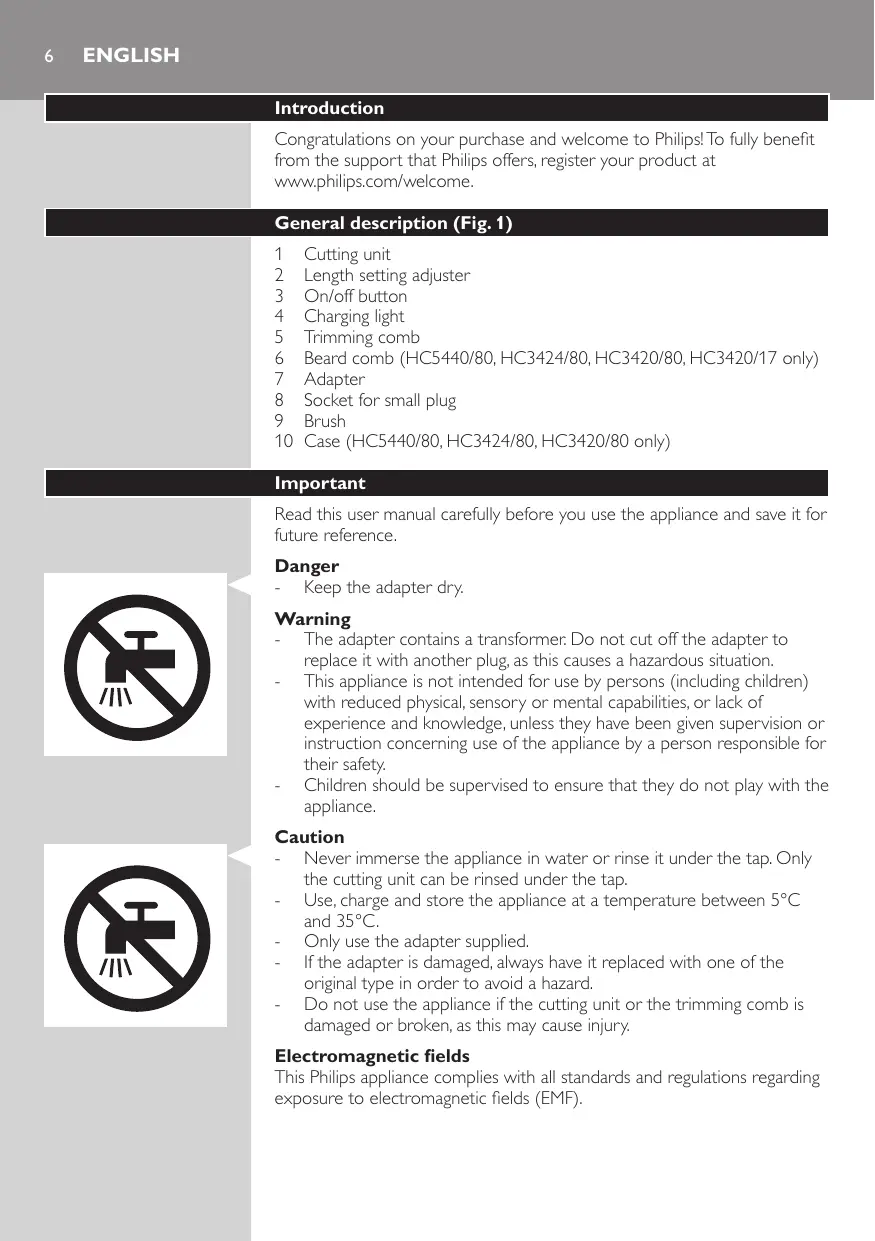
1 Cutting unit
2 Length setting adjuster
3 On/off button
4 Charging light
5 Trimming comb
6 Beard comb (HC5440/80, HC3424/80, HC3420/80, HC3420/17 only)
7 Adapter
8 Socket for small plug
9 Brush
10 Case (HC5440/80, HC3424/80, HC3420/80 only)
Important
Read this user manual carefully before you use the appliance and save it for future reference.
Danger
- Keep the adapter dry.
Warning
- The adapter contains a transformer. Do not cut off the adapter to replace it with another plug, as this causes a hazardous situation.
- This appliance is not intended for use by persons (including children) with reduced physical, sensory or mental capabilities, or lack of experience and knowledge, unless they have been given supervision or instruction concerning use of the appliance by a person responsible for their safety.
- Children should be supervised to ensure that they do not play with the appliance.
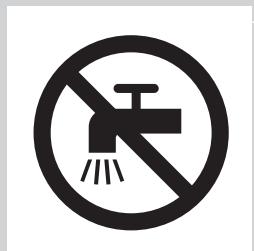
Caution
- Never immerse the appliance in water or rinse it under the tap. Only the cutting unit can be rinsed under the tap.
- Use, charge and store the appliance at a temperature between 5^ and 35^ .
- Only use the adapter supplied.
- If the adapter is damaged, always have it replaced with one of the original type in order to avoid a hazard.
- Do not use the appliance if the cutting unit or the trimming comb is damaged or broken, as this may cause injury.
Electromagnetic fields
This Philips appliance complies with all standards and regulations regarding exposure to electromagnetic fields (EMF).
General
- The appliance is equipped with an automatic voltage selector and is suitable for mains voltages from 100 to 240 volts.
- The adapter transforms 100-240 volts to a safe low voltage of less than 24 volts.
Charging
Charge the appliance fully before you use it for the first time or after a long period of disuse.
It takes approximately 8 hours to fully charge the appliance.
When it is fully charged, the appliance has a cordless operating time of up to 60 minutes (HC3424, HC3420) or 75 minutes (HC5440).
Note: After charging the appliance once fully for the first time, you can also use the appliance directly from the mains. Simply connect the appliance to the mains.
Charging indications
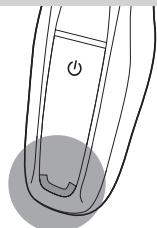
Charging
- When the appliance is charging, the charging light lights up green continuously.
Charging the appliance
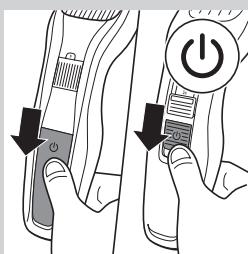
1 Make sure the appliance is switched off.
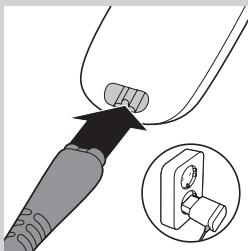
2 Insert the appliance plug into the appliance.
3 Put the adapter in the wall socket.
4 After charging, remove the adapter from the wall socket and pull the appliance plug out of the appliance.
Optimising the lifetime of the rechargeable battery
When you have charged the appliance for the first time, we advise you to use it until the battery is completely empty. Continue to use the appliance until the motor almost stops operating during a session. Then recharge the battery. Follow this procedure at least twice a year.
Using the appliance
The hair length settings are indicated in millimeters, the comb cuts the hair to a length of 1mm to 23mm. The settings correspond to the remaining hair length after cutting.
When you trim for the first time, be careful. Do not move the trimmer too fast. Make smooth and gentle movements.
Tip: Start trimming at a high length setting and reduce the length setting gradually until you have reached the desired hair length.
Trimming with comb
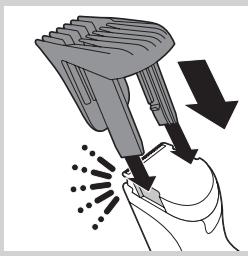
1 Attach the comb onto the appliance.
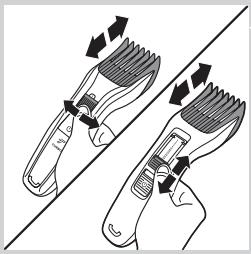
2 Turn the length setting adjuster to the desired length setting.
Note: When you trim for the first time, start at the highest length setting to familiarise yourself with the appliance.
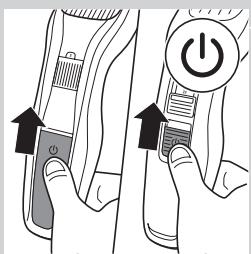
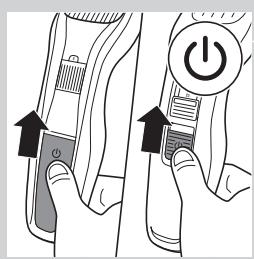
3 Switch on the appliance.
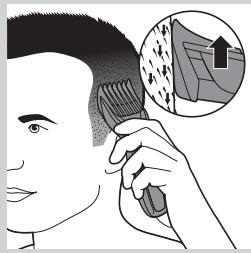
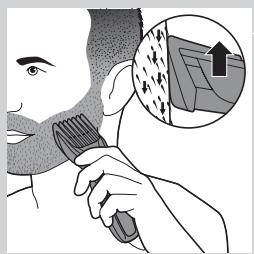
4 To trim most effectively, move the trimmer against the hair growth direction. Make sure the surface of the comb always stays in contact with the skin.
Trimming without comb
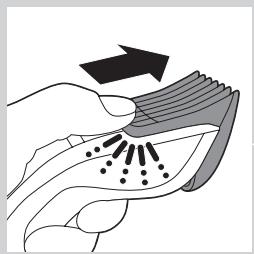
Use the trimmer without the trimming comb to clip hair close to the skin (0.5mm) or to contour the neckline and sideburns.
Be careful when you trim without comb because the cutting element removes every hair it touches.
1 Push the comb off the appliance.
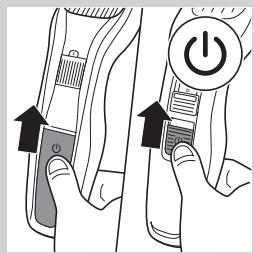
Switch on the appliance.
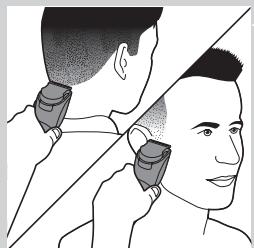
3 Make well-controlled movements. Touch the hair lightly with the trimmer.
Using the beard comb (HC5440/80, HC3424/80, HC3420/80, HC3420/17 only)
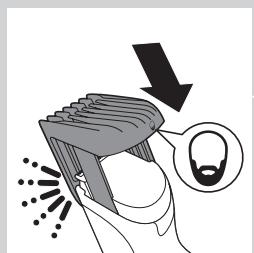
The hair length settings are indicated in millimeters, the comb cuts the hair to a length of 1mm to 23mm. The settings correspond to the remaining hair length after cutting.
1 Attach the comb onto the appliance.
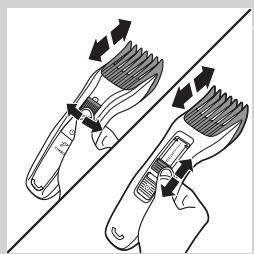
2 Turn the length setting adjuster to the desired length setting.
3 Switch on the appliance.
4 To trim most effectively, move the trimmer against the hair growth direction. Make sure the surface of the comb always stays in contact with the skin.
Cleaning
Never use scouring pads, abrasive cleaning agents or aggressive liquids such as alcohol, petrol or acetone to clean the appliance.
Never immerse the appliance in water or rinse it under the tap.
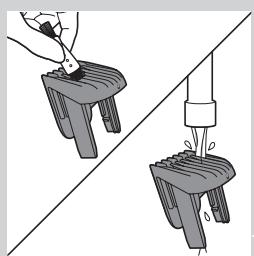
Note: Only the cutting element and the comb can be cleaned with water.
1 Make sure the appliance is switched off and disconnected from the mains.
2 Wipe the housing of the appliance with a dry cloth.
3 Remove the comb and clean it with the brush or rinse it under the tap.
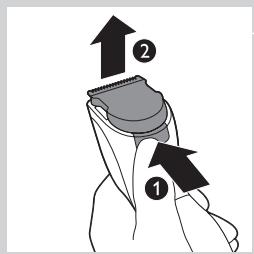
4 Press the release button (1). The cutting unit comes off the appliance (2).
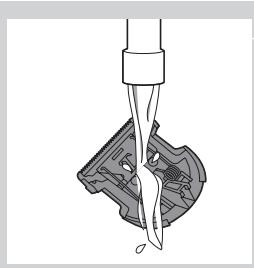
5 Clean the cutting unit with the brush or rinse it under the tap.
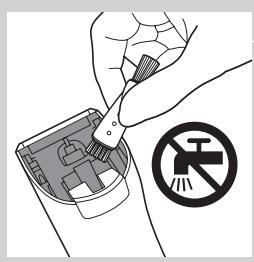
6 Clean the inside of the appliance with the brush.
Never immerse the appliance in water or rinse it under the tap.
7 Shake off excess water. To reattach the cutting unit, insert the lug of the cutting unit into the guiding slot.
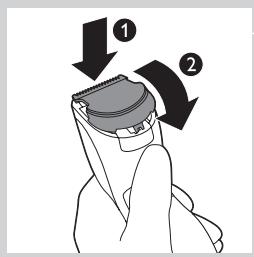
Insert the lug of the cutting unit into the guiding slot (1) and push the cutting unit back onto the appliance (2).
Replacement
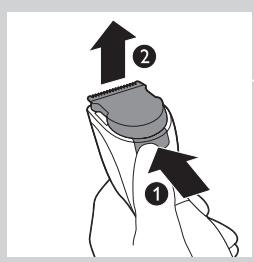
Only replace a worn or damaged cutting unit with an original Philips cutting unit, available from authorised Philips service centres.
1 Press the release button (1). The cutting unit comes off the appliance (2).
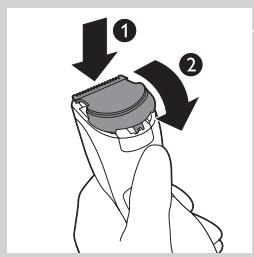
2 Insert the lug of the new cutting unit into the guiding slot (1) and push the cutting unit back onto the appliance (2).
Ordering accessories
To buy accessories or spare parts, visit www.shop.philips.com/service or go to your Philips dealer. You can also contact the Philips Consumer Care Centre in your country (see the worldwide guarantee leaflet for contact details).
Environment

- Do not throw away the appliance with the normal household waste at the end of its life, but hand it in at an official collection point for recycling. By doing this, you help to preserve the environment.
- The built-in rechargeable battery contains substances that may pollute the environment. Always remove the battery before you discard and hand in the appliance at an official collection point. Dispose of the battery at an official collection point for batteries. If you have trouble removing the battery, you can also take the appliance to a Philips service centre. The staff of this centre will remove the battery for you and will dispose of it in an environmentally safe way.
Removing the rechargeable battery
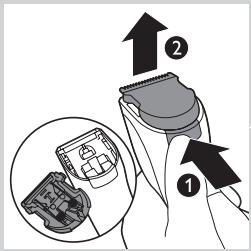
Only remove the rechargeable battery if it is completely empty.
1 Disconnect the appliance from the mains and let the appliance operate until the motor stops.
Press the release button (1) and remove the cutting unit (2).
3 Insert the screwdriver between the motor unit and the back panel of the appliance. Press down the screwdriver as far as it will go
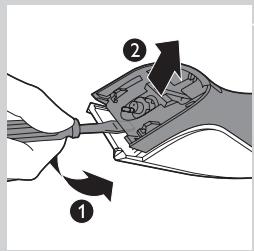
4 Tilt the handle of the screwdriver downwards (1) and separate the back panel from the appliance (2).
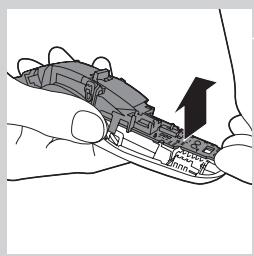
5 Remove the side panels. Pull the bottom part of the printed circuit board with the rechargeable batteries attached from the appliance.
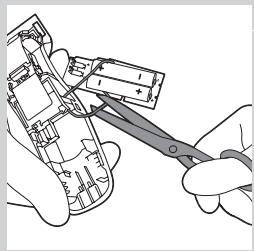
6 Cut the wires to separate the rechargeable batteries from the appliance.
Do not connect the appliance to the mains again after you have opened it.
Guarantee and support
If you need information or support, please visit www.philips.com/ support or read the separate worldwide guarantee leaflet.