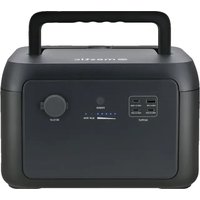
MBP-1000 - Power bank Mestic - Free user manual and instructions
Find the device manual for free MBP-1000 Mestic in PDF.


| Product Type | Portable Lithium Iron Phosphate Battery (LiFePO4) |
| Brand | Mestic |
| Model | MBP-1000 |
| Dimensions | 301 x 227 x 193 mm |
| Net Weight | 7.5 kg |
| Nominal Capacity | 12 Ah |
| Nominal Voltage | 51.2 V |
| Nominal Energy | 614 Wh |
| Cell Type | LiFePO4 (Lithium Iron Phosphate) |
| Life Cycle | 3000 cycles |
| AC Output | 220-240 V~, 50/60 Hz, 1000 W (peak 1600 W) |
| USB-C1 Output | 5 V === 2.4 A, 12 W max. |
| USB-C2/C3 Output | 5/9/12/15 V === 3 A, 20 V === 5 A, 100 W max. |
| Car Charger Output | 12.6 V === 10 A, 126 W max. |
| Adapter Input | 21 V === 5 A, 105 W max. |
| PV (Solar) Input | 13-45 V === 12 A, 400 W max. |
| Car Input | 12/24 V, 5 A max. |
| Built-in Protections | Overheating, low temperature, discharge, overcharge, short circuit, overcurrent |
| Discharge Temperature Range | -20 °C to 45 °C |
| Charge Temperature Range | 0 °C to 45 °C |
| Main Function | Backup power, usable in parallel with 3000 W power station (MPS-300) |
| Maintenance | Wipe with a dry cloth, do not use liquid |
| Box Contents | Portable battery, extension cable, user manual |
Frequently Asked Questions - MBP-1000 Mestic
User questions about MBP-1000 Mestic
0 question about this device. Answer the ones you know or ask your own.
Ask a new question about this device
Download the instructions for your Power bank in PDF format for free! Find your manual MBP-1000 - Mestic and take your electronic device back in hand. On this page are published all the documents necessary for the use of your device. MBP-1000 by Mestic.
USER MANUAL MBP-1000 Mestic
Gebruiksaanwijzing NL User instructions EN Bedienungsanleitung DE Mode d'emploi FR
Instrucciones de uso ES Istruzioni per l'uso IT Betjeningsvejledning DK
Bruksanvisning SE Bruksanvisning NO




1

2

3
In de doos
- Expansion battery pack
- Expansion cable
- Gebruikershandleiding
Parameters
Onderhoud
1

2

3
In the box
- Expansion battery pack
- Expansion cable
- User manual
Parameters
| General | |
| Net weight | 7.5kg |
| Dimensions | 301x227x193mm |
| Nominal energy | 614Wh |
| Nominal capacity | 12Ah |
| Nominal voltage | 51.2V=== |
| Operating humidity | 10%-85% (Non-condensing) |
| Altitude | <2000m |
| Current | Charge: 12A Max., Discharge: 24A Max. |
| Output | |
| Power output | pure sine-wave, total 1000W (peak 1600W), 220-240V~, 50Hz/60Hz, 5A |
| USB-A1 | 220-240V~, 50Hz/60Hz, 200W Max., 5A |
| USB-C1 | 5V=== 2.4A, 12W Max. |
| USB-C2/C3 | 5/9/12/15V=== 3A, 20V=== 5A, 100W Max. |
| Car charger | 12.6V===10A, 126W Max. |
| Input | |
| Power input | 40-57.6V=== 12A, Max. |
| PV charge | 13-45V=== 12A, 400W Max. |
| Adapter input | 21V=== 5A, 105W Max. |
| Car charger | 12V/24V, 5A max. |
| Battery | |
| Cell type | Lithium iron phosphate battery (LiFePO4) |
| Life cycle | 3000 cycles |
| Protection type | Over temperature protection, low temperature protection, over discharge protection, over charge protection, over load protection, short circuit protection , over current protection |
| Operating temperature | |
| Discharge temperature range | -20°C - 45°C |
| Charge temperature range | 0°C - 45°C |
| Storage ambient temperature | -20°C - 45°C (20°C - 30°C recommended) |
Note: Whether the product can be charged or discharged is subject to the actual battery pack temperature.
Safety instructions
-
Before using the expansion battery pack, please read this user manual to ensure understanding and proper use.
-
Do not place a working battery pack close to any heat source, such as fire or a heater.
-
Avoid allowing the battery pack to come into contact with any liquid.
-
Do not use the battery pack in a strong electrostatic or strong magnetic field environment.
-
Do not disassemble the battery pack in any way or pierce it with a sharp object.
-
Avoid short-circuiting the battery pack with wires or other metal objects.
-
It is forbidden to step on, sit, or climb on this product.
-
Do not use non-genuine parts or accessories. For part or accessory replacement, please visit the official sales channel for purchase information.
-
When using the battery pack, strictly follow the operating temperature defined in this user manual. If the temperature is too high, the battery may catch fire or even explode. If the temperature is too low, the battery pack's performance will be seriously impaired, and normal use may be impacted.
-
Do not stack heavy objects on the expansion battery pack, except the expansion battery pack.
-
Do not forcibly stop the fan or expose the battery pack to an unventilated or dusty environment when it is working.
-
Please avoid collisions, dropping, and violent vibrations. If a severe impact occurs, shut down the power supply immediately. Secure the battery pack firmly during transportation to prevent vibration and impact.
-
If the battery pack falls into water accidentally, place it in a safe and wide area, and keep yourself away from it until it's dry. The dried product is not to be used again. Dispose of it properly according to the discard instructions in this manual. If the battery pack is on fire, please use fire extinguishing equipment in the recommended order: water or water mist, sand, fire blanket, dry powder, carbon dioxide fire extinguisher.
-
If there is dirt on the battery pack, use a dry cloth to wipe it.
-
Place the battery pack carefully to prevent damage. If the battery pack is tipped over and seriously damaged, turn off the battery pack immediately, place the battery in a spacious area, keep it away from flammable materials and people, and discard it in accordance with the requirements of local laws and regulations.
-
Keep the battery pack out of the reach of children and pets.
-
Keep the battery pack in a dry and ventilated place.
-
Conditions permitting, be sure to discharge the battery completely, and then put the battery pack in the specified battery recycling bin.
-
The battery pack contains batteries, which are dangerous. It is strictly prohibited to discard them in ordinary dustbins. For details, follow local laws and regulations on battery recycling and disposal.
-
If the battery cannot be discharged completely due to a product failure, do not discard the battery directly in the battery recycling bin. Contact a professional battery recycling company for further disposal.
Warning
-
Do not overcharge the internal battery. See instruction manual.
-
Do not smoke, strike a match, or cause a spark in the vicinity of the battery pack.
-
Only charge the internal battery in a well-ventilated area.
-
CAUTION: Risk of electric shock. Connect only to properly grounded outlets.
-
CAUTION: Risk of injury to persons. Do not use this product if the power cord or the battery cables are damaged in any way.
-
CAUTION: Risk of electric shock. Do not remove cover. No user serviceable parts inside. Refer servicing to qualified service personnel.
- CAUTION: This device is not intended for use in a commercial repair facility.
Product overview
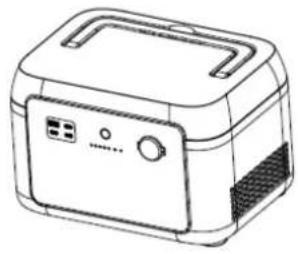
- This product cannot be used alone. It needs to be used together with our 3000 W power station.
- When combined with a 3000 W power station, the on/off function is controlled by the power button on the power station.
- If this product is used alone, press the power switch button to display the current battery capacity. However, it cannot output power. It will automatically shut down after 2 minutes.
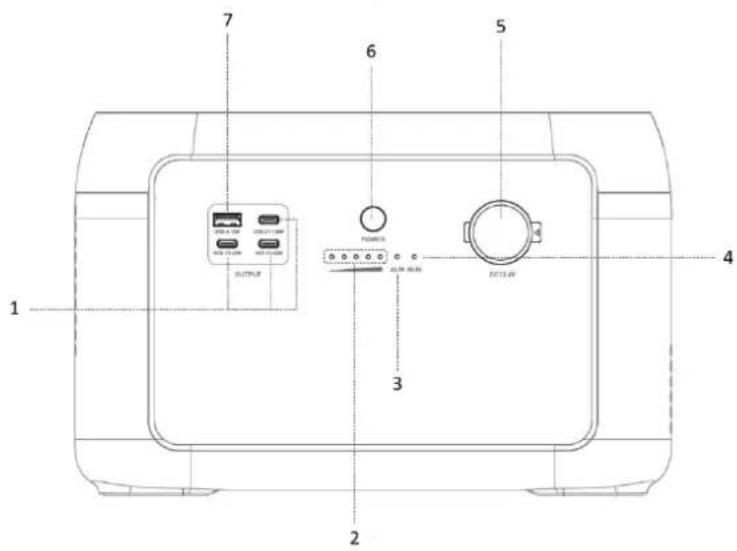
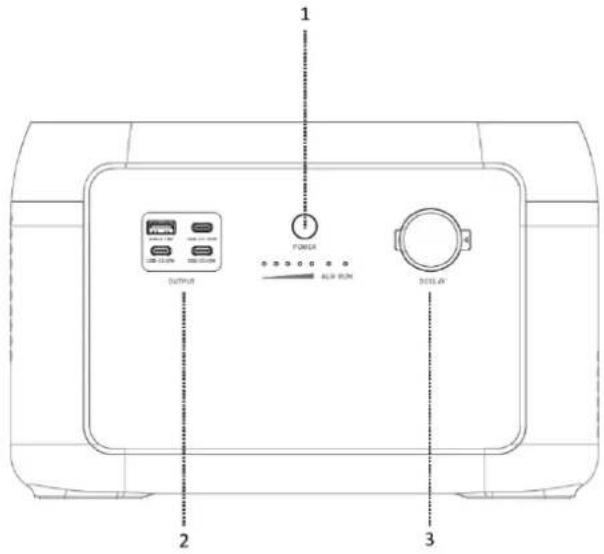
- USB-C output port
- Blue light: SOC Indicator
- Red light: Alarm Indicator
- Blue light: Run Indicator
- Car charge output
- Power button
- USB-A output port

- Solar / car charge input
- Power Input / Output: Connect to the extension port of the power station or the power input/output interface of another battery pack.
Use
- Power on: Short press the power button for 1 second to power on, the indicator light will light up, and the SOC power and operating status will be displayed.
Power off: Press and hold the power button for 3 seconds to shut down, the indicator light will turn off.
-
USB output: USB output is enabled by default after the main power switch is turned on.
-
12V DC output: The 12V DC output is enabled by default after the main power switch is turned on.
PV charging
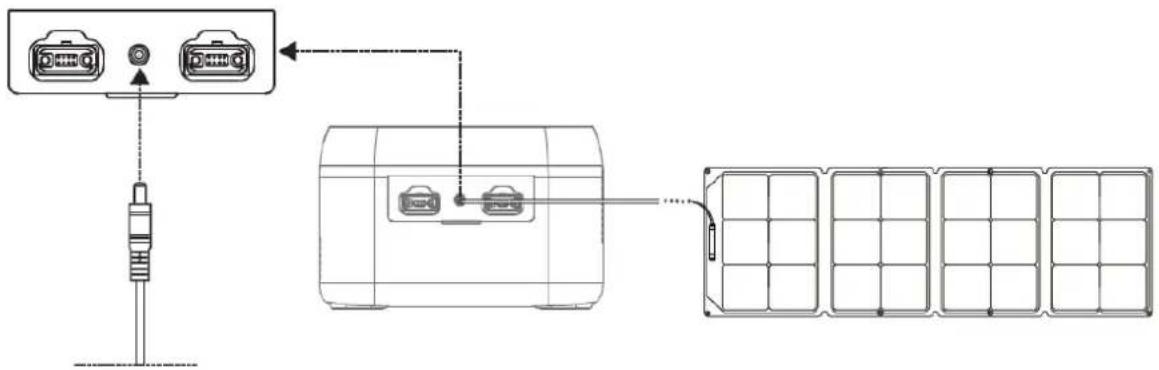
- Please follow the user manual to connect the solar panels.
- Before connecting the solar panel, check whether its output voltage is within power station specifications to avoid damage to the power station.
The interface of this product is DC7909. If you need an adapter cable from MC4 to DC7909, please purchase it yourself.
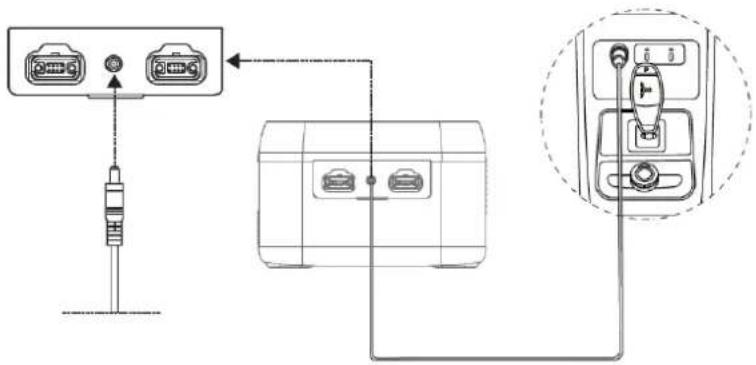
Car charging
The power station can be charged by a car charging port. It should be charged after the car starts to avoid car battery loss and failure to start. At the same time, ensure a good connection between the car charging port and the cigarette lighter. We take no responsibility for any loss caused by improper operation.
| Alerting | |||
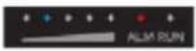
| Indicator | SOC indicator | Alerting | Solution |
| Red light - blinking |  | Battery over voltage | Restart the battery. If it's not fixed, contact customer service. |
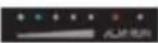 | Battery under voltage | Charge the battery. Wait for the voltage to recover. | |
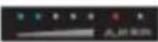 | Unit under voltage | ||
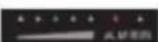 | VTOP under voltage | ||
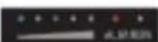 | VTOP over voltage | Restart the battery. If it's not fixed, contact customer service. | |
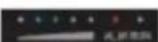 | Battery over temperature | Turn off the battery and wait for 2 hours. If it's not fixed, contact customer service. | |
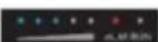 | Battery low temperature | Turn off the battery and wait for the temperature to recover. Restart the battery. If it's not fixed, contact customer service. | |
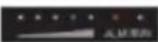 | Overcurrent when charging | Restart the battery. If it's not fixed, contact customer service. | |
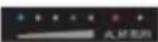 | Overcurrent when discharging 1 | ||
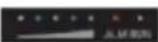 | Overcurrent when discharging 2 | ||
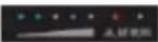 | Short when discharging | Turn off the battery, remove and check equipment, restart. If it's not fixed, contact customer service. | |
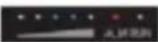 | Short when charging | ||
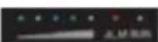 | PCB over temperature | Turn off the battery and wait for 2 hours. If it's not fixed, contact customer service. | |
 | Pre-charge resistor over tempera | ||
 | Battery under voltage | Charge the battery. Wait for the voltage to recover. | |
 | IUIP parallel signal fault | Turn off the battery, check the communication cable. Restart the battery. If it's not fixed, contact customer service. | |
 | I_WORK parallel signal fault | ||
 | Parallelization over time | ||
 | Parallelization readiness failure | ||
| Fault | |||
| Indicator | SOC indicator | Alerting | Solution |
| Red light - always on |  | Battery voltage sampling wire broken | Restart the battery. If it's not fixed, contact customer service. |
 | MOS failure | ||
 | AFE communication failure | ||
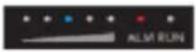 | EEPROM failure | ||
 | Voltage sensor failure | ||
 | Current sensor drift failure | Contact customer service. | |
 | Main circuit fault | ||
 | Pre-charge over time | Restart the battery. If it's not fixed, contact customer service. | |
 | Current sensor failure | ||
 | Dead battery | ||
 | Inverter communication failure | Turn off the battery. Check the communication cable. If it's not fixed, contact customer service. | |
 | CAN bus failure | ||
 | RS485 bus failure | ||
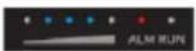 | Parallel address recognition failure | ||
 | Short circuit protection fuse circuit fault | Contact customer service. | |
Battery expansion
The power station supports connection with 6 expansion battery packs at the same time for larger capacity. Please refer to the user manual of the battery pack for details.
Note:
- Before connecting the battery pack, please make sure both the power station and battery pack are off.
- After the battery pack is connected, check if the battery icon is shown on the displays of both the power station and the battery pack.
- While charging, please do not connect or remove the battery pack. If there is a need to connect or remove the battery pack, turn off the power station prior to using it.
- Please do not touch the metal terminals. If there is foreign matter on the metal terminals, gently and carefully clean it with a dry cloth.
Parallel mode of the power station and 1 expansion battery pack:
- Turn off the power station and the expansion battery pack.
-
Plug one end of the cable to the expansion port of the power station and the other and to the power output of the battery pack.
-
After parallel connection, press the power button of the power station to enable the power station and battery pack to show the current capacity. The power station shows the paralleled quantity, and capacity is expanded.
- After parallel connection, connect ports of the power station for charging or discharging.
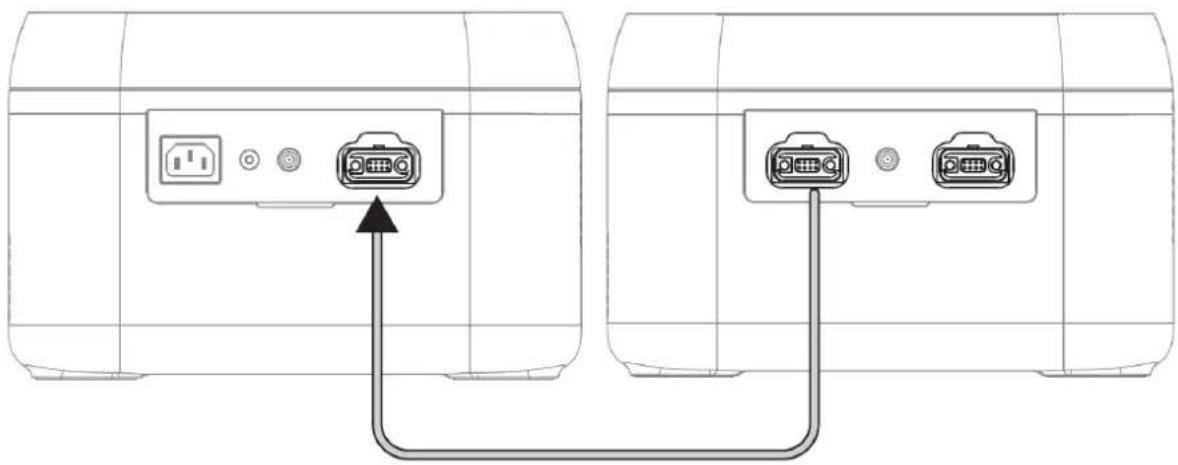
Parallel mode of the power station and multiple expansion battery packs:
- Turn off the power station and expansion battery packs.
- Plug one end of cable 1 To the expansion port of the power station and the other end to the power output of battery pack 1. Plug one end of cable 2 to the power input of battery pack 1 and the other end to the power output of battery pack 2. Plug one end of cable 3 to the power input of battery pack 2 and the other end to the power output of battery pack 3. At most, 6 battery packs can be parallel connected.
- After connecting, press the power button of the power station to enable the power station and battery pack to show their current capacity. The power station shows the paralleled quantity.
- After parallel connection, connect the ports of the power station for charging or discharging.
![graph TD A["Power station"] --> B["Expansion battery pack 2"] B --> C["Expansion battery pack 3"] C --> D["Expansion battery pack 4"] D --> E["Expansion battery pack 5"] E --> F["Expansion battery pack 6"] F --> G["Expansion battery pack 1"] G --> H["Expansion battery pack 2"] H --> I["Expansion bat…](/content/2026/04/723024/images/0f282f66ed51ff17301e0ad66bde7df5046dd16759b0b077b4d22b5690e7dfe9.jpg)
Maintenance
- It is recommended to use or store the expansion battery pack in an ambient temperature of 20\~30°C. Keep it away from water, heaters, and metal parts, and store it in a dry and ventilated place.
- For long-term storage, charge and discharge every 3 months, i.e., discharge to 0% then charge to 100%.
- For safety, do not store the expansion battery pack with a temperature above 45° C or below -10° C.
- If the capacity is lower than 1%, please charge it to 60%. Long-term storage with a serious power shortage will cause irreversible damage to the cell and shorten the service life of the product.
- If the capacity is seriously insufficient and idle time is too long, the product will enter deep sleep mode, and it can only be used after being charged.
- After charging or discharging this product, wait for more than 30 minutes before using it.
Disclaimer
- Before using the expansion battery pack, please read this user manual to ensure understanding and proper use. Keep the user manual for future reference. Improper operation may cause serious injury or result in product damage and property loss. By using the expansion battery pack, you are deemed to have understood and accepted all terms and contents herein. Users promise to be responsible for their actions and all consequences arising therefrom. The company shall not be liable for any loss arising from the user not following this user manual.
- In compliance with laws and regulations, the manufacturer reserves the right of the final interpretation of this document and all related documents of this product. Subject to update, revision, or termination without prior notice, please visit the official website for the latest product information.

Recycling
This product bears the selective sorting symbol for waste electrical and electronic equipment. This means that this product must be handled pursuant to European Directive (2012/19/EU) in order to be recycled or dismantled to minimize its impact on the environment. For further information, please contact your local or regional authorities. Electronic products not included in the selective sorting process are potentially dangerous for the environment and human heath due to the presence of hazardous substances.
Declaration of Conformity
Hereby Gimeg Nederland B.V., declares that the device Power Station MPS-300, complies with the basic requirements and other relevant regulations mentioned in the European Battery Directive (2023/1542/EU), Electromagnetic Compatibility (2014/30/EU) and RoHS (2011/65/EU). A complete declaration of conformity can be requested from the address listed on the back cover.
DEUTSCH
1

2

3
Im karton
- Expansion battery pack
- Expansion cable
- Bedienungsanleitung
Parameter
Wartung
1

2

3
Dans la boîte
Maintenance
1

2

3
Mantenimiento
1

2

3
Nella confezione
- Expansion battery pack
- Expansion cable
- Manuale d'uso
Parametri
Manutenzione
1

2

3
I kassen
- Expansion battery pack
- Expansion cable
- Brugsanvisning
Parametre
Vedligeholdelse
1

2

3
I förpackningen
- Expansion battery pack
- Expansion cable
- Bruksanvisning
Parametrar
Underhåll
1

2

3
I boksen
- Expansion battery pack
- Expansion cable
- Brukerhåndbok
Parametere
Vedlikehold

- IN DE DOOS
- PARAMETERS
- ONDERHOUD
- IN THE BOX
- SAFETY INSTRUCTIONS
- WARNING
- PRODUCT OVERVIEW
- USE
- PV CHARGING
- CAR CHARGING
- BATTERY EXPANSION
- NOTE
- MAINTENANCE
- DISCLAIMER
- RECYCLING
- DECLARATION OF CONFORMITY
- DEUTSCH
- IM KARTON
- DANS LA BOÎTE
- MANTENIMIENTO
- NELLA CONFEZIONE
- MANUTENZIONE
- I KASSEN
- VEDLIGEHOLDELSE
- I FÖRPACKNINGEN
- UNDERHÅLL
- I BOKSEN
- VEDLIKEHOLD
Brand : Mestic
Model : MBP-1000
Category : Power bank