C31DUAL4KDP - Electronic adapter i-TEC - Free user manual and instructions
Find the device manual for free C31DUAL4KDP i-TEC in PDF.


| Product Type | Electronic Adapter |
| Brand | i-TEC |
| Model | C31DUAL4KDP |
| Interfaces | 1x USB-C connector (integrated cable 30 cm), 2x DisplayPort 1.2 ports |
| Maximum Resolution (1 monitor) | 3840x2160 @ 60 Hz |
| Maximum Resolution (2 monitors) | 3840x2160 @ 30 Hz |
| Display Modes | Extended, Mirror, Main monitor |
| Chipset | STDP4320 |
| Power Supply | Via USB-C or Thunderbolt 3 bus, max. 15 W |
| Dimensions (LxWxH) | 70 x 60 x 15 mm |
| Weight | 60 g |
| Compatible Operating Systems | Windows 10 32/64-bit, macOS X 10.10 and later, Android, Chrome OS |
| Usage Conditions | USB-C port with DisplayPort Alternate Mode support or Thunderbolt 3 |
| Package Contents | Dual DP USB-C adapter with cable (30 cm), quick start guide |
| Maintenance and Cleaning | Clean with a dry, non-abrasive cloth. Do not use liquids. |
| Safety | Do not expose to extreme temperatures or humidity. Use on a flat surface. |
| Spare Parts and Repairability | No detachable parts. For any repairs, contact after-sales service. |
Frequently Asked Questions - C31DUAL4KDP i-TEC
User questions about C31DUAL4KDP i-TEC
0 question about this device. Answer the ones you know or ask your own.
Ask a new question about this device
Download the instructions for your Electronic adapter in PDF format for free! Find your manual C31DUAL4KDP - i-TEC and take your electronic device back in hand. On this page are published all the documents necessary for the use of your device. C31DUAL4KDP by i-TEC.
USER MANUAL C31DUAL4KDP i-TEC
Declaration of Conformity 40-41
FCC. 42
EN Please read the entire instruction manual carefully. Detailed manual is available on our website www.i-tec.cz/en/ in the tab „Manuals, drivers". In case of any issues, please contact our technical support at: support@itecproduct.com
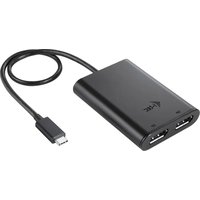
- 1.2x DP port - for connecting DP monitors
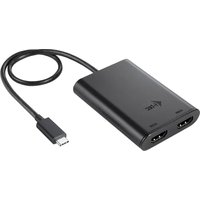
- Integrated cable with USB-C connector - for connecting adapter to laptop, tablet, PC or smartphone through USB-C or Thunderbolt 3 port.
DEUTSCH
Thank you for purchasing i-tec USB-C Dual Display Port Adapter, which allows you to easily connect up to two monitors, TVs or projectors with Display port interface to a laptop, tablet, PC or smartphone with USB-C or Thunderbolt 3 interface. Max. resolution for two DP monitors is 4K@30Hz, for one DP monitor is 4K@60Hz.
Note:
For Apple users: This adapter has the MST function (2 monitors in extended mode), which is not supported by the operating system macOS currently.
For Windows users: MST technology in the Windows OS allows connecting two monitors simultaneously - in the advanced mode (different content on connected monitors) and in the mirroring mode (same content on connected monitors). To set up two monitors, setting of the MST mode in some hardware combinations requires using of both the Windows control utility and the control panel for the Intel HD Graphics.
PACKAGE CONTENTS
- i-tec USB-C Dual Display Port Adapter with cable (30 cm)
Quick Start
SPECIFICATION
- 1x USB-C connector
- Graphic interface: 2x Display Port (spec. 1.2):
- max. resolution 3840x2160@60Hz when connecting single monitor
- max. resolution 3840x2160@30Hz when connecting two monitors
Mode: Mirror, Extend and Primary display
- Supported colours 16 / 32 bit
- Power supply from USB-C or Thunderbolt 3 bus; max. 15W
- Chipset: STDP4320
- OS: Win 10 32/64bit, macOS X 10.10 and higher, Android, Chrome OS. Requires USB-C or Thunderbolt 3 bus.
- Product dimensions: 70 × 60 × 15 mm
Product weight: 60 g
SYSTEM REQUIREMENTS
Requires a USB-C interface with support for the "DisplayPort Alternate Mode" or Thunderbolt 3 port - now Windows 10 32/64bit, macOS X, Chrome OS and Android 6 (Google) with Intel Broadwell Processors and R51 and higher. macOS does not support MST (2 monitors in the extended mode).
For ordinary work on multiple monitors
- Processor: Intel Core i5 2+GHz / AMD Trinity or better
RAM:4GB - Graphics processor: Intel HD 4000, ATI Radeon HD7xxx, NVidia GeForce 5xxM or better
USB-C or Thunderbolt 3 port
For video playback
- Procesor: Intel Core i7 2+GHz / AMD Richland A10-575x / AMD Kaveri A10-7400P or better
RAM:8GB - Graphics processor: Intel HD 4000, ATI Radeon HD 8650, NVidia GeForce 7xxM or better
USB-C or Thunderbolt 3 port
For Ultra HD 4K video playback the computer must be able to decode the video using its primary graphics processor. Low end laptops can be able to playback the video but the quality might be less than ideal (video interruption, screen tearing).
INSTALLING DRIVERS
Once connected, the drivers for the adapter are automatically installed from the system. Before installing, make sure that the latest drivers for your device and updated BIOS are installed in your system.
CONNECTING A DISPLAY PORT MONITOR
The adapter is equipped with 2x Display Port 4K for connecting all monitor or projector with Display Port interface. As imaging equipment, advanced plasma and LCD monitors and TVs can be used. Graphics chips, that are the "heart" of the adapter, support up to 2x 4K (Ultra HD) resolution 3840 x 2160 pixels. To connect the monitor to the adapter, use a high quality DP cable. During the additional monitor installation, the screen of the laptop, Mac, tablet or PC can blink, this is normal state.
Note:
Windows OS: Setting of the MST mode with two connected monitors is always dependent on the internal graphics card and hardware specifications of the notebook / tablet (must support dual monitor set-up). To set up two monitors, using of both the Windows control utility and the "Control panel for the Intel HD Graphics" is required in some hardware combinations (item Display-Multiple monitors). For the corresponding resolution, we also recommend setting of the same refresh rate on both connected monitors.
macOS: macOS does not support MST (2 monitors in the extended mode). For the corresponding resolution for internal graphics card, we recommend to select "Default for Monitor", set resolution on the second external monitor and restart your Mac device.
The majority of problems with the adapter and the connected devices can be solved by disconnecting the USB-C cable of the adapter from the USB-C port of the laptop / tablet / PC / Mac / smartphone and reconnecting after approximately 10 s.
SAFETY INSTRUCTIONS
- Do not expose to extreme temperatures and air humidity.
- Use the device on flat surfaces – you will prevent it from slipping and falling to the ground.
- Save the user manual for a possible use later.
In cooperation with the service department:
- Check functionality after falling to water or to the ground.
- Check functionality when the cover is broken.
- Send the device back if it does not work in accordance with the user manual.
FREQUENTLY ASKED QUESTIONS
Available on our website www.i-tec.cz/en on the "FAQ" tab of this product.
EINLEITUNG
CASTO KLADENE OTÁZKY
CASTO KLADENE OTÁZKY
K dispozicii na našom webe www.i-tec.cz v založke „FAQ" pri toto produkte.
JVADAS
Dékojame, kad jsigijote i-tec USB-C Dual Display Port adapterj, su kuriuo lengvai prijungsite prie savo nešiojamo kompiuteriio, planşetès, PC, ismaniojo Telefonosu USB-C arba Thunderbolt 3 prievadu du monitorius, TV arba projektorius su Display prievadu. Prijungus du DP monitorius didžiausia raisëka yra 4K@30Hz, prijungus vienä DP monitoriü - 4K@60Hz.
Pastabos:
Apple vartotojams: Ši adapteris turi funkcjja MST (2 ekranai išplëstiniame režime), kuri šiu o metu néra operacinës sistemos macOS palaikoma.
This equipment is marked with the above recycling symbol. It means that at the end of the life of the equipment you must dispose of it separately at an appropriate collection point and not place it in the normal domestic unsorted waste stream. This wil benefit the environment for all. (European Union only)
DEUTSCH
This equipment has been tested and found to comply within the limits of a Class B digital device pursuant to Part 15 of the FCC Rules. These limits are designed to provide reasonable protection against harmful interference in a residential installation.