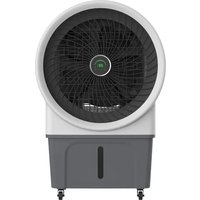
BC52ACP2501 - Air Conditioning Be Cool - Free user manual and instructions
Find the device manual for free BC52ACP2501 Be Cool in PDF.


| Product type | Air cooler / humidifier |
| Brand | Be Cool |
| Model | BC52ACP2501 |
| Dimensions (L x D x H) | 778 x 494 x 1182 mm |
| Net weight | 20.8 kg |
| Rated voltage | 220-240 V~, 50 Hz |
| Rated power | 250 W |
| Water tank capacity | 52 L |
| Air flow rate | 3175 m³/h |
| Speed levels | 3 (Low, Medium, High) |
| Main functions | Cooling, humidification, horizontal and vertical oscillation, timer (1-12h), auto shut-off |
| Remote control | Included, CR2032 battery |
| Filter type | Air filter and wet curtain |
| Water filling method | Manual (top fill) or by hose connection (inner diameter 13.6 mm) |
| Warranty | 2 years (valid in Austria) |
| Safety | Dry run protection, power failure recovery, auto shut-off after 15h |
| Cleaning and maintenance | Clean the tank and surface with a soft cloth and mild detergent. Do not use harsh chemicals. |
Frequently Asked Questions - BC52ACP2501 Be Cool
User questions about BC52ACP2501 Be Cool
0 question about this device. Answer the ones you know or ask your own.
Ask a new question about this device
Download the instructions for your Air Conditioning in PDF format for free! Find your manual BC52ACP2501 - Be Cool and take your electronic device back in hand. On this page are published all the documents necessary for the use of your device. BC52ACP2501 by Be Cool.
USER MANUAL BC52ACP2501 Be Cool
natural_image
Line drawing of a large air conditioner fan with visible blades and mounting base (no text or symbols)HERZLICHEN GLÜCKWUNSCH!
BE COOL
natural_image
Diagram showing a mechanical component before and after assembly, with no visible text or symbolsInbetriebnahme
natural_image
Simple green curved line on white background (no text or symbols)Niedrig
natural_image
Two green curved lines inside a rectangular frame (no text or symbols)Mittel
natural_image
Simple green arc shape on white background (no text or symbols)Hoch
BE COOL
3. "TIMER" Taste
natural_image
Line drawing of a portable air purifier with fan blades and control panel (no text or symbols)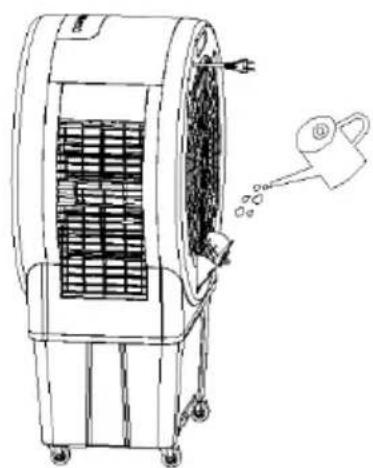
natural_image
Line drawing of an air conditioner unit with cooling fan and water spray (no text or symbols)natural_image
Line drawing of a portable air conditioner unit with fan blades and wheels (no text or symbols)Manuelles Befüllen:
natural_image
Pure technical diagram of a mechanical bracket or frame structure without any text, numbers, or symbolsReinigungshinweis

natural_image
Line drawing of a large air conditioner fan with visible blades and control panel (no text or symbols)FÉLICITATIONS !
MERCI D'AVOIR CHOISI UN PRODUIT BE COOL
ONT DÉCIDÉ.
BE COOL

VEUILLEZ LIRE ATTENTIVEMENT LE MODE D'EMPLOI AVANT DE COMMENCER L'INSTALLATION, L'UTILISATION OU L'ENTRETIEN. PROTÉGEZ-VOUS ET PROTÉGEZ LES AUTRES EN RESPECTANT LES CONSIGNES DE SÉCURITÉ. LE NON-RESPECT DES INSTRUCTIONS POURRAIT ENTRAÎNER DES DOMMAGES CORPORELS ET/OU MATÉRIELS ET/OU LA PERTE DU DROIT À LA GARANTIE !
INFORMATIONS IMPORTANTES SUR LA SÉCURITÉ, L'EMPLACEMENT ET LE RACCORDEMENT ÉLECTRIQUE

Utilisation prévue
BE COOL
natural_image
Diagram showing a mechanical assembly with exploded view of circular components and a final assembled view (no text or labels)BE COOL
Mise en service
natural_image
Simple green curved line on white background (no text or symbols)Faible
natural_image
Two green curved lines inside a rectangular frame (no text or symbols)Moyens
natural_image
Simple green arc shape on white background (no text or symbols)Haute
3. bouton "TIMER
natural_image
Line drawing of a portable air purifier with fan blades and control panel (no text or symbols)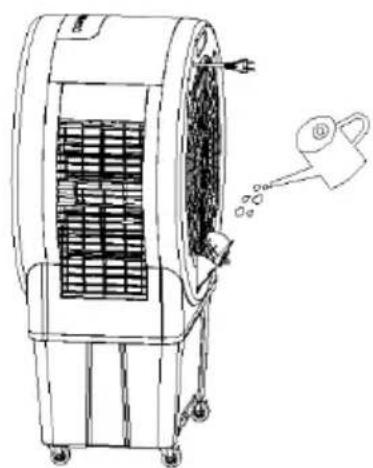
natural_image
Line drawing of an air conditioner unit with cooling fan and water spray (no text or symbols)natural_image
Line drawing of a portable air conditioner unit with fan blades and wheels (no text or symbols)natural_image
Pure technical diagram of a mechanical bracket or frame structure without any text, numbers, or symbolsnatural_image
Line drawing of a large air fan with visible blades and mounting base (no text or symbols)CONGRATULAZIONI!
GRAZIE PER AVER SCELTO UN PRODOTTO BE COOL HANNO DECISO.
BE COOL


LEGGERE ATTENTAMENTE LE ISTRUZIONI PER L'USO PRIMA DI INIZIARE L'INSTALLAZIONE, IL FUNZIONAMENTO O LA MANUTENZIONE. PROTEGGERE SE STESSI E GLI ALTRI SEGUENDO LE ISTRUZIONI DI SICUREZZA. LA MANCATA OSSERVANZA DELLE ISTRUZIONI PUÒ CAUSARE LESIONI PERSONALI E/O DANNI MATERIALI E/O INVALIDARE LA GARANZIA!
INFORMAZIONI IMPORTANTI SULLA SICUREZZA, L'UBICAZIONE E IL COLLEGAMENTO ELETTRICO

Uso previsto
BE COOL
natural_image
Diagram showing a mechanical component before and after assembly, with no visible text or symbolsBE COOL
Messa in servizio
natural_image
Simple green curved line on white background, no text or symbols presentBasso
natural_image
Two green curved lines inside a rectangular frame (no text or symbols)Medio
natural_image
Simple green arc shape on white background (no text or symbols)Alto
3. Pulsante "TIMER
natural_image
Line drawing of a portable air purifier with fan blades and control panel (no text or symbols)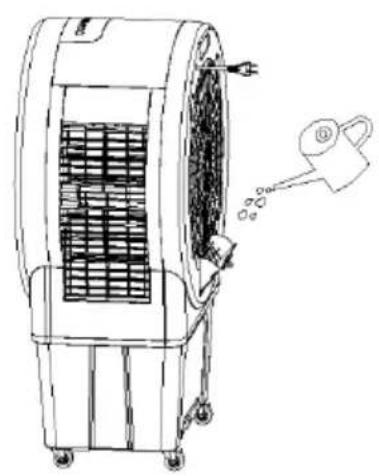
natural_image
Line drawing of an air conditioner unit with cooling fan and fan blades, showing airflow direction (no text or symbols)natural_image
Line drawing of a portable air conditioner unit with fan blades and wheels (no text or symbols)natural_image
Pure technical diagram of a mechanical assembly with no text, numbers, or symbolsnatural_image
Line drawing of a large air fan with visible blades and control panel (no text or symbols)GEFELICITEERD!
BEDANKT VOOR HET KIEZEN VAN EEN PRODUCT VAN BE COOL HEBBEN BESLOTEN.
BE COOL

LEES DE BEDIENINGSINSTRUCTIES ZORGVULDIG DOOR VOORDAT U BEGINT MET DE INSTALLATIE, HET GEBRUIK OF HET ONDERHOUD. BESCHERM UZELF EN ANDEREN DOOR DE VEILIGHEIDSINSTRUCTIES OP TE VOLGEN. HET NIET OPVOLGEN VAN DE INSTRUCTIES KAN LEIDEN TOT PERSOONLIJK LETSEL EN/OF MATERIËLE SCHADE EN/OF HET VERVALLEN VAN DE GARANTIE!
BELANGRIJKE INFORMATIE OVER VEILIGHEID, LOCATIE EN ELEKTRISCHE AANSLUITING
Beoogd gebruik
BESCHRIJVING VAN HET APPARAAT
natural_image
Diagram showing a mechanical component being processed into a final view, with no visible text or symbols.BE COOL
Inbedrijfstelling
natural_image
Simple green curved line on white background, no text or symbols presentLaag
natural_image
Two green curved lines inside a rectangular frame (no text or symbols)Medium
natural_image
Simple green arc shape on white background (no text or symbols)Hoog
3. "TIMER" knop
natural_image
Line drawing of a portable air purifier with fan blades and control panel (no text or symbols)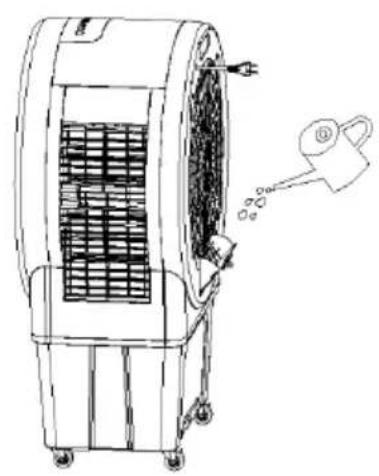
natural_image
Line drawing of an air conditioner unit with cooling fan and fan blades, showing airflow direction (no text or symbols)natural_image
Line drawing of a portable air conditioner unit with fan blades and wheels (no text or symbols)Handmatig vullen:
natural_image
Pure technical diagram of a mechanical bracket or frame structure without any text, numbers, or symbolsnatural_image
Line drawing of a large air conditioner fan with visible blades and control panel (no text or symbols)¡ENHORABUENA!
GRACIAS POR ELEGIR UN PRODUCTO DE BE COOL
HAN DECIDIDO.
BE COOL


natural_image
Diagram showing a mechanical component before and after assembly, with no visible text or symbolsBE COOL
Puesta en servicio
natural_image
Simple green curved line on white background, no text or symbols presentBajo
natural_image
Two green curved lines inside a rectangular frame (no text or symbols)Medio

natural_image
Simple green arc shape on white background (no text or symbols)Alta
3. Botón "TIMER
natural_image
Line drawing of a portable air purifier with fan blades and control panel (no text or symbols)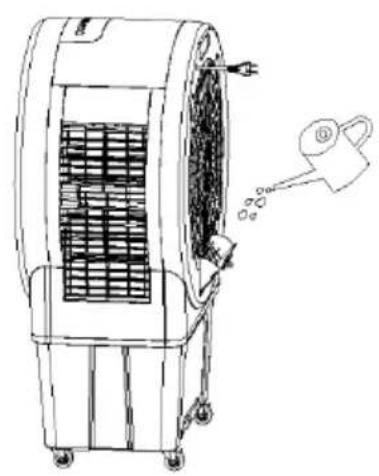
natural_image
Line drawing of an air purifier with fan and wheels, showing airflow direction (no text or symbols)natural_image
Line drawing of a portable air conditioner unit with fan blades and wheels (no text or symbols)Llenado manual:
natural_image
Pure technical diagram of a mechanical bracket or frame structure without any text, numbers, or symbolsnatural_image
Line drawing of a large air conditioner fan with visible blades and control panel (no text or symbols)GRATULUJEME!
DĚKUJEME, ŽE JSTE SI VYBRALI PRODUKT OD SPOLEČNOSTI BE COOL ROZHODLI JSME SE.
BE COOL


PŘED ZAHÁJENÍM INSTALACE, PROVOZU NEBO ÚDRŽBY SI POZORNĚ PŘEČTĚTE NÁVOD K OBSLUZE. DODRŽOVÁNÍM BEZPEČNOSTNÍCH POKYNŮ CHRAŇTE SEBE I OSTATNÍ. NEDODRŽENÍ POKYNŮ MŮŽE MÍT ZA NÁSLEDEK ZRANĚNÍ OSOB A/NEBO POŠKOZENÍ MAJETKU A/NEBO ZTRÁTU ZÁRUKY!
DŮLEŽITÉ INFORMACE O BEZPEČNOSTI, UMÍSTĚNÍ A ELEKTRICKÉM PŘIPOJENÍ

Zamýšlené použití
natural_image
Diagram showing a mechanical assembly process with three views of a circular component and a final view (no text or labels)Uvedení do provozu
natural_image
Simple green curved line on white background (no text or symbols)Nízká
natural_image
Two green curved lines inside a rectangular frame (no text or symbols)Střední
natural_image
Simple green arc on white background with no text or symbolsVysoká
3. Tlačítko "TIMER"
natural_image
Line drawing of a portable air conditioner unit with fan blades and control panel (no text or symbols)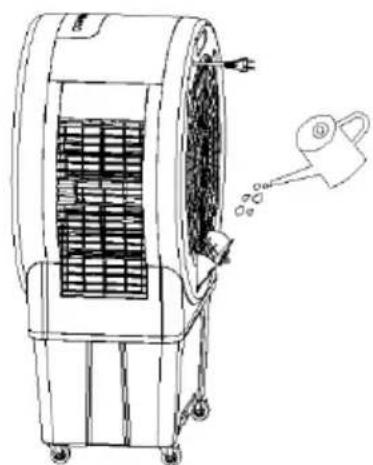
natural_image
Line drawing of an air conditioner unit with cooling fan and water drop (no text or symbols)Plnění hadicí:
natural_image
Line drawing of a portable air conditioner with fan blades and wheels (no text or symbols)BE COOL
Ruční plnění:
natural_image
Pure technical diagram of a mechanical assembly with no text, numbers, or symbolsPokyny k čištění

natural_image
Line drawing of a large air conditioner fan with visible blades and control panel (no text or symbols)GRATULUJEME!
ĐAKUJEME, ŽE STE SI VYBRALI PRODUKT OD SPOLOČNOSTI BE
COOL ROZHODLI SA.
BE COOL


PRED ZAČATÍM INŠTALÁCIE, PREVÁDZKY ALEBO ÚDRŽBY SI POZORNE PREČÍTAJTE NÁVOD NA OBSLUHU. DODRŽIAVANÍM BEZPEČNOSTNÝCH POKYNOV CHRÁNTE SEBA AJ OSTATNÝCH. NEDODRŽANIE POKYNOV MÔŽE MAŤ ZA NÁSLEDOK ZRANENIE OSÔB A/ALEBO POŠKODENIE MAJETKU A/ALEBO STRATU PLATNOSTI ZÁRUKY!
DÔLEŽITÉ INFORMÁCIE O
BEZPEČNOSTI, UMIESTNENÍ A ELEKTRICKOM PRIPOJENÍ


Zamýšl'ané použitie
natural_image
Diagram showing a mechanical component before and after assembly, with no visible text or symbols- Teraz vložte novú batériu CR2032, pričom vždy dbajte na označenie polarity (+/-) na batérii a držiaku batérie.
natural_image
Simple green curved line on white background (no text or symbols)Nízka
natural_image
Two green curved lines on a white background, no text or symbols presentStredné
natural_image
Simple green arc shape on white background (no text or symbols)Vysoká
3. Tlačidlo "TIMER"
natural_image
Line drawing of a portable air conditioner unit with fan blades and control panel (no text or symbols)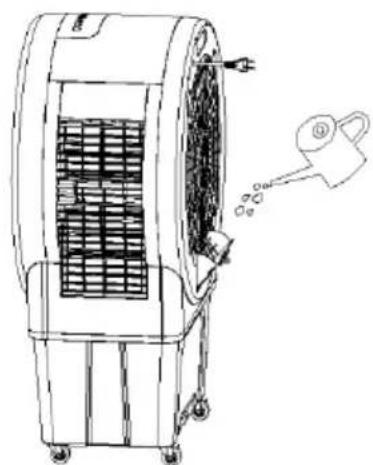
natural_image
Line drawing of an air conditioner unit with cooling fan and water spray (no text or symbols)Plnenie hadicou:
Pripojte spotrebič k hadici na vodovodnom kohútiku a otvorte vodovodný kohútik, aby ste naplnili nádrž na vodu. Hadica na vodu by mala mat' vnútorný priemer 13,6 mm.
natural_image
Line drawing of a portable air conditioner unit with fan blades and wheels (no text or symbols)BE COOL
Ručné plnenie:
natural_image
Pure technical diagram of a mechanical assembly with no text, numbers, or symbolsPokyny na čistenie

natural_image
Line drawing of a large air conditioner fan with visible blades and control panel (no text or symbols)FELICITĂRI!
VĂ MULȚUMIM PENTRU CĂ AȚI ALES UN PRODUS DE LA BE COOL AU DECIS.
BE COOL


VĂ RUGĂM SĂ CITIȚI CU ATENȚIE INSTRUCȚIUNILE DE UTILIZARE ÎNAINTE DE A ÎNCEPE INSTALAREA, FUNCTIONAREA SAU ÎNTRETINEREA. PROTEJAȚI-VĂ PE DVS. ȘI PE CEILALȚI PRIN RESPECTAREA INSTRUCTIUNILOR DE SIGURANȚĂ. NERESPECTAREA INSTRUCTIUNILOR POATE DUCE LA VĂTĂMĂRI CORPORALE ȘI/SAU PAGUBE MATERIALE ȘI/SAU INVALIDAREA GARANȚIEI!
INFORMATII IMPORTANTE PRIVIND SIGURANTA, AMPLASAREA ŞI CONEXIUNEA ELECTRICĂ


BE COOL
Utilizare prevăzută
natural_image
Diagram showing a mechanical component before and after assembly, with no visible text or symbolsnatural_image
Simple green curved line on white background, no text or symbols presentScăzut
natural_image
Two green curved lines inside a white square frame (no text or symbols)Mediu
natural_image
Simple green arc shape on white background (no text or symbols)Înaltă
3. Butonul "TIMER"
natural_image
Line drawing of a portable air purifier with fan blades and ventilation slots (no text or symbols)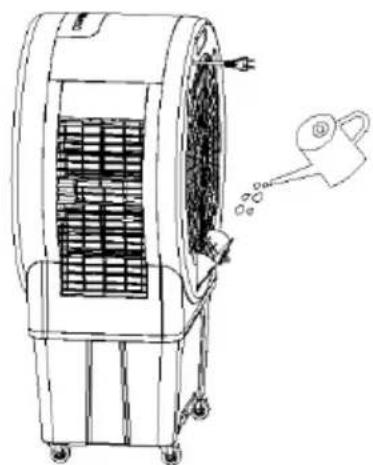
natural_image
Line drawing of an air conditioner unit with cooling fan and water drop (no text or symbols)Umplere cu un furtun:
natural_image
Line drawing of a portable air conditioner unit with fan blades and wheels (no text or symbols)BE COOL
Umplere manuală:
natural_image
Pure technical diagram of a mechanical assembly with no text, numbers, or symbolsnatural_image
Line drawing of a large air fan with visible blades and mounting base (no text or symbols)GRATULACJE!
DZIEKUJEMY ZA WYBRANIE PRODUKTU OD BE COOL PODJELI DECYZJE.
BE COOL


PRZED ROZPOCZEĘCIEM INSTALACJI, OBSŁUGI LUB KONSERWACJI NALEŻY UWAŻNIE PRZECZYTAĆ INSTRUKCJĘ OBSŁUGI. NALEŻY CHRONIĆ SIEBIE I INNYCH, POSTĘPUJĄC ZGODNIE Z INSTRUKCJAMI BEZPIECZEŃSTWA. NIEPRZESTRZEGANIE INSTRUKCJI MOŻE SPOWODOWAĆ OBRAŻENIA CIAŁA I/LUB USZKODZENIE MIENIA I/LUB UNIEWAŻNIENIE GWARANCJI!
WAŻNE INFORMACJE
DOTYCZĄCE
BEZPIECZEŃSTWA,
LOKALIZACJI I PODŁĄCZENIA
ELEKTRYCZNEGO


BE COOL
Przeznaczenie
natural_image
Diagram showing a mechanical component being processed into a final view, with no text or symbols present.Uruchomienie
natural_image
Simple green curved line on white background, no text or symbols presentNiski
natural_image
Two green curved lines inside a rectangular frame (no text or symbols)Średni
natural_image
Simple green arc shape on white background (no text or symbols)Wysoki
3. przycisk "TIMER"
natural_image
Line drawing of a portable air conditioner unit with fan blades and control panel (no text or symbols)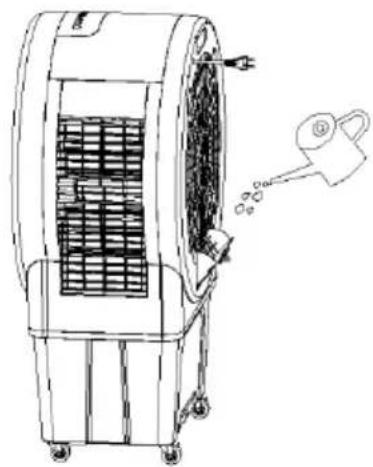
natural_image
Line drawing of an air conditioner unit with cooling fan and water spray (no text or symbols)natural_image
Line drawing of a portable air conditioner unit with fan blades and wheels (no text or symbols)Ręczne napełnianie:
natural_image
Pure technical diagram of a mechanical assembly with no text, numbers, or symbolsBE COOL
natural_image
Line drawing of a large air conditioner fan with visible blades and control panel (no text or symbols)ČESTITAMO!
HVALA, KER STE IZBRALI IZDELEK BE COOL
SE JE ODLOČILO.
BE COOL


Aktualna navodila za uporabo in drugi jeziki
PRED ZAČETKOM NAMESTITVE, DELOVANJA ALI VZDRŽEVANJA NATANČNO PREBERITE NAVODILA ZA UPORABO. Z UPOŠTEVANJEM VARNOSTNIH NAVODIL ZAŠČITITE SEBE IN DRUGE. NEUPOŠTEVANJE NAVODIL LAHKO POVZROČI TELESNE POŠKODBE IN/ALI MATERIALNO ŠKODO IN/ALI RAZVELJAVITEV GARANCIJE!
POMEMBNE INFORMACIJE O VARNOSTI, LOKACIJI IN ELEKTRIČNEM PRIKLJUČKU
Predvidena uporaba
natural_image
Diagram showing a mechanical assembly process with three circular components and a directional arrow (no text or labels)- Zdaj vstavite novo baterijo CR2032 in pri tem upoštevajte oznake polarnosti (+/-) na bateriji in nosilcu baterije.
- Nato nosilec baterije popolnoma privijte nazaj v daljinski upravljalnik.
Oddaja v uporabo
Pred uporabo naprave vzemite izdelek iz embalaže in se prepričajte, da so zavore na kolesih blokirane.
Priključite omrežni kabel. Sprva so vsi zasloni ugasnjeni, aparat pa je v stanju pripravljenosti. Po vklopu se zasliši dvojni zvočni signal in naprava preklopi v način pripravljenosti.
BE COOL
natural_image
Simple green curved line on white background (no text or symbols)Nizka
natural_image
Two green curved lines inside a rectangular frame (no text or symbols)Srednja
natural_image
Simple green arc on white background with no text or symbolsVisoka
3. Gumb "TIMER"
natural_image
Line drawing of a large industrial air purifier with fan blades and control panel (no text or symbols)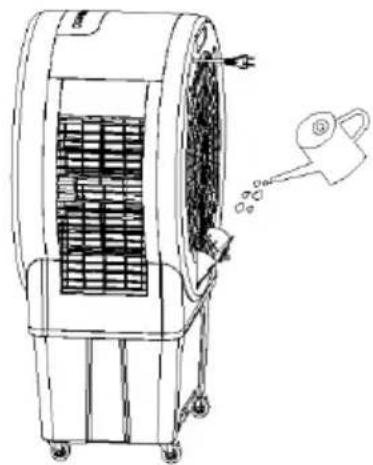
natural_image
Line drawing of an air conditioner unit with cooling fan and water spray bottle (no text or symbols)Polnjenje s cevjo:
natural_image
Line drawing of a portable air conditioner unit with fan and wheels (no text or symbols)Ročno polnjenje:
- Pri polnjenju rezervoarja za vodo z zalivalko ali posodo bodite pozorni na indikator nivoja vode v rezervoarju za vodo.
Pomembne opombe:
- Prepričajte se, da se nivo vode ne dvigne nad najvišjo raven ali pod
BE COOL
najnižjo raven.
- Uporabljajte samo čisto vodo iz pipe.
natural_image
Pure technical diagram of a mechanical component with no text, numbers, or symbolsnatural_image
Line drawing of a large air fan with visible blades and control panel (no text or symbols)UVJETI ČESTITAMO!
MNOGI ZAHVALJUJUĆI, DA ONA SE ZA A PROIZVOD IZ BE COOL ODLUČIO IMATI.
BE COOL


Aktualni korisnički priručnici i drugi jezici
Preuzmite aktualne upute za uporabu na raznim jezicima putem poveznice www.becool.at/downloads ili skenirajte prikazani QR kod. Slijedite upute na web stranici.

MOLIMO VAS, PAŽLJIVO PROČITAJTE UPUTE ZA KORISNIKE PRIJE UGRADNJE, RADA ILI ODRŽAVANJA. ZAŠTITITE SEBE I DRUGE PRIDRŽAVANJEM SIGURNOSNIH UPUTA. NEPRIDRŽAVANJE UPUTA MOŽE REZULTIRATI OSOBNIM OZLJEDAMA I/ILI ŠTETOM NA IMOVINI I/ILI PONIŠTENJEM JAMSTVA!
VAŽNE INFORMACIJE DO SIGURNOST, MJESTO I ZA ELEKTRIČNI PRIKLJUČAK

Namjena
natural_image
Diagram showing a mechanical assembly process with three circular components and a right-pointing arrow indicating direction (no text or symbols)- Sada umetnite novu bateriju CR2032, uvijek pazeći na oznake polariteta (+/-) na bateriji i držaču baterije.
- Zatim potpuno vratite držač baterije u daljinski upravljač.
Puštanje u rad
natural_image
Simple green curved line on white background, no text or symbols presentNiedrig
natural_image
Two green curved lines inside a rectangular frame (no text or symbols)Mittel
natural_image
Simple green arc on white background (no text or symbols)Hoch
3. Tipka "TIMER".
U načinu rada, tipka Timer omogućuje vam postavljanje vremena rada između 0 i 12 sati.
natural_image
Line drawing of a portable air conditioner unit with fan blades and control panel (no text or symbols)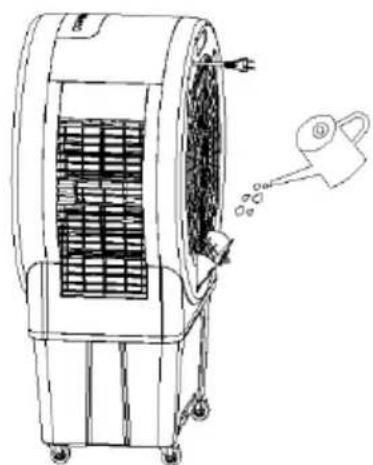
natural_image
Line drawing of an air conditioner unit with cooling fan and water spray (no text or symbols)Punjenje crijevom:
natural_image
Line drawing of a portable air conditioner unit with fan blades and wheels (no text or symbols)BE COOL
Ručno punjenje:
- Prilikom punjenja kantom za zalijevanje ili posudom obratite pozornost na indikator razine vode u spremniku za vodu.
Važne upute:
- Pazite da razina vode ne poraste iznad maksimalne razine ili ispod minimalne razine.
- Koristite samo čistu vodu iz slavine.
- Napomena: Blagi miris ili blaga promjena boje vode kod prve uporabe je normalna i bezopasna za zdravlje.
natural_image
Pure technical diagram of a mechanical assembly with no text, numbers, or symbolsUpute za čišćenje

Nemojte koristiti kemikalije prilikom čišćenja.
Isključite napajanje i izvucite kabel za napajanje.
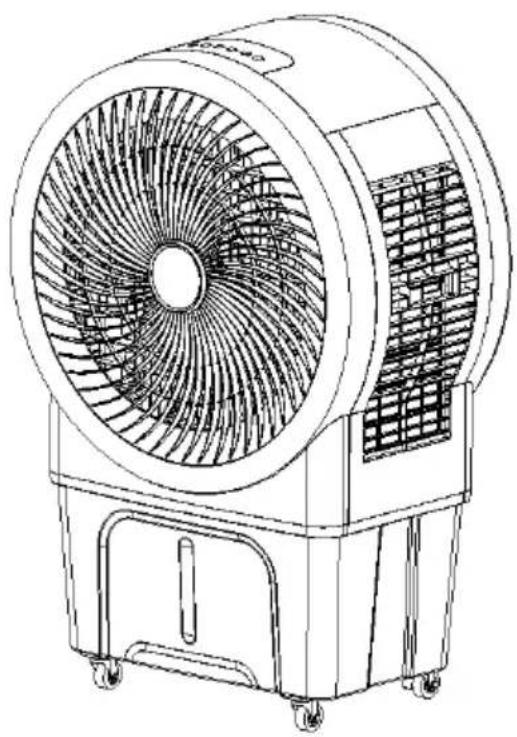
Air cooler BC52ACP2501
natural_image
Line drawing of a large air conditioner fan with visible blades and control panel (no text or symbols)CONGRATULATIONS! THANK YOU FOR CHOOSING A PRODUCT FROM BE COOL HAVE DECIDED.
BE COOL

Current operating instructions and other languages
Download the latest operating instructions in various languages via the link www.becool.at/downloads or scan the QR code shown. Follow the instructions on the website.

PLEASE READ THE OPERATING INSTRUCTIONS CAREFULLY BEFORE STARTING INSTALLATION, OPERATION OR MAINTENANCE. PROTECT YOURSELF AND OTHERS BY FOLLOWING THE SAFETY INSTRUCTIONS. FAILURE TO FOLLOW INSTRUCTIONS COULD RESULT IN PERSONAL INJURY AND/OR PROPERTY DAMAGE AND/OR VOID THE WARRANTY!
IMPORTANT INFORMATION ON SAFETY, LOCATION AND ELECTRICAL CONNECTION

Intended use
The air cooler is designed exclusively for the ventilation of dry rooms.
BE COOL
Only use the air cooler as described in these operating instructions.
ATTENTION!!!
This appliance has very strong water evaporation. Do not use the appliance in enclosed living spaces.
To avoid the risk of operating errors and to make better use of the appliance, please read the operating instructions before use.
- The appliance is intended for household and indoor use only.
- When using this appliance, you must use a qualified power outlet that has been tested and meets the requirements. Please check the voltage used when moving the appliance.
- This appliance is not intended for use by persons (including children) with reduced physical, sensory or mental capabilities, or lack of experience and knowledge, unless they have been given supervision or instruction concerning use of the appliance by a person responsible for their safety. Children should be supervised to ensure that they do not play with the appliance.
- This appliance can be used by children aged from 8 years and above and persons with reduced physical, sensory or mental capabilities or lack of experience and knowledge if they have been given supervision or instruction concerning use of the appliance in a safe way and understand the hazards involved. Children must not play with the appliance. Cleaning and
BE COOL
maintenance work must not be carried out by children without supervision.
-
If the mains cable is damaged, it must be replaced by the manufacturer, its customer service department or similarly qualified persons in order to avoid a hazard.
-
Disconnect the mains plug during filling and cleaning.
-
Do not touch the power cable plug with wet hands as there is a risk of electric shock.
-
Do not pull on the cable when disconnecting the mains cable.
-
Do not fold the mains cable and do not place any heavy objects on it.
-
It is strictly forbidden to insert foreign objects such as wooden or metal sticks into the air inlet and outlet, as this can lead to leaks, short circuits and possible product damage.
-
Do not spray pesticides and flammable sprays near the product, as these can damage the product.
-
Avoid pointing the air outlet of the appliance directly at children for long periods of time, as this may make them ill or affect their health.
-
When using the device, make sure that the mains cable plug is free of foreign objects and that the plug is fully inserted.
-
Unusual handling. If the product emits a strange odor and unusual noises during use, please stop using it immediately and unplug it from the mains.
-
If you have filled the appliance with water, do not tip or bump it when setting it up or moving it to avoid splashes. If the product has been tipped out and there is water in the appliance, unplug it immediately and wait 24 hours for it to dry before switching it on again.
BE COOL
- The water level in the water tank should not exceed the maximum water level line.
- If the appliance's water tank is full of water, do not grab the handle to lift the entire machine, otherwise the water in the water tank will overflow. You can only press the handle to move the appliance and only when it is confirmed that there is no or very little water in the water tank can you grab the handle to move the appliance. Lift the entire machine.
- When humidifying the air, it is strictly forbidden to dismantle and install the air filter net and the holder for the humid curtain, as otherwise water droplets will spray out of the air outlet.
- If you leave the appliance or do not use it for a longer period of time, you must switch it off and disconnect the mains plug from the socket.
- If the product is defective, please send it to the repair shop or notify customer service and do not disassemble or replace the parts without authorization. Arbitrary disassembly or modification will impair the safety of the product.
- WARNING: Risk of burns from chemicals. Keep batteries away from children.
- Do not swallow the battery, risk of chemical burns.
- This product contains a button cell battery. If the button cell battery is swallowed, it can cause severe internal burns within just 2 hours.
- If the battery compartment cannot be closed securely, stop using the product and keep it away from children.
- If you think batteries may have been swallowed or may have entered any part of your body, seek medical advice immediately.
BE COOL
- The batteries contain environmentally hazardous substances; they must be removed from the appliance and disposed of safely before scrapping.
- Note that high humidity can promote the growth of biological organisms in the environment.
- Ensure that the area around the humidifier does not become damp or wet. If the output of the humidifier cannot be reduced, use the humidifier intermittently. Make sure that no absorbent materials such as carpets, curtains, drapes or tablecloths become damp.
- Never leave water in the container when the appliance is not in use.
- Empty and clean the humidifier before storage. Clean the humidifier before the next use.
BE COOL
Recycling, disposal, declaration of conformity
 | RECYCLINGThe packaging materials can be recycled. It is therefore recommended to dispose of them in sorted waste |
 | DISPOSALThe "crossed-out dustbin" symbol requires the separate disposal of waste electrical and electronic equipment (WEEE). Electrical and electronic equipment may contain hazardous and environmentally harmful substances. Therefore, do not dispose of them in unsorted residual waste, but at a designated collection point for waste electrical and electronic equipment. This will help to protect resources and the environment. For further information, please contact your dealer or the local authorities. Directive 2012/19/EU |
 | BATTERY DISPOSALIn accordance with current legislation on batteries, accumulators and related waste, the crossed-out wheeled garbage can symbol on the battery indicates that it is prohibited to dispose of used batteries in household waste. Batteries and accumulators contain highly polluting substances. The user is obliged to dispose of used batteries at the collection points in the municipality or in the appropriate containers. The service is free of charge. In this way, the legal requirements are complied with and the environment is protected.This model is equipped with batteries of type: CR2032. |
 | DECLARATION OF CONFORMITYWe hereby confirm that this product complies with the essential requirements, regulations and directives of the EU. You can view the detailed declaration of conformity at any time under the following link:https://www.schuss-home.at/downloads |
Errors and technical changes excepted.
BE COOL
SCOPE OF DELIVERY
The BE COOL cooler is supplied with:
- 1 × air cooler
- 1 × remote control
- 1× operating instructions
- 4 × castors
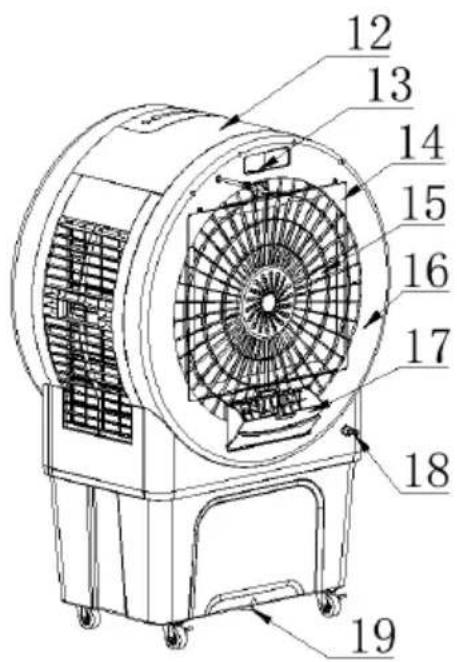
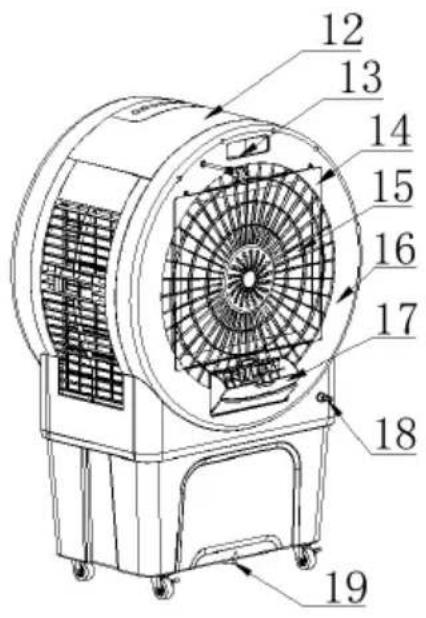
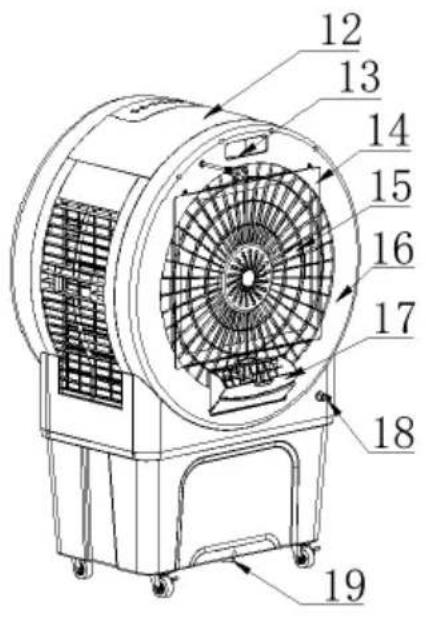
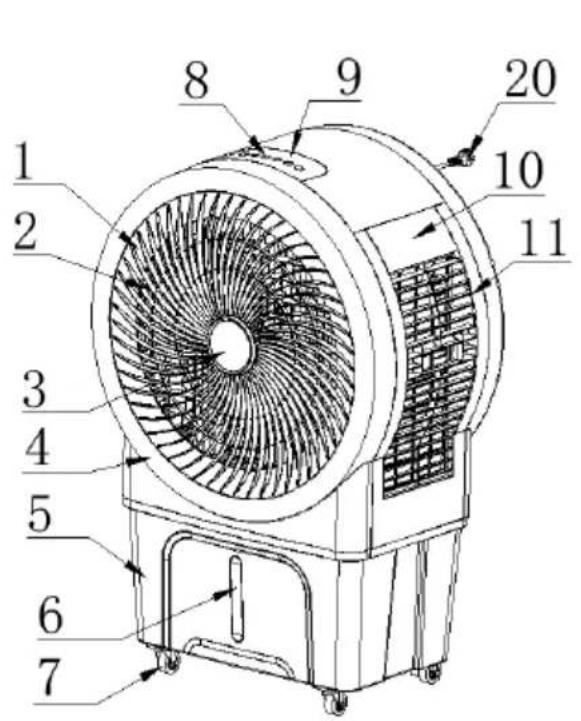
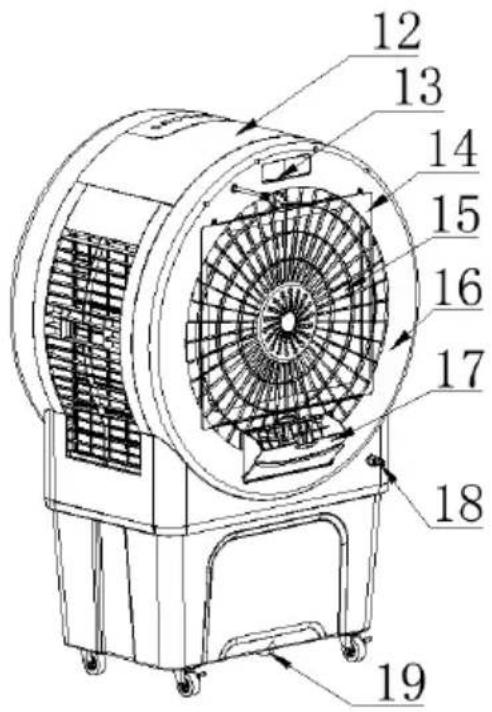
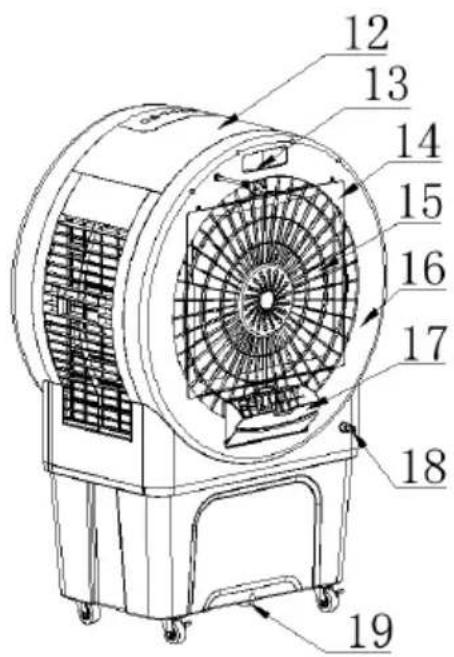
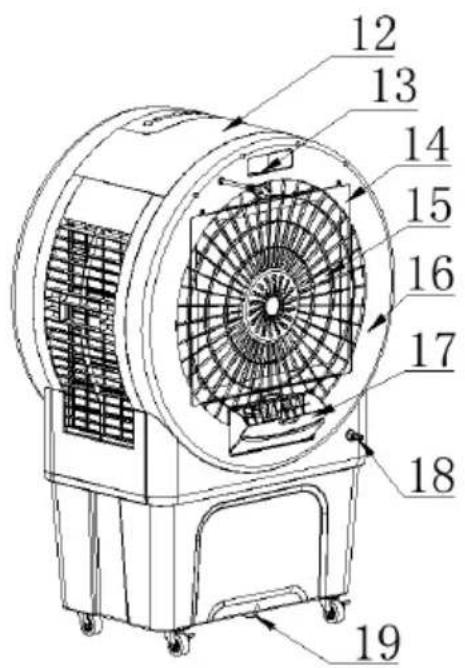
DESCRIPTION OF THE DEVICE
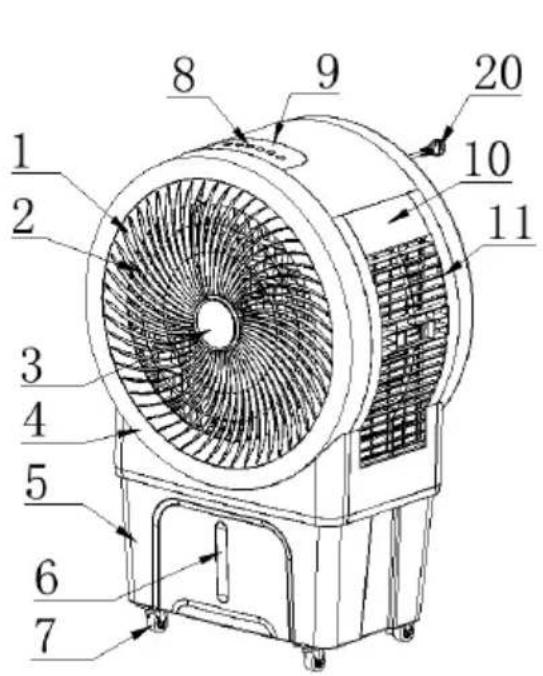
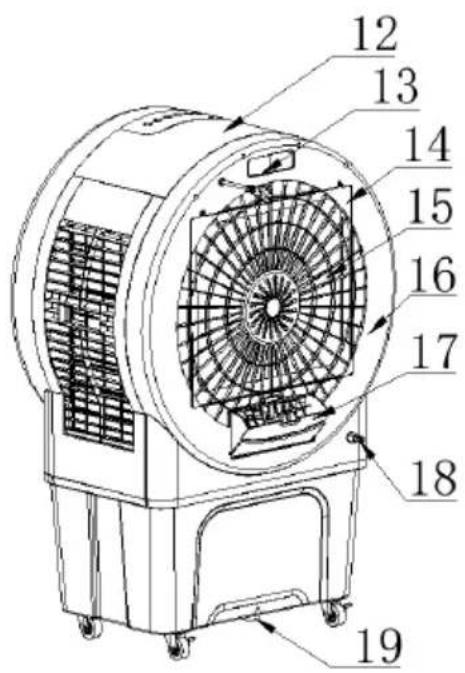
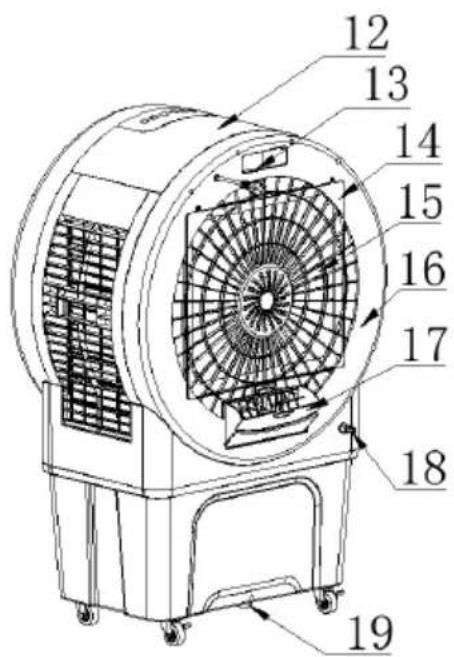
| 1) Air outlet | 2) Rotor blade | 3) Display |
| 4) Front housing | 5) Water tank | 6) Water level indicator |
| 7) Castors | 8) Operating buttons | 9) Control panel |
| 10) Side filter cover | 11) Side housing | 12) Upper housing |
| 13) Shelf for remote control | 14) Rear protective grille | 15) Filter |
| 16) Rear housing | 17) Water filler shaft | 18) Water connection |
| 19) Water outlet plug | 20) Mains cable |
BE COOL
Indicators and control elements
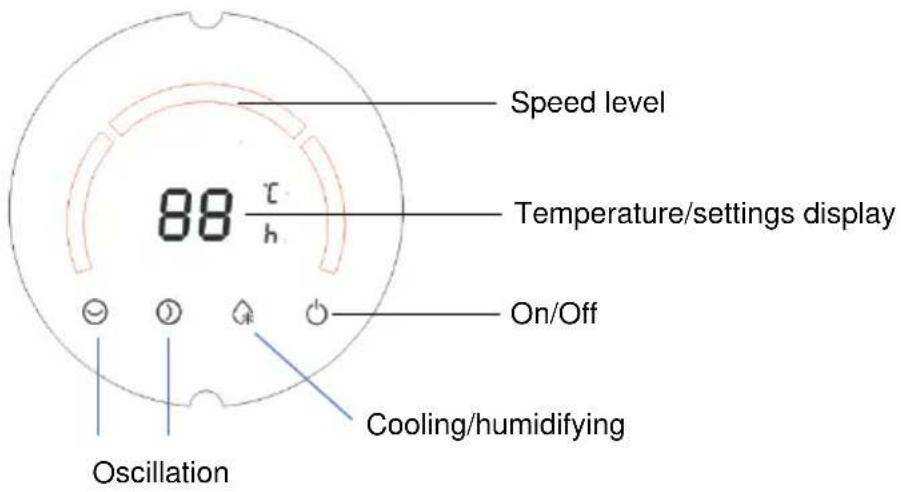



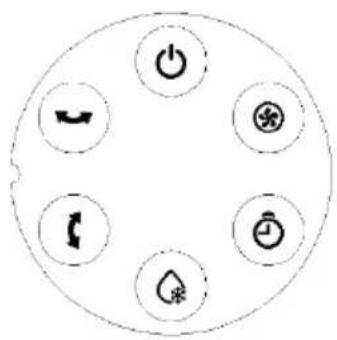
 | On/off button | Cooling and humidification button | |
 | Speed button (HI/MID/LOW) | Oscillation button (left - right) | |
 | Timer button (1 - 12 hours) | Oscillation button (up - down) |
Remote control
Preparing the remote control - Inserting or replacing the battery
Please note the following instructions:
Initial operation:
To use the remote control for the first time, pull the plastic cover out of the battery compartment on the back of the remote control.
BE COOL
Change the battery:
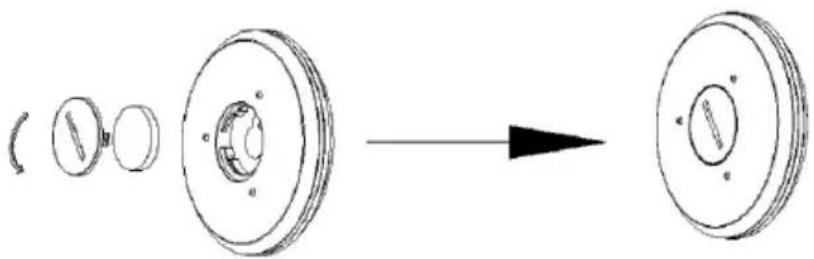
- Unscrew the battery holder on the back of the remote control as shown in the illustration and remove the old battery from the holder:
natural_image
Diagram showing a mechanical component before and after assembly, with no visible text or symbols- Now insert a new CR2032 battery, always paying attention to the polarity markings (+/-) on the battery and the battery holder.
- Then screw the battery holder fully back into the remote control.
Correct use of the remote control
Point the remote control directly at the front of the appliance and ensure that there are no obstacles between the remote control and the appliance
| ON/OFF | Speed levels | ||
| Oscillation Left, right | Oscillation up, down | ||
| Cooling and humidification button | Timer |
Commissioning
Remove the product from the packaging and ensure that the brakes on the castors are locked before using the appliance.
Connect the mains cable. Initially, all displays remain off and the device is in standby mode. After switching on, a double beep sounds and the device switches to standby mode.
BE COOL
Operation and functions
1. "On/Off" button
In standby mode, press the "On/Off" button to switch the device on. The low speed indicator lights up and the appliance starts in operating mode.
To switch the appliance back to standby mode, press the "On/Off" button again. This switches the fan off and the appliance switches to standby mode.
When the device is switched on again, the working status before it was switched off is restored. When switched off, only the on/off button and the timer button are available.
If the device is interrupted during operation due to a power failure, it automatically restores the last set functions and operating mode once the power supply is restored.
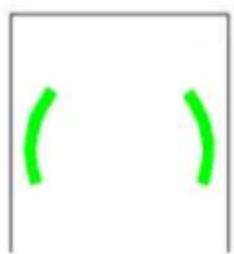
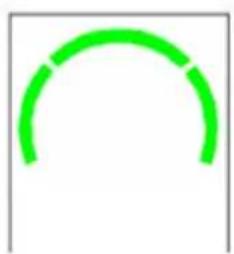
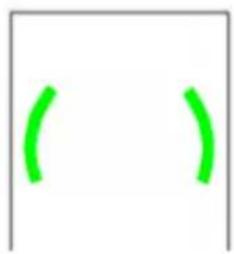
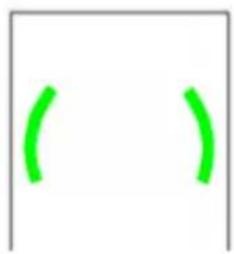
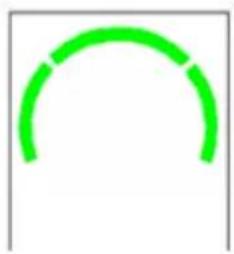
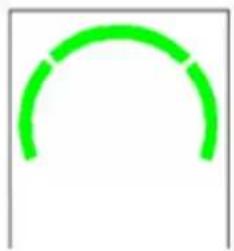
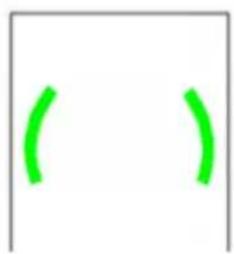
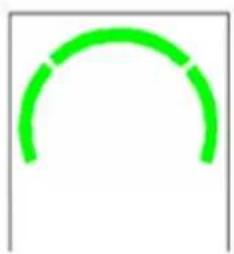
2. "Speed" button
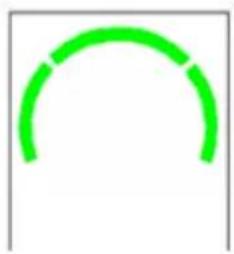
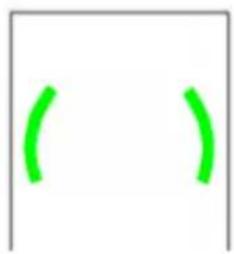
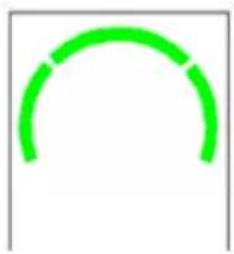
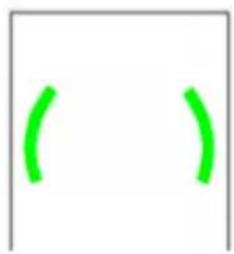
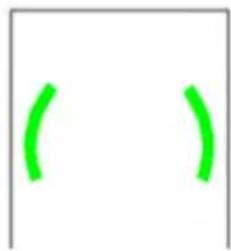
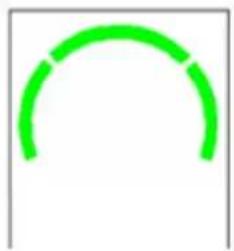
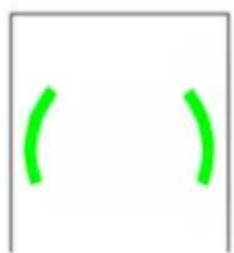
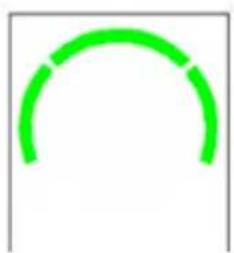
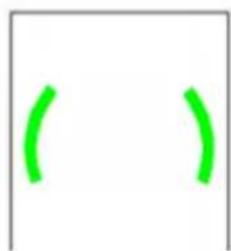
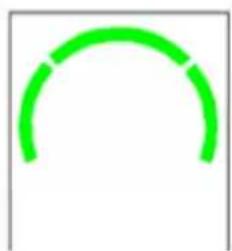
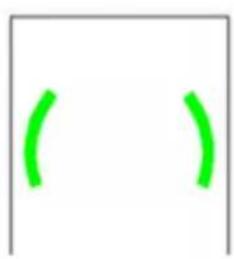
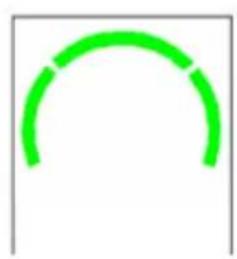
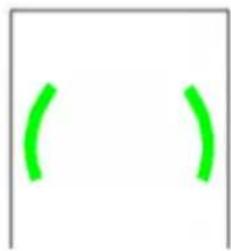
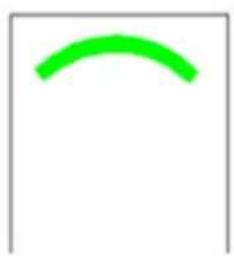
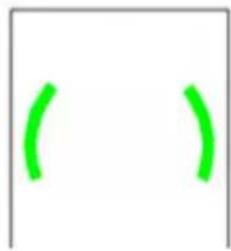
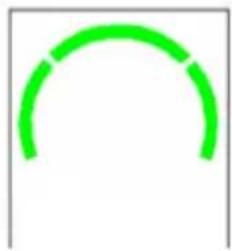
When the device is switched on, the low wind speed indicator lights up. By pressing this button, you can set the air speed in the following order: low → medium → high → low → medium ... and so on.
The display shows as follows:
natural_image
Simple green curved line on white background (no text or symbols)Low
natural_image
Two green curved lines inside a rectangular frame (no text or symbols)Medium
natural_image
Simple green arc shape on white background (no text or symbols)High
3. "TIMER" button
In operating mode, the timer button allows you to set the operating time to a period between 0 and 12 hours.
If the device is in standby mode, the same button functions as a switch-on timer, which can be used to set the time for automatic switch-on in the range from 12 to 0 hours.
BE COOL
Timer function:
- Press the "TIME" button to set the operating time in 1-hour increments: 0H 1H 2H 12H 0H etc. Press and hold the "TIME" button for longer than 2 seconds to change the time setting more quickly. As soon as you release the button, the set time is applied.
- After the timer setting, the display alternately shows the ambient temperature and the remaining time if no button is pressed within 5 seconds or a button other than the "TIME" button is pressed.
- If "0" is displayed, this means that no timer has been set. In this case, the display automatically shows the current ambient temperature after 5 seconds.
- If no timer is set, the display permanently shows the current ambient temperature and the unit "°C/°F" lights up. The display range is from -9°C to 40°C (10°F to 99°F). If the temperature is below -9°C (10°F), "LO" is displayed; if it is above 40°C (99°F), "HI" is displayed. If the timer is active, the display alternates between the ambient temperature and the remaining time every 5 seconds.
Switch-on timer function:
- Press the "TIMER" button in standby mode to activate the time setting. The display starts to flash at 0.5 second intervals. Use the "TIMER" button to set the switch-on time in 1-hour increments as follows: 12 ~H 11 ~H 10 ~H 1 ~H 0 ~H 12 ~H etc.
- If you press and hold the "TIMER" button for longer than 3 seconds, the switch-on timer function is deactivated.
- If the switch-on time is set to "0", the switch-on timer is deactivated and the system automatically switches to standby mode after 5 seconds. As soon as the timer is set, the display stops flashing and starts counting down. During this time, only the remaining time is displayed, but not the ambient temperature. If you press the On/Off button during the timer setting or runtime, the system starts with the current settings and the planned switch-on time is not saved.
- When the device is switched on for the first time, it starts in the preset operating mode.
BE COOL
- If the switch-on timer is activated after a normal switch-off (without disconnection from the mains), the appliance starts in the last mode used. For example, if cooling mode was activated when the appliance was last switched off, this mode will also be used when it is switched on again. (Note: Timer settings made before the last switch-off are not saved).
- When the timer button is pressed, the corresponding function displays flashes. Example: If the high wind speed and cooling mode were used when the unit was last switched off, the timer indicator lights up permanently and the high speed and cooling indicators flash. As soon as the timer is activated, the water pump switches on automatically. After running for 5 seconds, the system checks whether there is water in the tank. If a lack of water is detected for 5 seconds, the pump stops and a 10-second alarm sounds.
- When the button for the on/off timer is pressed, the display of the function that becomes active after switching on flashes. The user can select the desired mode, e.g. change from high to low wind speed or activate cooling mode. The switch-off timer cannot be saved or operated. (The set function flashes if no button is pressed within 3 seconds or immediately if another button is used).
- The timer setting can deviate from the set time by up to ± 3% .
4. "Cooling/humidification" button
In operating mode, you can switch the water pump in the appliance on or off by pressing the "COOLER/HUMIDIFIER" button.
5. "Up/down oscillation" button:
In operating mode, you can switch the vertical swivel function on or off by pressing the "Up/down oscillation" button.
6. "Left/right oscillation" button:
In operating mode, you can switch the horizontal swivel function on or off by pressing the "Left/right oscillation" button.
Protective functions
BE COOL
Dry-running protection:
- If cooling mode is activated, the appliance checks whether there is enough water in the water tank after the water pump has been running for 5 seconds.
- If a water shortage is detected (protection mechanism activated), the pump stops automatically and the buzzer emits 10 alarm signals.
Power failure recovery function:
- When switched on, the device emits 10 beeps (once per second) after a power failure as soon as the power is restored. During this time, no indicator lights up and the device does not respond. After 30 seconds, the last used operating status is automatically restored (including all functions and the long-term protection function).
- If you press the On/Off button during the recovery time, the last operating status is reactivated immediately.
- The countdown for timer or delay start functions is also saved. The power failure time is ignored as long as the power failure does not last longer than 5 minutes.
- Note: After a normal switch-off, the power failure recovery function is not active and the device starts in standard mode.
Automatic switch-off function:
- If the appliance runs continuously for 15 hours without a button or the remote control being pressed, it switches off automatically. When it is switched on again, the last settings are restored.
- To deactivate this function, press and hold the "Cooling" and "Time" buttons simultaneously for 3 seconds. The buzzer emits a signal tone to confirm deactivation.
- Press the two buttons again for 3 seconds to reactivate automatic switch-off.
BE COOL
Filling up the water:
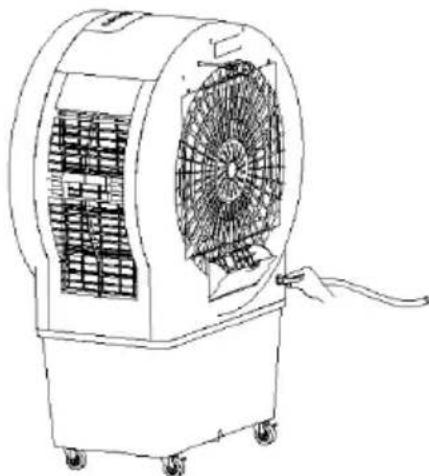
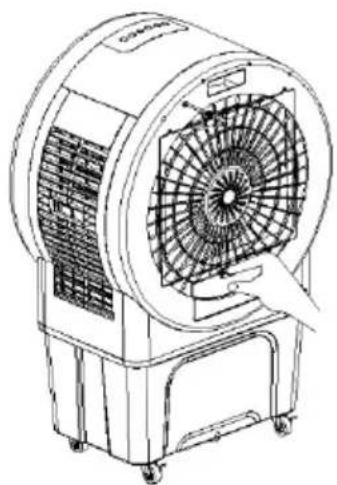
- To activate the cooling and humidification function, fill the water tank with water. There are two ways to fill the tank:
-
Manual filling: Use a watering can or other container to pour water into the tank through the top filler opening.
-
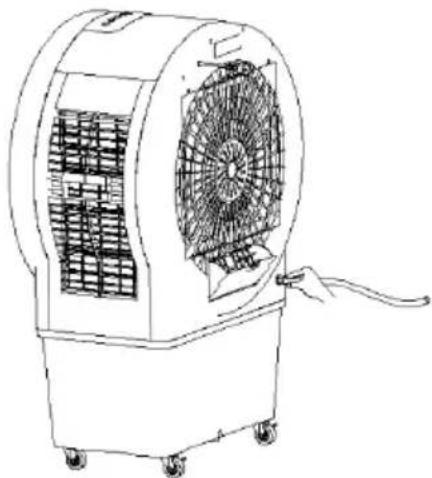
Filling with a hose: Connect a hose to the opening provided to fill the water tank conveniently.
natural_image
Line drawing of a portable air conditioner unit with fan blades and control panel (no text or symbols)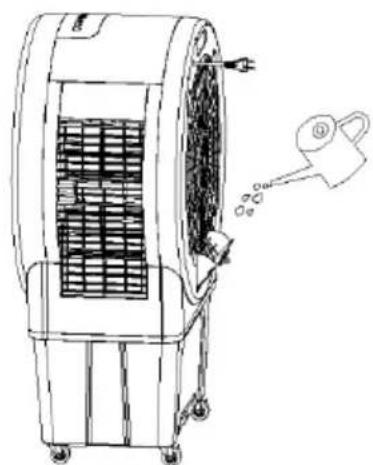
natural_image
Line drawing of an air conditioner unit with cooling fan and water spray (no text or symbols)Filling with a hose:
Connect the appliance to a hose on the tap and open the tap to fill the water tank. The water hose should have an internal diameter of 13.6 mm.
natural_image
Line drawing of an air conditioner unit with fan blades and wheels (no text or symbols)BE COOL
Manual filling:
- Pay attention to the water level indicator in the water tank when filling with a watering can or container.
Important notes:
- Make sure that the water level does not rise above the maximum level or below the minimum level.
- Only use clean tap water.
- Note: A slight odor or slight discoloration of the water on first use is normal and harmless to health.
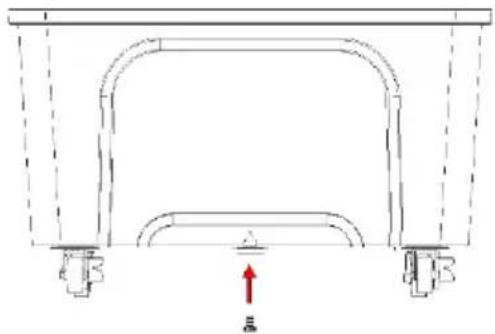
Empty the water tank:
- To empty the water tank, pull out the water plug at the bottom of the tank so that the water can drain out.
- As soon as the tank is completely empty, reinsert the water plug firmly.
natural_image
Pure technical diagram of a mechanical assembly with no text, numbers, or symbolsCleaning instructions

Do not use any chemicals when cleaning.
Switch off the power supply and disconnect the mains plug.
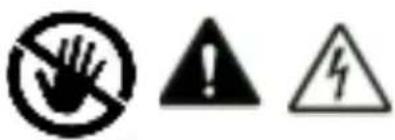
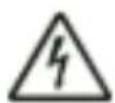
⚠️ Please ensure that the power cable is disconnected from the mains before cleaning, otherwise there is a risk of electric shock.
Clean the outer surface:
- If the surface is dusty, wipe it with a soft cloth. If it is very dirty, use lukewarm water (below 50 °C) and a mild detergent. Then wipe dry with a soft cloth.
BE COOL
- Do not use aggressive cleaning agents such as benzine or thinner, as these can damage the surface.
Clean the water tank:
- Pull out the mains plug and turn the locking knob to remove the water tank.
- Clean the tank with a cloth and some detergent, rinse it with water and pour away the waste water.
Clean the housing surface:
- Wipe the housing with a damp cloth, but never rinse it directly with water.
- Do not use any aggressive cleaning agents or solvents.
- Make sure that the mains plug is disconnected before cleaning the appliance to avoid electric shock.
After cleaning:
- Reassemble all parts, such as the water tank and the cooling mats, correctly.
- Connect the device and check that it is working properly.
Maintenance
- If you are not going to use the appliance for a long time, unplug it from the mains, pack it away and protect it from dust.
- Make sure that all parts, especially the cooling mat and the water tank, are dry before storing the appliance.
BE COOL
Technical data
| Technical information | |
| Nominal voltage | 220 V- 240 V~ |
| Frequency | 50 Hz |
| Nominal input power | 250 W |
| Water tank capacity | 52 L |
| Speed levels | 3 |
| Air circulation | 3175 m3/hour |
| Product dimensions | 778 x 493.5 x 1181.5 mm |
| Net weight | 20.8 kg |
| Contact addresses for further information and service line: | Schuss Home Electronic GmbHScheringgasse 3, A-1140 ViennaTel: +43 (1) 97 0 21 - 0www.becool.atFB-No.: 23697 4 t / FB-Court: Vienna |
BE COOL
WARRANTY
With this quality product from BE COOL, you have made a decision for innovation, durability and reliability.
For this BECOOL appliance we grant a warranty period of 2 years from the date of purchase valid in Austria! If, contrary to expectations, service work is required on your appliance during this period, we hereby guarantee to repair it free of charge (spare parts and labor) or (at Schuss's discretion) to replace the product. If neither repair nor replacement is possible for economic reasons, we reserve the right to issue a current value credit note.
In the case of air conditioners, please always contact the customer hotline as a first step (see sticker on the appliance or the front page of the operating instructions); in the case of fans, please contact your specialist dealer or us directly. Please note that repair work not carried out by an authorized workshop in Austria will immediately invalidate this warranty.
This guarantee does not cover
• We do not accept any liability for consequential damage in the event of improper use
• Repair or replacement of parts due to normal wear and tear
• Damage due to non-compliance with the operating instructions
• Devices that are used - even partially - for commercial purposes
• devices mechanically damaged by external influences (fall, impact, breakage, improper use, etc.) as well as signs of wear and tear of an aesthetic nature.
• Devices that have been handled improperly
• Devices that have not been opened by our authorized service workshop.
- Damage caused by improperly closed condensation drain valves on air conditioning units or incorrectly inserted water tanks.
• Unfulfilled consumer expectations.
• Damage caused by force majeure, water, lightning, overvoltage.
• Devices where the type designation and/or serial number on the device has been changed, deleted, made illegible or removed.
• services outside our authorized workshops, the transport costs to an authorized workshop or to us and back, as well as the associated risks.
We would like to emphasize that within the warranty period, a lump sum of € 60,- (indexed based on CPI 2010, June 2015) will be charged for operating errors or if no error was detected.
The provision of a warranty service (repair or replacement of the device) does not extend the absolute warranty period of 2 years from the date of purchase.
The 2-year guarantee is only valid on presentation of the proof of purchase (must include the name and address of the dealer and the full name of the appliance) and the corresponding guarantee certificate, on which the appliance type and the serial number (visible on the box and on the back or bottom of the appliance) must be noted! Without the warranty certificate, only the statutory warranty applies!
We expressly point out that the statutory warranty rights are not affected by this guarantee and remain unaffected. Schuss Home Electronic GmbH and its vicarious agents shall only be liable for damages in the event of gross negligence or intent. Liability for loss of profit, expected but unrealized savings, consequential damages and damages from third party claims is excluded. Damage to or for recorded data is always excluded from the liability for damages.
Congratulations on your choice. We hope you enjoy using your BE COOL appliance!
ADDRESS
Schuss Home Electronic GmbH
A-1140 Vienna, Scheringgasse 3
Tel.: +43 (0)1/ 970 21
Type designation: ....
Serial number: ....
This warranty certificate must be handed over to the authorized service workshop together with the appliance in the event of a warranty claim.
- HERZLICHEN GLÜCKWUNSCH!
- BE COOL
- Inbetriebnahme
- "TIMER" Taste
- Manuelles Befüllen:
- Reinigungshinweis
- Mise en service
- bouton "TIMER
- Messa in servizio
- Pulsante "TIMER
- Beoogd gebruik
- Inbedrijfstelling
- "TIMER" knop
- Handmatig vullen:
- Puesta en servicio
- Botón "TIMER
- Llenado manual:
- Zamýšlené použití
- Uvedení do provozu
- Tlačítko "TIMER"
- Plnění hadicí:
- Ruční plnění:
- Pokyny k čištění
- Zamýšl'ané použitie
- Tlačidlo "TIMER"
- Plnenie hadicou:
- Ručné plnenie:
- Pokyny na čistenie
- Utilizare prevăzută
- Butonul "TIMER"
- Umplere cu un furtun:
- Umplere manuală:
- Przeznaczenie
- Uruchomienie
- przycisk "TIMER"
- Ręczne napełnianie:
- Aktualna navodila za uporabo in drugi jeziki
- Predvidena uporaba
- Oddaja v uporabo
- Gumb "TIMER"
- Polnjenje s cevjo:
- Ročno polnjenje:
- Pomembne opombe:
- Aktualni korisnički priručnici i drugi jezici
- Namjena
- Puštanje u rad
- Tipka "TIMER".
- Punjenje crijevom:
- Ručno punjenje:
- Važne upute:
- Upute za čišćenje
- Air cooler BC52ACP2501
- Current operating instructions and other languages
- Intended use
- ATTENTION!!!
- SCOPE OF DELIVERY
- Remote control
- Preparing the remote control - Inserting or replacing the battery
- Initial operation:
- Change the battery:
- Correct use of the remote control
- Commissioning
- Operation and functions
- "On/Off" button
- "Speed" button
- "TIMER" button
- Timer function:
- Switch-on timer function:
- "Cooling/humidification" button
- "Up/down oscillation" button:
- "Left/right oscillation" button:
- Protective functions
- Dry-running protection:
- Power failure recovery function:
- Automatic switch-off function:
- Filling up the water:
- Filling with a hose:
- Manual filling:
- Empty the water tank:
- Cleaning instructions
- Clean the outer surface:
- Clean the water tank:
- Clean the housing surface:
- After cleaning:
- Maintenance
- WARRANTY
- This guarantee does not cover
Brand : Be Cool
Model : BC52ACP2501
Category : Air Conditioning