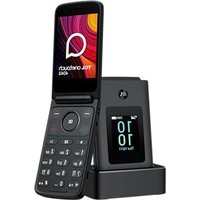
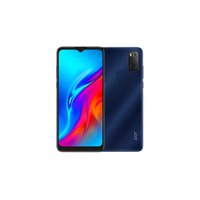
USER MANUAL OneTouch 4043 TCL
CJB761001AAD
Printed in China
tcl.com
Table of contents
English 1
Shqip 7
Български....13
Čeština....20
Deutsch....26
Dansk....33
Eesti keel....39
Español....47
Suomi....53
Français 59
Ελληνικά 66
Croatian....73
Hungarian....79
Italian....86
Lithuania....93
Latvia....101
Macedonian....109
Dutch 116
Norwegian 123
Polish....129
Portuguese....135
Romanian....141
Slovenian....147
Slovak....153
Serbian 159
Swedish....165


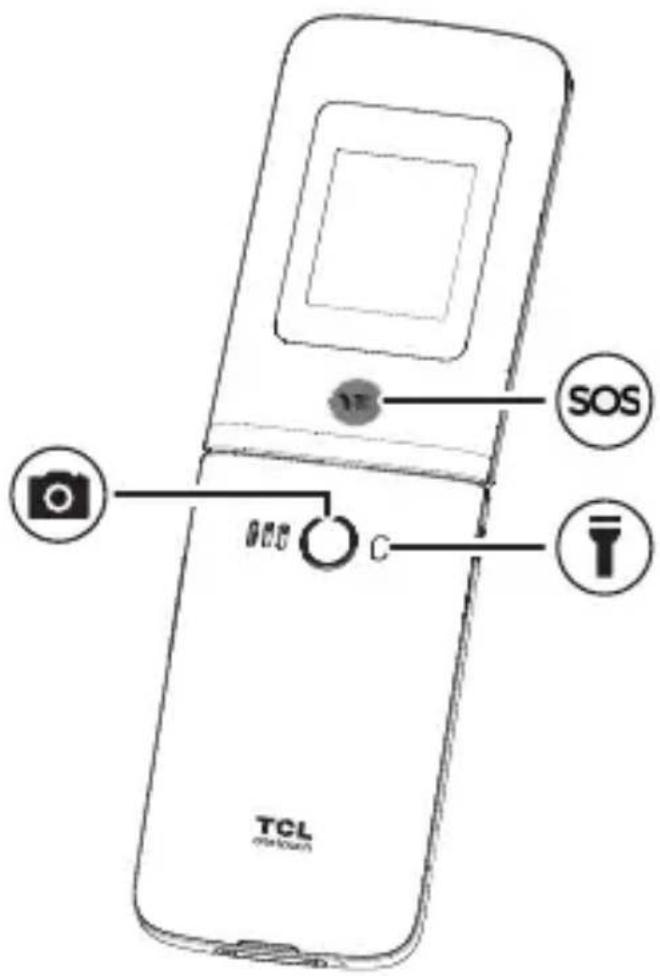
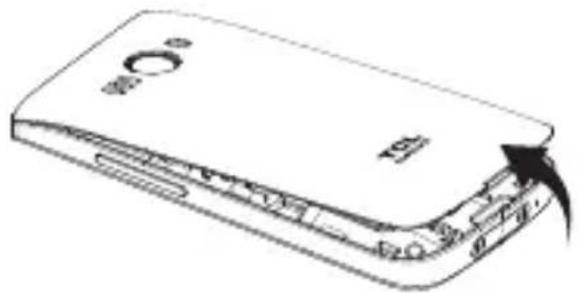
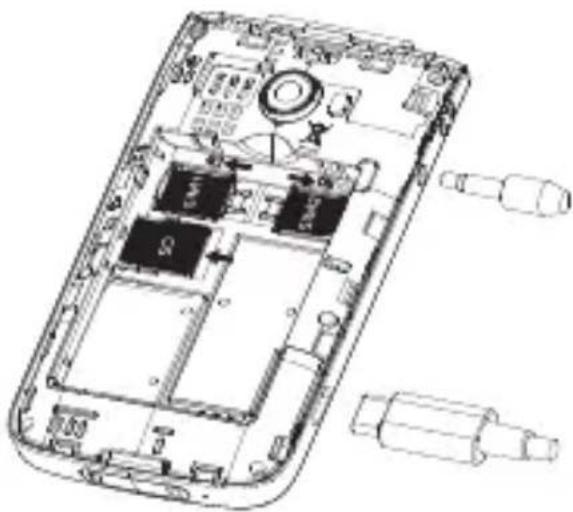
Safety and use

Please read this chapter carefully before using your device. The manufacturer disclaims any liability for damage, which may result as a consequence of improper use or use contrary to the instructions contained herein.
- Do not use your device when the vehicle is not safely parked. Using a hand-held device while driving is illegal in many countries.
- Comply with restrictions on use specific to certain places (hospitals, planes, gas stations, schools, etc.).
- Switch the device off before boarding an aircraft.
- Switch the device off when you are in health care facilities, except in designated areas.
- Switch the device off when you are near gas or flammable liquids.
Strictly obey all signs and instructions posted in a fuel depot, petrol station, or chemical plant, or in any potentially explosive atmosphere when operating your device.
- Turn off your mobile device or wireless device when in a blasting area or in areas posted with notifications requesting "two-way radios" or "electronic devices" are turned off to avoid interfering with blasting operations.
Please consult your doctor and the device manufacturer to determine if operation of your device may interfere with the operation of your medical device. When the device is switched on, it should be kept at least 15 cm from any medical device such as a pacemaker, a hearing aid, or an insulin pump, etc.
- Do not let children use the device and/or play with the device and accessories without supervision.
• To reduce exposure to radio waves, it is recommended:
- To use the device under good signal reception conditions as indicated on its screen (four or five bars):
- To use a hands-free kit:
- To make reasonable use of the device, particularly for children and adolescents, for example by avoiding night calls and limiting the frequency and duration of calls;
- Keep the device away from the belly of pregnant women or the lower abdomen of adolescents.
- Do not allow your device to be exposed to adverse weather or environmental conditions (moisture, humidity, rain, infiltration of liquids, dust, sea air, etc.). The manufacturer's recommended operating temperature range is 0°C (32°F) to 40°C (104°F). At over 40°C (104°F) the legibility of the device's display may be impaired, though this is temporary and not serious.


- Use only batteries, battery chargers, and accessories which are compatible with your device model.
- Do not use a damaged device, such as a device with a cracked display or badly dented back cover, as it may cause injury or harm.
- Do not keep device connected to charger with battery fully charged for a long period of time as it can cause overheating and shorten battery life.
- Do not sleep with the device on your person or in your bed. Do not place the device under a blanket, pillow, or under your body, specially when connected to the charger, as this may cause the device to overheat.
PROTECT YOUR HEARING
To prevent possible hearing damage, do not listen at
high volume levels for long periods. Exercise caution when holding your device near your ear while the loudspeaker is in use.
Licences

Bluetooth SIG, Inc. licensed and certificated TCL T313D Bluetooth Declaration ID D065426
Waste disposal and recycling
Device, accessory and battery must be disposed of in accordance with locally applicable environmental regulations.
This symbol on your device, the battery, and the accessories means that these products must be taken to:
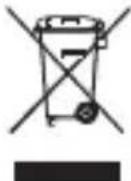
- Municipal waste disposal centres with specific bins.
- Collection bins at points of sale.
They will then be recycled, preventing substances being disposed of in the environment.
In European Union countries: These collection points are accessible free of charge. All products with this sign must be brought to these collection points.
In non-European Union jurisdictions: Items of equipment with this symbol are not to be thrown into ordinary bins if your jurisdiction or your region has suitable recycling and collection facilities; instead they are to be taken to collection points for them to be recycled.


Battery
In accordance with air regulations, the battery of your product is not fully charged. Please charge it first.
- Do not attempt to open the battery (due to the risk of toxic fumes and burns).
- For a device with a non-removable battery, do not attempt to eject or replace the battery.
- Do not puncture, disassemble, or cause a short circuit in a battery.
- For a unibody device, do not attempt to open or puncture the back cover.
- Do not burn or dispose of a used battery or device in household rubbish or store it at temperatures above 60°C (140°F), this can result in an explosion or the leakage of flammable liquid or gas. Similarly, subjecting the battery to extremely low air pressure may result in an explosion or the leakage of flammable liquid or gas. Only use the battery for the purpose for which it was designed and recommended. Never use damaged batteries.
CAUTION: RISK OF EXPLOSION IF BATTERY IS REPLACED BY AN INCORRECT TYPE. DISPOSE OF USED BATTERIES ACCORDING TO THE INSTRUCTIONS.

Charger (Please use the charger supplied)
Mains powered chargers will operate within the temperature range of: 0°C (32°F) to 40°C (104°F).
The chargers designed for your device meet the standard for safety of information technology equipment and office equipment use. They are also compliant with the ecodesign directive 2009/125/EC. Due to different applicable electrical specifications, a charger you purchased in one jurisdiction may not work in another jurisdiction. They should be used for the purpose of charging only.
Model: XT-252A-5055/XT-536B-5055A/XT-252E-5055
Input Voltage: 100~240V
Input AC Frequency: 50/60Hz
Output Voltage: 5.0V
Output Current: 0.55A
Output Power: 2.75W
Average active efficiency: 69.0%
No-load power consumption: 0.1W/0.075W/0.075W

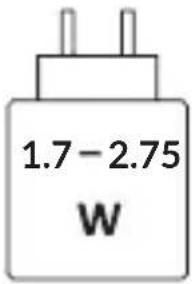
The power delivered by the charger must be between min 1.7 Watts required by the radio equipment, and max 2.75 Watts in order to achieve the maximum charging speed.
For environmental reasons this package may not include a charger, depending on the device you purchased. This device can be powered with most USB power adapters and a cable with USB Type-C plug.
To correctly charge your device you can use any charger as long as it meets all applicable standards for safety of information technology equipment and office equipment with minimum requirements as above listed.
Please do not use chargers which are not safe or do not meet the above specifications.
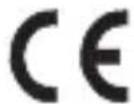
Hereby, TCL Communication Ltd. declares that the radio equipment of type TCL T313D is in compliance with Directive 2014/53/EU. The full text of the EU declaration of conformity is available at the following internet address: https://www.tcl.com/global/en/EC_DOC
Hereby, TCL Communication Ltd. declares that the radio equipment model number T313D is in compliance with The Product Security and Telecommunications Infrastructure (Security Requirements for Relevant Connectable Products) Regulations 2023.
The full text of the PSTI Statement of Compliance is available at: https://www.tcl.com/global/en/EC_DOC
The support period of the device can be found at https://www.tcl.com/uk/en/support mobile/software-security
Information on how to report security issues of the device can be found at https://src.tcl.com/en/index
SAR and radio waves
This device meets international guidelines for exposure to radio waves.
The radio wave exposure guidelines use a unit of measurement known as the Specific Absorption Rate, or SAR. The SAR limit for mobile devices is 2 W/kg for Head SAR and Body-worn SAR, and 4 W/kg for Limb SAR.
EN
When carrying the product or using it while worn on your body, either use an approved accessory such as a holster or otherwise maintain a distance of 5 mm from the body to ensure compliance with RF exposure requirements. Note that the product may be transmitting even if you are not making a device call.
| Maximum SAR for this model and conditions under which it was recorded |
| Head SAR LTE Band 1 0.30 | W/kg | |
| Body-worn SAR (5 mm) LTE | Band 3 1.46 W/kg | |
| Limb SAR (0 mm) LTE Band | 3 2.89 W/kg | |
Frequency bands and maximum radio-frequency power
This radio equipment operates with the following frequency bands and maximum radio-frequency power:
GSM 900MHz: 33.5 dBm
GSM 1800MHz: 30.5 dBm
UMTS B1 (2100MHz): 23.5 dBm
UMTS B8 (900MHz): 23.5 dBm
LTE FDD B1/3/7/8/20/28 (2100/1800/2600/900/800/700MHz): 24 dBm
Bluetooth 2.4GHz band: 4.13 dBm
This device may be operated without restrictions in any EU member state.
- Internet address: tcl.com
- Service Hotline and Repair Center: Go to our website https://www.tcl.com/global/en/support-mobile to find your local hotline number and authorized repair center for your country.
- Full User Manual: Please go to tcl.com to download the full user manual of your device.
On our website, you will find our FAQ (Frequently Asked Questions) section. You can also contact us by email to ask any questions you may have.
• Manufacturer: TCL Communication Ltd.
- Address: 5/F, Building 22E, 22 Science Park East Avenue, Hong Kong Science Park, Shatin, NT, Hong Kong


EN
- Electronic labelling path: Go to Settings > Regulatory & safety or press *#07#, to find more information about labelling (1) .
Software update
The connection costs associated with finding, downloading and installing software updates for your mobile device's operating system will vary depending on the offer you have subscribed to from your telecommunications operator.
Refusing or forgetting to install an update can affect your device's performance and, in the event of a security update, expose your device to security vulnerabilities. For more information about software update, please go to tcl.com
Privacy statement of device usage
Any personal data you shared with TCL Communication Ltd. will be handled in accordance with our Privacy Notice. You can check our Privacy Notice by visiting our website: https://www.tcl.com/global/en/communication-privacy-policy
Disclaimer
There may be certain differences between the user manual description and the device's operation, depending on the software release of your device or specific operator services. TCL Communication Ltd. shall not be held legally responsible for such differences, if any, nor for their potential consequences, which responsibility shall be borne by the operator exclusively.
Limited warranty
As the consumer You may have legal (statutory) rights that are in addition to those set out in this Limited Warranty offered by Manufacturer voluntarily, such as the consumer laws of the country in which You live ("Consumer Rights"). This Limited Warranty sets out certain situations when the Manufacturer will, or will not, provide a remedy for the TCL device. This Limited Warranty does not limit or exclude any of your Consumer Rights relating to the TCL device.
For more information about limited warranty, please go to https://www.tcl.com/global/en/warranty
In case of any defect of your device which prevents you from normal use thereof, you must immediately inform your vendor and present your device with your proof of purchase.
LTE FDD B1/3/7/8/20/28 (2100/1800/2600/900/800/700MHz): 24 dBm
Bluetooth 2.4GHz band: 4.13 dBm
LTE FDD B1/3/7/8/20/28 (2100/1800/2600/900/800/700MHz): 24 dBm
BG
Bluetooth 2.4GHz band: 4.13 dBm
LTE FDD B1/3/7/8/20/28 (2100/1800/2600/900/800/700MHz): 24 dBm
Bluetooth 2.4GHz band: 4.13 dBm
LTE FDD B1/3/7/8/20/28 (2100/1800/2600/900/800/700MHz): 24 dBm
Bluetooth 2.4GHz band: 4.13 dBm
LTE FDD B1/3/7/8/20/28 (2100/1800/2600/900/800/700MHz): 24 dBm
Bluetooth 2.4GHz band: 4.13 dBm
- Address: 5/F, Building 22E, 22 Science Park East Avenue, Hong Kong Science Park, Shatin, NT, Hong Kong
LTE FDD B1/3/7/8/20/28 (2100/1800/2600/900/800/700MHz): 24 dBm
Bluetooth 2.4GHz band: 4.13 dBm
- Address: 5/F, Building 22E, 22 Science Park East Avenue, Hong Kong Science Park, Shatin, NT, Hong Kong
LTE FDD B1/3/7/8/20/28 (2100/1800/2600/900/800/700MHz): 24 dBm
LTE FDD B1/3/7/8/20/28 (2100/1800/2600/900/800/700MHz): 24 dBm
- Address: 5/F, Building 22E, 22 Science Park East Avenue, Hong Kong Science Park, Shatin, NT, Hong Kong
https://www.tcl.com/global/en/warranty
LTE FDD B1/3/7/8/20/28 (2100/1800/2600/900/800/700MHz): 24 dBm
Bluetooth 2.4GHz band: 4.13 dBm
LTE FDD B1/3/7/8/20/28 (2100/1800/2600/900/800/700MHz): 24 dBm
LTE FDD B1/3/7/8/20/28 (2100/1800/2600/900/800/700MHz): 24 dBm
Bluetooth 2.4GHz band: 4.13 dBm
- Address: 5/F, Building 22E, 22 Science Park East Avenue, Hong Kong Science Park, Shatin, NT, Hong Kong
- Electronic labeling path: Tap Settings > Regulatory Information & Safety or press *#07# for additional labeling information (1).
Software updates
Connection costs related to finding, downloading, and installing software updates for your mobile device's operating system will vary depending on the tariff you have subscribed to with your telecommunications provider.
LTE FDD B1/3/7/8/20/28 (2100/1800/2600/900/800/700MHz): 24 dBm
- Address: 5/F, Building 22E, 22 Science Park East Avenue, Hong Kong Science Park, Shatin, NT, Hong Kong
HU
https://www.tcl.com/global/en/EC_DOC
LTE FDD B1/3/7/8/20/28 (2100/1800/2600/900/800/700MHz): 24 dBm
Bluetooth 2.4GHz band: 4.13 dBm
- Address: 5/F, Building 22E, 22 Science Park East Avenue, Hong Kong Science Park, Shatin, NT, Hong Kong.
LTE FDD B1/3/7/8/20/28 (2100/1800/2600/900/800/700MHz):
24 dBm
- Address: 5/F, Building 22E, 22 Science Park East Avenue, Hong Kong Science Park, Shatin, NT, Hong Kong


LT
LTE FDD B1/3/7/8/20/28 (2100/1800/2600/900/800/700MHz): 24 dBm
Bluetooth 2.4GHz band: 4.13 dBm
- Address: 5/F, Building 22E, 22 Science Park East Avenue, Hong Kong Science Park, Shatin, NT, Hong Kong
LTE FDD B1/3/7/8/20/28 (2100/1800/2600/900/800/700MHz): 24 dBm