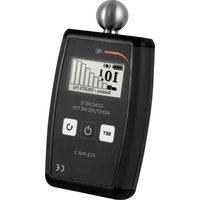
PMI 3 - Measuring equipment PCE Instruments - Free user manual and instructions
Find the device manual for free PMI 3 PCE Instruments in PDF.


User questions about PMI 3 PCE Instruments
0 question about this device. Answer the ones you know or ask your own.
Ask a new question about this device
Download the instructions for your Measuring equipment in PDF format for free! Find your manual PMI 3 - PCE Instruments and take your electronic device back in hand. On this page are published all the documents necessary for the use of your device. PMI 3 by PCE Instruments.
USER MANUAL PMI 3 PCE Instruments
PCE-PMI 3 BETONFEUCHTEMESSGERÄT
ANLEITUNG
text_image
0° CONTROL MOISTURE DETU SET PDE PASE CEtext_image
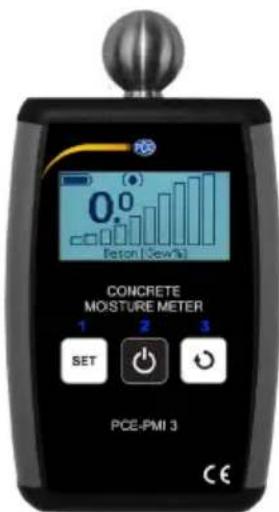
Battery 2x 1.5V LR6/AA Super Super SuperPCE-PMI 3 CONCRETE MOISTURE METER
INTRODUCTION
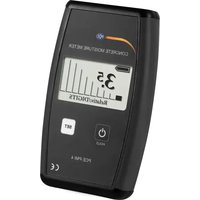
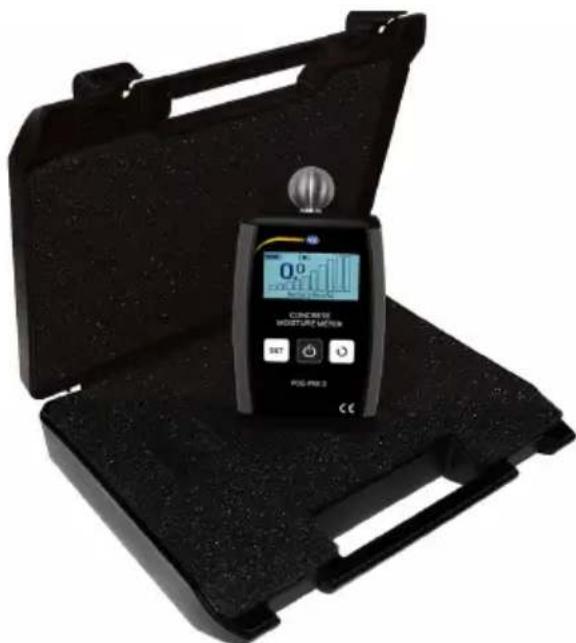
The hydrometer is used to measure the moisture content of concrete, plaster, cement and also wood.
The undeniable advantages of the method are:
- high resolution,
- ease of use,
• non-destructive measurement.
The compact frame size, ergonomic shape and nonslip rubber on the edges of the device ensure a firm grip and convenient use.
The installed accelerometer allows for proper alignment of the device for measurement thus increasing the comfort of its use.
text_image
0° COVID-19 MOISTURE MEATRUM SET PDS-PR3 2 CETECHNICAL DETAILS
Dimensions:
Weight:
Power source:
Average operating time:
Display:
Automatic screen orientation
Operating temperature:
9 measurement scales
142 x 79 x 24 mm
200 g (with battery pack)
two AA batteries
20 hours (with full batteries)
monochrome with a resolution of 128 x 63 pixels, backlit
5^ to 40^

text_image
PCE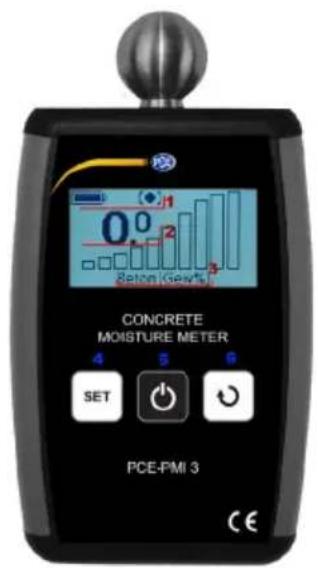
text_image
CONCRETE MOISTURE METER 4 5 6 SET 功 功 PCE-PMI 3 CE1 - status bar; 2 - measurement result; 3 - name of the selected scale; 4 - „SELECT MATERIAL” button; 5 - „ON” button; 6 - „SELECT DISPLAY” button.
INSTRUCTION
1. Turning the hygrometer ON
Press the „ON” button to turn the device on. The hygrometer will start automatically, without calibration. When the device turns on, the display will show the latest-selected scale. If the battery level is too low, such information will be displayed and then the device will turn off.
2. Turning the hygrometer OFF
If the device is not used for a longer time, it shuts down automatically, so as to extends the life of the batteries. To manually turn the device off, press and hold the “SELECT MATERIAL” button. During every shut down, the latest-selected settings (scale, language, alarm thresholds) are saved.
3. Measurement
The device analyses the dielectric properties of the material by measuring the electric field emitted by a metal ball. Dielectric properties depend on moisture content, bulk density of the material and metal elements. CAUTION! If metal parts (i.e. nails, screws) are present within the measurement area, the results will be biased towards higher values. The results of the measurement are displayed on the screen. The hygrometer has 9 scales that can be used to determine the moisture content of the material. The selected scale is displayed at the bottom of the screen. To perform a measurement, press the metal ball to the material and press and hold the “ON” button. CAUTION! The angle between the moisture meter and the area under investigation should be in the range of 45° to 90°. After releasing the ,ON’ button, the Moisture Meter will automatically enter ,HOLD’ mode.
4. Scale selection
The device is equipped with multiple scales, which eliminates the need to use adjustment tables. This makes measurements not only more precise, but also easier. The selected scale is displayed at the bottom of the screen. To change the measurement scale, briefly press the “SELECT MATERIAL” button. CAUTION! When the device turns on, the display will show the latest selected scale.
Table 1. Names and descriptions of the measurement scales available in PCE-PMI 3
| Scale No. | Scale name Description | |
| 1 | Relative Scale [%] | Basic scale. Shows the relative humidity of the material. |
| 2 | Anhydrite Screed [Wt%] | This scale is meant for moisture measurements in anhydrite floors. Data are in weight percent water. |
| 3 | Anhydrite Screed [CM%] | This scale is used to measure the moisture content of anhydrite. The displayed value is an approximate value that can be also determined with the Carbide Method (CM). |
| 4 | Cement screed [Wt%] | This scale is used to measure the moisture content of cement screed. The content of water is expressed as a percentage of weight. |
| 5 | Cement screed [CM%] | This scale is used to measure the moisture content of cement screed. The displayed value is an approximate value that can be also determined with the Carbide Method (CM). |
| 6 | Concrete [Wt%] | This scale is used to measure the moisture content of concrete. The content of water is expressed as a percentage of weight. |
| 7 | Gipsputz [Wt%] | This scale is used to measure the moisture content of gypsum plaster. The content of water is expressed as a percentage of weight. |
| 8 | Hardwood / Oak [Wt%] | This scale is used to measure the moisture content of wood with a density of 0.6-0.9 [103 kg/m3] (i.e. oak). The content of water is expressed as a percentage. |
| 9 | Softwood / Spruce [Wt%] | This scale is used to measure the moisture content of wood with a density of 0.4-0.55 [103 kg/m3] (i.e. spruce). The content of water is expressed as a percentage. |
5. „HOLD” function
The Hold function displays the last measured value. It is activated automatically when the “ON” button is release. When the device switches to the Hold mode, the following symbol appears at the top of the display on the status bar.

text_image
PCE
6. Menu
The operating menu allows for changinge alarm thresholds for the respective measurement scales and selecting at language. To access the operating menu, press and hold down the “SELECT MATERIAL” and “SELECT DISPLAY” buttons. Use the “SELECT MATERIAL” and “SELECT DISPLAY” buttons to navigate the menu. Use the “ON” switch to change menu levels and to confirm the settings. CAUTION! Critical parameters are protected against unintended modification with the use of an additional warning and request for confirmation. To navigate to the parent menu, press “Back” and briefly press the “ON” button. To exit to the main window, confirm the “Back” option of the top level menu.
text_image
CONCRETE MOISTURE METER 1 2 3 SET 功 功 PCE-PMI 3 CEPCE-PMI 3 in menu modes.
1 - Select the previous menu item or decrease a value; 2 - Confirm the selected option or value; 3 - proceed to the next menu item or increase a value.
7. Alarm
Exceeding the set value will trigger a sound alarm. For each scale an individual alarm threshold can be set. Alarm thresholds are set in the operating menu. To change the setting for the material of choice, select the “Alarm Level” item in the operating menu and press the “ON” button. After selecting the scale, press the “ON” button once again to set the alarm threshold. After changing the alarm threshold, confirm the value by pressing the “ON” button. To protect against accidental changes, it is necessary to confirm the action by pressing the „ON” button once again. To cancel the change, press the “SELECT MATERIAL” button. Alarm thresholds are stored in the memory, even if the batteries are removed. If the “Factory Settings” (Werkseinstellungen) option is selected, all the changes will be replaced with the factory settings.

text_image
PCE8. Language selection
The software has been designed to allow the user to choose between different languages. The language is changed from the menu. To open the language selection menu, select the Language item in the operating menu and confirm by pressing “ON”. Select the language and confirm by pressing “ON”. To protect against accidental changes, it is necessary to confirm the action To confirm the change press the “ON” button once again, press “SELECT MATERIAL” to cancel. Language settings are stored in the memory, even if the batteries are removed.
9. Restore factory settings
Factory reset will undo all the changes of the alarm thresholds. To restore the factory settings, select the “Factory Settings” (Werkseinstellungen) item from the menu and confirm by pressing the “ON” button. To protect against accidental changes, it is necessary to confirm the action To confirm the change press the “ON” button once again, press “SELECT MATERIAL” to cancel.
10. Power supply
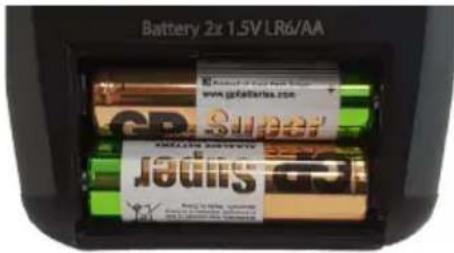
The PCE-PMI 3 hygrometer is powered by two AA batteries. You may use either disposable or rechargeable batteries. The Battery status indicates the battery charge level. If an empty battery icon is displayed, replace the batteries. Batteries should be replaced with a new set of batteries of the same kind. Do not use a rechargeable battery in combination with a disposable battery or a partially discharged battery with a full battery.
The figure below shows the location of the batteries in the battery compartment.