PMI 4 - Measuring equipment PCE Instruments - Free user manual and instructions
Find the device manual for free PMI 4 PCE Instruments in PDF.


User questions about PMI 4 PCE Instruments
0 question about this device. Answer the ones you know or ask your own.
Ask a new question about this device
Download the instructions for your Measuring equipment in PDF format for free! Find your manual PMI 4 - PCE Instruments and take your electronic device back in hand. On this page are published all the documents necessary for the use of your device. PMI 4 by PCE Instruments.
USER MANUAL PMI 4 PCE Instruments
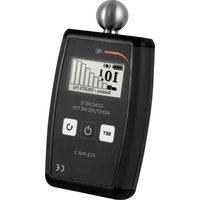
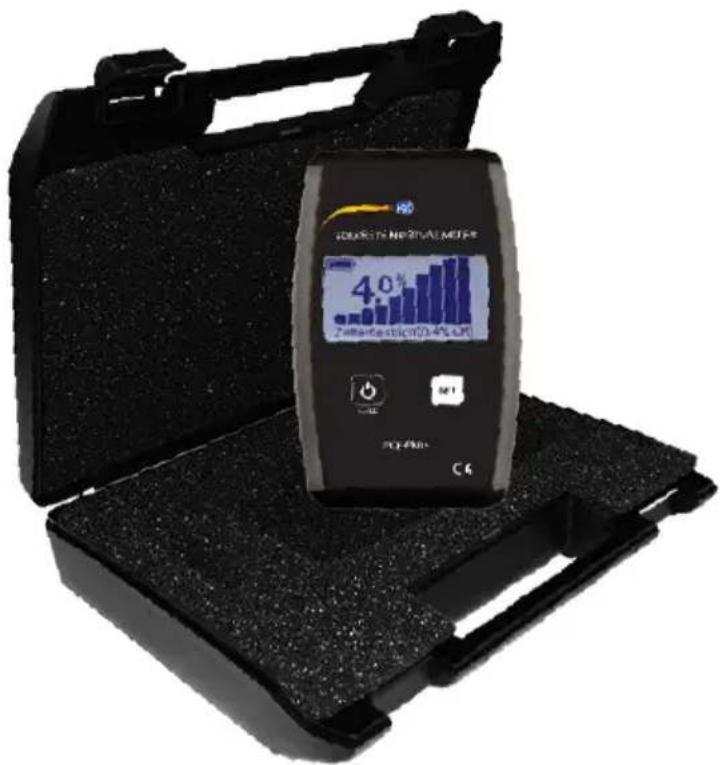
PCE-PMI 4 meter was designed in order to measure concrete humidity. Its unquestionable advantage is nondestructive method of measurement with simultaneous high accuracy and easiness of use.
text_image
SARATHA NEORTICAL METAL 4.0% 2ndhandel-10/34 LCM SARATHA CKTECHNICAL DETAILS
Dimension:
147 x 89 x 33 mm
Power supply:
2 x AA batteries
Average working time on one battery set:
with a complete set of new batteries: 20 hours
Display:
graphic monochrome 128x64 pixels, size 61 x 33mm with backlight
Operating temperature range:
5^ to 40^
Accuracy:
±0.5%

text_image
PCE1. General function
PCE-PMI 4 meter calculates humidity of analyzed material by measuring its electrical impedance. The relation between humidity of certain material and its impedance is directly proportional. Impedance is measured through generating low frequency electric field between electrodes. The meter measures low intensity alternating current flowing through electric field and on that basis calculates moisture of tested material.
text_image
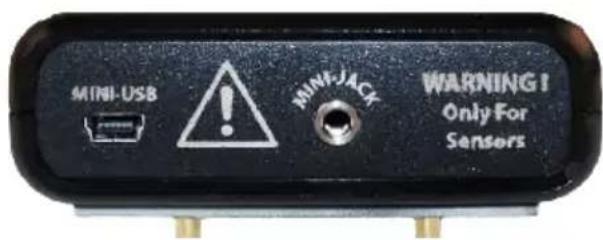
MINI-USB MIMI-JACK WARNING! Only For Sensors2. Constraints
Concrete Moisture Meter PCE-PMI 4 does not detect concrete humidity through electricity conducting materials like metal coverings/ linings, PE-rubber or any wet surfaces.
Moisture Meter PCE-PMI 4 should not be used to measure concrete humidity on surfaces which are topped with a thick layer of floor covering material like wood. Meter measurement outcomes show the actual humidity at a time of measurement.
text_image
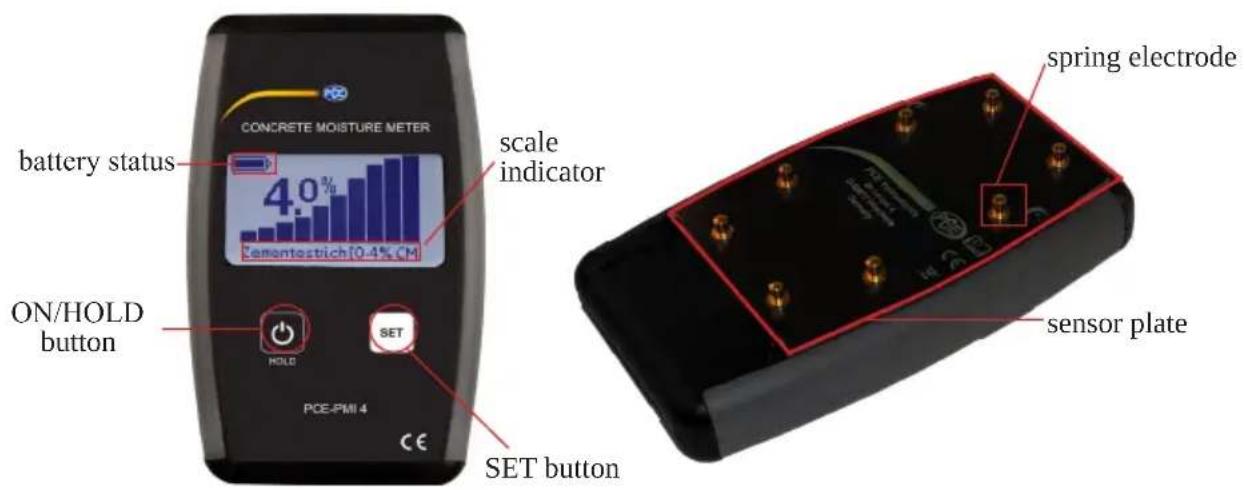
CONCRETE MOISTURE METER battery status 4.0% Zemontestich 10.4% CM ON/HOLD button HOLD SET SET button PCE-PMI 4 scale indicator spring electrode sensor plateTo turn on the meter press ON/HOLD button.

text_image
PCETo set the scale press SET button. There are 7 available scales:
- Concrete (0-6% H, O)
- Cement Screed (0-6% H ,O)
- Cement Screed (0-4% CM)
- Anhydrite Screed (0-3.5% H, O)
- Anhydrite Screed (0-1.9% CM)
- Caisson 0.3-15.3 Scale (0.3-15.3 m)
- Relative Scale (0-100%)
Name of chosen scale will appear in the scale indicator field. To see detailed description of each scale go to Available scales section.
• To set the mode of measurement press ON/HOLD button. There are 2 available modes: Normal, Max Hold
The display color will change depending on which mode was chosen. To see detailed description of each mode go to Modes & functions section.
natural_image
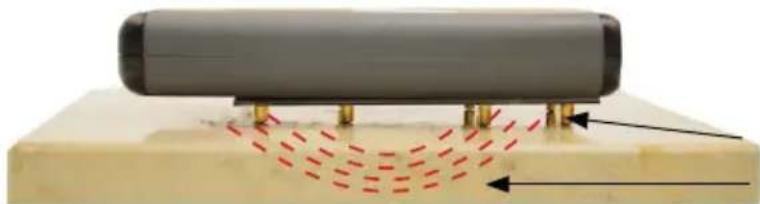
Diagram of a cylindrical object with red dashed lines indicating motion or force direction, mounted on a base with no visible text or symbols.spring electrode electric field
• To make a measurement press the meter against the tested surface until all spring electrodes are completely blocked.
Caution: Do not press the device too intensely as this may harm the electrodes.
Caution: Fingers SHOULD NOT touch the sensor plate and electrodes while measuring. The meter should be held in the middle while measuring.

text_image
PCE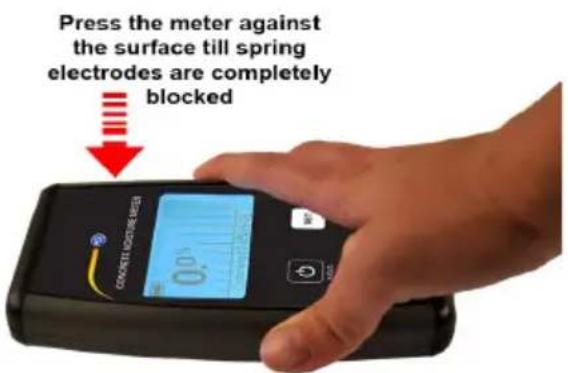
text_image
Press the meter against the surface till spring electrodes are completely blockedIt is recommended to repeat the measurement in a few points situated next to each other as humidity has a tendency of uneven distribution. If the measurements vary, only the highest outcomes should be used.
- To switch off the meter press ON/HOLD button for around 2 seconds.
3. Preparation of the surface before measuring
All concrete heating/drying equipment should be switched off at least 96 hours before taking the final measurements. Otherwise the outcome may not reflect the actual humidity level or displacement of humidity in tested material. Before the measurement may be taken, the analyzed surface should be cleaned- there should not be any foreign substances like plastic films, dust etc.. In case of measuring concrete floors all covering materials like: concrete additives, primers, paints, etc., should be removed in order to reveal pure concrete that is going to be measured. All cleaning and cover-removing works should be finished at least 48 hours before taking the measurement. PCE-PMI 4 meter should not be used to measure concrete on which there is water in a liquid state. Measurements should be avoided in areas exposed to direct sunlight or other sources of heat.
4. Available scales
1. Concrete (0-6% H2O)
Concrete scale may be used only for concrete surfaces. It shows the relation between weight of pure water contained in the tested material with its dry weight. The scale range varies between 0 and 6% as 6% is about maximal physically possible content of water in the concrete. The obtained results should not be confused with moisture emission or any other humidity measurement methods.
2. Cement Screed (0-6% H₂O)
This scale is used to measure the moisture content of cement screed. The content of water is expressed as a percentage of weight.
3. Cement Screed (0-4% CM)
This scale is used to measure the moisture content of cement screed. The displayed value is an approximate value that can be also determined using the Carbide Method (CM).
4. Anhydrite Screed (0-3.5% H₂O)
This scale is meant for moisture measurements in anhydrite floors. The displayed value is an approximation of a value that normally would be indicated using a CM-measurement device.
This scale is used to measure the moisture content of Ascreed. The displayed value is an approximate value that can be also determined using the Carbide Method (CM).
6. Caisson Skala 0.3-15.3 (0.3-15.3 m)
Scale works in a similar way as the Relative with a range from 0.3 til 15.3m.
7. Relative Skala 0-100%
Relative scale may be used in humidity level comparison of various materials. Obtained results should not be interpreted as percentage content of water in tested surfaces. There is no linear correlation between the outcomes and relative humidity. The scale should be used only as comparison technique. Scale may be used on the surfaces where direct contact with pure concrete is impossible because of some layer/covering.
5. Modes & Functions

Normal mode
The main measuring method of PCE-PMI 4 meter is Normal mode. In this setting the measured value is refreshed continuously.

Max. Hold mode
If the measured area is not easily reachable and it is impossible to read the value while measuring, the Max. Hold mode may be used. After choosing that mode the measured value
is not refreshed continuously. The meter will show only the highest value gained from numerous measurements. After switching to normal mode and then back to max hold operation, the value measured in this mode is set to zero.
Caution: Even single touching of sensor plate or electrodes during this mode will cause a highly inaccurate outcome. That in turn will result in the need of repeating the whole measurement process. The measurement in that set may be repeated by switching the mode into Normal and then into Max.Hold again.

Auto turn-off
In order to maximize batteries lifetime, the meter automatically turns off after 12 minutes. This function is always active and can't be switched off.

Service Info
This mode enables to check some meter service information which include:
• total working time,
• quantity of switching-on,
- software version,
- date of production,
- batteries voltage.
This mode may be accessed by pressing and holding the SET button for 5 seconds and then by pressing ON/HOLD button simultaneously. All the information will be shown as long as the SET button will be held.

text_image
PCE6. Power supply

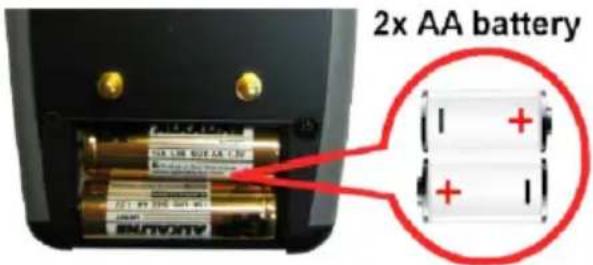
The PCE-PMI 4is battery powered. It uses 2 AA type batteries. Both, rechargeable and standard batteries may be used. Battery status shows the remaining capacity of the batteries. If the currently used batteries are almost out of charge, the
battery icon will show empty. While changing batteries into new ones both batteries should be replaced. Replace only with 2 of the same type of batteries and only fully charged ones.
The location of the batteries in the battery compartment is shown in the figure below.