ReadyWarm 6350 Ceramic Touch Connected - Heating CECOTEC - Free user manual and instructions
Find the device manual for free ReadyWarm 6350 Ceramic Touch Connected CECOTEC in PDF.


| Product Type | Connected Ceramic Heater |
| Brand | Cecotec |
| Model | ReadyWarm 6350 Ceramic Touch Connected |
| Reference | 05369 |
| Power Supply | 220-240 V~, 50-60 Hz |
| Nominal Power | 2000 W (1.953 kW) |
| Operating Modes | Fan (blue), Low Heat (light red), High Heat (red) |
| Temperature Range | 16 °C to 37 °C |
| Timer | Up to 9 hours |
| Oscillation | 75° |
| Connectivity | Wi-Fi (2.4 GHz band), EnergySilence app |
| Control | Touch panel, wireless remote, smartphone app |
| Display | Bright screen with automatic dimming after 100 seconds |
| Light Indicator | 3 colors (controllable via remote) |
| Safety | Overheat protection, automatic shut-off on tip-over |
| Cleaning and Maintenance | Soft damp cloth, do not immerse, clean ventilation openings |
| Warranty | 2 years (excluding misuse, unauthorized intervention) |
| After-Sales Service | +34 9 63 21 07 28 (Cecotec) |
Frequently Asked Questions - ReadyWarm 6350 Ceramic Touch Connected CECOTEC
User questions about ReadyWarm 6350 Ceramic Touch Connected CECOTEC
0 question about this device. Answer the ones you know or ask your own.
Ask a new question about this device
Download the instructions for your Heating in PDF format for free! Find your manual ReadyWarm 6350 Ceramic Touch Connected - CECOTEC and take your electronic device back in hand. On this page are published all the documents necessary for the use of your device. ReadyWarm 6350 Ceramic Touch Connected by CECOTEC.
USER MANUAL ReadyWarm 6350 Ceramic Touch Connected CECOTEC
natural_image
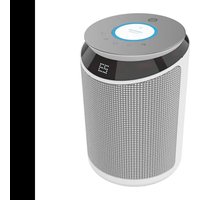
Exterior view of a modern cylindrical smart air purifier with a digital display (no visible text or symbols)Safety instructions 7
-
Parts and components 29
-
Before use 29
-
Operation 29
-
Cleaning and maintenance 31
-
Technical specifications 32
-
Disposal of old electrical appliances 32
-
Technical support and warranty 32
SOMMAIRE
Read these instructions thoroughly before using the appliance. Keep this instruction manual for future reference or new users.
Make sure that the mains voltage matches the voltage stated on the rating label of the appliance and that the wall outlet is grounded.
This product is intended for indoor, non-commercial, household use for temporarily heating residential rooms. Do not use the product for any other purpose.
Do not leave the product unattended while it is in use. Always unplug the product from the electrical outlet when it is not use. Place the product on a flat, steady, stable, heat-resistant surface.
Do not use the device in areas where gasoline, paint, or flammable liquids are used or stored, as there may be a risk of fire or explosion.
Check the power cord regularly for visible damage. If the cord is damaged, it must be replaced by the official Technical Support Service of Cecotec in order to avoid any type of danger.
Use the product in a well-ventilated area.
The device will reach high temperatures during use. To avoid burns, do not let bare skin touch a hot surface. If provided, use handle when moving this heater. Keep combustible materials, such as furniture, pillows, bedding, paper, clothes, and curtains at least 0.9 from all sides of the heater.

Do not place the appliance close to heat sources, flammable substances, wet surfaces where it can fall or be pushed into water or allow it to come into contact
with water or other liquids.
Do not insert or allow objects to enter any ventilation or exhausted opening as this may cause an electric shock, fire or product damage.

To prevent a possible fire, do not block air intake or exhaust in any manner. Do not use on soft surface, such as a bed, where air outlet may become blocked. Wipe the air openings clean if they become clogged.
Do not use this product to dry or heat clothing, shoes or any other items.

This heater is not intended for use in bathrooms, laundry areas, or other damp/wet locations.
To disconnect the product, turn the switch off first, and then remove the plug from the electrical outlet. Pull
directly on the plug; do not pull on the power cord.
Do not handle the element with bare or wet hands.
Keep the packaging materials out of the reach of children, they could be dangerous.
The appliance is not intended to be used by children under the age of 8. It can be used by children over the age of 8, as long as they are given continuous supervision.
This appliance can be used by children aged 8 and above, and persons with reduced physical, sensory or mental capabilities or lack of experience and knowledge, as long as they have been given supervision or instruction concerning the use of the appliance in a safe way and understand the hazards involved. Children shall not play with the appliance.
Supervise young children to make sure that they do not play with the appliance. Close supervision is necessary when the
appliance is being used by or near children.
Battery instructions
Keep batteries away from children and animals, they could be deadly if swallowed. In case of ingestion, seek medical assistance immediately.
Should a battery have leaked, do not allow your skin, eyes or mucous membranes to come into contact with the battery acid.
In case of contact with acid, rinse the affected areas with abundant fresh water immediately and contact a doctor as soon as possible.
Make sure the battery contacts in the device are clean before inserting batteries; if they are not, clean them.
Use only the battery type specified in the technical specifications.
Always replace all the batteries at the same time. Do not use different types of batteries or of different capacities.
When replacing batteries, note the correct polarity (+/-).
Take the batteries out of the device when they are discharged or when the device is not going to be used in a long time.
Batteries must not be recharged or reactivated, dismantled, thrown into fire, immersed in fluids or short-circuited.
INSTRUCTIONS DE SÉCURITÉ
- Temperature/timer +
- Temperature/timer -
- On/off
- Mode
- Oscillation
Remote control
Fig. 3.
- Temperature +
- Mode
- Timer
- Temperature
- Light
- On/off
- Oscillation
2. BEFORE USE
Take the product out of the box.
Remove all packaging materials. Keep the original box.
Make sure all the components are included and in good conditions, otherwise, contact
immediately the official Technical Support Service of Cecotec.
3. OPERATION
Plug the device's power cord into an electrical outlet.
Turn on the main switch at the back of the device.
Press the on/off button to start the heater and press the mode button to select the desired
ENGLISHENGLISH
made.
Fan mode: Blue light indicator
Low heat mode: Light red light indicator
High heat mode: Red light indicator
Press the oscillation button to activate the 75° oscillation function.
Use the temperature + or temperature - buttons to set the desired temperature, from 16 °C to 37 °C.
Hold down the mode button for 5 seconds to activate the timer function. Then, use the temperature + or temperature - buttons to set the timer. It can be set up to 9 hours, and the device will automatically turn off after the set time. The display will blink 3 times when the timer is set.
The product will keep running a few seconds after turning off.
The display will turn to low light automatically after 100 seconds.
Remote control operation
Plug the device's power cord into an electrical outlet.
Turn on the main switch at the back of the device.
Press the on/off button to start the heater and press the mode button to select the desired mode.
Fan mode: Blue light indicator
Low heat mode: Yellow/orange light indicator
High heat mode: Light red light indicator
Press the oscillation button to activate the 75° oscillation function.
Use the temperature + or temperature - buttons to set the desired temperature, from 16 °C to 37 °C.
Press the timer button and use the temperature + or temperature - buttons to set the timer. It can be set up to 9 hours, and the device will automatically turn off after the set time. The display will blink 3 times when the timer is set.
Press the light button to control the 3-colour indicator light.
App and Wi-Fi operation
The device can be operated and controlled from a Smartphone App.
Download the App from Apple Store or Google Play. The name of the App is EnergySilence. Open the App, tap on Register and accept the Privacy Policy.
Enter your e-mail.
Select your country and tap on "get verification code". You will receive an e-mail with a verification code, which you will have to enter in the App.
Within 60 seconds, enter this verification code, choose a password and select confirm to confirm the registration.
In order to use the App, select Add Device and select your heater.
Turn the heater on. The light indicator on the right bottom corner should start blinking. If it is
not, hold down the on/off button until the light indicator blinks.
When the light indicator in the heater screen is blinking rapidly, select in the App: Confirm indicator rapidly blinks.
Enter the correct Wi-Fi password.
The device will be connected to the smartphone App
Select 'Done' once the connection has been successfully established
The light indicator on the screen will light up.
Select Modify Device Name and select a name for your heater.
The product will now be ready to use.
Connection under slow blinking
If the device cannot connect under fast blinking
Hold down the on/off button until the light indicator blinks slowly. Select Confirm Indicator slowly blinks on the App.
Enter the correct Wi-Fi password.
Follow the instructions show on the App until AP mode connects successfully. If the
connection is successful. light indicator on the heater screen will remain on.
Wi-Fi connection
Hold down the temperature + button and the oscillation button for 3 seconds to turn the Wi-Fi on or off.
4. CLEANING AND MAINTENANCE
Disconnect the appliance from the power supply, turn it off and allow it to cool down before cleaning or storing it.
Use a soft, clamp cloth to clean the product's surface.
Clean dust from the device's surface and vents regularly.
Clean and store the device in a safe, dry place if it is not going to be used for a long period of time.
Do not immerse heater in water or allow water to drip into the interior of the heater, as this could create an electric shock hazard.
Avoid the use of abrasive cleaning agents or scouring pads as these could damage the product.
The power cord should not be in contact with sharp edges, and it should not be compressed by heavy objects. Store the cord in a clean, dry location always away from metal objects.
Always check the plug before use to assure metal items haven't become attached.
Do not place any heavy items on top of appliance during storage as this may result in possible damage of appliance.
ENGLISHENGLISH
5. TECHNICAL SPECIFICATIONS
Product: ReadyWarm 6350 Ceramic Touch Connected
Product reference: 05369
220-240 V \~ 50-60 Hz
2000 W
Protection class: II
Frequency bands: 2412 MHz \~2472 MHz
Maximum output power: 17.98 dBm
6. DISPOSAL OF OLD ELECTRICAL APPLIANCES

The European directive 2012/19/EU on Waste Electrical and Electronic Equipment (WEEE), specifies that old household electrical appliances must not be disposed of with the normal unsorted municipal waste. Old appliances must be collected separately, in order to optimize the recovery and recycling of the materials they contain and reduce the impact on human health and the environment.
The crossed out "wheeled bin" symbol on the product reminds you of your obligation to dispose of the appliance correctly. If the product has a built-in battery or uses batteries, they should be removed from the appliance and disposed of appropriately. Consumers must contact their local authorities or retailer for information concerning the correct disposal of old appliances and/or their batteries.
7. TECHNICAL SUPPORT SERVICE AND WARRANTY
This product is under warranty for 2 years from the date of purchase, as long as the proof of purchase is submitted. The product is in perfect physical condition, and it has been given proper use, as explained in this instruction manual.
The warranty will not cover the following situations:
The product has been used for purposes other than those intended for it, misused, beaten, exposed to moisture, immersed in liquid or corrosive substances, as well as any other fault attributable to the customer.
The product has been disassembled, modified, or repaired by persons, not authorised by the official Technical Support Service of Cecotec.
Faults deriving from the normal wear and tear of its parts, due to use.
The warranty service covers every manufacturing defects of your appliance for 2 years, based on current legislation, except consumable parts. In the event of misuse, the warranty
will not apply.
If at any moment you detect any problem with your product or have any doubt, do not hesitate to contact Cecotec Technical Support Service at +34 963 210 728.
| Model: ReadyWarm 6.350 Ceramic Touch Connected | |||||
| Item Symbol Value Unit Item Unit | |||||
| Heat output Type of heat Input, for electric storage local space heaters only (single select) | |||||
| Nominalheat output | Pnom 1,953 kW Manual heat | [no]charge controlwith integratedthermostat | |||
| Minimumheat output(indicative) | Pmin 0.0211 kW Manual heat | [no]charge controlwith room and/or outdoortemperaturefeedback | |||
| Maximumcontinuousheat output | Pmax | 1,953 kW Electronic heat | [no]charge controlwith room and/or outdoortemperaturefeedback | ||
| Auxiliary electricity consumption Fan assisted heat [no]output | |||||
| At nominalheat output | elmax | 0.000 | kW | Type of heat output/room temperaturecontrol (single select) | |
| At minimumheat output | elmin | 0.000 | kW Single stage heat [no]output and noroom temperaturecontrol | ||
ENGLISHENGLISH
| In standby mode | eLSB 0,00 | 068 kW | Two or more | [no] manual stages, no room temperature control |
| With mechanic [no] thermostal room temperature control | ||||
| With electronic [yes] room temperature control | ||||
| Electronic room [no] temperature control plus day timer | ||||
| Electronic room [no] temperature control plus week timer | ||||
| Other control options (multiple selections possible) | ||||
| Room [no] temperature control, with presence detection | ||||
| Room [no] temperature control, with open window detection | ||||
| With distance [no] control option | ||||
| With adaptive [no] start control | ||||
| With working time [no] Limitation | ||||
| With black bulb [no] sensor | ||||
| Contact details: | Grupo Cecotec Innovaciones S.L. - C/de la Pinadeta s/n 46930 Quart de Poblet, Valencia (SPAIN) | |||
FRANÇAISFRANÇAIS
1. PIÈCES ET COMPOSANTS
Unité principale
Img. 1.
Producto: ReadyWarm 6350 Ceramic Touch Connected
Quart de Poblet, Valencia (Spain)
IC02200521
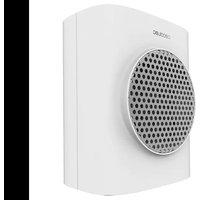
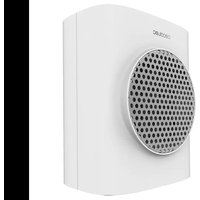
Brand : CECOTEC
Model : ReadyWarm 6350 Ceramic Touch Connected
Category : Heating