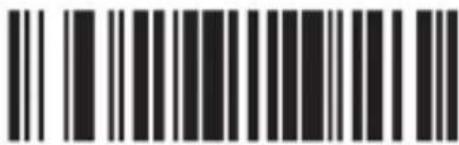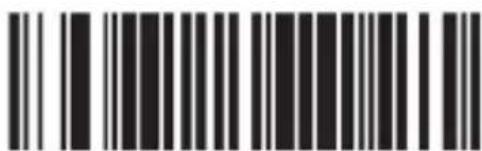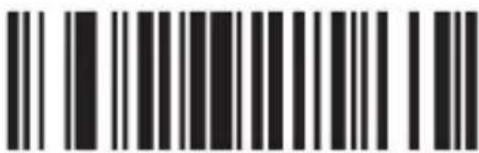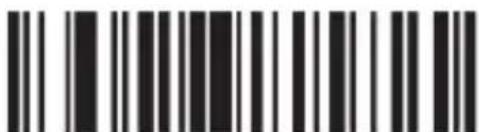
Aplic 304351 - Barcode scanner

304351 - Barcode scanner Aplic - Free user manual and instructions

Find the device manual for free 304351 Aplic in PDF.

📄 104 pages English EN Download 💬 AI Question 10 questions ⚙️ Specs
Notice Aplic 304351 - page 22
View the manual : Français FR Deutsch DE English EN Español ES Italiano IT
Pick your language and provide your email: we'll send you a specifically translated version.
Product type Barcode scanner
Brand Aplic
Model 304351
Power supply 5 V DC via USB port
Scanning modes Manual, automatic, continuous
Minimum resolution 0.1 mm
Laser class Class 1 (laser safety)
Electrostatic discharge (ESD) protection 15 kV (air discharge)
Shock resistance Drop from 1 m onto solid surface
Compatible barcodes 2of5 Datalogic, Interleaved, Industrial, CODABAR, Code93, Code11, Code39, Code128, EAN8, EAN13, EAN14, EAN128, ISBN, MSI, UCC-14, UPC-A, UPC-E, etc.
Package contents Scanner, stand, RJ45 to USB cable, instruction manual
Driver installation Automatic upon USB connection
Advanced settings Configuration via barcodes (prefix, suffix, masking, code types, etc.)
Cleaning and maintenance Soft, dry cloth; do not immerse
Safety instructions Do not open, avoid contact with voltage, protect from moisture and high temperatures
WEEE compliance Directive 2012/19/EU, registration number DE 67896791
Declaration of conformity WD Plus GmbH, Wohlenbergstraße 16, 30179 Hannover

Frequently Asked Questions - 304351 Aplic

How to connect the Aplic 304351 barcode scanner to my computer?
Connect the RJ45 to USB cable to the scanner, then plug the USB connector into a free port on your computer. The driver installation occurs automatically.
What types of barcodes can this scanner read?
It reads a wide range of 1D barcodes: 2of5 Datalogic, Interleaved, Industrial, CODABAR, Code93, Code11, Code39, Code128, EAN8, EAN13, EAN14, EAN128, ISBN, MSI, UCC-14, UPC-A, UPC-E, etc.
How to set the scanner to add a prefix or suffix?
Scan the corresponding configuration code (prefix or suffix), then scan the desired characters (up to 10) using the barcodes from the character table. Validate with the test code.
What to do if the scanner does not scan correctly?
Check that the laser covers the entire barcode and that the reading angle is not 90°. Ensure the barcode is compatible and clean. If the problem persists, reset to default settings.
How to mask the first or last characters of a barcode?
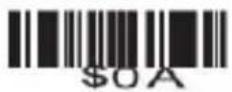
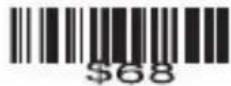
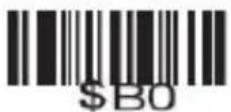
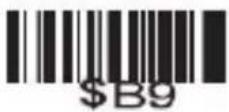
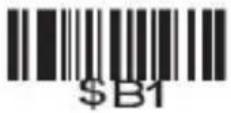
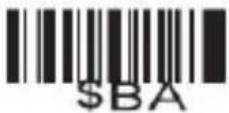
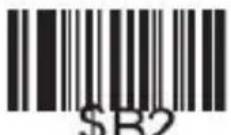
Scan the masking configuration code, then scan the code corresponding to the number of characters to mask (e.g., "$02" for first 2). Use codes from "\01" to "\10" for numeric values.
Is this scanner compatible with my operating system?
Yes, the scanner is automatically recognized as a HID (keyboard) device on Windows, macOS, and Linux. No specific driver is required.
How to clean the barcode scanner?
Unplug the scanner, then wipe it with a soft, dry cloth. Never immerse it in water and do not use chemical products.
What safety precautions should be followed?
Do not open the device, avoid contact with water or high humidity, do not expose it to extreme temperatures or violent shocks. Use it only as described in the manual.
Does the scanner work with barcodes on screen?
Yes, the scanner can read barcodes displayed on a screen (smartphone, tablet, computer) provided the contrast is sufficient and the screen is not reflective glass.
How to reset the scanner to factory settings?
Scan the "Default settings" barcode provided in the manual (section 6). All custom settings will be cleared.

User questions about 304351 Aplic

0 question about this device. Answer the ones you know or ask your own.

Ask a new question about this device

The email remains private: it is only used to notify you if someone responds to your question.

No questions yet. Be the first to ask one.

Download the instructions for your Barcode scanner in PDF format for free! Find your manual 304351 - Aplic and take your electronic device back in hand. On this page are published all the documents necessary for the use of your device. 304351 by Aplic.

USER MANUAL 304351 Aplic

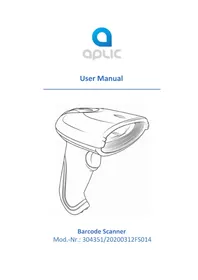
natural_image Line drawing of a handheld device with a curved handle and lens (no text or symbols)

Barcode Scanner

Aplic 304351 - Barcode Scanner - 1
Multi-Scan Multi-Scan

Aplic 304351 - Barcode Scanner - 2
ohne Auslöser

Aplic 304351 - Barcode Scanner - 3
Dauerhafter Scan

Aplic 304351 - Barcode Scanner - 4
Pulse-Scan

Code ID

Aplic 304351 - Barcode Scanner - 5
Code ID als Prefix senden Code ID als Prefix senden
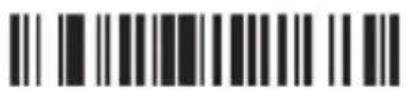
Aplic 304351 - Barcode Scanner - 6
Ausschalten

Aplic 304351 - Barcode Scanner - 7
Code ID als Suffix senden Code ID als Suffix senden
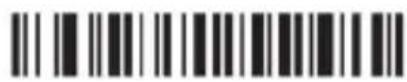
Aplic 304351 - Barcode Scanner - 8
Ausschalten

Sprache

Aplic 304351 - Barcode Scanner - 9
American English German

Aplic 304351 - Barcode Scanner - 10

Aplic 304351 - Barcode Scanner - 11
French Zurücksetzen

Two barcode patterns: one with vertical black bars on white background, the other with solid black bars on white background.

Zurücksetzen

Keine Terminierung

Black and white barcode image with vertical lines above and below the bars

Code 11 ausschalten

Barcode image with black and white vertical bars, no visible text or symbols beyond the pattern

ID Character "m"

Barcode image with black and white vertical bars, no visible text or symbols beyond the pattern

ID Character "z"

Barcode image containing encoded digital information

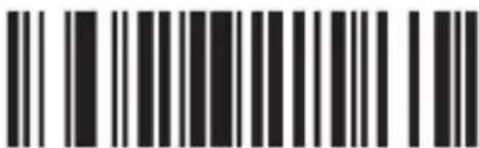
Code 93 einschalten

Barcode image containing machine-readable data, no human-readable text visible

Code 93 ausschalten

Two identical barcode patterns, each with vertical black and white stripes on white background

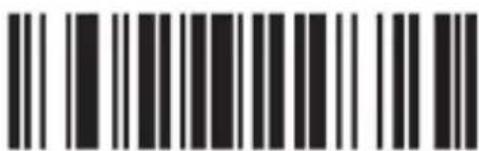
ID Character "h" ID Character "z"

Two identical barcode patterns, each with vertical black bars on white background

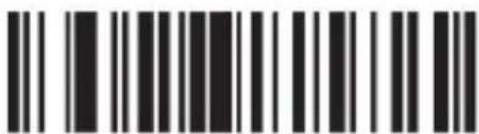
Code 39 einschalten

Barcode image with black and white vertical bars, no visible text or symbols beyond the pattern

Code 39 ausschalten

Two identical barcode patterns, each with vertical black bars on white background

ID Character "a"

Barcode image with black and white vertical bars, no visible text or symbols beyond the pattern

ID Character "z"

Two sets of barcode symbols: one with vertical lines and one with horizontal bars

ID Character "g"

Black and white barcode image with vertical lines and a central pattern

ID Character "z"

Two identical barcode patterns, each with vertical black and white stripes on white background

ID Character "k" ID Character "z"

Image of a barcode with vertical black and white lines on both sides, containing machine-readable data.

Bar width gap allowed ausschalten

Interleaved/ITF25
Barcode image containing machine-readable data, with vertical black and white lines representing the number 10

ID Character "l" ID Character "z"

Barcode image containing machine-readable data, with vertical black bars on both sides and a central white dot.

Barcode image containing machine-readable data, no human-readable text visible

ID Character "j" ID Character "z"

Barcode image with vertical black and white bars, no visible text or symbols beyond the pattern

Black and white barcode image with vertical lines and a central dot

Industrial 25 redundantes Scannen ausschalten

MSI/PLESSEY
Barcode image with black and white vertical bars, no visible text or symbols

MSI einschalten

Barcode image containing machine-readable data, with vertical lines representing data points in the matrix.

MSI ausschalten

Barcode image containing machine-readable data, with vertical lines representing data points in the matrix.

ID Character "f"

Barcode image with vertical black and white lines on white background

UPC-A einschalten

Barcode image containing machine-readable data, with vertical black bars on both sides and no visible text or symbols.

UPC-A ausschalten

Barcode image containing machine-readable data, no human-readable text visible

ID Character "b" ID Character "z"

Barcode image containing machine-readable data, with vertical lines representing data points in the matrix.

UPC-E
Barcode image containing machine-readable data, with vertical black and white lines representing the number 10

UPC-E einschalten

Barcode image containing machine-readable data, no human-readable text visible

UPC-E ausschalten

Black and white barcode image with vertical lines and a small number '1' at the bottom

ID Character "c" ID Character "z"

Barcode image containing machine-readable data, with vertical black and white lines representing the number 10

EAN-13
Barcode image with black and white vertical bars, no visible text or symbols

EAN-13 einschalten

Barcode image containing machine-readable data, with vertical black and white bars representing the number 10

EAN-13 ausschalten

Barcode image containing machine-readable data, no human-readable text visible

ID Character "e" ID Character "z"

Barcode image containing machine-readable data, with vertical black and white lines representing the pattern of data.

EAN-8
Barcode image containing machine-readable data, with vertical black bars for each digit and a series of dots for digits 1 through 9.

EAN-8 einschalten

Barcode image containing machine-readable data, with vertical lines representing data points in the matrix.

EAN-8 ausschalten

Barcode image containing machine-readable data, with vertical black bars for each bar and a series of dots for continuation.

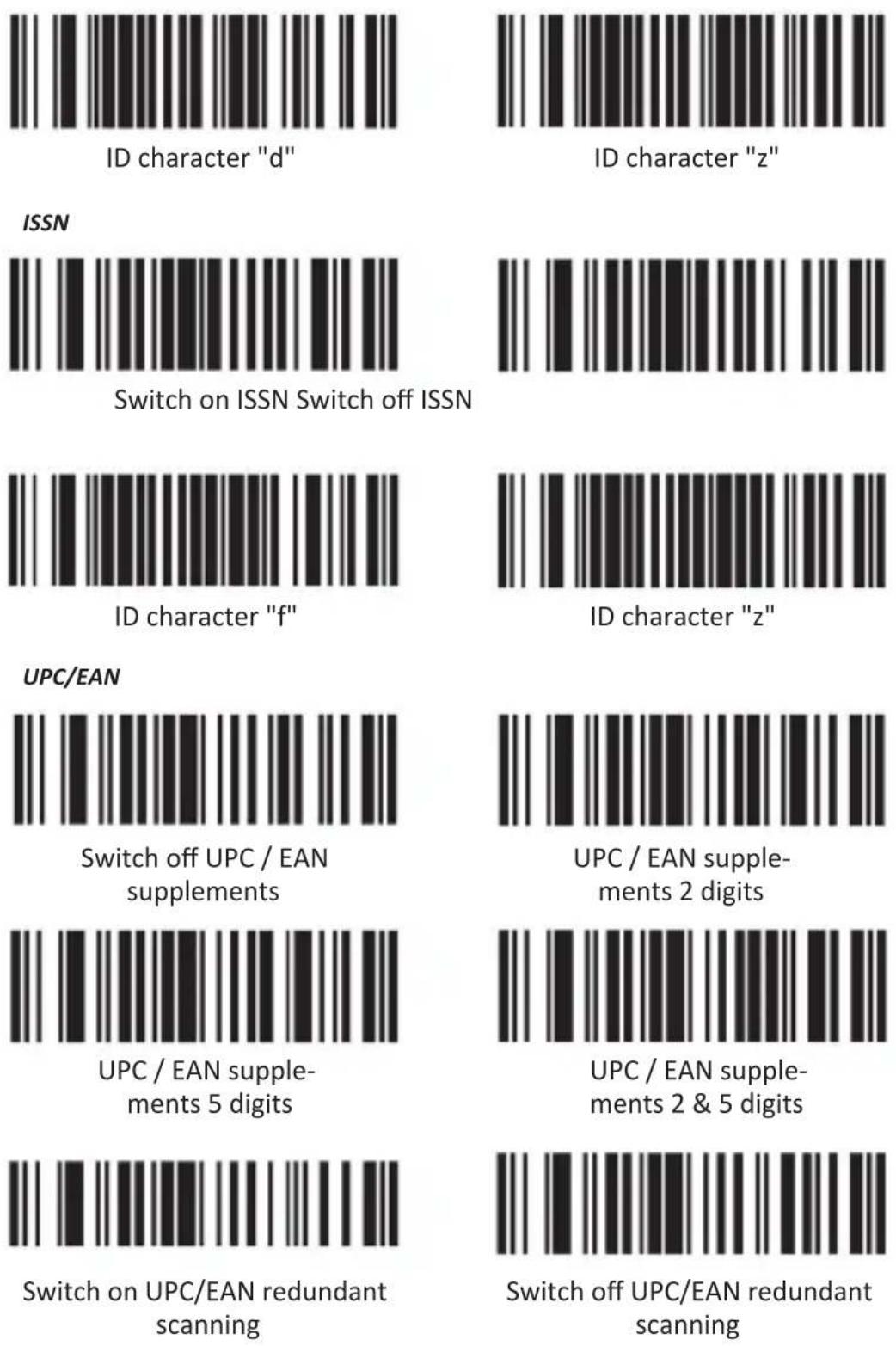
ID Character "d"

Barcode image containing machine-readable data, no human-readable text visible

ID Character "z"

ISSN
Black and white barcode image with vertical lines on both sides

Barcode image with black and white vertical bars on both sides

ID Character "f"

Barcode image containing encoded digital information

ID Character "z"

UPC/EAN
Barcode image with black and white vertical bars on white background

UPC/EAN supplements ausschalten

Barcode image containing machine-readable data, with vertical black and white lines representing the number 10.

UPC/EAN supplements 2 Ziffern

Black and white barcode image with vertical lines and a small number '1' at the bottom

UPC/EAN supplements 5 Ziffern

Barcode image containing machine-readable data, with vertical lines representing data points in the matrix.

UPC/EAN supplements 2&5 Ziffern

Barcode image containing machine-readable data, with vertical lines representing data points in the matrix.

UPC/EAN redundantes Scannen ausschalten

CODE 32
Black and white barcode image with vertical lines and a central dot

Barcode image containing machine-readable data, no human-readable text visible

Hide the front characters

0C003

Thank you for choosing an aplic product. Please read the following user manual carefully to have an enjoyable experience with your purchased product.

1. Scope of supply

  • Bar code scanner
  • Mounting
  • RJ45 to USB connection cable
  • User manual

2. Technical data

Power supply DC 5V (via USB)
Scanning modes• Manual scanning• Automatic scanning• Continuous scanning
Resolution min. 0.1mm
Laser class Class 1 laser safety regulations
ESD protection 15kV air discharge
Shock resistance Falling height from 1m onto solid surface
Compatible barcodes2of5 Datalogic, 2of5 Interleaved, 2of5 Industrial, CODABAR, Code93, Code11, Code39, Code128, EAN8, EAN13, EAN14, EAN128, ISBN, MSI, UCC-14, UPC-A, UPC-E, etc.

3. Product details

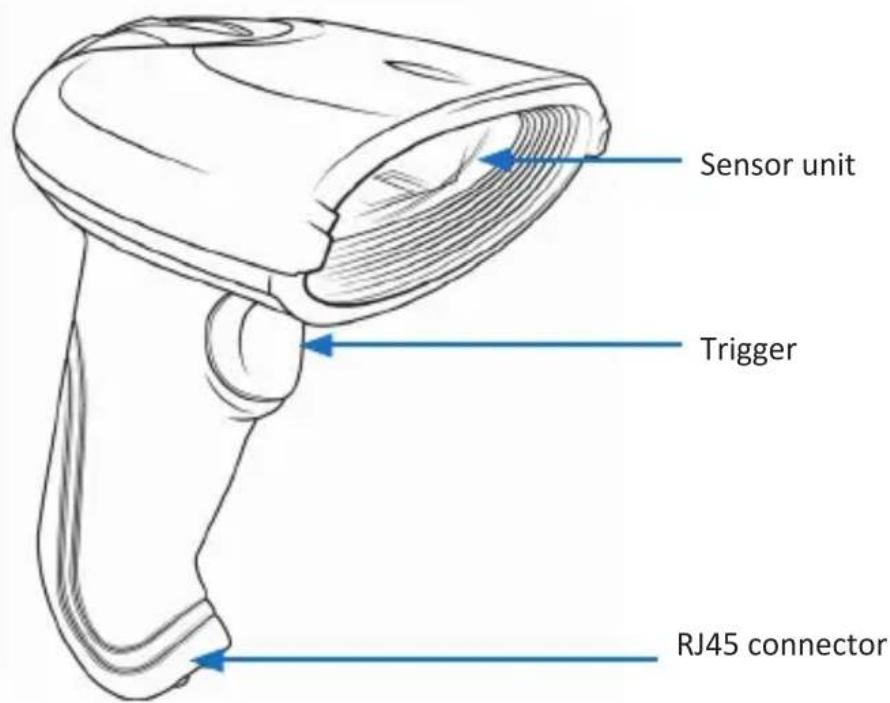
Sensor unit Trigger RJ45 connector

4. Initial use

Take the device and the accessory out of the package and remove all the packaging material. Connect the RJ45 to the USB cable via the RJ-45 connector with the barcode scanner and plug the USB connector into a free USB port of your computer. In order to remove the cable on the bottom of the barcode scanner, it is necessary to release the latching nose of the RJ-45 plug. This will be done by injecting a slim object (e.g. a straightened paperclip) into the lateral hole next to the RJ-45 connector. So it is easy to detach the cable from device. The driver is installed automatically. The device is now ready to be used. For advanced settings, continue with chapter "6 Advanced Settings".

Notes for code 39 and code 32: If you want to scan one of the code types „Code39“ or „Code32“, we recommend disabling the other code first. Otherwise, faulty scans cannot be excluded!

5 Scanning angle

To ensure correct scanning, make sure that the scanner is not held at a 90^ angle to the barcode. The scanner has to be pointed towards the bar code and the laser should cover the entire barcode. If this is not the case, errors might occur.

6 Advanced settings

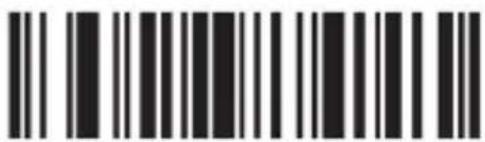
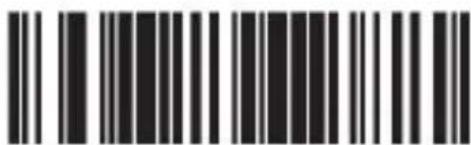
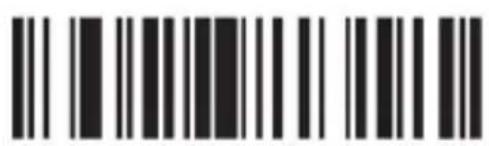
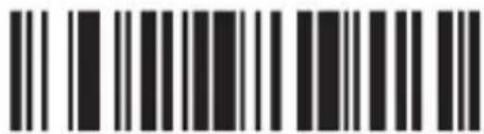
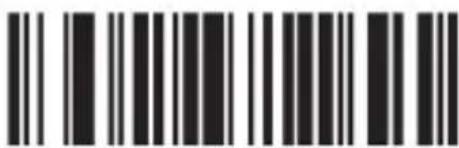
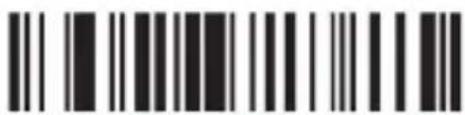
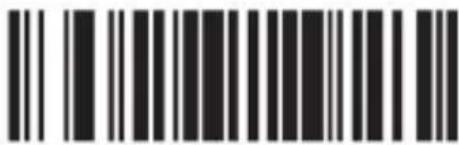
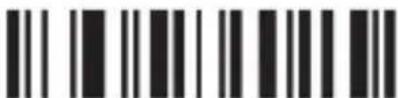
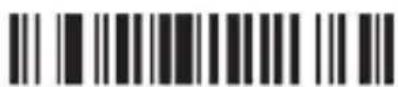
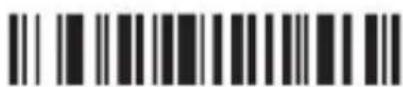
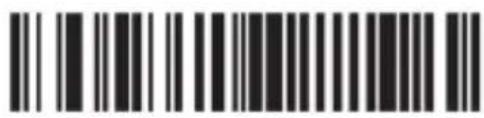
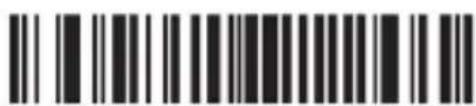
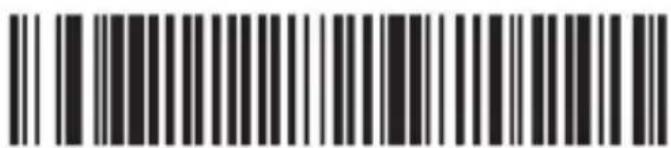
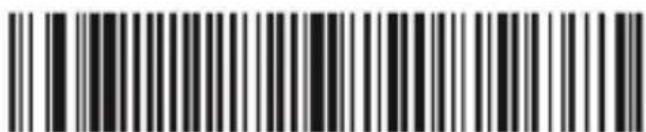
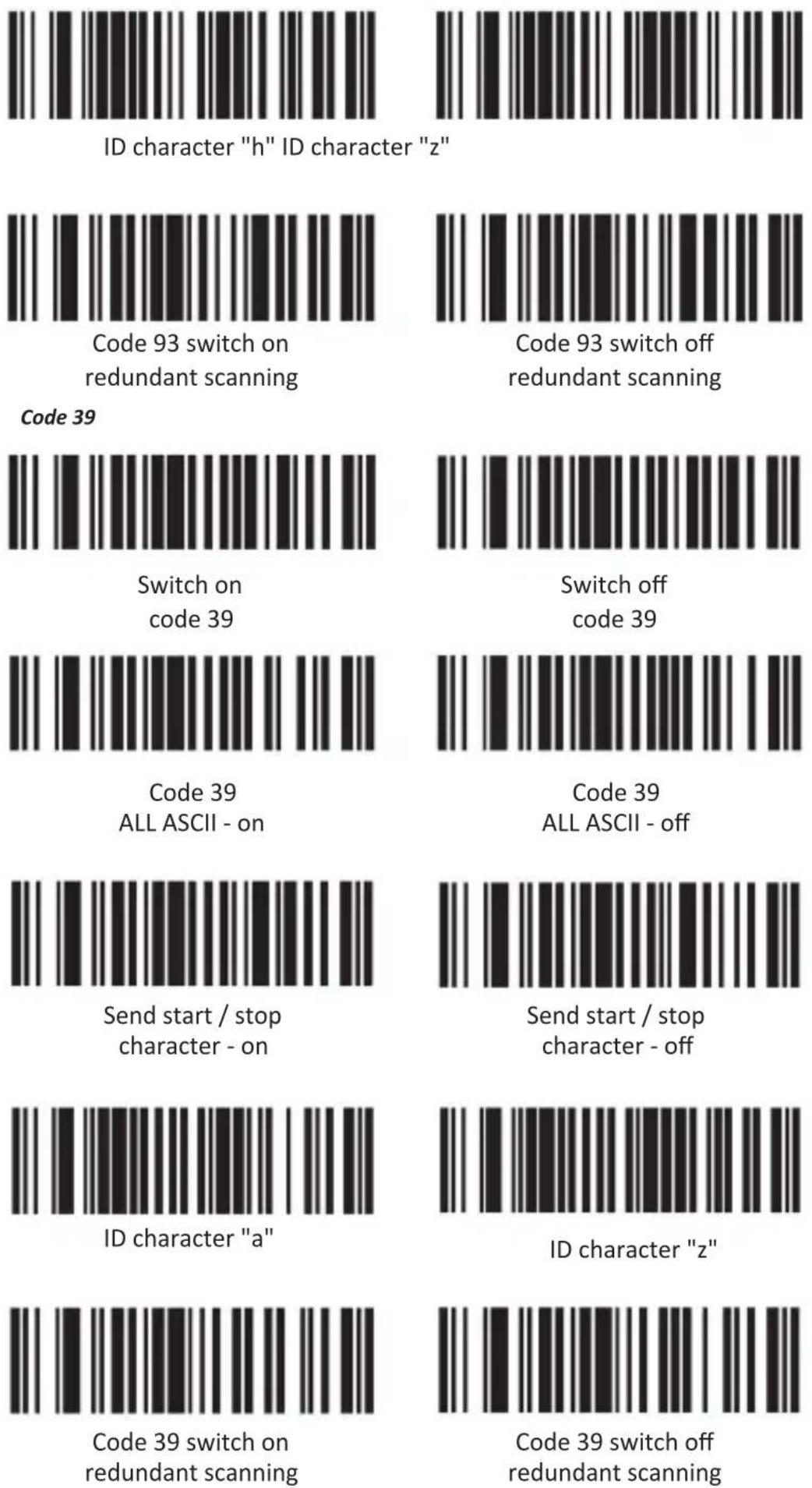
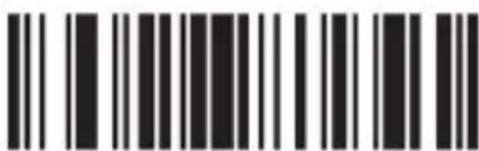
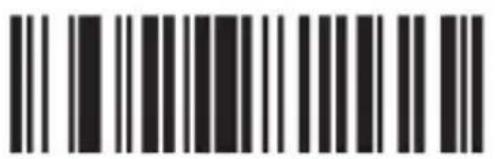
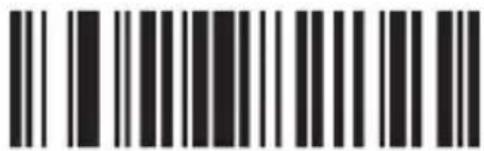
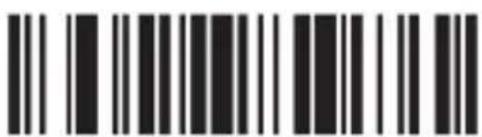
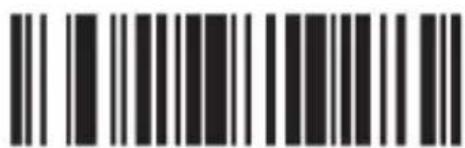
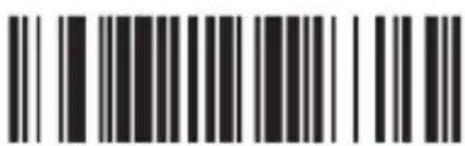
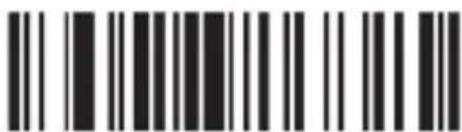
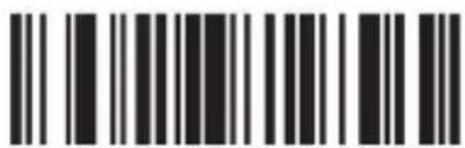
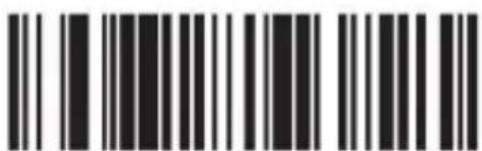
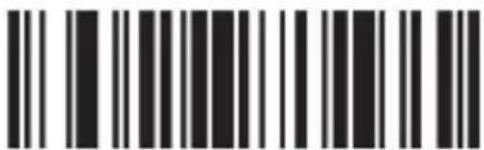
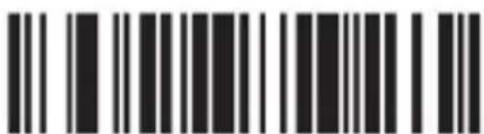
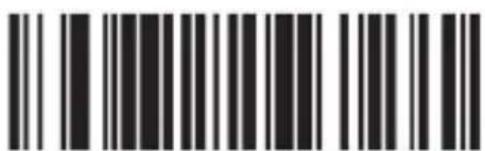
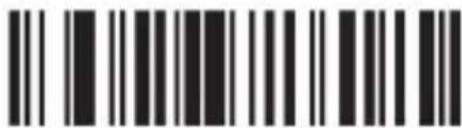
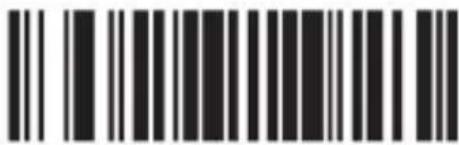
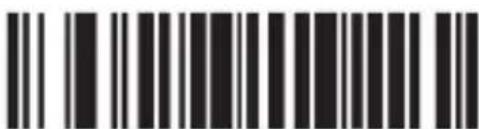
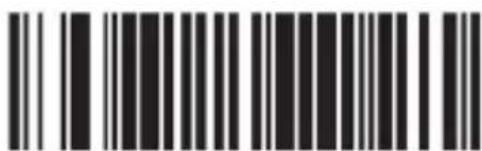
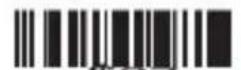
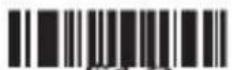
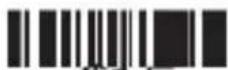
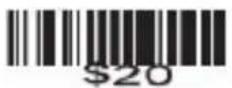
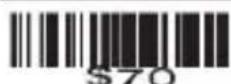
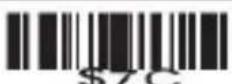
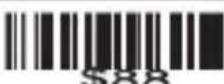
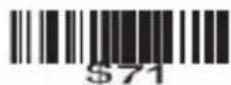
You can use the advanced settings for additional settings like enabling or disabling certain types of code. Scan the following barcodes to configure the scanner.

Advanced settings
Black and white barcode image with vertical lines and dots, no readable text or symbols

Barcode image containing machine-readable data with vertical lines and dots

Version Factory settings

Buzzer settings

Aplic 304351 - Advanced settings - 3

Aplic 304351 - Advanced settings - 4
Buzzer sound off Buzzer sound on

Reading modes
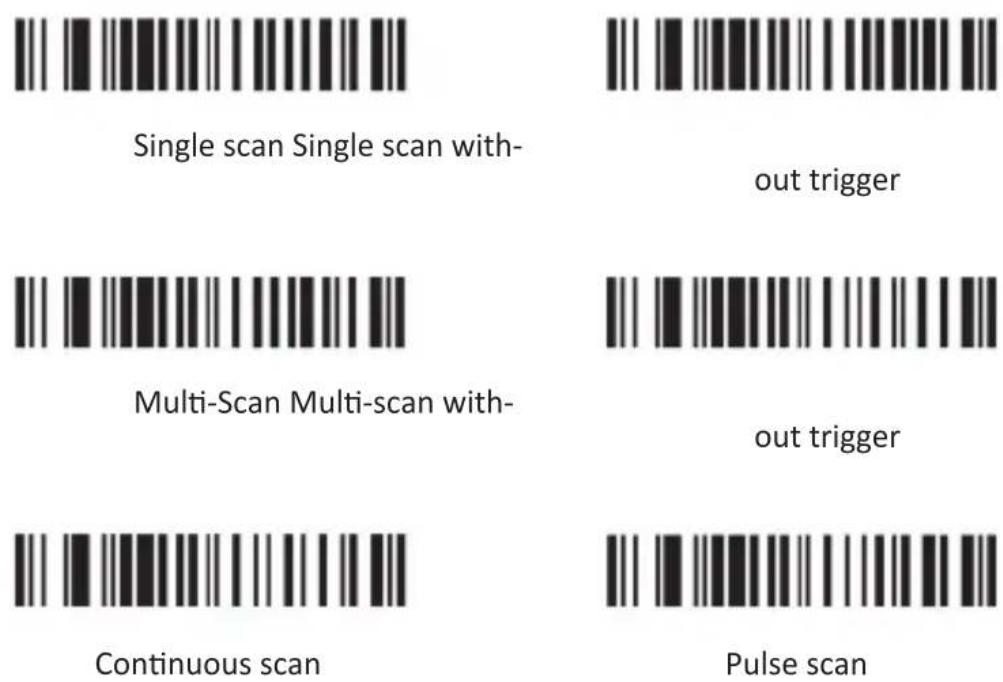
Aplic 304351 - Advanced settings - 5

Code ID
Aplic 304351 - Advanced settings - 6
Send code ID as a prefix Send code ID as a prefix
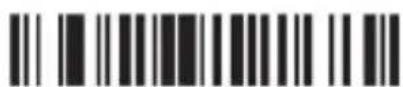
Aplic 304351 - Advanced settings - 7
Switch off

Aplic 304351 - Advanced settings - 8
Send code ID as a suffix Send code ID as a suffix
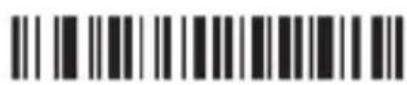
Aplic 304351 - Advanced settings - 9
Switch off

Language
Aplic 304351 - Advanced settings - 10
American English German

Aplic 304351 - Advanced settings - 11

Aplic 304351 - Advanced settings - 12
French Reset

Aplic 304351 - Advanced settings - 13

Uppercase or lowercase
Two barcode patterns: one with vertical black bars on white background, the other with horizontal black bars on white background.

Uppercase letter Lowercase letter

Barcode image containing encoded digital information

Reset

Scheduling settings
Barcode image containing machine-readable data, with vertical lines representing data points.

No scheduling

Black and white barcode image with vertical lines and a small number '1' at the bottom

Scheduling - Enter

Black and white barcode image with vertical lines and a central dot

Scheduling - Spacebar

Black and white barcode image with vertical lines and a central dot

Scheduling - TAB

Black and white barcode image with vertical lines and a small number '1' at the bottom

Scheduling - TAB / Enter

Barcode image containing encoded digital information

Scheduling -
Enter + Enter

Aplic 304351 - Advanced settings - 22
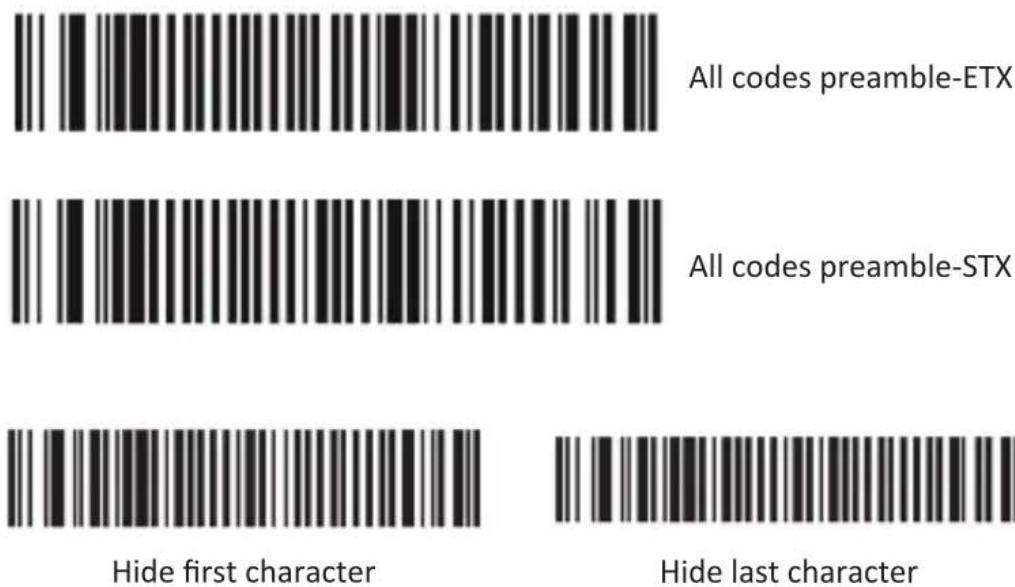
All codes preamble-ETX
All codes preamble-STX

Barcode settings
Code 11
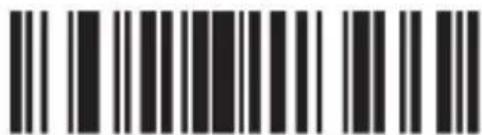
Barcode image containing machine-readable data, with vertical black bars for each digit and a small bracket at the end.

Switch on code 11

Black and white barcode image with vertical lines above and below the bars

Switch off code 11

Barcode image with black and white vertical bars, no visible text or symbols beyond the pattern

ID character "m"

Barcode image with black and white vertical bars, no visible text or symbols

ID character "z"

Barcode image containing machine-readable data, no human-readable text visible

Code 11 switch on redundant scanning

Black and white barcode image with vertical lines and a small number '1' at the bottom

Code 11 switch off redundant scanning

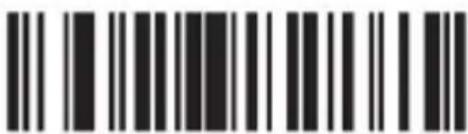
Code 93
Barcode image containing machine-readable data, no human-readable text visible

Switch on code 93

Barcode image containing machine-readable data, no human-readable text visible

Switch off code 93

Aplic 304351 - Advanced settings - 31

Code 128
Two identical barcode patterns: one with vertical black bars on white background, the other with solid black bars on white background.

Switch on code 128 Switch off code 128

Barcode image with black and white vertical bars on both sides, no visible text or symbols beyond the pattern

ID character "g"

Black and white barcode image with vertical lines and a central pattern

ID character "z"

Two identical barcode patterns, each with vertical black and white stripes on white background

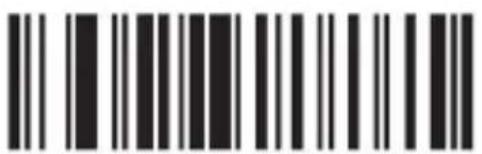
Code 128 switch on redundant scanning
Barcode image containing machine-readable data, with vertical black and white lines representing the number 10.

Code 128 switch off redundant scanning

CODABAR

Two identical barcode patterns: one with vertical black bars on white background, the other with solid black bars on white background.

Switch on CODABAR Switch off CODABAR

Two identical barcode patterns, each with vertical black and white stripes on white background

Send start / stop character - on

Barcode image containing machine-readable data, with vertical black bars for each digit and a series of dots for digits 1 through 9.

Send start / stop character - off

Barcode image with black and white vertical bars on both sides, no visible text or symbols beyond the pattern

ID character "k" ID character "z"

Barcode image with black and white vertical bars, no visible text or symbols beyond the pattern

Switch on CODABAR redundant scanning

Barcode image containing machine-readable data, with vertical lines representing data points in the matrix.

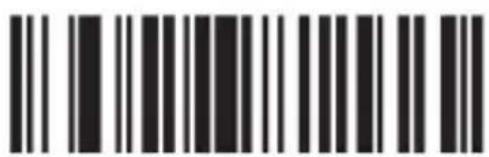
Switch off CODABAR redundant scanning
Barcode image containing machine-readable data, with vertical black and white lines on both sides

Switch on Bar width gap allowed

Black and white barcode image with vertical lines and a small number '1' at the bottom

Switch off Bar width gap allowed

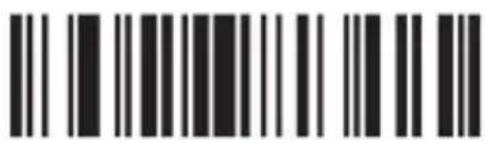
Interleaved/ITF25
Black and white barcode image with vertical lines and a central dot

Switch on Inter-leaved/ITF25

Black and white barcode image with vertical lines on both sides

Switch off Inter-leaved/ITF25

Barcode image with black and white vertical bars, no visible text or symbols

ID character "l" ID character "z"

Barcode image containing machine-readable data, no human-readable text visible

Barcode image containing machine-readable data, with vertical black bars for each bar and no visible text or symbols beyond the pattern.

Switch on ITF25 redundant scanning

Barcode image containing machine-readable data, no human-readable text visible

Switch off ITF25 redundant scanning

Industrial 25
Black and white barcode image with vertical lines and a central dot

Switch on Industrial25

Barcode image containing machine-readable data, no human-readable text visible

Switch off Industrial25

Barcode image with black and white vertical bars, no visible text or symbols beyond the pattern

ID character "j" ID character "z"

Barcode image with black and white vertical bars, no visible text or symbols beyond the pattern

Black and white barcode image with vertical lines and a central dot

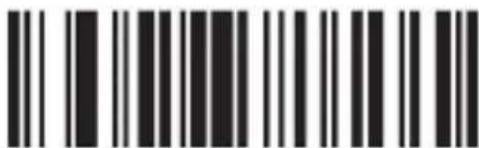
Switch on Industrial 25 redundant scanning
Black and white barcode image with vertical lines on both sides

Industrial 25 switch off redundant scanning

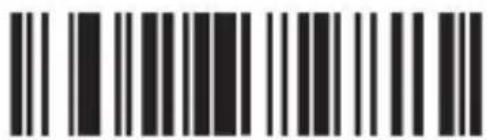
MSI/PLESSEY
Barcode image with black and white vertical bars on both sides

Switch on MSI

Barcode image containing machine-readable data, no human-readable text visible

Switch off MSI

Barcode image containing machine-readable data, no human-readable text visible

ID character "f"

Barcode image with vertical black and white bars, no visible text or symbols beyond the pattern

Switch on MSI redundant scanning

Black and white barcode image with vertical lines on both sides

Switch off MSI redundant scanning

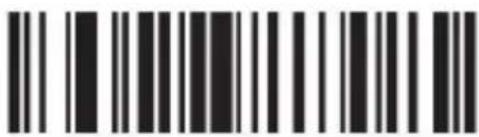
UPC-A
Black and white barcode image with vertical lines and a central dot

Switch on UPC-A

Barcode image containing machine-readable data, with vertical black bars for each bar and no visible text or symbols beyond the pattern.

Switch off UPC-A

Barcode image containing machine-readable data, no human-readable text visible

Switch on Convert UPC-A to EAN13

Barcode image containing machine-readable data, with vertical black bars for each bar and a series of white dots for continuation.

Switch off Convert UPC-A to EAN13

Barcode image containing machine-readable data, with vertical black bars on both sides and no visible text or symbols.

Switch on Transmit system bit

Black and white barcode image with vertical lines above and below the bars

Switch off Transmit system bit

Barcode image containing machine-readable data, with vertical black and white lines representing the number 10

Switch on Transmit check digit

Black and white barcode image with vertical lines and a central dot

Switch off Transmit check digit

Two vertical barcode patterns: one with black bars on white background, the other with white bars on black background.

ID character "b" ID character "z"

UPC-E

Two vertical barcode patterns, one with black bars on white background and the other with white bars on black background.

Switch on UPC-E

Barcode image containing machine-readable data, no human-readable text visible

Switch off UPC-E

Two sets of barcode symbols: one with vertical lines and one with horizontal bars

Switch on Convert UPC-E to UPC-A

Black and white barcode image with vertical lines and a central pattern

Switch off Convert UPC-E to UPC-A

Barcode image with black and white vertical bars on both sides, no visible text or symbols beyond the pattern

Switch on Transmit system bit

Barcode image containing encoded digital information

Switch off Transmit system bit

Barcode image with standard bar pattern and adjacent vertical lines

Switch on Transmit check digit

Barcode image containing machine-readable data, no human-readable text visible

Switch off Transmit check digit

Two identical barcode patterns, each with vertical black and white stripes on white background

ID character "c" ID character "z"

EAN-13

Barcode image with standard black and white vertical lines above and below the bars

Switch on EAN-13 Switch off EAN-13

Barcode image with black and white vertical bars, no visible text or symbols

Switch on Convert EAN-13 to ISBN

Barcode image containing machine-readable data, with vertical black bars for each bar and a series of dots for continuation.

Switch off Convert EAN-13 to ISBN

Black and white barcode image with vertical lines and a central dot

Switch on Transmit system bit

Barcode image containing machine-readable data, no human-readable text visible

Switch off Transmit system bit

Black and white barcode image with vertical lines and a central dot

Switch on Transmit check digit

Barcode image containing machine-readable data, no human-readable text visible

Switch off Transmit check digit

Barcode image containing machine-readable data, with vertical lines representing data points in the matrix.

ID character "e" ID character "z"
Barcode image containing machine-readable data, no human-readable text visible

EAN-8
Barcode image containing machine-readable data, with vertical black and white lines representing the number 10.

Switch on EAN-8

Black and white barcode image with vertical lines and a central dot

Switch off EAN-8

Black and white barcode image with vertical lines and a central dot

Switch on Transmit system bit

Barcode image containing machine-readable data, with vertical black and white lines on both sides.

Switch off Transmit system bit

Barcode image containing machine-readable data, with vertical black and white lines representing the number 10.

Switch on Transmit check digit

Barcode image containing machine-readable data, with vertical black bars for each digit in the first column.

Switch off Transmit check digit

Aplic 304351 - Advanced settings - 95

CODE 32

Barcode image containing machine-readable data, no human-readable text visible

Barcode image containing machine-readable data, no human-readable text visible

Switch on code 32 Switch off code 32

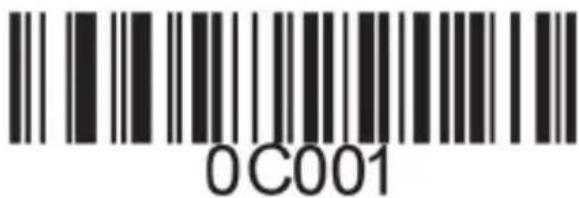
6.1 Adding a prefix

Proceed as follows to add a prefix:

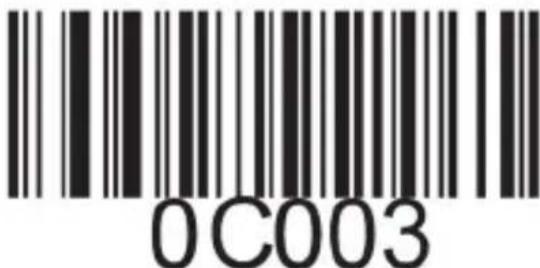
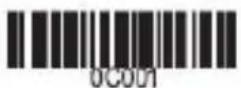
Scan the following code. This step causes the previously configured settings to be reset at this point.
0C001

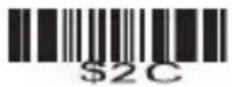
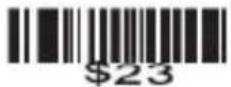
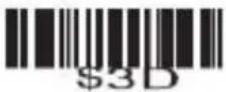
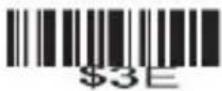
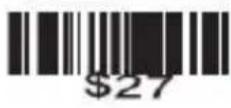
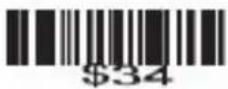
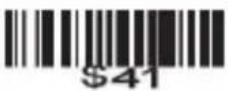
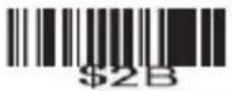
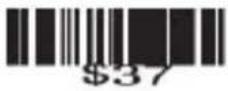
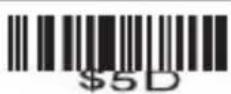
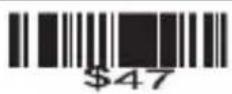
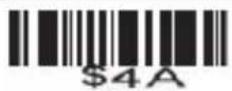
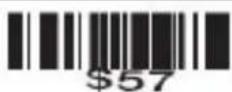
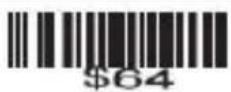
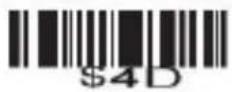
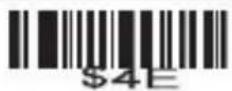
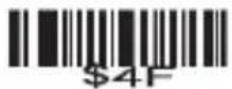
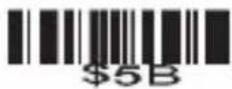
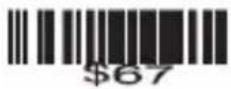
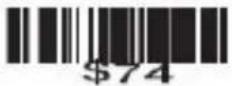
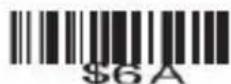
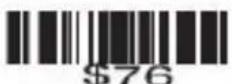
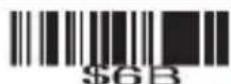
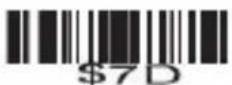
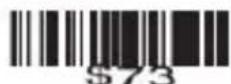
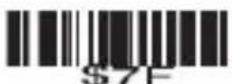
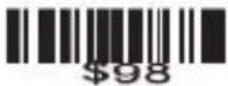
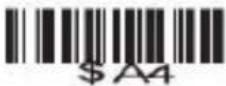
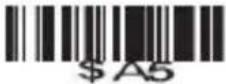
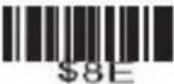
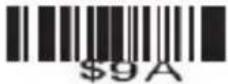
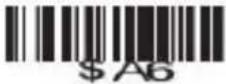
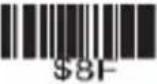
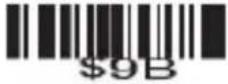
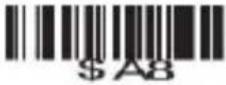
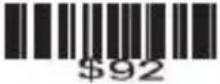
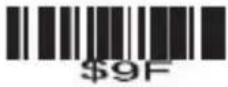
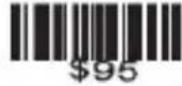
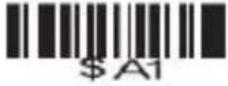
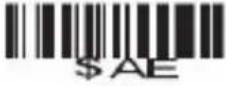
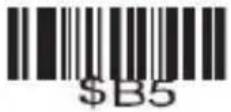
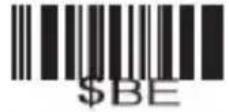
Then scan the barcodes of the desired characters (maximum 10 characters). To configure a prefix with the letters "MG" for example, scan the characters "M" and "G" one after the other.
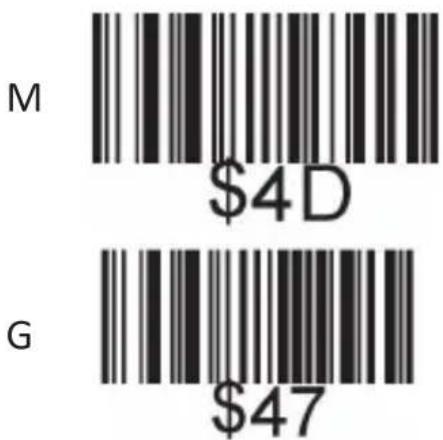
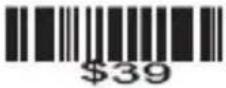
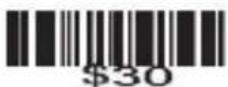
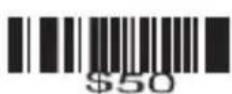
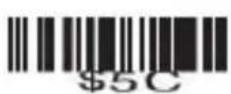
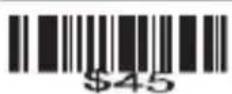
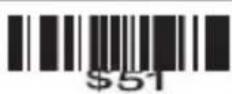
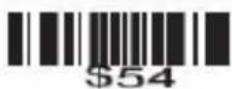
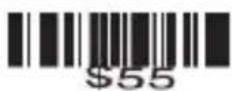
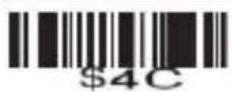
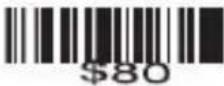
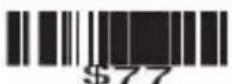
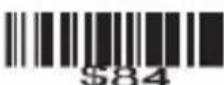
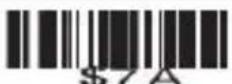
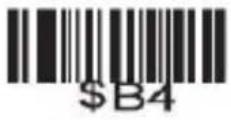
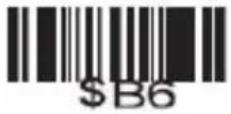
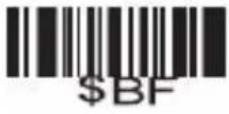
M $4D G $47

If you scan a barcode now, the newly scanned code is displayed in front of the barcode.

Scan the following "TEST" barcode to check whether the prefix setting has been accepted.

TEST

The barcode scanner displays "MGTEST" after scanning the test barcode. If this is not the case, repeat the procedure.

6.2 Adding a suffix

Proceed as follows to add a suffix:

Scan the following code. This step causes the previously configured settings to be reset at this point.
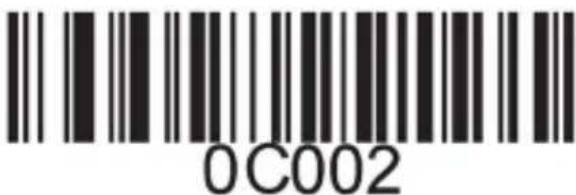
0C002

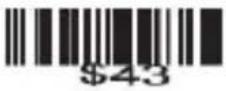
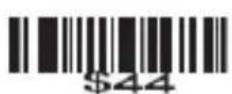
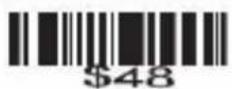
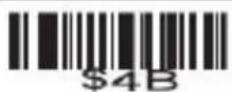
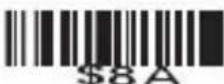
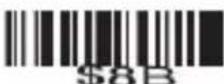
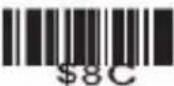
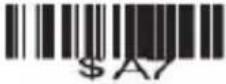
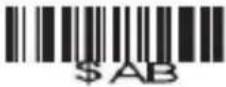
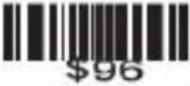
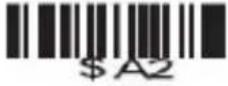
Then scan the barcodes of the desired characters (maximum 10 characters). To configure a suffix with the letters "OK", scan the characters "O" and "K" one after the other.
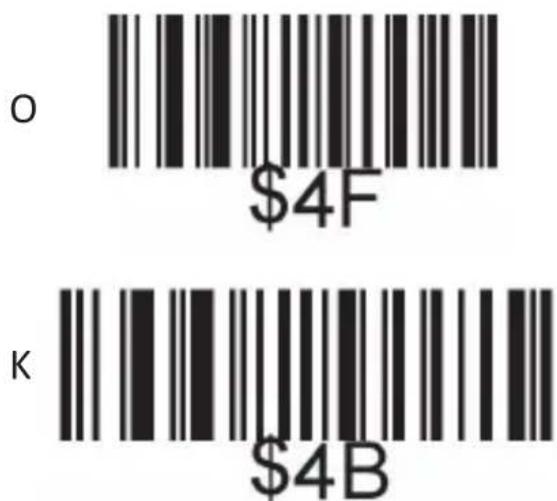
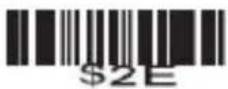
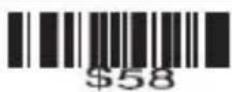
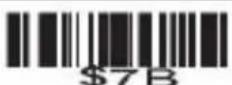
O $4F K $4B

If you scan a barcode, the code just scanned is displayed behind the barcode.

Scan the following "TEST" barcode to check whether the suffix setting has been accepted.

TEST

The barcode scanner displays "TESTOK" after scanning the test barcode. If this is not the case, repeat the procedure.

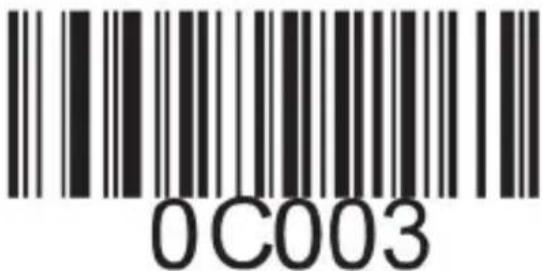
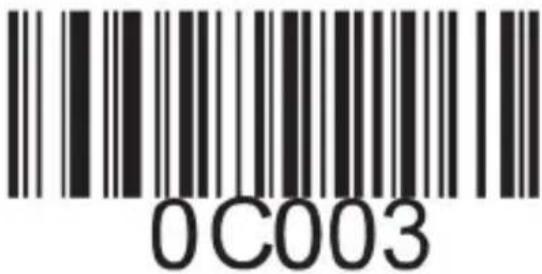
6.3 Hide the front characters

Proceed as follows to hide the front characters of a barcode:

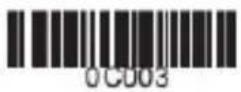
Scan the following code. This step causes the previously configured settings to be reset at this point.

Hide the front characters
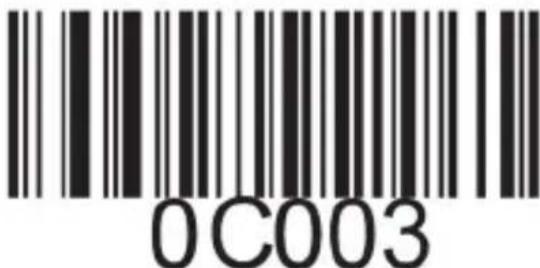
0C003

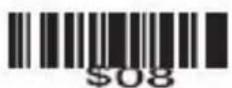
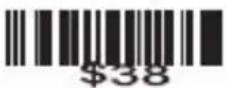
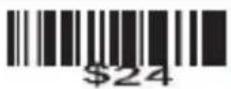
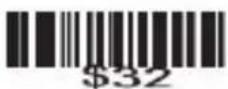
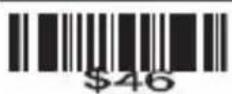
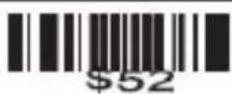
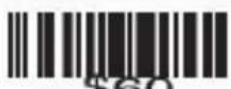
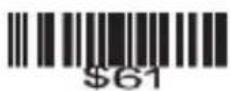
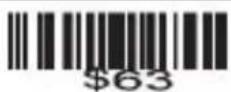
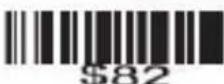
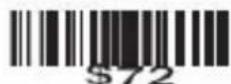
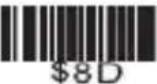
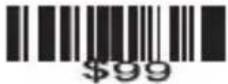
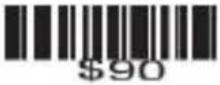
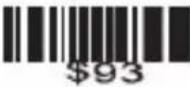
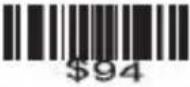
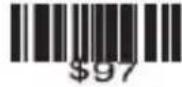
Scan the barcodes of the desired characters (maximum 10 characters). For example, to hide the first two characters, scan the following barcode setting code "\$02".
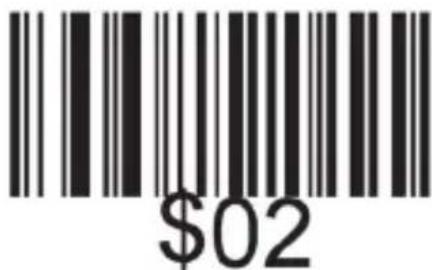
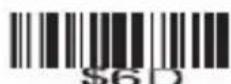
$02

If you now scan a barcode, the first two characters of the subsequently scanned barcodes will be hidden. Scan the following barcode as a test.
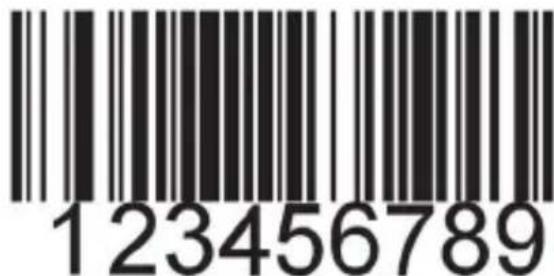
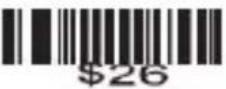
123456789

If you scan a barcode now, the newly scanned code is displayed as "3456789". If this is not the case, repeat the procedure.

6.3 Hide the behind characters

Proceed as follows to hide the behind characters of a barcode:

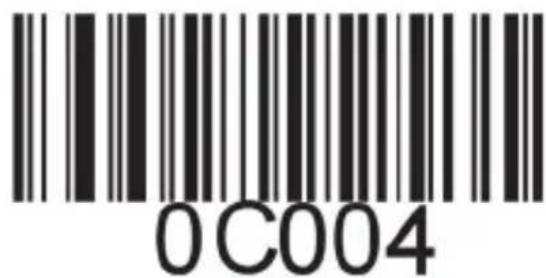
Scan the following code. This step causes the previously configured settings to be reset at this point.

Hide the behind characters
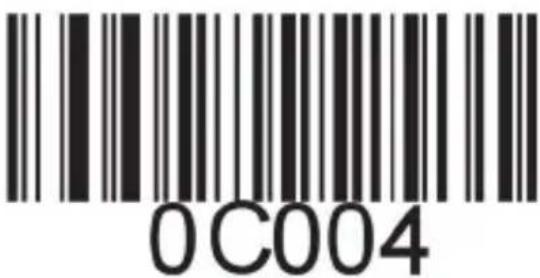
0C004

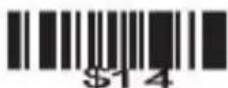
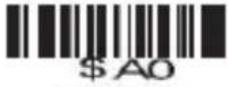
Then scan the barcodes of the desired characters (maximum 10 characters). For example, to hide the last three characters, scan the setting code "\$03".
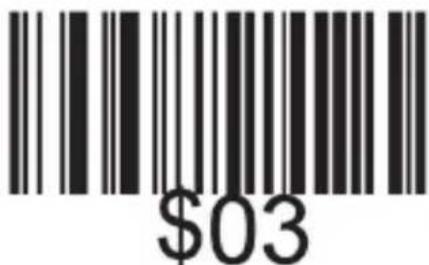
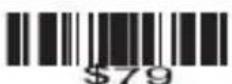
$03

If you now scan a barcode, the last two characters of the subsequently scanned barcodes will be hidden. Scan the following barcode as a test.
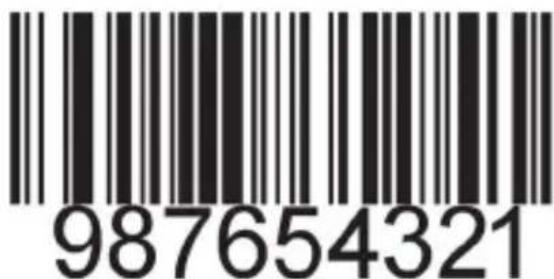
987654321

If you scan a barcode subsequently, the newly scanned code is displayed as "987654". If this is not the case, repeat the procedure.

7 Character table

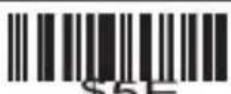
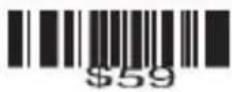
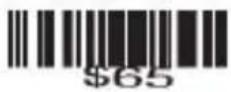
The character table at the end of this user manual lists all the characters that can be configured with the barcode scanner, for example, as a suffix or prefix. Only the barcodes "\01"(code: SOH) to "\10" (code: DLE) are available for hiding the front or behind characters.

8. Cleaning and Maintenance

Before cleaning ensure that the barcode scanner is not connected to any USB port. Use a soft dry cloth to clean and wipe the barcode scanner carefully. For cleaning, never immerse the device in water!

9. Safety instructions and liability disclaimer

Never try to open the device to carry out repairs or conversions. Avoid contact with mains voltages. Do not short-circuit the product. The device is not certified for use in the open air; only use it in dry conditions. Protect it from high humidity, water and snow. Keep it away from high temperatures. Do not subject the device to sudden changes in temperature or heavy vibration as this might damage electronic components.

Examine the device for damage before using it. The unit should not be used if it has received an impact or has been damaged in any other way. Please observe national regulations and restrictions. Do not use the device for purposes other than those described in the instructions. This product is not a toy. Keep it out of the reach of children or mentally impaired persons. Any repair or alteration to the device not carried out by the original supplier, will invalidate the warranty or guarantee. The product may only be used by persons who have read and understood these instructions. The device specifications may change without any separate prior notice to this effect.

10. Disposal instructions

Electrical and electronic devices may only be disposed of in accordance with the European WEEE Directive and not with household rubbish. Components must be disposed of or recycled separately as dangerous, toxic elements can inflict sustained damage on the environment if they are disposed of incorrectly. As a consumer, you are bound by the Electrical and Electronic Devices Act (ElektroG) to return electrical and electronic goods free of charge at the end of their useful life to the manufacturer, the place of purchase or to specially set up, public collection points. The details in each case are governed by national law. The symbol on the product, the operating instructions and/or the packaging refers to these regulations. By separating materials in this way, recycling and disposing of old devices, you are making an important contribution towards protecting our environment.

Aplic 304351 - Disposal instructions - 1

Aplic 304351 - Disposal instructions - 2

WEEE guideline: 2012/19/EU

WEEE register number: DE 67896791

WD Plus GmbH, herewith declares that this product 304351/20200312FS014conforms to the principle requirements and other relevant stipulations of Directive. The complete Declaration of Conformity can be obtained from: WD Plus GmbH, Wohlenbergstraße 16, 30719 Hanover

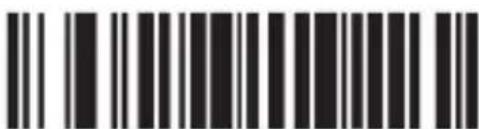
Allumer code 11
Black and white barcode image with vertical lines above and below the bars

Éteindre code 11

Barcode image with black and white vertical bars, no visible text or symbols beyond the pattern

Allumer code 11 scannage redondant

Black and white barcode image with vertical lines and a small number '1' at the bottom right.

Allumer code 93

Black and white barcode image with vertical lines and a central dot

Éteindre code 93

Barcode image containing machine-readable data, with vertical black bars for each digit and a small number below the bars.

Caractère d'ID
《Z》

Barcode image containing machine-readable data, with vertical black and white lines representing the number 10

Allumer code 93
scannage redondant

Black and white barcode image with vertical lines above and below the bars

Allumer
code 39

Barcode image with black and white vertical bars, no visible text or symbols

Éteindre
code 39

Barcode image containing machine-readable data, no human-readable text visible

Code 39
ALL ASCII - marche

Barcode image containing machine-readable data, no human-readable text visible

Caractère d'ID
《Z》

Barcode image containing machine-readable data, no human-readable text visible

Allumer code 39
scannage redondant

Barcode image containing machine-readable data, with vertical black bars for each bar and a series of white dots for gaps.

Allumer code 128 Éteindre code 128

Barcode image with black and white vertical bars on both sides, no visible text or symbols beyond the pattern

Caractère d'ID

《 Z 》
Two identical barcode patterns: one with vertical black bars on white background, the other with solid black bars on white background.

Allumer code 128 scan- nage redondant
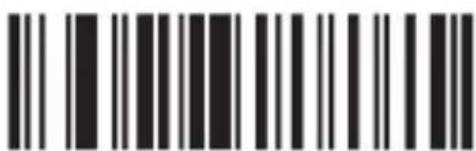
Black and white barcode image with vertical lines and a central dot

Allumer CODABAR Éteindre CODABAR

Image of a barcode with vertical black and white lines on both sides, containing machine-readable data.

Allumer CODABAR scannage redondant

Barcode image containing machine-readable data, no human-readable text visible

Éteindre CODABAR scannage redondant

Barcode image with black and white vertical bars on white background

Allumer Bar width gap allowed

Black and white barcode image with vertical lines and a central dot

Éteindre Bar width gap allowed

Interleaved/ITF25
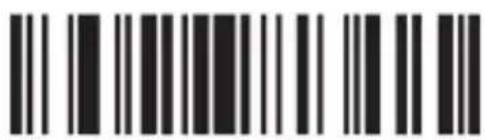
Barcode image containing machine-readable data, with vertical black and white lines representing the number 10

Allumer Inter-leaved/ITF25

Barcode image containing machine-readable data, with vertical black and white lines representing the number 10

Éteindre Inter-leaved/ITF25

Barcode image with black and white vertical bars, no visible text or symbols beyond the pattern

Allumer ITF25 scan- nage redondant

Barcode image containing encoded digital information

Éteindre ITF25 scan- nage redondant

Industrial 25
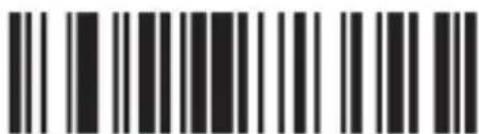
Black and white barcode image with vertical lines and a small number '1' at the bottom

Allumer Industrial 25

Barcode image containing machine-readable data, no human-readable text visible

Éteindre Industrial 25

Barcode image with vertical black and white bars, no visible text or symbols beyond the pattern

《Z》

Barcode image with black and white vertical bars, no visible text or symbols beyond the pattern

Allumer Industrial 25 scannage redondant
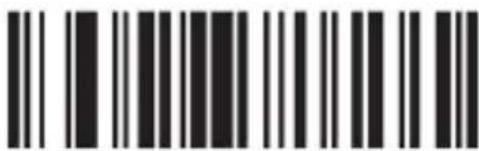
Black and white barcode image with vertical lines on both sides

Éteindre Industrial 25 scannage redondant

MSI/PLESSEY
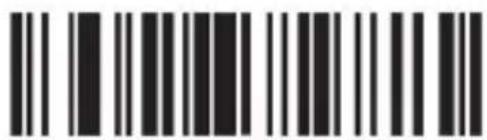
Barcode image with black and white vertical bars, no visible text or symbols

Allumer MSI

Barcode image containing machine-readable data, no human-readable text visible

Éteindre MSI

Barcode image containing machine-readable data, with vertical lines representing data points in the matrix.

Allumer MSI scannage redondant

UPC-A
Black and white barcode image with vertical lines and a central dot

Allumer UPC-A

Barcode image containing machine-readable data, with vertical black bars on white background

Éteindre UPC-A

Barcode image containing machine-readable data, no human-readable text visible

Allumer Convertir UPC-A en EAN13

Barcode image with black and white vertical bars, no visible text or symbols beyond the pattern

Éteindre Convertir UPC-A en EAN13

Barcode image containing machine-readable data, with vertical black bars for each bar and a series of white dots for gaps.

Allumer Transmit system bit

Barcode image containing machine-readable data, no human-readable text visible

Éteindre Transmit system bit

Barcode image containing machine-readable data, with vertical black bars on both sides

Allumer Transmit check digit

Barcode image containing machine-readable data, with vertical black and white bars representing the number 10

Éteindre Transmit check digit

Barcode image with black and white vertical bars on white background

Allumer UPC-E

Barcode image containing machine-readable data, no human-readable text visible

Éteindre UPC-E

Black and white barcode image with vertical lines and a central dot

Allumer Transmit system bit

Barcode image containing encoded digital information

Éteindre Transmit system bit

Barcode image with black and white vertical bars on white background

Allumer Transmit check digit

Barcode image containing machine-readable data, no human-readable text visible

Éteindre Transmit check digit

Barcode image containing machine-readable data, no human-readable text visible

Allumer EAN-13

Barcode image containing machine-readable data, with vertical black bars on both sides and a central white dot.

Éteindre EAN-13

Barcode image containing machine-readable data, no human-readable text visible

Allumer Convertir EAN-13 en ISBN

Black and white barcode image with vertical lines and a central dot

Éteindre Convertir EAN-13 en ISBN

Black and white barcode image with vertical lines and a central dot

Allumer Transmit system bit

Barcode image containing machine-readable data, no human-readable text visible

Éteindre Transmit system bit

Black and white barcode image with vertical lines and dots, no readable text or symbols

Allumer Transmit check digit

Barcode image containing machine-readable data, no human-readable text visible

Éteindre Transmit check digit

Barcode image with black and white vertical bars on white background

Allumer EAN-8

Barcode image containing machine-readable data, with vertical lines representing data points in the matrix.

Éteindre EAN-8

Barcode image containing machine-readable data, with vertical black and white lines representing the number 10

Allumer Transmit system bit

Barcode image containing machine-readable data, with vertical black and white lines representing the number 10

Éteindre Transmit system bit

Barcode image containing machine-readable data, with vertical black and white lines representing the number 10

Allumer Transmit check digit

Barcode image containing machine-readable data, no human-readable text visible

Éteindre Transmit check digit

Barcode image containing machine-readable data, no human-readable text visible

Allumer ISSN Éteindre ISSN

Barcode image containing machine-readable data, with vertical lines representing data points in the matrix.

Barcode image with black and white vertical bars on both sides

Allumer UPC/EAN supplements

Barcode image containing machine-readable data, with vertical black and white lines representing the number 10.

UPC/EAN supplements 2 chiffres

Barcode image containing machine-readable data, with vertical black and white lines on both sides.

UPC/EAN supplements 5 chiffres

Barcode image containing machine-readable data, with vertical lines representing data points in the matrix.

UPC/EAN supplements 2&5 chiffres

Barcode image containing machine-readable data, no human-readable text visible

Allumer UPC/EAN scannage redondant

Barcode image containing machine-readable data, with vertical black and white lines representing the number 10.

Éteindre UPC/EAN scannage redondant

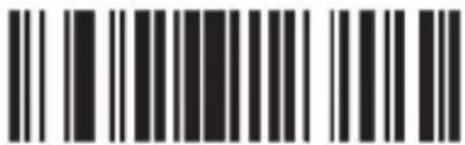
CODE 32
Black and white barcode image with vertical lines and a central dot

Black and white barcode image with vertical lines on both sides

Allumer code 32 Éteindre code 32

Hide the front characters
0C003

Abilita codice 11

Black and white barcode image with vertical lines above and below the bars

Carattere ID "m"

Barcode image with black and white vertical bars, no visible text or symbols

Carattere ID "z"

Barcode image containing machine-readable data, no human-readable text visible

Carattere ID "g"

Barcode image with black and white vertical bars, no visible text or symbols beyond the pattern

Carattere ID "z"

Two sets of barcode symbols: one with vertical lines and one with horizontal bars

Abilita CODABAR Disabilita CODABAR

Barcode image with black and white vertical bars on both sides, no visible text or symbols beyond the pattern

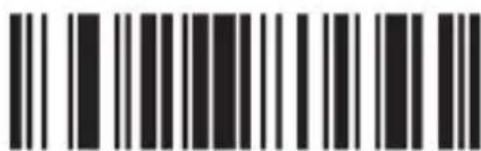
Abilita scansione ridon- dante CODABAR
Barcode image containing machine-readable data, no human-readable text visible

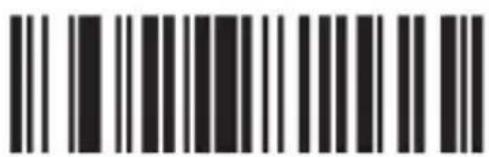
Disabilita scansione ridondante CODABAR
Barcode image with black and white vertical bars on white background

Abilita Inter-leaved/ITF25

Barcode image containing machine-readable data, no human-readable text visible

Disabilita Inter-leaved/ITF25

Barcode image with black and white vertical bars, no visible text or symbols beyond the pattern

Abilita scansione ridondante ITF25

Black and white barcode image with vertical lines on both sides

Disabilita scansione ridondante ITF25

Industrial 25
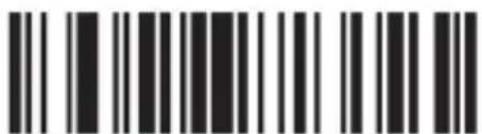
Barcode image containing machine-readable data, with vertical black bars for each bar and a series of dots for continuation.

Abilita Industrial25

Barcode image containing machine-readable data, no human-readable text visible

Disabilita Industrial25

Barcode image containing machine-readable data, with vertical black bars for each digit and a small number on the right.

Barcode image containing machine-readable data, no human-readable text visible

Abilita scansione ridondante Industrial25
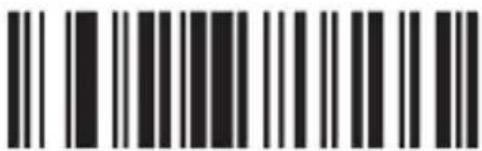
Black and white barcode image with vertical lines and a central dot

Disabilita scansione ridondante Industrial25

MSI/PLESSEY
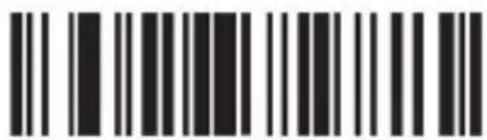
Barcode image with black and white vertical bars, no visible text or symbols

Abilita MSI

Barcode image containing encoded digital information

Disabilita MSI

Black and white barcode image with vertical lines and a central dot

Carattere ID "f"

Barcode image with black and white vertical bars, no visible text or symbols

Abilita scansione ridon- dante MSI

Barcode image containing machine-readable data, no human-readable text visible

Disabilita scansione ridon- dante MSI

UPC-A
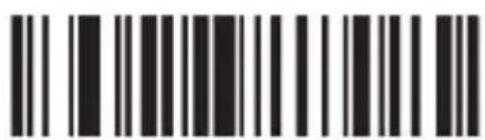
Barcode image containing encoded digital information

Abilita UPC-A

Barcode image containing machine-readable data, with vertical black bars for each bar and no visible text or symbols beyond the pattern.

Disabilita UPC-A

Barcode image containing machine-readable data, no human-readable text visible

Abilita UPC-E

Barcode image containing machine-readable data, no human-readable text visible

Disabilita UPC-E

Barcode image containing machine-readable data, no human-readable text visible

EAN-13
Barcode image containing machine-readable data, with vertical black bars for each bar and no visible text or symbols beyond the pattern.

Abilita EAN-13

Black and white barcode image with vertical lines and a central dot

Disabilita EAN-13

Barcode image containing machine-readable data, with vertical black bars on both sides and a series of dots above the bars.

Abilita conversione da EAN- 13 a ISBN
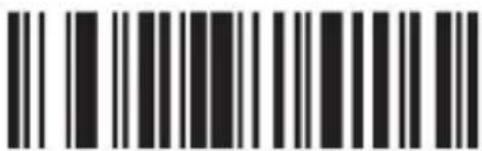
Black and white barcode image with vertical lines above and below the bars

Disabilita conversione da EAN-13 a ISBN
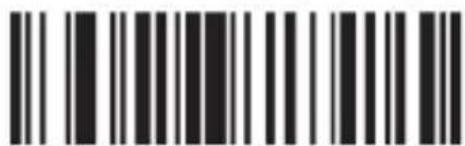
Black and white barcode image with vertical lines and a central dot

EAN-8
Barcode image containing machine-readable data, with vertical black bars for each digit and a series of dots for digits 1 through 9.

Abilita EAN-8

Barcode image containing machine-readable data, with vertical lines representing data points in the matrix.

Disabilita EAN-8

Barcode image containing machine-readable data, no human-readable text visible

Carattere ID "d"

Barcode image containing machine-readable data, with vertical black and white bars representing the number 10

Carattere ID "z"

ISSN
Barcode image with black and white vertical bars, no visible text or symbols

Abilita ISSN Disabilita ISSN

Barcode image containing machine-readable data, no human-readable text visible

Barcode image with black and white vertical bars on both sides

Carattere ID "f"

Barcode image containing machine-readable data, no human-readable text visible

Carattere ID "z"

UPC/EAN
Barcode image with black and white vertical bars on white background

Disabilita supplementi UPC/EAN

Barcode image with black and white vertical bars, no visible text or symbols

Supplementi UPC/EAN a 2 cifre

Black and white barcode image with vertical lines and a small number '1' at the bottom

Supplementi UPC/EAN a 5 cifre

Barcode image containing machine-readable data, with vertical lines representing data points in the matrix.

Supplementi UPC/EAN a 2&5 cifre

Barcode image containing machine-readable data, with vertical lines representing data points in the matrix.

Abilita scansione ridondante UPC/EAN

Barcode image containing machine-readable data, with vertical black and white lines representing the number 10.

Disabilita scansione ridondante UPC/EAN

CODICE 32
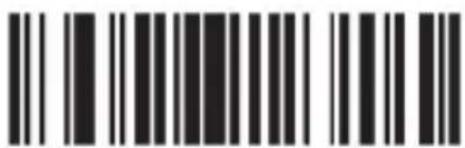
Black and white barcode image with vertical lines and a central dot

Black and white barcode image with vertical lines on both sides

Ajustes de fábrica

Ajustes de zumbido
Black and white barcode image with vertical lines and a central dot

Encender código 11

Black and white barcode image with vertical lines above and below the bars

Apagar código 11

Barcode image with black and white vertical bars, no visible text or symbols beyond the pattern

Carácter ID «m»

Barcode image with black and white vertical bars, no visible text or symbols

Carácter ID «z»

Black and white barcode image with vertical lines and a central dot

Encender código 93

Barcode image containing machine-readable data, no human-readable text visible

Apagar código 93

Two identical barcode patterns: one with vertical black lines on white background, the other with solid black bars on white background.

Encender código 39

Black and white barcode image with vertical lines and a central dot

Apagar código 39
Two identical barcode patterns, each with vertical black bars on white background

Code 39 ALL ASCII - encendido

Barcode image containing machine-readable data, no human-readable text visible

Code 39 ALL ASCII - apagado

Two identical barcode patterns, each with vertical black and white stripes on white background

Carácter ID «a»

Barcode image with black and white vertical bars, no visible text or symbols beyond the pattern

Carácter ID «z»

Two identical barcode patterns: one with vertical black bars on white background, the other with solid black bars on white background.

Carácter ID «g»

Black and white barcode image with vertical lines and a central bar

Carácter ID «z»

Two identical barcode patterns, each with vertical black and white stripes on white background

Activar CODABAR Apagar CODABAR

Image of a barcode with vertical black and white lines on both sides, containing machine-readable data.

Activar Bar width gap allowed

Black and white barcode image with vertical lines and a small number '1' at the bottom

Desactivar Bar width gap allowed

Interleaved/ITF25
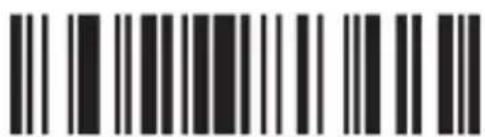
Barcode image containing machine-readable data, with vertical black and white lines representing the number 10

Activar Inter-leaved/ITF25

Black and white barcode image with vertical lines and a central dot

Apagar Inter-leaved/ITF25

Barcode image with black and white vertical bars, no visible text or symbols beyond the pattern

Apagar escaneo re- dundante de IFT25

Industrial 25
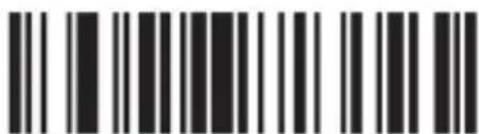
Black and white barcode image with vertical lines and a small number '1' at the bottom

Activar Industrial 25

Barcode image containing machine-readable data, no human-readable text visible

Apagar Industrial 25

Barcode image with vertical black and white bars, no visible text or symbols beyond the pattern

Black and white barcode image with vertical lines and a central dot

Activar escaneo redundante de Industrial 25
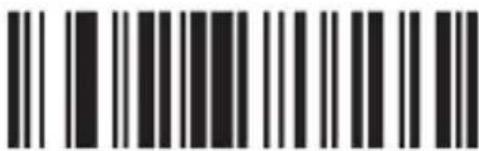
Black and white barcode image with vertical lines on both sides

Apagar escaneo redundante de Industrial 25

MSI/PLESSEY
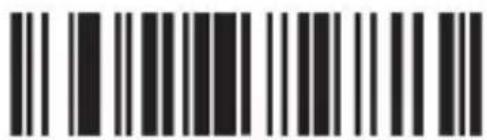
Barcode image with black and white vertical bars, no visible text or symbols

Activar MSI

Barcode image containing machine-readable data, no human-readable text visible

Apagar MSI

Barcode image containing machine-readable data, no human-readable text visible

Carácter ID «f»

Barcode image containing machine-readable data, with vertical lines representing data points in the matrix.

Apagar escaneo redundante de MSI

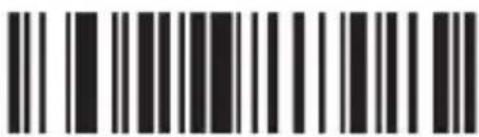
UPC-A
Black and white barcode image with vertical lines and a central dot

Activar UPC-A

Barcode image containing machine-readable data, with vertical black and white lines representing the number 10

Apagar UPC-A

Barcode image containing machine-readable data, no human-readable text visible

Activar Transmit system bit

Black and white barcode image with vertical lines and a central dot

Desactivar Transmit system bit

Barcode image containing machine-readable data, with vertical black bars on both sides and a central white dot.

Activar Transmit check digit

Barcode image containing machine-readable data, with vertical black bars for each bar and a series of white dots for continuation.

Desactivar Transmit check digit

Barcode image with vertical black and white bars, no visible text or symbols beyond the pattern

Carácter ID «b» Carácter ID «z»

Barcode image containing machine-readable data, with vertical lines representing data points in the matrix.

UPC-E
Black and white barcode image with vertical lines and a central dot

Activar UPC-E

Barcode image containing machine-readable data, no human-readable text visible

Apagar UPC-E

Black and white barcode image with vertical lines and a small number '1' at the bottom

Activar Transmit system bit

Barcode image containing encoded digital information

Desactivar Transmit system bit

Barcode image with black and white vertical bars on white background

Activar Transmit check digit

Barcode image containing machine-readable data, no human-readable text visible

Desactivar Transmit check digit

Barcode image containing machine-readable data, with vertical black and white lines representing the number 10

Carácter ID «c» Carácter ID «z»

Barcode image with vertical black and white bars, no visible text or symbols beyond the pattern

EAN-13
Barcode image with black and white vertical bars, no visible text or symbols

Encender EAN-13

Barcode image containing machine-readable data, with vertical black and white bars representing the number 10

Apagar EAN-13

Barcode image containing machine-readable data, no human-readable text visible

Desactivar conversión EAN-13 a ISBN

Black and white barcode image with vertical lines and a central dot

Activar Transmit system bit

Barcode image containing machine-readable data, no human-readable text visible

Desactivar Transmit system bit

Black and white barcode image with vertical lines and dots, no readable text or symbols

Activar Transmit check digit

Barcode image containing encoded digital information

Desactivar Transmit check digit

Barcode image with black and white vertical bars, no visible text or symbols beyond the pattern

EAN-8
Black and white barcode image with vertical lines and dots, no readable text or symbols

Encender EAN-8

Barcode image containing machine-readable data, with vertical lines representing data points in the matrix.

Apagar EAN-8

Barcode image containing machine-readable data, with vertical black bars on both sides and no visible text or symbols.

Activar Transmit system bit

Barcode image containing machine-readable data, with vertical black and white lines representing the number 10

Desactivar Transmit system bit

Barcode image containing machine-readable data, with vertical black and white lines representing the number 10

Activar Transmit check digit

Barcode image containing machine-readable data, no human-readable text visible

Desactivar Transmit check digit

Barcode image containing machine-readable data, no human-readable text visible

Carácter ID «d»

Barcode image containing machine-readable data, no human-readable text visible

Carácter ID «z»

ISSN
Barcode image containing machine-readable data, with vertical lines representing data points in the matrix.

Activar ISSN Apagar ISSN

Barcode image containing machine-readable data, no human-readable text visible

Barcode image with black and white vertical bars on both sides

Carácter ID «f»

Barcode image containing machine-readable data, with vertical lines representing data points in the matrix.

Carácter ID «z»

UPC/EAN
Barcode image with black and white vertical bars on white background

Apagar UPC/EAN supplements

Barcode image with black and white vertical bars, no visible text or symbols

UPC/EAN supplements 2 cifras

Barcode image containing machine-readable data, with vertical black and white lines on both sides.

UPC/EAN supplements 5 cifras

Barcode image containing machine-readable data, with vertical lines representing data points in the matrix.

UPC/EAN supplements 2&5 cifras

Barcode image containing machine-readable data, no human-readable text visible

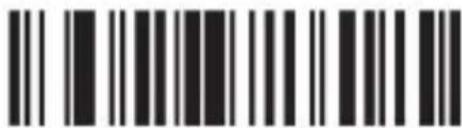
Activar escaneo redundante de UPC/EAN
Barcode image containing machine-readable data, with vertical black bars for each digit and a series of dots for digits 1 through 9.

Apagar escaneo redundante de UPC/EAN

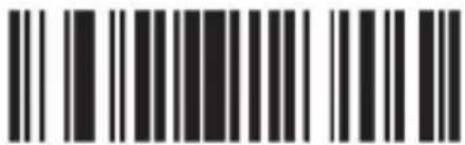
CODE 32
Black and white barcode image with vertical lines and a central dot

Barcode image containing machine-readable data, no human-readable text visible

Hide the front characters

0C003

Hide the behind characters

0C004

Aplic 304351 - Disposal instructions - 195add prefixAplic 304351 - Disposal instructions - 196BS/Back SpaceAplic 304351 - Disposal instructions - 197DC4
Aplic 304351 - Disposal instructions - 198UC002add suffixAplic 304351 - Disposal instructions - 19909HT/TABAplic 304351 - Disposal instructions - 20015NAK
Aplic 304351 - Disposal instructions - 201hide the front charactersAplic 304351 - Disposal instructions - 202LFAplic 304351 - Disposal instructions - 203SYN
Aplic 304351 - Disposal instructions - 204UGU04hide the behind charactersAplic 304351 - Disposal instructions - 205UBVTAplic 304351 - Disposal instructions - 20617ETB
Aplic 304351 - Disposal instructions - 20700NUL/SPAplic 304351 - Disposal instructions - 208UCFFAplic 304351 - Disposal instructions - 20918CAN
Aplic 304351 - Disposal instructions - 21001SOHAplic 304351 - Disposal instructions - 211UDCR/ENTERAplic 304351 - Disposal instructions - 21219EM
Aplic 304351 - Disposal instructions - 21302STXAplic 304351 - Disposal instructions - 214OE SOAplic 304351 - Disposal instructions - 2151A SUB
Aplic 304351 - Disposal instructions - 21603ETXAplic 304351 - Disposal instructions - 217OF SIAplic 304351 - Disposal instructions - 2181B ESC/ESC
Aplic 304351 - Disposal instructions - 21904EOTAplic 304351 - Disposal instructions - 22010 DLEAplic 304351 - Disposal instructions - 2211C FS
Aplic 304351 - Disposal instructions - 22205ENQAplic 304351 - Disposal instructions - 22311 DC1Aplic 304351 - Disposal instructions - 2241D GS
Aplic 304351 - Disposal instructions - 22506ACKAplic 304351 - Disposal instructions - 22612 DC2Aplic 304351 - Disposal instructions - 2271E RS
Aplic 304351 - Disposal instructions - 22807BELAplic 304351 - Disposal instructions - 22913 DC3Aplic 304351 - Disposal instructions - 2301F US
Aplic 304351 - Disposal instructions - 231SPAplic 304351 - Disposal instructions - 232,Aplic 304351 - Disposal instructions - 2338
Aplic 304351 - Disposal instructions - 234!Aplic 304351 - Disposal instructions - 235Aplic 304351 - Disposal instructions - 2369
Aplic 304351 - Disposal instructions - 237Aplic 304351 - Disposal instructions - 238.Aplic 304351 - Disposal instructions - 239:
Aplic 304351 - Disposal instructions - 240#Aplic 304351 - Disposal instructions - 241/Aplic 304351 - Disposal instructions - 242;
Aplic 304351 - Disposal instructions - 243Aplic 304351 - Disposal instructions - 2440Aplic 304351 - Disposal instructions - 245<
Aplic 304351 - Disposal instructions - 246%Aplic 304351 - Disposal instructions - 2471Aplic 304351 - Disposal instructions - 248=
Aplic 304351 - Disposal instructions - 249&Aplic 304351 - Disposal instructions - 2502Aplic 304351 - Disposal instructions - 251>
Aplic 304351 - Disposal instructions - 252,Aplic 304351 - Disposal instructions - 2533Aplic 304351 - Disposal instructions - 254?
Aplic 304351 - Disposal instructions - 255(Aplic 304351 - Disposal instructions - 2564Aplic 304351 - Disposal instructions - 257@
Aplic 304351 - Disposal instructions - 258)Aplic 304351 - Disposal instructions - 2595Aplic 304351 - Disposal instructions - 260A
Aplic 304351 - Disposal instructions - 261*Aplic 304351 - Disposal instructions - 2626Aplic 304351 - Disposal instructions - 263B
Aplic 304351 - Disposal instructions - 264+Aplic 304351 - Disposal instructions - 2657Aplic 304351 - Disposal instructions - 266C
Aplic 304351 - Disposal instructions - 267DAplic 304351 - Disposal instructions - 268PAplic 304351 - Disposal instructions - 269\
Aplic 304351 - Disposal instructions - 270EAplic 304351 - Disposal instructions - 271QAplic 304351 - Disposal instructions - 272 ]
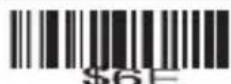
Aplic 304351 - Disposal instructions - 273FAplic 304351 - Disposal instructions - 274RAplic 304351 - Disposal instructions - 275\phi 5E
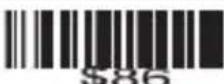
Aplic 304351 - Disposal instructions - 276GAplic 304351 - Disposal instructions - 277SAplic 304351 - Disposal instructions - 278\phi 5F
Aplic 304351 - Disposal instructions - 279HAplic 304351 - Disposal instructions - 280TAplic 304351 - Disposal instructions - 281\phi 60
Aplic 304351 - Disposal instructions - 282IAplic 304351 - Disposal instructions - 283UAplic 304351 - Disposal instructions - 284a
Aplic 304351 - Disposal instructions - 285JAplic 304351 - Disposal instructions - 286VAplic 304351 - Disposal instructions - 287b
Aplic 304351 - Disposal instructions - 288KAplic 304351 - Disposal instructions - 289WAplic 304351 - Disposal instructions - 290c
Aplic 304351 - Disposal instructions - 291LAplic 304351 - Disposal instructions - 292XAplic 304351 - Disposal instructions - 293d
Aplic 304351 - Disposal instructions - 294MAplic 304351 - Disposal instructions - 295YAplic 304351 - Disposal instructions - 296e
Aplic 304351 - Disposal instructions - 297NAplic 304351 - Disposal instructions - 298ZAplic 304351 - Disposal instructions - 299f
Aplic 304351 - Disposal instructions - 300OAplic 304351 - Disposal instructions - 301 [Aplic 304351 - Disposal instructions - 302g
Aplic 304351 - Disposal instructions - 303hAplic 304351 - Disposal instructions - 304tAplic 304351 - Disposal instructions - 305F1
Aplic 304351 - Disposal instructions - 306iAplic 304351 - Disposal instructions - 307uAplic 304351 - Disposal instructions - 308F2
Aplic 304351 - Disposal instructions - 309jAplic 304351 - Disposal instructions - 310vAplic 304351 - Disposal instructions - 311F3
Aplic 304351 - Disposal instructions - 312kAplic 304351 - Disposal instructions - 313wAplic 304351 - Disposal instructions - 314F4
Aplic 304351 - Disposal instructions - 315lAplic 304351 - Disposal instructions - 316xAplic 304351 - Disposal instructions - 317F5
Aplic 304351 - Disposal instructions - 318mAplic 304351 - Disposal instructions - 319yAplic 304351 - Disposal instructions - 320F6
Aplic 304351 - Disposal instructions - 321nAplic 304351 - Disposal instructions - 322zAplic 304351 - Disposal instructions - 323F7
Aplic 304351 - Disposal instructions - 324oAplic 304351 - Disposal instructions - 325Aplic 304351 - Disposal instructions - 326F8
Aplic 304351 - Disposal instructions - 327pAplic 304351 - Disposal instructions - 328lAplic 304351 - Disposal instructions - 329F9
Aplic 304351 - Disposal instructions - 330qAplic 304351 - Disposal instructions - 331Aplic 304351 - Disposal instructions - 332F10
Aplic 304351 - Disposal instructions - 333rAplic 304351 - Disposal instructions - 334\Phi /E$ ~Aplic 304351 - Disposal instructions - 335F11
Aplic 304351 - Disposal instructions - 336sAplic 304351 - Disposal instructions - 337DELAplic 304351 - Disposal instructions - 338F12
Aplic 304351 - Disposal instructions - 339Aplic 304351 - Disposal instructions - 340Aplic 304351 - Disposal instructions - 341
L SHIFT ON/(KP)6 (KP)
Aplic 304351 - Disposal instructions - 342Aplic 304351 - Disposal instructions - 343Aplic 304351 - Disposal instructions - 344
L SHIFT OFF*(KP)7 (KP)
Aplic 304351 - Disposal instructions - 345Aplic 304351 - Disposal instructions - 346Aplic 304351 - Disposal instructions - 347
R SHIFT ON-(KP)8 (KP)
Aplic 304351 - Disposal instructions - 348Aplic 304351 - Disposal instructions - 349Aplic 304351 - Disposal instructions - 350
R SHIFT OFF+(KP)9 (KP)
Aplic 304351 - Disposal instructions - 351Aplic 304351 - Disposal instructions - 352Aplic 304351 - Disposal instructions - 353
L ALT ON.(KP)Inert
Aplic 304351 - Disposal instructions - 354Aplic 304351 - Disposal instructions - 355Aplic 304351 - Disposal instructions - 356
L ALT OFFEnter (KP)Delete
Aplic 304351 - Disposal instructions - 357Aplic 304351 - Disposal instructions - 358Aplic 304351 - Disposal instructions - 359
R ALT ONO (KP)Home
Aplic 304351 - Disposal instructions - 360Aplic 304351 - Disposal instructions - 361Aplic 304351 - Disposal instructions - 362
R ALT OFF1 (KP)End
Aplic 304351 - Disposal instructions - 363Aplic 304351 - Disposal instructions - 364Aplic 304351 - Disposal instructions - 365
L CTRL ON2 (KP)Page Up
Aplic 304351 - Disposal instructions - 366Aplic 304351 - Disposal instructions - 367Aplic 304351 - Disposal instructions - 368
L CTRL OFF3 (KP)Page Down
Aplic 304351 - Disposal instructions - 369Aplic 304351 - Disposal instructions - 370Aplic 304351 - Disposal instructions - 371
R CTRL ON4 (KP)Up
Aplic 304351 - Disposal instructions - 372Aplic 304351 - Disposal instructions - 373Aplic 304351 - Disposal instructions - 374
R CTRL OFF5 (KP)Down
Aplic 304351 - Disposal instructions - 375LeftAplic 304351 - Disposal instructions - 376Up
Aplic 304351 - Disposal instructions - 377RightAplic 304351 - Disposal instructions - 378Down
Aplic 304351 - Disposal instructions - 379 Aplic 304351 - Disposal instructions - 380Left
Aplic 304351 - Disposal instructions - 381InertAplic 304351 - Disposal instructions - 382Right
Aplic 304351 - Disposal instructions - 383DeleteAplic 304351 - Disposal instructions - 384 BD
Aplic 304351 - Disposal instructions - 385HomeAplic 304351 - Disposal instructions - 386Num Lock
Aplic 304351 - Disposal instructions - 387EndAplic 304351 - Disposal instructions - 388Caps Lock
Aplic 304351 - Disposal instructions - 389Page UpAplic 304351 - Disposal instructions - 390Scroll lock
Aplic 304351 - Disposal instructions - 391Page Down

Aplic 304351 - Disposal instructions - 392

aplic

WD Plus GmbH

Manual assistant
Powered by Anthropic
Waiting for your message
Product information

Brand : Aplic

Model : 304351

Category : Barcode scanner