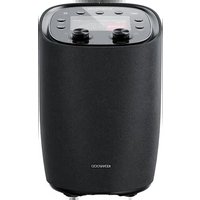
CR-ST500S - Radio KENWOOD - Free user manual and instructions
Find the device manual for free CR-ST500S KENWOOD in PDF.


Pick your language and provide your email: we'll send you a specifically translated version.
| Product Type | Internet Radio / DAB+ / FM / Bluetooth |
| Brand | Kenwood |
| Model | CR-ST500S |
| Dimensions (W x H x D) | 180 x 272.5 x 180 mm |
| Weight | 2.9 kg |
| Power Supply | 100-240 V ~ 50/60 Hz, 18 V / 2 A adapter (36 W) |
| Standby Power Consumption | 0.7 W (0.9 W in network standby) |
| Display | 4-inch color TFT |
| DAB+ Tuner | Band III (174.928 – 239.200 MHz) |
| FM Tuner | 87.50 – 108.00 MHz |
| Bluetooth | Version 5.2, Class 2, range ~10 m |
| Wi-Fi | IEEE 802.11a/b/g/n (2.4 and 5 GHz) |
| Supported Audio Formats | MP3, AAC/AAC+ (up to 48 kHz/16 bit) |
| Output Power | 30 W RMS |
| Frequency Response | 50 Hz – 20 kHz |
| Preset Memory | 40 presets (Internet, DAB+, FM), 10 (Spotify), 8 (Deezer) |
| Functions | 2 alarms, timer, equalizer, Bluetooth playback, UNDOK/OKTIV app |
| Included Accessories | Remote control, power adapter, telescopic antenna, AAA batteries |
| Maintenance | Clean with a dry, soft cloth, avoid chemicals |
| Safety | Do not expose to water, do not block vents, unplug before cleaning |
Frequently Asked Questions - CR-ST500S KENWOOD
How to connect the Kenwood CR-ST500S to Wi-Fi?
From the main menu, go to Systemeinstellungen (System settings) then select Netzwerk (Network) and Netzwerkassistent (Network assistant). The radio will search for available Wi-Fi networks. Choose your network, enter the password if necessary, and confirm.
How to set the alarm?
Press and hold the ALARM/BACK button on the unit, then select Wecker 1 or Wecker 2. You can configure the days, time, source (buzzer, Internet, DAB, FM), volume and duration. Confirm with OK.
How to save a radio station as a favorite?
While playing the desired station, press and hold a numeric key (1-3 on the unit, 1-10 on the remote) until Gespeichert (Saved) appears. For locations 11-40, press and hold FAV and select a location.
The sound is low, what to do?
Check that the volume is not set to low. Press MUTE to cancel mute. Go to the equalizer (EQ button) and choose a preset like Normal or Rock. If the problem persists, increase the audio source on your connected device.
How to update the firmware?
In the main menu, go to Systemeinstellungen then Softwareupdate. Select Jetzt suchen (Search now). If an update is available, choose JA to install it. Make sure the power supply is stable during the process.
How to use Spotify Connect?
On your smartphone, open Spotify and start playback. Press the Connect icon (speaker) at the bottom of the screen, then select KENWOOD CR-ST500S from the device list. The playback will then be streamed to the radio.
What to do if Bluetooth does not connect?
Make sure the radio is in Bluetooth Audio mode. On your device, enable Bluetooth and search for KENWOOD CR-ST500S. If prompted, enter the PIN 0000. If the connection fails, delete the device from the Bluetooth list and try again.
How to reset the radio to factory settings?
In Systemeinstellungen, select Werkseinstellung (Factory settings) then choose JA to confirm. All personal data and settings will be erased.
How to clean the device?
Unplug the radio. Use a dry, soft cloth to wipe the surface. Do not use liquid products, alcohol, ammonia or abrasives. Clean the screen with a microfiber cloth if necessary.
Can I use the UNDOK app?
Yes, download the UNDOK app from the Google Play Store or the App Store. On first use, the radio creates a temporary Wi-Fi network. Follow the instructions in the app to connect the radio to your home network and control all its functions.
User questions about CR-ST500S KENWOOD
0 question about this device. Answer the ones you know or ask your own.
Ask a new question about this device
No questions yet. Be the first to ask one.
Download the instructions for your Radio in PDF format for free! Find your manual CR-ST500S - KENWOOD and take your electronic device back in hand. On this page are published all the documents necessary for the use of your device. CR-ST500S by KENWOOD.
USER MANUAL CR-ST500S KENWOOD
First Floor, Gleneagles, The Belfry, Colonial Way, Watford, Hertfordshire WD24 4WH UNITED KINGDOM
