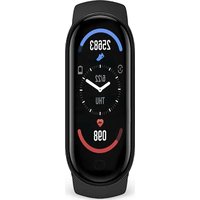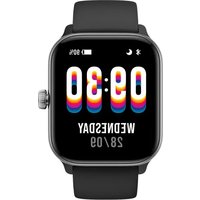
SWB32 - Smartwatch Prixton - Free user manual and instructions
Find the device manual for free SWB32 Prixton in PDF.


Pick your language and provide your email: we'll send you a specifically translated version.
| Product type | Connected watch (smartwatch) |
| Brand | Prixton |
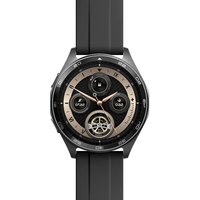
| Model | SWB32 |
| Screen | Color touch screen |
| Sensors | Heart rate, SpO2, accelerometer, stress sensor |
| Connectivity | Bluetooth 5.0 (estimated), compatible with VeryFit app |
| Health functions | Heart rate measurement, blood oxygen, stress level, sleep, body energy |
| Sports tracking | Over 100 types of exercises, automatic recognition for some |
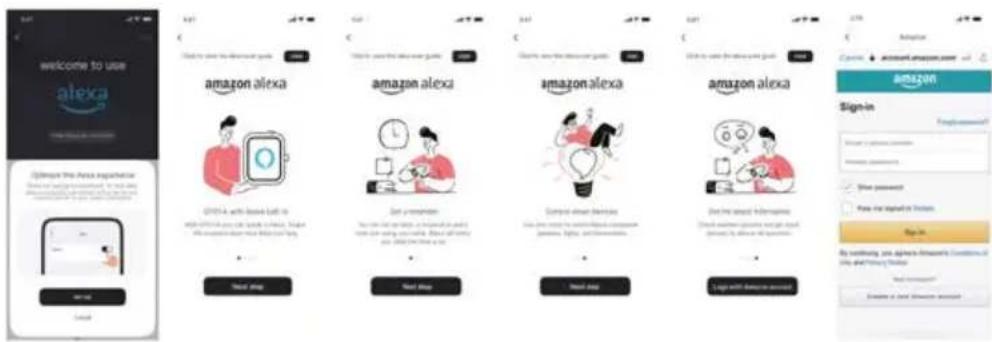
| Voice assistant | Built-in Alexa |
| Notifications | Calls, messages, reminders, alarms |
| Battery life | Approximately 7 days (estimated) |
| Charging | Magnetic charger included |
| Compatibility | iOS and Android (via VeryFit) |
| Box contents | SWB32 watch, magnetic charging cable, user manual |
| Warranty | Legal warranty - see Prixton website |
| Repairability | Spare parts available via Prixton after-sales service |
| Menstrual cycle tracking | Yes, with predictions |
| Camera control | Remote shutter |
| Music | Player control and local storage |
Frequently Asked Questions - SWB32 Prixton
How to pair my SWB32 watch with my phone?
Download the VeryFit app from the App Store or Google Play. Turn on Bluetooth on your phone and open the app. On the watch, turn on the screen and bring it close to the phone. In the app, tap the '+' in the 'Device' tab and select your watch from the list. Confirm pairing on the watch.
How to measure my heart rate?
From the watch face, briefly press the physical button to access the app list. Select the Heart rate icon. Keep your arm and wrist still during the measurement. You can also enable 24-hour automatic monitoring in the VeryFit app settings.
Can I use Alexa on the watch?
Yes, the SWB32 watch includes Alexa. To use it, you must first link your Amazon account via the VeryFit app (Alexa section). Then, on the watch, press and hold the physical button to launch Alexa. Speak to ask questions or give commands (timer, alarm, reminders).
How to set an alarm?
In the app list, open Alarm. You can add a new alarm by tapping '+'. Set the time and repeat. You can also configure alarms via the VeryFit app in the watch settings.
Is the watch waterproof?
The manual mentions swimming exercises in pools and open water, which suggests water resistance. However, the exact waterproof level is not specified. To preserve the device, avoid immersing it in hot water or exposing it to excessive pressure.
How to change the watch face?
Press and hold the current watch face to access the watch face selector. Swipe to choose from the preset watch faces. You can also customize the watch face via the VeryFit app in the 'Watch Face' settings or download new watch faces from the Watch Face Market.
What to do if the watch does not turn on?
Make sure the watch is charged. Connect the magnetic cable to the contacts on the back of the watch. If it still does not turn on, try a long press of 8 seconds on the physical button to perform a forced restart. If the problem persists, contact Prixton customer service.
How to track my sleep?
Wear the watch on your wrist at night. Sleep data is automatically recorded. Open the Sleep app on the watch to see duration and phases (deep, light, REM). For more details, check the VeryFit app.
How to use breathing exercises?
In the app list, select Breathing exercises. You can choose between abdominal breathing, 4-7-8 breathing, or respiratory training. Tap 'Start' and follow the animations and vibrations to regulate your breathing.
Where can I find the complete manual?
The complete manual is available in PDF format on notice-facile.com for the Prixton SWB32 model. You can also download it directly from the product page by selecting your language.
User questions about SWB32 Prixton
0 question about this device. Answer the ones you know or ask your own.
Ask a new question about this device
No questions yet. Be the first to ask one.
Download the instructions for your Smartwatch in PDF format for free! Find your manual SWB32 - Prixton and take your electronic device back in hand. On this page are published all the documents necessary for the use of your device. SWB32 by Prixton.
USER MANUAL SWB32 Prixton
natural_image
Line drawing of a hand wearing a wristwatch (no text or symbols)natural_image
Collection of green pictograms of various sports activities (e.g., running, cycling, swimming) on black background, no text or symbols present.3. Lista de solicitudes
3.1 Alexa
3.1.1 Aplicación VeryFit-Alexa