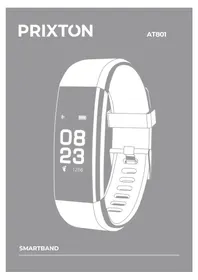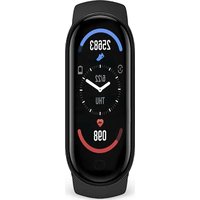
AT410 - Smartwatch Prixton - Free user manual and instructions
Find the device manual for free AT410 Prixton in PDF.


| Product type | Smartwatch |
| Brand | Prixton |
| Model | AT410 |
| Dimensions (approx.) | 45 mm × 38 mm × 10 mm (case) |
| Weight (approx.) | 30 g |
| Power | Rechargeable lithium polymer battery via dedicated magnetic cable |
| Battery life | Approximately 5 to 7 days depending on usage |
| Water resistance | Splash and sweat resistant (IP67) |
| Display | OLED color touchscreen |
| Connectivity | Bluetooth 4.0 |
| Compatibility | Android 5.0+ / iOS 9.0+ |
| App | FitPro (available on App Store and Google Play) |
| Main functions | Pedometer, distance, calories, heart rate, blood pressure, SpO2, sleep, multisports, notifications, alarms, remote photo, vibration alarm |
| Care and cleaning | Clean with a soft dry cloth. Avoid chemicals. |
| Safety | Do not immerse in hot or pressurized water. Remove before showering or bathing. |
| Spare parts and repairability | Interchangeable strap. For any repairs, contact Prixton after-sales service. |
| Warranty | Compliant with the legislation of the country of purchase. Contact via www.prixton.com |
Frequently Asked Questions - AT410 Prixton
User questions about AT410 Prixton
0 question about this device. Answer the ones you know or ask your own.
Ask a new question about this device
Download the instructions for your Smartwatch in PDF format for free! Find your manual AT410 - Prixton and take your electronic device back in hand. On this page are published all the documents necessary for the use of your device. AT410 by Prixton.
USER MANUAL AT410 Prixton
natural_image
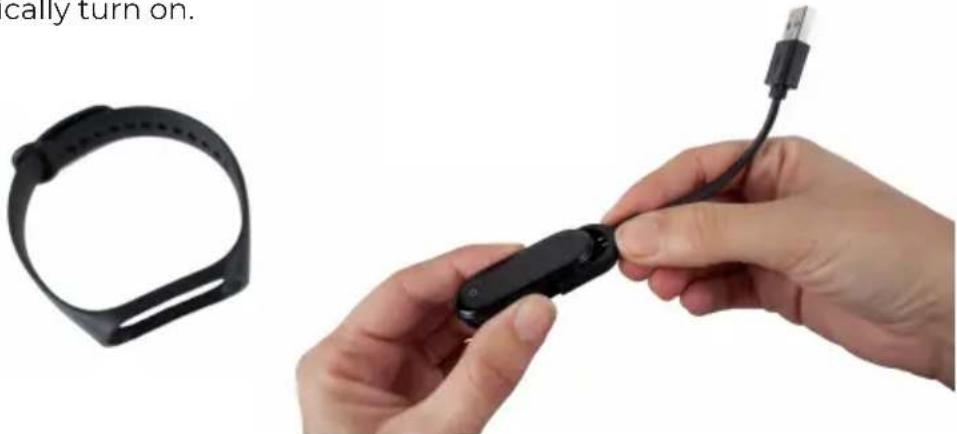
Close-up of hands holding a black wristband cable with USB cable, next to a black wristband (no text or symbols visible)The wristband is best worn after the ulnar styloid Adjust the size of the wrist according to the adjust-ment hole; Buckle belt buckle. The sensor should be close to the skin to avoid moving.
Charge the bracelet
For the first time, make sure that the battery is in normal power. If the power is not turned on normally, please connect the charger to charge the device, and the bracelet will automatically turn on.
natural_image
Close-up of hands holding a black smartwatch with cable, next to a black wristband (no text or symbols visible)Install the bracelet app on your phone
Scan the QR code or go to the App Store, app download and install the app.
AndroidiOs
System Requirements: Android 5.0 or above; iOS9.0 or above; Support for Wireless Connection 4.0.
Device connection
For the first time, you need to connect to the APP for calibration. After the connection is successful, the bracelet will automatically synchronize the time.
▶ Open the phone app → click to start scanning → click on the device connection
▶ After the pairing is successful, the APP will automatically save the Wireless connection address of the bracelet, and when the APP is opened or running in the background, it will automatically search and connect the bracelet;
▶ Android mobile phone Please ensure that the APP runs in the background and the mobile phone system settings are given all permissions such as running the background and reading the contact information.
Bracelet function description
▶ When the device is turned off, touch and hold the function button for more than 3 seconds to turn the device on.
▶ In the Bluetooth address interface of the bracelet, press and hold the 2 second wristswitch to turn off the phone. Short press will exit the shutdown page.
- Bracelet reset device This function will clear all data of the bracelet (such as step counting).
▶ Under the power on state, touch the short press function key to light up the screen.
▶ Whether the default clock page of the bracelet, press the short press function key to switch to view different pages, no operation default five-second screen.
▶ Switch to the heart rate three-in-one interface to start the test, heart rate three-in-one interface 60s timeout automatically off screen (heart rate and blood pressure need bracelet hardware support).
Clock interface
After syncing with the phone, the bracelet will automatically calibrate the time. Press and hold the standby interface for 2 seconds to switch the clock interface of 24/12 hours.
(tracks Step)
Number of steps
Wear the bracelet and record the number of daily movement steps to view the current real-time steps.
Distance
The distance of motion is estimated based on the number of walking steps.
Calorie
Estimate the calories burned based on the number of walking steps.
Heart rate, blood pressure, blood oxygen three-in-one
After entering the heart rate three-in-one test interface for a few seconds, the current heart rate, blood pressure, and blood oxygen test results are displayed. This feature requires a wristband to support heart rate and blood pressure sensors.
Multi-sport mode
(Running Mode)
Under this interface, you can record the calories and duration of running.
(Skipping rope mode)
Under this interface, you can record the calories and duration of rope skipping.
(Sit-up mode)
Under this interface, you can record the calories and duration of sit-ups.
(Sleep mode)
When you fall asleep, the bracelet will automatically enter the sleep monitoring mode; Automatically detect your deep sleep/shallow sleep/wake up all night and calculate your sleep quality; Sleep data is only supported for APP viewing.
Note: Wearing a bracelet to sleep will have sleep data and start to detect sleep at 10 o'clock in the evening. Sleeping 3/4 hours of sleep data will be synchronized to the APP while sleeping.
Information mode
When the bracelet pushes multiple reminder messages, enter this interface to view the last 3 message records.
APP function and settings (Personal information)
Please set your personal information after entering the app.
Settings → Personal Information, you can set gender - age - height - weight
You can also set your daily goal steps to monitor daily completions
(Application push)
Incoming call:
In the connected state, if the call alert function is enabled, when the call comes in, the wristband will vibrate and display the name or number of the caller.(You need to give APP read address book permission).
SMS notification:
In the connected state, if the SMS reminder function is enabled, the bracelet will vibrate when there is a text message.
Other reminders:
In the connected state, if this function is enabled, when there is a message such as WeChat, QQ, Facebook, etc., the bracelet will vibrate to remind and display the content received by the app.(You can also view the last three message records in the ring information menu).(You need to give the APP permission to get system notifications. The wristband can display 20-40 words).
Other functions:
Turn on vibration to set this function, When there is a call, message or other reminder, the bracelet will vibrate. If it is closed, the bracelet will only have a screen reminder without shaking to avoid disturbing.
Tips for Android users:
When using the reminder function, you need to set it to allow "FitPro" to run in the background; it is recommended to add "FitPro" to the rights manage-ment and open all permissions.
(Alarm setting)
In the connected state, 8 alarms can be set. After setting, it will be synchronized to the bracelet; offline alarm is supported. After the synchronization is successful, even if the APP is not connected, the bracelet will be reminded according to the set time.
(Looking for a bracelet)
In the connected state, click the "Look for the bracelet" option and the bracelet will vibrate.
(Remote photography)
In the connected state, start the photo from the wristband or the APP to enter the remote camera interface, shake/turn the wrist/touch the bracelet, and automatically take a photo after 3 seconds of counting down. Please allow the APP to access the photo album to save the self-portrait photo.
(Sedentary reminder)
Set whether to enable the sedentary reminder function, you can set the reminder interval, if you sit for a long time in the set time, the bracelet will remind.
(Raise your hand to brighten)
Turn this function on. When the wristband is in the state of the screen, lift your wrist and turn the screen to yourself to light up the screen.
(Do not disturb mode)
Turn on the Do Not Disturb mode. You can set the Do not disturb time period. During the set time period, the bracelet stops receiving notification messages to avoid reminding messages.
(Device reset)
Setting this feature reset will erase all data in the bracelet (such as step counting).
(Remove device)
Remove device This feature will erase data and remove device.
Basic parameters
Equipment type: Smart wristband
Type of battery: Lithium polymer
Vibration motor: Support
Method of synchronization: Wireless connection 4.0
System requirements: iOS9.0 and above/Android 5.0 and above
Precautions
1.Bathing and swimming should not be worn.
-
Please Connect the bracelet when synchronizing data.
-
Use the included charging cable to charge.
4.Do not expose the bracelet to high moisture, high temperature, or very low temperatures for long periods of time
- The bracelet appears to crash and restart. Please Check the phone memory information clear and try again, or exit the APP and reopen it.
Component introduction
*Host *Wrist strap *Charging cable *Packing box and instructions
Warranty policy
This product complies with the warranty law in force in the country of purchase. When you have a problem that you can not solve, you must access the web www.prixton.com and click on the contact option to send us your assistance form.
These technical and electrical specifications are those of typical units and may be changed without prior notice in order to provide improved equipment.
Simplified eu declaration of conformity
We, La Trastienda Digital located in Avenida Cervantes 49, módulo 25, Basauri 48970, Bizkaia hereby declare that the following goods, imported and selling at European market:
| BRAND | MODEL NAME DESCRIPTION | CATEGORY |
| PRIXTON | AT410 | SMARTBAND |
Are in compliance with the EC Council Directive of 2014/53/EU (EM DIRECTIVE) and harmonized standards and with the board of the 16th of April 2014.
The complete text of the UE Declaration of conformity is available anytime at this website address: www.prixton.com
LA TRASTIENDA DIGITAL